CLINICAL DECISION
SUPPORT SYSTEMS
Padmaja Muttamshetty
Definition
 A clinical decision-support system is any
computer program designed to help health
professionals make clinical decisions.
 In a sense, any computer system that deals
with clinical data or medical knowledge is
intended to provide decision support
 Decision-support function varies from
generalized to patient specific.
Features
 Generating alerts and reminders
 Diagnostic assistance
 Therapy planning
 Image recognition and interpretation
Tools for generalized information
management
 Examples:
 Hospital information systems
 Bibliographic retrieval systems (PubMed)
 Specialized knowledge-management
workstations (e.g. electronic textbooks, …)
 These tools provide the data and knowledge
needed, but they do not help to apply that
information to a particular decision task
(particular patient)
Tools for Patient-Specific Consultation
 Provide customized assessments or advice
based on sets of patient-specific data:
 Suggest differential diagnoses
 Advice about additional tests and examinations
 Treatment advice (therapy, surgery, …)
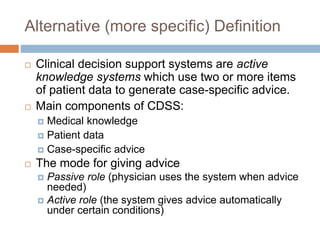
Alternative (more specific) Definition
 Clinical decision support systems are active
knowledge systems which use two or more items
of patient data to generate case-specific advice.
 Main components of CDSS:
 Medical knowledge
 Patient data
 Case-specific advice
 The mode for giving advice
 Passive role (physician uses the system when advice
needed)
 Active role (the system gives advice automatically
under certain conditions)
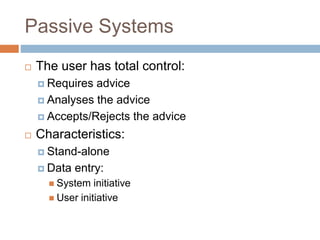
Passive Systems
 The user has total control:
 Requires advice
 Analyses the advice
 Accepts/Rejects the advice
 Characteristics:
 Stand-alone
 Data entry:
 System initiative
 User initiative
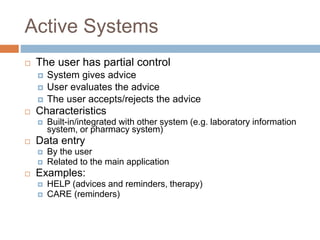
Active Systems
 The user has partial control
 System gives advice
 User evaluates the advice
 The user accepts/rejects the advice
 Characteristics
 Built-in/integrated with other system (e.g. laboratory information
system, or pharmacy system)
 Data entry
 By the user
 Related to the main application
 Examples:
 HELP (advices and reminders, therapy)
 CARE (reminders)
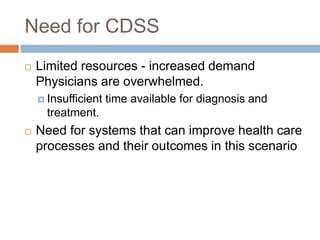
Need for CDSS
 Limited resources - increased demand
Physicians are overwhelmed.
 Insufficient time available for diagnosis and
treatment.
 Need for systems that can improve health care
processes and their outcomes in this scenario
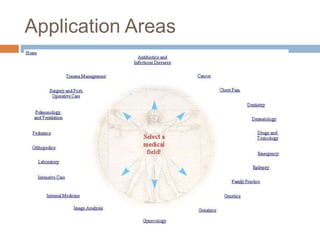
Application Areas
Disadvantages of CDSS
 Changing relation between patient and the
physician
 Limiting professionals’ possibilities for
independent problem solving
 Legal implications
 Tremendous amount of data and rules
must be incorporated into system
Early Decision Support
Systems
 De Dombal's system for acute abdominal pain
(1972)
 developed at Leeds University
 decision making was based on the naive Bayesian
approach
 designed to support the diagnosis of acute abdominal
pain
 INTERNIST-I (1974)
 rule-based expert system designed at the University
of Pittsburgh
 diagnosis of complex problems in general internal
medicine
Early Decision Support
Systems
 MYCIN (1976)
 rule-based expert system designed to diagnose
and recommend treatment for certain blood
infections (extended to handle other infectious
diseases)
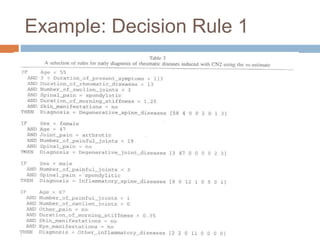
 Clinical knowledge in MYCIN is represented as a
set of IF-THEN rules with certainty factors
attached to diagnoses
Example: Decision Rule 1
Example: Decision Rule 2
Successful CDS Systems
 DXplain
 uses a set of clinical findings (signs, symptoms,
laboratory data) to produce a ranked list of
diagnosis
 DXplain includes 2,200 diseases and 5,000
symptoms in its knowledge base.
 provides justification for why each of these
diseases might be considered, suggests what
further clinical information would be useful to
collect for each disease.
Successful CDS Systems
 QMR Quick Medical Reference
 Based on Internist-1
 A diagnostic decision-support system with a
knowledge base of diseases, diagnoses, findings,
disease associations and lab information
 medical literature on almost 700 diseases and
more than 5,000 symptoms, signs, and labs.
Sources
 EGADSS: http://www.egadss.org
 OpenClinical
(http://www.openclinical.org/home.html)
 Agency for Healthcare, Research and
Quality/AHRQ (http://www.ahrq.gov/ and
http://www.guideline.gov)
 WebMD
(http://my.webmd.com/medical_information/check
_symptoms)
 http://www.cems.uwe.ac.uk/~pcalebso/UWEDMGr
oup/Documents/MDSS.ppt
 http://www.healthsystem.virginia.edu/internet/famil
ymed/information_mastery/Clinical_Decision_Mak
ing_in_3_Minutes_or_Less.ppt
 http://www.phoenix.tc-
ieee.org/016_Clinical_Care_Support_System/Ope
n_CIG_9_19_sanitized.ppt

Clinical decision support systems

  • 1.
  • 2.
    Definition  A clinicaldecision-support system is any computer program designed to help health professionals make clinical decisions.  In a sense, any computer system that deals with clinical data or medical knowledge is intended to provide decision support  Decision-support function varies from generalized to patient specific.
  • 3.
    Features  Generating alertsand reminders  Diagnostic assistance  Therapy planning  Image recognition and interpretation
  • 4.
    Tools for generalizedinformation management  Examples:  Hospital information systems  Bibliographic retrieval systems (PubMed)  Specialized knowledge-management workstations (e.g. electronic textbooks, …)  These tools provide the data and knowledge needed, but they do not help to apply that information to a particular decision task (particular patient)
  • 5.
    Tools for Patient-SpecificConsultation  Provide customized assessments or advice based on sets of patient-specific data:  Suggest differential diagnoses  Advice about additional tests and examinations  Treatment advice (therapy, surgery, …)
  • 6.
    Alternative (more specific)Definition  Clinical decision support systems are active knowledge systems which use two or more items of patient data to generate case-specific advice.  Main components of CDSS:  Medical knowledge  Patient data  Case-specific advice  The mode for giving advice  Passive role (physician uses the system when advice needed)  Active role (the system gives advice automatically under certain conditions)
  • 7.
    Passive Systems  Theuser has total control:  Requires advice  Analyses the advice  Accepts/Rejects the advice  Characteristics:  Stand-alone  Data entry:  System initiative  User initiative
  • 8.
    Active Systems  Theuser has partial control  System gives advice  User evaluates the advice  The user accepts/rejects the advice  Characteristics  Built-in/integrated with other system (e.g. laboratory information system, or pharmacy system)  Data entry  By the user  Related to the main application  Examples:  HELP (advices and reminders, therapy)  CARE (reminders)
  • 9.
    Need for CDSS Limited resources - increased demand Physicians are overwhelmed.  Insufficient time available for diagnosis and treatment.  Need for systems that can improve health care processes and their outcomes in this scenario
  • 10.
  • 11.
    Disadvantages of CDSS Changing relation between patient and the physician  Limiting professionals’ possibilities for independent problem solving  Legal implications  Tremendous amount of data and rules must be incorporated into system
  • 12.
    Early Decision Support Systems De Dombal's system for acute abdominal pain (1972)  developed at Leeds University  decision making was based on the naive Bayesian approach  designed to support the diagnosis of acute abdominal pain  INTERNIST-I (1974)  rule-based expert system designed at the University of Pittsburgh  diagnosis of complex problems in general internal medicine
  • 13.
    Early Decision Support Systems MYCIN (1976)  rule-based expert system designed to diagnose and recommend treatment for certain blood infections (extended to handle other infectious diseases)  Clinical knowledge in MYCIN is represented as a set of IF-THEN rules with certainty factors attached to diagnoses
  • 14.
  • 15.
  • 16.
    Successful CDS Systems DXplain  uses a set of clinical findings (signs, symptoms, laboratory data) to produce a ranked list of diagnosis  DXplain includes 2,200 diseases and 5,000 symptoms in its knowledge base.  provides justification for why each of these diseases might be considered, suggests what further clinical information would be useful to collect for each disease.
  • 17.
    Successful CDS Systems QMR Quick Medical Reference  Based on Internist-1  A diagnostic decision-support system with a knowledge base of diseases, diagnoses, findings, disease associations and lab information  medical literature on almost 700 diseases and more than 5,000 symptoms, signs, and labs.
  • 18.
    Sources  EGADSS: http://www.egadss.org OpenClinical (http://www.openclinical.org/home.html)  Agency for Healthcare, Research and Quality/AHRQ (http://www.ahrq.gov/ and http://www.guideline.gov)  WebMD (http://my.webmd.com/medical_information/check _symptoms)  http://www.cems.uwe.ac.uk/~pcalebso/UWEDMGr oup/Documents/MDSS.ppt  http://www.healthsystem.virginia.edu/internet/famil ymed/information_mastery/Clinical_Decision_Mak ing_in_3_Minutes_or_Less.ppt  http://www.phoenix.tc- ieee.org/016_Clinical_Care_Support_System/Ope n_CIG_9_19_sanitized.ppt