Fundamentals of
Linux Privilege
Escalation
Introduction
❖ Elliott Cutright
❖ Sr. Red Team for a Fortune 10 in Richmond VA
❖ Professional Red Team for 6 years
❖ Linux and Web Applications
❖ Past worked in Threat Intelligence and Systems Admin
and a 24 x 7 x 365 DOD SOC
Disclaimer
The views and opinions expressed here are
those of Elliott Cutright only and in no way
represent the views, positions or opinions -
expressed or implied - of my employer or
anyone else.
Setup
❖ This is NOT how to get in
❖ How do we go from low privileges to high privileges
❖ Webshells, Stolen SSH Keys, etc
❖ We do not know the user's password
❖ Everything in this talk is something I have done or seen
in the real world on real production machines; This is not
THEORY, it's FACT
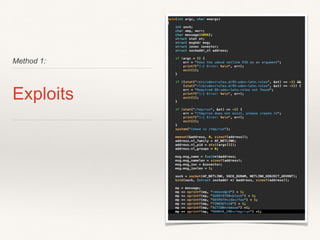
Method 1:
Exploits
Exploits
❖ Most take advantage of a flaw in the Linux Kernel
❖ Easier because reliable exploit code is widely available
❖ Be careful, if unreliable good chance you will crash
system as you might see in the demo
❖ Generally low skill set can achieve grand results
Exploits
❖ Identify OS and Kernel Version
❖ Enumerate tools to build exploit (gcc, python, perl, etc)
❖ Get the exploit to the system
❖ Execute Exploit
❖ …
❖ ROOT
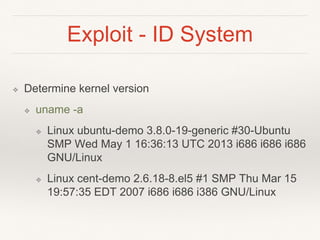
Exploit - ID System
❖ Determine kernel version
❖ uname -a
❖ Linux ubuntu-demo 3.8.0-19-generic #30-Ubuntu
SMP Wed May 1 16:36:13 UTC 2013 i686 i686 i686
GNU/Linux
❖ Linux cent-demo 2.6.18-8.el5 #1 SMP Thu Mar 15
19:57:35 EDT 2007 i686 i686 i386 GNU/Linux
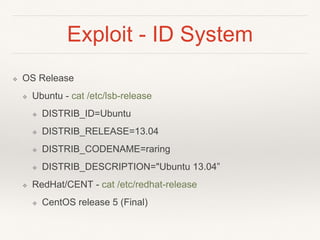
Exploit - ID System
❖ OS Release
❖ Ubuntu - cat /etc/lsb-release
❖ DISTRIB_ID=Ubuntu
❖ DISTRIB_RELEASE=13.04
❖ DISTRIB_CODENAME=raring
❖ DISTRIB_DESCRIPTION="Ubuntu 13.04”
❖ RedHat/CENT - cat /etc/redhat-release
❖ CentOS release 5 (Final)
Exploit - Get the file on the
Server
❖ Any means available
❖ curl/wget
❖ NetCat
❖ FTP
❖ SCP/SFTP
❖ SMB
❖ TFTP
❖ Copy/Paste - for source code
❖ DNS TXT Records - for source code
Exploit - Where To Hide It?
❖ Directories starting with a ‘.’ are hidden on Linux
Filesystem
❖ /tmp/.nothinghere/exploit.c
❖ /tmp/…/exploit.c
❖ Verify you can run commands from your directory
❖ mount
❖ /dev/vda3 on /tmp type ext4 (rw,noexec)
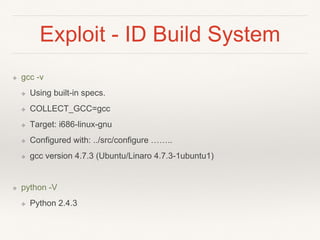
Exploit - ID Build System
❖ gcc -v
❖ Using built-in specs.
❖ COLLECT_GCC=gcc
❖ Target: i686-linux-gnu
❖ Configured with: ../src/configure ……..
❖ gcc version 4.7.3 (Ubuntu/Linaro 4.7.3-1ubuntu1)
❖ python -V
❖ Python 2.4.3
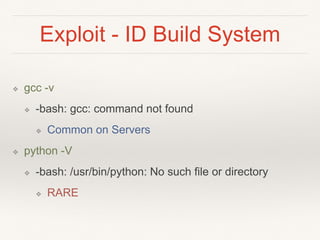
Exploit - ID Build System
❖ gcc -v
❖ -bash: gcc: command not found
❖ Common on Servers
❖ python -V
❖ -bash: /usr/bin/python: No such file or directory
❖ RARE
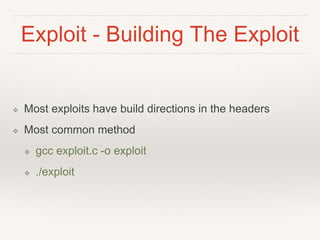
Exploit - Building The Exploit
❖ Most exploits have build directions in the headers
❖ Most common method
❖ gcc exploit.c -o exploit
❖ ./exploit
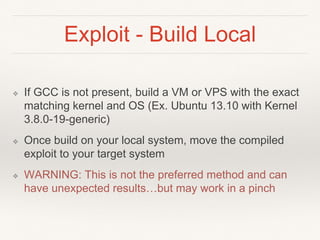
Exploit - Build Local
❖ If GCC is not present, build a VM or VPS with the exact
matching kernel and OS (Ex. Ubuntu 13.10 with Kernel
3.8.0-19-generic)
❖ Once build on your local system, move the compiled
exploit to your target system
❖ WARNING: This is not the preferred method and can
have unexpected results…but may work in a pinch
CVE-2009-2692 - sock_sendpage() exploit
https://www.youtube.com/watch?v=65w7ROFbdqc
Demo
Protect/Detect
❖ Patching
❖ No Really…Install Patches
❖ Limit locations for code execution
❖ GRSecurity, if you are up to it
❖ You need to be really comfortable with Linux for this one
❖ Adds significant overhead to updating as you have to
rebuild for EVERY kernel version
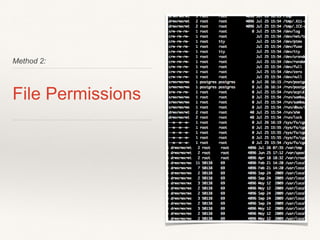
Method 2:
File Permissions
World Readable/Writeable
❖ These are files that anyone can read or write
❖ Easy to find
❖ find / -perm -2 ! -type l -ls
❖ My Ubuntu box had 1,681 files and folder and its a
basic install of 14.04
Dangers
❖ ANYONE can read or write these files
❖ While that is by design for some files, others it adds a
great deal of risk
❖ Config Files
❖ Websites /Application source code
❖ Scripts run by init or cron
❖ Commands/Scripts used by admins
Protect/Detect
❖ World Read/Write is normal part of the filesystem
❖ Issues arise when users/admins/scripts start changing
permissions
❖ stop using `chmod 777` please
❖ Audit on a semi-regular basis for overly permissive files
and folders
SetUID and SetGID
❖ SetUID - SET User ID upon execution
❖ SetGUID - SET Group ID upon execution
❖ Allows you to run programs as another user upon
execution
❖ Generally executed as elevated privilege user (root)
SetUID Risks
❖ Binaries run with elevated privileges can access
privileged information
❖ SetUID on ‘ls’ will allow you to list directories you
otherwise wouldn’t have rights to
❖ SetUID on ‘vim’ will allow you to edit files you
otherwise wouldn’t have rights to
SetUID Risks
❖ Buffer overflow exploits or command injection flaws in
SetUID applications will result in the attacker running
code with the elevated privileges
Find SetUID
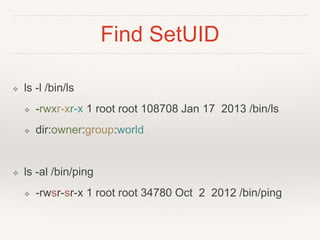
❖ ls -l /bin/ls
❖ -rwxr-xr-x 1 root root 108708 Jan 17 2013 /bin/ls
❖ dir:owner:group:world
❖ ls -al /bin/ping
❖ -rwsr-sr-x 1 root root 34780 Oct 2 2012 /bin/ping
Find SetUID
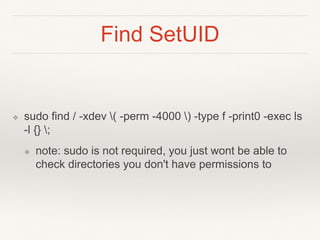
❖ sudo find / -xdev ( -perm -4000 ) -type f -print0 -exec ls
-l {} ;
❖ note: sudo is not required, you just wont be able to
check directories you don't have permissions to
Exploiting SetUID
❖ Use the functionality of the tool in unintended ways for
elevated privileges (more on this idea later)
❖ Find an application that has public exploit or start fuzzing
on your own
❖ Command Injection
Protect/Detect
❖ While setUID is 100% required under normal operations
we see admins overusing it
❖ It is not a fix all
❖ Understand the Risk vs Reward when setting setUID on
an application; Do audits for these apps
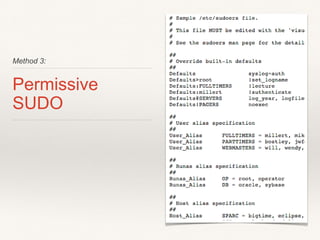
Method 3:
Permissive
SUDO
SUDO
❖ su do
❖ note: `su` does not mean SuperUser, it is Substitute
User
❖ Allows you to run commands as elevated user with your
user password rather than a shared root (BAD!)
password
/etc/sudoers
❖ Config file for sudo
❖ Limits what users and groups can run what commands
❖ ex:
❖ rootALL=(ALL:ALL) ALL
❖ %sudo ALL=(ALL) NOPASSWD:ALL
/etc/sudoers
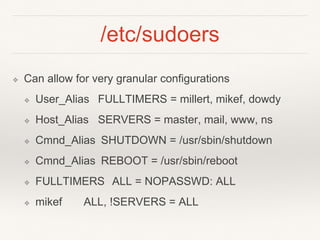
❖ Can allow for very granular configurations
❖ User_Alias FULLTIMERS = millert, mikef, dowdy
❖ Host_Alias SERVERS = master, mail, www, ns
❖ Cmnd_Alias SHUTDOWN = /usr/sbin/shutdown
❖ Cmnd_Alias REBOOT = /usr/sbin/reboot
❖ FULLTIMERS ALL = NOPASSWD: ALL
❖ mikef ALL, !SERVERS = ALL
Concerns
❖ With great power, comes great responsibility
❖ sudo will allow you to shoot yourself in the foot
❖ THINK about the commands you allow via sudo
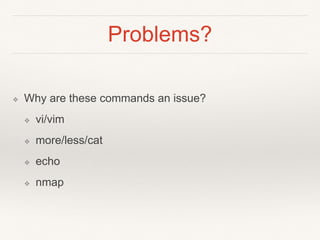
Problems?
❖ Why are these commands an issue?
❖ vi/vim
❖ more/less/cat
❖ echo
❖ nmap
Find Exec
Demo
Protect/Detect
❖ Again, Risk vs Reward of allowing sudo
❖ The more specific you can be in config, the better
❖ Know what the application you are allowing CAN do
Method 4:
PATH issues
Linux PATH
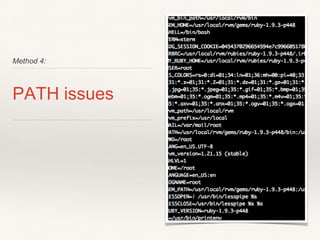
❖ An environment variable that contains the location of
executables
❖ printenv
❖ PATH=/usr/local/rvm/gems/ruby-1.9.3-
p448/bin:/usr/local/rvm/gems/ruby-1.9.3-
p448@global/bin:/usr/local/rvm/rubies/ruby-1.9.3-
p448/bin:/usr/local/rvm/bin:/usr/local/sbin:/usr/local/bin
:/usr/sbin:/usr/bin:/sbin:/bin
Linux PATH
❖ ruby -v
❖ ruby 1.9.3p448 (2013-06-27 revision 41675) [i686-
linux]
❖ which ruby
❖ /usr/local/rvm/rubies/ruby-1.9.3-p448/bin/ruby
Linux PATH Issues
❖ What would happen if the ‘.’ was prepended to the path?
❖ Where would it look for ruby first?
❖ What if a script was calling ruby?
❖ As root…….
Attack Path Example
❖ Sysadmin has ‘.’ in his path
❖ Email and say you can’t list the files in your home dir
❖ Make bash script called ‘ls’ that sends a reverse shell
and hides itself from the admin
❖ Admin logs in as root
❖ Goes to your home dir and runs ls
❖ Shell
ls reverse shell
Demo
Protect/Detect
❖ Don't put ‘.’ in your path….just don't
❖ No Risk vs Reward here, Risk will almost always
outweigh the reward
Questions? e: elliott.cutright@gmail.com
t: @nullthreat

Fundamentals of Linux Privilege Escalation

  • 1.
  • 2.
    Introduction ❖ Elliott Cutright ❖Sr. Red Team for a Fortune 10 in Richmond VA ❖ Professional Red Team for 6 years ❖ Linux and Web Applications ❖ Past worked in Threat Intelligence and Systems Admin and a 24 x 7 x 365 DOD SOC
  • 3.
    Disclaimer The views andopinions expressed here are those of Elliott Cutright only and in no way represent the views, positions or opinions - expressed or implied - of my employer or anyone else.
  • 4.
    Setup ❖ This isNOT how to get in ❖ How do we go from low privileges to high privileges ❖ Webshells, Stolen SSH Keys, etc ❖ We do not know the user's password ❖ Everything in this talk is something I have done or seen in the real world on real production machines; This is not THEORY, it's FACT
  • 5.
  • 6.
    Exploits ❖ Most takeadvantage of a flaw in the Linux Kernel ❖ Easier because reliable exploit code is widely available ❖ Be careful, if unreliable good chance you will crash system as you might see in the demo ❖ Generally low skill set can achieve grand results
  • 7.
    Exploits ❖ Identify OSand Kernel Version ❖ Enumerate tools to build exploit (gcc, python, perl, etc) ❖ Get the exploit to the system ❖ Execute Exploit ❖ … ❖ ROOT
  • 8.
    Exploit - IDSystem ❖ Determine kernel version ❖ uname -a ❖ Linux ubuntu-demo 3.8.0-19-generic #30-Ubuntu SMP Wed May 1 16:36:13 UTC 2013 i686 i686 i686 GNU/Linux ❖ Linux cent-demo 2.6.18-8.el5 #1 SMP Thu Mar 15 19:57:35 EDT 2007 i686 i686 i386 GNU/Linux
  • 9.
    Exploit - IDSystem ❖ OS Release ❖ Ubuntu - cat /etc/lsb-release ❖ DISTRIB_ID=Ubuntu ❖ DISTRIB_RELEASE=13.04 ❖ DISTRIB_CODENAME=raring ❖ DISTRIB_DESCRIPTION="Ubuntu 13.04” ❖ RedHat/CENT - cat /etc/redhat-release ❖ CentOS release 5 (Final)
  • 10.
    Exploit - Getthe file on the Server ❖ Any means available ❖ curl/wget ❖ NetCat ❖ FTP ❖ SCP/SFTP ❖ SMB ❖ TFTP ❖ Copy/Paste - for source code ❖ DNS TXT Records - for source code
  • 11.
    Exploit - WhereTo Hide It? ❖ Directories starting with a ‘.’ are hidden on Linux Filesystem ❖ /tmp/.nothinghere/exploit.c ❖ /tmp/…/exploit.c ❖ Verify you can run commands from your directory ❖ mount ❖ /dev/vda3 on /tmp type ext4 (rw,noexec)
  • 12.
    Exploit - IDBuild System ❖ gcc -v ❖ Using built-in specs. ❖ COLLECT_GCC=gcc ❖ Target: i686-linux-gnu ❖ Configured with: ../src/configure …….. ❖ gcc version 4.7.3 (Ubuntu/Linaro 4.7.3-1ubuntu1) ❖ python -V ❖ Python 2.4.3
  • 13.
    Exploit - IDBuild System ❖ gcc -v ❖ -bash: gcc: command not found ❖ Common on Servers ❖ python -V ❖ -bash: /usr/bin/python: No such file or directory ❖ RARE
  • 14.
    Exploit - BuildingThe Exploit ❖ Most exploits have build directions in the headers ❖ Most common method ❖ gcc exploit.c -o exploit ❖ ./exploit
  • 15.
    Exploit - BuildLocal ❖ If GCC is not present, build a VM or VPS with the exact matching kernel and OS (Ex. Ubuntu 13.10 with Kernel 3.8.0-19-generic) ❖ Once build on your local system, move the compiled exploit to your target system ❖ WARNING: This is not the preferred method and can have unexpected results…but may work in a pinch
  • 16.
    CVE-2009-2692 - sock_sendpage()exploit https://www.youtube.com/watch?v=65w7ROFbdqc Demo
  • 17.
    Protect/Detect ❖ Patching ❖ NoReally…Install Patches ❖ Limit locations for code execution ❖ GRSecurity, if you are up to it ❖ You need to be really comfortable with Linux for this one ❖ Adds significant overhead to updating as you have to rebuild for EVERY kernel version
  • 18.
  • 19.
    World Readable/Writeable ❖ Theseare files that anyone can read or write ❖ Easy to find ❖ find / -perm -2 ! -type l -ls ❖ My Ubuntu box had 1,681 files and folder and its a basic install of 14.04
  • 20.
    Dangers ❖ ANYONE canread or write these files ❖ While that is by design for some files, others it adds a great deal of risk ❖ Config Files ❖ Websites /Application source code ❖ Scripts run by init or cron ❖ Commands/Scripts used by admins
  • 21.
    Protect/Detect ❖ World Read/Writeis normal part of the filesystem ❖ Issues arise when users/admins/scripts start changing permissions ❖ stop using `chmod 777` please ❖ Audit on a semi-regular basis for overly permissive files and folders
  • 22.
    SetUID and SetGID ❖SetUID - SET User ID upon execution ❖ SetGUID - SET Group ID upon execution ❖ Allows you to run programs as another user upon execution ❖ Generally executed as elevated privilege user (root)
  • 23.
    SetUID Risks ❖ Binariesrun with elevated privileges can access privileged information ❖ SetUID on ‘ls’ will allow you to list directories you otherwise wouldn’t have rights to ❖ SetUID on ‘vim’ will allow you to edit files you otherwise wouldn’t have rights to
  • 24.
    SetUID Risks ❖ Bufferoverflow exploits or command injection flaws in SetUID applications will result in the attacker running code with the elevated privileges
  • 25.
    Find SetUID ❖ ls-l /bin/ls ❖ -rwxr-xr-x 1 root root 108708 Jan 17 2013 /bin/ls ❖ dir:owner:group:world ❖ ls -al /bin/ping ❖ -rwsr-sr-x 1 root root 34780 Oct 2 2012 /bin/ping
  • 26.
    Find SetUID ❖ sudofind / -xdev ( -perm -4000 ) -type f -print0 -exec ls -l {} ; ❖ note: sudo is not required, you just wont be able to check directories you don't have permissions to
  • 27.
    Exploiting SetUID ❖ Usethe functionality of the tool in unintended ways for elevated privileges (more on this idea later) ❖ Find an application that has public exploit or start fuzzing on your own ❖ Command Injection
  • 28.
    Protect/Detect ❖ While setUIDis 100% required under normal operations we see admins overusing it ❖ It is not a fix all ❖ Understand the Risk vs Reward when setting setUID on an application; Do audits for these apps
  • 29.
  • 30.
    SUDO ❖ su do ❖note: `su` does not mean SuperUser, it is Substitute User ❖ Allows you to run commands as elevated user with your user password rather than a shared root (BAD!) password
  • 31.
    /etc/sudoers ❖ Config filefor sudo ❖ Limits what users and groups can run what commands ❖ ex: ❖ rootALL=(ALL:ALL) ALL ❖ %sudo ALL=(ALL) NOPASSWD:ALL
  • 32.
    /etc/sudoers ❖ Can allowfor very granular configurations ❖ User_Alias FULLTIMERS = millert, mikef, dowdy ❖ Host_Alias SERVERS = master, mail, www, ns ❖ Cmnd_Alias SHUTDOWN = /usr/sbin/shutdown ❖ Cmnd_Alias REBOOT = /usr/sbin/reboot ❖ FULLTIMERS ALL = NOPASSWD: ALL ❖ mikef ALL, !SERVERS = ALL
  • 33.
    Concerns ❖ With greatpower, comes great responsibility ❖ sudo will allow you to shoot yourself in the foot ❖ THINK about the commands you allow via sudo
  • 34.
    Problems? ❖ Why arethese commands an issue? ❖ vi/vim ❖ more/less/cat ❖ echo ❖ nmap
  • 35.
  • 36.
    Protect/Detect ❖ Again, Riskvs Reward of allowing sudo ❖ The more specific you can be in config, the better ❖ Know what the application you are allowing CAN do
  • 37.
  • 38.
    Linux PATH ❖ Anenvironment variable that contains the location of executables ❖ printenv ❖ PATH=/usr/local/rvm/gems/ruby-1.9.3- p448/bin:/usr/local/rvm/gems/ruby-1.9.3- p448@global/bin:/usr/local/rvm/rubies/ruby-1.9.3- p448/bin:/usr/local/rvm/bin:/usr/local/sbin:/usr/local/bin :/usr/sbin:/usr/bin:/sbin:/bin
  • 39.
    Linux PATH ❖ ruby-v ❖ ruby 1.9.3p448 (2013-06-27 revision 41675) [i686- linux] ❖ which ruby ❖ /usr/local/rvm/rubies/ruby-1.9.3-p448/bin/ruby
  • 40.
    Linux PATH Issues ❖What would happen if the ‘.’ was prepended to the path? ❖ Where would it look for ruby first? ❖ What if a script was calling ruby? ❖ As root…….
  • 41.
    Attack Path Example ❖Sysadmin has ‘.’ in his path ❖ Email and say you can’t list the files in your home dir ❖ Make bash script called ‘ls’ that sends a reverse shell and hides itself from the admin ❖ Admin logs in as root ❖ Goes to your home dir and runs ls ❖ Shell
  • 42.
  • 43.
    Protect/Detect ❖ Don't put‘.’ in your path….just don't ❖ No Risk vs Reward here, Risk will almost always outweigh the reward
  • 44.