Linux Advanced Privilege Escalation
Author: Jameel Nabbo
Table of contents
Introduction
Kernel Exploits
Applications & Services
Common passwords
Suid and Guid Misconfiguration
Finding hardcoded passwords
Finding SSH private keys
Cron Jobs
Spawning shells
Finding unmounted file-systems
Finding error messages/requests in the logs
Finding scripts that can be invoked as root
Useful Enumeration scripts
References
Introduction:
In this guide, I’ve combined and wrote the most useful techniques that I was doing to escalate
my privileges on Linux systems for our clients and internal penetration tests at UITSEC.
All rights of these techniques are reserved to the original authors (Check the references
section.
Once we get a limited shell it is useful to escalate that shells privileges.
In this chapter we’ll be going to list common Linux privilege escalation techniques:
Kernel exploits
Processes
Programs running as root
Installed software
Weak/reused/plaintext passwords
Inside service
Suid misconfiguration
Abusing sudo-rights
World writable scripts invoked by root
Bad path configuration
Cronjobs
Unmounted filesystems
Kernel Exploits
By exploiting vulnerabilities in the Linux Kernel, we can sometimes escalate our privileges. What
we usually need to know to test if a kernel exploit works is the OS, architecture and kernel
version.
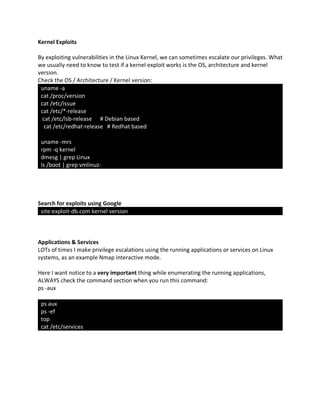
Check the OS / Architecture / Kernel version:
uname -a
cat /proc/version
cat /etc/issue
cat /etc/*-release
cat /etc/lsb-release # Debian based
cat /etc/redhat-release # Redhat based
uname -mrs
rpm -q kernel
dmesg | grep Linux
ls /boot | grep vmlinuz-
Search for exploits using Google
site:exploit-db.com kernel version
Applications & Services
LOTs of times I make privilege escalations using the running applications or services on Linux
systems, as an example Nmap interactive mode.
Here I want notice to a very important thing while enumerating the running applications,
ALWAYS check the command section when you run this command:
ps -aux
ps aux
ps -ef
top
cat /etc/services
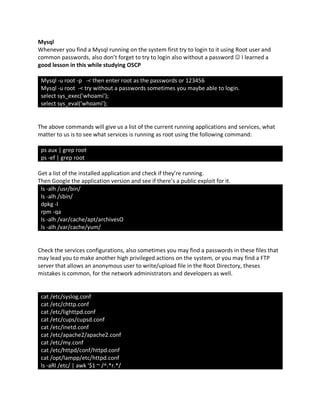
Mysql
Whenever you find a Mysql running on the system first try to login to it using Root user and
common passwords, also don’t forget to try to login also without a password J I learned a
good lesson in this while studying OSCP
Mysql -u root -p -< then enter root as the passwords or 123456
Mysql -u root -< try without a passwords sometimes you maybe able to login.
select sys_exec('whoami');
select sys_eval('whoami');
The above commands will give us a list of the current running applications and services, what
matter to us is to see what services is running as root using the following command:
ps aux | grep root
ps -ef | grep root
Get a list of the installed application and check if they’re running.
Then Google the application version and see if there’s a public exploit for it.
ls -alh /usr/bin/
ls -alh /sbin/
dpkg -l
rpm -qa
ls -alh /var/cache/apt/archivesO
ls -alh /var/cache/yum/
Check the services configurations, also sometimes you may find a passwords in these files that
may lead you to make another high privileged actions on the system, or you may find a FTP
server that allows an anonymous user to write/upload file in the Root Directory, theses
mistakes is common, for the network administrators and developers as well.
cat /etc/syslog.conf
cat /etc/chttp.conf
cat /etc/lighttpd.conf
cat /etc/cups/cupsd.conf
cat /etc/inetd.conf
cat /etc/apache2/apache2.conf
cat /etc/my.conf
cat /etc/httpd/conf/httpd.conf
cat /opt/lampp/etc/httpd.conf
ls -aRl /etc/ | awk '$1 ~ /^.*r.*/
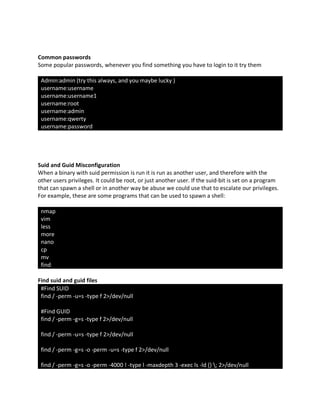
Common passwords
Some popular passwords, whenever you find something you have to login to it try them
Admin:admin (try this always, and you maybe lucky )
username:username
username:username1
username:root
username:admin
username:qwerty
username:password
Suid and Guid Misconfiguration
When a binary with suid permission is run it is run as another user, and therefore with the
other users privileges. It could be root, or just another user. If the suid-bit is set on a program
that can spawn a shell or in another way be abuse we could use that to escalate our privileges.
For example, these are some programs that can be used to spawn a shell:
nmap
vim
less
more
nano
cp
mv
find
Find suid and guid files
#Find SUID
find / -perm -u=s -type f 2>/dev/null
#Find GUID
find / -perm -g=s -type f 2>/dev/null
find / -perm -u=s -type f 2>/dev/null
find / -perm -g=s -o -perm -u=s -type f 2>/dev/null
find / -perm -g=s -o -perm -4000 ! -type l -maxdepth 3 -exec ls -ld {} ; 2>/dev/null
Finding hardcoded passwords
#finding them in history files
cat ~/.bash_history
cat ~/.nano_history
cat ~/.atftp_history
cat ~/.mysql_history
cat ~/.php_history
#some important files that may contain plain text passwords
cat /var/apache2/config.inc
cat /var/lib/mysql/mysql/user.MYD
cat /root/anaconda-ks.cfg
cat /etc/syslog.conf
cat /etc/chttp.conf
cat /etc/lighttpd.conf
cat /etc/cups/cupsd.conf
cat /etc/inetd.conf
cat /etc/apache2/apache2.conf
cat /etc/my.conf
cat /etc/httpd/conf/httpd.conf
cat /opt/lampp/etc/httpd.conf
ls -aRl /etc/ | awk '$1 ~ /^.*r.*/
#Finding them by searching
for i in txt csv xls xlsx doc docx php conf;
do
find /cygdrive/t -name *.$i >> target_file_names.txt
done
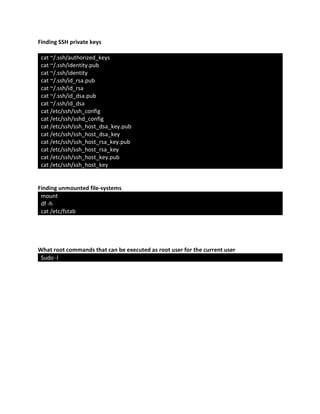
Finding SSH private keys
cat ~/.ssh/authorized_keys
cat ~/.ssh/identity.pub
cat ~/.ssh/identity
cat ~/.ssh/id_rsa.pub
cat ~/.ssh/id_rsa
cat ~/.ssh/id_dsa.pub
cat ~/.ssh/id_dsa
cat /etc/ssh/ssh_config
cat /etc/ssh/sshd_config
cat /etc/ssh/ssh_host_dsa_key.pub
cat /etc/ssh/ssh_host_dsa_key
cat /etc/ssh/ssh_host_rsa_key.pub
cat /etc/ssh/ssh_host_rsa_key
cat /etc/ssh/ssh_host_key.pub
cat /etc/ssh/ssh_host_key
Finding unmounted file-systems
mount
df -h
cat /etc/fstab
What root commands that can be executed as root user for the current user
Sudo -l
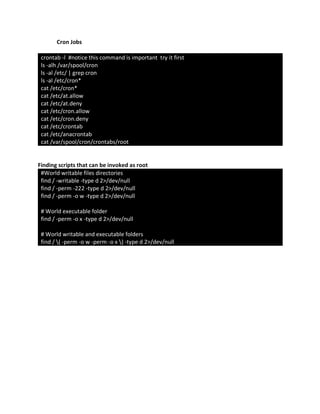
Cron Jobs
crontab -l #notice this command is important try it first
ls -alh /var/spool/cron
ls -al /etc/ | grep cron
ls -al /etc/cron*
cat /etc/cron*
cat /etc/at.allow
cat /etc/at.deny
cat /etc/cron.allow
cat /etc/cron.deny
cat /etc/crontab
cat /etc/anacrontab
cat /var/spool/cron/crontabs/root
Finding scripts that can be invoked as root
#World writable files directories
find / -writable -type d 2>/dev/null
find / -perm -222 -type d 2>/dev/null
find / -perm -o w -type d 2>/dev/null
# World executable folder
find / -perm -o x -type d 2>/dev/null
# World writable and executable folders
find / ( -perm -o w -perm -o x ) -type d 2>/dev/null
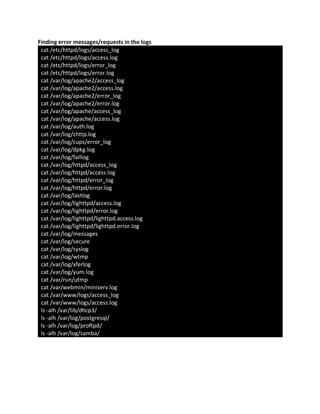
Finding error messages/requests in the logs
cat /etc/httpd/logs/access_log
cat /etc/httpd/logs/access.log
cat /etc/httpd/logs/error_log
cat /etc/httpd/logs/error.log
cat /var/log/apache2/access_log
cat /var/log/apache2/access.log
cat /var/log/apache2/error_log
cat /var/log/apache2/error.log
cat /var/log/apache/access_log
cat /var/log/apache/access.log
cat /var/log/auth.log
cat /var/log/chttp.log
cat /var/log/cups/error_log
cat /var/log/dpkg.log
cat /var/log/faillog
cat /var/log/httpd/access_log
cat /var/log/httpd/access.log
cat /var/log/httpd/error_log
cat /var/log/httpd/error.log
cat /var/log/lastlog
cat /var/log/lighttpd/access.log
cat /var/log/lighttpd/error.log
cat /var/log/lighttpd/lighttpd.access.log
cat /var/log/lighttpd/lighttpd.error.log
cat /var/log/messages
cat /var/log/secure
cat /var/log/syslog
cat /var/log/wtmp
cat /var/log/xferlog
cat /var/log/yum.log
cat /var/run/utmp
cat /var/webmin/miniserv.log
cat /var/www/logs/access_log
cat /var/www/logs/access.log
ls -alh /var/lib/dhcp3/
ls -alh /var/log/postgresql/
ls -alh /var/log/proftpd/
ls -alh /var/log/samba/
Spawning shells
python -c 'import pty;pty.spawn("/bin/bash")'
echo os.system('/bin/bash')
/bin/sh -i
Useful Enumeration scripts
https://github.com/rebootuser/LinEnum
http://pentestmonkey.net/tools/audit/unix-privesc-check
https://github.com/reider-roque/linpostexp/blob/master/linprivchecker.py
References:
https://blog.g0tmi1k.com
https://chryzsh.gitbooks.io/pentestbook
https://www.thegeekstuff.com/2011/08/linux-var-log-files
https://stackoverflow.com/questions/34032651/searching-an-entire-drive-for-plaintext-
passwords

Linux advanced privilege escalation

  • 1.
    Linux Advanced PrivilegeEscalation Author: Jameel Nabbo
  • 2.
    Table of contents Introduction KernelExploits Applications & Services Common passwords Suid and Guid Misconfiguration Finding hardcoded passwords Finding SSH private keys Cron Jobs Spawning shells Finding unmounted file-systems Finding error messages/requests in the logs Finding scripts that can be invoked as root Useful Enumeration scripts References
  • 3.
    Introduction: In this guide,I’ve combined and wrote the most useful techniques that I was doing to escalate my privileges on Linux systems for our clients and internal penetration tests at UITSEC. All rights of these techniques are reserved to the original authors (Check the references section. Once we get a limited shell it is useful to escalate that shells privileges. In this chapter we’ll be going to list common Linux privilege escalation techniques: Kernel exploits Processes Programs running as root Installed software Weak/reused/plaintext passwords Inside service Suid misconfiguration Abusing sudo-rights World writable scripts invoked by root Bad path configuration Cronjobs Unmounted filesystems
  • 4.
    Kernel Exploits By exploitingvulnerabilities in the Linux Kernel, we can sometimes escalate our privileges. What we usually need to know to test if a kernel exploit works is the OS, architecture and kernel version. Check the OS / Architecture / Kernel version: uname -a cat /proc/version cat /etc/issue cat /etc/*-release cat /etc/lsb-release # Debian based cat /etc/redhat-release # Redhat based uname -mrs rpm -q kernel dmesg | grep Linux ls /boot | grep vmlinuz- Search for exploits using Google site:exploit-db.com kernel version Applications & Services LOTs of times I make privilege escalations using the running applications or services on Linux systems, as an example Nmap interactive mode. Here I want notice to a very important thing while enumerating the running applications, ALWAYS check the command section when you run this command: ps -aux ps aux ps -ef top cat /etc/services
  • 5.
    Mysql Whenever you finda Mysql running on the system first try to login to it using Root user and common passwords, also don’t forget to try to login also without a password J I learned a good lesson in this while studying OSCP Mysql -u root -p -< then enter root as the passwords or 123456 Mysql -u root -< try without a passwords sometimes you maybe able to login. select sys_exec('whoami'); select sys_eval('whoami'); The above commands will give us a list of the current running applications and services, what matter to us is to see what services is running as root using the following command: ps aux | grep root ps -ef | grep root Get a list of the installed application and check if they’re running. Then Google the application version and see if there’s a public exploit for it. ls -alh /usr/bin/ ls -alh /sbin/ dpkg -l rpm -qa ls -alh /var/cache/apt/archivesO ls -alh /var/cache/yum/ Check the services configurations, also sometimes you may find a passwords in these files that may lead you to make another high privileged actions on the system, or you may find a FTP server that allows an anonymous user to write/upload file in the Root Directory, theses mistakes is common, for the network administrators and developers as well. cat /etc/syslog.conf cat /etc/chttp.conf cat /etc/lighttpd.conf cat /etc/cups/cupsd.conf cat /etc/inetd.conf cat /etc/apache2/apache2.conf cat /etc/my.conf cat /etc/httpd/conf/httpd.conf cat /opt/lampp/etc/httpd.conf ls -aRl /etc/ | awk '$1 ~ /^.*r.*/
  • 6.
    Common passwords Some popularpasswords, whenever you find something you have to login to it try them Admin:admin (try this always, and you maybe lucky ) username:username username:username1 username:root username:admin username:qwerty username:password Suid and Guid Misconfiguration When a binary with suid permission is run it is run as another user, and therefore with the other users privileges. It could be root, or just another user. If the suid-bit is set on a program that can spawn a shell or in another way be abuse we could use that to escalate our privileges. For example, these are some programs that can be used to spawn a shell: nmap vim less more nano cp mv find Find suid and guid files #Find SUID find / -perm -u=s -type f 2>/dev/null #Find GUID find / -perm -g=s -type f 2>/dev/null find / -perm -u=s -type f 2>/dev/null find / -perm -g=s -o -perm -u=s -type f 2>/dev/null find / -perm -g=s -o -perm -4000 ! -type l -maxdepth 3 -exec ls -ld {} ; 2>/dev/null
  • 7.
    Finding hardcoded passwords #findingthem in history files cat ~/.bash_history cat ~/.nano_history cat ~/.atftp_history cat ~/.mysql_history cat ~/.php_history #some important files that may contain plain text passwords cat /var/apache2/config.inc cat /var/lib/mysql/mysql/user.MYD cat /root/anaconda-ks.cfg cat /etc/syslog.conf cat /etc/chttp.conf cat /etc/lighttpd.conf cat /etc/cups/cupsd.conf cat /etc/inetd.conf cat /etc/apache2/apache2.conf cat /etc/my.conf cat /etc/httpd/conf/httpd.conf cat /opt/lampp/etc/httpd.conf ls -aRl /etc/ | awk '$1 ~ /^.*r.*/ #Finding them by searching for i in txt csv xls xlsx doc docx php conf; do find /cygdrive/t -name *.$i >> target_file_names.txt done
  • 8.
    Finding SSH privatekeys cat ~/.ssh/authorized_keys cat ~/.ssh/identity.pub cat ~/.ssh/identity cat ~/.ssh/id_rsa.pub cat ~/.ssh/id_rsa cat ~/.ssh/id_dsa.pub cat ~/.ssh/id_dsa cat /etc/ssh/ssh_config cat /etc/ssh/sshd_config cat /etc/ssh/ssh_host_dsa_key.pub cat /etc/ssh/ssh_host_dsa_key cat /etc/ssh/ssh_host_rsa_key.pub cat /etc/ssh/ssh_host_rsa_key cat /etc/ssh/ssh_host_key.pub cat /etc/ssh/ssh_host_key Finding unmounted file-systems mount df -h cat /etc/fstab What root commands that can be executed as root user for the current user Sudo -l
  • 9.
    Cron Jobs crontab -l#notice this command is important try it first ls -alh /var/spool/cron ls -al /etc/ | grep cron ls -al /etc/cron* cat /etc/cron* cat /etc/at.allow cat /etc/at.deny cat /etc/cron.allow cat /etc/cron.deny cat /etc/crontab cat /etc/anacrontab cat /var/spool/cron/crontabs/root Finding scripts that can be invoked as root #World writable files directories find / -writable -type d 2>/dev/null find / -perm -222 -type d 2>/dev/null find / -perm -o w -type d 2>/dev/null # World executable folder find / -perm -o x -type d 2>/dev/null # World writable and executable folders find / ( -perm -o w -perm -o x ) -type d 2>/dev/null
  • 10.
    Finding error messages/requestsin the logs cat /etc/httpd/logs/access_log cat /etc/httpd/logs/access.log cat /etc/httpd/logs/error_log cat /etc/httpd/logs/error.log cat /var/log/apache2/access_log cat /var/log/apache2/access.log cat /var/log/apache2/error_log cat /var/log/apache2/error.log cat /var/log/apache/access_log cat /var/log/apache/access.log cat /var/log/auth.log cat /var/log/chttp.log cat /var/log/cups/error_log cat /var/log/dpkg.log cat /var/log/faillog cat /var/log/httpd/access_log cat /var/log/httpd/access.log cat /var/log/httpd/error_log cat /var/log/httpd/error.log cat /var/log/lastlog cat /var/log/lighttpd/access.log cat /var/log/lighttpd/error.log cat /var/log/lighttpd/lighttpd.access.log cat /var/log/lighttpd/lighttpd.error.log cat /var/log/messages cat /var/log/secure cat /var/log/syslog cat /var/log/wtmp cat /var/log/xferlog cat /var/log/yum.log cat /var/run/utmp cat /var/webmin/miniserv.log cat /var/www/logs/access_log cat /var/www/logs/access.log ls -alh /var/lib/dhcp3/ ls -alh /var/log/postgresql/ ls -alh /var/log/proftpd/ ls -alh /var/log/samba/
  • 11.
    Spawning shells python -c'import pty;pty.spawn("/bin/bash")' echo os.system('/bin/bash') /bin/sh -i Useful Enumeration scripts https://github.com/rebootuser/LinEnum http://pentestmonkey.net/tools/audit/unix-privesc-check https://github.com/reider-roque/linpostexp/blob/master/linprivchecker.py References: https://blog.g0tmi1k.com https://chryzsh.gitbooks.io/pentestbook https://www.thegeekstuff.com/2011/08/linux-var-log-files https://stackoverflow.com/questions/34032651/searching-an-entire-drive-for-plaintext- passwords