Replay
Lecture Capture Study Tips
how students use
lecture captures as part
of their studying
Photo: flickr.com/sarahreido/3245498261
If you have been to the lecture and then you watch the
recording you still have the knowledge, memory of the
experience, what happened in the lecture and where the
lecturer was pointing, how they presented…
“
Study suggestions and quotes from University of York
students who participated in our research project in 2015.
Replay
Lecture Capture Study Tips
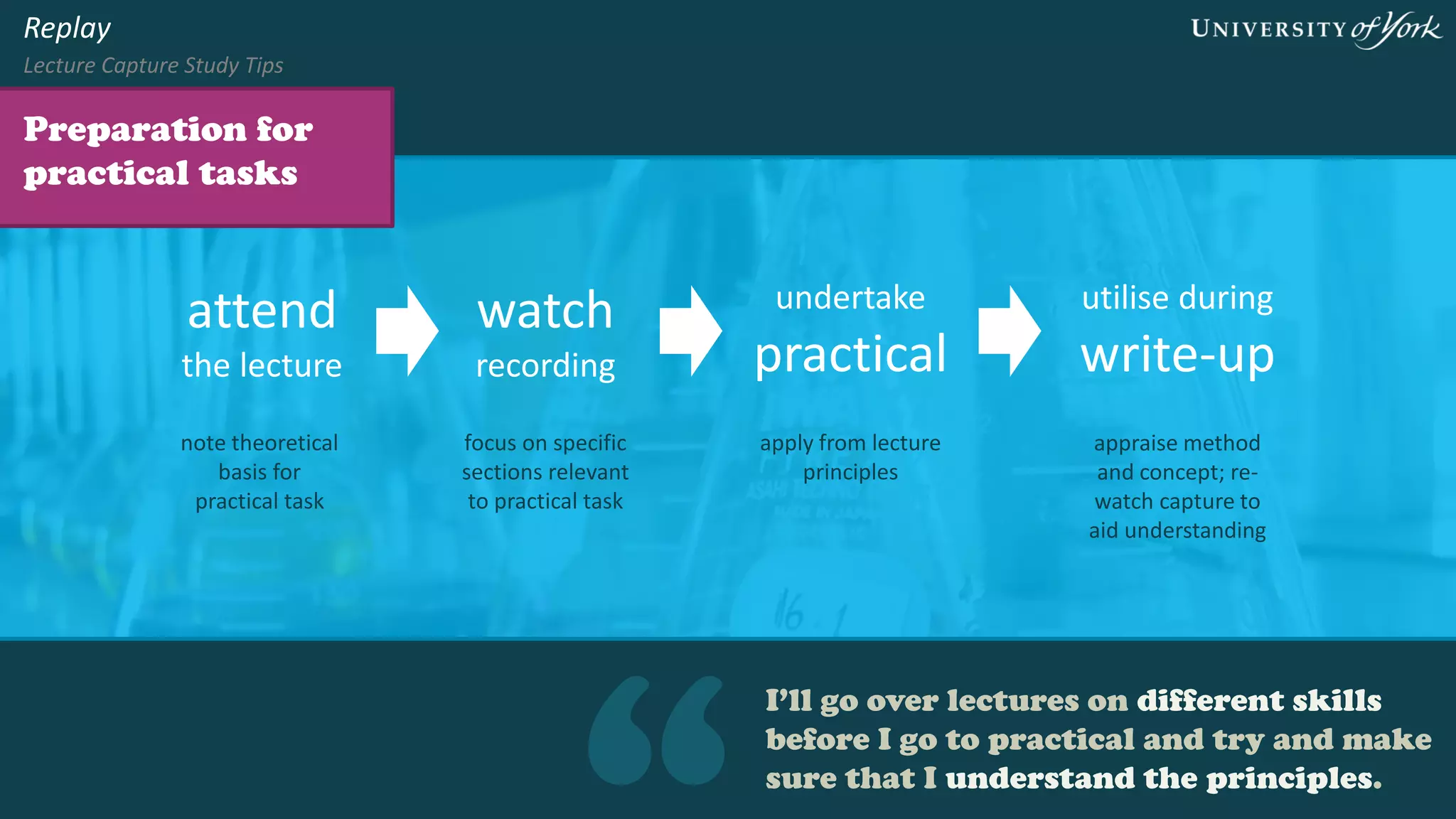
I’ll go over lectures on different skills before
I go to practical and try and make sure that
I understand the principles.
Preparation for
practical tasks
Replay
Lecture Capture Study Tips
attend
the lecture
watch
recording
undertake
practical
note theoretical
basis for
practical task
focus on specific
sections relevant
to practical task
apply from lecture
principles
utilise during
write-up
appraise method
and concept; re-
watch capture to
aid understanding
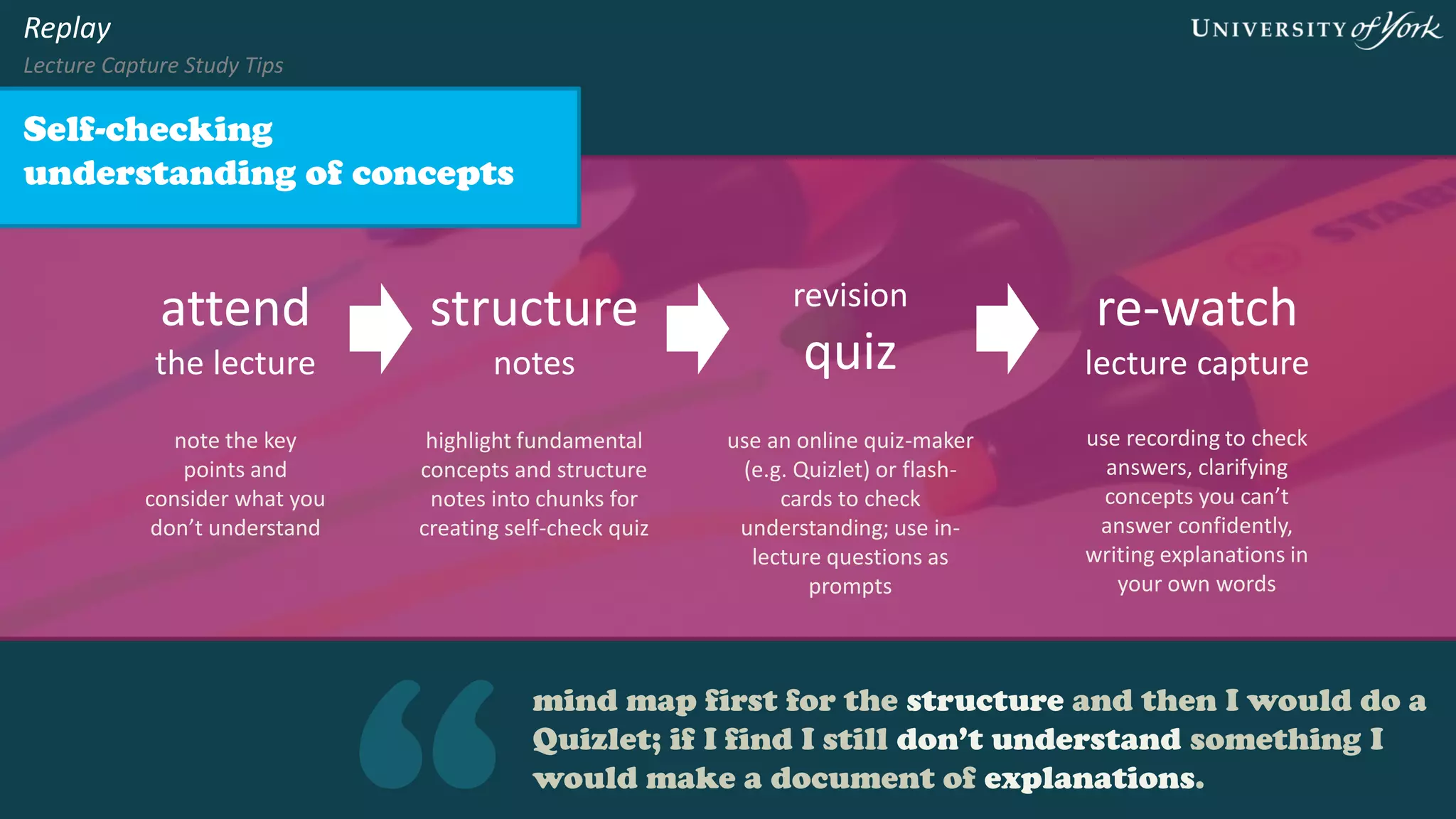
mind map first for the structure and then I would do a
Quizlet; if I find I still don’t understand something I
would make a document of explanations.
Self-checking
understanding of concepts
Replay
Lecture Capture Study Tips
attend
the lecture
structure
notes
revision
quiz
note the key
points and
consider what you
don’t understand
highlight fundamental
concepts and structure
notes into chunks for
creating self-check quiz
use an online quiz-maker
(e.g. Quizlet) or flash-
cards to check
understanding; use in-
lecture questions as
prompts
re-watch
lecture capture
use recording to check
answers, clarifying
concepts you can’t
answer confidently,
writing explanations in
your own words
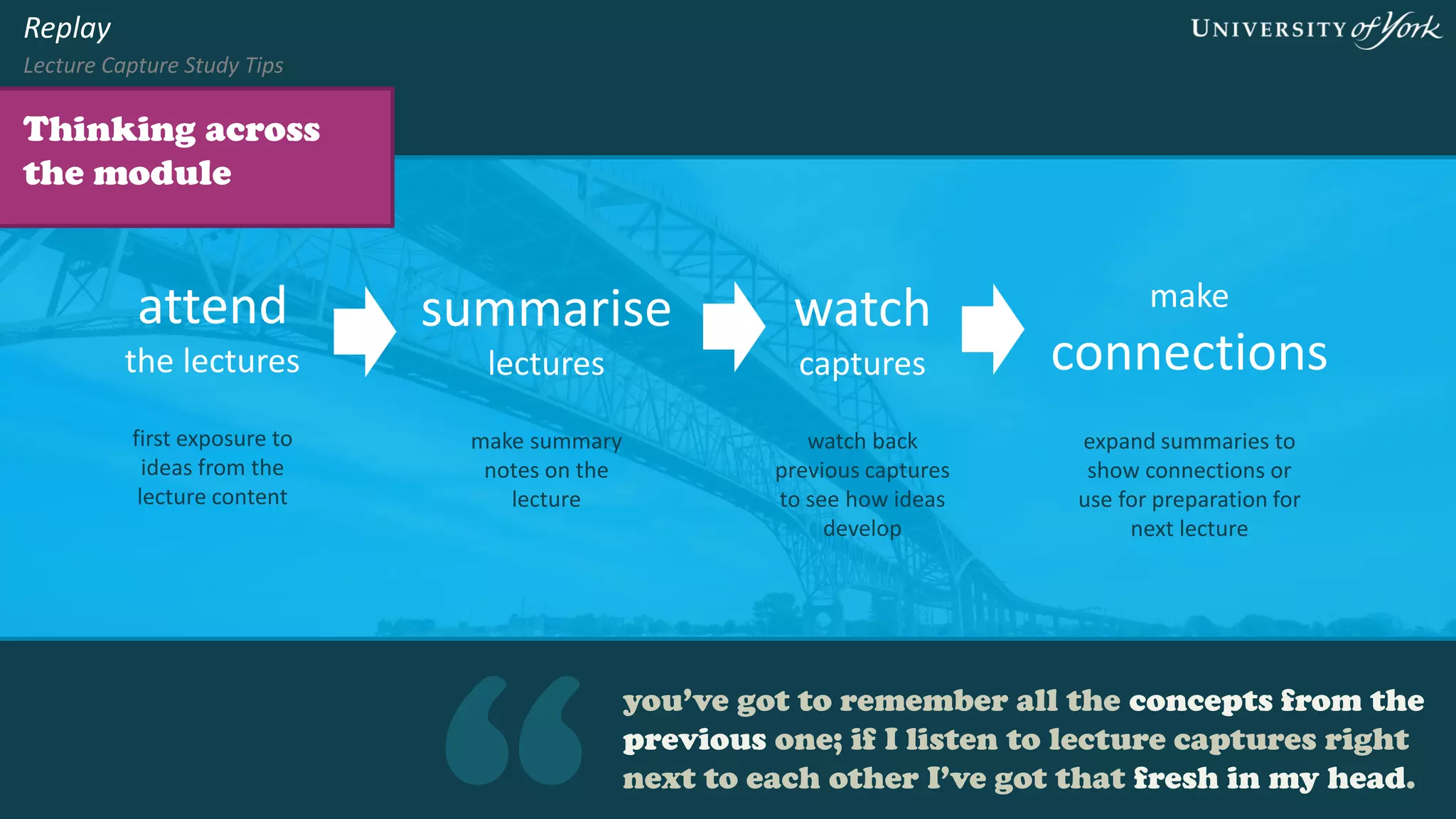
you’ve got to remember all the concepts from the
previous one; if I listen to lecture captures right next
to each other I’ve got that fresh in my head.
Thinking across the
module
Replay
Lecture Capture Study Tips
attend
the lectures
summarise
lectures
play back
captures
first exposure to
ideas from the
lecture content
make summary
notes on the
lecture
watch or listen to
previous captures
to see how ideas
develop
make
connections
expand summaries to
show connections or
use for preparation for
next lecture
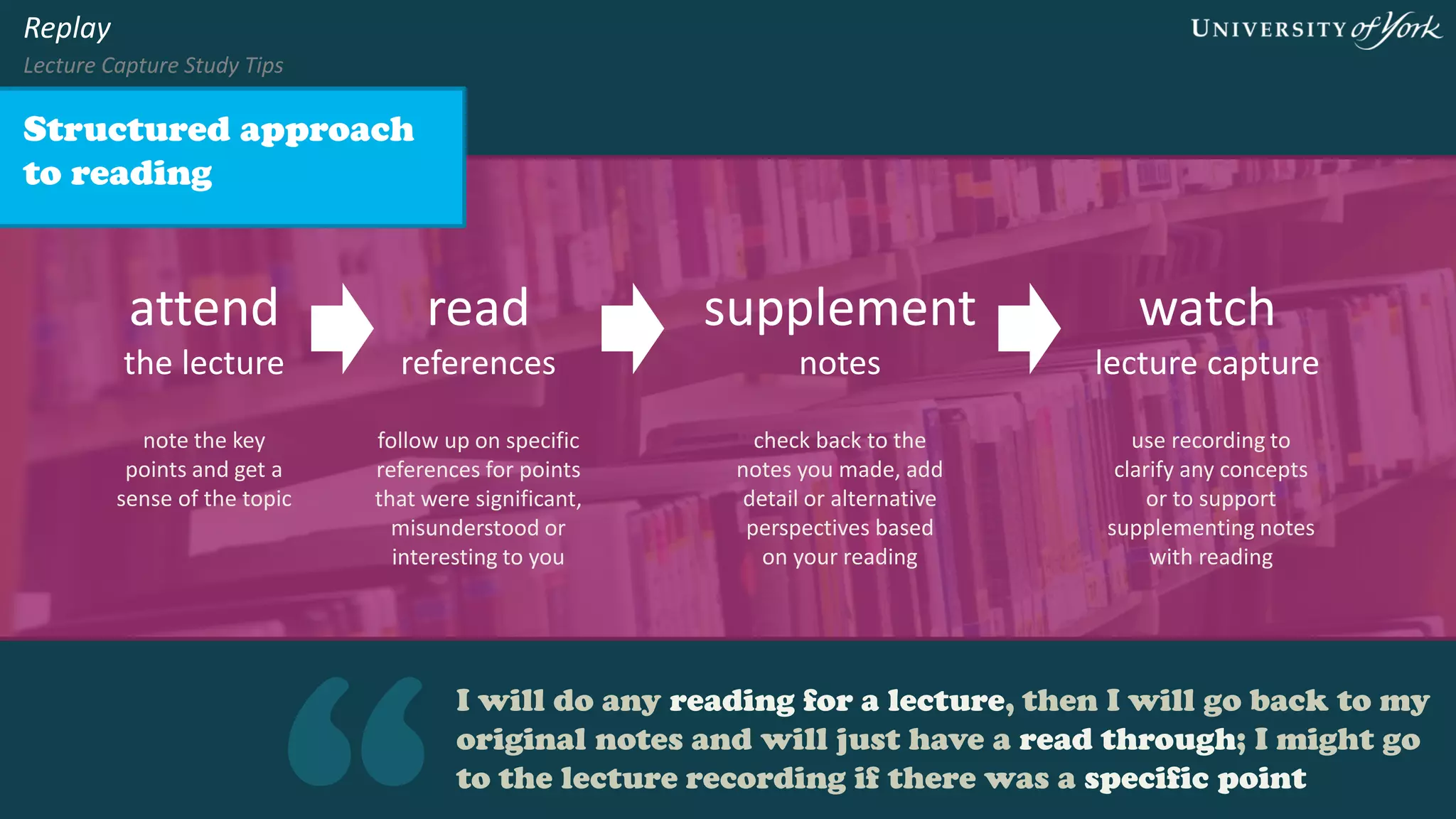
I will do any reading for a lecture, then I will go back to my
original notes and will just have a read through; I might go to
the lecture recording if there was a specific point
Structured approach
to reading
Replay
Lecture Capture Study Tips
attend
the lecture
read
references
note the key
points and get a
sense of the topic
follow up on specific
references for points
that were significant,
misunderstood or
interesting to you
play back
lecture capture
use recording to
clarify any concepts
or to support
supplementing notes
with reading
supplement
notes
check back to the
notes you made, add
detail or alternative
perspectives based
on your reading
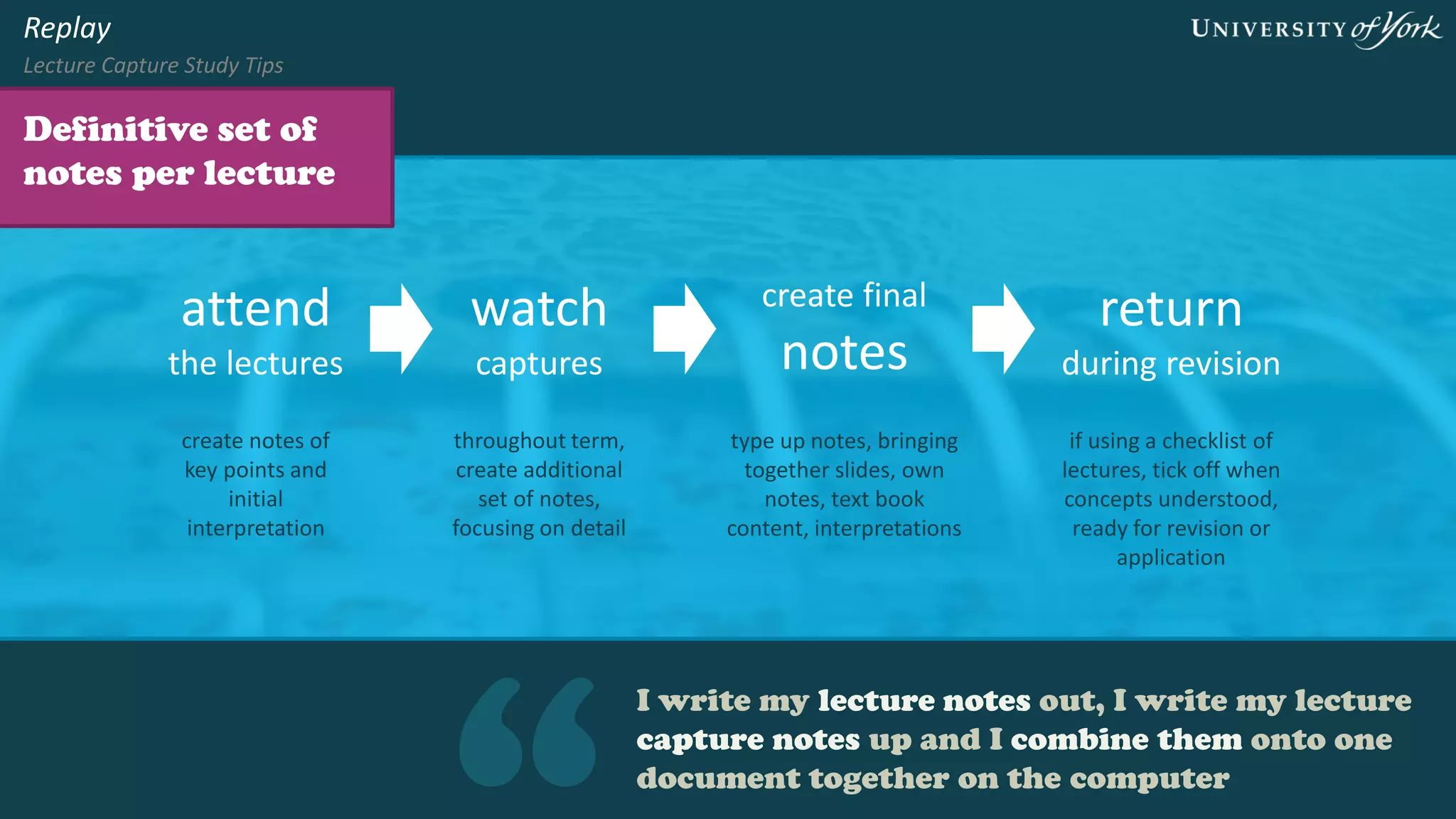
I write my lecture notes out, I write my lecture
capture notes up and I combine them onto one
document together on the computer
Definitive set of
notes per lecture
Replay
Lecture Capture Study Tips
attend
the lectures
play back
captures
create final
notes
create notes of
key points and
initial
interpretation
throughout term,
create additional
set of notes,
focusing on detail
type up notes, bringing
together slides, own
notes, text book
content, interpretations
return
during revision
if using a checklist of
lectures, tick off when
concepts understood,
ready for revision or
application
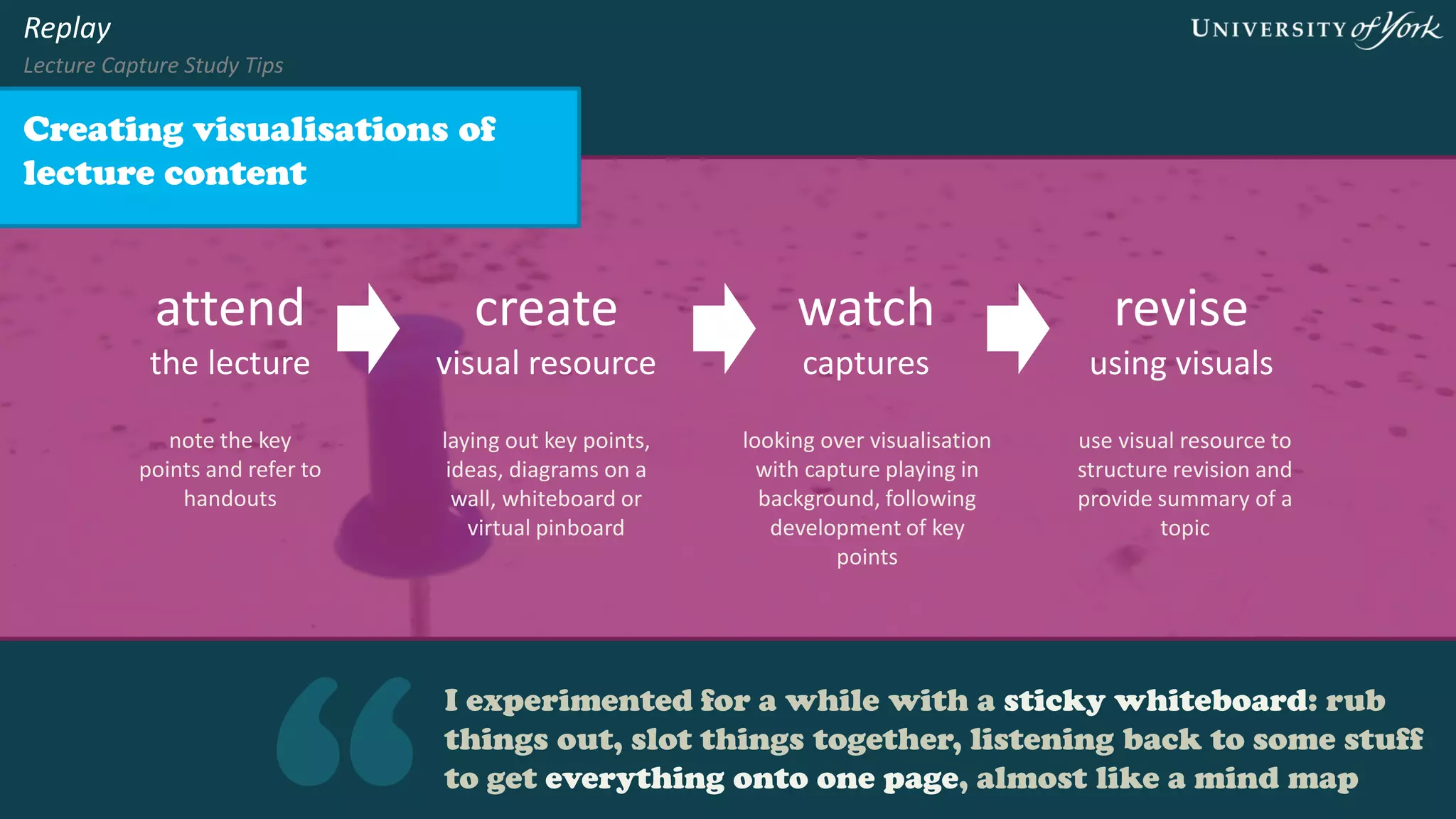
I experimented for a while with a sticky whiteboard: rub things
out, slot things together, listening back to some stuff to get
everything onto one page, almost like a mind map
Creating visualisations of
lecture content
Replay
Lecture Capture Study Tips
attend
the lecture
play back
captures
note the key
points and refer to
handouts
laying out key points,
ideas, diagrams on a
wall, whiteboard or
virtual pinboard
revise
using visuals
use visual resource to
structure revision and
provide summary of a
topic
create
visual resource
looking over visualisation
with capture playing in
background, following
development of key
points
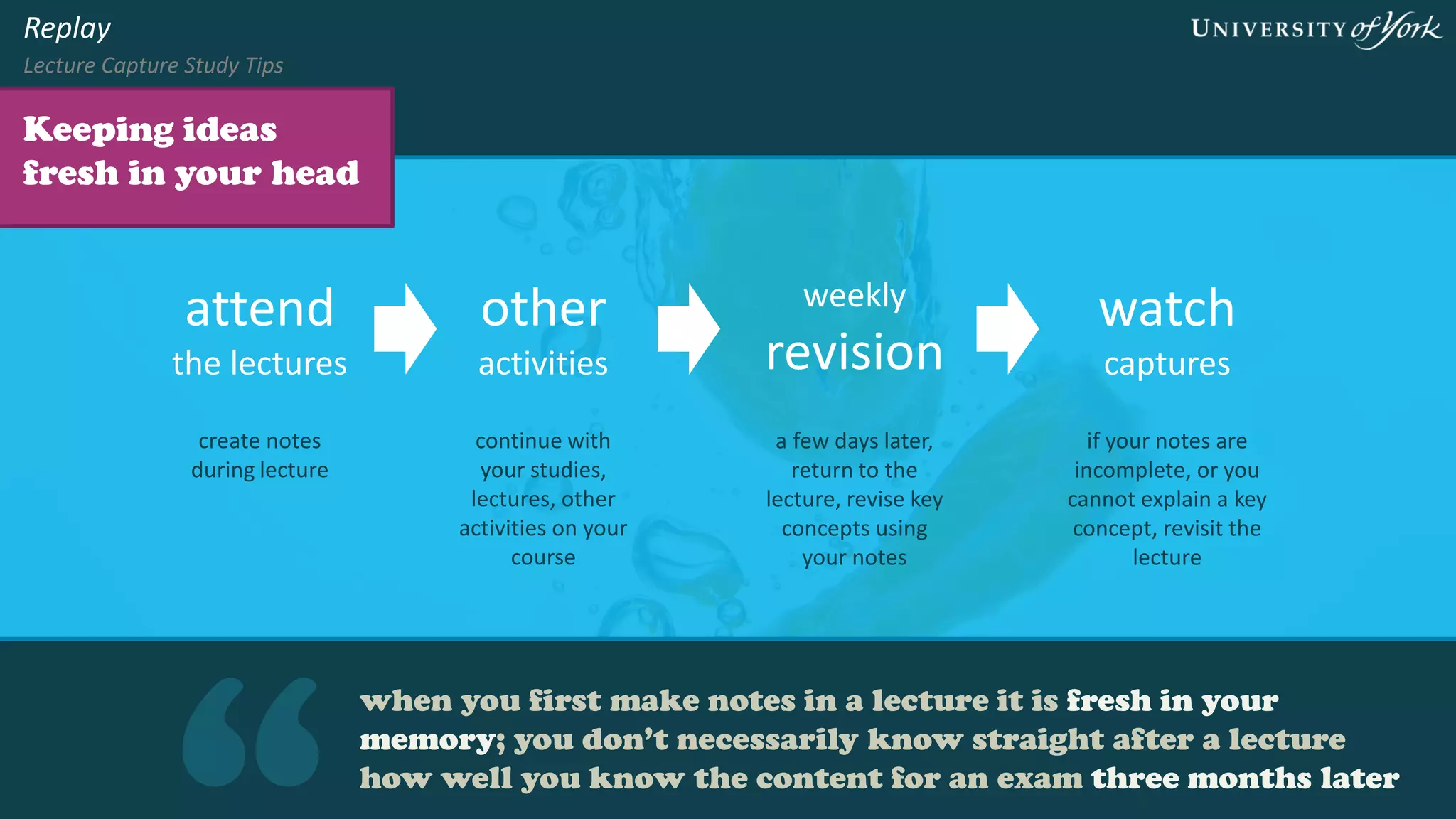
when you first make notes in a lecture it is fresh in your memory;
you don’t necessarily know straight after a lecture how well you
know the content for an exam three months later
Keeping ideas fresh
in your head
Replay
Lecture Capture Study Tips
attend
the lectures
other
activities
regular
revision
create notes
during lecture
continue with
your studies,
lectures, other
activities on your
course
during or at the
end of term, return
to the lecture,
revise key concepts
using your notes
play back
captures
if your notes are
incomplete, or you
cannot explain a key
concept, revisit the
lecture
I find that if you’re reading and listening to it you
don’t miss as much. Or if you live far away or
walk to uni you can use the audio
Using captures on
the move
Replay
Lecture Capture Study Tips
attend
the lecture
download
captures
get a sense of how
the content fits
together
revisit the lecture
content and identify
anything you were
not sure about
listen
on the move
use on the bus or
whilst walking to get
a refresh of the
lecture
complete your
notes
for some modules you
will be able to download
captures to your mobile
device
If you are prioritising going over the lectures instead of
doing the seminar reading, then everyone is losing out
and you can’t learn from other people in the seminar
Preparation for
seminars
Replay
Lecture Capture Study Tips
attend
the lectures
read for
seminar
play back
captures
create notes
during lecture for
an overview of the
topic
prepare for your
seminar discussions
where you apply and
develop your
understanding
if you need to
revisit a key
concept from the
lecture or seminar
discussion
prepare
assessment
use key concepts and
arguments as
appropriate from
lectures, seminars and
readings
Replay
Lecture Capture Study Tips
www.york.ac.uk/replay
Quotes from University of York students who participated in our
research project in 2015 and a focus group who reviewed the
first edition of these resources in 2016.
Further information at http://bit.ly/replay-research-nov15
Matt Cornock, E-Learning Development Team

How students use lecture captures as part of their studying

  • 1.
    Replay Lecture Capture StudyTips how students use lecture captures as part of their studying Photo: flickr.com/sarahreido/3245498261
  • 2.
    If you havebeen to the lecture and then you watch the recording you still have the knowledge, memory of the experience, what happened in the lecture and where the lecturer was pointing, how they presented… “ Study suggestions and quotes from University of York students who participated in our research project in 2015. Replay Lecture Capture Study Tips
  • 3.
    I’ll go overlectures on different skills before I go to practical and try and make sure that I understand the principles. Preparation for practical tasks Replay Lecture Capture Study Tips attend the lecture watch recording undertake practical note theoretical basis for practical task focus on specific sections relevant to practical task apply from lecture principles utilise during write-up appraise method and concept; re- watch capture to aid understanding
  • 4.
    mind map firstfor the structure and then I would do a Quizlet; if I find I still don’t understand something I would make a document of explanations. Self-checking understanding of concepts Replay Lecture Capture Study Tips attend the lecture structure notes revision quiz note the key points and consider what you don’t understand highlight fundamental concepts and structure notes into chunks for creating self-check quiz use an online quiz-maker (e.g. Quizlet) or flash- cards to check understanding; use in- lecture questions as prompts re-watch lecture capture use recording to check answers, clarifying concepts you can’t answer confidently, writing explanations in your own words
  • 5.
    you’ve got toremember all the concepts from the previous one; if I listen to lecture captures right next to each other I’ve got that fresh in my head. Thinking across the module Replay Lecture Capture Study Tips attend the lectures summarise lectures play back captures first exposure to ideas from the lecture content make summary notes on the lecture watch or listen to previous captures to see how ideas develop make connections expand summaries to show connections or use for preparation for next lecture
  • 6.
    I will doany reading for a lecture, then I will go back to my original notes and will just have a read through; I might go to the lecture recording if there was a specific point Structured approach to reading Replay Lecture Capture Study Tips attend the lecture read references note the key points and get a sense of the topic follow up on specific references for points that were significant, misunderstood or interesting to you play back lecture capture use recording to clarify any concepts or to support supplementing notes with reading supplement notes check back to the notes you made, add detail or alternative perspectives based on your reading
  • 7.
    I write mylecture notes out, I write my lecture capture notes up and I combine them onto one document together on the computer Definitive set of notes per lecture Replay Lecture Capture Study Tips attend the lectures play back captures create final notes create notes of key points and initial interpretation throughout term, create additional set of notes, focusing on detail type up notes, bringing together slides, own notes, text book content, interpretations return during revision if using a checklist of lectures, tick off when concepts understood, ready for revision or application
  • 8.
    I experimented fora while with a sticky whiteboard: rub things out, slot things together, listening back to some stuff to get everything onto one page, almost like a mind map Creating visualisations of lecture content Replay Lecture Capture Study Tips attend the lecture play back captures note the key points and refer to handouts laying out key points, ideas, diagrams on a wall, whiteboard or virtual pinboard revise using visuals use visual resource to structure revision and provide summary of a topic create visual resource looking over visualisation with capture playing in background, following development of key points
  • 9.
    when you firstmake notes in a lecture it is fresh in your memory; you don’t necessarily know straight after a lecture how well you know the content for an exam three months later Keeping ideas fresh in your head Replay Lecture Capture Study Tips attend the lectures other activities regular revision create notes during lecture continue with your studies, lectures, other activities on your course during or at the end of term, return to the lecture, revise key concepts using your notes play back captures if your notes are incomplete, or you cannot explain a key concept, revisit the lecture
  • 10.
    I find thatif you’re reading and listening to it you don’t miss as much. Or if you live far away or walk to uni you can use the audio Using captures on the move Replay Lecture Capture Study Tips attend the lecture download captures get a sense of how the content fits together revisit the lecture content and identify anything you were not sure about listen on the move use on the bus or whilst walking to get a refresh of the lecture complete your notes for some modules you will be able to download captures to your mobile device
  • 11.
    If you areprioritising going over the lectures instead of doing the seminar reading, then everyone is losing out and you can’t learn from other people in the seminar Preparation for seminars Replay Lecture Capture Study Tips attend the lectures read for seminar play back captures create notes during lecture for an overview of the topic prepare for your seminar discussions where you apply and develop your understanding if you need to revisit a key concept from the lecture or seminar discussion prepare assessment use key concepts and arguments as appropriate from lectures, seminars and readings
  • 12.
    Replay Lecture Capture StudyTips www.york.ac.uk/replay Quotes from University of York students who participated in our research project in 2015 and a focus group who reviewed the first edition of these resources in 2016. Further information at http://bit.ly/replay-research-nov15 Matt Cornock, E-Learning Development Team