© 2014 IBM Corporation
‘
2259: Migrate Heroku & OpenShift
Applications to BlueMix/ Cloud
Foundry
Rohit Kelapure
IBM Senior Software Engineer
Platform Introduction
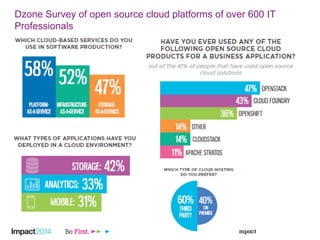
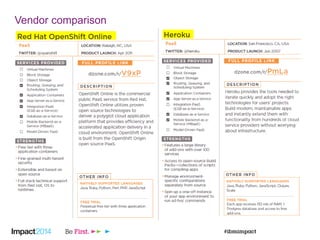
Dzone Survey of open source cloud platforms of over 600 IT
Professionals
Vendor comparison
4
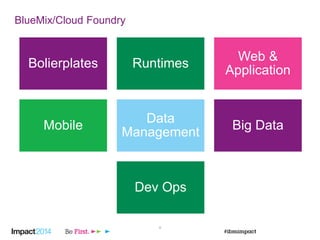
BlueMix/Cloud Foundry
Bolierplates Runtimes
Web &
Application
Mobile
Data
Management
Big Data
Dev Ops
Screenshots
5
6
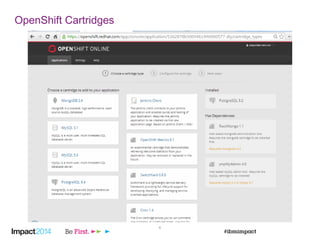
OpenShift Cartridges
7
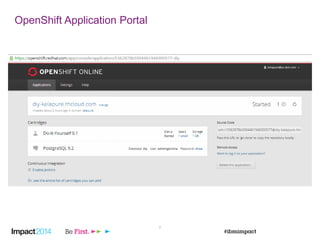
OpenShift Application Portal
8
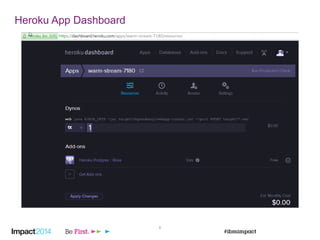
Heroku App Dashboard
9
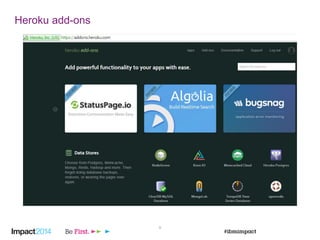
Heroku add-ons
Architecture
11
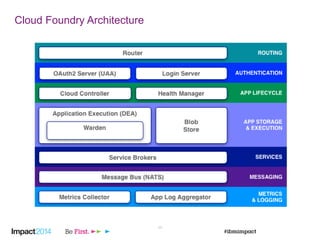
Cloud Foundry Architecture
12
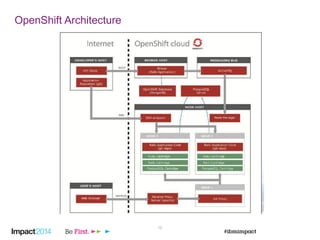
OpenShift Architecture
13
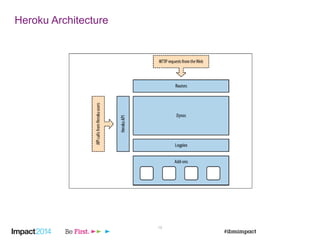
Heroku Architecture
Commonalities and
Differences
14
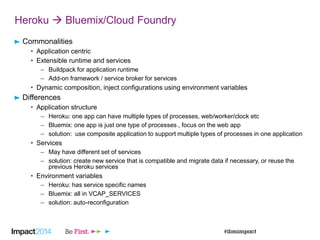
Heroku  Bluemix/Cloud Foundry
Commonalities
• Application centric
• Extensible runtime and services
– Buildpack for application runtime
– Add-on framework / service broker for services
• Dynamic composition, inject configurations using environment variables
Differences
• Application structure
– Heroku: one app can have multiple types of processes, web/worker/clock etc
– Bluemix: one app is just one type of processes , focus on the web app
– solution: use composite application to support multiple types of processes in one application
• Services
– May have different set of services
– solution: create new service that is compatible and migrate data if necessary, or reuse the
previous Heroku services
• Environment variables
– Heroku: has service specific names
– Bluemix: all in VCAP_SERVICES
– solution: auto-reconfiguration
16
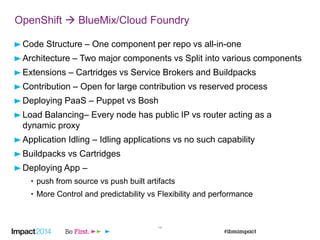
OpenShift  BlueMix/Cloud Foundry
Code Structure – One component per repo vs all-in-one
Architecture – Two major components vs Split into various components
Extensions – Cartridges vs Service Brokers and Buildpacks
Contribution – Open for large contribution vs reserved process
Deploying PaaS – Puppet vs Bosh
Load Balancing– Every node has public IP vs router acting as a
dynamic proxy
Application Idling – Idling applications vs no such capability
Buildpacks vs Cartridges
Deploying App –
• push from source vs push built artifacts
• More Control and predictability vs Flexibility and performance
17
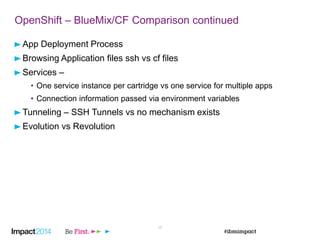
OpenShift – BlueMix/CF Comparison continued
App Deployment Process
Browsing Application files ssh vs cf files
Services –
• One service instance per cartridge vs one service for multiple apps
• Connection information passed via environment variables
Tunneling – SSH Tunnels vs no mechanism exists
Evolution vs Revolution
18
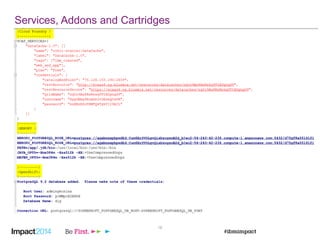
Services, Addons and Cartridges
Porting Applications
19
20
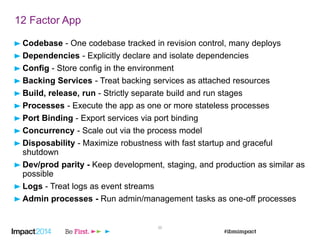
12 Factor App
Codebase - One codebase tracked in revision control, many deploys
Dependencies - Explicitly declare and isolate dependencies
Config - Store config in the environment
Backing Services - Treat backing services as attached resources
Build, release, run - Strictly separate build and run stages
Processes - Execute the app as one or more stateless processes
Port Binding - Export services via port binding
Concurrency - Scale out via the process model
Disposability - Maximize robustness with fast startup and graceful
shutdown
Dev/prod parity - Keep development, staging, and production as similar as
possible
Logs - Treat logs as event streams
Admin processes - Run admin/management tasks as one-off processes
21
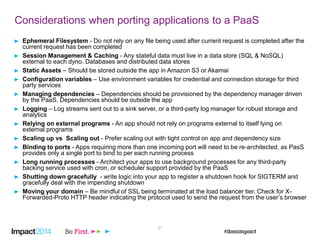
Considerations when porting applications to a PaaS
Ephemeral Filesystem - Do not rely on any file being used after current request is completed after the
current request has been completed
Session Management & Caching - Any stateful data must live in a data store (SQL & NoSQL)
external to each dyno. Databases and distributed data stores
Static Assets – Should be stored outside the app in Amazon S3 or Akamai
Configuration variables – Use environment variables for credential and connection storage for third
party services
Managing dependencies – Dependencies should be provisioned by the dependency manager driven
by the PaaS. Dependencies should be outside the app
Logging – Log streams sent out to a sink server, or a third-party log manager for robust storage and
analytics
Relying on external programs - An app should not rely on programs external to itself lying on
external programs
Scaling up vs Scaling out - Prefer scaling out with tight control on app and dependency size
Binding to ports - Apps requiring more than one incoming port will need to be re-architected, as PasS
provides only a single port to bind to per each running process
Long running processes - Architect your apps to use background processes for any third-party
backing service used with cron, or scheduler support provided by the PaaS
Shutting down gracefully - write logic into your app to register a shutdown hook for SIGTERM and
gracefully deal with the impending shutdown
Moving your domain – Be mindful of SSL being terminated at the load balancer tier. Check for X-
Forwarded-Proto HTTP header indicating the protocol used to send the request from the user’s browser
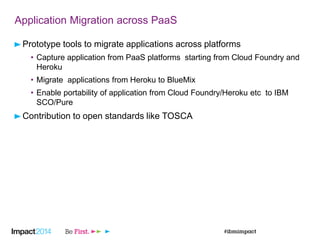
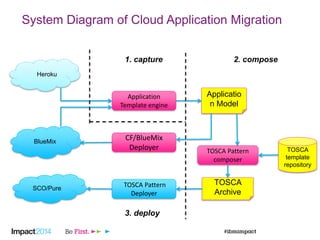
Application Migration across PaaS
Prototype tools to migrate applications across platforms
• Capture application from PaaS platforms starting from Cloud Foundry and
Heroku
• Migrate applications from Heroku to BlueMix
• Enable portability of application from Cloud Foundry/Heroku etc to IBM
SCO/Pure
Contribution to open standards like TOSCA
System Diagram of Cloud Application Migration
BlueMix
Heroku
Application
Template engine
CF/BlueMix
Deployer
Applicatio
n Model
TOSCA
template
repository
TOSCA Pattern
composer
SCO/Pure
TOSCA Pattern
Deployer
TOSCA
Archive
1. capture 2. compose
3. deploy
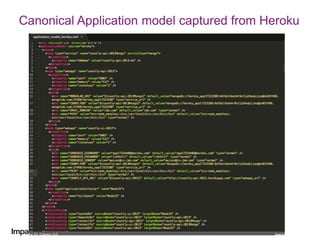
Canonical Application model captured from Heroku
Thank You

Migrate Heroku & OpenShift Applications to IBM BlueMix

  • 1.
    © 2014 IBMCorporation ‘ 2259: Migrate Heroku & OpenShift Applications to BlueMix/ Cloud Foundry Rohit Kelapure IBM Senior Software Engineer
  • 2.
  • 3.
    Dzone Survey ofopen source cloud platforms of over 600 IT Professionals
  • 4.
  • 5.
    4 BlueMix/Cloud Foundry Bolierplates Runtimes Web& Application Mobile Data Management Big Data Dev Ops
  • 6.
  • 7.
  • 8.
  • 9.
  • 10.
  • 11.
  • 12.
  • 13.
  • 14.
  • 15.
  • 16.
    Heroku  Bluemix/CloudFoundry Commonalities • Application centric • Extensible runtime and services – Buildpack for application runtime – Add-on framework / service broker for services • Dynamic composition, inject configurations using environment variables Differences • Application structure – Heroku: one app can have multiple types of processes, web/worker/clock etc – Bluemix: one app is just one type of processes , focus on the web app – solution: use composite application to support multiple types of processes in one application • Services – May have different set of services – solution: create new service that is compatible and migrate data if necessary, or reuse the previous Heroku services • Environment variables – Heroku: has service specific names – Bluemix: all in VCAP_SERVICES – solution: auto-reconfiguration
  • 17.
    16 OpenShift  BlueMix/CloudFoundry Code Structure – One component per repo vs all-in-one Architecture – Two major components vs Split into various components Extensions – Cartridges vs Service Brokers and Buildpacks Contribution – Open for large contribution vs reserved process Deploying PaaS – Puppet vs Bosh Load Balancing– Every node has public IP vs router acting as a dynamic proxy Application Idling – Idling applications vs no such capability Buildpacks vs Cartridges Deploying App – • push from source vs push built artifacts • More Control and predictability vs Flexibility and performance
  • 18.
    17 OpenShift – BlueMix/CFComparison continued App Deployment Process Browsing Application files ssh vs cf files Services – • One service instance per cartridge vs one service for multiple apps • Connection information passed via environment variables Tunneling – SSH Tunnels vs no mechanism exists Evolution vs Revolution
  • 19.
  • 20.
  • 21.
    20 12 Factor App Codebase- One codebase tracked in revision control, many deploys Dependencies - Explicitly declare and isolate dependencies Config - Store config in the environment Backing Services - Treat backing services as attached resources Build, release, run - Strictly separate build and run stages Processes - Execute the app as one or more stateless processes Port Binding - Export services via port binding Concurrency - Scale out via the process model Disposability - Maximize robustness with fast startup and graceful shutdown Dev/prod parity - Keep development, staging, and production as similar as possible Logs - Treat logs as event streams Admin processes - Run admin/management tasks as one-off processes
  • 22.
    21 Considerations when portingapplications to a PaaS Ephemeral Filesystem - Do not rely on any file being used after current request is completed after the current request has been completed Session Management & Caching - Any stateful data must live in a data store (SQL & NoSQL) external to each dyno. Databases and distributed data stores Static Assets – Should be stored outside the app in Amazon S3 or Akamai Configuration variables – Use environment variables for credential and connection storage for third party services Managing dependencies – Dependencies should be provisioned by the dependency manager driven by the PaaS. Dependencies should be outside the app Logging – Log streams sent out to a sink server, or a third-party log manager for robust storage and analytics Relying on external programs - An app should not rely on programs external to itself lying on external programs Scaling up vs Scaling out - Prefer scaling out with tight control on app and dependency size Binding to ports - Apps requiring more than one incoming port will need to be re-architected, as PasS provides only a single port to bind to per each running process Long running processes - Architect your apps to use background processes for any third-party backing service used with cron, or scheduler support provided by the PaaS Shutting down gracefully - write logic into your app to register a shutdown hook for SIGTERM and gracefully deal with the impending shutdown Moving your domain – Be mindful of SSL being terminated at the load balancer tier. Check for X- Forwarded-Proto HTTP header indicating the protocol used to send the request from the user’s browser
  • 23.
    Application Migration acrossPaaS Prototype tools to migrate applications across platforms • Capture application from PaaS platforms starting from Cloud Foundry and Heroku • Migrate applications from Heroku to BlueMix • Enable portability of application from Cloud Foundry/Heroku etc to IBM SCO/Pure Contribution to open standards like TOSCA
  • 24.
    System Diagram ofCloud Application Migration BlueMix Heroku Application Template engine CF/BlueMix Deployer Applicatio n Model TOSCA template repository TOSCA Pattern composer SCO/Pure TOSCA Pattern Deployer TOSCA Archive 1. capture 2. compose 3. deploy
  • 25.
    Canonical Application modelcaptured from Heroku
  • 26.