Educational Apps
Justin Smith, Holly Gibbons, & Jessica Davidson
#1 Bitsboard
https://itunes.apple.com/us/app/bitsboard-education-games/id516842210?mt=8
#1 Bitsboard
- App Feedback: This app offers a multitude of options available
to the user to learn or teach educational lessons using games,
full lessons, quizzes, videos, and more. The app also offers
switchboard activities to better serve those with disabilities.
Information is available on a wide variety of subjects. The app is
organized and visually appealing.
- What kind of higher level thinking skills does the app
encourage? Since this app offers such a wide variety of activities
and uses, it offers opportunities for the user to utilize all higher
level thinking skills- remembering, understanding, applying,
creating, analyzing, and understanding.
#1 Bitsboard
- Ease of use...is it intuitive? The app is well organized and easy to
use. While the multitude of options can be a little overwhelming,
the organization of the app allows for easy access to desired
information, games, or lessons.
- What kind of privacy does it offer? Users are required to create
an account and can share information only with other Bitsboard
users. A Privacy policy is available for review in which it states
that sharing of information to third parties is never done.
#1 Bitsboard
- Are the skills reinforced connected to your curriculum
standards/student outcomes? Educational information
obtained on Bitsboard can be applied to a variety of curriculum
frameworks and standards, across many subjects and grade
levels.
- Does the app provide easy to follow and comprehensive
instructions? Provide details? Bitsboard provides instructions
for each of its individual games and features as well as a
comprehensive user guide.
Rationale
Bitsboard is an award winning educational app that offers a multitude of educational
games, across a wide variety of subjects. Games include Photo Hunt, Odd One Out,
Flashcards, Memory, and many more. A Genius option is available in which the app
automatically shuffles through all available games. Users are also able to create
educational lessons and share them with other Bitsboard users. Teachers can share
lessons they have created with their students and track student’s progress as the go
through the lesson. Users can create their own boards of information on a specific
subject and share their boards with other users through the bitsboard catalog.
Bitsboard also has the ability to support switch control access to better serve students
with disabilities. One drawback to this app is that it is only compatible with iPhone, iPad,
and iPod Touch products. The app itself is free, however, in app purchases are available
to enhance the user’s experience. Bitsboard encourages the students to use skills of
remembering, understanding, analyzing, applying, and creating depending on which
feature of the app they choose to use.
#2 Quizlet
https://play.google.com/store/apps/details?id=com.quizlet.quizletandroid&hl=en
#2 Quizlet
- App Feedback: Quizlet is an app that allows you to study and
review a variety of educational information. One can create their
own study sheets or flashcards or can access study sheets,
flashcards, and videos created by other users.
- What kind of higher level thinking skills does the app
encourage? By providing access to review and repetition,
Quizlet promotes the higher level thinking skills of remembering
and understanding. Quizlet also encourages the skill of creating
by providing users the opportunity to create their own study
sets.
#2 Quizlet
- Ease of use...is it intuitive? Quizlet is a simple, easy to use app
that is very well organized. It also allows users to create folders
to maintain their own organization within the app. The
navigation and search features are easy to use as well.
- What kind of privacy does it offer? Quizlet users are required to
create an account and is password protected. Users can only
search for other users by their created username. Quizlet’s
privacy policy is available for review when an account is created.
#2 Quizlet
- Are the skills reinforced connected to your curriculum
standards/student outcomes? Since information obtained in this
app is created by the user, the user has the ability to tie content
to any state standards or frameworks of their choosing.
- Does the app provide easy to follow and comprehensive
instructions? Provide details? The app contains a help center
with a comprehensive list of “how to’s” and step by step
instructions for how to use the app. It even has a specific section
for teachers to assist them in using the app with their classes.
Rationale
Quizlet is a study app that allows students to have access to millions of study sets
created by other Quizlet users. Students can use these study set to study information
using flashcards, fill in the blank, matching or quizzes. Users can also create their own
study sets, this includes students and teachers. Teachers have the opportunity to make
their study sets available to their students to help the study material covered in class.
Since the information is user created, study sets can be created to meet any educational
framework or standard. Study sets can be saved in individual folders to make access and
retrieval quick and easy. Users create their own unique account that is password
protected and can search for other Quizlet users using their unique username. The app
is free, however Quizlet Plus is available for $19.99 for a one year subscription.
#3 Popplet
https://itunes.apple.com/us/app/popplet/id374151636?mt=8
#3 Popplet
- App feedback: Popplet is an app that allows you to capture and
organize your ideas on any topic. You can quickly note your
ideas, facts, thoughts and images, and then visually organize
them on screen. Students will learn to create relationships
between them and generate new ideas.
- What kind of higher learning thinking skills does the app
encourage? Students will learn to create relationships between
them and generate new ideas. Popplet can be used to help
students study (school projects, class notes), explore ideas
(brainstorming, mindmapping), plan projects (diagrams, process
charts), and collect inspiration (mood boards).
#3 Popplet
- Ease of use…is it intuitive? Why? The app is very easy to use
after a quick review of buttons and use of the help button.
Students can capture notes in text, with images, or with the
drawing tool. You can customize the color of your notes and
Popplet board and link the notes visually to each other.
- What kind of privacy does it offer? Your Popplet is private to
your phone and can be shared if you chose. You can export them
as PDFs or JPEGs.
#3 Popplet
- Are the skills reinforced connected to your curriculum
standards/student outcomes? Yes, brainstorming and
mindmapping are highly utilized in not only literacy, but all core
subjects.
- Does the app provide easy to follow and comprehensive
instructions? Provide details? The app is very easy to use after a
quick tutorial and the use of the help button. Icon images are
very recognizable to aid students in selecting the appropriate
tools. Sharing the document is easy, as well, allowing the
students to share their Popplet with teachers and classmates.
Rationale
Popplet is an app that allows you to capture and organize your ideas on any topic. You
can quickly note your ideas, facts, thoughts and images, and then visually organize them
on screen. Students will learn to create relationships between them and generate new
ideas. Popplet can be used to help students study (school projects, class notes), explore
ideas (brainstorming, mindmapping), plan projects (diagrams, process charts), and
collect inspiration (mood boards). Students can capture notes in text, with images, or
with the drawing tool. You can customize the color of your notes and Popplet board and
link the notes visually to each other. The Popplet boards can be exported as PDF or
JPEG allowing students to be able to share and collaborate with their teachers and
classmates. It also has Multi Language support. The lite version of the app can be
downloaded for free but it is limited to just one Popplet board. The full version of
Popplet, which is $4.99, allows you to create an unlimited number of Popplet boards.
#4 Brain Pop
https://itunes.apple.com/us/developer/brainpop/id364894355
#4 Brain Pop
- App feedback: Brain Pop is long standing, award winning pay to
use subscription. Children can watch short animated videos
about math, science, social studies, engineering, arts, music, and
health study. After each video, quizzes are available to assess
the material from each video. Brain Pop is used by parents,
teachers, and students as a fun way to learn.
- What kind of higher learning thinking skills does the app
encourage? It encourages a wide range of learning from learning
assessment in math, science, social studies, engineering, arts,
music, and health.
#4 Brain Pop
- Ease of use…is it intuitive? Why? Brain Pop is easy to use and
supports their effectiveness claim with awards. Brain Pop is
excellent because it helps kids to learn by using something they
enjoy. This is intuitive because people learn and retain at a much
higher rate when they enjoy the way the material is taught. It
seems less like a chore
- What kind of privacy does it offer? You don’t have the ability to
create, but you can keep track of your progress if you replay the
lessons. The app has over 750 videos and quizzes to use for
assessment.
#4 Brain Pop
- Are the skills reinforced connected to your curriculum
standards/student outcomes? Yes, and the app has a wide range
of subjects to cover.
- Does the app provide easy to follow and comprehensive
instructions? Provide details? Yes, there is a tutorial when you
first use the app to give you step by step instructions on any
subject you choose.
Rationale
Brain Pop is a fun way for children to watch animated videos in the areas of math,
science, social studies, English, arts, music, engineering, and health. The app does have
free videos but the bulk of the videos are on a pay to use subscription basis. At $6.99 per
month it seems fairly reasonable. The app also offers an additional $1.99 per month
explorer that gives access to four related movies and quizzes that rotate daily and
expand on the featured movie. The app has over 800 movies and quizzes currently
offered and are continually expanding to add more information. Brain Pop has the
following Honors and Awards: Digital Innovation in Learning Awards, eSchool News
Readers' Choice Awards, Teachers With Apps, 2013 Common Sense Media
ON for Learning Award, 2013 KAPi Award, Apps for Homeschooling, Tech & Learning
Magazine, 2012 International Serious Play Award, 2012 CODiE Award,
Learning®Magazine 2012 Teachers’ Choice℠ Award, and several others.
#5 Nova
Elementshttps://itunes.apple.com/us/app/nova-elements/id512772649?mt=8&ign-mpt=uo%3D4
#5 Nova Elements
- App feedback: NOVA Elements is an app that you can use to
learn about the periodic table. The app also gives you in depth
descriptions of the elements and why the periodic table is set up
the way it is. Addionally a video is available to view that is
detailed about the periodic table and it’s use.
- What kind of higher learning thinking skills does the app
encourage? This app focuses on learning the elements within the
periodic table and creating a deeper understanding of the
periodic table.
#5 Nova Elements
- Ease of use…is it intuitive? Why? The app is fairly easy to use
and has great reviews additionally being noted on the top 50
educational apps of 2016. It is intuitive because not only do you
learn about the elements, but you can gain a stronger
understanding of the periodic table itself. The videos provided
also provid additional clarity.
- What kind of privacy does it offer? The app doesn’t have any
share functions since the material is internalized within the app.
#5 Nova Elements
- Are the skills reinforced connected to your curriculum
standards/student outcomes? The skills reinforced within this
app would be for a science course where the student is learning
the periodic table.
- Does the app provide easy to follow and comprehensive
instructions? Provide details? Yes, and because it is brought
to you by PBS, you can send in questions about the material
and get emailed responses from your local PBS stations. In this
area of the state it would be sent to AETN.
Rationale
NOVA Element is a great way to supplement classroom teaching of the periodic table in
a science course. It has in depth material about each and every element. It also has an
excellent video to help explore the periodic table and the set up of the elements. One
possible draw back is that the app is only downloadable on iPad. So if you are on the go
and wanted to study on your iPhone, you would not have that access. The app is free on
the app store. If you have additional questions, you can also submit questions and you
will receive responses from your local PBS station. In Northwest Arkansas, we would
receive responses from AETN.
#6 Teachers
Pay Teachershttps://itunes.apple.com/us/app/teachers-pay-teachers/id581312419?mt=8
#6 Teachers Pay
Teachers
- App feedback: Teachers Pay Teachers is an app that teachers
utilize to create, share, and even sell their ideas to help other
teachers create lessons for their class.
- What kind of higher learning thinking skills does the app
encourage? It allows teachers to see ideas from a worldwide
community of teachers. It is awesome that it even gives teachers
the ability to sell their ideas for some extra coin as well.
#6 Teachers Pay
Teachers
- Ease of use…is it intuitive? Why? Yes, It is very intuitive because
it allows the creative and business side of all teachers to share
ideas or create and sell their ideas and planning so that other
teachers can utilize great lesson plans in the classroom.
- What kind of privacy does it offer? You are able to share the
ideas with other teachers for free or buy/sell these lesson plans
or ideas with others. Because you can sell your ideas, the site
offers standard payment security during payment.
#6 Teachers Pay
Teachers
- Are the skills reinforced connected to your curriculum
standards/student outcomes? Yes. The skills the teachers share
from one another through this community will be reinforced for
the lesson they are trying to teach to their students.
- Does the app provide easy to follow and comprehensive
instructions? Provide details? There is not a tutorial. The app is
very much like an online marketplace for teachers. If you have
questions, you can email the creator and get responses.
Rationale
Teachers Pay Teachers is a wonderful way for educators to help each others build
stronger more engaging lesson plans. Instead of only have a small group of peers to
bounce ideas off of within your school or district, you now have an online marketplace.
This literally allows anyone that has access to the app the ability to contribute. The app
itself is free. Some of the ideas and lesson plans that others have offered are free. The
others are typically very reasonable in price. If you decide that you have created a great
lesson plan, you can share it with others for free or make some extra money.
#7 Class
Dojo
https://itunes.apple.com/us/app/classdojo/id552602056?mt=8
#7 Class Dojo
- App feedback: Class Dojo is somewhat like an Instagram for the
classroom. It allows teachers to make picture posts to share with
parents and communicate what is going on in class with students
and parents at home.
- What kind of higher learning thinking skills does the app
encourage? This app is more for teachers to use with parents so
the area of discipline will depend on what class the student is
enrolled in. Although, the app doesn’t directly teach children, it
provides a way for teachers and parents to communicate the
child’s progress.
#7 Class Dojo
- Ease of use…is it intuitive? Why? It is easy to use for posting
pictures, sharing, and even instant messaging parents. It is
intuitive because sometimes it’s hard for a teacher and parent to
communicate what is going on in the classroom. If the parent can
receive direct communication and actually see pictures or video
of what is happening, it gives them a greater understanding of
how their child is progressing.
- What kind of privacy does it offer? This app allows teachers to
create posts and share them with parents in almost an Instagram
form. They are also able to use an instant messaging feature
through the app itself for two way communication.
#7 Class Dojo
- Are the skills reinforced connected to your curriculum
standards/student outcomes? The skills learned in class can be
directly communicated with the parents so the parents can help
kids stay on track. Additionally, parents can reach out to the
teacher in a little more informal manner than calling or emailing
the teacher if they have questions.
- Does the app provide easy to follow and comprehensive
instructions? Provide details? There is a demo class that you
can run through like a tutorial when you get in and sign up. It
shows you how to communicate with parents or students in the
app. You can even enroll through the school that you teach at.
Rationale
Class Dojo is a free app that allows you to make posts with text, picture, and video of
your classroom activities. From these posts, parents can see what is going on in the
classroom. It also has an instant message function that teachers and parents can use to
communicate with one another. Class Dojo is definitely a way for a teacher to take
control of the classroom that they are teaching through upholding classroom discipline
and allowing the parents to have that open line with the teacher. The parents love it
because they can see photos and video from the work and projects their children are
completing. If the children need additional help, it’s only an instant message away.
#8 Prodigy
Mathhttps://itunes.apple.com/us/app/prodigy-math-game/id950795722?mt=8
#8 Prodigy Math
- App Feedback: This app is a fun, interactive math app in which
the user creates a player and goes on a quest, the player uses
math powers to defeat enemies throughout the quest. This app
gives the appearance of a videogame with use of math skills
incorporated throughout.
- What kind of higher level thinking skills does the app
encourage? Higher level thinking skills of remembering,
understanding, and applying age and skill level appropriate math
skills are encouraged throughout this app.
#8 Prodigy Math
- Ease of use...is it intuitive? To the student that has experience
playing and navigating video games, this app is intuitive and easy
to use. For those that do not frequently play video games the app
may take some practice before being able to fluently navigate
the app.
- What kind of privacy does it offer? The app requires users to
create an individual account and every account is password
protected. A clear Privacy Policy is available for review to all
users.
#8 Prodigy Math
- Are the skills reinforced connected to your curriculum
standards/student outcomes? Yes, math skills that are
reinforced in this app apply to over 1,200 math skills for grades
1-8, that are specifically designed to improve a student’s
standardized test scores.
- Does the app provide easy to follow and comprehensive
instructions? Provide details? Prodigy Math provides easy to
follow, clear instructions to navigate the app at the onset as well
as throughout use of the app.
Rationale
Prodigy Math is an app that allows users to go on an interactive “quest.” Users use their
math skills to advance through the quest and defeat foes. Over 1,200 math skills from
grades 1-8 are available in Prodigy Math and skills are aimed at helping users improve
scores on standardized tests. As users progress throughout the game math skills and
levels are individually adjusted to the users ability so that each user can succeed at their
own pace. Teachers can create accounts for their students and receive real-time
reporting on their students progress within the app. The app is free to users and Prodigy
Math has made a promise that they will never charge teachers to use the app in their
classrooms. Parents have an option to purchase an upgrade that opens additional games
in the app. This app is great for users because it gives the appearance of playing a video
game while improving math skills at the same time.
#9 Lightsail
https://itunes.apple.com/us/app/lightsail-education/id828297984?mt=8
#9 Lightsail
- App Feedback: This is a literacy app that embeds in-text
assessments into books while delivering instant, actionable data
to teachers. It allows students to have access to the best of
books, around 6,000. Students have access to the entire library
but a quick diagnostic test will determine their reading level and
throughout the process, the student’s library is constantly
changing so that their level of learning is not stagnant.
- What kind of higher learning thinking skills does the app
encourage? This app focuses on maximizing the potential growth
of a student in reading and literacy, focusing on vocabulary,
critical thinking, text evidence, and comprehension.
#9 Lightsail
- Ease of use...is it intuitive? Why? The app is very easy to use. It
begins with a simple diagnostic test that determines the level of
reading for each student, creates a custom library with built-in
assessments, and immediately provides feedback to the students
and teachers so that it can be evaluated.
- What kind of privacy does it offer? Each student has their own
private account that is customized just for them.
#9 Lightsail
- Are the skills reinforced connected to your curriculum
standards/student outcomes? Yes, skills are reinforced through
the in-text assessments and there is constant re-evaluation
throughout the process so that students will always be
progressing.
- Does the app provide easy to follow and comprehensive
instructions? Provide details? The app is very easy to follow and
set up. The app also has a full blown website that provides setup
instructions, customization options, and even in depth research
on the app’s creation and the research behind the analysis and
data collection.
Rationale
This is a literacy app that embeds in-text assessments into books. The app allows student to
have access to the best of books, around 6,000. When they begin using the app they take a
quick diagnostic test, called the power challenge, to see what level of reading they are at.
While they have access to the entire library, the texts that fall into their specific level are
marked with a small green lightning bolt. The data shows that when students stay on the books
with their power marks, it fosters the most growth for their reading. The students library is
constantly changing so that their learning is not stagnant and they are having forward
movement. The assessments test vocabulary, critical thinking, and text evidence, all written
and presented on an appropriate level. The experience can be customized for each student by
allowing assessments to be turned on or off and allowing the teachers to create their own
assessment questions. The assessments and behavior data simplifies the work of educators by
allowing them to target certain areas of literacy and helping students individually. Students
can follow the data to see their improvement and see projected scores and reading levels. The
app also offers badges to visually show the goals that students have reached and word walls to
show vocabulary words that the students have studied.
#10 iTooch
4th Gradehttps://itunes.apple.com/us/app/itooch-4th-grade-math-language/id513216504?mt=8
#10 iTooch
- App feedback: Itooch offers bundled packages and in-app
individual purchases like the Itooch 4th Grade Math app. For
math, the app offers 5 themes, 58 chapters, 1756 activities
which all cover 5th grade curriculums in Math.
- What kind of higher learning thinking skills does the app
encourage? The app recognizes that in fourth grade a high level
of rigor is evident in the common core standards. Students are
asked to formalize understanding of division and apply this
knowledge in problem solving situations. Students learn about
fractions, operations, decimals, two-dimensional shapes in
geometry, and measurement conversions.
#10 iTooch
- Ease of use…is it intuitive? Why? The app is very easy to use and
very kid friendly. It is used by over 4 million children and offers
thousands of common core aligned questions. The app even
provides an on-screen blackboard and calculator so that
students do not have to exit the app for notes and calculations.
- What kind of privacy does it offer? Your iTooch profile is private
to your phone.
#10 iTooch
- Are the skills reinforced connected to your curriculum
standards/student outcomes? Yes, the app is loaded with
thousands of questions which comply with common core. It also
creates great game dynamics and incentives so that users see
their progress and future goals that they can reach.
- Does the app provide easy to follow and comprehensive
instructions? Provide details? The app is very easy to use and
has been used by over 4 million children. The app has age
appropriate icons that are very easy to identify and guide
children through the app.
Rationale
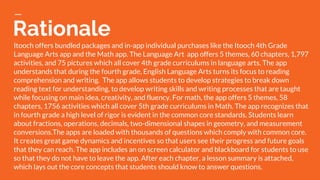
Itooch offers bundled packages and in-app individual purchases like the Itooch 4th Grade
Language Arts app and the Math app. The Language Art app offers 5 themes, 60 chapters, 1,797
activities, and 75 pictures which all cover 4th grade curriculums in language arts. The app
understands that during the fourth grade, English Language Arts turns its focus to reading
comprehension and writing. The app allows students to develop strategies to break down
reading text for understanding, to develop writing skills and writing processes that are taught
while focusing on main idea, creativity, and fluency. For math, the app offers 5 themes, 58
chapters, 1756 activities which all cover 5th grade curriculums in Math. The app recognizes that
in fourth grade a high level of rigor is evident in the common core standards. Students learn
about fractions, operations, decimals, two-dimensional shapes in geometry, and measurement
conversions.The apps are loaded with thousands of questions which comply with common core.
It creates great game dynamics and incentives so that users see their progress and future goals
that they can reach. The app includes an on screen calculator and blackboard for students to use
so that they do not have to leave the app. After each chapter, a lesson summary is attached,
which lays out the core concepts that students should know to answer questions.

App circus slides

  • 1.
    Educational Apps Justin Smith,Holly Gibbons, & Jessica Davidson
  • 2.
  • 3.
    #1 Bitsboard - AppFeedback: This app offers a multitude of options available to the user to learn or teach educational lessons using games, full lessons, quizzes, videos, and more. The app also offers switchboard activities to better serve those with disabilities. Information is available on a wide variety of subjects. The app is organized and visually appealing. - What kind of higher level thinking skills does the app encourage? Since this app offers such a wide variety of activities and uses, it offers opportunities for the user to utilize all higher level thinking skills- remembering, understanding, applying, creating, analyzing, and understanding.
  • 4.
    #1 Bitsboard - Easeof use...is it intuitive? The app is well organized and easy to use. While the multitude of options can be a little overwhelming, the organization of the app allows for easy access to desired information, games, or lessons. - What kind of privacy does it offer? Users are required to create an account and can share information only with other Bitsboard users. A Privacy policy is available for review in which it states that sharing of information to third parties is never done.
  • 5.
    #1 Bitsboard - Arethe skills reinforced connected to your curriculum standards/student outcomes? Educational information obtained on Bitsboard can be applied to a variety of curriculum frameworks and standards, across many subjects and grade levels. - Does the app provide easy to follow and comprehensive instructions? Provide details? Bitsboard provides instructions for each of its individual games and features as well as a comprehensive user guide.
  • 6.
    Rationale Bitsboard is anaward winning educational app that offers a multitude of educational games, across a wide variety of subjects. Games include Photo Hunt, Odd One Out, Flashcards, Memory, and many more. A Genius option is available in which the app automatically shuffles through all available games. Users are also able to create educational lessons and share them with other Bitsboard users. Teachers can share lessons they have created with their students and track student’s progress as the go through the lesson. Users can create their own boards of information on a specific subject and share their boards with other users through the bitsboard catalog. Bitsboard also has the ability to support switch control access to better serve students with disabilities. One drawback to this app is that it is only compatible with iPhone, iPad, and iPod Touch products. The app itself is free, however, in app purchases are available to enhance the user’s experience. Bitsboard encourages the students to use skills of remembering, understanding, analyzing, applying, and creating depending on which feature of the app they choose to use.
  • 7.
  • 8.
    #2 Quizlet - AppFeedback: Quizlet is an app that allows you to study and review a variety of educational information. One can create their own study sheets or flashcards or can access study sheets, flashcards, and videos created by other users. - What kind of higher level thinking skills does the app encourage? By providing access to review and repetition, Quizlet promotes the higher level thinking skills of remembering and understanding. Quizlet also encourages the skill of creating by providing users the opportunity to create their own study sets.
  • 9.
    #2 Quizlet - Easeof use...is it intuitive? Quizlet is a simple, easy to use app that is very well organized. It also allows users to create folders to maintain their own organization within the app. The navigation and search features are easy to use as well. - What kind of privacy does it offer? Quizlet users are required to create an account and is password protected. Users can only search for other users by their created username. Quizlet’s privacy policy is available for review when an account is created.
  • 10.
    #2 Quizlet - Arethe skills reinforced connected to your curriculum standards/student outcomes? Since information obtained in this app is created by the user, the user has the ability to tie content to any state standards or frameworks of their choosing. - Does the app provide easy to follow and comprehensive instructions? Provide details? The app contains a help center with a comprehensive list of “how to’s” and step by step instructions for how to use the app. It even has a specific section for teachers to assist them in using the app with their classes.
  • 11.
    Rationale Quizlet is astudy app that allows students to have access to millions of study sets created by other Quizlet users. Students can use these study set to study information using flashcards, fill in the blank, matching or quizzes. Users can also create their own study sets, this includes students and teachers. Teachers have the opportunity to make their study sets available to their students to help the study material covered in class. Since the information is user created, study sets can be created to meet any educational framework or standard. Study sets can be saved in individual folders to make access and retrieval quick and easy. Users create their own unique account that is password protected and can search for other Quizlet users using their unique username. The app is free, however Quizlet Plus is available for $19.99 for a one year subscription.
  • 12.
  • 13.
    #3 Popplet - Appfeedback: Popplet is an app that allows you to capture and organize your ideas on any topic. You can quickly note your ideas, facts, thoughts and images, and then visually organize them on screen. Students will learn to create relationships between them and generate new ideas. - What kind of higher learning thinking skills does the app encourage? Students will learn to create relationships between them and generate new ideas. Popplet can be used to help students study (school projects, class notes), explore ideas (brainstorming, mindmapping), plan projects (diagrams, process charts), and collect inspiration (mood boards).
  • 14.
    #3 Popplet - Easeof use…is it intuitive? Why? The app is very easy to use after a quick review of buttons and use of the help button. Students can capture notes in text, with images, or with the drawing tool. You can customize the color of your notes and Popplet board and link the notes visually to each other. - What kind of privacy does it offer? Your Popplet is private to your phone and can be shared if you chose. You can export them as PDFs or JPEGs.
  • 15.
    #3 Popplet - Arethe skills reinforced connected to your curriculum standards/student outcomes? Yes, brainstorming and mindmapping are highly utilized in not only literacy, but all core subjects. - Does the app provide easy to follow and comprehensive instructions? Provide details? The app is very easy to use after a quick tutorial and the use of the help button. Icon images are very recognizable to aid students in selecting the appropriate tools. Sharing the document is easy, as well, allowing the students to share their Popplet with teachers and classmates.
  • 16.
    Rationale Popplet is anapp that allows you to capture and organize your ideas on any topic. You can quickly note your ideas, facts, thoughts and images, and then visually organize them on screen. Students will learn to create relationships between them and generate new ideas. Popplet can be used to help students study (school projects, class notes), explore ideas (brainstorming, mindmapping), plan projects (diagrams, process charts), and collect inspiration (mood boards). Students can capture notes in text, with images, or with the drawing tool. You can customize the color of your notes and Popplet board and link the notes visually to each other. The Popplet boards can be exported as PDF or JPEG allowing students to be able to share and collaborate with their teachers and classmates. It also has Multi Language support. The lite version of the app can be downloaded for free but it is limited to just one Popplet board. The full version of Popplet, which is $4.99, allows you to create an unlimited number of Popplet boards.
  • 17.
  • 18.
    #4 Brain Pop -App feedback: Brain Pop is long standing, award winning pay to use subscription. Children can watch short animated videos about math, science, social studies, engineering, arts, music, and health study. After each video, quizzes are available to assess the material from each video. Brain Pop is used by parents, teachers, and students as a fun way to learn. - What kind of higher learning thinking skills does the app encourage? It encourages a wide range of learning from learning assessment in math, science, social studies, engineering, arts, music, and health.
  • 19.
    #4 Brain Pop -Ease of use…is it intuitive? Why? Brain Pop is easy to use and supports their effectiveness claim with awards. Brain Pop is excellent because it helps kids to learn by using something they enjoy. This is intuitive because people learn and retain at a much higher rate when they enjoy the way the material is taught. It seems less like a chore - What kind of privacy does it offer? You don’t have the ability to create, but you can keep track of your progress if you replay the lessons. The app has over 750 videos and quizzes to use for assessment.
  • 20.
    #4 Brain Pop -Are the skills reinforced connected to your curriculum standards/student outcomes? Yes, and the app has a wide range of subjects to cover. - Does the app provide easy to follow and comprehensive instructions? Provide details? Yes, there is a tutorial when you first use the app to give you step by step instructions on any subject you choose.
  • 21.
    Rationale Brain Pop isa fun way for children to watch animated videos in the areas of math, science, social studies, English, arts, music, engineering, and health. The app does have free videos but the bulk of the videos are on a pay to use subscription basis. At $6.99 per month it seems fairly reasonable. The app also offers an additional $1.99 per month explorer that gives access to four related movies and quizzes that rotate daily and expand on the featured movie. The app has over 800 movies and quizzes currently offered and are continually expanding to add more information. Brain Pop has the following Honors and Awards: Digital Innovation in Learning Awards, eSchool News Readers' Choice Awards, Teachers With Apps, 2013 Common Sense Media ON for Learning Award, 2013 KAPi Award, Apps for Homeschooling, Tech & Learning Magazine, 2012 International Serious Play Award, 2012 CODiE Award, Learning®Magazine 2012 Teachers’ Choice℠ Award, and several others.
  • 22.
  • 23.
    #5 Nova Elements -App feedback: NOVA Elements is an app that you can use to learn about the periodic table. The app also gives you in depth descriptions of the elements and why the periodic table is set up the way it is. Addionally a video is available to view that is detailed about the periodic table and it’s use. - What kind of higher learning thinking skills does the app encourage? This app focuses on learning the elements within the periodic table and creating a deeper understanding of the periodic table.
  • 24.
    #5 Nova Elements -Ease of use…is it intuitive? Why? The app is fairly easy to use and has great reviews additionally being noted on the top 50 educational apps of 2016. It is intuitive because not only do you learn about the elements, but you can gain a stronger understanding of the periodic table itself. The videos provided also provid additional clarity. - What kind of privacy does it offer? The app doesn’t have any share functions since the material is internalized within the app.
  • 25.
    #5 Nova Elements -Are the skills reinforced connected to your curriculum standards/student outcomes? The skills reinforced within this app would be for a science course where the student is learning the periodic table. - Does the app provide easy to follow and comprehensive instructions? Provide details? Yes, and because it is brought to you by PBS, you can send in questions about the material and get emailed responses from your local PBS stations. In this area of the state it would be sent to AETN.
  • 26.
    Rationale NOVA Element isa great way to supplement classroom teaching of the periodic table in a science course. It has in depth material about each and every element. It also has an excellent video to help explore the periodic table and the set up of the elements. One possible draw back is that the app is only downloadable on iPad. So if you are on the go and wanted to study on your iPhone, you would not have that access. The app is free on the app store. If you have additional questions, you can also submit questions and you will receive responses from your local PBS station. In Northwest Arkansas, we would receive responses from AETN.
  • 27.
  • 28.
    #6 Teachers Pay Teachers -App feedback: Teachers Pay Teachers is an app that teachers utilize to create, share, and even sell their ideas to help other teachers create lessons for their class. - What kind of higher learning thinking skills does the app encourage? It allows teachers to see ideas from a worldwide community of teachers. It is awesome that it even gives teachers the ability to sell their ideas for some extra coin as well.
  • 29.
    #6 Teachers Pay Teachers -Ease of use…is it intuitive? Why? Yes, It is very intuitive because it allows the creative and business side of all teachers to share ideas or create and sell their ideas and planning so that other teachers can utilize great lesson plans in the classroom. - What kind of privacy does it offer? You are able to share the ideas with other teachers for free or buy/sell these lesson plans or ideas with others. Because you can sell your ideas, the site offers standard payment security during payment.
  • 30.
    #6 Teachers Pay Teachers -Are the skills reinforced connected to your curriculum standards/student outcomes? Yes. The skills the teachers share from one another through this community will be reinforced for the lesson they are trying to teach to their students. - Does the app provide easy to follow and comprehensive instructions? Provide details? There is not a tutorial. The app is very much like an online marketplace for teachers. If you have questions, you can email the creator and get responses.
  • 31.
    Rationale Teachers Pay Teachersis a wonderful way for educators to help each others build stronger more engaging lesson plans. Instead of only have a small group of peers to bounce ideas off of within your school or district, you now have an online marketplace. This literally allows anyone that has access to the app the ability to contribute. The app itself is free. Some of the ideas and lesson plans that others have offered are free. The others are typically very reasonable in price. If you decide that you have created a great lesson plan, you can share it with others for free or make some extra money.
  • 32.
  • 33.
    #7 Class Dojo -App feedback: Class Dojo is somewhat like an Instagram for the classroom. It allows teachers to make picture posts to share with parents and communicate what is going on in class with students and parents at home. - What kind of higher learning thinking skills does the app encourage? This app is more for teachers to use with parents so the area of discipline will depend on what class the student is enrolled in. Although, the app doesn’t directly teach children, it provides a way for teachers and parents to communicate the child’s progress.
  • 34.
    #7 Class Dojo -Ease of use…is it intuitive? Why? It is easy to use for posting pictures, sharing, and even instant messaging parents. It is intuitive because sometimes it’s hard for a teacher and parent to communicate what is going on in the classroom. If the parent can receive direct communication and actually see pictures or video of what is happening, it gives them a greater understanding of how their child is progressing. - What kind of privacy does it offer? This app allows teachers to create posts and share them with parents in almost an Instagram form. They are also able to use an instant messaging feature through the app itself for two way communication.
  • 35.
    #7 Class Dojo -Are the skills reinforced connected to your curriculum standards/student outcomes? The skills learned in class can be directly communicated with the parents so the parents can help kids stay on track. Additionally, parents can reach out to the teacher in a little more informal manner than calling or emailing the teacher if they have questions. - Does the app provide easy to follow and comprehensive instructions? Provide details? There is a demo class that you can run through like a tutorial when you get in and sign up. It shows you how to communicate with parents or students in the app. You can even enroll through the school that you teach at.
  • 36.
    Rationale Class Dojo isa free app that allows you to make posts with text, picture, and video of your classroom activities. From these posts, parents can see what is going on in the classroom. It also has an instant message function that teachers and parents can use to communicate with one another. Class Dojo is definitely a way for a teacher to take control of the classroom that they are teaching through upholding classroom discipline and allowing the parents to have that open line with the teacher. The parents love it because they can see photos and video from the work and projects their children are completing. If the children need additional help, it’s only an instant message away.
  • 37.
  • 38.
    #8 Prodigy Math -App Feedback: This app is a fun, interactive math app in which the user creates a player and goes on a quest, the player uses math powers to defeat enemies throughout the quest. This app gives the appearance of a videogame with use of math skills incorporated throughout. - What kind of higher level thinking skills does the app encourage? Higher level thinking skills of remembering, understanding, and applying age and skill level appropriate math skills are encouraged throughout this app.
  • 39.
    #8 Prodigy Math -Ease of use...is it intuitive? To the student that has experience playing and navigating video games, this app is intuitive and easy to use. For those that do not frequently play video games the app may take some practice before being able to fluently navigate the app. - What kind of privacy does it offer? The app requires users to create an individual account and every account is password protected. A clear Privacy Policy is available for review to all users.
  • 40.
    #8 Prodigy Math -Are the skills reinforced connected to your curriculum standards/student outcomes? Yes, math skills that are reinforced in this app apply to over 1,200 math skills for grades 1-8, that are specifically designed to improve a student’s standardized test scores. - Does the app provide easy to follow and comprehensive instructions? Provide details? Prodigy Math provides easy to follow, clear instructions to navigate the app at the onset as well as throughout use of the app.
  • 41.
    Rationale Prodigy Math isan app that allows users to go on an interactive “quest.” Users use their math skills to advance through the quest and defeat foes. Over 1,200 math skills from grades 1-8 are available in Prodigy Math and skills are aimed at helping users improve scores on standardized tests. As users progress throughout the game math skills and levels are individually adjusted to the users ability so that each user can succeed at their own pace. Teachers can create accounts for their students and receive real-time reporting on their students progress within the app. The app is free to users and Prodigy Math has made a promise that they will never charge teachers to use the app in their classrooms. Parents have an option to purchase an upgrade that opens additional games in the app. This app is great for users because it gives the appearance of playing a video game while improving math skills at the same time.
  • 42.
  • 43.
    #9 Lightsail - AppFeedback: This is a literacy app that embeds in-text assessments into books while delivering instant, actionable data to teachers. It allows students to have access to the best of books, around 6,000. Students have access to the entire library but a quick diagnostic test will determine their reading level and throughout the process, the student’s library is constantly changing so that their level of learning is not stagnant. - What kind of higher learning thinking skills does the app encourage? This app focuses on maximizing the potential growth of a student in reading and literacy, focusing on vocabulary, critical thinking, text evidence, and comprehension.
  • 44.
    #9 Lightsail - Easeof use...is it intuitive? Why? The app is very easy to use. It begins with a simple diagnostic test that determines the level of reading for each student, creates a custom library with built-in assessments, and immediately provides feedback to the students and teachers so that it can be evaluated. - What kind of privacy does it offer? Each student has their own private account that is customized just for them.
  • 45.
    #9 Lightsail - Arethe skills reinforced connected to your curriculum standards/student outcomes? Yes, skills are reinforced through the in-text assessments and there is constant re-evaluation throughout the process so that students will always be progressing. - Does the app provide easy to follow and comprehensive instructions? Provide details? The app is very easy to follow and set up. The app also has a full blown website that provides setup instructions, customization options, and even in depth research on the app’s creation and the research behind the analysis and data collection.
  • 46.
    Rationale This is aliteracy app that embeds in-text assessments into books. The app allows student to have access to the best of books, around 6,000. When they begin using the app they take a quick diagnostic test, called the power challenge, to see what level of reading they are at. While they have access to the entire library, the texts that fall into their specific level are marked with a small green lightning bolt. The data shows that when students stay on the books with their power marks, it fosters the most growth for their reading. The students library is constantly changing so that their learning is not stagnant and they are having forward movement. The assessments test vocabulary, critical thinking, and text evidence, all written and presented on an appropriate level. The experience can be customized for each student by allowing assessments to be turned on or off and allowing the teachers to create their own assessment questions. The assessments and behavior data simplifies the work of educators by allowing them to target certain areas of literacy and helping students individually. Students can follow the data to see their improvement and see projected scores and reading levels. The app also offers badges to visually show the goals that students have reached and word walls to show vocabulary words that the students have studied.
  • 47.
  • 48.
    #10 iTooch - Appfeedback: Itooch offers bundled packages and in-app individual purchases like the Itooch 4th Grade Math app. For math, the app offers 5 themes, 58 chapters, 1756 activities which all cover 5th grade curriculums in Math. - What kind of higher learning thinking skills does the app encourage? The app recognizes that in fourth grade a high level of rigor is evident in the common core standards. Students are asked to formalize understanding of division and apply this knowledge in problem solving situations. Students learn about fractions, operations, decimals, two-dimensional shapes in geometry, and measurement conversions.
  • 49.
    #10 iTooch - Easeof use…is it intuitive? Why? The app is very easy to use and very kid friendly. It is used by over 4 million children and offers thousands of common core aligned questions. The app even provides an on-screen blackboard and calculator so that students do not have to exit the app for notes and calculations. - What kind of privacy does it offer? Your iTooch profile is private to your phone.
  • 50.
    #10 iTooch - Arethe skills reinforced connected to your curriculum standards/student outcomes? Yes, the app is loaded with thousands of questions which comply with common core. It also creates great game dynamics and incentives so that users see their progress and future goals that they can reach. - Does the app provide easy to follow and comprehensive instructions? Provide details? The app is very easy to use and has been used by over 4 million children. The app has age appropriate icons that are very easy to identify and guide children through the app.
  • 51.
    Rationale Itooch offers bundledpackages and in-app individual purchases like the Itooch 4th Grade Language Arts app and the Math app. The Language Art app offers 5 themes, 60 chapters, 1,797 activities, and 75 pictures which all cover 4th grade curriculums in language arts. The app understands that during the fourth grade, English Language Arts turns its focus to reading comprehension and writing. The app allows students to develop strategies to break down reading text for understanding, to develop writing skills and writing processes that are taught while focusing on main idea, creativity, and fluency. For math, the app offers 5 themes, 58 chapters, 1756 activities which all cover 5th grade curriculums in Math. The app recognizes that in fourth grade a high level of rigor is evident in the common core standards. Students learn about fractions, operations, decimals, two-dimensional shapes in geometry, and measurement conversions.The apps are loaded with thousands of questions which comply with common core. It creates great game dynamics and incentives so that users see their progress and future goals that they can reach. The app includes an on screen calculator and blackboard for students to use so that they do not have to leave the app. After each chapter, a lesson summary is attached, which lays out the core concepts that students should know to answer questions.