App Circus
Project
Duncan Bacon Jamie Booker
Best Study Apps
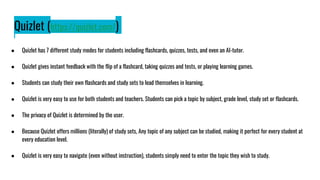
Quizlet (https://quizlet.com/)
● Quizlet has 7 different study modes for students including flashcards, quizzes, tests, and even an AI-tutor.
● Quizlet gives instant feedback with the flip of a flashcard, taking quizzes and tests, or playing learning games.
● Students can study their own flashcards and study sets to lead themselves in learning.
● Quizlet is very easy to use for both students and teachers. Students can pick a topic by subject, grade level, study set or flashcards.
● The privacy of Quizlet is determined by the user.
● Because Quizlet offers millions (literally) of study sets, Any topic of any subject can be studied, making it perfect for every student at
every education level.
● Quizlet is very easy to navigate (even without instruction), students simply need to enter the topic they wish to study.
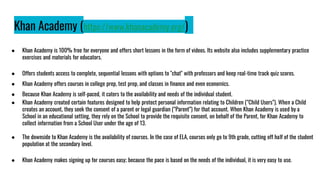
Khan Academy (https://www.khanacademy.org/)
● Khan Academy is 100% free for everyone and offers short lessons in the form of videos. Its website also includes supplementary practice
exercises and materials for educators.
● Offers students access to complete, sequential lessons with options to "chat" with professors and keep real-time track quiz scores.
● Khan Academy offers courses in college prep, test prep, and classes in finance and even economics.
● Because Khan Academy is self-paced, it caters to the availability and needs of the individual student.
● Khan Academy created certain features designed to help protect personal information relating to Children (“Child Users”). When a Child
creates an account, they seek the consent of a parent or legal guardian (“Parent”) for that account. When Khan Academy is used by a
School in an educational setting, they rely on the School to provide the requisite consent, on behalf of the Parent, for Khan Academy to
collect information from a School User under the age of 13.
● The downside to Khan Academy is the availability of courses. In the case of ELA, courses only go to 9th grade, cutting off half of the student
population at the secondary level.
● Khan Academy makes signing up for courses easy; because the pace is based on the needs of the individual, it is very easy to use.
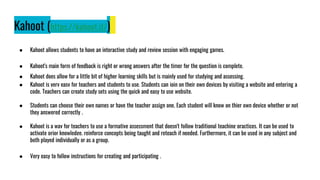
Kahoot (https://kahoot.it/)
● Kahoot allows students to have an interactive study and review session with engaging games.
● Kahoot's main form of feedback is right or wrong answers after the timer for the question is complete.
● Kahoot does allow for a little bit of higher learning skills but is mainly used for studying and assessing.
● Kahoot is very easy for teachers and students to use. Students can join on their own devices by visiting a website and entering a
code. Teachers can create study sets using the quick and easy to use website.
● Students can choose their own names or have the teacher assign one. Each student will know on thier own device whether or not
they answered correctly .
● Kahoot is a way for teachers to use a formative assessment that doesn't follow traditional teaching practices. It can be used to
activate prior knowledge, reinforce concepts being taught and reteach if needed. Furthermore, it can be used in any subject and
both played individually or as a group.
● Very easy to follow instructions for creating and participating .
Best Presentation Apps
Canva (https://www.canva.com/)
● Canva offers free student accounts where they can create mind maps, essay outlines, presentations, and group projects. For English education, these
apps are priceless.
● Canva offers students the ability to think creatively. Students can choose to complete assignments using provided templates or they can design their
own. By making outlines, mind maps, and presentations with Canva, students are encouraged to be creative both with the assignment itself and the
design.
● Canva is very easy to use. It offers suggestions for design and comes with tons of preloaded graphics, fonts, videos, etcetera. It also helps that Canva
can be used on any platform.
● Canva for education and district offerings are FERPA and COPPA compliant, and is also a signatory of the National Data Privacy Agreement. They are
committed to GDPR compliance, and offer safe-for-school content.
● Canva can be used to help reinforce the vast majority of the Secondary ELA curriculum. Presentations and posters can be used for literature courses,
flyers and brochures can be created for public relations and mass communications classes. The possibilities are endless for creative writing and
journalism courses,
● Canva has great, easy to follow instructions. With templates provided for specific categories and projects and easy to follow design suggestions and
graphics, Canva is great to work with.
● Student feedback is not offered by Canva. Feedback relies solely on outside resources (i.e., teacher, student evaluations, etc.)
Nearpod (https://nearpod.com/)
● Nearpod is a tool that allows teachers to create interactive presentations that include free response questions, polls, and many other features.
● Nearpod's main feature is the ability for students to put feedback into the presentations. Nearpod has polls, free response, quizzes, videos,
collaboration boards, and other features for student response.
● Nearpod has multiple features to engage students in higher learning. The free response and collaboration board are the main features that can engage
students in higher learning.
● Nearpod is very easy to use and navigate from the teacher and student perspective .
● It is clear from both policies that Nearpod does not sell any user data or employ marketing tools on its student-facing platform, and the Company is a
signatory of the Student Privacy Pledge.
● Nearpod is an interactive learning platform that includes interactive slides, interactive videos, polls open ended questions and many more. Teachers
can use this a fun supplement to a lesson or even a formative assessment. It can be added to materials teachers have already created such as
powerpoint, youtube, etc. It can be used a whole class or individual learning as well as in person or online learning. This app can be used for any
subject.
● Instructions are very easy to follow for both the teachers and students.
Adobe Express (https://www.adobe.com/express/create/video)
● Adobe Express offers free accounts to students and teachers where they can create everything from reports to instagram posts and custom designed
web pages for individuals and group projects.
● Student feedback is not provided by Adobe.
● Adobe offers students guided access to technological resources such as social media posting, building resumes and webpages, as well as building
flashcards for assignments and graphic organizers such as Venn Diagrams and mind maps.
● Adobe Express is very simple to use as everything needed is contained within the app. Students should have no need to open multiple tabs to search
for graphics, videos, etcetera.
● Classroom accounts can be created by individual teachers for individual classrooms in which students will be given a code to access the Adobe
account. Classroom accounts offer safe search functionality in photo searches, teacher verification, and extra administrative controls to protect the
schools’ and students’ personal information. Students don't get access to the Discover tab in Adobe Photoshop Express, so they can stay focused on
their work.
● Adobe Express can be used to create book reports,AI integrative Instagram Stories, posters, collages, and worksheets; all of which have a vast number
of uses in any subject.
● Adobe Express has great, easy to follow design templates, pre-loaded graphics and design ideas that help encourage student creativity.
Best Interactive Apps
Google Classroom(https://edu.google.com/intl/ALL_us/workspace-for-
education/classroom/)
● Google Classroom is essentially a teacher created classroom that benefits both the student and teacher
● Google Classroom does not offer student feedback. Feedback is created by the teacher.
● Because Google Classroom is created by the teacher, it is more focused on the current curriculum; although, it does offer students
more technological education.
● Google Classroom is supposed to be easy to use, and...I'm sure once you become acquainted with it, it is. There seems to be a bigger
learning curve for Google Classroom use for the teacher than for the students.
● Privacy is determined by the user. Nothing is shared without consent.
● Because Google Classroom is designed by the teacher for a specific classroom, possibilities are endless...no matter the subject.
● Supposed to be easy to use for both teacher and student.
.
BrainPop (https://www.brainpop.com/)
● BrainPOP is an educational app that offers animated videos, quizzes, and games on a wide range of topics, including science, social
studies, English, math, and arts.
● The app is designed for K-12 students where users can learn through engaging visuals and interactive activities that are both fun and
educational. With assessments and progress tracking, teachers can monitor the learning progress of their students as well.
● BrainPop builds critical literacy skills for lifelong learning.
● Because BrainPop is focused on K-8, it is extremely user friendly. It ensures even the youngest of kids can navigate their way through the
topics, assessments, and videos.
● BrainPop limits the data collected from students or children to only that which is necessary to meet the educational purposes of
BrainPOP.
● BrainPop teaches several ELA subjects including biographies, grammar, books, story elements, study and reading skills, and writing.
● BrainPop is very easy to use, especially because it is designed to cater to younger students and homeschooled students.
.
Mission US (https://www.mission-us.org/)
● Mission US is an app that allows students to play an interactive-choose your own path history game.
● Mission US does a great job at allowing students to choose their own path and lets them see the outcomes of their choices.
● Misson US allows students to engage in real time thinking with the immediate feedback on the students choices.
● Mission US is easy to use and guides the student through the story without having the student do much of the work.
● Mission US only collects name and email when signing up.
● Mission-us is a media project designed for middle school and high school students who are learning about US History. It enables students
to see history through the eyes of a young person during a crucial time in history. Teachers can enhance their curriculum by getting
students to see major events as well as meet significant people while making decisions during this time period.
● Mission US is fuly self guiding and easy to navigate.
.
WooClap (https://www.wooclap.com/)
● WooClap is an interactive presentation platform that has over 20 different ways to keep students engaged.
● WooClap excels in student feedback with allowing teachers to create presentations that have a variety of different interactive features.
● WooClap engages students in higher learning by allowing teachers to ask questions and receive responses in real time.
● WooClap is easy to use as a student and a teacher.
● WooClap collects various data when signing up.
● WooClap is a supplement to curriculum already taught by offering many types of question formats. It always teachers to keep students
engaged in the learning process while offering varied styles of learning.
● WooClap is very easy to navigate.

App Circus Presentation.pptx

  • 1.
  • 2.
  • 3.
    Quizlet (https://quizlet.com/) ● Quizlethas 7 different study modes for students including flashcards, quizzes, tests, and even an AI-tutor. ● Quizlet gives instant feedback with the flip of a flashcard, taking quizzes and tests, or playing learning games. ● Students can study their own flashcards and study sets to lead themselves in learning. ● Quizlet is very easy to use for both students and teachers. Students can pick a topic by subject, grade level, study set or flashcards. ● The privacy of Quizlet is determined by the user. ● Because Quizlet offers millions (literally) of study sets, Any topic of any subject can be studied, making it perfect for every student at every education level. ● Quizlet is very easy to navigate (even without instruction), students simply need to enter the topic they wish to study.
  • 4.
    Khan Academy (https://www.khanacademy.org/) ●Khan Academy is 100% free for everyone and offers short lessons in the form of videos. Its website also includes supplementary practice exercises and materials for educators. ● Offers students access to complete, sequential lessons with options to "chat" with professors and keep real-time track quiz scores. ● Khan Academy offers courses in college prep, test prep, and classes in finance and even economics. ● Because Khan Academy is self-paced, it caters to the availability and needs of the individual student. ● Khan Academy created certain features designed to help protect personal information relating to Children (“Child Users”). When a Child creates an account, they seek the consent of a parent or legal guardian (“Parent”) for that account. When Khan Academy is used by a School in an educational setting, they rely on the School to provide the requisite consent, on behalf of the Parent, for Khan Academy to collect information from a School User under the age of 13. ● The downside to Khan Academy is the availability of courses. In the case of ELA, courses only go to 9th grade, cutting off half of the student population at the secondary level. ● Khan Academy makes signing up for courses easy; because the pace is based on the needs of the individual, it is very easy to use.
  • 5.
    Kahoot (https://kahoot.it/) ● Kahootallows students to have an interactive study and review session with engaging games. ● Kahoot's main form of feedback is right or wrong answers after the timer for the question is complete. ● Kahoot does allow for a little bit of higher learning skills but is mainly used for studying and assessing. ● Kahoot is very easy for teachers and students to use. Students can join on their own devices by visiting a website and entering a code. Teachers can create study sets using the quick and easy to use website. ● Students can choose their own names or have the teacher assign one. Each student will know on thier own device whether or not they answered correctly . ● Kahoot is a way for teachers to use a formative assessment that doesn't follow traditional teaching practices. It can be used to activate prior knowledge, reinforce concepts being taught and reteach if needed. Furthermore, it can be used in any subject and both played individually or as a group. ● Very easy to follow instructions for creating and participating .
  • 6.
  • 7.
    Canva (https://www.canva.com/) ● Canvaoffers free student accounts where they can create mind maps, essay outlines, presentations, and group projects. For English education, these apps are priceless. ● Canva offers students the ability to think creatively. Students can choose to complete assignments using provided templates or they can design their own. By making outlines, mind maps, and presentations with Canva, students are encouraged to be creative both with the assignment itself and the design. ● Canva is very easy to use. It offers suggestions for design and comes with tons of preloaded graphics, fonts, videos, etcetera. It also helps that Canva can be used on any platform. ● Canva for education and district offerings are FERPA and COPPA compliant, and is also a signatory of the National Data Privacy Agreement. They are committed to GDPR compliance, and offer safe-for-school content. ● Canva can be used to help reinforce the vast majority of the Secondary ELA curriculum. Presentations and posters can be used for literature courses, flyers and brochures can be created for public relations and mass communications classes. The possibilities are endless for creative writing and journalism courses, ● Canva has great, easy to follow instructions. With templates provided for specific categories and projects and easy to follow design suggestions and graphics, Canva is great to work with. ● Student feedback is not offered by Canva. Feedback relies solely on outside resources (i.e., teacher, student evaluations, etc.)
  • 8.
    Nearpod (https://nearpod.com/) ● Nearpodis a tool that allows teachers to create interactive presentations that include free response questions, polls, and many other features. ● Nearpod's main feature is the ability for students to put feedback into the presentations. Nearpod has polls, free response, quizzes, videos, collaboration boards, and other features for student response. ● Nearpod has multiple features to engage students in higher learning. The free response and collaboration board are the main features that can engage students in higher learning. ● Nearpod is very easy to use and navigate from the teacher and student perspective . ● It is clear from both policies that Nearpod does not sell any user data or employ marketing tools on its student-facing platform, and the Company is a signatory of the Student Privacy Pledge. ● Nearpod is an interactive learning platform that includes interactive slides, interactive videos, polls open ended questions and many more. Teachers can use this a fun supplement to a lesson or even a formative assessment. It can be added to materials teachers have already created such as powerpoint, youtube, etc. It can be used a whole class or individual learning as well as in person or online learning. This app can be used for any subject. ● Instructions are very easy to follow for both the teachers and students.
  • 9.
    Adobe Express (https://www.adobe.com/express/create/video) ●Adobe Express offers free accounts to students and teachers where they can create everything from reports to instagram posts and custom designed web pages for individuals and group projects. ● Student feedback is not provided by Adobe. ● Adobe offers students guided access to technological resources such as social media posting, building resumes and webpages, as well as building flashcards for assignments and graphic organizers such as Venn Diagrams and mind maps. ● Adobe Express is very simple to use as everything needed is contained within the app. Students should have no need to open multiple tabs to search for graphics, videos, etcetera. ● Classroom accounts can be created by individual teachers for individual classrooms in which students will be given a code to access the Adobe account. Classroom accounts offer safe search functionality in photo searches, teacher verification, and extra administrative controls to protect the schools’ and students’ personal information. Students don't get access to the Discover tab in Adobe Photoshop Express, so they can stay focused on their work. ● Adobe Express can be used to create book reports,AI integrative Instagram Stories, posters, collages, and worksheets; all of which have a vast number of uses in any subject. ● Adobe Express has great, easy to follow design templates, pre-loaded graphics and design ideas that help encourage student creativity.
  • 10.
  • 11.
    Google Classroom(https://edu.google.com/intl/ALL_us/workspace-for- education/classroom/) ● GoogleClassroom is essentially a teacher created classroom that benefits both the student and teacher ● Google Classroom does not offer student feedback. Feedback is created by the teacher. ● Because Google Classroom is created by the teacher, it is more focused on the current curriculum; although, it does offer students more technological education. ● Google Classroom is supposed to be easy to use, and...I'm sure once you become acquainted with it, it is. There seems to be a bigger learning curve for Google Classroom use for the teacher than for the students. ● Privacy is determined by the user. Nothing is shared without consent. ● Because Google Classroom is designed by the teacher for a specific classroom, possibilities are endless...no matter the subject. ● Supposed to be easy to use for both teacher and student. .
  • 12.
    BrainPop (https://www.brainpop.com/) ● BrainPOPis an educational app that offers animated videos, quizzes, and games on a wide range of topics, including science, social studies, English, math, and arts. ● The app is designed for K-12 students where users can learn through engaging visuals and interactive activities that are both fun and educational. With assessments and progress tracking, teachers can monitor the learning progress of their students as well. ● BrainPop builds critical literacy skills for lifelong learning. ● Because BrainPop is focused on K-8, it is extremely user friendly. It ensures even the youngest of kids can navigate their way through the topics, assessments, and videos. ● BrainPop limits the data collected from students or children to only that which is necessary to meet the educational purposes of BrainPOP. ● BrainPop teaches several ELA subjects including biographies, grammar, books, story elements, study and reading skills, and writing. ● BrainPop is very easy to use, especially because it is designed to cater to younger students and homeschooled students. .
  • 13.
    Mission US (https://www.mission-us.org/) ●Mission US is an app that allows students to play an interactive-choose your own path history game. ● Mission US does a great job at allowing students to choose their own path and lets them see the outcomes of their choices. ● Misson US allows students to engage in real time thinking with the immediate feedback on the students choices. ● Mission US is easy to use and guides the student through the story without having the student do much of the work. ● Mission US only collects name and email when signing up. ● Mission-us is a media project designed for middle school and high school students who are learning about US History. It enables students to see history through the eyes of a young person during a crucial time in history. Teachers can enhance their curriculum by getting students to see major events as well as meet significant people while making decisions during this time period. ● Mission US is fuly self guiding and easy to navigate. .
  • 14.
    WooClap (https://www.wooclap.com/) ● WooClapis an interactive presentation platform that has over 20 different ways to keep students engaged. ● WooClap excels in student feedback with allowing teachers to create presentations that have a variety of different interactive features. ● WooClap engages students in higher learning by allowing teachers to ask questions and receive responses in real time. ● WooClap is easy to use as a student and a teacher. ● WooClap collects various data when signing up. ● WooClap is a supplement to curriculum already taught by offering many types of question formats. It always teachers to keep students engaged in the learning process while offering varied styles of learning. ● WooClap is very easy to navigate.