The Blended
Learning Model
By Desiree Noland
What is Blended Learning?
O A mix of face-to-face and online learning
O Lessons set to own pace
O Increased opportunities to differentiate
Check Out This Video!
Why Blended Learning?
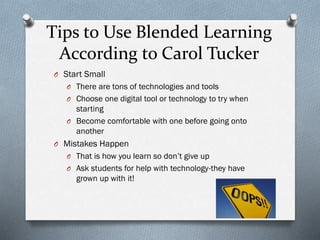
Tips to Use Blended Learning
According to Carol Tucker
O Start Small
O There are tons of technologies and tools
O Choose one digital tool or technology to try when

starting
O Become comfortable with one before going onto
another
O Mistakes Happen
O That is how you learn so don’t give up
O Ask students for help with technology-they have

grown up with it!
Tips to Use Blended Learning
According to Carol Tucker
O Use Technology To Make Life Easier
O Don’t just use it to use it
O Replace something with technology to make things

easier, like a PowerPoint or EduCreations video for a
lecture, or a wikipage for a class discussion

O Truly Blend Technology
O Use it inside and outside the classroom
O Online Discussions-continue discussions on topics

on sites like Uclass
O Expert Group Investigations-students in small groups
research a topic online and present using digital
tools
Tips to Use Blended Learning
According to Carol Tucker
O Everyone Can Get Online
O Even if they don’t have internet at home, there is
O

O
O
O

access in the community
Town libraries, school libraries, computer labs
Internet is important and part of Common Corestudents need to have access
Explain to parents at Back to School Night the
importance
In class, work in groups or rotate if not enough
computers/tablets
A Vision of K-12 Students
Today
Click Image Below
How Do I Blend My Learning?
O Blogs, Wikis and online Discussion Formats
O Students can post and answer questions on these

platforms to expand on topics in class
O Uclass.org
O Educational Wikispaces
O Webquests

O Guide students through a research project
O Many pre-made webquests online
O One I made on New Jersey

O Collection of webquests by Kathi Mitchell
How Do I Blend My Learning?
O Digital Storytelling
O Using PhotoStory3 for PC or iMovie on the iPad
O An example using the iPad for Cyberbullying
O An example with PhotoStory3

O Flipped Classrooms
O Students complete the learning/lecture part

outside the classroom and apply the knowledge in
the classroom
O Video on Flipped Learning
O Here is an example with Geometry-Educreations
on the iPad was used to create the video
How Do I Blend My Learning
O Models: Simulations and Mind tools
O Simulations are interactive technologies

where students can move and change
components without risk of messing
something up or getting hurt
O Mind tools allow students to show concepts
they learn
O Here is an example lesson using both
O Additional simulations for the classroom
Is That All?
NO WAY! There are so many ways to use technology in
the classroom to expand students’ learning. They
love technology and it really differentiates learning.
“Blended learning offers improved pedagogy, increased
access to knowledge, and fostered social interaction
between learners. Easy use of multiple modalities in
blended learning approach provides better support
for different learning styles among students”
(Ayala 2009; Osguthorpe and Graham, 2003, as cited
by Uzun & Senturk, 2010).
Our students are our future. We need to prepare them to
adapt and apply the skills they are learning to the tools they
will be using.
References

Abud, G. G. [Blended Learning Infographic]. Retrieved from http://abud.me/does-blended-learninghave-a-place-in-the-classroom-infographic/
Appelo, J. (2013). [YouTube Logo]. Retrieved from http://www.noop.nl/
Carly (2013, February 21). Infographic: How to implement bended learning [Inforgraphic]. Retrieved
from http://blogs.terrapinn.com/total-learning/2013/02/21/infographic-implement-blendedlearning/
Cobb, K. (2013, January 29). What is blended learning? [Video file]. Retrieved from
http://www.youtube.com/watch?v=uOUrWn8GSvw
Cooper, A. (2013, July 27). [Blended Learning Image]. Retrieved from
http://freshmancomp.com/category/blended-learning/
The Learning Accelerator (2013, August 14). [Learners Today Graphic]. Retrieved from
http://learningaccelerator.org/blog/2013/8/announcing-first-district-wide-blended-learningpartnership-with-reynoldsburg-city-schools
Nesbitt, B. (2007, November 28). A Vision of K-12 Students Today [Video file]. Retrieved from
http://www.youtube.com/watch?v=_A-ZVCjfWf8&feature=youtu.be
Tucker, C. (2013, March). The basics of blended instruction. Educational Leadership, 57-60.
Uzun, A., & Senturk, A. (2010). Blending makes the difference: Comparison of blended and traditional
instruction
on students' performance and attitudes in computer literacy. Contemporary Educational Technology, 1(3),
196-207.
Wolpert-Gawron, H. (2011, April 28). Blended Learning: Combining Face-to-Face and Online Education |
Edutopia. Retrieved November 15, 2013, from http://www.edutopia.org/blog/blended-online-learningheather-wolpert-gawron

Blended Learning PowerPoint

  • 1.
  • 2.
    What is BlendedLearning? O A mix of face-to-face and online learning O Lessons set to own pace O Increased opportunities to differentiate
  • 3.
  • 4.
  • 5.
    Tips to UseBlended Learning According to Carol Tucker O Start Small O There are tons of technologies and tools O Choose one digital tool or technology to try when starting O Become comfortable with one before going onto another O Mistakes Happen O That is how you learn so don’t give up O Ask students for help with technology-they have grown up with it!
  • 6.
    Tips to UseBlended Learning According to Carol Tucker O Use Technology To Make Life Easier O Don’t just use it to use it O Replace something with technology to make things easier, like a PowerPoint or EduCreations video for a lecture, or a wikipage for a class discussion O Truly Blend Technology O Use it inside and outside the classroom O Online Discussions-continue discussions on topics on sites like Uclass O Expert Group Investigations-students in small groups research a topic online and present using digital tools
  • 7.
    Tips to UseBlended Learning According to Carol Tucker O Everyone Can Get Online O Even if they don’t have internet at home, there is O O O O access in the community Town libraries, school libraries, computer labs Internet is important and part of Common Corestudents need to have access Explain to parents at Back to School Night the importance In class, work in groups or rotate if not enough computers/tablets
  • 8.
    A Vision ofK-12 Students Today Click Image Below
  • 9.
    How Do IBlend My Learning? O Blogs, Wikis and online Discussion Formats O Students can post and answer questions on these platforms to expand on topics in class O Uclass.org O Educational Wikispaces O Webquests O Guide students through a research project O Many pre-made webquests online O One I made on New Jersey O Collection of webquests by Kathi Mitchell
  • 10.
    How Do IBlend My Learning? O Digital Storytelling O Using PhotoStory3 for PC or iMovie on the iPad O An example using the iPad for Cyberbullying O An example with PhotoStory3 O Flipped Classrooms O Students complete the learning/lecture part outside the classroom and apply the knowledge in the classroom O Video on Flipped Learning O Here is an example with Geometry-Educreations on the iPad was used to create the video
  • 11.
    How Do IBlend My Learning O Models: Simulations and Mind tools O Simulations are interactive technologies where students can move and change components without risk of messing something up or getting hurt O Mind tools allow students to show concepts they learn O Here is an example lesson using both O Additional simulations for the classroom
  • 12.
    Is That All? NOWAY! There are so many ways to use technology in the classroom to expand students’ learning. They love technology and it really differentiates learning. “Blended learning offers improved pedagogy, increased access to knowledge, and fostered social interaction between learners. Easy use of multiple modalities in blended learning approach provides better support for different learning styles among students” (Ayala 2009; Osguthorpe and Graham, 2003, as cited by Uzun & Senturk, 2010).
  • 13.
    Our students areour future. We need to prepare them to adapt and apply the skills they are learning to the tools they will be using.
  • 14.
    References Abud, G. G.[Blended Learning Infographic]. Retrieved from http://abud.me/does-blended-learninghave-a-place-in-the-classroom-infographic/ Appelo, J. (2013). [YouTube Logo]. Retrieved from http://www.noop.nl/ Carly (2013, February 21). Infographic: How to implement bended learning [Inforgraphic]. Retrieved from http://blogs.terrapinn.com/total-learning/2013/02/21/infographic-implement-blendedlearning/ Cobb, K. (2013, January 29). What is blended learning? [Video file]. Retrieved from http://www.youtube.com/watch?v=uOUrWn8GSvw Cooper, A. (2013, July 27). [Blended Learning Image]. Retrieved from http://freshmancomp.com/category/blended-learning/ The Learning Accelerator (2013, August 14). [Learners Today Graphic]. Retrieved from http://learningaccelerator.org/blog/2013/8/announcing-first-district-wide-blended-learningpartnership-with-reynoldsburg-city-schools Nesbitt, B. (2007, November 28). A Vision of K-12 Students Today [Video file]. Retrieved from http://www.youtube.com/watch?v=_A-ZVCjfWf8&feature=youtu.be Tucker, C. (2013, March). The basics of blended instruction. Educational Leadership, 57-60. Uzun, A., & Senturk, A. (2010). Blending makes the difference: Comparison of blended and traditional instruction on students' performance and attitudes in computer literacy. Contemporary Educational Technology, 1(3), 196-207. Wolpert-Gawron, H. (2011, April 28). Blended Learning: Combining Face-to-Face and Online Education | Edutopia. Retrieved November 15, 2013, from http://www.edutopia.org/blog/blended-online-learningheather-wolpert-gawron