


XBRL Overview
What is XBRL?	XBRL stands for eXtensible Business Reporting LanguageLanguage for the electronic communication of business and financial dataProvides major benefits in the preparation, analysis and communication of business informationOffers cost savings, greater efficiency and improved accuracy and reliability to all those involved in supplying or using financial dataBeing put to practical use in a number of countries
What does it contain?XBRL documents filed by the companies should include the following information reported by the companies as per the existing provisions of law -Information disclosed in the following sections of the Annual Report :Balance SheetProfit and Loss StatementCash Flow StatementSchedules related to Balance Sheet and Profit and Loss StatementNotes to AccountsStatement pursuant to Section 212 of the Companies Act, 1956 relating to subsidiary companiesDisclosures specific to MCA requirements
Who is it applicable for?Following class of companies have to file the Financial Statements in XBRL Form from the year 2010-2011:All companies listed in India and their subsidiaries, including overseas subsidiariesAll companies having a paid up capital of Rs. 5 Crore and above or a Turnover of Rs 100 crore or above
Advantages of XBRLOffers major benefits at all stages of business reporting and analysisBenefits are seen in automation, cost saving, faster, more reliable and more accurate handling of data, improved analysis and in better quality of information and decision makingSwitch resources away from costly manual processesConcentrate effort on analysis, aided by software which can validate and process XBRL information
Benefits for a companyIncreases the usability of financial statement informationNeed to re-key financial data for analytical and other purposes can be eliminatedBy presenting its statements in XBRL, a company can benefit investors and other stakeholders andenhance its profileMeet the requirements of regulators, lenders and others consumers of financial information, who are  increasingly demanding reporting in XBRL
Benefits (continued…)With full adoption of XBRL, companies can automate data collection. For example, data from different company divisions with different accounting systems can be assembled quickly, cheaply and efficientlyReports using varying subsets of the data can be produced with minimum effortA company finance division, for example, could quickly and reliably generate internal management reports, financial statements for publication, tax and other regulatory filings, as well as credit reports for lenders
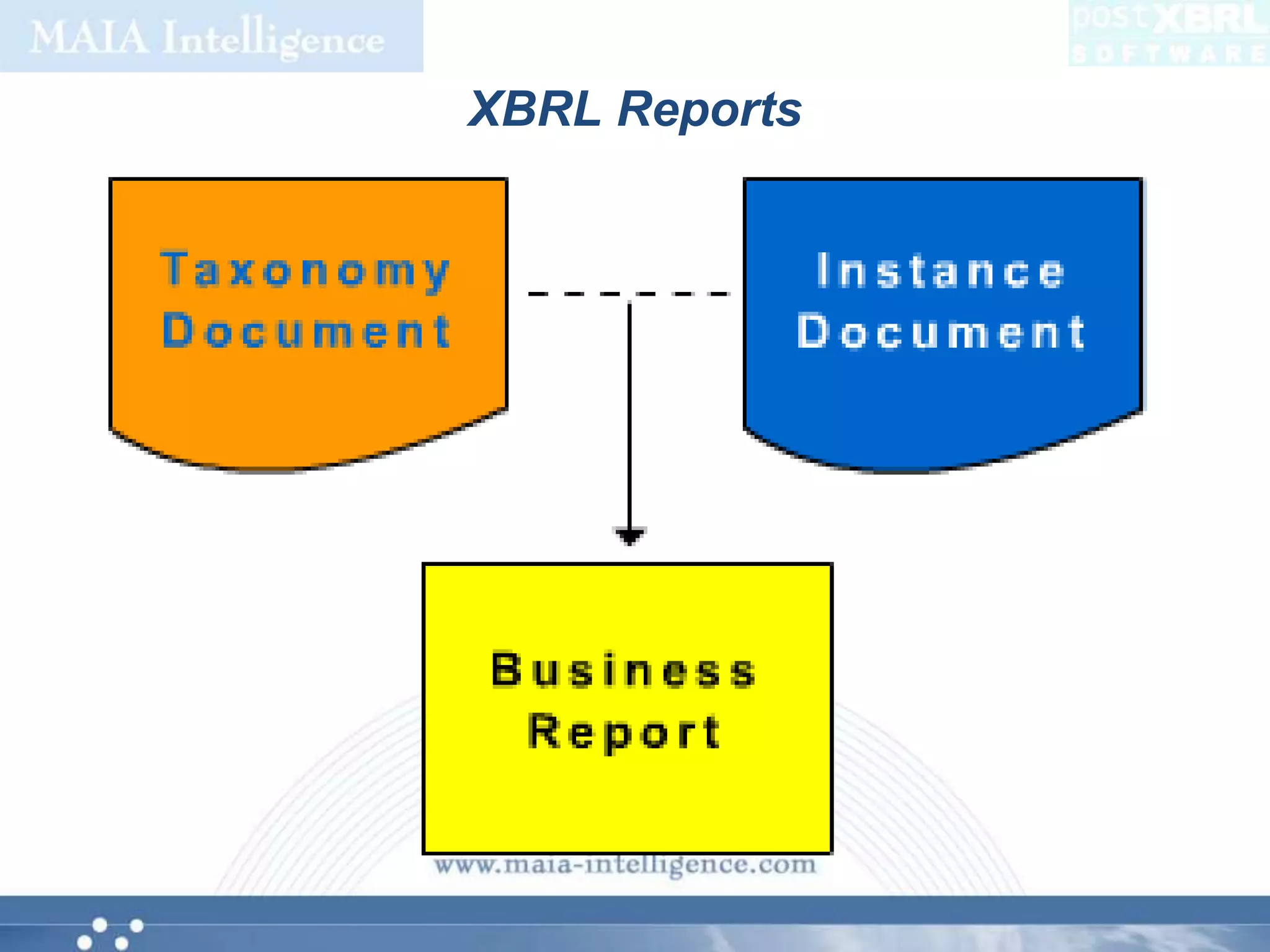
How does XBRL work?XBRL makes the data readable, with the help of two documents – Taxonomy and Instance DocumentTaxonomy defines the elements and their relationships based on the regulatory requirementsUsing the taxonomy prescribed by the regulators, companies need to map their reports, and generate a valid XBRL instance documentMapping is a process for matching the concepts as reported by the company to the corresponding element in the taxonomy
How do companies create statements in XBRL?Use XBRL-aware accounting software products which support the export of data in XBRL form. These tools allow users to map charts of accounts and other structures to XBRL tagsUse third party products which connect to the accounting system to achieve the transformation of the data to XBRLUse third party service by submitting the financial statements to them
How Partner can help?MAIA Partners provide XBRL solution in the form of:PostXBRL software from MAIA Intelligence – a software product that can be installed in your premises and create XBRL reports after appropriate mappingXBRL service – clients can submit their financial statements in appropriate digital format and partner will convert them into XBRL reports
postXBRL Software
Facts for an XBRL Report
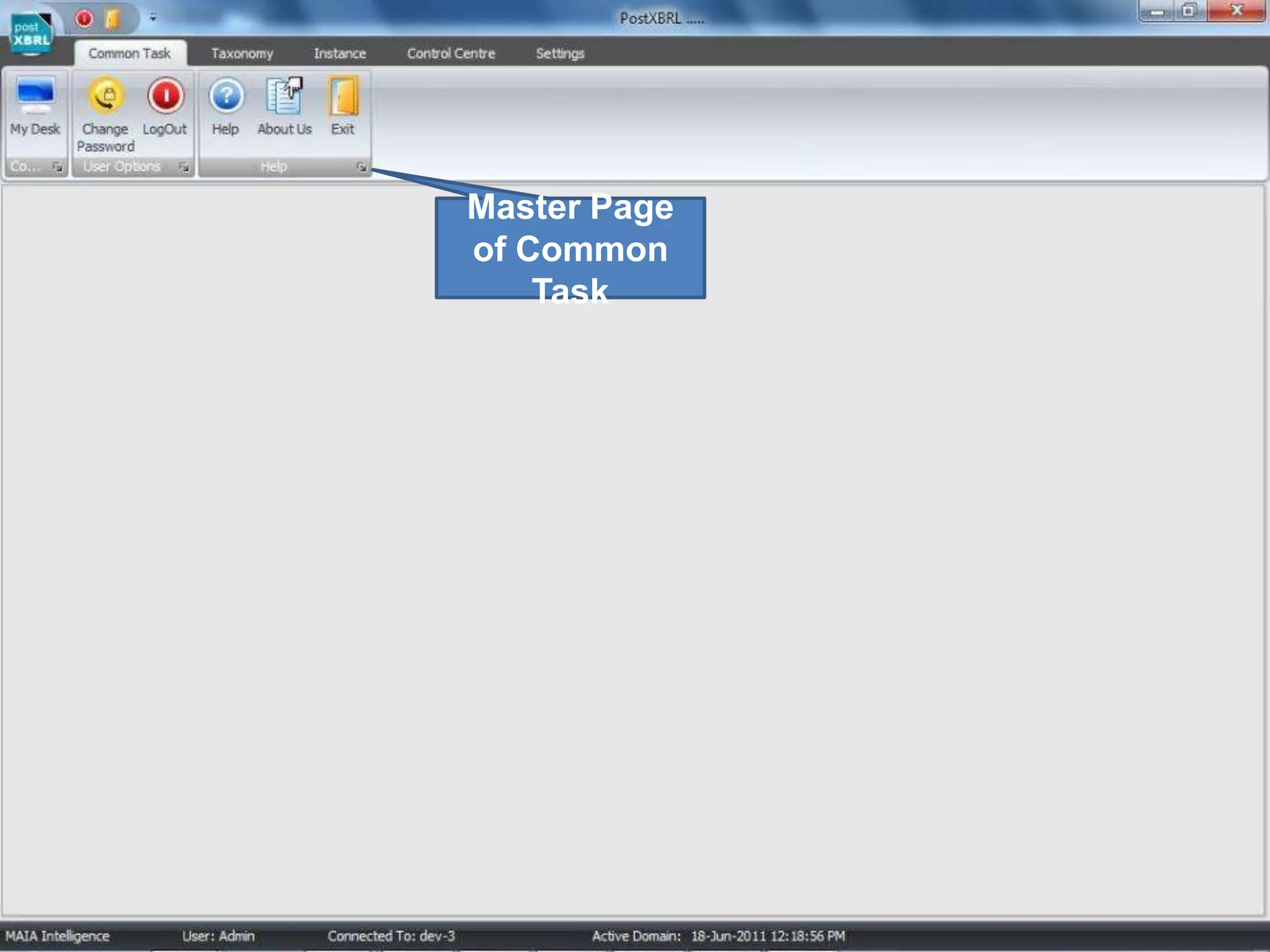
Master Page of Common Task
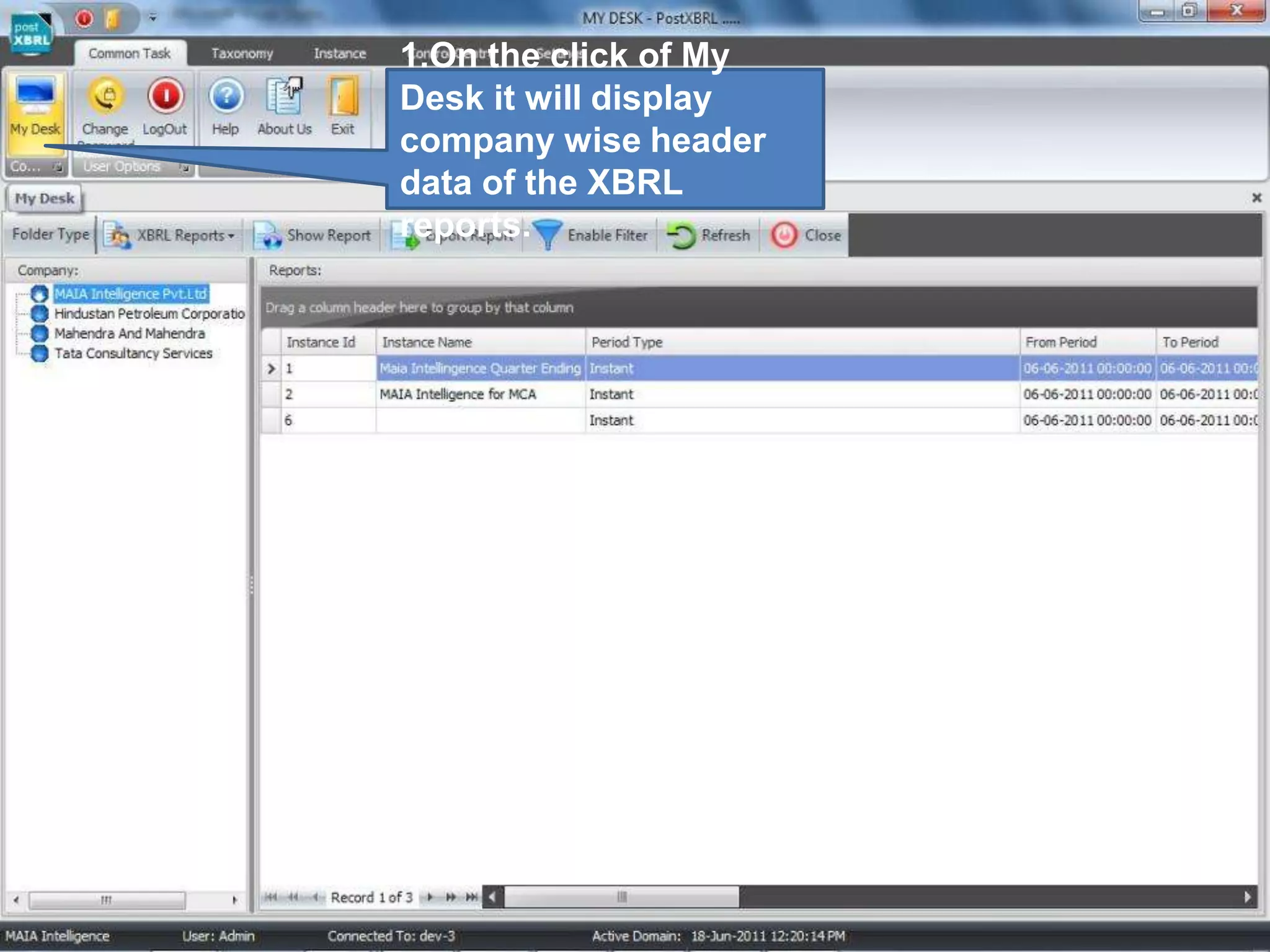
1.On the click of My Desk it will display company wise header data of the XBRL reports.
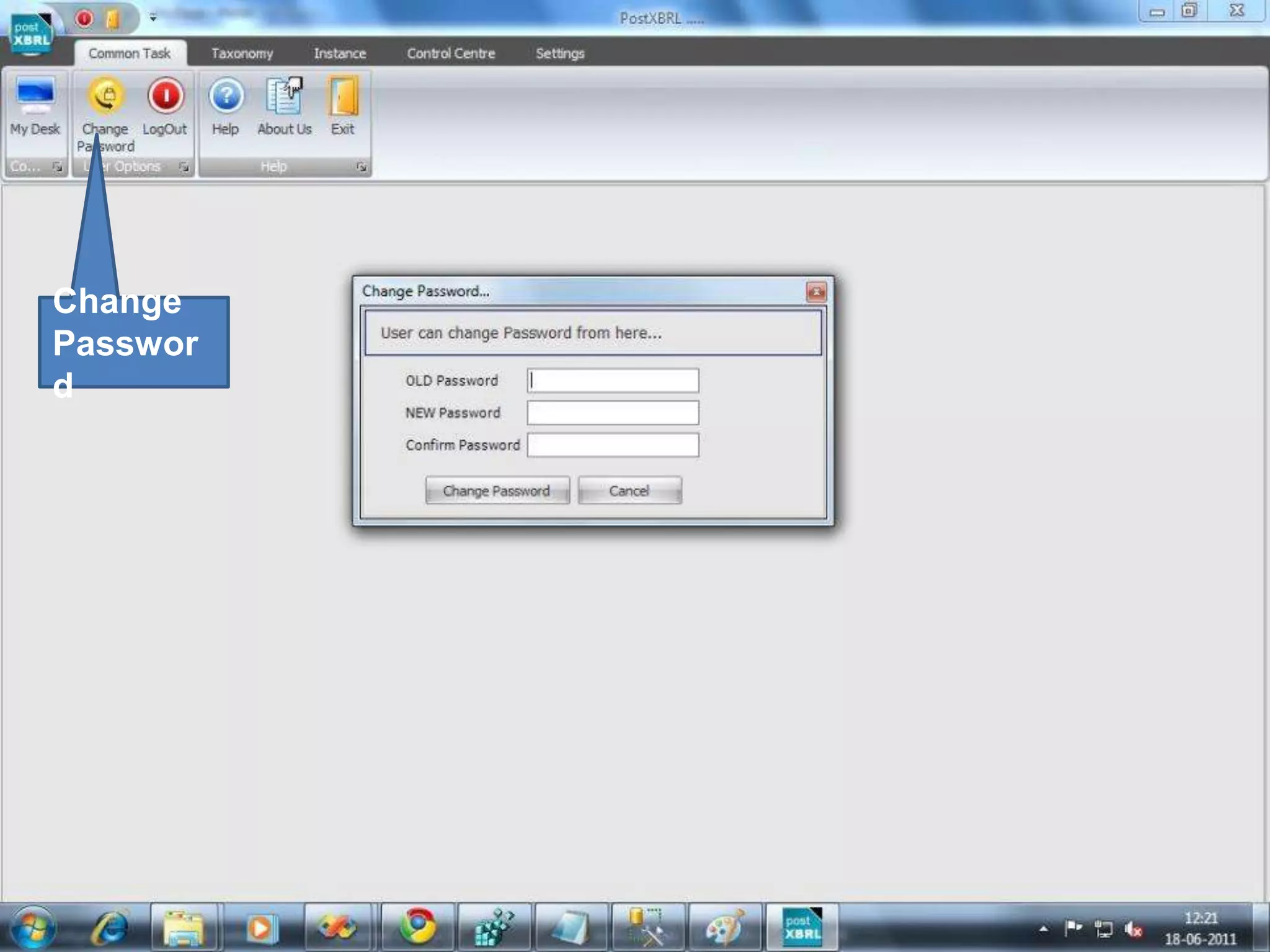
Change Password
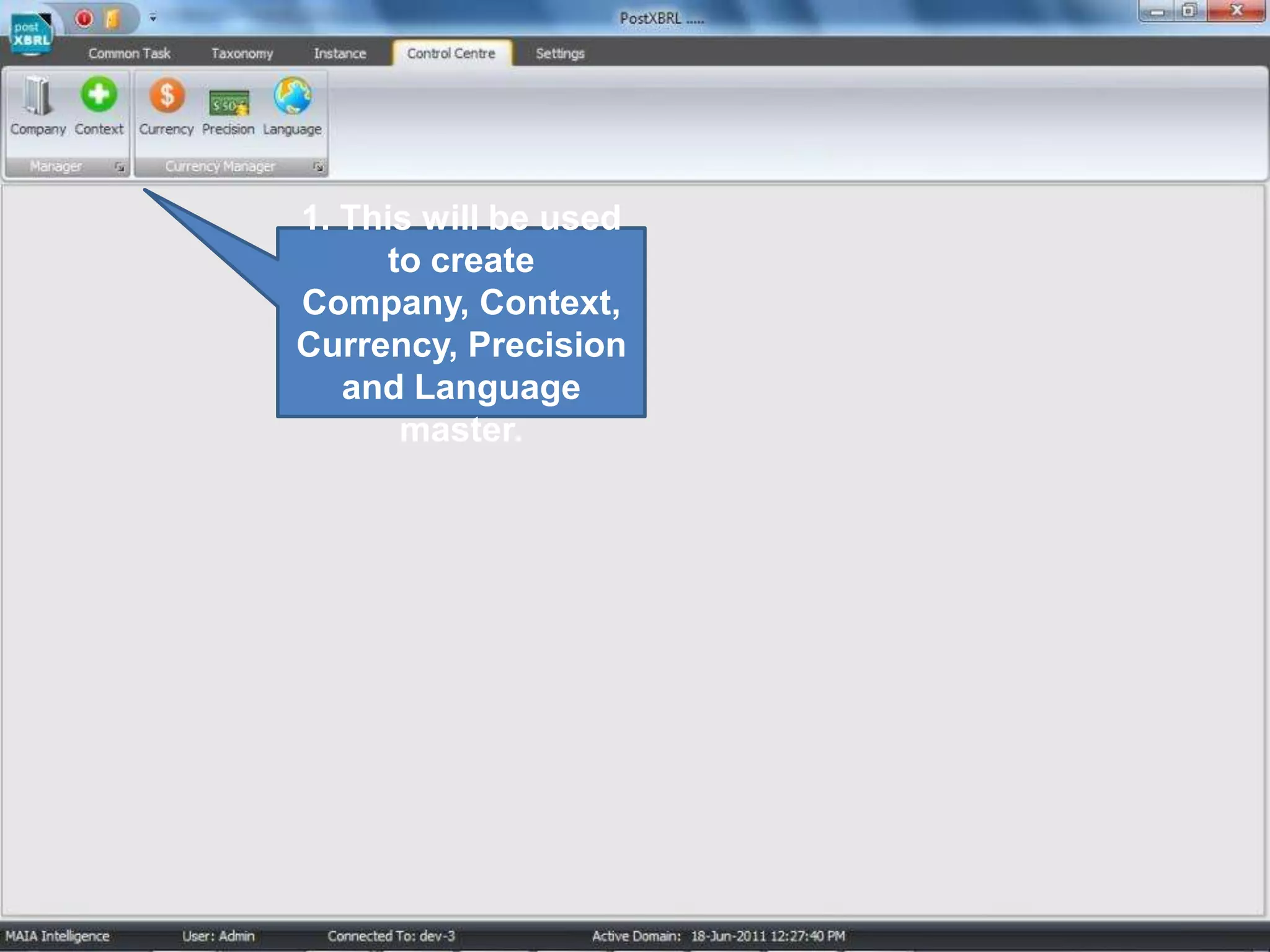
1. This will be used to create Company, Context, Currency, Precision and Language master.
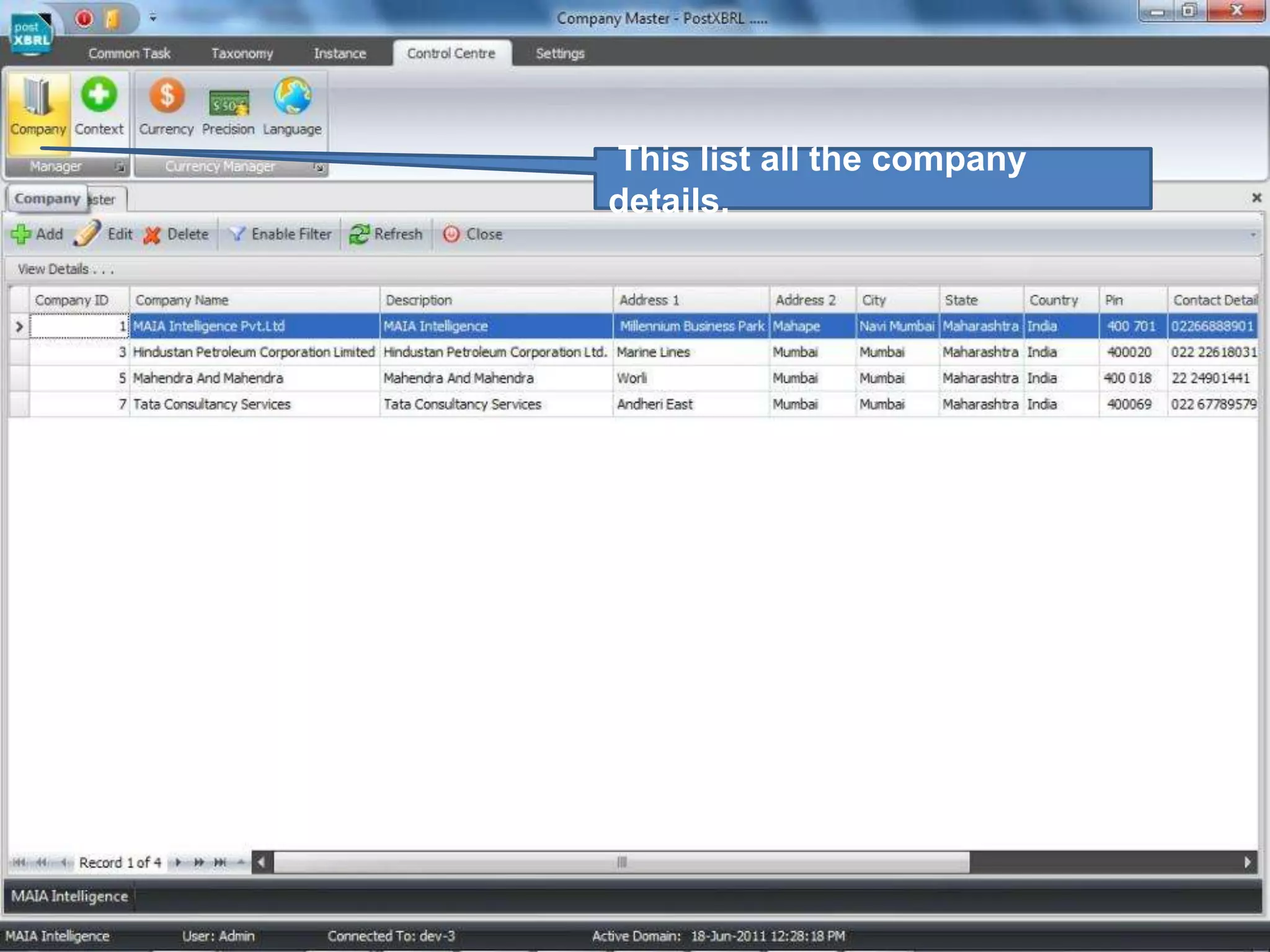
 This list all the company details.
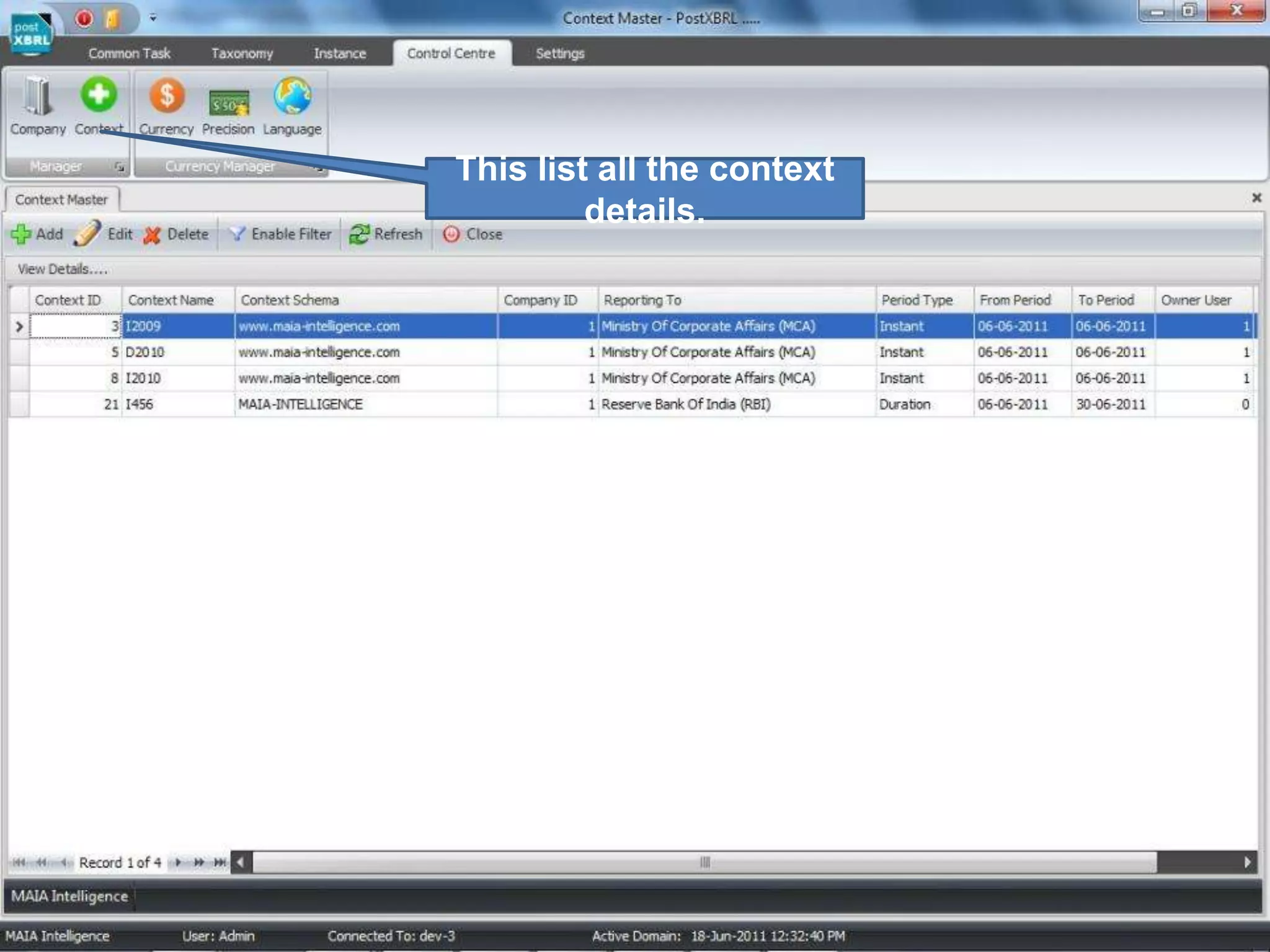
This list all the context details.
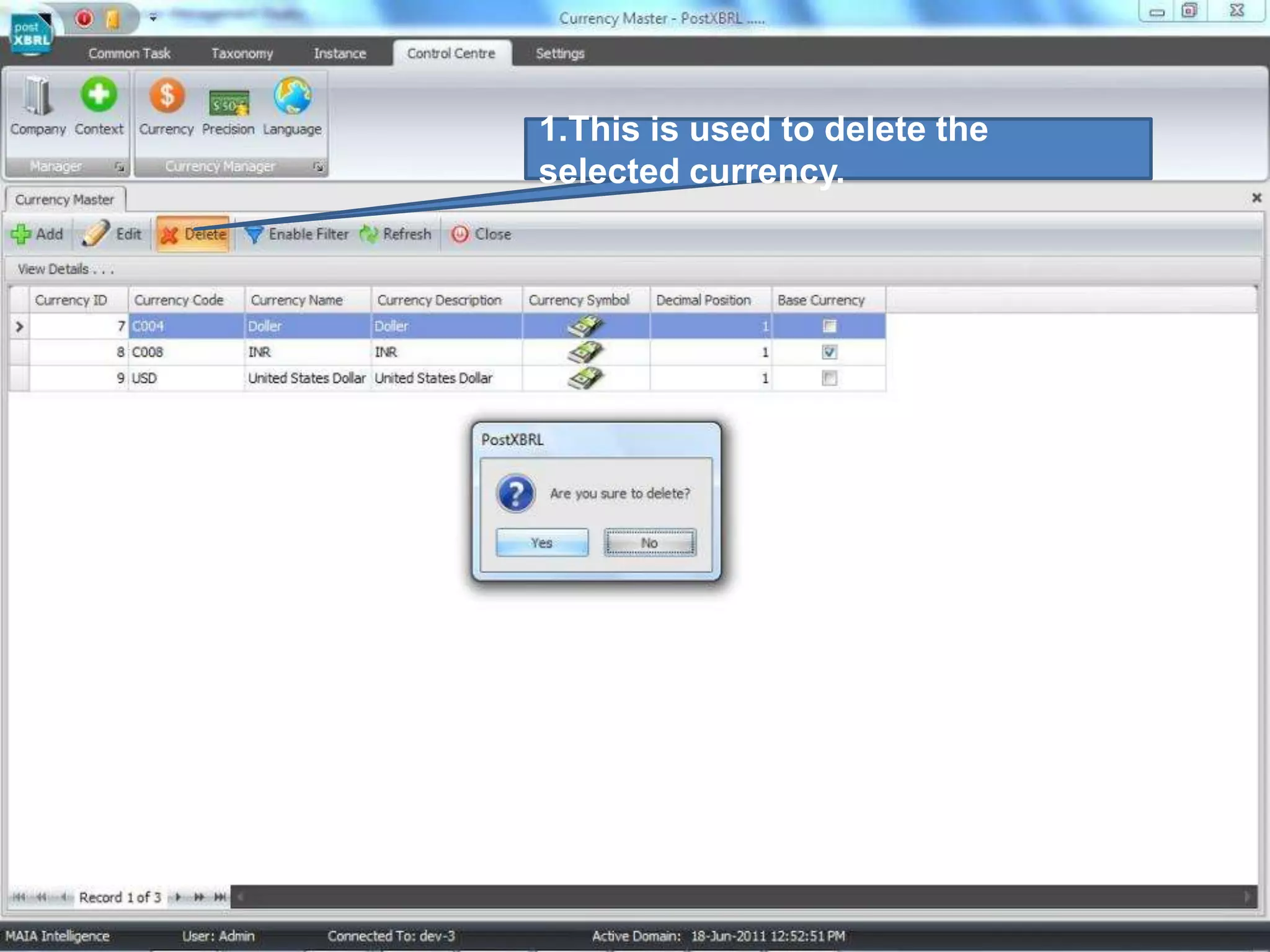
1.This is used to delete the selected currency.
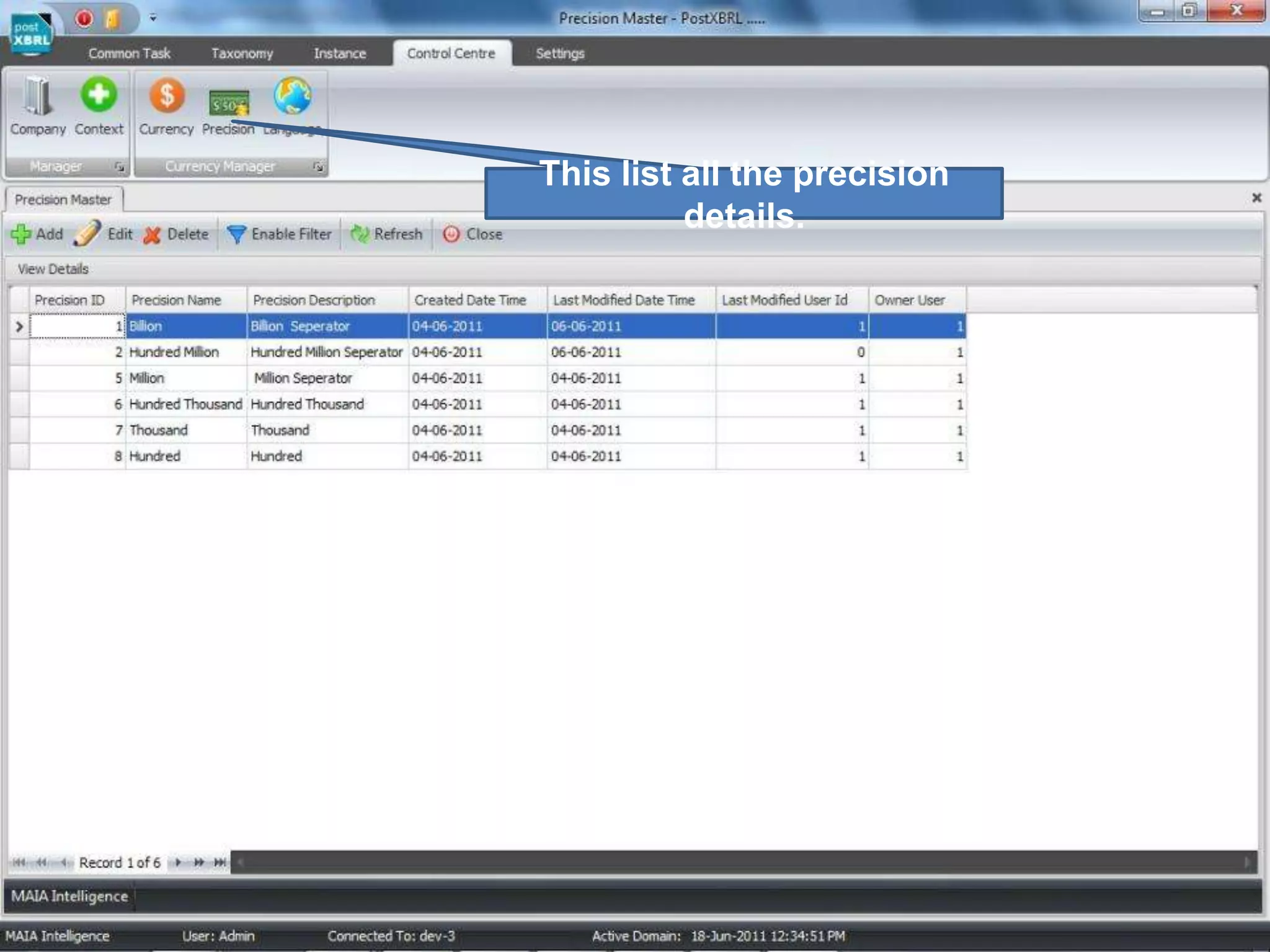
This list all the precision details.
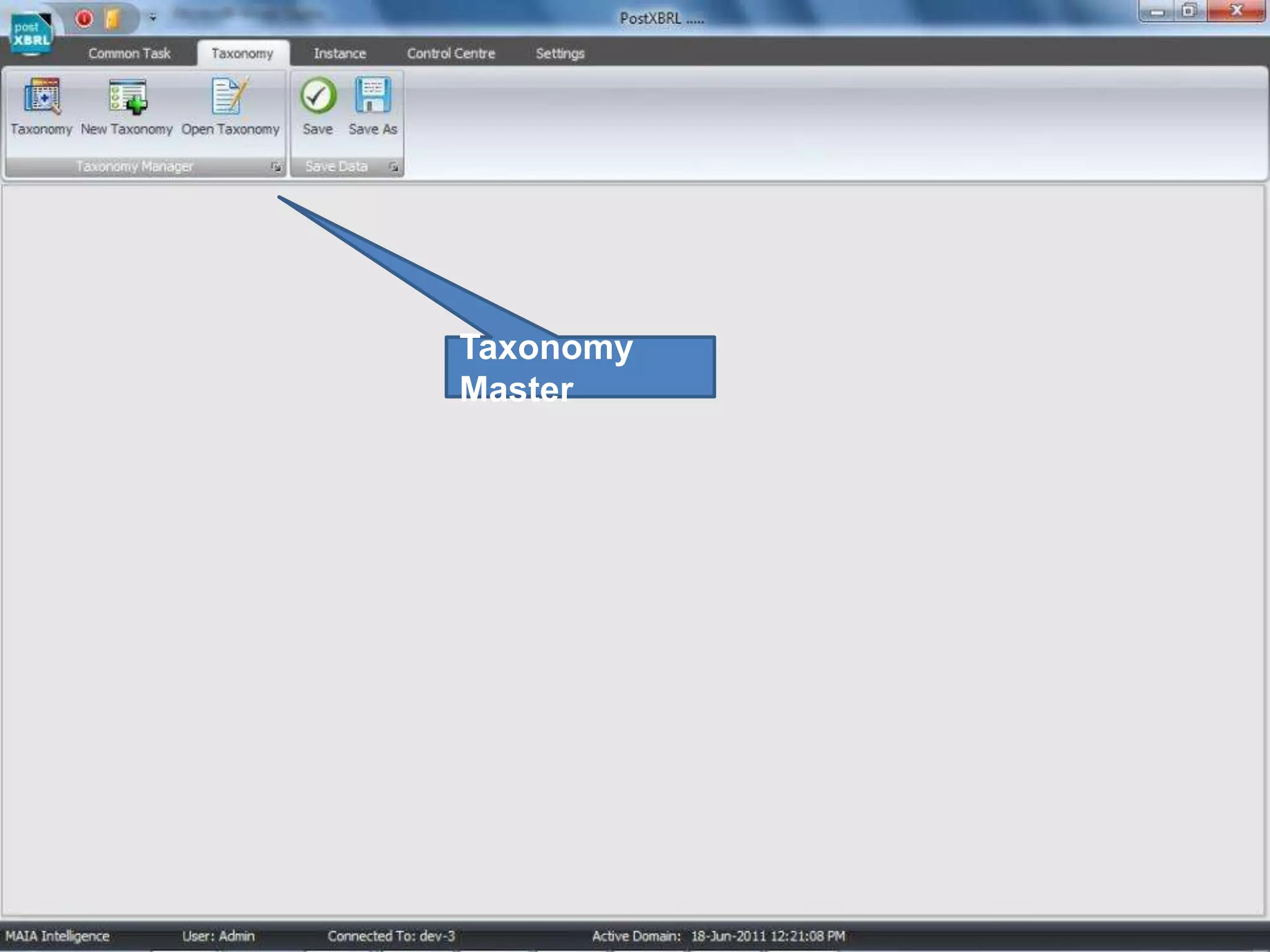
Taxonomy Master
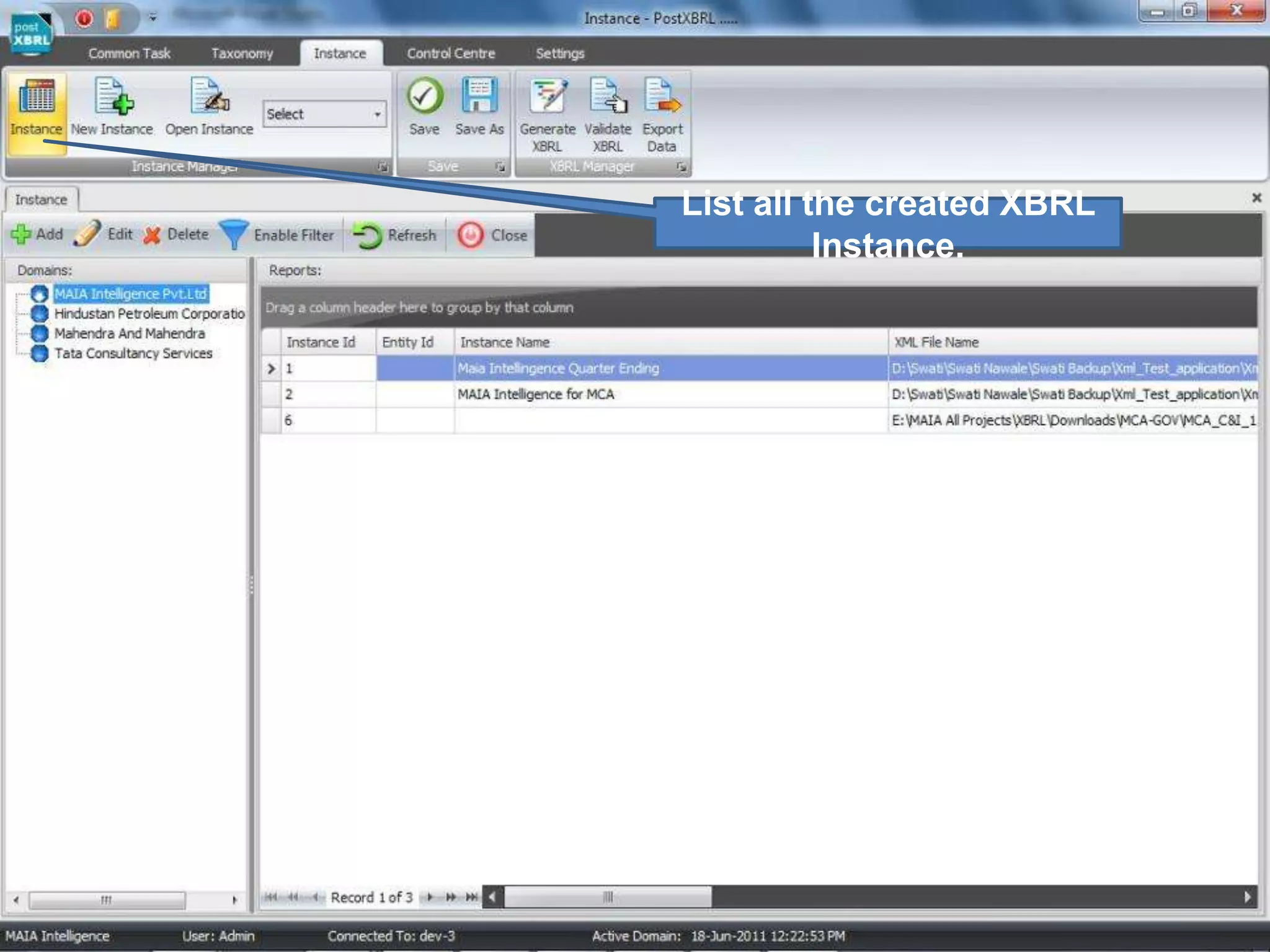
List all the created XBRL Instance.
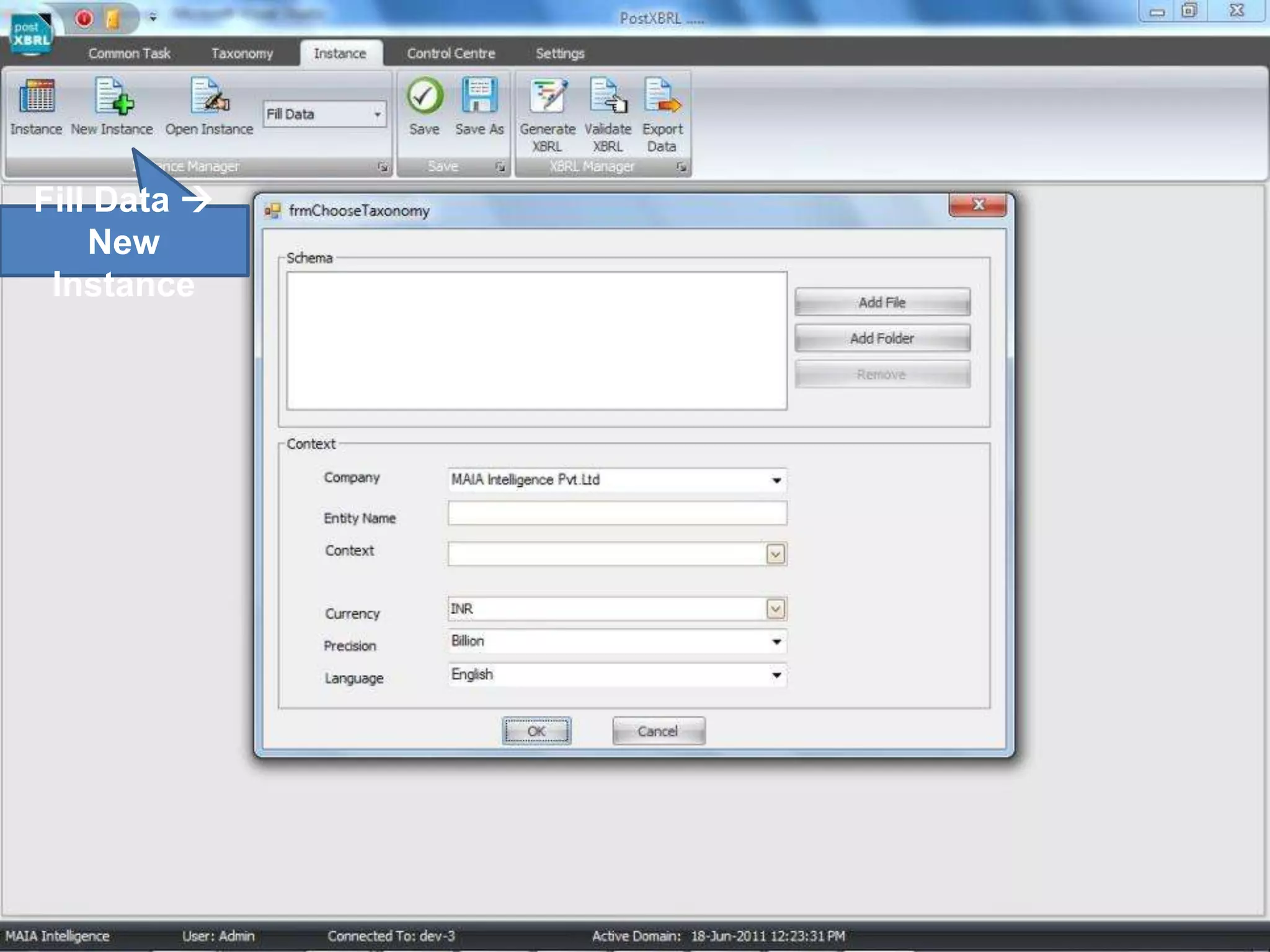
Fill Data  New Instance
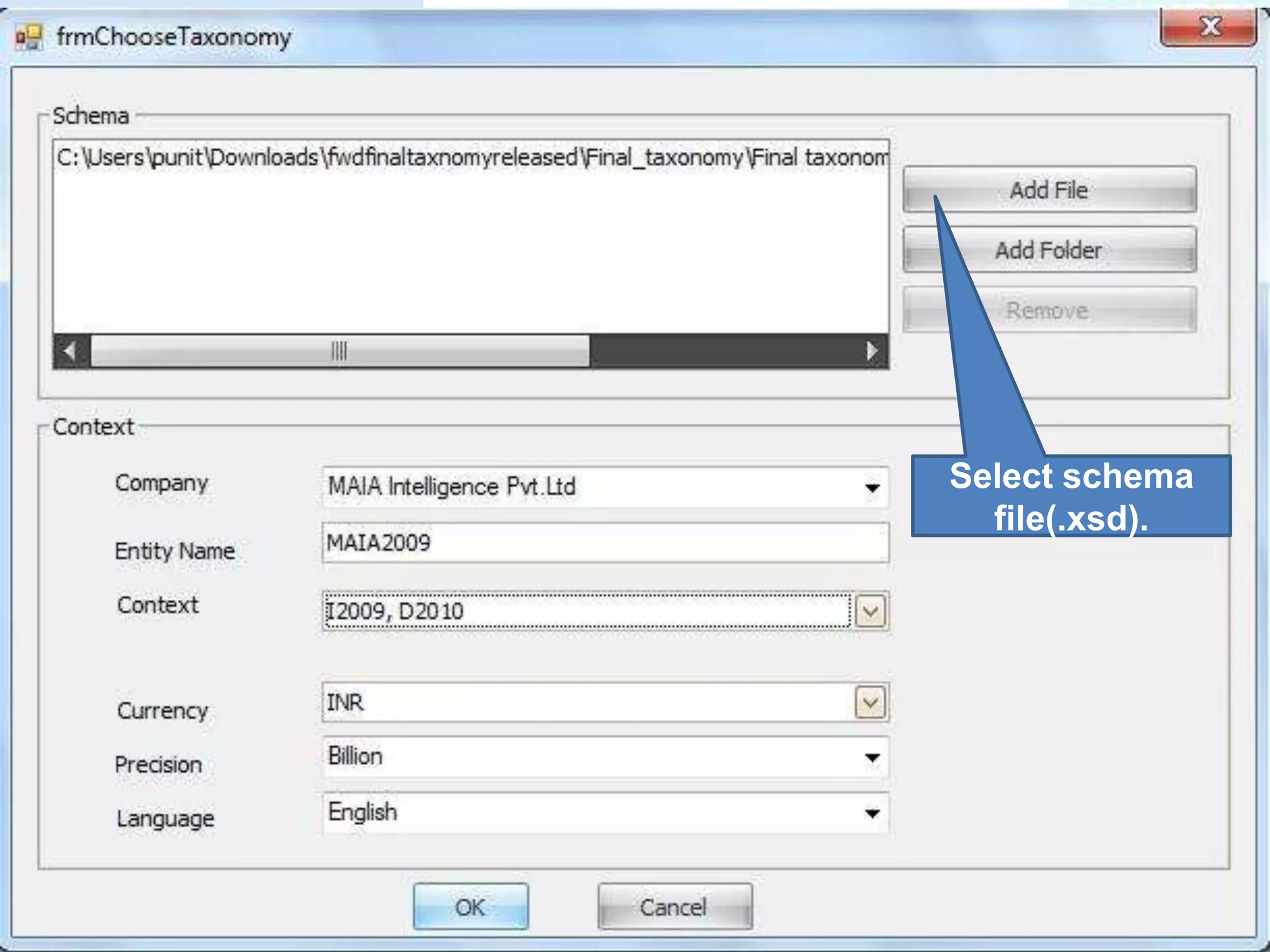
Select schema file(.xsd).
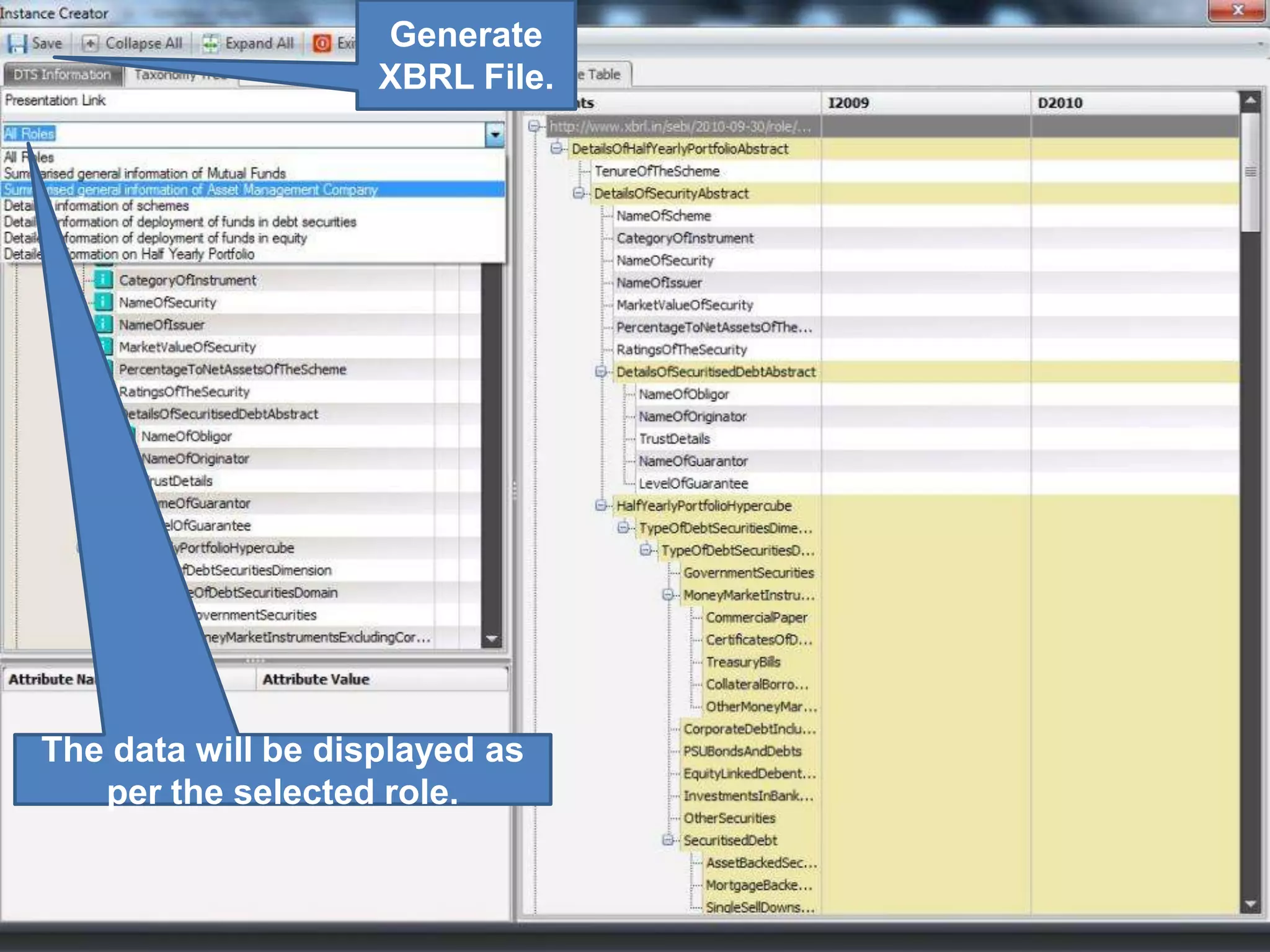
Generate XBRL File.The data will be displayed as per the selected role.
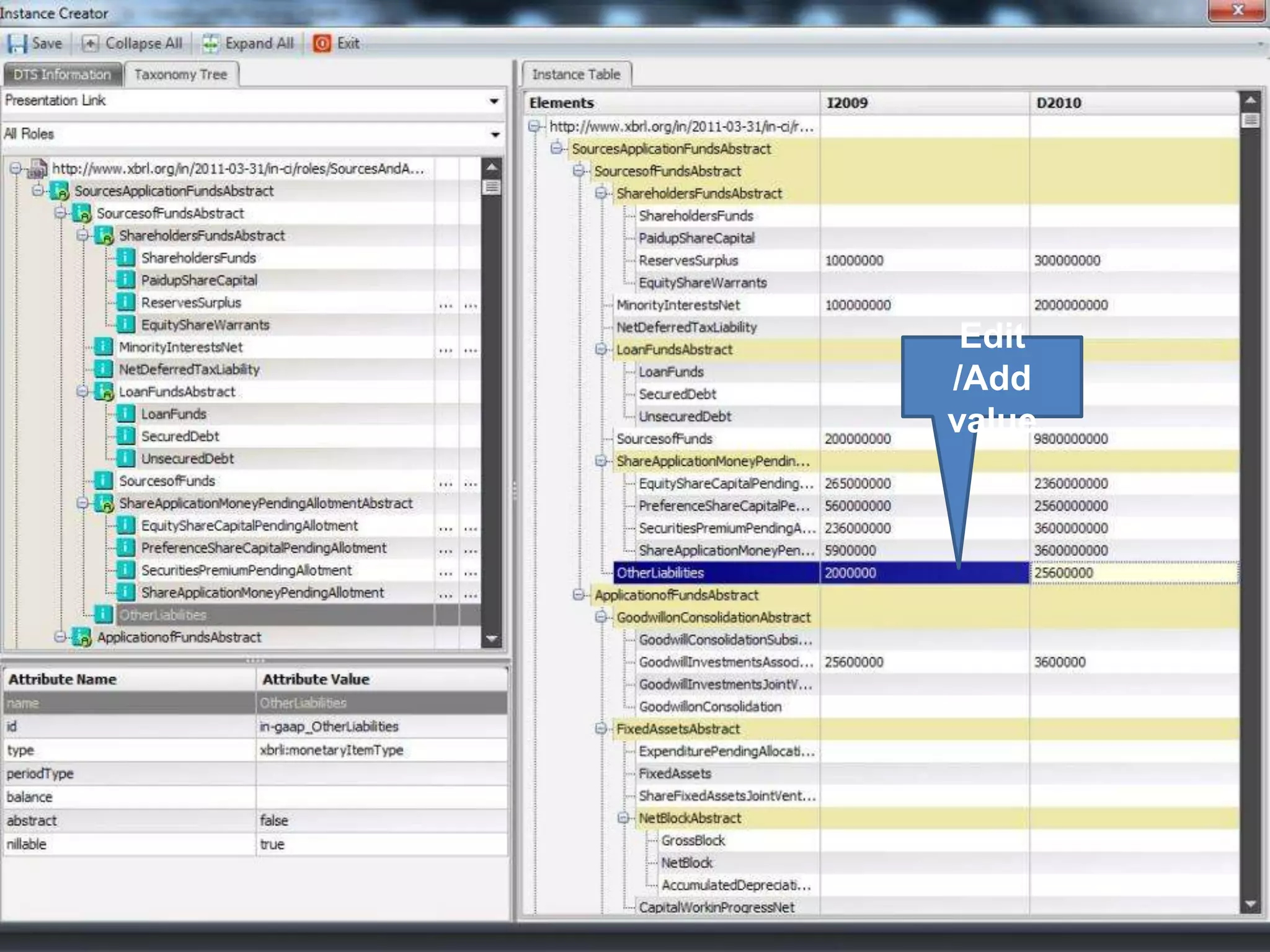
Edit /Add value
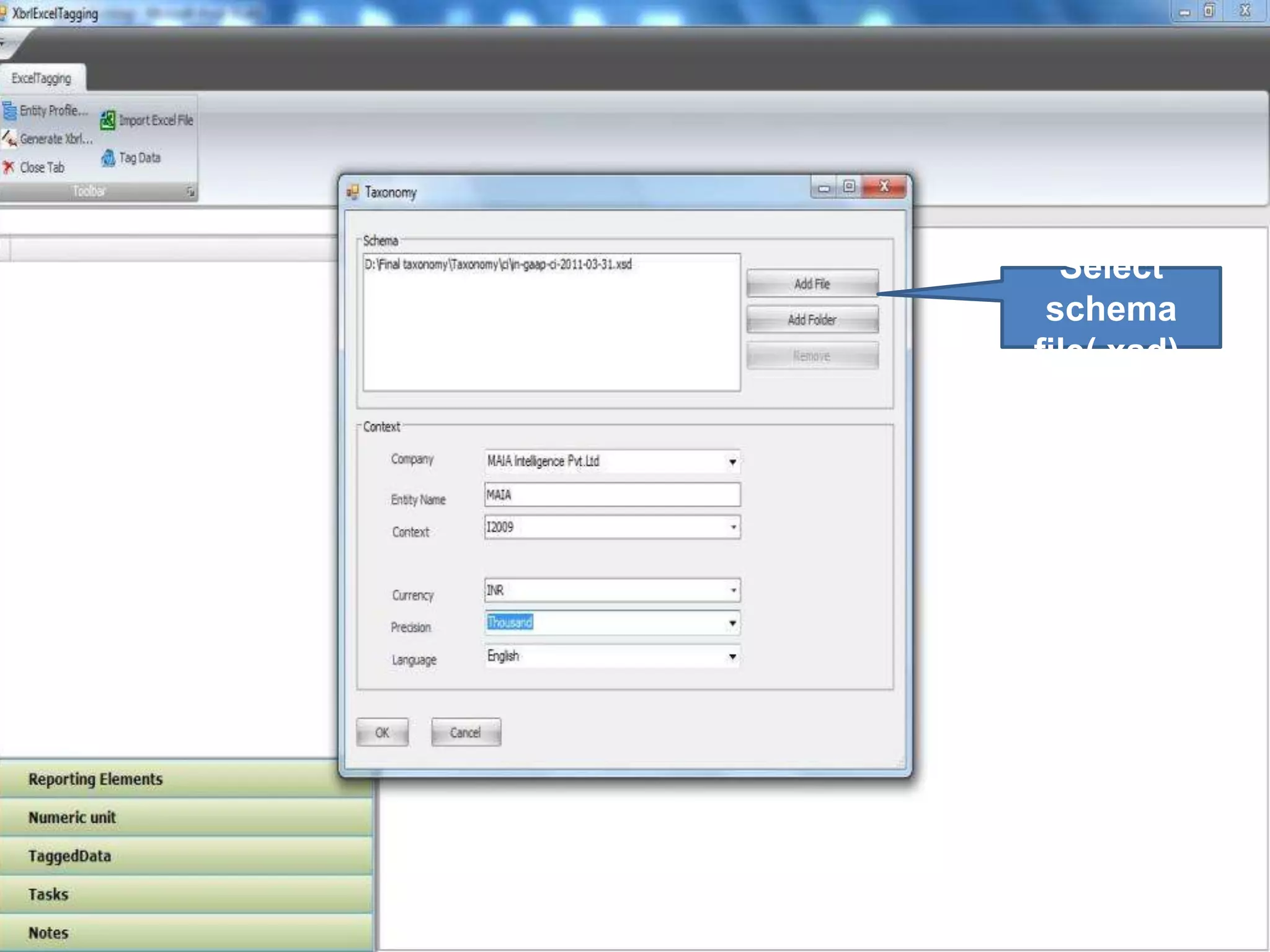
Select schema file(.xsd).
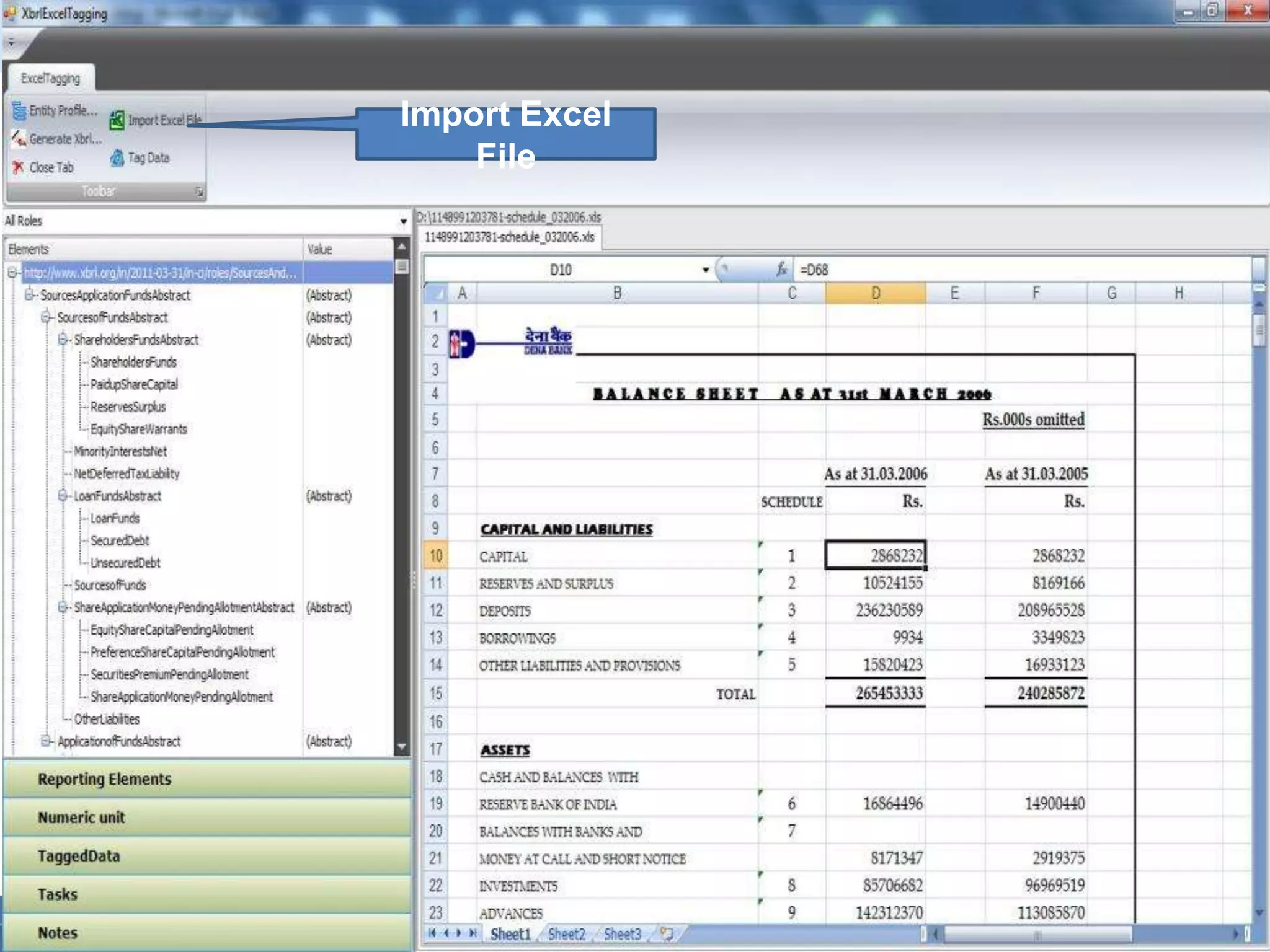
Import Excel File
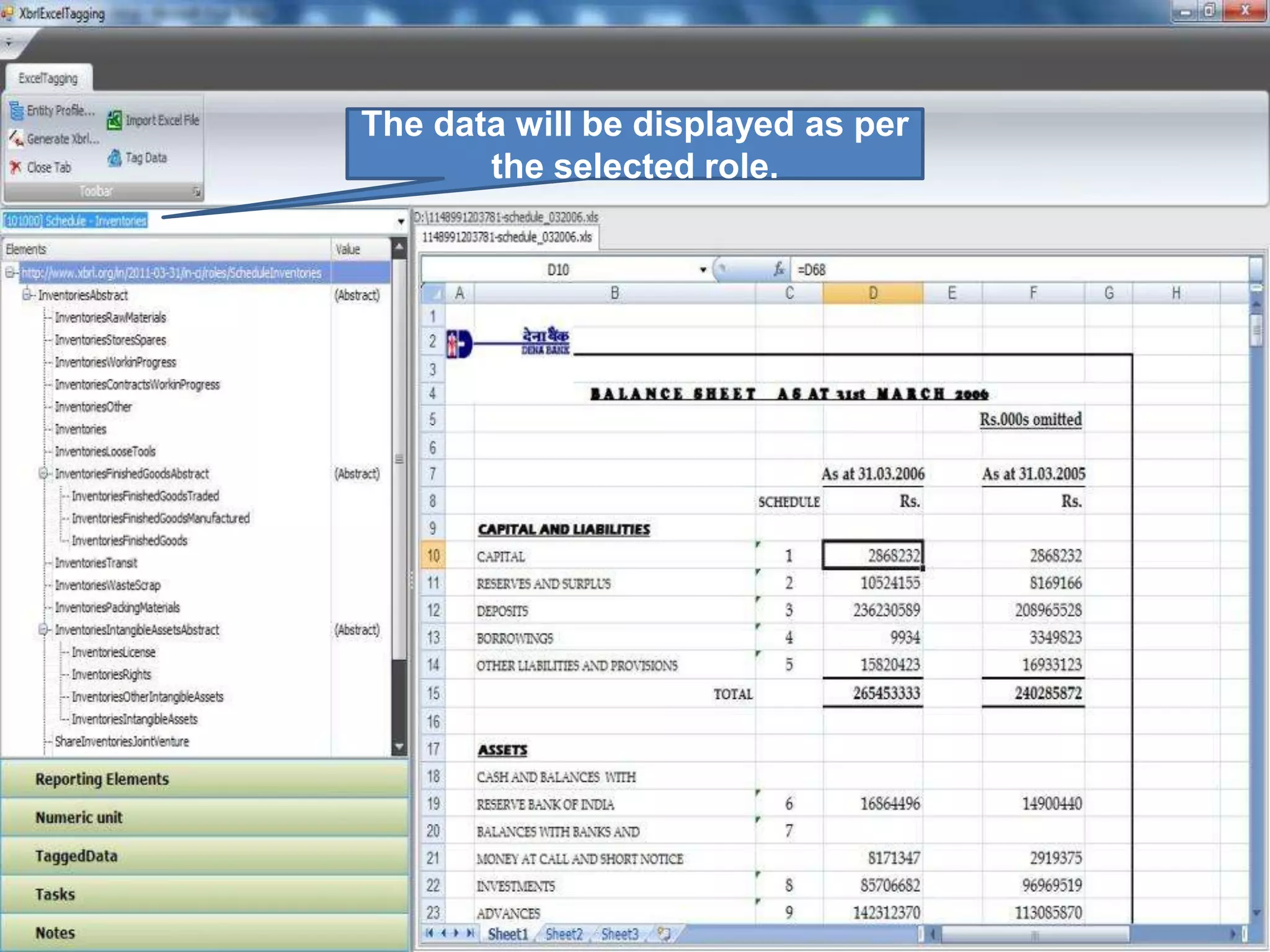
The data will be displayed as per the selected role.
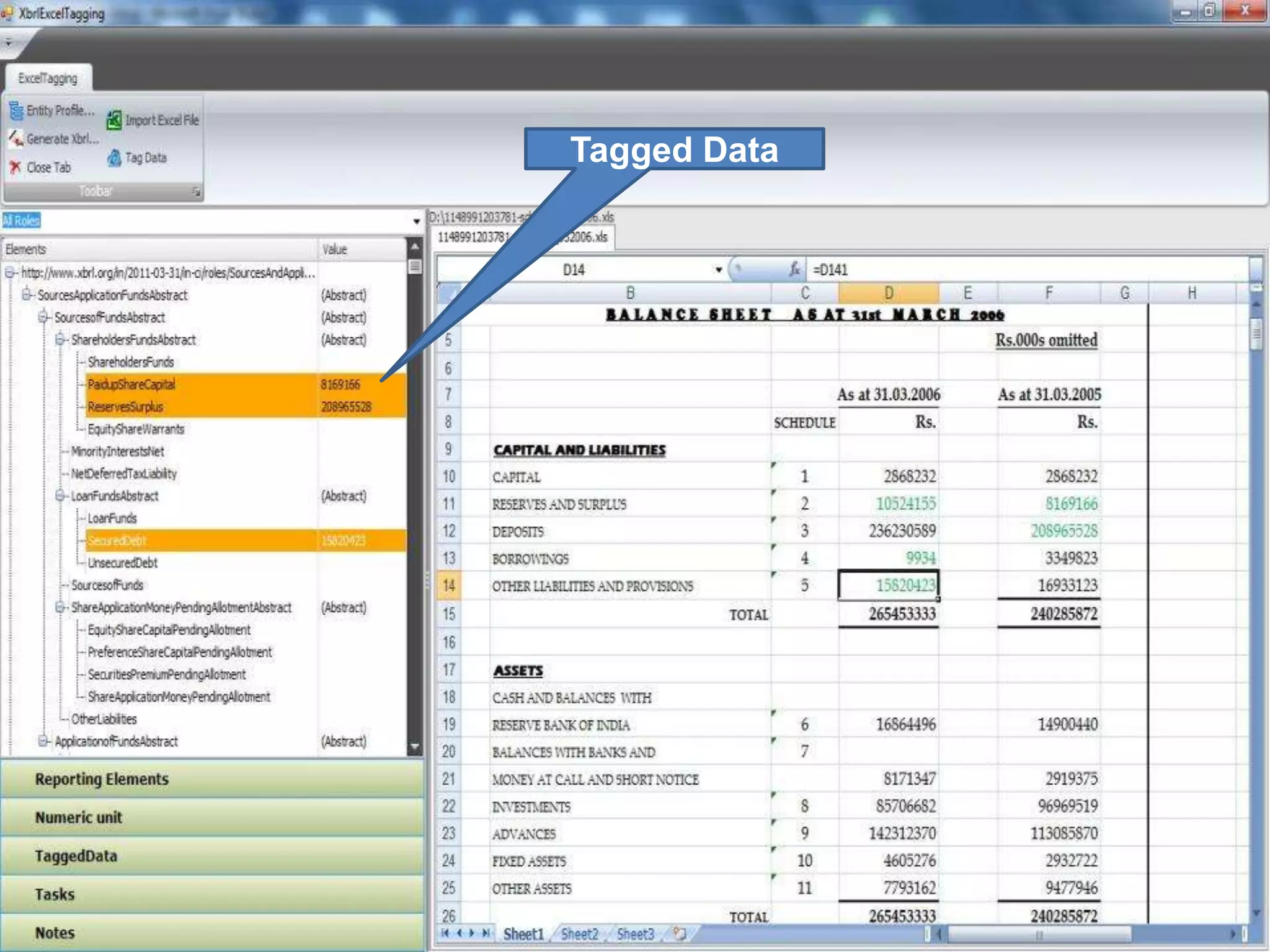
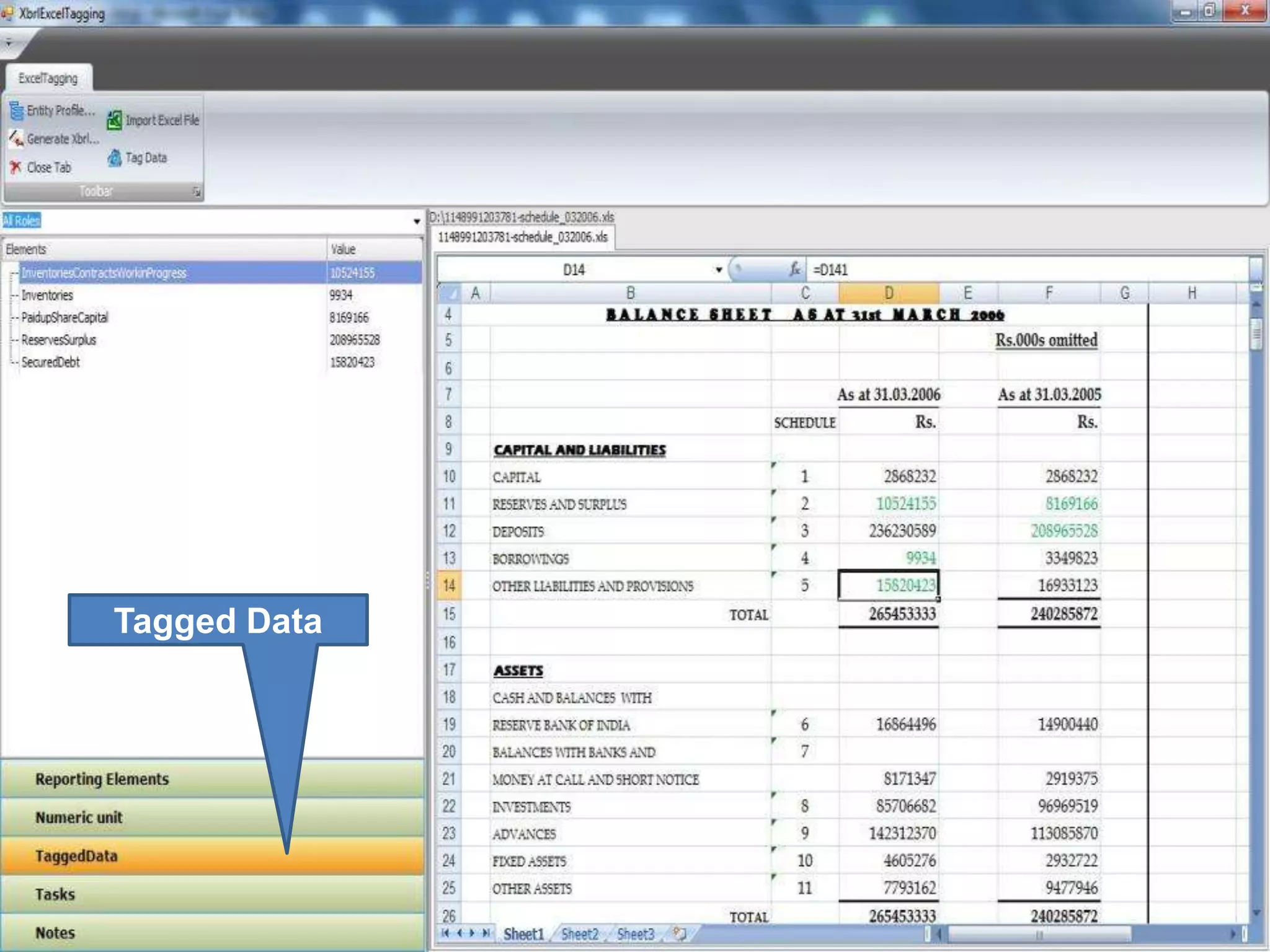
Tagged Data
Tagged Data
XBRL Reports
Business Report
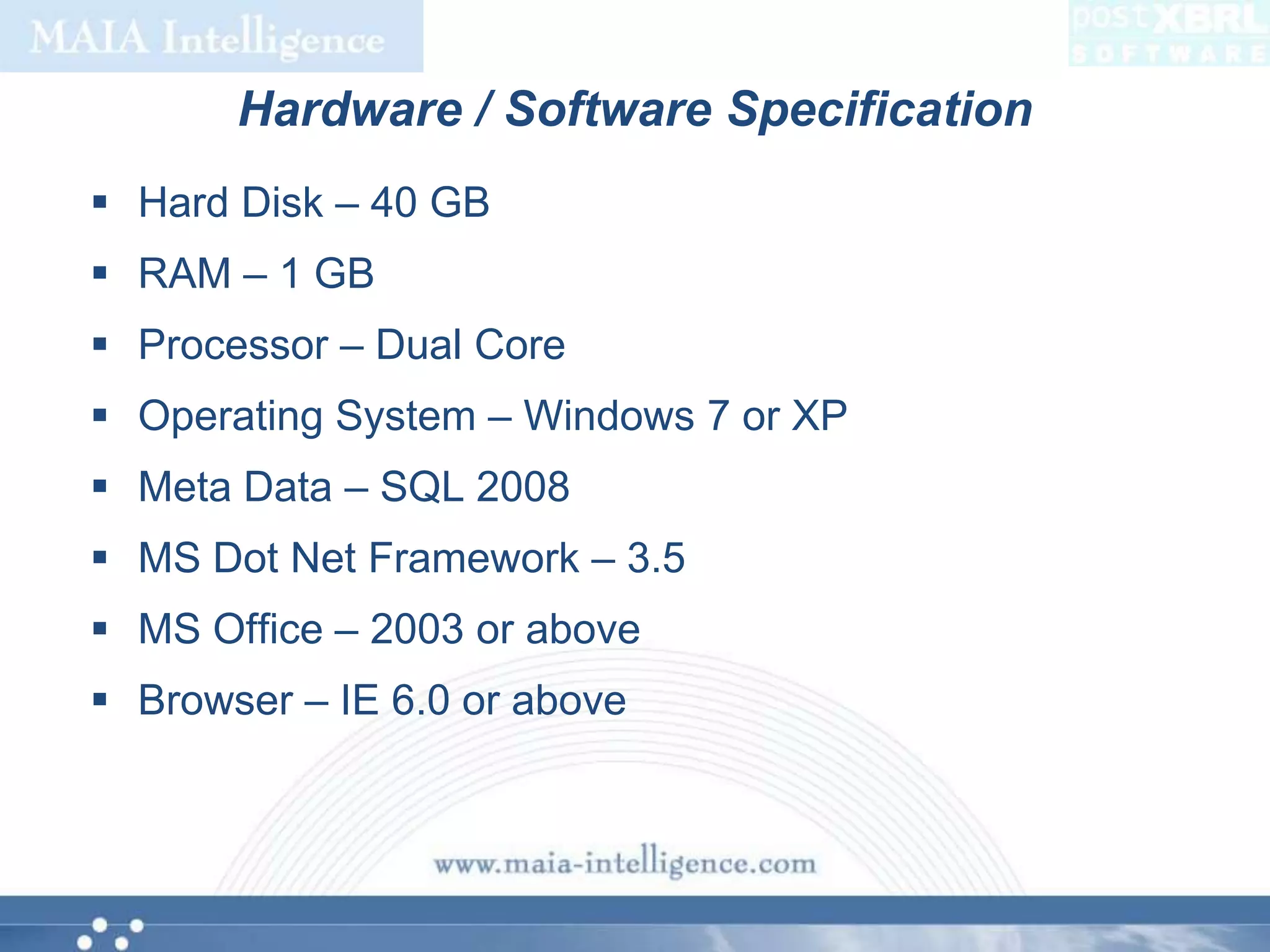
Hardware / Software SpecificationHard Disk – 40 GBRAM – 1 GBProcessor – Dual CoreOperating System – Windows 7 or XPMeta Data – SQL 2008MS Dot Net Framework – 3.5MS Office – 2003 or aboveBrowser – IE 6.0 or above
THANK YOU

XBRL Overview

  • 1.
  • 2.
    What is XBRL? XBRLstands for eXtensible Business Reporting LanguageLanguage for the electronic communication of business and financial dataProvides major benefits in the preparation, analysis and communication of business informationOffers cost savings, greater efficiency and improved accuracy and reliability to all those involved in supplying or using financial dataBeing put to practical use in a number of countries
  • 3.
    What does itcontain?XBRL documents filed by the companies should include the following information reported by the companies as per the existing provisions of law -Information disclosed in the following sections of the Annual Report :Balance SheetProfit and Loss StatementCash Flow StatementSchedules related to Balance Sheet and Profit and Loss StatementNotes to AccountsStatement pursuant to Section 212 of the Companies Act, 1956 relating to subsidiary companiesDisclosures specific to MCA requirements
  • 4.
    Who is itapplicable for?Following class of companies have to file the Financial Statements in XBRL Form from the year 2010-2011:All companies listed in India and their subsidiaries, including overseas subsidiariesAll companies having a paid up capital of Rs. 5 Crore and above or a Turnover of Rs 100 crore or above
  • 5.
    Advantages of XBRLOffersmajor benefits at all stages of business reporting and analysisBenefits are seen in automation, cost saving, faster, more reliable and more accurate handling of data, improved analysis and in better quality of information and decision makingSwitch resources away from costly manual processesConcentrate effort on analysis, aided by software which can validate and process XBRL information
  • 6.
    Benefits for acompanyIncreases the usability of financial statement informationNeed to re-key financial data for analytical and other purposes can be eliminatedBy presenting its statements in XBRL, a company can benefit investors and other stakeholders andenhance its profileMeet the requirements of regulators, lenders and others consumers of financial information, who are increasingly demanding reporting in XBRL
  • 7.
    Benefits (continued…)With fulladoption of XBRL, companies can automate data collection. For example, data from different company divisions with different accounting systems can be assembled quickly, cheaply and efficientlyReports using varying subsets of the data can be produced with minimum effortA company finance division, for example, could quickly and reliably generate internal management reports, financial statements for publication, tax and other regulatory filings, as well as credit reports for lenders
  • 8.
    How does XBRLwork?XBRL makes the data readable, with the help of two documents – Taxonomy and Instance DocumentTaxonomy defines the elements and their relationships based on the regulatory requirementsUsing the taxonomy prescribed by the regulators, companies need to map their reports, and generate a valid XBRL instance documentMapping is a process for matching the concepts as reported by the company to the corresponding element in the taxonomy
  • 9.
    How do companiescreate statements in XBRL?Use XBRL-aware accounting software products which support the export of data in XBRL form. These tools allow users to map charts of accounts and other structures to XBRL tagsUse third party products which connect to the accounting system to achieve the transformation of the data to XBRLUse third party service by submitting the financial statements to them
  • 10.
    How Partner canhelp?MAIA Partners provide XBRL solution in the form of:PostXBRL software from MAIA Intelligence – a software product that can be installed in your premises and create XBRL reports after appropriate mappingXBRL service – clients can submit their financial statements in appropriate digital format and partner will convert them into XBRL reports
  • 11.
  • 12.
    Facts for anXBRL Report
  • 14.
    Master Page ofCommon Task
  • 15.
    1.On the clickof My Desk it will display company wise header data of the XBRL reports.
  • 16.
  • 17.
    1. This willbe used to create Company, Context, Currency, Precision and Language master.
  • 18.
    This listall the company details.
  • 20.
    This list allthe context details.
  • 22.
    1.This is usedto delete the selected currency.
  • 24.
    This list allthe precision details.
  • 26.
  • 27.
    List all thecreated XBRL Instance.
  • 28.
    Fill Data New Instance
  • 29.
  • 30.
    Generate XBRL File.Thedata will be displayed as per the selected role.
  • 31.
  • 32.
  • 33.
  • 34.
    The data willbe displayed as per the selected role.
  • 35.
  • 36.
  • 39.
  • 40.
  • 43.
    Hardware / SoftwareSpecificationHard Disk – 40 GBRAM – 1 GBProcessor – Dual CoreOperating System – Windows 7 or XPMeta Data – SQL 2008MS Dot Net Framework – 3.5MS Office – 2003 or aboveBrowser – IE 6.0 or above
  • 44.

Editor's Notes

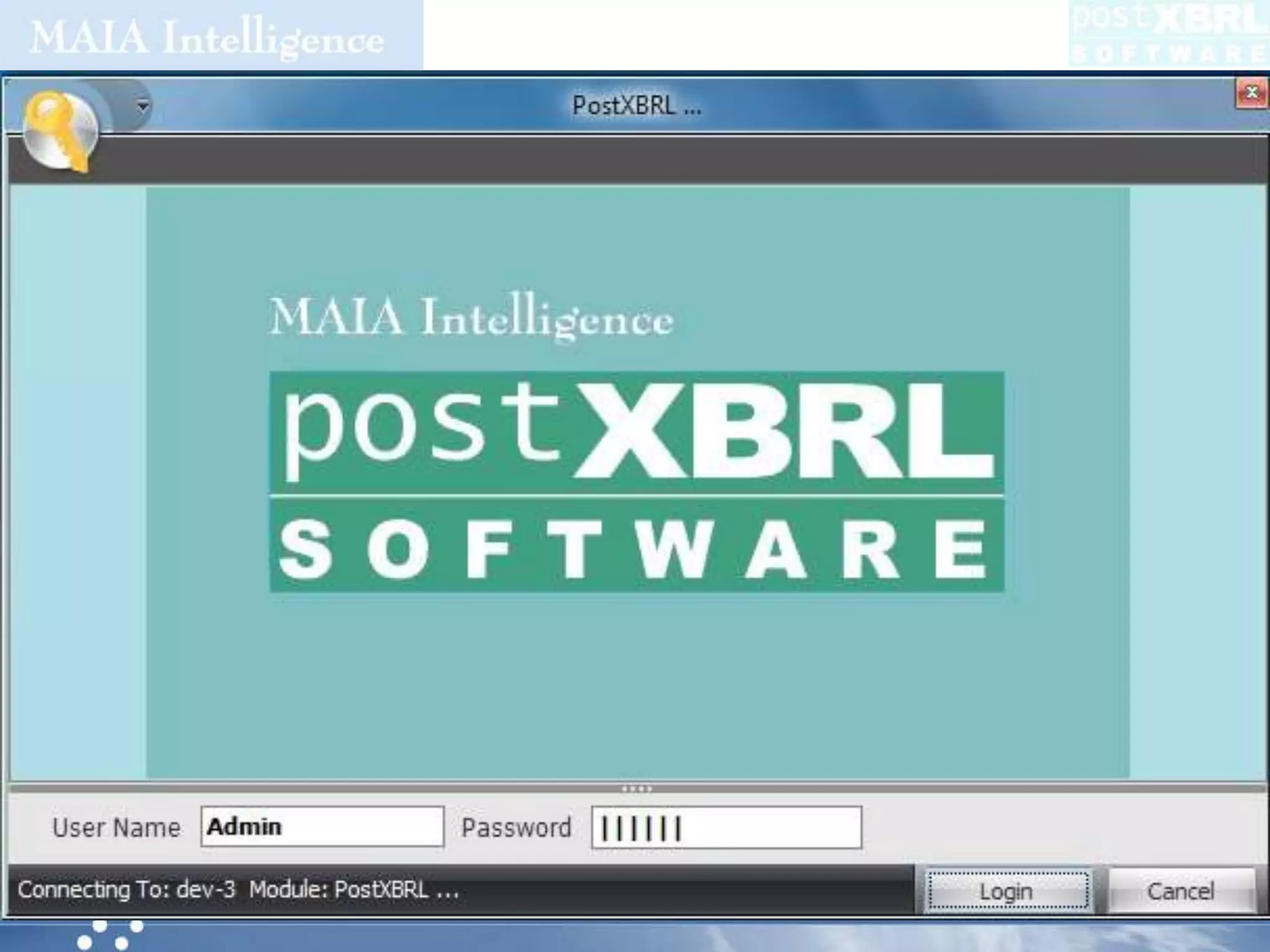
  • #14 Login Screen
  • #15 Master Page of Common Task
  • #16 1.On the click of My Desk it will display company wise header data of the XBRL reports.
  • #17 1. This window is used to change the user password.
  • #18 1. This will be used to create Company, Context, Currency, Precision and Language master.
  • #19 1. This list all the company details.
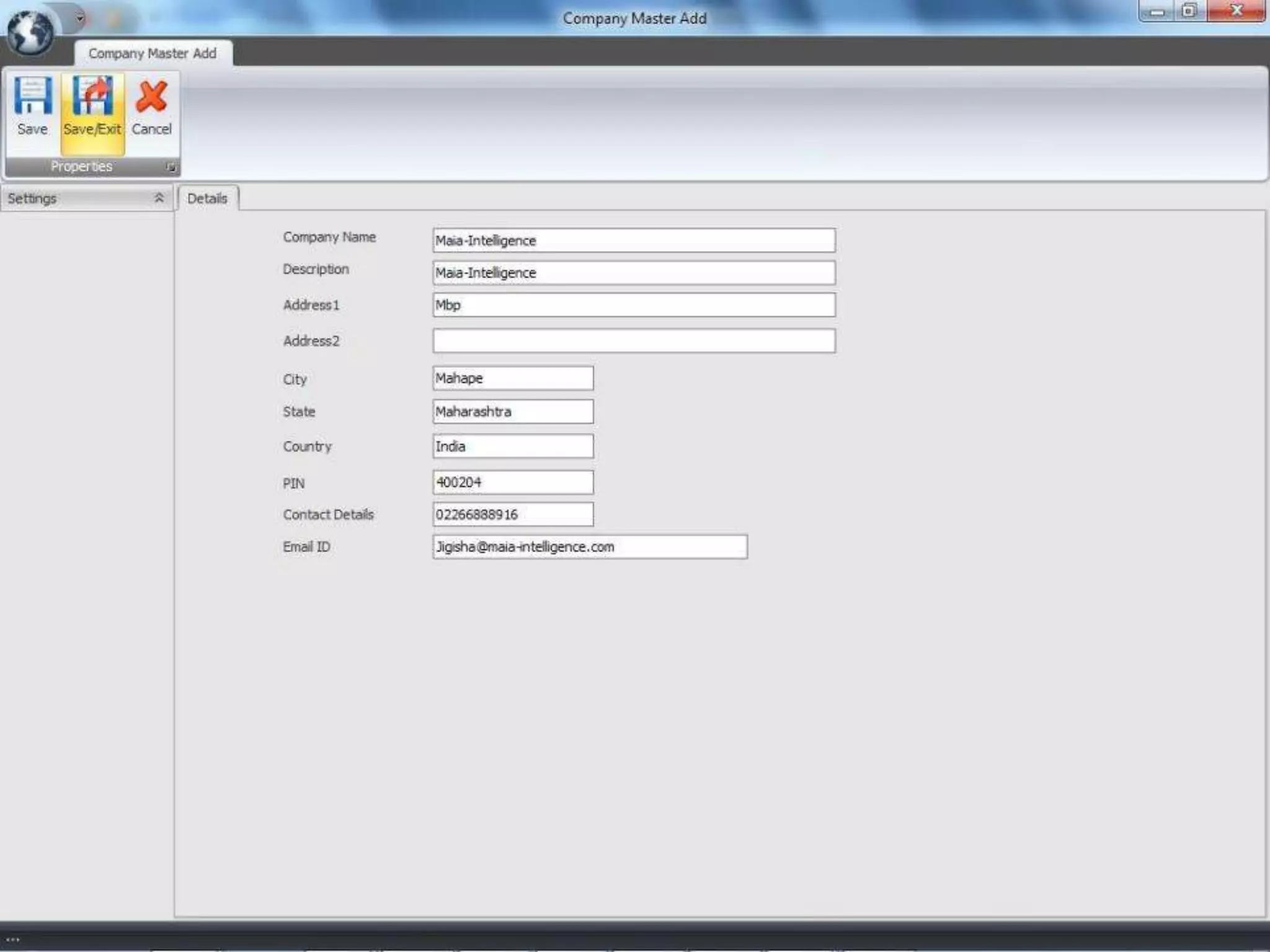
  • #20 1.Go To  Control Center  Company2. Click on Add button to add new company details.
  • #21 1.This list all the context details.
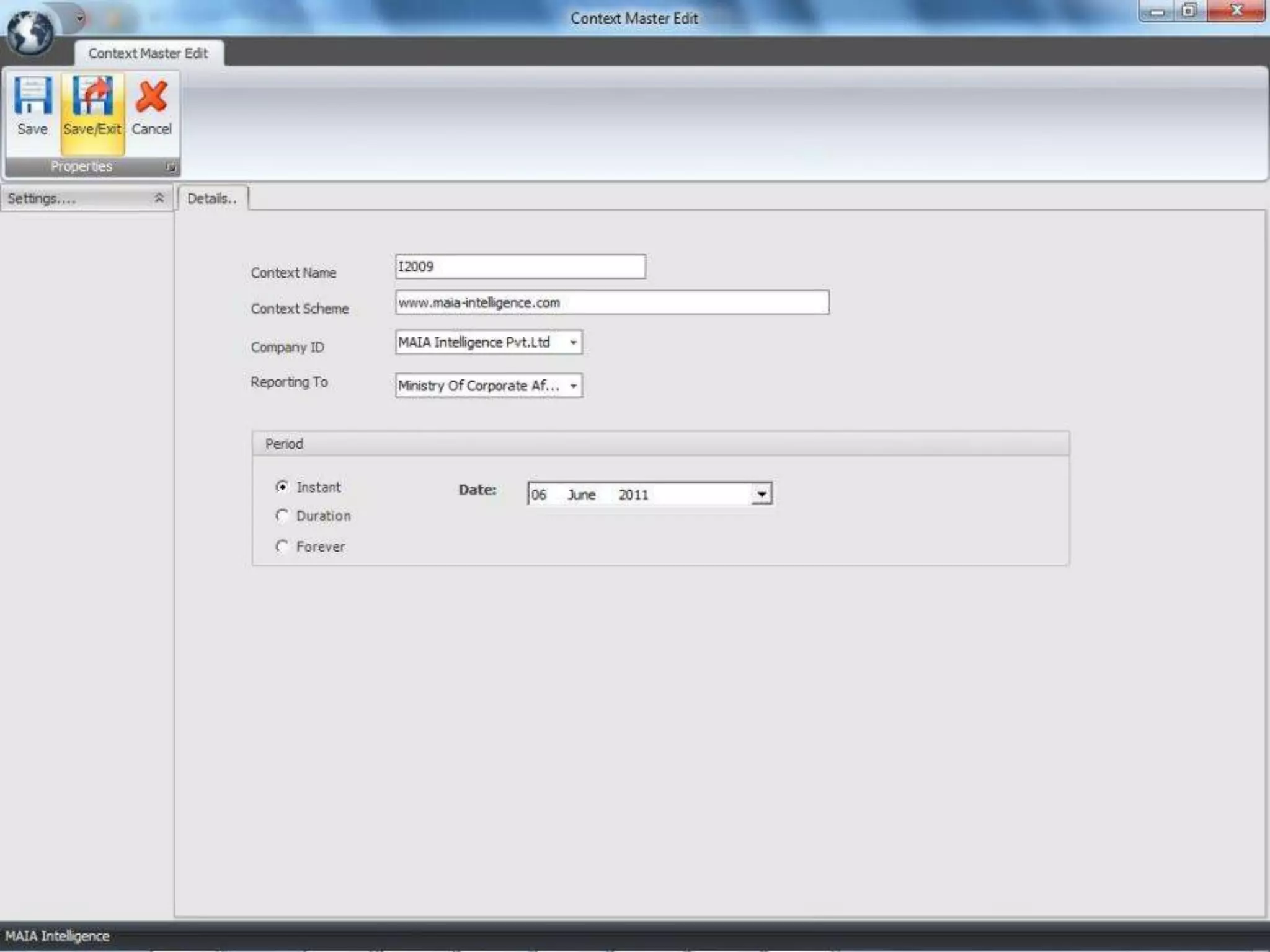
  • #22 Go to Control Center  Context Master To edit the existing context click on Edit button.
  • #23 1.This is used to delete the selected currency.
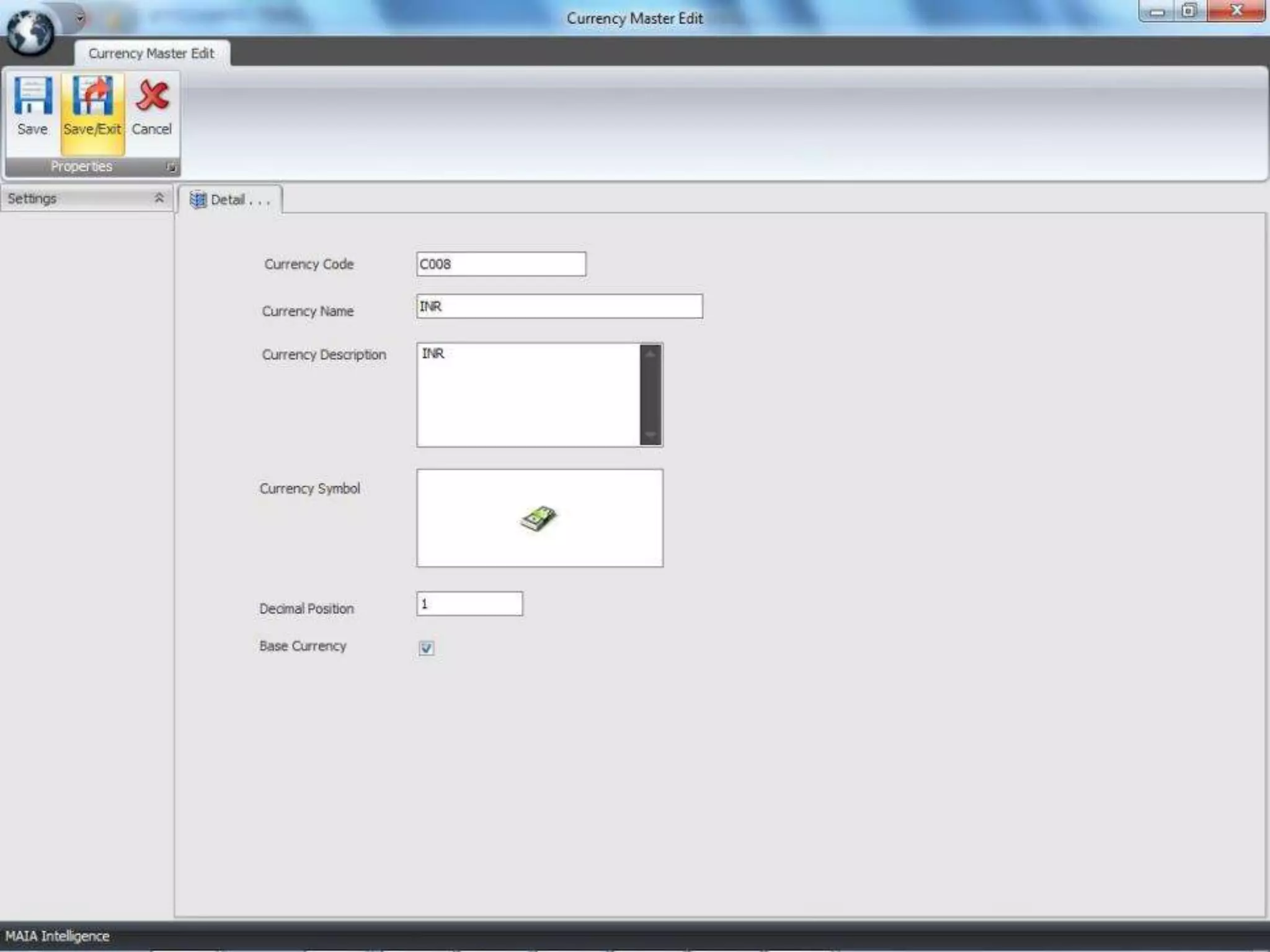
  • #24 1. Go To Control Center  Currency 2. Click on Edit button to modify the existing currency details.
  • #25 1.This list all the precision details.
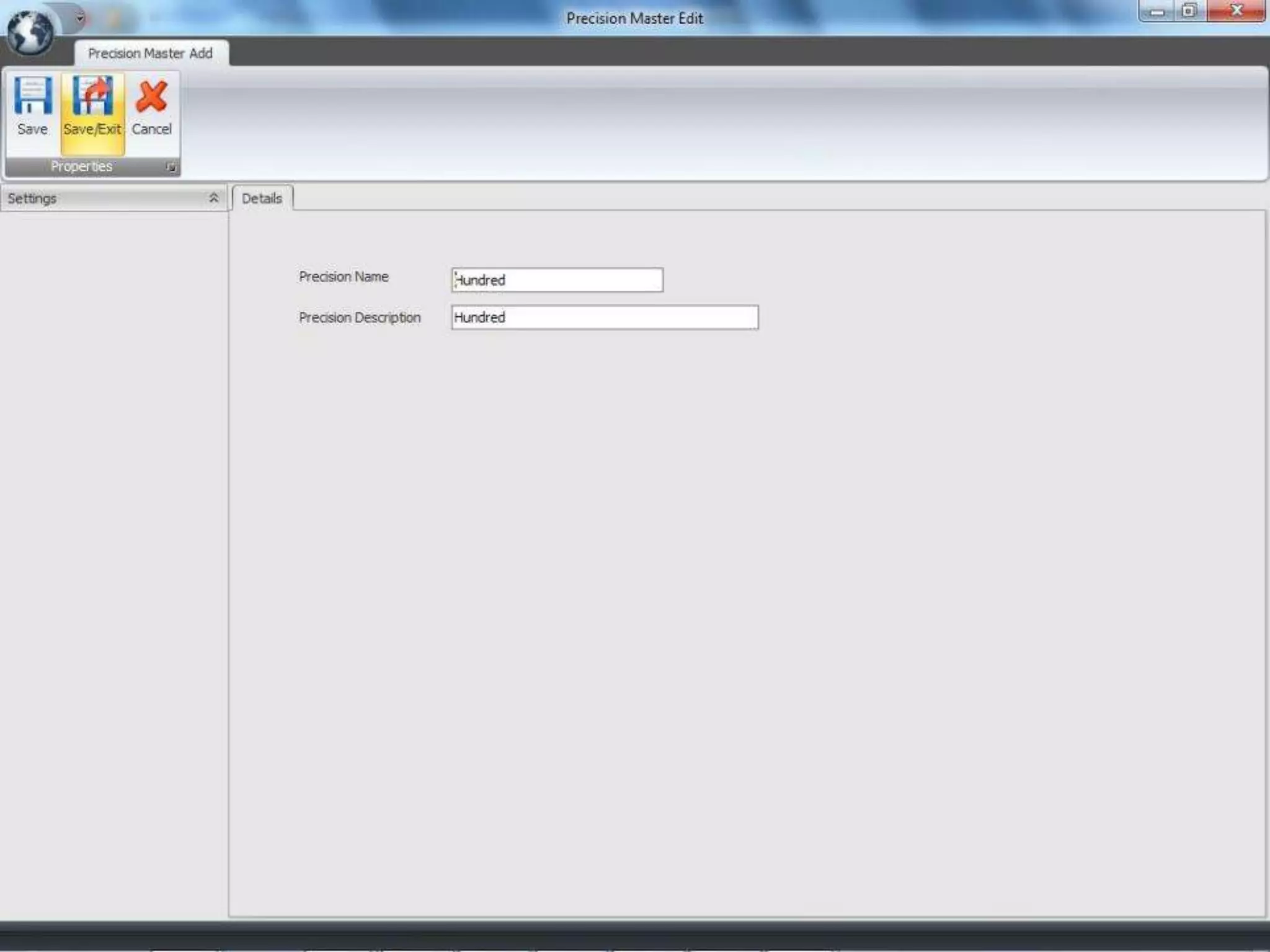
  • #26 This is used to create new precision like formatting numbers in the form of thousands, billion, lakhs, hundred etc..
  • #27 Taxonomy Master
  • #28 1.This will list all the created XBRL Instance.
  • #29 1. Go To  Instance  2.SelectFillData from the combobox and then click on New Instance to create New XBRL Instance.
  • #30 If you want to create New Instance and if you want to enter the values manually then ..1. Go To Instance Tab- select FillData from the combobox – click on New Instance2. Select schema file(.xsd). 3. To create new period wise context select company from Company Master , Currency ,Precision , Language from particular masters and give proper entity name for the context.
  • #31 1.The data will be displayed from the file which we have selected in the Choose Taxonomy form.2.The combobox will display all the roles from the selected files.3.The data will be displayed as per the selected role.4.You can enter the values only for the non-abstract XBRL elements in the context period fields.5.The yellow strips will define the abstract fields.6. To generate the XBRL file click on Save button.
  • #32 Go To  Instance  Select Fill Data from combobox To edit the existing XBRL file click on Open Instance.This window will allow to edit as well as add the values in the existing XBRL file.On the selection of particular elements it will display all the information like data-type , abstract or non-abstract, periodType etc..on the left- bottom side of the window.
  • #33 If you want to tag data with the existing excel file then …Go To Instance Tab- select on Tag Data from combobox and click on New Instance.Click on Entity Profile button to choose taxonomy.3. Select schema file(.xsd). 4. To create new period wise context select company from Company Master , Currency ,Precision , Language from particular masters and give proper entity name for the context.
  • #34 Click on Import Excel File to tag the XBRL data from the existing Excel File.The imported data from the excel file will be displayed in the right-hand side of the window.
  • #35 Thecombobox will display all the roles.The tree will display all the data according to the selected roles.The Abstract text will display all the XBRL abstract elements in the tree.
  • #36 To Tag the data Click on the value from the excel file and select the XBRL elements from the tree and click on the Tag Data.The tagged data will be highlighted automatically.
  • #37 1. To view the alreadyTagged Data click on the Tagged Data button.
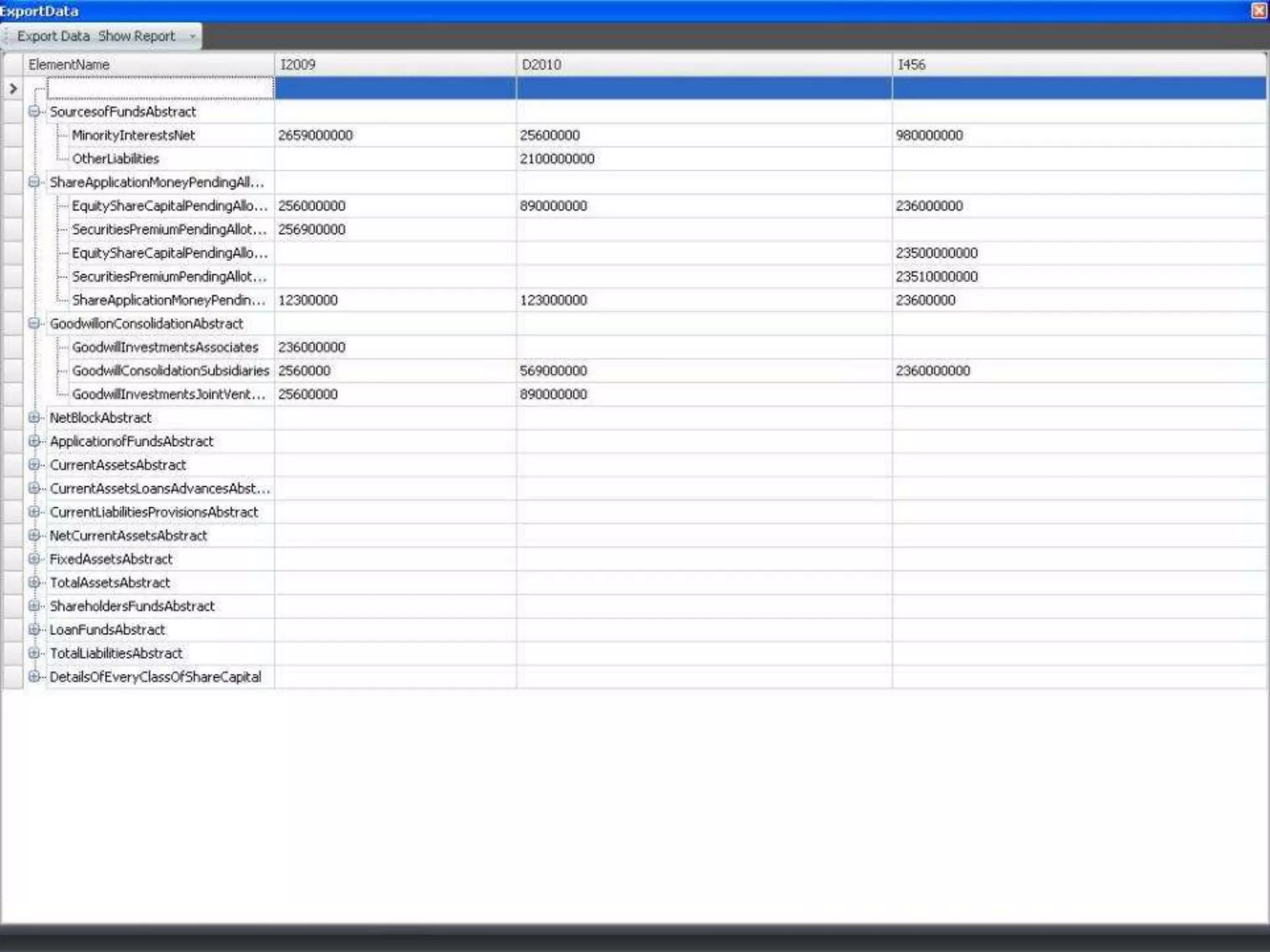
  • #38 Go To  My Desk  Show ReportTo view the report click on the Show Report button.