CONNECT. TRANSFORM. AUTOMATE.
FME Spatial Querying in a
CAD-Driven GIS
Tim Jones, GISP, MSGIS
Engineering Supervisor - GIS
Agenda
!  Who is Ponderosa
!  How we use FME
!  FME in Action–Live Demo
CONNECT. TRANSFORM. AUTOMATE.
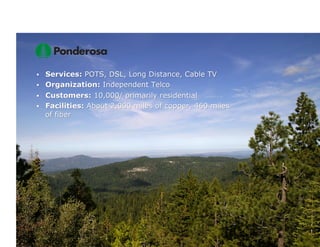
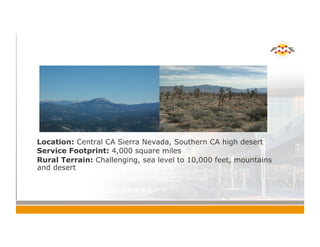
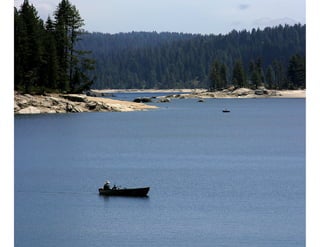
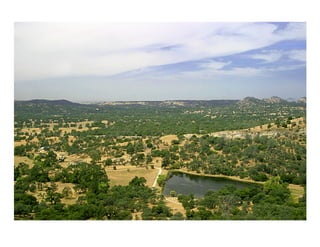
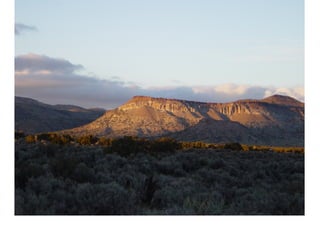
!  Location: Central CA Sierra Nevada, Southern CA high desert
!  Service Footprint: 4,000 square miles
!  Rural Terrain: Challenging, sea level to 10,000 feet, mountains
and desert
Dark Background Slide
Example
!  Access the built-in
slide layouts for this
template on the Home
tab under Layout.
!  Click the small
triangle to see all the
available layouts
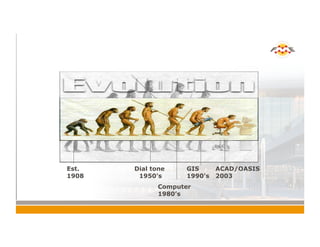
Ponderosa GIS Timeline
Est.
1908
Dial tone
1950’s
Computer
1980’s
GIS
1990’s
ACAD/OASIS
2003
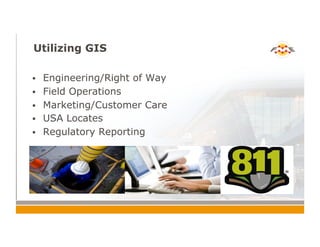
Utilizing GIS
!  Engineering/Right of Way
!  Field Operations
!  Marketing/Customer Care
!  USA Locates
!  Regulatory Reporting
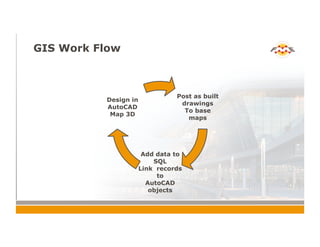
GIS Work Flow
Post as built
drawings
To base
maps
Add data to
SQL
Link records
to
AutoCAD
objects
Design in
AutoCAD
Map 3D
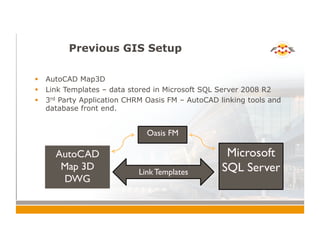
Previous GIS Setup
!  AutoCAD Map3D
!  Link Templates – data stored in Microsoft SQL Server 2008 R2
!  3rd Party Application CHRM Oasis FM – AutoCAD linking tools and
database front end.
AutoCAD
Map 3D	

DWG	

Oasis FM	

Microsoft
SQL Server	

Link Templates
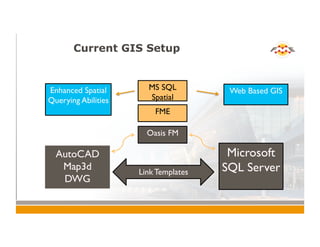
Current GIS Setup
AutoCAD
Map3d	

DWG	

Oasis FM	

Microsoft
SQL Server	

Link Templates	

FME	

MS SQL
Spatial	

Web Based GIS	

Enhanced Spatial
Querying Abilities
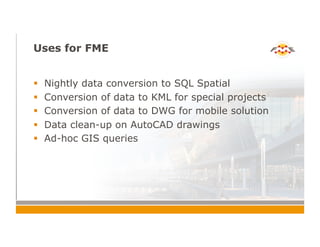
Uses for FME
!  Nightly data conversion to SQL Spatial
!  Conversion of data to KML for special projects
!  Conversion of data to DWG for mobile solution
!  Data clean-up on AutoCAD drawings
!  Ad-hoc GIS queries
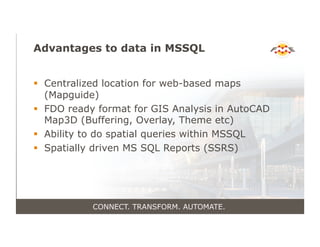
Advantages to data in MSSQL
!  Centralized location for web-based maps
(Mapguide)
!  FDO ready format for GIS Analysis in AutoCAD
Map3D (Buffering, Overlay, Theme etc)
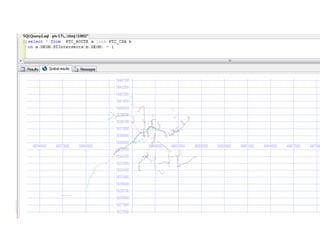
!  Ability to do spatial queries within MSSQL
!  Spatially driven MS SQL Reports (SSRS)
CONNECT. TRANSFORM. AUTOMATE.
Spatially Driven SQL Reports
!  Utilize spatial data to drive SSRS reports
!  Reports that allows end user to run a query
without realizing they are doing GIS
CONNECT. TRANSFORM. AUTOMATE.
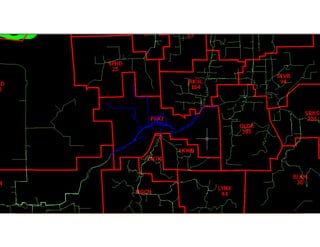
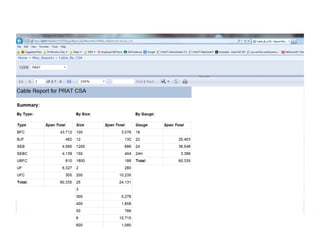
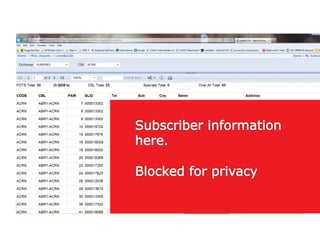
SSRS Report #1 – Lines by
Serving Area
FME as a your GIS tool box!
!  Data maintained in AutoCAD
!  Stored in SQL
!  Analyzed with FME
CONNECT. TRANSFORM. AUTOMATE.
Grant Applications
!  Funding for broadband projects
!  Application required Maps and GIS data
submission
!  Some data required spatial queries
CONNECT. TRANSFORM. AUTOMATE.
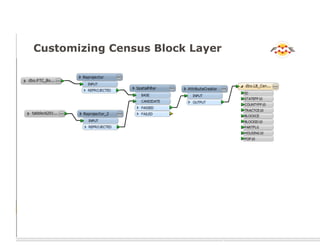
Customizing Census Block Layer
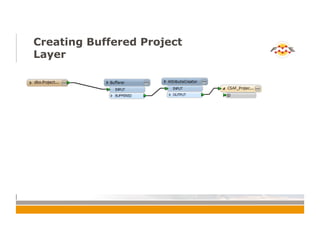
Creating Buffered Project
Layer
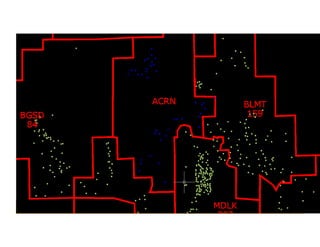
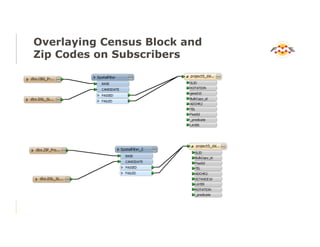
Overlaying Census Block and
Zip Codes on Subscribers
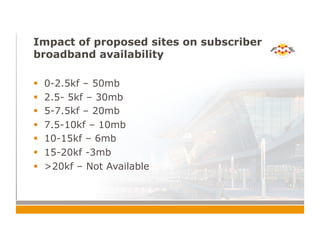
Impact of proposed sites on subscriber
broadband availability
!  0-2.5kf – 50mb
!  2.5- 5kf – 30mb
!  5-7.5kf – 20mb
!  7.5-10kf – 10mb
!  10-15kf – 6mb
!  15-20kf -3mb
!  >20kf – Not Available
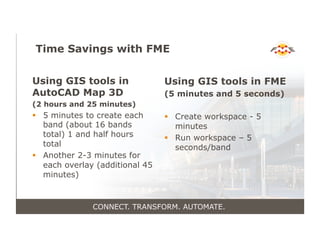
Time Savings with FME
Using GIS tools in
AutoCAD Map 3D
(2 hours and 25 minutes)
!  5 minutes to create each
band (about 16 bands
total) 1 and half hours
total
!  Another 2-3 minutes for
each overlay (additional 45
minutes)
Using GIS tools in FME
(5 minutes and 5 seconds)
!  Create workspace - 5
minutes
!  Run workspace – 5
seconds/band
CONNECT. TRANSFORM. AUTOMATE.
Req 1
CONNECT. TRANSFORM. AUTOMATE.
Result
!  All GIS requirements met
!  4 out of 5 grants approved
!  Proven ROI for GIS investments!!!
CONNECT. TRANSFORM. AUTOMATE.
Thank You!
!  Questions?
!  For more information:
!  Tim Jones timj@ponderosatel.com
CONNECT. TRANSFORM. AUTOMATE.

FME Spatial Querying in a CAD-Driven GIS

  • 1.
    CONNECT. TRANSFORM. AUTOMATE. FMESpatial Querying in a CAD-Driven GIS Tim Jones, GISP, MSGIS Engineering Supervisor - GIS
  • 2.
    Agenda !  Who isPonderosa !  How we use FME !  FME in Action–Live Demo CONNECT. TRANSFORM. AUTOMATE.
  • 5.
    !  Location: CentralCA Sierra Nevada, Southern CA high desert !  Service Footprint: 4,000 square miles !  Rural Terrain: Challenging, sea level to 10,000 feet, mountains and desert
  • 7.
    Dark Background Slide Example ! Access the built-in slide layouts for this template on the Home tab under Layout. !  Click the small triangle to see all the available layouts
  • 10.
    Ponderosa GIS Timeline Est. 1908 Dialtone 1950’s Computer 1980’s GIS 1990’s ACAD/OASIS 2003
  • 11.
    Utilizing GIS !  Engineering/Rightof Way !  Field Operations !  Marketing/Customer Care !  USA Locates !  Regulatory Reporting
  • 12.
    GIS Work Flow Postas built drawings To base maps Add data to SQL Link records to AutoCAD objects Design in AutoCAD Map 3D
  • 13.
    Previous GIS Setup ! AutoCAD Map3D !  Link Templates – data stored in Microsoft SQL Server 2008 R2 !  3rd Party Application CHRM Oasis FM – AutoCAD linking tools and database front end. AutoCAD Map 3D DWG Oasis FM Microsoft SQL Server Link Templates
  • 14.
    Current GIS Setup AutoCAD Map3d DWG OasisFM Microsoft SQL Server Link Templates FME MS SQL Spatial Web Based GIS Enhanced Spatial Querying Abilities
  • 15.
    Uses for FME ! Nightly data conversion to SQL Spatial !  Conversion of data to KML for special projects !  Conversion of data to DWG for mobile solution !  Data clean-up on AutoCAD drawings !  Ad-hoc GIS queries
  • 16.
    Advantages to datain MSSQL !  Centralized location for web-based maps (Mapguide) !  FDO ready format for GIS Analysis in AutoCAD Map3D (Buffering, Overlay, Theme etc) !  Ability to do spatial queries within MSSQL !  Spatially driven MS SQL Reports (SSRS) CONNECT. TRANSFORM. AUTOMATE.
  • 17.
    Spatially Driven SQLReports !  Utilize spatial data to drive SSRS reports !  Reports that allows end user to run a query without realizing they are doing GIS CONNECT. TRANSFORM. AUTOMATE.
  • 22.
    SSRS Report #1– Lines by Serving Area
  • 23.
    FME as ayour GIS tool box! !  Data maintained in AutoCAD !  Stored in SQL !  Analyzed with FME CONNECT. TRANSFORM. AUTOMATE.
  • 24.
    Grant Applications !  Fundingfor broadband projects !  Application required Maps and GIS data submission !  Some data required spatial queries CONNECT. TRANSFORM. AUTOMATE.
  • 25.
  • 26.
  • 27.
    Overlaying Census Blockand Zip Codes on Subscribers
  • 28.
    Impact of proposedsites on subscriber broadband availability !  0-2.5kf – 50mb !  2.5- 5kf – 30mb !  5-7.5kf – 20mb !  7.5-10kf – 10mb !  10-15kf – 6mb !  15-20kf -3mb !  >20kf – Not Available
  • 29.
    Time Savings withFME Using GIS tools in AutoCAD Map 3D (2 hours and 25 minutes) !  5 minutes to create each band (about 16 bands total) 1 and half hours total !  Another 2-3 minutes for each overlay (additional 45 minutes) Using GIS tools in FME (5 minutes and 5 seconds) !  Create workspace - 5 minutes !  Run workspace – 5 seconds/band CONNECT. TRANSFORM. AUTOMATE.
  • 31.
  • 32.
  • 33.
    Result !  All GISrequirements met !  4 out of 5 grants approved !  Proven ROI for GIS investments!!! CONNECT. TRANSFORM. AUTOMATE.
  • 34.
    Thank You! !  Questions? ! For more information: !  Tim Jones timj@ponderosatel.com CONNECT. TRANSFORM. AUTOMATE.