Modular Android Project
Raka Westu Mogandhi
Mobile Engineer @prismapp.io
Table of Contents
- Background
- Solution
- Case Study
- Conclusion
Background
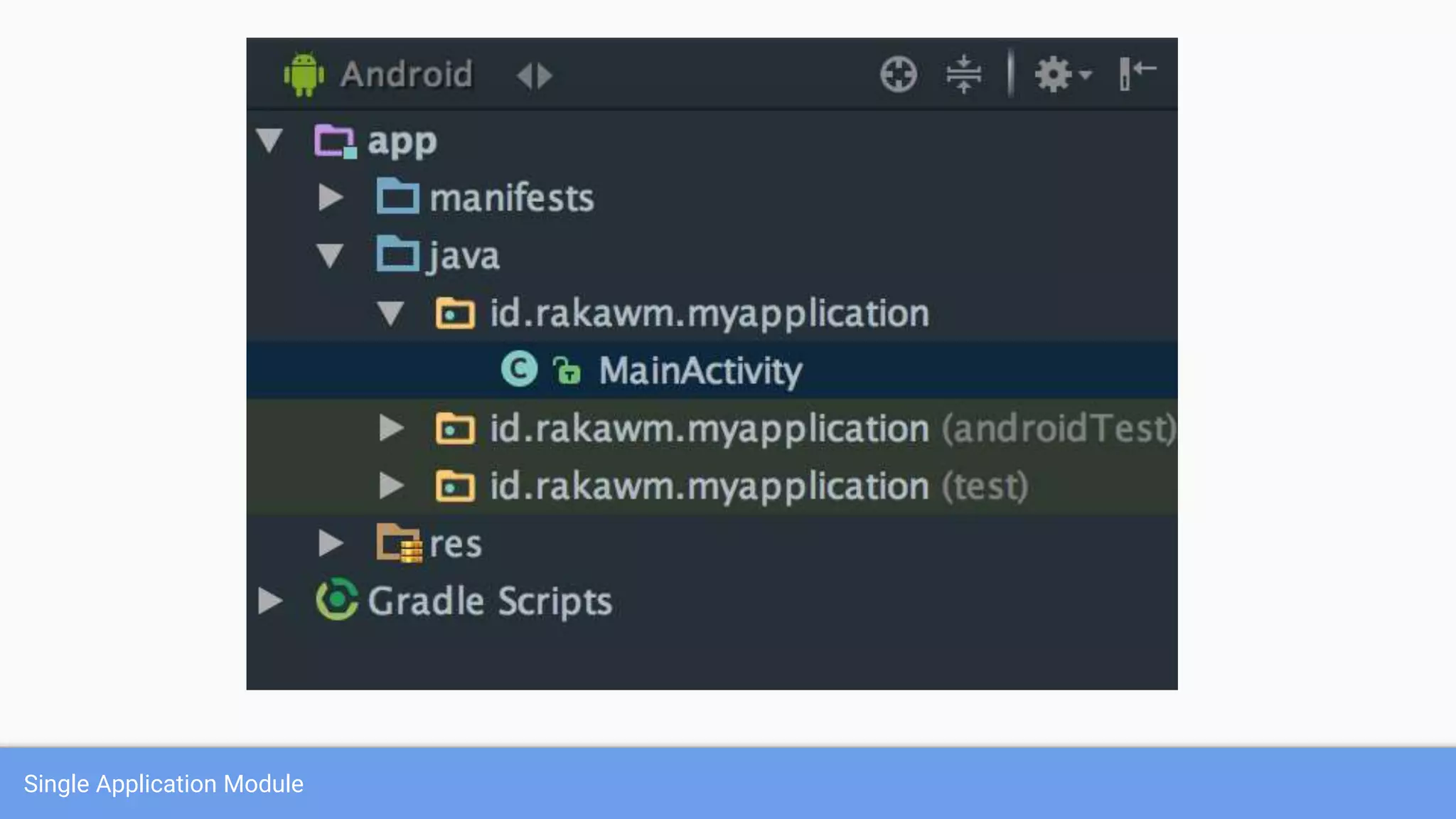
Single Application Module
- Architecture → Model-View-Presenter
- HTTP data source → Retrofit
- Local data source → SQLite
- Packaging strategy → feature based
Common Implementation Stack
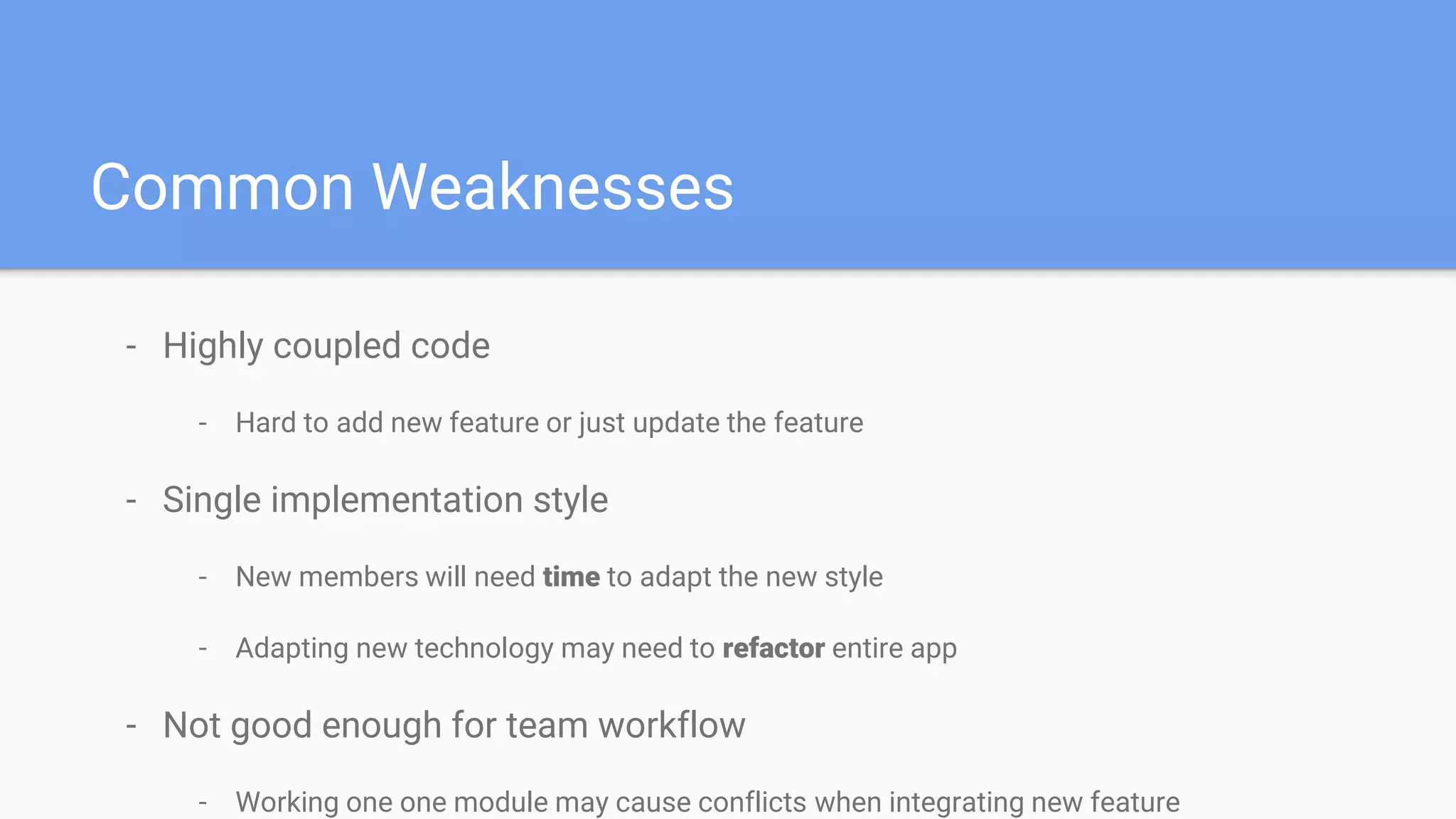
- Highly coupled code
- Hard to add new feature or just update the feature
- Single implementation style
- New members will need time to adapt the new style
- Adapting new technology may need to refactor entire app
- Not good enough for team workflow
- Working one one module may cause conflicts when integrating new feature
Common Weaknesses
Solution → App Decomposition
Approach Microservice is a particular way of
designing software applications as
suites of independently deployable
services.Microservice like Architecture
using Android Module
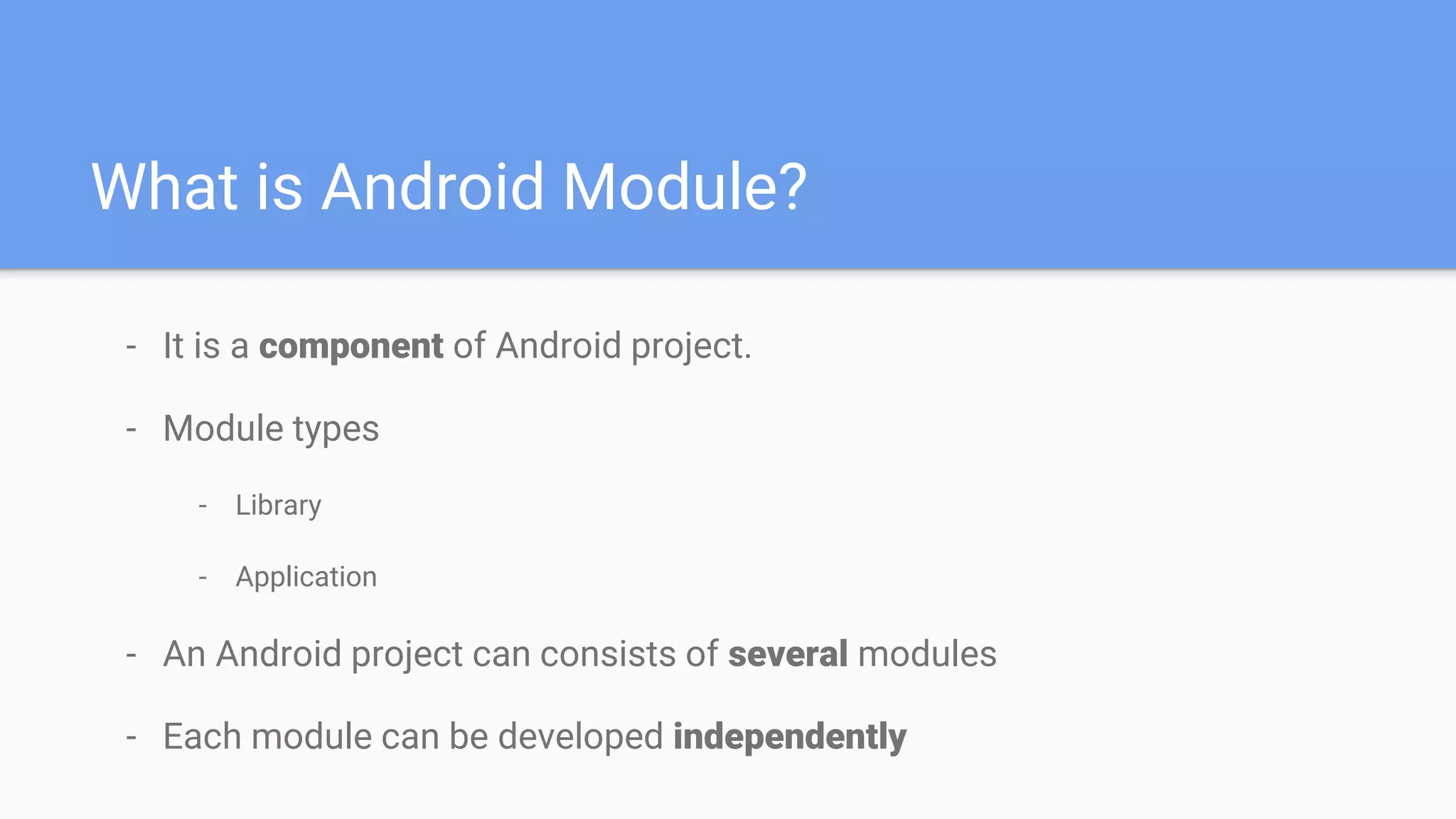
What is Android Module?
- It is a component of Android project.
- Module types
- Library
- Application
- An Android project can consists of several modules
- Each module can be developed independently
Examples of Android Module
- Android support libraries
- Firebase android libraries
- Third party libraries
- Glide
- RxJava
- Retrofit
Applying App Decomposition
How can we do it?
- Decompose app into several independent components
- The approach is based on our team and project needs
- Base → feature, function
- Approach example
- Ecommerce app can be decomposed based on feature
- Login module
- Products module
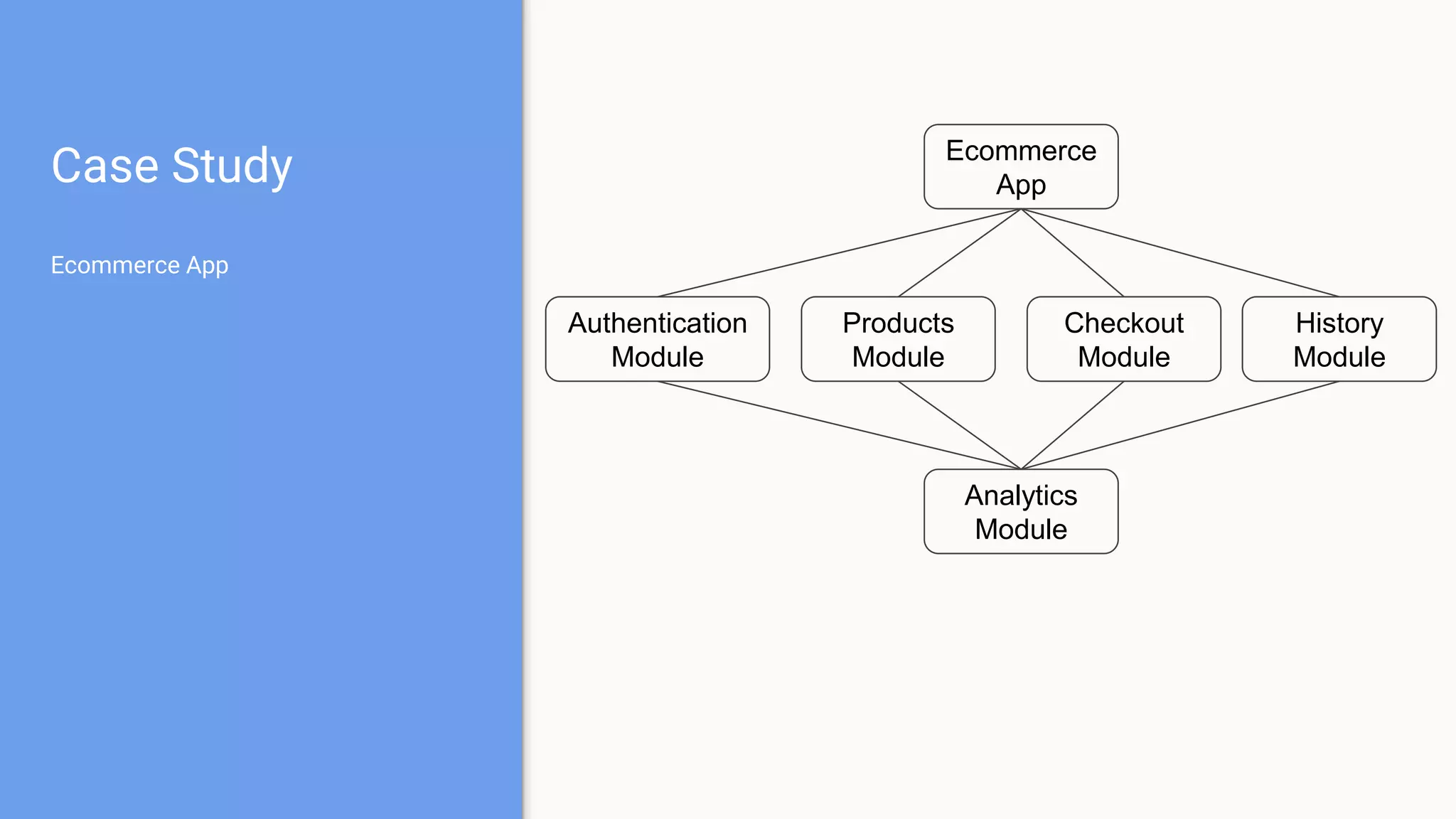
Case Study
Ecommerce App
Analytics
Module
Ecommerce
App
Checkout
Module
Products
Module
Authentication
Module
History
Module
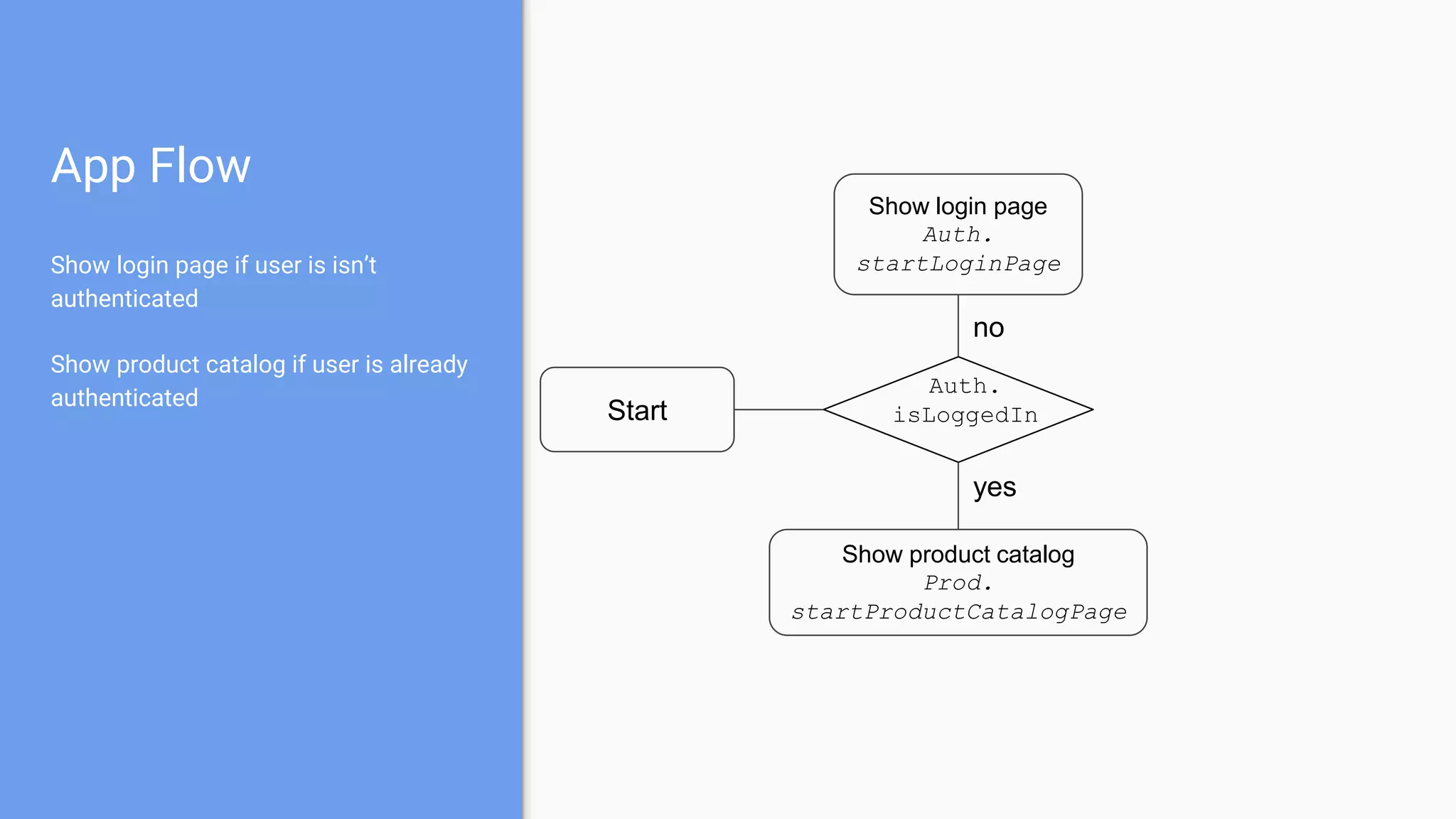
App Flow
Show login page if user is isn’t
authenticated
Show product catalog if user is already
authenticated
Start
Show login page
Auth.
startLoginPage
Auth.
isLoggedIn
Show product catalog
Prod.
startProductCatalogPage
yes
no
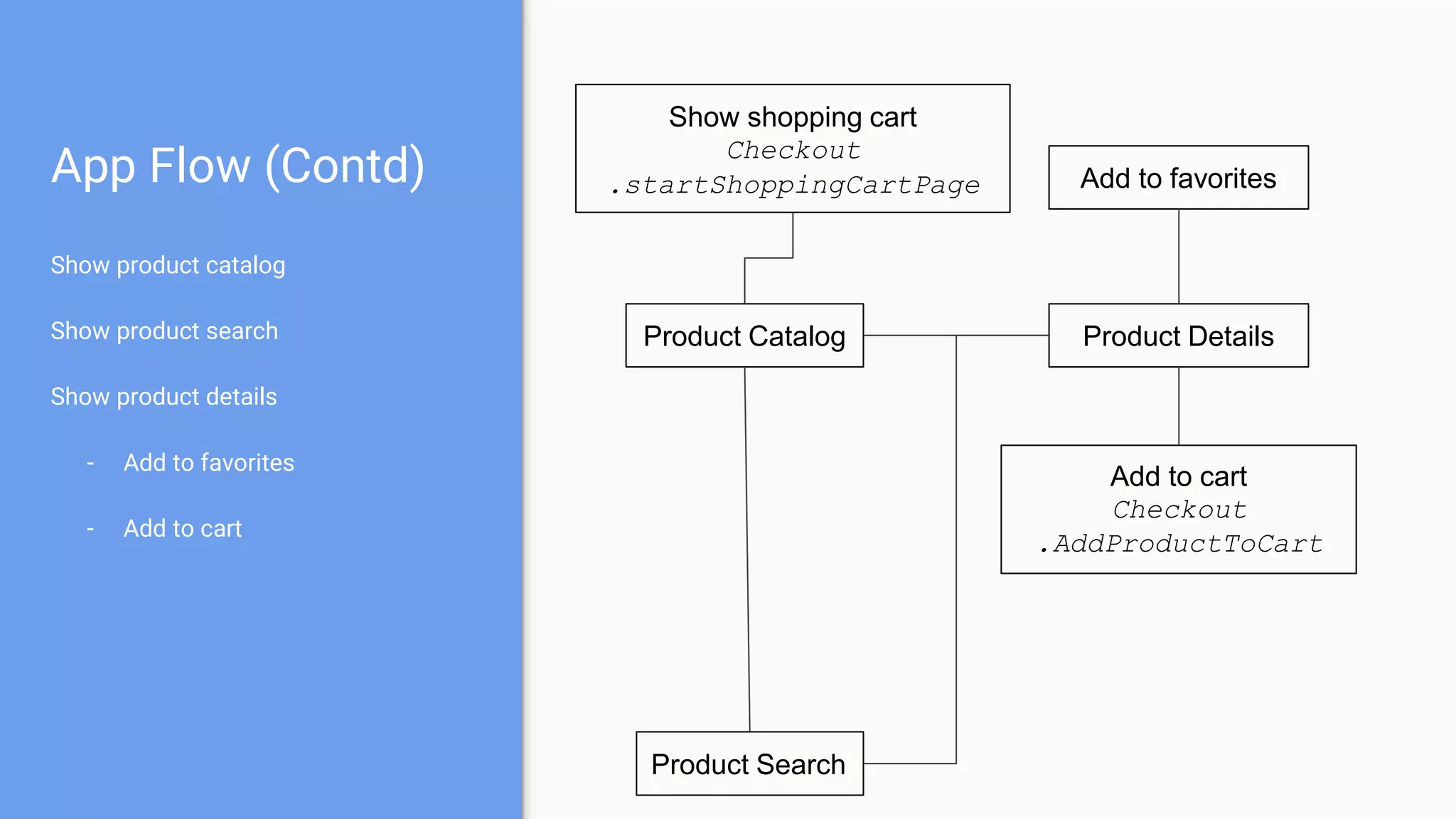
App Flow (Contd)
Show product catalog
Show product search
Show product details
- Add to favorites
- Add to cart
Product Catalog Product Details
Add to cart
Checkout
.AddProductToCart
Add to favorites
Product Search
Show shopping cart
Checkout
.startShoppingCartPage
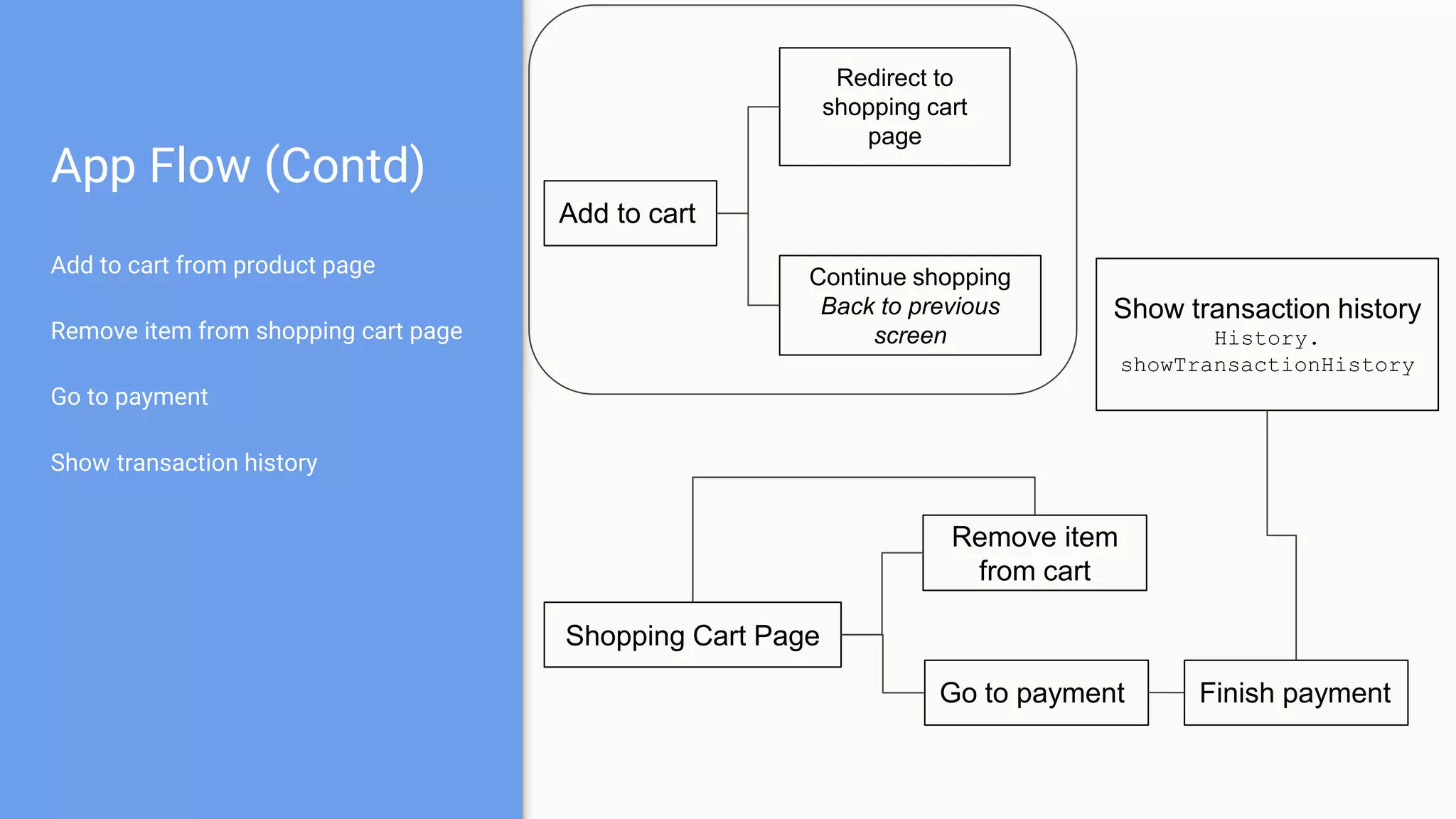
App Flow (Contd)
Add to cart from product page
Remove item from shopping cart page
Go to payment
Show transaction history
Add to cart
Redirect to
shopping cart
page
Continue shopping
Back to previous
screen
Shopping Cart Page
Remove item
from cart
Go to payment Finish payment
Show transaction history
History.
showTransactionHistory
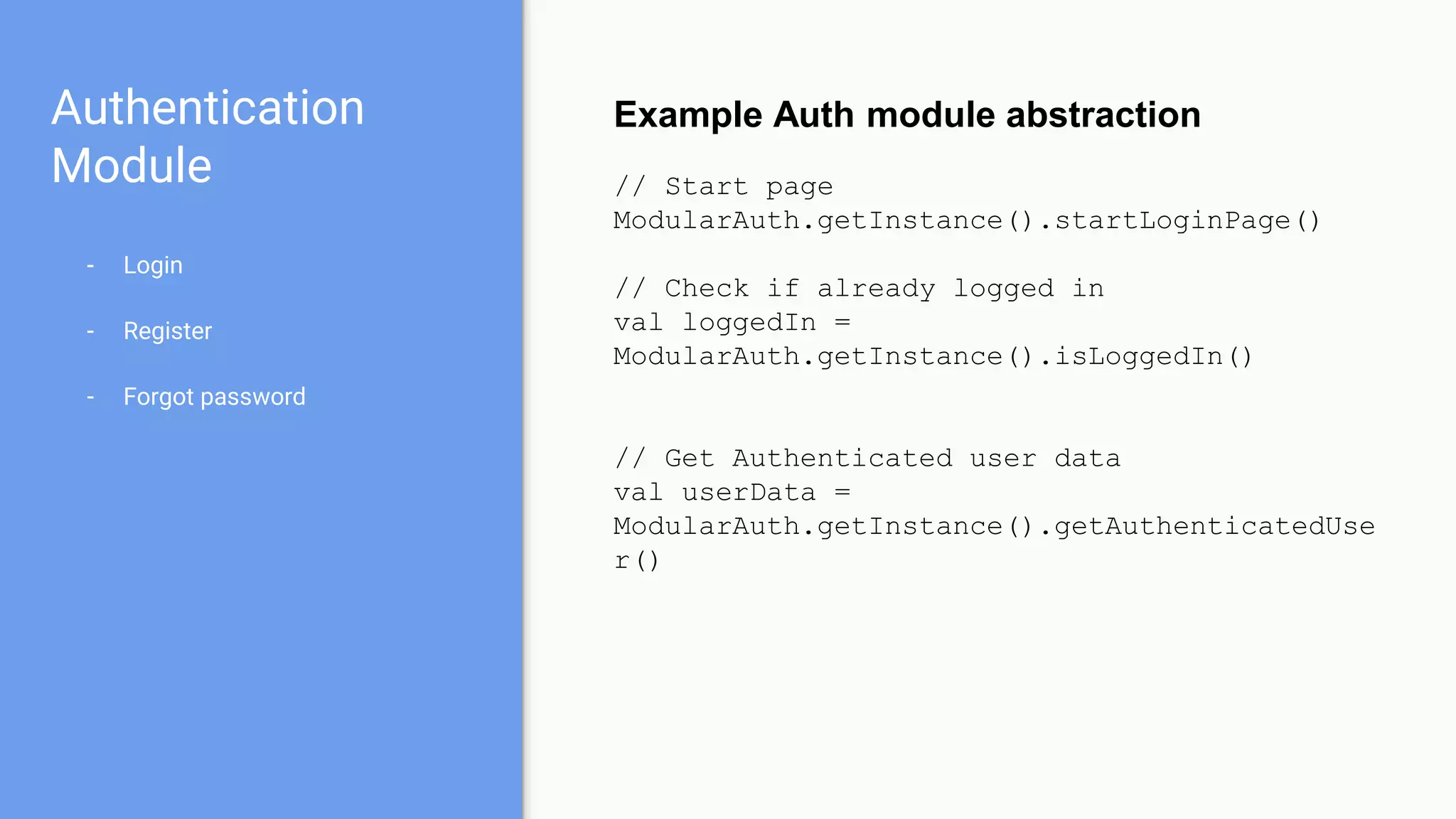
Authentication
Module
- Login
- Register
- Forgot password
Example Auth module abstraction
// Start page
ModularAuth.getInstance().startLoginPage()
// Check if already logged in
val loggedIn =
ModularAuth.getInstance().isLoggedIn()
// Get Authenticated user data
val userData =
ModularAuth.getInstance().getAuthenticatedUse
r()
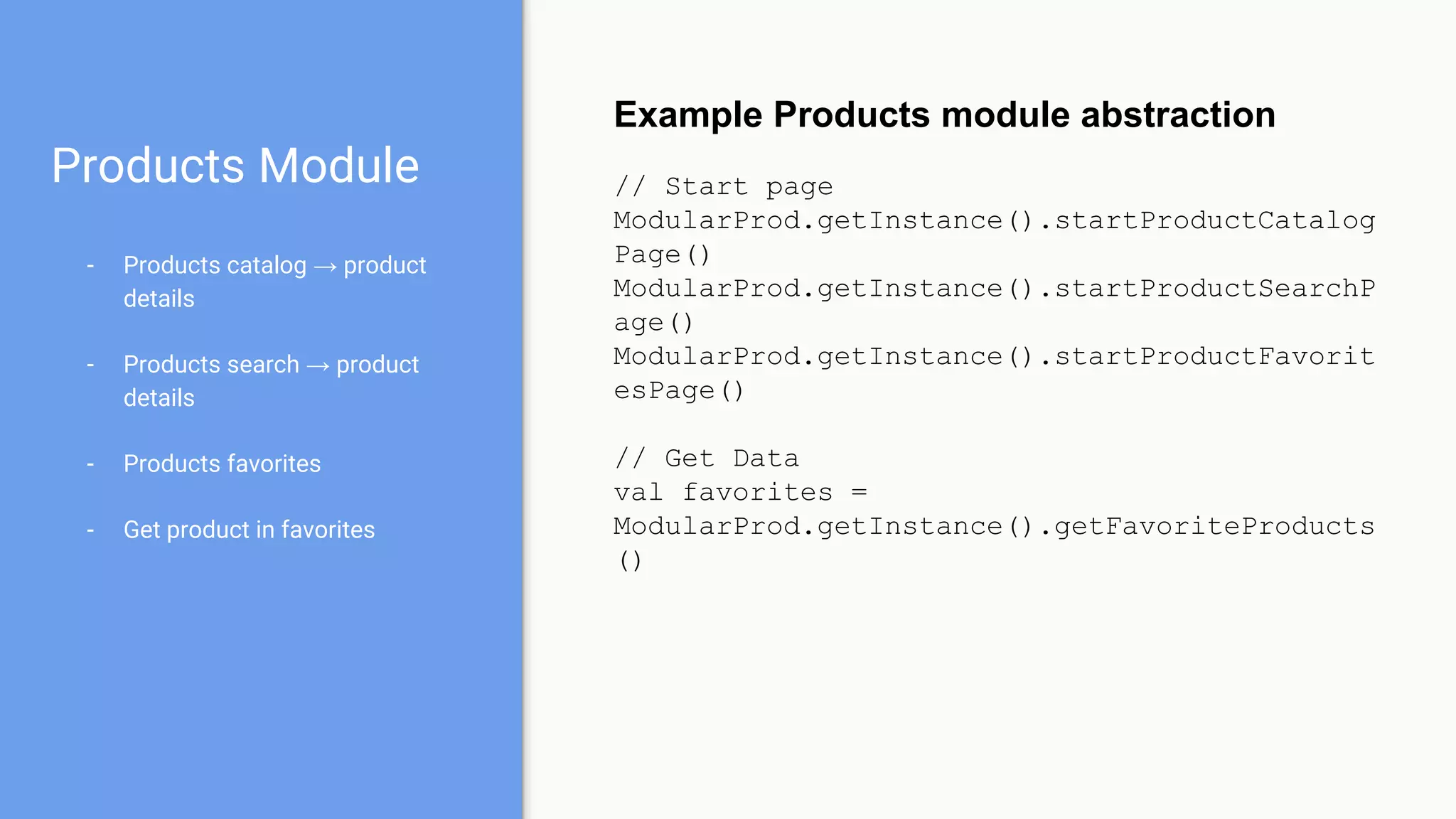
Products Module
- Products catalog → product
details
- Products search → product
details
- Products favorites
- Get product in favorites
Example Products module abstraction
// Start page
ModularProd.getInstance().startProductCatalog
Page()
ModularProd.getInstance().startProductSearchP
age()
ModularProd.getInstance().startProductFavorit
esPage()
// Get Data
val favorites =
ModularProd.getInstance().getFavoriteProducts
()
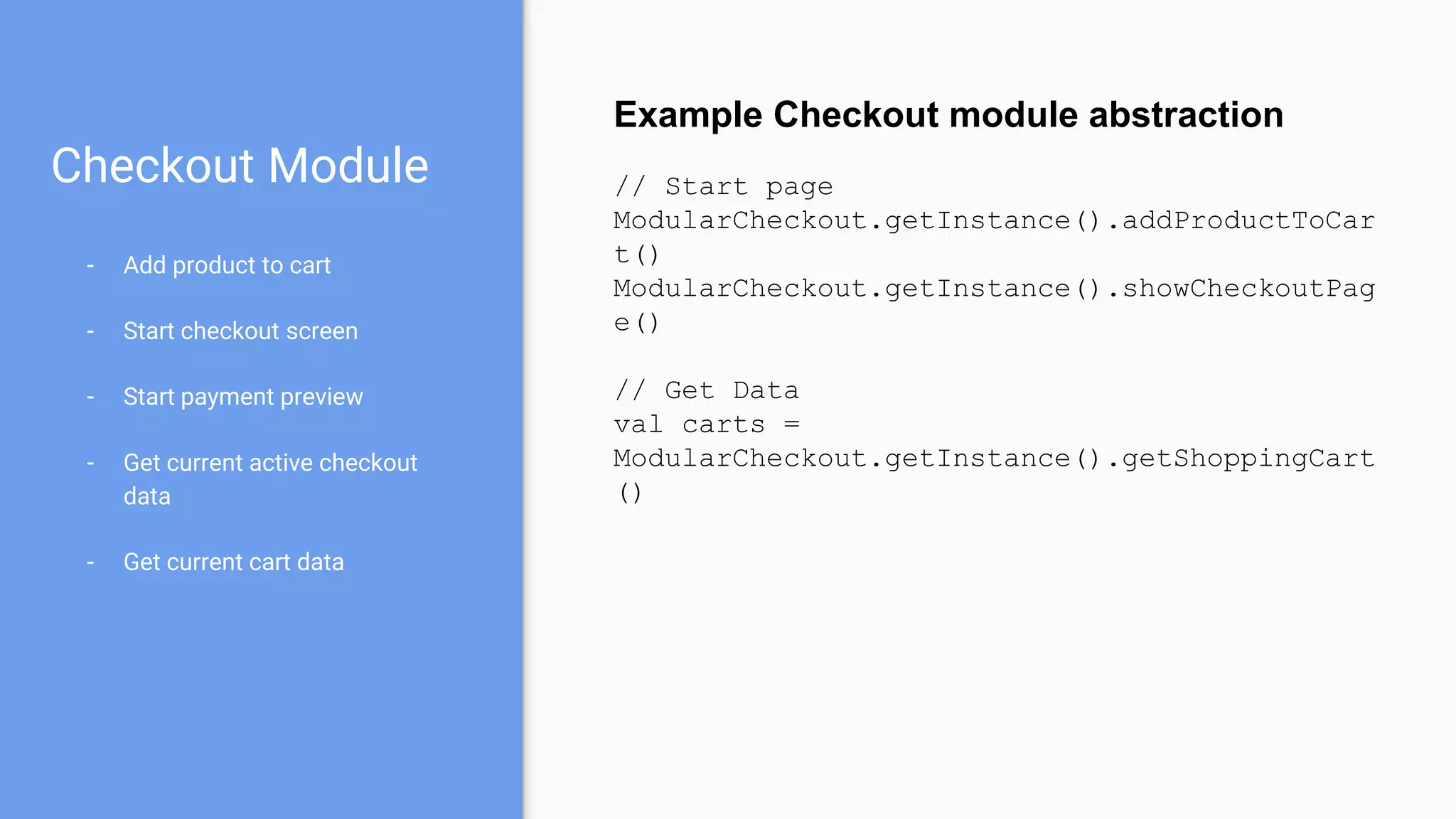
Checkout Module
- Add product to cart
- Start checkout screen
- Start payment preview
- Get current active checkout
data
- Get current cart data
Example Checkout module abstraction
// Start page
ModularCheckout.getInstance().addProductToCar
t()
ModularCheckout.getInstance().showCheckoutPag
e()
// Get Data
val carts =
ModularCheckout.getInstance().getShoppingCart
()
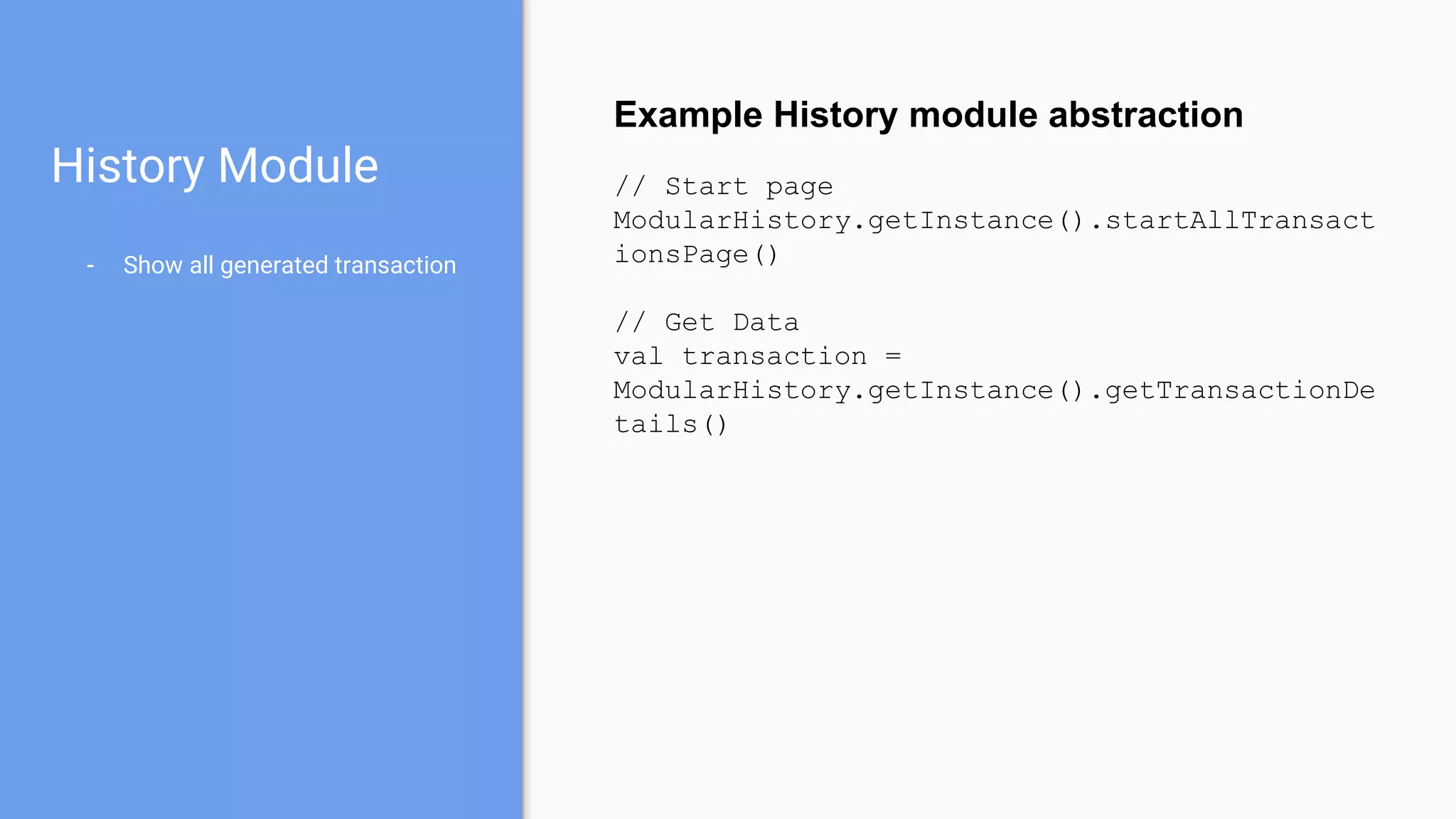
History Module
- Show all generated transaction
Example History module abstraction
// Start page
ModularHistory.getInstance().startAllTransact
ionsPage()
// Get Data
val transaction =
ModularHistory.getInstance().getTransactionDe
tails()
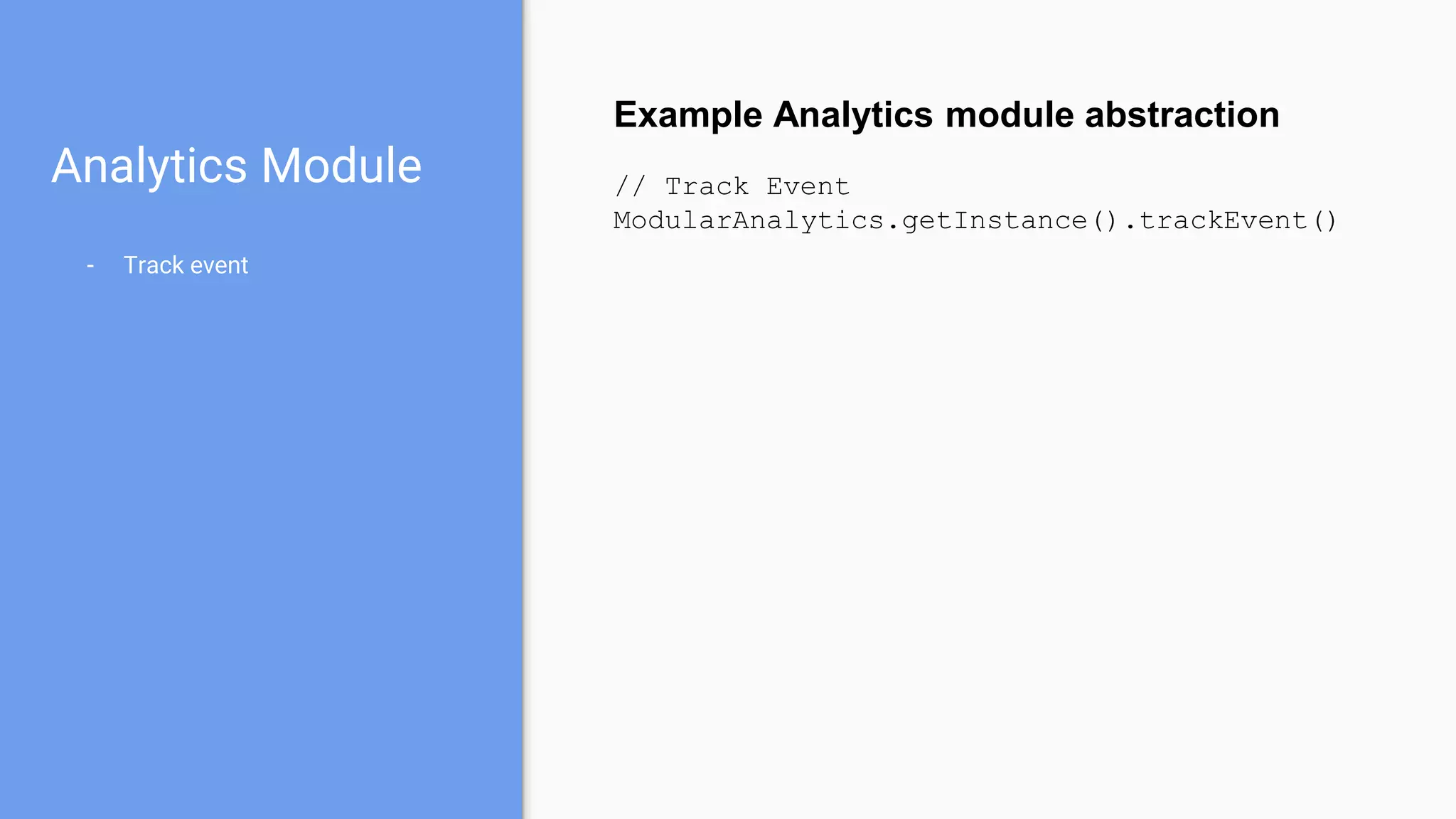
Analytics Module
- Track event
Example Analytics module abstraction
// Track Event
ModularAnalytics.getInstance().trackEvent()
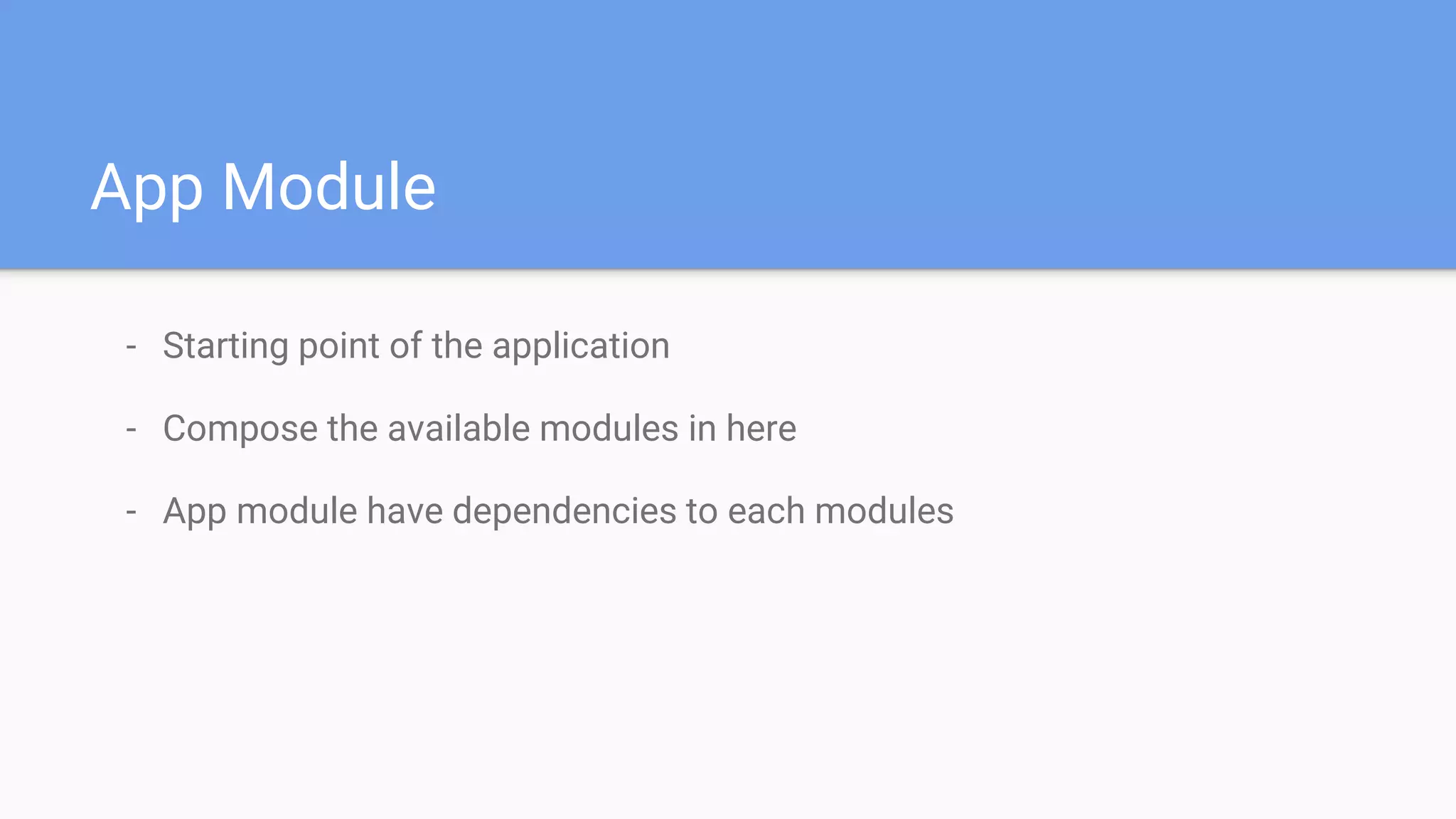
App Module
- Starting point of the application
- Compose the available modules in here
- App module have dependencies to each modules
How to communicate between modules?
- Using interface or callback
- Event bus
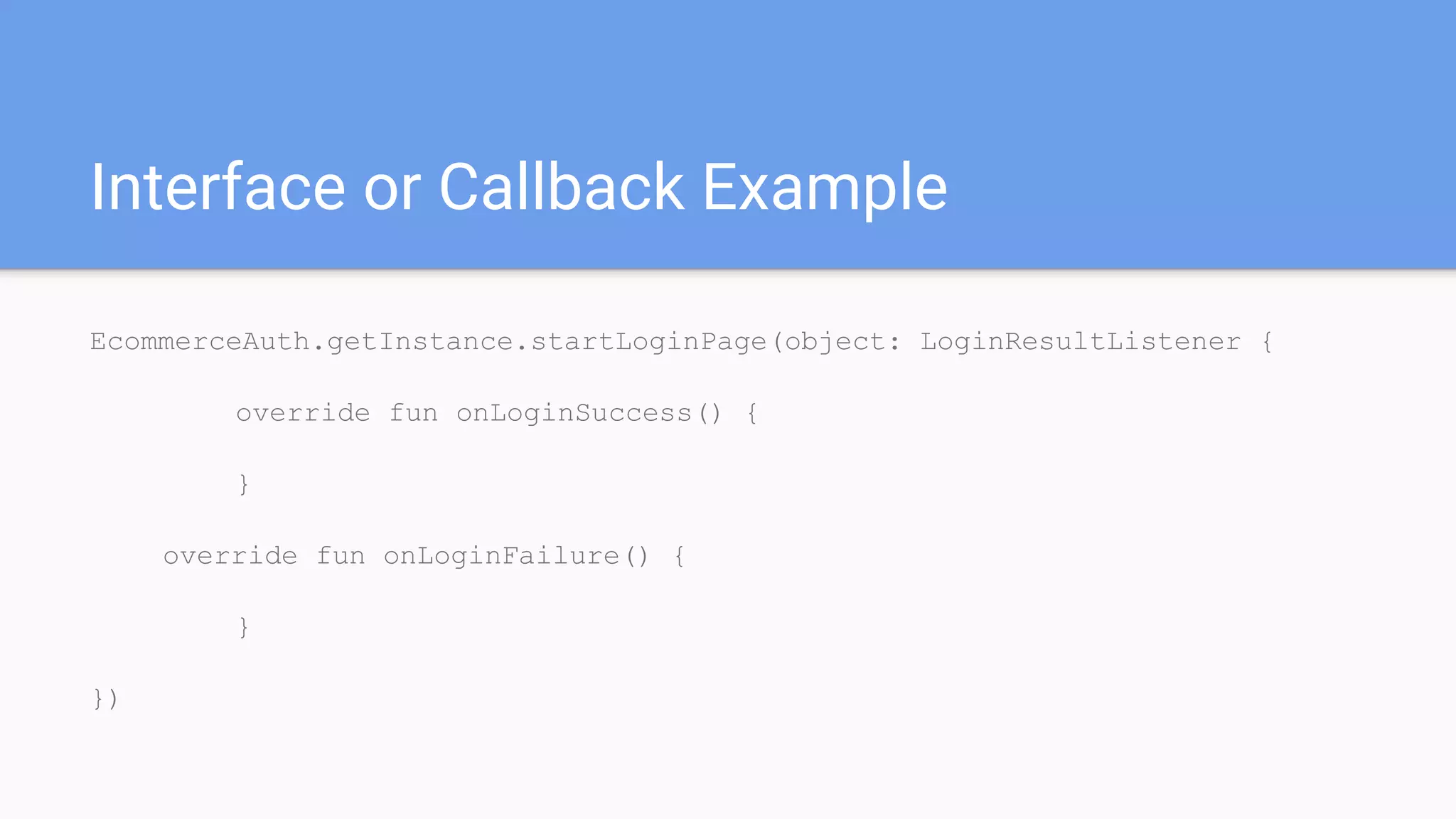
Interface or Callback Example
EcommerceAuth.getInstance.startLoginPage(object: LoginResultListener {
override fun onLoginSuccess() {
}
override fun onLoginFailure() {
}
})
Example Code
github.com/rakawestu/modular-android-example
Advantages
- Good for teams
- Each person/small team can work on small independent module
- Each module can have different implementation style
- Some module can be reused on different app
- Common implementation module → base activity, base fragment, etc.
- Utils module → string utilities, money utilities, etc.
- The module is generic
Disadvantages
- Documentation should be clearer because communication between
module is important
- There may be a duplicate code because implementation between module
are similiar → can be minimized if using common module for repeated
codes
- More build time on complete app
- https://nearsoft.com/blog/the-microservices-approach-and-how-it-beats-
monolithics/
- https://medium.com/@tomsoderlund/micro-frontends-a-microservice-
approach-to-front-end-web-development-f325ebdadc16
Slide: bit.ly/modAndroid2017
References
Thank you!

Modular android Project

  • 1.
    Modular Android Project RakaWestu Mogandhi Mobile Engineer @prismapp.io
  • 2.
    Table of Contents -Background - Solution - Case Study - Conclusion
  • 3.
  • 4.
  • 5.
    - Architecture →Model-View-Presenter - HTTP data source → Retrofit - Local data source → SQLite - Packaging strategy → feature based Common Implementation Stack
  • 6.
    - Highly coupledcode - Hard to add new feature or just update the feature - Single implementation style - New members will need time to adapt the new style - Adapting new technology may need to refactor entire app - Not good enough for team workflow - Working one one module may cause conflicts when integrating new feature Common Weaknesses
  • 7.
    Solution → AppDecomposition
  • 8.
    Approach Microservice isa particular way of designing software applications as suites of independently deployable services.Microservice like Architecture using Android Module
  • 9.
    What is AndroidModule? - It is a component of Android project. - Module types - Library - Application - An Android project can consists of several modules - Each module can be developed independently
  • 10.
    Examples of AndroidModule - Android support libraries - Firebase android libraries - Third party libraries - Glide - RxJava - Retrofit
  • 11.
  • 12.
    How can wedo it? - Decompose app into several independent components - The approach is based on our team and project needs - Base → feature, function - Approach example - Ecommerce app can be decomposed based on feature - Login module - Products module
  • 13.
  • 14.
    App Flow Show loginpage if user is isn’t authenticated Show product catalog if user is already authenticated Start Show login page Auth. startLoginPage Auth. isLoggedIn Show product catalog Prod. startProductCatalogPage yes no
  • 15.
    App Flow (Contd) Showproduct catalog Show product search Show product details - Add to favorites - Add to cart Product Catalog Product Details Add to cart Checkout .AddProductToCart Add to favorites Product Search Show shopping cart Checkout .startShoppingCartPage
  • 16.
    App Flow (Contd) Addto cart from product page Remove item from shopping cart page Go to payment Show transaction history Add to cart Redirect to shopping cart page Continue shopping Back to previous screen Shopping Cart Page Remove item from cart Go to payment Finish payment Show transaction history History. showTransactionHistory
  • 17.
    Authentication Module - Login - Register -Forgot password Example Auth module abstraction // Start page ModularAuth.getInstance().startLoginPage() // Check if already logged in val loggedIn = ModularAuth.getInstance().isLoggedIn() // Get Authenticated user data val userData = ModularAuth.getInstance().getAuthenticatedUse r()
  • 18.
    Products Module - Productscatalog → product details - Products search → product details - Products favorites - Get product in favorites Example Products module abstraction // Start page ModularProd.getInstance().startProductCatalog Page() ModularProd.getInstance().startProductSearchP age() ModularProd.getInstance().startProductFavorit esPage() // Get Data val favorites = ModularProd.getInstance().getFavoriteProducts ()
  • 19.
    Checkout Module - Addproduct to cart - Start checkout screen - Start payment preview - Get current active checkout data - Get current cart data Example Checkout module abstraction // Start page ModularCheckout.getInstance().addProductToCar t() ModularCheckout.getInstance().showCheckoutPag e() // Get Data val carts = ModularCheckout.getInstance().getShoppingCart ()
  • 20.
    History Module - Showall generated transaction Example History module abstraction // Start page ModularHistory.getInstance().startAllTransact ionsPage() // Get Data val transaction = ModularHistory.getInstance().getTransactionDe tails()
  • 21.
    Analytics Module - Trackevent Example Analytics module abstraction // Track Event ModularAnalytics.getInstance().trackEvent()
  • 22.
    App Module - Startingpoint of the application - Compose the available modules in here - App module have dependencies to each modules
  • 23.
    How to communicatebetween modules? - Using interface or callback - Event bus
  • 24.
    Interface or CallbackExample EcommerceAuth.getInstance.startLoginPage(object: LoginResultListener { override fun onLoginSuccess() { } override fun onLoginFailure() { } })
  • 25.
  • 26.
    Advantages - Good forteams - Each person/small team can work on small independent module - Each module can have different implementation style - Some module can be reused on different app - Common implementation module → base activity, base fragment, etc. - Utils module → string utilities, money utilities, etc. - The module is generic
  • 27.
    Disadvantages - Documentation shouldbe clearer because communication between module is important - There may be a duplicate code because implementation between module are similiar → can be minimized if using common module for repeated codes - More build time on complete app
  • 28.
  • 29.

Editor's Notes

  • #2 Android development has been easier day by day. There are many choices of how we can develop Android application. MVP MVVM etc. Here I want to present to you about one Android development workflow to help developer increase their productivity.
  • #3 Here the list of topics that I want to talk about. Background → This will cover about how important is a workflow will affect team’s productivity Solution → At this part I will propose a solution about the workflow and project structure to help team increase productivity so they can deliver value faster to their customer Case study → Next I want to showcase a simple example of how this workflow and project structure helping the team Conclusion → Last but not least is I will show some conclusion about this solution
  • #4 First part is the background. Before we proceed to the background let’s see how is most people’s project structure.
  • #5 Common implementation depends only on one module with many packages and dependencies. When creating new project, Android studio only create a module It’s app
  • #6 When an app module depends on one implementation stack, team members should learn it and implement it correctly. This will be hard on new developer since they may not know the stack, so it will delay the project.
  • #7 When app becomes complex it’s even harder to safely add a feature without affecting existing function It’s harder to divide team workloads Single implementation style means when we’re using new technology or stack we need to refactor entire app. That doesn’t sound good. Or when someone with different stack and style joins they need time to readjust their style and that sacrifice some time.
  • #10 Typically android application is a module. It may depends on other modules. A project can have more than one module. Each module can be developed independently → it’s easier to divide team workloads since each person or small team may own a specific domain of developed app.
  • #11 Actually in common applications, they already depends to many popular Android modules like this, they just use it. Imagine if we have similiar structure in our app, we can have a specific module for specific purpose just like this.
  • #13 The approach can be anything, function, domain, feature, etc. Another example is function based decomposition Core module → API call and feature based function only → can be java module too for more generic purpose UI module → Implement UI for each feature. It depends on core module.
  • #24 Interface or callback use basic java interface. Event bus for more complex communication