Two-column script format
Updated July 3, 2006
Video Scripts
 A variety of script formats are used.
 Most follow certain guidelines but may vary
depending upon the organization.
 Screenwriting, Broadcast Journalism and
Writing for Electronic Media cover writing in
much more detail.
 Brief overview of 2 column format
Two-column script
 Helpful means of organizing shots and video
 ALL VIDEO information goes in the left column
 ALL AUDIO information goes in the right
column
 Be as detailed as possible
 Use the ‘table’ function of your word processor
to create a 2-column table
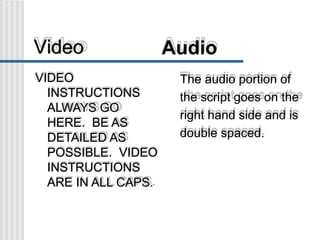
Video Audio
VIDEO
INSTRUCTIONS
ALWAYS GO
HERE. BE AS
DETAILED AS
POSSIBLE. VIDEO
INSTRUCTIONS
ARE IN ALL CAPS.
The audio portion of
the script goes on the
right hand side and is
double spaced.
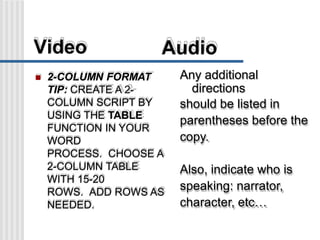
Video Audio
 2-COLUMN FORMAT
TIP: CREATE A 2-
COLUMN SCRIPT BY
USING THE TABLE
FUNCTION IN YOUR
WORD
PROCESS. CHOOSE A
2-COLUMN TABLE
WITH 15-20
ROWS. ADD ROWS AS
NEEDED.
Any additional
directions
should be listed in
parentheses before the
copy.
Also, indicate who is
speaking: narrator,
character, etc…
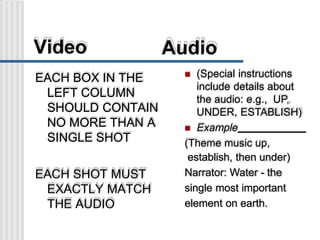
Video Audio
EACH BOX IN THE
LEFT COLUMN
SHOULD CONTAIN
NO MORE THAN A
SINGLE SHOT
EACH SHOT MUST
EXACTLY MATCH
THE AUDIO
 (Special instructions
include details about
the audio: e.g., UP,
UNDER, ESTABLISH)
 Example
(Theme music up,
establish, then under)
Narrator: Water - the
single most important
element on earth.
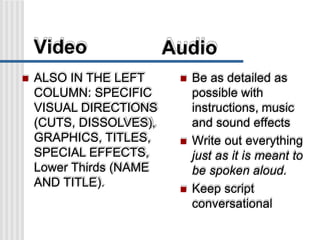
Video Audio
 ALSO IN THE LEFT
COLUMN: SPECIFIC
VISUAL DIRECTIONS
(CUTS, DISSOLVES),
GRAPHICS, TITLES,
SPECIAL EFFECTS,
Lower Thirds (NAME
AND TITLE).
 Be as detailed as
possible with
instructions, music
and sound effects
 Write out everything
just as it is meant to
be spoken aloud.
 Keep script
conversational
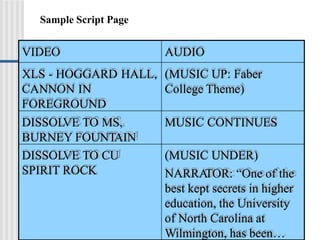
VIDEO AUDIO
XLS - HOGGARD HALL, (MUSIC UP: Faber
CANNON IN College Theme)
FOREGROUND
DISSOLVE TO MS, MUSIC CONTINUES
BURNEY FOUNTAIN
DISSOLVE TO CU
SPIRIT ROCK
(MUSIC UNDER)
NARRATOR: “One of the
best kept secrets in higher
education, the University
of North Carolina at
Wilmington, has been…
Sample Script Page
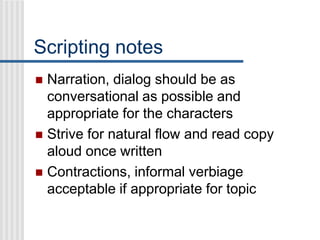
Scripting notes
 Narration, dialog should be as
conversational as possible and
appropriate for the characters
 Strive for natural flow and read copy
aloud once written
 Contractions, informal verbiage
acceptable if appropriate for topic
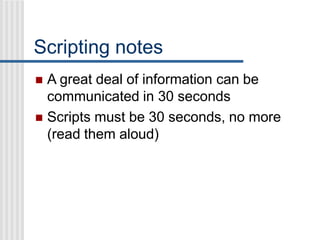
Scripting notes
 A great deal of information can be
communicated in 30 seconds
 Scripts must be 30 seconds, no more
(read them aloud)
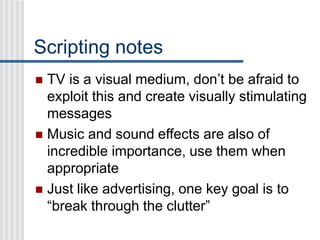
Scripting notes
 TV is a visual medium, don’t be afraid to
exploit this and create visually stimulating
messages
 Music and sound effects are also of
incredible importance, use them when
appropriate
 Just like advertising, one key goal is to
“break through the clutter”
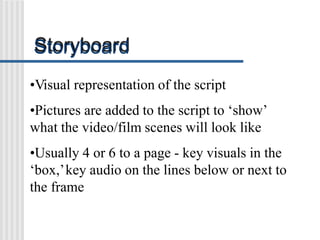
Storyboard
•Visual representation of the script
•Pictures are added to the script to ‘show’
what the video/film scenes will look like
•Usually 4 or 6 to a page - key visuals in the
‘box,’key audio on the lines below or next to
the frame
Storyboard
•Range from single page for a 30 second PSA
hundreds of frames for a film.
•May be on standard paper or on foam-core
posterboard.
•Useful means of envisioning the concept.
•Range from rough sketches to polished drawings
or photographs.
Client: UNCW Student Productions Campaign: “You Need Us”
Sept. 17, 2002Title: Full Service
Theme music, UP, then
UNDER. “UNCW Student
TV productions”
“Narr.: Your one-stop video
production source.
From planning to
editing …
…we can get your message
across.
UNCW Student Productions
- a full service company
Because so much is riding on
your video.” (Asubsidiary of
Gene’s Tire andAuto)
Storyboards
 Adjust format as needed
 Print on 8.5x11” paper for this course
(commercial presentations may differ)
 Be enterprising in making your storyboard
look professional - it also must be
persuasive (like the proposal)

Two Column Script Format

  • 1.
  • 2.
    Video Scripts  Avariety of script formats are used.  Most follow certain guidelines but may vary depending upon the organization.  Screenwriting, Broadcast Journalism and Writing for Electronic Media cover writing in much more detail.  Brief overview of 2 column format
  • 3.
    Two-column script  Helpfulmeans of organizing shots and video  ALL VIDEO information goes in the left column  ALL AUDIO information goes in the right column  Be as detailed as possible  Use the ‘table’ function of your word processor to create a 2-column table
  • 4.
    Video Audio VIDEO INSTRUCTIONS ALWAYS GO HERE.BE AS DETAILED AS POSSIBLE. VIDEO INSTRUCTIONS ARE IN ALL CAPS. The audio portion of the script goes on the right hand side and is double spaced.
  • 5.
    Video Audio  2-COLUMNFORMAT TIP: CREATE A 2- COLUMN SCRIPT BY USING THE TABLE FUNCTION IN YOUR WORD PROCESS. CHOOSE A 2-COLUMN TABLE WITH 15-20 ROWS. ADD ROWS AS NEEDED. Any additional directions should be listed in parentheses before the copy. Also, indicate who is speaking: narrator, character, etc…
  • 6.
    Video Audio EACH BOXIN THE LEFT COLUMN SHOULD CONTAIN NO MORE THAN A SINGLE SHOT EACH SHOT MUST EXACTLY MATCH THE AUDIO  (Special instructions include details about the audio: e.g., UP, UNDER, ESTABLISH)  Example (Theme music up, establish, then under) Narrator: Water - the single most important element on earth.
  • 7.
    Video Audio  ALSOIN THE LEFT COLUMN: SPECIFIC VISUAL DIRECTIONS (CUTS, DISSOLVES), GRAPHICS, TITLES, SPECIAL EFFECTS, Lower Thirds (NAME AND TITLE).  Be as detailed as possible with instructions, music and sound effects  Write out everything just as it is meant to be spoken aloud.  Keep script conversational
  • 8.
    VIDEO AUDIO XLS -HOGGARD HALL, (MUSIC UP: Faber CANNON IN College Theme) FOREGROUND DISSOLVE TO MS, MUSIC CONTINUES BURNEY FOUNTAIN DISSOLVE TO CU SPIRIT ROCK (MUSIC UNDER) NARRATOR: “One of the best kept secrets in higher education, the University of North Carolina at Wilmington, has been… Sample Script Page
  • 9.
    Scripting notes  Narration,dialog should be as conversational as possible and appropriate for the characters  Strive for natural flow and read copy aloud once written  Contractions, informal verbiage acceptable if appropriate for topic
  • 10.
    Scripting notes  Agreat deal of information can be communicated in 30 seconds  Scripts must be 30 seconds, no more (read them aloud)
  • 11.
    Scripting notes  TVis a visual medium, don’t be afraid to exploit this and create visually stimulating messages  Music and sound effects are also of incredible importance, use them when appropriate  Just like advertising, one key goal is to “break through the clutter”
  • 12.
    Storyboard •Visual representation ofthe script •Pictures are added to the script to ‘show’ what the video/film scenes will look like •Usually 4 or 6 to a page - key visuals in the ‘box,’key audio on the lines below or next to the frame
  • 13.
    Storyboard •Range from singlepage for a 30 second PSA hundreds of frames for a film. •May be on standard paper or on foam-core posterboard. •Useful means of envisioning the concept. •Range from rough sketches to polished drawings or photographs.
  • 14.
    Client: UNCW StudentProductions Campaign: “You Need Us” Sept. 17, 2002Title: Full Service Theme music, UP, then UNDER. “UNCW Student TV productions” “Narr.: Your one-stop video production source. From planning to editing … …we can get your message across. UNCW Student Productions - a full service company Because so much is riding on your video.” (Asubsidiary of Gene’s Tire andAuto)
  • 15.
    Storyboards  Adjust formatas needed  Print on 8.5x11” paper for this course (commercial presentations may differ)  Be enterprising in making your storyboard look professional - it also must be persuasive (like the proposal)