










CSS3 and GWT
in perfect harmony
GWT.create 2015
JULIEN DRAMAIX
Julien Dramaix
Software Engineer
at Arcbees
+JulienDramaix
@jDramaix
What is this about?
New syntax for
CssResource based on GSS
What is this about ?
Why?
DRY principle
is missing with CSS.
Why ?
Missing
CSS3 support.
Why ?
What is Closure-
stylesheets?
What is Closure-stylesheets?
It’s an extension
to CSS
What is Closure-stylesheets?
Write gss
and compile
to CSS
It’s an extension
to CSS
Support variables,
conditionals, mixing...
What is Closure-stylesheets?
Support minification,
linting, RTL flipping,
renaming
What is Closure-stylesheets?
Full CSS3
support!
What is Closure-stylesheets?
Open Source project
written and maintained
by Google!
What is Closure-stylesheets?
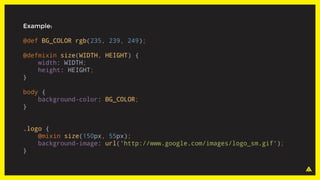
Example:
@def BG_COLOR rgb(235, 239, 249);
@defmixin size(WIDTH, HEIGHT) {
width: WIDTH;
height: HEIGHT;
}
body {
background-color: BG_COLOR;
}
.logo {
@mixin size(150px, 55px);
background-image: url('http://www.google.com/images/logo_sm.gif');
}
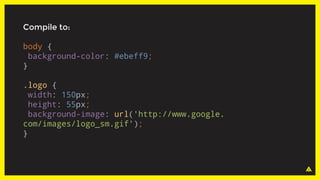
Compile to:
body {
background-color: #ebeff9;
}
.logo {
width: 150px;
height: 55px;
background-image: url('http://www.google.
com/images/logo_sm.gif');
}
How to use it?
1. Create
a GSS file.
How to use it ?
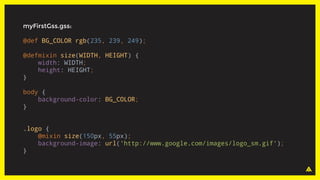
myFirstGss.gss:
@def BG_COLOR rgb(235, 239, 249);
@defmixin size(WIDTH, HEIGHT) {
width: WIDTH;
height: HEIGHT;
}
body {
background-color: BG_COLOR;
}
.logo {
@mixin size(150px, 55px);
background-image: url('http://www.google.com/images/logo_sm.gif');
}
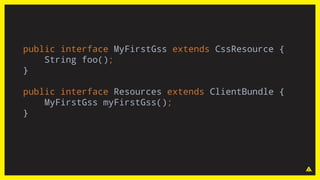
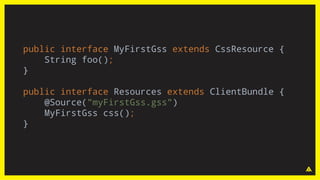
2. Create your CssResource
interface as usual.
How to use it ?
public interface MyFirstGss extends CssResource {
String foo();
}
public interface Resources extends ClientBundle {
MyFirstGss myFirstGss();
}
public interface MyFirstGss extends CssResource {
String foo();
}
public interface Resources extends ClientBundle {
@Source("myFirstGss.gss")
MyFirstGss css();
}
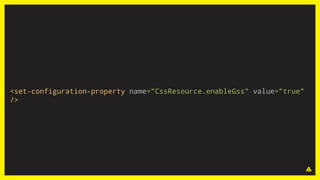
3. Enable GSS
in your GWT module file.
How to use it ?
<set-configuration-property name="CssResource.enableGss" value="true"
/>
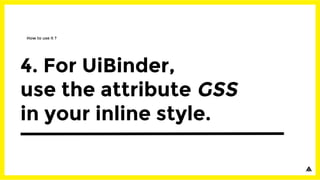
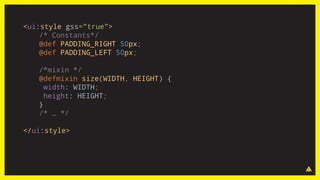
4. For UiBinder,
use the attribute GSS
in your inline style.
How to use it ?
<ui:style gss="true">
/* Constants*/
@def PADDING_RIGHT 50px;
@def PADDING_LEFT 50px;
/*mixin */
@defmixin size(WIDTH, HEIGHT) {
width: WIDTH;
height: HEIGHT;
}
/* … */
</ui:style>
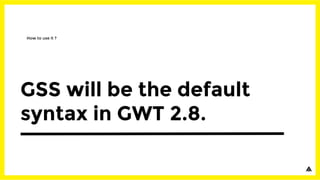
GSS will be the default
syntax in GWT 2.8.
How to use it ?
Features and syntax.
Constants.
Features and syntax
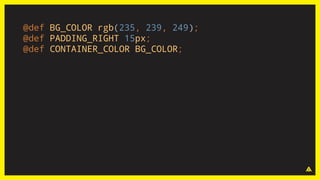
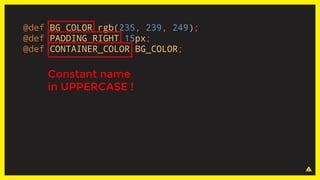
@def BG_COLOR rgb(235, 239, 249);
@def PADDING_RIGHT 15px;
@def CONTAINER_COLOR BG_COLOR;
@def BG_COLOR rgb(235, 239, 249);
@def PADDING_RIGHT 15px;
@def CONTAINER_COLOR BG_COLOR;
Constant name
in UPPERCASE !
Runtime evaluation.
Features and syntax
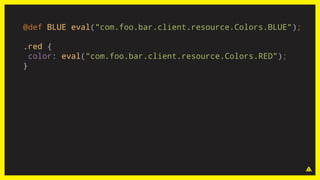
@def BLUE eval("com.foo.bar.client.resource.Colors.BLUE");
.red {
color: eval("com.foo.bar.client.resource.Colors.RED");
}
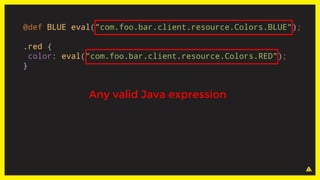
@def BLUE eval("com.foo.bar.client.resource.Colors.BLUE");
.red {
color: eval("com.foo.bar.client.resource.Colors.RED");
}
Any valid Java expression
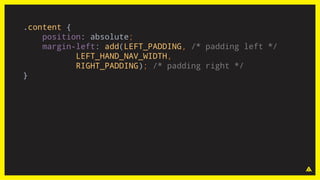
Functions.
Features and syntax
.content {
position: absolute;
margin-left: add(LEFT_PADDING, /* padding left */
LEFT_HAND_NAV_WIDTH,
RIGHT_PADDING); /* padding right */
}
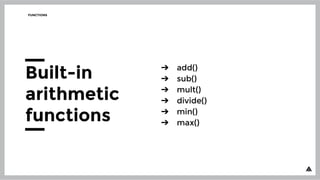
➔ add()
➔ sub()
➔ mult()
➔ divide()
➔ min()
➔ max()
FUNCTIONS
Built-in
arithmetic
functions
➔ blendColorsHsb(startColor, endColor)
➔ blendColorsRgb(startColor, endColor)
➔ makeMutedColor(backgroundColor,
foregroundColor [, saturationLoss])
➔ addHsbToCssColor(baseColor, hueToAdd,
saturationToAdd, brightnessToAdd)
➔ makeContrastingColor(color,
similarityIndex)
➔ adjustBrightness(color, brightness)
FUNCTIONS
Built-in color
manipulation
function
FUNCTIONS
You can define
your own
function...
FUNCTIONS
… or not.
FUNCTIONS
… or not.
Should be available in GWT 2.8
Stay tuned!
Mixins.
Features and syntax
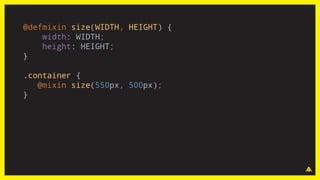
@defmixin size(WIDTH, HEIGHT) {
width: WIDTH;
height: HEIGHT;
}
.container {
@mixin size(550px, 500px);
}
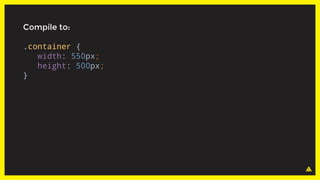
Compile to:
.container {
width: 550px;
height: 500px;
}
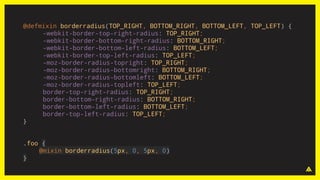
@defmixin borderradius(TOP_RIGHT, BOTTOM_RIGHT, BOTTOM_LEFT, TOP_LEFT) {
-webkit-border-top-right-radius: TOP_RIGHT;
-webkit-border-bottom-right-radius: BOTTOM_RIGHT;
-webkit-border-bottom-left-radius: BOTTOM_LEFT;
-webkit-border-top-left-radius: TOP_LEFT;
-moz-border-radius-topright: TOP_RIGHT;
-moz-border-radius-bottomright: BOTTOM_RIGHT;
-moz-border-radius-bottomleft: BOTTOM_LEFT;
-moz-border-radius-topleft: TOP_LEFT;
border-top-right-radius: TOP_RIGHT;
border-bottom-right-radius: BOTTOM_RIGHT;
border-bottom-left-radius: BOTTOM_LEFT;
border-top-left-radius: TOP_LEFT;
}
.foo {
@mixin borderradius(5px, 0, 5px, 0)
}
http://dev.arcbees.com/gsss/mixins/
Css animations done with GSSS:
visit http://www.arcbees.com
Conditional CSS.
Features and syntax
CONDITIONAL CSS
Compile time conditional
versus
Runtime conditional.
CONDITIONAL CSS
Conditional
evaluated at
compile time.
CONDITIONAL CSS
Conditional
evaluated at
compile time.
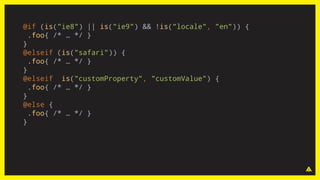
Based on permutations
or properties you define
in your module file.
@if (is("ie8") || is("ie9") && !is("locale", "en")) {
.foo{ /* … */ }
}
@elseif (is("safari")) {
.foo{ /* … */ }
}
@elseif is("customProperty", "customValue") {
.foo{ /* … */ }
}
@else {
.foo{ /* … */ }
}
CONDITIONAL CSS
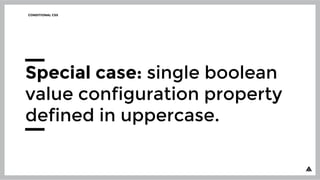
Special case: single boolean
value configuration property
defined in uppercase.
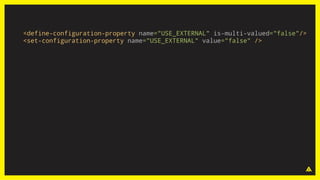
<define-configuration-property name="USE_EXTERNAL" is-multi-valued="false"/>
<set-configuration-property name="USE_EXTERNAL" value="false" />
@if (USE_EXTERNAL) {
@external '*';
}
CONDITIONAL CSS
Conditional evaluated
at runtime.
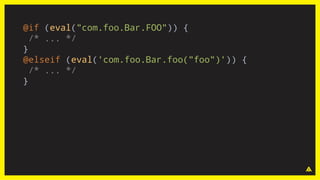
@if (eval("com.foo.Bar.FOO")) {
/* ... */
}
@elseif (eval('com.foo.Bar.foo("foo")')) {
/* ... */
}
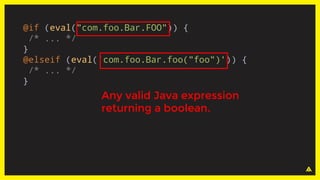
@if (eval("com.foo.Bar.FOO")) {
/* ... */
}
@elseif (eval('com.foo.Bar.foo("foo")')) {
/* ... */
}
Any valid Java expression
returning a boolean.
CONDITIONAL CSS
Differences between
runtime and compile-time
conditionals.
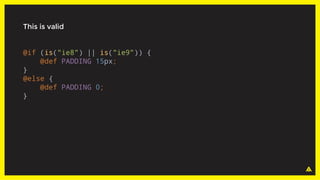
This is valid
@if (is("ie8") || is("ie9")) {
@def PADDING 15px;
}
@else {
@def PADDING 0;
}
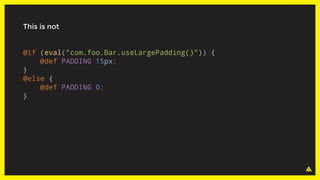
This is not
@if (eval("com.foo.Bar.useLargePadding()")) {
@def PADDING 15px;
}
@else {
@def PADDING 0;
}
This is valid
@if (USE_EXTERNAL) {
@external '*';
}
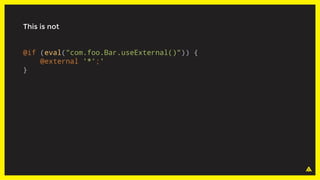
This is not
@if (eval("com.foo.Bar.useExternal()")) {
@external '*';'
}
CONDITIONAL CSS
Runtime conditionals
can only contain
CSS rules.
Resources Url
Features and syntax
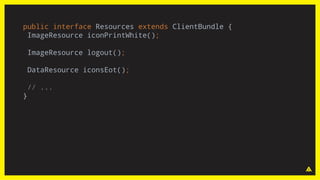
public interface Resources extends ClientBundle {
ImageResource iconPrintWhite();
ImageResource logout();
DataResource iconsEot();
// ...
}
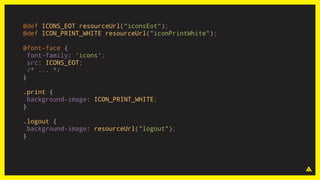
@def ICONS_EOT resourceUrl("iconsEot");
@def ICON_PRINT_WHITE resourceUrl("iconPrintWhite");
@font-face {
font-family: 'icons';
src: ICONS_EOT;
/* ... */
}
.print {
background-image: ICON_PRINT_WHITE;
}
.logout {
background-image: resourceUrl("logout");
}
/*@altenate*/
Features and syntax
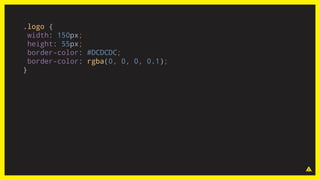
.logo {
width: 150px;
height: 55px;
border-color: #DCDCDC;
border-color: rgba(0, 0, 0, 0.1);
}
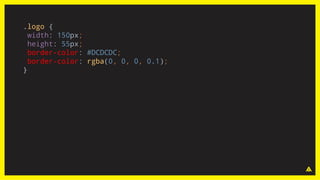
.logo {
width: 150px;
height: 55px;
border-color: #DCDCDC;
border-color: rgba(0, 0, 0, 0.1);
}
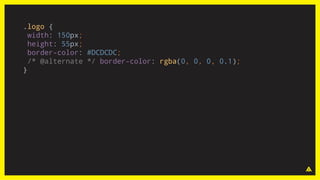
.logo {
width: 150px;
height: 55px;
border-color: #DCDCDC;
/* @alternate */ border-color: rgba(0, 0, 0, 0.1);
}
Disable
RTL Flipping.
Features and syntax
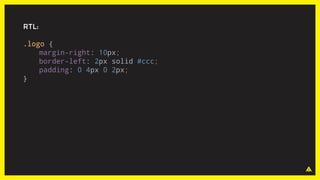
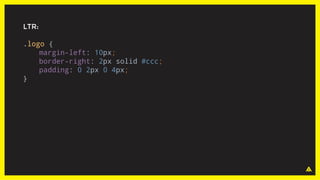
RTL:
.logo {
margin-right: 10px;
border-left: 2px solid #ccc;
padding: 0 4px 0 2px;
}
LTR:
.logo {
margin-left: 10px;
border-right: 2px solid #ccc;
padding: 0 2px 0 4px;
}
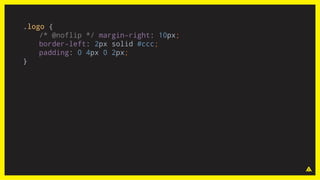
.logo {
/* @noflip */ margin-right: 10px;
border-left: 2px solid #ccc;
padding: 0 4px 0 2px;
}
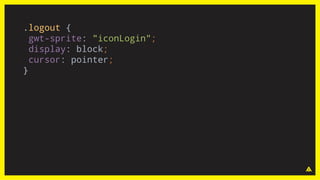
Sprite
support.
Features and syntax
.logout {
gwt-sprite: "iconLogin";
display: block;
cursor: pointer;
}
External
classes
Features and syntax
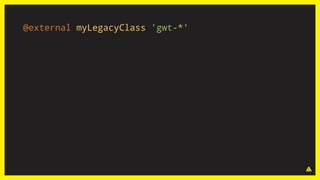
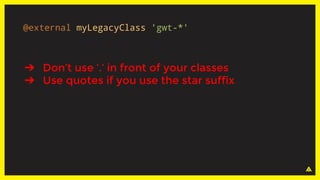
@external myLegacyClass 'gwt-*'
➔ Don’t use ‘.’ in front of your classes
➔ Use quotes if you use the star suffix
@external myLegacyClass 'gwt-*'
How to migrate
The converter:
Css2Gss.java
How to migrate
Usage :
java com.google.gwt.resources.converter.Css2Gss [Options] [file or directory]
Options:
➔ -r > Recursively convert all css files on the given
directory(leaves .css files in place)
➔ -condition list_of_condition > Specify a comma-separated
list of variables that are used in conditionals and that will be mapped
to configuration properties. The converter will not use the is() function
when it will convert these conditions
➔ -scope list_of_files > Specify a comma-separated list of css files
to be used in this conversion to determine all defined variables
THE CONVERTER
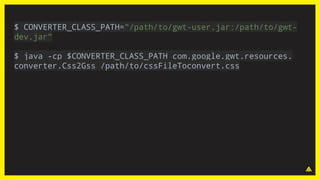
Single file
conversion.
$ CONVERTER_CLASS_PATH="/path/to/gwt-user.jar:/path/to/gwt-
dev.jar"
$ java -cp $CONVERTER_CLASS_PATH com.google.gwt.resources.
converter.Css2Gss /path/to/cssFileToconvert.css
THE CONVERTER
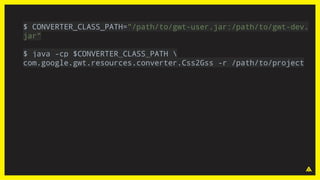
Batch
conversion.
$ CONVERTER_CLASS_PATH="/path/to/gwt-user.jar:/path/to/gwt-dev.
jar"
$ java -cp $CONVERTER_CLASS_PATH 
com.google.gwt.resources.converter.Css2Gss -r /path/to/project
THE CONVERTER
Converter Web
Application:
http://css2gss.appspot.com
Support of legacy?
How to migrate
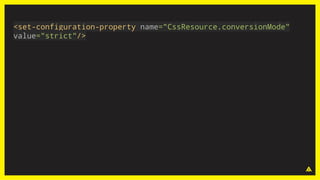
<set-configuration-property name="CssResource.conversionMode"
value="strict"/>
SUPPORT OF LEGACY
Two conversion modes:
strict
or lenient
SUPPORT OF LEGACY
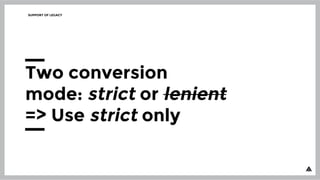
Two conversion
mode: strict or lenient
=> Use strict only
Migration path.
How to migrate
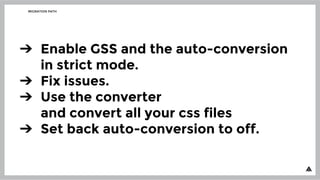
MIGRATION PATH
➔ Enable GSS and the auto-conversion
in strict mode.
➔ Fix issues.
➔ Use the converter
and convert all your css files
➔ Set back auto-conversion to off.
Configuration
CssResource.obfuscationPrefix
CONFIGURATION
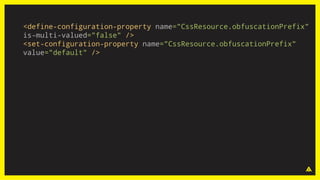
<define-configuration-property name="CssResource.obfuscationPrefix"
is-multi-valued="false" />
<set-configuration-property name="CssResource.obfuscationPrefix"
value="default" />
CssResource.obfuscationPrefix
Disable the obfuscation prefix
if your page contains
only one GWT application.
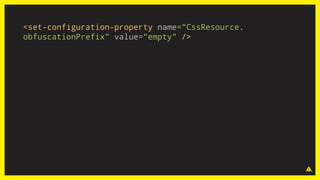
<set-configuration-property name="CssResource.
obfuscationPrefix" value="empty" />
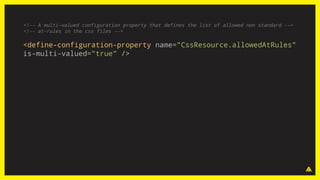
CssResource.allowedAtRules
CONFIGURATION
<!-- A multi-valued configuration property that defines the list of allowed non standard -->
<!-- at-rules in the css files -->
<define-configuration-property name="CssResource.allowedAtRules"
is-multi-valued="true" />
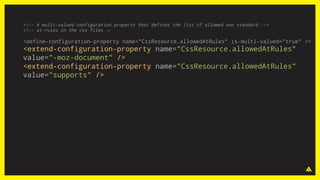
<!-- A multi-valued configuration property that defines the list of allowed non standard -->
<!-- at-rules in the css files →
<define-configuration-property name="CssResource.allowedAtRules" is-multi-valued="true" />
<extend-configuration-property name="CssResource.allowedAtRules"
value="-moz-document" />
<extend-configuration-property name="CssResource.allowedAtRules"
value="supports" />
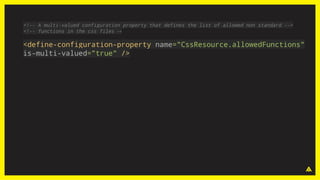
CssResource.allowedFunctions
CONFIGURATION
<!-- A multi-valued configuration property that defines the list of allowed non standard -->
<!-- functions in the css files →
<define-configuration-property name="CssResource.allowedFunctions"
is-multi-valued="true" />
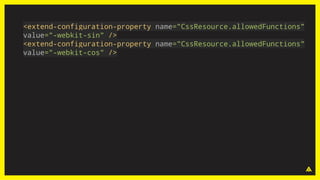
<extend-configuration-property name="CssResource.allowedFunctions"
value="-webkit-sin" />
<extend-configuration-property name="CssResource.allowedFunctions"
value="-webkit-cos" />
Roadmap
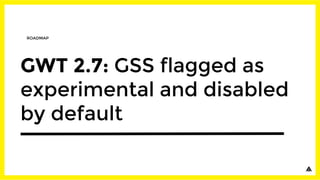
GWT 2.7: GSS flagged as
experimental and disabled
by default
ROADMAP
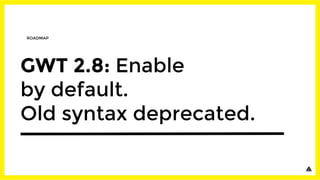
GWT 2.8: Enable
by default.
Old syntax deprecated.
ROADMAP
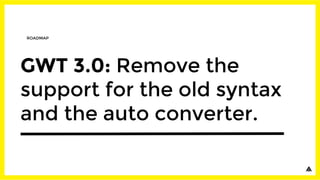
GWT 3.0: Remove the
support for the old syntax
and the auto converter.
ROADMAP
Don't wait!
It's time to migrate
to GSS!!
ROADMAP
Most of the Google GWT
application have migrated
to GSS with success!
ROADMAP
THANK YOU
THANK YOU
please rate this presentation at
gwtcreate.com/agenda
Julien Dramaix
Software Engineer
at Arcbees
+JulienDramaix
@jDramaix
QUESTIONS ?

Css3 and gwt in perfect harmony