3602: Effectively Managing a
Hybrid Messaging Environment
Andrew Schofield
Chief Architect, Hybrid Cloud Messaging
Speed &
Agility
Integration &
Scale
Core
Enterprise
Digital
Ecosystem
Digital
teams
Enterprise
ITteams
1
Speed and agility to drive
innovation and growth
•Explore, adopt, adapt
•Rapid, Iterativeprototypes
Reliability, security and scalability for
Business Critical systems
•Always on, always available
•Security, control and governance
Digital Transformation = Many Modes of IT
Digital IT Enterprise IT
Message Hub
(Based on Apache Kakfa)
MQ Light API
MQ Light API
2
Enterprise Messaging & Integration
Hybrid Messaging
MQ ExplorerMQ ClientMQ Light API
Kafka API REST API IBM MQ Appliance
Bluemix Public
Bluemix Dedicated
(Announced, GA March)
Bluemix Local
(Coming soon)
IBM MQ
IBM Message
Connect
Cloud
On-Prem
Cloud
On-Prem
What does Message Hub enable?
3
Hub for asynchronously
connecting services
inside Bluemix or beyond
Applications connected to
events happening in other
Bluemix services, or from
beyond the cloud
Insights from the data you already have
Data needs to be streamed from anywhere to one
or many analytics engines
1 2
3
Microservices allow
applications to evolve
rapidly
Open protocols support
polyglot runtimes,
application controlled
behavior and reactive
scale
MQ
plus other
on-prem data sources
MQ Light : Software and Cloud
Messaging that application
developers will love to use, helping
them make responsive applications
that scale easily
Easy to learn messaging API crafted to
feel natural in a range of languages
• Node.js
• Java
• Ruby
• Python (beta)
Sessions 3540 and 3544 for MQ Light 4
The journey that got us here
5
Andy
Developer
Iain
Infrastructure
Guy
I want to execute code
without taxing my
Web app processes
My job is to run a
communications service
for my customers’ apps
Some
thing
My Apps Workers
Messaging
Backbone
My Customers’ Apps
MQ Light Scenarios
6
Direct connection to MQ
Scenario 1
Standalone runtime for
developers
Scenario 2
Bluemix service
(Message Hub Incubator)
Scenario 3
MQ Light Messaging Model
7
DESTINATION1. Send (‘/test/a’, “Hello”);
2. Send (‘/test/a’, “World!”);
1. Hello
2. World!
1. Hello
2. World!
SHARING
Topic Address Space
Sender application
DESTINATION
Pattern=/test/#
Pattern=/test/#
Share=myshare
Client 1
Client 2
Client 3
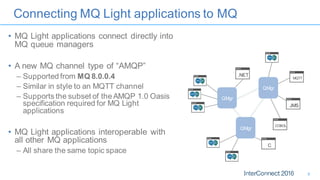
Connecting MQ Light applications to MQ
• MQ Light applications connect directly into
MQ queue managers
• A new MQ channel type of “AMQP”
– Supported from MQ 8.0.0.4
– Similar in style to an MQTT channel
– Supports the subset of the AMQP 1.0 Oasis
specification required for MQ Light
applications
• MQ Light applications interoperable with
all other MQ applications
– All share the same topic space
C
JMS
MQTT
.NET
COBOL
QMgr
QMgr
QMgr
8
Introducing Message Connect
Connects Enterprise MQ with your cloud-native Bluemix applications
• Driving cloud applications with events from back-end systems creates minimal
additional load
–
1. Message Hub Managed messaging service on Bluemix
2. AMQP channel in MQ Accepts AMQP protocol connections into IBM MQ
3. Message Connect Bridging messaging systems using MQ Light API
9
App AccessPartner
Enterprise MQ Backbone
Bluemix
Message Hub
Based on Apache Kafka
MQ Light API REST Kafka
Secure Gateway
Tunnel
1 2
Demo
Hybrid messaging using Message Connect
The components of the demo
11
Bluemix
Message Hub
Kafka
API
Secure Gateway
Tunnel
MQ Light Server
for developers
My LaptopMQ Light
API
Message
Connect
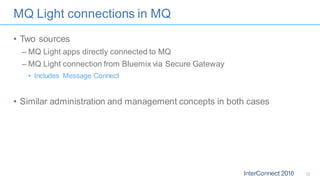
MQ Light connections in MQ
• Two sources
– MQ Light apps directly connected to MQ
– MQ Light connection from Bluemix via Secure Gateway
• Includes Message Connect
• Similar administration and management concepts in both cases
12
MQ connections used by MQ Light
• The AMQP service uses a pool of HConns for publishing messages
– DISPLAY CONN(*) TYPE(CONN) WHERE
(APPLDESC LK ‘WebSphere MQ Advanced Message Queuing Protocol*’)
• The connections in the pool have a blank client ID
• Client-specific HConns are used to consume messages
asynchronously for MQ Light subscriptions
– DISPLAY CONN(*) TYPE(CONN) WHERE (CLIENTID EQ ‘recv_abcd’)
13
MQ connections used by MQ Light
14
DIS CONN command
Limiting topic tree access for MQ Light clients
15
Queue manager
CHANNEL(AMQP.CHL.1) CHLTYPE(AMQP)
PORT(5672) TPROOT(GROUP1.TOPIC)
...
If GROUP1.TOPIC has the topic string /groups/1, messages
end up on /groups/1/sports/football
CHANNEL(AMQP.CHL.2) CHLTYPE(AMQP)
PORT(5673) TPROOT(GROUP2.TOPIC)
...
If GROUP2.TOPIC has the topic string /groups/2, messages
end up on /groups/2/sports/football
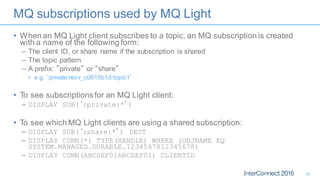
MQ subscriptions used by MQ Light
• When an MQ Light client subscribes to a topic, an MQ subscription is created
with a name of the following form:
– The client ID, or share name if the subscription is shared
– The topic pattern
– A prefix: ”private” or “share”
• e.g. ‘:private:recv_c0615b1d:topic1’
• To see subscriptionsfor an MQ Light client:
– DISPLAY SUB(‘:private:*’)
• To see which MQ Light clients are using a shared subscription:
– DISPLAY SUB(‘:share:*’) DEST
– DISPLAY CONN(*) TYPE(HANDLE) WHERE (OBJNAME EQ
SYSTEM.MANAGED.DURABLE.1234567812345678)
– DISPLAY CONN(ABCDEF01ABCDEF01) CLIENTID
16
Securing MQ Light connection
• Use the usual tools
– Channel authentication records
– Connection authentication
– Channel MCA user configuration
– MQ authority records
– TLS
17
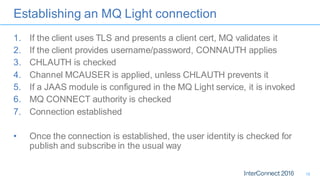
Establishing an MQ Light connection
1. If the client uses TLS and presents a client cert, MQ validates it
2. If the client provides username/password, CONNAUTH applies
3. CHLAUTH is checked
4. Channel MCAUSER is applied, unless CHLAUTH prevents it
5. If a JAAS module is configured in the MQ Light service, it is invoked
6. MQ CONNECT authority is checked
7. Connection established
• Once the connection is established, the user identity is checked for
publish and subscribe in the usual way
18
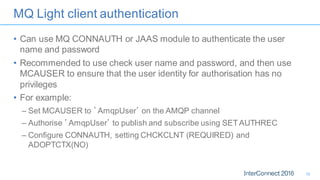
MQ Light client authentication
• Can use MQ CONNAUTH or JAAS module to authenticate the user
name and password
• Recommended to use check user name and password, and then use
MCAUSER to ensure that the user identity for authorisation has no
privileges
• For example:
– Set MCAUSER to ’AmqpUser’ on the AMQP channel
– Authorise ’AmqpUser’ to publish and subscribe using SETAUTHREC
– Configure CONNAUTH, setting CHCKCLNT (REQUIRED) and
ADOPTCTX(NO)
19
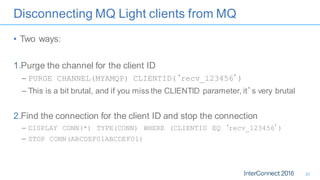
Disconnecting MQ Light clients from MQ
• Two ways:
1.Purge the channel for the client ID
– PURGE CHANNEL(MYAMQP) CLIENTID(‘recv_123456’)
– This is a bit brutal, and if you miss the CLIENTID parameter, it’s very brutal
2.Find the connection for the client ID and stop the connection
– DISPLAY CONN(*) TYPE(CONN) WHERE (CLIENTID EQ ‘recv_123456’)
– STOP CONN(ABCDEF01ABCDEF01)
20
Restricting client take-over
• When an MQ Light client connects with a particular client ID, it ejects
any existing connection with the same client ID
– This is intentional to help with reconnecting restarted apps
• You can enforce who is able to take-over to prevent abuse
– Check a combination of user name, channel name and IP address
– Configured using CHANNELS stanza in qm.ini
• AdoptNewMCA and AdoptNewMCACheck
21
Troubleshooting
• AMQP channels log to the following files:
– Informational messages written to amqp.stdout in QM’s data directory
– Error messageswritten to amqp.stderr in QM’s data directory
– Error logs written to amqp_*.log in QM’s errors directory
• FDCs are written to AMQP*.FDC files in the MQ errors directory
22
Summary
• Hybrid messaging uses the MQ LightAPI
– For user applications
– For bridging from the enterprise to the cloud
• MQ Light uses the AMQP channel type in MQ
– Integration with familiar MQ management facilities is comprehensive
• There are several ways to control authentication and identity when
using MQ Light connections
23
Where do I get more information?
IBM Messaging developerWorks
developer.ibm.com/messaging
IBM Messaging Youtube
https://www.youtube.com/IBMmessagingMedia
LinkedIn
Ibm.biz/ibmmessaging
Twitter
@IBMMessaging
IBM MQ Facebook
Facebook.com/IBM-MQ-8304628654/
Monday
10:30-11:30 3592 New MQ features
3452 Managing applications
12:00-13:00 2835 MQ on z/OS and Distributed
15:00-16:00 3470 Latest MQ z/OSfeatures
2833 Where is my message?
3544 MQ Light in an MQ infrastructure
16:30-17:30 3573 Hybrid cloud messaging
2941 MQ Advanced
Tuesday
08:30-09:30 3540 The MQ Light API
12:00-13:00 3456 The IBM MQ Appliance
13:15-14:15 3499 Introducing Message Hub
3458 MQ Appliance administration
14:30-15:30 6432 MQ updates and futures (InnerCircle)
2849 Messaging feedback roundtable
16:00-17:00 3544 MQ Light in an MQ infrastructure
3513 MQ hands on lab
Wednesday
08:30-09:30 3602 Effectively Managing Hybrid Messaging
12:00-13:00 3613 Designing MQ self service
6408 Hybrid messaging roadmap (InnerCircle)
13:15-14:00 3416 HA and DR with MQ
3433 Why secure your messaging?
15:45-16:30 3429 Securing MQ
2847 Meet the messaging experts
16:00-17:00 3508 MQ Light hands on lab
16:45-17:30 2275 Migrating to the IBM MQ Appliance
Thursday
08:30-09:15 3420 MQ Clustering
2931 Business agility with self service MQ
09:30-10:15 3479 MQ z/OS clusters and shared queue
3450 Optimising MQ applications
2849 Messaging feedback roundtable
10:30-11:15 3465 MQ Appliance high availability
3481 MQ z/OS messaging connectivity
11:30-12:15 3474 Active-active messaging
3537 Monitoring and managing MQ
3425 MQ publish/subscribe
Find us at the EXPO:
Hybrid Integration peds 65-68
Check out the Hybrid Messaging sub topic under the
Hybrid Integration topic for further customer and business
partner sessions
Hybrid Messaging from the IBM experts at InterConnect 2016
Sunday
14:30-15:30 6408 Hybrid messaging roadmap (InnerCircle)
• Hybrid Integration Strategy
• Cloud Integration
• Accelerating Digital Business
• Integration Bus
• IBM MQ
• API Management
• BPM / ODM
• DataPower
• CICS
• WAS
Spend time with IBM experts, at the home of many of IBM's software products. This summit is by
invitation only - a limited seating engagement for executives and architects who would like to learn how to
harness IBM connectivity and application integration solutions to deliver access to data, applications and
information regardless of platform, device or data formats - across both on-premises and cloud
environments.
Learn more about how we are transforming our technologies using Hybrid Cloud to enable you to harness
your existing assets to achieve greater capacity, efficiency and integration across platforms, whilst retaining
the security, capability and resiliency you would expect from IBM.
• Discover and influence IBM's strategy for key messaging and integration technologies, including, IBM
MQ, IBM Integration Bus and IBM API Management
• Engage in technical sessions and one-on-one interactions with top IBM Hursley Lab architects and
senior executives to refine your 2016 strategic plans
• Expand your network with industry-leading peers from other companies
• Plus learn about other IBM technology, such as IBM intelligent business process management solutions
(BPM & ODM), DataPower gateways, CICS and WebSphere Application Server on-premise and cloud
This event is conducted under a Non-Disclosure agreement, so we will be able to share product
directions with you.
Hursley: a visit to talk about
The IBM Hursley Lab is the largest
softw are development facility in Europe;
situated in a beautiful 100 acre park w ith a
historic setting. Attendees stay in the local
city of Winchester w hich is a vibrant
heritage destination w ith many attractions
and classical architecture including a
magnificent cathedral.
Enjoy the aw ard-winning pubs and
restaurants and a tempting array of
independent shops.
Talk to your IBM rep to find out more
Be part of the conversation
Keep up to date with the latest
information, join the conversations
and help to shape the event to
meet your interests. Use
#IBMhursum in your Tweets to
keep in touch.
#IBMhursum
European & North American
Hursley Summit 2016
Integration across applications, data and processes for mobile and cloud
May 10 – 12 & May 16 - 19 | IBM Hursley Lab, UK
#IBMhursum
Notices and Disclaimers
27
Copyright © 2016 by International Business Machines Corporation (IBM). No part of this document may be reproduced or transmitted in any form without written permission
from IBM.
U.S. Government UsersRestricted Rights- Use, duplication or disclosure restricted by GSA ADP Schedule Contract with IBM.
Information in these presentations (including information relating to products that have not yet been announced by IBM) has been reviewed for accuracy as of the date of
initial publication and could include unintentional technical or typographical errors. IBM shall have no responsibility to update this information. THIS DOCUMENT IS
DISTRIBUTED "AS IS" WITHOUT ANY WARRANTY, EITHER EXPRESS OR IMPLIED. IN NO EVENT SHALL IBM BE LIABLE FOR ANY DAMAGE ARISINGFROM THE
USE OF THIS INFORMATION, INCLUDING BUT NOT LIMITED TO, LOSS OF DATA, BUSINESS INTERRUPTION, LOSS OF PROFIT OR LOSS OF OPPORTUNITY.
IBM products and services are warranted according to the terms and conditions of the agreements under which they are provided.
Any statementsregarding IBM'sfuture direction, intent or product plansare subject to change or withdrawal without notice.
Performance data contained herein was generally obtained in a controlled, isolated environments. Customer examples are presented as illustrations of how those customers
have used IBM products and the results they may have achieved. Actual performance, cost, savings or other results in other operating environments may vary.
References in this document to IBM products, programs, or services does not imply that IBM intends to make such products, programs or services available in all countries in
which IBM operates or does business.
Workshops, sessions and associated materials may have been prepared by independent session speakers, and do not necessarily reflect the views of IBM. All materials
and discussions are provided for informational purposes only, and are neither intendedto, nor shall constitutelegal or other guidance or advice to any individual participant or
their specific situation.
It is the customer’s responsibility to insure its own compliance with legal requirements and to obtain advice of competent legal counsel as tothe identification and
interpretation of any relevant laws and regulatory requirements that may affect the customer’s business and any actions the customer may need to take to comply with such
laws. IBM does not provide legal advice or represent or warrant that its services or products will ensure that the customer is in compliance with any law
Notices and Disclaimers Con’t.
28
Information concerning non-IBM products was obtained from the suppliers of those products, their published announcements or other publicly available sources. IBM has not
tested those products in connection with this publication and cannot confirm the accuracy of performance, compatibility or any other claims related to non-IBM products.
Questions on the capabilities of non-IBM products should be addressed to the suppliers of those products. IBM does not warrant the quality of any third-party products, or the
ability of any such third-party products to interoperatewith IBM’s products. IBM EXPRESSLY DISCLAIMS ALL WARRANTIES, EXPRESSED OR IMPLIED, INCLUDING BUT
NOT LIMITED TO, THE IMPLIED WARRANTIES OF MERCHANTABILITY AND FITNESS FOR A PARTICULAR PURPOSE.
The provision of the information contained h erein is not intended to, and does not, grant any right or license under any IBM patents, copyrights, trademarks or other intellectual
property right.
IBM, the IBM logo, ibm.com, Aspera®, Bluemix, Blueworks Live, CICS, Clearcase, Cognos®, DOORS®, Emptoris®, Enterprise Document Management System™, FASP®,
FileNet®, Global Business Services ®, Global Technology Services ®, IBM ExperienceOne™, IBM SmartCloud®, IBM Social Business®, Information on Demand, ILOG,
Maximo®, MQIntegrator®, MQSeries®, Netcool®, OMEGAMON, OpenPower, PureAnalytics™, PureApplication®, pureCluster™, PureCoverage®, PureData®,
PureExperience®, PureFlex®, pureQuery®, pureScale®, PureSystems®, QRadar®, Rational®, Rhapsody®, Smarter Commerce®, SoDA, SPSS, Sterling Commerce®,
StoredIQ, Tealeaf®, Tivoli®, Trusteer®, Unica®, urban{code}®, Watson, WebSphere®, Worklight®, X-Force® and System z® Z/OS, are trademarks of International Business
Machines Corporation, registered in many jurisdictions worldwide. Other product and service names might be trademarks of IBM or other companies. A current list of IBM
trademarks is available on the Web at "Copyright and trademark information" at: www.ibm.com/legal/copytrade.shtml.
Thank You
Your Feedback is Important!
Access the InterConnect 2016 Conference Attendee
Portal to complete your session surveys from your
smartphone,
laptop or conference kiosk.

Effectively Managing a Hybrid Messaging Environment

  • 1.
    3602: Effectively Managinga Hybrid Messaging Environment Andrew Schofield Chief Architect, Hybrid Cloud Messaging
  • 2.
    Speed & Agility Integration & Scale Core Enterprise Digital Ecosystem Digital teams Enterprise ITteams 1 Speedand agility to drive innovation and growth •Explore, adopt, adapt •Rapid, Iterativeprototypes Reliability, security and scalability for Business Critical systems •Always on, always available •Security, control and governance Digital Transformation = Many Modes of IT
  • 3.
    Digital IT EnterpriseIT Message Hub (Based on Apache Kakfa) MQ Light API MQ Light API 2 Enterprise Messaging & Integration Hybrid Messaging MQ ExplorerMQ ClientMQ Light API Kafka API REST API IBM MQ Appliance Bluemix Public Bluemix Dedicated (Announced, GA March) Bluemix Local (Coming soon) IBM MQ IBM Message Connect Cloud On-Prem Cloud On-Prem
  • 4.
    What does MessageHub enable? 3 Hub for asynchronously connecting services inside Bluemix or beyond Applications connected to events happening in other Bluemix services, or from beyond the cloud Insights from the data you already have Data needs to be streamed from anywhere to one or many analytics engines 1 2 3 Microservices allow applications to evolve rapidly Open protocols support polyglot runtimes, application controlled behavior and reactive scale MQ plus other on-prem data sources
  • 5.
    MQ Light :Software and Cloud Messaging that application developers will love to use, helping them make responsive applications that scale easily Easy to learn messaging API crafted to feel natural in a range of languages • Node.js • Java • Ruby • Python (beta) Sessions 3540 and 3544 for MQ Light 4
  • 6.
    The journey thatgot us here 5 Andy Developer Iain Infrastructure Guy I want to execute code without taxing my Web app processes My job is to run a communications service for my customers’ apps Some thing My Apps Workers Messaging Backbone My Customers’ Apps
  • 7.
    MQ Light Scenarios 6 Directconnection to MQ Scenario 1 Standalone runtime for developers Scenario 2 Bluemix service (Message Hub Incubator) Scenario 3
  • 8.
    MQ Light MessagingModel 7 DESTINATION1. Send (‘/test/a’, “Hello”); 2. Send (‘/test/a’, “World!”); 1. Hello 2. World! 1. Hello 2. World! SHARING Topic Address Space Sender application DESTINATION Pattern=/test/# Pattern=/test/# Share=myshare Client 1 Client 2 Client 3
  • 9.
    Connecting MQ Lightapplications to MQ • MQ Light applications connect directly into MQ queue managers • A new MQ channel type of “AMQP” – Supported from MQ 8.0.0.4 – Similar in style to an MQTT channel – Supports the subset of the AMQP 1.0 Oasis specification required for MQ Light applications • MQ Light applications interoperable with all other MQ applications – All share the same topic space C JMS MQTT .NET COBOL QMgr QMgr QMgr 8
  • 10.
    Introducing Message Connect ConnectsEnterprise MQ with your cloud-native Bluemix applications • Driving cloud applications with events from back-end systems creates minimal additional load – 1. Message Hub Managed messaging service on Bluemix 2. AMQP channel in MQ Accepts AMQP protocol connections into IBM MQ 3. Message Connect Bridging messaging systems using MQ Light API 9 App AccessPartner Enterprise MQ Backbone Bluemix Message Hub Based on Apache Kafka MQ Light API REST Kafka Secure Gateway Tunnel 1 2
  • 11.
  • 12.
    The components ofthe demo 11 Bluemix Message Hub Kafka API Secure Gateway Tunnel MQ Light Server for developers My LaptopMQ Light API Message Connect
  • 13.
    MQ Light connectionsin MQ • Two sources – MQ Light apps directly connected to MQ – MQ Light connection from Bluemix via Secure Gateway • Includes Message Connect • Similar administration and management concepts in both cases 12
  • 14.
    MQ connections usedby MQ Light • The AMQP service uses a pool of HConns for publishing messages – DISPLAY CONN(*) TYPE(CONN) WHERE (APPLDESC LK ‘WebSphere MQ Advanced Message Queuing Protocol*’) • The connections in the pool have a blank client ID • Client-specific HConns are used to consume messages asynchronously for MQ Light subscriptions – DISPLAY CONN(*) TYPE(CONN) WHERE (CLIENTID EQ ‘recv_abcd’) 13
  • 15.
    MQ connections usedby MQ Light 14 DIS CONN command
  • 16.
    Limiting topic treeaccess for MQ Light clients 15 Queue manager CHANNEL(AMQP.CHL.1) CHLTYPE(AMQP) PORT(5672) TPROOT(GROUP1.TOPIC) ... If GROUP1.TOPIC has the topic string /groups/1, messages end up on /groups/1/sports/football CHANNEL(AMQP.CHL.2) CHLTYPE(AMQP) PORT(5673) TPROOT(GROUP2.TOPIC) ... If GROUP2.TOPIC has the topic string /groups/2, messages end up on /groups/2/sports/football
  • 17.
    MQ subscriptions usedby MQ Light • When an MQ Light client subscribes to a topic, an MQ subscription is created with a name of the following form: – The client ID, or share name if the subscription is shared – The topic pattern – A prefix: ”private” or “share” • e.g. ‘:private:recv_c0615b1d:topic1’ • To see subscriptionsfor an MQ Light client: – DISPLAY SUB(‘:private:*’) • To see which MQ Light clients are using a shared subscription: – DISPLAY SUB(‘:share:*’) DEST – DISPLAY CONN(*) TYPE(HANDLE) WHERE (OBJNAME EQ SYSTEM.MANAGED.DURABLE.1234567812345678) – DISPLAY CONN(ABCDEF01ABCDEF01) CLIENTID 16
  • 18.
    Securing MQ Lightconnection • Use the usual tools – Channel authentication records – Connection authentication – Channel MCA user configuration – MQ authority records – TLS 17
  • 19.
    Establishing an MQLight connection 1. If the client uses TLS and presents a client cert, MQ validates it 2. If the client provides username/password, CONNAUTH applies 3. CHLAUTH is checked 4. Channel MCAUSER is applied, unless CHLAUTH prevents it 5. If a JAAS module is configured in the MQ Light service, it is invoked 6. MQ CONNECT authority is checked 7. Connection established • Once the connection is established, the user identity is checked for publish and subscribe in the usual way 18
  • 20.
    MQ Light clientauthentication • Can use MQ CONNAUTH or JAAS module to authenticate the user name and password • Recommended to use check user name and password, and then use MCAUSER to ensure that the user identity for authorisation has no privileges • For example: – Set MCAUSER to ’AmqpUser’ on the AMQP channel – Authorise ’AmqpUser’ to publish and subscribe using SETAUTHREC – Configure CONNAUTH, setting CHCKCLNT (REQUIRED) and ADOPTCTX(NO) 19
  • 21.
    Disconnecting MQ Lightclients from MQ • Two ways: 1.Purge the channel for the client ID – PURGE CHANNEL(MYAMQP) CLIENTID(‘recv_123456’) – This is a bit brutal, and if you miss the CLIENTID parameter, it’s very brutal 2.Find the connection for the client ID and stop the connection – DISPLAY CONN(*) TYPE(CONN) WHERE (CLIENTID EQ ‘recv_123456’) – STOP CONN(ABCDEF01ABCDEF01) 20
  • 22.
    Restricting client take-over •When an MQ Light client connects with a particular client ID, it ejects any existing connection with the same client ID – This is intentional to help with reconnecting restarted apps • You can enforce who is able to take-over to prevent abuse – Check a combination of user name, channel name and IP address – Configured using CHANNELS stanza in qm.ini • AdoptNewMCA and AdoptNewMCACheck 21
  • 23.
    Troubleshooting • AMQP channelslog to the following files: – Informational messages written to amqp.stdout in QM’s data directory – Error messageswritten to amqp.stderr in QM’s data directory – Error logs written to amqp_*.log in QM’s errors directory • FDCs are written to AMQP*.FDC files in the MQ errors directory 22
  • 24.
    Summary • Hybrid messaginguses the MQ LightAPI – For user applications – For bridging from the enterprise to the cloud • MQ Light uses the AMQP channel type in MQ – Integration with familiar MQ management facilities is comprehensive • There are several ways to control authentication and identity when using MQ Light connections 23
  • 25.
    Where do Iget more information? IBM Messaging developerWorks developer.ibm.com/messaging IBM Messaging Youtube https://www.youtube.com/IBMmessagingMedia LinkedIn Ibm.biz/ibmmessaging Twitter @IBMMessaging IBM MQ Facebook Facebook.com/IBM-MQ-8304628654/
  • 26.
    Monday 10:30-11:30 3592 NewMQ features 3452 Managing applications 12:00-13:00 2835 MQ on z/OS and Distributed 15:00-16:00 3470 Latest MQ z/OSfeatures 2833 Where is my message? 3544 MQ Light in an MQ infrastructure 16:30-17:30 3573 Hybrid cloud messaging 2941 MQ Advanced Tuesday 08:30-09:30 3540 The MQ Light API 12:00-13:00 3456 The IBM MQ Appliance 13:15-14:15 3499 Introducing Message Hub 3458 MQ Appliance administration 14:30-15:30 6432 MQ updates and futures (InnerCircle) 2849 Messaging feedback roundtable 16:00-17:00 3544 MQ Light in an MQ infrastructure 3513 MQ hands on lab Wednesday 08:30-09:30 3602 Effectively Managing Hybrid Messaging 12:00-13:00 3613 Designing MQ self service 6408 Hybrid messaging roadmap (InnerCircle) 13:15-14:00 3416 HA and DR with MQ 3433 Why secure your messaging? 15:45-16:30 3429 Securing MQ 2847 Meet the messaging experts 16:00-17:00 3508 MQ Light hands on lab 16:45-17:30 2275 Migrating to the IBM MQ Appliance Thursday 08:30-09:15 3420 MQ Clustering 2931 Business agility with self service MQ 09:30-10:15 3479 MQ z/OS clusters and shared queue 3450 Optimising MQ applications 2849 Messaging feedback roundtable 10:30-11:15 3465 MQ Appliance high availability 3481 MQ z/OS messaging connectivity 11:30-12:15 3474 Active-active messaging 3537 Monitoring and managing MQ 3425 MQ publish/subscribe Find us at the EXPO: Hybrid Integration peds 65-68 Check out the Hybrid Messaging sub topic under the Hybrid Integration topic for further customer and business partner sessions Hybrid Messaging from the IBM experts at InterConnect 2016 Sunday 14:30-15:30 6408 Hybrid messaging roadmap (InnerCircle)
  • 27.
    • Hybrid IntegrationStrategy • Cloud Integration • Accelerating Digital Business • Integration Bus • IBM MQ • API Management • BPM / ODM • DataPower • CICS • WAS Spend time with IBM experts, at the home of many of IBM's software products. This summit is by invitation only - a limited seating engagement for executives and architects who would like to learn how to harness IBM connectivity and application integration solutions to deliver access to data, applications and information regardless of platform, device or data formats - across both on-premises and cloud environments. Learn more about how we are transforming our technologies using Hybrid Cloud to enable you to harness your existing assets to achieve greater capacity, efficiency and integration across platforms, whilst retaining the security, capability and resiliency you would expect from IBM. • Discover and influence IBM's strategy for key messaging and integration technologies, including, IBM MQ, IBM Integration Bus and IBM API Management • Engage in technical sessions and one-on-one interactions with top IBM Hursley Lab architects and senior executives to refine your 2016 strategic plans • Expand your network with industry-leading peers from other companies • Plus learn about other IBM technology, such as IBM intelligent business process management solutions (BPM & ODM), DataPower gateways, CICS and WebSphere Application Server on-premise and cloud This event is conducted under a Non-Disclosure agreement, so we will be able to share product directions with you. Hursley: a visit to talk about The IBM Hursley Lab is the largest softw are development facility in Europe; situated in a beautiful 100 acre park w ith a historic setting. Attendees stay in the local city of Winchester w hich is a vibrant heritage destination w ith many attractions and classical architecture including a magnificent cathedral. Enjoy the aw ard-winning pubs and restaurants and a tempting array of independent shops. Talk to your IBM rep to find out more Be part of the conversation Keep up to date with the latest information, join the conversations and help to shape the event to meet your interests. Use #IBMhursum in your Tweets to keep in touch. #IBMhursum European & North American Hursley Summit 2016 Integration across applications, data and processes for mobile and cloud May 10 – 12 & May 16 - 19 | IBM Hursley Lab, UK #IBMhursum
  • 28.
    Notices and Disclaimers 27 Copyright© 2016 by International Business Machines Corporation (IBM). No part of this document may be reproduced or transmitted in any form without written permission from IBM. U.S. Government UsersRestricted Rights- Use, duplication or disclosure restricted by GSA ADP Schedule Contract with IBM. Information in these presentations (including information relating to products that have not yet been announced by IBM) has been reviewed for accuracy as of the date of initial publication and could include unintentional technical or typographical errors. IBM shall have no responsibility to update this information. THIS DOCUMENT IS DISTRIBUTED "AS IS" WITHOUT ANY WARRANTY, EITHER EXPRESS OR IMPLIED. IN NO EVENT SHALL IBM BE LIABLE FOR ANY DAMAGE ARISINGFROM THE USE OF THIS INFORMATION, INCLUDING BUT NOT LIMITED TO, LOSS OF DATA, BUSINESS INTERRUPTION, LOSS OF PROFIT OR LOSS OF OPPORTUNITY. IBM products and services are warranted according to the terms and conditions of the agreements under which they are provided. Any statementsregarding IBM'sfuture direction, intent or product plansare subject to change or withdrawal without notice. Performance data contained herein was generally obtained in a controlled, isolated environments. Customer examples are presented as illustrations of how those customers have used IBM products and the results they may have achieved. Actual performance, cost, savings or other results in other operating environments may vary. References in this document to IBM products, programs, or services does not imply that IBM intends to make such products, programs or services available in all countries in which IBM operates or does business. Workshops, sessions and associated materials may have been prepared by independent session speakers, and do not necessarily reflect the views of IBM. All materials and discussions are provided for informational purposes only, and are neither intendedto, nor shall constitutelegal or other guidance or advice to any individual participant or their specific situation. It is the customer’s responsibility to insure its own compliance with legal requirements and to obtain advice of competent legal counsel as tothe identification and interpretation of any relevant laws and regulatory requirements that may affect the customer’s business and any actions the customer may need to take to comply with such laws. IBM does not provide legal advice or represent or warrant that its services or products will ensure that the customer is in compliance with any law
  • 29.
    Notices and DisclaimersCon’t. 28 Information concerning non-IBM products was obtained from the suppliers of those products, their published announcements or other publicly available sources. IBM has not tested those products in connection with this publication and cannot confirm the accuracy of performance, compatibility or any other claims related to non-IBM products. Questions on the capabilities of non-IBM products should be addressed to the suppliers of those products. IBM does not warrant the quality of any third-party products, or the ability of any such third-party products to interoperatewith IBM’s products. IBM EXPRESSLY DISCLAIMS ALL WARRANTIES, EXPRESSED OR IMPLIED, INCLUDING BUT NOT LIMITED TO, THE IMPLIED WARRANTIES OF MERCHANTABILITY AND FITNESS FOR A PARTICULAR PURPOSE. The provision of the information contained h erein is not intended to, and does not, grant any right or license under any IBM patents, copyrights, trademarks or other intellectual property right. IBM, the IBM logo, ibm.com, Aspera®, Bluemix, Blueworks Live, CICS, Clearcase, Cognos®, DOORS®, Emptoris®, Enterprise Document Management System™, FASP®, FileNet®, Global Business Services ®, Global Technology Services ®, IBM ExperienceOne™, IBM SmartCloud®, IBM Social Business®, Information on Demand, ILOG, Maximo®, MQIntegrator®, MQSeries®, Netcool®, OMEGAMON, OpenPower, PureAnalytics™, PureApplication®, pureCluster™, PureCoverage®, PureData®, PureExperience®, PureFlex®, pureQuery®, pureScale®, PureSystems®, QRadar®, Rational®, Rhapsody®, Smarter Commerce®, SoDA, SPSS, Sterling Commerce®, StoredIQ, Tealeaf®, Tivoli®, Trusteer®, Unica®, urban{code}®, Watson, WebSphere®, Worklight®, X-Force® and System z® Z/OS, are trademarks of International Business Machines Corporation, registered in many jurisdictions worldwide. Other product and service names might be trademarks of IBM or other companies. A current list of IBM trademarks is available on the Web at "Copyright and trademark information" at: www.ibm.com/legal/copytrade.shtml.
  • 30.
    Thank You Your Feedbackis Important! Access the InterConnect 2016 Conference Attendee Portal to complete your session surveys from your smartphone, laptop or conference kiosk.