Troubleshooting Drupal
When it hits the fan!
http://bit.ly/drupaltips
Who are we?
→Lanette Miller & Ally Gonthier
→Support Goddesses of Acquia
What is this about?
The Basics
All Contacts and Addresses
IP Addresses and SSH Passwords
Connections
Backups
Git (Version Control)
Know Your Stack
More things to know!
→Logs
→Drush
→New Relic/Traceview
→Helpful Browser Extensions
 User Agent Switcher
 Modify Headers
 Live HTTP Headers
What is the
Problem?
Take a deep breath…
Questions to ask
→What do you see?
→What do you expect to see?
→When did it start?
→What has changed?
→Is it reproducible?
→Logged in versus anonymous users?
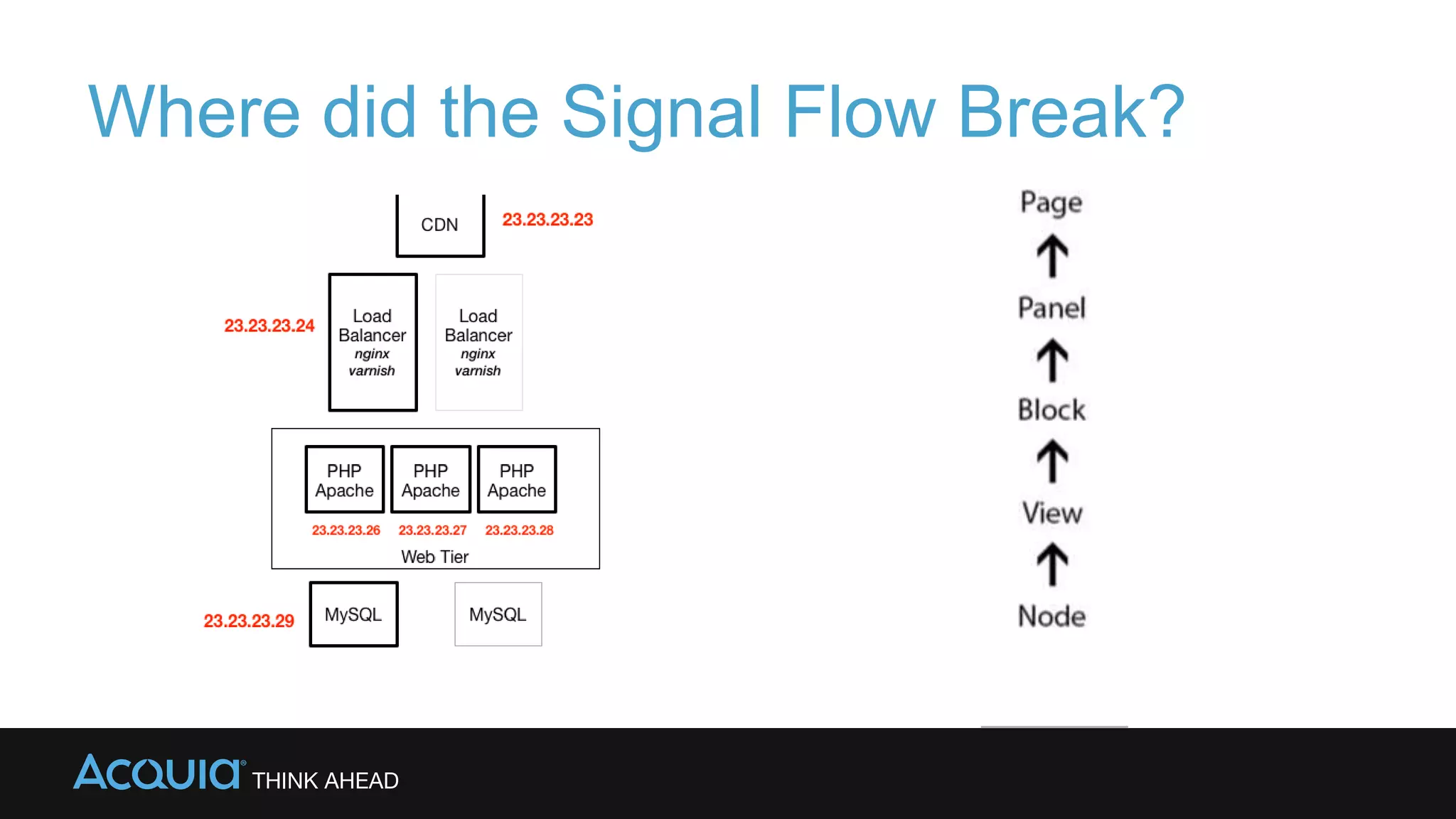
Where did the Signal Flow Break?
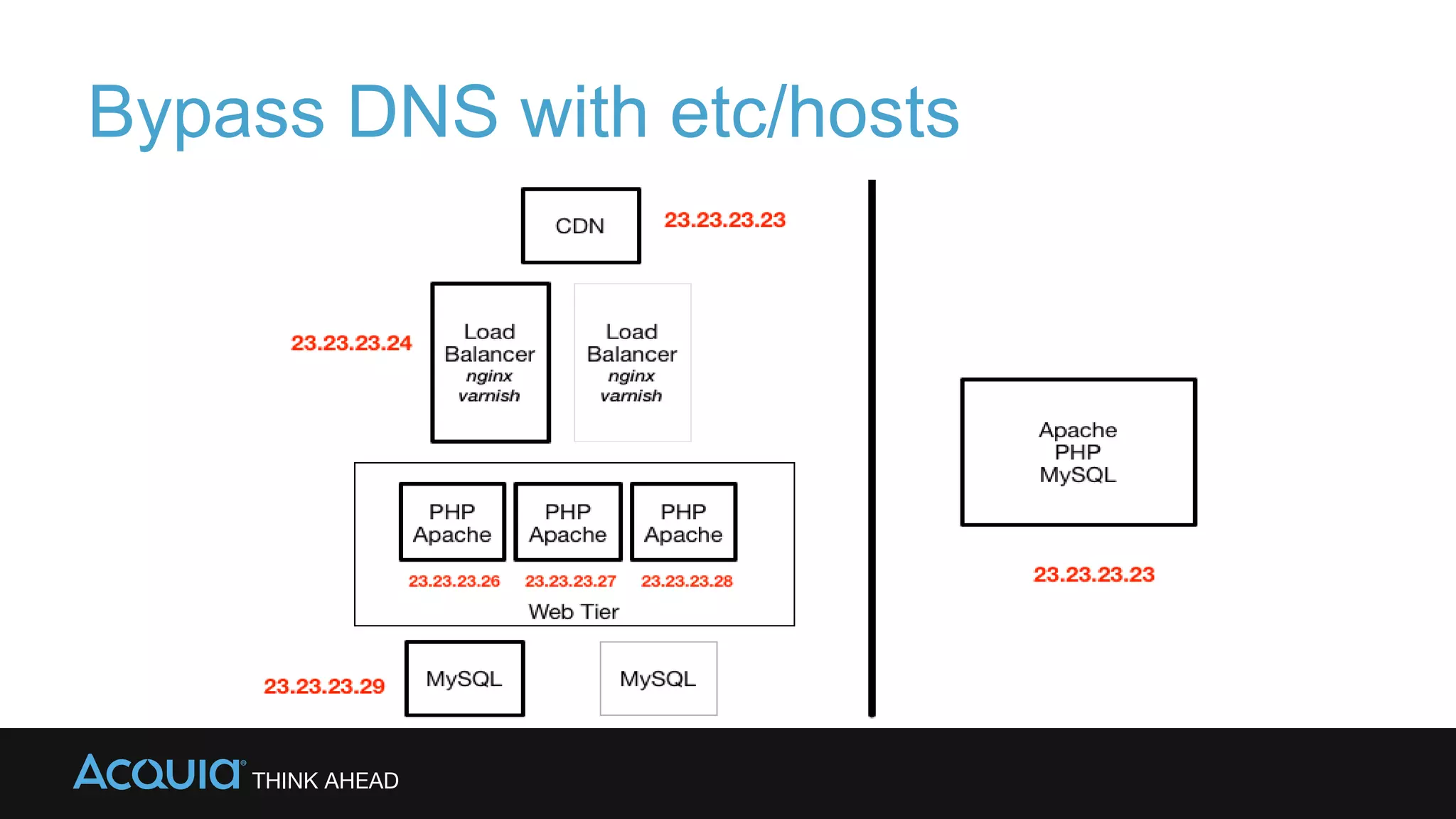
Bypass DNS with etc/hosts
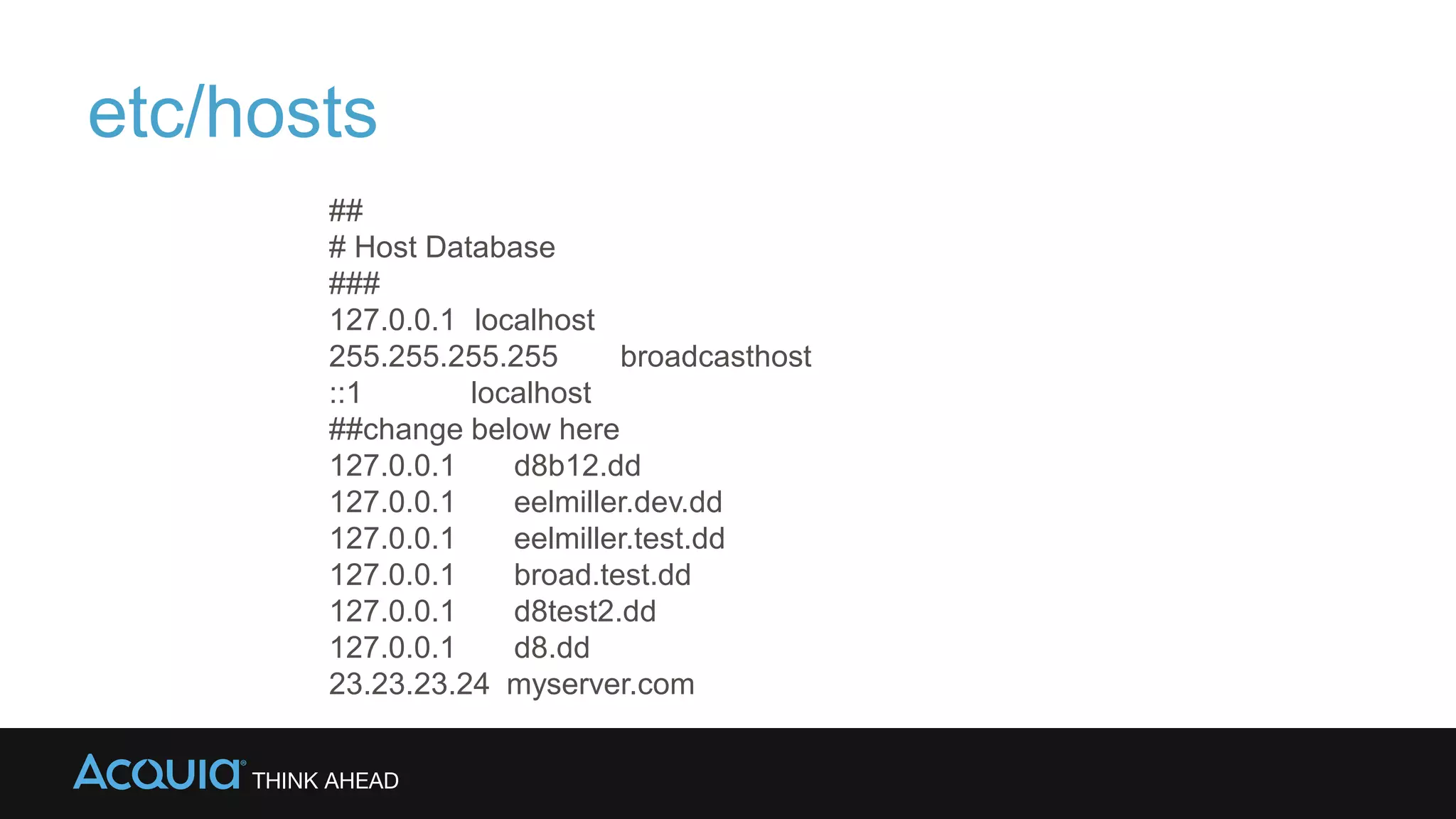
etc/hosts
##
# Host Database
###
127.0.0.1 localhost
255.255.255.255 broadcasthost
::1 localhost
##change below here
127.0.0.1 d8b12.dd
127.0.0.1 eelmiller.dev.dd
127.0.0.1 eelmiller.test.dd
127.0.0.1 broad.test.dd
127.0.0.1 d8test2.dd
127.0.0.1 d8.dd
23.23.23.24 myserver.com
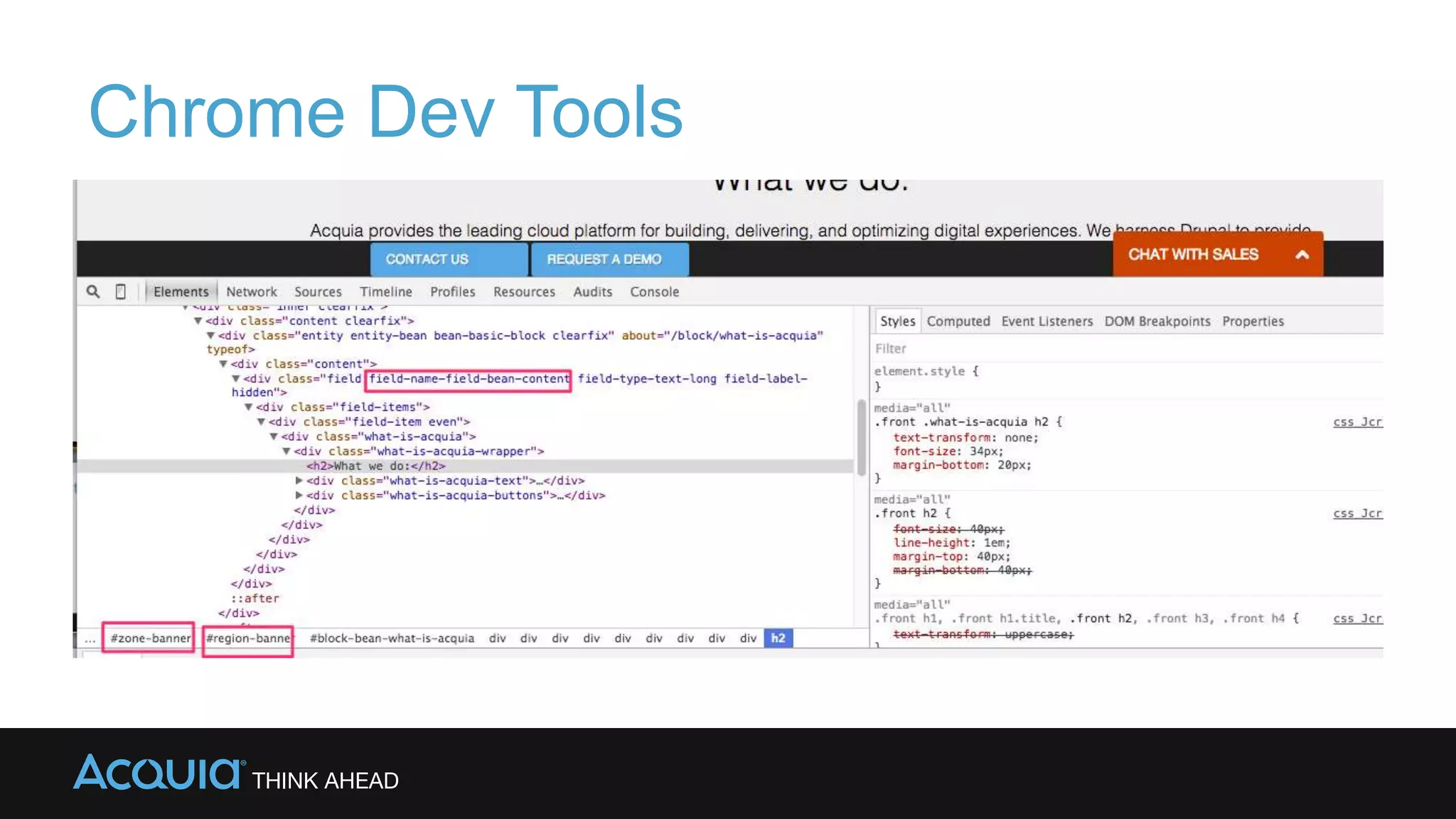
Chrome Dev Tools
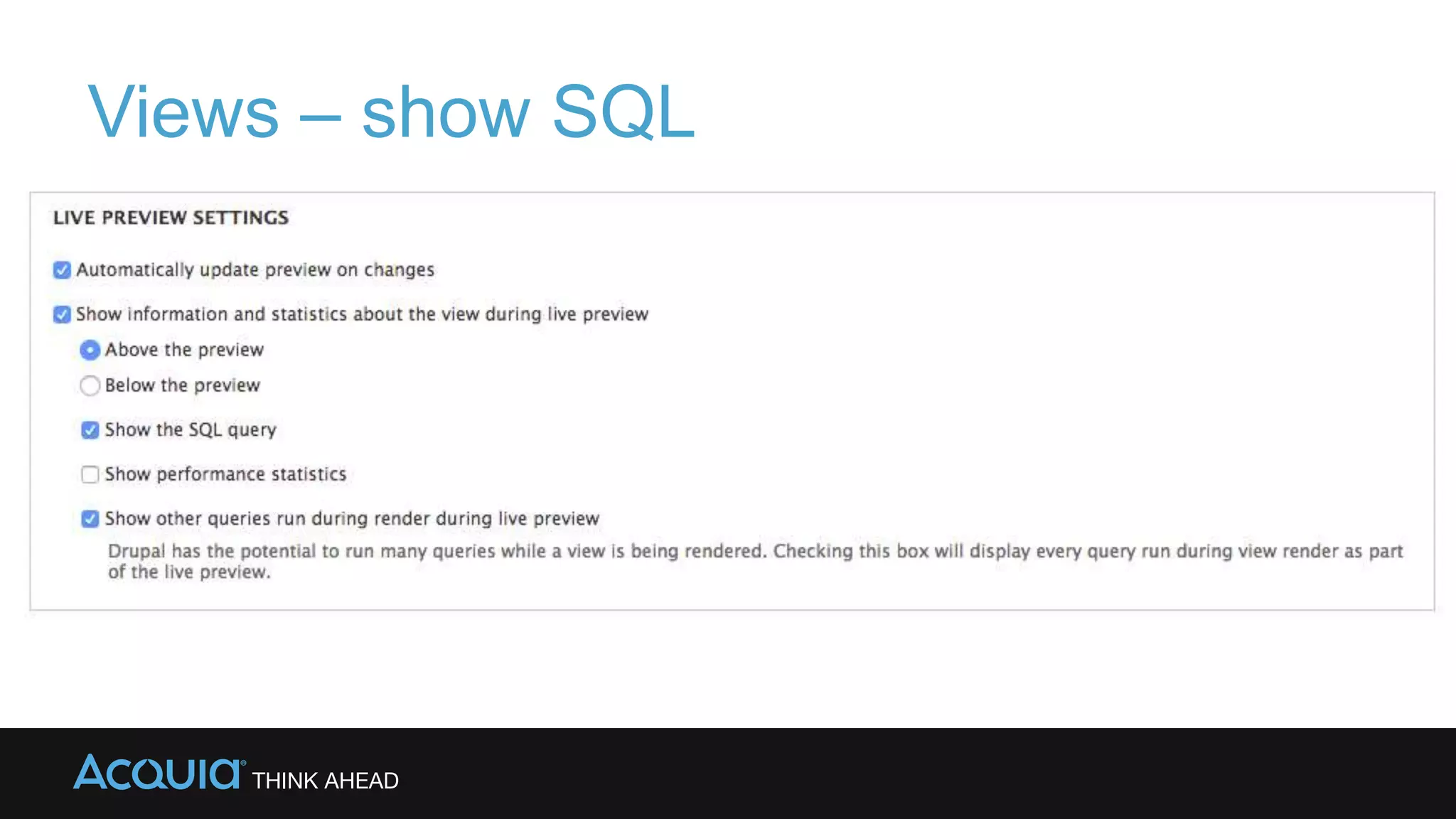
Views – show SQL
→Show SQL queries
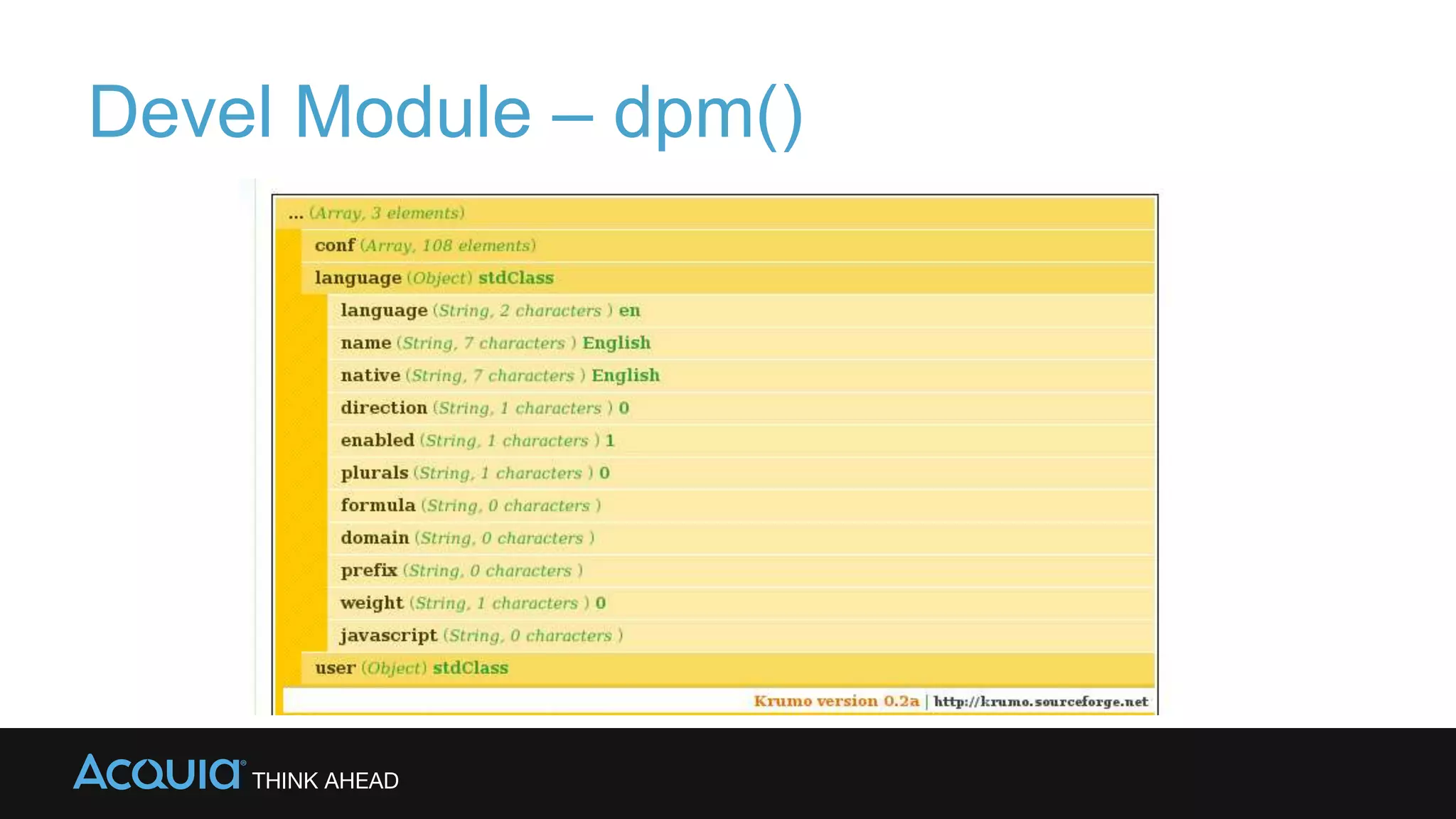
Devel Module – dpm()
Drush
→Learn to love drush
→Drush Commands can be modified with
--uri=www.sitename.com
-v verbose
-d debug
-s simulate
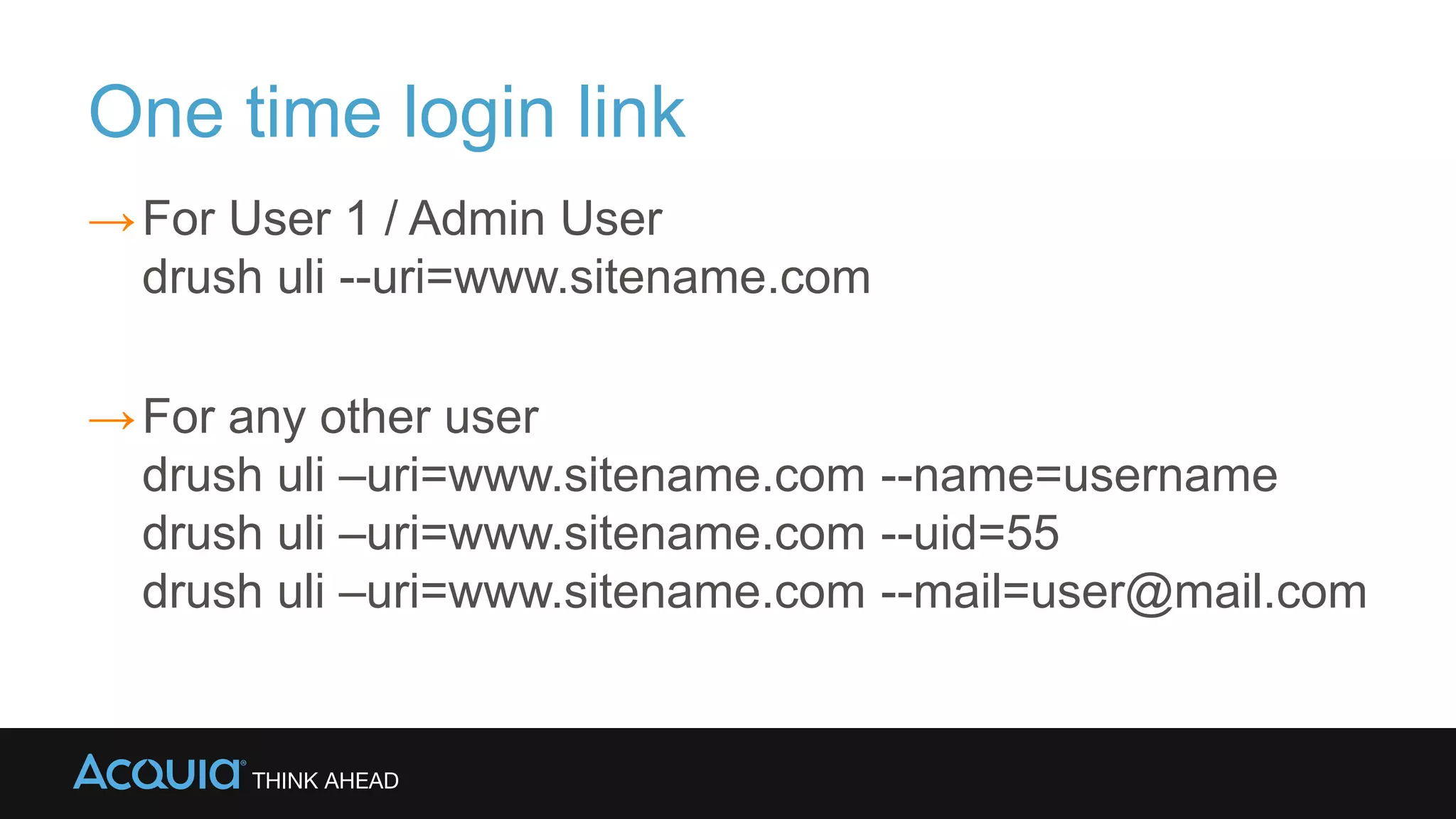
One time login link
→For User 1 / Admin User
drush uli --uri=www.sitename.com
→For any other user
drush uli –uri=www.sitename.com --name=username
drush uli –uri=www.sitename.com --uid=55
drush uli –uri=www.sitename.com --mail=user@mail.com
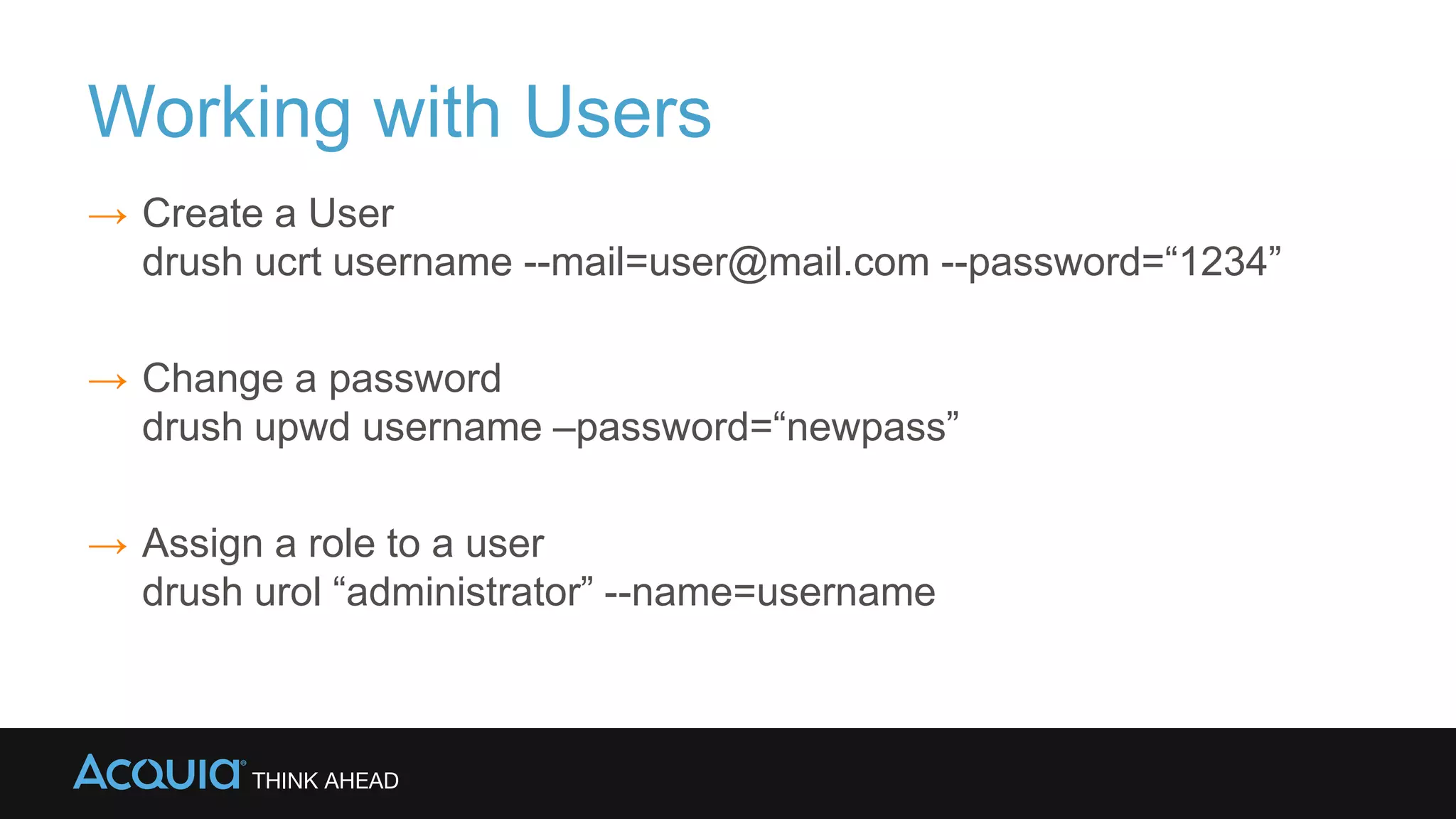
Working with Users
→ Create a User
drush ucrt username --mail=user@mail.com --password=“1234”
→ Change a password
drush upwd username –password=“newpass”
→ Assign a role to a user
drush urol “administrator” --name=username
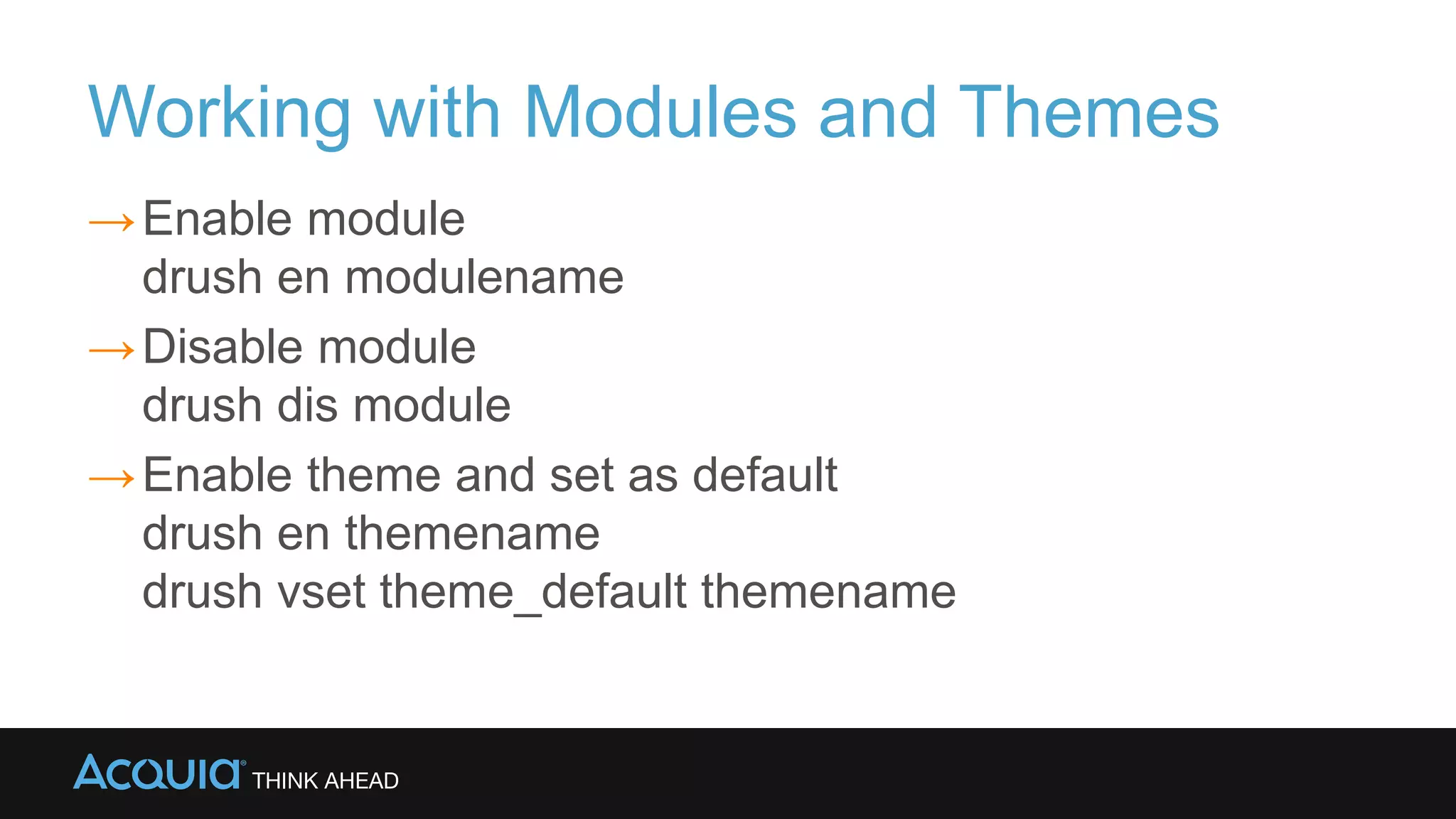
Working with Modules and Themes
→Enable module
drush en modulename
→Disable module
drush dis module
→Enable theme and set as default
drush en themename
drush vset theme_default themename
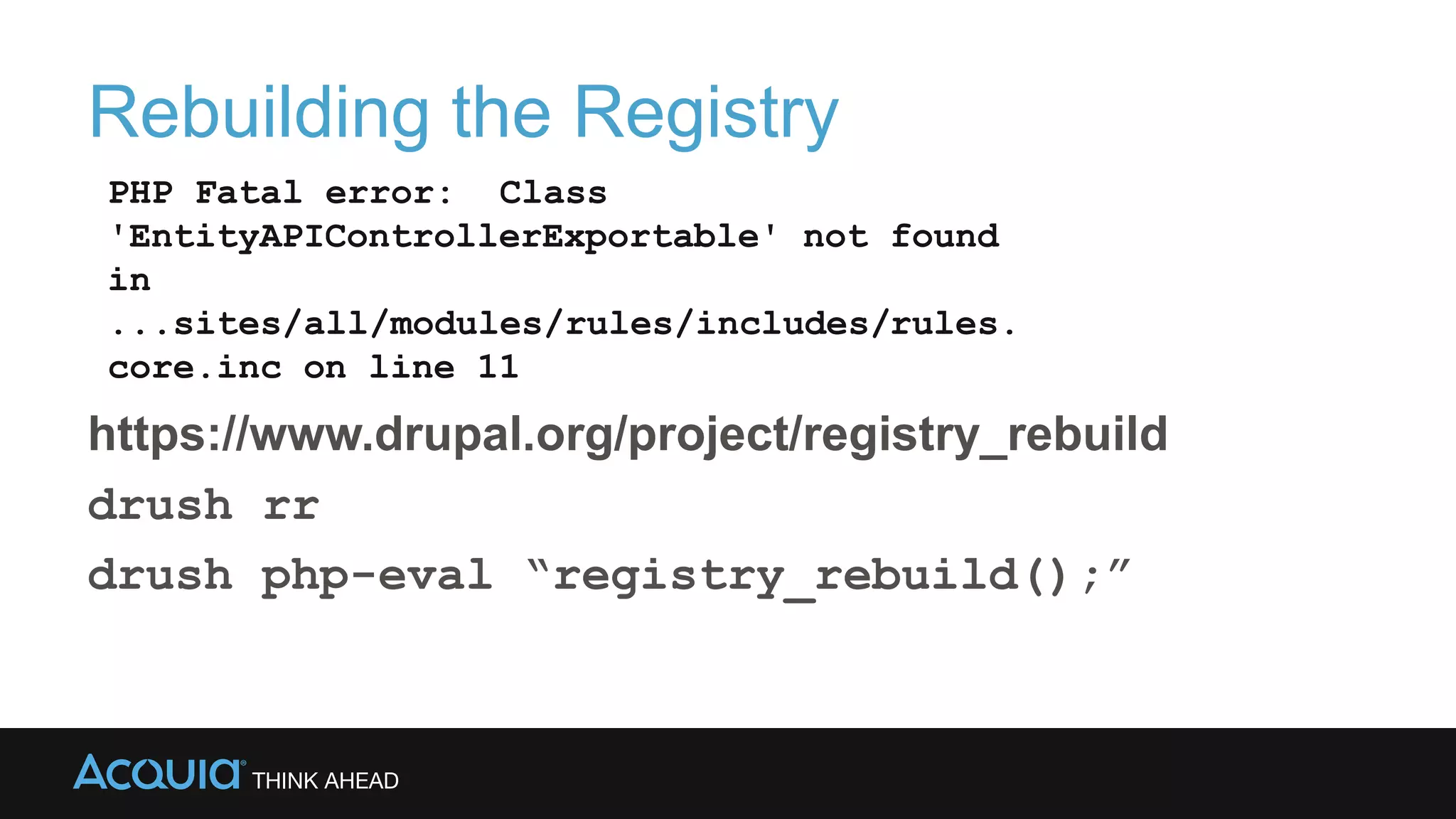
Rebuilding the Registry
https://www.drupal.org/project/registry_rebuild
drush rr
drush php-eval “registry_rebuild();”
PHP Fatal error: Class
'EntityAPIControllerExportable' not found
in
...sites/all/modules/rules/includes/rules.
core.inc on line 11
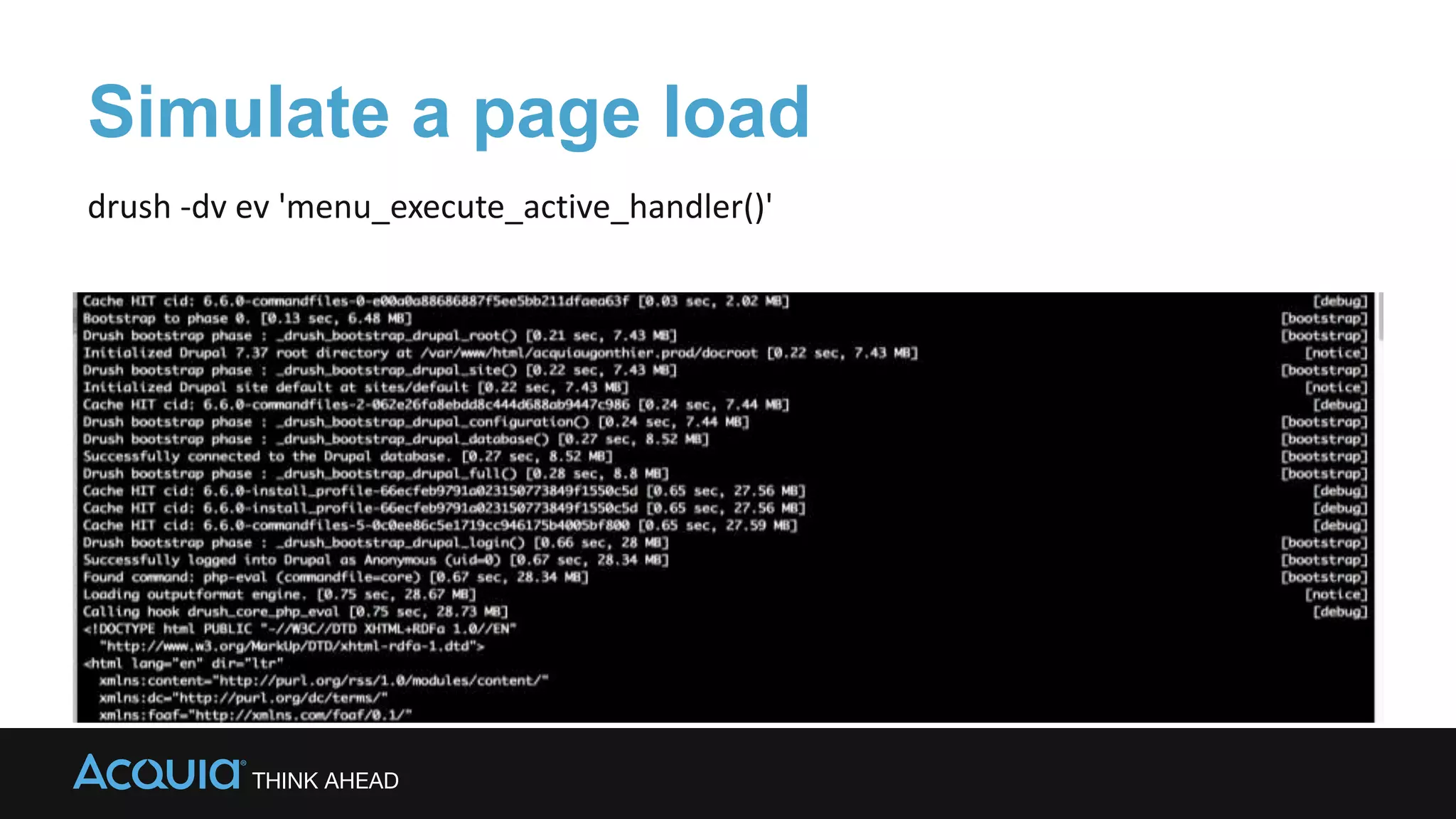
Simulate a page load
drush -dv ev 'menu_execute_active_handler()'
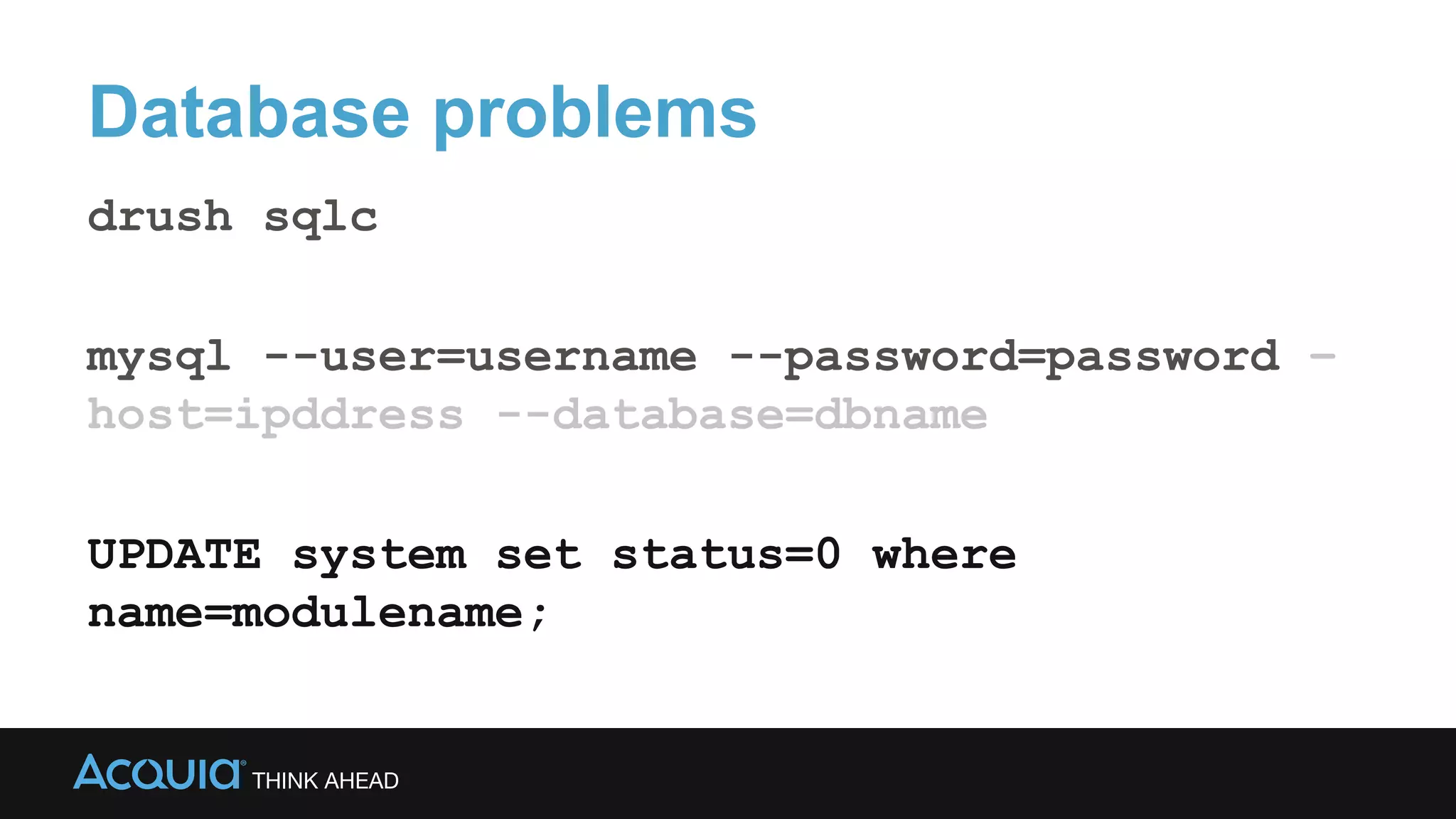
Database problems
drush sqlc
mysql --user=username --password=password –
host=ipddress --database=dbname
UPDATE system set status=0 where
name=modulename;
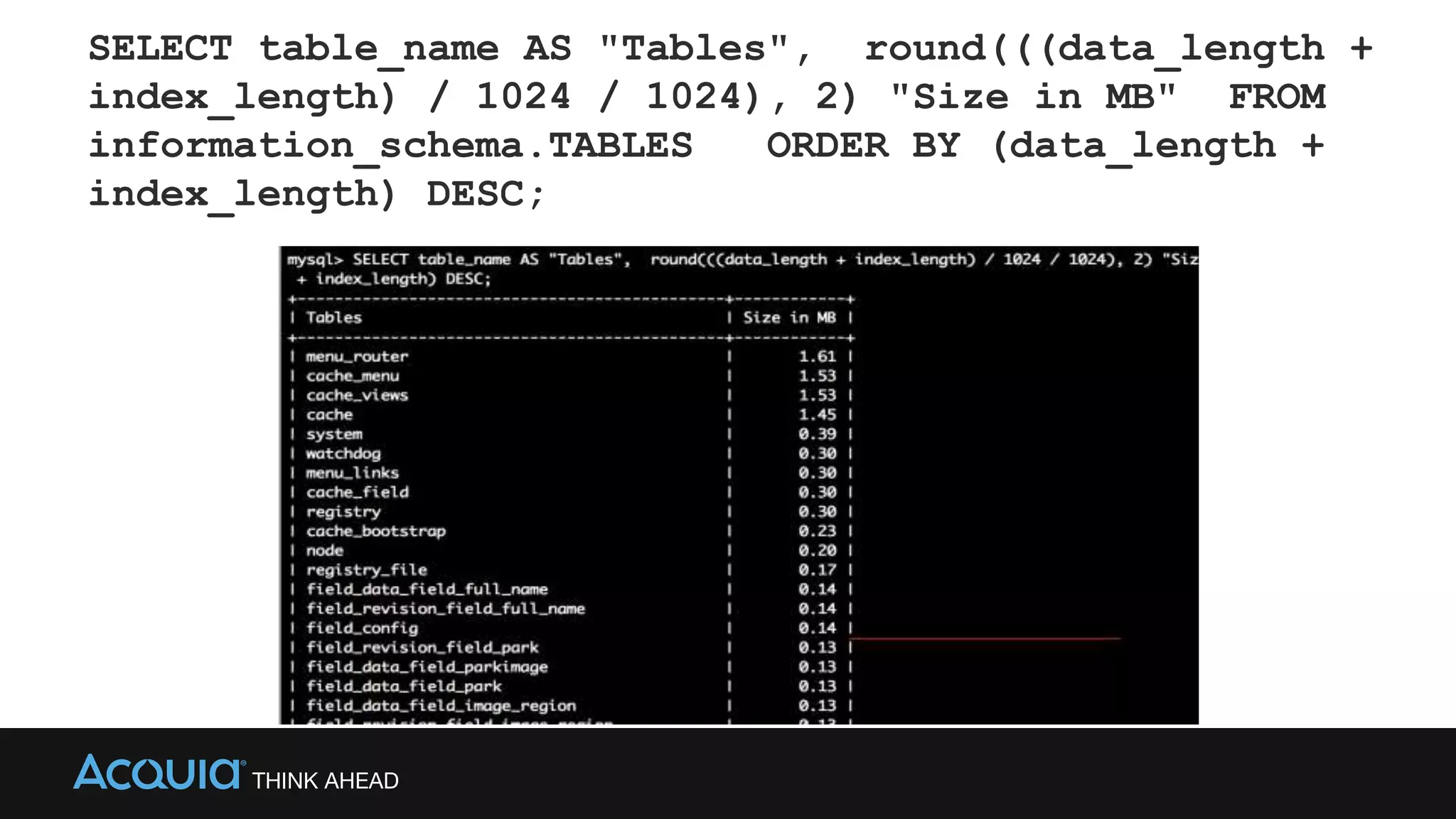
SELECT table_name AS "Tables", round(((data_length +
index_length) / 1024 / 1024), 2) "Size in MB" FROM
information_schema.TABLES ORDER BY (data_length +
index_length) DESC;
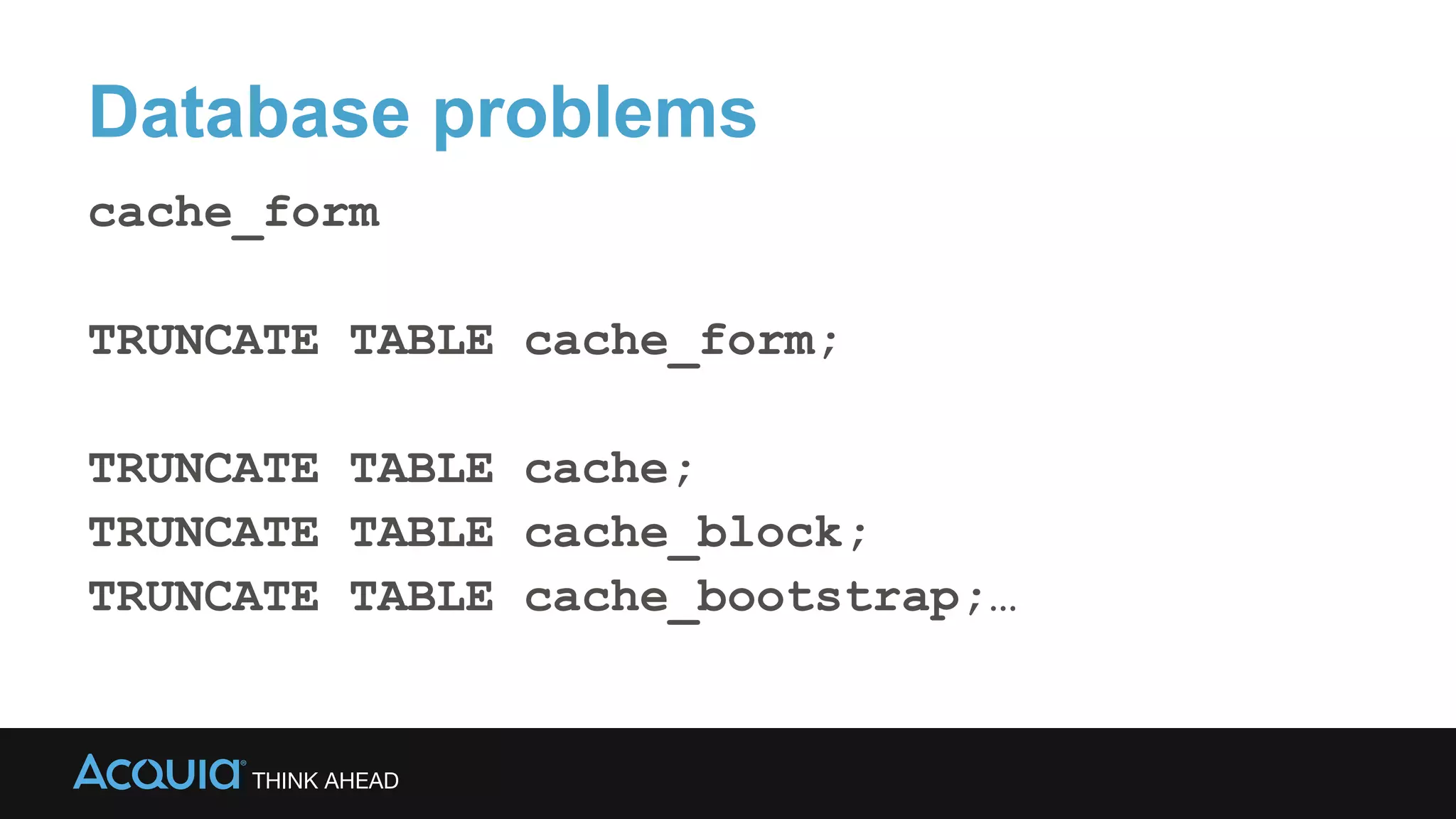
Database problems
cache_form
TRUNCATE TABLE cache_form;
TRUNCATE TABLE cache;
TRUNCATE TABLE cache_block;
TRUNCATE TABLE cache_bootstrap;…
Using Curl to see the headers
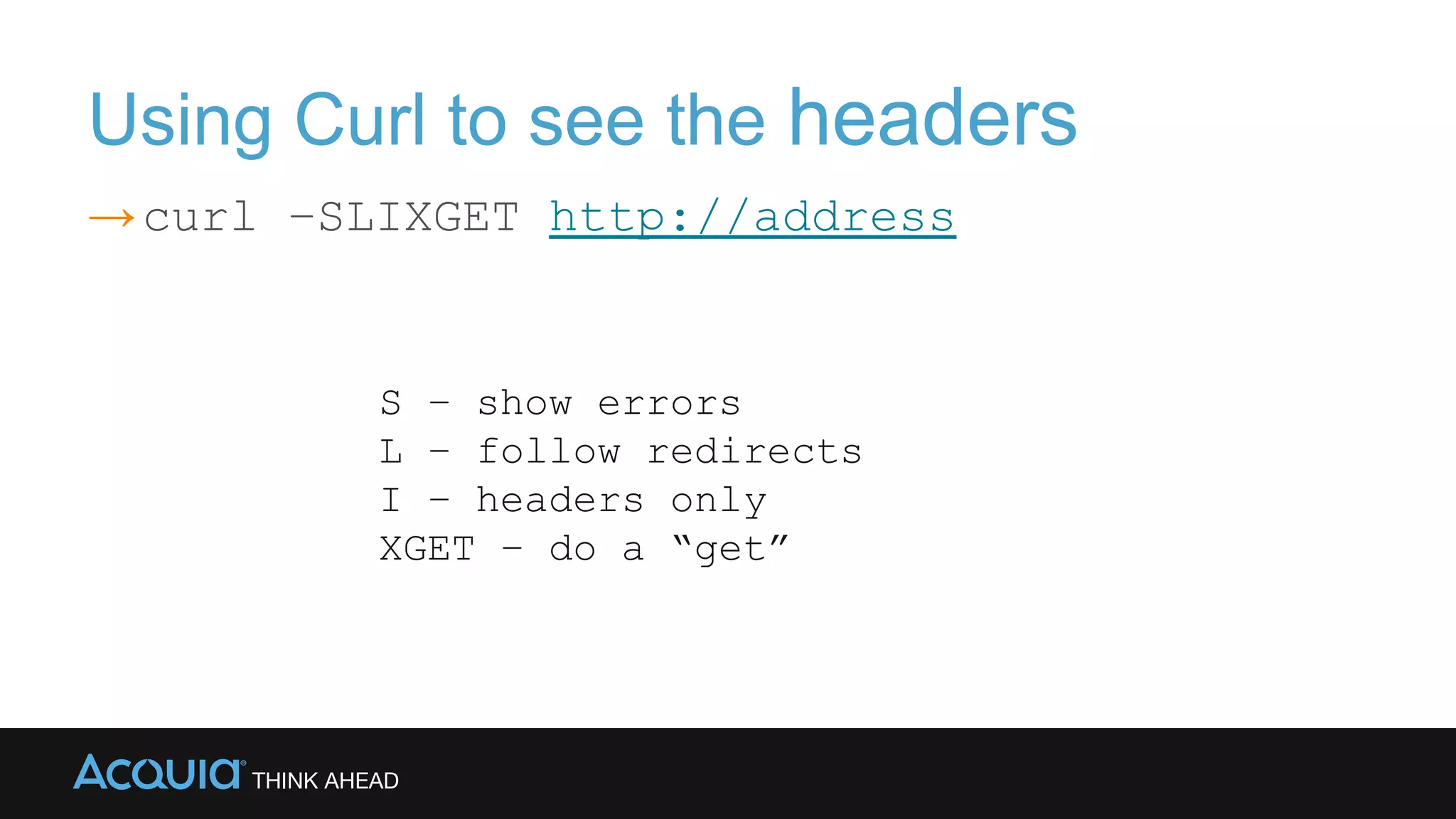
→curl –SLIXGET http://address
S – show errors
L – follow redirects
I – headers only
XGET – do a “get”
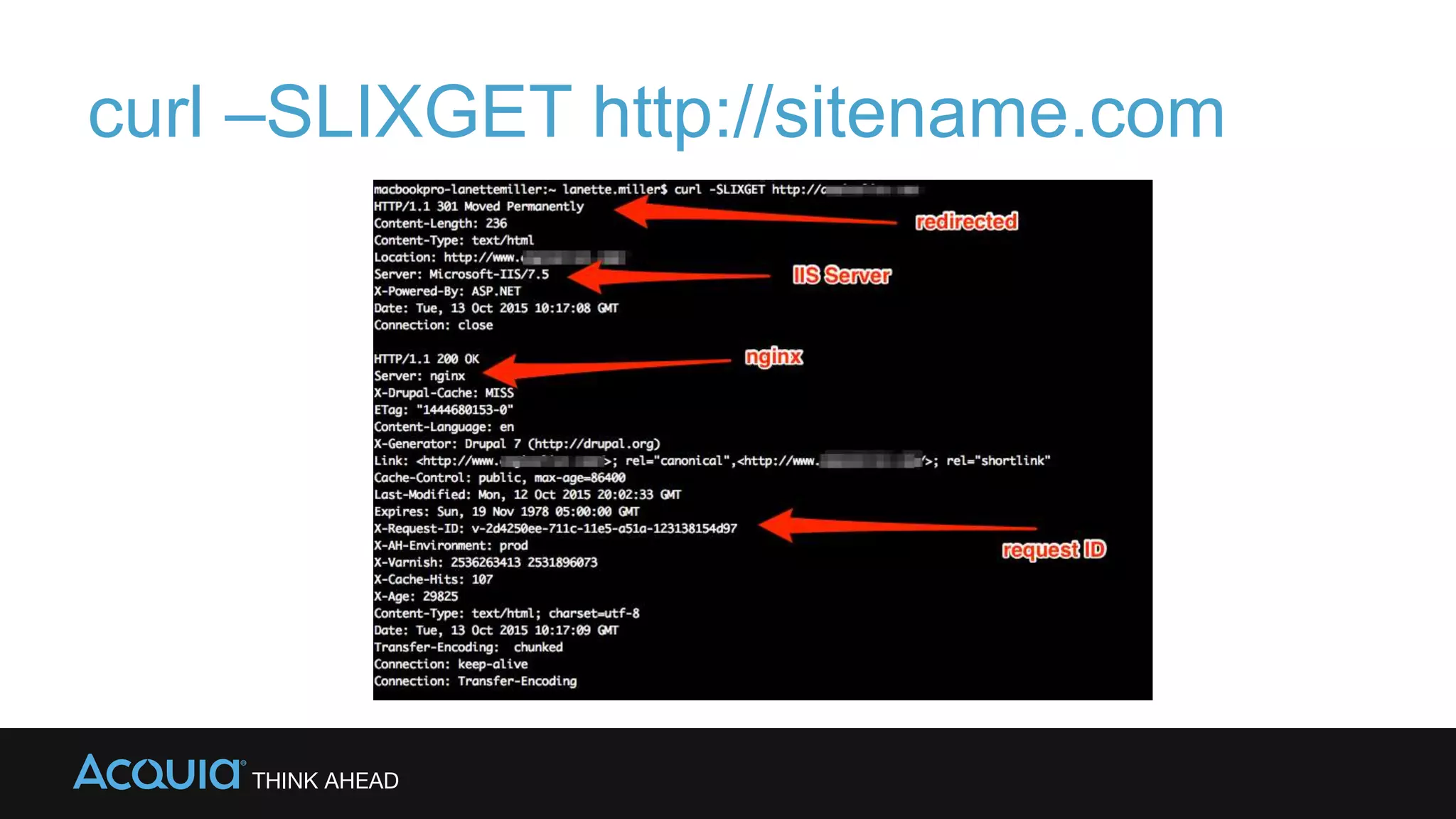
curl –SLIXGET http://sitename.com
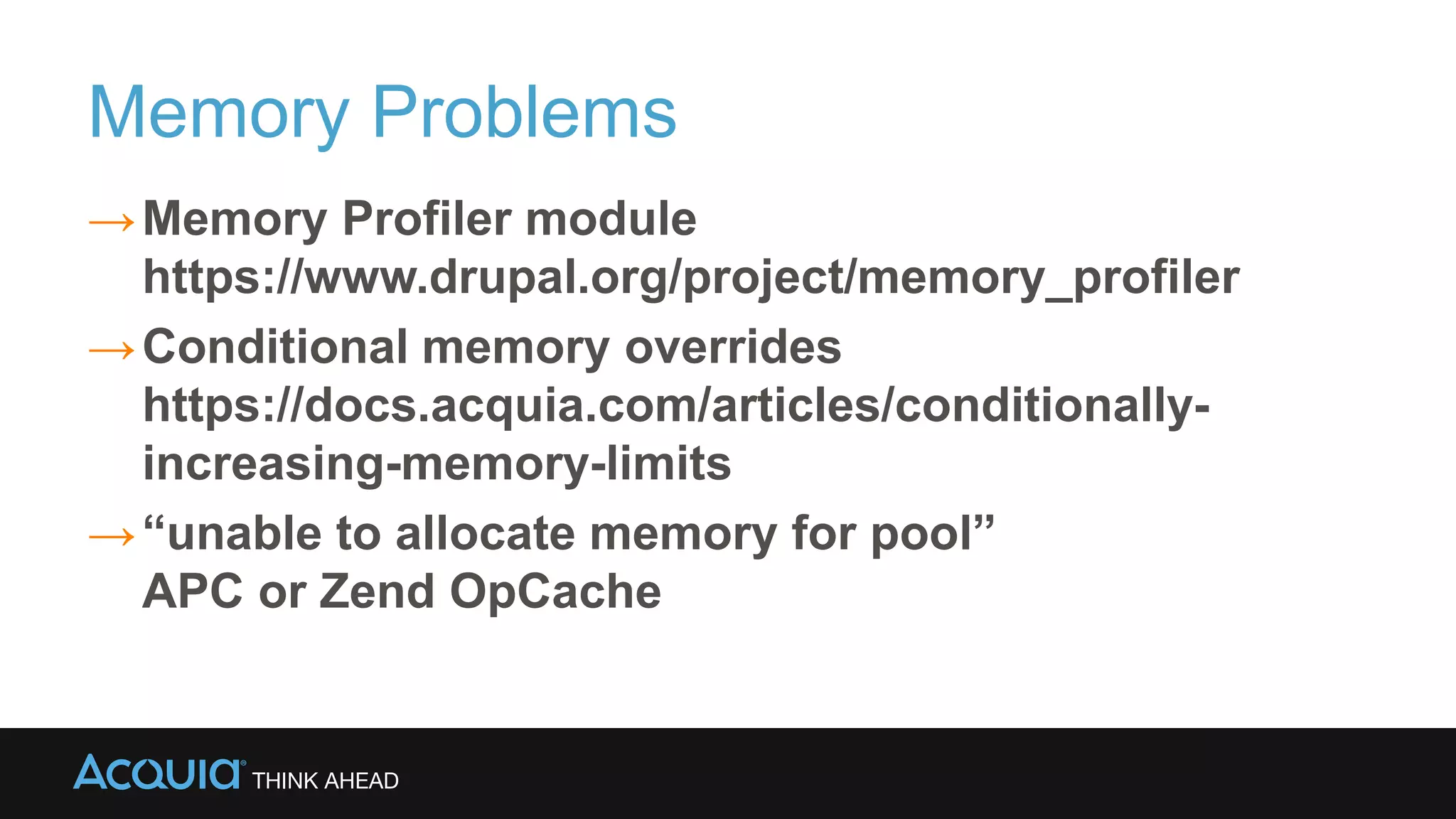
Memory Problems
→Memory Profiler module
https://www.drupal.org/project/memory_profiler
→Conditional memory overrides
https://docs.acquia.com/articles/conditionally-
increasing-memory-limits
→“unable to allocate memory for pool”
APC or Zend OpCache
Log Magic
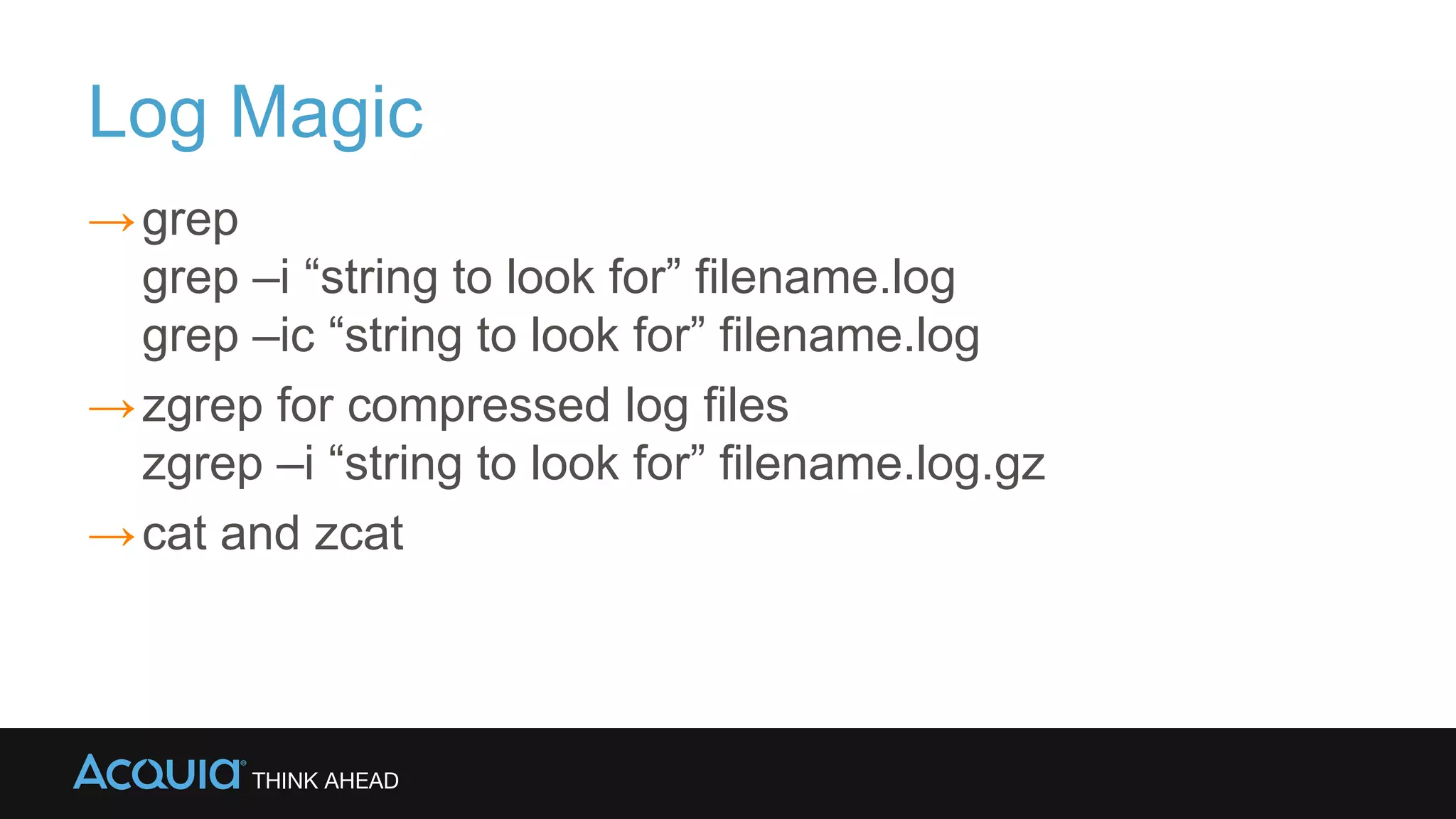
→grep
grep –i “string to look for” filename.log
grep –ic “string to look for” filename.log
→zgrep for compressed log files
zgrep –i “string to look for” filename.log.gz
→cat and zcat
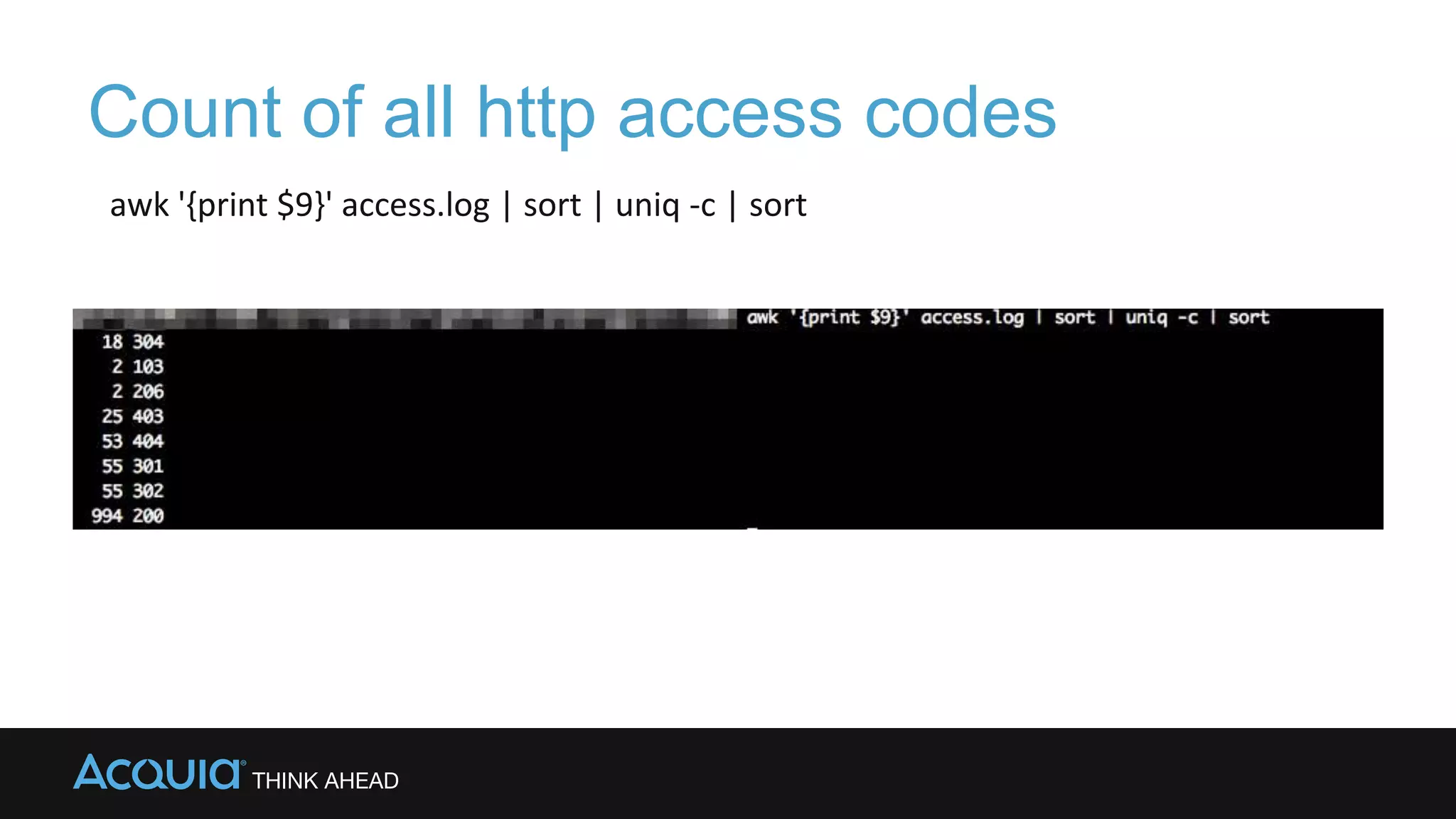
Count of all http access codes
awk '{print $9}' access.log | sort | uniq -c | sort
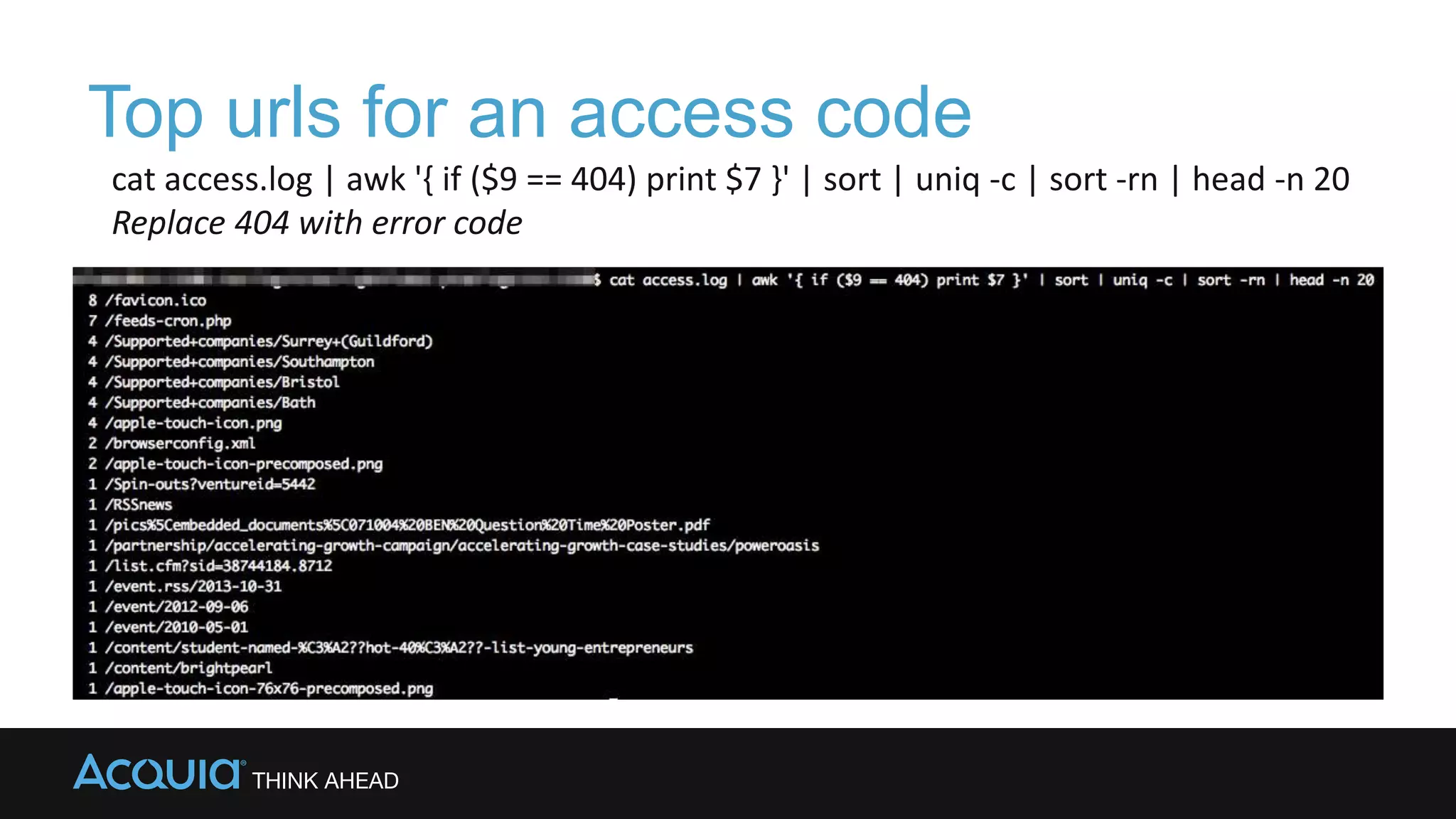
Top urls for an access code
cat access.log | awk '{ if ($9 == 404) print $7 }' | sort | uniq -c | sort -rn | head -n 20
Replace 404 with error code
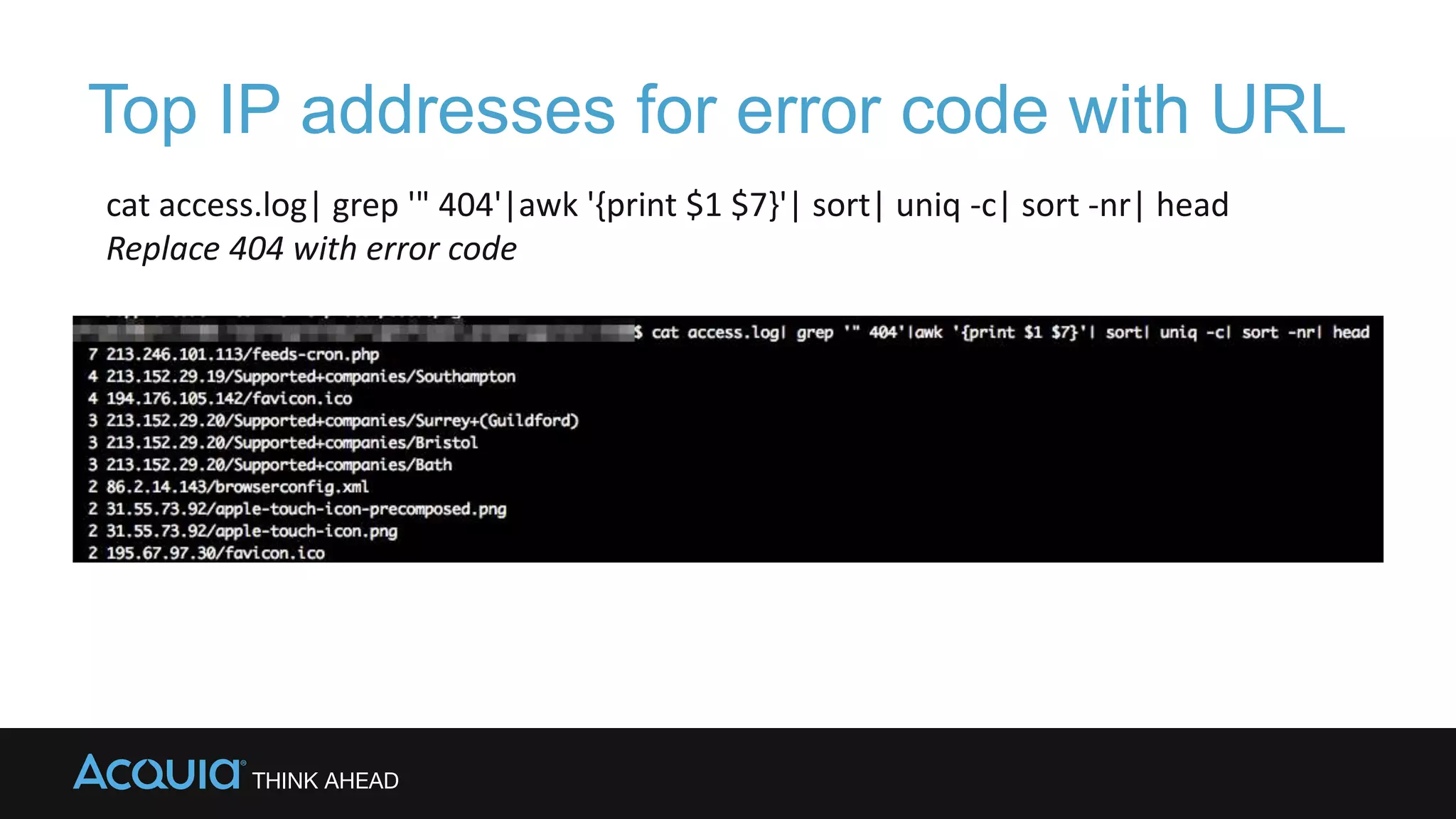
Top IP addresses for error code with URL
cat access.log| grep '" 404'|awk '{print $1 $7}'| sort| uniq -c| sort -nr| head
Replace 404 with error code
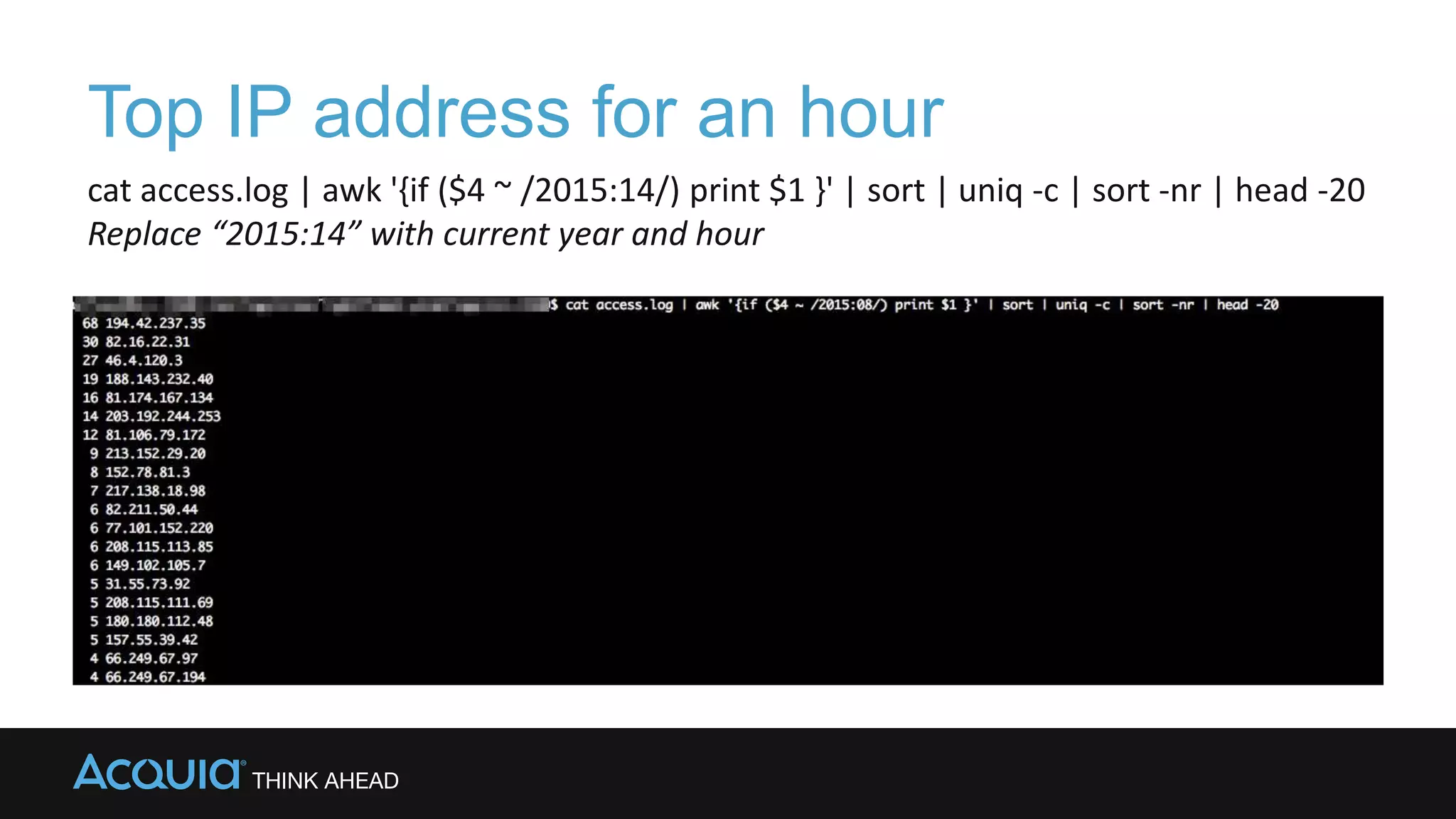
cat access.log | awk '{if ($4 ~ /2015:14/) print $1 }' | sort | uniq -c | sort -nr | head -20
Replace “2015:14” with current year and hour
Top IP address for an hour
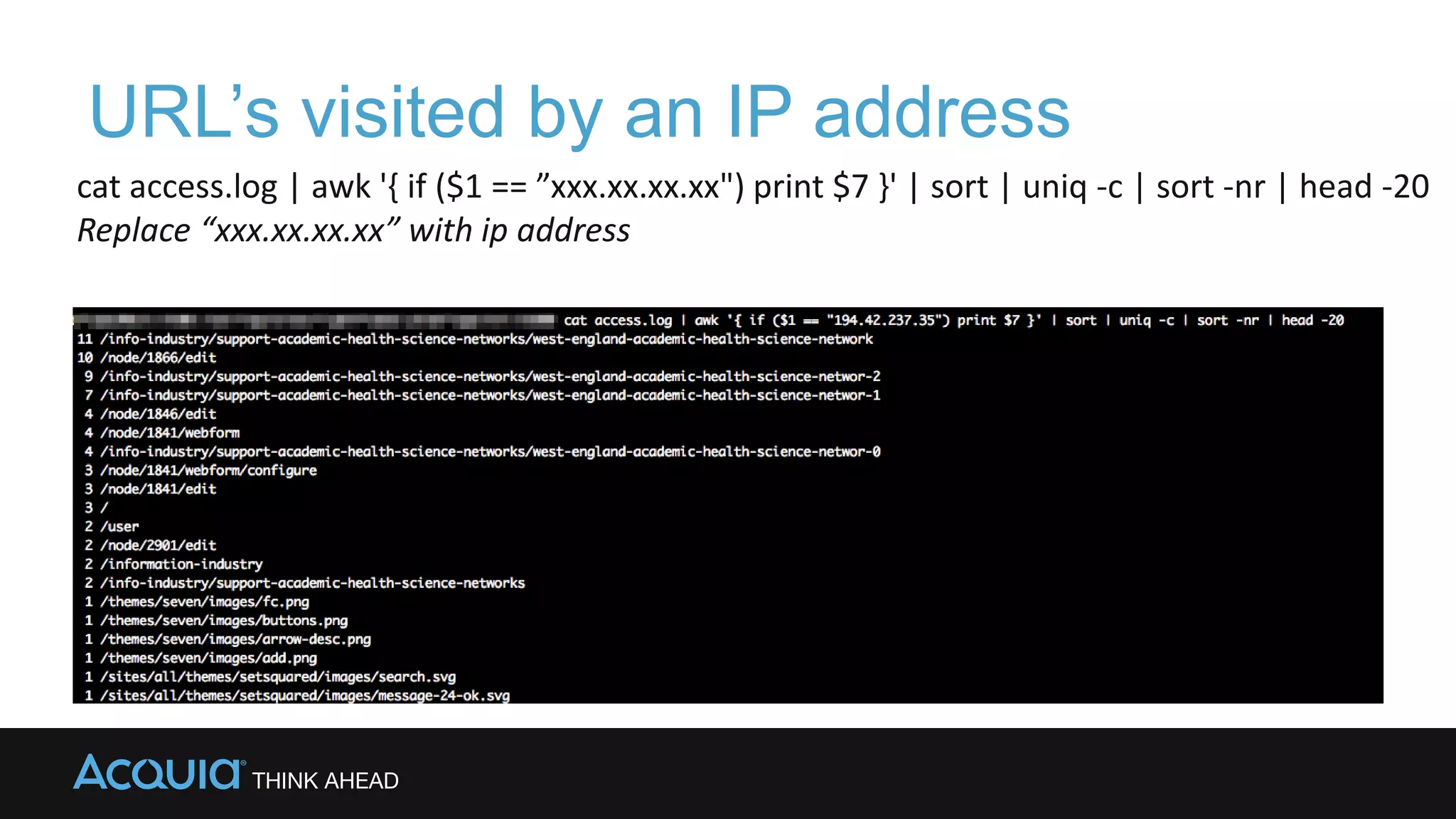
URL’s visited by an IP address
cat access.log | awk '{ if ($1 == ”xxx.xx.xx.xx") print $7 }' | sort | uniq -c | sort -nr | head -20
Replace “xxx.xx.xx.xx” with ip address
Thanks!
http://bit.ly/drupaltips

Drupal 101: Tips and Tricks for Troubleshooting Drupal

  • 1.
    Troubleshooting Drupal When ithits the fan! http://bit.ly/drupaltips
  • 2.
    Who are we? →LanetteMiller & Ally Gonthier →Support Goddesses of Acquia
  • 3.
  • 4.
    The Basics All Contactsand Addresses IP Addresses and SSH Passwords Connections Backups Git (Version Control)
  • 5.
  • 6.
    More things toknow! →Logs →Drush →New Relic/Traceview →Helpful Browser Extensions  User Agent Switcher  Modify Headers  Live HTTP Headers
  • 8.
    What is the Problem? Takea deep breath…
  • 9.
    Questions to ask →Whatdo you see? →What do you expect to see? →When did it start? →What has changed? →Is it reproducible? →Logged in versus anonymous users?
  • 10.
    Where did theSignal Flow Break?
  • 11.
    Bypass DNS withetc/hosts
  • 12.
    etc/hosts ## # Host Database ### 127.0.0.1localhost 255.255.255.255 broadcasthost ::1 localhost ##change below here 127.0.0.1 d8b12.dd 127.0.0.1 eelmiller.dev.dd 127.0.0.1 eelmiller.test.dd 127.0.0.1 broad.test.dd 127.0.0.1 d8test2.dd 127.0.0.1 d8.dd 23.23.23.24 myserver.com
  • 13.
  • 14.
    Views – showSQL →Show SQL queries
  • 15.
  • 16.
    Drush →Learn to lovedrush →Drush Commands can be modified with --uri=www.sitename.com -v verbose -d debug -s simulate
  • 17.
    One time loginlink →For User 1 / Admin User drush uli --uri=www.sitename.com →For any other user drush uli –uri=www.sitename.com --name=username drush uli –uri=www.sitename.com --uid=55 drush uli –uri=www.sitename.com --mail=user@mail.com
  • 18.
    Working with Users →Create a User drush ucrt username --mail=user@mail.com --password=“1234” → Change a password drush upwd username –password=“newpass” → Assign a role to a user drush urol “administrator” --name=username
  • 19.
    Working with Modulesand Themes →Enable module drush en modulename →Disable module drush dis module →Enable theme and set as default drush en themename drush vset theme_default themename
  • 20.
    Rebuilding the Registry https://www.drupal.org/project/registry_rebuild drushrr drush php-eval “registry_rebuild();” PHP Fatal error: Class 'EntityAPIControllerExportable' not found in ...sites/all/modules/rules/includes/rules. core.inc on line 11
  • 21.
    Simulate a pageload drush -dv ev 'menu_execute_active_handler()'
  • 22.
    Database problems drush sqlc mysql--user=username --password=password – host=ipddress --database=dbname UPDATE system set status=0 where name=modulename;
  • 23.
    SELECT table_name AS"Tables", round(((data_length + index_length) / 1024 / 1024), 2) "Size in MB" FROM information_schema.TABLES ORDER BY (data_length + index_length) DESC;
  • 24.
    Database problems cache_form TRUNCATE TABLEcache_form; TRUNCATE TABLE cache; TRUNCATE TABLE cache_block; TRUNCATE TABLE cache_bootstrap;…
  • 25.
    Using Curl tosee the headers →curl –SLIXGET http://address S – show errors L – follow redirects I – headers only XGET – do a “get”
  • 26.
  • 27.
    Memory Problems →Memory Profilermodule https://www.drupal.org/project/memory_profiler →Conditional memory overrides https://docs.acquia.com/articles/conditionally- increasing-memory-limits →“unable to allocate memory for pool” APC or Zend OpCache
  • 28.
    Log Magic →grep grep –i“string to look for” filename.log grep –ic “string to look for” filename.log →zgrep for compressed log files zgrep –i “string to look for” filename.log.gz →cat and zcat
  • 29.
    Count of allhttp access codes awk '{print $9}' access.log | sort | uniq -c | sort
  • 30.
    Top urls foran access code cat access.log | awk '{ if ($9 == 404) print $7 }' | sort | uniq -c | sort -rn | head -n 20 Replace 404 with error code
  • 31.
    Top IP addressesfor error code with URL cat access.log| grep '" 404'|awk '{print $1 $7}'| sort| uniq -c| sort -nr| head Replace 404 with error code
  • 32.
    cat access.log |awk '{if ($4 ~ /2015:14/) print $1 }' | sort | uniq -c | sort -nr | head -20 Replace “2015:14” with current year and hour Top IP address for an hour
  • 33.
    URL’s visited byan IP address cat access.log | awk '{ if ($1 == ”xxx.xx.xx.xx") print $7 }' | sort | uniq -c | sort -nr | head -20 Replace “xxx.xx.xx.xx” with ip address
  • 34.

Editor's Notes

  • #4 What is this about? More than likely one day you are going to have a problem with your website, and you want to make sure you are prepared when that day comes. The more you know about how your site works, the more prepared you are going to be. During this session we are going to go over some material to assist you with being prepared ahead of time and additionally, we are going to provide some questions to ask during a potential problem. We will are also going to show many suggestions or tips that you can use to troubleshoot your issue. Keep in mind, that this is really a huge topic so we are only going to be able to touch the surface.
  • #5 Here we cover the basics and keep in mind, while this seems easy, many people miss this This may sounds silly because you would assume everyone should know these things, but this is important information to have and be able easily access. So first of all, Who ya gonna call? Do you have the names, email addresses and phone number of developers, consultants and coworkers? Do you know how to contact your hosting provider? Do you know the fastest way to create a ticket. Can you log into your account, do you know your account name with your hosting company? Is your phone number up to date? Do you know all your IP addresses? Do you know your password, do you have SSH access? If you have access to FTP, can you use that, can you SSH into your servers? Do you know how to connect to your database/MySQL root Backups: Do you know where your backups are? You’d be surprised how many people don’t back up on a regular basis. If your hosting company, like Acquia doesn’t automatically back up your database, are you using another tool to automatic your backup? Are you backing up when you make configuration changes? Do you use Version Control? Do you know if you have your hosting company is taking OS level backups or images or your server? These are all important questions to ask, no matter how basic they might be.
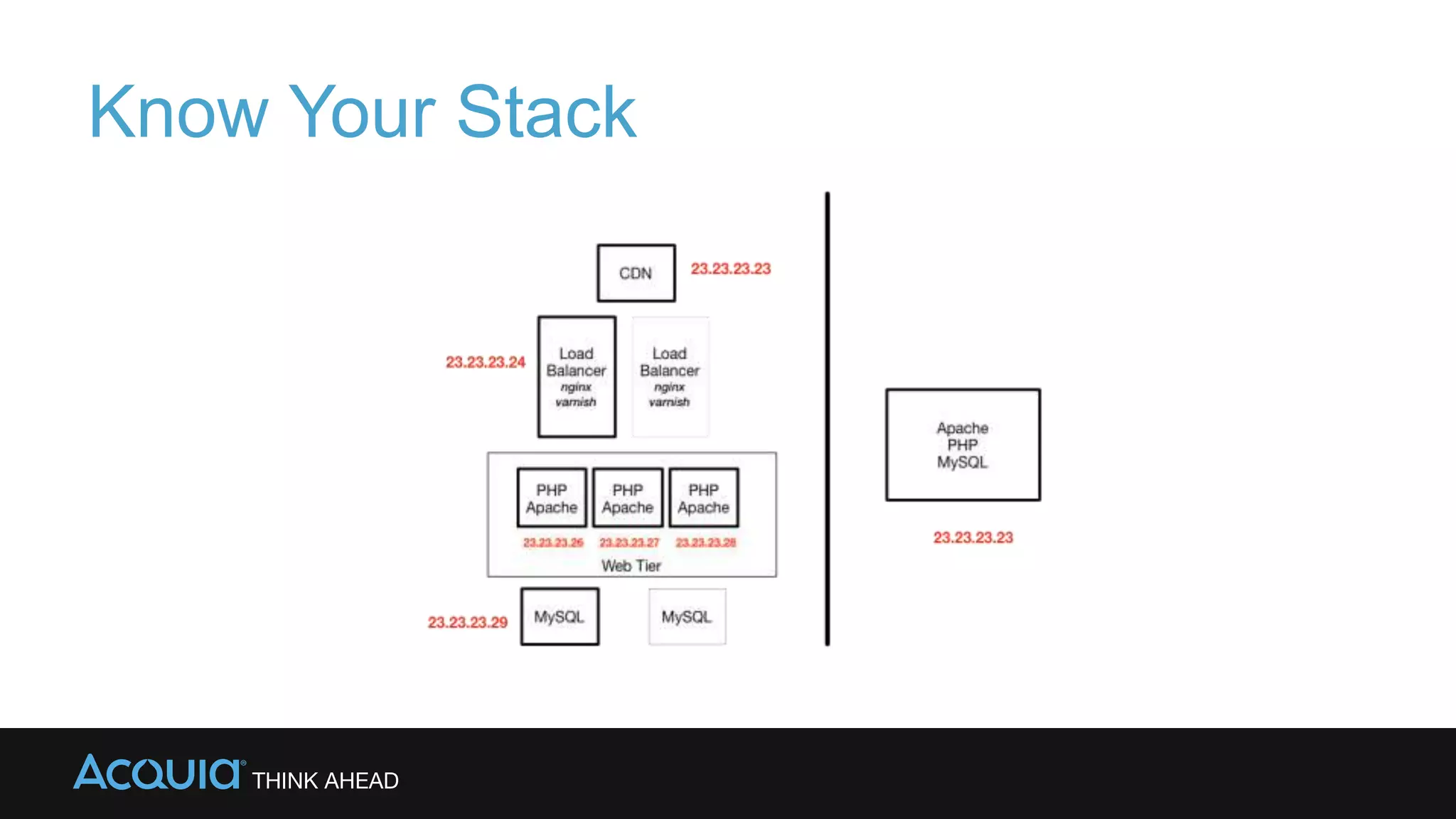
  • #6 Do you know your stack? In this example, we have two different stack configurations. In one, there is just one server box, so the point of failure is easier to identify. In the other, the stack is broken up with a CDN in front of our load balancers, and then your Webs. This makes it more challenging to identify where the problem exists. So even if you aren’t very technical, its still important to have a basic understanding of your stack and your signal flow. We will touch this topic in more depth later in this session.
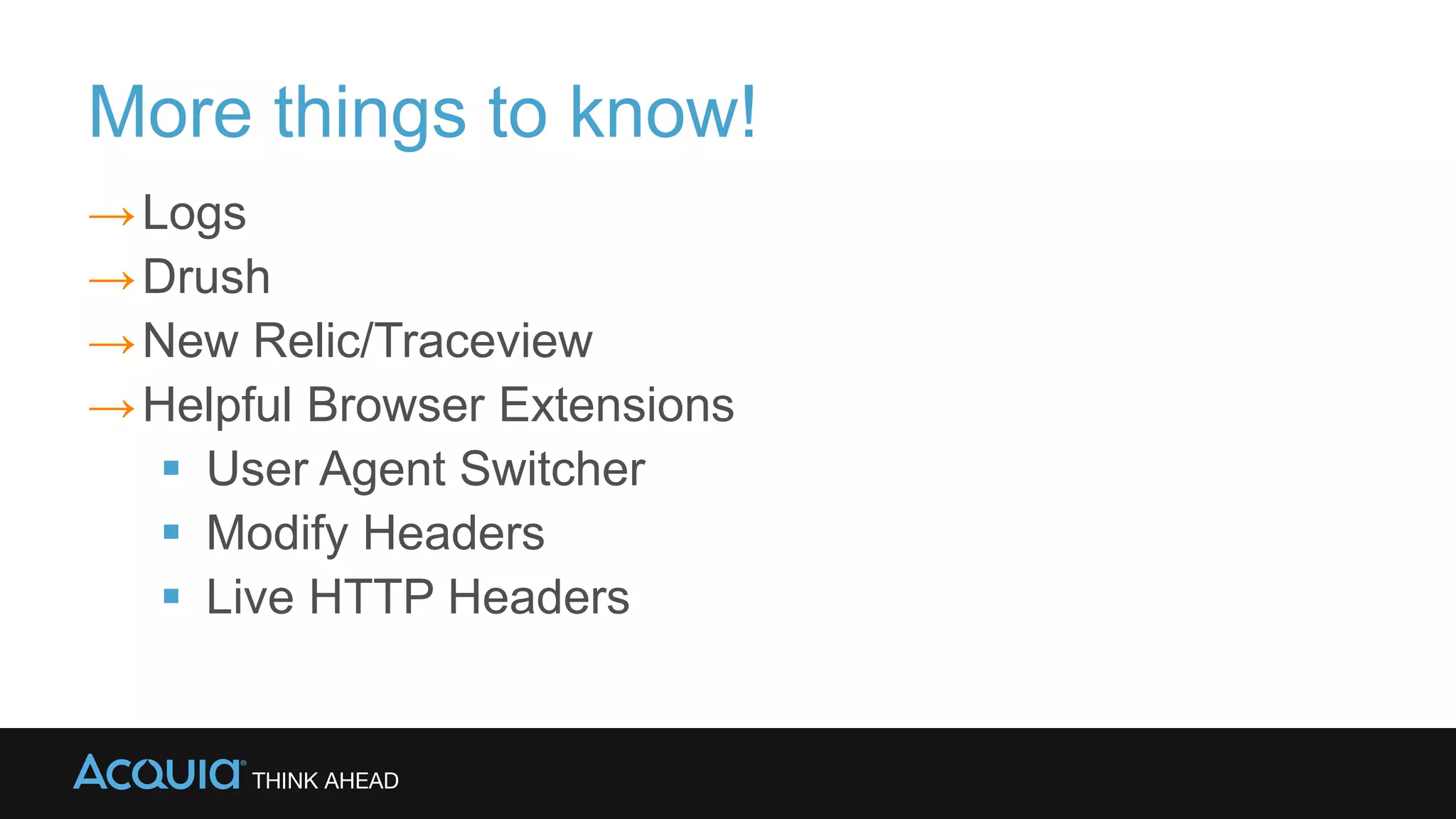
  • #7 Ok, so it’s 11:49 pm on Saturday night, do you know where your logs are? Can you access your apache logs, your watchdog logs. Almost everything on those web servers in your stack will have a log. If you are running Drupal, than its strongly recommended that you get your watchdog logs out of your database and into syslog or another logging service. For instance, at Acquia we provide syslog for our customers and if you are not hosting with us than I suggest that either you do. Or if you must host with someone else than you are using a third party log hosting service. One suggestions, might be to use Loggly, which is a third party service that helps you consolidate all your logs and setups searches and alerting systems. You should have Drush installed, which of course comes pre-installed on our platform here at Acquia. Another suggestion, is to use some helpful browser extensions. You will find these useful when you troubleshoot.
  • #10 Sometimes the hardest problem is figuring out what the problem is
  • #23 Drush SQLc, MySQL -Example commands -Enable a module, disable a module -Change default theme -Important Drupal Tables -cache_form -system -users -roles -node -registry -caches -Clearing cache with sql commands -Check size of tables WSOD -Almost always PHP -Snippet to output error Blocking with htaccess -Some Log snippets for standard Apache access logs
  • #24 Drush SQLc, MySQL -Example commands -Enable a module, disable a module -Change default theme -Important Drupal Tables -cache_form -system -users -roles -node -registry -caches -Clearing cache with sql commands -Check size of tables WSOD -Almost always PHP -Snippet to output error Blocking with htaccess -Some Log snippets for standard Apache access logs
  • #25 Drush SQLc, MySQL -Example commands -Enable a module, disable a module -Change default theme -Important Drupal Tables -cache_form -system -users -roles -node -registry -caches -Clearing cache with sql commands -Check size of tables WSOD -Almost always PHP -Snippet to output error Blocking with htaccess -Some Log snippets for standard Apache access logs
  • #28 ps aux Memory problems -Profiling memory -Conditional overrides -Memory for Pool errors – opcode cache Cache settings in Drupal Fast404 module Cache settings / cache problems  
  • #33 Add IP to paths Look for 404 and 500 errors Grep /zgrep cat zcat White screen of death Troubleshooting cron