It Ain't
Tasseography
  10 Key Performance
Indicators for MongoDB
Kyle Banker
kyle@10gen.com
@hwaet
Questions about speed
MongoDB is a high-performance database, but
how do I know that I'm getting the best
performance?
We'll cover:
Tools

Performance Indicators

Remedies
Prelude: Tools
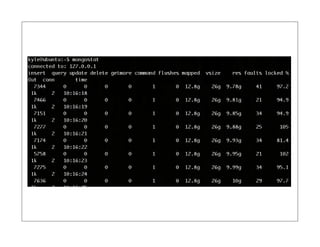
1. mongostat
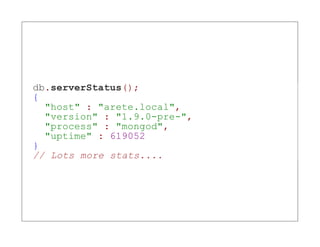
2. serverStatus
db.serverStatus();
{
  "host" : "arete.local",
  "version" : "1.9.0-pre-",
  "process" : "mongod",
  "uptime" : 619052
}
// Lots more stats....
3. Profiler
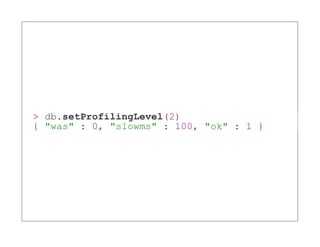
> db.setProfilingLevel(2)
{ "was" : 0, "slowms" : 100, "ok" : 1 }
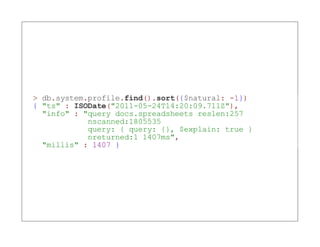
> db.system.profile.find().sort({$natural: -1})
{ "ts" : ISODate("2011-05-24T14:20:09.711Z"),
  "info" : "query docs.spreadsheets reslen:257
            nscanned:1805535
            query: { query: {}, $explain: true }
            nreturned:1 1407ms",
  "millis" : 1407 }
4. Monitoring service
Nagios

Munin

MMS
Indicators
1. Slow ops
Here's how they appear in the log:

 Sun May 22 19:01:47 [conn10]
   query docs.spreadsheets ntoreturn:100 reslen:510436
   nscanned:19976 { username: "Minner, Cori" }
   nreturned:100 147ms
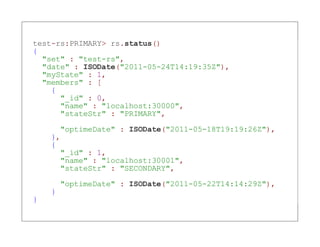
2. Replication lag
test-rs:PRIMARY> rs.status()
{
  "set" : "test-rs",
  "date" : ISODate("2011-05-24T14:19:35Z"),
  "myState" : 1,
  "members" : [
    {
      "_id" : 0,
      "name" : "localhost:30000",
      "stateStr" : "PRIMARY",

      "optimeDate" : ISODate("2011-05-18T19:19:26Z"),
    },
    {
      "_id" : 1,
      "name" : "localhost:30001",
      "stateStr" : "SECONDARY",

        "optimeDate" : ISODate("2011-05-22T14:14:29Z"),
    }
}
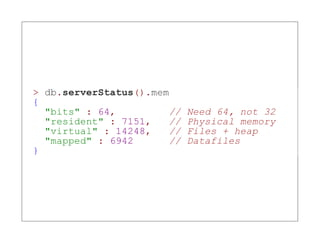
3. Resident
  memory
> db.serverStatus().mem
{
  "bits" : 64,          //   Need 64, not 32
  "resident" : 7151,    //   Physical memory
  "virtual" : 14248,    //   Files + heap
  "mapped" : 6942       //   Datafiles
}
Virtual Memory   Physical
(Per Process)    Memory


                 RAM


                 Disk
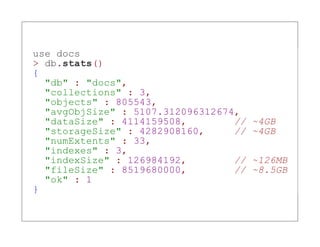
use docs
> db.stats()
{
  "db" : "docs",
  "collections" : 3,
  "objects" : 805543,
  "avgObjSize" : 5107.312096312674,
  "dataSize" : 4114159508,        //   ~4GB
  "storageSize" : 4282908160,     //   ~4GB
  "numExtents" : 33,
  "indexes" : 3,
  "indexSize" : 126984192,        //   ~126MB
  "fileSize" : 8519680000,        //   ~8.5GB
  "ok" : 1
}
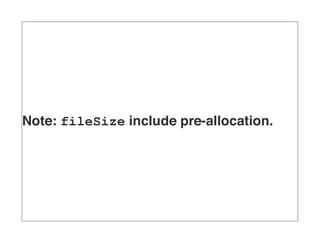
Note: fileSize include pre-allocation.
storageSize + indexSize =
          ~5GB
4. Page faults
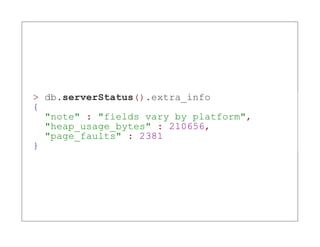
> db.serverStatus().extra_info
{
  "note" : "fields vary by platform",
  "heap_usage_bytes" : 210656,
  "page_faults" : 2381
}
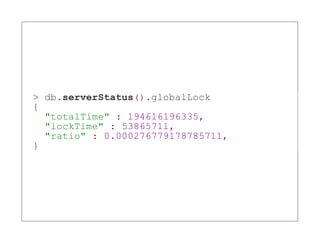
5. Write-lock
percentage
> db.serverStatus().globalLock
{
  "totalTime" : 194616196335,
  "lockTime" : 53865711,
  "ratio" : 0.000276779178785711,
}
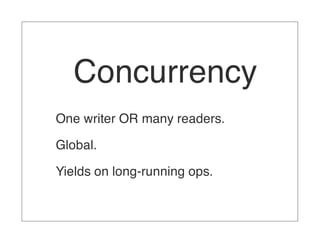
Concurrency
One writer OR many readers.

Global.

Yields on long-running ops.
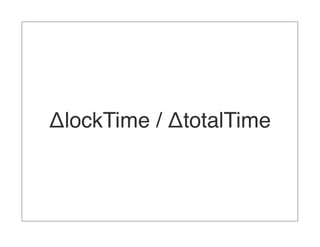
ΔlockTime / ΔtotalTime
(web console)
High lock percentage?
You're probably paging.
6. Reader- and
 writer-queues
> db.serverStatus().globalLock
"globalLock" : {
    "totalTime" : 430154769,
    "lockTime" : 17547681,
    "ratio" : 0.0407938776101306,
    "currentQueue" : {
       "total" : 1,
       "readers" : 1,
       "writers" : 0
    },
    "activeClients" : {
       "total" : 2,
       "readers" : 1,
       "writers" : 1
    }
}
> db.currentOp()
{
  "inprog" : [
    {
      "opid" : 194285,
      "active" : true,
      "lockType" : "read",
      "waitingForLock" : true,
      "secs_running" : 0,
      "op" : "query",
      "ns" : "docs.spreadsheets",
      "query" : {
        "username" : "Auxier, Han"
      },
      "client" : "127.0.0.1:64918",
      "desc" : "conn"
    }
  ]
}
If you have dozens of ops
waiting for locks, you've got
         a problem.
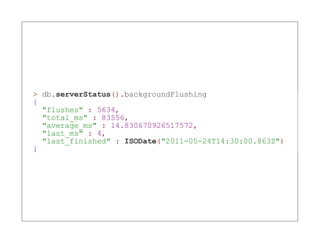
7. Background
    flushing
> db.serverStatus().backgroundFlushing
{
  "flushes" : 5634,
  "total_ms" : 83556,
  "average_ms" : 14.830670926517572,
  "last_ms" : 4,
  "last_finished" : ISODate("2011-05-24T14:30:00.863Z")
}
Disk considerations
RAID

SSD

SAN?
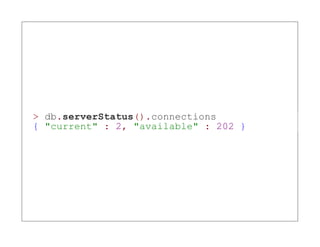
8. Connections
> db.serverStatus().connections
{ "current" : 2, "available" : 202 }
9. Network bytes in
      and out
> db.serverStatus().network
{ "bytesIn" : 1132782538, "bytesOut" : 5181752122
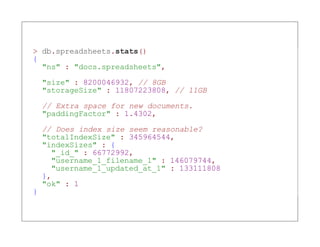
10. Fragmentation
> db.spreadsheets.stats()
{
  "ns" : "docs.spreadsheets",

    "size" : 8200046932, // 8GB
    "storageSize" : 11807223808, // 11GB
    // Extra space for new documents.
    "paddingFactor" : 1.4302,

    // Does index size seem reasonable?
    "totalIndexSize" : 345964544,
    "indexSizes" : {
      "_id_" : 66772992,
      "username_1_filename_1" : 146079744,
      "username_1_updated_at_1" : 133111808
    },
    "ok" : 1
}
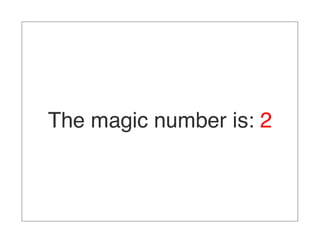
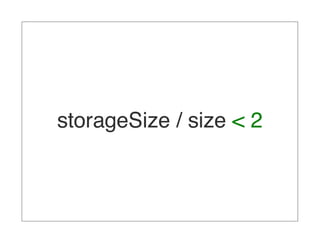
The magic number is: 2
storageSize / size < 2
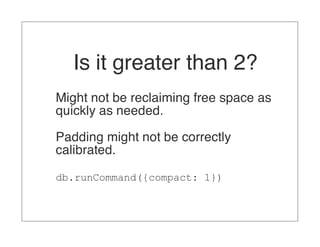
Is it greater than 2?
Might not be reclaiming free space as
quickly as needed.

Padding might not be correctly
calibrated.

db.runCommand({compact: 1})
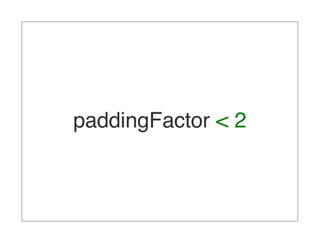
paddingFactor < 2
Is it greater than 2?
You might have the wrong data model.

Too many growing embedded
documents?

See MongoDB Schema Design.
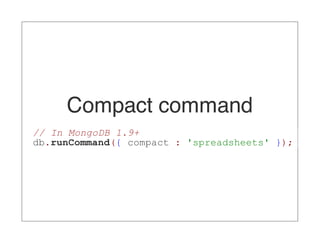
Compact command
// In MongoDB 1.9+
db.runCommand({ compact : 'spreadsheets' });
Summary

10 Key MongoDB Performance Indicators