Xenalyze
Finding meaning in the
        chaos
      George Dunlap
george.dunlap@eu.citrix.com
  Citrix Systems, UK Ltd
Introduction
 Modern   operating systems are
  complex
 Xentrace for gathering in-depth
  information
 Too much information
 Xenalyze
Talk goals
 Those for whom xenalyze is
  useful will use it
 Basic understanding of what
  xenalyze does, and what it’s
  useful for
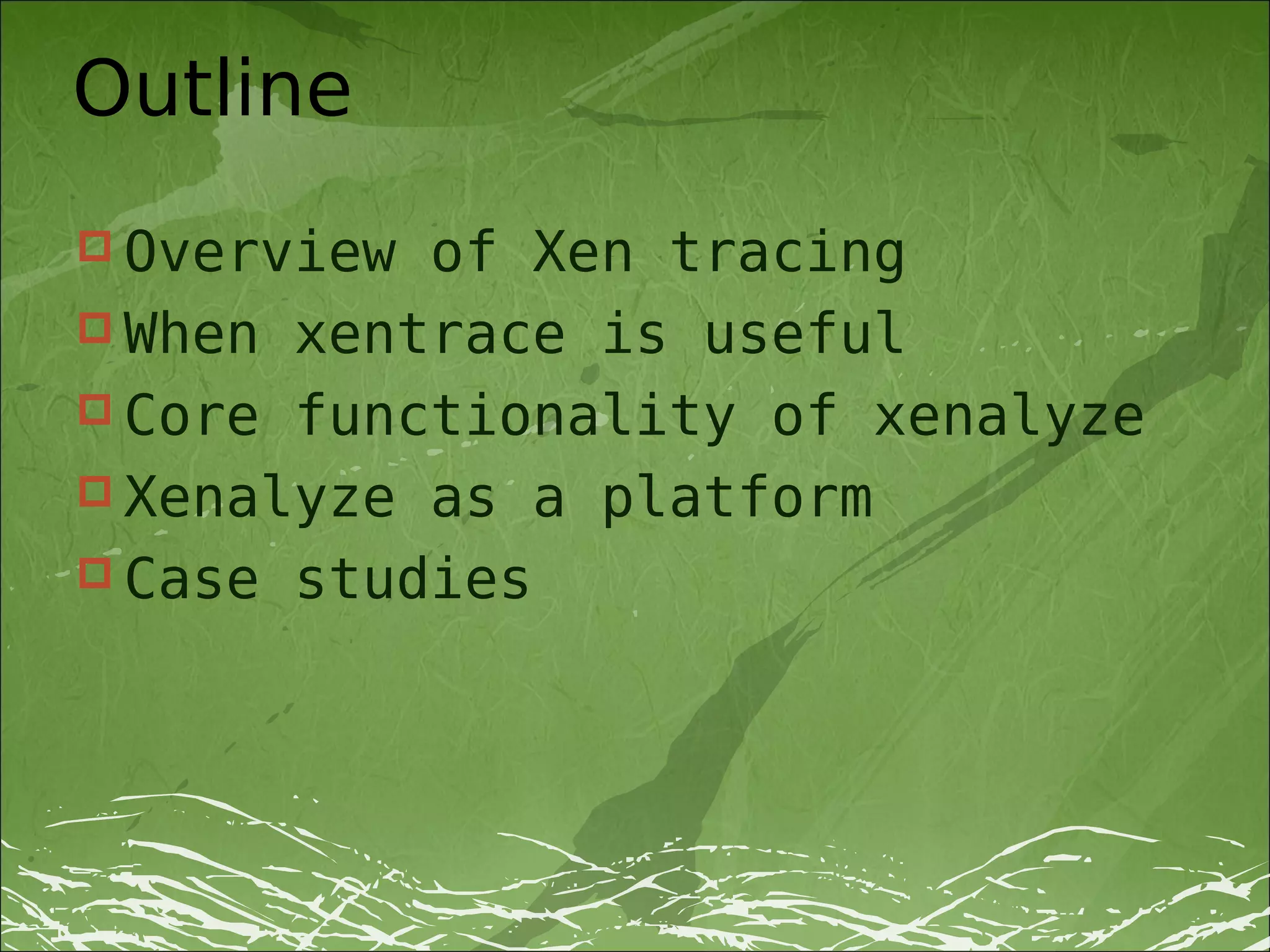
Outline
 Overview of Xen tracing
 When xentrace is useful
 Core functionality of xenalyze
 Xenalyze as a platform
 Case studies
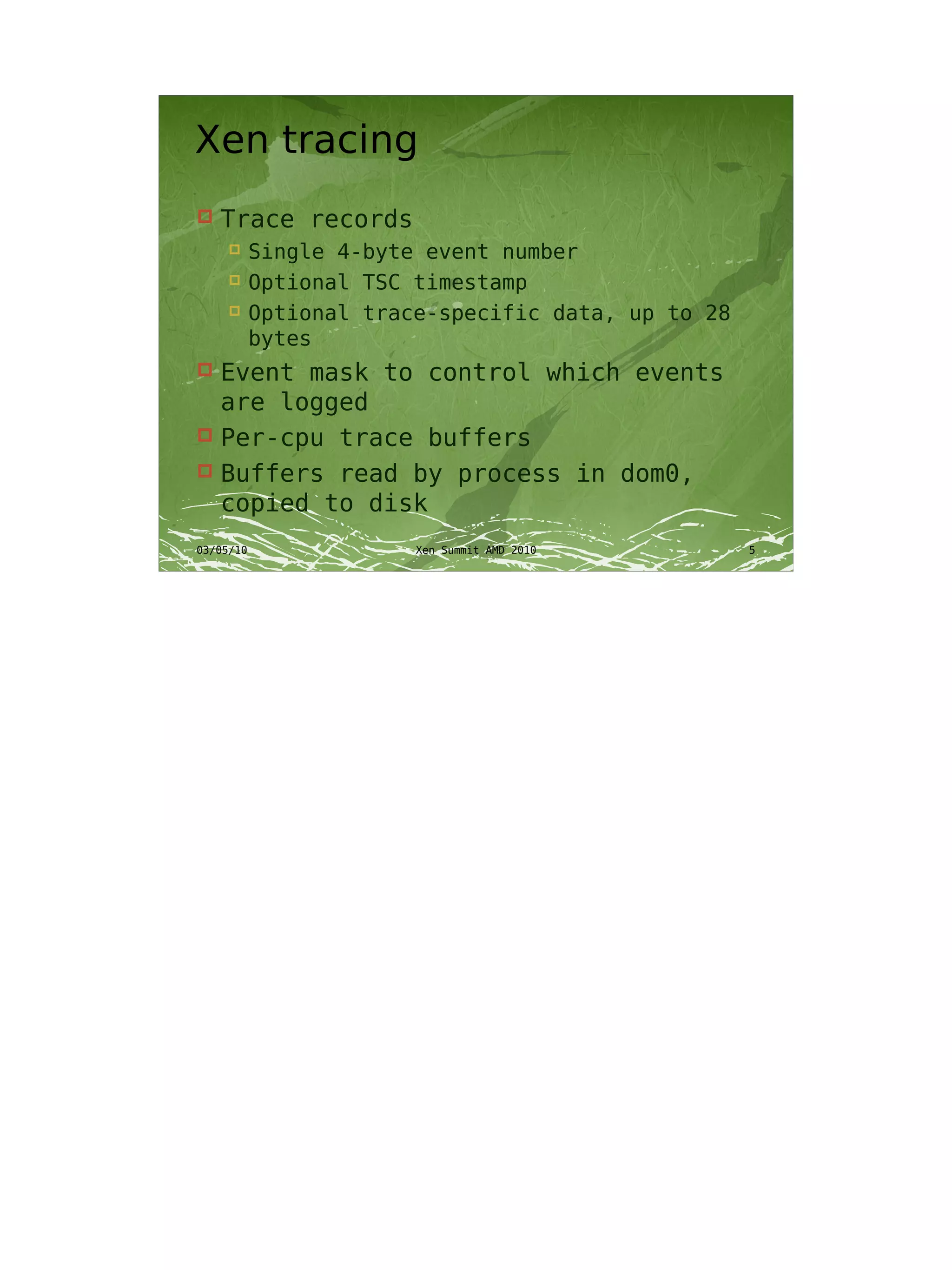
Xen tracing
   Trace records
       Single 4-byte event number
       Optional TSC timestamp
       Optional trace-specific data, up to 28
        bytes
 Event mask to control which events
  are logged
 Per-cpu trace buffers
 Buffers read by process in dom0,
  copied to disk
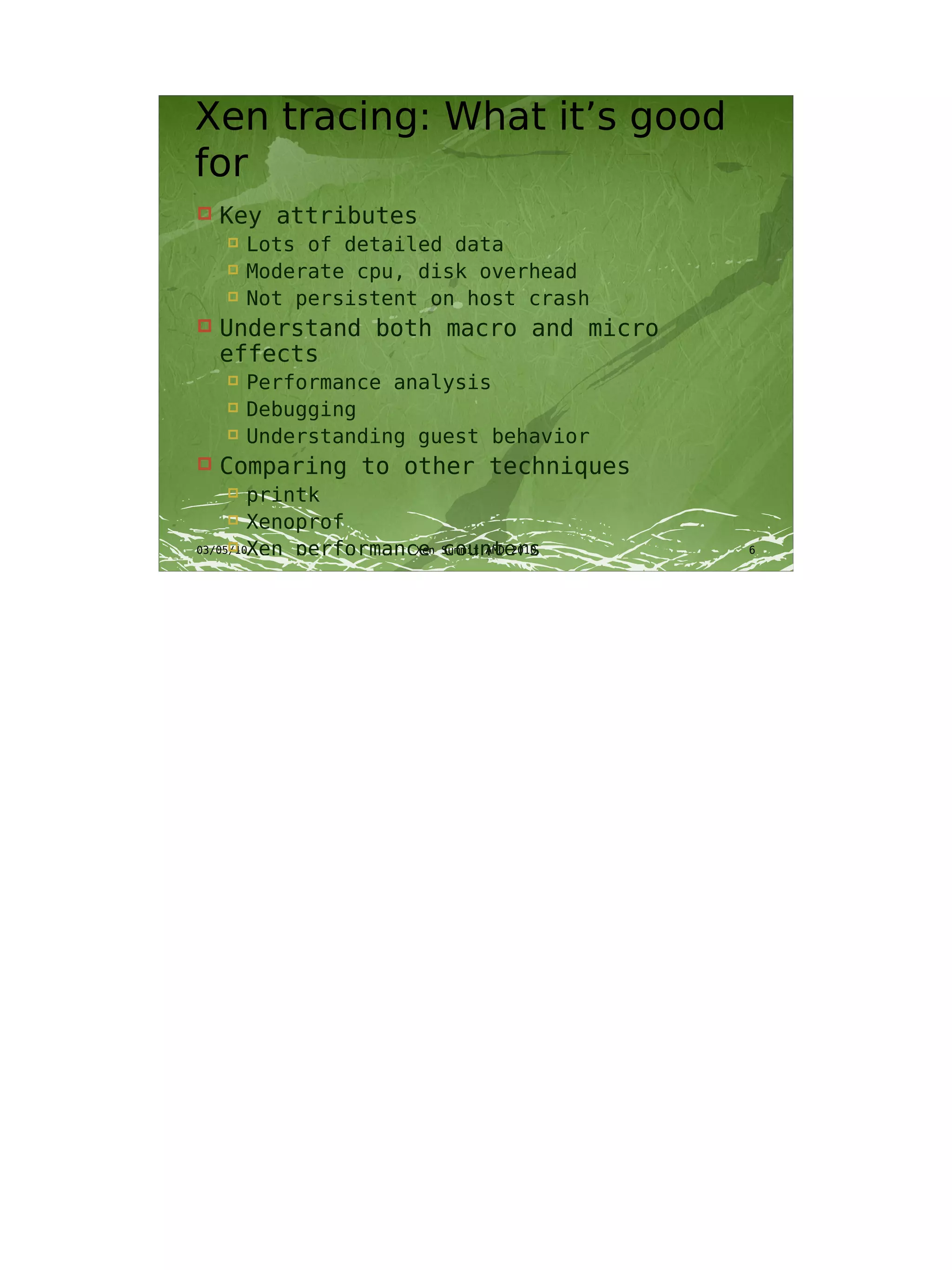
Xen tracing: What it’s good
for
   Key attributes
       Lots of detailed data
       Moderate cpu, disk overhead
       Not persistent on host crash
   Understand both macro and micro
    effects
       Performance analysis
       Debugging
       Understanding guest behavior
   Comparing to other techniques
       printk
       Xenoprof
       Xen performance counters
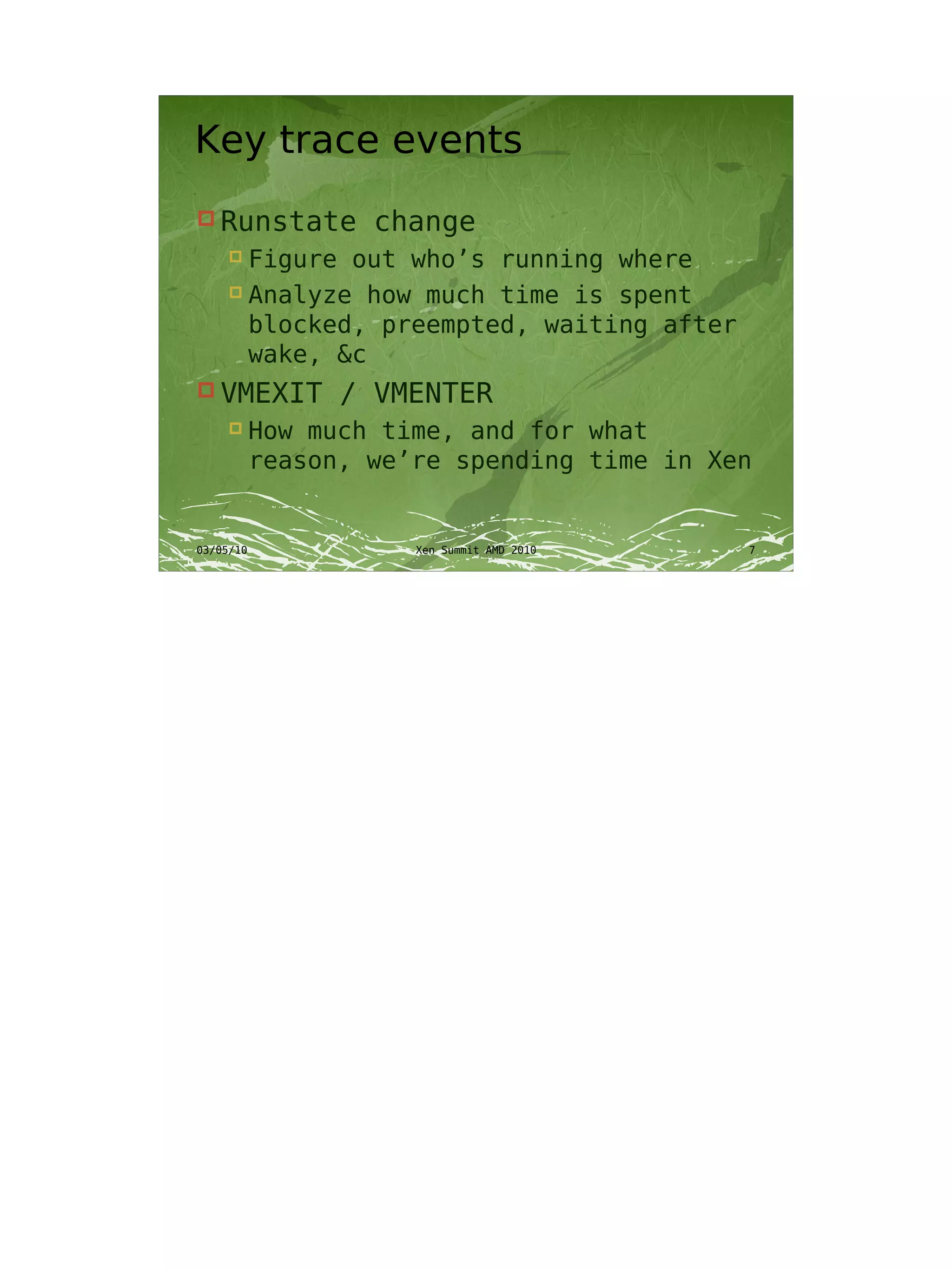
Key trace events
 Runstate    change
   Figure out who’s running where
   Analyze how much time is spent

    blocked, preempted, waiting after
    wake, &c
 VMEXIT    / VMENTER
     How much time, and for what
      reason, we’re spending time in Xen
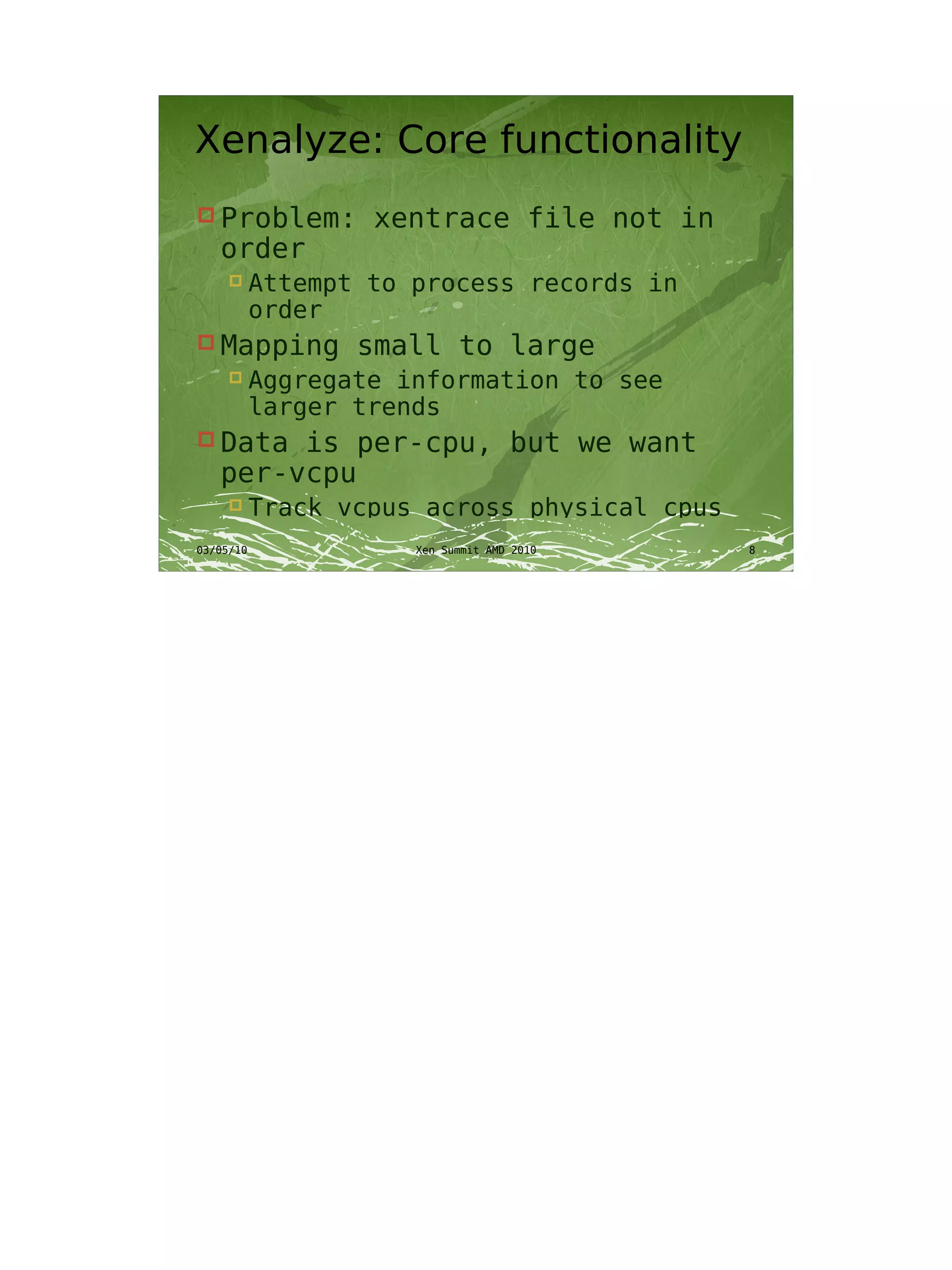
Xenalyze: Core functionality
 Problem:    xentrace file not in
 order
     Attempt to process records in
      order
 Mapping    small to large
     Aggregate information to see
      larger trends
 Datais per-cpu, but we want
 per-vcpu
     Track vcpus across physical cpus
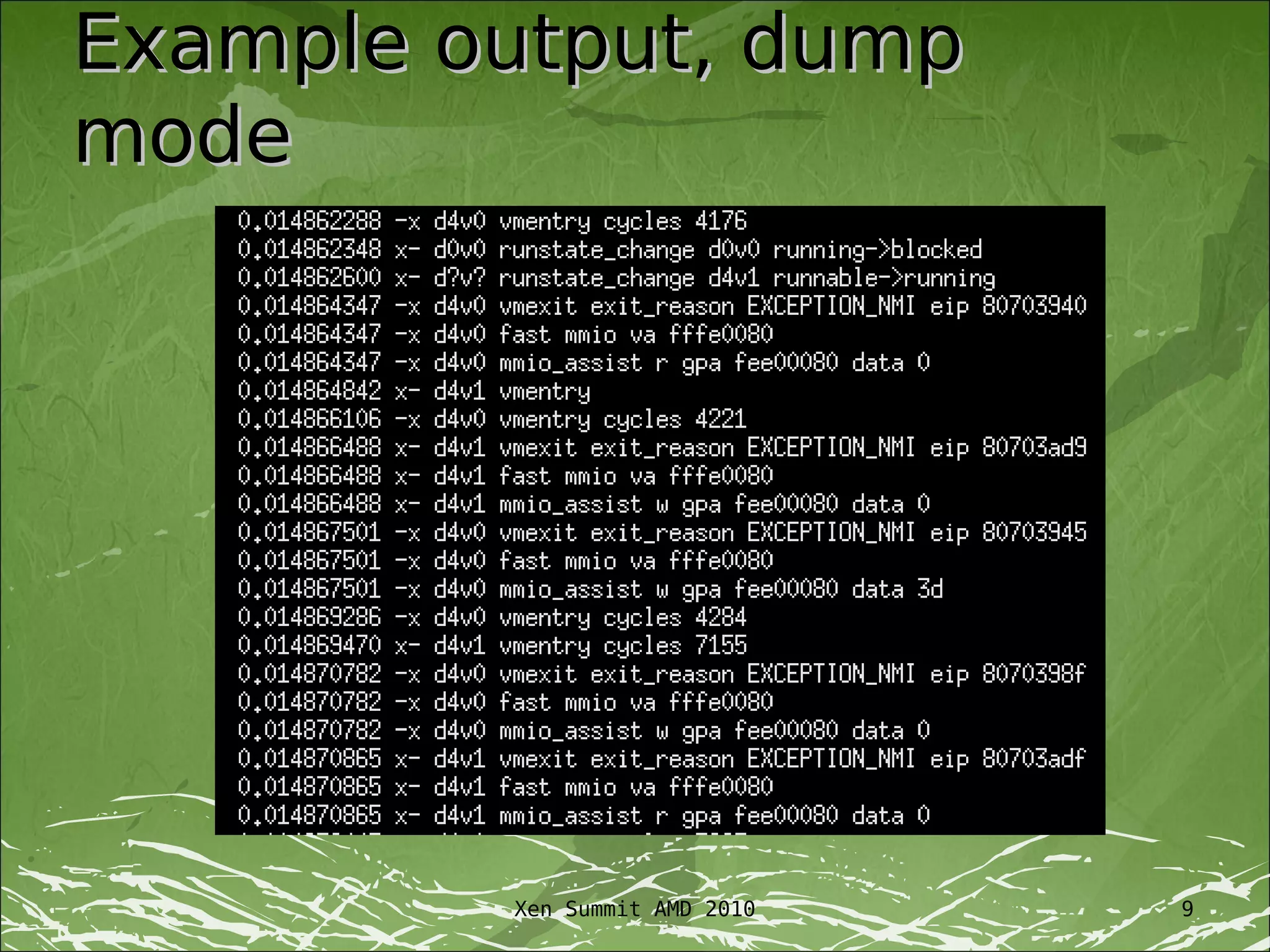
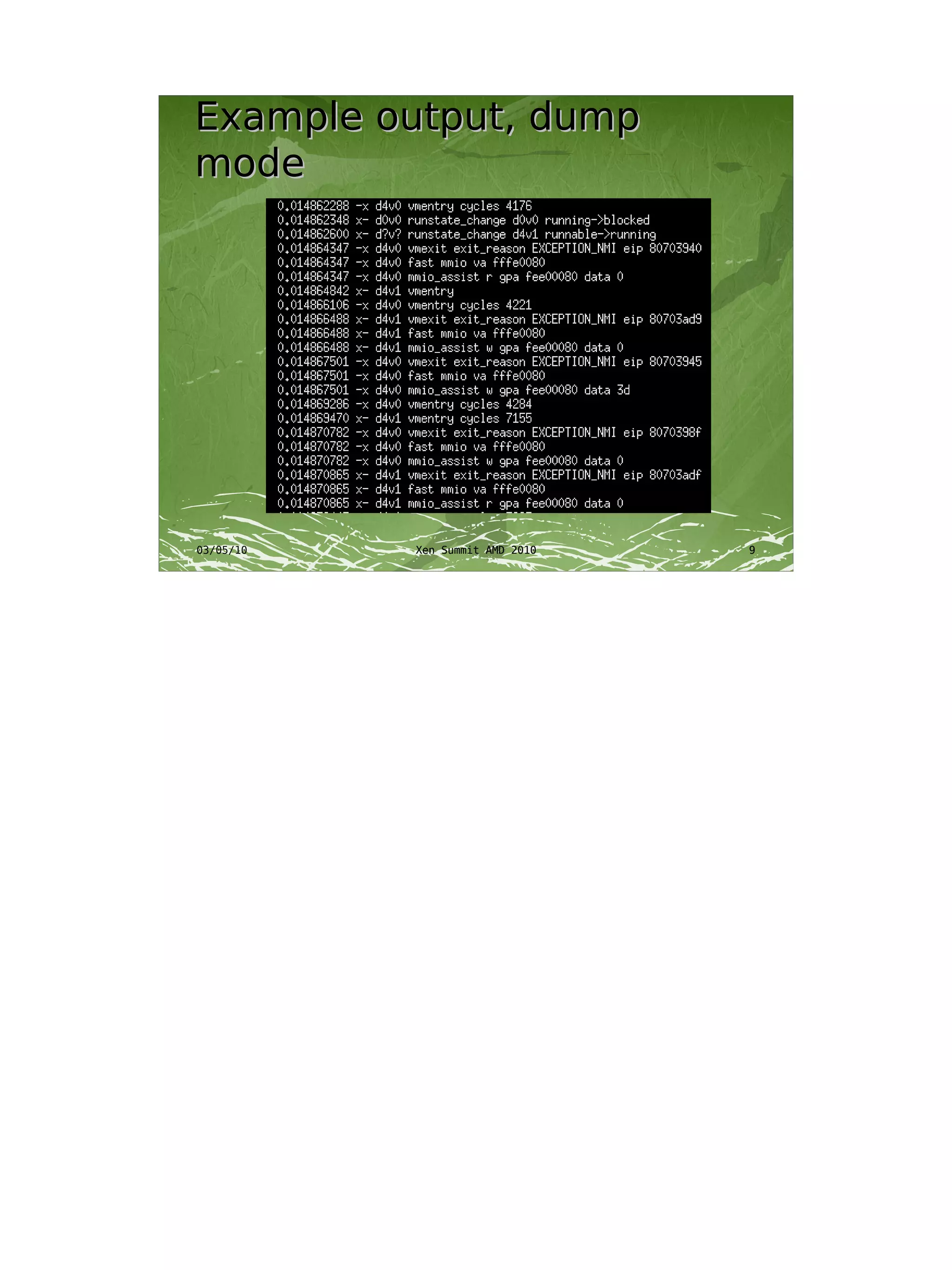
Example output, dump
mode


         Xen Summit AMD 2010   9
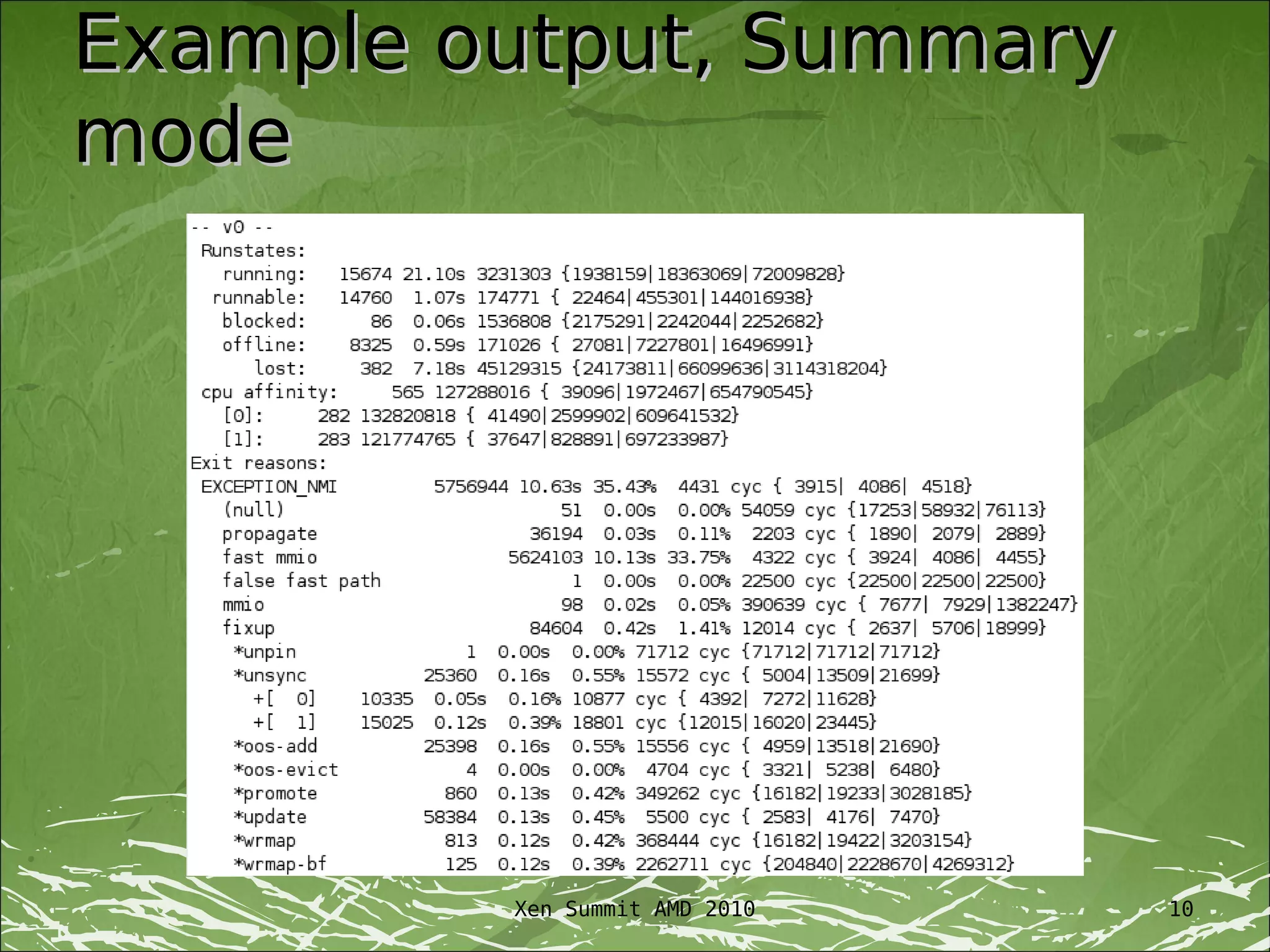
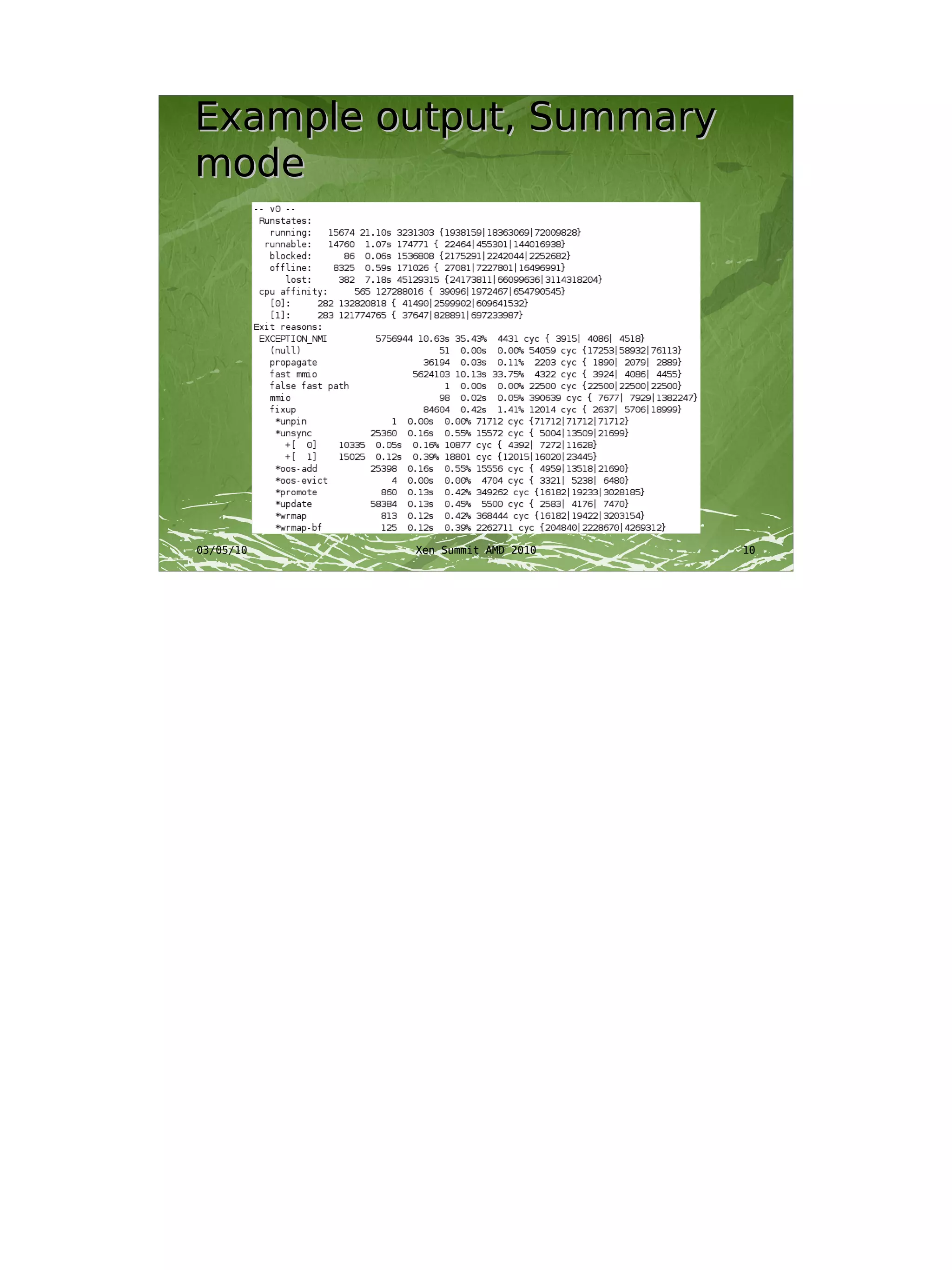
Example output, Summary
mode


         Xen Summit AMD 2010   10
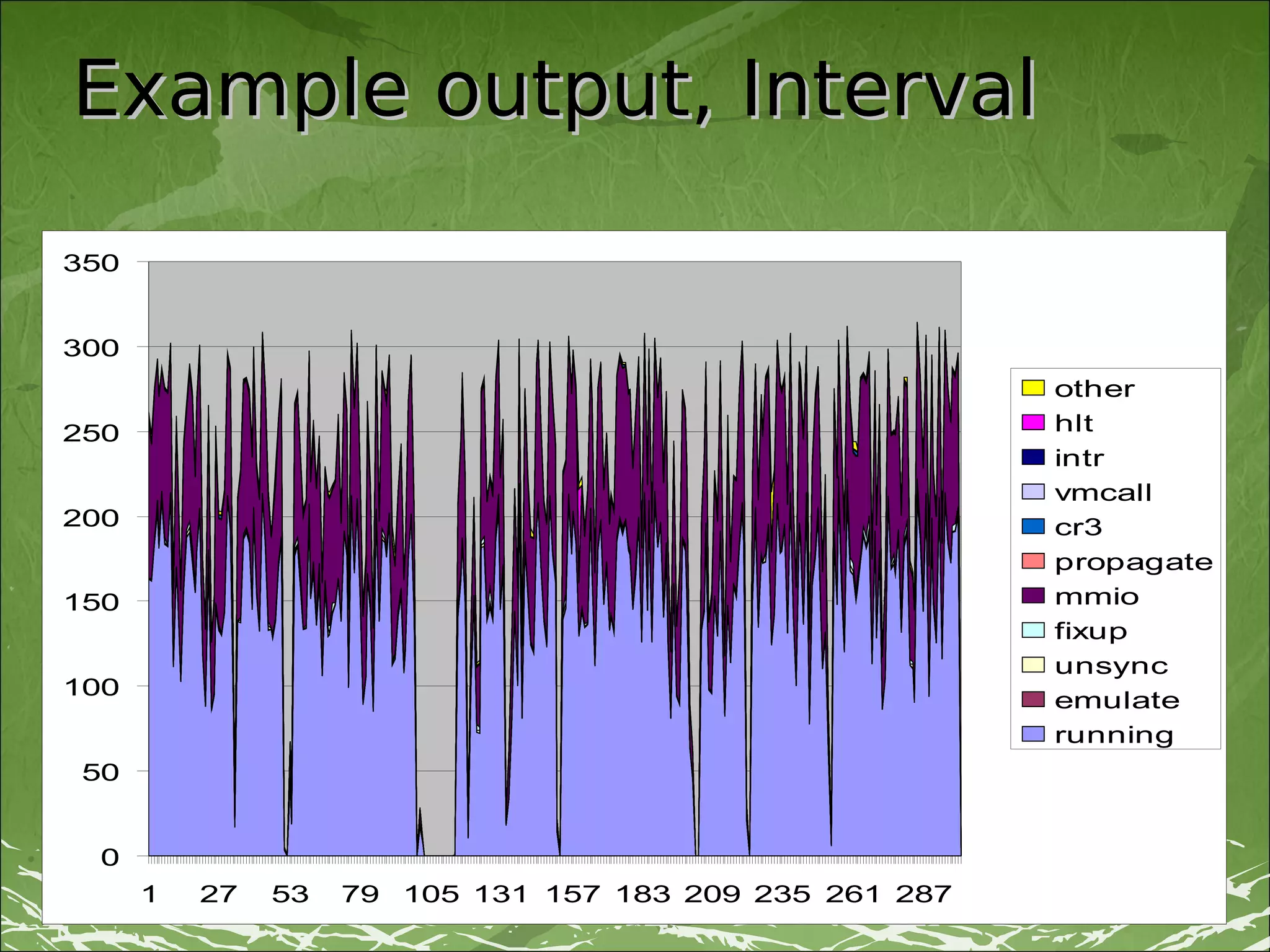
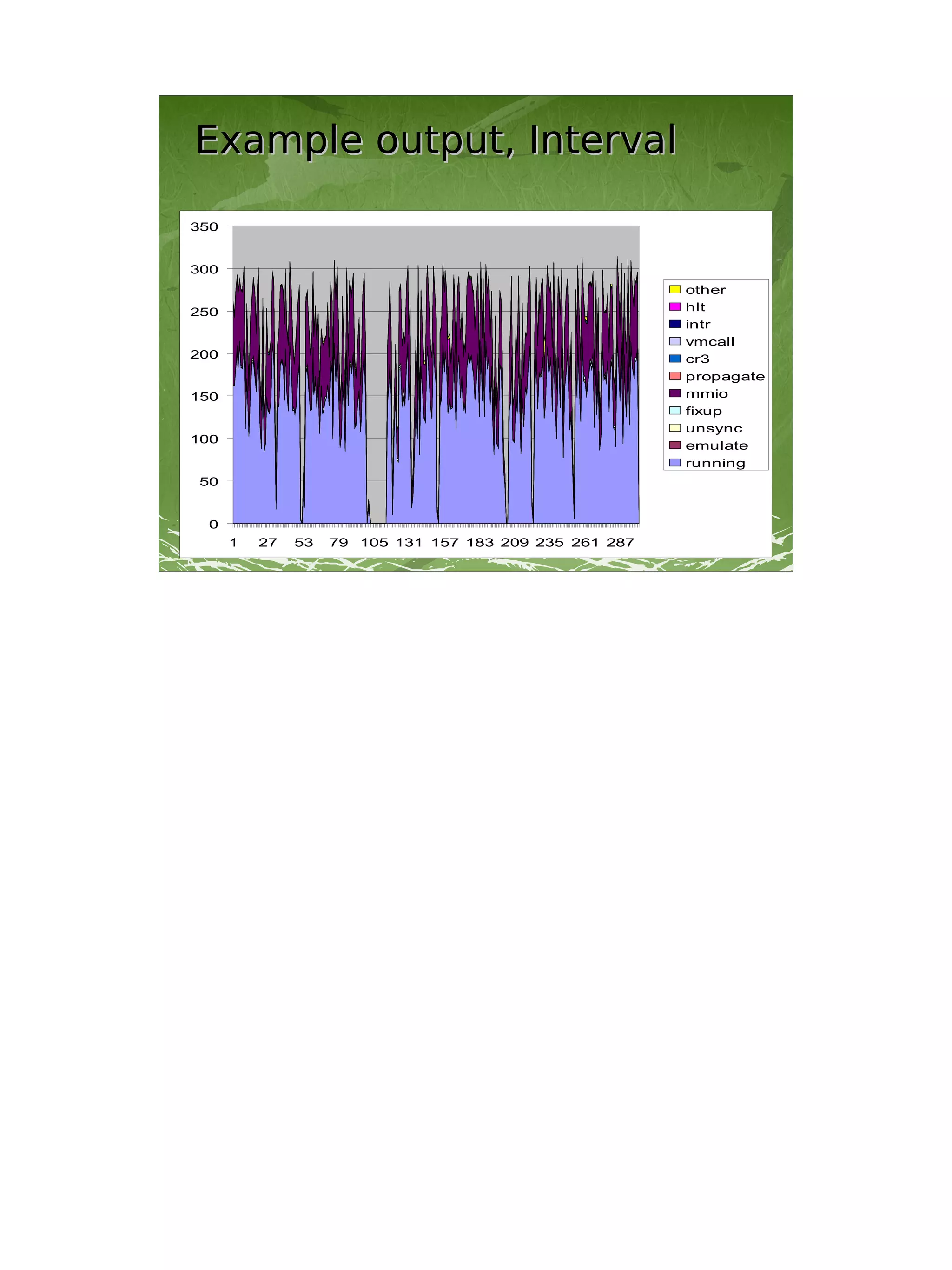
Example output, Interval

350


300
                                                         other
250                                                      hlt
                                                         intr
                                                         vmcall
200                                                      cr3
                                                         propagate
150                                                      mmio
                                                         fixup
                                                         unsync
100
                                                         emulate
                                                         running
50


 0
      1   27   53   79 105 131 157 183 209 235 261 287
                             Xen Summit AMD 2010               11
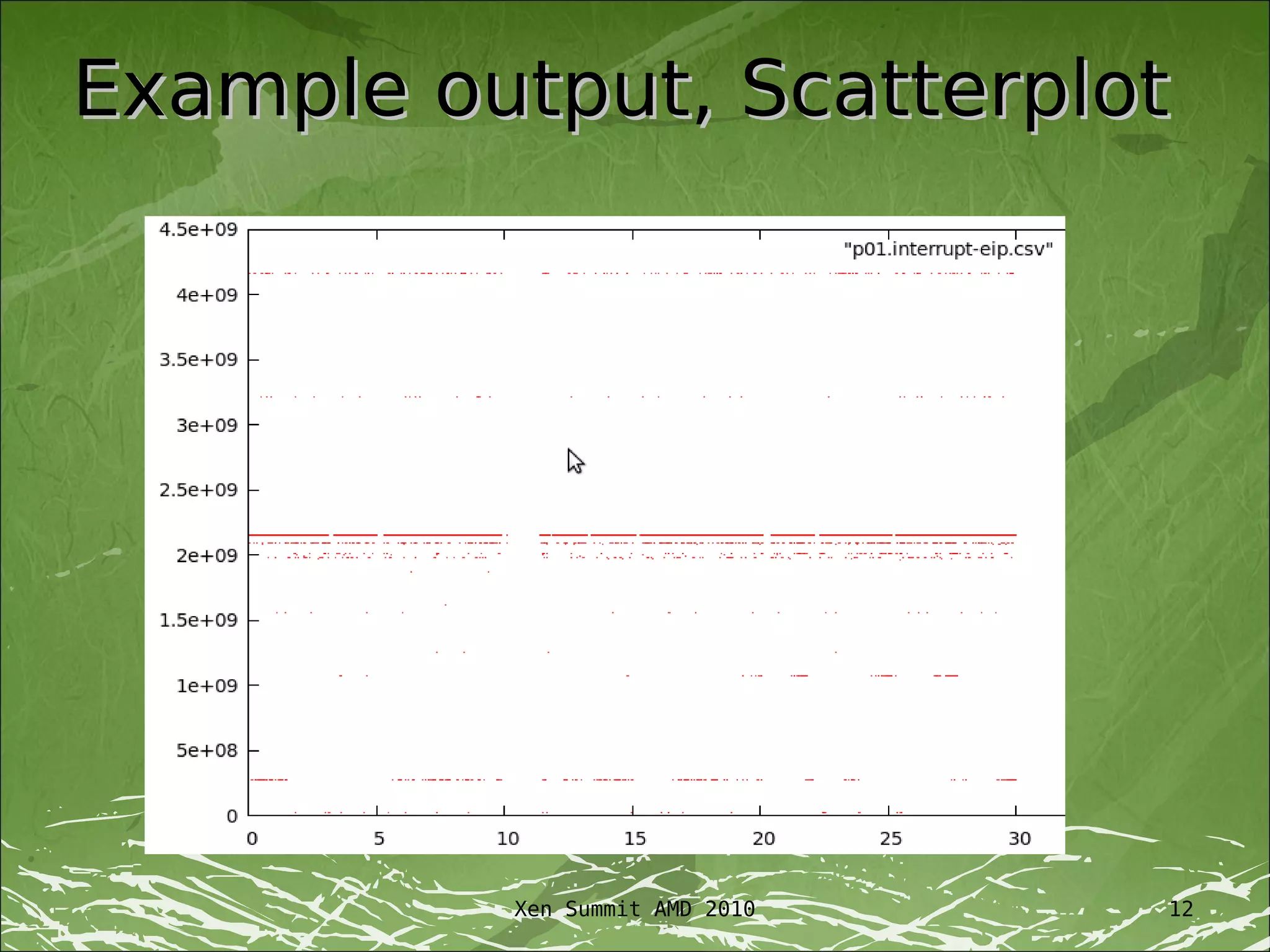
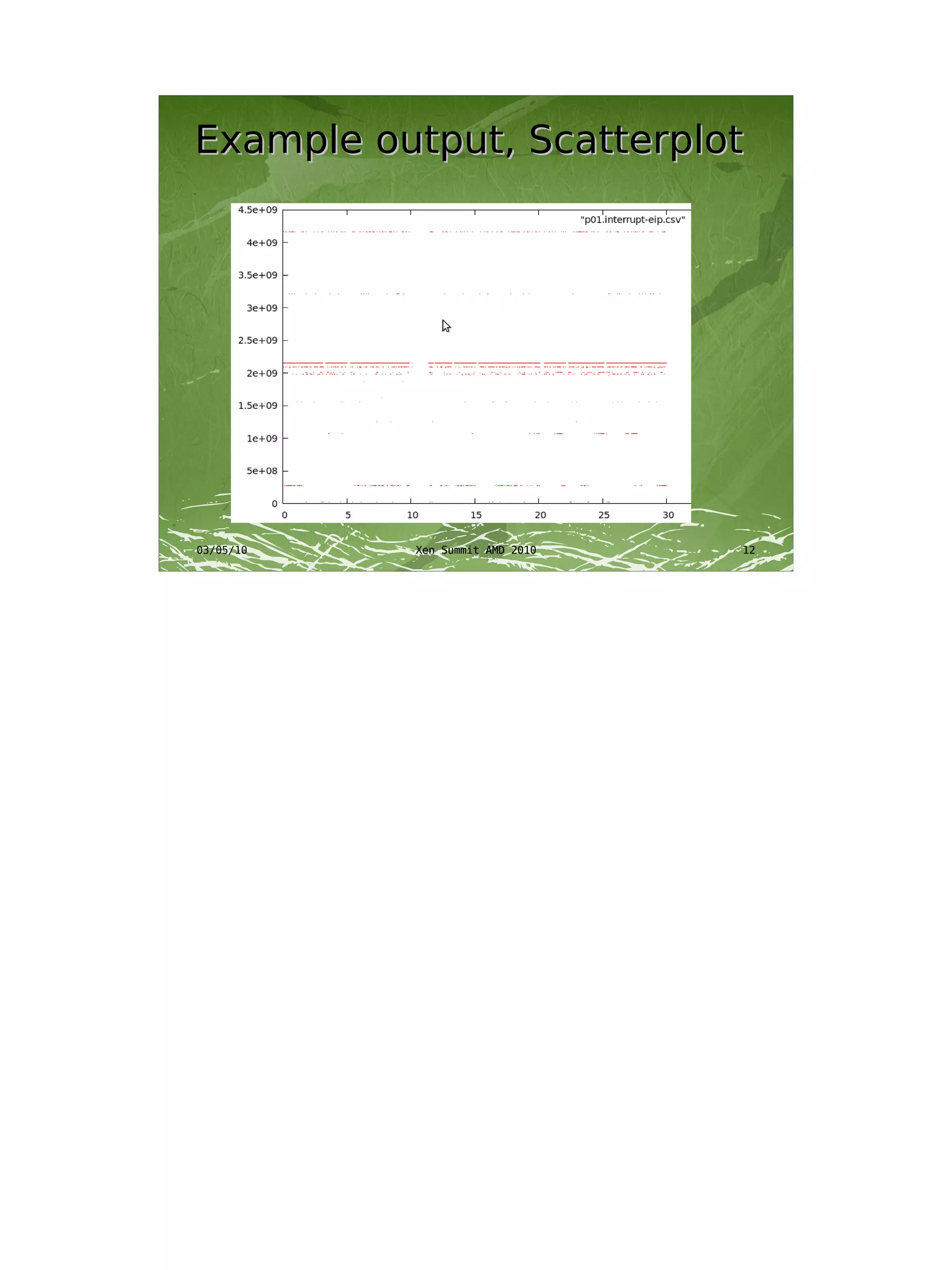
Example output, Scatterplot


          Xen Summit AMD 2010   12
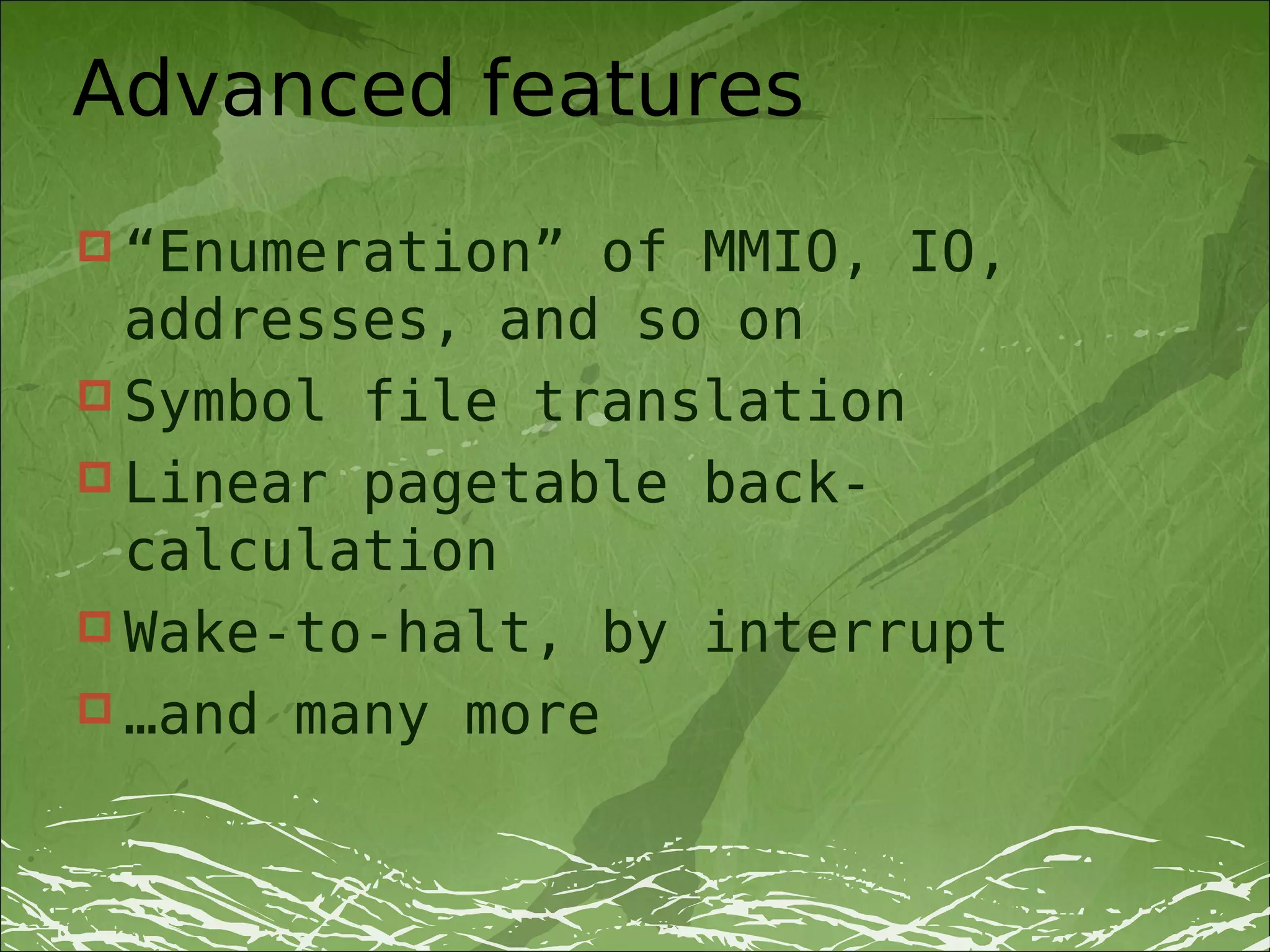
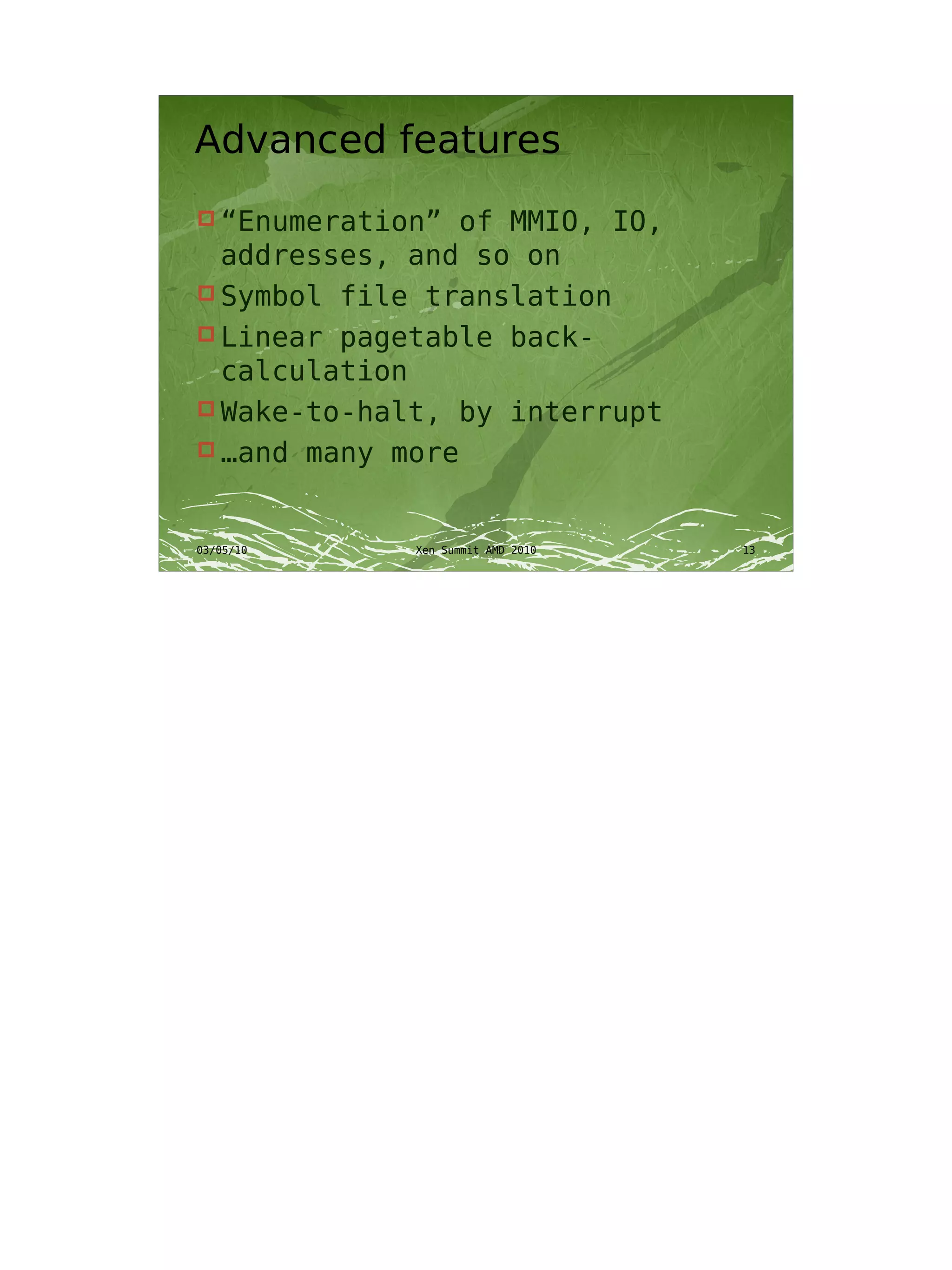
Advanced features
 “Enumeration”  of MMIO, IO,
  addresses, and so on
 Symbol file translation
 Linear pagetable back-
  calculation
 Wake-to-halt, by interrupt
 …and many more
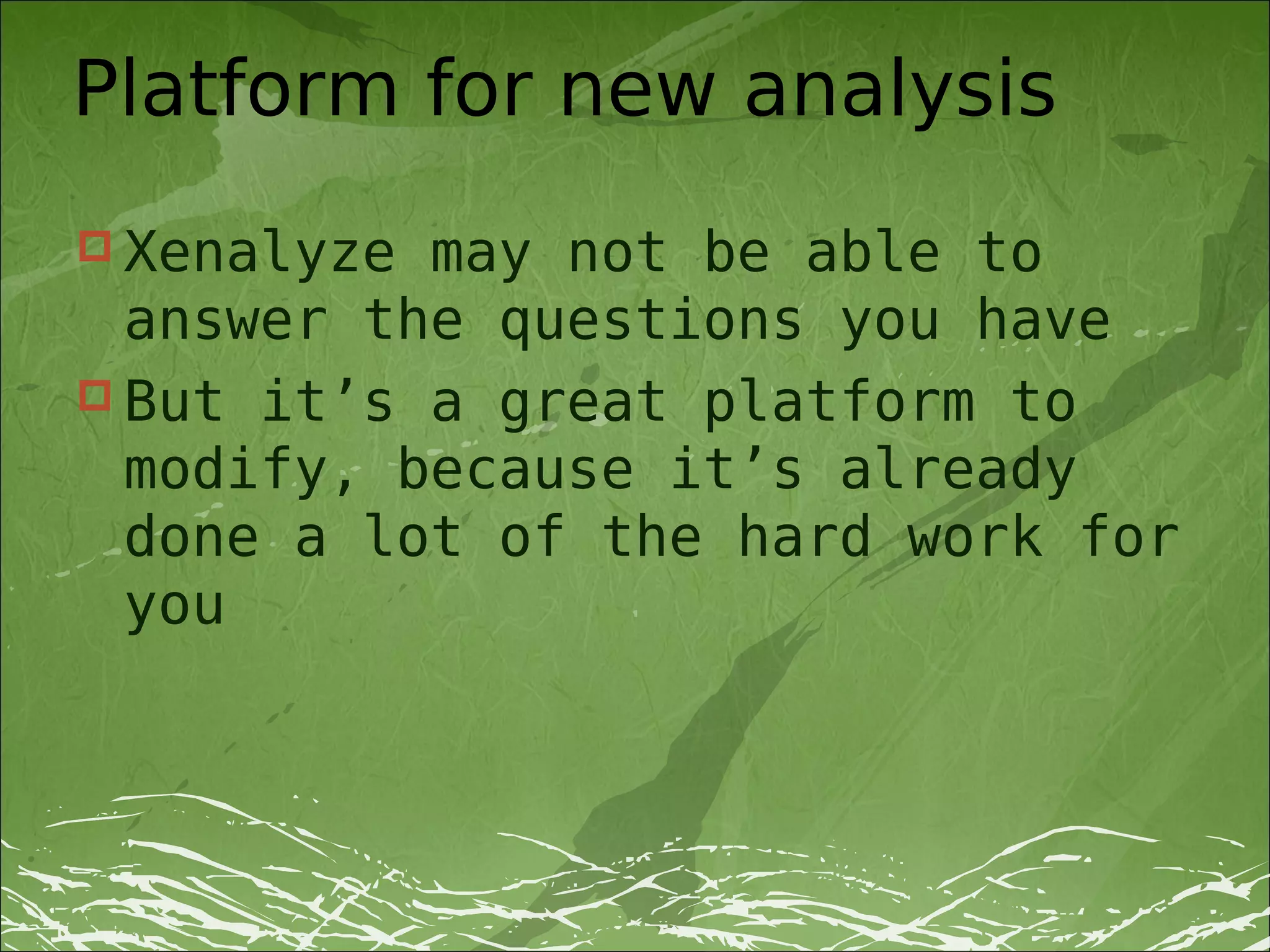
Platform for new analysis
 Xenalyze may not be able to
  answer the questions you have
 But it’s a great platform to
  modify, because it’s already
  done a lot of the hard work for
  you
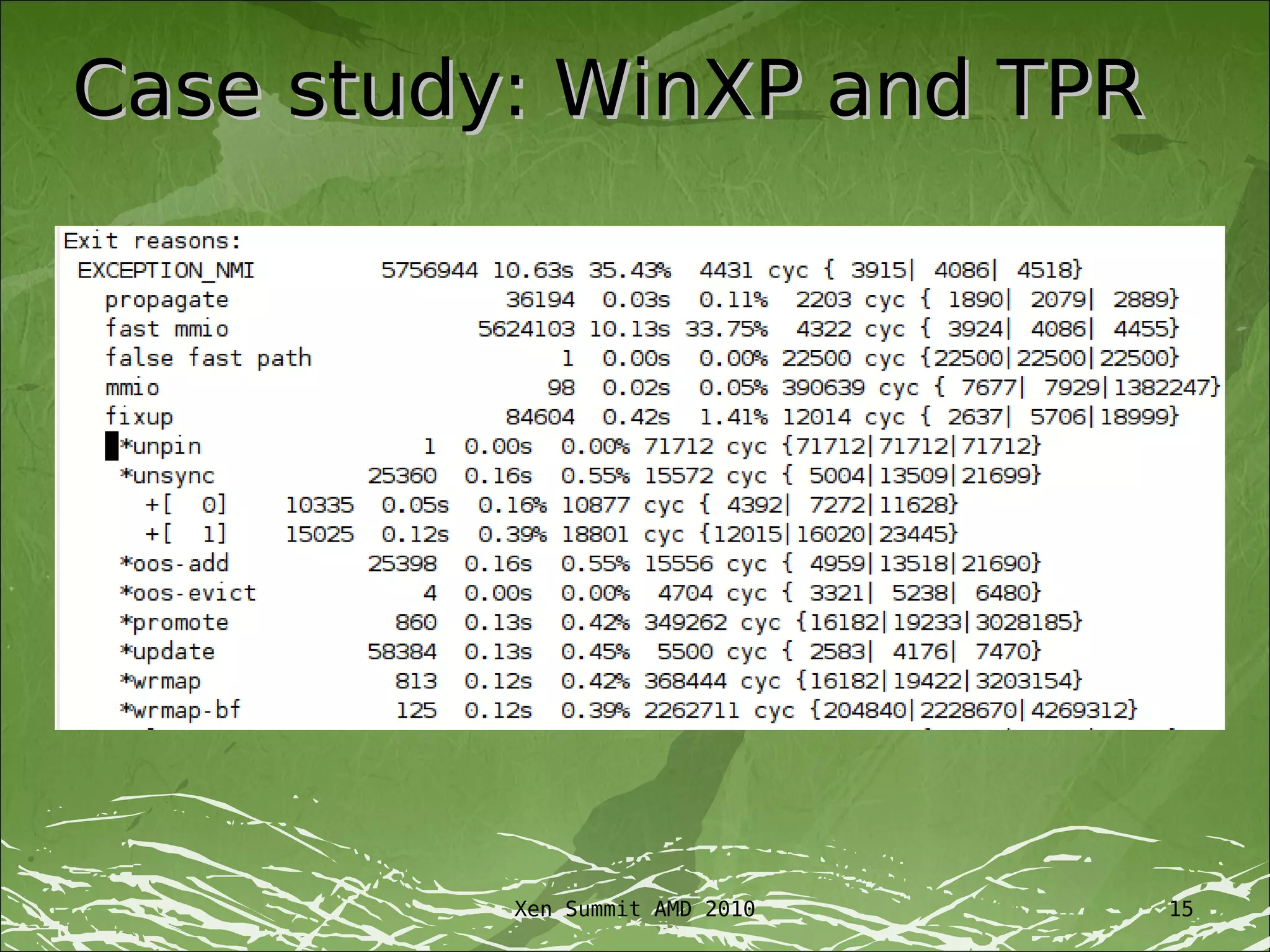
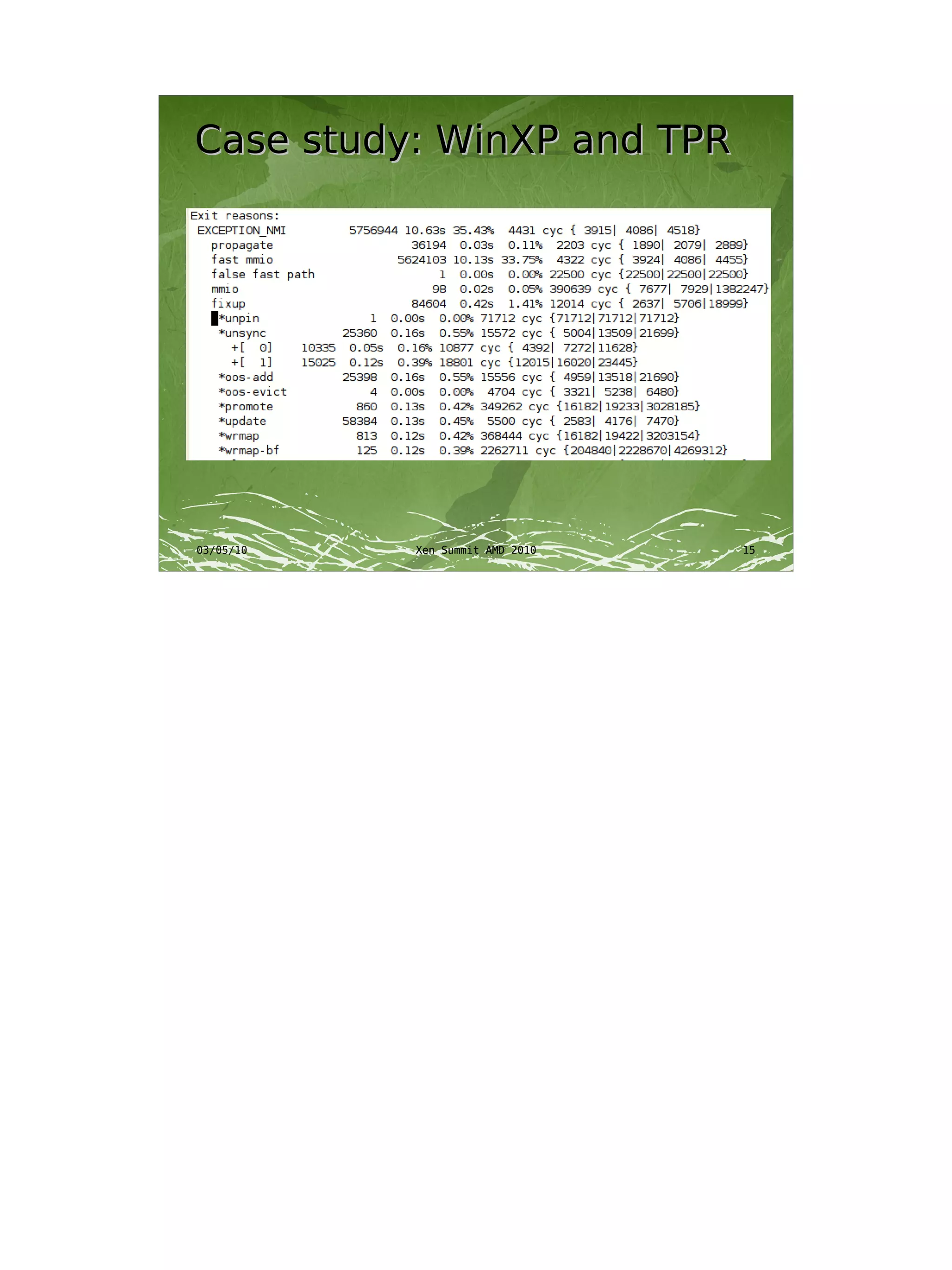
Case study: WinXP and TPR


          Xen Summit AMD 2010   15
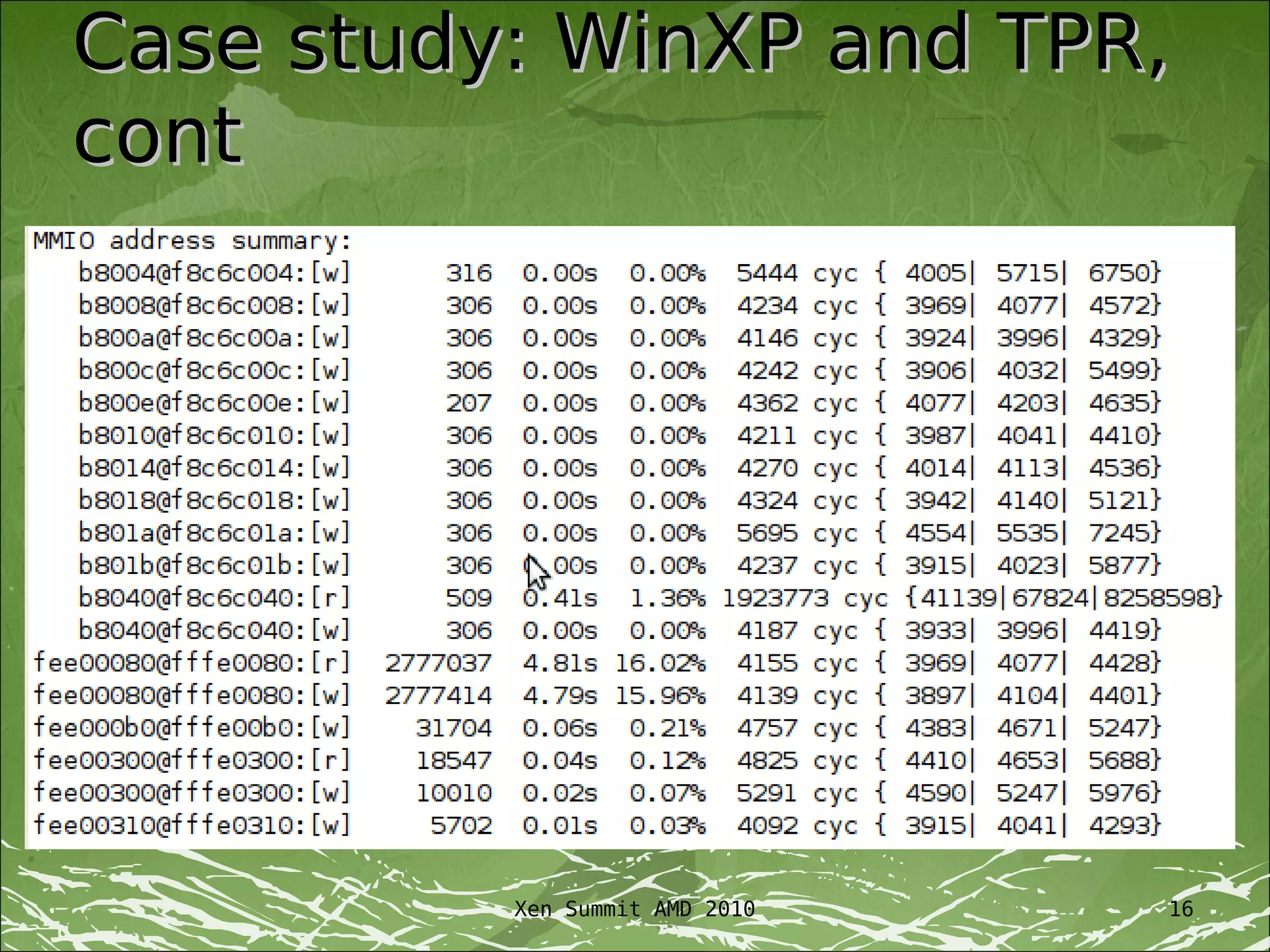
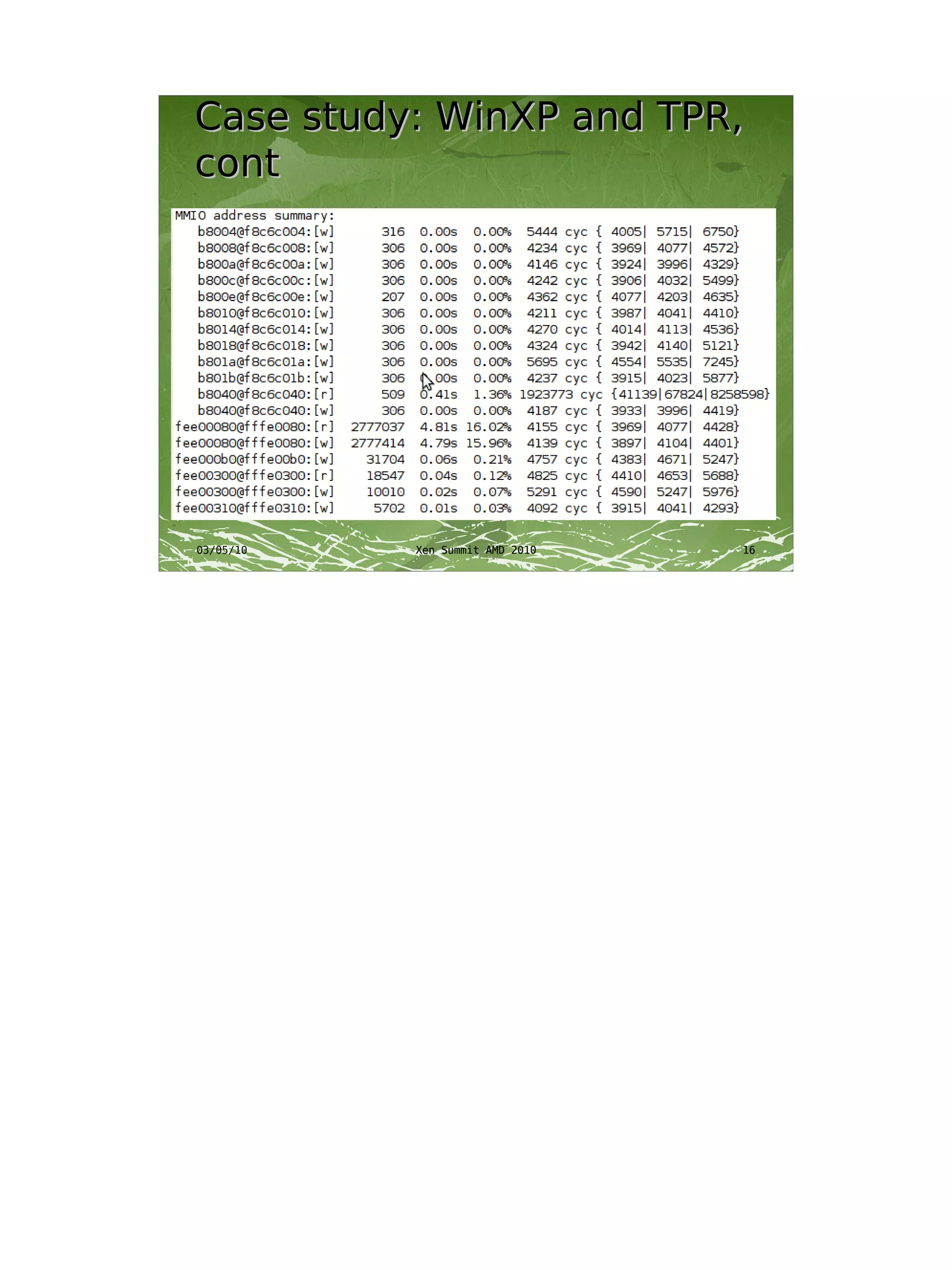
Case study: WinXP and TPR,
cont


          Xen Summit AMD 2010   16
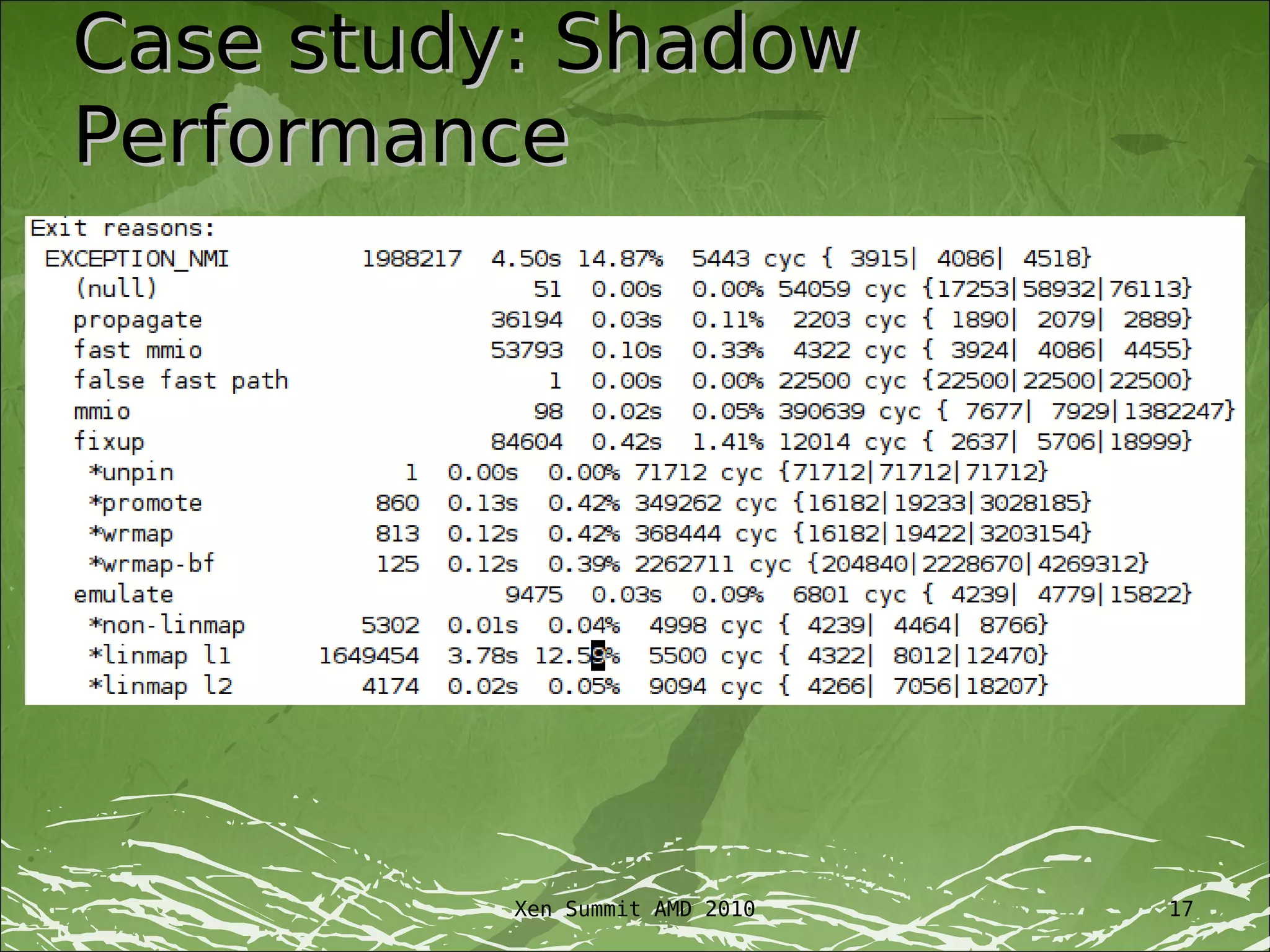
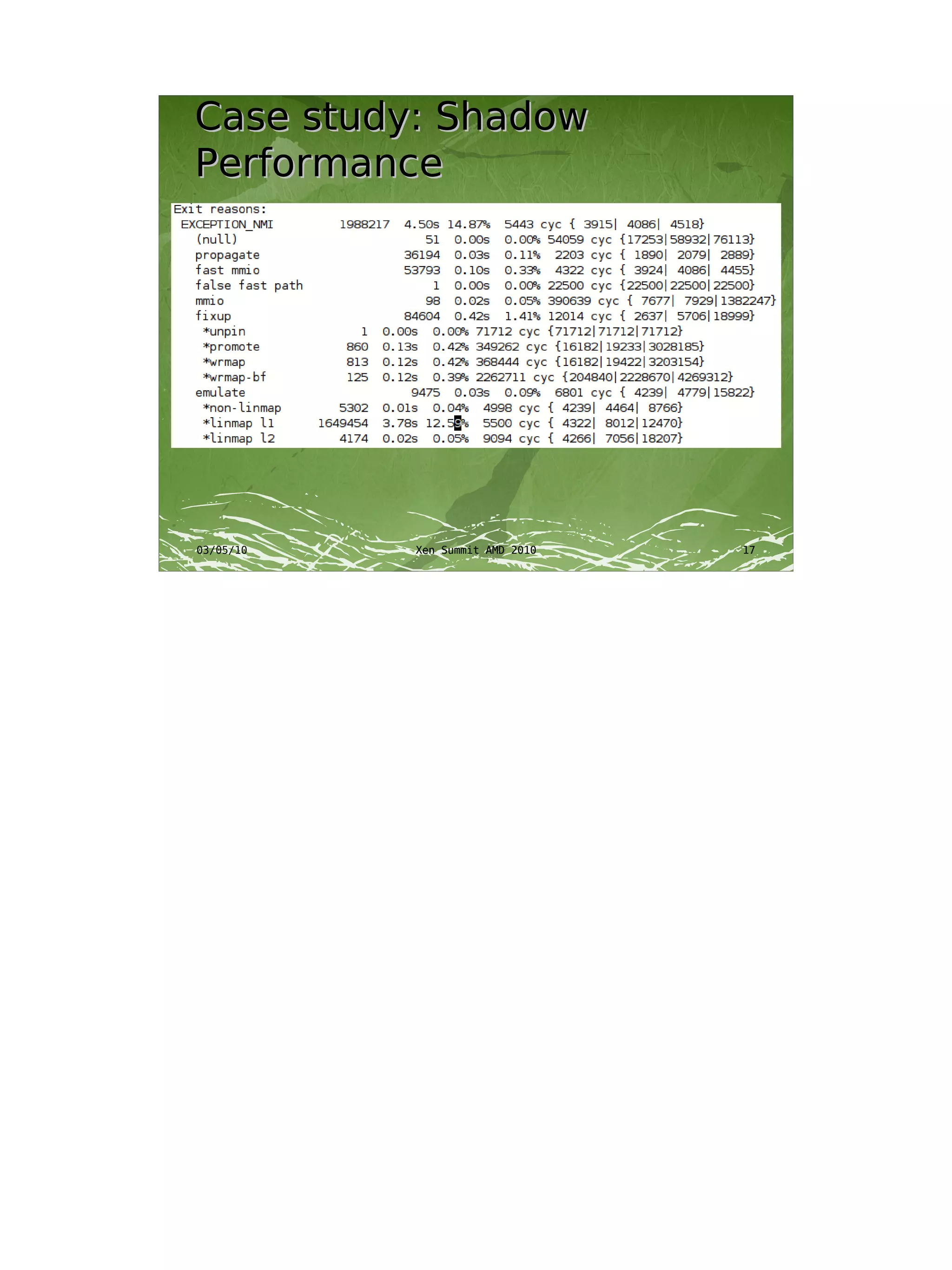
Case study: Shadow
Performance


          Xen Summit AMD 2010   17
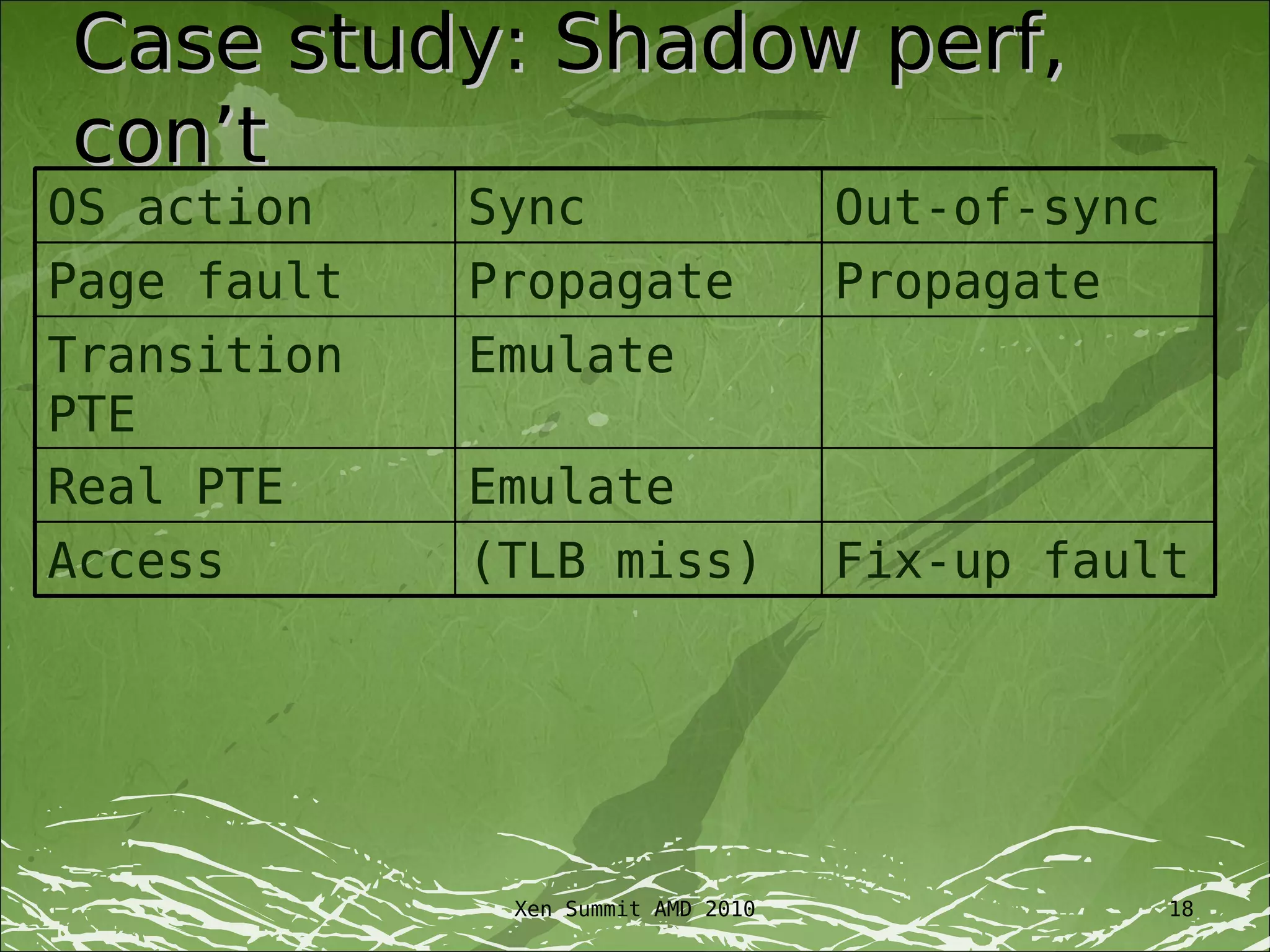
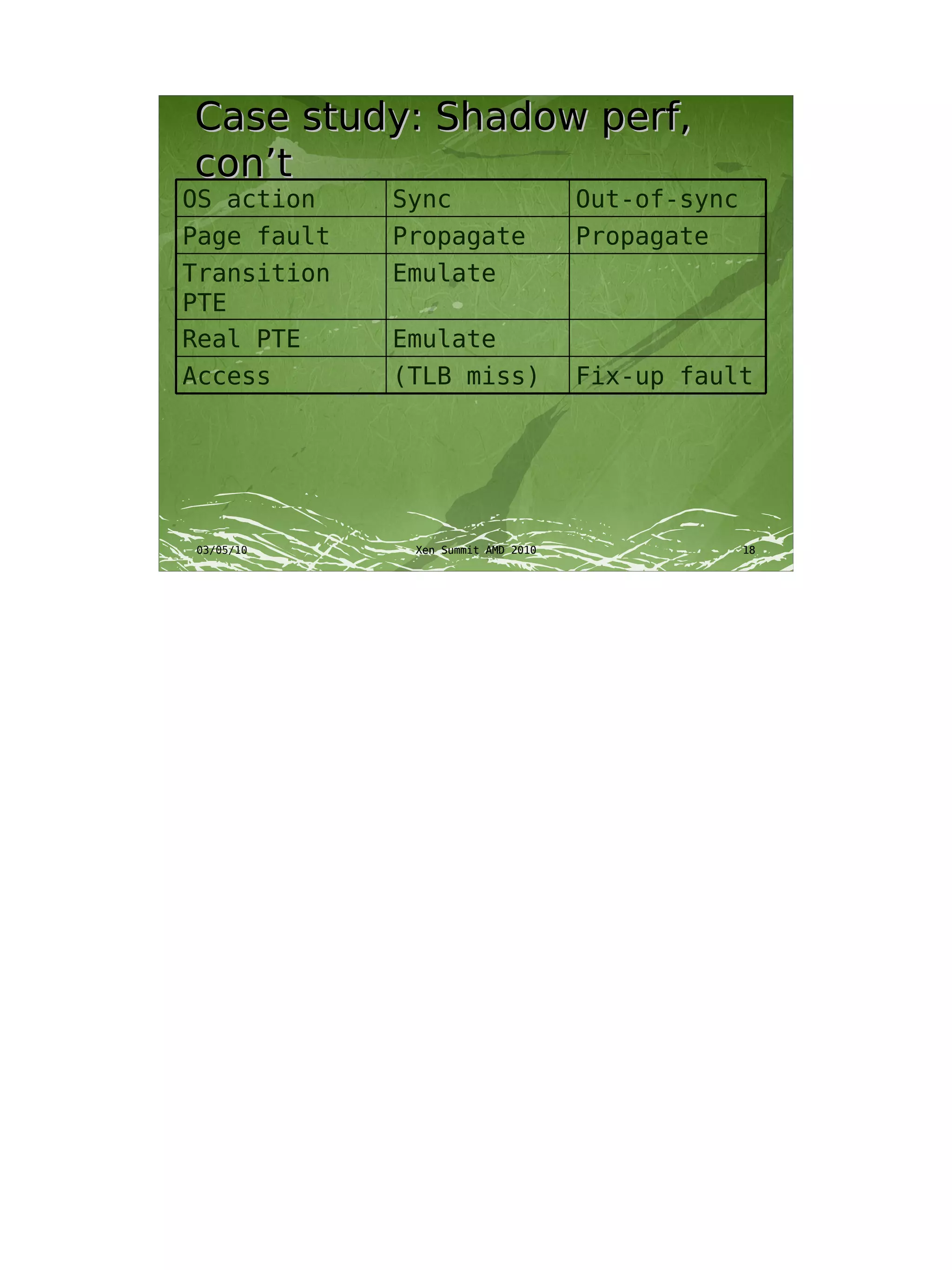
Case study: Shadow perf,
con’t
OS action    Sync                   Out-of-sync
Page fault   Propagate              Propagate
Transition   Emulate
PTE
Real PTE     Emulate
Access       (TLB miss)             Fix-up fault


              Xen Summit AMD 2010                 18
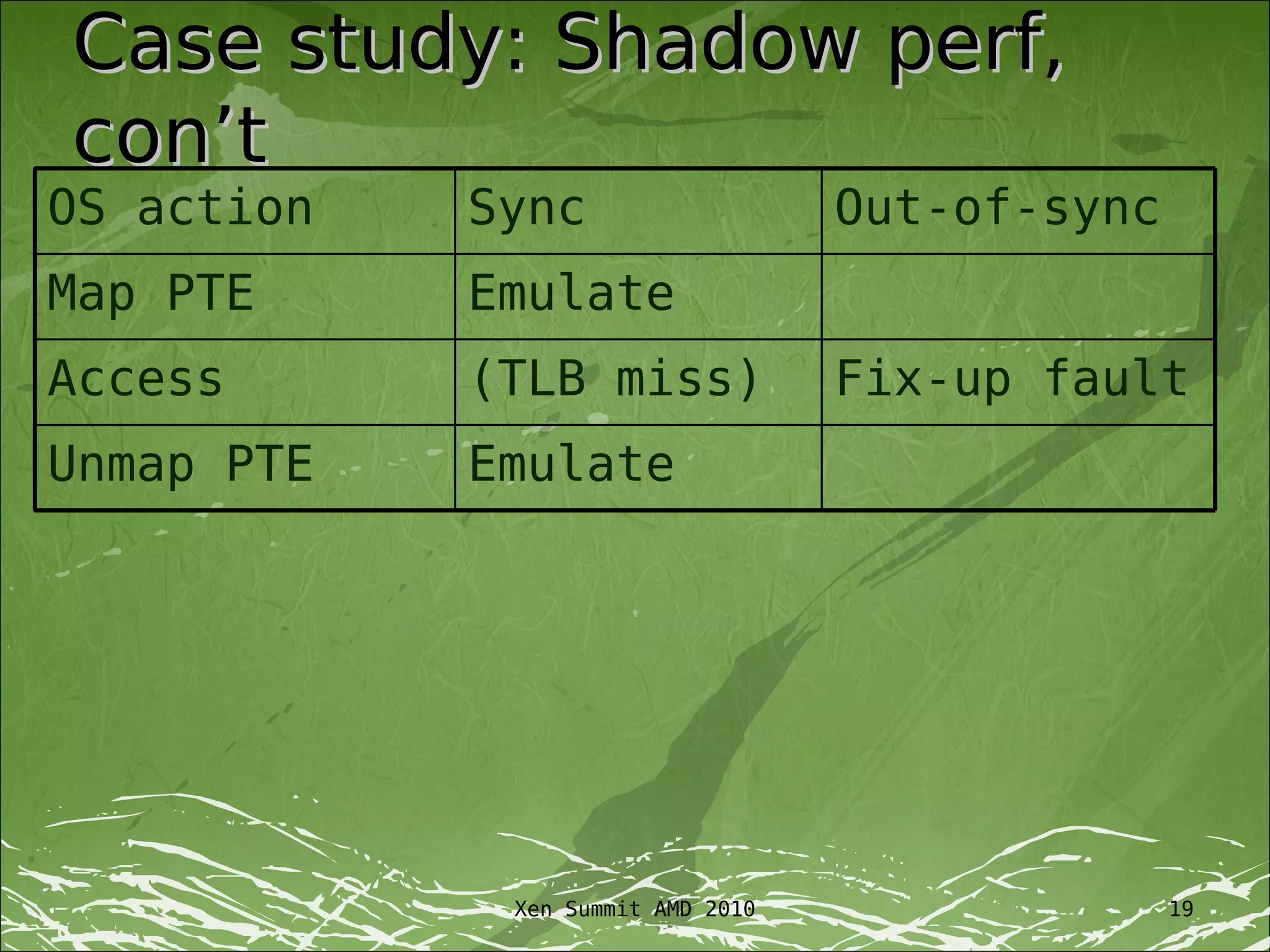
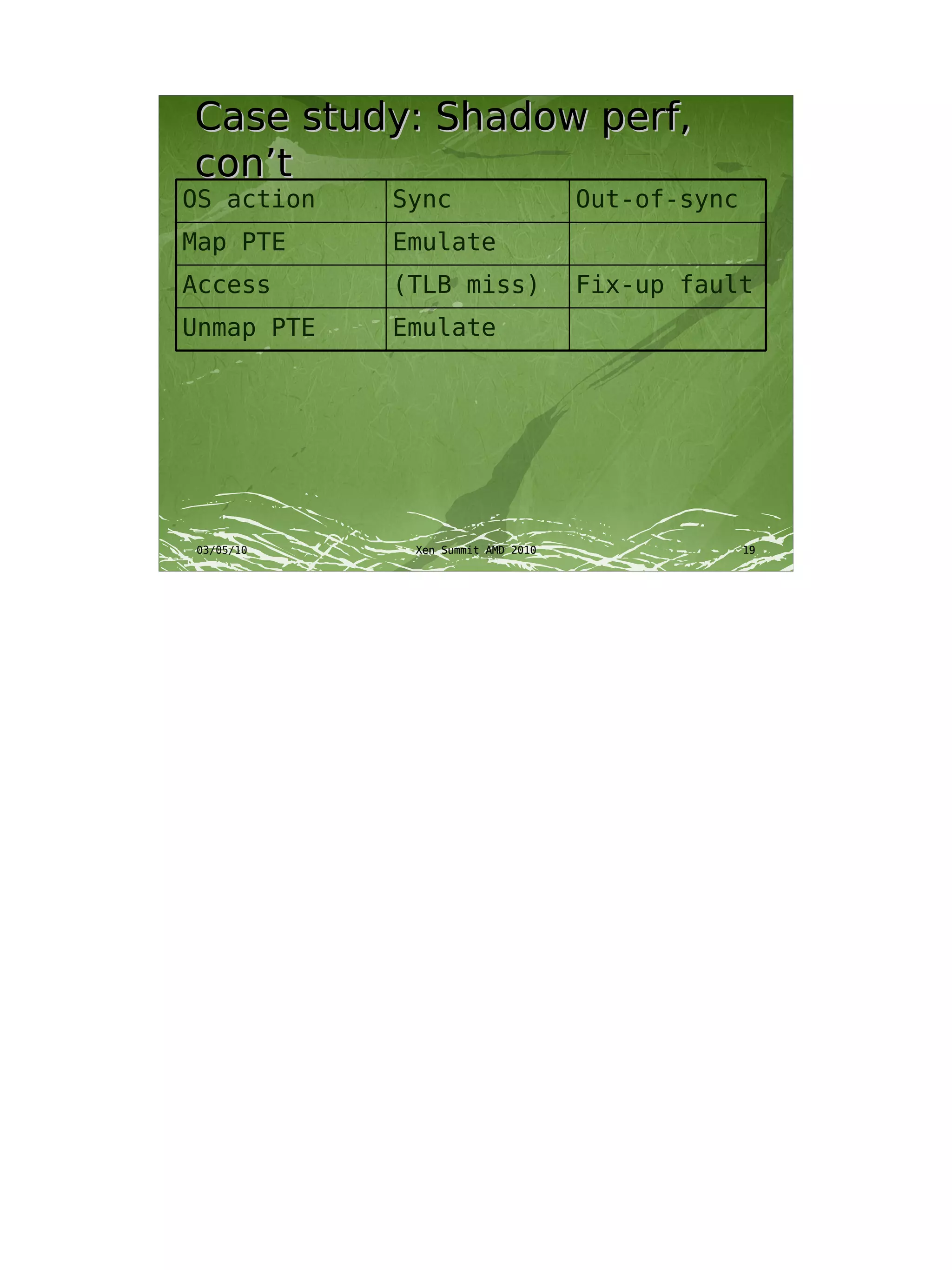
Case study: Shadow perf,
con’t
OS action   Sync                   Out-of-sync
Map PTE     Emulate
Access      (TLB miss)             Fix-up fault
Unmap PTE   Emulate


             Xen Summit AMD 2010                 19
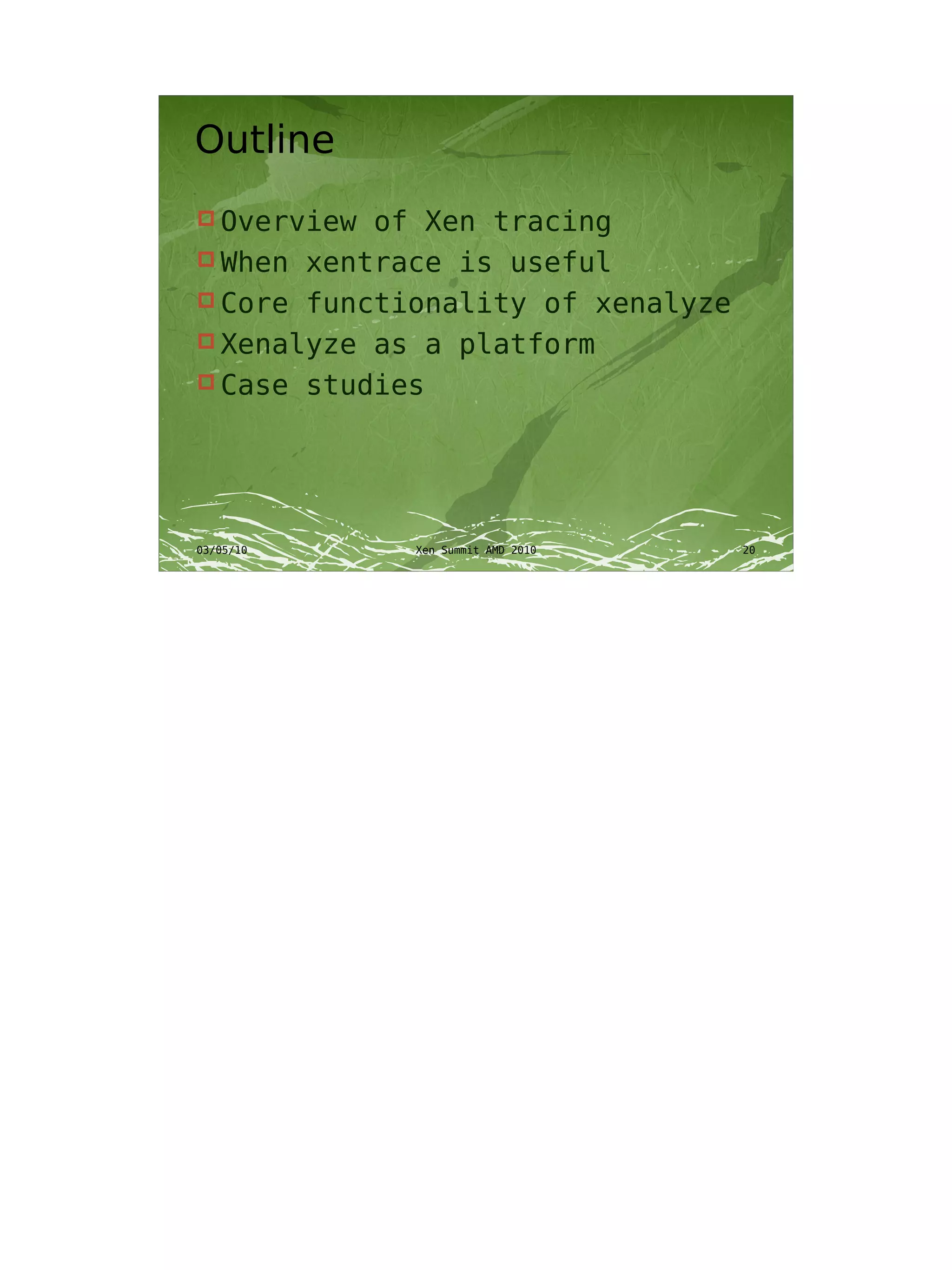
Outline
 Overview of Xen tracing
 When xentrace is useful
 Core functionality of xenalyze
 Xenalyze as a platform
 Case studies
Talk goals
 Those for whom xenalyze is
  useful will use it
 Basic understanding of what
  xenalyze does, and what it’s
  useful for
Questions
 Download   now:
http://xenbits.xensource.com/ext/xenalyze.hg
Xenalyze
       Finding meaning in the
               chaos
                  George Dunlap
           george.dunlap@eu.citrix.com
             Citrix Systems, UK Ltd

03/05/10            Xen Summit AMD 2010   1
Introduction
 Modern   operating systems are
  complex
 Xentrace for gathering in-depth
  information
 Too much information
 Xenalyze


03/05/10       Xen Summit AMD 2010   2
Talk goals
 Those for whom xenalyze is
  useful will use it
 Basic understanding of what
  xenalyze does, and what it’s
  useful for


03/05/10     Xen Summit AMD 2010   3
Outline
 Overview of Xen tracing
 When xentrace is useful
 Core functionality of xenalyze
 Xenalyze as a platform
 Case studies


03/05/10     Xen Summit AMD 2010   4
Xen tracing
   Trace records
          Single 4-byte event number
          Optional TSC timestamp
          Optional trace-specific data, up to 28
           bytes
 Event mask to control which events
  are logged
 Per-cpu trace buffers
 Buffers read by process in dom0,
  copied to disk
03/05/10                Xen Summit AMD 2010         5
Xen tracing: What it’s good
for
   Key attributes
       Lots of detailed data
       Moderate cpu, disk overhead
       Not persistent on host crash
   Understand both macro and micro
    effects
       Performance analysis
       Debugging
       Understanding guest behavior
   Comparing to other techniques
       printk
       Xenoprof
03/05/10Xen performance Summit AMD 2010
                     Xen counters        6
Key trace events
 Runstate         change
      Figure out who’s running where
      Analyze how much time is spent

       blocked, preempted, waiting after
       wake, &c
 VMEXIT         / VMENTER
          How much time, and for what
           reason, we’re spending time in Xen


03/05/10              Xen Summit AMD 2010   7
Xenalyze: Core functionality
 Problem:         xentrace file not in
   order
          Attempt to process records in
           order
 Mapping         small to large
          Aggregate information to see
           larger trends
 Data  is per-cpu, but we want
   per-vcpu
          Track vcpus across physical cpus
03/05/10              Xen Summit AMD 2010     8
Example output, dump
mode


03/05/10   Xen Summit AMD 2010   9
Example output, Summary
mode


03/05/10   Xen Summit AMD 2010   10
Example output, Interval

350


300
                                                          other
250                                                       hlt
                                                          intr
                                                          vmcall
200                                                       cr3
                                                          propagate
150                                                       mmio
                                                          fixup
                                                          unsync
100
                                                          emulate
                                                          running
50


 0
      1    27   53   79 105 131 157 183 209 235 261 287
03/05/10                      Xen Summit AMD 2010               11
Example output, Scatterplot


03/05/10   Xen Summit AMD 2010   12
Advanced features
 “Enumeration” of MMIO, IO,
  addresses, and so on
 Symbol file translation
 Linear pagetable back-
  calculation
 Wake-to-halt, by interrupt
 …and many more


03/05/10     Xen Summit AMD 2010   13
Platform for new analysis
 Xenalyze may not be able to
  answer the questions you have
 But it’s a great platform to
  modify, because it’s already
  done a lot of the hard work for
  you


03/05/10     Xen Summit AMD 2010   14
Case study: WinXP and TPR


03/05/10   Xen Summit AMD 2010   15
Case study: WinXP and TPR,
cont


03/05/10   Xen Summit AMD 2010   16
Case study: Shadow
Performance


03/05/10   Xen Summit AMD 2010   17
Case study: Shadow perf,
con’t
OS action    Sync                   Out-of-sync
Page fault   Propagate              Propagate
Transition   Emulate
PTE
Real PTE     Emulate
Access       (TLB miss)             Fix-up fault


03/05/10      Xen Summit AMD 2010                 18
Case study: Shadow perf,
con’t
OS action   Sync                   Out-of-sync
Map PTE     Emulate
Access      (TLB miss)             Fix-up fault
Unmap PTE   Emulate


03/05/10     Xen Summit AMD 2010                 19
Outline
 Overview of Xen tracing
 When xentrace is useful
 Core functionality of xenalyze
 Xenalyze as a platform
 Case studies


03/05/10     Xen Summit AMD 2010   20
Talk goals
 Those for whom xenalyze is
  useful will use it
 Basic understanding of what
  xenalyze does, and what it’s
  useful for


03/05/10     Xen Summit AMD 2010   21
Questions
 Download   now:
http://xenbits.xensource.com/ext/xenalyze.hg


03/05/10         Xen Summit AMD 2010       22

Xenalyze

  • 1.
    Xenalyze Finding meaning inthe chaos George Dunlap george.dunlap@eu.citrix.com Citrix Systems, UK Ltd
  • 2.
    Introduction  Modern operating systems are complex  Xentrace for gathering in-depth information  Too much information  Xenalyze
  • 3.
    Talk goals  Thosefor whom xenalyze is useful will use it  Basic understanding of what xenalyze does, and what it’s useful for
  • 4.
    Outline  Overview ofXen tracing  When xentrace is useful  Core functionality of xenalyze  Xenalyze as a platform  Case studies
  • 5.
    Xen tracing  Trace records  Single 4-byte event number  Optional TSC timestamp  Optional trace-specific data, up to 28 bytes  Event mask to control which events are logged  Per-cpu trace buffers  Buffers read by process in dom0, copied to disk
  • 6.
    Xen tracing: Whatit’s good for  Key attributes  Lots of detailed data  Moderate cpu, disk overhead  Not persistent on host crash  Understand both macro and micro effects  Performance analysis  Debugging  Understanding guest behavior  Comparing to other techniques  printk  Xenoprof  Xen performance counters
  • 7.
    Key trace events Runstate change  Figure out who’s running where  Analyze how much time is spent blocked, preempted, waiting after wake, &c  VMEXIT / VMENTER  How much time, and for what reason, we’re spending time in Xen
  • 8.
    Xenalyze: Core functionality Problem: xentrace file not in order  Attempt to process records in order  Mapping small to large  Aggregate information to see larger trends  Datais per-cpu, but we want per-vcpu  Track vcpus across physical cpus
  • 9.
    Example output, dump mode Xen Summit AMD 2010 9
  • 10.
    Example output, Summary mode Xen Summit AMD 2010 10
  • 11.
    Example output, Interval 350 300 other 250 hlt intr vmcall 200 cr3 propagate 150 mmio fixup unsync 100 emulate running 50 0 1 27 53 79 105 131 157 183 209 235 261 287 Xen Summit AMD 2010 11
  • 12.
    Example output, Scatterplot Xen Summit AMD 2010 12
  • 13.
    Advanced features  “Enumeration” of MMIO, IO, addresses, and so on  Symbol file translation  Linear pagetable back- calculation  Wake-to-halt, by interrupt  …and many more
  • 14.
    Platform for newanalysis  Xenalyze may not be able to answer the questions you have  But it’s a great platform to modify, because it’s already done a lot of the hard work for you
  • 15.
    Case study: WinXPand TPR Xen Summit AMD 2010 15
  • 16.
    Case study: WinXPand TPR, cont Xen Summit AMD 2010 16
  • 17.
    Case study: Shadow Performance Xen Summit AMD 2010 17
  • 18.
    Case study: Shadowperf, con’t OS action Sync Out-of-sync Page fault Propagate Propagate Transition Emulate PTE Real PTE Emulate Access (TLB miss) Fix-up fault Xen Summit AMD 2010 18
  • 19.
    Case study: Shadowperf, con’t OS action Sync Out-of-sync Map PTE Emulate Access (TLB miss) Fix-up fault Unmap PTE Emulate Xen Summit AMD 2010 19
  • 20.
    Outline  Overview ofXen tracing  When xentrace is useful  Core functionality of xenalyze  Xenalyze as a platform  Case studies
  • 21.
    Talk goals  Thosefor whom xenalyze is useful will use it  Basic understanding of what xenalyze does, and what it’s useful for
  • 22.
    Questions  Download now: http://xenbits.xensource.com/ext/xenalyze.hg
  • 23.
    Xenalyze Finding meaning in the chaos George Dunlap george.dunlap@eu.citrix.com Citrix Systems, UK Ltd 03/05/10 Xen Summit AMD 2010 1
  • 24.
    Introduction  Modern operating systems are complex  Xentrace for gathering in-depth information  Too much information  Xenalyze 03/05/10 Xen Summit AMD 2010 2
  • 25.
    Talk goals  Thosefor whom xenalyze is useful will use it  Basic understanding of what xenalyze does, and what it’s useful for 03/05/10 Xen Summit AMD 2010 3
  • 26.
    Outline  Overview ofXen tracing  When xentrace is useful  Core functionality of xenalyze  Xenalyze as a platform  Case studies 03/05/10 Xen Summit AMD 2010 4
  • 27.
    Xen tracing  Trace records  Single 4-byte event number  Optional TSC timestamp  Optional trace-specific data, up to 28 bytes  Event mask to control which events are logged  Per-cpu trace buffers  Buffers read by process in dom0, copied to disk 03/05/10 Xen Summit AMD 2010 5
  • 28.
    Xen tracing: Whatit’s good for  Key attributes  Lots of detailed data  Moderate cpu, disk overhead  Not persistent on host crash  Understand both macro and micro effects  Performance analysis  Debugging  Understanding guest behavior  Comparing to other techniques  printk  Xenoprof 03/05/10Xen performance Summit AMD 2010  Xen counters 6
  • 29.
    Key trace events Runstate change  Figure out who’s running where  Analyze how much time is spent blocked, preempted, waiting after wake, &c  VMEXIT / VMENTER  How much time, and for what reason, we’re spending time in Xen 03/05/10 Xen Summit AMD 2010 7
  • 30.
    Xenalyze: Core functionality Problem: xentrace file not in order  Attempt to process records in order  Mapping small to large  Aggregate information to see larger trends  Data is per-cpu, but we want per-vcpu  Track vcpus across physical cpus 03/05/10 Xen Summit AMD 2010 8
  • 31.
    Example output, dump mode 03/05/10 Xen Summit AMD 2010 9
  • 32.
  • 33.
    Example output, Interval 350 300 other 250 hlt intr vmcall 200 cr3 propagate 150 mmio fixup unsync 100 emulate running 50 0 1 27 53 79 105 131 157 183 209 235 261 287 03/05/10 Xen Summit AMD 2010 11
  • 34.
    Example output, Scatterplot 03/05/10 Xen Summit AMD 2010 12
  • 35.
    Advanced features  “Enumeration”of MMIO, IO, addresses, and so on  Symbol file translation  Linear pagetable back- calculation  Wake-to-halt, by interrupt  …and many more 03/05/10 Xen Summit AMD 2010 13
  • 36.
    Platform for newanalysis  Xenalyze may not be able to answer the questions you have  But it’s a great platform to modify, because it’s already done a lot of the hard work for you 03/05/10 Xen Summit AMD 2010 14
  • 37.
    Case study: WinXPand TPR 03/05/10 Xen Summit AMD 2010 15
  • 38.
    Case study: WinXPand TPR, cont 03/05/10 Xen Summit AMD 2010 16
  • 39.
  • 40.
    Case study: Shadowperf, con’t OS action Sync Out-of-sync Page fault Propagate Propagate Transition Emulate PTE Real PTE Emulate Access (TLB miss) Fix-up fault 03/05/10 Xen Summit AMD 2010 18
  • 41.
    Case study: Shadowperf, con’t OS action Sync Out-of-sync Map PTE Emulate Access (TLB miss) Fix-up fault Unmap PTE Emulate 03/05/10 Xen Summit AMD 2010 19
  • 42.
    Outline  Overview ofXen tracing  When xentrace is useful  Core functionality of xenalyze  Xenalyze as a platform  Case studies 03/05/10 Xen Summit AMD 2010 20
  • 43.
    Talk goals  Thosefor whom xenalyze is useful will use it  Basic understanding of what xenalyze does, and what it’s useful for 03/05/10 Xen Summit AMD 2010 21
  • 44.
    Questions  Download now: http://xenbits.xensource.com/ext/xenalyze.hg 03/05/10 Xen Summit AMD 2010 22