SCoPE - Moodle Moot 2009

Loading...

Flash Player 9 (or above) is needed to view presentations.
We have detected that you do not have it on your computer. To install it, go here.

0 comments

Post a comment

    Post a comment
    Embed Video
    Edit your comment Cancel

    Favorites, Groups & Events

    SCoPE - Moodle Moot 2009 - Presentation Transcript

    1. …an open, online community for people like you SCoPE 2009 Moodle Moot Edmonton, Alberta Sylvia Currie, BCcampus
    2. Today
      • Overview
      • Activities
      • Site - customization and integration
      • Communication with members
      • Work that is needed
    3. About SCoPE
      • Launch fall, 2005
      • Free, open to the public
      • Volunteers!
      • Encourage the use of SCoPE for research on online communities
    4. Why Moodle?
      • We want to:
      • Allow people to follow and enter discussions easily
      • Move things around
      • Have a sense of place
      • See people!
    5. Starting Point
      • Essential communication tools
      • Careful not to “over design” before launch
      • Began with discussion about the community
      • Core activity: monthly seminar discussions
      • Designed for busy people
        • No obligations
        • No guilt allowed!
    6. Participation
      • 2,593 members
      • 63 countries
      • 40 Special Interest Groups (SIGS) have been created
      • Over 70 members have volunteered to facilitate
      • 10,491 posts
      • 1,757,091 guest views
    7. Activities
      • Seminars
      • Special Interest Groups
      • Conferences
    8. Archives available forever All facilitators are volunteers Forums, wikis, polls, etc clustered together by topic
    9. Upcoming seminars Co-constructed wiki
    10. RSS feed from relevant discussions Access to other tools like Elluminate
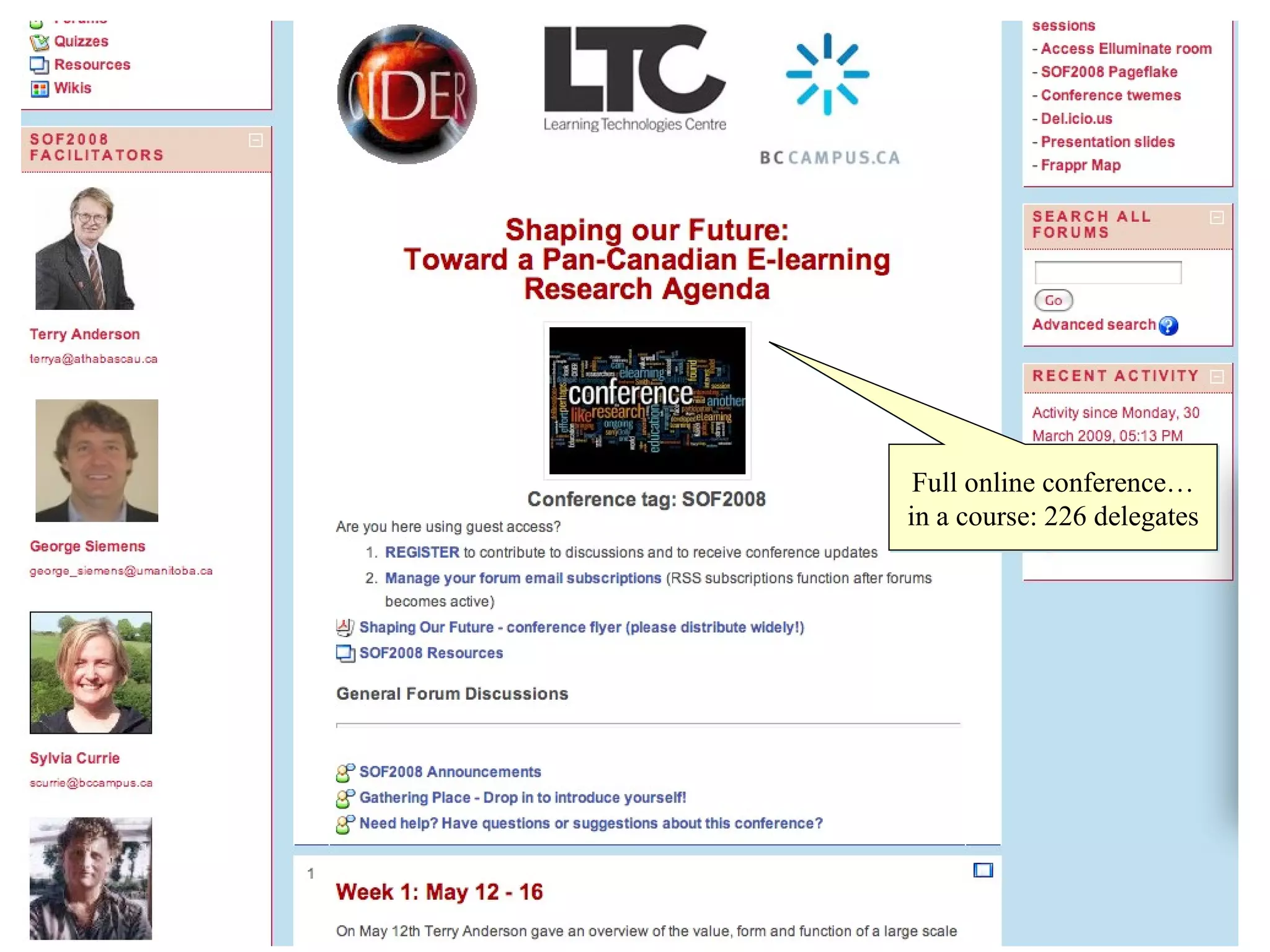
    11. Full online conference… in a course: 226 delegates
    12. The Site
      • Using tools in different ways
      • Customizations
      • Integration
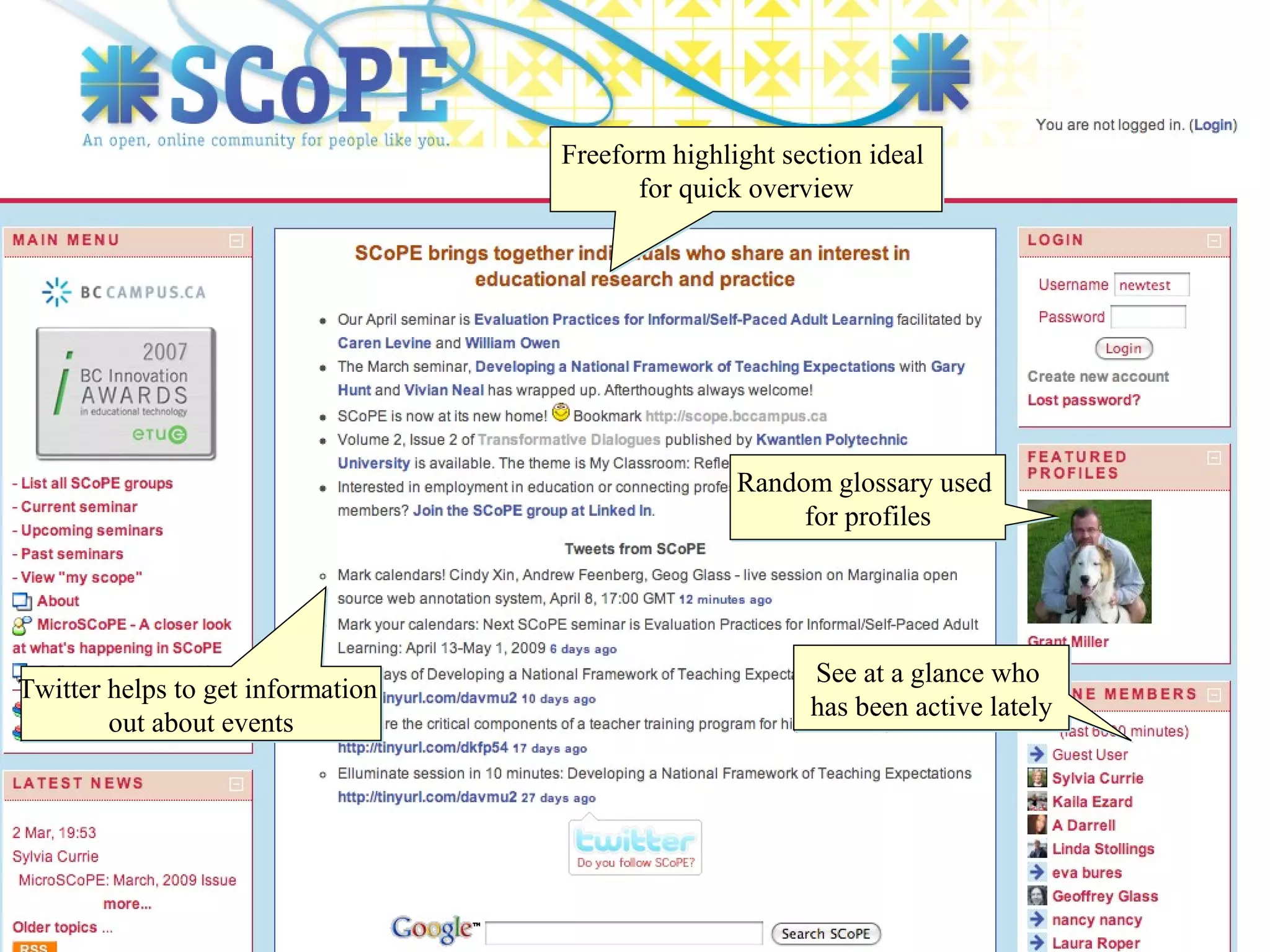
    13. Freeform highlight section ideal for quick overview See at a glance who has been active lately Random glossary used for profiles Twitter helps to get information out about events
    14. Replace words and phrases associated with a course management system
    15. Personalize messages automatically generated from the site Add tips in context based on feedback from members
    16. Make people feel more at home!
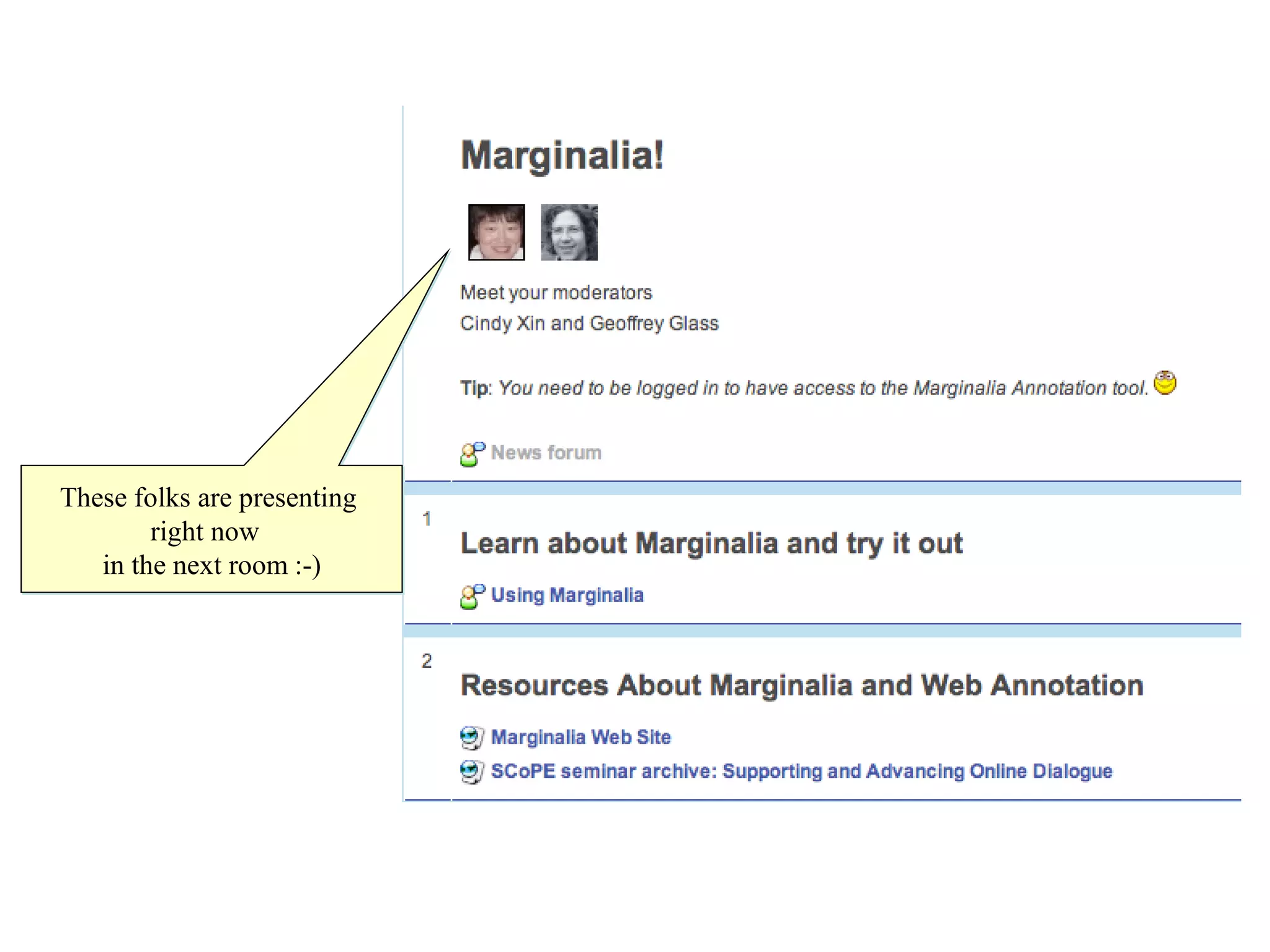
    17. These folks are presenting right now in the next room :-)
    18. Marginalia annotation tool integrated into SCoPE forums Excellent tool for moderators for identifying themes, tracking items for follow up, etc
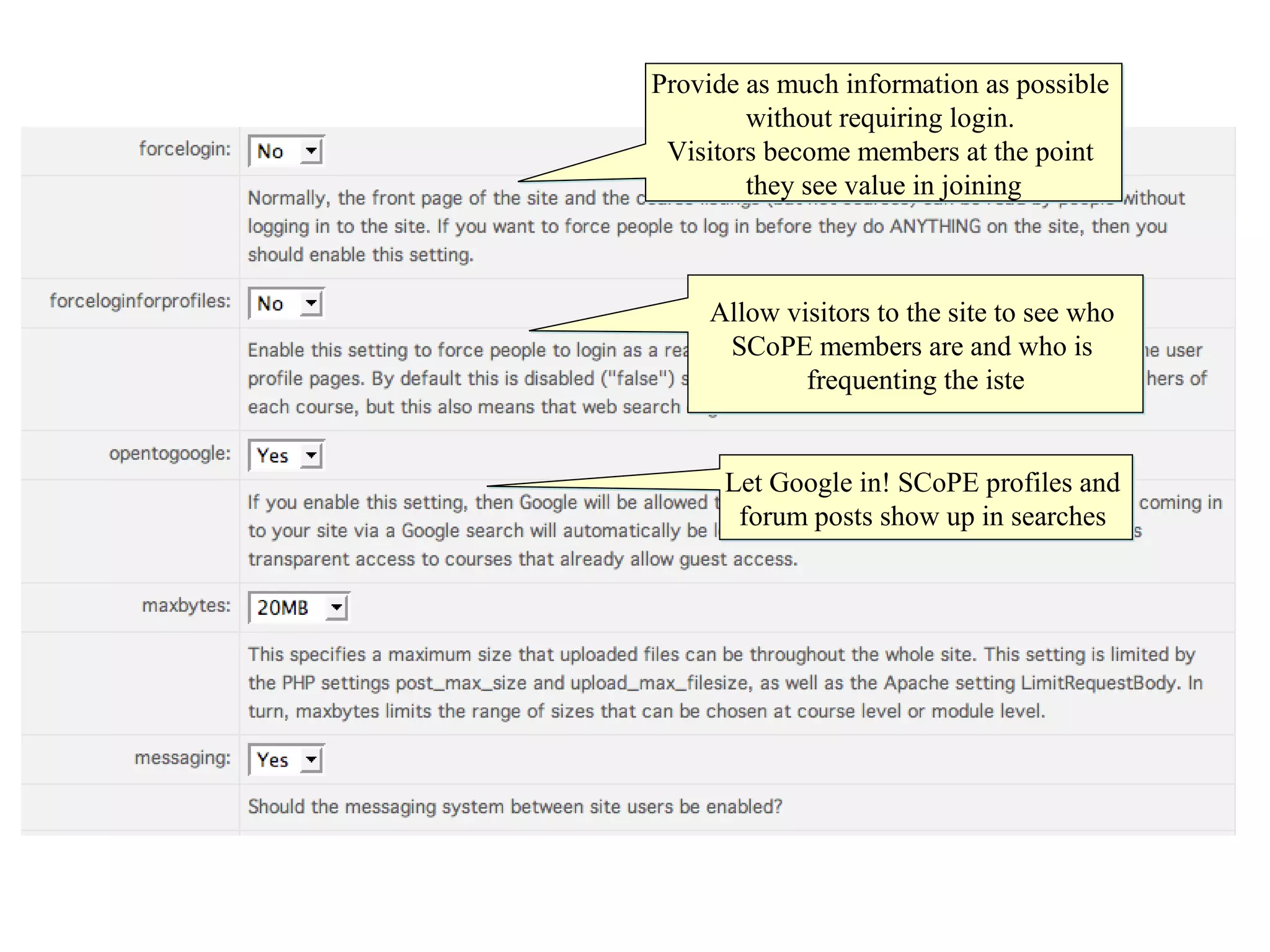
    19. Provide as much information as possible without requiring login. Visitors become members at the point they see value in joining Allow visitors to the site to see who SCoPE members are and who is frequenting the iste Let Google in! SCoPE profiles and forum posts show up in searches
    20. Communication With Members
      • Newsletter
      • RSS
        • All forums
        • sitewide feed
        • all seminar discussions into a single feed
      • Messaging
        • Welcome new members
        • Help
      • Twitter
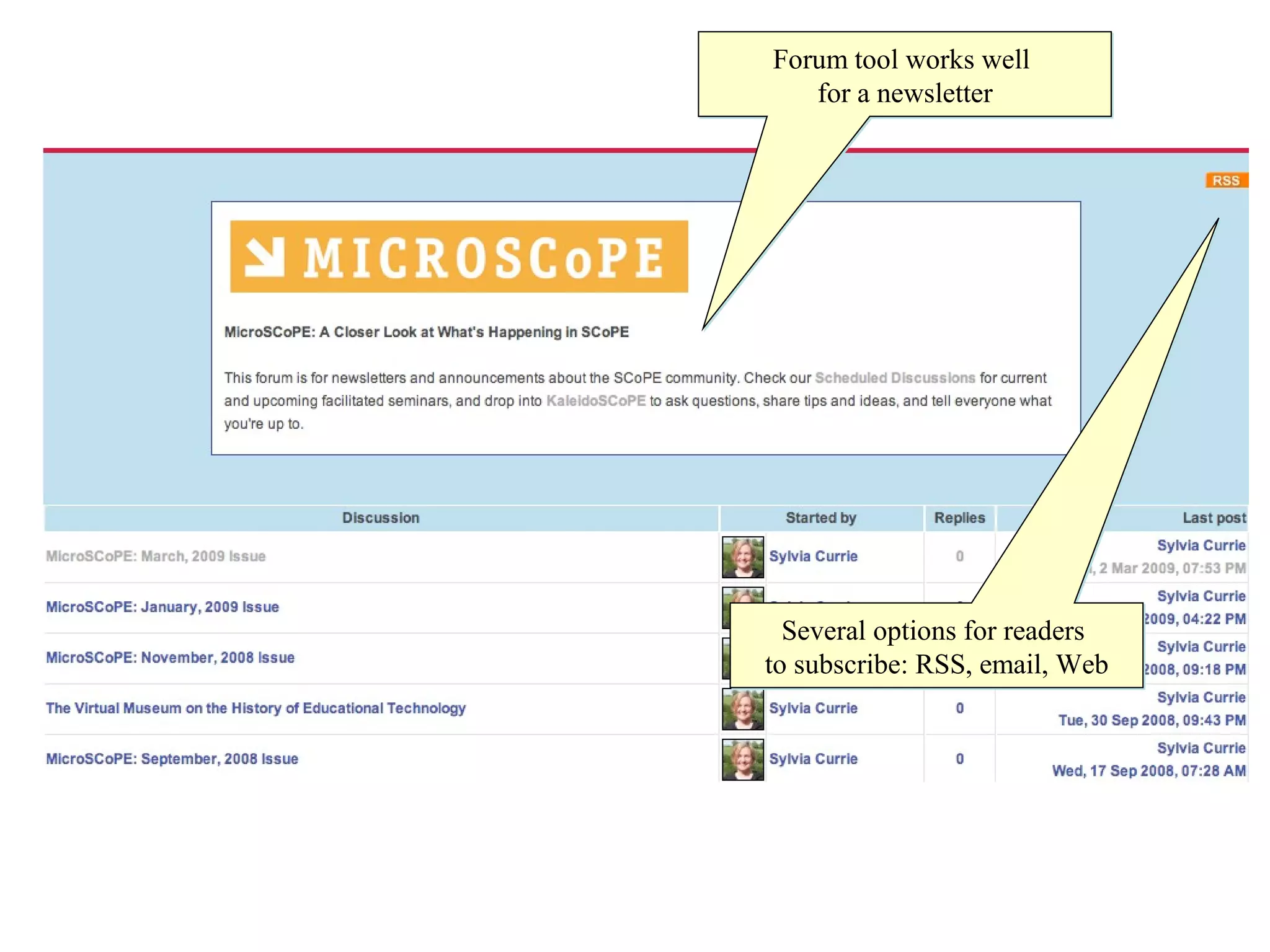
    21. Forum tool works well for a newsletter Several options for readers to subscribe: RSS, email, Web
    22. The work that is needed
      • Sort and view forum posts in different ways (like all posts chronologically)
      • Casual conversations
      • Management of resources generated through participation
      • Integration with Learn Together Collaboratory
      • Continue to advance our work together
      • Celebrate our accomplishments
    23. Join us! http://scope.bccampus.ca Participate in the Moodle Moot forum thread

    + Webbed FeatWebbed Feat, 8 months ago

    custom

    455 views, 0 favs, 0 embeds more stats

    Presentation for the 2009 Canada Moodle Moot in Edm more

    More info about this document

    © All Rights Reserved

    Go to text version

    • Total Views 455
      • 455 on SlideShare
      • 0 from embeds
    • Comments 0
    • Favorites 0
    • Downloads 8
    Most viewed embeds

    more

    All embeds

    less

    Flagged as inappropriate Flag as inappropriate
    Flag as inappropriate

    Select your reason for flagging this presentation as inappropriate. If needed, use the feedback form to let us know more details.

    Cancel
    File a copyright complaint
    Having problems? Go to our helpdesk?

    Categories