Building a bilingual CMS Chris Owen Amgueddfa Cymru — National Museum Wales
Why build a CMS? Immediate need for content updating Integration of existing databases Initial needs were simple Simplicity, easy platform for development Ease of use for content authors Workflow tailored to a bilingual site
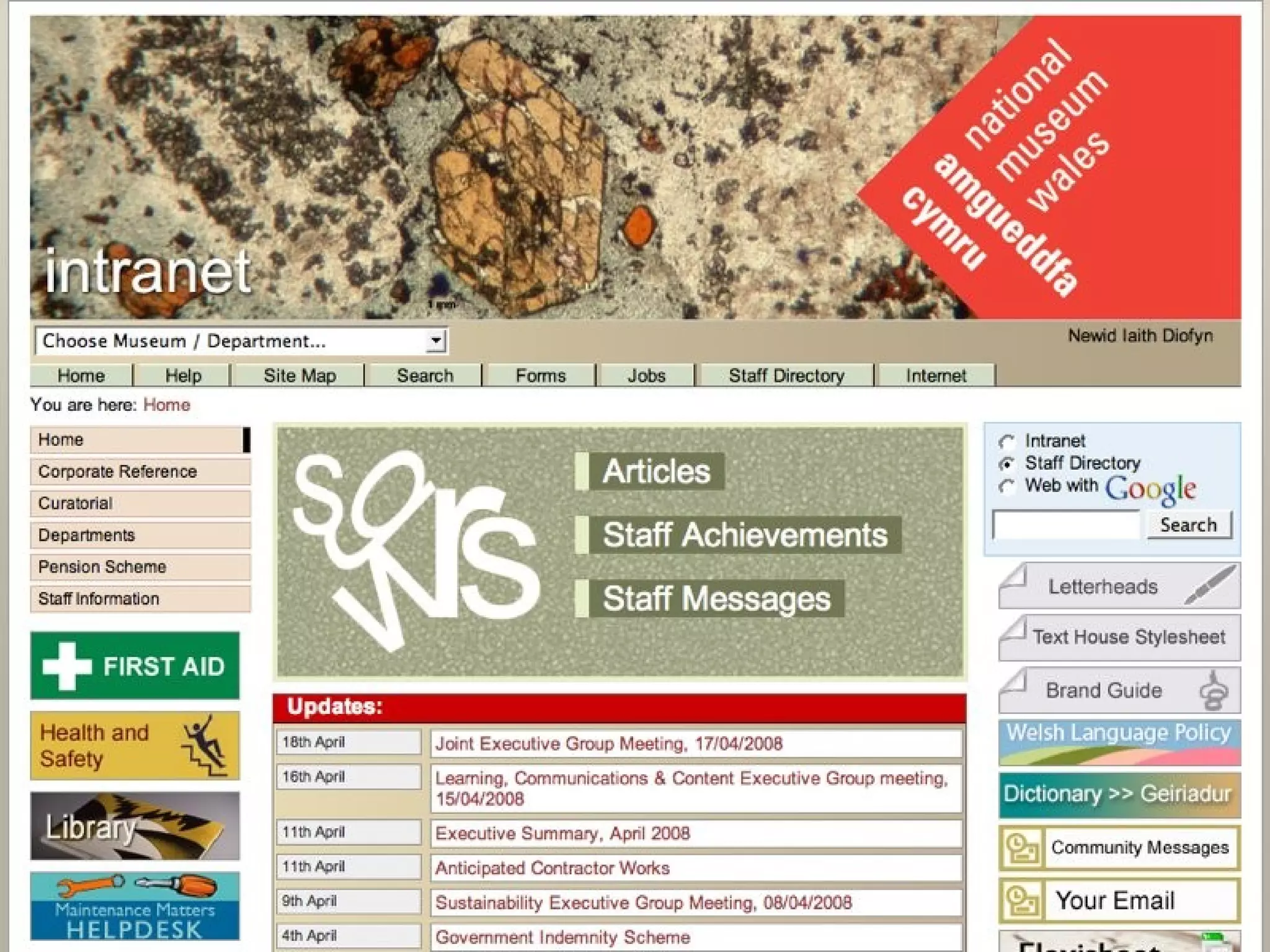
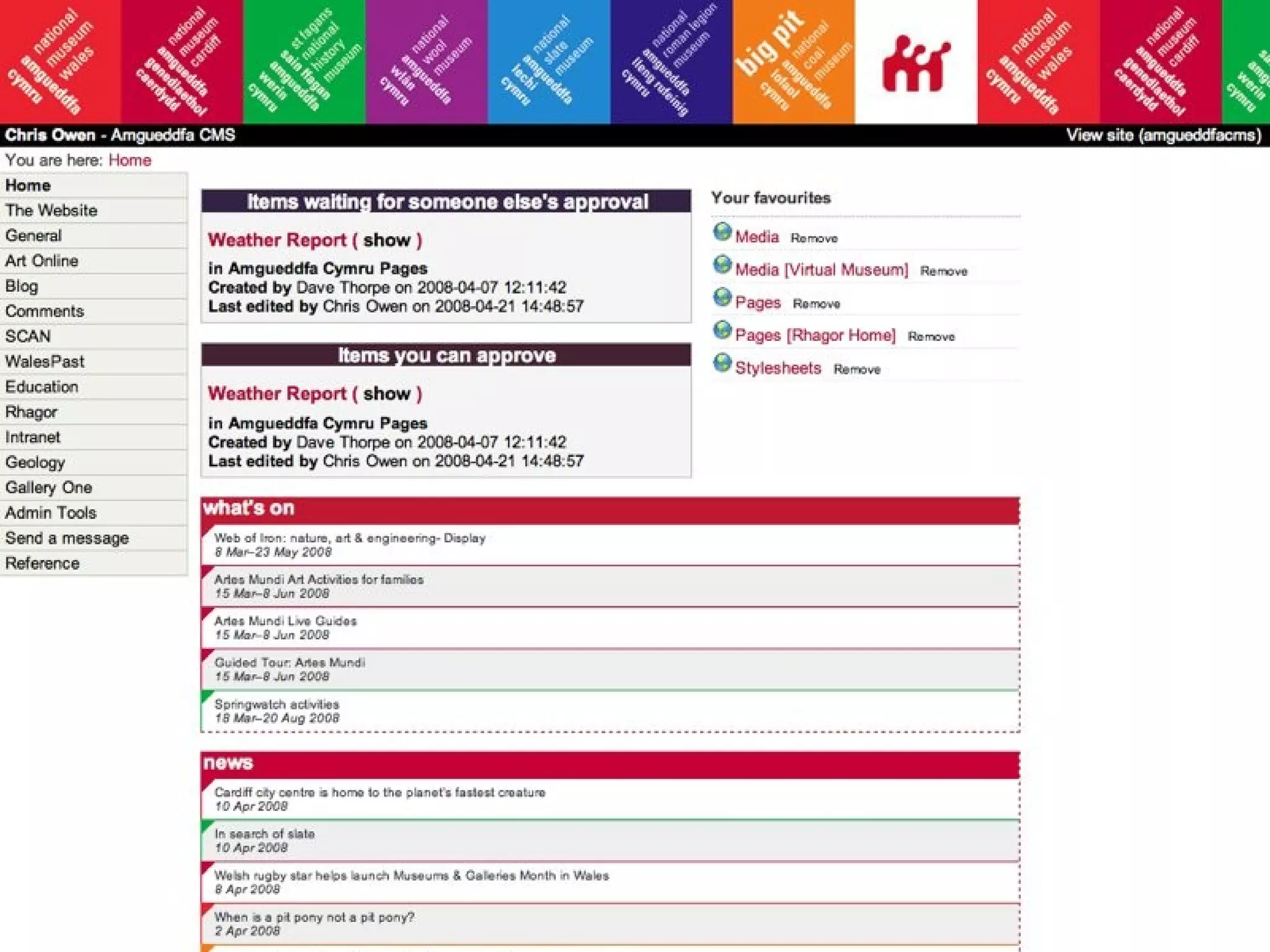
Some uses of the CMS Amgueddfa Cymru web-site Intranet SCAN, other sites Oriel 1 Gallery touch-screens CMS Admin
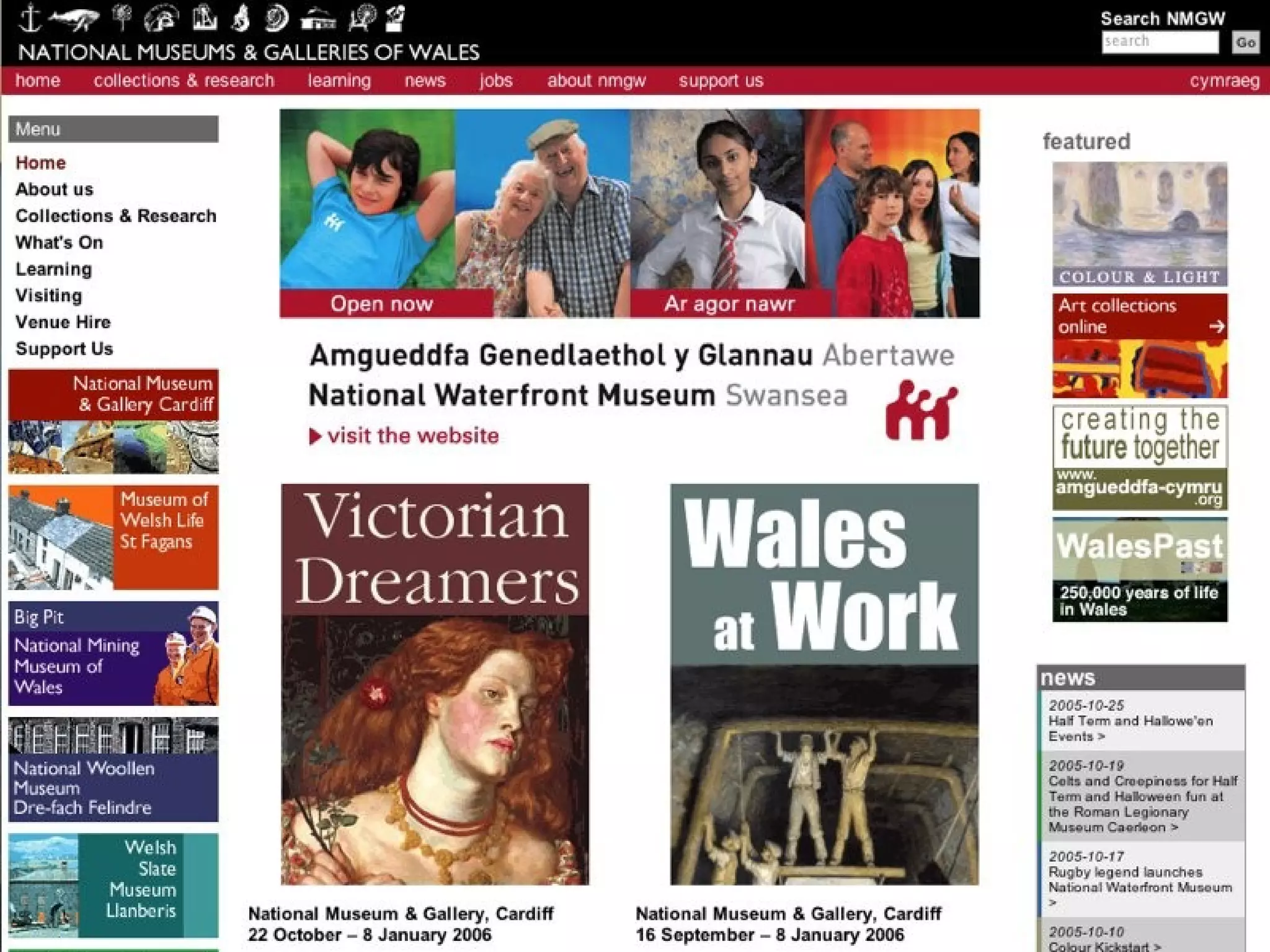
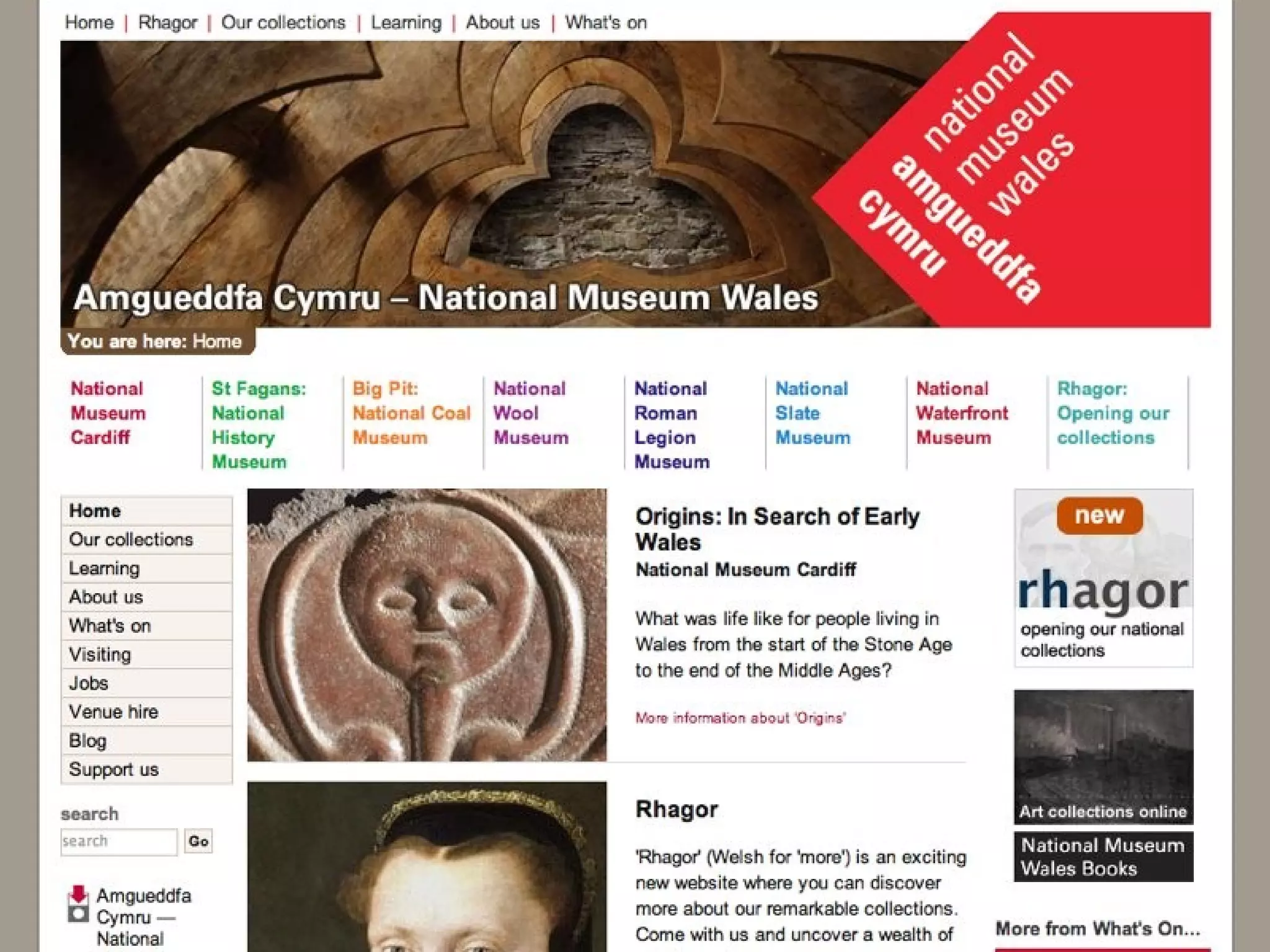
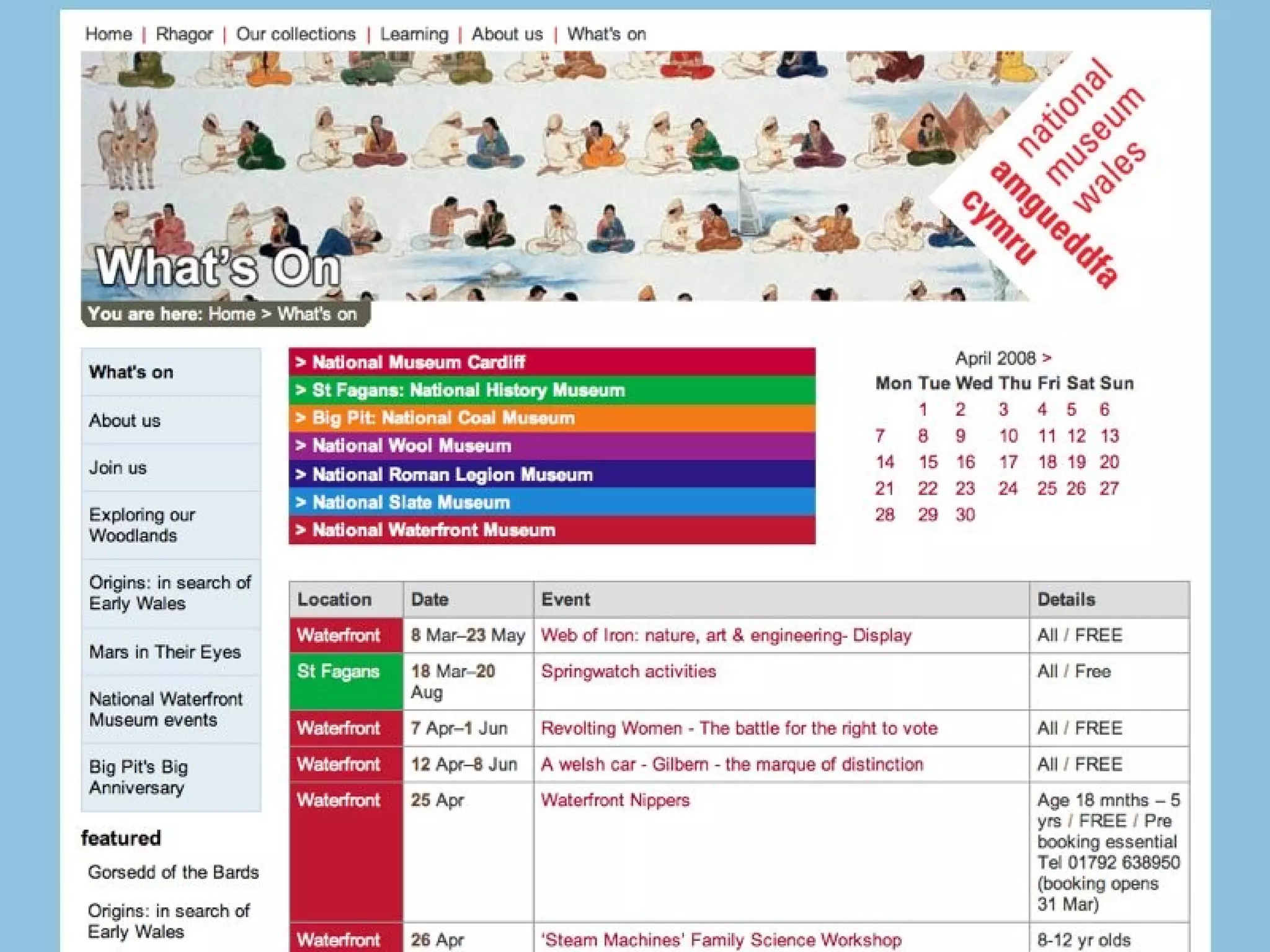
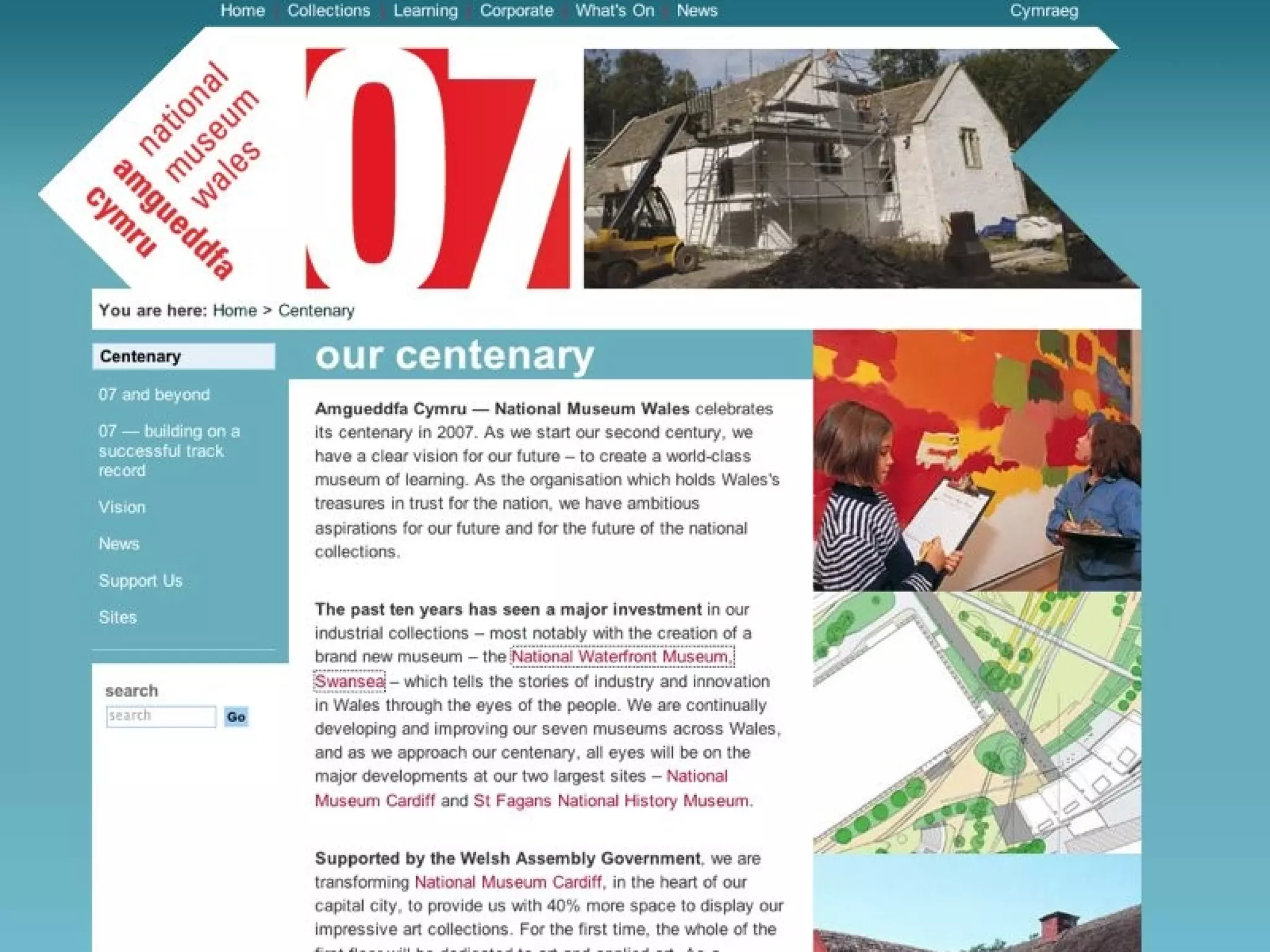
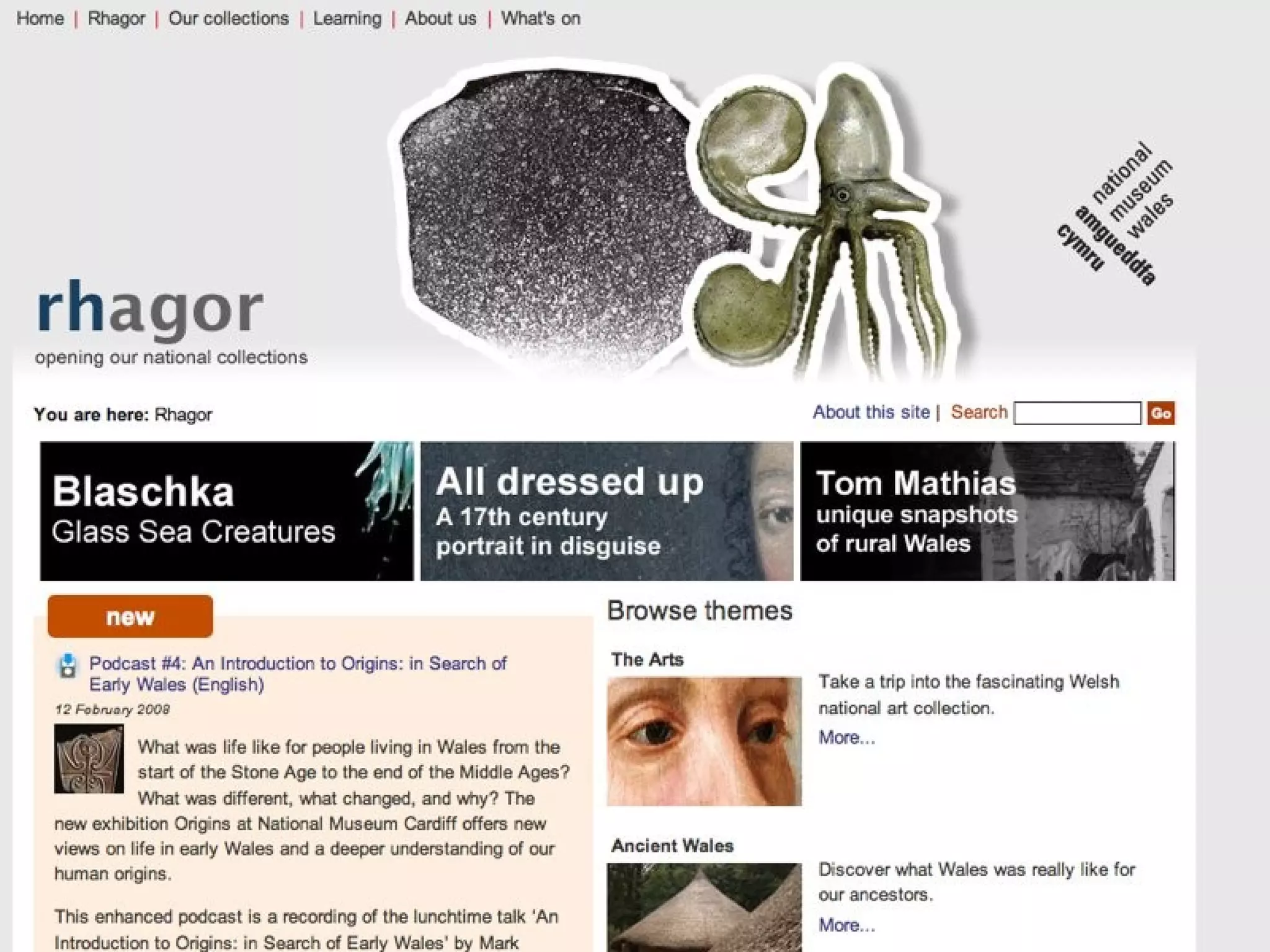
The web-site Visitor pages Events & exhibition information Corporate information Educational resources Rhagor Blogs


How we built the CMS Admin web application came first Created CMS with simple data-structures Added security & workflow to the Admin Added login features to CMS Integrated the two Migrate to more complex data-structures Lots of new features...
Bilingual design Treat languages equally? Splash screen versus different domain names? Try to localise URLs Place language switch in consistent location Consider workflow for translation, entering content, etc.
Bilingual design Use two-character language codes Naming conventions for files Naming conventions for database fields Never embed localised strings in code
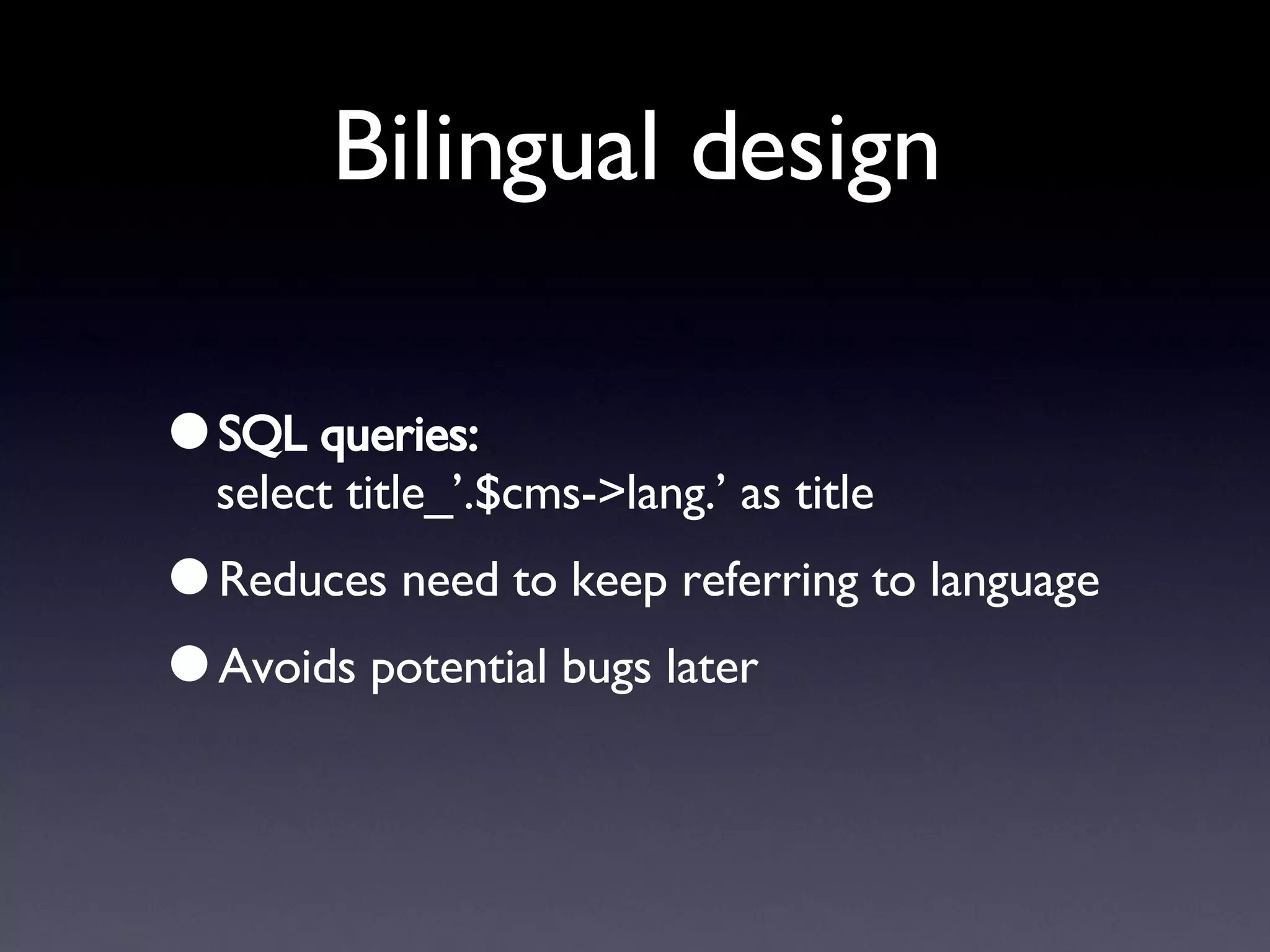
Bilingual design SQL queries: select title_’.$cms->lang.’ as title Reduces need to keep referring to language Avoids potential bugs later
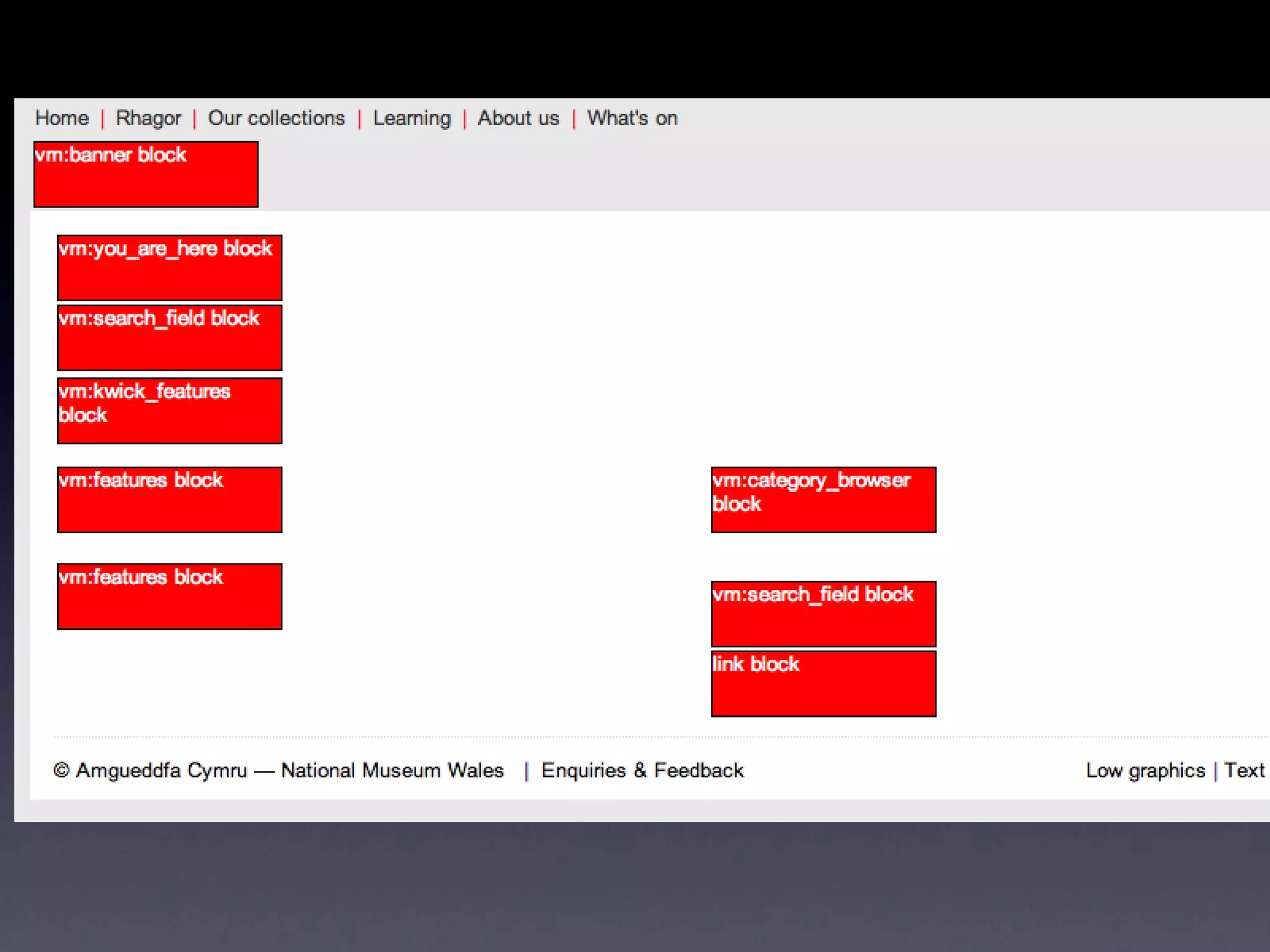
Amgueddfa CMS Features Multiple sites, themes Content blocks system Can launch lightweight version of CMS Localisation features Friendly URLs, unlikely to have broken links Database-driven stylesheets
Amgueddfa CMS Features Integrated user authentication, groups Users comments with approval AJAX features Plugins - WYSIWYG editing, movie player, captcha, etc. Useful features - error reporting, emailing, querying, etc.
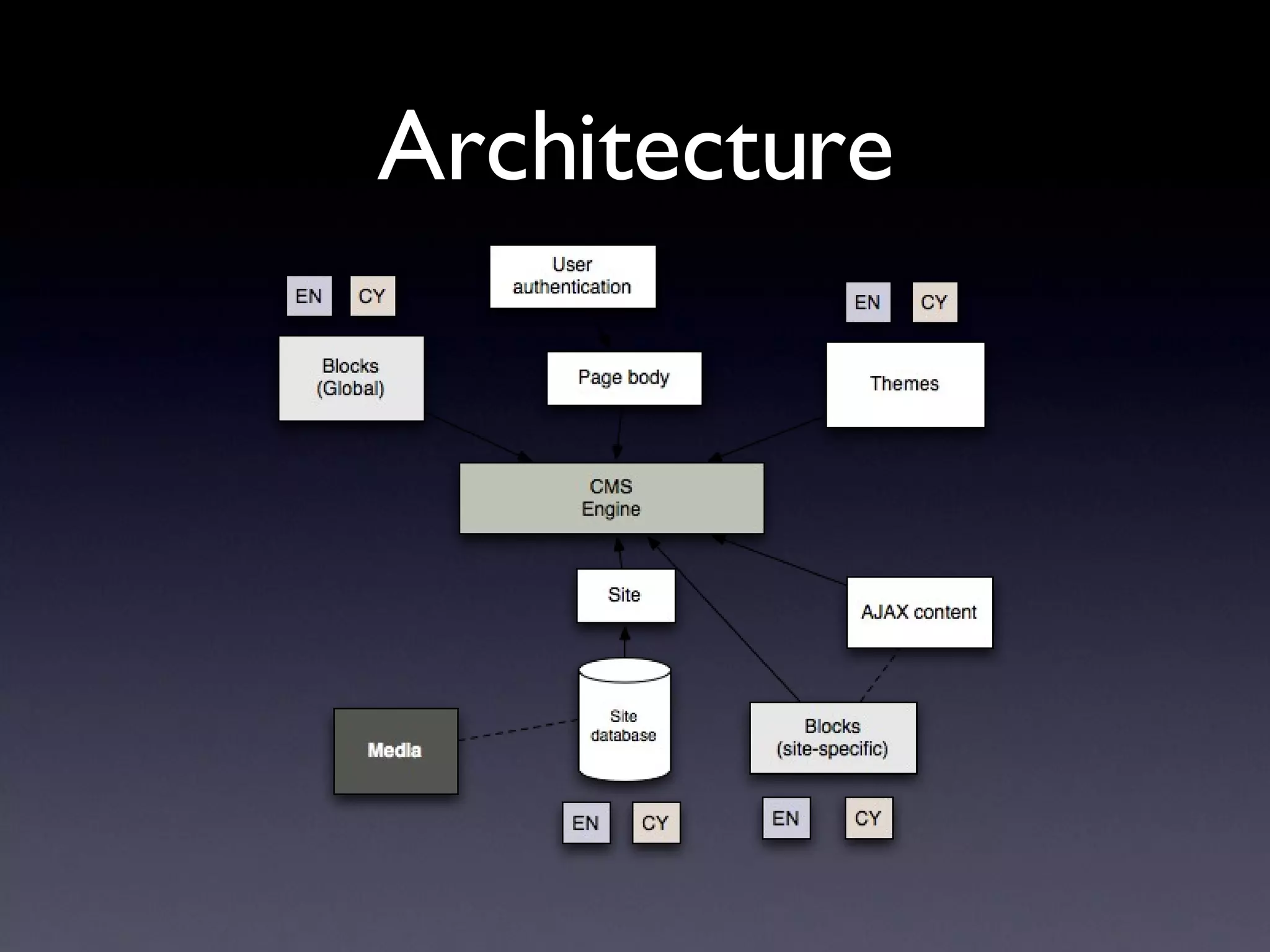
Architecture
 
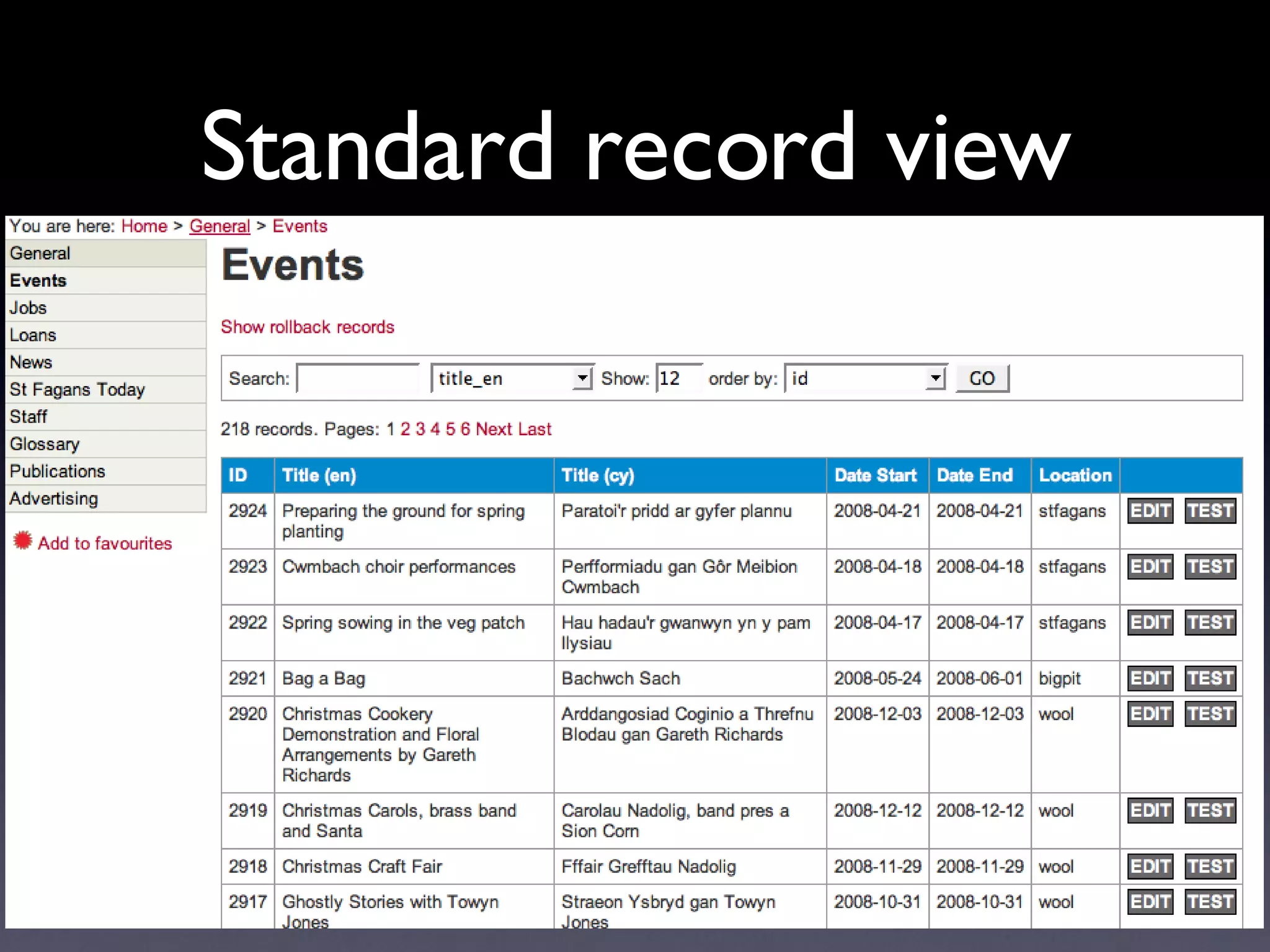
Standard record view
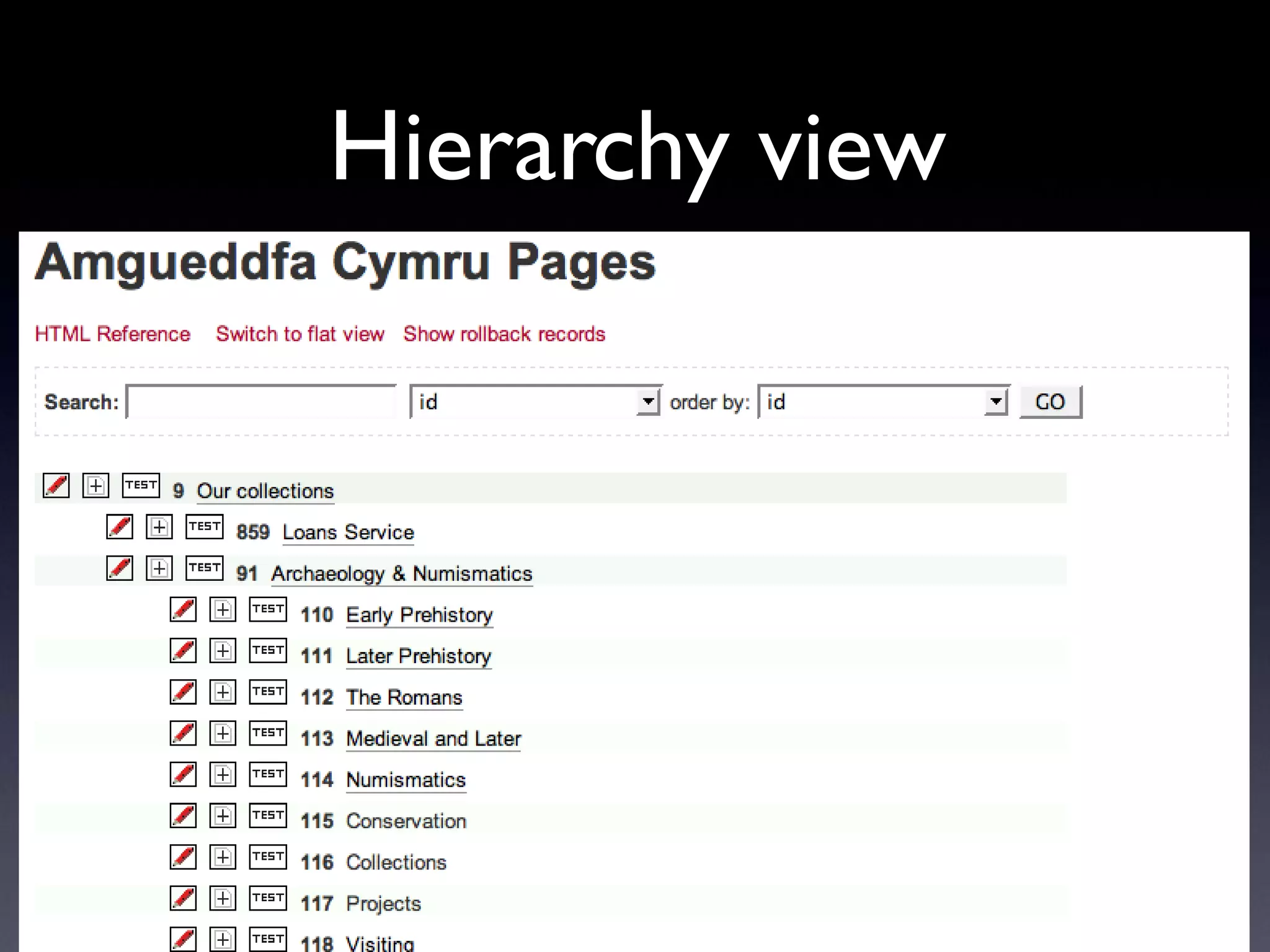
Hierarchy view
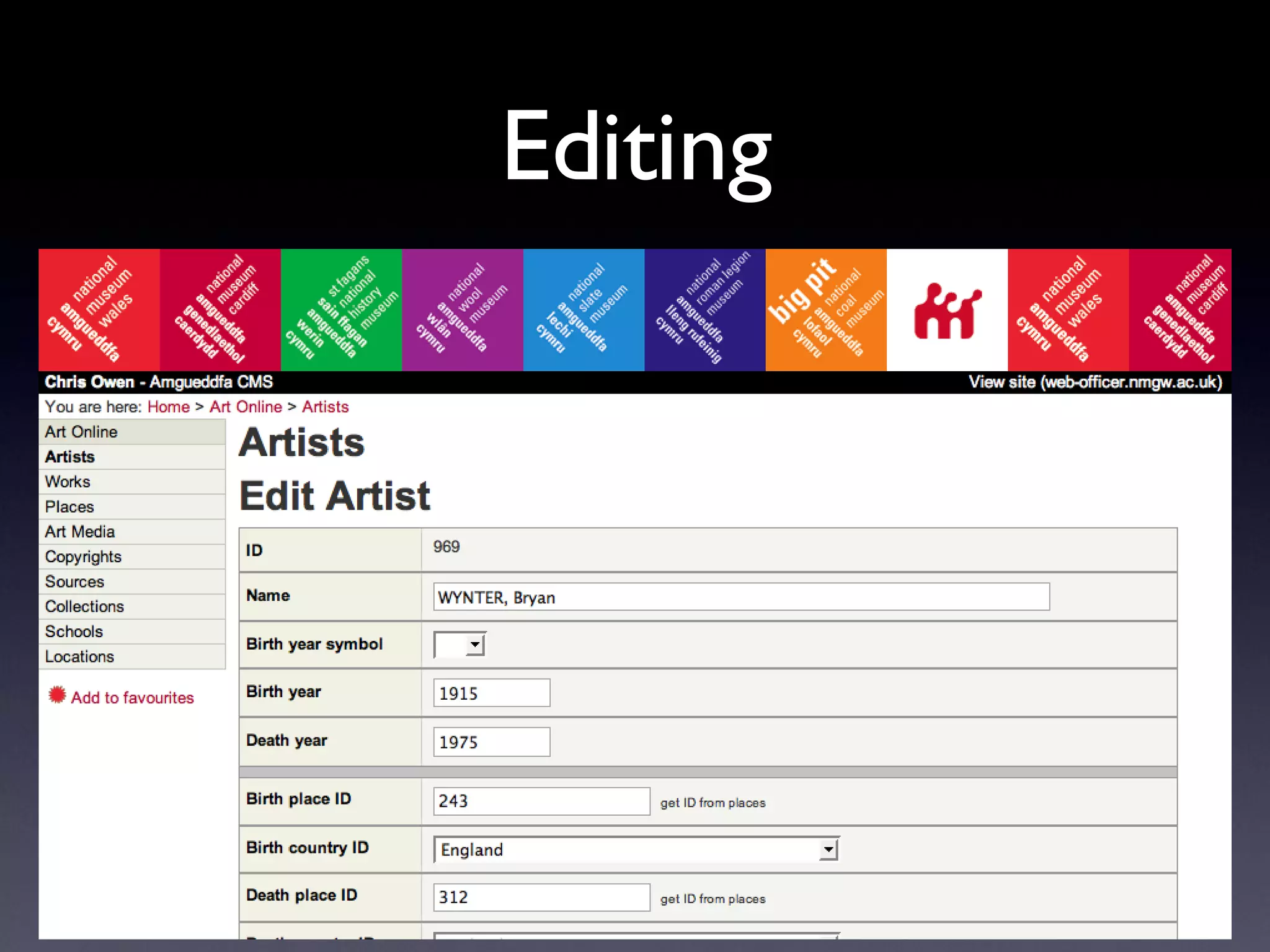
Editing
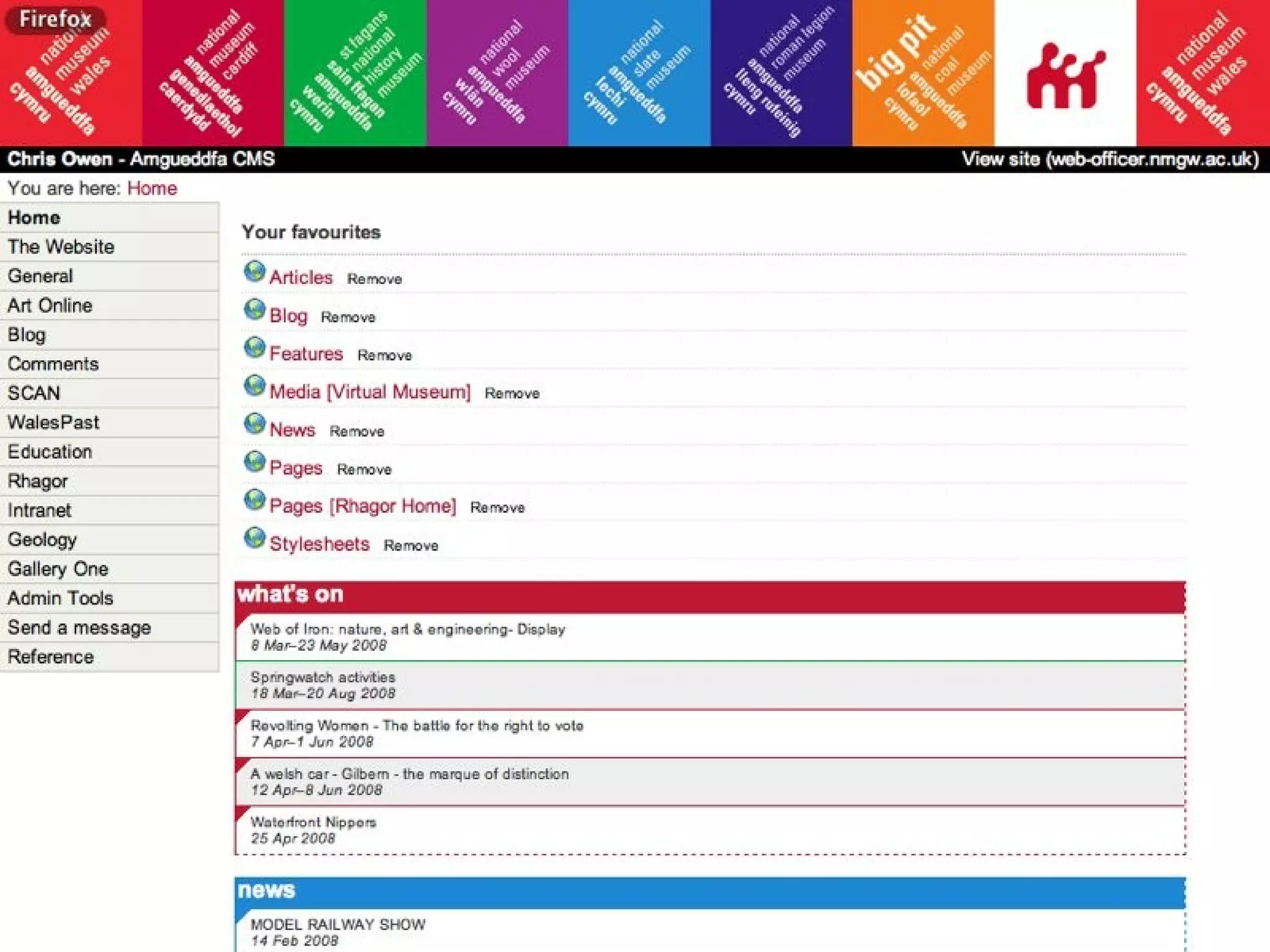
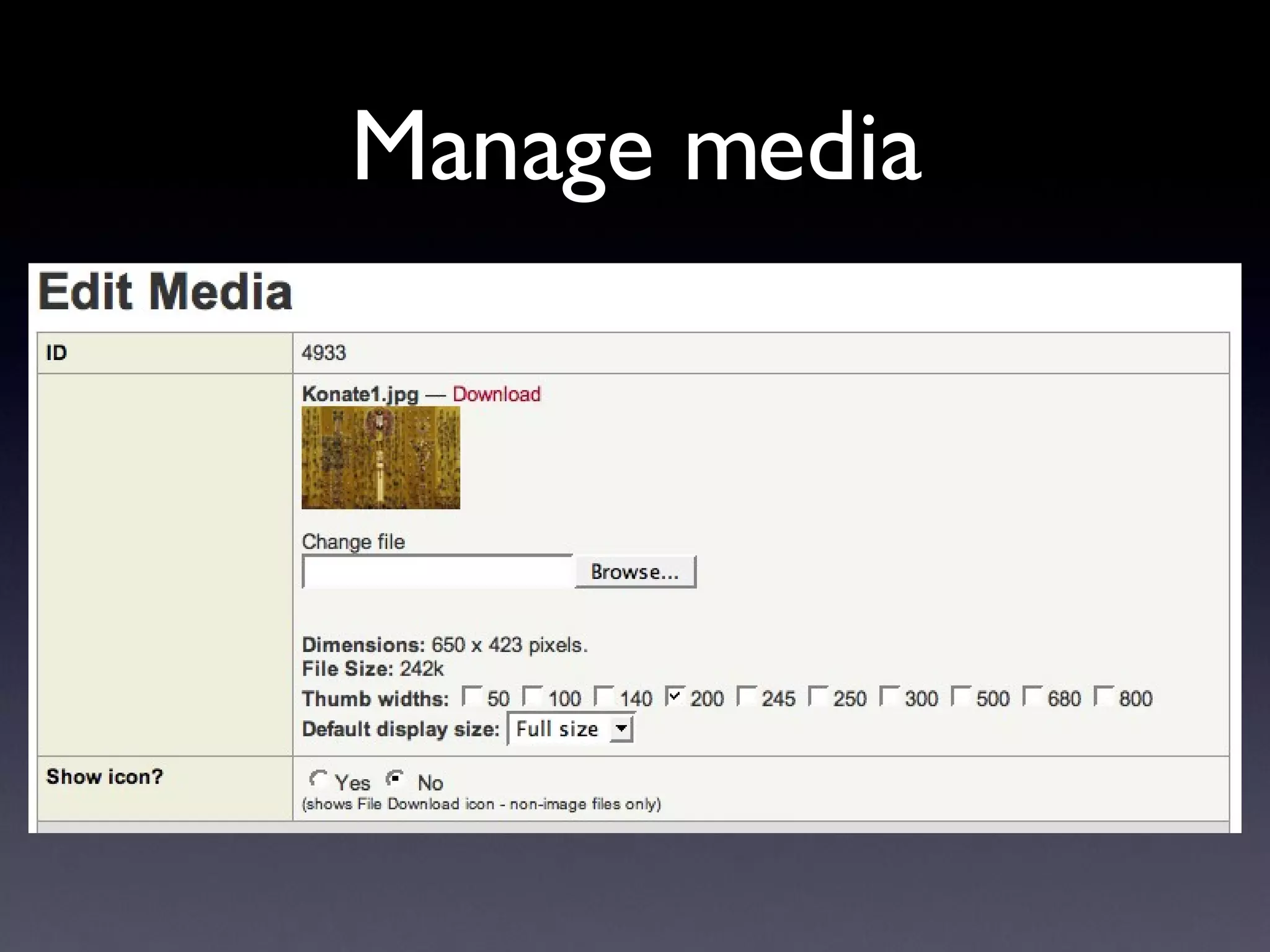
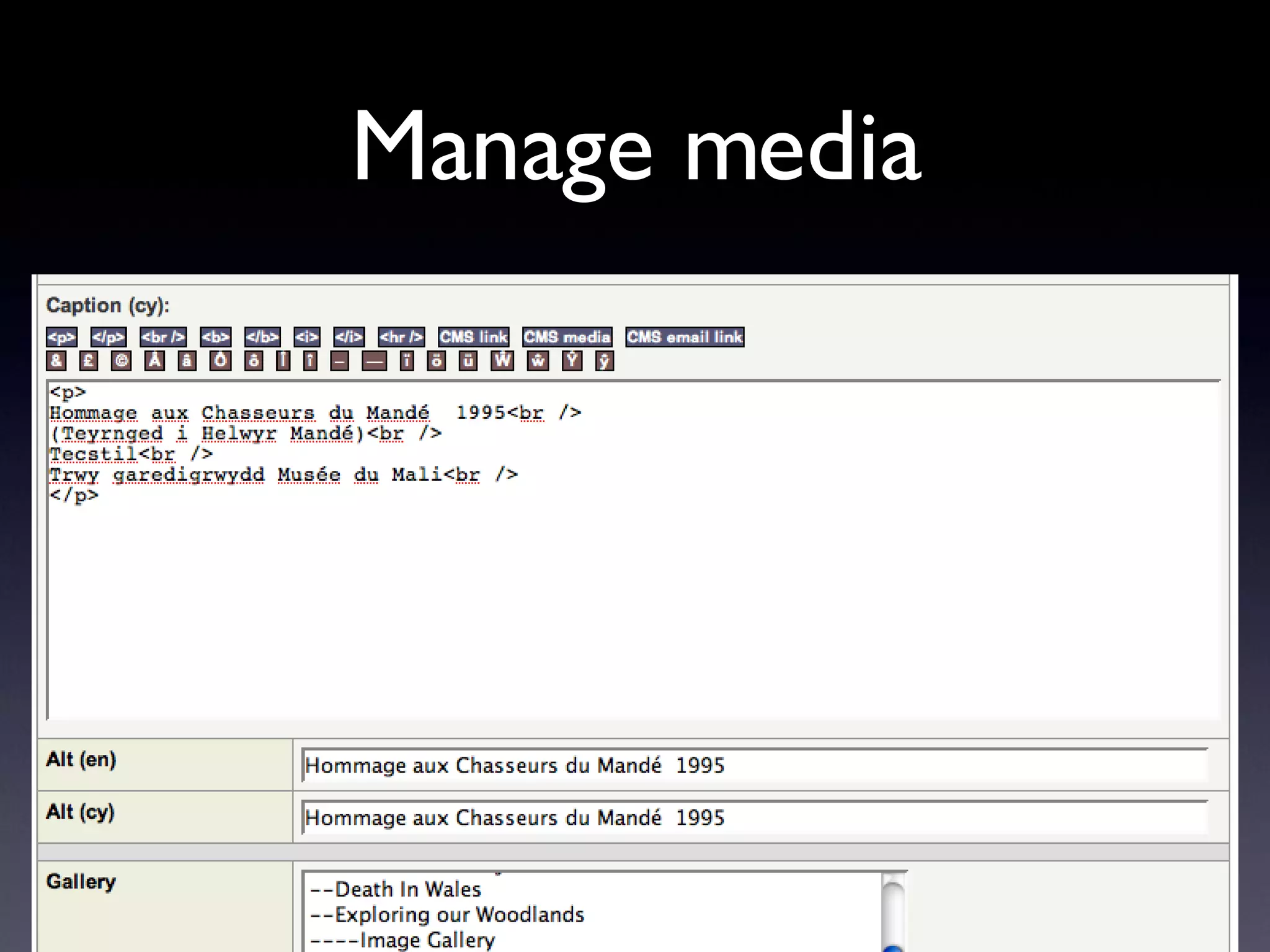
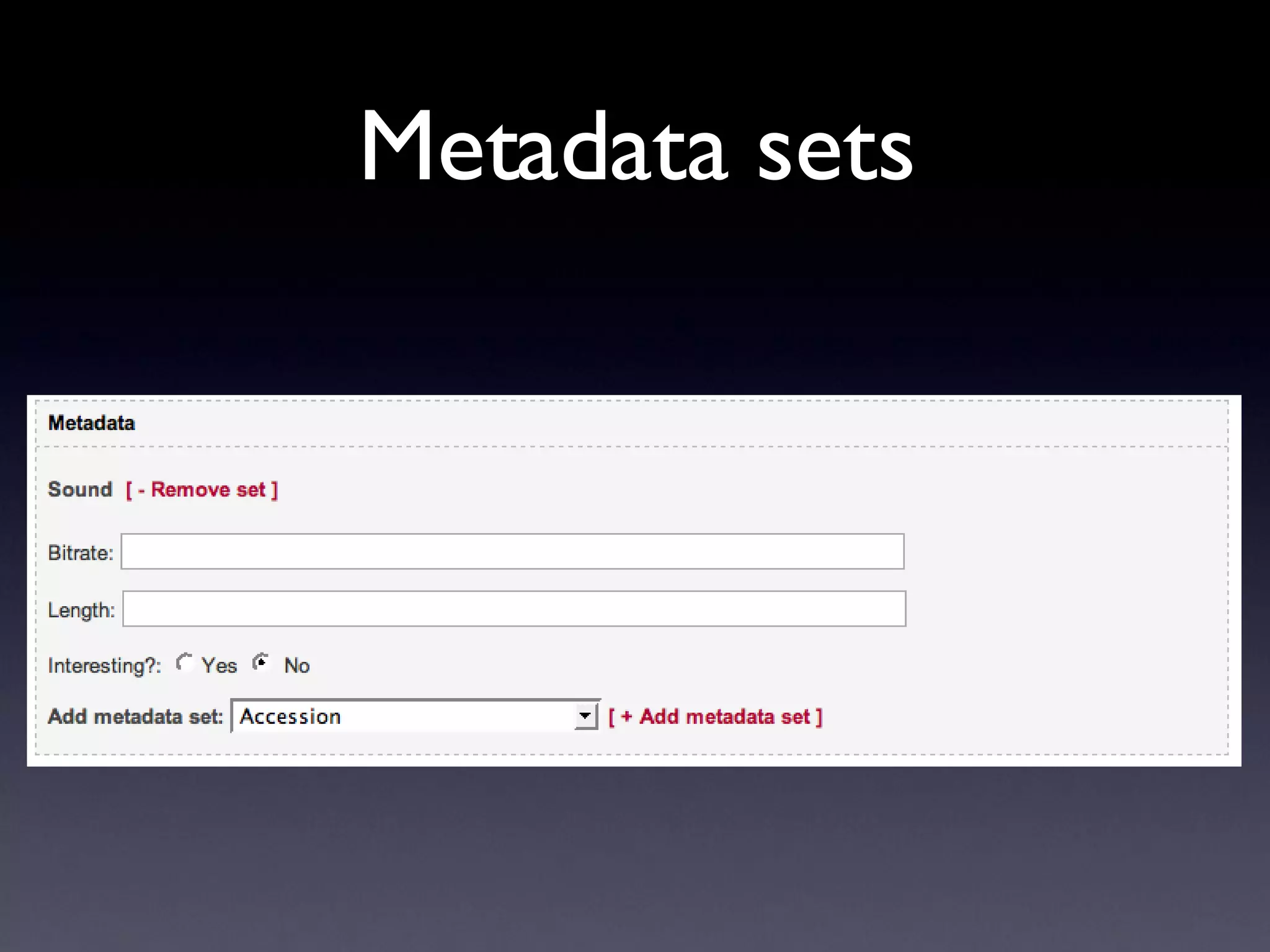
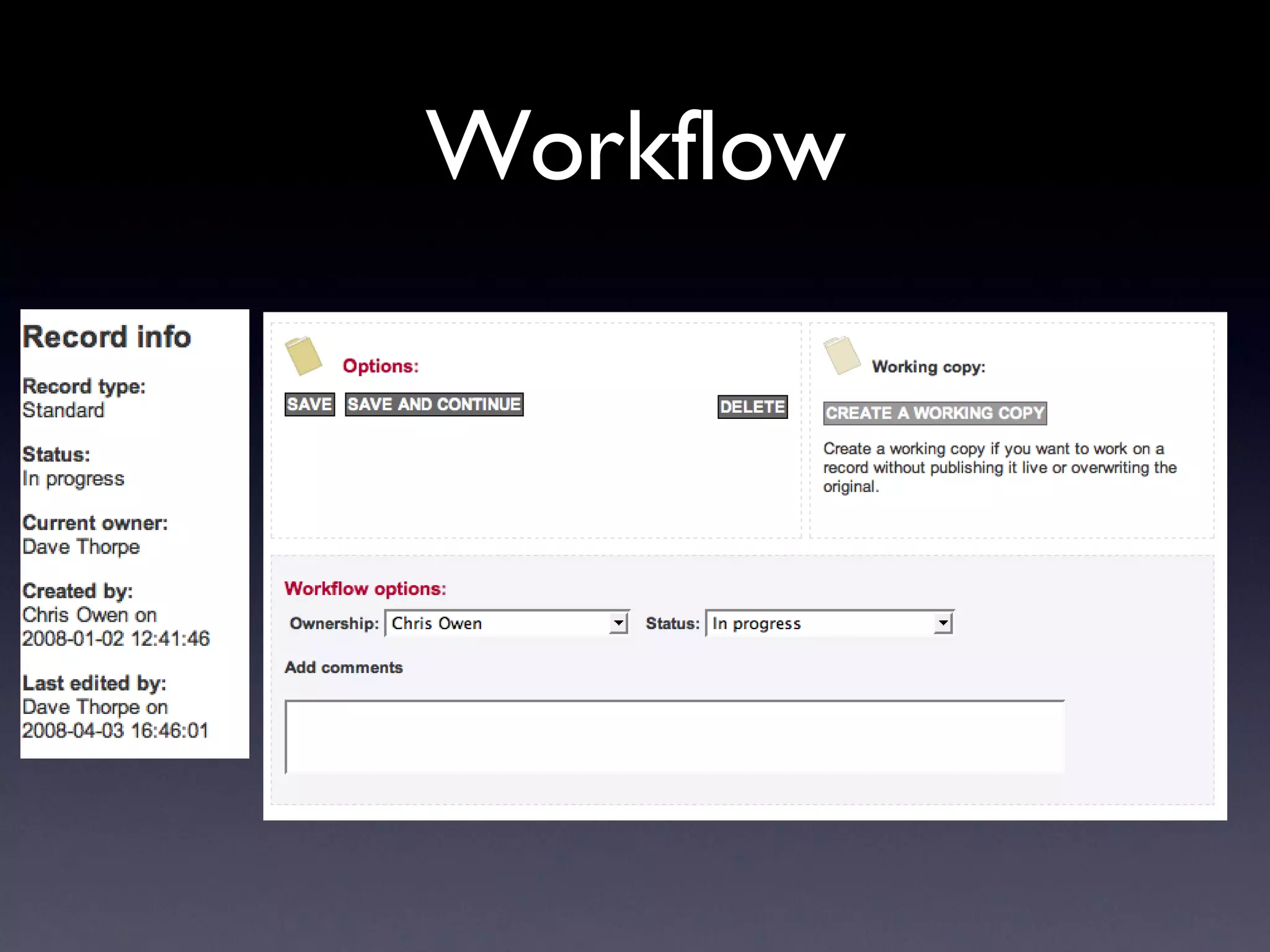
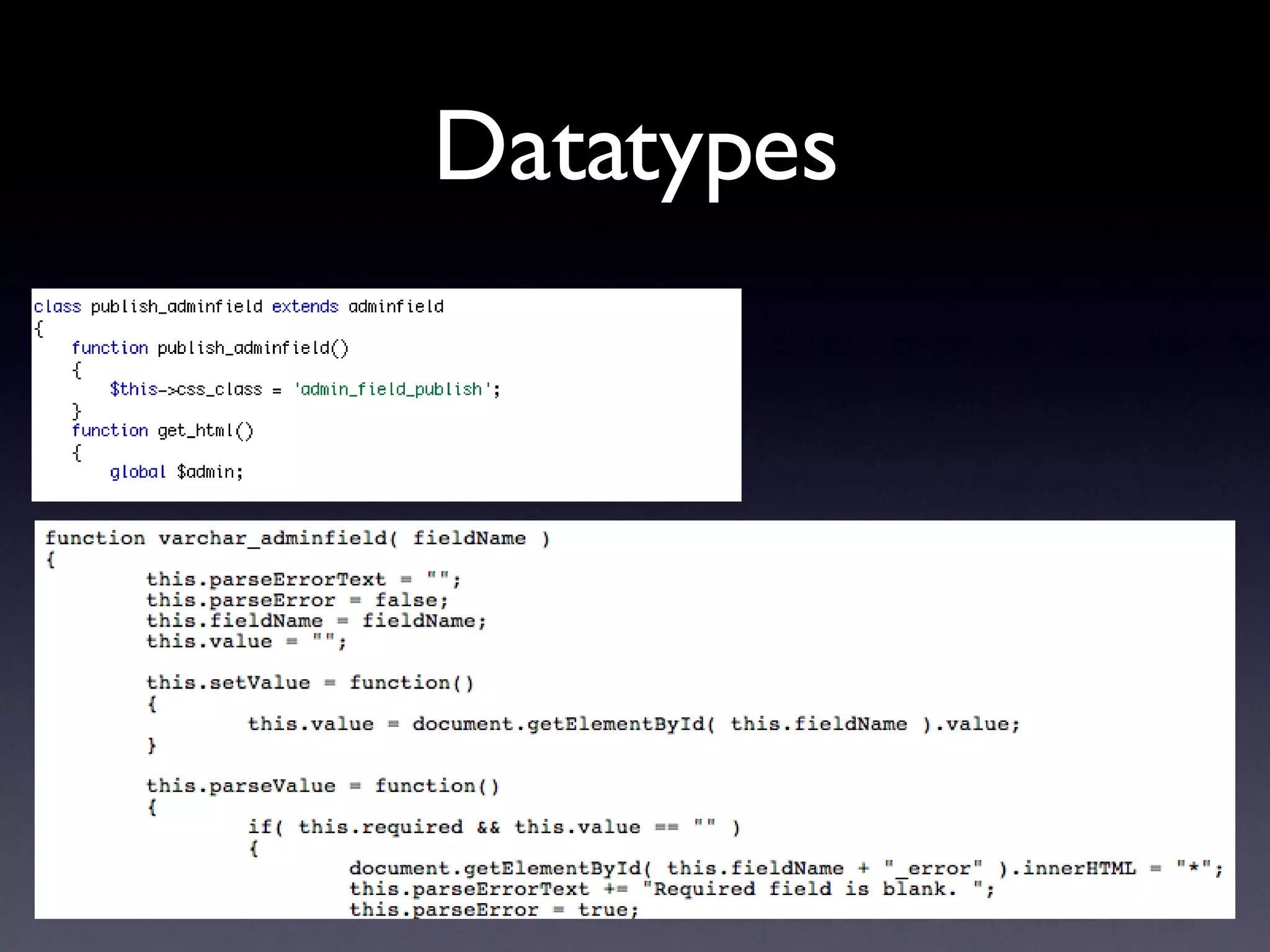
Admin features Standard CMS site Media management Simple workflow features, messaging WYSIWYG editing Fine-grained security on resources XML templates Datatypes - PHP & JavaScript objects
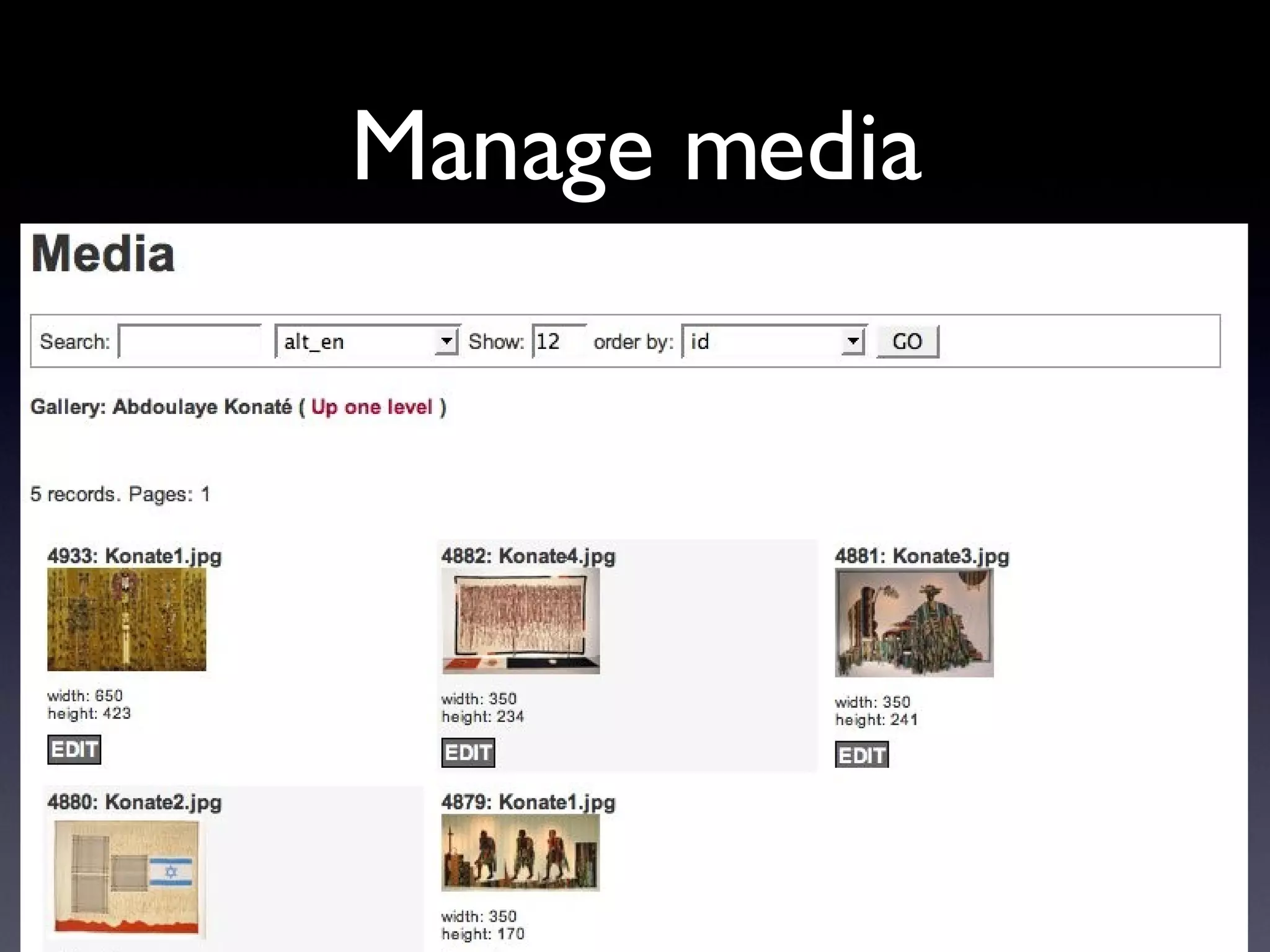
Manage media
Manage media
Manage media
Metadata sets
Workflow
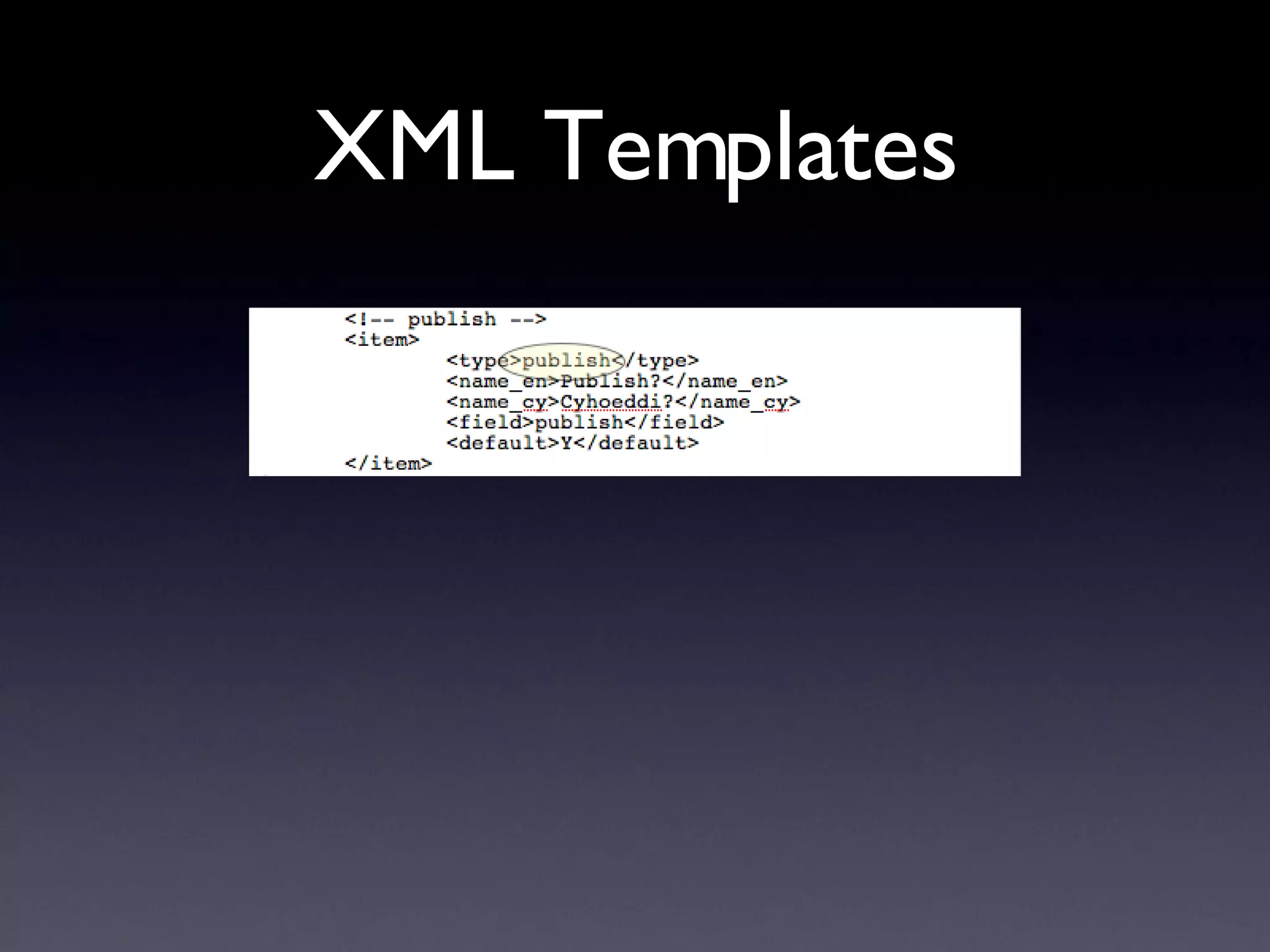
XML Templates
Datatypes
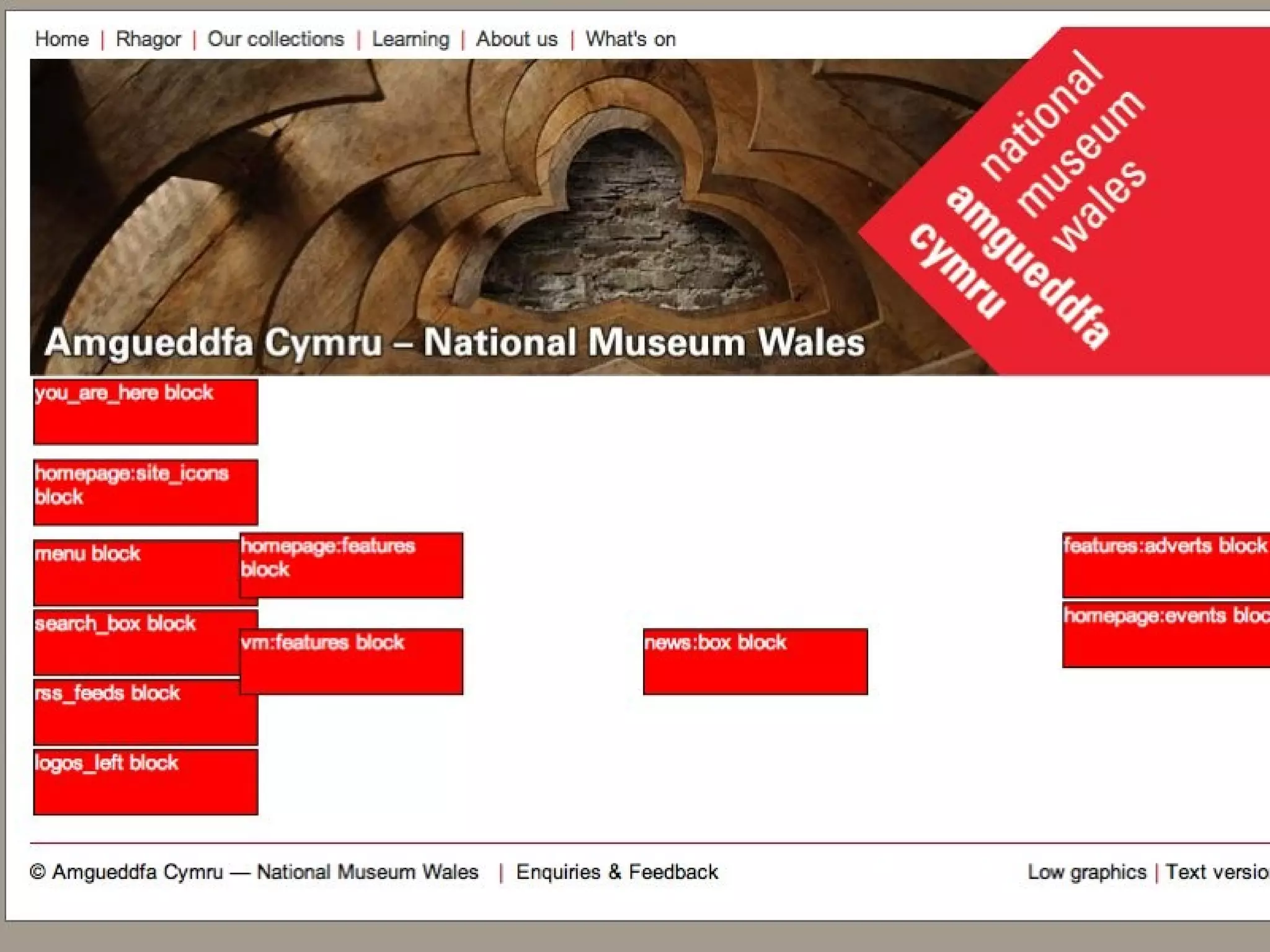
Content blocks PHP objects Localised Called with simple XML tag Can return standard or text versions Flexible calling of blocks in PHP code AJAX features built-in
 
 
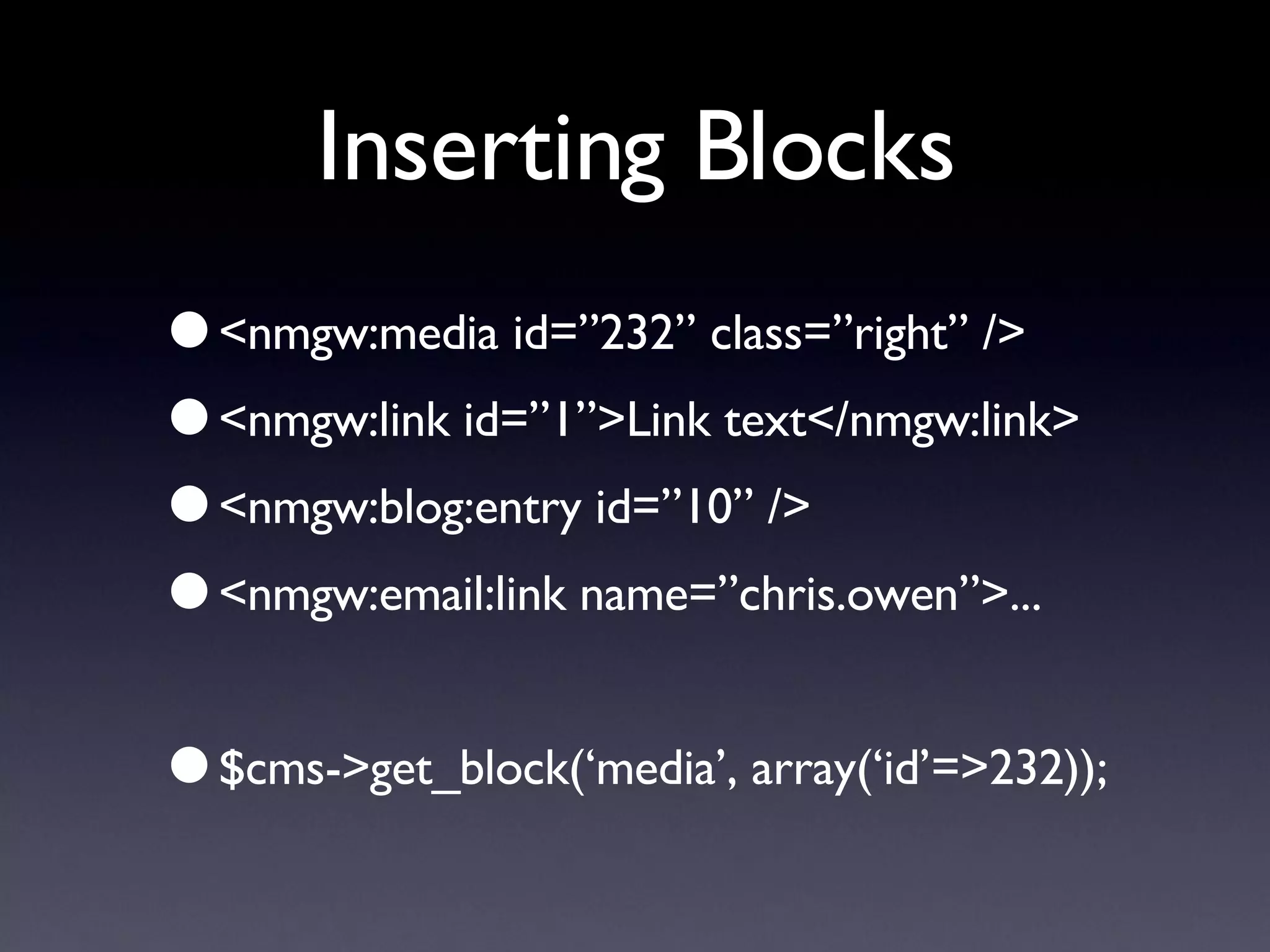
Inserting Blocks <nmgw:media id=”232” class=”right” /> <nmgw:link id=”1”>Link text</nmgw:link> <nmgw:blog:entry id=”10” /> <nmgw:email:link name=”chris.owen”>... $cms->get_block(‘media’, array(‘id’=>232));
The future More user-centric features People’s Collection, other collaborations More use of metadata features Ease of use, customised layouts Open up CMS to external groups Open-source Amgueddfa CMS?

Building a Bi-Lingual Content Management System (CMS)

  • 1.
    Building a bilingualCMS Chris Owen Amgueddfa Cymru — National Museum Wales
  • 2.
    Why build aCMS? Immediate need for content updating Integration of existing databases Initial needs were simple Simplicity, easy platform for development Ease of use for content authors Workflow tailored to a bilingual site
  • 3.
    Some uses ofthe CMS Amgueddfa Cymru web-site Intranet SCAN, other sites Oriel 1 Gallery touch-screens CMS Admin
  • 4.
    The web-site Visitorpages Events & exhibition information Corporate information Educational resources Rhagor Blogs
  • 5.
  • 6.
  • 7.
  • 8.
  • 9.
  • 10.
  • 11.
  • 12.
    How we builtthe CMS Admin web application came first Created CMS with simple data-structures Added security & workflow to the Admin Added login features to CMS Integrated the two Migrate to more complex data-structures Lots of new features...
  • 13.
    Bilingual design Treatlanguages equally? Splash screen versus different domain names? Try to localise URLs Place language switch in consistent location Consider workflow for translation, entering content, etc.
  • 14.
    Bilingual design Usetwo-character language codes Naming conventions for files Naming conventions for database fields Never embed localised strings in code
  • 15.
    Bilingual design SQLqueries: select title_’.$cms->lang.’ as title Reduces need to keep referring to language Avoids potential bugs later
  • 16.
    Amgueddfa CMS FeaturesMultiple sites, themes Content blocks system Can launch lightweight version of CMS Localisation features Friendly URLs, unlikely to have broken links Database-driven stylesheets
  • 17.
    Amgueddfa CMS FeaturesIntegrated user authentication, groups Users comments with approval AJAX features Plugins - WYSIWYG editing, movie player, captcha, etc. Useful features - error reporting, emailing, querying, etc.
  • 18.
  • 19.
  • 20.
  • 21.
  • 22.
  • 23.
    Admin features StandardCMS site Media management Simple workflow features, messaging WYSIWYG editing Fine-grained security on resources XML templates Datatypes - PHP & JavaScript objects
  • 24.
  • 25.
  • 26.
  • 27.
  • 28.
  • 29.
  • 30.
  • 31.
    Content blocks PHPobjects Localised Called with simple XML tag Can return standard or text versions Flexible calling of blocks in PHP code AJAX features built-in
  • 32.
  • 33.
  • 34.
    Inserting Blocks <nmgw:mediaid=”232” class=”right” /> <nmgw:link id=”1”>Link text</nmgw:link> <nmgw:blog:entry id=”10” /> <nmgw:email:link name=”chris.owen”>... $cms->get_block(‘media’, array(‘id’=>232));
  • 35.
    The future Moreuser-centric features People’s Collection, other collaborations More use of metadata features Ease of use, customised layouts Open up CMS to external groups Open-source Amgueddfa CMS?