
ADF Developers – make the database work for youODTUG Kaleidoscope 2011 – Long Beach, CaliforniaLuc Bors, AMIS, The Netherlands
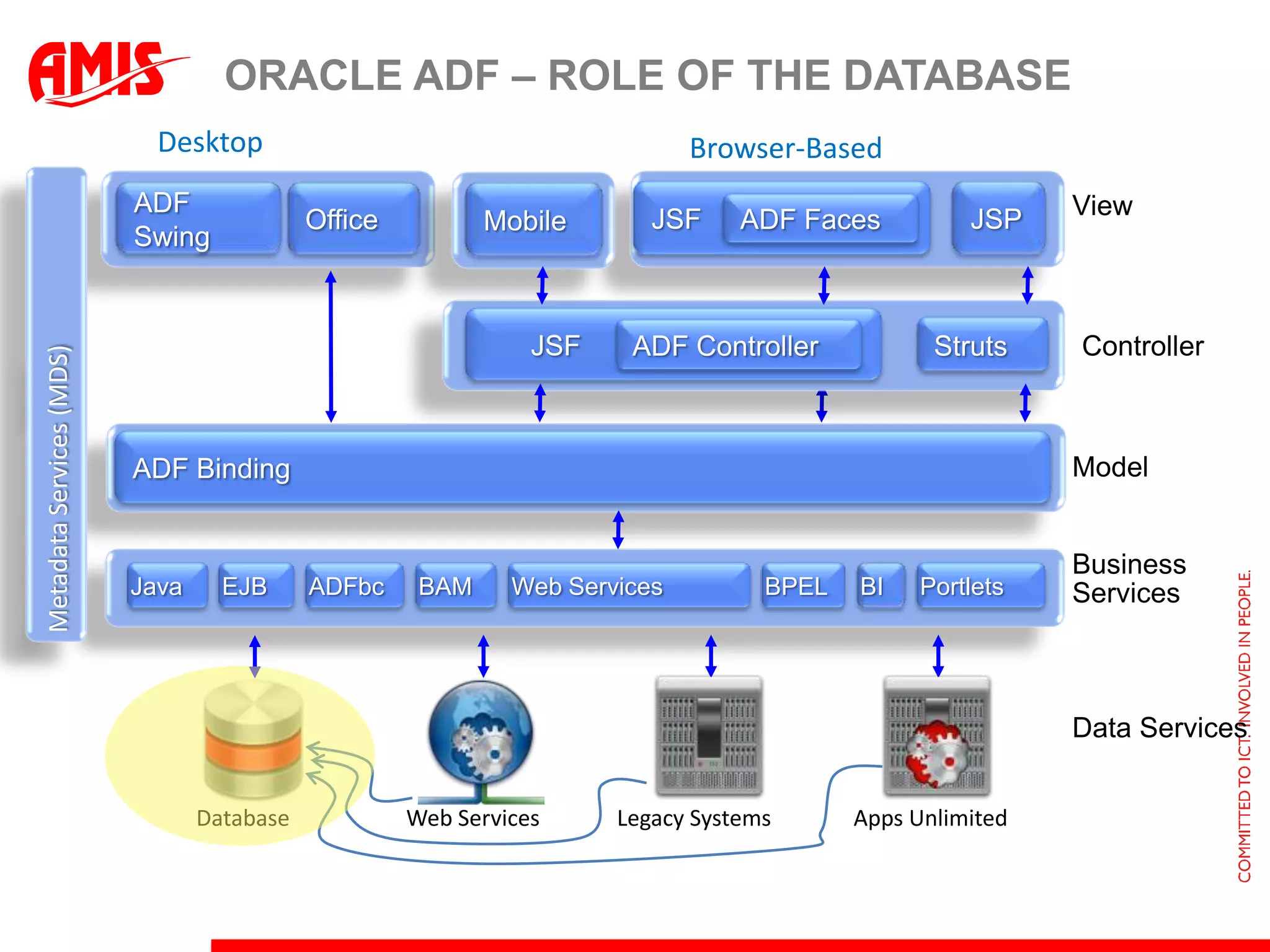
DesktopBrowser-BasedMetadata Services (MDS)Oracle ADF – Role of the DatabaseJSFJSPOfficeADFSwingMobileViewADF Faces      JSFStrutsADF ControllerControllerADF BindingModelBusiness ServicesEJBBAMADFbcPortletsBIBPELWeb ServicesJavaData ServicesDatabaseWeb ServicesLegacy SystemsApps Unlimited
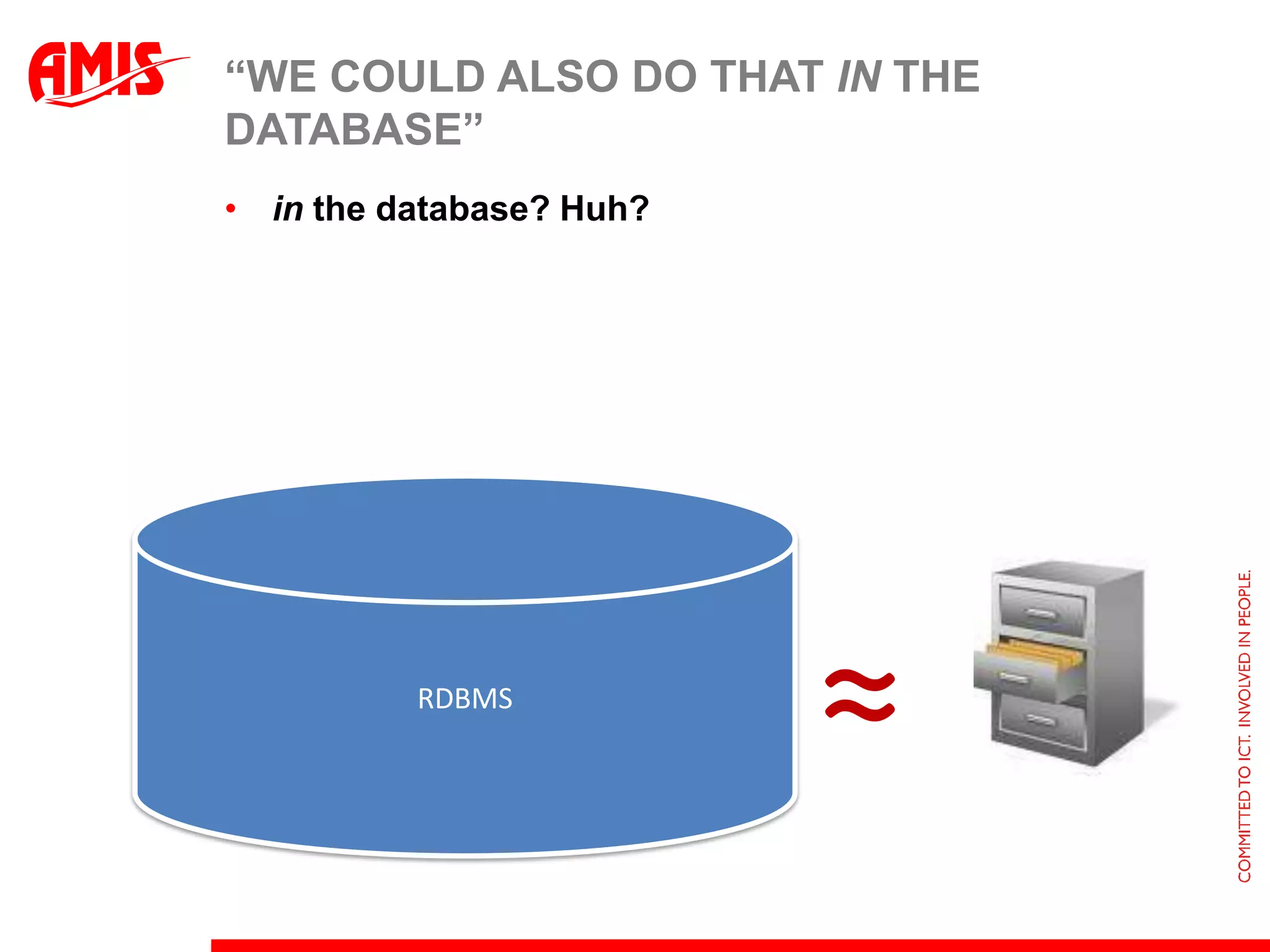
“We could also do that in the database”in the database? Huh?RDBMS≈
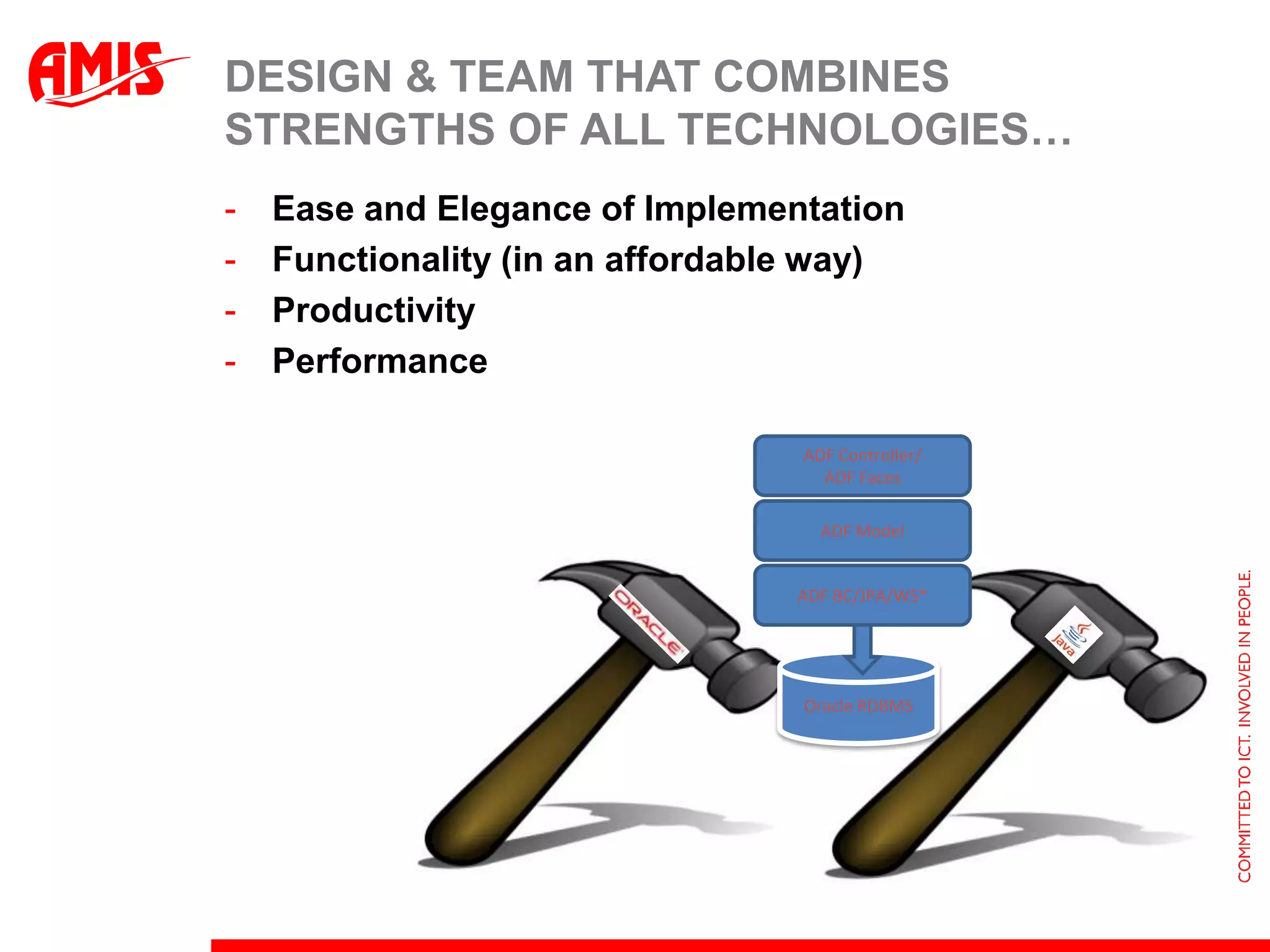
Design & team that combines strengths of all technologies…Ease and Elegance of Implementation
Functionality (in an affordable way)
Productivity
PerformanceADF Controller/ADF FacesADF ModelADF BC/JPA/WS*Oracle RDBMS
Database StrengthsIntegrityFine grained (data) security and auditingData Retrieval joining tables together, leveraging indexeshierarchical, network-like traversals advanced analytics, historical queries, mining Aggregation and SortingComplex & Massive Data Manipulation
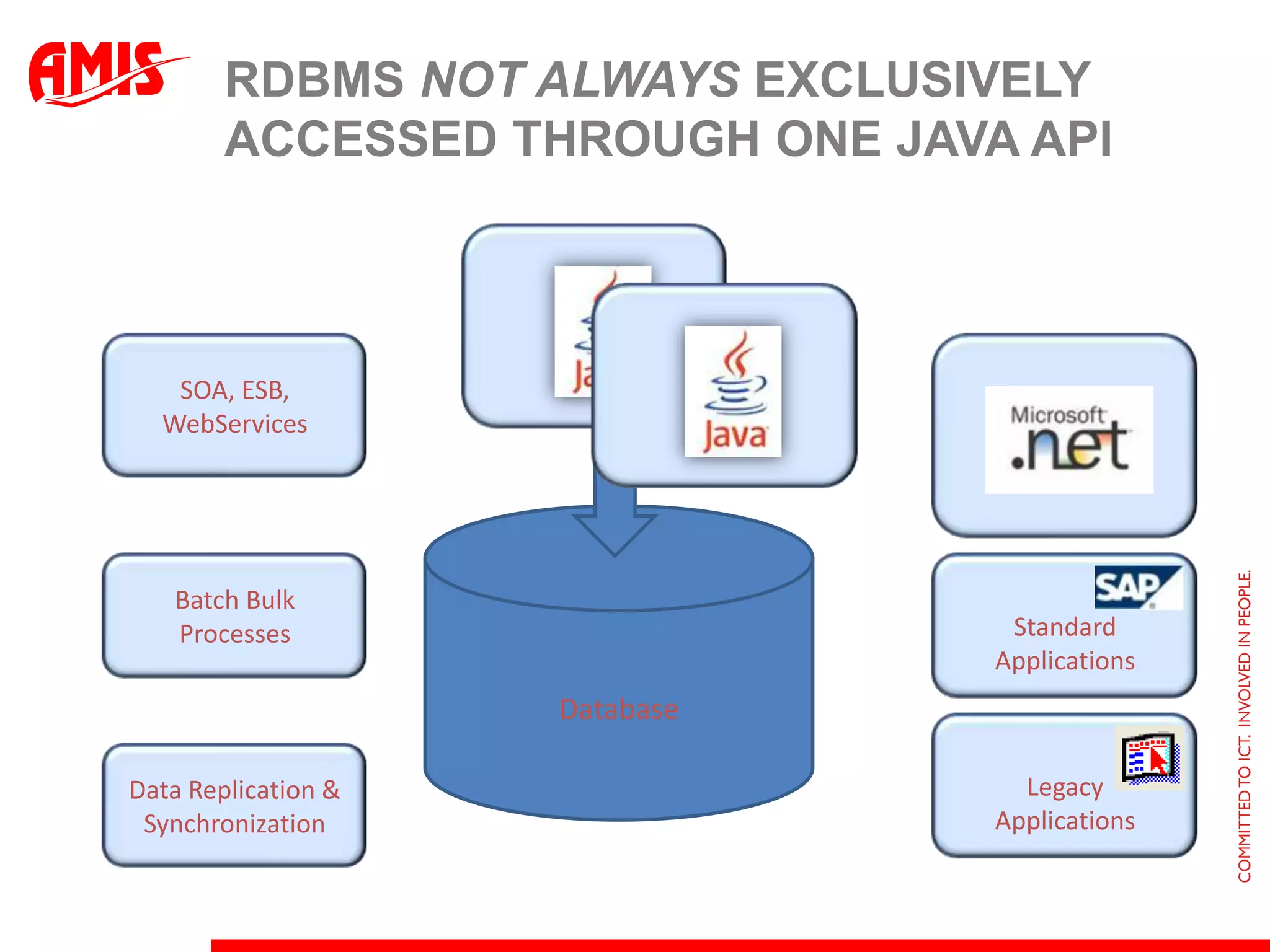
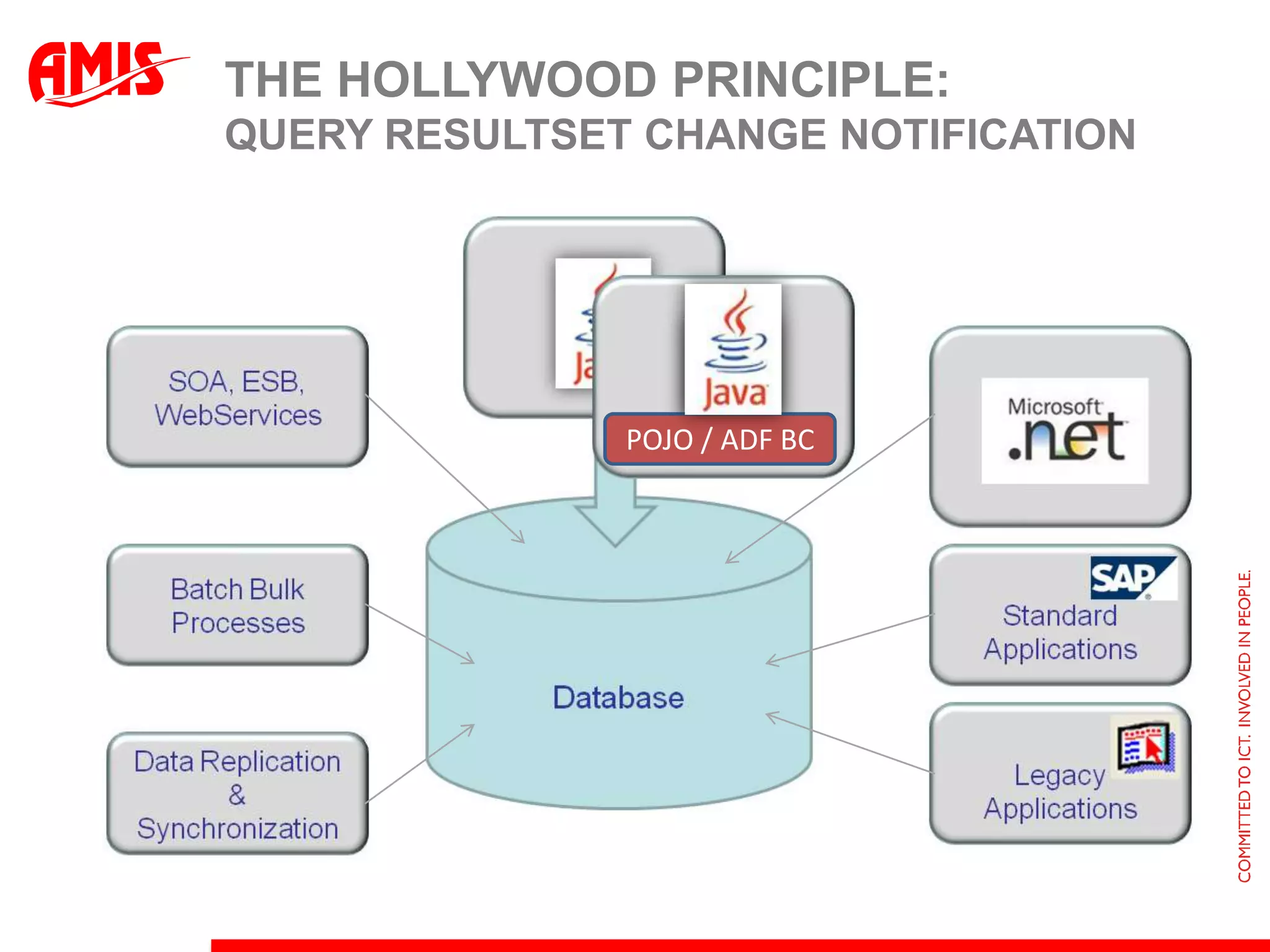
RDBMS not always exclusively accessed through one Java APISOA, ESB, WebServicesDatabaseBatch Bulk ProcessesStandard ApplicationsLegacyApplicationsData Replication & Synchronization
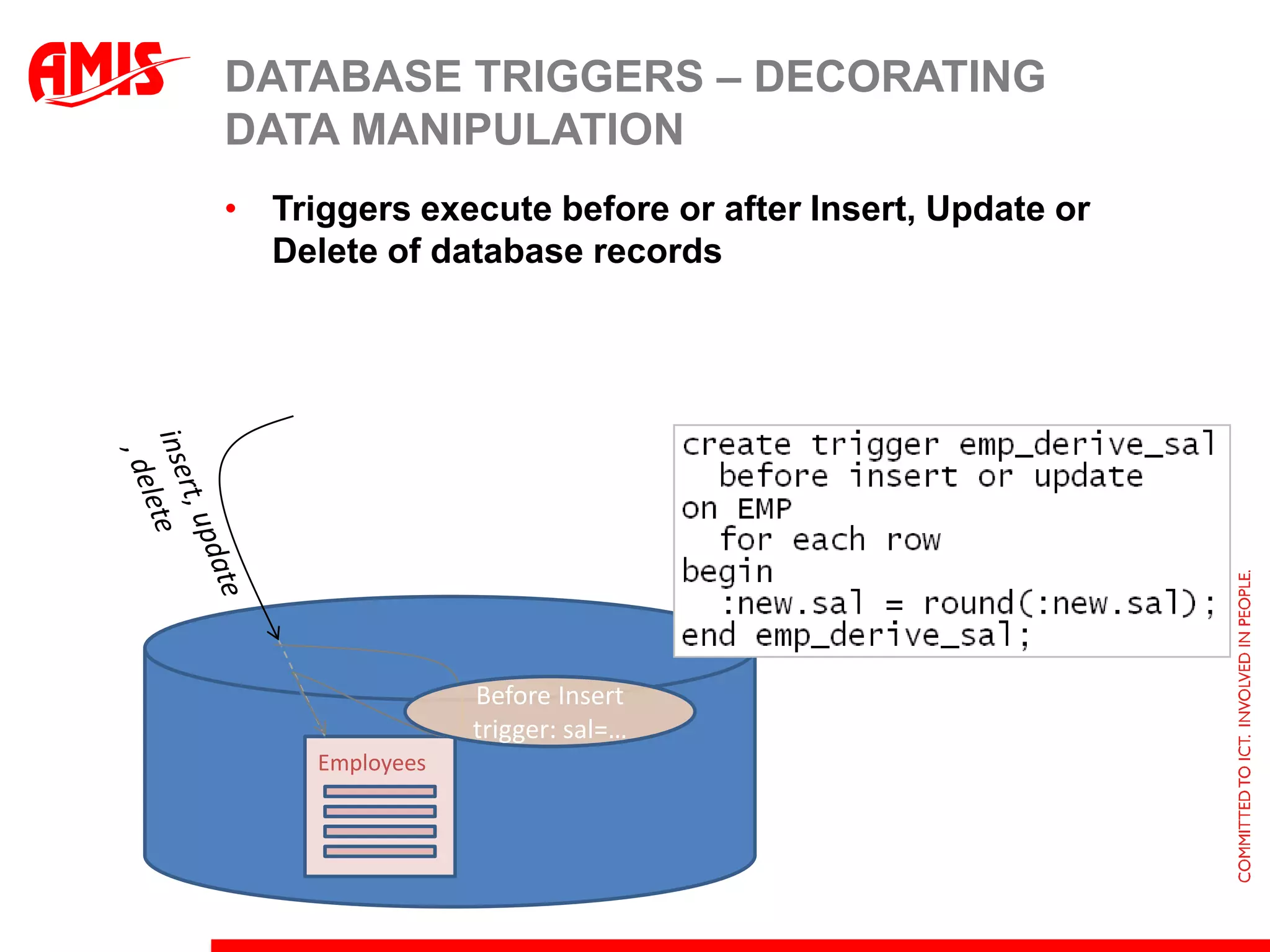
Database Triggers – decorating Data ManipulationTriggers execute before or after Insert, Update or Delete of database recordsinsert, update, deleteBefore Insert trigger: sal=…Employees
Purpose of triggersSet default values on new recordsif :new.job=‘SALESMAN’ then :new.comm = 1000Calculate & Derive values upon insert, update or deleteNotify third parties of data manipulationPerform complex validation on the data changes applied by the transactionPer Department: Max Salary < 1.8 * AveragePer Manager: #subordinates < 15
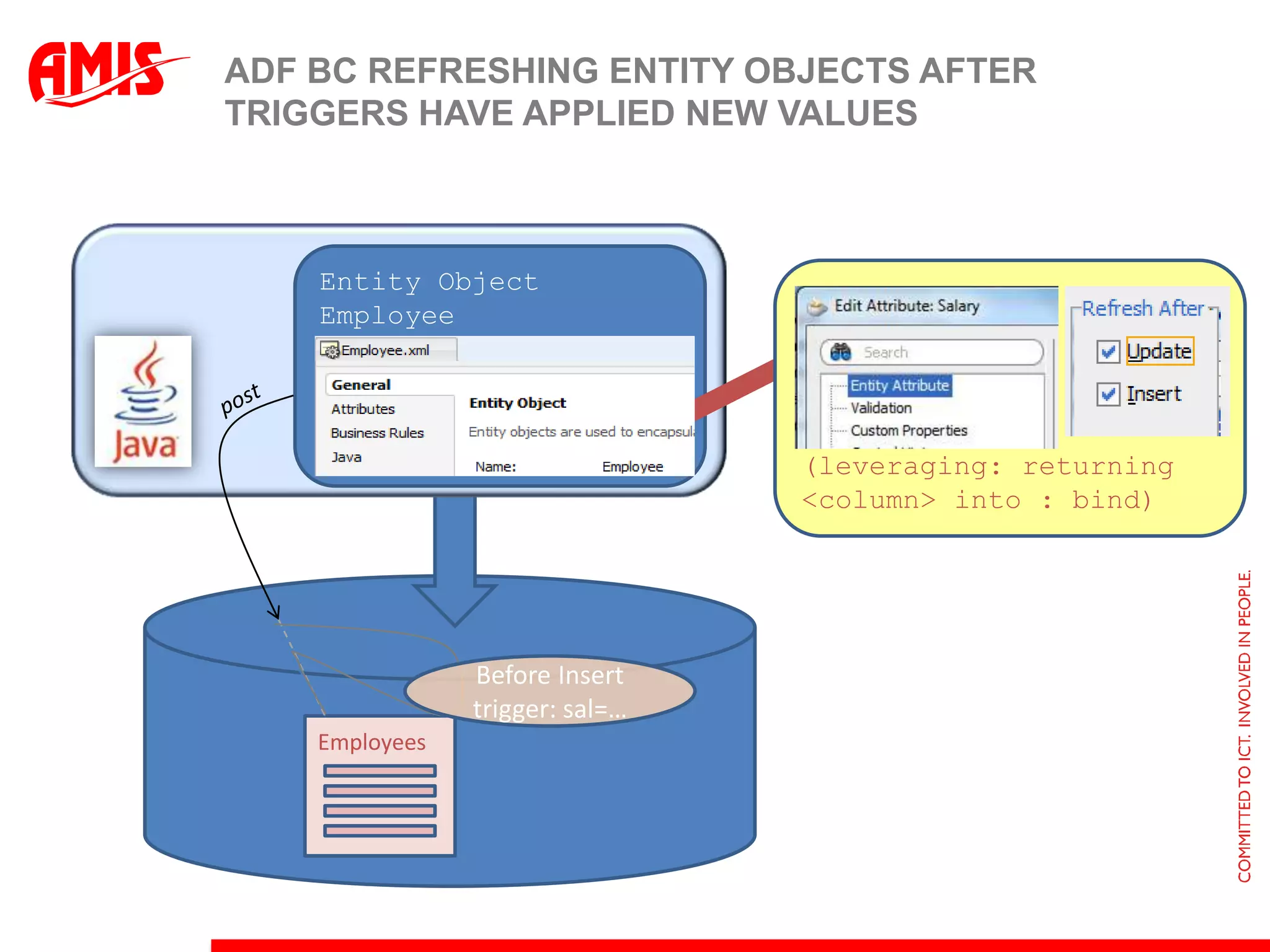
ADF BC refreshing Entity Objects after triggers have applied new valuesEntity Object Employee(leveraging: returning <column> into : bind)postBefore Insert trigger: sal=…Employees
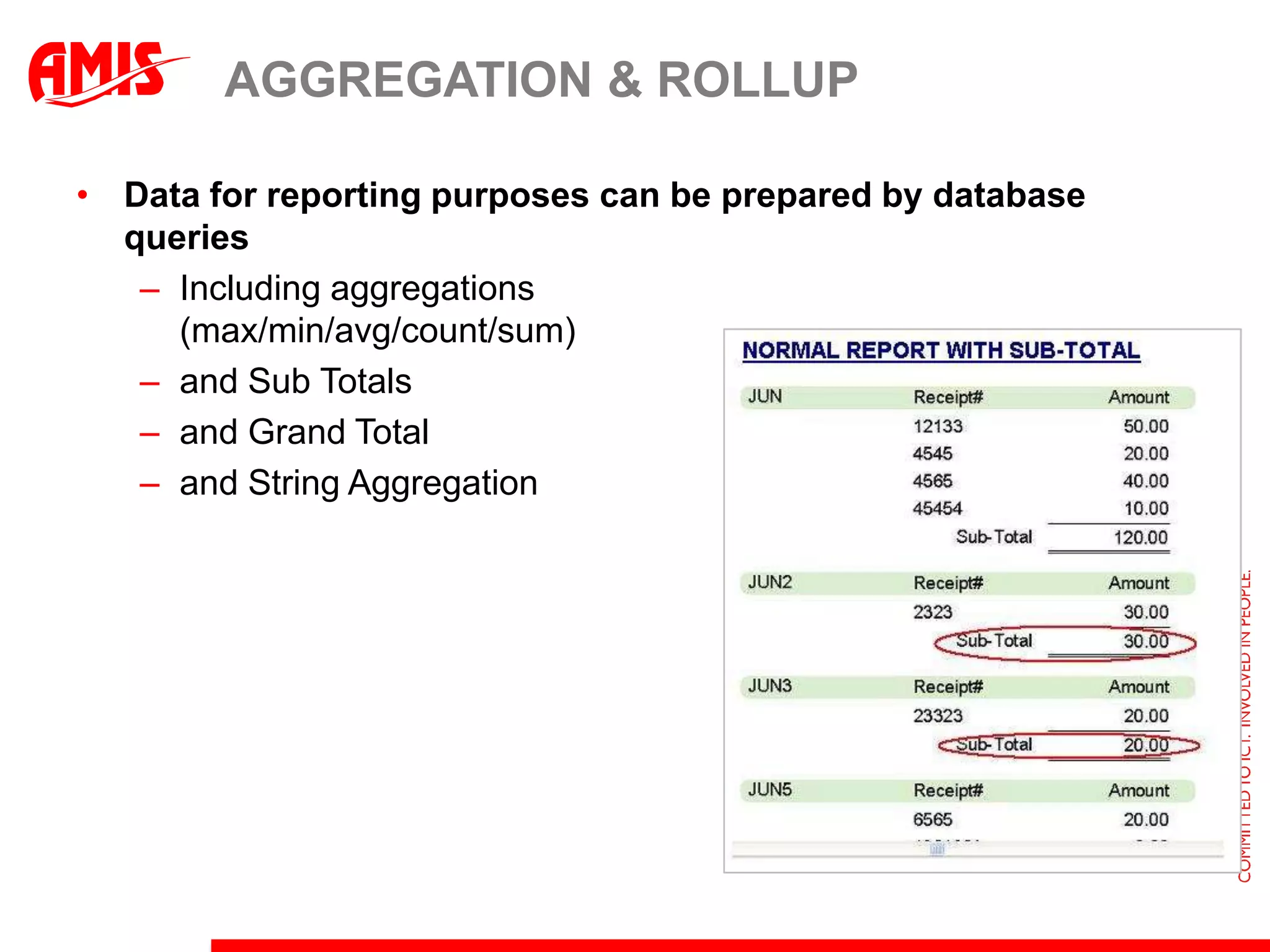
Aggregation & RollupData for reporting purposes can be prepared by database queriesIncluding aggregations(max/min/avg/count/sum)and Sub Totals and Grand Totaland String Aggregation
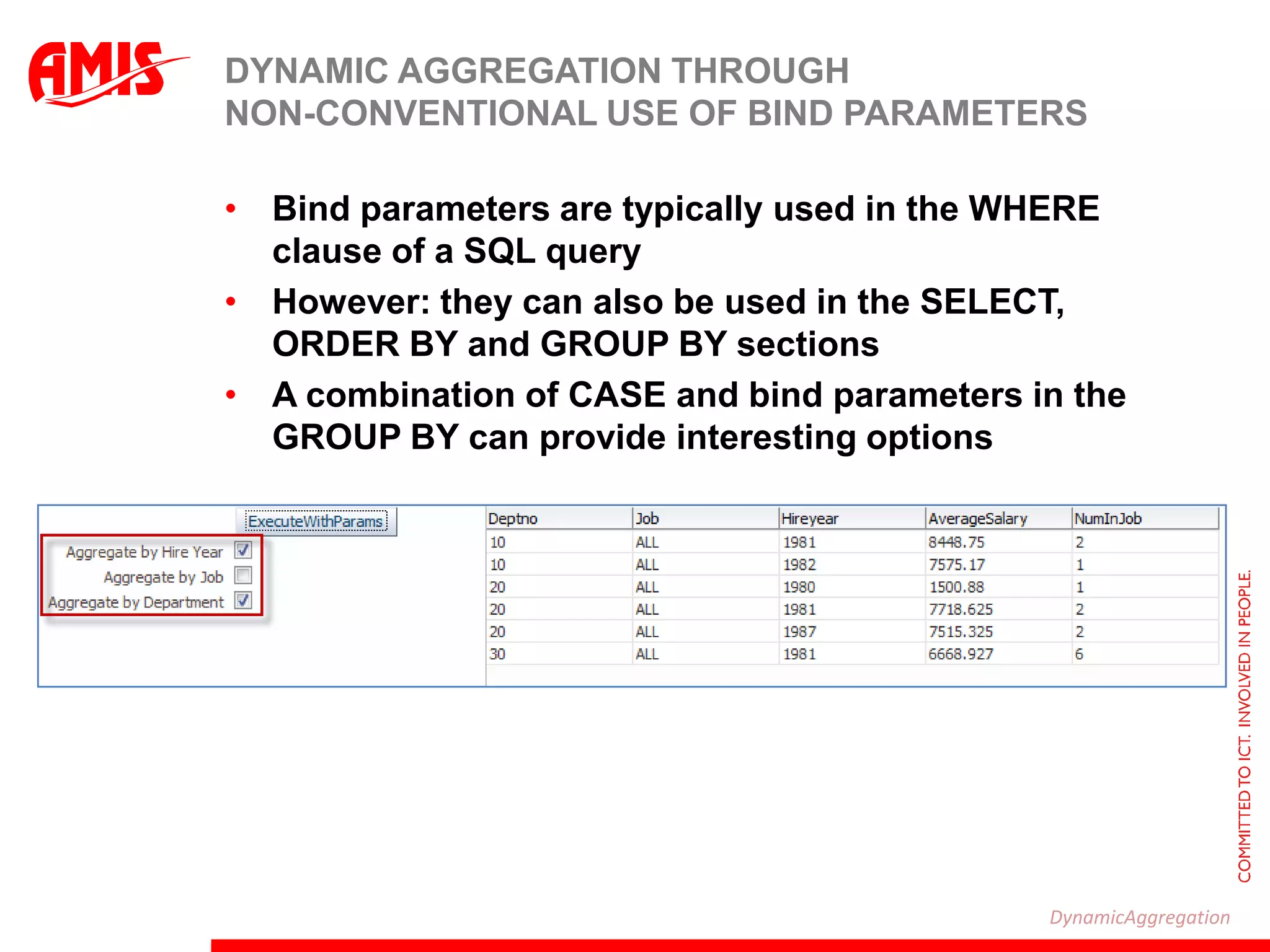
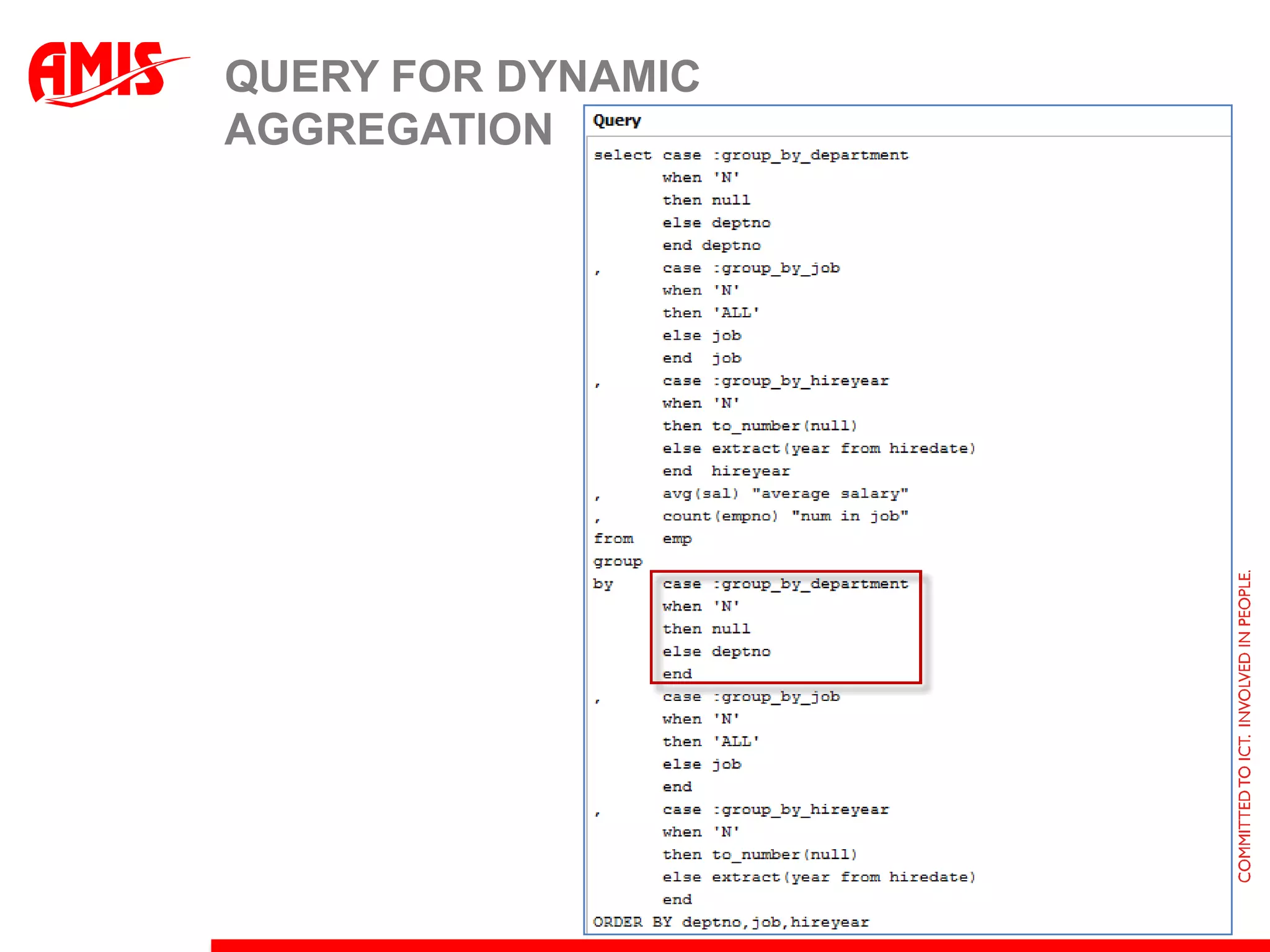
Dynamic Aggregation through Non-conventional use of bind parametersBind parameters are typically used in the WHERE clause of a SQL queryHowever: they can also be used in the SELECT, ORDER BY and GROUP BY sectionsA combination of CASE and bind parameters in the GROUP BY can provide interesting optionsDynamicAggregation
Query for dynamic aggregation
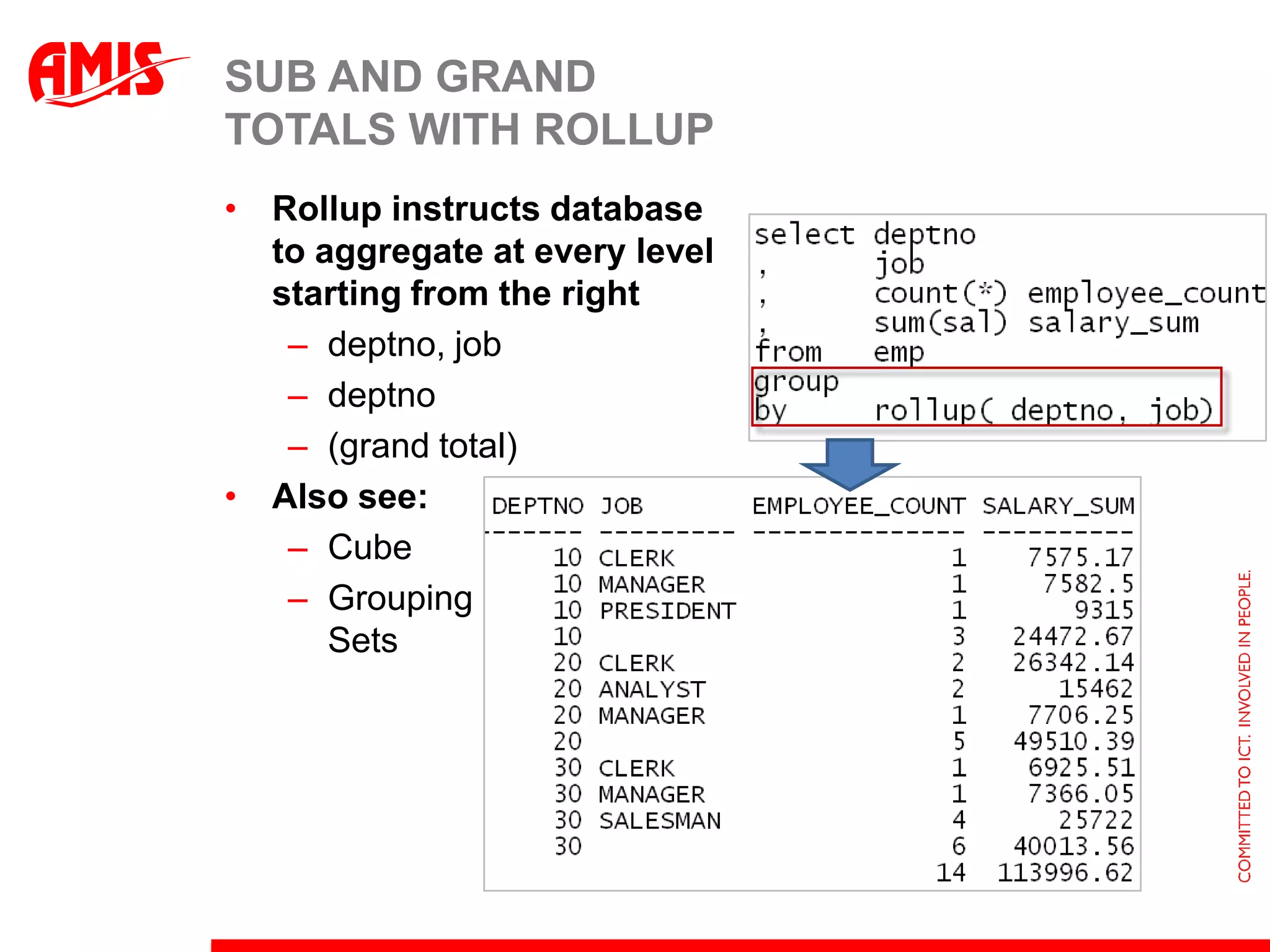
Sub and Grandtotals with RollupRollup instructs databaseto aggregate at every levelstarting from the rightdeptno, jobdeptno(grand total)Also see:CubeGroupingSets
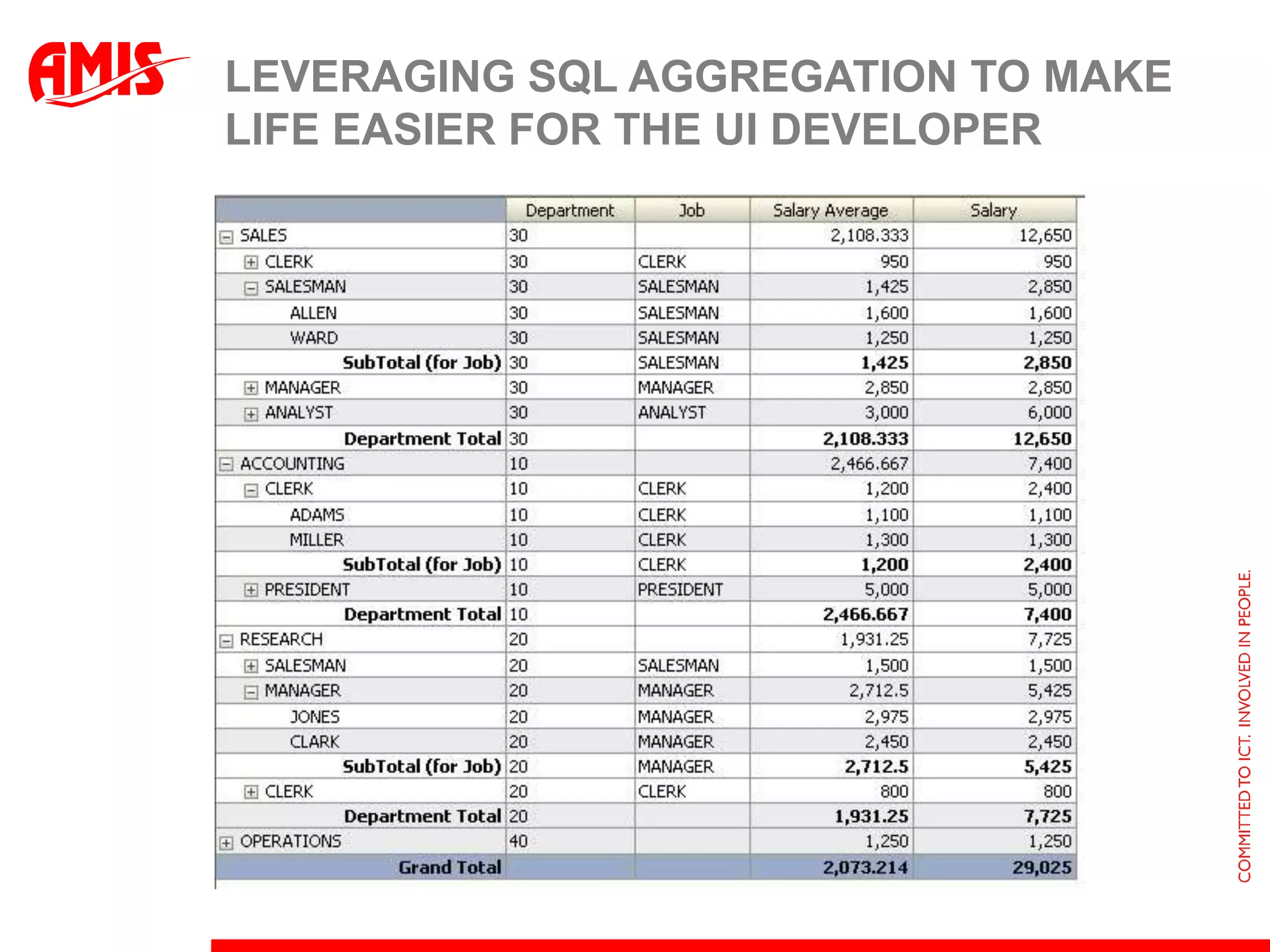
Leveraging SQL Aggregation to make life easier for the UI developer
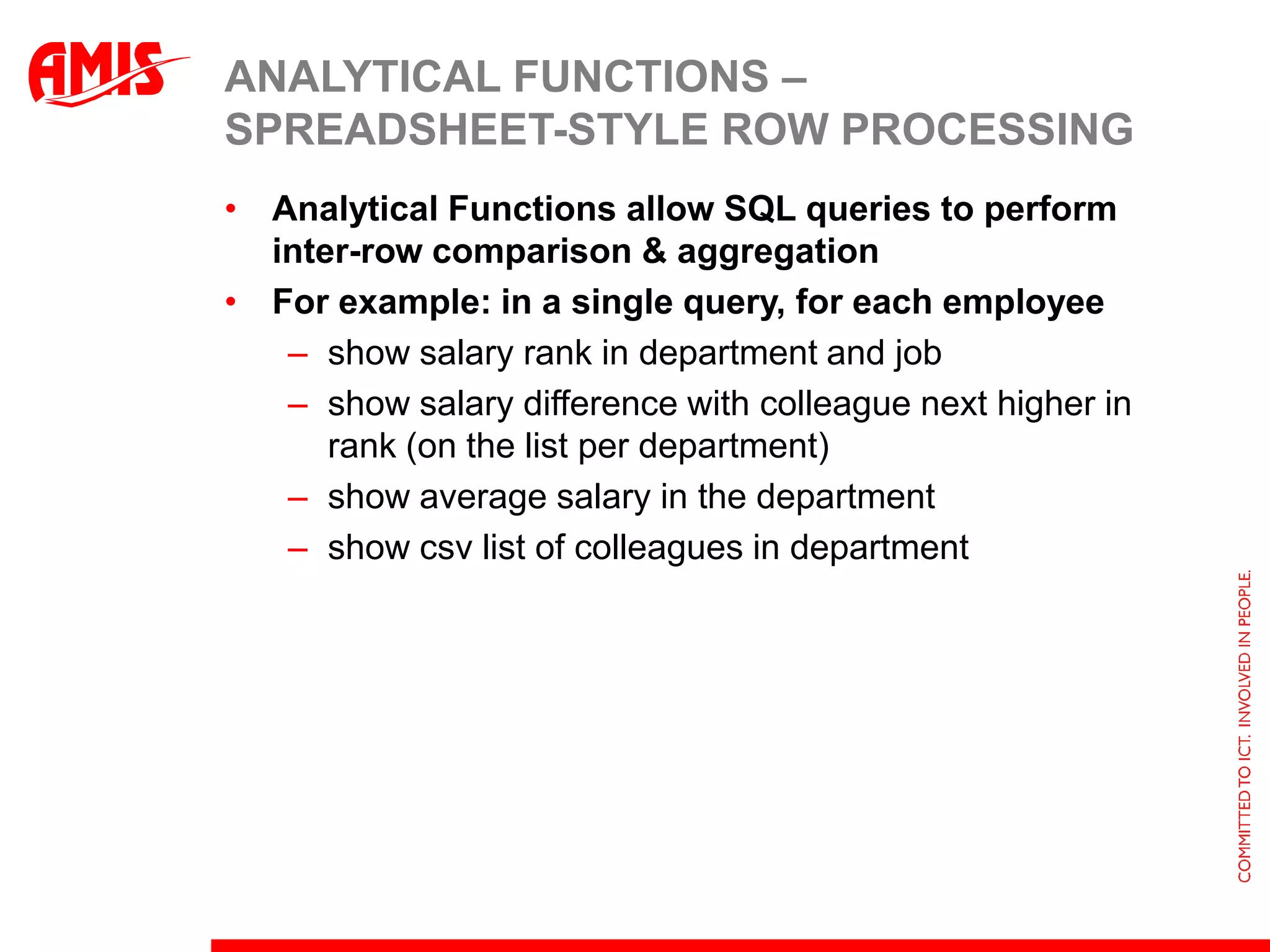
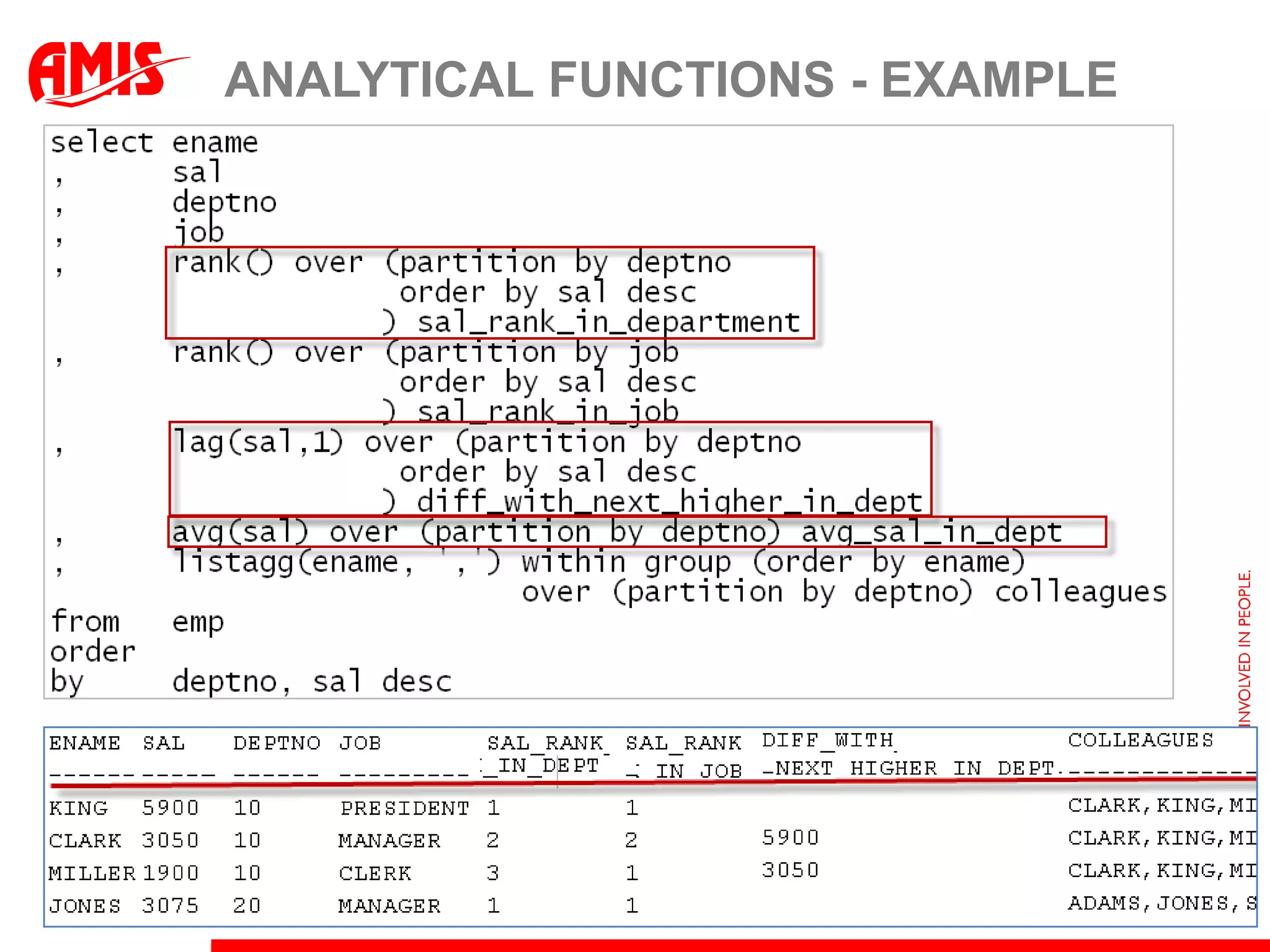
Analytical Functions – spreadsheet-style row processingAnalytical Functions allow SQL queries to perform inter-row comparison & aggregationFor example: in a single query, for each employeeshow salary rank in department and jobshow salary difference with colleague next higher in rank (on the list per department)show average salary in the departmentshow csv list of colleagues in department
Analytical Functions - example
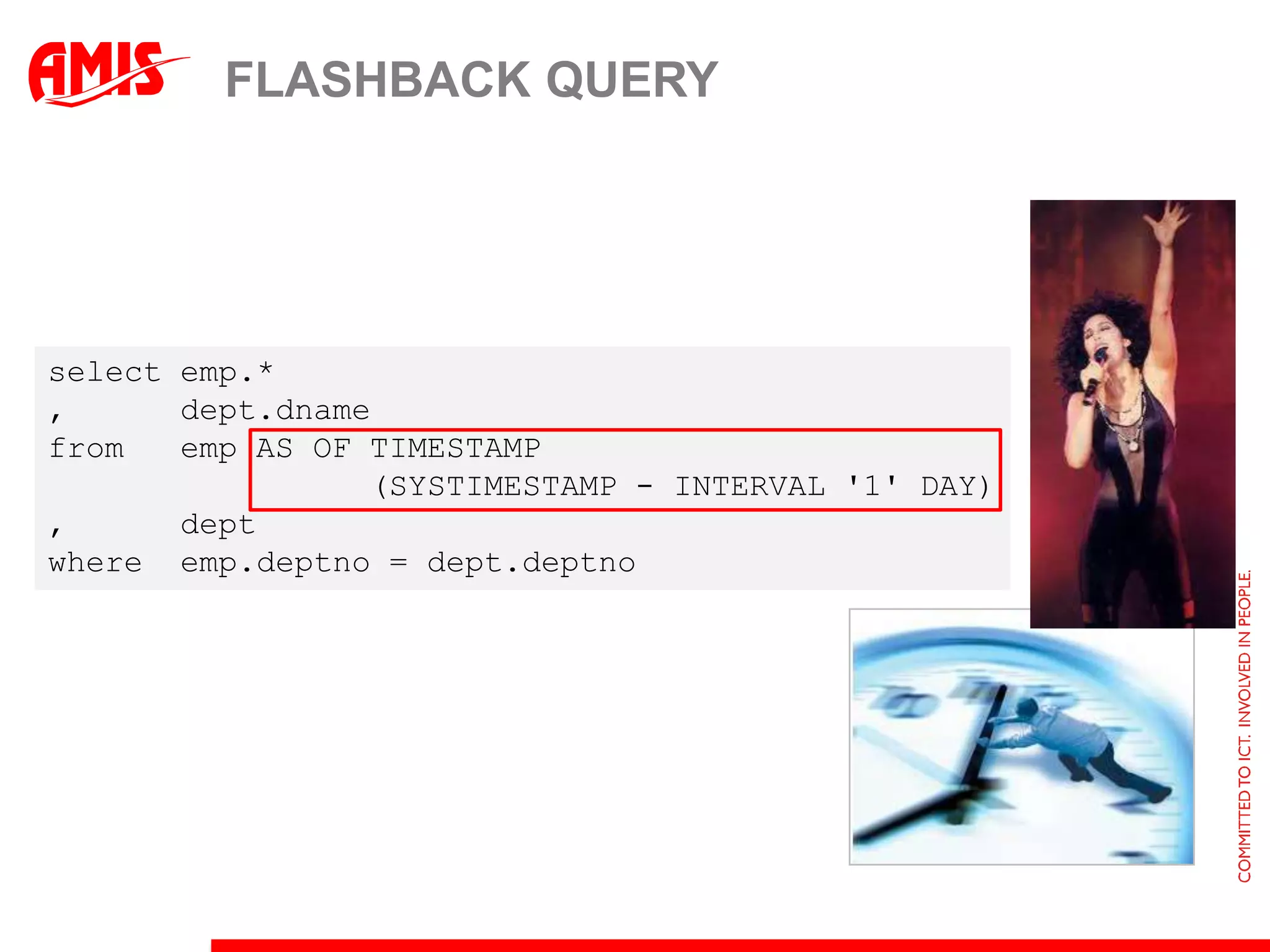
Flashback Queryselect emp.*,      dept.dnamefrom   emp AS OF TIMESTAMP                  (SYSTIMESTAMP - INTERVAL '1' DAY) ,      deptwhere  emp.deptno = dept.deptno
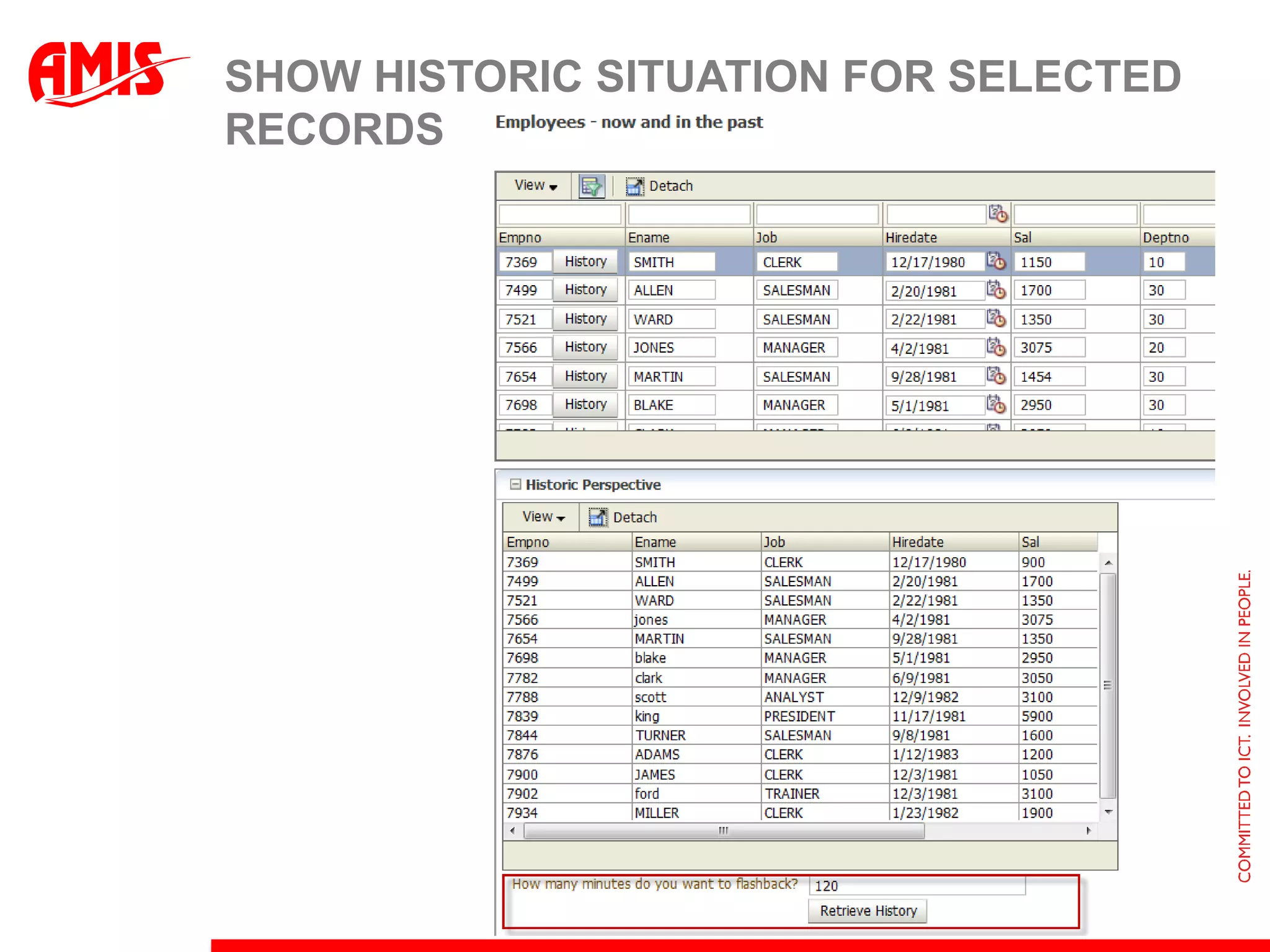
Show historic situation for selected records
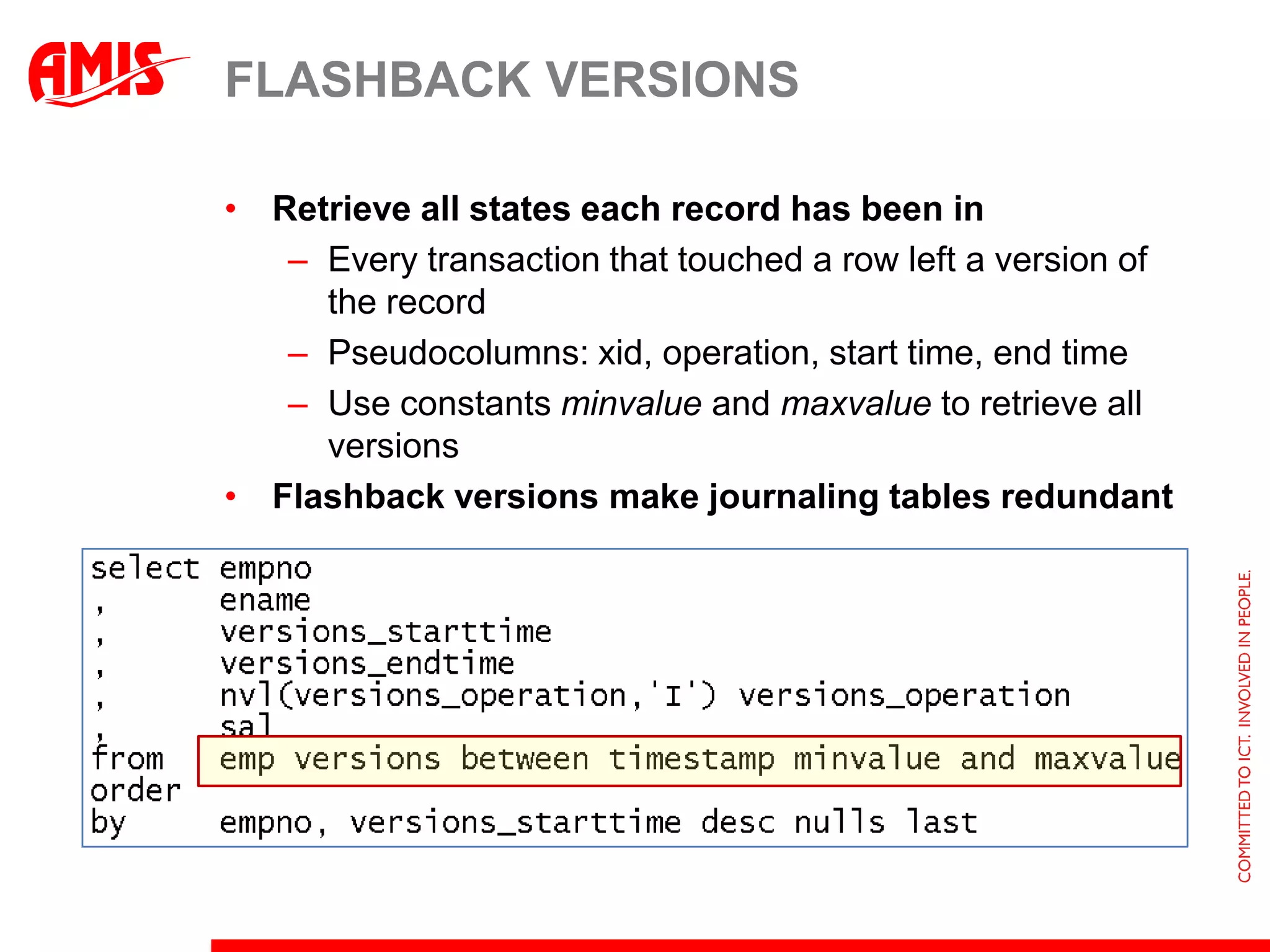
Flashback VersionsRetrieve all states each record has been inEvery transaction that touched a row left a version of the recordPseudocolumns: xid, operation, start time, end timeUse constants minvalueand maxvalueto retrieve all versionsFlashback versions make journaling tables redundant
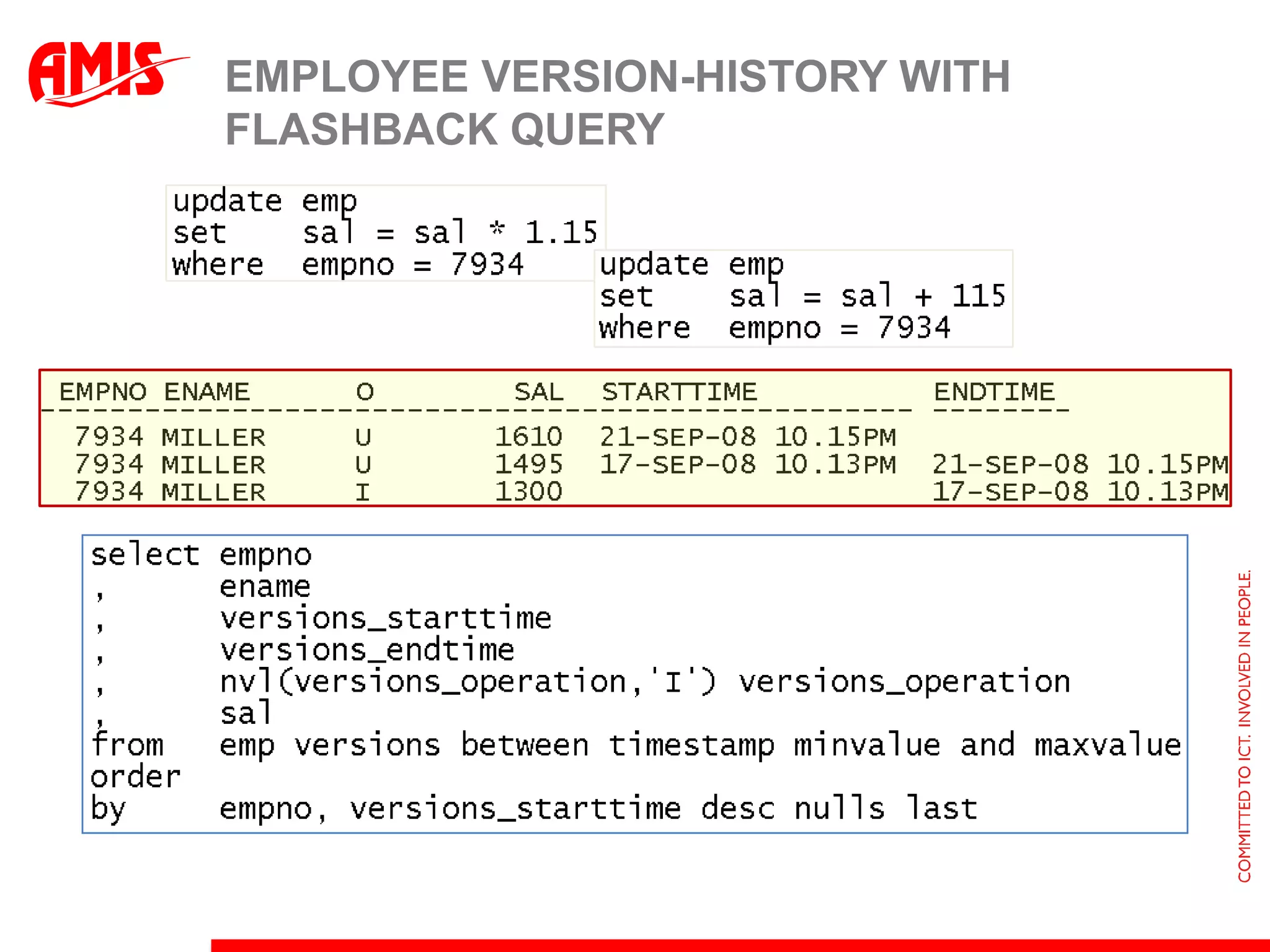
Employee Version-history with Flashback Query
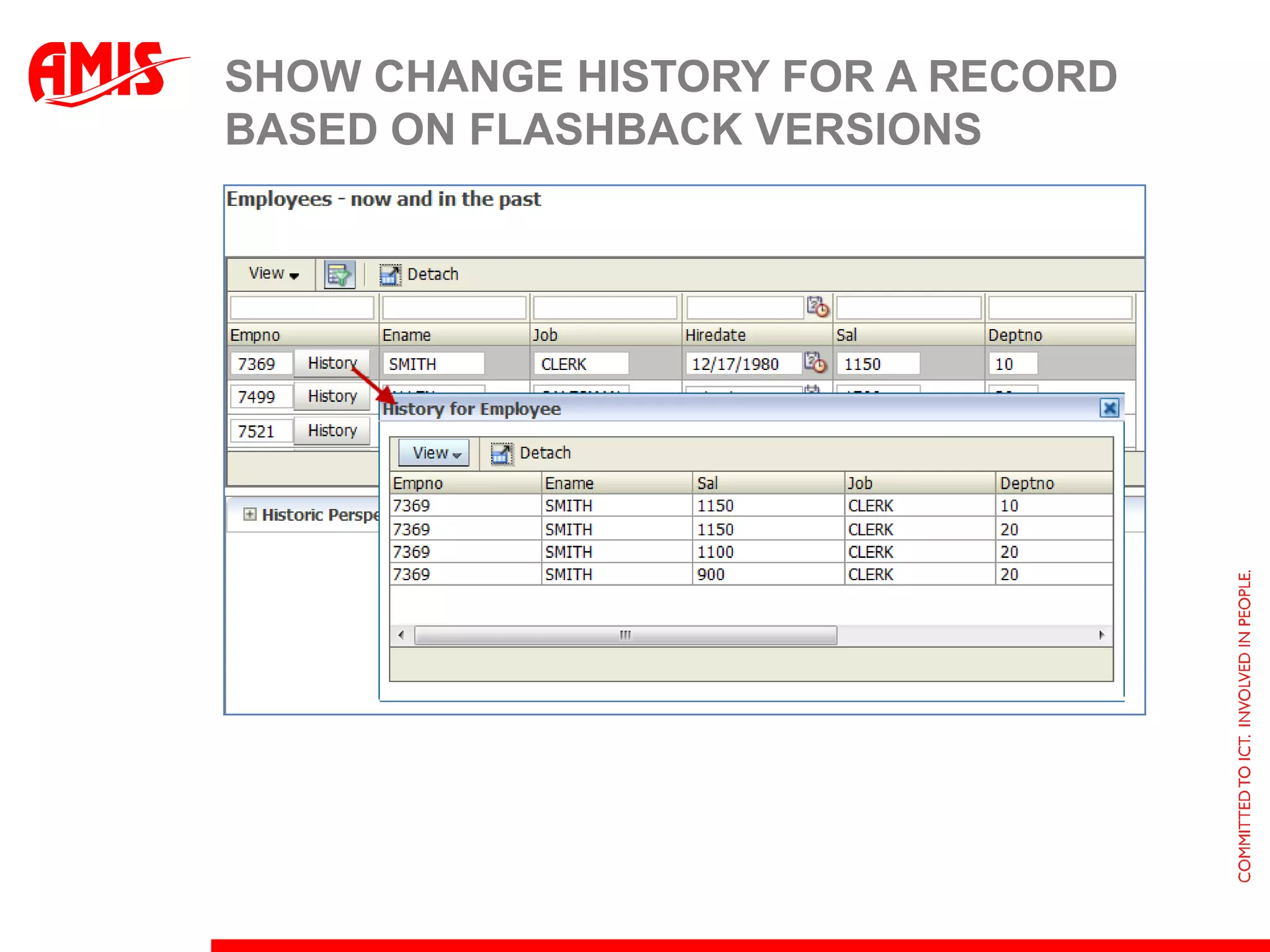
Show change history for a record based on Flashback versions
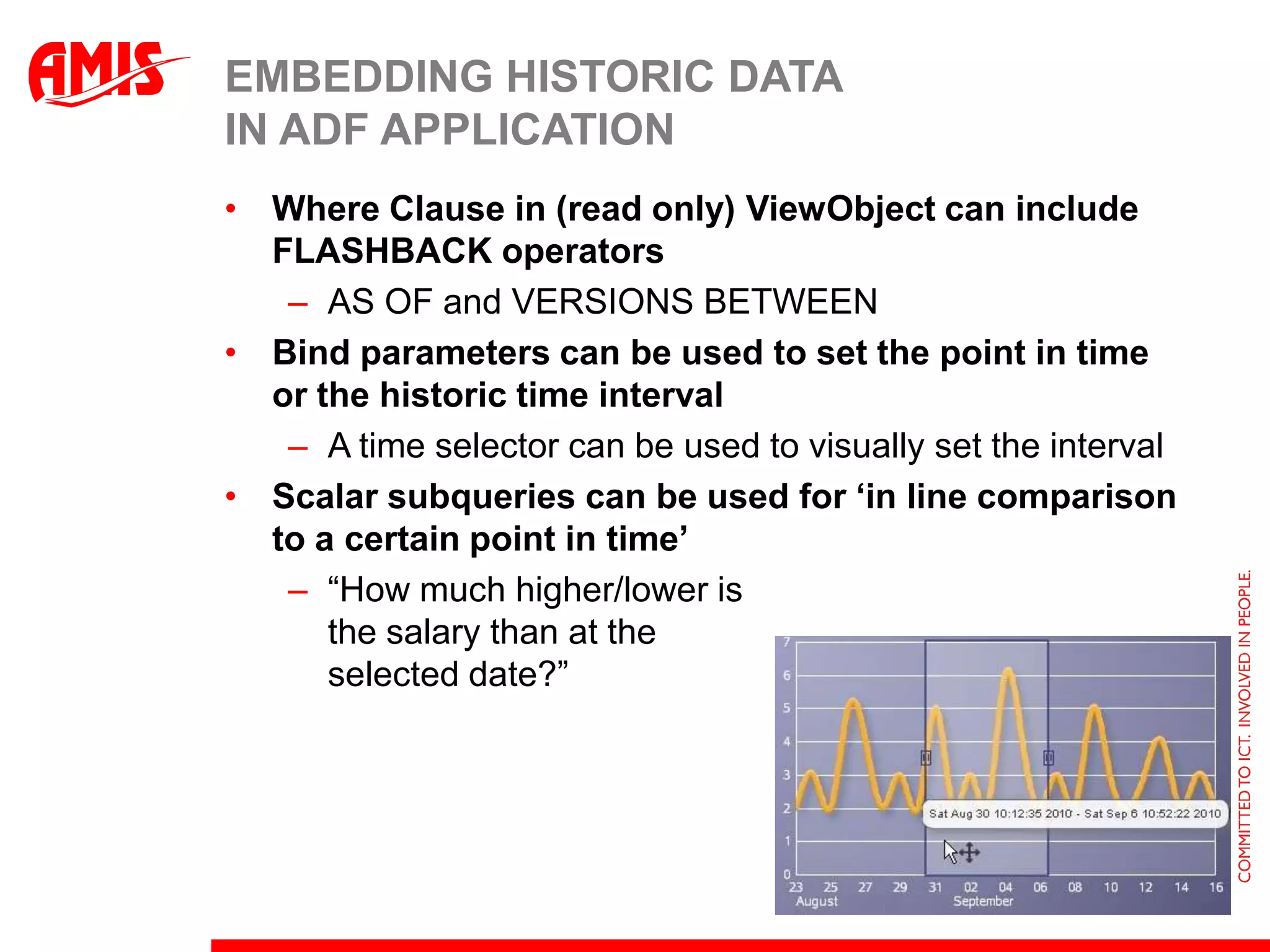
Embedding Historic Data in ADF ApplicationWhere Clause in (read only) ViewObject can include FLASHBACK operatorsAS OF and VERSIONS BETWEENBind parameters can be used to set the point in time or the historic time intervalA time selector can be used to visually set the intervalScalar subqueries can be used for ‘in line comparison to a certain point in time’“How much higher/lower is the salary than at the selected date?”
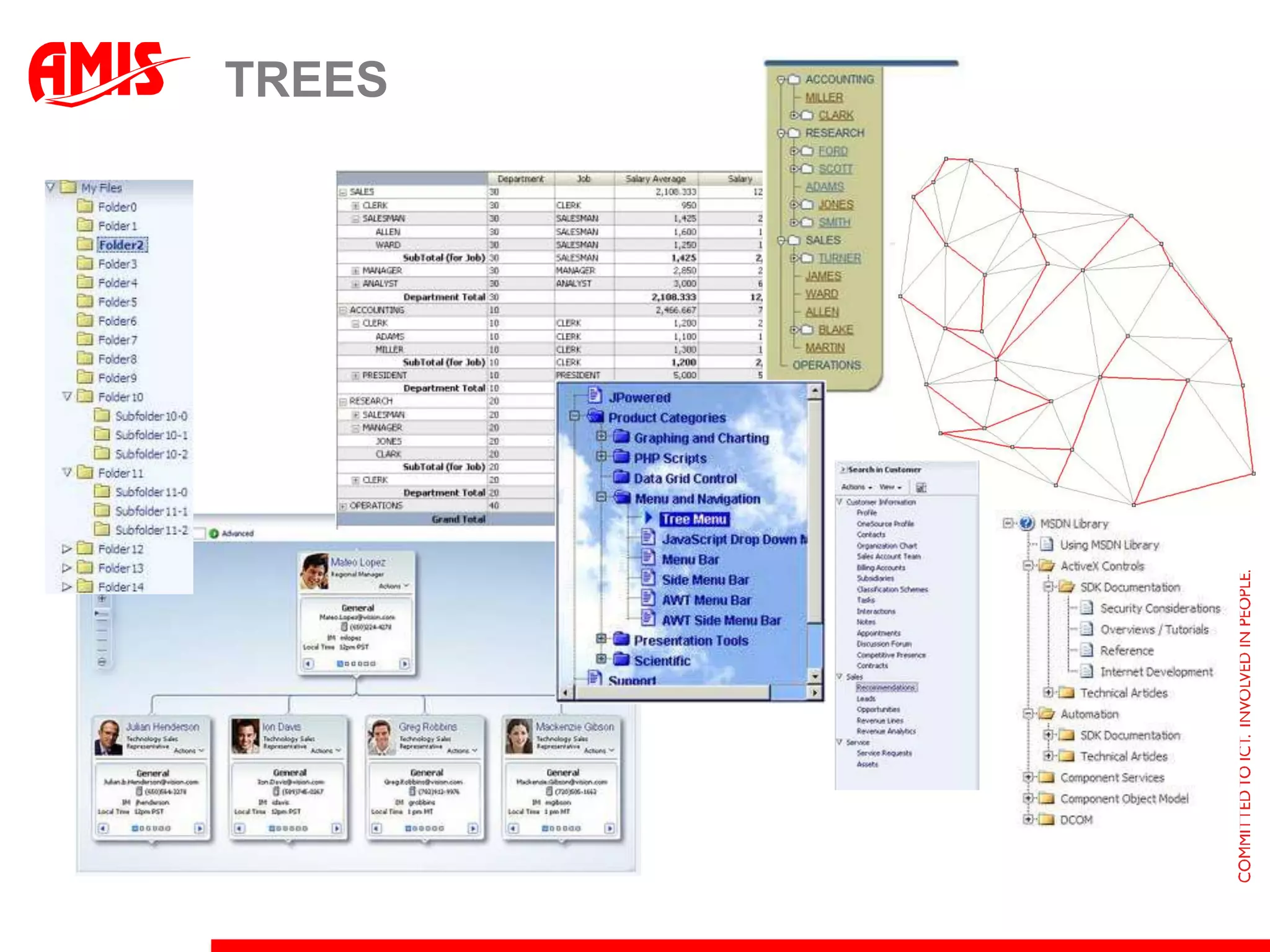
Trees
Trees
ADF Model & Tree Data BindingCreate hierarchical relation between multiple ViewObject or (POJO) Collection BindingsTree Data Retrieval retrieves collections in several steps i.e. multiple queriesData is cachedData is only queried when required (given the expansion level of the tree)Alternatively: have the database do the heavy tree lifting: Database has optimized tree algorithmsStarting at any node in the tree or networkDrilling down to the specified number of levelsOrder siblings within parentIndicate leaf and parent nodes; detect cycles
Retrieving Hierarchical data sets with single SQL statementsDatabase has optimized algorithmsStarting at any node in the tree or networkDrilling down to the specified number of levelsOrder siblings within parentIndicate leaf and parent nodes; detect cyclesEMPID           ENAME             MGR     DEPTNO      LEVEL--------------- ---------- ---------- ---------- ----------  7839          KING                          10          1    7698        BLAKE            7839         30          2      7499      ALLEN            7698         30          3      7900      JAMES            7698         30          3      7654      MARTIN           7698         30          3      7844      TURNER           7698         30          3      7521      WARD             7698         30          3    7782        CLARK            7839         10          2      7934      MILLER           7782         10          3
Oracle 11g and ANSI SQL for hierarchical querywith employees (empno, name, mgr, hierlevel, path) as ( select empno, ename, mgr, 1, ename  from   emp  where  mgr is null  union all  select e.empno, e.ename  ,      e.mgr, m.hierlevel + 1  ,      m.path||'/'||e.ename  from   emp e         join         employees m         on (m.empno = e.mgr) )select *from   employees
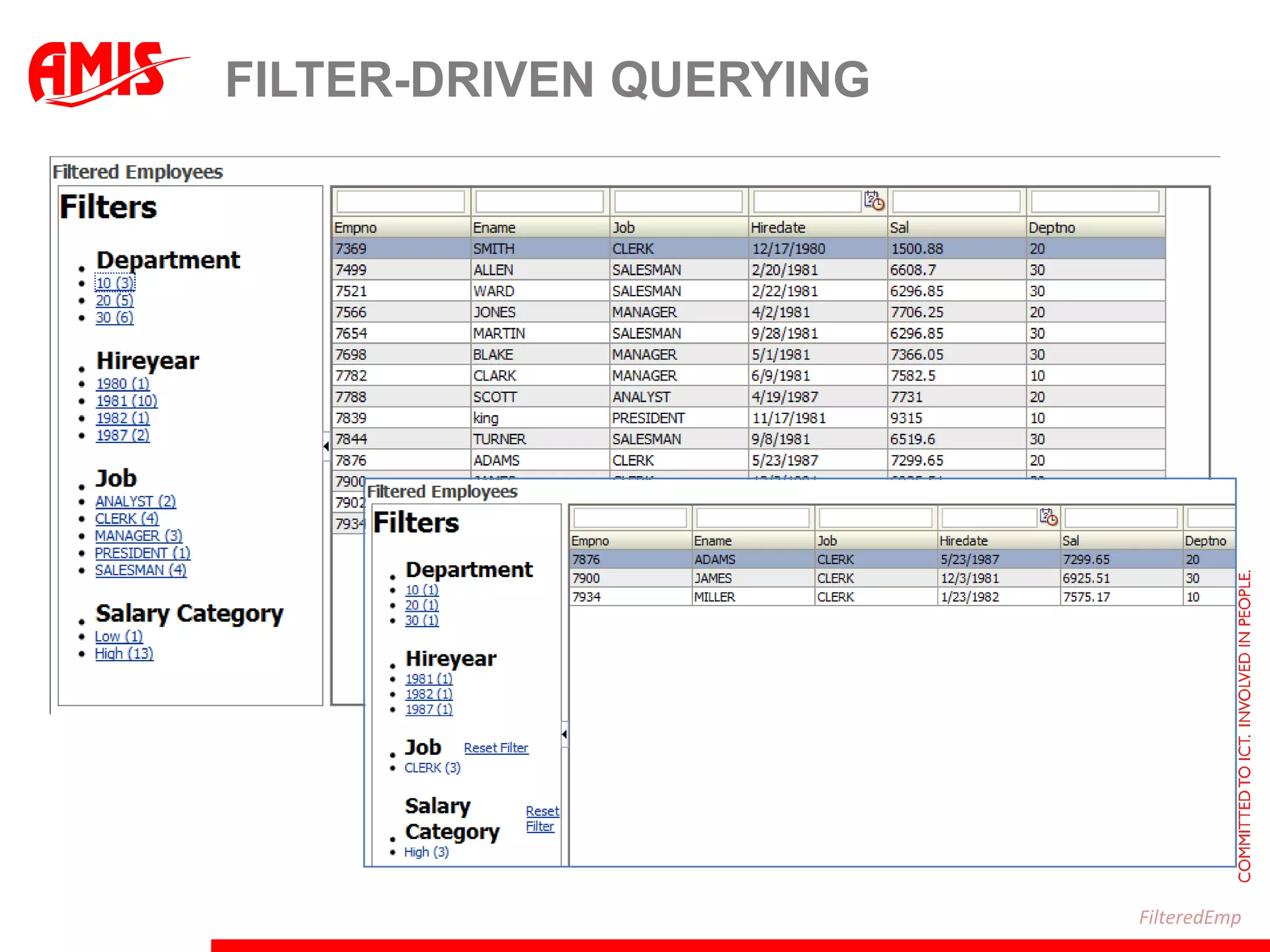
Filter-driven queryingFilteredEmp
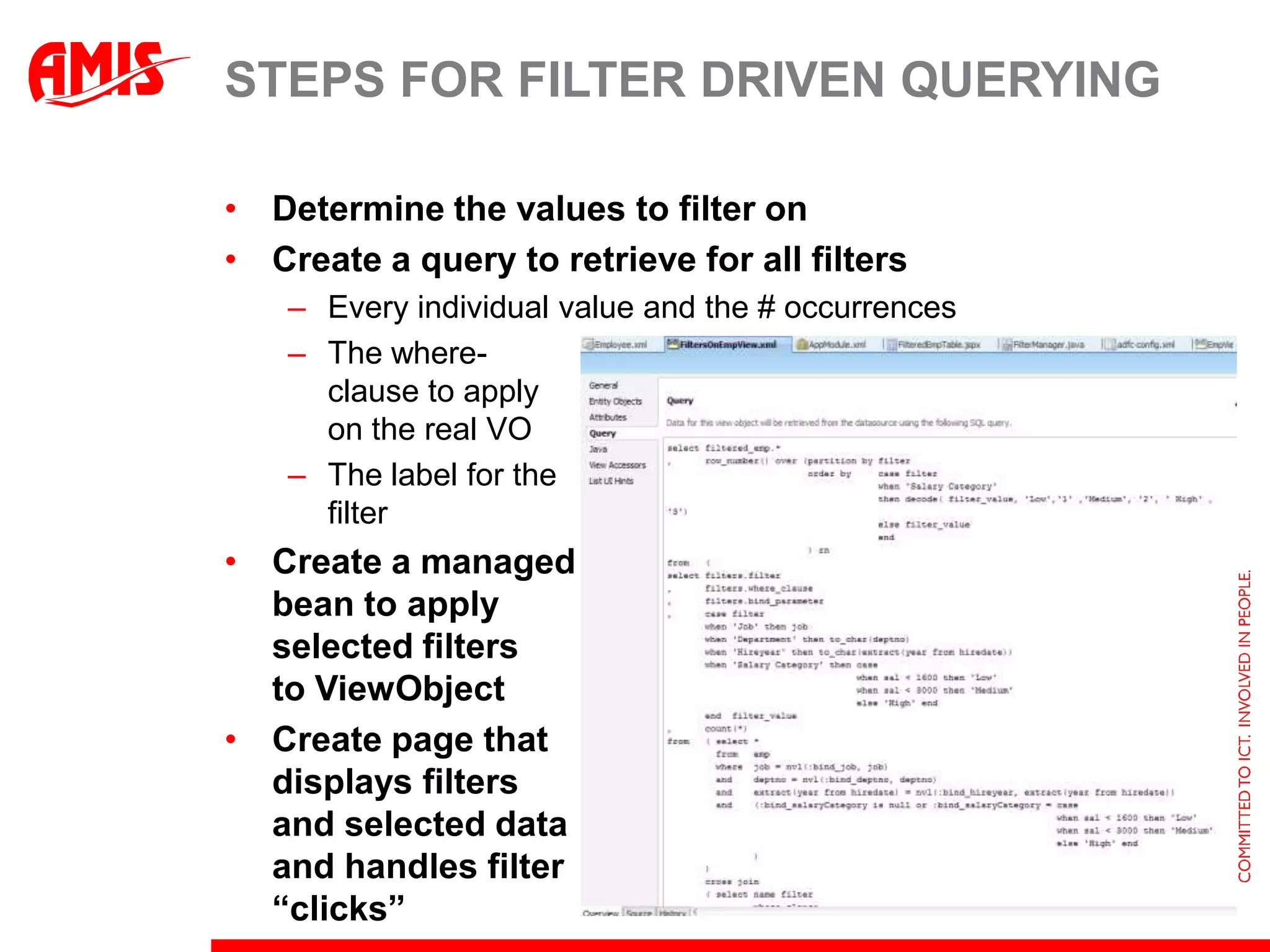
Steps for filter driven queryingDetermine the values to filter onCreate a query to retrieve for all filtersEvery individual value and the # occurrencesThe where-clause to apply on the real VOThe label for the filterCreate a managed bean to apply selected filtersto ViewObjectCreate page that displays filters and selected dataand handles filter “clicks”
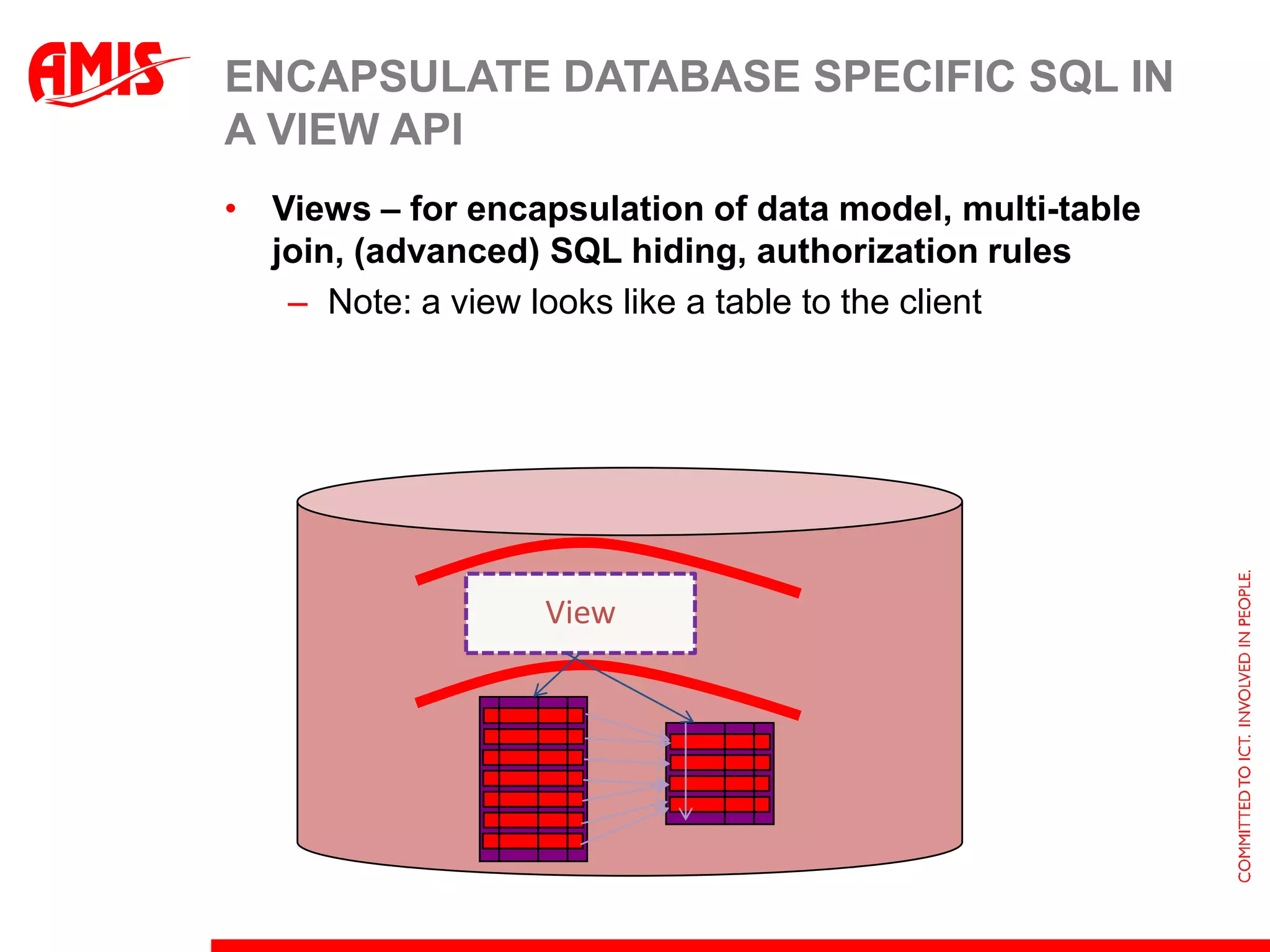
Encapsulate Database specific SQL in a View APIViews – for encapsulation of data model, multi-table join, (advanced) SQL hiding, authorization rulesNote: a view looks like a table to the clientView
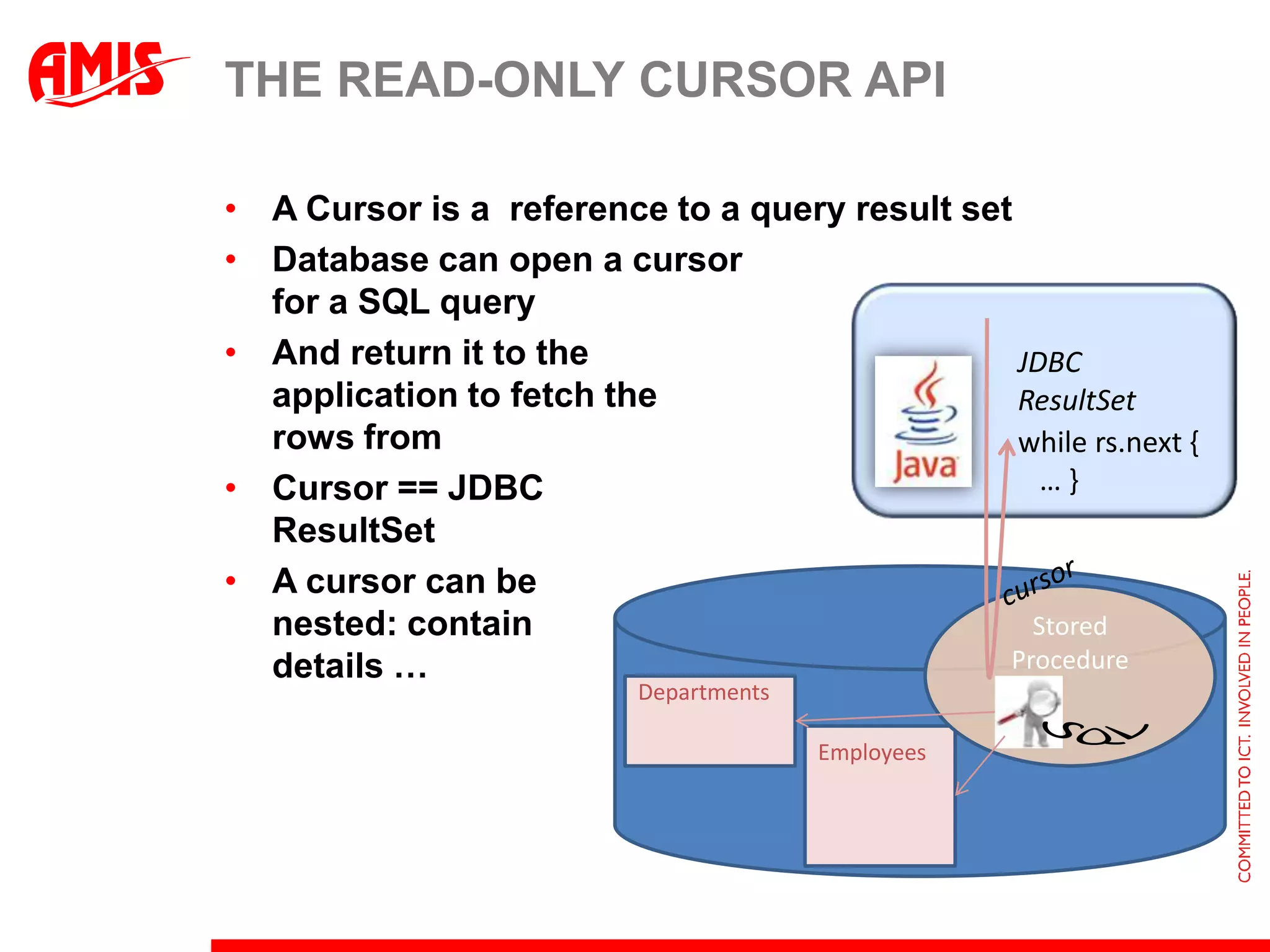
The read-only cursor APIA Cursor is a  reference to a query result setDatabase can open a cursor for a SQL queryAnd return it to the application to fetch the rows fromCursor == JDBCResultSetA cursor can be nested: containdetails … JDBC ResultSetwhile rs.next {   … }cursorStored ProcedureDepartmentsSQLEmployees
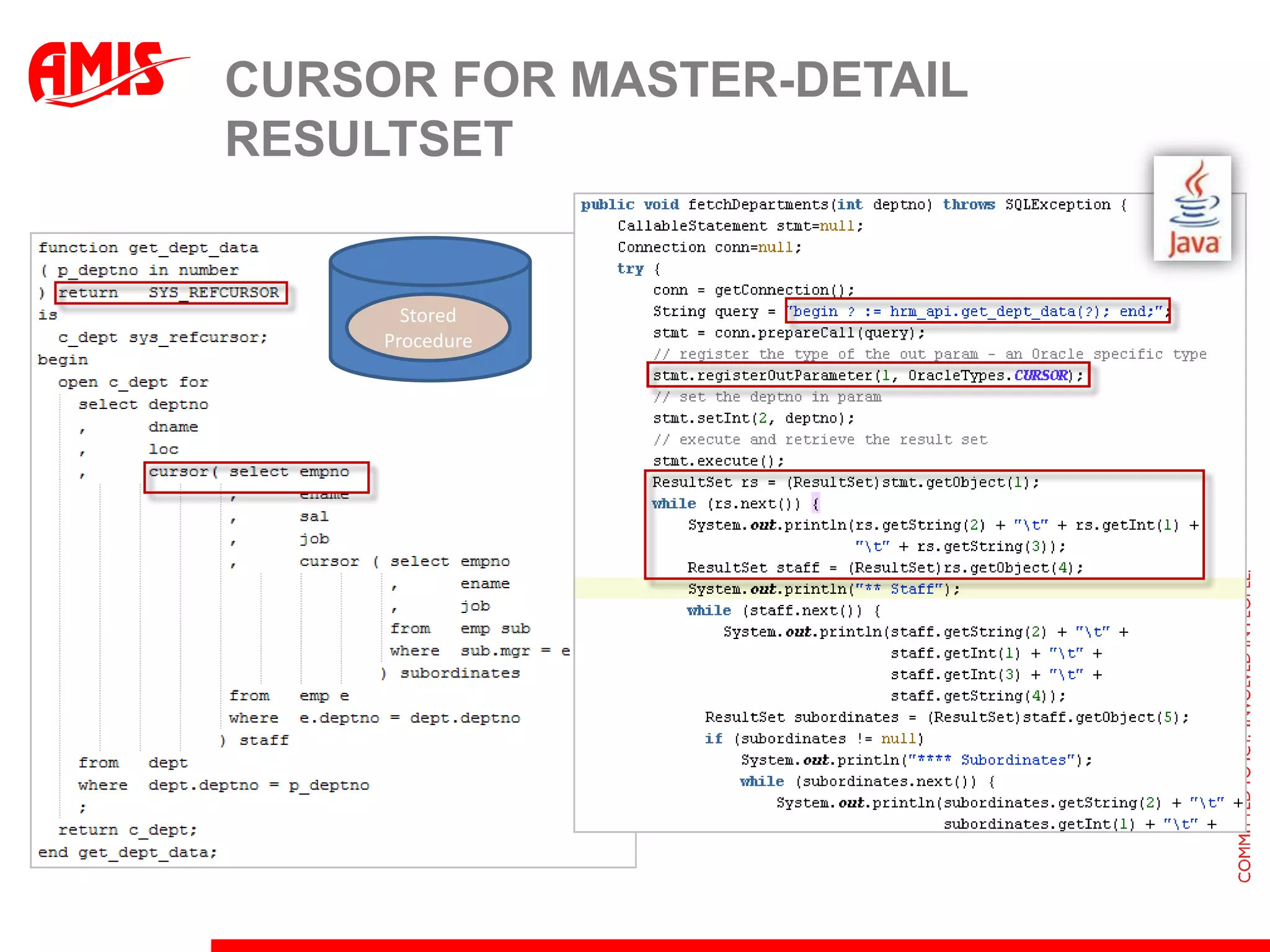
Cursor for Master-Detail resultsetStored Procedure
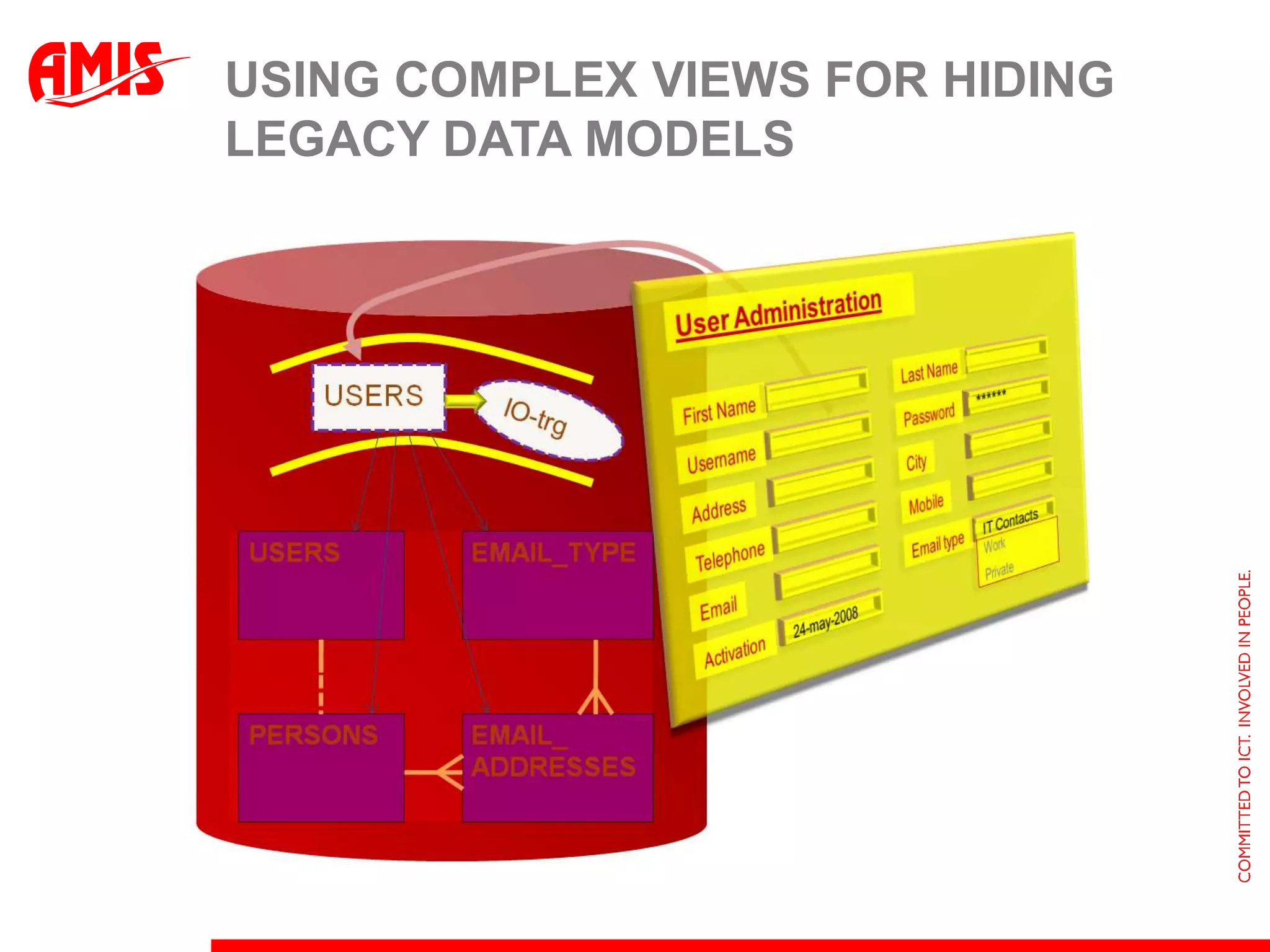
Using Complex Views for Hiding Legacy Data Models
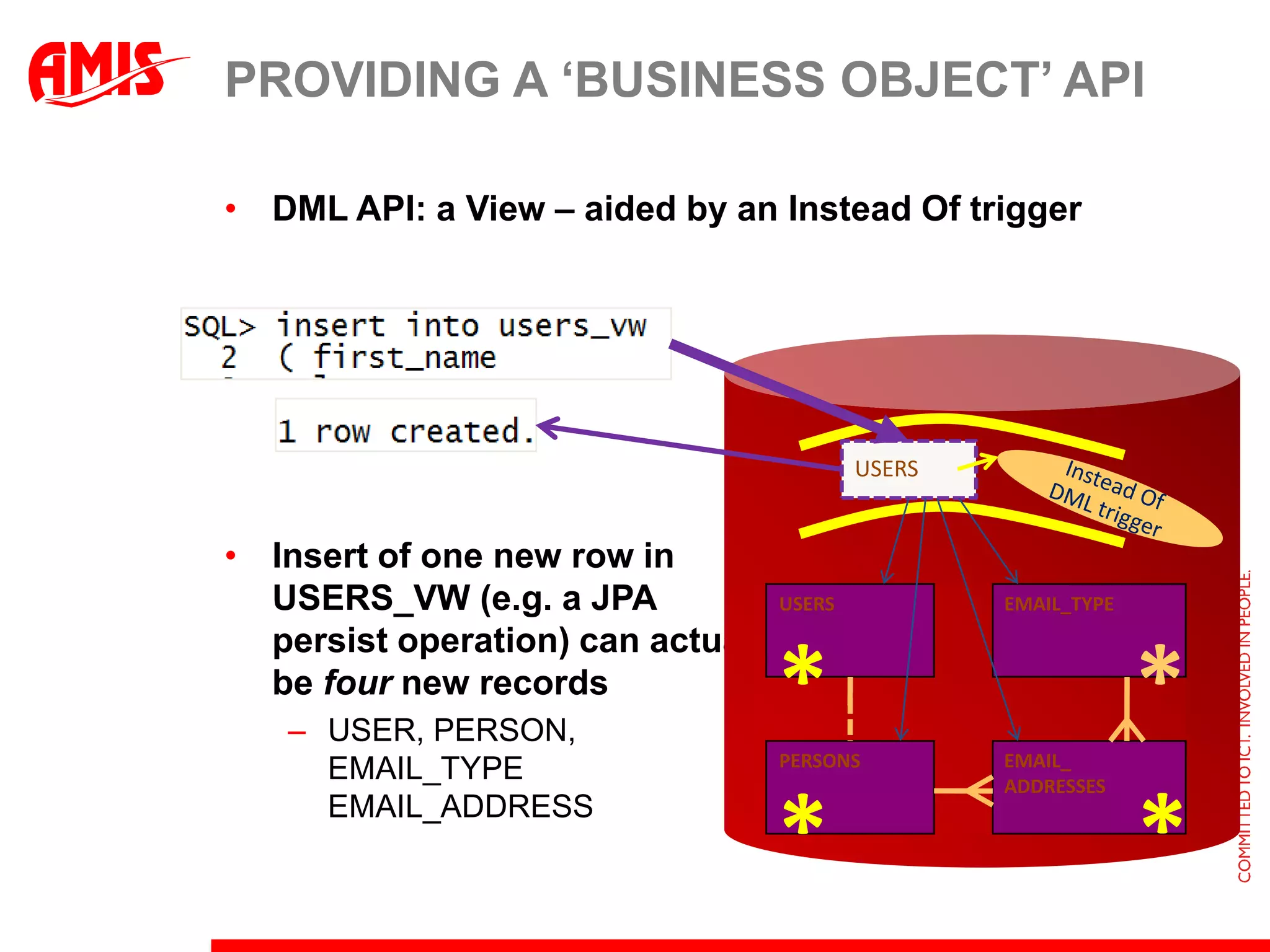
Providing a ‘business object’ APIDML API: a View – aided by an Instead Of triggerInsert of one new row inUSERS_VW (e.g. a JPApersist operation) can actually be four new recordsUSER, PERSON, EMAIL_TYPEEMAIL_ADDRESSUSERSUSERSEMAIL_TYPEInstead Of DML trigger**PERSONSEMAIL_ADDRESSES**
Instead of Insert Trigger on USERS_VW (1/2)create or replace trigger handle_insert_users_trginstead of insert on users_vwfor each row declare  l_psn_id persons.id%type;begin insert into persons ( id, first_name, last_name, address, ...)  values  ( nvl(:new.id, central_seq.nextval),:new.first_name   , :new.last_name, :new.address, ...)  returning id into l_psn_id;  insert into user_accounts  ( id, psn_id, username, password)  values  ( central_seq.nextval ,l_psn_id , :new.username   , :new.password);
Instead of Insert Trigger on USERS_VW (2/2)...   insert into email_addresses  ( id, psn_id, ete_id, address)  values  ( central_seq.nextval  , l_psn_id  , ( select id       from   email_types ete       where  ete.address_type = :new.primary_email_type    )  , :new.primary_email)  ;end handle_insert_users_trg;
Creating a new userUser AdministrationUSERSFirst NameLast NameMollyWarholUsernamePasswordmwarhol******USERSEMAIL_TYPEInstead Of DML triggerAddressCity1 SlickroadLas VegasTelephoneMobile555121243219876*EmailEmail typemw@un.orgBusinessPERSONSEMAIL_ADDRESSESActivation24-may-2008**
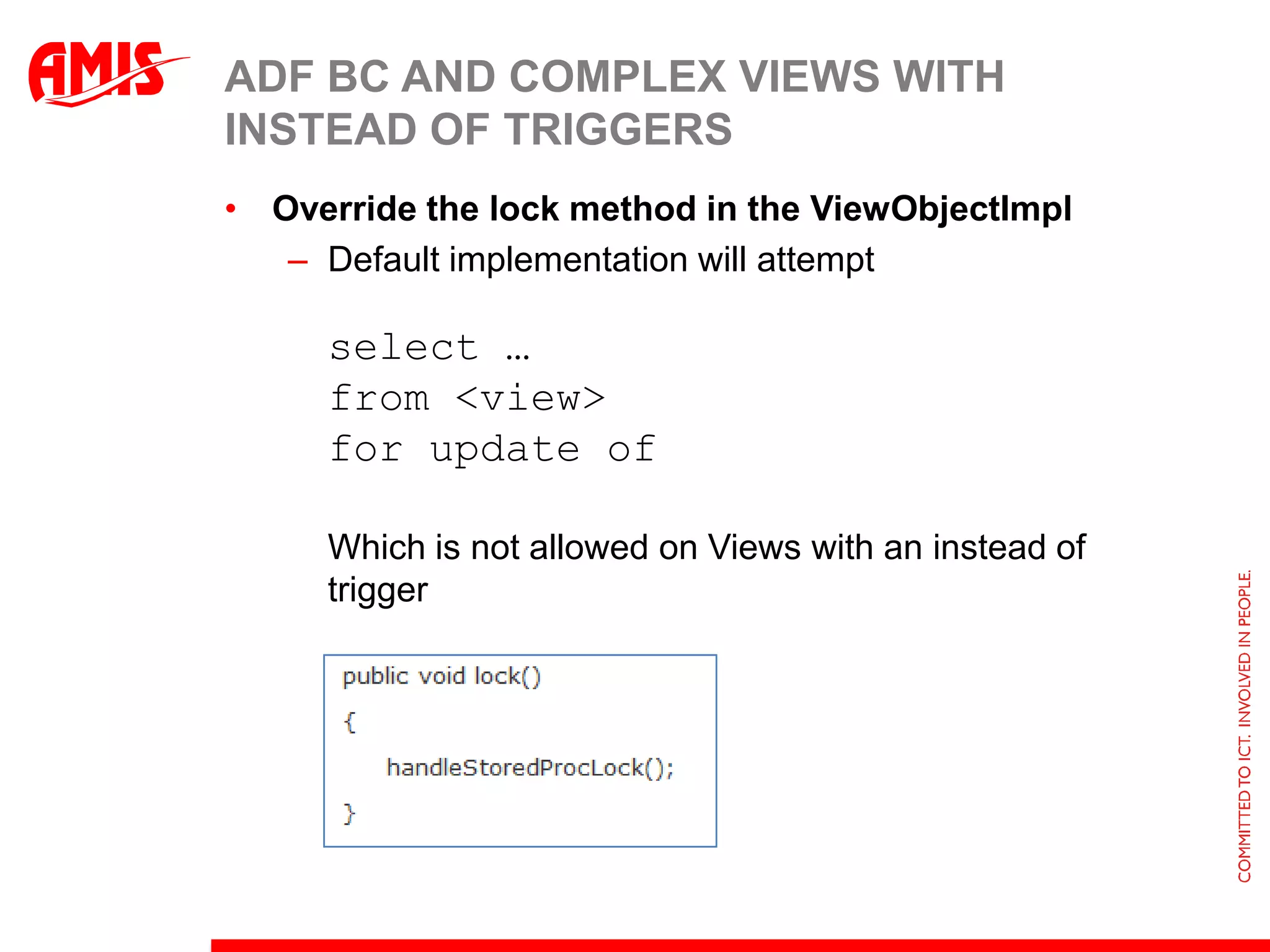
ADF BC and Complex Views with Instead of TriggersOverride the lock method in the ViewObjectImplDefault implementation will attempt select … from <view> for update ofWhich is not allowed on Views with an instead of trigger
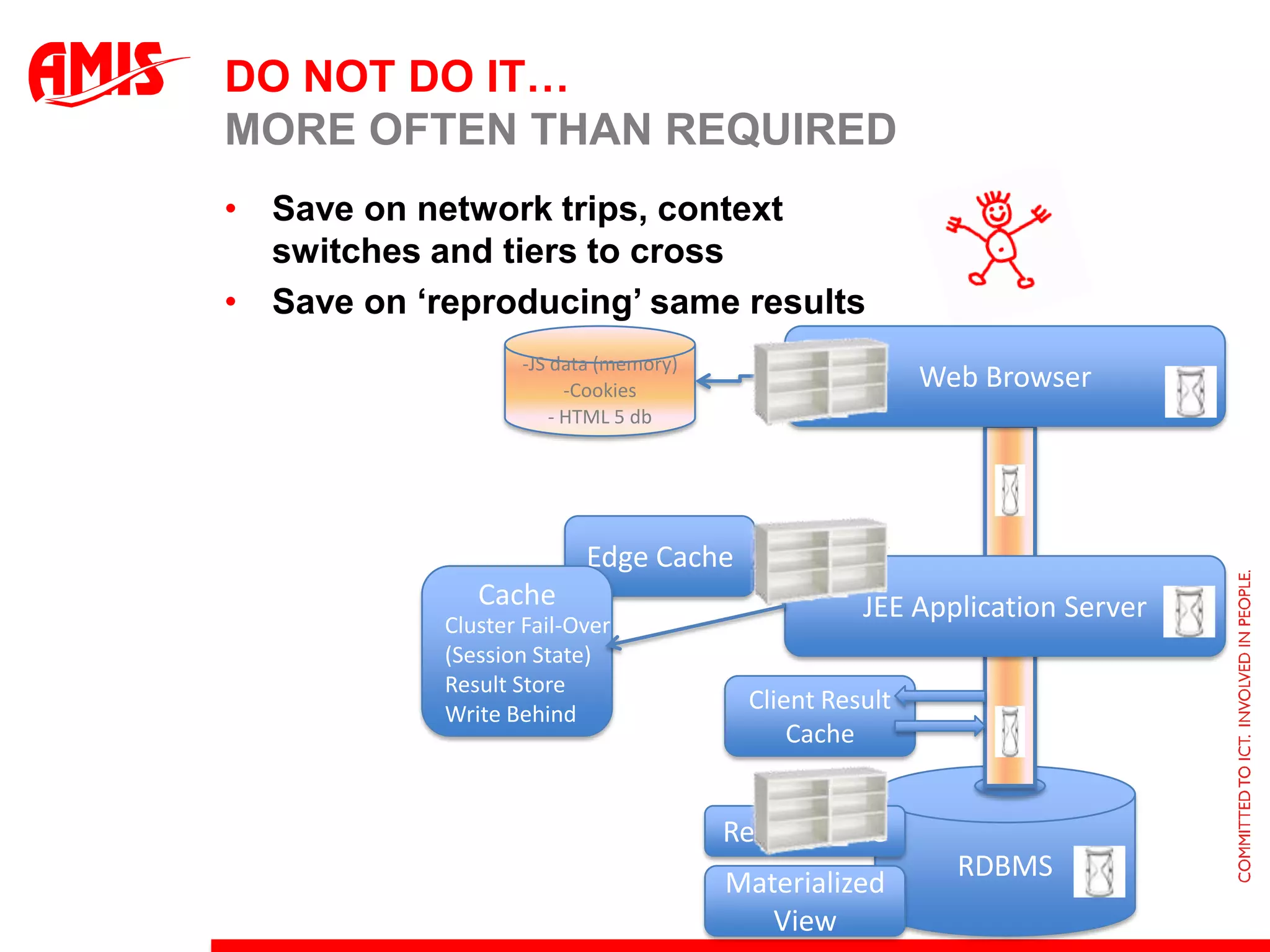
Do not do it…More often than requiredSave on network trips, context switches and tiers to crossSave on ‘reproducing’ same resultsWeb BrowserJS data (memory)
Cookies
 HTML 5 dbEdge CacheJEE Application ServerCacheCluster Fail-Over(Session State)Result StoreWrite BehindClient Result CacheRDBMSResult CacheMaterialized View
The Hollywood Principle: Query ResultSet Change NotificationPOJO / ADF BC
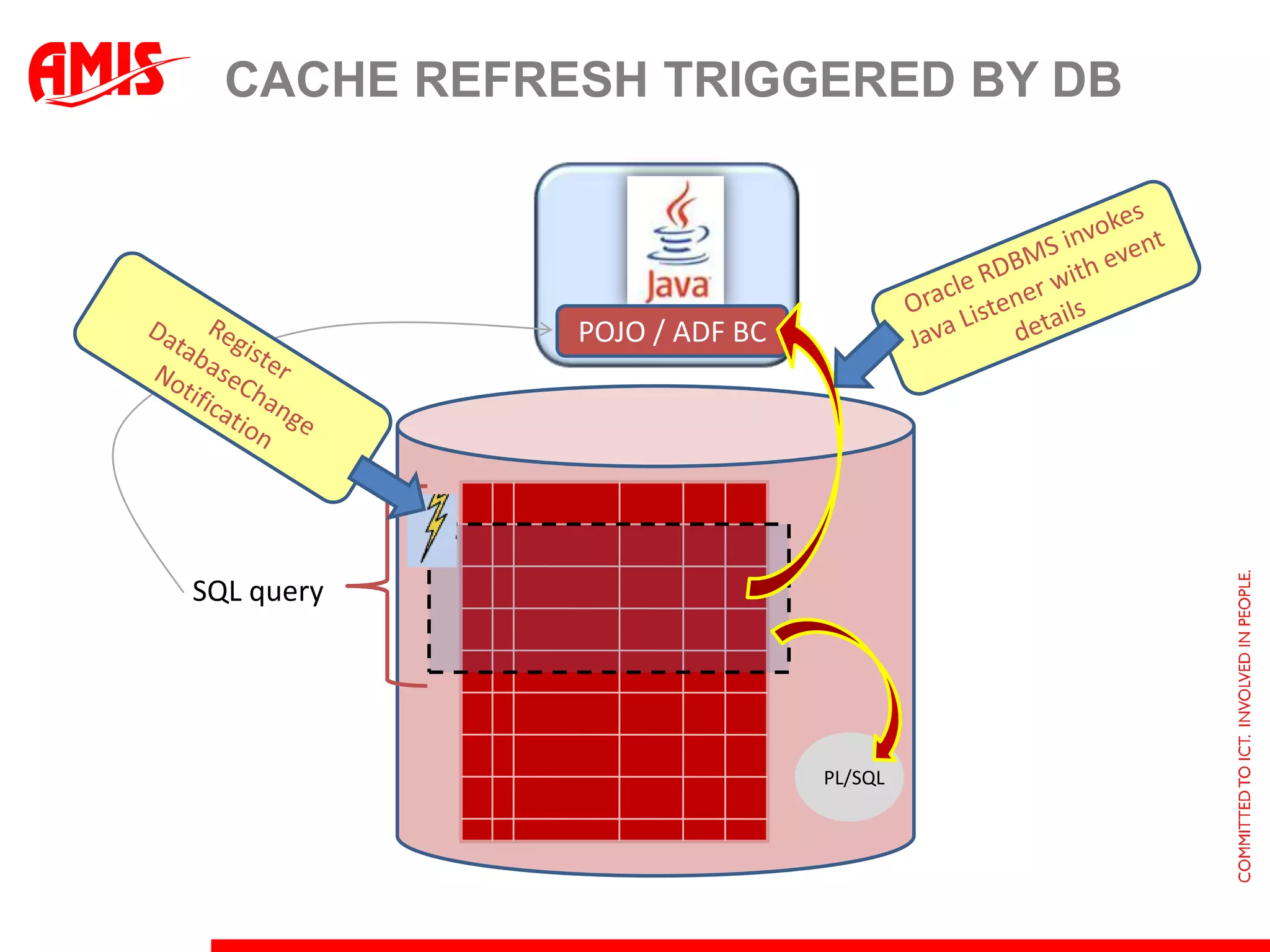
Cache Refresh triggered by DBOracle RDBMS invokes Java Listener with event detailsPOJO / ADF BCRegister DatabaseChangeNotificationSQL queryPL/SQL
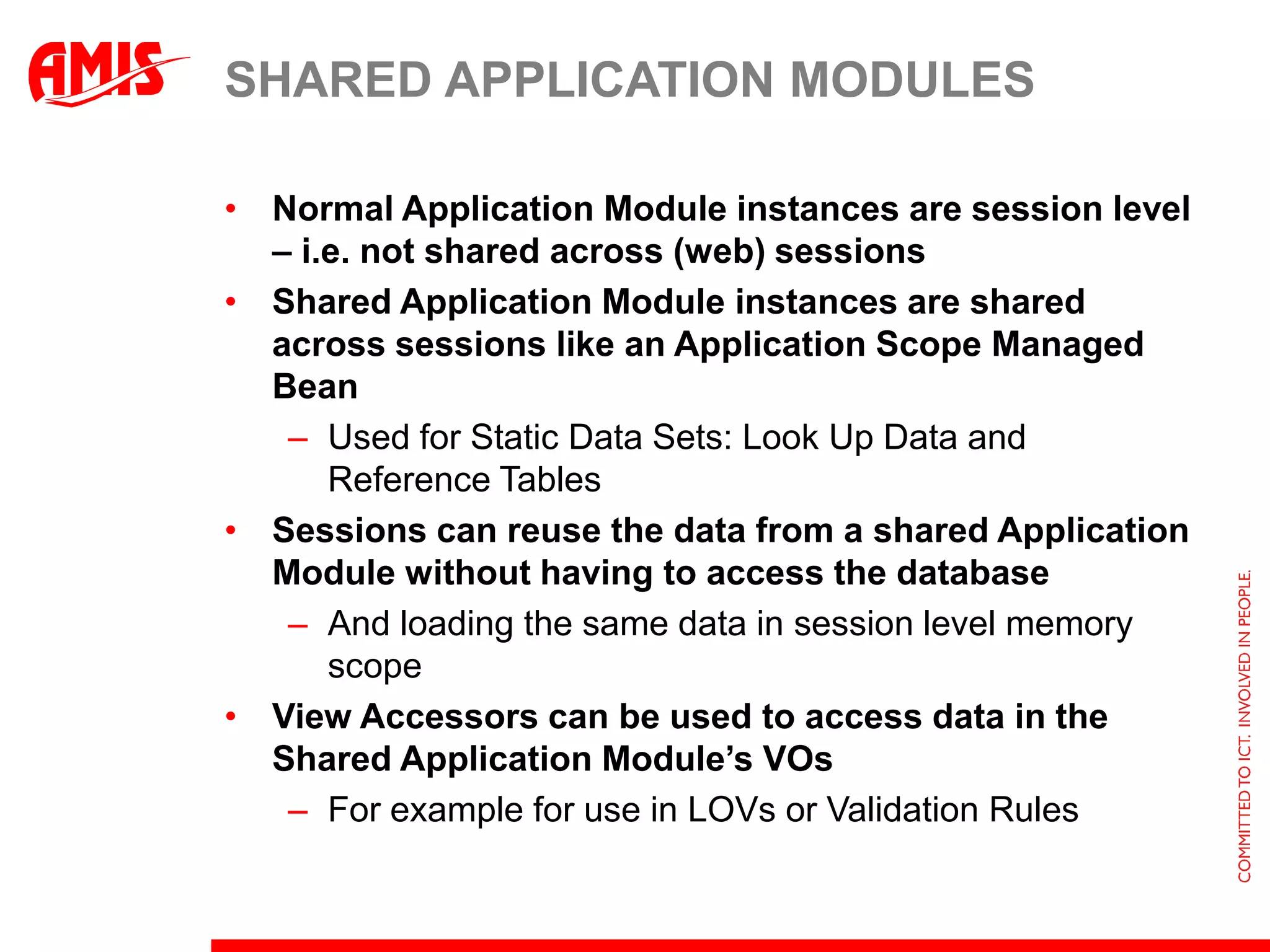
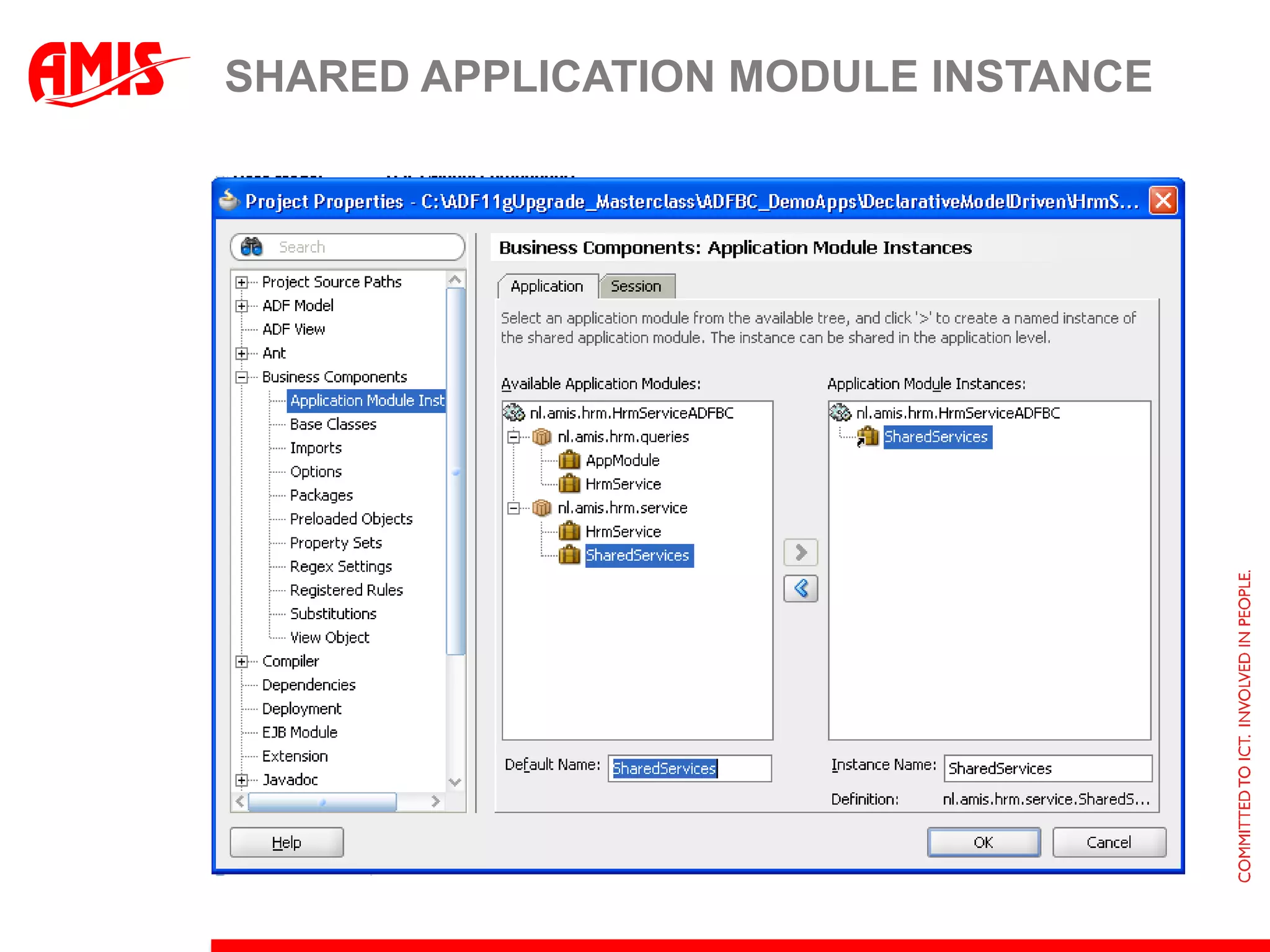
Shared Application ModulesNormal Application Module instances are session level – i.e. not shared across (web) sessionsShared Application Module instances are shared across sessions like an Application Scope Managed BeanUsed for Static Data Sets: Look Up Data and Reference TablesSessions can reuse the data from a shared Application Module without having to access the databaseAnd loading the same data in session level memory scopeView Accessors can be used to access data in the Shared Application Module’s VOsFor example for use in LOVs or Validation Rules
Shared Application Module Instance
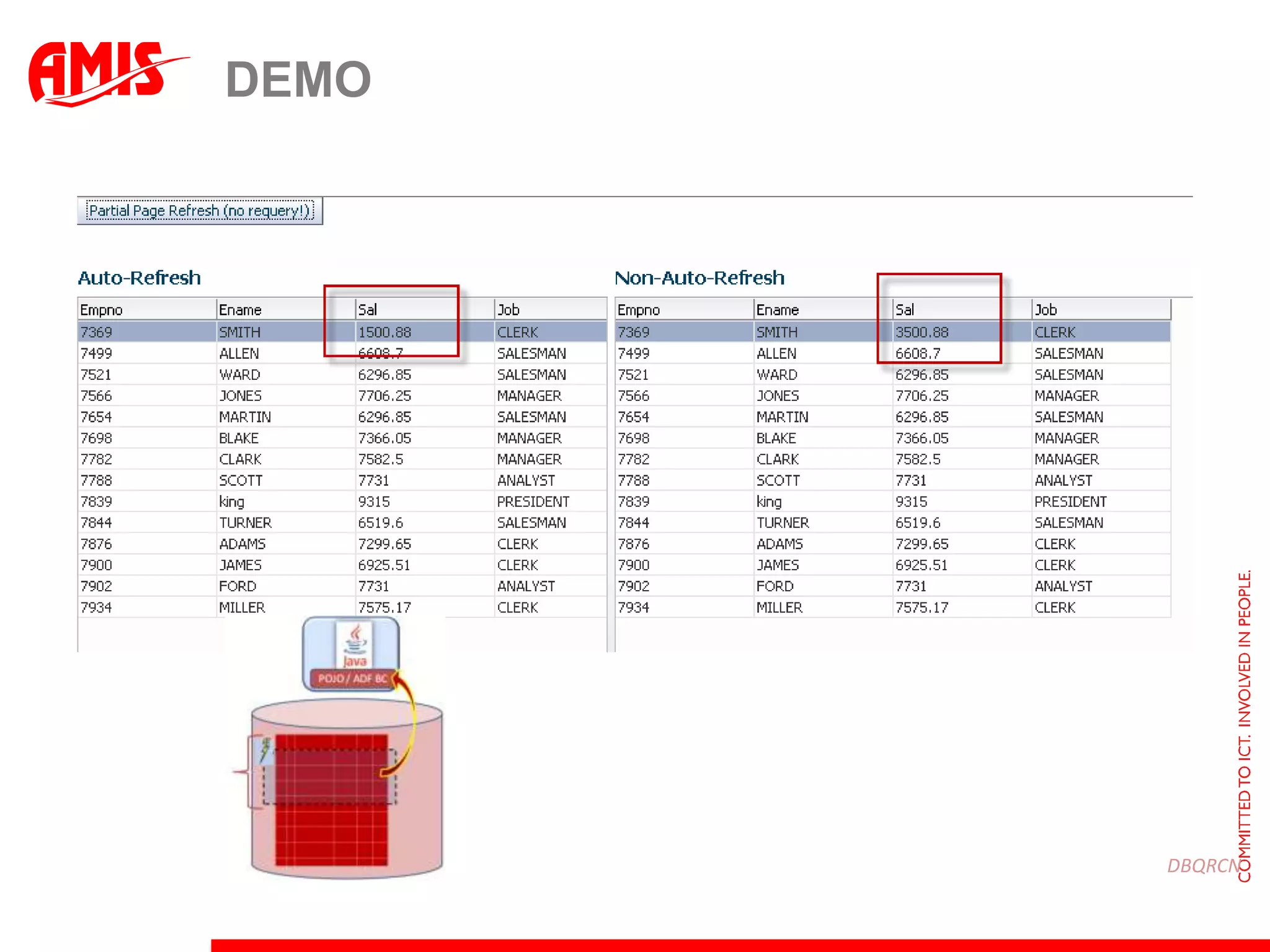
Auto Refresh for ViewObjectsViewObjects in a Shared Application Module can be registered for auto refreshTypically such application wide VOs are near-staticWhenever the underlying data set changes (in the database), the VO rowset should be refreshedBy setting Auto Refresh (to true) for the ViewObject, the VO will be refreshed whenever the database is changedADF registers the VO query with the Database (11g) Result Set Change Notification mechanism through JDBCNote: the VO should not have an Order By clause nor select a Date column
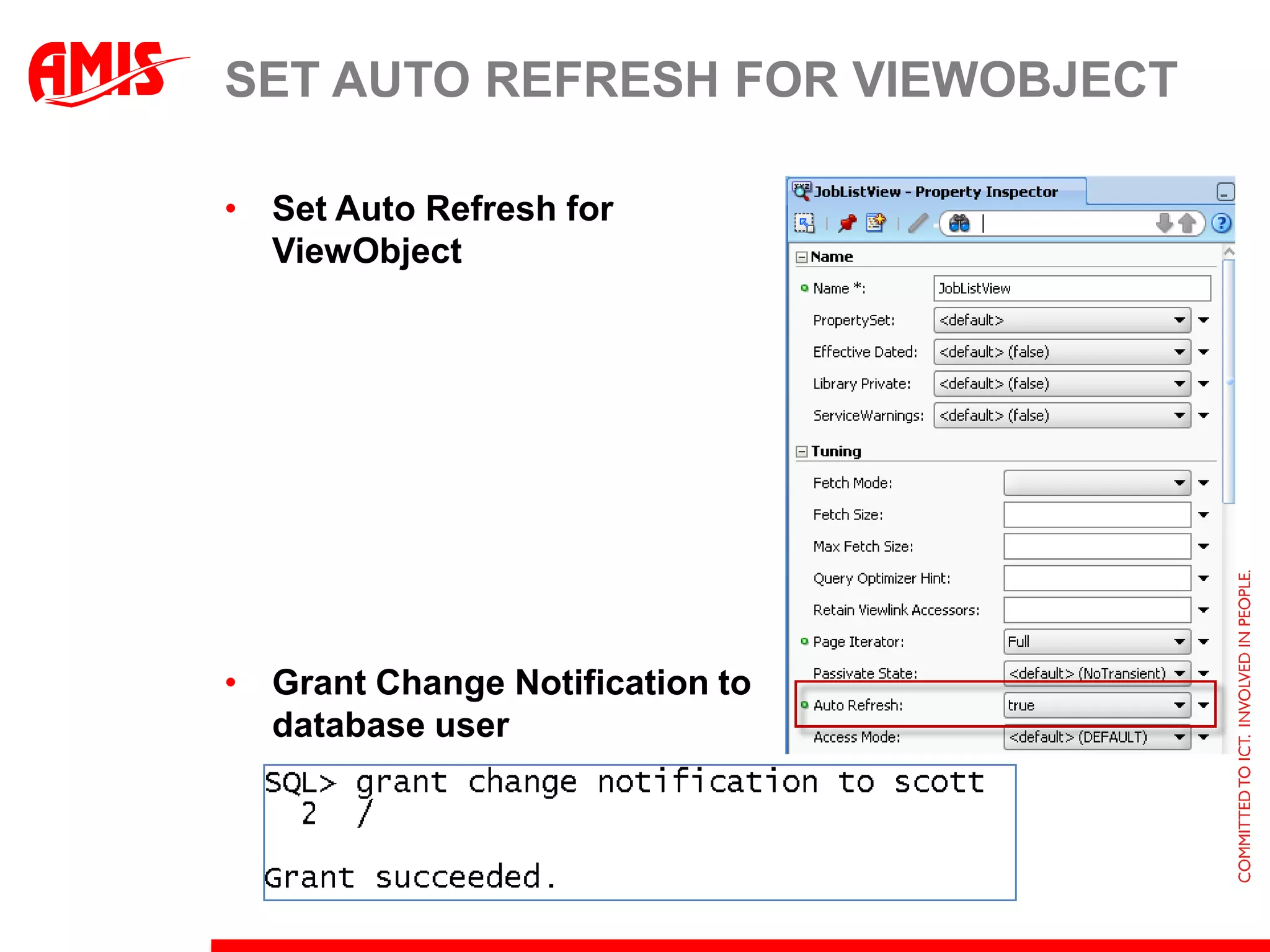
Steps for auto refresh enablingCreate Shared Application ModuleNew application module that is added to list of Application Level instances in the Project propertiesCreate the ViewObject that queries the ‘static data’ and add to Shared Application ModuleSet the Auto Refresh property to true for VO instanceDatabase must be 11g (and have parameter compatible set to 11.1.0 or above)database user must have the Change Notification privilegeTo piggyback changes to page, set changeEventPolicy to autoPPR on data binding
Set Auto Refresh for ViewObjectSet Auto Refresh for ViewObjectGrant Change Notification todatabase user

Odtug2011 adf developers make the database work for you

  • 1.
    ADF Developers –make the database work for youODTUG Kaleidoscope 2011 – Long Beach, CaliforniaLuc Bors, AMIS, The Netherlands
  • 2.
    DesktopBrowser-BasedMetadata Services (MDS)OracleADF – Role of the DatabaseJSFJSPOfficeADFSwingMobileViewADF Faces JSFStrutsADF ControllerControllerADF BindingModelBusiness ServicesEJBBAMADFbcPortletsBIBPELWeb ServicesJavaData ServicesDatabaseWeb ServicesLegacy SystemsApps Unlimited
  • 3.
    “We could alsodo that in the database”in the database? Huh?RDBMS≈
  • 4.
    Design & teamthat combines strengths of all technologies…Ease and Elegance of Implementation
  • 5.
    Functionality (in anaffordable way)
  • 6.
  • 7.
    PerformanceADF Controller/ADF FacesADFModelADF BC/JPA/WS*Oracle RDBMS
  • 8.
    Database StrengthsIntegrityFine grained(data) security and auditingData Retrieval joining tables together, leveraging indexeshierarchical, network-like traversals advanced analytics, historical queries, mining Aggregation and SortingComplex & Massive Data Manipulation
  • 9.
    RDBMS not alwaysexclusively accessed through one Java APISOA, ESB, WebServicesDatabaseBatch Bulk ProcessesStandard ApplicationsLegacyApplicationsData Replication & Synchronization
  • 10.
    Database Triggers –decorating Data ManipulationTriggers execute before or after Insert, Update or Delete of database recordsinsert, update, deleteBefore Insert trigger: sal=…Employees
  • 11.
    Purpose of triggersSetdefault values on new recordsif :new.job=‘SALESMAN’ then :new.comm = 1000Calculate & Derive values upon insert, update or deleteNotify third parties of data manipulationPerform complex validation on the data changes applied by the transactionPer Department: Max Salary < 1.8 * AveragePer Manager: #subordinates < 15
  • 12.
    ADF BC refreshingEntity Objects after triggers have applied new valuesEntity Object Employee(leveraging: returning <column> into : bind)postBefore Insert trigger: sal=…Employees
  • 13.
    Aggregation & RollupDatafor reporting purposes can be prepared by database queriesIncluding aggregations(max/min/avg/count/sum)and Sub Totals and Grand Totaland String Aggregation
  • 14.
    Dynamic Aggregation throughNon-conventional use of bind parametersBind parameters are typically used in the WHERE clause of a SQL queryHowever: they can also be used in the SELECT, ORDER BY and GROUP BY sectionsA combination of CASE and bind parameters in the GROUP BY can provide interesting optionsDynamicAggregation
  • 15.
  • 16.
    Sub and Grandtotalswith RollupRollup instructs databaseto aggregate at every levelstarting from the rightdeptno, jobdeptno(grand total)Also see:CubeGroupingSets
  • 17.
    Leveraging SQL Aggregationto make life easier for the UI developer
  • 18.
    Analytical Functions –spreadsheet-style row processingAnalytical Functions allow SQL queries to perform inter-row comparison & aggregationFor example: in a single query, for each employeeshow salary rank in department and jobshow salary difference with colleague next higher in rank (on the list per department)show average salary in the departmentshow csv list of colleagues in department
  • 19.
  • 20.
    Flashback Queryselect emp.*, dept.dnamefrom emp AS OF TIMESTAMP (SYSTIMESTAMP - INTERVAL '1' DAY) , deptwhere emp.deptno = dept.deptno
  • 21.
    Show historic situationfor selected records
  • 22.
    Flashback VersionsRetrieve allstates each record has been inEvery transaction that touched a row left a version of the recordPseudocolumns: xid, operation, start time, end timeUse constants minvalueand maxvalueto retrieve all versionsFlashback versions make journaling tables redundant
  • 23.
  • 24.
    Show change historyfor a record based on Flashback versions
  • 25.
    Embedding Historic Datain ADF ApplicationWhere Clause in (read only) ViewObject can include FLASHBACK operatorsAS OF and VERSIONS BETWEENBind parameters can be used to set the point in time or the historic time intervalA time selector can be used to visually set the intervalScalar subqueries can be used for ‘in line comparison to a certain point in time’“How much higher/lower is the salary than at the selected date?”
  • 26.
  • 27.
  • 28.
    ADF Model &Tree Data BindingCreate hierarchical relation between multiple ViewObject or (POJO) Collection BindingsTree Data Retrieval retrieves collections in several steps i.e. multiple queriesData is cachedData is only queried when required (given the expansion level of the tree)Alternatively: have the database do the heavy tree lifting: Database has optimized tree algorithmsStarting at any node in the tree or networkDrilling down to the specified number of levelsOrder siblings within parentIndicate leaf and parent nodes; detect cycles
  • 29.
    Retrieving Hierarchical datasets with single SQL statementsDatabase has optimized algorithmsStarting at any node in the tree or networkDrilling down to the specified number of levelsOrder siblings within parentIndicate leaf and parent nodes; detect cyclesEMPID ENAME MGR DEPTNO LEVEL--------------- ---------- ---------- ---------- ---------- 7839 KING 10 1 7698 BLAKE 7839 30 2 7499 ALLEN 7698 30 3 7900 JAMES 7698 30 3 7654 MARTIN 7698 30 3 7844 TURNER 7698 30 3 7521 WARD 7698 30 3 7782 CLARK 7839 10 2 7934 MILLER 7782 10 3
  • 30.
    Oracle 11g andANSI SQL for hierarchical querywith employees (empno, name, mgr, hierlevel, path) as ( select empno, ename, mgr, 1, ename from emp where mgr is null union all select e.empno, e.ename , e.mgr, m.hierlevel + 1 , m.path||'/'||e.ename from emp e join employees m on (m.empno = e.mgr) )select *from employees
  • 31.
  • 32.
    Steps for filterdriven queryingDetermine the values to filter onCreate a query to retrieve for all filtersEvery individual value and the # occurrencesThe where-clause to apply on the real VOThe label for the filterCreate a managed bean to apply selected filtersto ViewObjectCreate page that displays filters and selected dataand handles filter “clicks”
  • 33.
    Encapsulate Database specificSQL in a View APIViews – for encapsulation of data model, multi-table join, (advanced) SQL hiding, authorization rulesNote: a view looks like a table to the clientView
  • 34.
    The read-only cursorAPIA Cursor is a reference to a query result setDatabase can open a cursor for a SQL queryAnd return it to the application to fetch the rows fromCursor == JDBCResultSetA cursor can be nested: containdetails … JDBC ResultSetwhile rs.next { … }cursorStored ProcedureDepartmentsSQLEmployees
  • 35.
    Cursor for Master-DetailresultsetStored Procedure
  • 36.
    Using Complex Viewsfor Hiding Legacy Data Models
  • 37.
    Providing a ‘businessobject’ APIDML API: a View – aided by an Instead Of triggerInsert of one new row inUSERS_VW (e.g. a JPApersist operation) can actually be four new recordsUSER, PERSON, EMAIL_TYPEEMAIL_ADDRESSUSERSUSERSEMAIL_TYPEInstead Of DML trigger**PERSONSEMAIL_ADDRESSES**
  • 38.
    Instead of InsertTrigger on USERS_VW (1/2)create or replace trigger handle_insert_users_trginstead of insert on users_vwfor each row declare l_psn_id persons.id%type;begin insert into persons ( id, first_name, last_name, address, ...) values ( nvl(:new.id, central_seq.nextval),:new.first_name , :new.last_name, :new.address, ...) returning id into l_psn_id; insert into user_accounts ( id, psn_id, username, password) values ( central_seq.nextval ,l_psn_id , :new.username , :new.password);
  • 39.
    Instead of InsertTrigger on USERS_VW (2/2)... insert into email_addresses ( id, psn_id, ete_id, address) values ( central_seq.nextval , l_psn_id , ( select id from email_types ete where ete.address_type = :new.primary_email_type ) , :new.primary_email) ;end handle_insert_users_trg;
  • 40.
    Creating a newuserUser AdministrationUSERSFirst NameLast NameMollyWarholUsernamePasswordmwarhol******USERSEMAIL_TYPEInstead Of DML triggerAddressCity1 SlickroadLas VegasTelephoneMobile555121243219876*EmailEmail typemw@un.orgBusinessPERSONSEMAIL_ADDRESSESActivation24-may-2008**
  • 41.
    ADF BC andComplex Views with Instead of TriggersOverride the lock method in the ViewObjectImplDefault implementation will attempt select … from <view> for update ofWhich is not allowed on Views with an instead of trigger
  • 42.
    Do not doit…More often than requiredSave on network trips, context switches and tiers to crossSave on ‘reproducing’ same resultsWeb BrowserJS data (memory)
  • 43.
  • 44.
    HTML 5dbEdge CacheJEE Application ServerCacheCluster Fail-Over(Session State)Result StoreWrite BehindClient Result CacheRDBMSResult CacheMaterialized View
  • 45.
    The Hollywood Principle:Query ResultSet Change NotificationPOJO / ADF BC
  • 46.
    Cache Refresh triggeredby DBOracle RDBMS invokes Java Listener with event detailsPOJO / ADF BCRegister DatabaseChangeNotificationSQL queryPL/SQL
  • 47.
    Shared Application ModulesNormalApplication Module instances are session level – i.e. not shared across (web) sessionsShared Application Module instances are shared across sessions like an Application Scope Managed BeanUsed for Static Data Sets: Look Up Data and Reference TablesSessions can reuse the data from a shared Application Module without having to access the databaseAnd loading the same data in session level memory scopeView Accessors can be used to access data in the Shared Application Module’s VOsFor example for use in LOVs or Validation Rules
  • 48.
  • 49.
    Auto Refresh forViewObjectsViewObjects in a Shared Application Module can be registered for auto refreshTypically such application wide VOs are near-staticWhenever the underlying data set changes (in the database), the VO rowset should be refreshedBy setting Auto Refresh (to true) for the ViewObject, the VO will be refreshed whenever the database is changedADF registers the VO query with the Database (11g) Result Set Change Notification mechanism through JDBCNote: the VO should not have an Order By clause nor select a Date column
  • 50.
    Steps for autorefresh enablingCreate Shared Application ModuleNew application module that is added to list of Application Level instances in the Project propertiesCreate the ViewObject that queries the ‘static data’ and add to Shared Application ModuleSet the Auto Refresh property to true for VO instanceDatabase must be 11g (and have parameter compatible set to 11.1.0 or above)database user must have the Change Notification privilegeTo piggyback changes to page, set changeEventPolicy to autoPPR on data binding
  • 51.
    Set Auto Refreshfor ViewObjectSet Auto Refresh for ViewObjectGrant Change Notification todatabase user
  • 52.
  • 53.
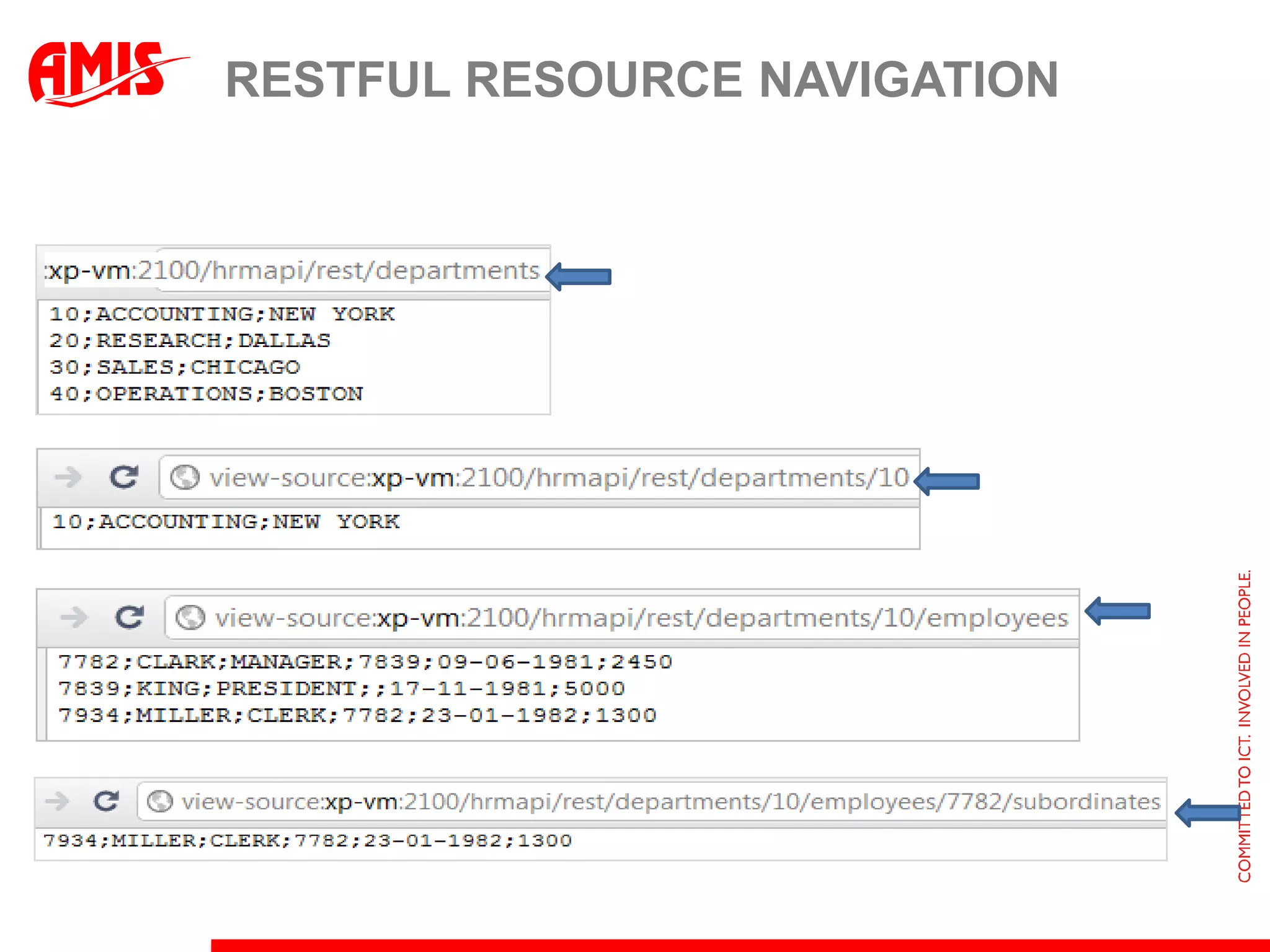
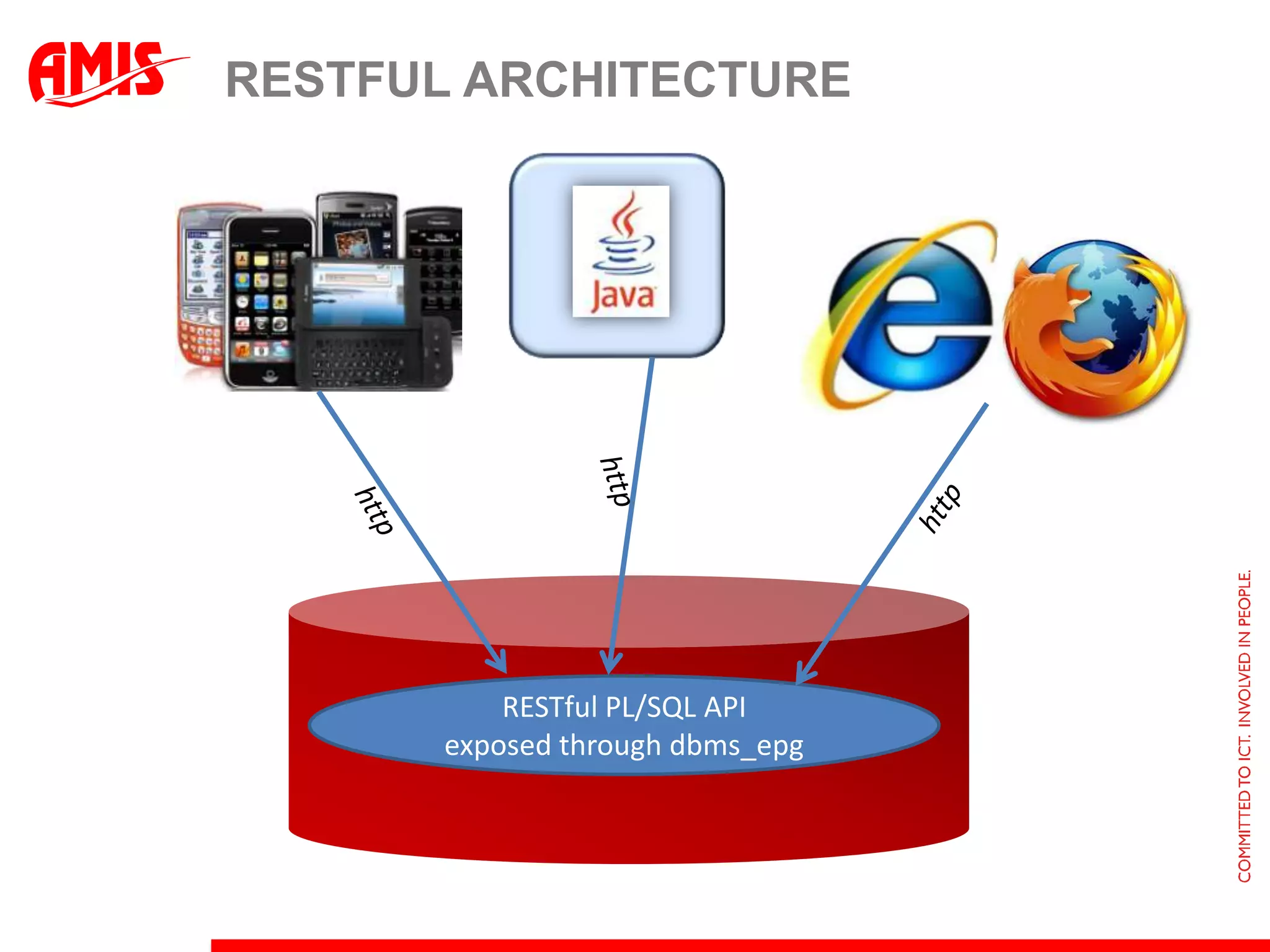
    Reaching out fromthe databaseDatabase
  • 54.
  • 55.
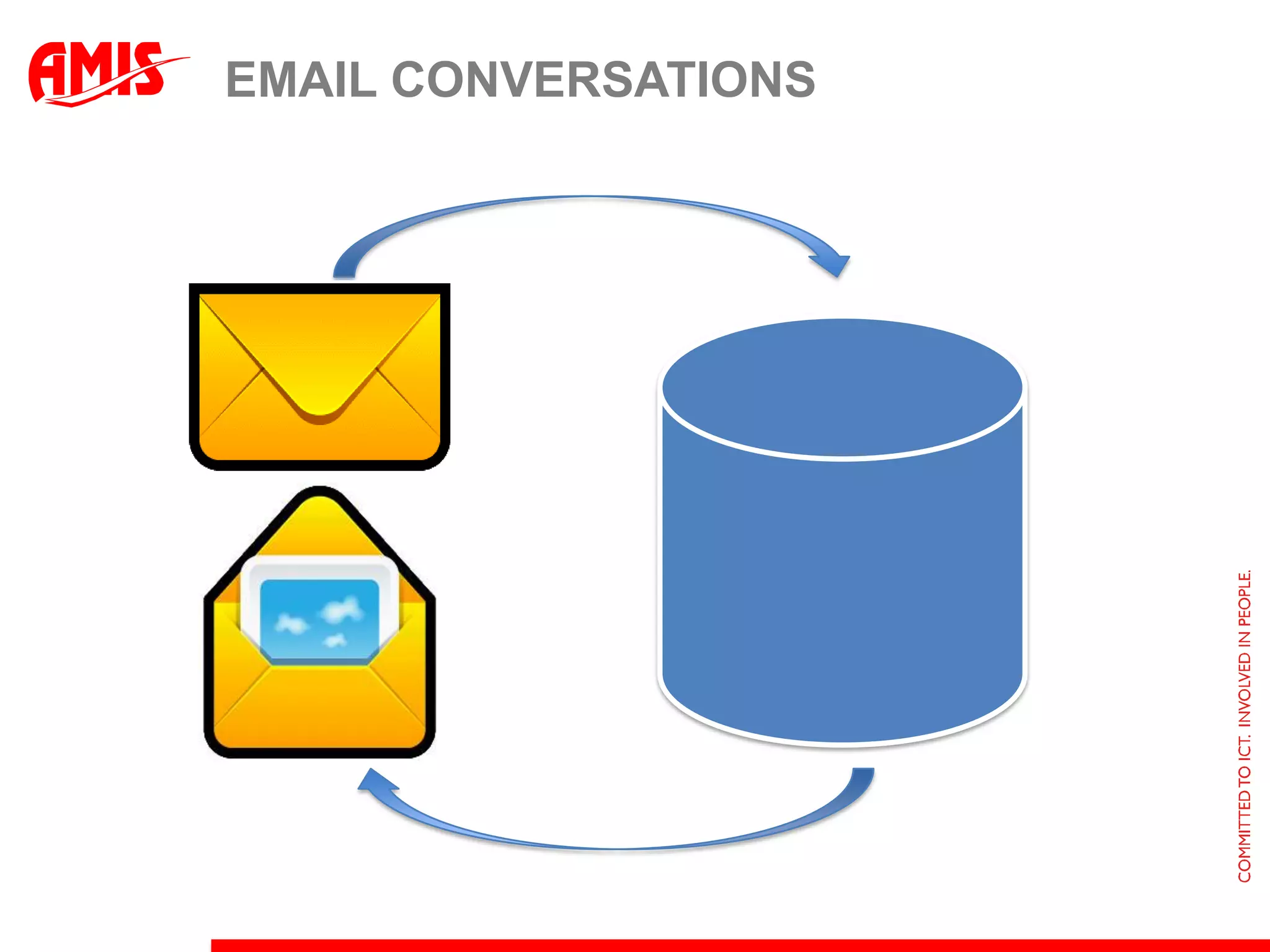
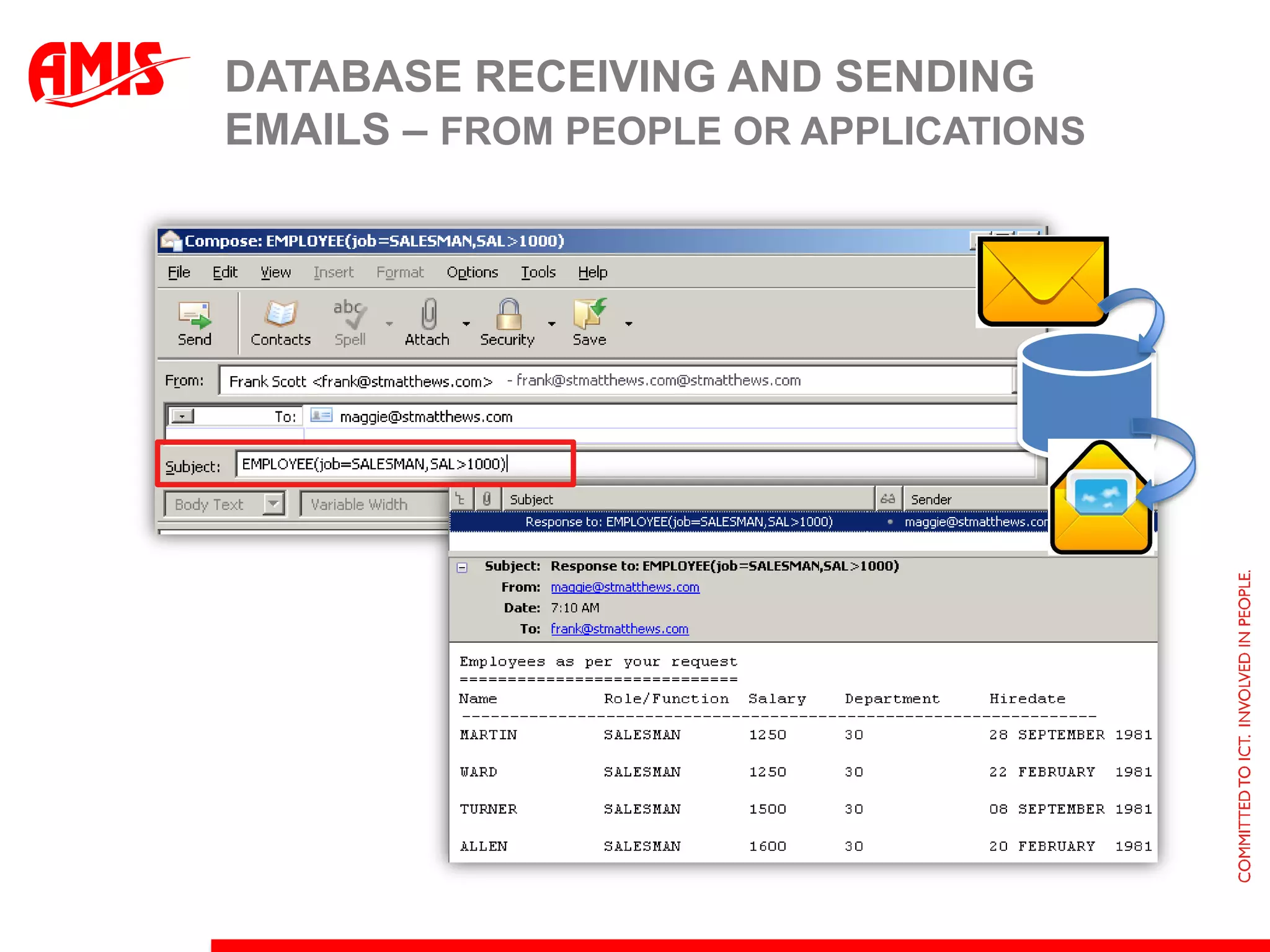
    Database receiving andsending emails – from people or applications
  • 56.
  • 57.
  • 58.
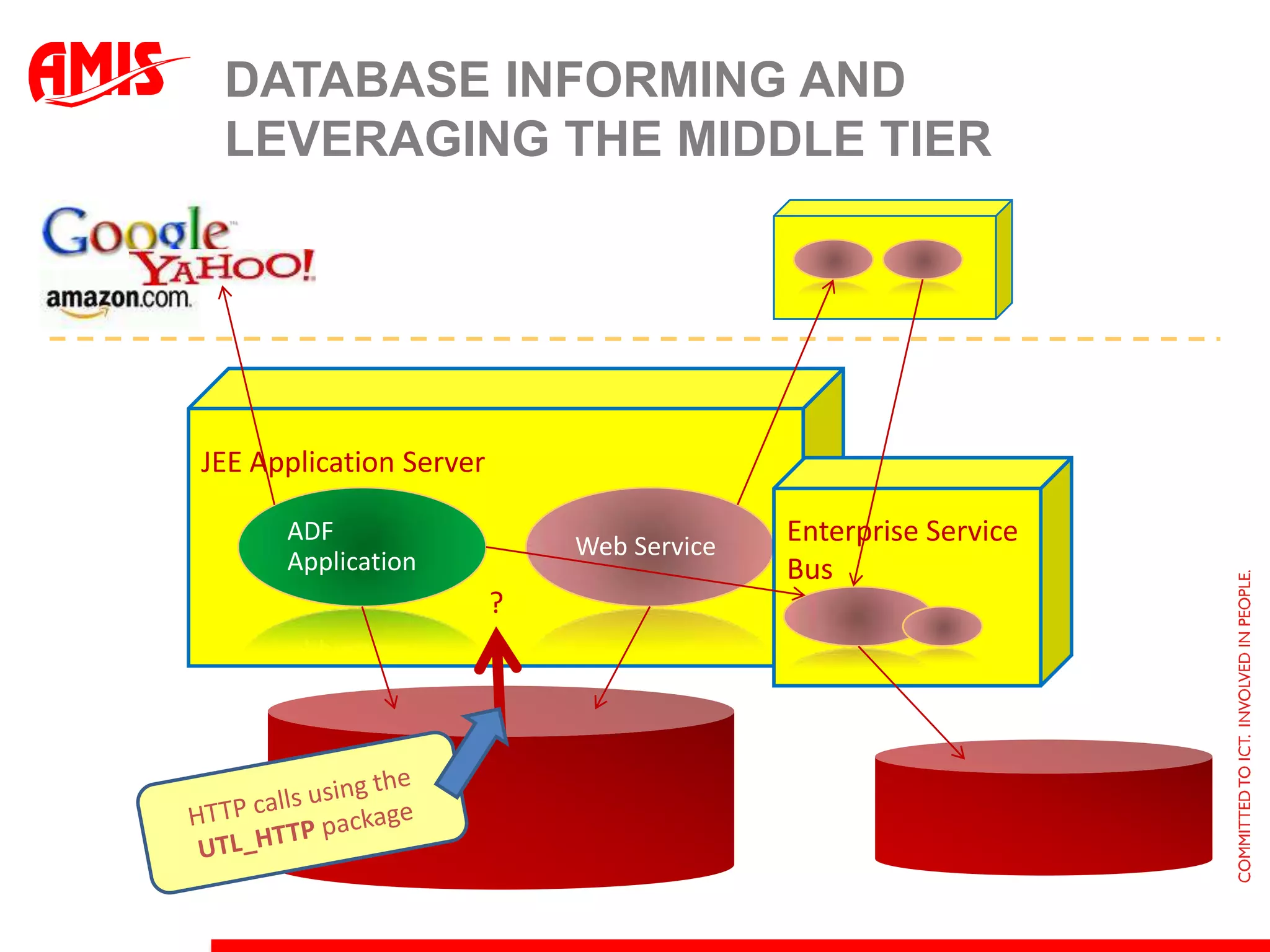
    JEE Application ServerEnterpriseService BusADF ApplicationWeb Service?Database informing and leveraging the middle tierHTTP calls using the UTL_HTTP package
  • 59.
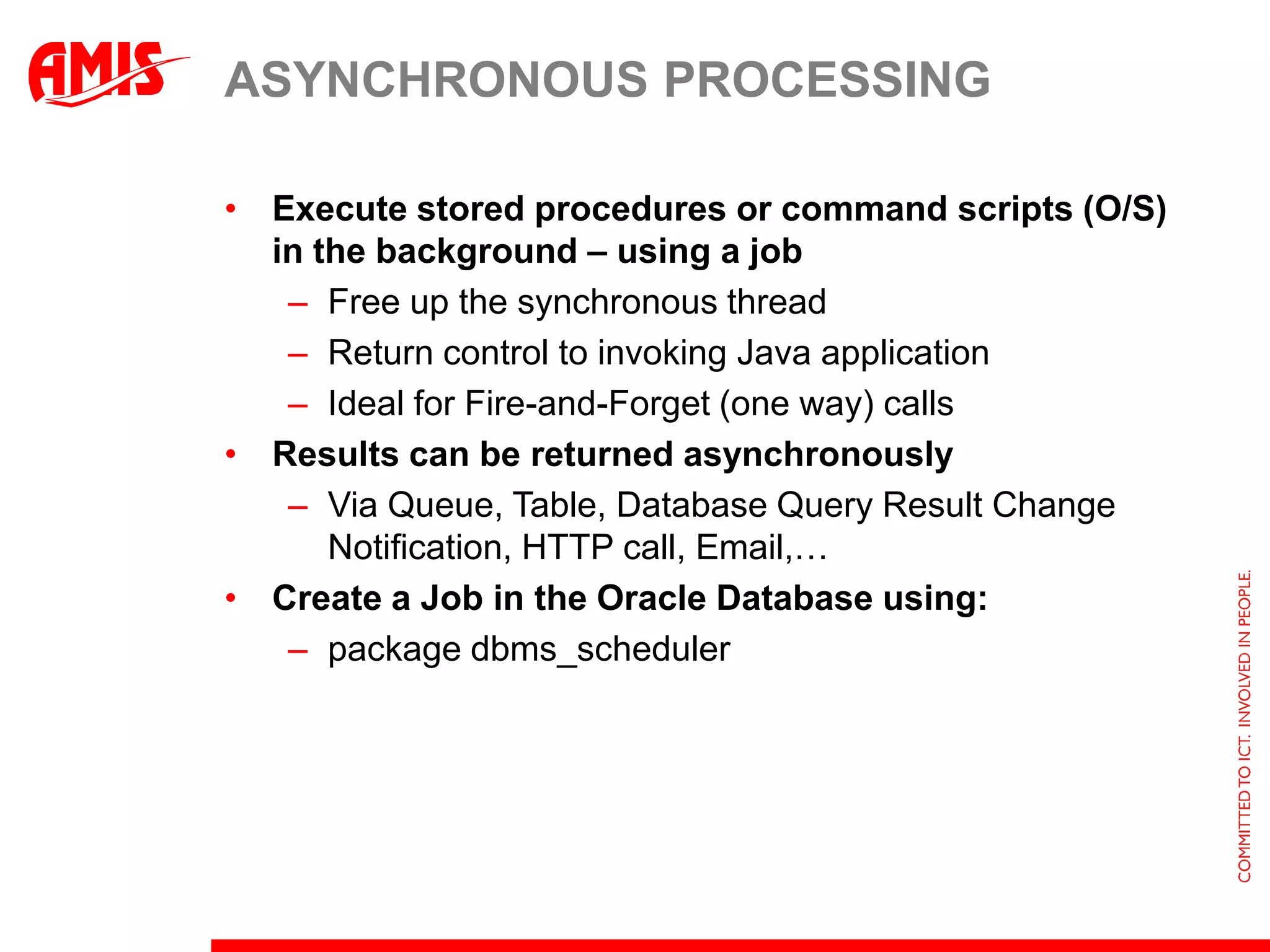
    Asynchronous processingExecute storedprocedures or command scripts (O/S) in the background – using a jobFree up the synchronous threadReturn control to invoking Java applicationIdeal for Fire-and-Forget (one way) callsResults can be returned asynchronouslyVia Queue, Table, Database Query Result Change Notification, HTTP call, Email,…Create a Job in the Oracle Database using:package dbms_scheduler
  • 60.
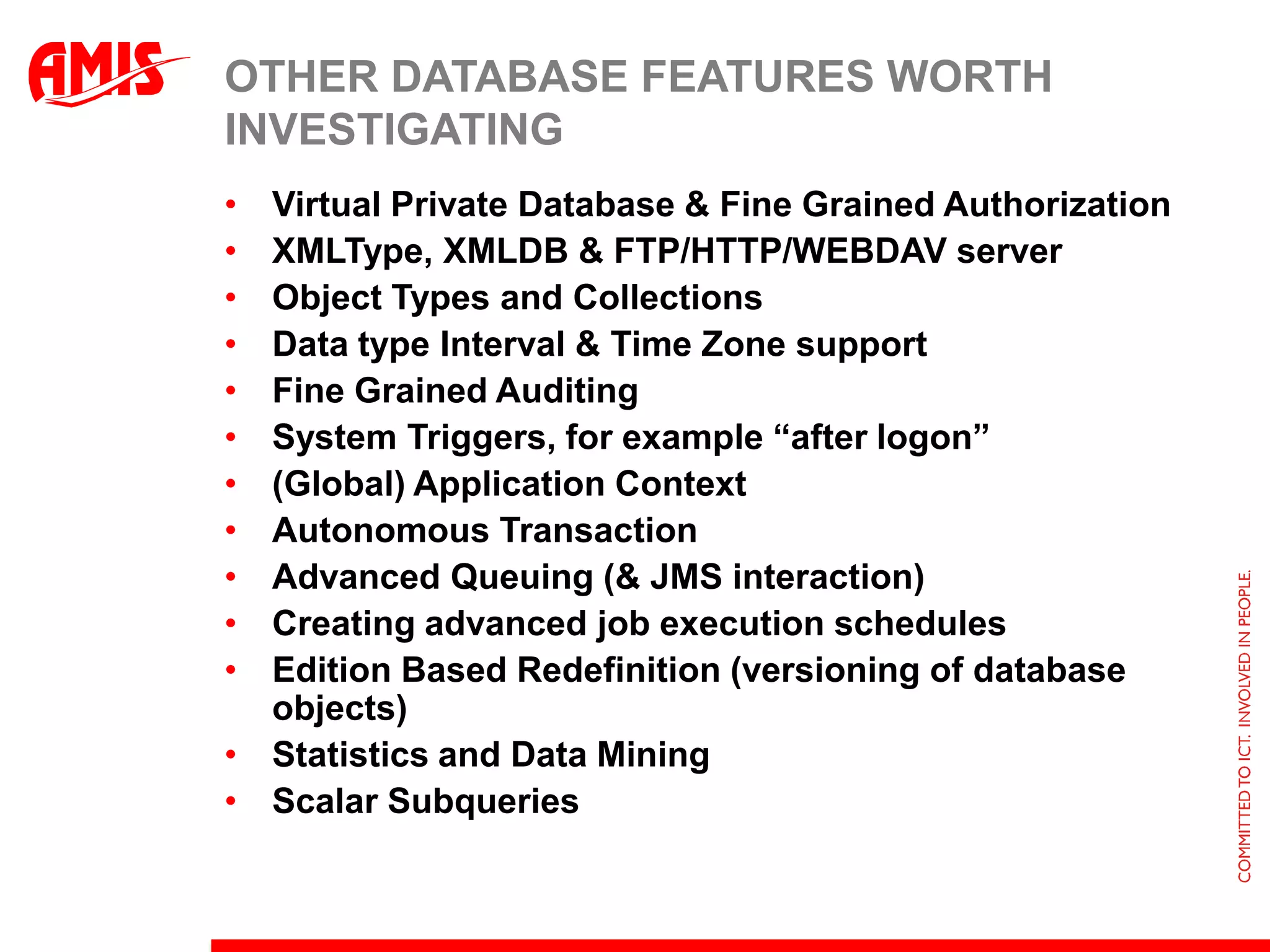
    Other Database Featuresworth investigating Virtual Private Database & Fine Grained AuthorizationXMLType, XMLDB & FTP/HTTP/WEBDAV serverObject Types and CollectionsData type Interval & Time Zone supportFine Grained AuditingSystem Triggers, for example “after logon”(Global) Application ContextAutonomous TransactionAdvanced Queuing (& JMS interaction)Creating advanced job execution schedulesEdition Based Redefinition (versioning of database objects)Statistics and Data MiningScalar Subqueries
  • 61.
    Summary & ConclusionsDatabasescan do much more thanADF applications can benefit!Strike the right balance:Leverage database forwhat it can do bestMake ADF and Database work together in a smooth way

Editor's Notes

  • #2 Process
  • #12 http://technology.amis.nl/blog/4162/dynamic-and-conditional-grouping-in-sql-queries-for-flexible-results-from-single-query-oh-and-a-useful-case-for-the-cube-operator
  • #15 http://technology.amis.nl/blog/4191/adf-11g-treetable-with-sub-totals-how-the-sql-query-can-make-life-easier-for-the-view-developer
  • #17 select ename, sal, deptno, job, rank() over (partition by deptno order by saldesc) sal_rank_in_dept, rank() over (partition by job order by saldesc) sal_rank_in_job, lag(sal,1) over (partition by deptno order by saldesc) diff_with_next_higher_in_dept, listagg(ename, &apos;,&apos;) within group (order by ename) over (partition by deptno) colleaguesfrom emporderby deptno, saldesc
  • #23 http://technology.amis.nl/blog/3255/integrating-flashback-in-adf-web-applications-providing-the-historic-perspectivehttp://technology.amis.nl/documents/technology/dvt.pdf
  • #40 Cache – spreekuit: kasjeKastjesBrowser: Client (browser, cookie or Java Script memory; HTML 5 offers persistent, cross session local db like storage)App Server : Edge (WebServer)JVM (and cluster)Cross cluster shared cachedb or memory gridDatabase (not requery at least)
  • #51 Screenshot:Frank sends email to Maggie – with a query on EmployeesAfter some time, a response is sent to this particular email – by the queue listener using the JSP to send(list of employee data, corresponding with “query”)