Reporting System with 
BI Publisher 
Edi Yanto 
edi.y4nto@gmail.com 
Oracle Applications Technical Consultant
2 
Course Objectives 
After completing this course, you should be able to do 
the following: 
• Explain the basic concepts and uses of BI 
Publisher 
• Explain the advantages of reporting system with 
Oracle BI Publisher tool 
• Create and use an Rich Text Format (RTF) template 
• Deploy and maintain BI Publisher Reports in an E-Business 
Suite instance
3 
Course Agenda 
• Oracle BI Publisher Overview 
• Install Oracle BI Publisher Desktop 
• Creating Reports in Oracle E-Business Suite Using BIP 
– Generate XML file using Concurrent Manager 
– Creating RTF Report Templates 
– Using the Design Helper Plug-in 
– Creating Data Definition for the report 
– Using Template Manager to upload the report 
– Running BI Publisher Reports 
• Translation and Localization 
• Grouping and Subtotals 
• Adding Header and Footer Information 
• Date and Number Formatting
4 
Course Agenda (Con.) 
• Repeating Header With Resetting The Page Numbering For 
Each New Header 
• Adding Chart and Image 
• Using Conditional Formatting 
• Using Cross Tab Functionality 
• Adding Updateable Variables To The Template 
• BIP Security 
• Creating Report from Data Template 
• Administering BI Publisher in an Oracle E-Business 
Suite
5 
Oracle BI Publisher Overview 
• What is Oracle BI Publisher (BIP) ? 
• Why Oracle BI Publisher ? 
• Classic Report Issues 
• Oracle BI Publisher Usage 
• Designing using Oracle BI Publisher Desktop 
• Register and Submitting BI Publisher 
• Demo & Practice
6 
Oracle BI Publisher 
Oracle BI Publisher is a new Java-based product available 
with the technology stacks of EBS, PeopleSoft, Siebels, JD 
Edwards and BI Enterprise Edition (OBIEE). It provides users 
with: 
• A template-based, easy-to-use publishing solution 
• A tool to rapidly develop and maintain report formats
7 
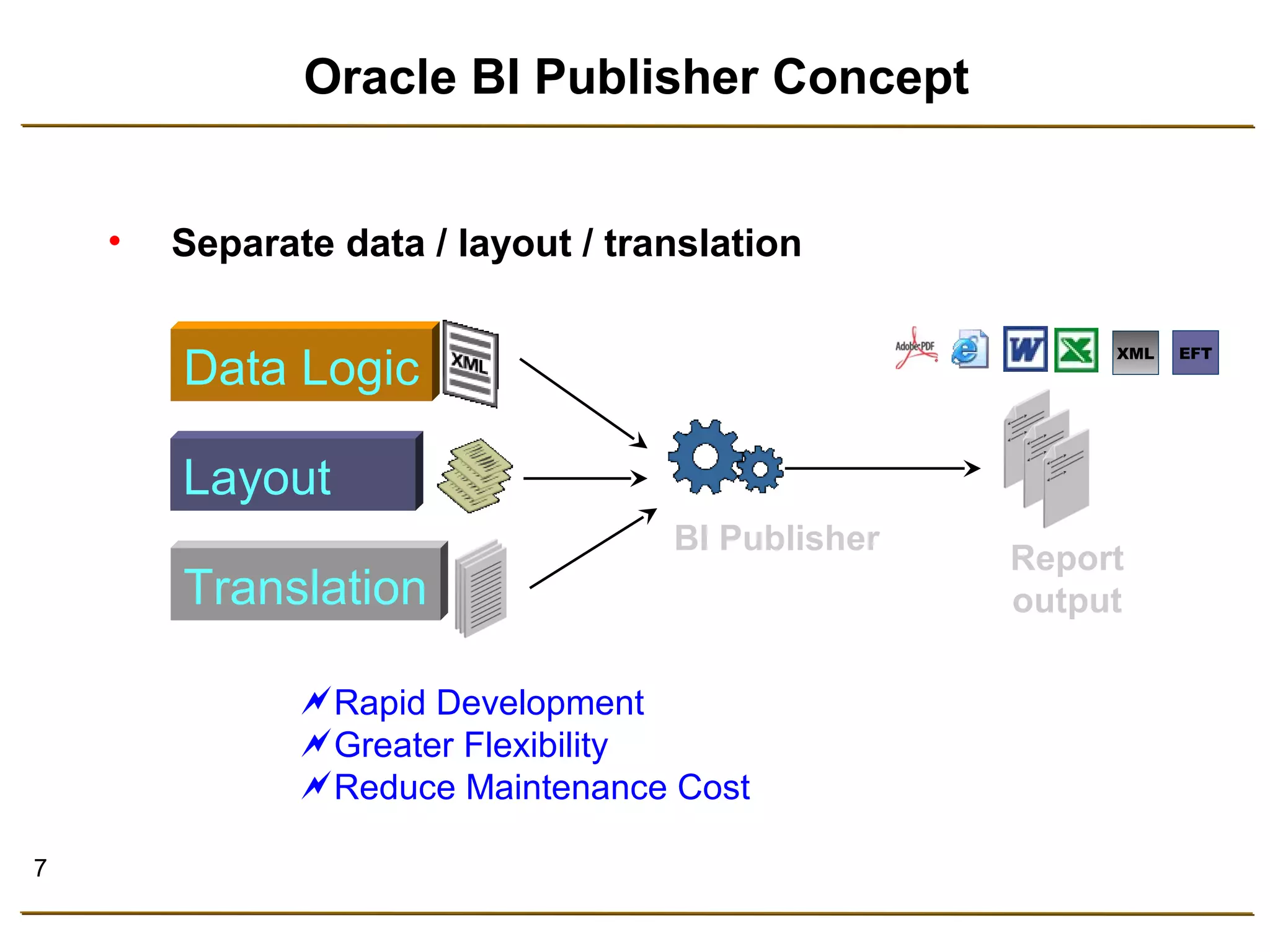
Oracle BI Publisher Concept 
• Separate data / layout / translation 
Report 
output 
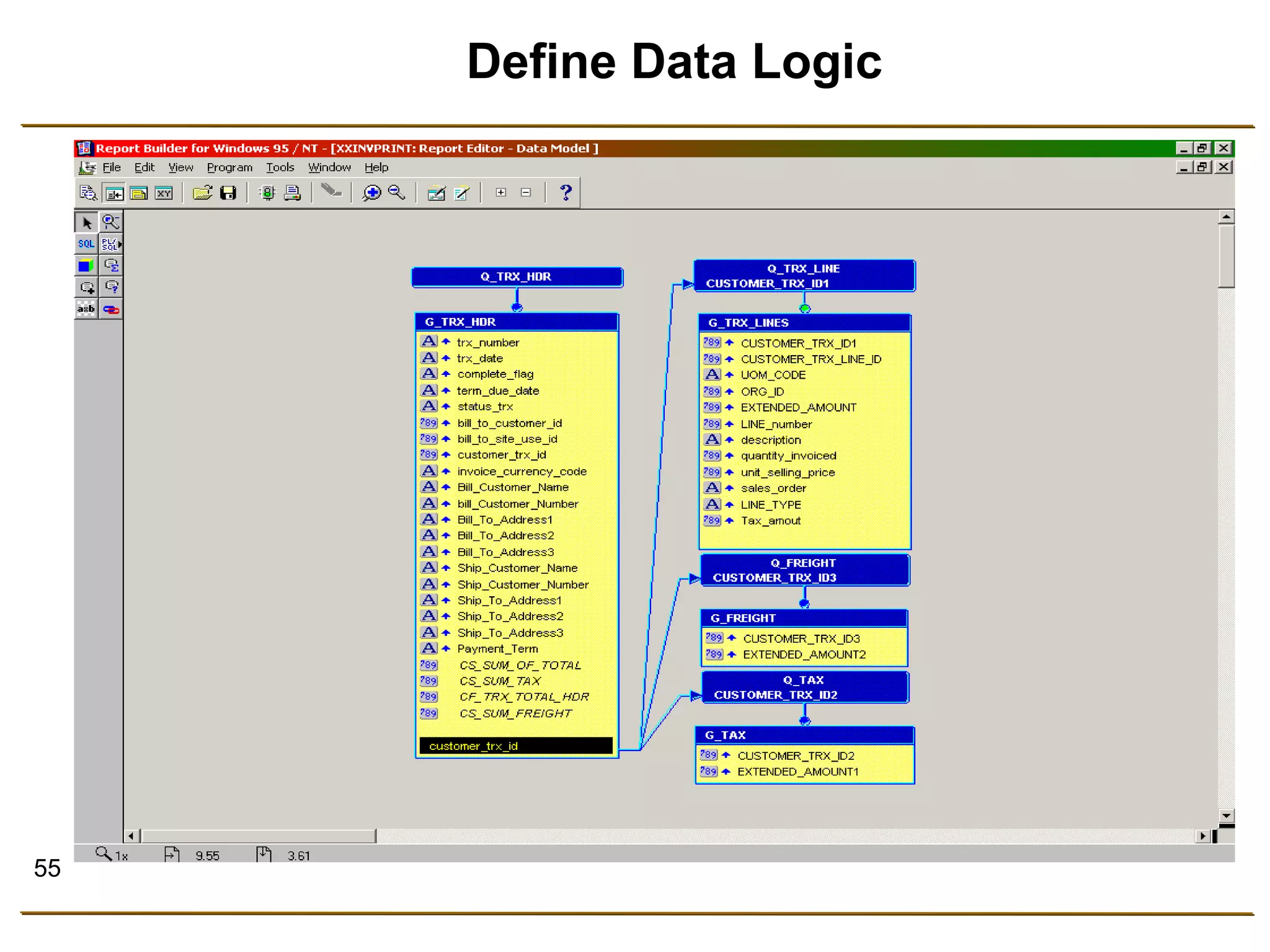
Data Logic 
Layout 
Translation 
BI Publisher 
XML EFT 
Rapid Development 
Greater Flexibility 
Reduce Maintenance Cost
8 
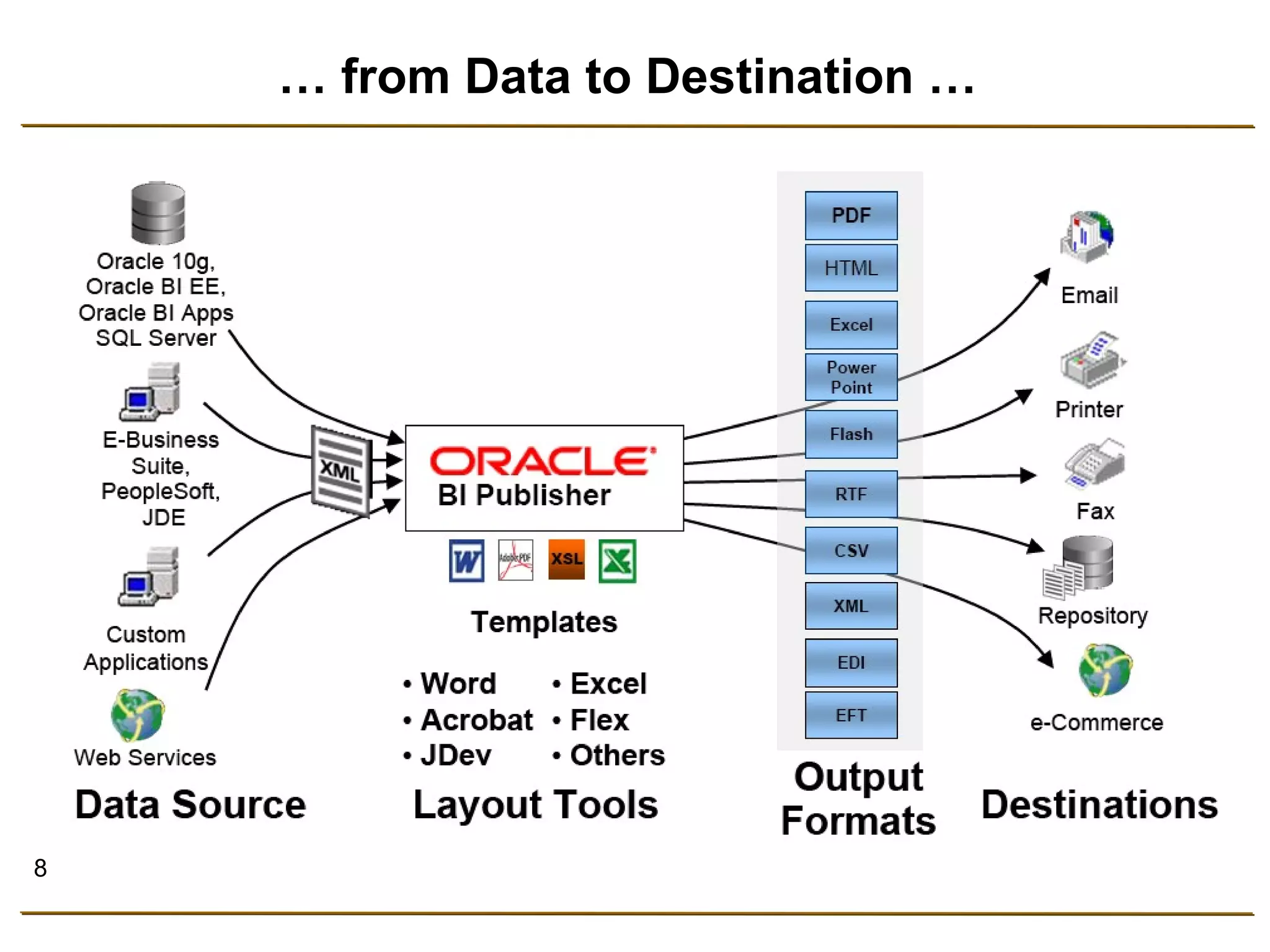
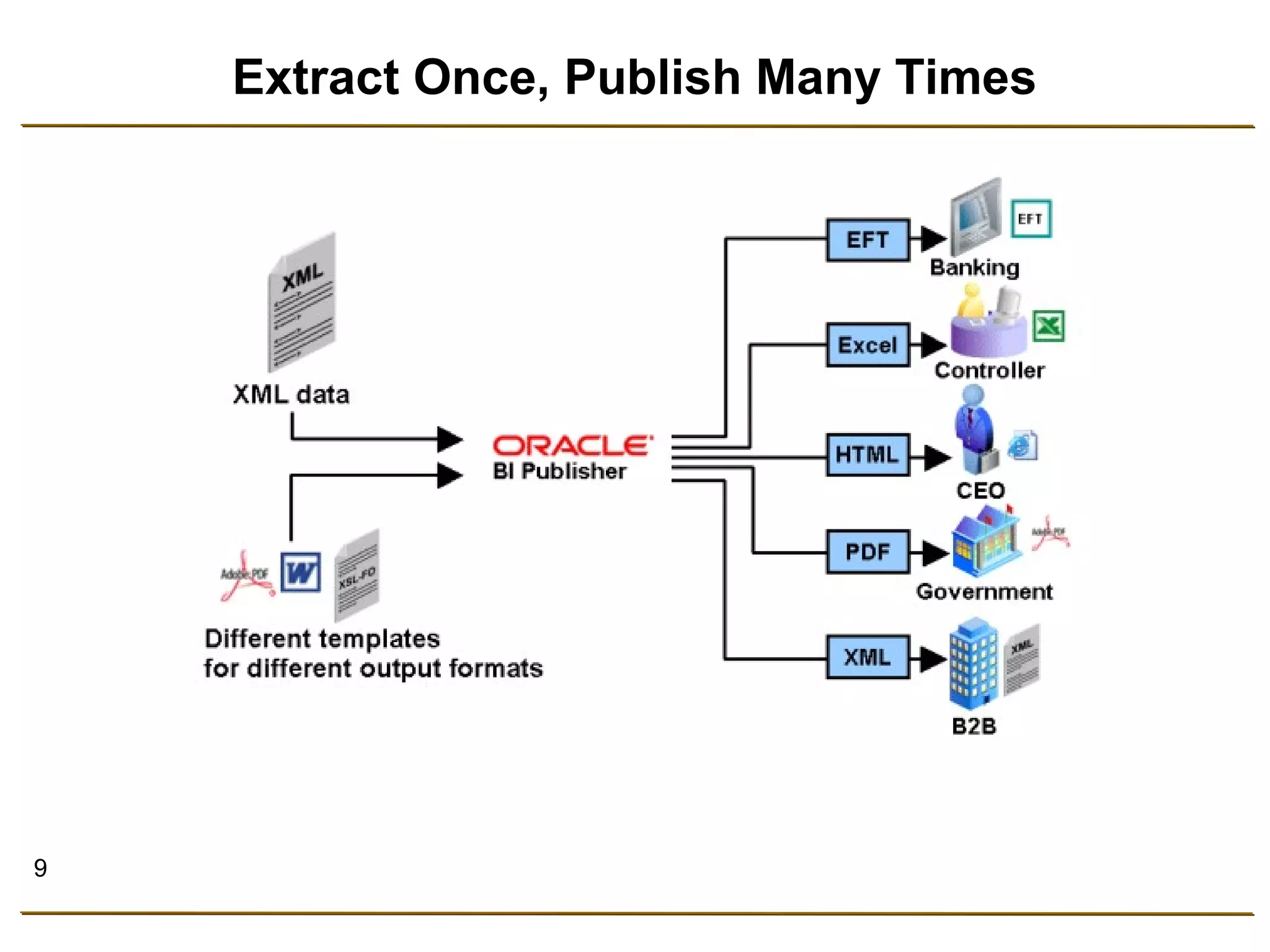
… from Data to Destination …
9 
Extract Once, Publish Many Times
10 
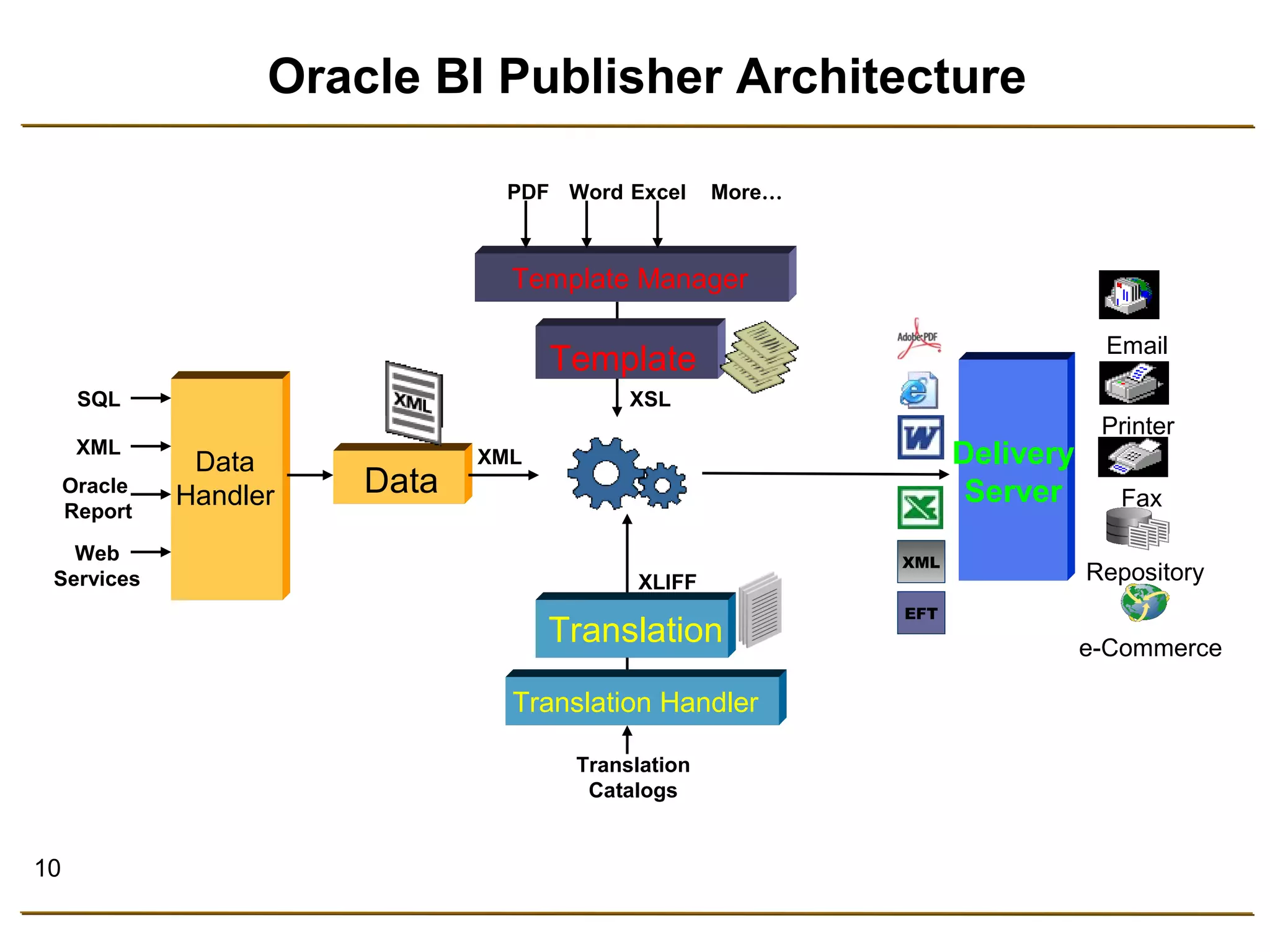
Oracle BI Publisher Architecture 
Delivery 
PDF Word Excel More… 
XSL 
Data Server 
SQL 
XML 
Oracle 
Report 
Web 
Services 
Template 
XLIFF 
Translation 
XML 
Translation 
Catalogs 
Data 
Handler 
Template Manager 
Translation Handler 
XML 
EFT 
Email 
Printer 
Fax 
Repository 
e-Commerce
11 
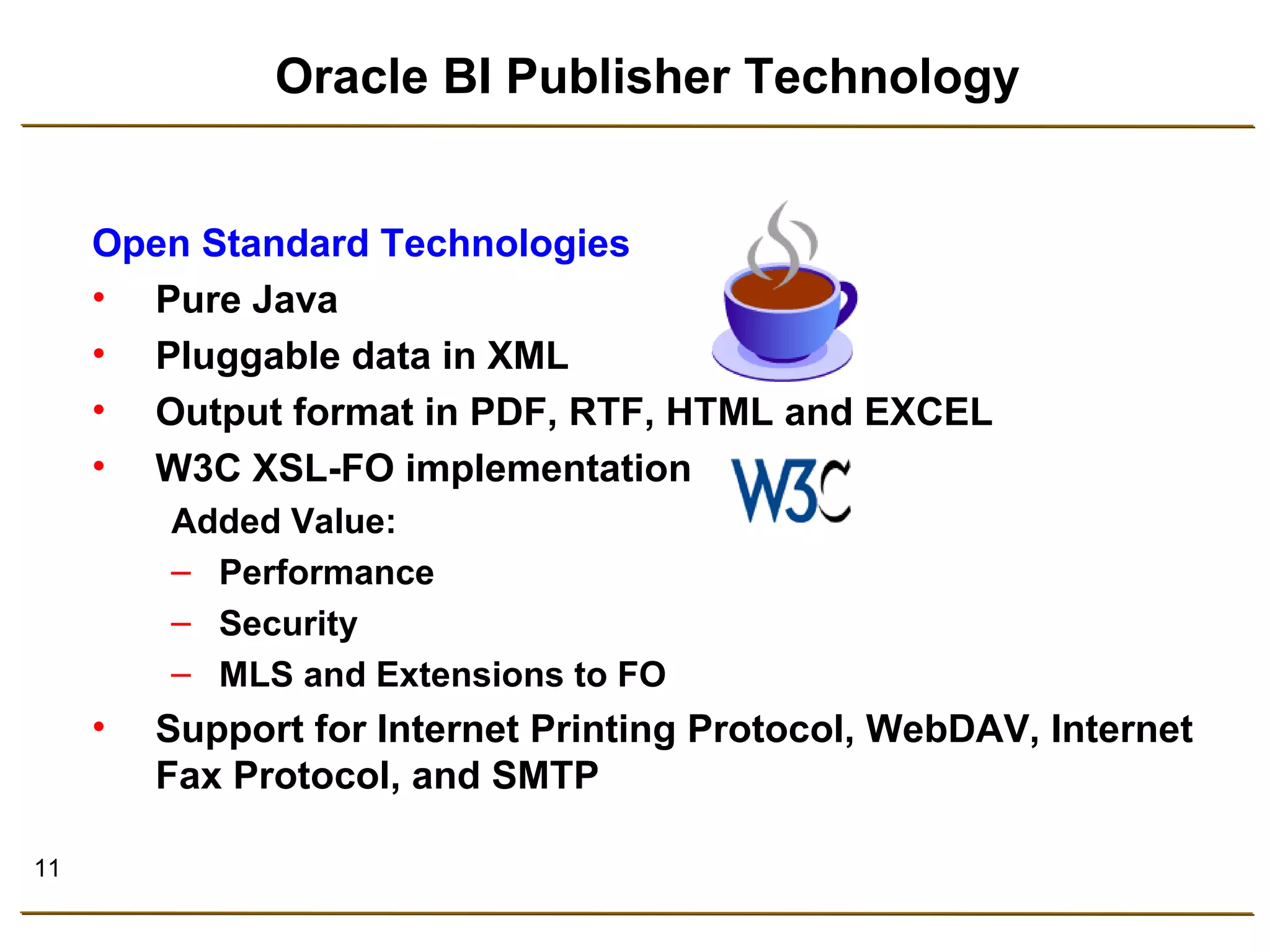
Oracle BI Publisher Technology 
Open Standard Technologies 
• Pure Java 
• Pluggable data in XML 
• Output format in PDF, RTF, HTML and EXCEL 
• W3C XSL-FO implementation 
Added Value: 
– Performance 
– Security 
– MLS and Extensions to FO 
• Support for Internet Printing Protocol, WebDAV, Internet 
Fax Protocol, and SMTP
12 
Performance and Scalability 
Stream-based Implementation: 
• Reduces memory footprint 
• Handles large XML input files 
• Is the fastest XSL-FO Implementation
13 
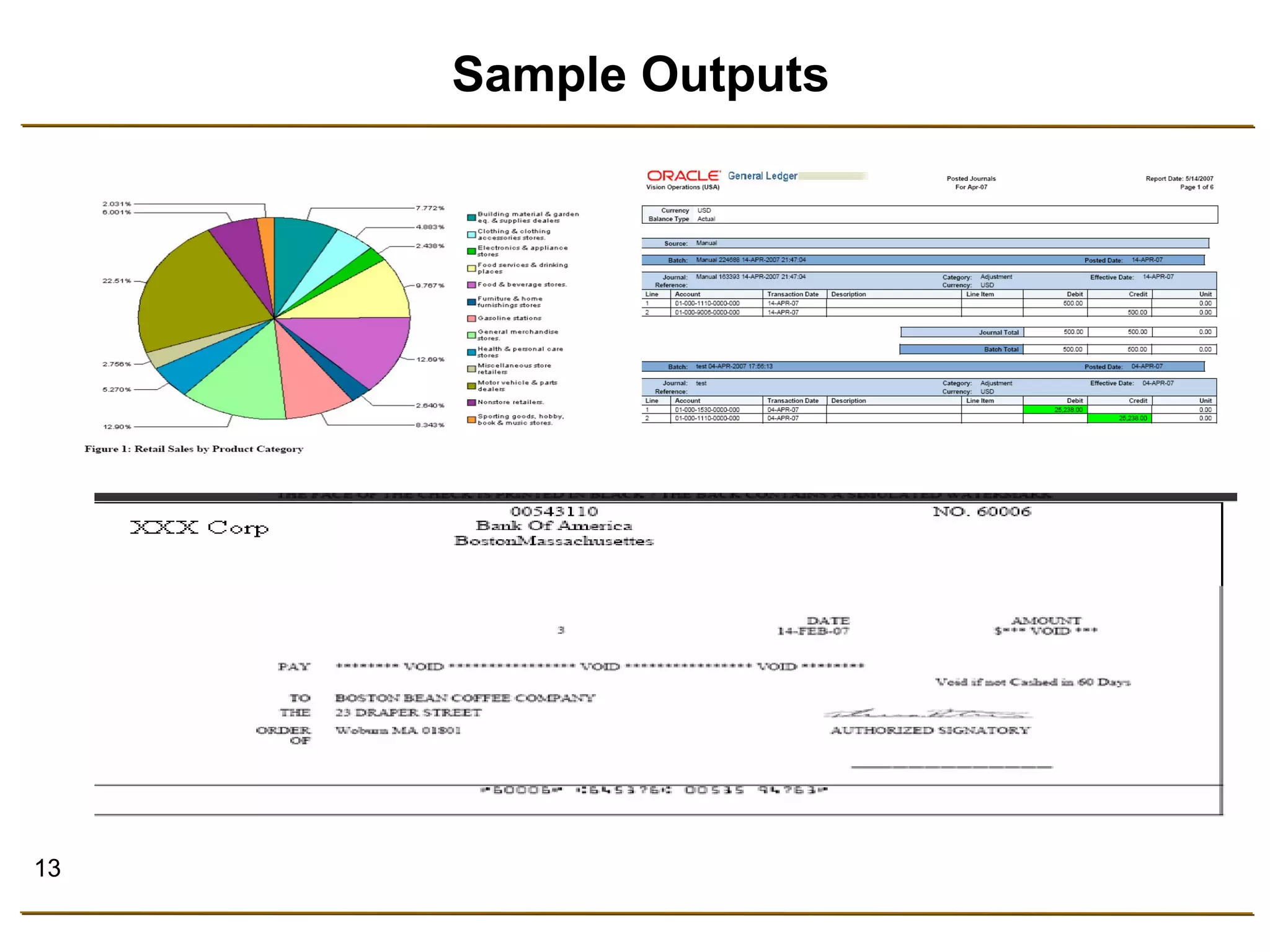
Sample Outputs
14 
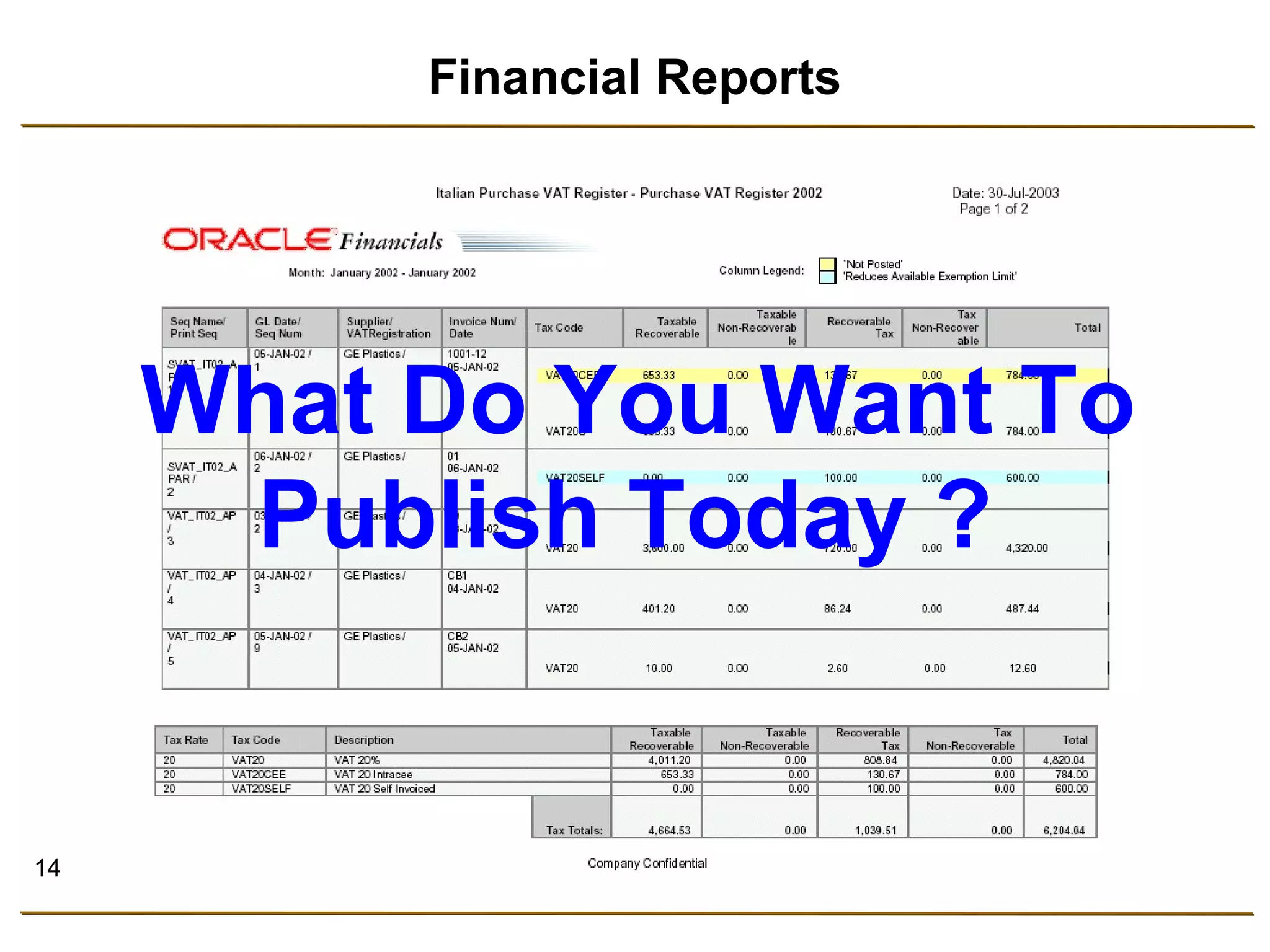
Financial Reports 
What Do You Want To 
Publish Today ?
15 
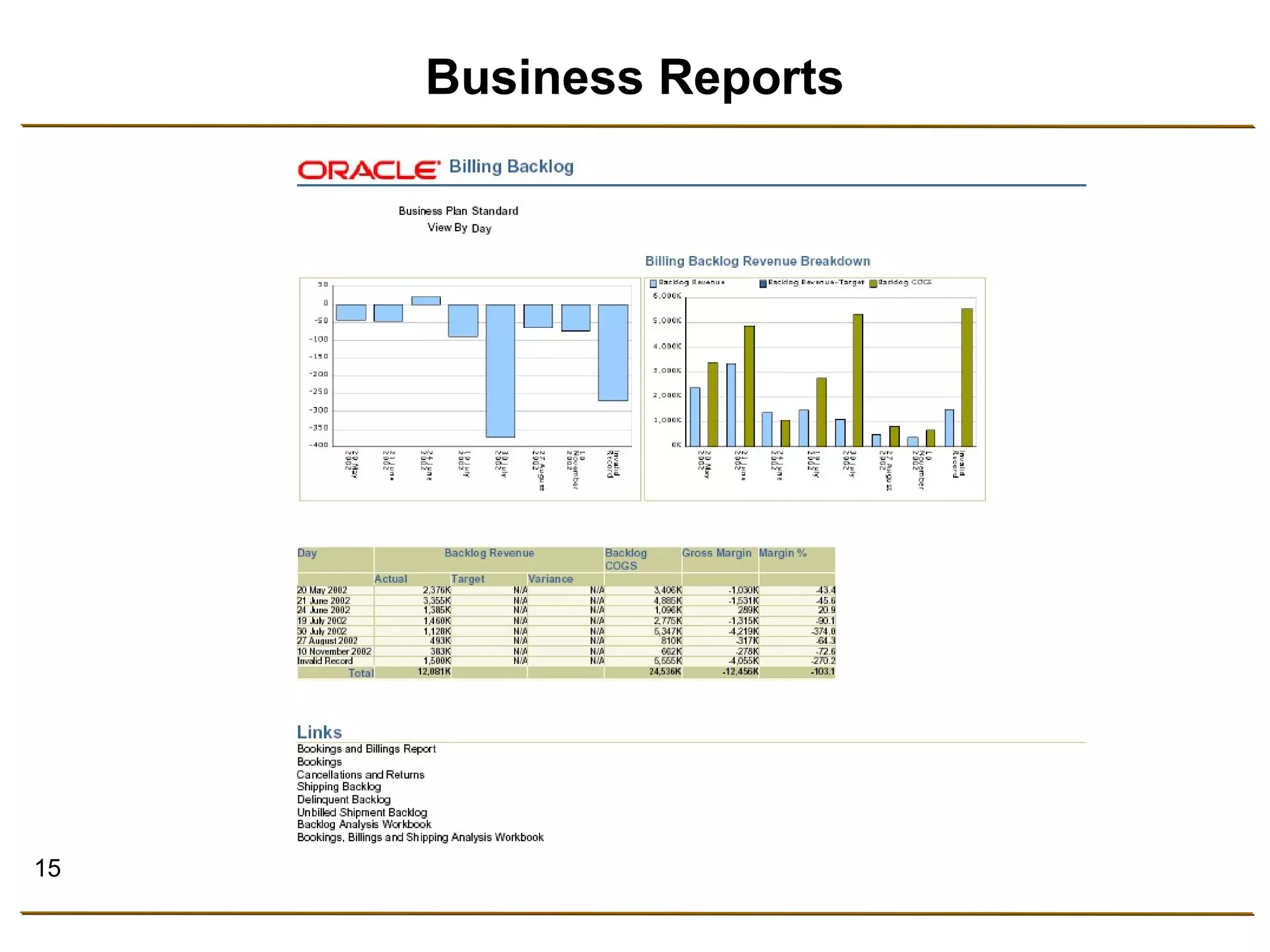
Business Reports
16 
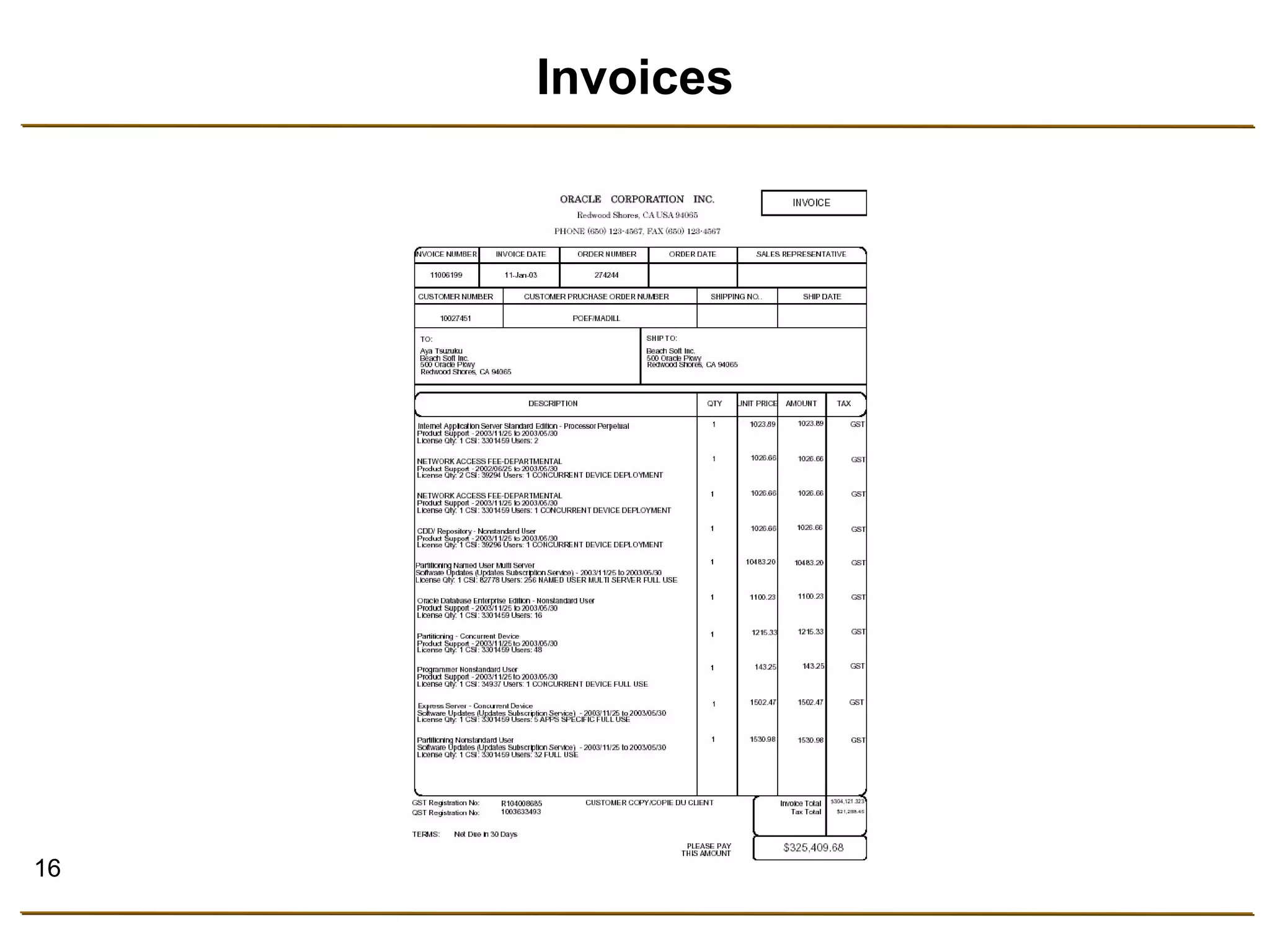
Invoices
17 
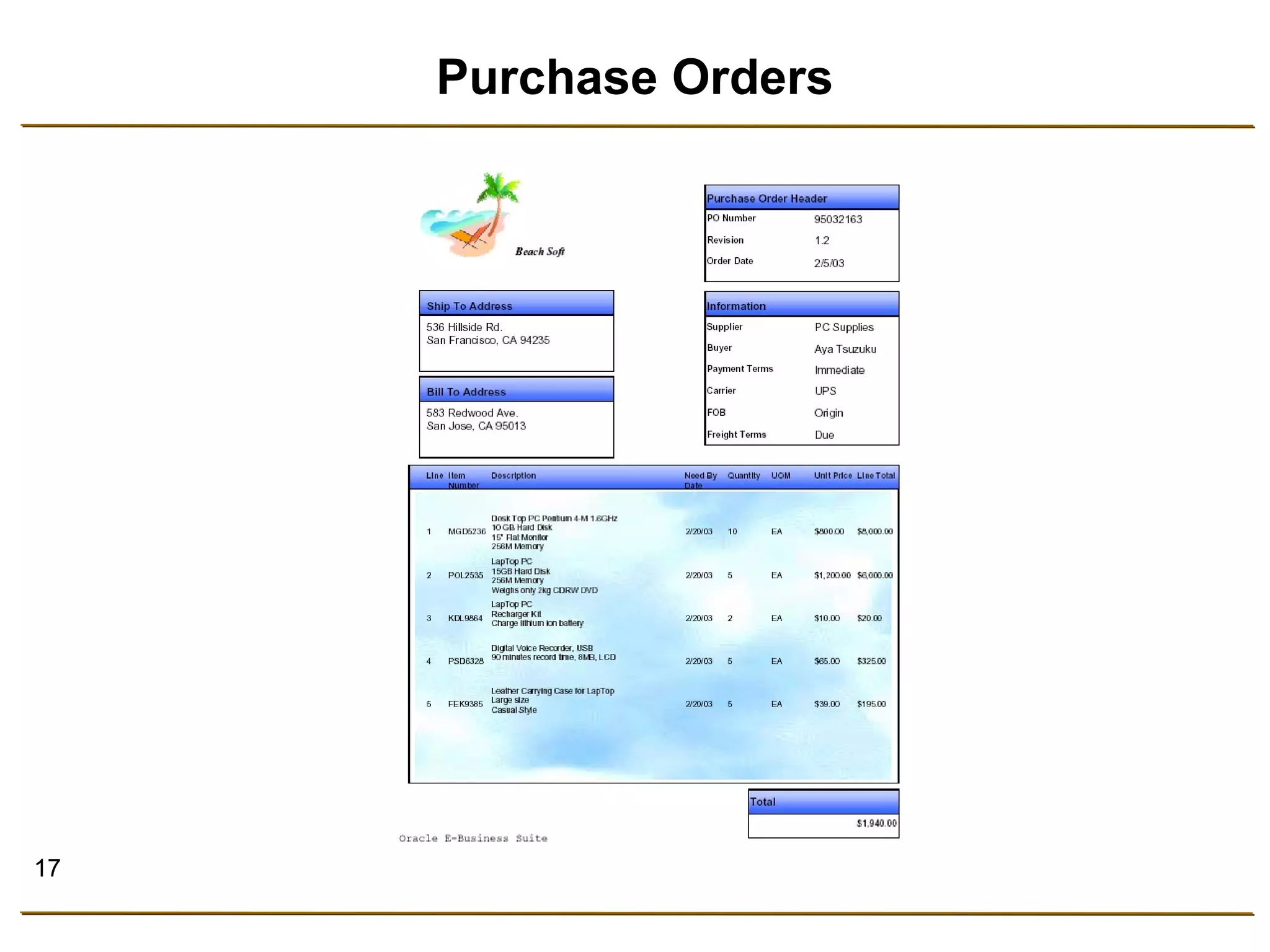
Purchase Orders
18 
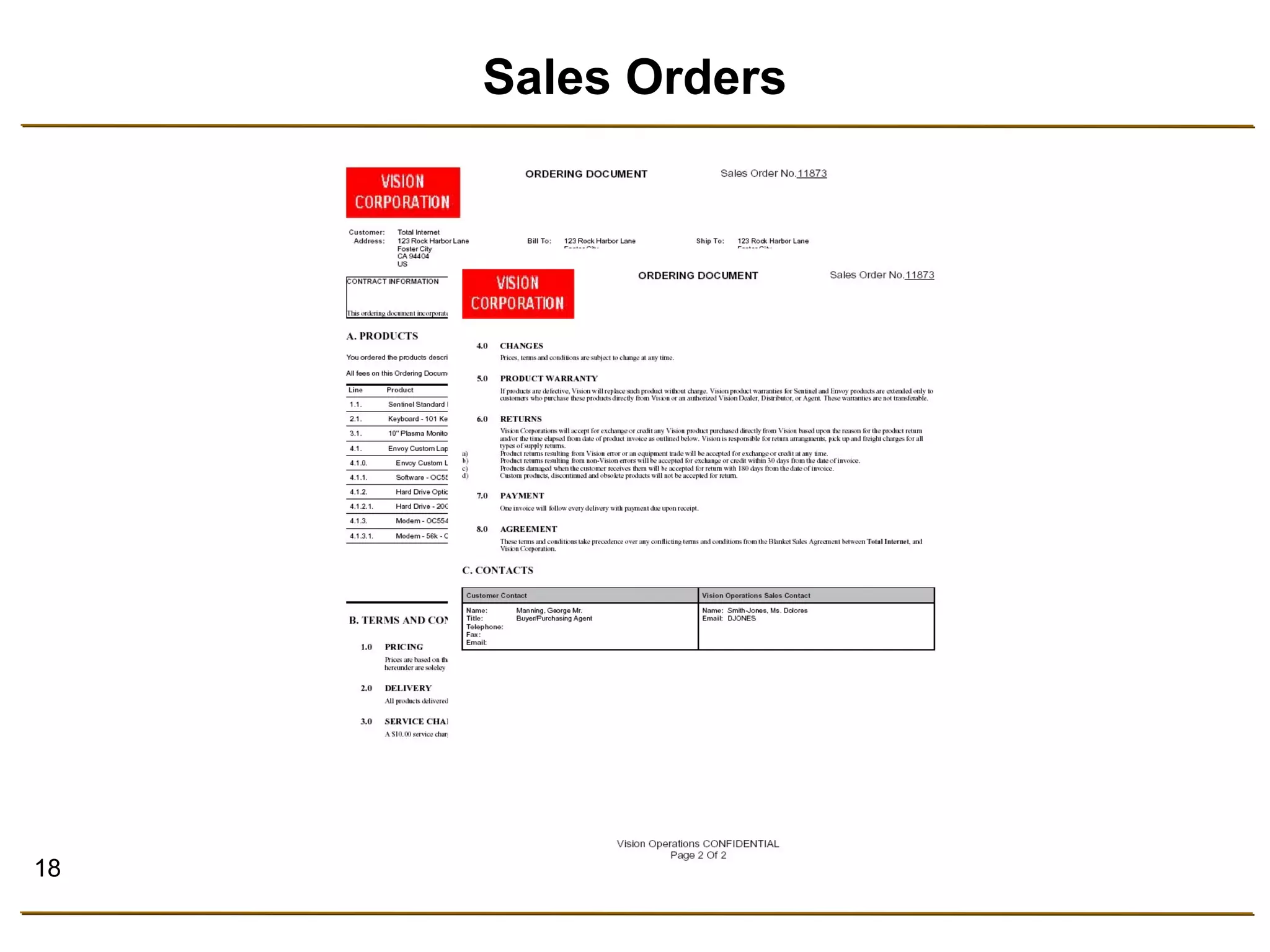
Sales Orders
19 
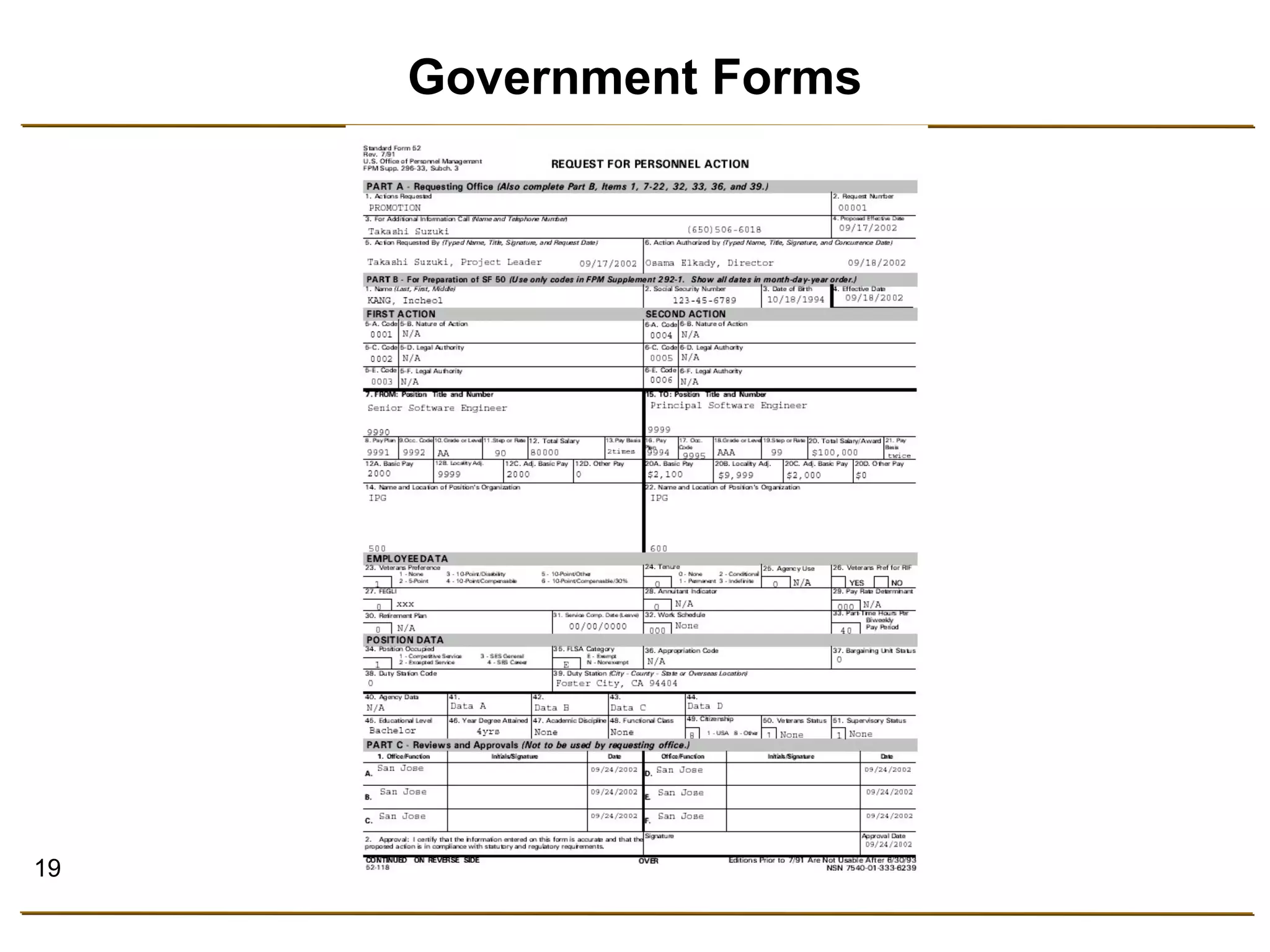
Government Forms
20 
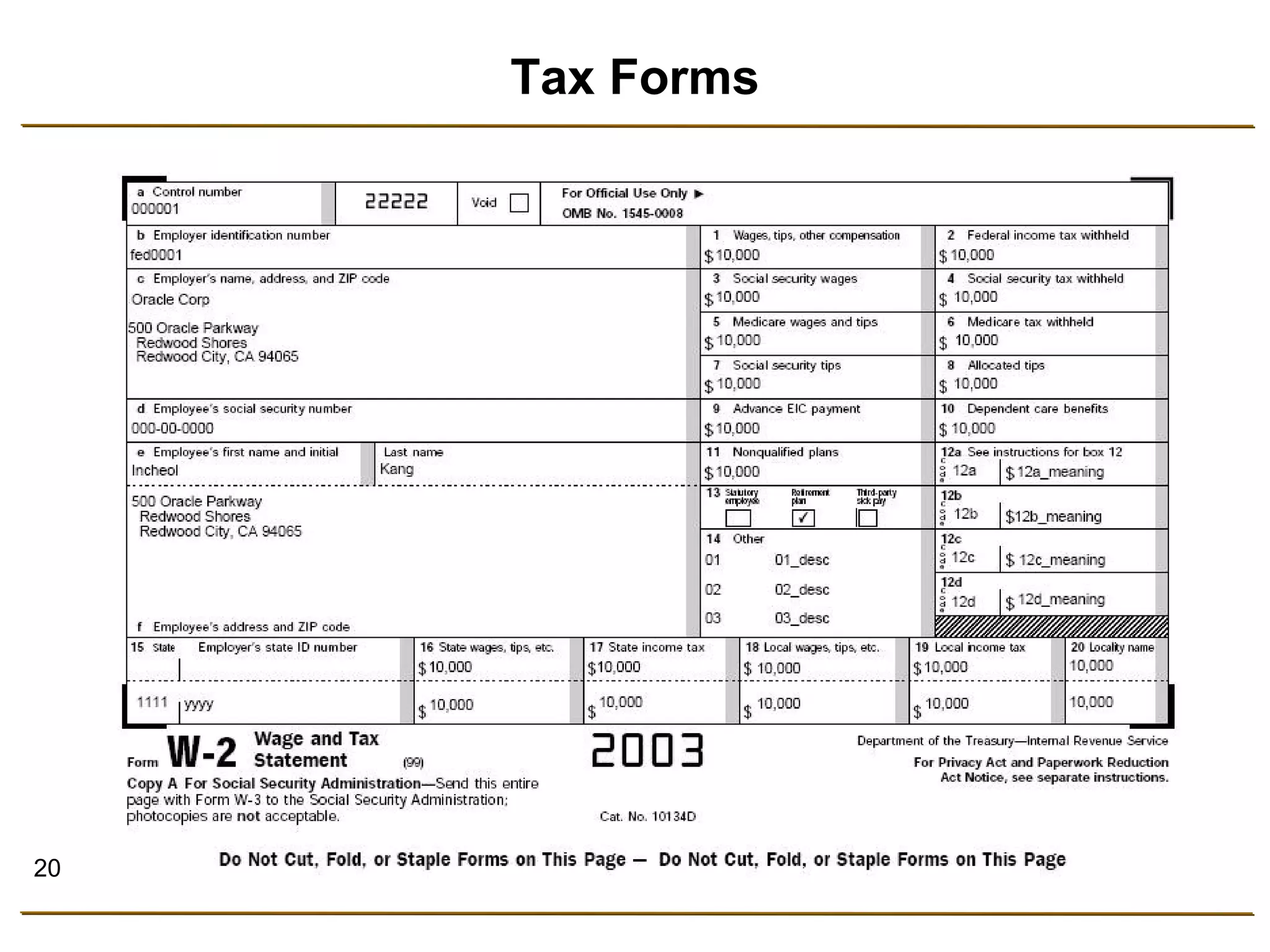
Tax Forms
21 
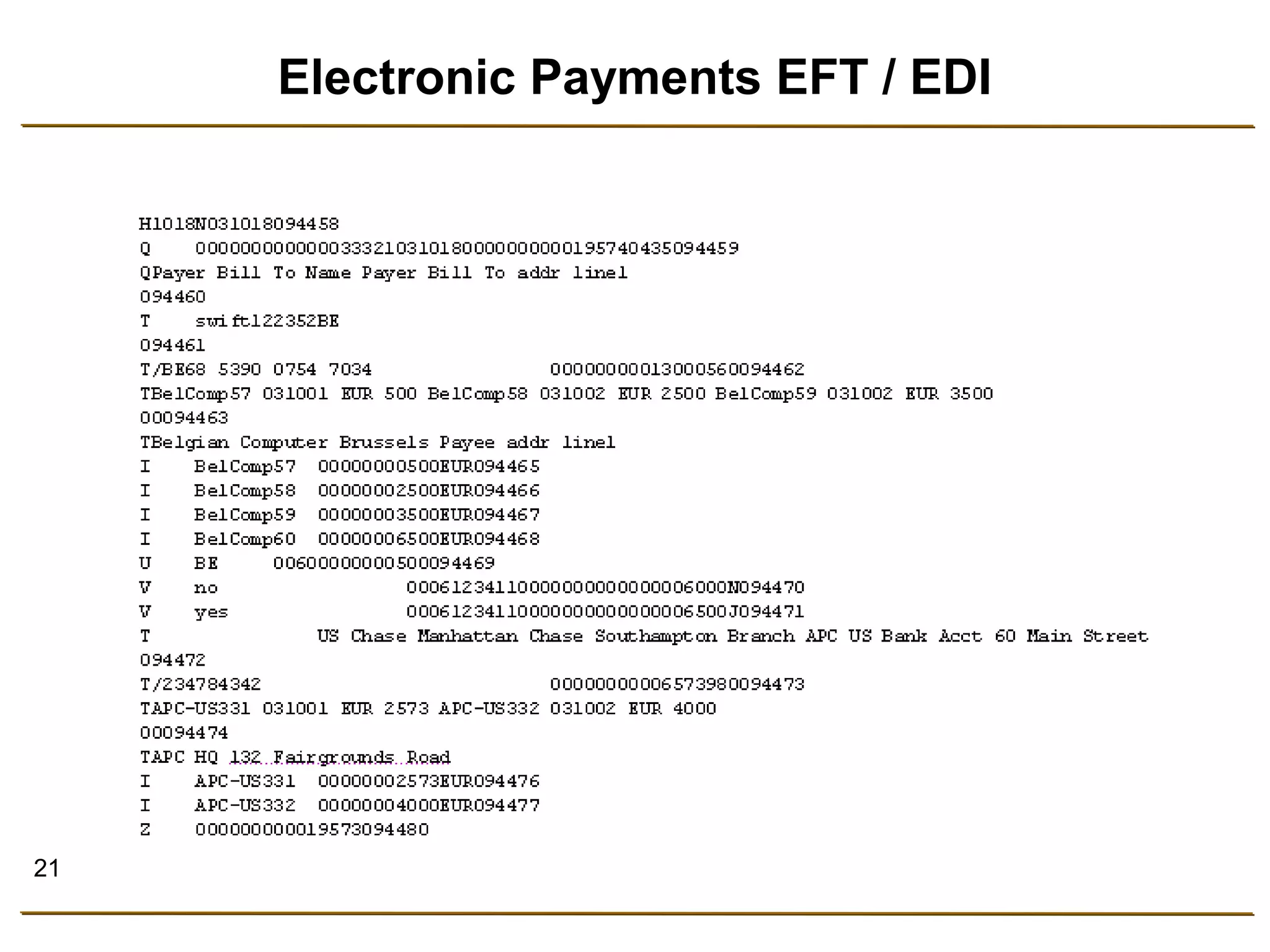
Electronic Payments EFT / EDI
22 
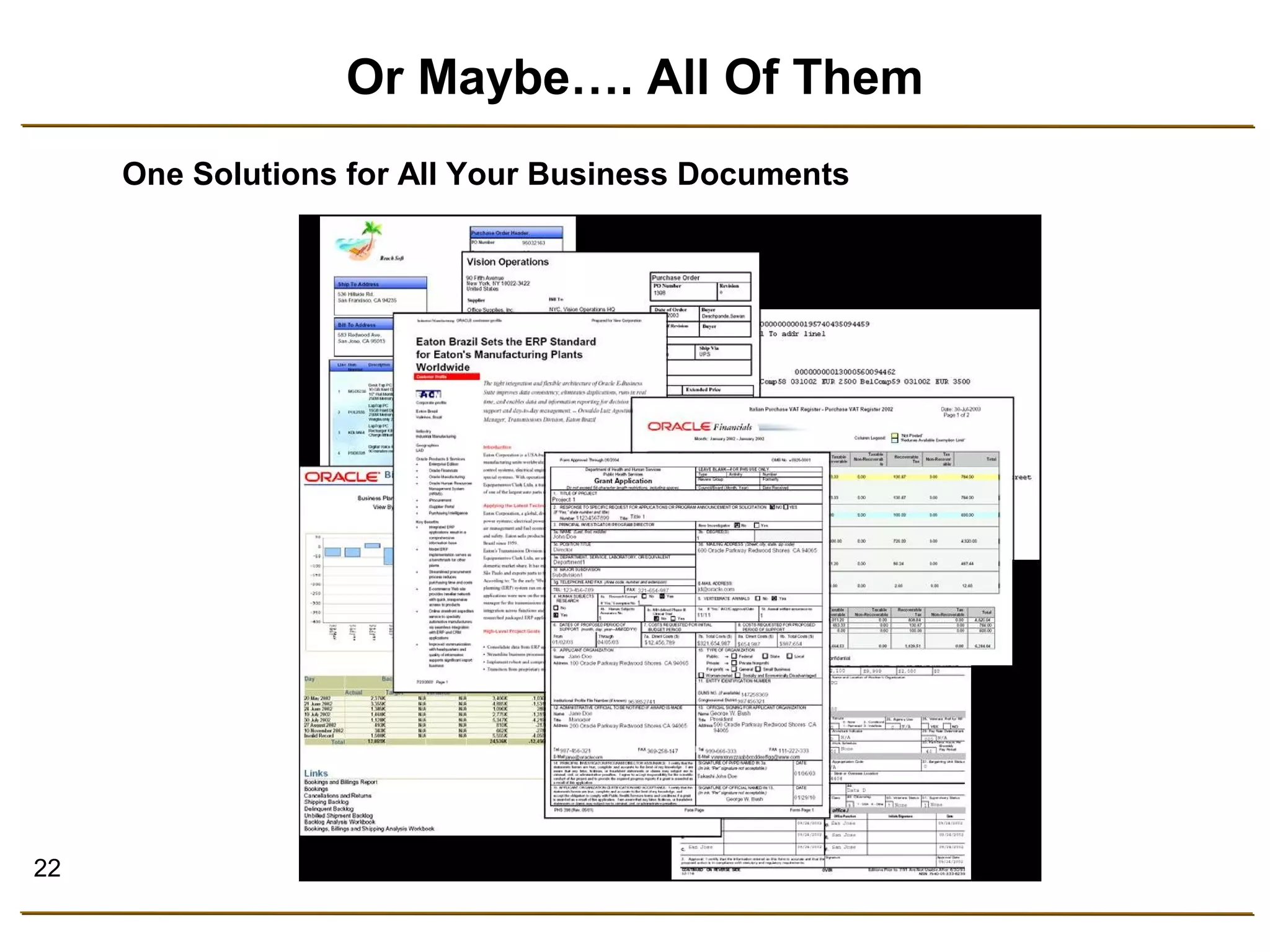
Or Maybe…. All Of Them 
One Solutions for All Your Business Documents
23 
Why Oracle BI Publisher ?
Why Oracle BI Publisher? 
• Reduce complexity 
• Reduces time to develop, test and deploy 
• Reduces total cost, including maintenance 
• Increase developer productivity 
• Enable flexible customizations 
• Follow Oracle’s development standard 
• Enable ease of use
25 
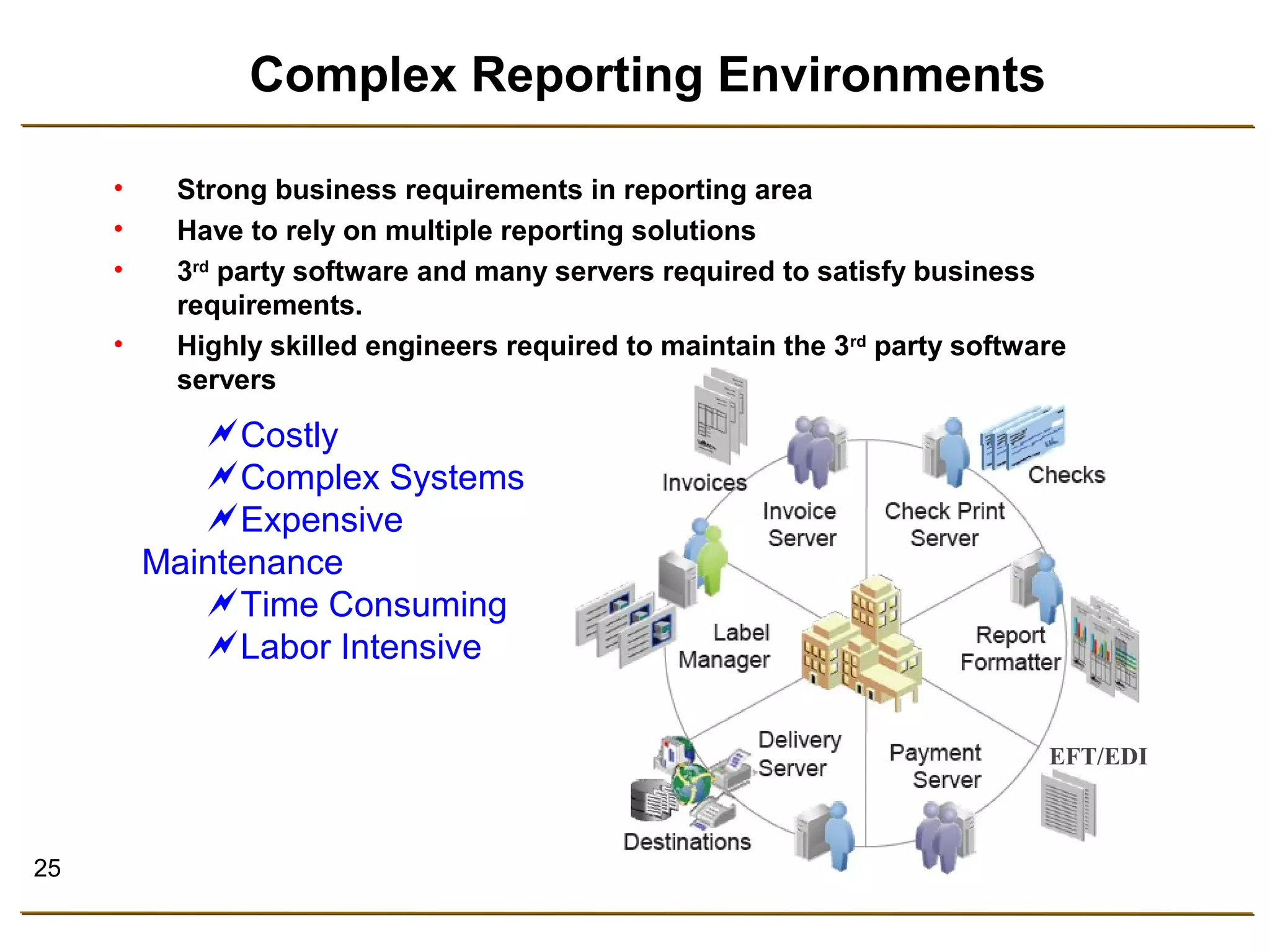
Complex Reporting Environments 
• Highly skilled engineers required to maintain the 3rd party software 
EFT/EDI 
• Strong business requirements in reporting area 
• Have to rely on multiple reporting solutions 
• 3rd party software and many servers required to satisfy business 
requirements. 
servers 
Costly 
Complex Systems 
Expensive 
Maintenance 
Time Consuming 
Labor Intensive
26 
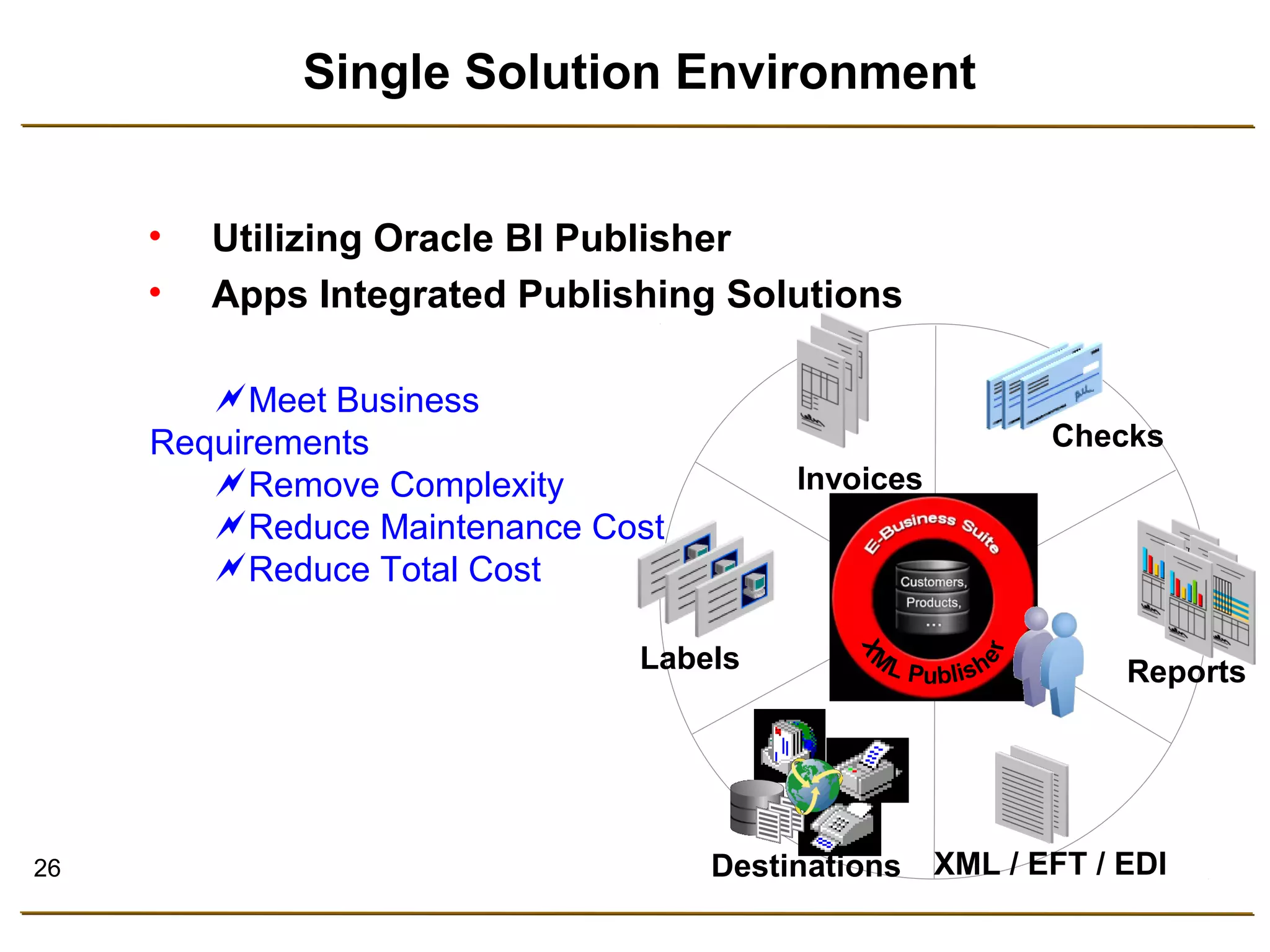
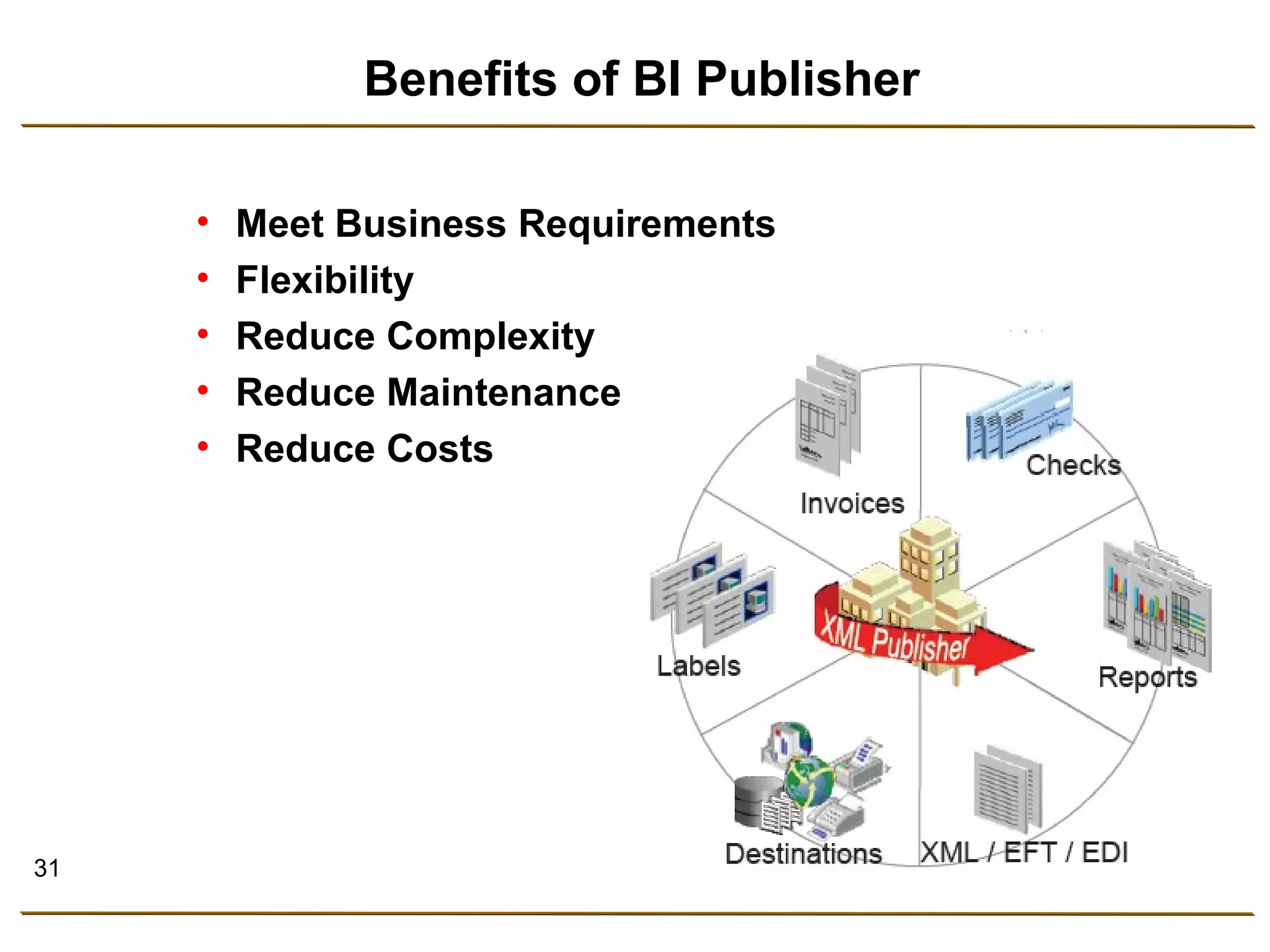
Single Solution Environment 
• Utilizing Oracle BI Publisher 
• Apps Integrated Publishing Solutions 
Meet Business 
Requirements 
Remove Complexity 
Reduce Maintenance Cost 
Reduce Total Cost 
Checks 
Reports 
XML / EFT / EDI 
Labels 
Invoices 
Destinations
27 
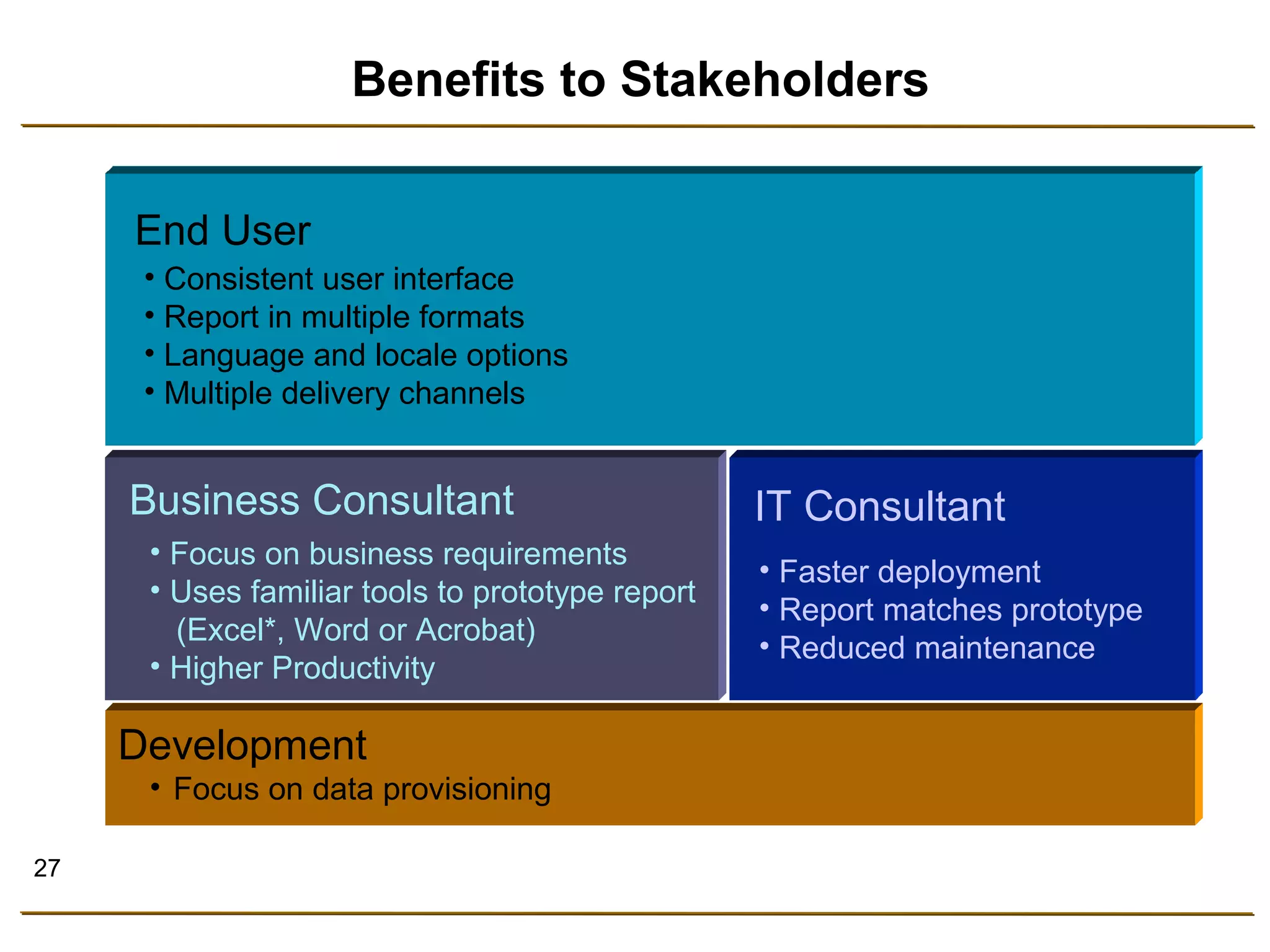
Benefits to Stakeholders 
Business Consultant 
• Focus on business requirements 
• Uses familiar tools to prototype report 
(Excel*, Word or Acrobat) 
• Higher Productivity 
Development 
• Focus on data provisioning 
IT Consultant 
• Faster deployment 
• Report matches prototype 
• Reduced maintenance 
End User 
• Consistent user interface 
• Report in multiple formats 
• Language and locale options 
• Multiple delivery channels
28 
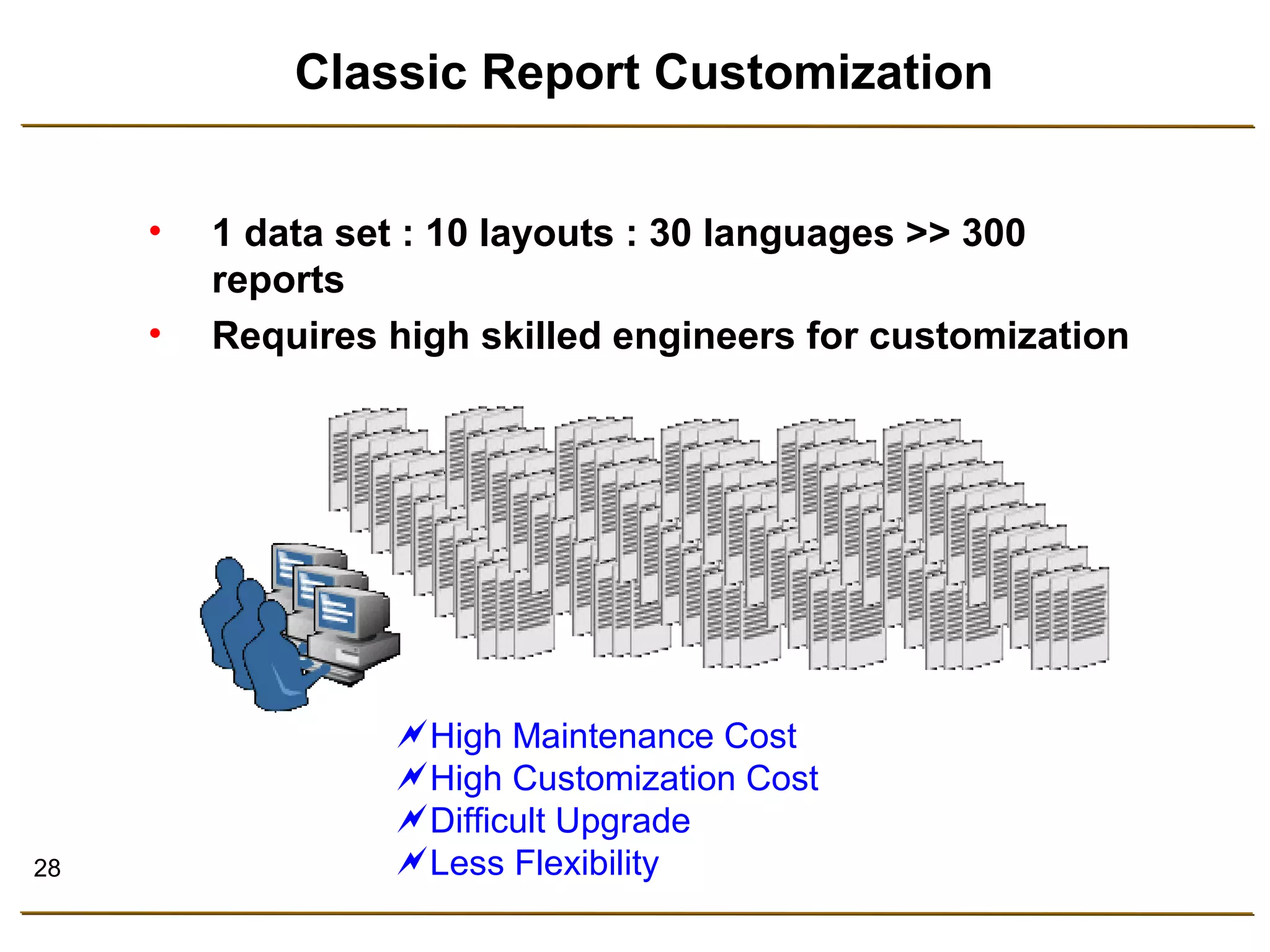
Classic Report Customization 
• 1 data set : 10 layouts : 30 languages >> 300 
reports 
• Requires high skilled engineers for customization 
High Maintenance Cost 
High Customization Cost 
Difficult Upgrade 
Less Flexibility
29 
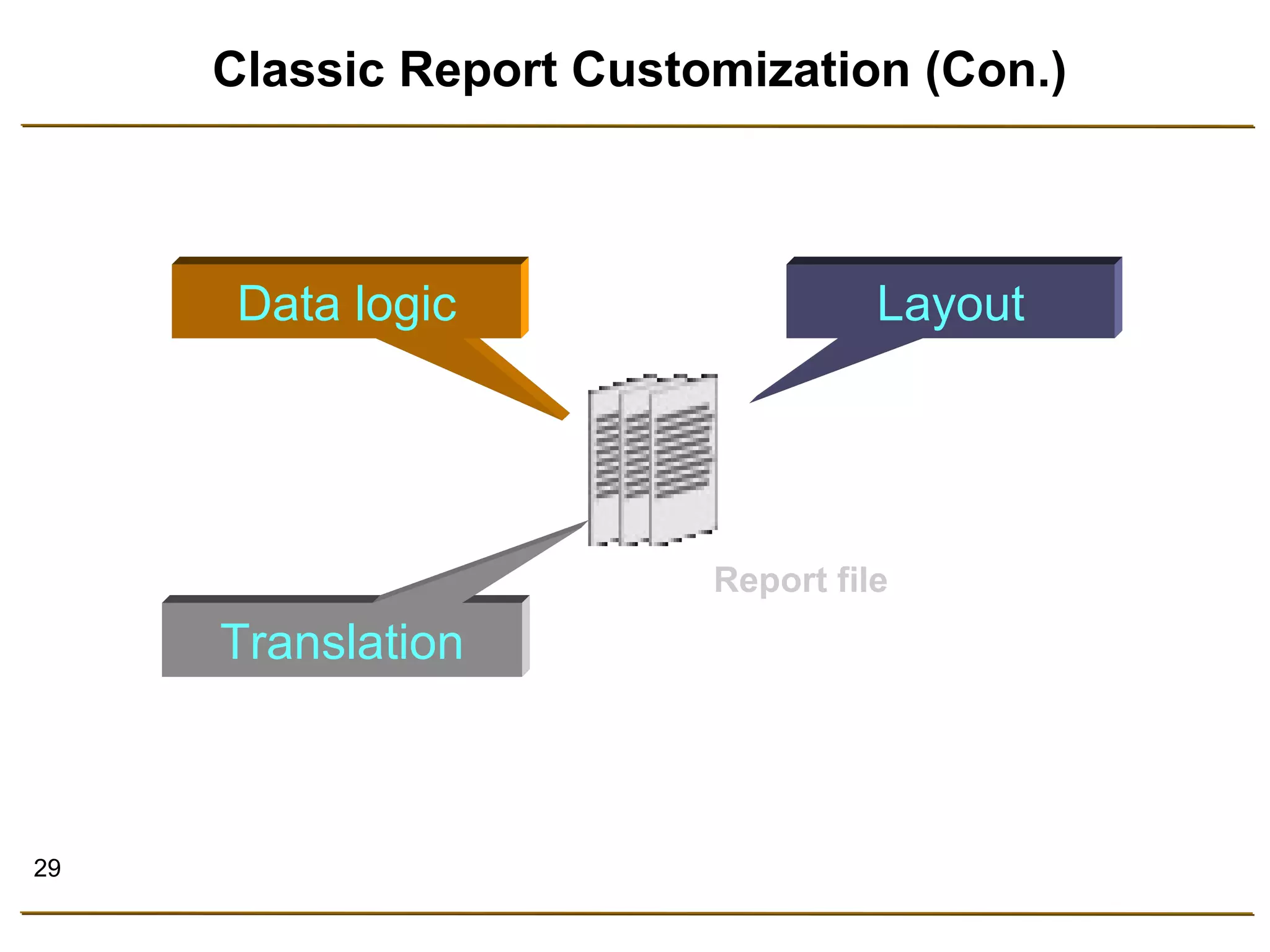
Classic Report Customization (Con.) 
Data logic Layout 
Translation 
Report file
30 
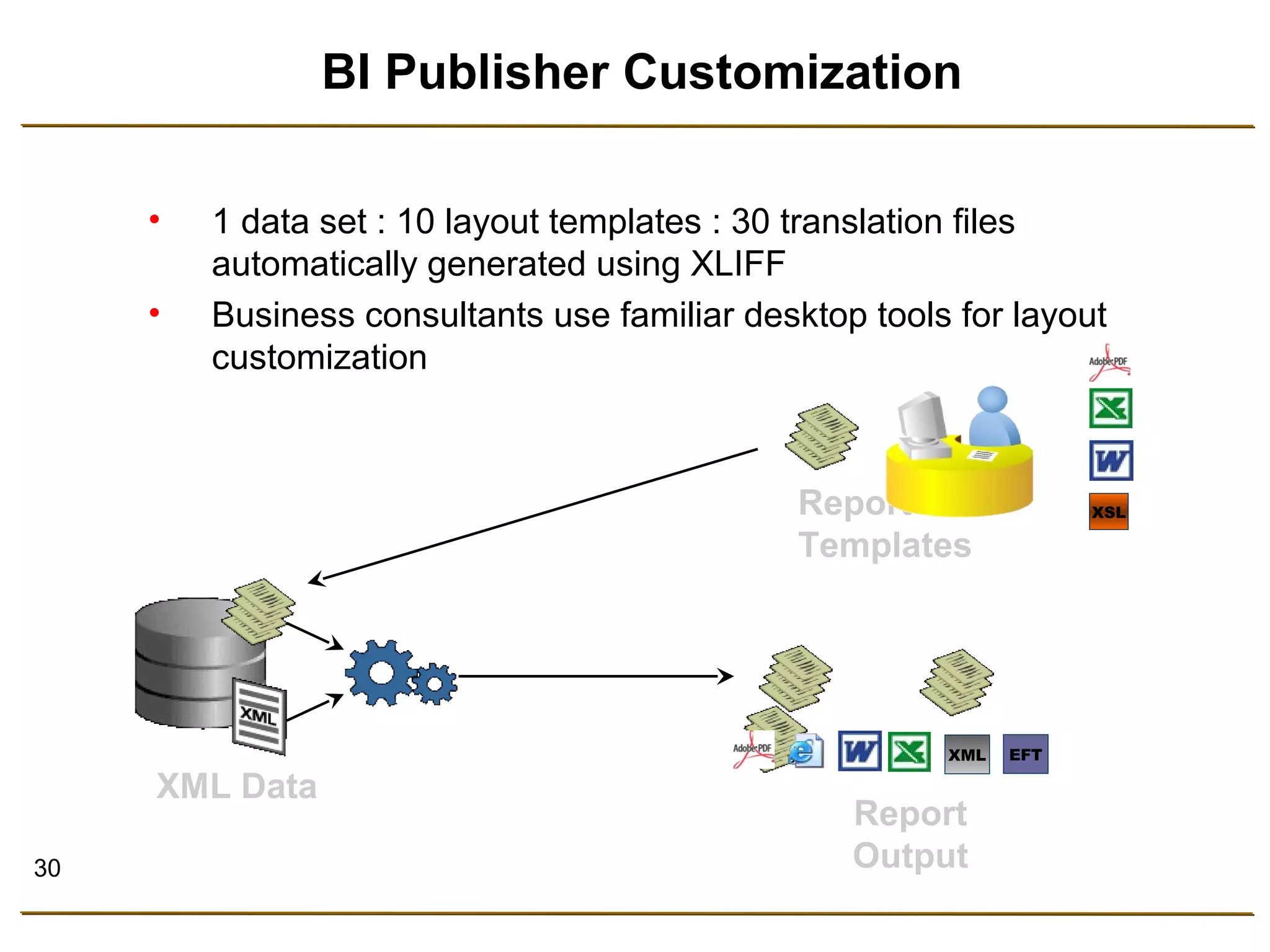
BI Publisher Customization 
• 1 data set : 10 layout templates : 30 translation files 
automatically generated using XLIFF 
• Business consultants use familiar desktop tools for layout 
customization 
Report 
Templates 
XML Data 
Report 
Output 
XSL 
XML EFT
31 
Benefits of BI Publisher 
• Meet Business Requirements 
• Flexibility 
• Reduce Complexity 
• Reduce Maintenance 
• Reduce Costs
32 
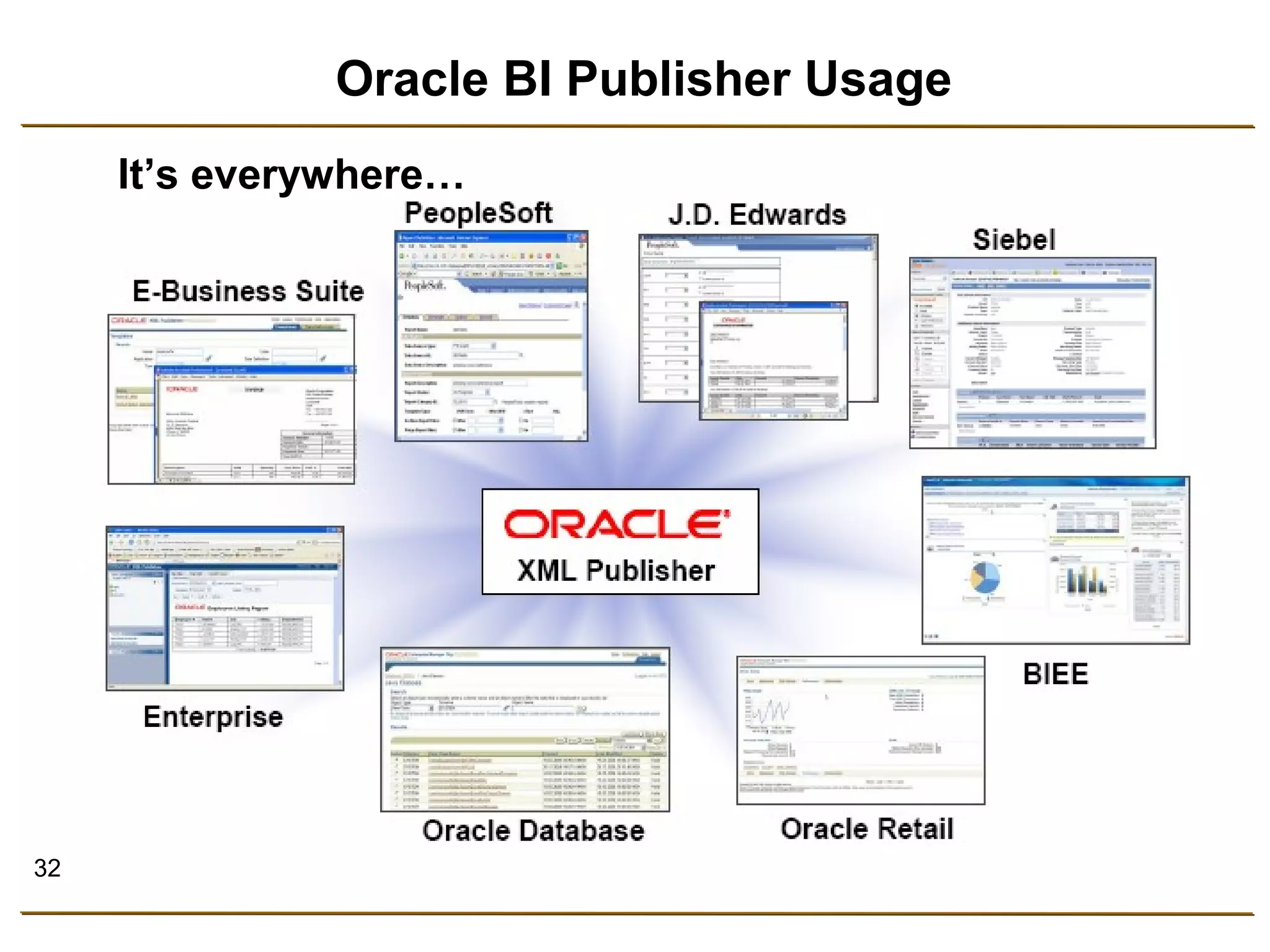
Oracle BI Publisher Usage 
It’s everywhere…
38 
Designing Using Oracle BI Publisher 
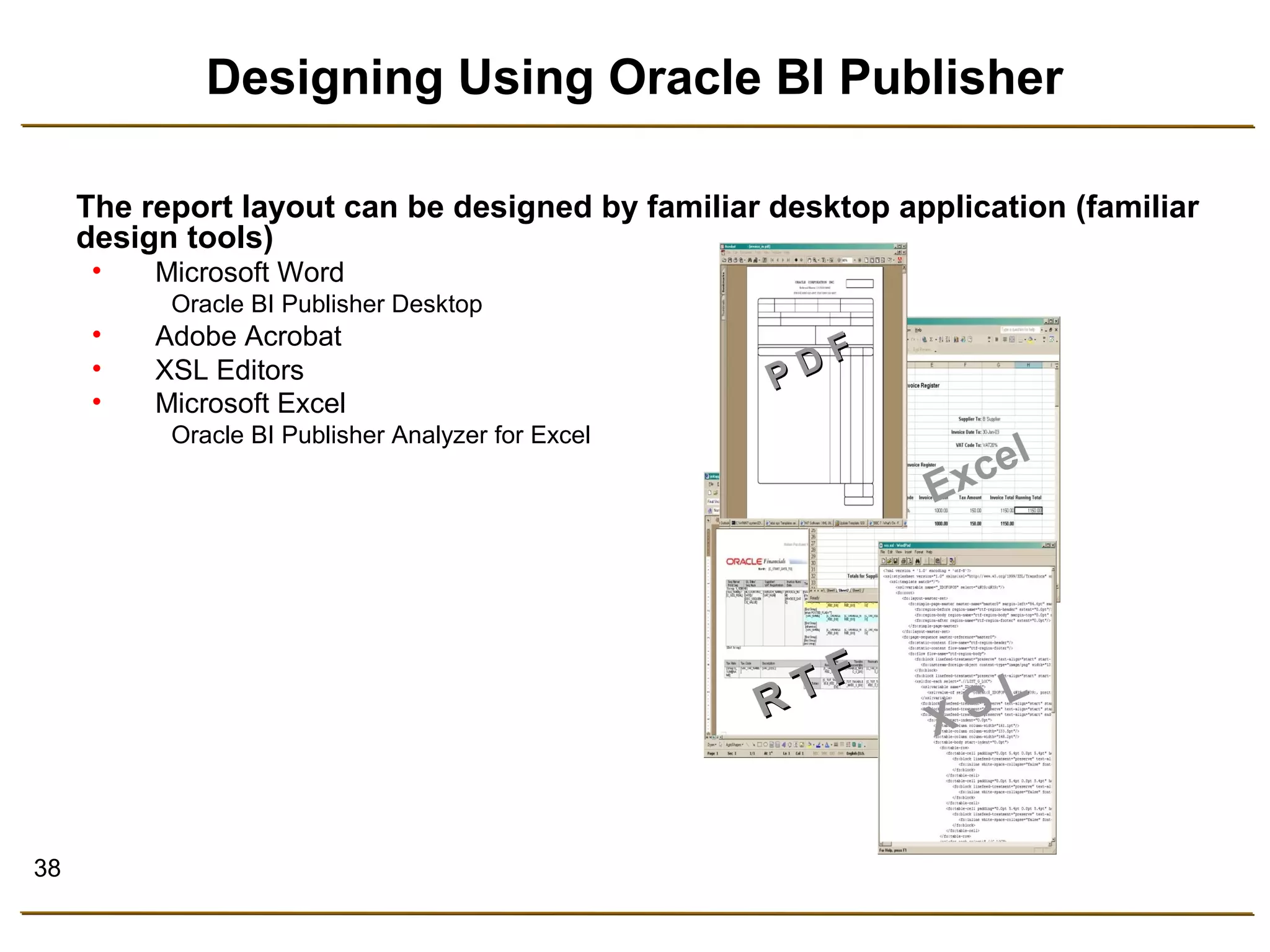
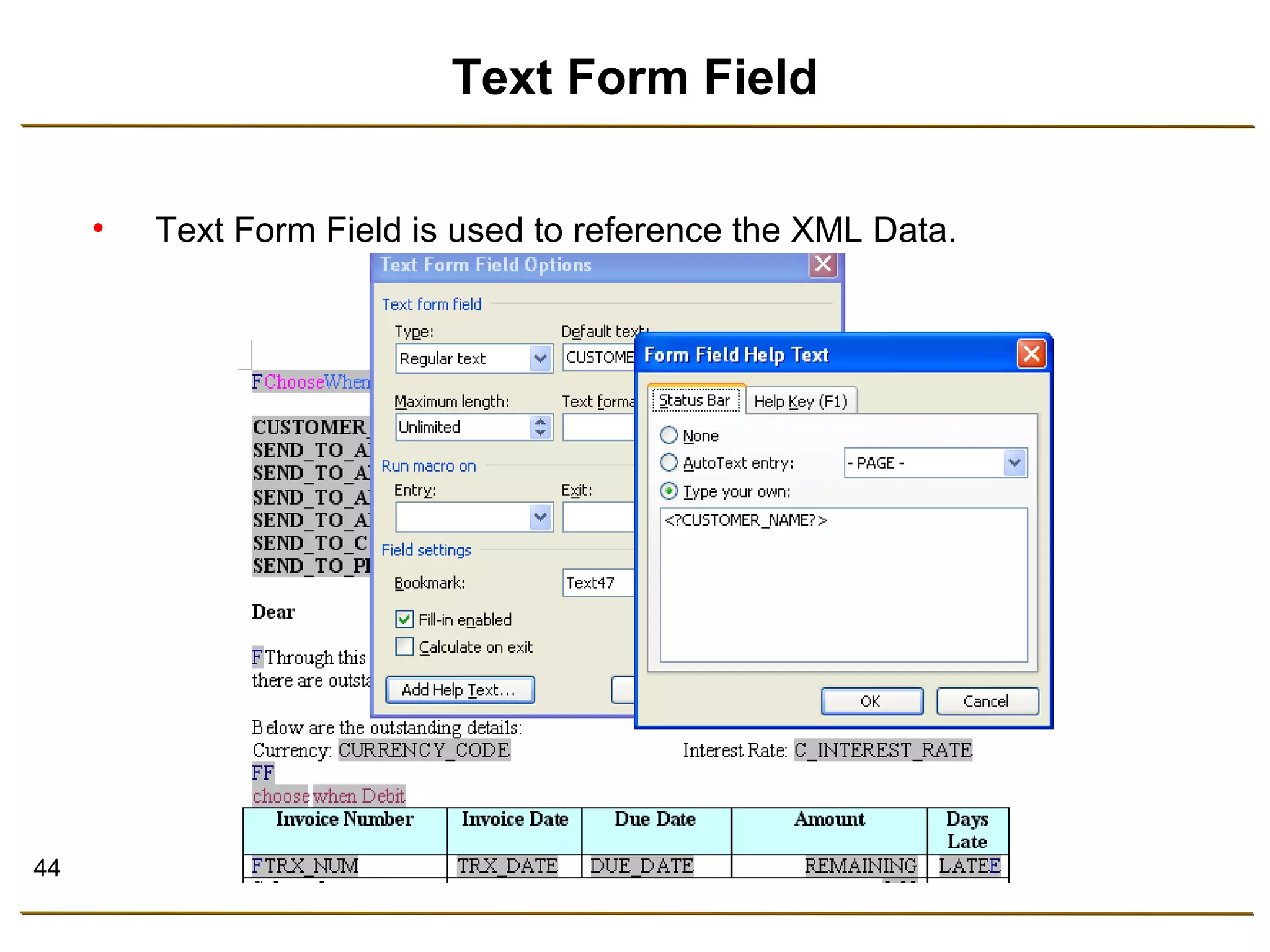
The report layout can be designed by familiar desktop application (familiar 
design tools) 
• Microsoft Word 
Oracle BI Publisher Desktop 
• Adobe Acrobat 
• XSL Editors 
• Microsoft Excel 
Oracle BI Publisher Analyzer for Excel 
P D F 
R T F 
Excel 
X S L
39 
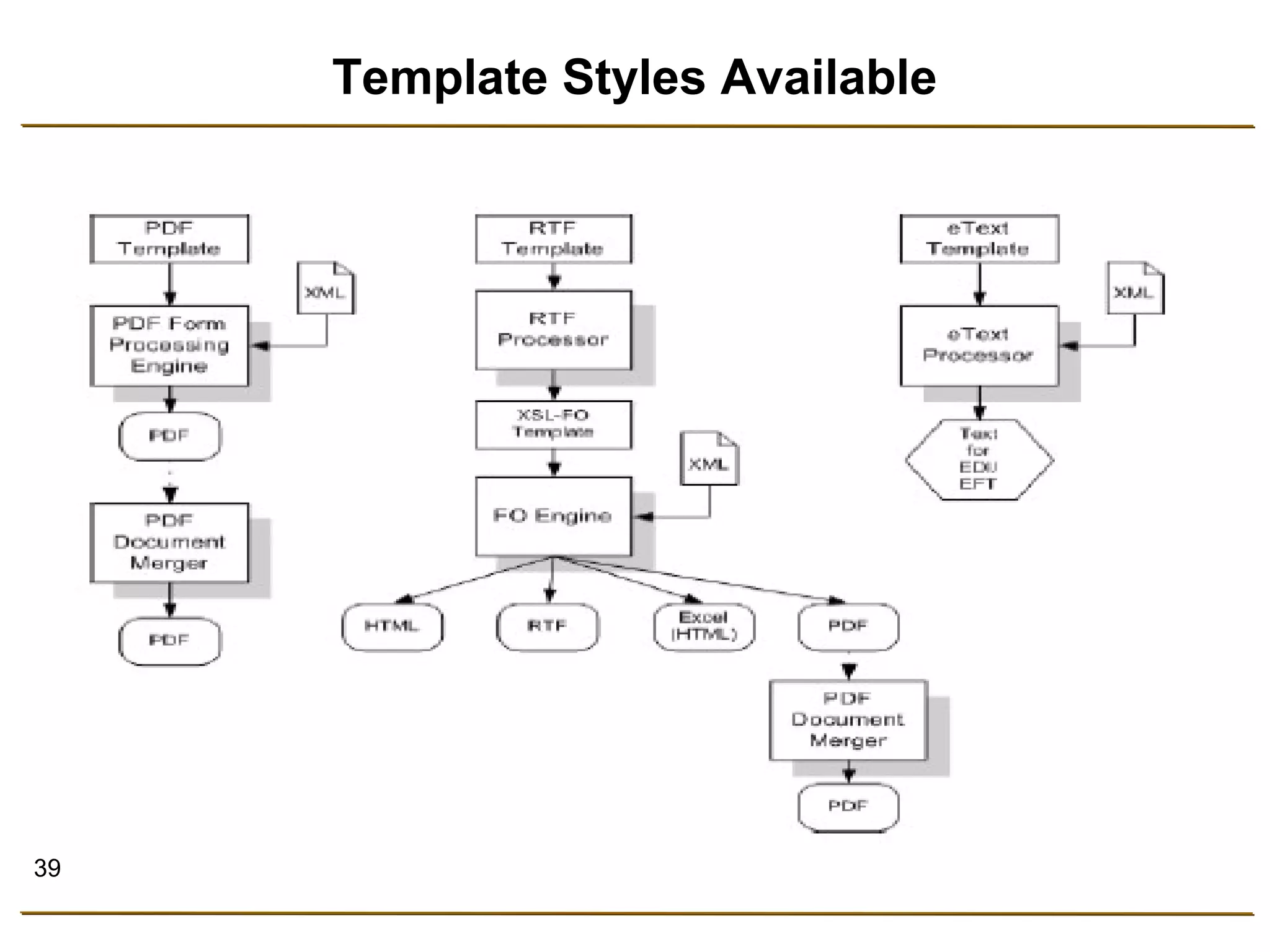
Template Styles Available
40 
Designing the Layout 
The RTF layout can be designed using the Standard 
features in Word. 
• Select the size, font, and alignment of text 
• Insert bullets and numbering 
• Draw borders around paragraphs 
• Include a watermark 
• Include images (jpg, gif,) 
• Use table auto formatting features 
• Insert a header and footer
41 
Multiple Language and Font Support 
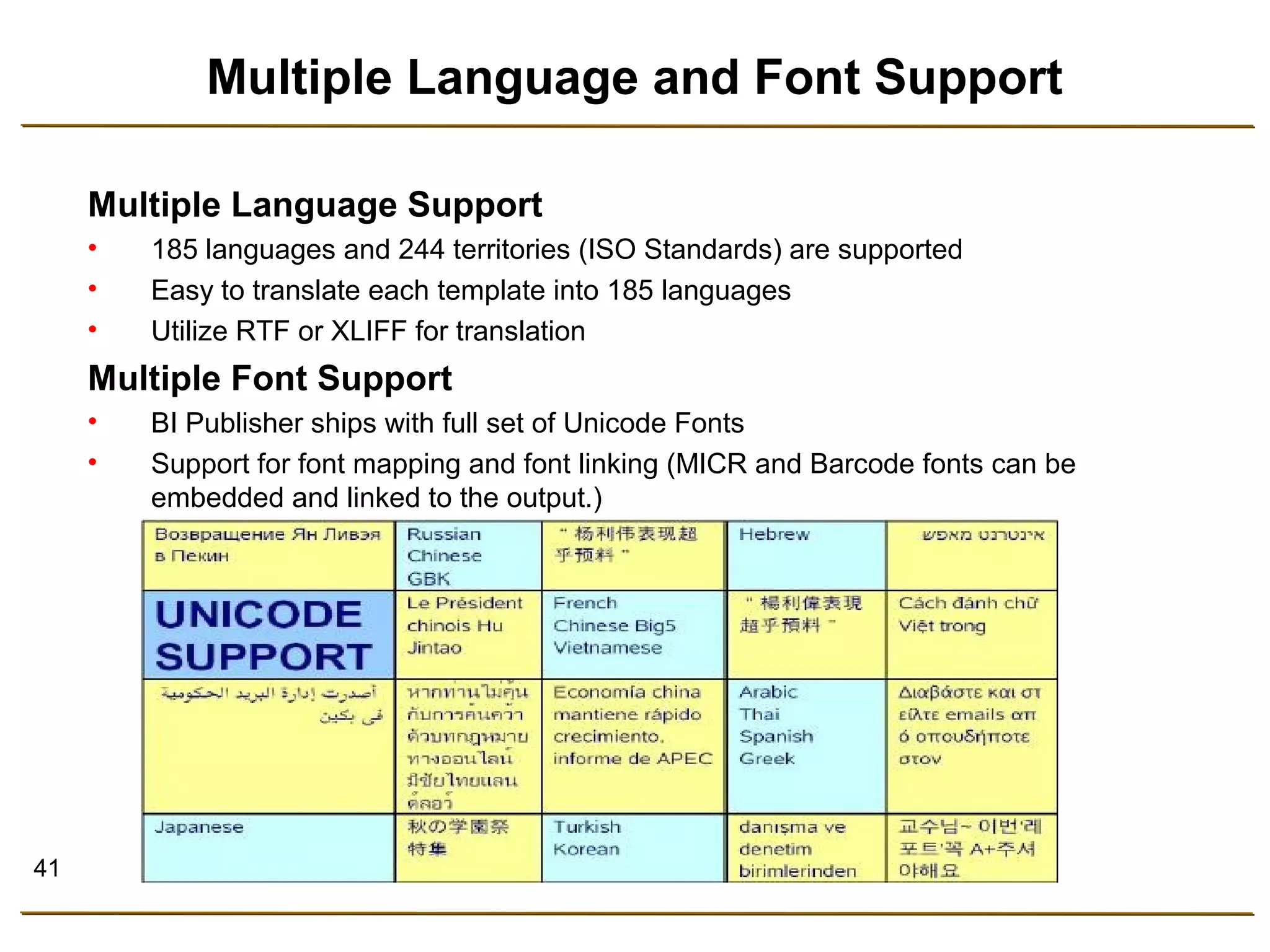
Multiple Language Support 
• 185 languages and 244 territories (ISO Standards) are supported 
• Easy to translate each template into 185 languages 
• Utilize RTF or XLIFF for translation 
Multiple Font Support 
• BI Publisher ships with full set of Unicode Fonts 
• Support for font mapping and font linking (MICR and Barcode fonts can be 
embedded and linked to the output.)
42 
Security 
BI Publisher allows the user to produce secure PDF output, with 
security levels covering the following 
• Read only / Editable 
• Copy Text 
• Printable 
• Password Protection
43 
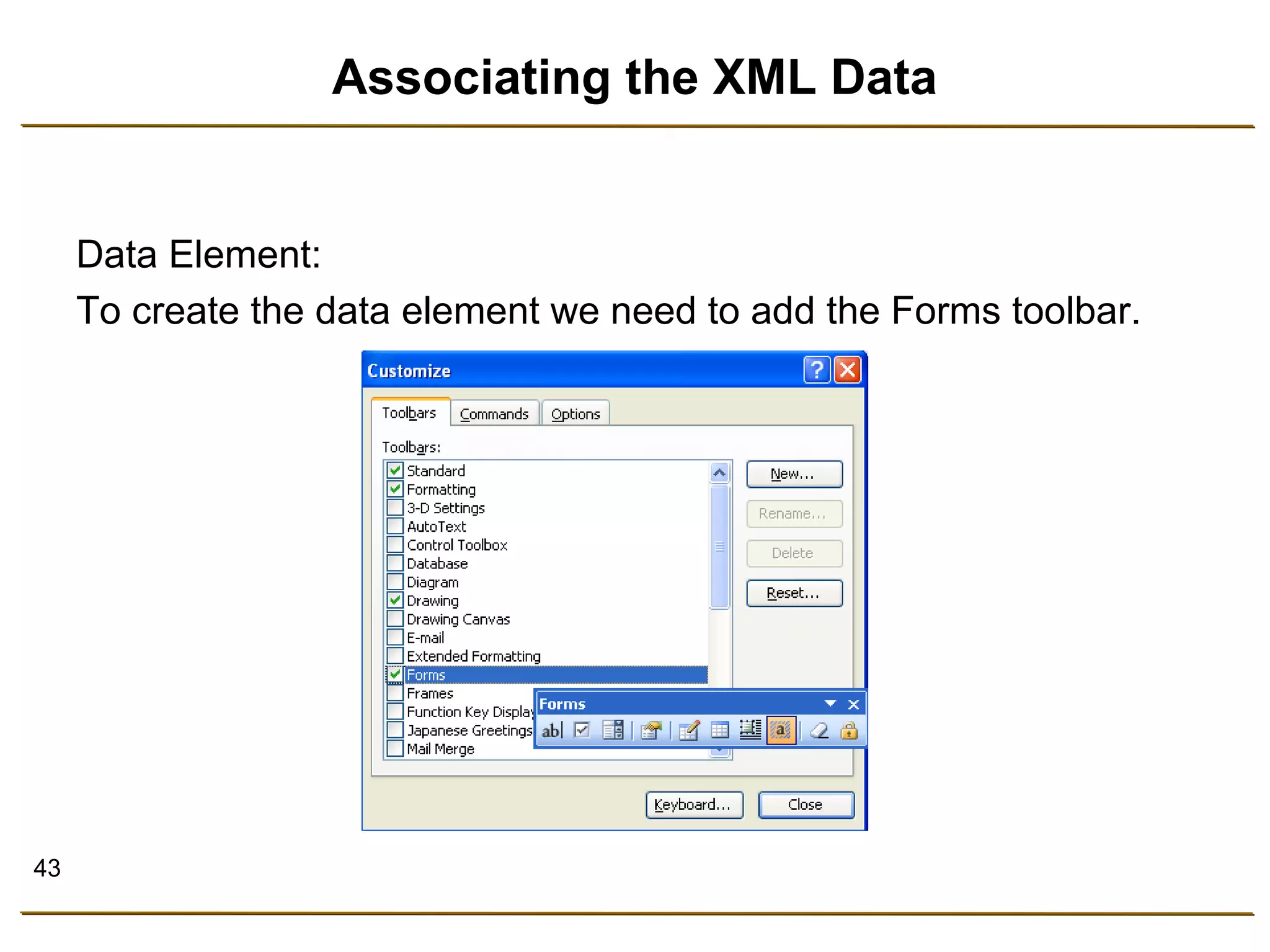
Associating the XML Data 
Data Element: 
To create the data element we need to add the Forms toolbar.
44 
Text Form Field 
• Text Form Field is used to reference the XML Data.
45 
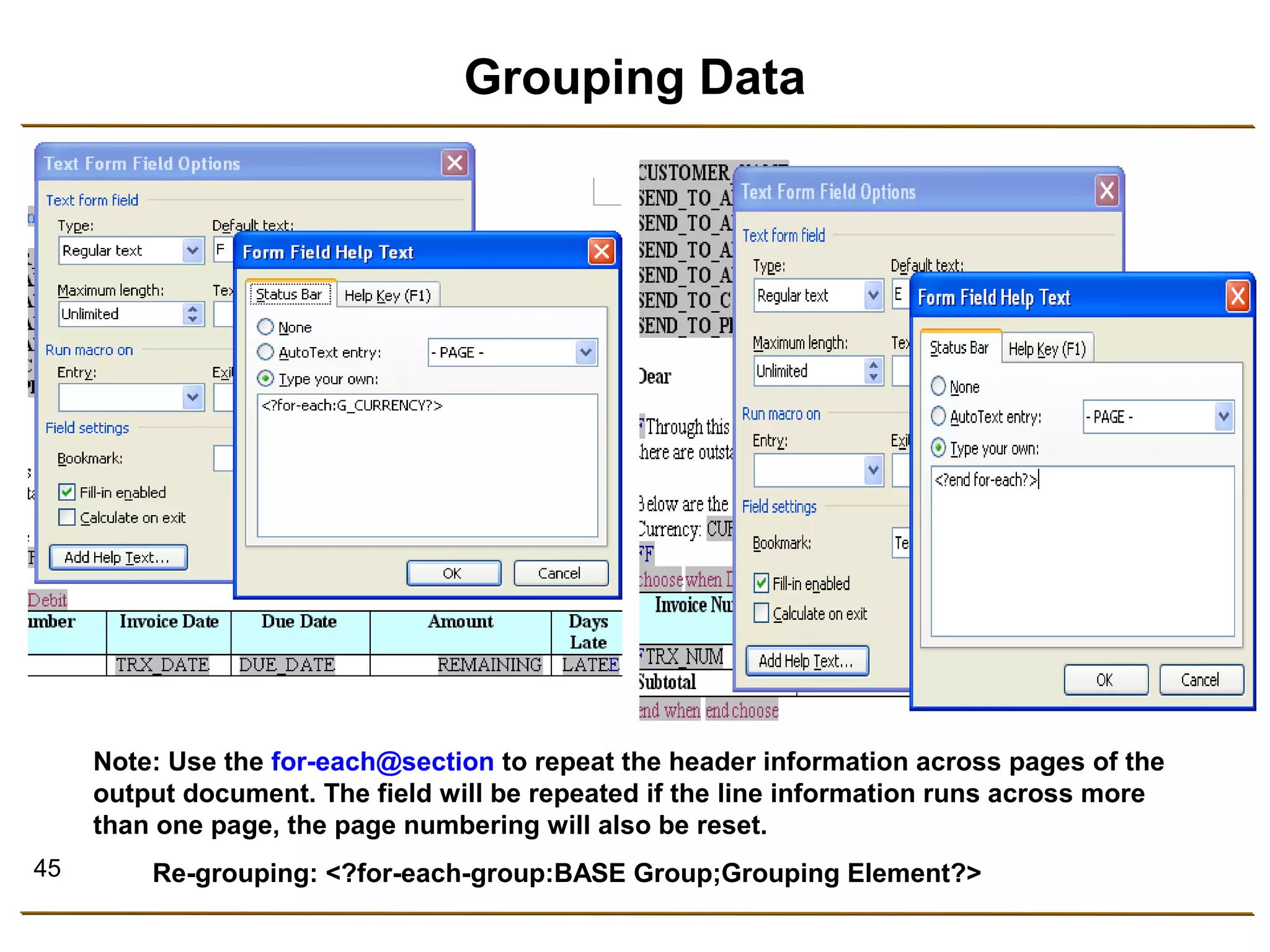
Grouping Data 
Note: Use the for-each@section to repeat the header information across pages of the 
output document. The field will be repeated if the line information runs across more 
than one page, the page numbering will also be reset. 
Re-grouping: <?for-each-group:BASE Group;Grouping Element?>
46 
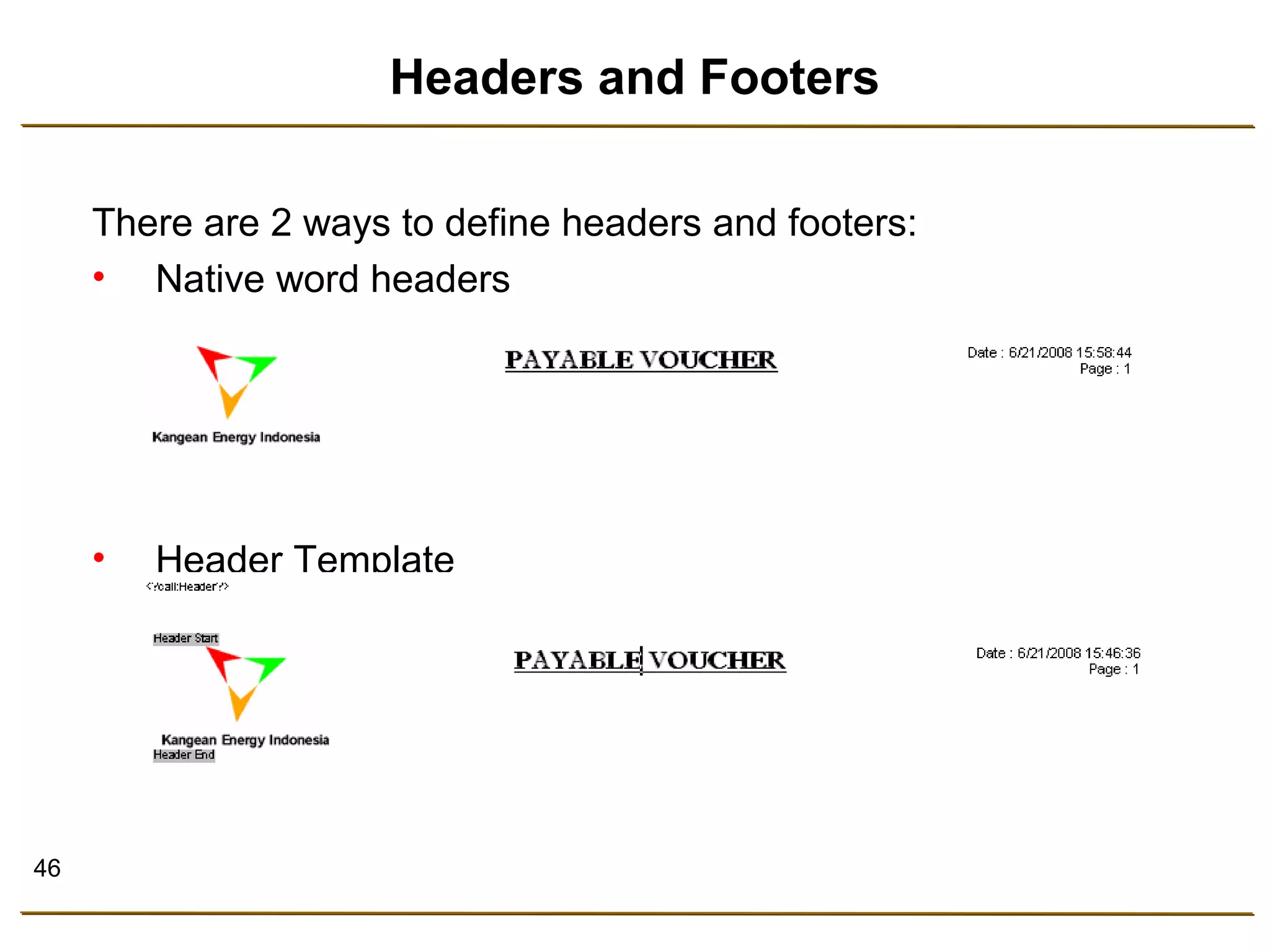
Headers and Footers 
There are 2 ways to define headers and footers: 
• Native word headers 
• Header Template
47 
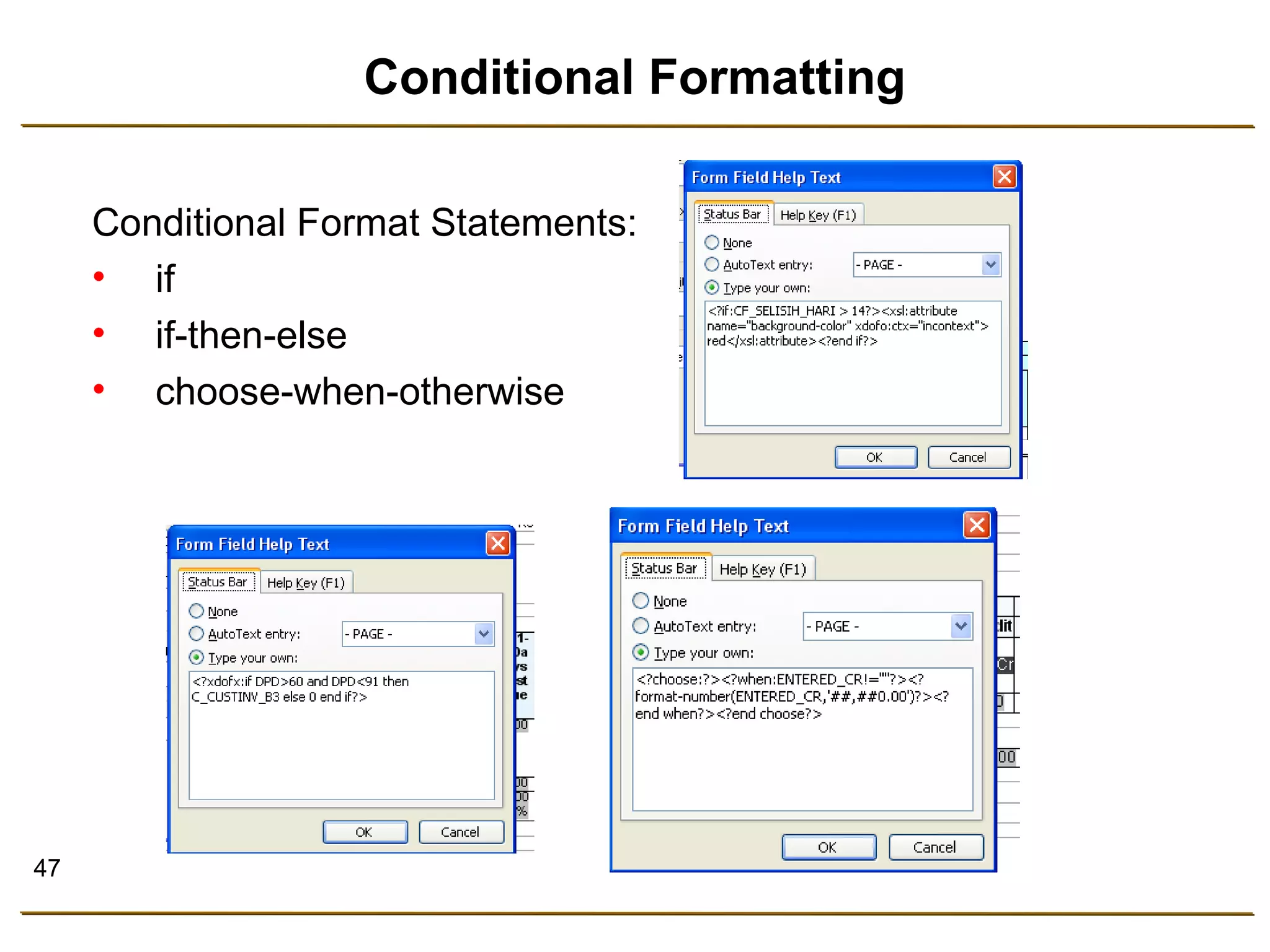
Conditional Formatting 
Conditional Format Statements: 
• if 
• if-then-else 
• choose-when-otherwise
48 
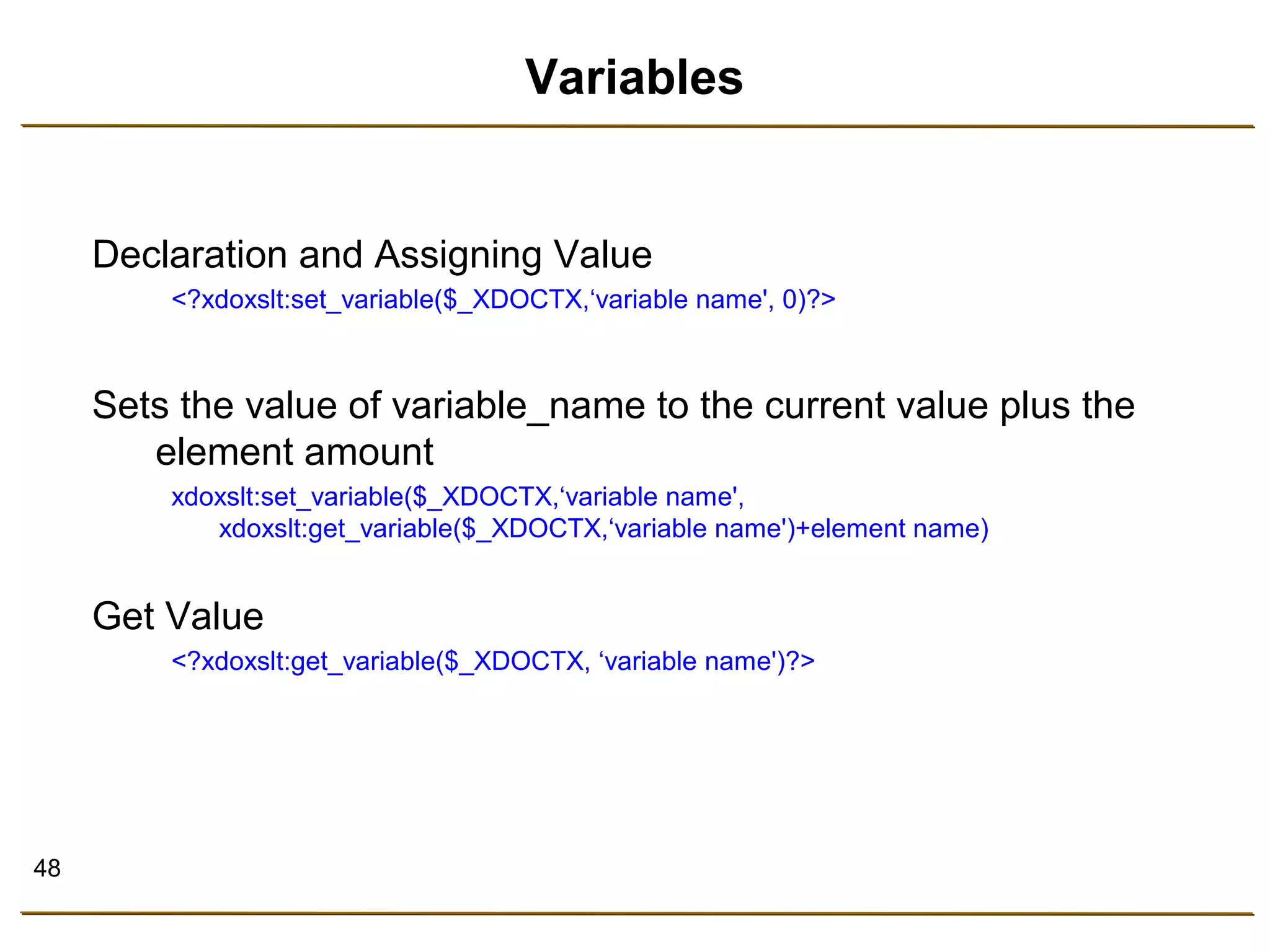
Variables 
Declaration and Assigning Value 
<?xdoxslt:set_variable($_XDOCTX,‘variable name', 0)?> 
Sets the value of variable_name to the current value plus the 
element amount 
xdoxslt:set_variable($_XDOCTX,‘variable name', 
xdoxslt:get_variable($_XDOCTX,‘variable name')+element name) 
Get Value 
<?xdoxslt:get_variable($_XDOCTX, ‘variable name')?>
49 
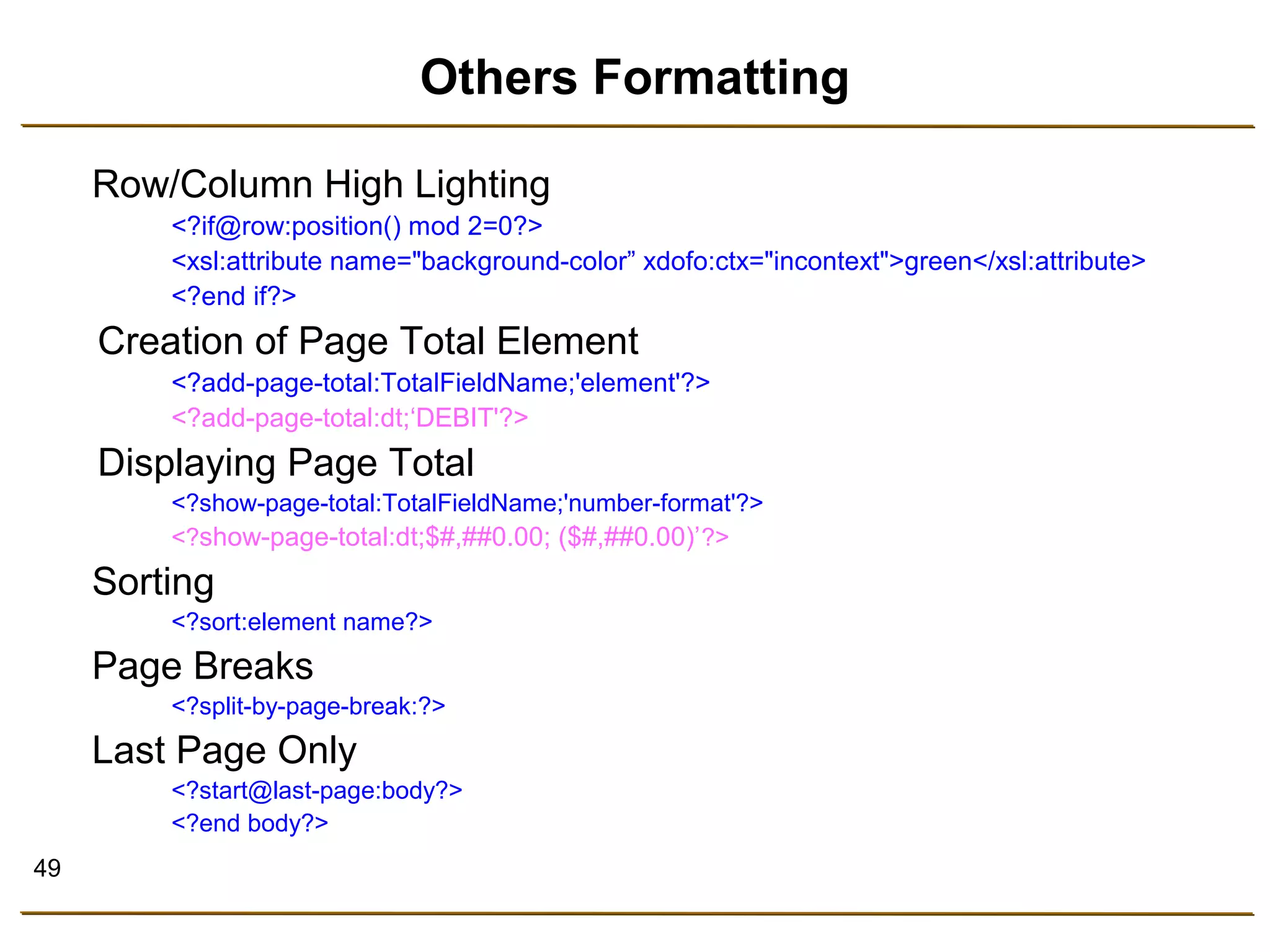
Others Formatting 
Row/Column High Lighting 
<?if@row:position() mod 2=0?> 
<xsl:attribute name="background-color” xdofo:ctx="incontext">green</xsl:attribute> 
<?end if?> 
Creation of Page Total Element 
<?add-page-total:TotalFieldName;'element'?> 
<?add-page-total:dt;‘DEBIT'?> 
Displaying Page Total 
<?show-page-total:TotalFieldName;'number-format'?> 
<?show-page-total:dt;$#,##0.00; ($#,##0.00)’?> 
Sorting 
<?sort:element name?> 
Page Breaks 
<?split-by-page-break:?> 
Last Page Only 
<?start@last-page:body?> 
<?end body?>
50 
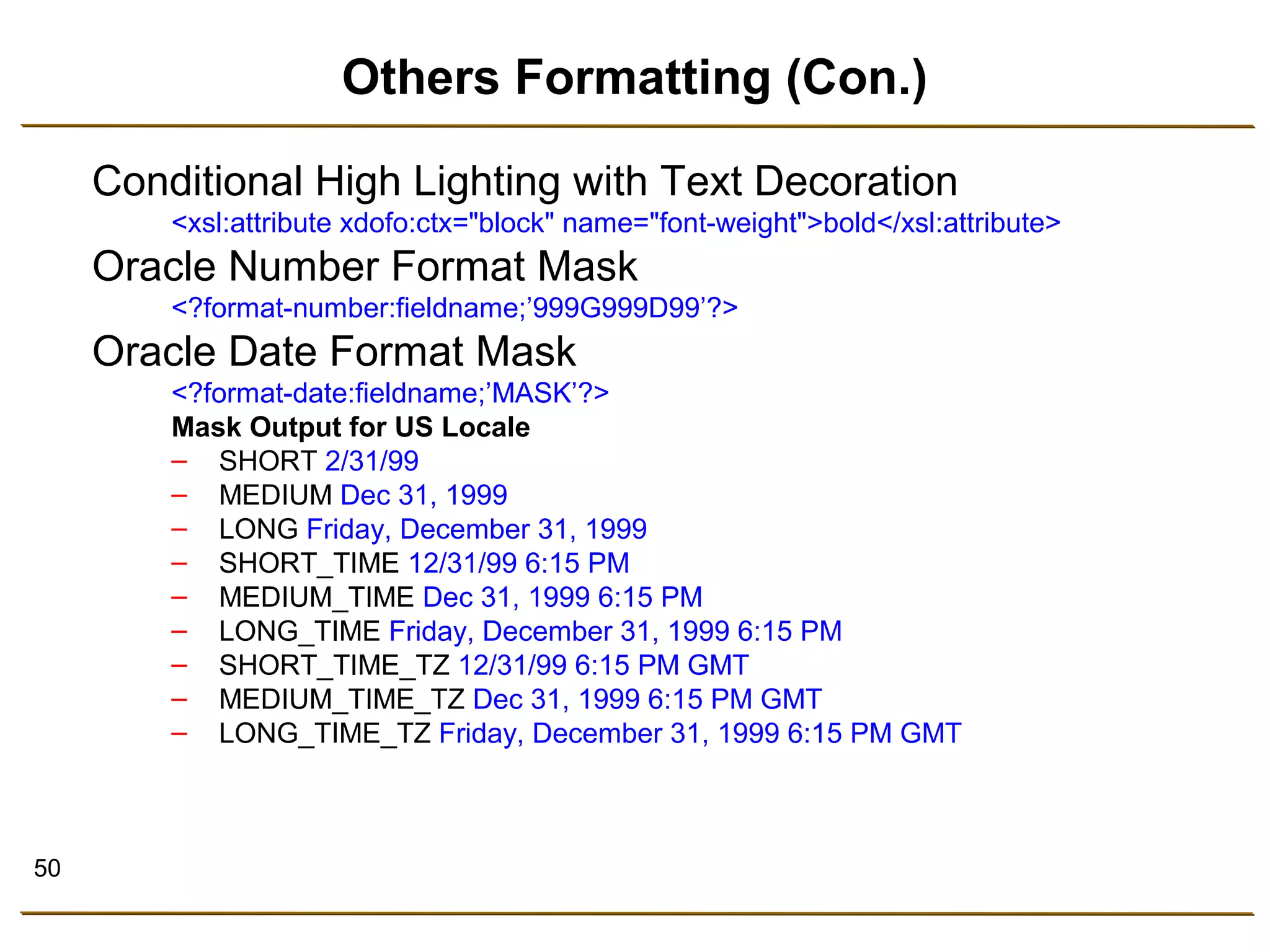
Others Formatting (Con.) 
Conditional High Lighting with Text Decoration 
<xsl:attribute xdofo:ctx="block" name="font-weight">bold</xsl:attribute> 
Oracle Number Format Mask 
<?format-number:fieldname;’999G999D99’?> 
Oracle Date Format Mask 
<?format-date:fieldname;’MASK’?> 
Mask Output for US Locale 
– SHORT 2/31/99 
– MEDIUM Dec 31, 1999 
– LONG Friday, December 31, 1999 
– SHORT_TIME 12/31/99 6:15 PM 
– MEDIUM_TIME Dec 31, 1999 6:15 PM 
– LONG_TIME Friday, December 31, 1999 6:15 PM 
– SHORT_TIME_TZ 12/31/99 6:15 PM GMT 
– MEDIUM_TIME_TZ Dec 31, 1999 6:15 PM GMT 
– LONG_TIME_TZ Friday, December 31, 1999 6:15 PM GMT
51 
XPATH Notations 
Notation Meaning 
. Current Node 
.. Parent 
// All elements in the 
XML document 
/ Descendants 
@ Attribute 
[ ] To Specify Conditions
52 
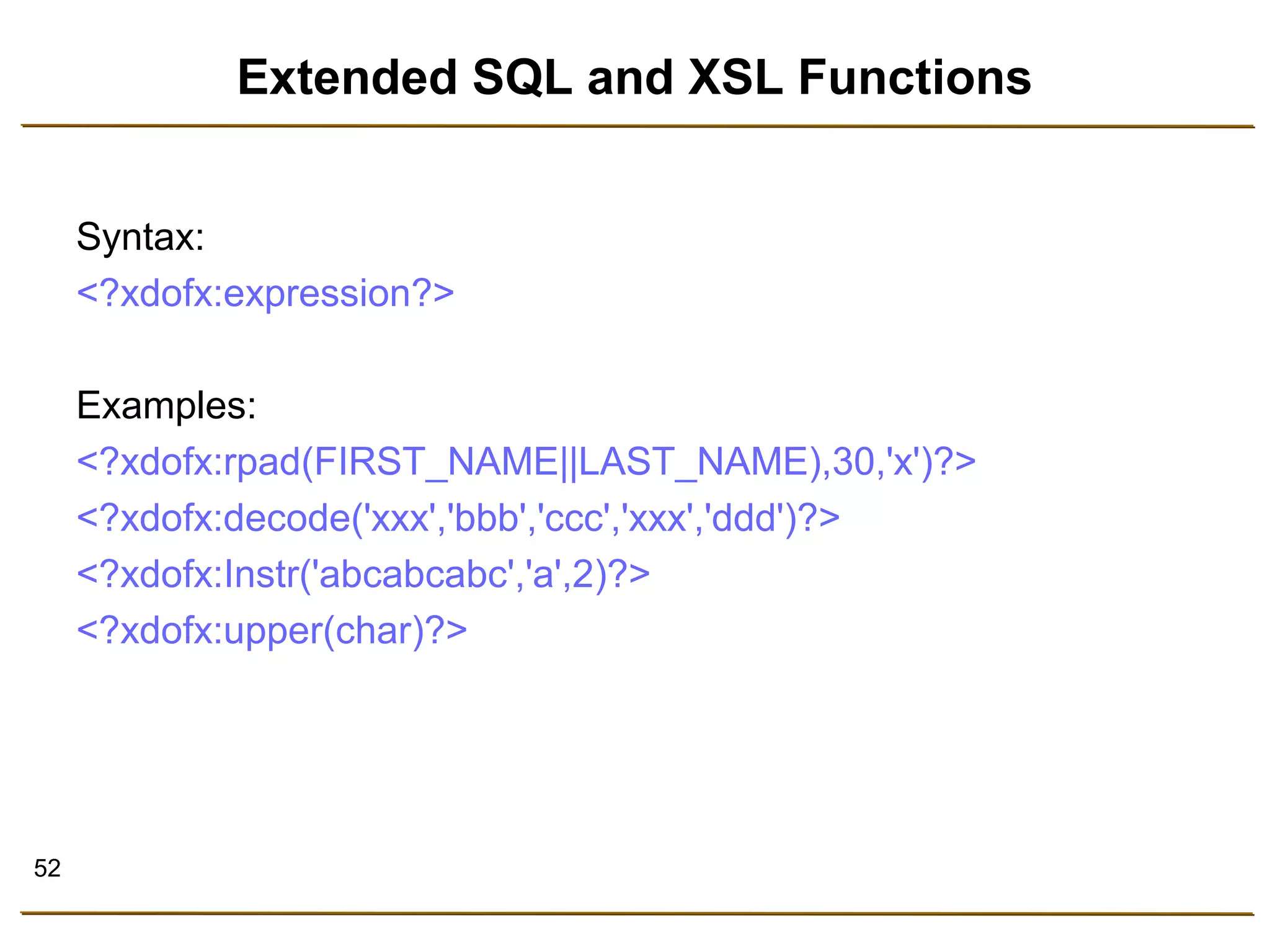
Extended SQL and XSL Functions 
Syntax: 
<?xdofx:expression?> 
Examples: 
<?xdofx:rpad(FIRST_NAME||LAST_NAME),30,'x')?> 
<?xdofx:decode('xxx','bbb','ccc','xxx','ddd')?> 
<?xdofx:Instr('abcabcabc','a',2)?> 
<?xdofx:upper(char)?>
53 
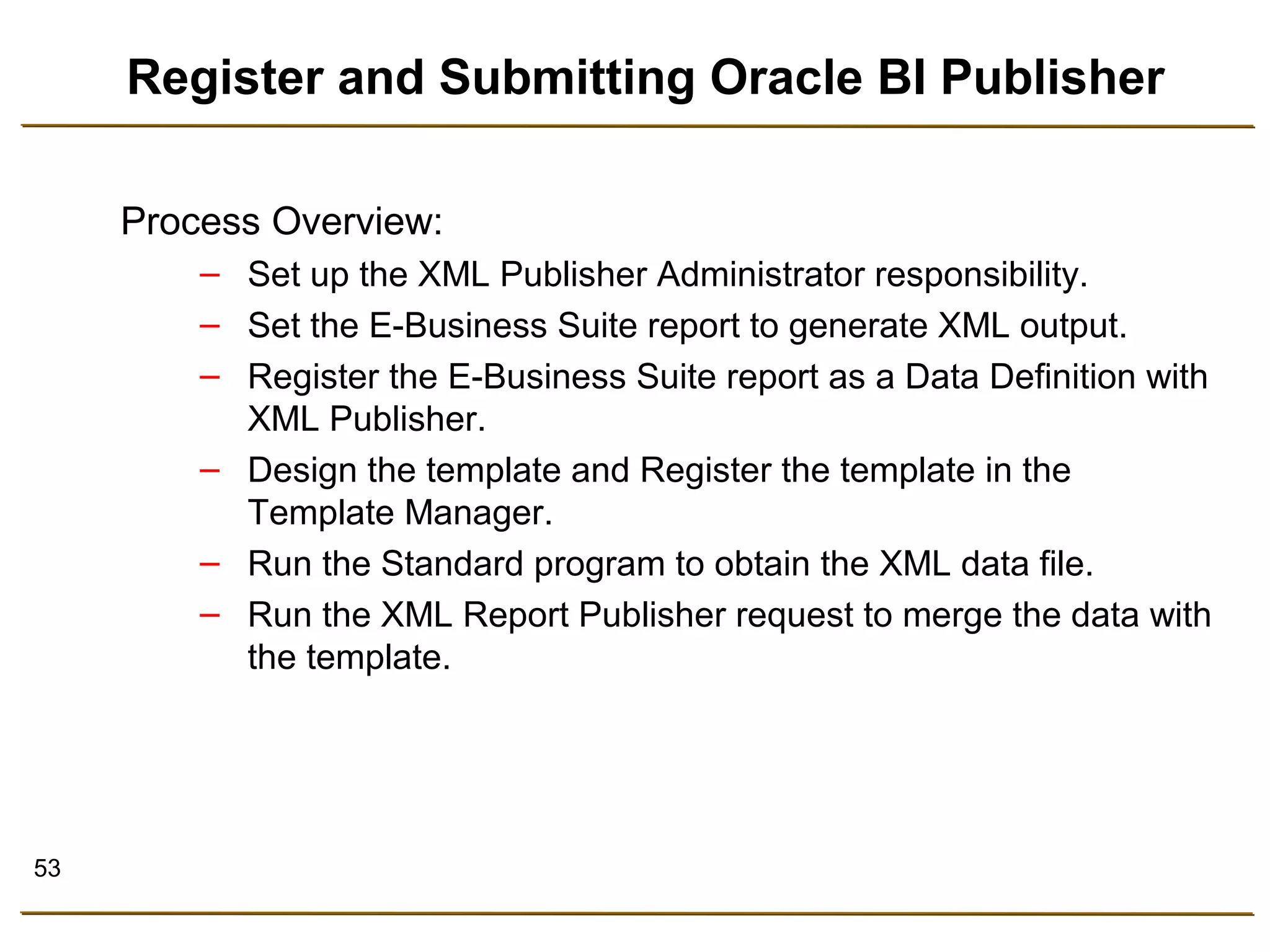
Register and Submitting Oracle BI Publisher 
Process Overview: 
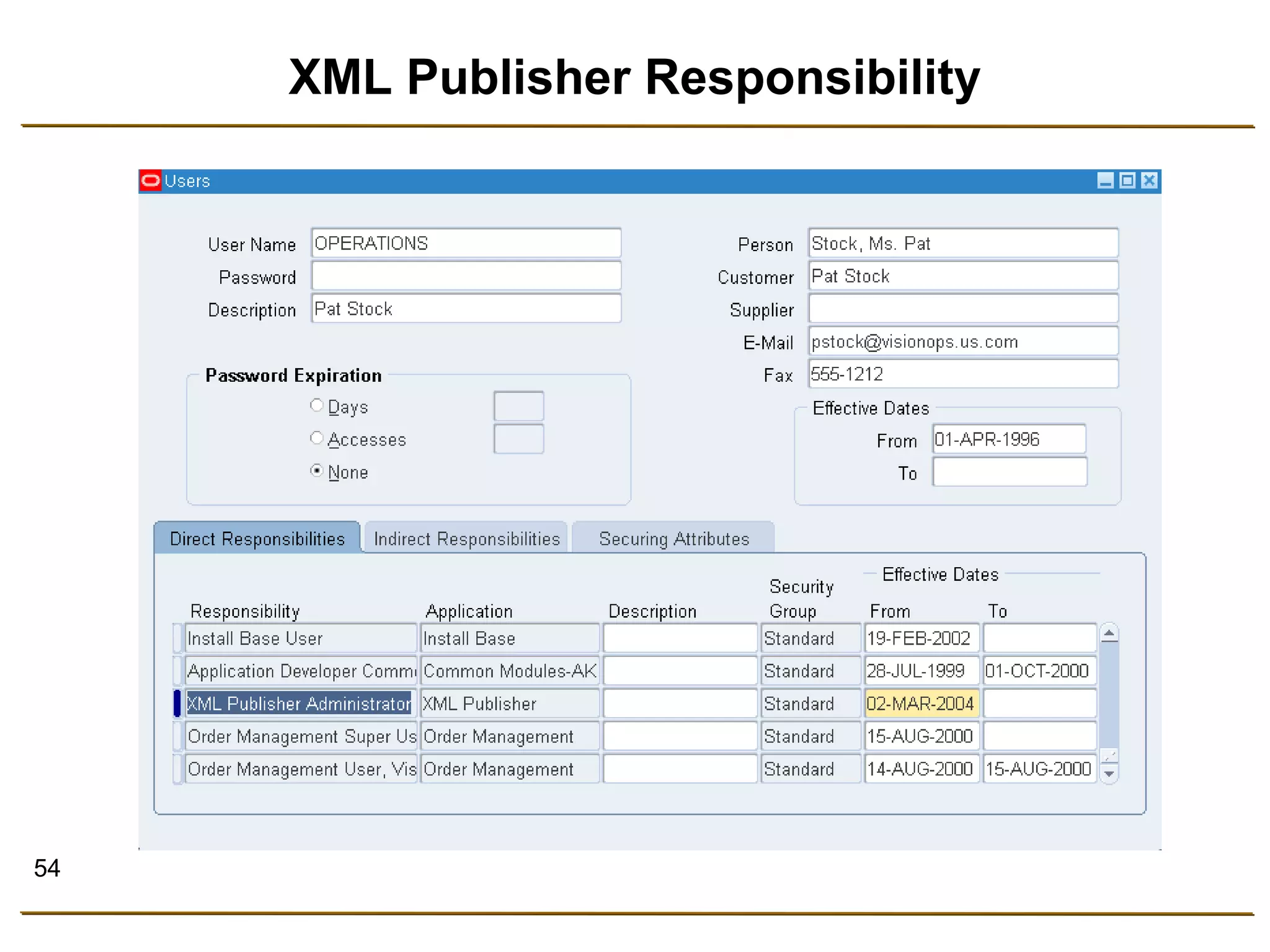
– Set up the XML Publisher Administrator responsibility. 
– Set the E-Business Suite report to generate XML output. 
– Register the E-Business Suite report as a Data Definition with 
XML Publisher. 
– Design the template and Register the template in the 
Template Manager. 
– Run the Standard program to obtain the XML data file. 
– Run the XML Report Publisher request to merge the data with 
the template.
54 
XML Publisher Responsibility
55 
Define Data Logic
56 
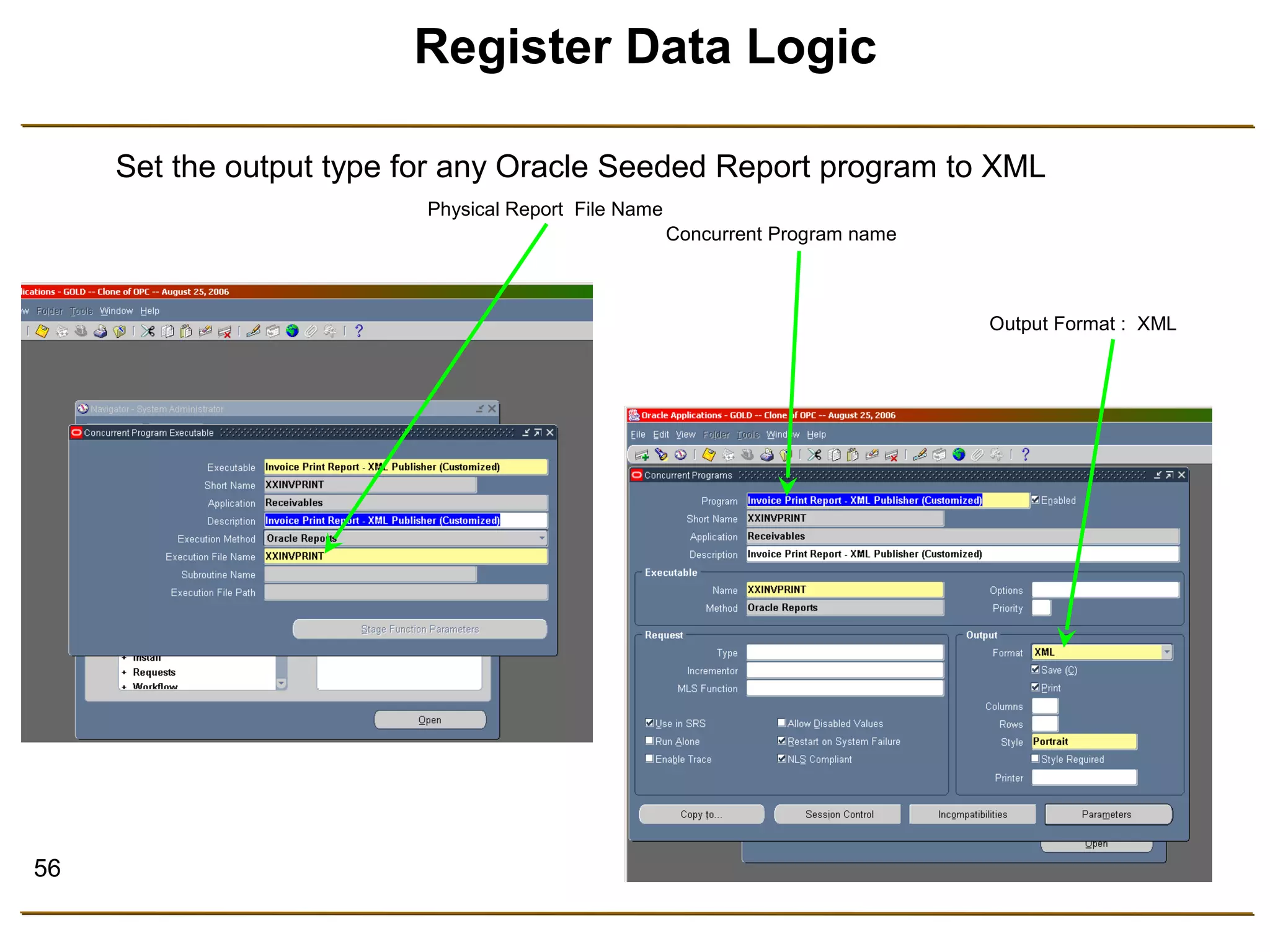
Register Data Logic 
Set the output type for any Oracle Seeded Report program to XML 
Physical Report File Name 
Concurrent Program name 
Output Format : XML
57 
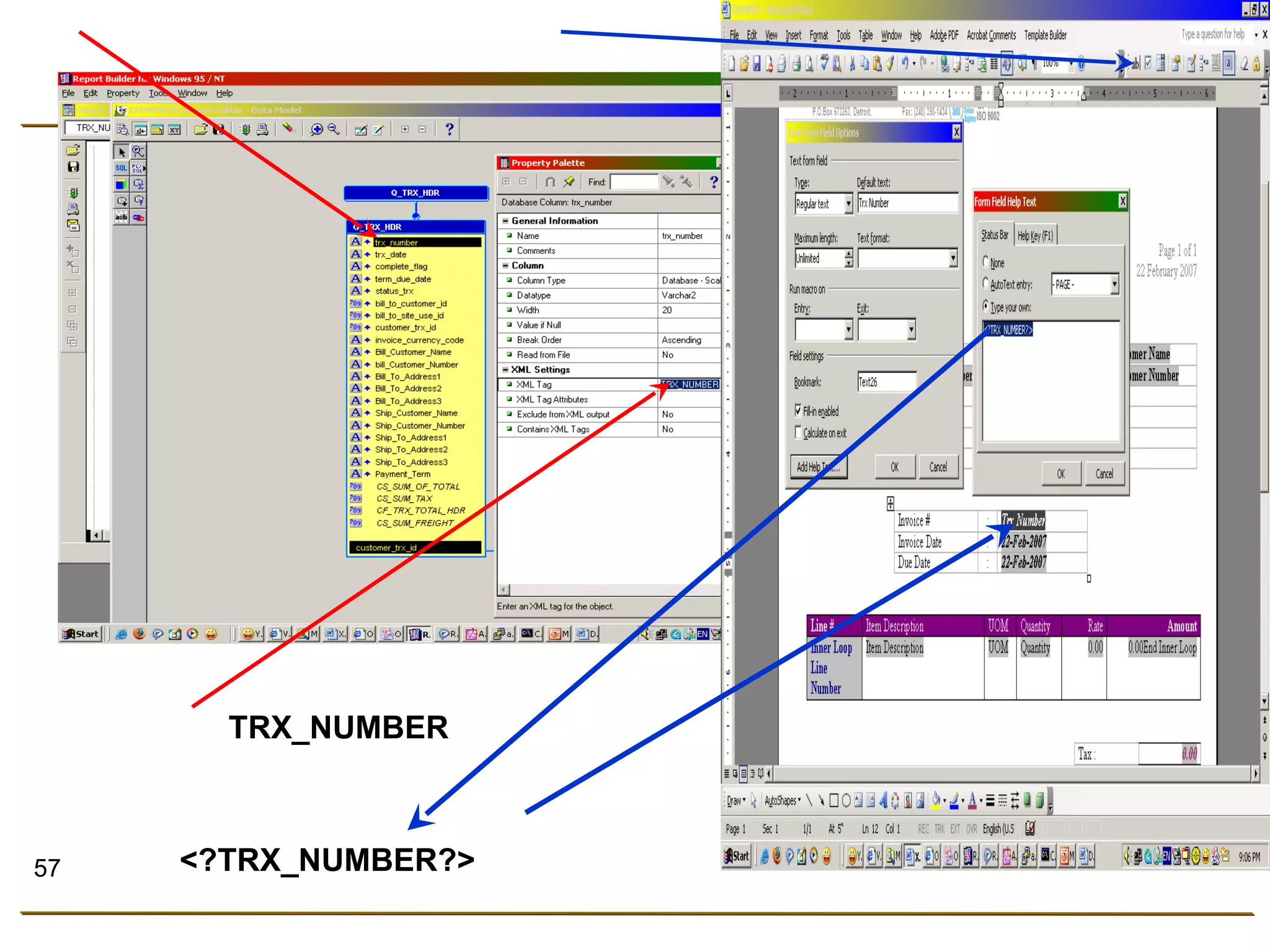
TRX_NUMBER 
<?TRX_NUMBER?>
58 
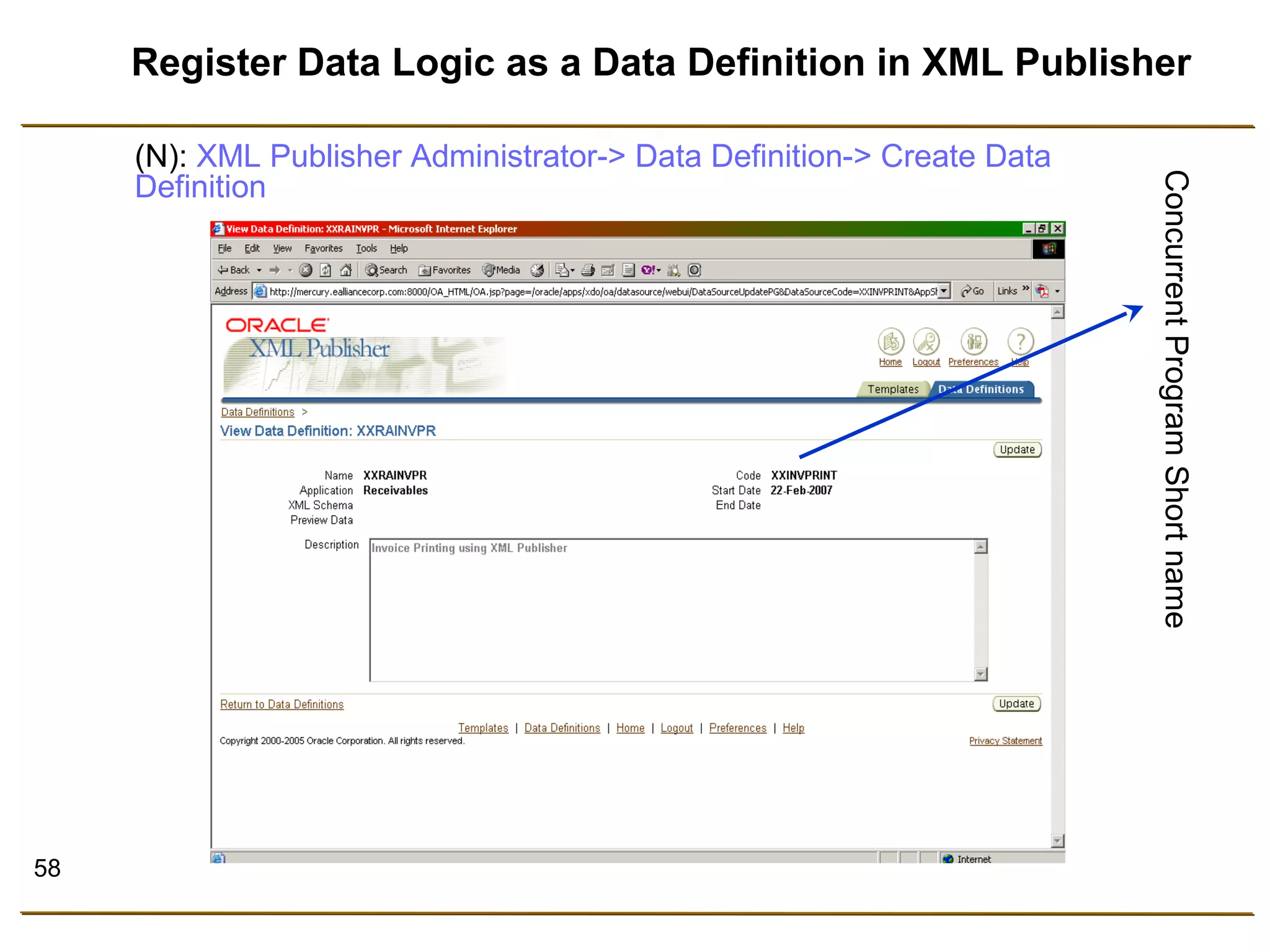
Register Data Logic as a Data Definition in XML Publisher 
Concurrent Program Short name 
(N): XML Publisher Administrator-> Data Definition-> Create Data 
Definition
59 
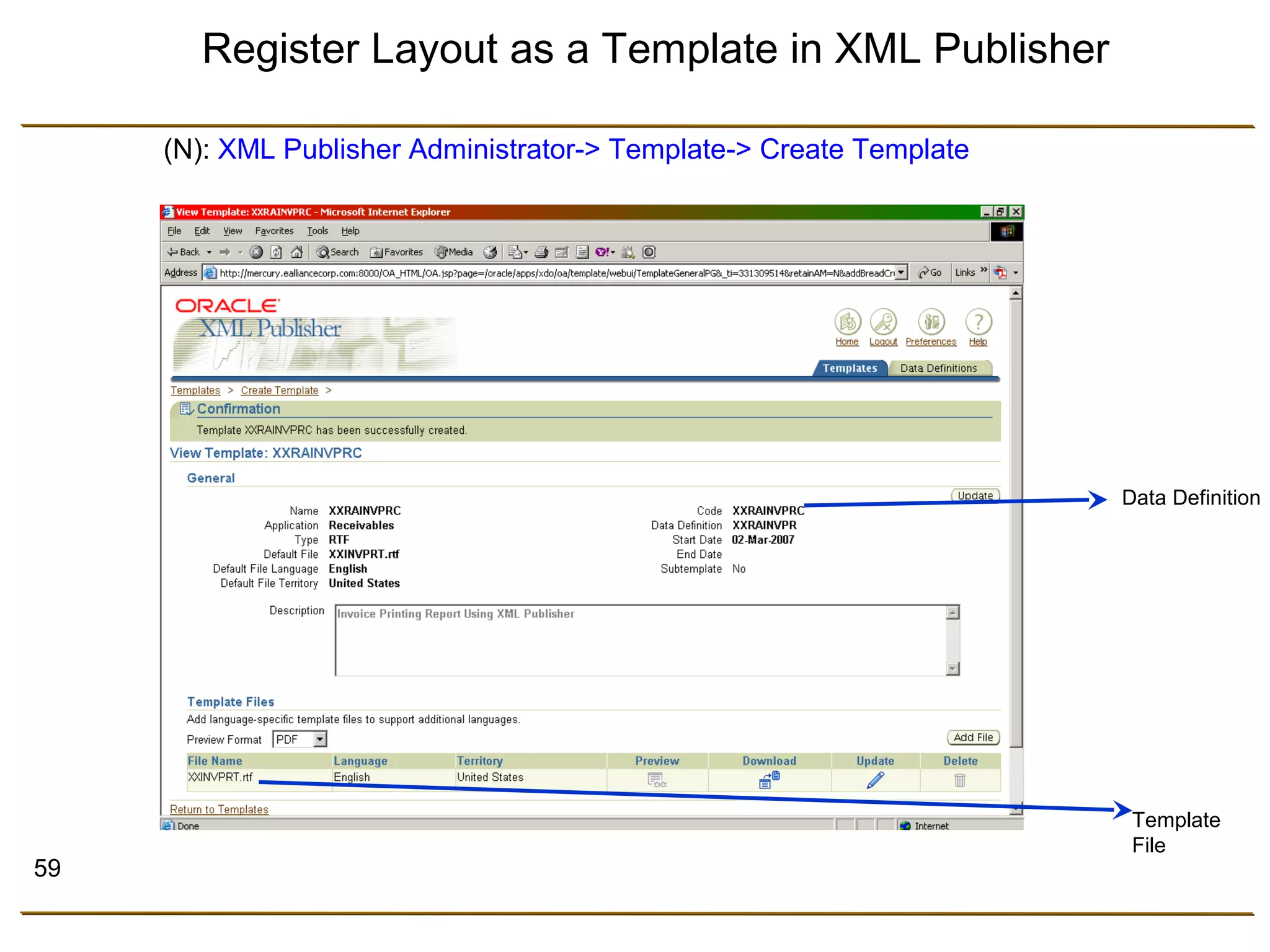
Data Definition 
Template 
File 
Register Layout as a Template in XML Publisher 
(N): XML Publisher Administrator-> Template-> Create Template
60 
Submitting the Concurrent Request 
• Run the concurrent program via SRS (Standard Request 
Submission) 
• Click Option Button 
• On the Option dialog box, choose desired template, 
language and output type that you want.
61 
Submit Registered Data Logic Program 
Concurrent Program Name 
Template Name
62 
Concurrent Program XML Output 
XML Tags
63 
Next Actions 
• Demo of Oracle BI Publisher features 
• Practice Oracle BI Publisher reporting tool
64 
Demo 
• Overview Template Builder / BI Publisher Desktop 
• Invoice 
• Localization and Translation 
• Chart and Cross Tab
65 
Summary 
• Oracle BI Publisher is a new, innovative reporting and 
output management solution that is designed to lower 
the total cost of ownership of reporting and document 
output management.
66 
References 
• http://www.oralce.com/technology/products/xml-publisher/index.html 
• http://www.oracle.com/technology/products/xml-publisher/ 
xmlpsamples.html 
• http://blogs.oracle.com/xmlpublisher/ 
• http://ediyanto83.wordpress.com 
• http://www.slideshare.net/ediyanto83 
• http://w3schools.com/ 
• http://metalink.oracle.com
67

Oracle XML Publisher / BI Publisher

  • 1.
    Reporting System with BI Publisher Edi Yanto edi.y4nto@gmail.com Oracle Applications Technical Consultant
  • 2.
    2 Course Objectives After completing this course, you should be able to do the following: • Explain the basic concepts and uses of BI Publisher • Explain the advantages of reporting system with Oracle BI Publisher tool • Create and use an Rich Text Format (RTF) template • Deploy and maintain BI Publisher Reports in an E-Business Suite instance
  • 3.
    3 Course Agenda • Oracle BI Publisher Overview • Install Oracle BI Publisher Desktop • Creating Reports in Oracle E-Business Suite Using BIP – Generate XML file using Concurrent Manager – Creating RTF Report Templates – Using the Design Helper Plug-in – Creating Data Definition for the report – Using Template Manager to upload the report – Running BI Publisher Reports • Translation and Localization • Grouping and Subtotals • Adding Header and Footer Information • Date and Number Formatting
  • 4.
    4 Course Agenda(Con.) • Repeating Header With Resetting The Page Numbering For Each New Header • Adding Chart and Image • Using Conditional Formatting • Using Cross Tab Functionality • Adding Updateable Variables To The Template • BIP Security • Creating Report from Data Template • Administering BI Publisher in an Oracle E-Business Suite
  • 5.
    5 Oracle BIPublisher Overview • What is Oracle BI Publisher (BIP) ? • Why Oracle BI Publisher ? • Classic Report Issues • Oracle BI Publisher Usage • Designing using Oracle BI Publisher Desktop • Register and Submitting BI Publisher • Demo & Practice
  • 6.
    6 Oracle BIPublisher Oracle BI Publisher is a new Java-based product available with the technology stacks of EBS, PeopleSoft, Siebels, JD Edwards and BI Enterprise Edition (OBIEE). It provides users with: • A template-based, easy-to-use publishing solution • A tool to rapidly develop and maintain report formats
  • 7.
    7 Oracle BIPublisher Concept • Separate data / layout / translation Report output Data Logic Layout Translation BI Publisher XML EFT Rapid Development Greater Flexibility Reduce Maintenance Cost
  • 8.
    8 … fromData to Destination …
  • 9.
    9 Extract Once,Publish Many Times
  • 10.
    10 Oracle BIPublisher Architecture Delivery PDF Word Excel More… XSL Data Server SQL XML Oracle Report Web Services Template XLIFF Translation XML Translation Catalogs Data Handler Template Manager Translation Handler XML EFT Email Printer Fax Repository e-Commerce
  • 11.
    11 Oracle BIPublisher Technology Open Standard Technologies • Pure Java • Pluggable data in XML • Output format in PDF, RTF, HTML and EXCEL • W3C XSL-FO implementation Added Value: – Performance – Security – MLS and Extensions to FO • Support for Internet Printing Protocol, WebDAV, Internet Fax Protocol, and SMTP
  • 12.
    12 Performance andScalability Stream-based Implementation: • Reduces memory footprint • Handles large XML input files • Is the fastest XSL-FO Implementation
  • 13.
  • 14.
    14 Financial Reports What Do You Want To Publish Today ?
  • 15.
  • 16.
  • 17.
  • 18.
  • 19.
  • 20.
  • 21.
  • 22.
    22 Or Maybe….All Of Them One Solutions for All Your Business Documents
  • 23.
    23 Why OracleBI Publisher ?
  • 24.
    Why Oracle BIPublisher? • Reduce complexity • Reduces time to develop, test and deploy • Reduces total cost, including maintenance • Increase developer productivity • Enable flexible customizations • Follow Oracle’s development standard • Enable ease of use
  • 25.
    25 Complex ReportingEnvironments • Highly skilled engineers required to maintain the 3rd party software EFT/EDI • Strong business requirements in reporting area • Have to rely on multiple reporting solutions • 3rd party software and many servers required to satisfy business requirements. servers Costly Complex Systems Expensive Maintenance Time Consuming Labor Intensive
  • 26.
    26 Single SolutionEnvironment • Utilizing Oracle BI Publisher • Apps Integrated Publishing Solutions Meet Business Requirements Remove Complexity Reduce Maintenance Cost Reduce Total Cost Checks Reports XML / EFT / EDI Labels Invoices Destinations
  • 27.
    27 Benefits toStakeholders Business Consultant • Focus on business requirements • Uses familiar tools to prototype report (Excel*, Word or Acrobat) • Higher Productivity Development • Focus on data provisioning IT Consultant • Faster deployment • Report matches prototype • Reduced maintenance End User • Consistent user interface • Report in multiple formats • Language and locale options • Multiple delivery channels
  • 28.
    28 Classic ReportCustomization • 1 data set : 10 layouts : 30 languages >> 300 reports • Requires high skilled engineers for customization High Maintenance Cost High Customization Cost Difficult Upgrade Less Flexibility
  • 29.
    29 Classic ReportCustomization (Con.) Data logic Layout Translation Report file
  • 30.
    30 BI PublisherCustomization • 1 data set : 10 layout templates : 30 translation files automatically generated using XLIFF • Business consultants use familiar desktop tools for layout customization Report Templates XML Data Report Output XSL XML EFT
  • 31.
    31 Benefits ofBI Publisher • Meet Business Requirements • Flexibility • Reduce Complexity • Reduce Maintenance • Reduce Costs
  • 32.
    32 Oracle BIPublisher Usage It’s everywhere…
  • 33.
    38 Designing UsingOracle BI Publisher The report layout can be designed by familiar desktop application (familiar design tools) • Microsoft Word Oracle BI Publisher Desktop • Adobe Acrobat • XSL Editors • Microsoft Excel Oracle BI Publisher Analyzer for Excel P D F R T F Excel X S L
  • 34.
  • 35.
    40 Designing theLayout The RTF layout can be designed using the Standard features in Word. • Select the size, font, and alignment of text • Insert bullets and numbering • Draw borders around paragraphs • Include a watermark • Include images (jpg, gif,) • Use table auto formatting features • Insert a header and footer
  • 36.
    41 Multiple Languageand Font Support Multiple Language Support • 185 languages and 244 territories (ISO Standards) are supported • Easy to translate each template into 185 languages • Utilize RTF or XLIFF for translation Multiple Font Support • BI Publisher ships with full set of Unicode Fonts • Support for font mapping and font linking (MICR and Barcode fonts can be embedded and linked to the output.)
  • 37.
    42 Security BIPublisher allows the user to produce secure PDF output, with security levels covering the following • Read only / Editable • Copy Text • Printable • Password Protection
  • 38.
    43 Associating theXML Data Data Element: To create the data element we need to add the Forms toolbar.
  • 39.
    44 Text FormField • Text Form Field is used to reference the XML Data.
  • 40.
    45 Grouping Data Note: Use the for-each@section to repeat the header information across pages of the output document. The field will be repeated if the line information runs across more than one page, the page numbering will also be reset. Re-grouping: <?for-each-group:BASE Group;Grouping Element?>
  • 41.
    46 Headers andFooters There are 2 ways to define headers and footers: • Native word headers • Header Template
  • 42.
    47 Conditional Formatting Conditional Format Statements: • if • if-then-else • choose-when-otherwise
  • 43.
    48 Variables Declarationand Assigning Value <?xdoxslt:set_variable($_XDOCTX,‘variable name', 0)?> Sets the value of variable_name to the current value plus the element amount xdoxslt:set_variable($_XDOCTX,‘variable name', xdoxslt:get_variable($_XDOCTX,‘variable name')+element name) Get Value <?xdoxslt:get_variable($_XDOCTX, ‘variable name')?>
  • 44.
    49 Others Formatting Row/Column High Lighting <?if@row:position() mod 2=0?> <xsl:attribute name="background-color” xdofo:ctx="incontext">green</xsl:attribute> <?end if?> Creation of Page Total Element <?add-page-total:TotalFieldName;'element'?> <?add-page-total:dt;‘DEBIT'?> Displaying Page Total <?show-page-total:TotalFieldName;'number-format'?> <?show-page-total:dt;$#,##0.00; ($#,##0.00)’?> Sorting <?sort:element name?> Page Breaks <?split-by-page-break:?> Last Page Only <?start@last-page:body?> <?end body?>
  • 45.
    50 Others Formatting(Con.) Conditional High Lighting with Text Decoration <xsl:attribute xdofo:ctx="block" name="font-weight">bold</xsl:attribute> Oracle Number Format Mask <?format-number:fieldname;’999G999D99’?> Oracle Date Format Mask <?format-date:fieldname;’MASK’?> Mask Output for US Locale – SHORT 2/31/99 – MEDIUM Dec 31, 1999 – LONG Friday, December 31, 1999 – SHORT_TIME 12/31/99 6:15 PM – MEDIUM_TIME Dec 31, 1999 6:15 PM – LONG_TIME Friday, December 31, 1999 6:15 PM – SHORT_TIME_TZ 12/31/99 6:15 PM GMT – MEDIUM_TIME_TZ Dec 31, 1999 6:15 PM GMT – LONG_TIME_TZ Friday, December 31, 1999 6:15 PM GMT
  • 46.
    51 XPATH Notations Notation Meaning . Current Node .. Parent // All elements in the XML document / Descendants @ Attribute [ ] To Specify Conditions
  • 47.
    52 Extended SQLand XSL Functions Syntax: <?xdofx:expression?> Examples: <?xdofx:rpad(FIRST_NAME||LAST_NAME),30,'x')?> <?xdofx:decode('xxx','bbb','ccc','xxx','ddd')?> <?xdofx:Instr('abcabcabc','a',2)?> <?xdofx:upper(char)?>
  • 48.
    53 Register andSubmitting Oracle BI Publisher Process Overview: – Set up the XML Publisher Administrator responsibility. – Set the E-Business Suite report to generate XML output. – Register the E-Business Suite report as a Data Definition with XML Publisher. – Design the template and Register the template in the Template Manager. – Run the Standard program to obtain the XML data file. – Run the XML Report Publisher request to merge the data with the template.
  • 49.
    54 XML PublisherResponsibility
  • 50.
  • 51.
    56 Register DataLogic Set the output type for any Oracle Seeded Report program to XML Physical Report File Name Concurrent Program name Output Format : XML
  • 52.
  • 53.
    58 Register DataLogic as a Data Definition in XML Publisher Concurrent Program Short name (N): XML Publisher Administrator-> Data Definition-> Create Data Definition
  • 54.
    59 Data Definition Template File Register Layout as a Template in XML Publisher (N): XML Publisher Administrator-> Template-> Create Template
  • 55.
    60 Submitting theConcurrent Request • Run the concurrent program via SRS (Standard Request Submission) • Click Option Button • On the Option dialog box, choose desired template, language and output type that you want.
  • 56.
    61 Submit RegisteredData Logic Program Concurrent Program Name Template Name
  • 57.
    62 Concurrent ProgramXML Output XML Tags
  • 58.
    63 Next Actions • Demo of Oracle BI Publisher features • Practice Oracle BI Publisher reporting tool
  • 59.
    64 Demo •Overview Template Builder / BI Publisher Desktop • Invoice • Localization and Translation • Chart and Cross Tab
  • 60.
    65 Summary •Oracle BI Publisher is a new, innovative reporting and output management solution that is designed to lower the total cost of ownership of reporting and document output management.
  • 61.
    66 References •http://www.oralce.com/technology/products/xml-publisher/index.html • http://www.oracle.com/technology/products/xml-publisher/ xmlpsamples.html • http://blogs.oracle.com/xmlpublisher/ • http://ediyanto83.wordpress.com • http://www.slideshare.net/ediyanto83 • http://w3schools.com/ • http://metalink.oracle.com
  • 62.

Editor's Notes

  • #8 BI Publisher Concept BI Publisher breaks the three components apart and treats them separately at design time At runtime the three are brought back together by BI Publisher to generate the final formatted, translated output Results: More flexibility than the current model A single data definition can support multiple layouts Multiple translations can be applied at runtime to generate translated output Leads to a reduction in maintenance costs for all concerned
  • #11 BI Publisher is made up of the four modules: Data: Data engines are registered with the data handler Can be any XML source or any engine that generates XML such as Oracle Reports Template: Layout templates to be used for the final output are stored and managed in the Template Manager Templates are created using familiar desktop tools such as MS Word, MS Excel or Adobe Acrobat Translation: Manages the translation that is required at runtime Delivery Server: Takes the output document and delivers it to the printer, email, and etc
  • #12 Oracle BI Publisher has been built on open standard technologies. Pure Java – the product is a pure java solution Pluggable data in XML – the data source is XML Output formats in PDF, RTF, HTML, EXCEL – standard output formats BI Publisher technology is based on an implementation of the W3C XSL-FO standard to transform XML data into an FO object; this contains both data and formatting information that can then be further transformed to an output format such as PDF. Added to the implementation are features to improve performance, increase security, support MLS and extensions to the FO standard to support more complex reporting objects. WebDAV  Web Distribution, Authoring, and Versioning
  • #13 Performance and Scalability The XSL-FO engine that has been developed is not only robust but also fast, this is vital. XML data by its nature generates large objects or files and these can cause serious memory issues during processing. BI Publisher has a stream based implementation that reduces this memory footprint allowing large XML input files to be processed.
  • #26 No single system can currently do all this, you need to invest in 3rd party software and often a dedicated server to achieve this. This leads to an increase in costs and very complex systems. Of course if you have all these extra servers and software on your system you will need skilled engineers to maintain them. Further cost to you and extremely labor intensive.
  • #28 To summarize, all parties win from report developers to the end user when using Oracle BI Publisher. End User – The end user is presented with a richer report offering from the e-Business Suite. Reports in multiple formats with multiple delivery options are now available directly from the applications suite; the language and locale options have been improved and this all comes through a consistent user interface. Business Consultant – traditionally the business consultant would gather the business requirements and then describe the report that was required in a document and pass this to the IT consultant for implementation. The business consultant now has a set of familiar desktop applications that can be used to design the report format itself, this will ensure the report will meet all the business requirements that are in scope and it will look exactly as the consultant has designed it. IT Consultant – the IT consultant will now receive a document that is the actual report format as designed by the business consultant. The time to develop, deploy and test will be greatly reduced; the cost of on going maintenance will also be reduced. Development – are now able to focus on generating XML data from the e-Business Suite schema to satisfy multiple requirements, now development is free from ‘1 data definition : 1 report layout’ there is a move toward generating larger data engines that can satisfy a larger requirement set. This will provide end users with far greater choice and control over the content of the reports they want to see from the suite.
  • #29 Classic reporting approaches combine the data definition, the layout format and translation in a single source. This leads to large numbers of report files; a single data definition (query) could support several layouts but due to the nature of the report definition file the user has to create and maintain a separate report for each combination. Now add the required translation and the number of report definitions has become huge. Typically the tools used to create these reports are powerful but complex and require a high level of technical training to be used effectively. If a company takes a development delivered report and has to customize it the only option they have is to take a copy of that report definition, make the changes they require and then use it. If development upgrade the base report then any changes will need to be propagated through to the customized report. These three factors lead to an increase in maintenance and customization costs and an extremely difficult and complex upgrade.
  • #30 The classic approach to reporting is to combine all of the elements of a report into a single entity: Data definition Layout Translation Results: Report file is very unwieldy and causes problems due to its inflexibility If a report is required that has even a minor layout change a new report file must be created to support the new requirement even thou the data definition is exactly the same If another version of a report is required at runtime in a different language then a new report file must be created to support the new language This model leads to more time and expense in maintaining report files
  • #31 Oracle BI Publisher simplifies the whole customization process and combines this with reducing costs. The traditional approach of combining the data definition, format and translation in a single entity is thrown out in favor of breaking the three components apart. With the three pieces now separated the whole model is simplified. Data Definition - The data definition exists as a single entity, an Oracle Report, PL/SQL package, Service Bean, etc but it now just becomes an ‘XML Data Engine’ that can service not only a reporting need but can fulfill other requirements e.g. B2B communication along with other reports. Report Templates – The technology behind BI Publisher is a W3C standard, XSL-FO. There are many XSL editors currently in the market that can be used to create report formats. BI Publisher also allows the user to create layouts using Microsoft Word, Microsoft Excel and Adobe Acrobat, these familiar desktop tools make report template design and much simpler proposition for users and can be designed comfortably by business analysts rather than an IT specialist. Translation – BI Publisher is able to extract the report boilerplate to an XLIFF format. These files can then be translated by 3rd party translation companies. At runtime the three components are brought together by BI Publisher to generate the required output.