User Testing:
 The Gory Tactical Details


Cindy Alvarez
The Experience is the Product -
http://www.cindyalvarez.com

                                  Copyright 2009 Cindy Alvarez
What We’ll Cover
• Why In-Person User Testing?
• Methodology
• Setting Up
• Running the Test
• Followup


                                Copyright 2009 Cindy Alvarez
My Background
• 10 years running product design and
  product management for startups of
  various sizes
• Designed/managed products used by
  millions on sites like Bank of America,
  American Express, AOL, PCWorld, US
  News, Sega.com
• Average yearly user testing budget:
  $3,000

                                     Copyright 2009 Cindy Alvarez
What You Can Learn For $700

 • How do people complete this task?
 • How well do they understand what
   they’re doing?
 • What issues are hidden by successful
   completion rates?
 • What would they not even dream of
   asking for?


                                    Copyright 2009 Cindy Alvarez
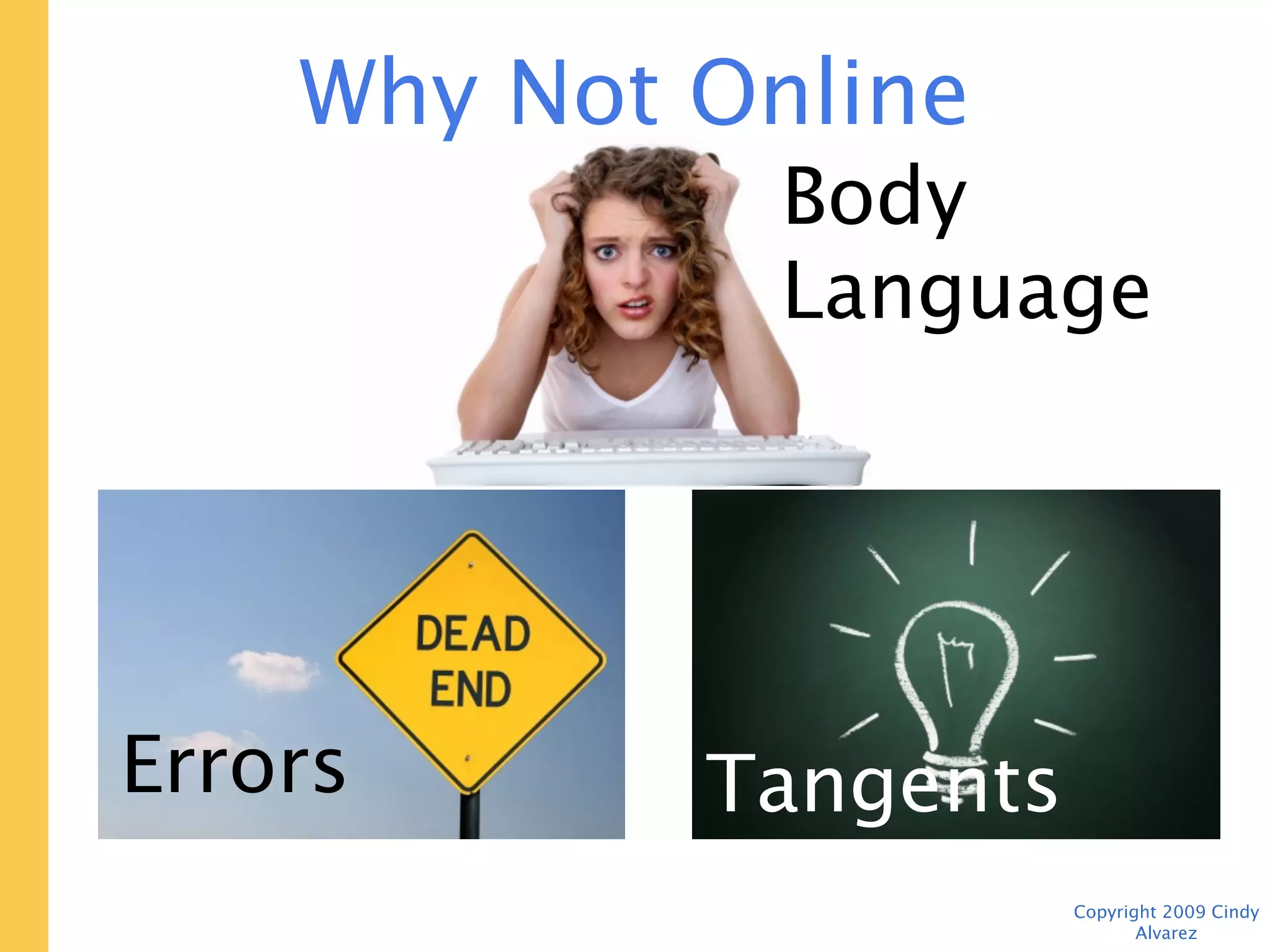
Why Not Online Testing?
                Body Language


              Tangents


Errors

                         Copyright 2009 Cindy Alvarez
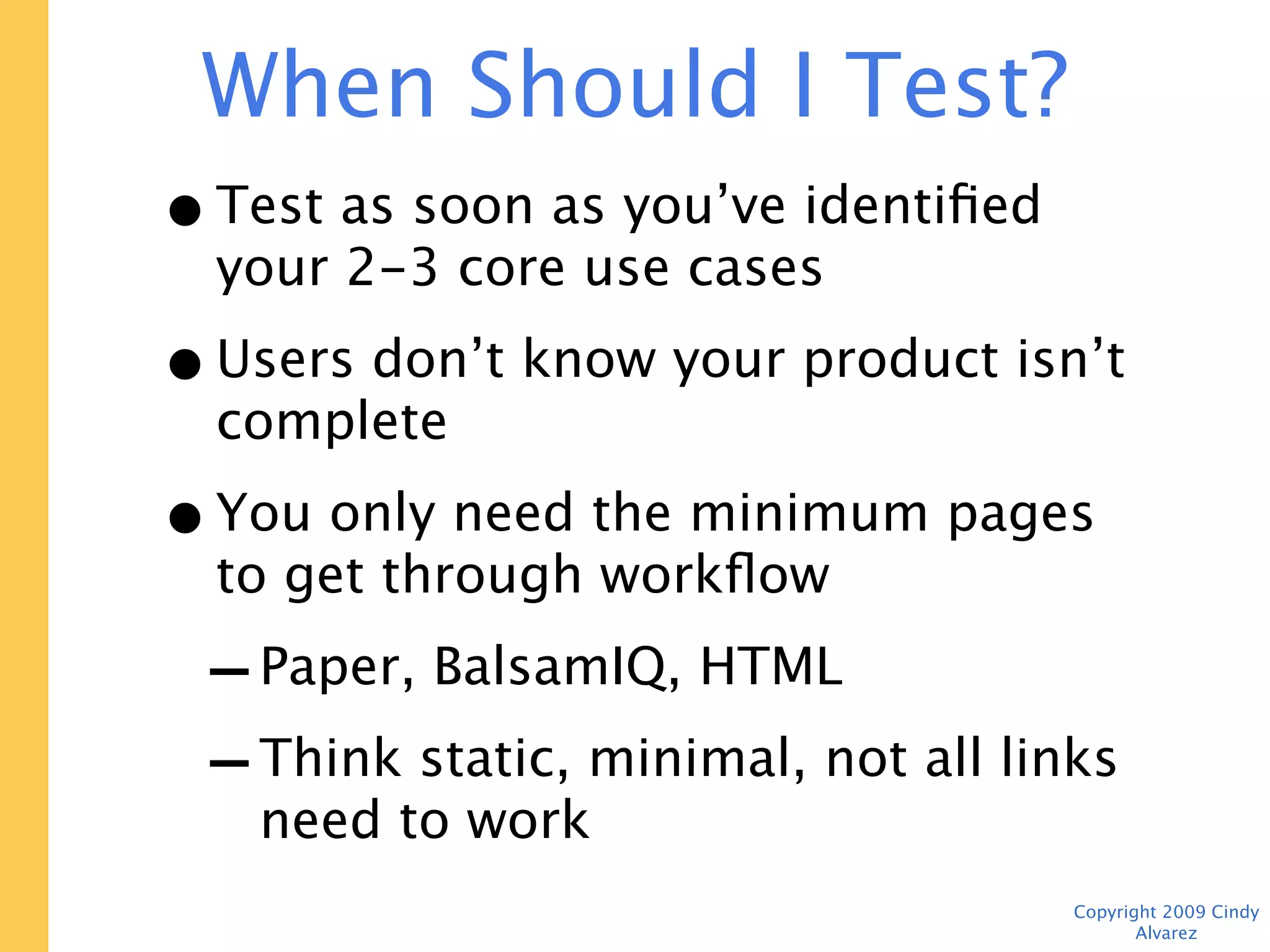
When Should I Test? Now.
• Test as soon as you’ve identified your
  2-3 core use cases
• Users don’t know your product isn’t
  complete
• You only need the minimum pages to
  get through workflow
 - Paper, BalsamIQ, HTML
 - Think static, minimal, not all links
    need to work
                                    Copyright 2009 Cindy Alvarez
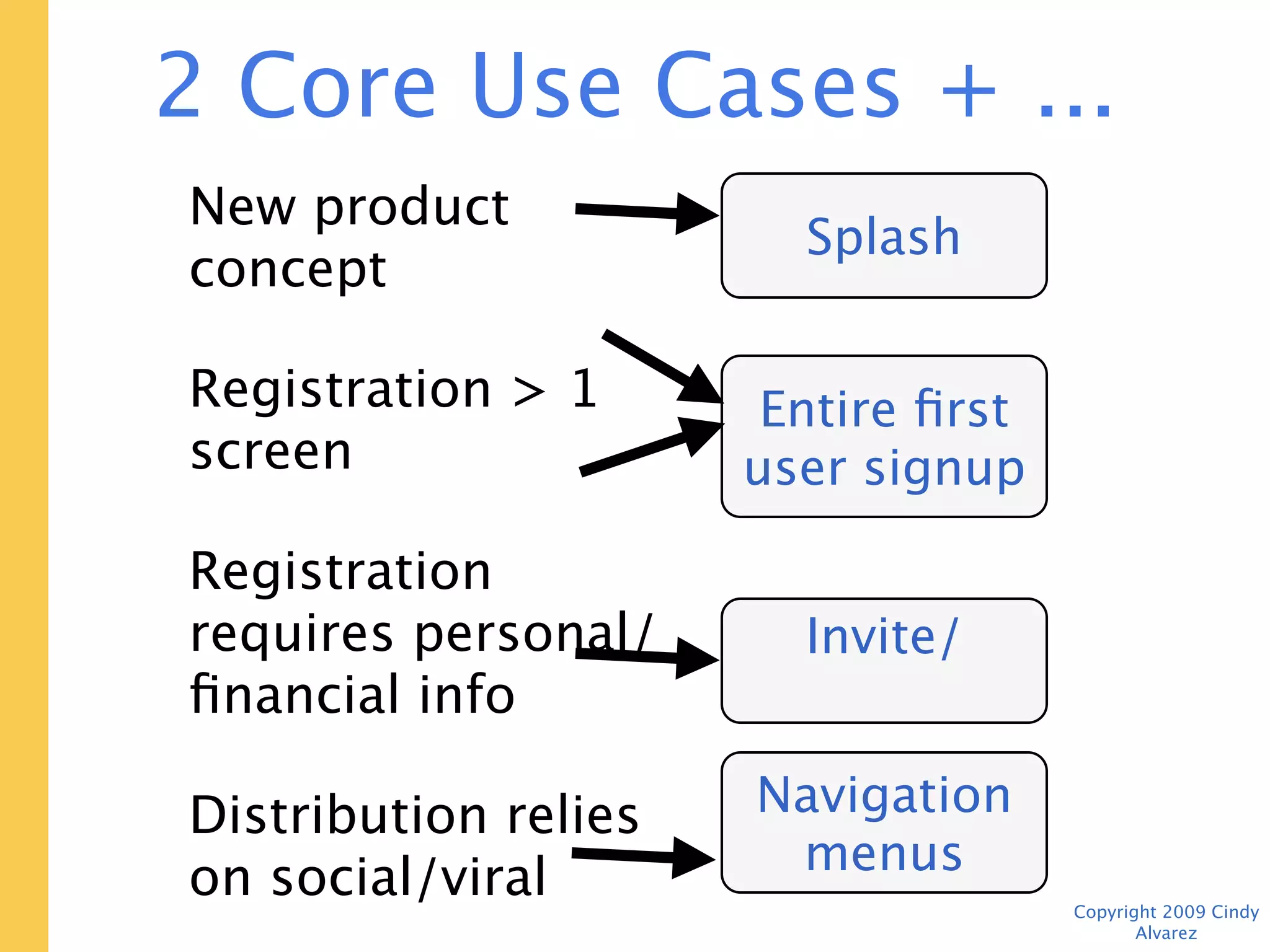
2 Core Use Cases + ...
New product concept        Splash screen
Registration > 1 screen
                          Entire first user
Registration requires          signup
personal/financial info     experience

Distribution relies on
social/viral               Invite/share

Validating minimum          Navigation
viable feature set            menus
                                     Copyright 2009 Cindy Alvarez
Minimize Effort
• Existing market? Use a competitor site
• Borrow HTML forms from other sites
• Use screenshots for non-interactive
  parts of page


                                   Copyright 2009 Cindy Alvarez
Methodology

• 2-3 task-based use cases
• 7-8 users
• 45 minutes
• Moderator + note-taker (or video)
• $50-75 (Amazon GCs are easy)


                                      Copyright 2009 Cindy Alvarez
Finding People
• Craig’s List “gigs” section
• 1-2 weekdays in advance
• Provide a non-anon email address and
  voicemail
• Ask for qualifiers (profession and city
  are good)
• Plan for 10-15% “flake rate”
• Allow extra time after 1st tester

                                      Copyright 2009 Cindy Alvarez
Advance Prep
• “Standard” computer setup in private
  room or isolated area
• Test any recording equipment/software
• Provide dummy “personal” info, credit
  card #s
• Make templates for note-taking so it’s
  easier to line up feedback later


                                    Copyright 2009 Cindy Alvarez
Moderator Intro
• Act like a third party
• Encourage “thinking out loud”
• Explain upfront that this is NOT a
  working product, some things may not
  work


                                  Copyright 2009 Cindy Alvarez
Example Test


               Copyright 2009 Cindy Alvarez
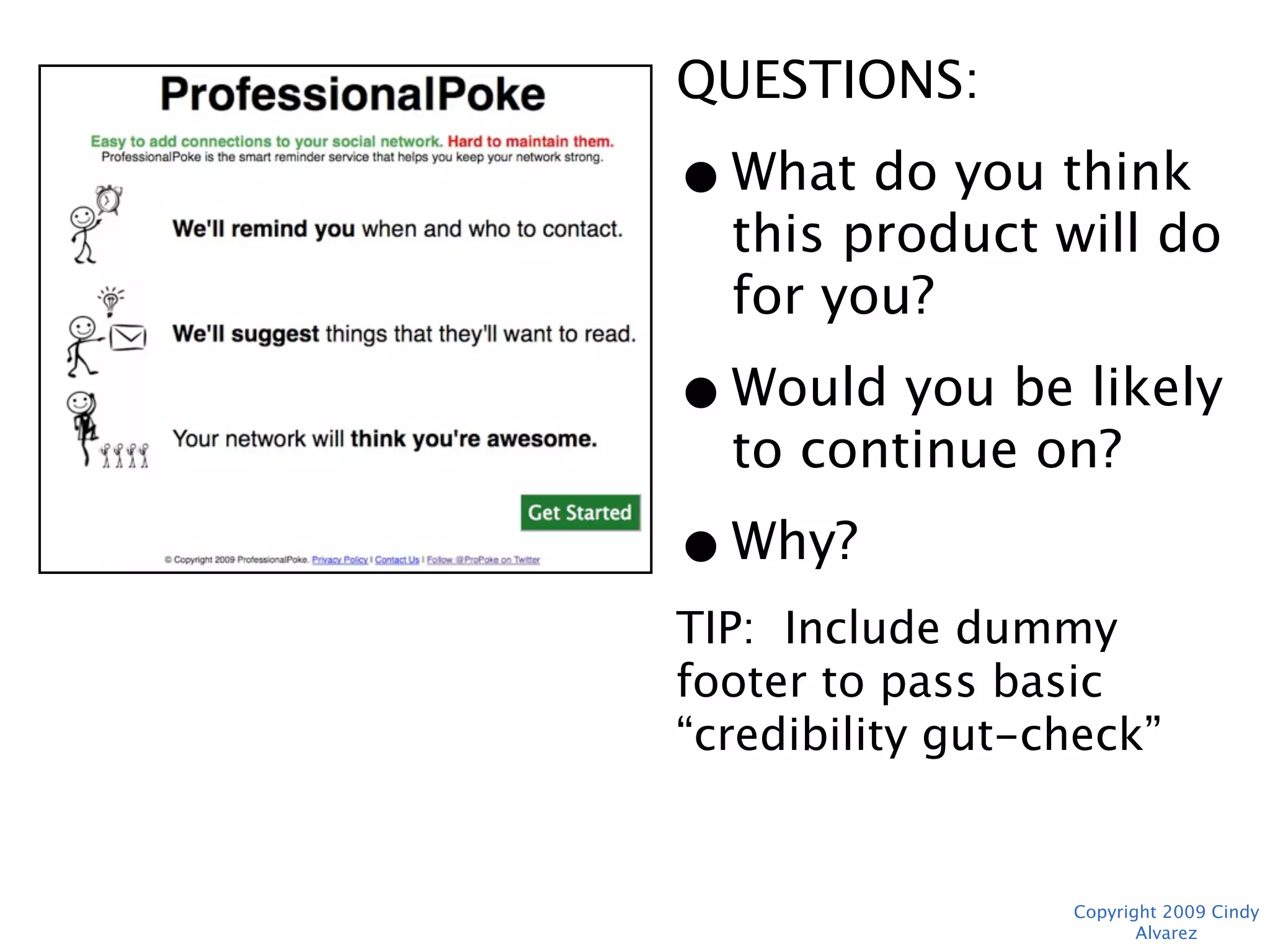
QUESTIONS:
• What do you think
  this product will do
  for you?
• Would you be likely
  to continue on?
• Why?
TIP: Include dummy footer
to pass basic “credibility
gut-check”


                Copyright 2009 Cindy Alvarez
“I Just Wouldn’t Use This”
 • Not understood or not useful?
 • Substitute?
 • Specific concern?
 • Do they use any sites/products in this
   category?
 • “Well, let’s pretend that you
   were curious about it and
   finish the tasks.”
                                   Copyright 2009 Cindy Alvarez
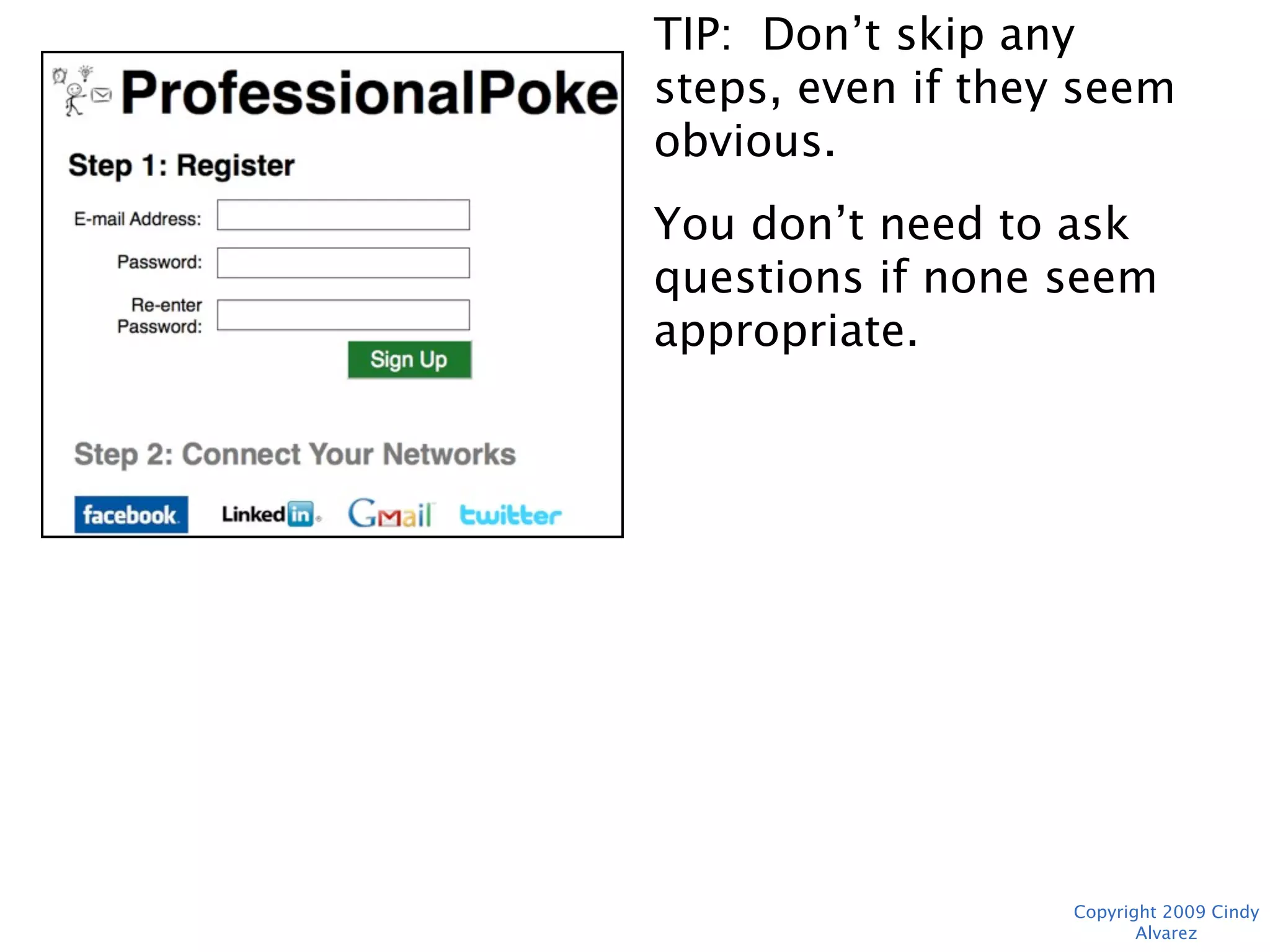
TIP: Don’t skip any steps,
even if they seem
obvious.
You don’t need to ask
questions if none seem
appropriate.


                 Copyright 2009 Cindy Alvarez
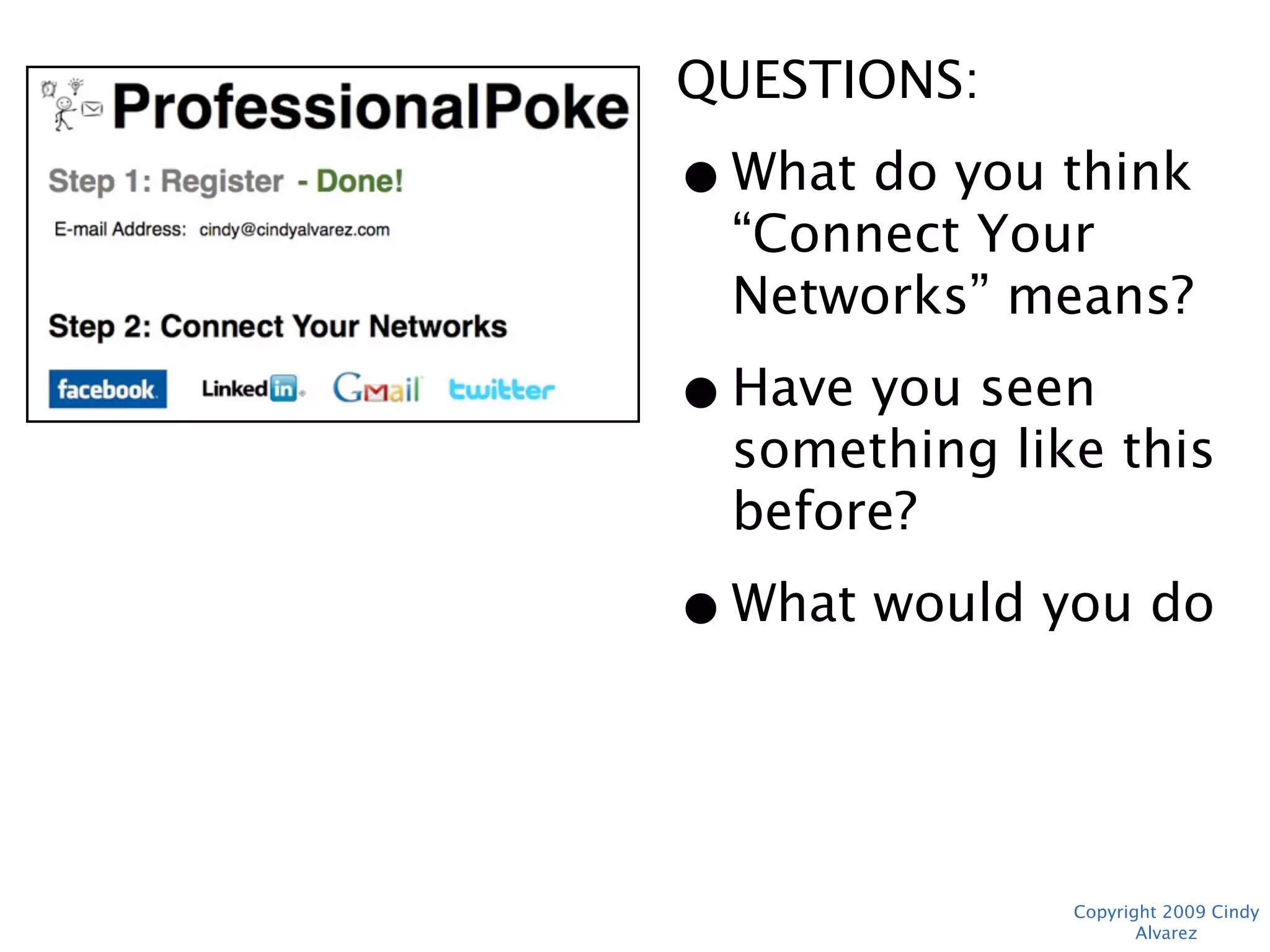
QUESTIONS:
• What do you think
  “Connect Your
  Networks” means?
• Have you seen
  something like this
  before?
• What would you do
  next?


             Copyright 2009 Cindy Alvarez
“I Have No Idea What to Do Next”

   • Does anything stand out?
   • What would you do in “real life”?
   • Acknowledge frustration
   • 3 Strikes, then “Actually,
     you’d click here.” How could
     that be clearer?


                                    Copyright 2009 Cindy Alvarez
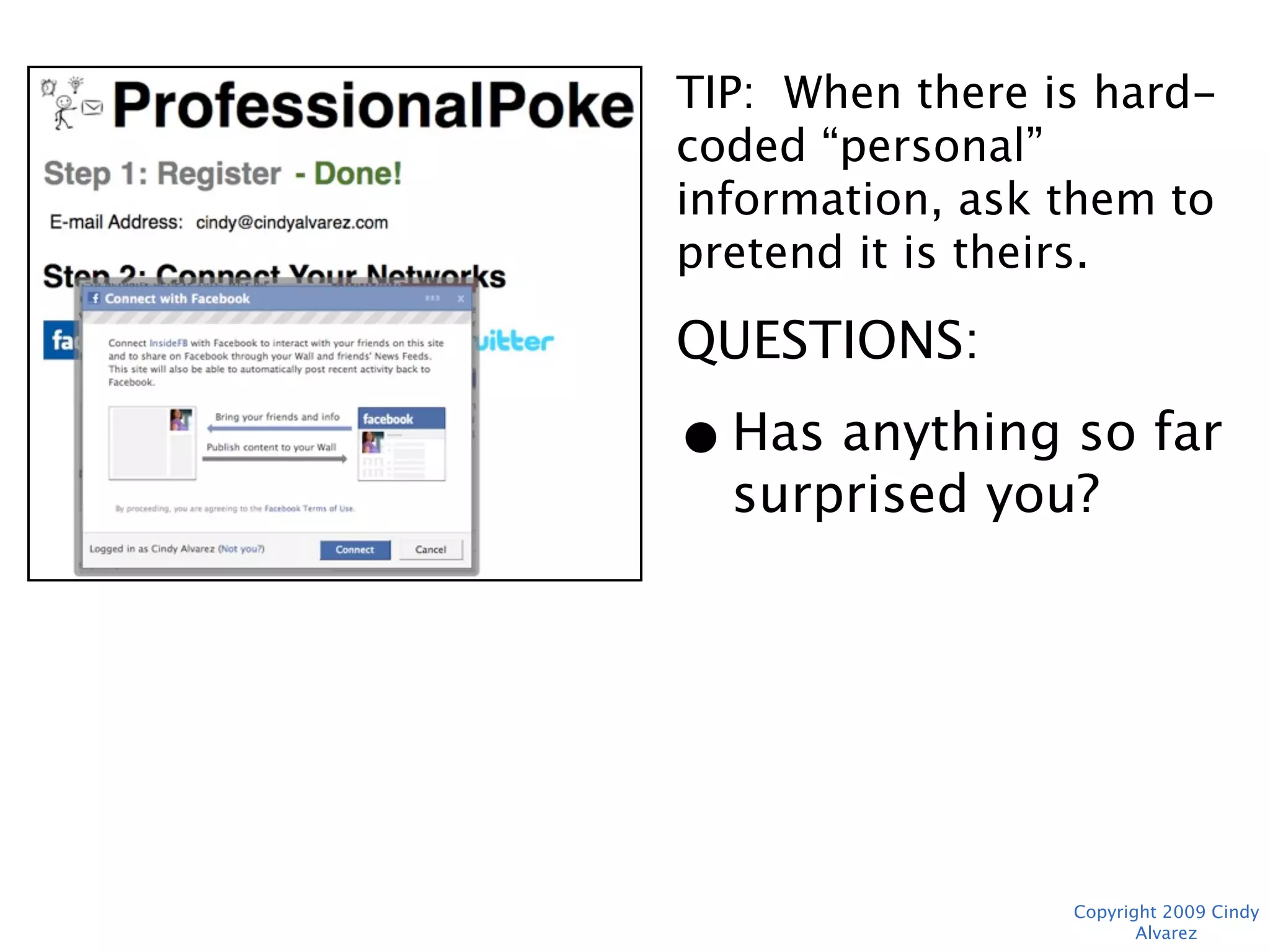
TIP: When there is hard-
coded “personal”
information, ask them to
pretend it is theirs.
QUESTIONS:
• Has anything so far
  surprised you?


               Copyright 2009 Cindy Alvarez
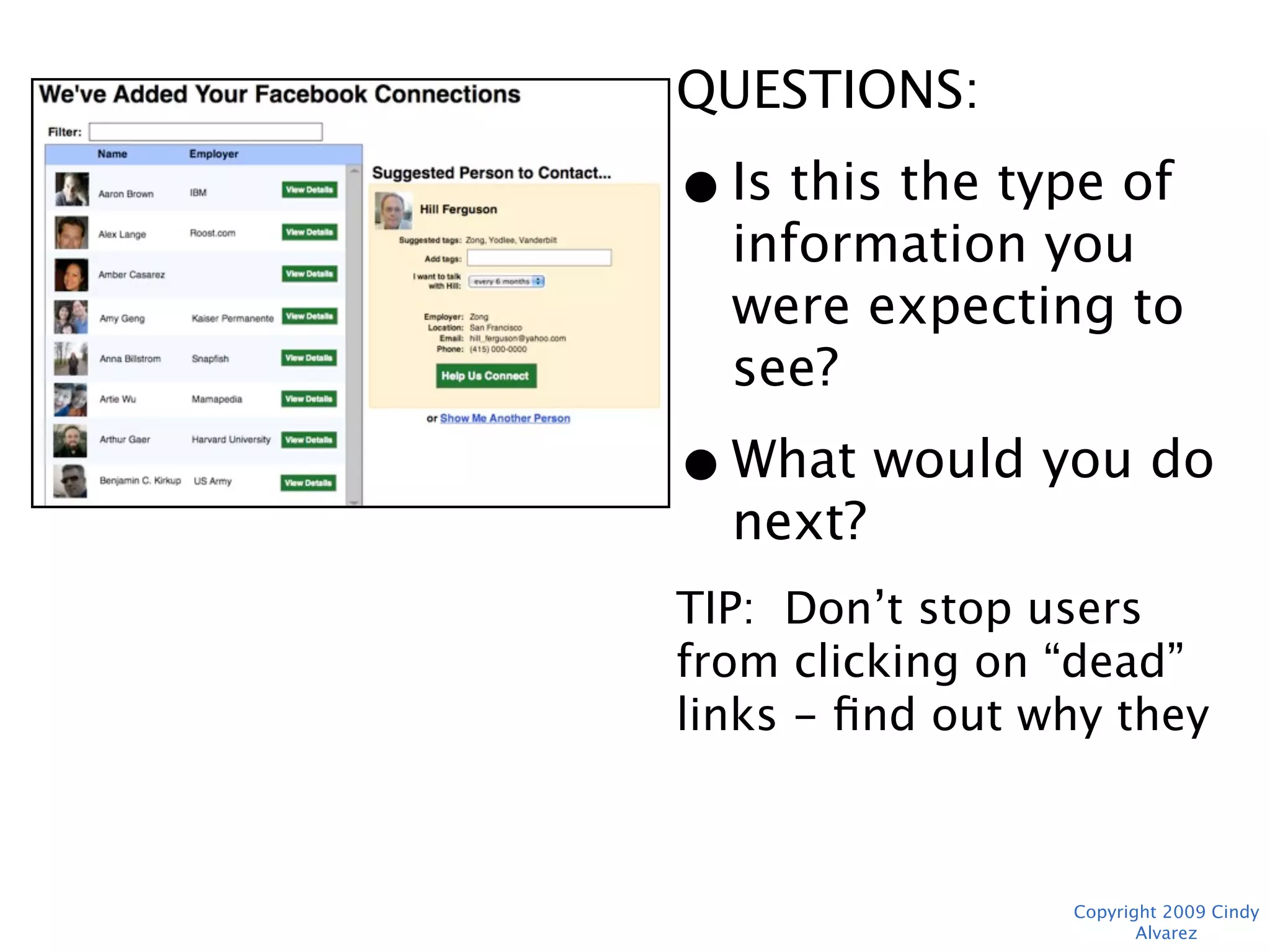
QUESTIONS:
• Is this the type of
  information you
  were expecting to
  see?
• What would you do
  next?
TIP: Don’t stop users from
clicking on “dead” links -
find out why they were
more interesting, then hit
the Back button.
               Copyright 2009 Cindy Alvarez
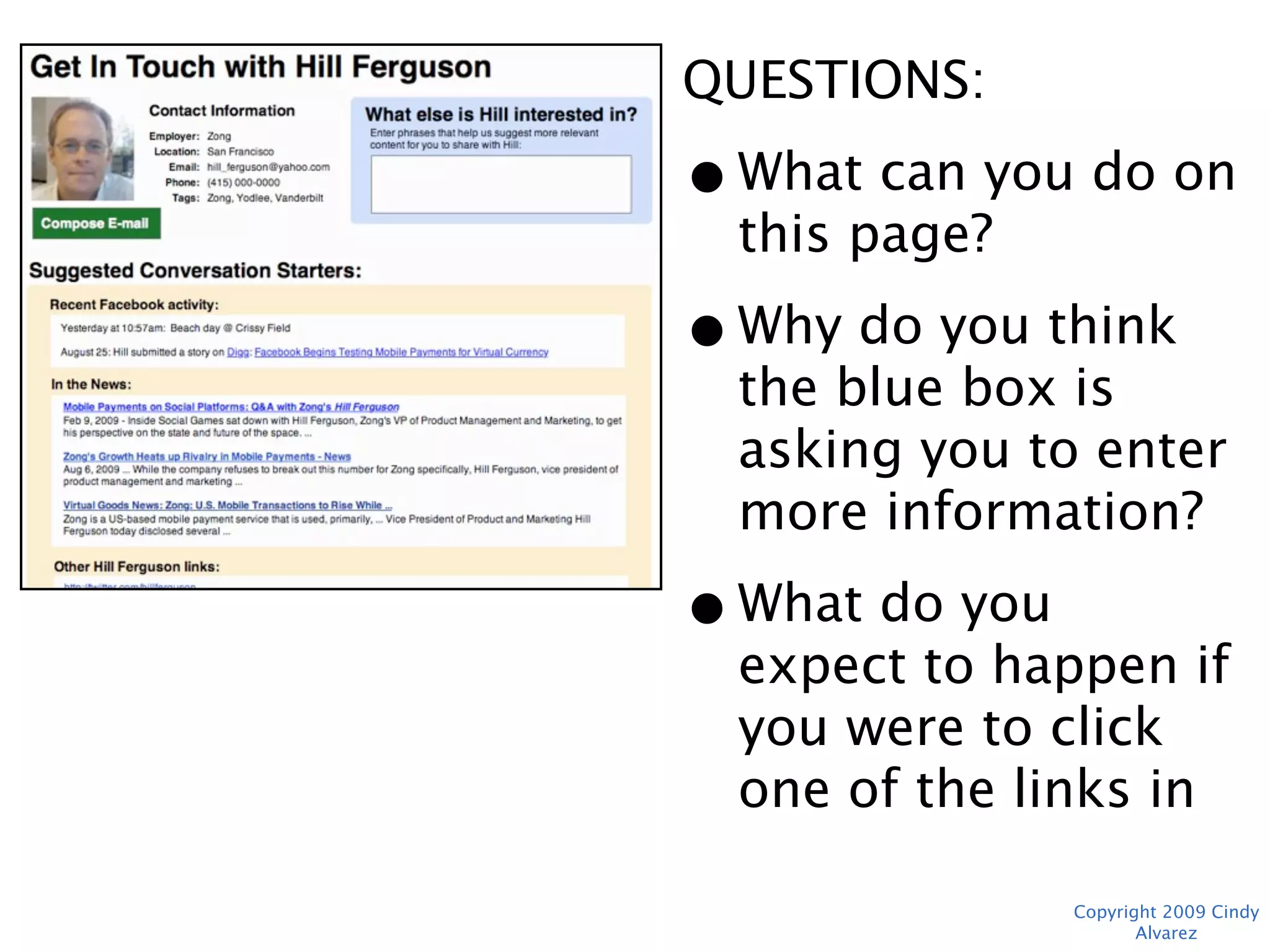
QUESTIONS:
• What can you do on
  this page?
• Why do you think the
  blue box is asking
  you to enter more
  information?
• What do you expect
  to happen if you
  were to click one of
  the links in “In the
  News?”
             Copyright 2009 Cindy Alvarez
“I Don’t Like this Color”

• Legible?
• Credible?
• “I don’t think these are the
  final colors and graphics.
  Let’s focus on the task you’re
  trying to complete.”


                            Copyright 2009 Cindy Alvarez
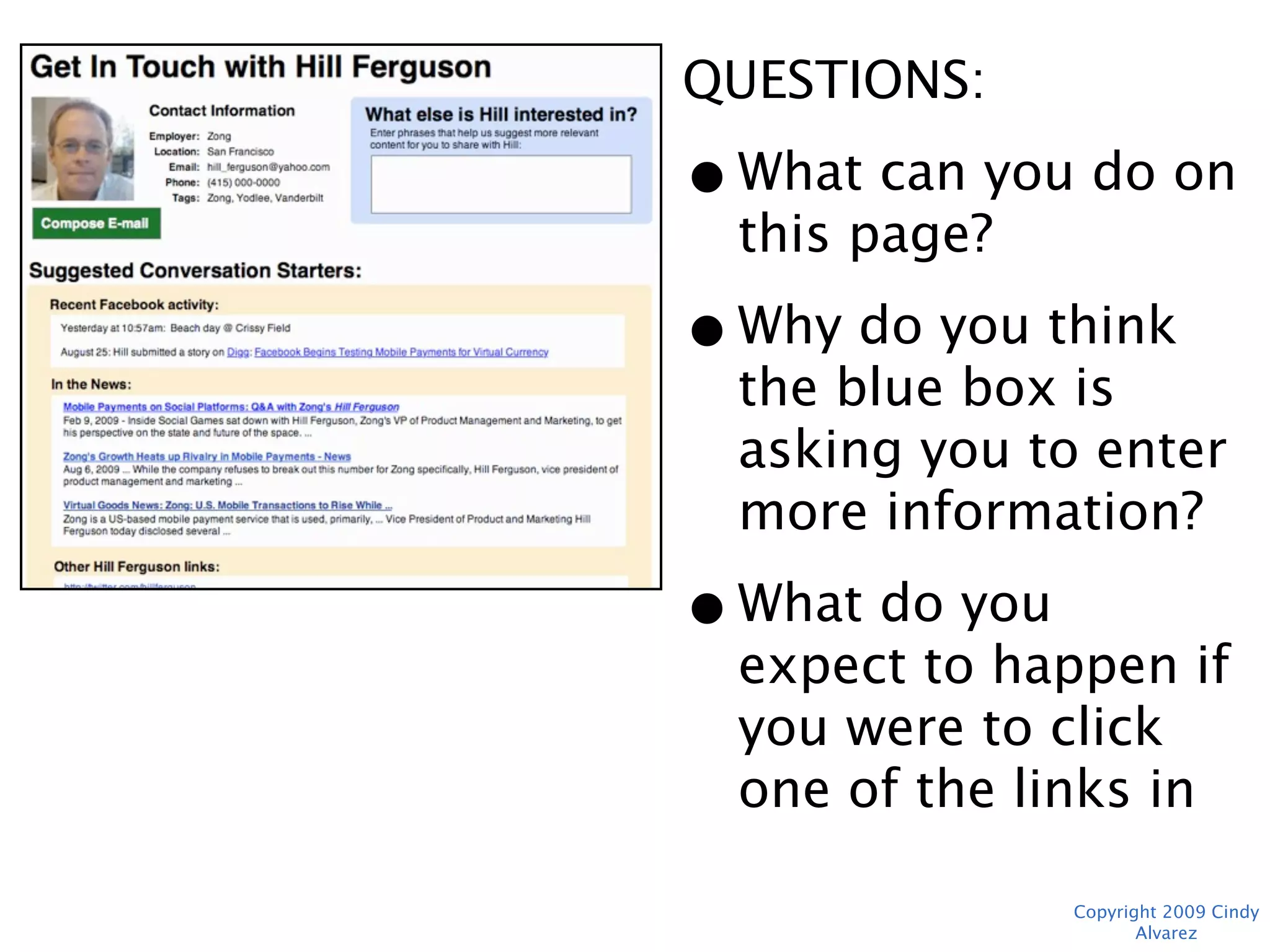
QUESTIONS:
• What can you do on
  this page?
• Why do you think the
  blue box is asking
  you to enter more
  information?
• What do you expect
  to happen if you
  were to click one of
  the links in “In the
  News?”
             Copyright 2009 Cindy Alvarez
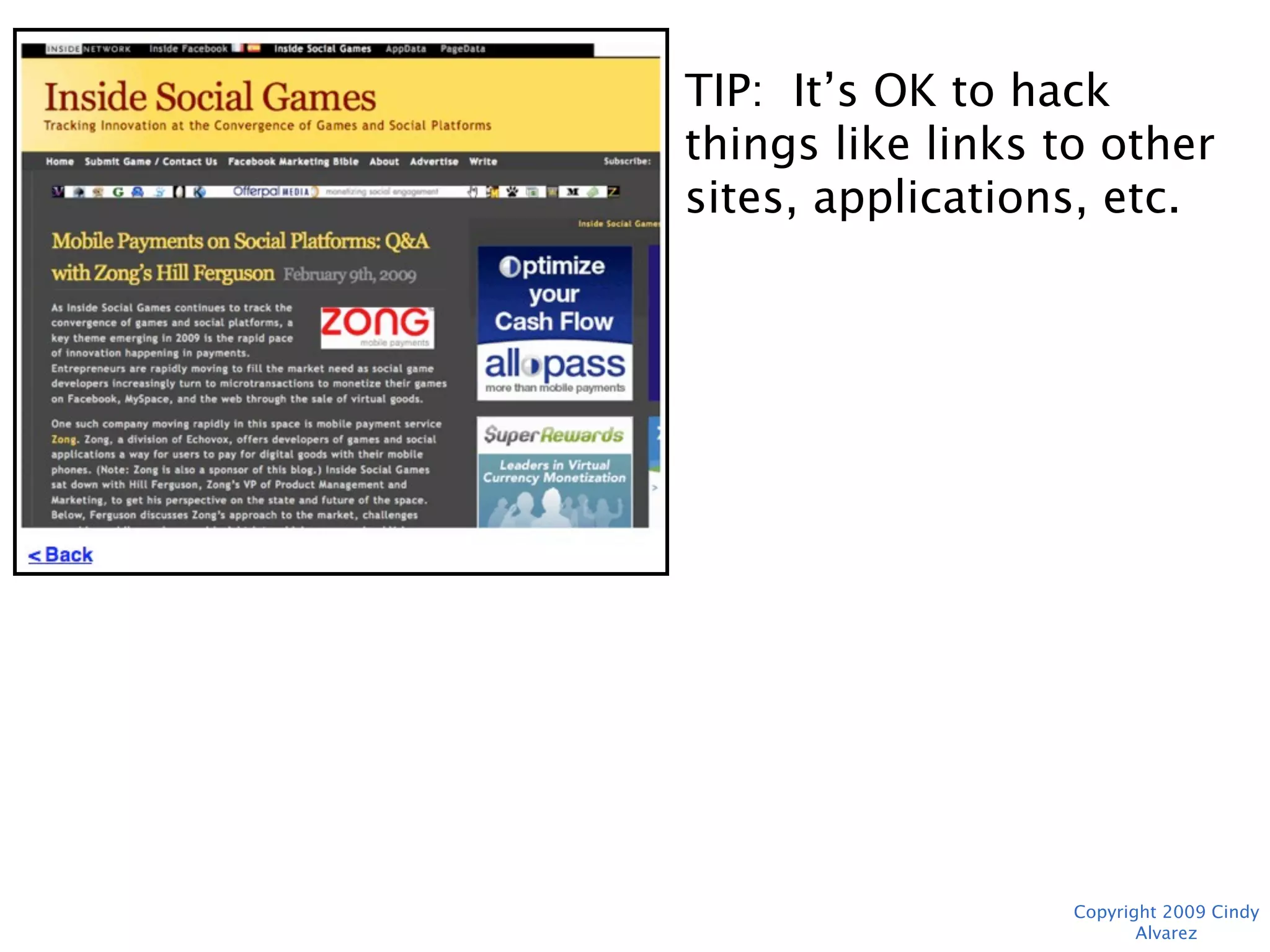
TIP: It’s OK to hack things
like links to other sites,
applications, etc.


                Copyright 2009 Cindy Alvarez
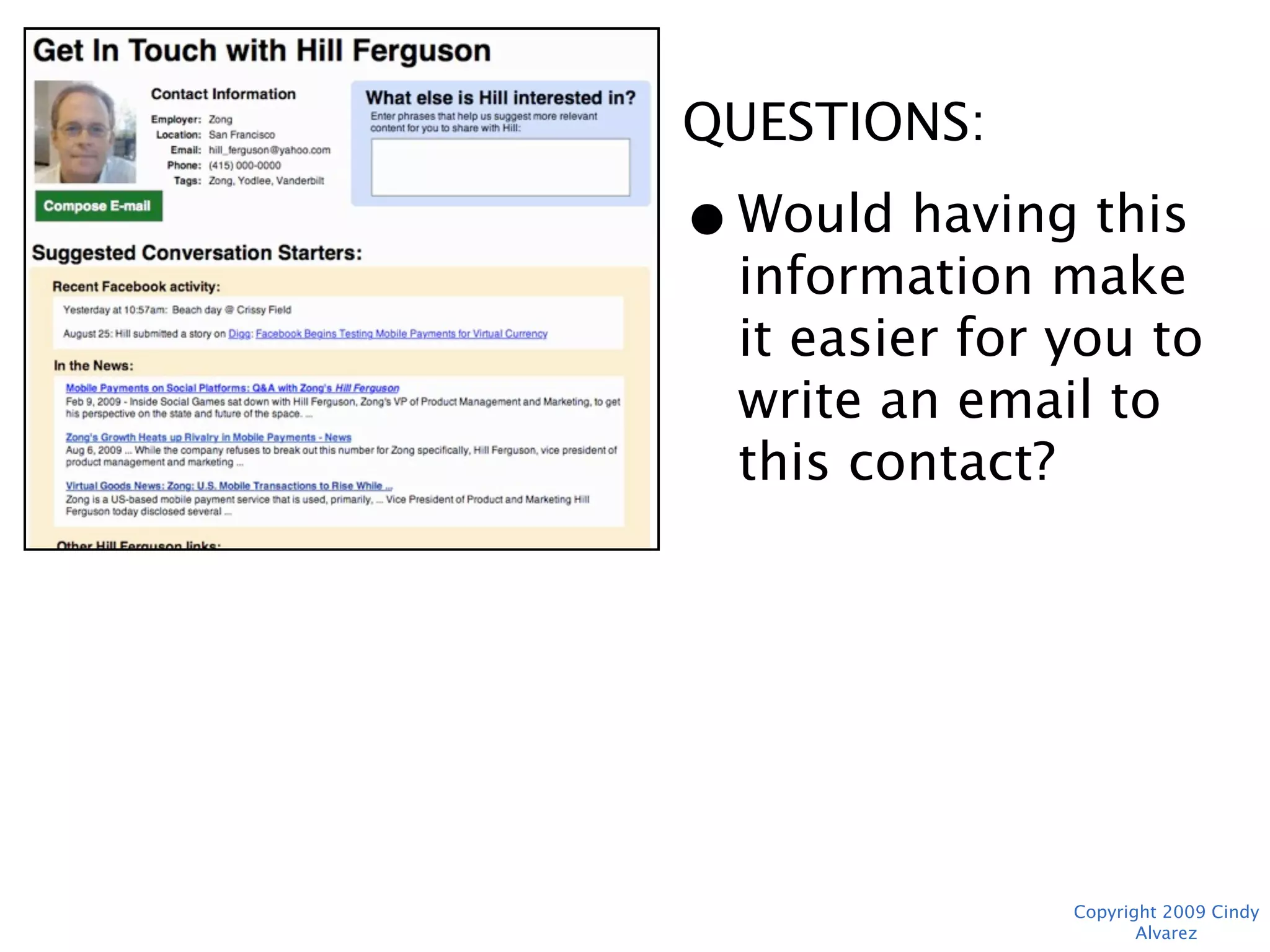
QUESTIONS:
• Would having this
  information make it
  easier for you to
  write an email to
  this contact?


             Copyright 2009 Cindy Alvarez
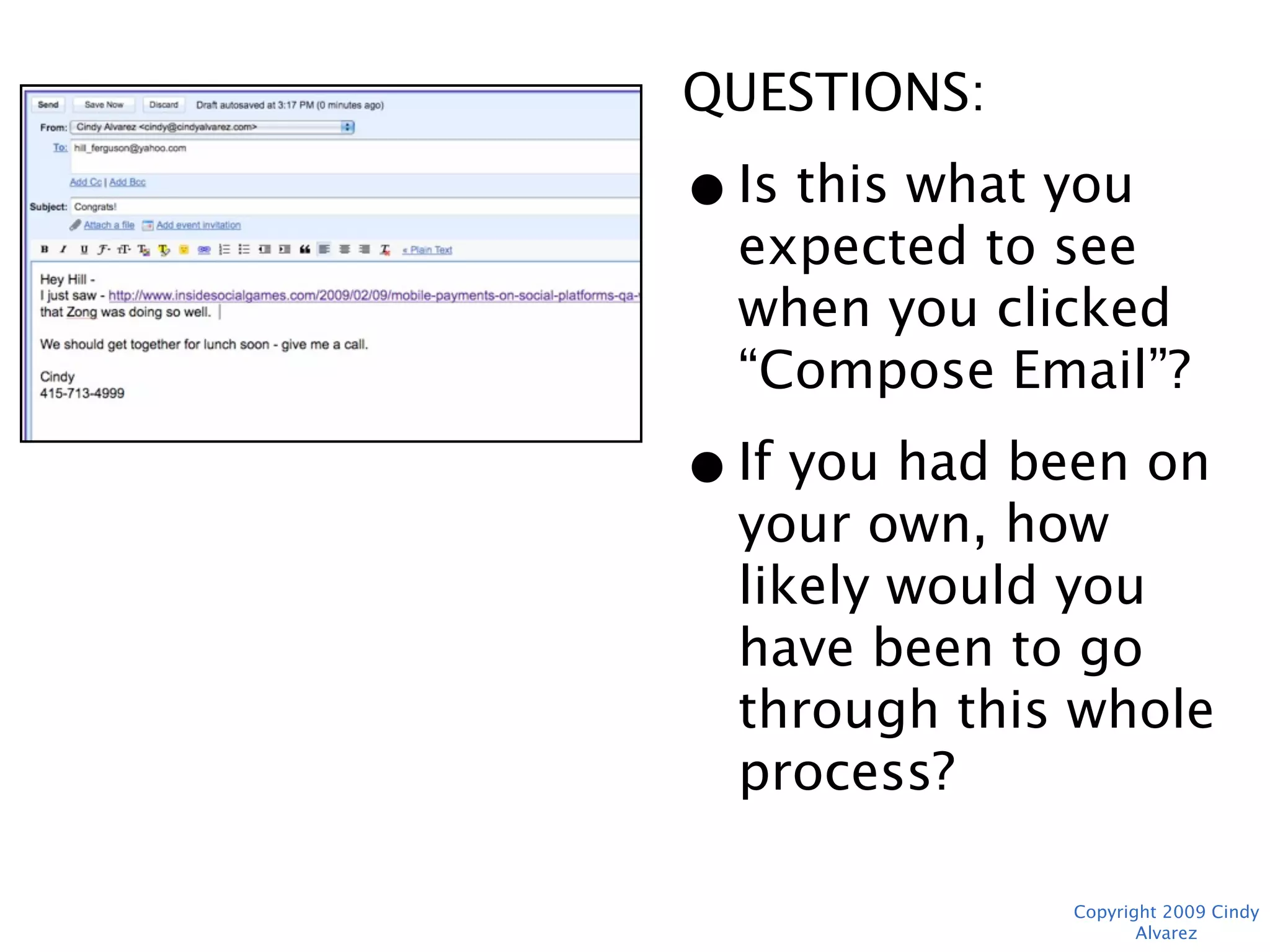
QUESTIONS:
• Is this what you
  expected to see
  when you clicked
  “Compose Email”?
• If you had been on
  your own, how likely
  would you have been
  to go through this
  whole process?


             Copyright 2009 Cindy Alvarez
Moderator Wrap-up
• Ask for any additional feedback/
  comments
• Thank the user for their time
• Ask for future participation


                                     Copyright 2009 Cindy Alvarez
Followup
• Share results internally ASAP
• Prioritize issues that need fixing
• Look for patterns in freeform user
  comments
• Share results with testers who agreed to
  participate in future


                                       Copyright 2009 Cindy Alvarez
Questions?

Send them to: cindy@cindyalvarez.com


Sample templates for Moderator Script,
Notetaking, and Craig’s List Ad available at
http://www.cindyalvarez.com/resources/
UserTestingTactics.zip


                                     Copyright 2009 Cindy Alvarez

User Testing Tactics

  • 1.
    User Testing: TheGory Tactical Details Cindy Alvarez The Experience is the Product - http://www.cindyalvarez.com Copyright 2009 Cindy Alvarez
  • 2.
    What We’ll Cover •Why In-Person User Testing? • Methodology • Setting Up • Running the Test • Followup Copyright 2009 Cindy Alvarez
  • 3.
    My Background • 10years running product design and product management for startups of various sizes • Designed/managed products used by millions on sites like Bank of America, American Express, AOL, PCWorld, US News, Sega.com • Average yearly user testing budget: $3,000 Copyright 2009 Cindy Alvarez
  • 4.
    What You CanLearn For $700 • How do people complete this task? • How well do they understand what they’re doing? • What issues are hidden by successful completion rates? • What would they not even dream of asking for? Copyright 2009 Cindy Alvarez
  • 5.
    Why Not OnlineTesting? Body Language Tangents Errors Copyright 2009 Cindy Alvarez
  • 6.
    When Should ITest? Now. • Test as soon as you’ve identified your 2-3 core use cases • Users don’t know your product isn’t complete • You only need the minimum pages to get through workflow - Paper, BalsamIQ, HTML - Think static, minimal, not all links need to work Copyright 2009 Cindy Alvarez
  • 7.
    2 Core UseCases + ... New product concept Splash screen Registration > 1 screen Entire first user Registration requires signup personal/financial info experience Distribution relies on social/viral Invite/share Validating minimum Navigation viable feature set menus Copyright 2009 Cindy Alvarez
  • 8.
    Minimize Effort • Existingmarket? Use a competitor site • Borrow HTML forms from other sites • Use screenshots for non-interactive parts of page Copyright 2009 Cindy Alvarez
  • 9.
    Methodology • 2-3 task-baseduse cases • 7-8 users • 45 minutes • Moderator + note-taker (or video) • $50-75 (Amazon GCs are easy) Copyright 2009 Cindy Alvarez
  • 10.
    Finding People • Craig’sList “gigs” section • 1-2 weekdays in advance • Provide a non-anon email address and voicemail • Ask for qualifiers (profession and city are good) • Plan for 10-15% “flake rate” • Allow extra time after 1st tester Copyright 2009 Cindy Alvarez
  • 11.
    Advance Prep • “Standard”computer setup in private room or isolated area • Test any recording equipment/software • Provide dummy “personal” info, credit card #s • Make templates for note-taking so it’s easier to line up feedback later Copyright 2009 Cindy Alvarez
  • 12.
    Moderator Intro • Actlike a third party • Encourage “thinking out loud” • Explain upfront that this is NOT a working product, some things may not work Copyright 2009 Cindy Alvarez
  • 13.
    Example Test Copyright 2009 Cindy Alvarez
  • 14.
    QUESTIONS: • What doyou think this product will do for you? • Would you be likely to continue on? • Why? TIP: Include dummy footer to pass basic “credibility gut-check” Copyright 2009 Cindy Alvarez
  • 15.
    “I Just Wouldn’tUse This” • Not understood or not useful? • Substitute? • Specific concern? • Do they use any sites/products in this category? • “Well, let’s pretend that you were curious about it and finish the tasks.” Copyright 2009 Cindy Alvarez
  • 16.
    TIP: Don’t skipany steps, even if they seem obvious. You don’t need to ask questions if none seem appropriate. Copyright 2009 Cindy Alvarez
  • 17.
    QUESTIONS: • What doyou think “Connect Your Networks” means? • Have you seen something like this before? • What would you do next? Copyright 2009 Cindy Alvarez
  • 18.
    “I Have NoIdea What to Do Next” • Does anything stand out? • What would you do in “real life”? • Acknowledge frustration • 3 Strikes, then “Actually, you’d click here.” How could that be clearer? Copyright 2009 Cindy Alvarez
  • 19.
    TIP: When thereis hard- coded “personal” information, ask them to pretend it is theirs. QUESTIONS: • Has anything so far surprised you? Copyright 2009 Cindy Alvarez
  • 20.
    QUESTIONS: • Is thisthe type of information you were expecting to see? • What would you do next? TIP: Don’t stop users from clicking on “dead” links - find out why they were more interesting, then hit the Back button. Copyright 2009 Cindy Alvarez
  • 21.
    QUESTIONS: • What canyou do on this page? • Why do you think the blue box is asking you to enter more information? • What do you expect to happen if you were to click one of the links in “In the News?” Copyright 2009 Cindy Alvarez
  • 22.
    “I Don’t Likethis Color” • Legible? • Credible? • “I don’t think these are the final colors and graphics. Let’s focus on the task you’re trying to complete.” Copyright 2009 Cindy Alvarez
  • 23.
    QUESTIONS: • What canyou do on this page? • Why do you think the blue box is asking you to enter more information? • What do you expect to happen if you were to click one of the links in “In the News?” Copyright 2009 Cindy Alvarez
  • 24.
    TIP: It’s OKto hack things like links to other sites, applications, etc. Copyright 2009 Cindy Alvarez
  • 25.
    QUESTIONS: • Would havingthis information make it easier for you to write an email to this contact? Copyright 2009 Cindy Alvarez
  • 26.
    QUESTIONS: • Is thiswhat you expected to see when you clicked “Compose Email”? • If you had been on your own, how likely would you have been to go through this whole process? Copyright 2009 Cindy Alvarez
  • 27.
    Moderator Wrap-up • Askfor any additional feedback/ comments • Thank the user for their time • Ask for future participation Copyright 2009 Cindy Alvarez
  • 28.
    Followup • Share resultsinternally ASAP • Prioritize issues that need fixing • Look for patterns in freeform user comments • Share results with testers who agreed to participate in future Copyright 2009 Cindy Alvarez
  • 29.
    Questions? Send them to:cindy@cindyalvarez.com Sample templates for Moderator Script, Notetaking, and Craig’s List Ad available at http://www.cindyalvarez.com/resources/ UserTestingTactics.zip Copyright 2009 Cindy Alvarez

Editor's Notes

  • #3 No one ever tells you HOW
  • #4 Keeping testing cheap and easy means you won’t put it off. Goal: always be ready to test within 1 week.
  • #5 $700 = 8 users x $75 each, lunch for the moderators, bottled watter
  • #6 Errors - online, the demo needs to work perfectly as a standalone - a single error may derail test entirely Body language - people who look uncomfortable while completing task wouldn’t have done it if alone Tangents - be ready for someone who veers off into interesting territory
  • #8 Splash screen = value prop make sense? 1st user experience = initial hurdle, if users don’t make it through, may as well not build the rest of your product Share = good enough to share? (Eric Ries/IMVU ‘this isn’t cool enough to risk my rep sharing’) Nav menus = do you see what you would expect?
  • #13 Interested - for existing product, don’t need to ask this, i.e. if you’re building an auction site you’d just test eBay. Complete initial setup - for single-page registrations, not necessary Core tasks - whatever task is in your elevator pitch
  • #28 Interested - for existing product, don’t need to ask this, i.e. if you’re building an auction site you’d just test eBay. Complete initial setup - for single-page registrations, not necessary Core tasks - whatever task is in your elevator pitch