PFC306 
Brendan Gregg, Performance Engineering, Netflix 
November 12, 2014 | Las Vegas, NV
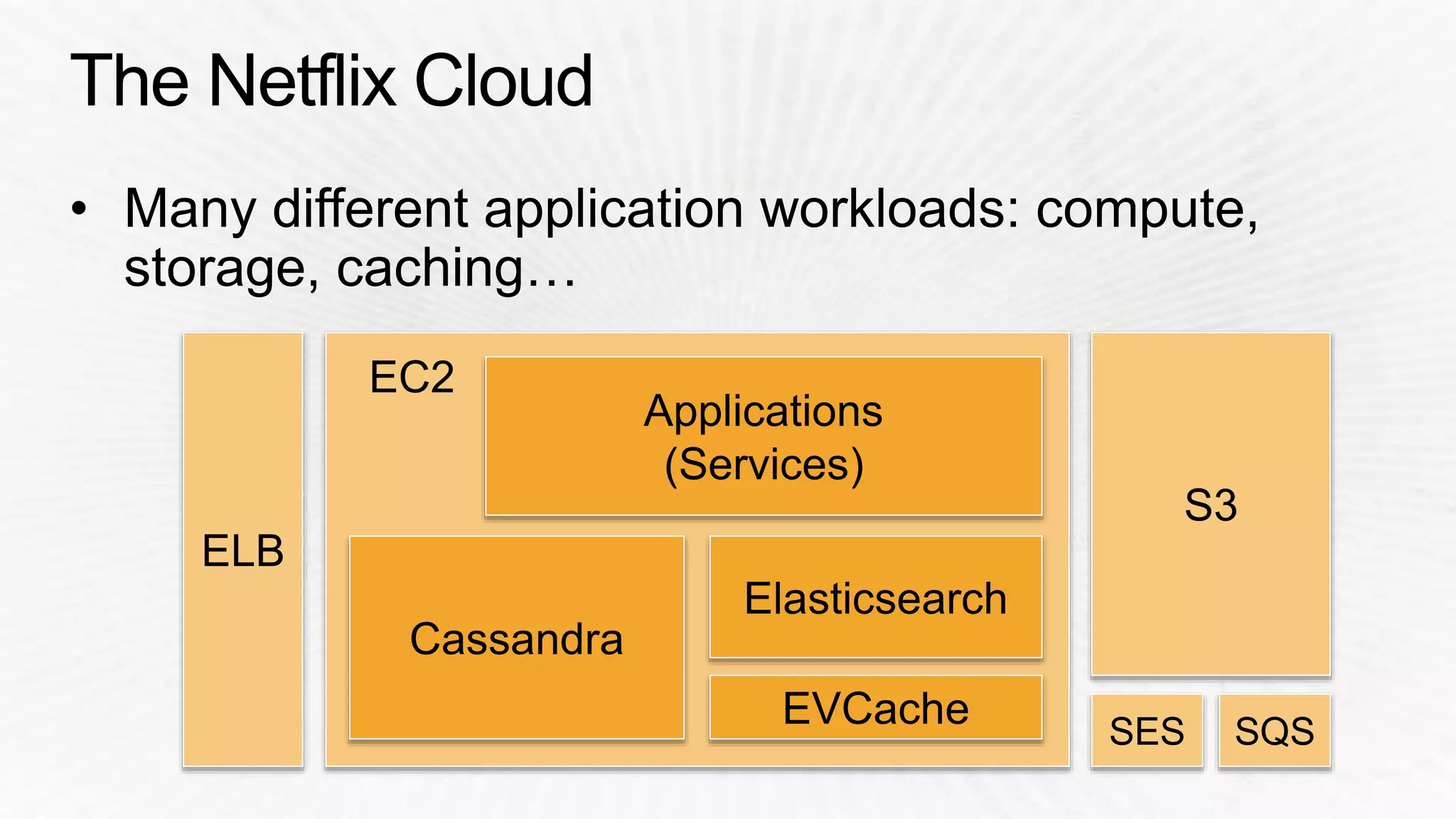
S3 
EC2 
Cassandra 
Applications 
(Services) 
EVCache 
ELB 
Elasticsearch 
SES SQS
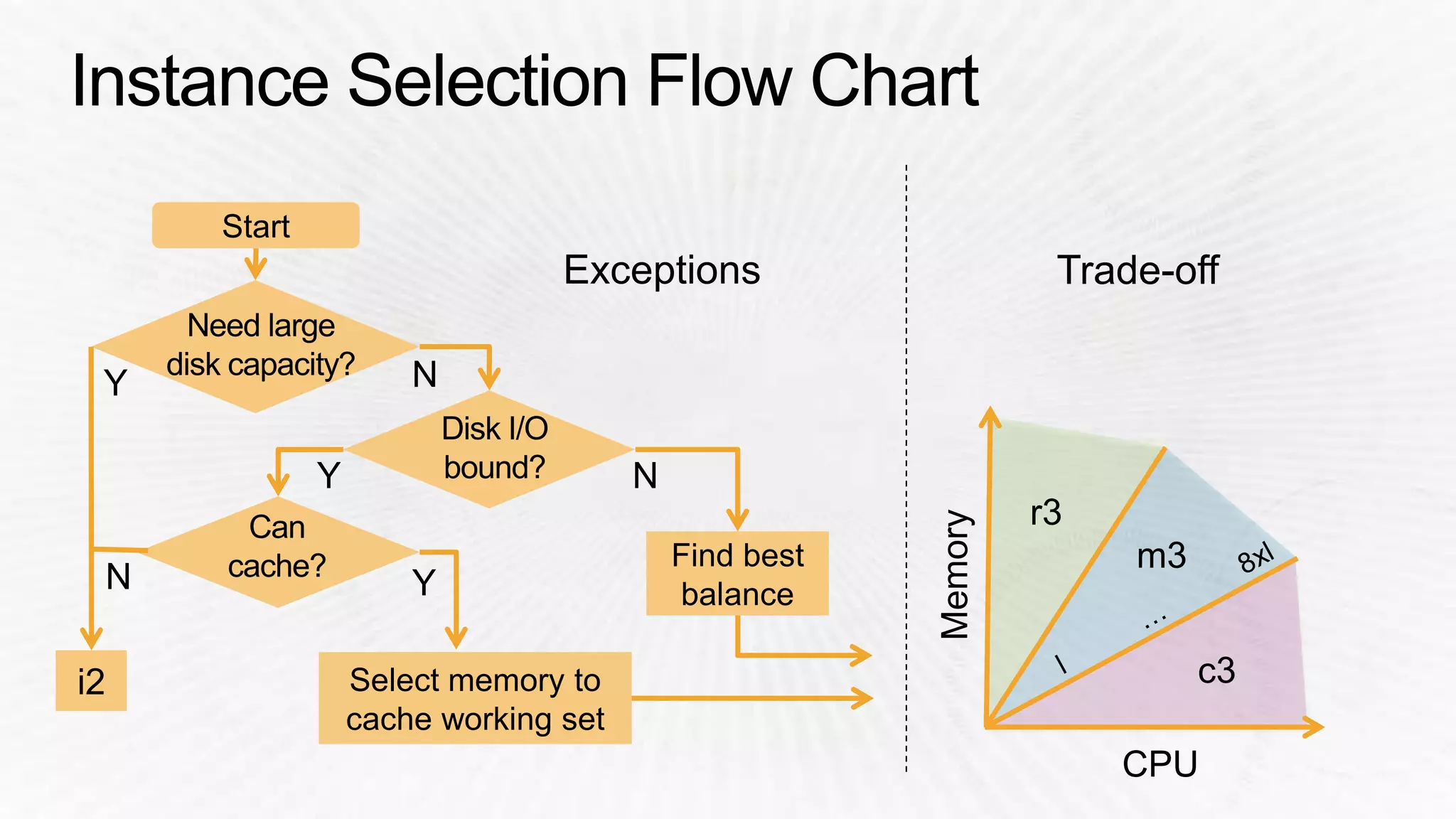
Start 
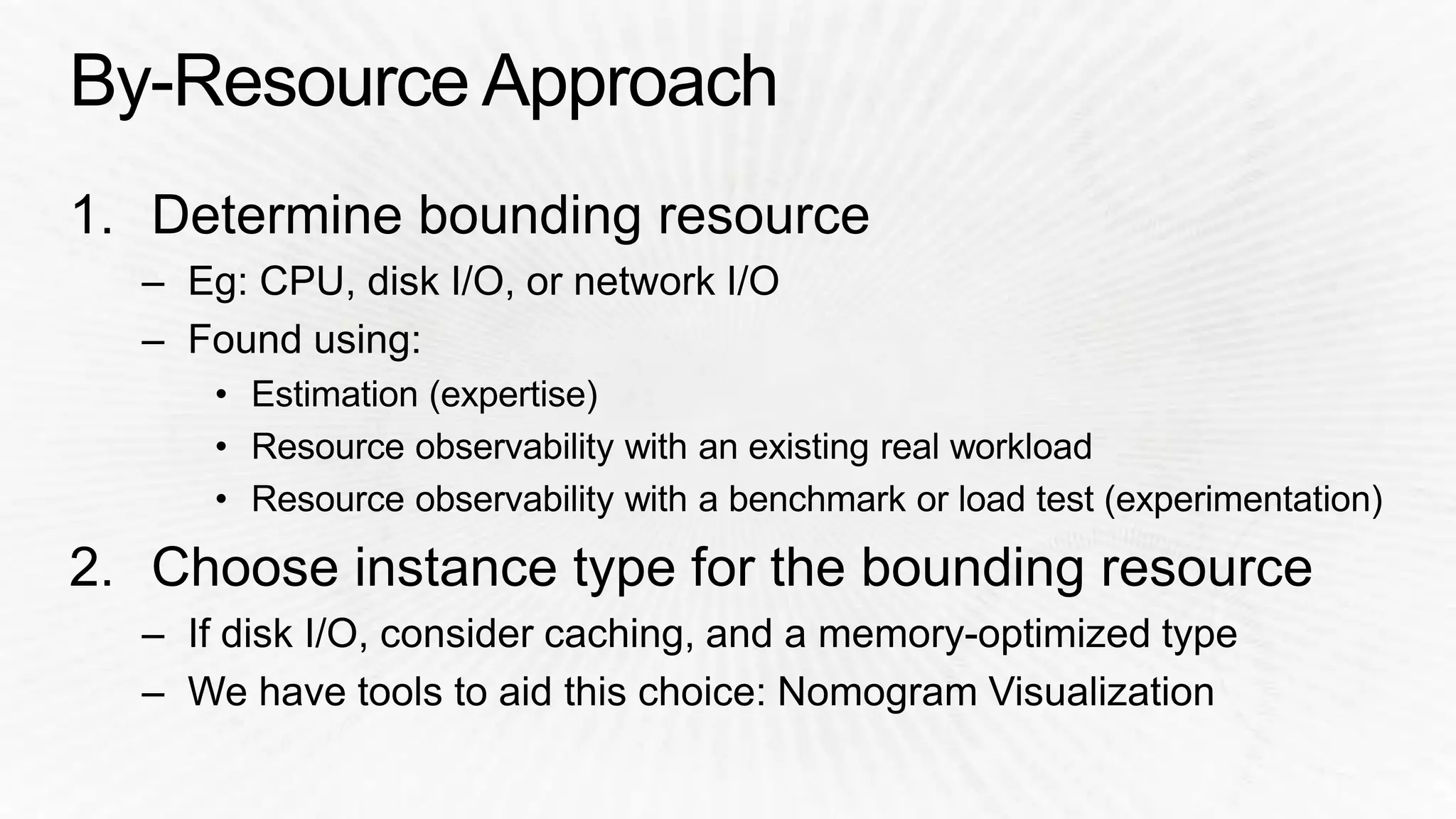
i2 Select memory to 
cache working set 
Find best 
balance
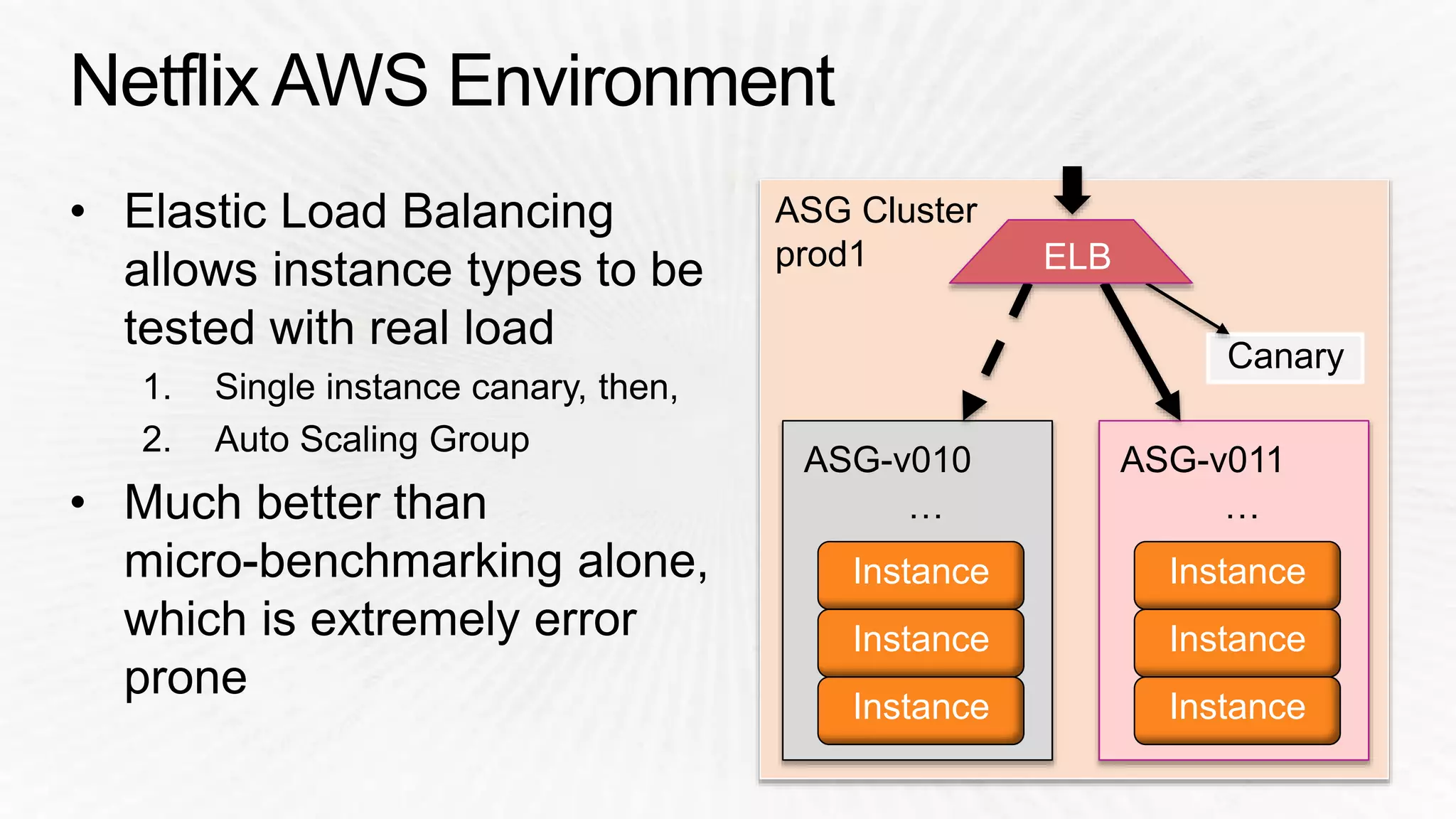
ASG-v011 
… 
Instance 
Instance 
Instance 
ASG Cluster 
prod1 
ASG-v010 
… 
Instance 
Instance 
Instance 
Canary 
ELB
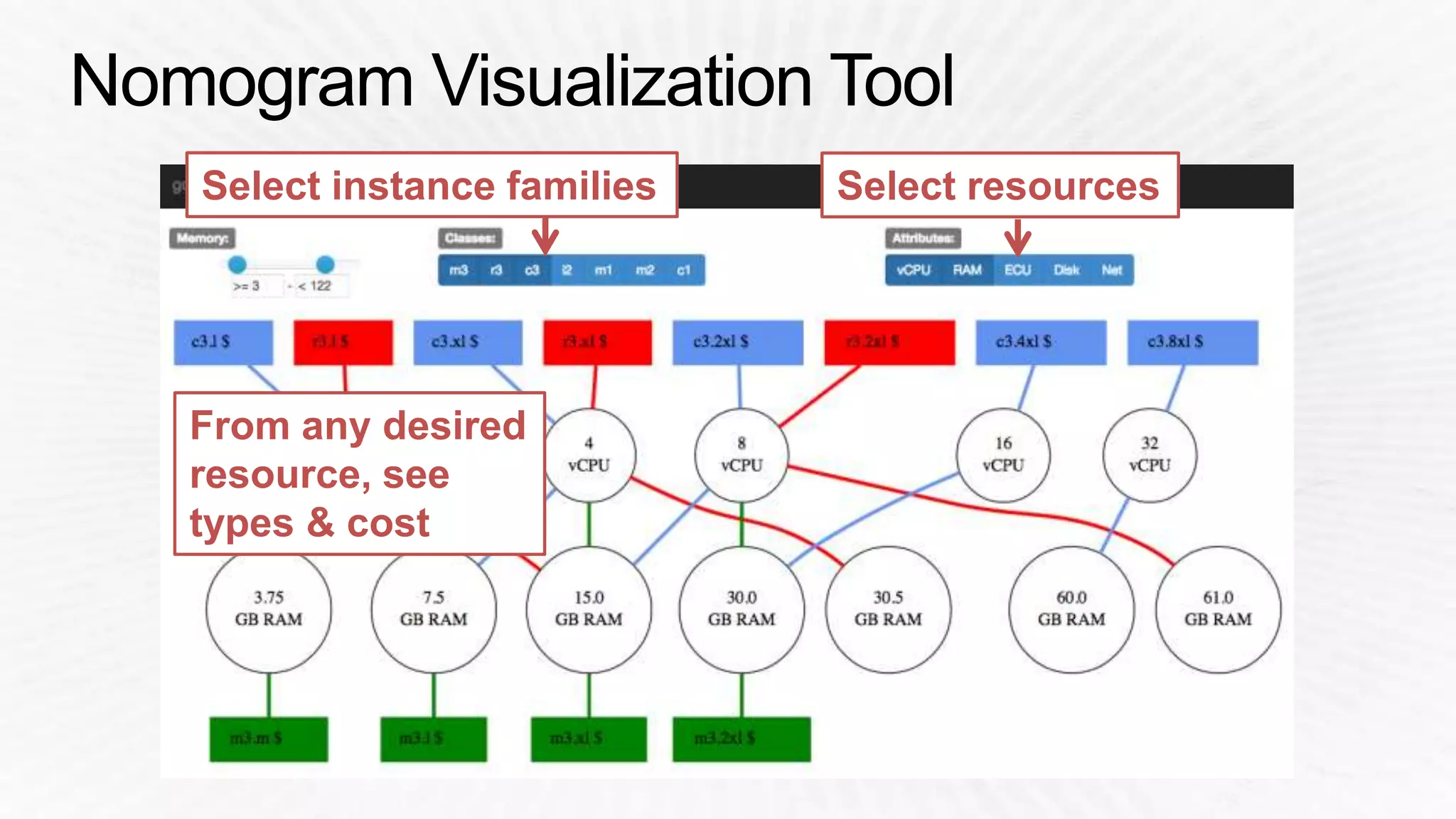
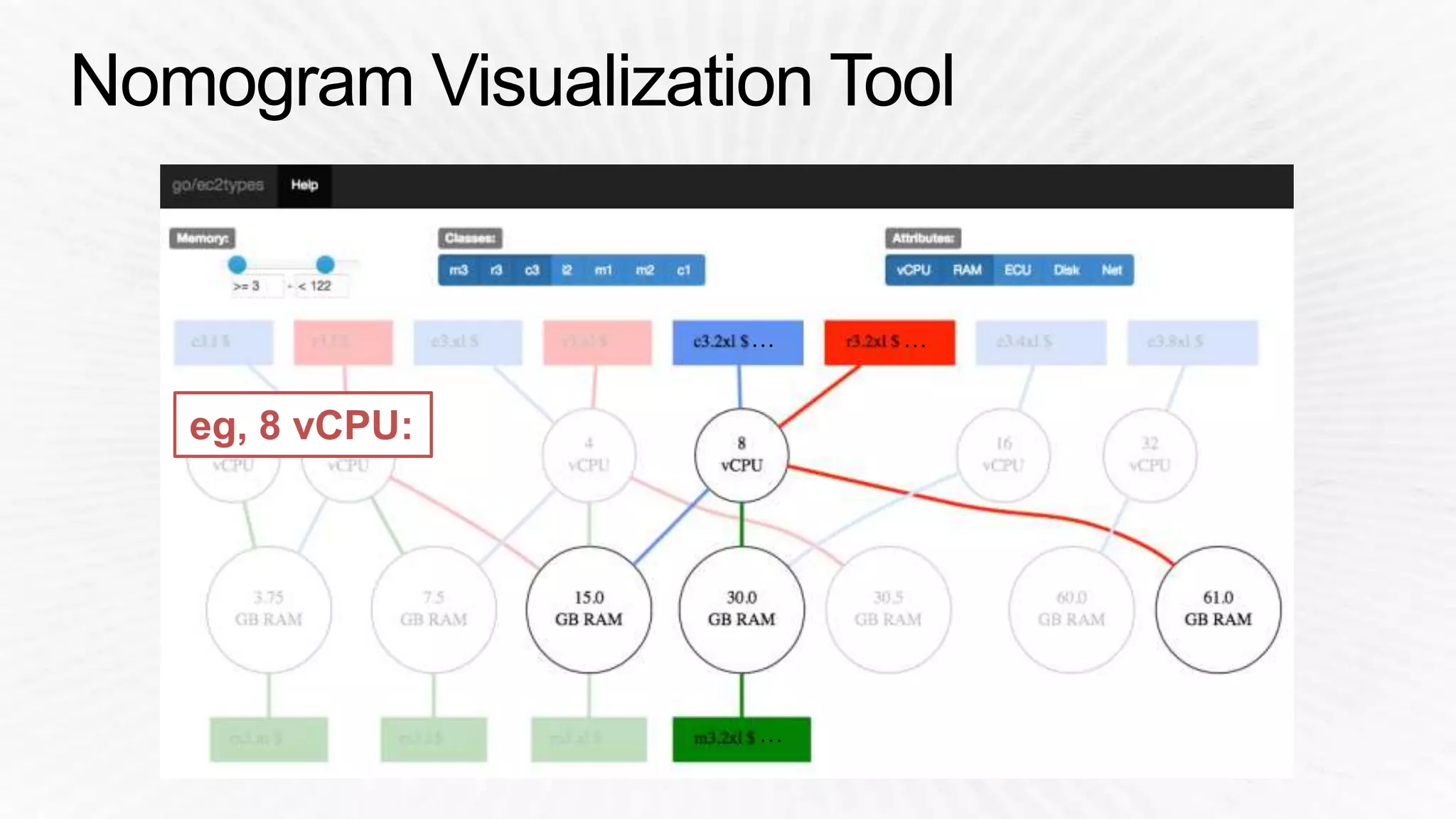
Select instance families Select resources 
From any desired 
resource, see 
types & cost
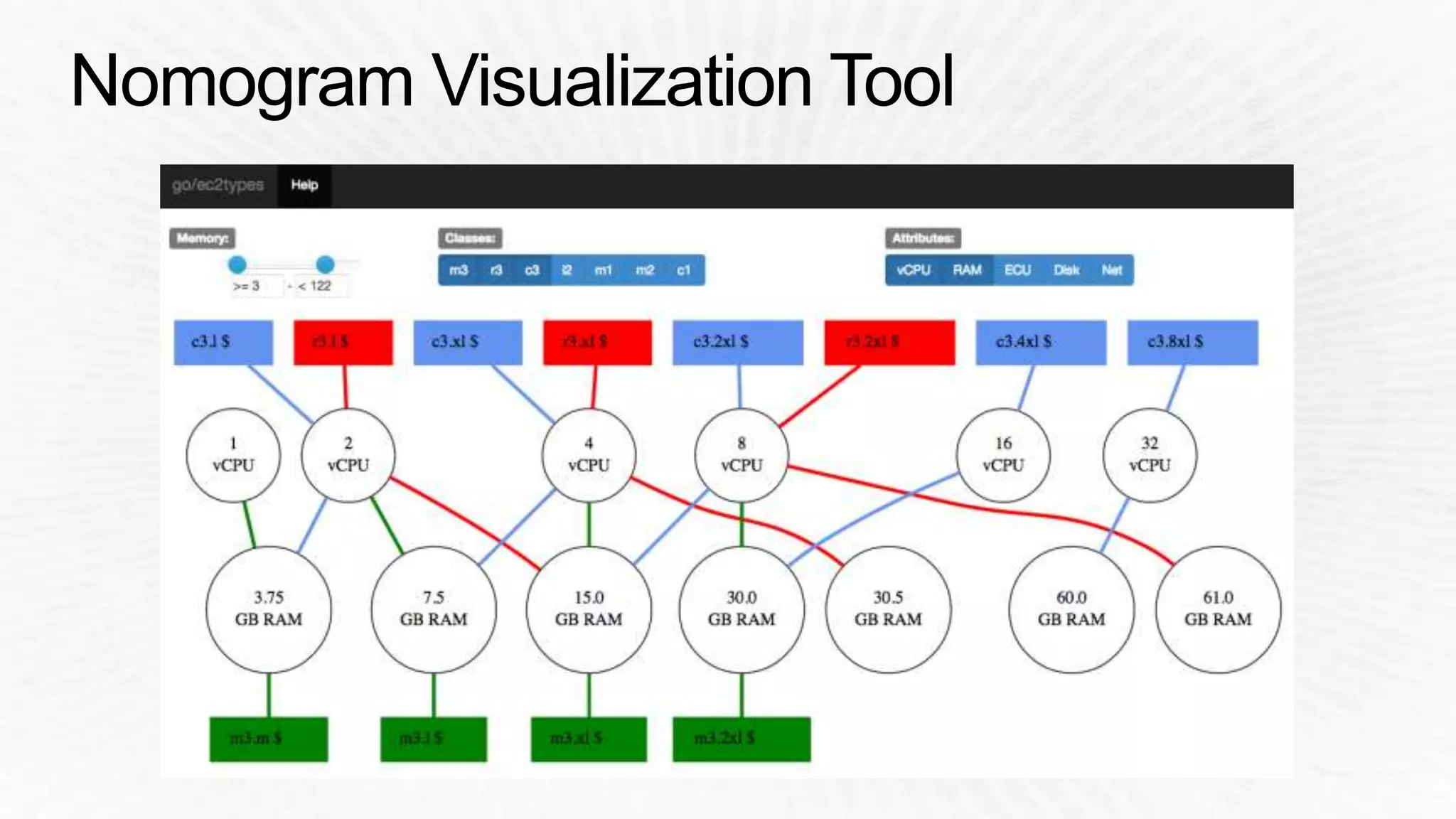
eg, 8 vCPU:
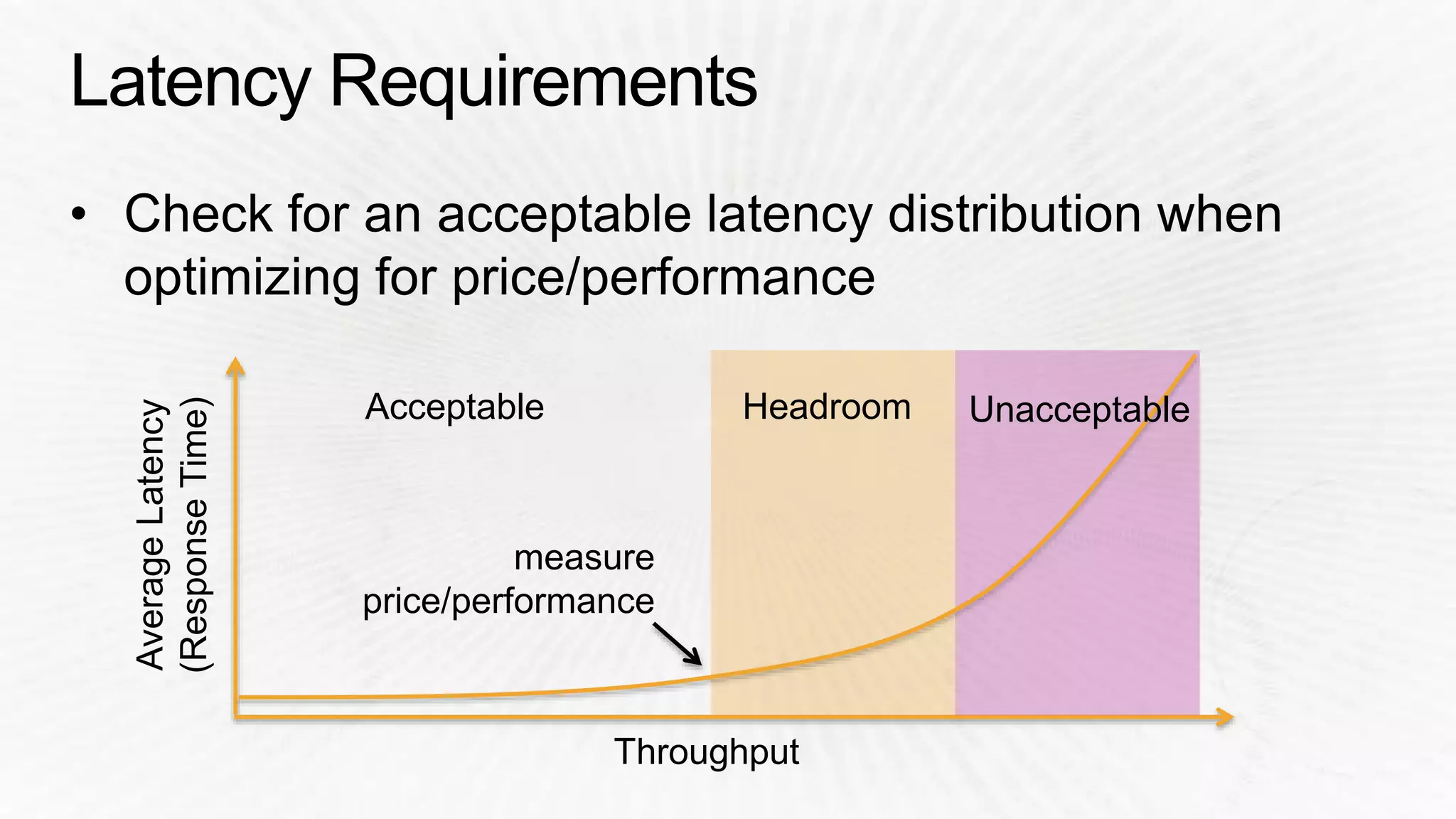
Acceptable Headroom Unacceptable
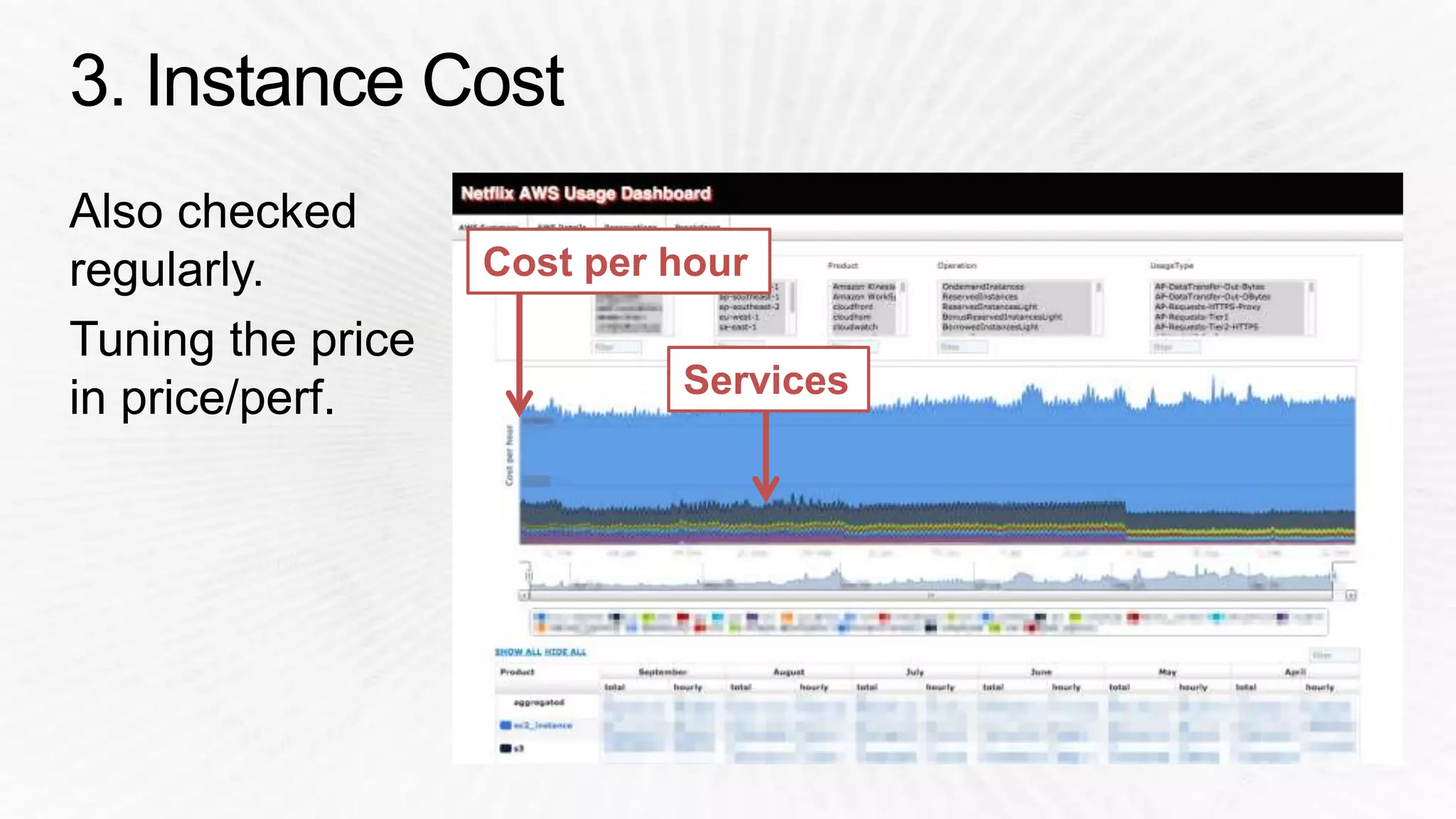
Cost per hour 
Services
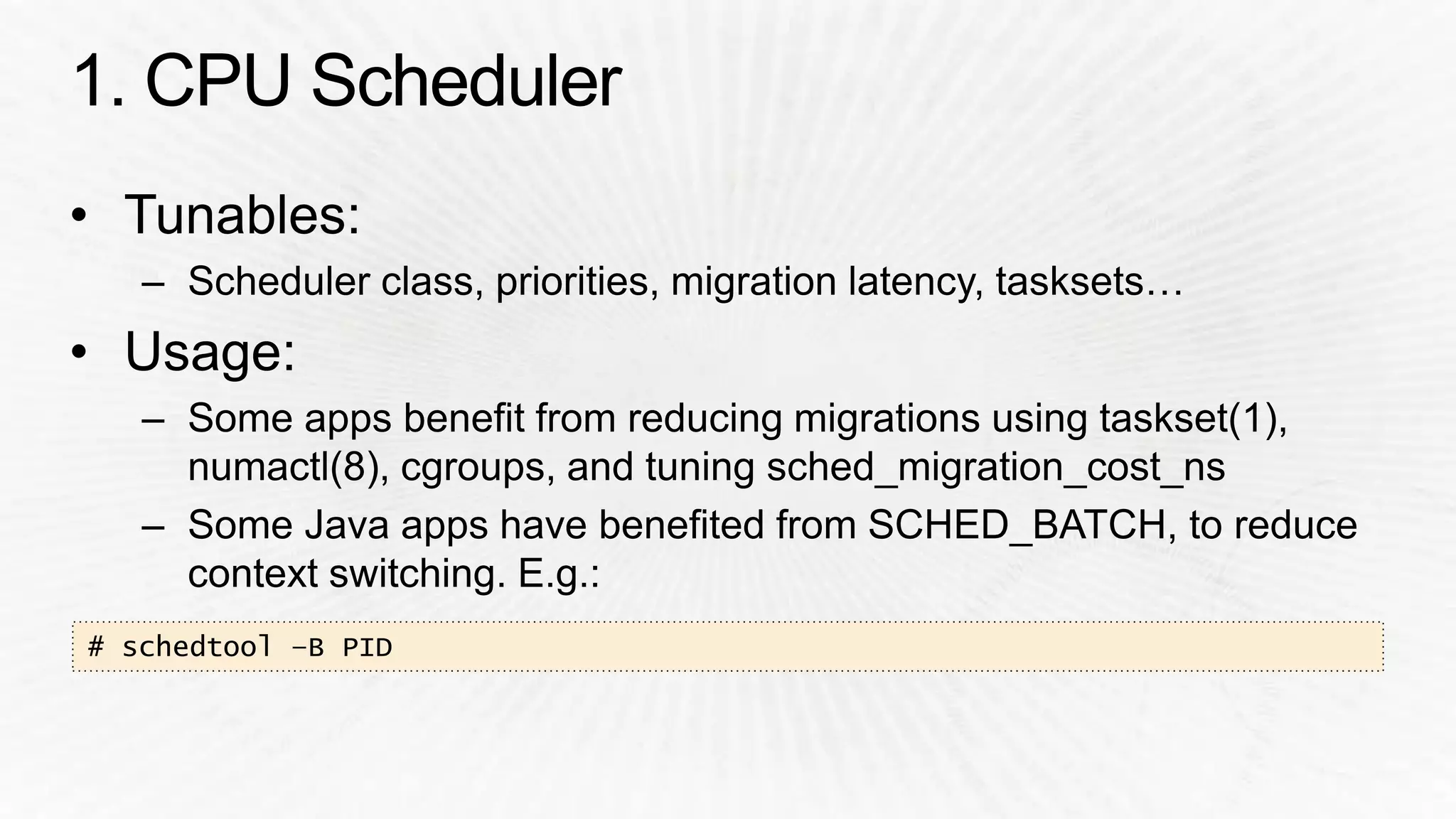
# schedtool –B PID
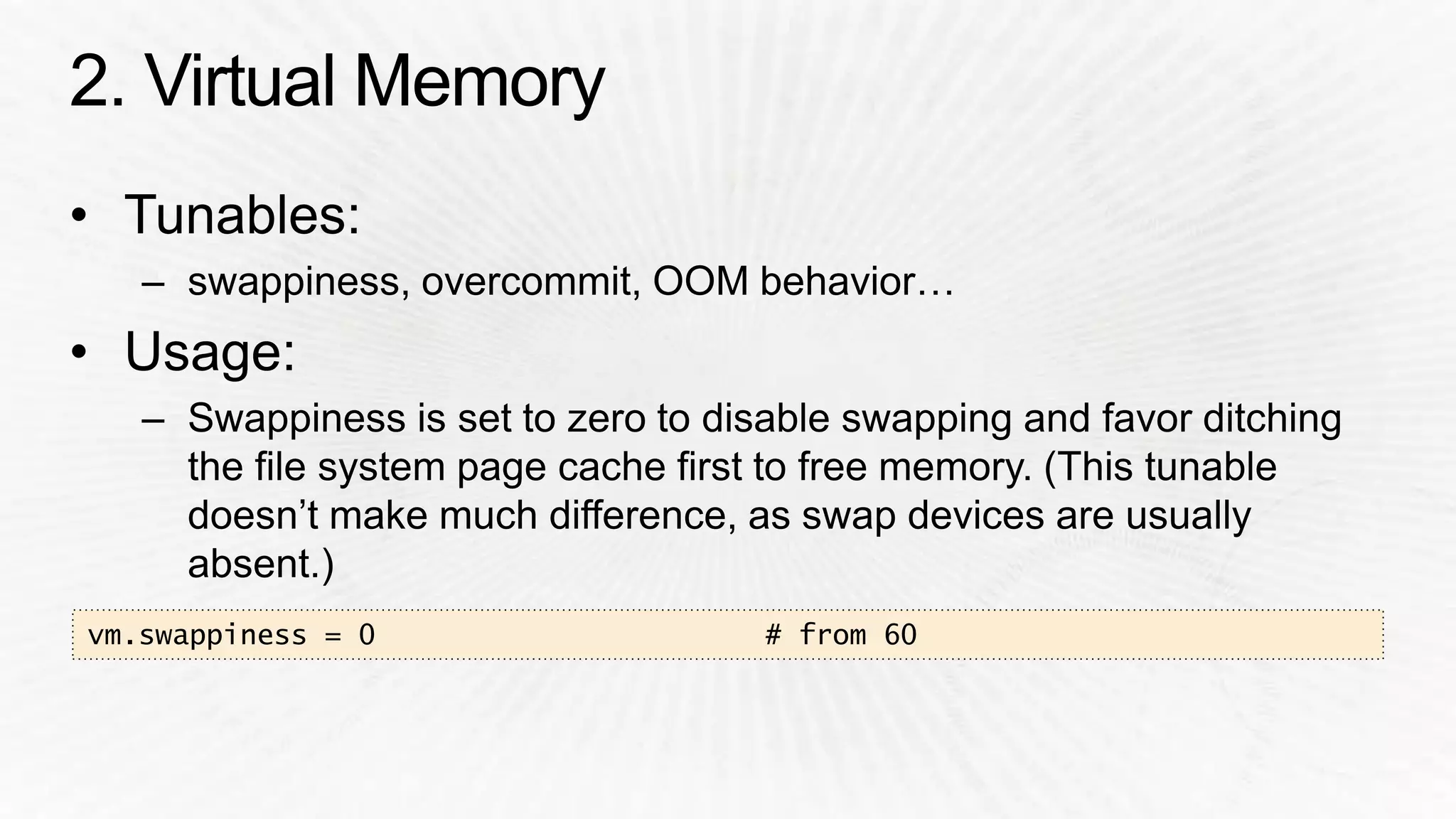
vm.swappiness = 0 # from 60
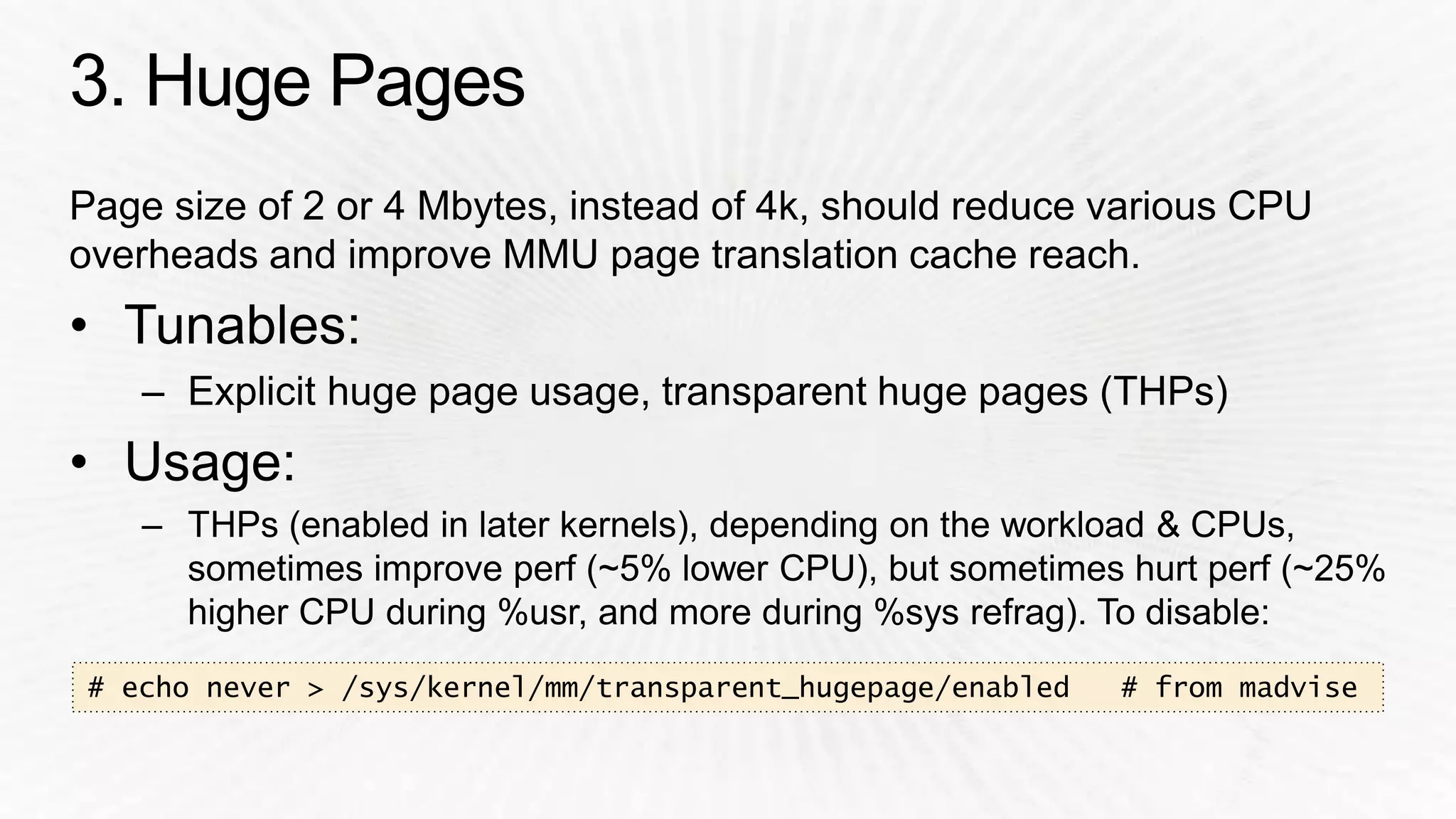
# echo never > /sys/kernel/mm/transparent_hugepage/enabled # from madvise
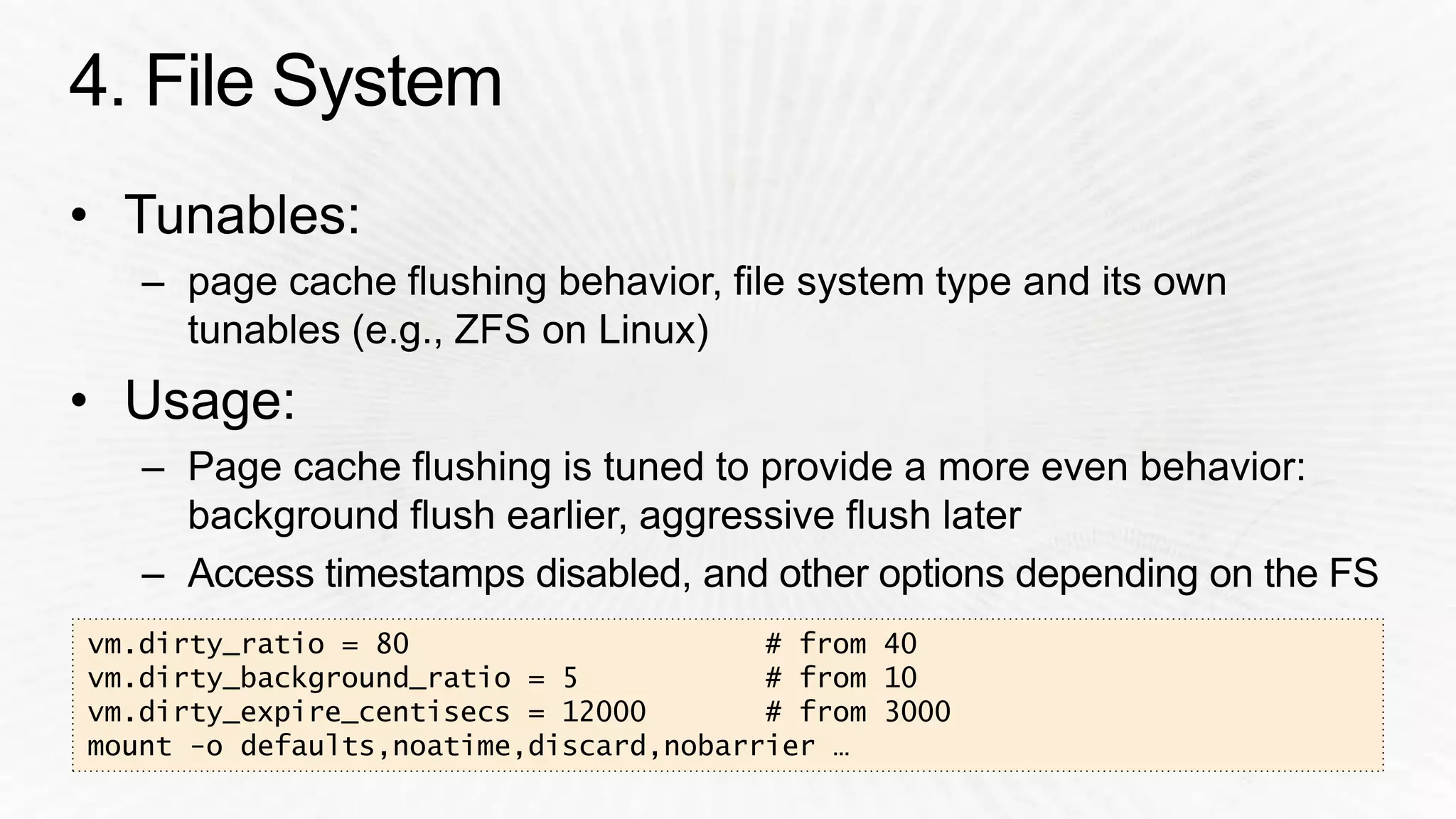
vm.dirty_ratio = 80 # from 40 
vm.dirty_background_ratio = 5 # from 10 
vm.dirty_expire_centisecs = 12000 # from 3000 
mount -o defaults,noatime,discard,nobarrier …
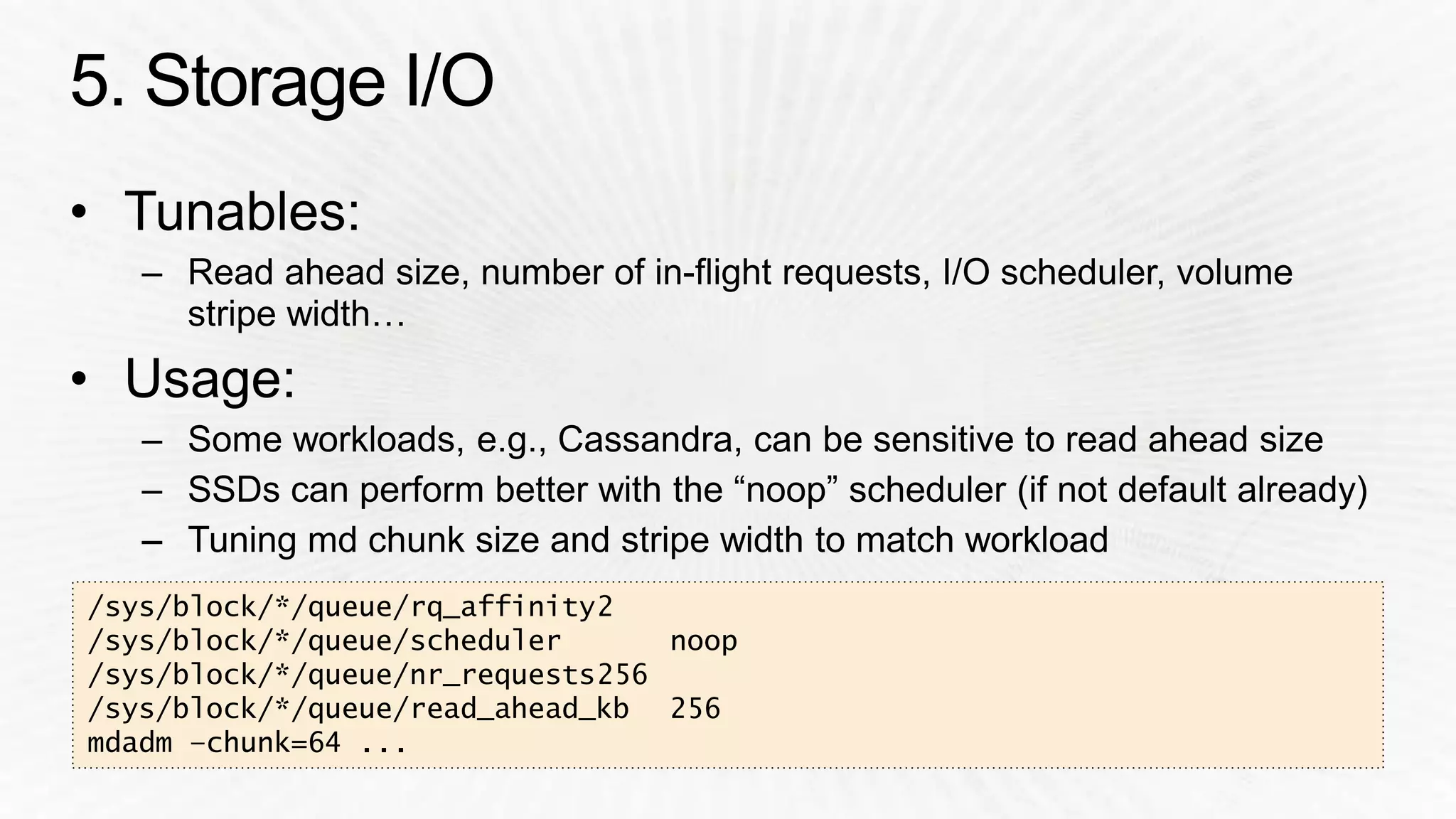
/sys/block/*/queue/rq_affinity2 
/sys/block/*/queue/scheduler noop 
/sys/block/*/queue/nr_requests256 
/sys/block/*/queue/read_ahead_kb 256 
mdadm –chunk=64 ...
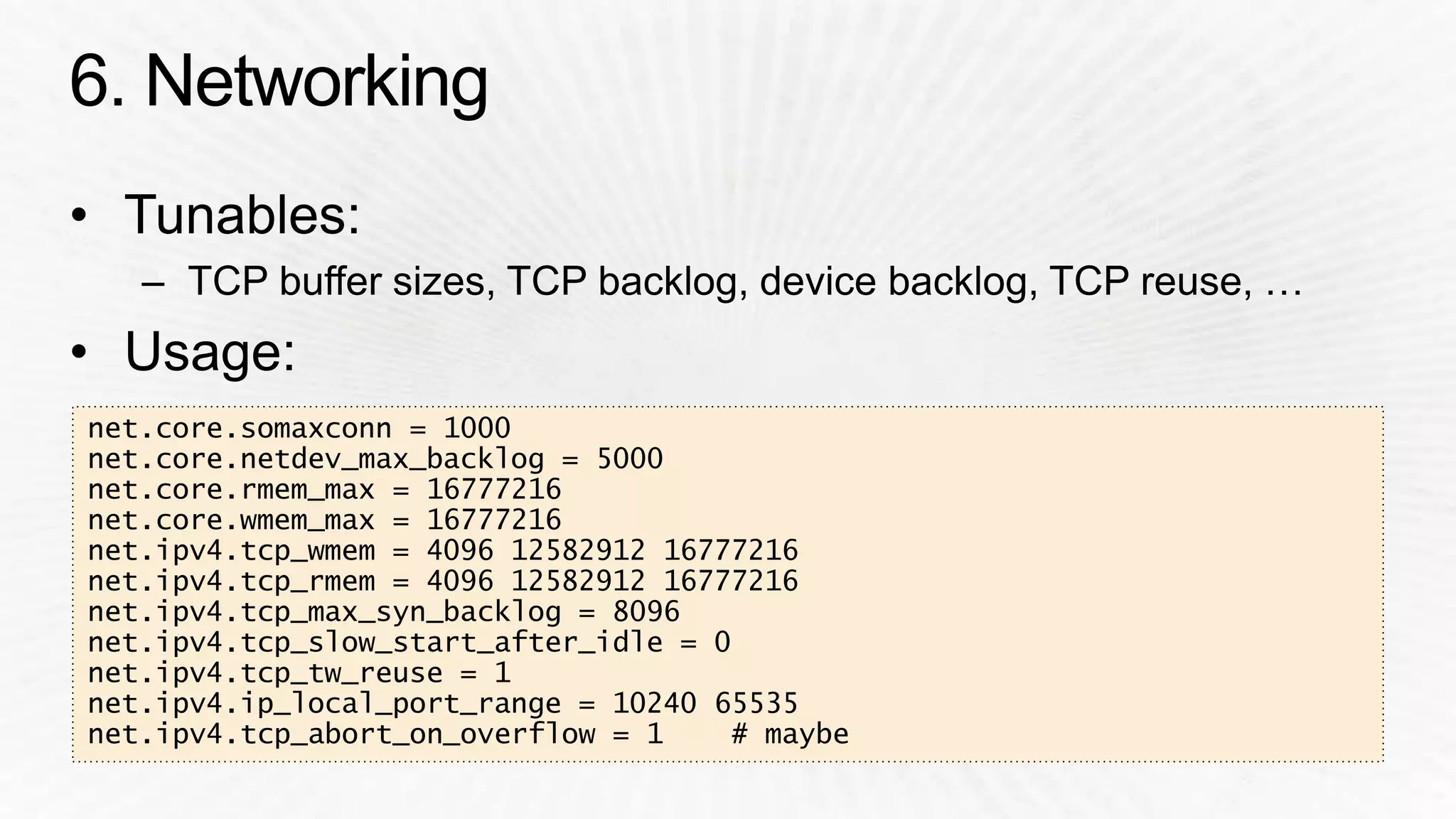
net.core.somaxconn = 1000 
net.core.netdev_max_backlog = 5000 
net.core.rmem_max = 16777216 
net.core.wmem_max = 16777216 
net.ipv4.tcp_wmem = 4096 12582912 16777216 
net.ipv4.tcp_rmem = 4096 12582912 16777216 
net.ipv4.tcp_max_syn_backlog = 8096 
net.ipv4.tcp_slow_start_after_idle = 0 
net.ipv4.tcp_tw_reuse = 1 
net.ipv4.ip_local_port_range = 10240 65535 
net.ipv4.tcp_abort_on_overflow = 1 # maybe
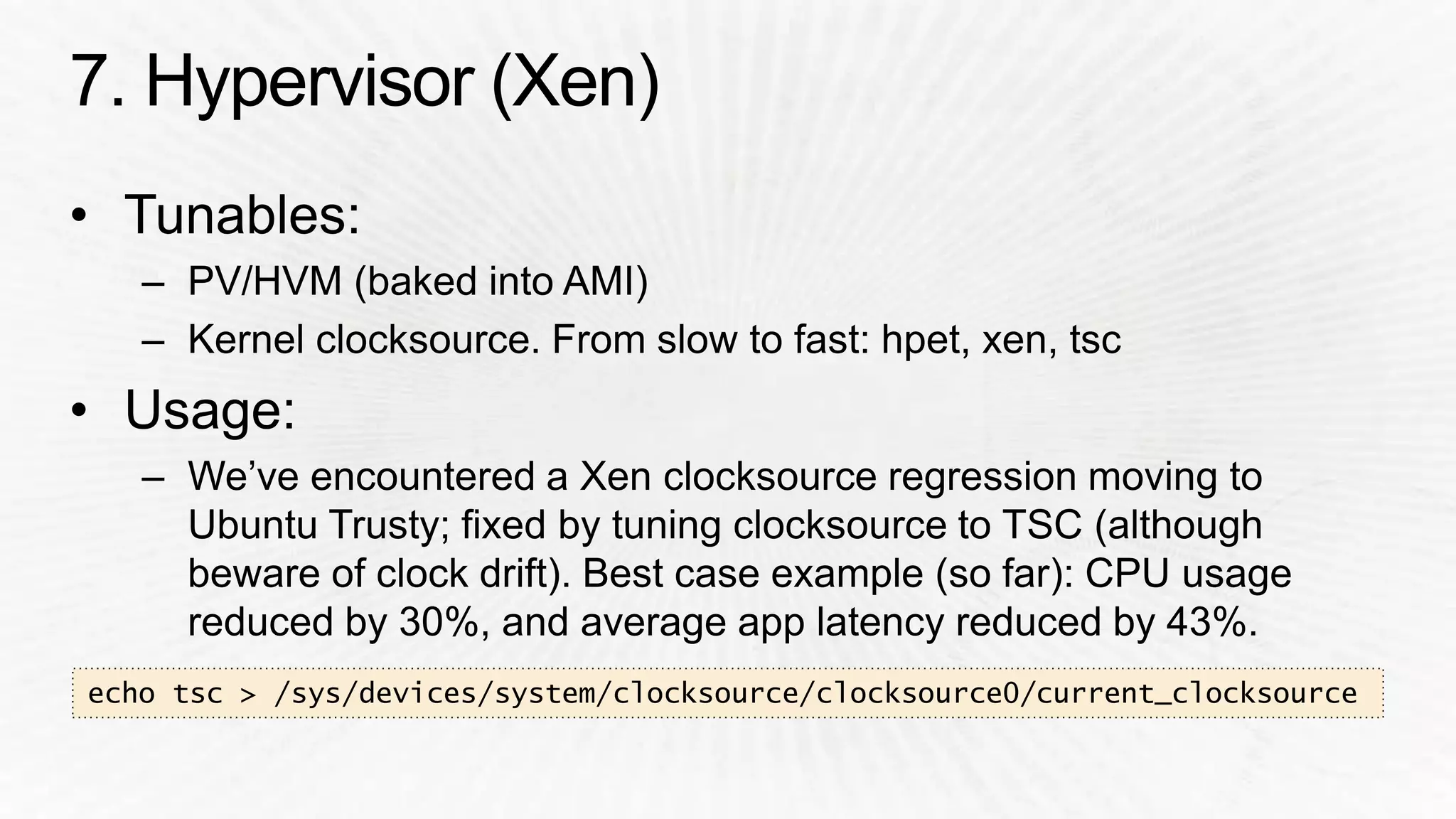
echo tsc > /sys/devices/system/clocksource/clocksource0/current_clocksource
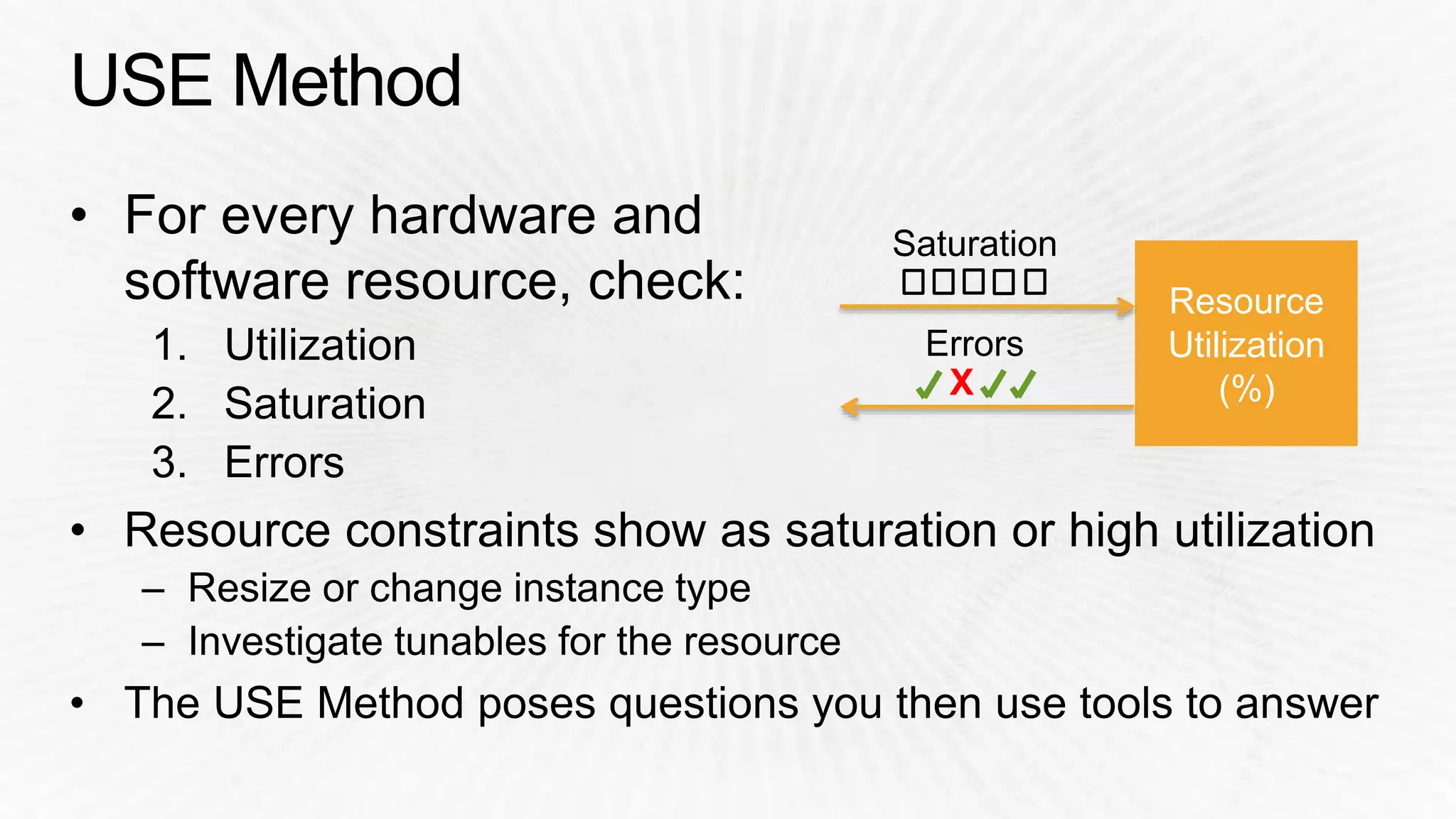
Resource 
Utilization 
X (%)
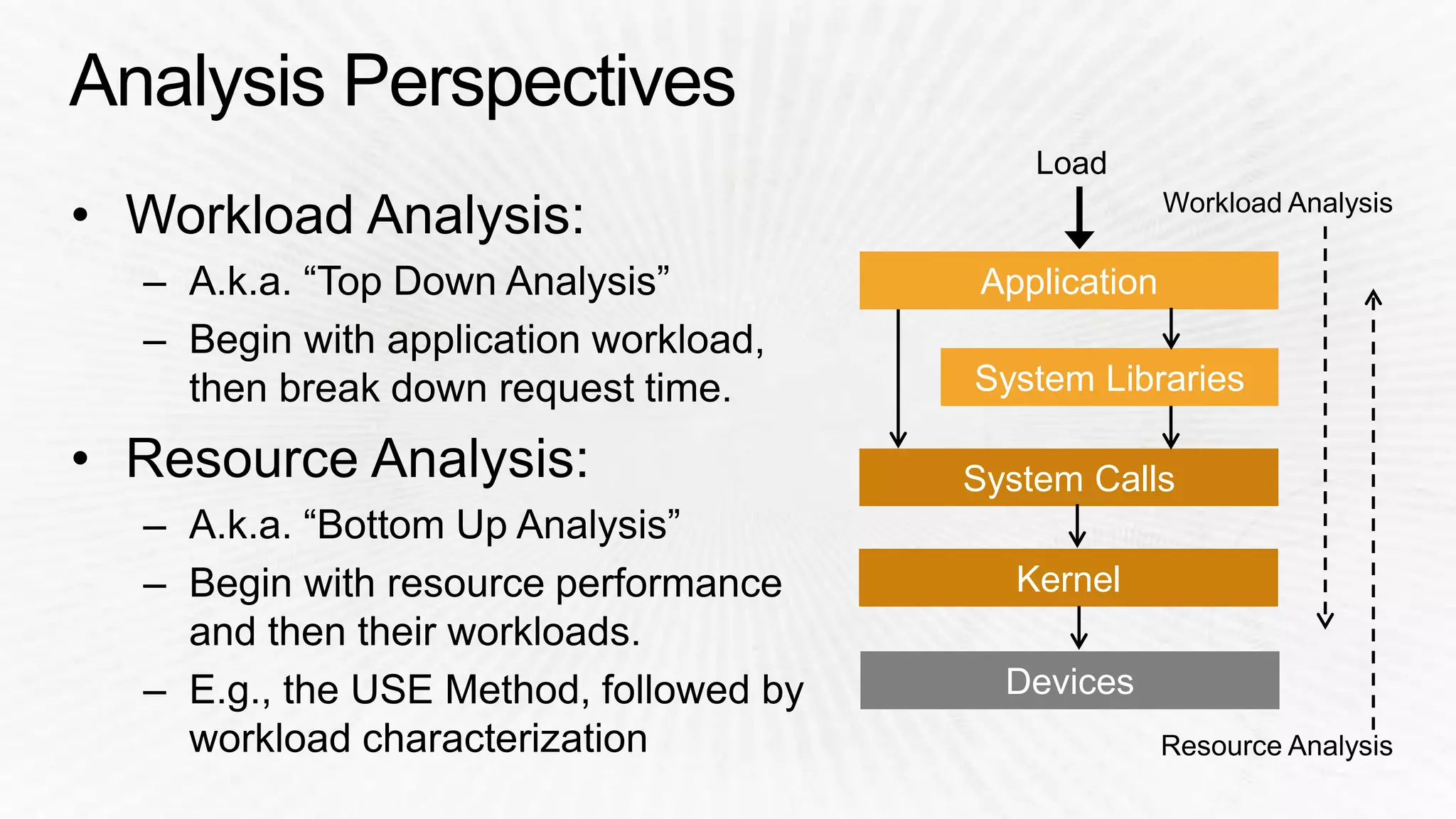
Application 
System Libraries 
System Calls 
Kernel 
Devices
$ sar -n TCP,ETCP,DEV 1 
Linux 3.2.55 (test-e4f1a80b) 08/18/2014 _x86_64_ (8 CPU) 
09:10:43 PM IFACE rxpck/s txpck/s rxkB/s txkB/s rxcmp/s txcmp/s rxmcst/s 
09:10:44 PM lo 14.00 14.00 1.34 1.34 0.00 0.00 0.00 
09:10:44 PM eth0 4114.00 4186.00 4537.46 28513.24 0.00 0.00 0.00 
09:10:43 PM active/s passive/s iseg/s oseg/s 
09:10:44 PM 21.00 4.00 4107.00 22511.00 
09:10:43 PM atmptf/s estres/s retrans/s isegerr/s orsts/s 
09:10:44 PM 0.00 0.00 36.00 0.00 1.00 
[…]
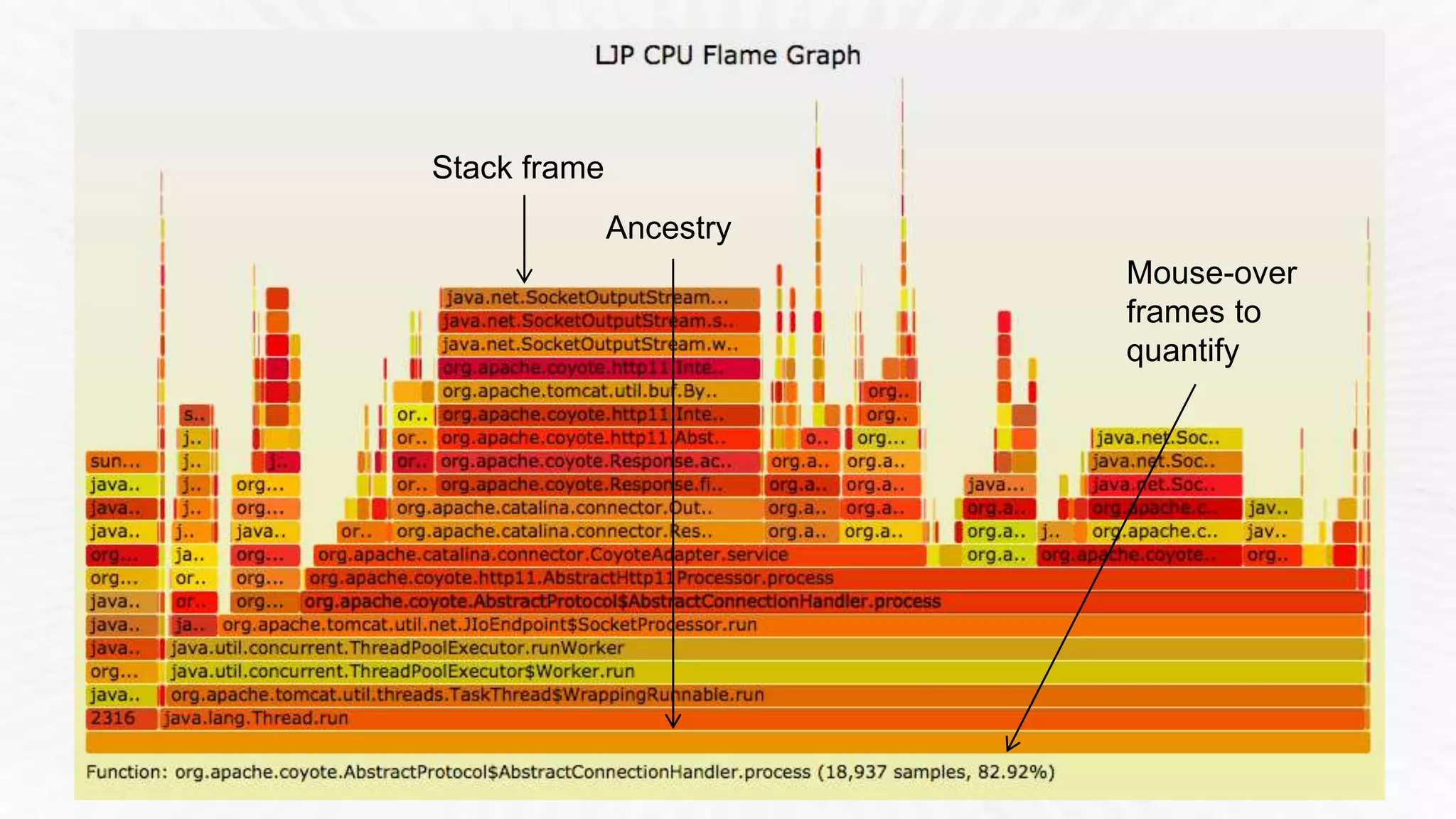
Stack frame 
Mouse-over 
frames to 
quantify 
Ancestry
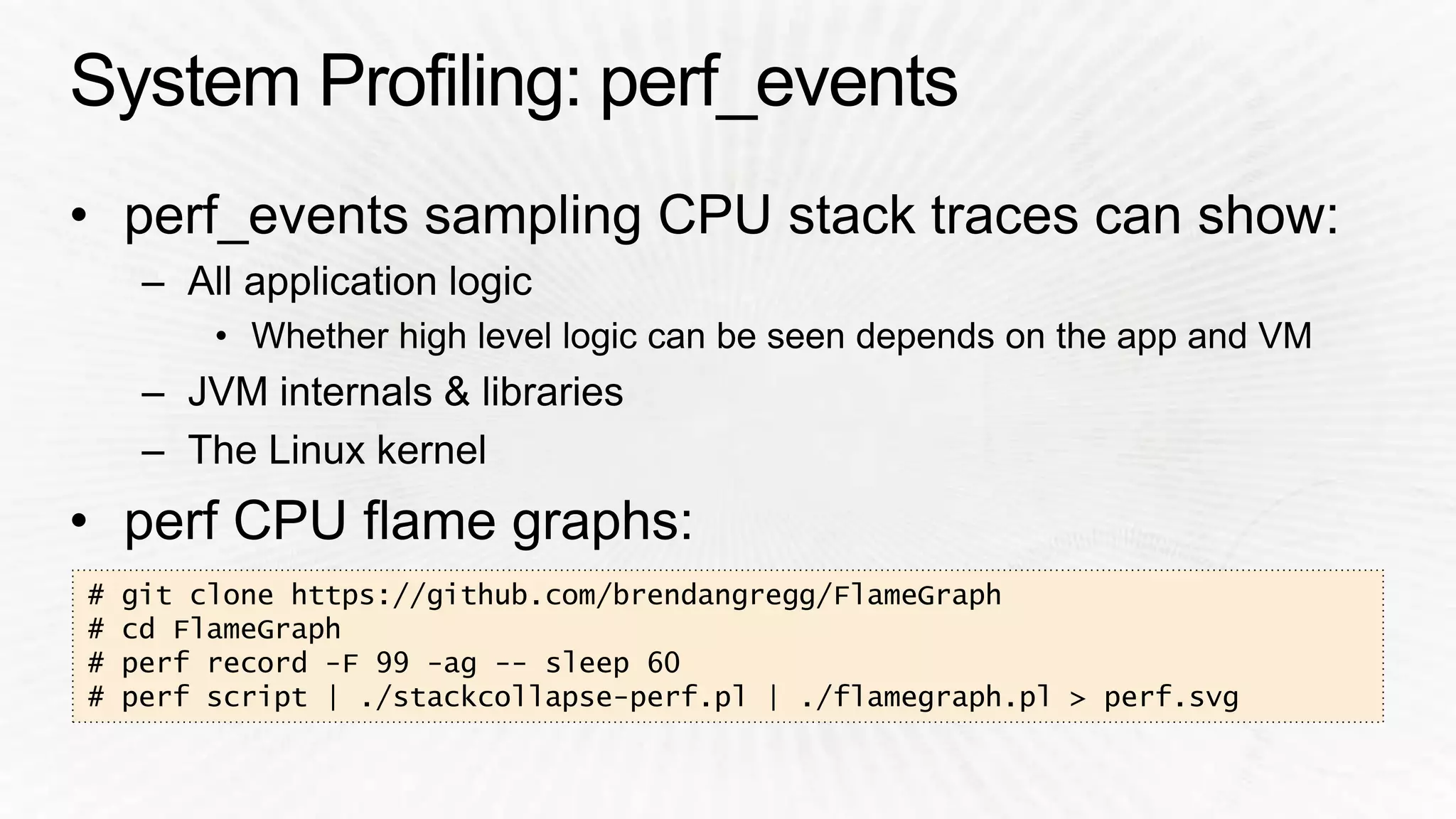
# git clone https://github.com/brendangregg/FlameGraph 
# cd FlameGraph 
# perf record -F 99 -ag -- sleep 60 
# perf script | ./stackcollapse-perf.pl | ./flamegraph.pl > perf.svg
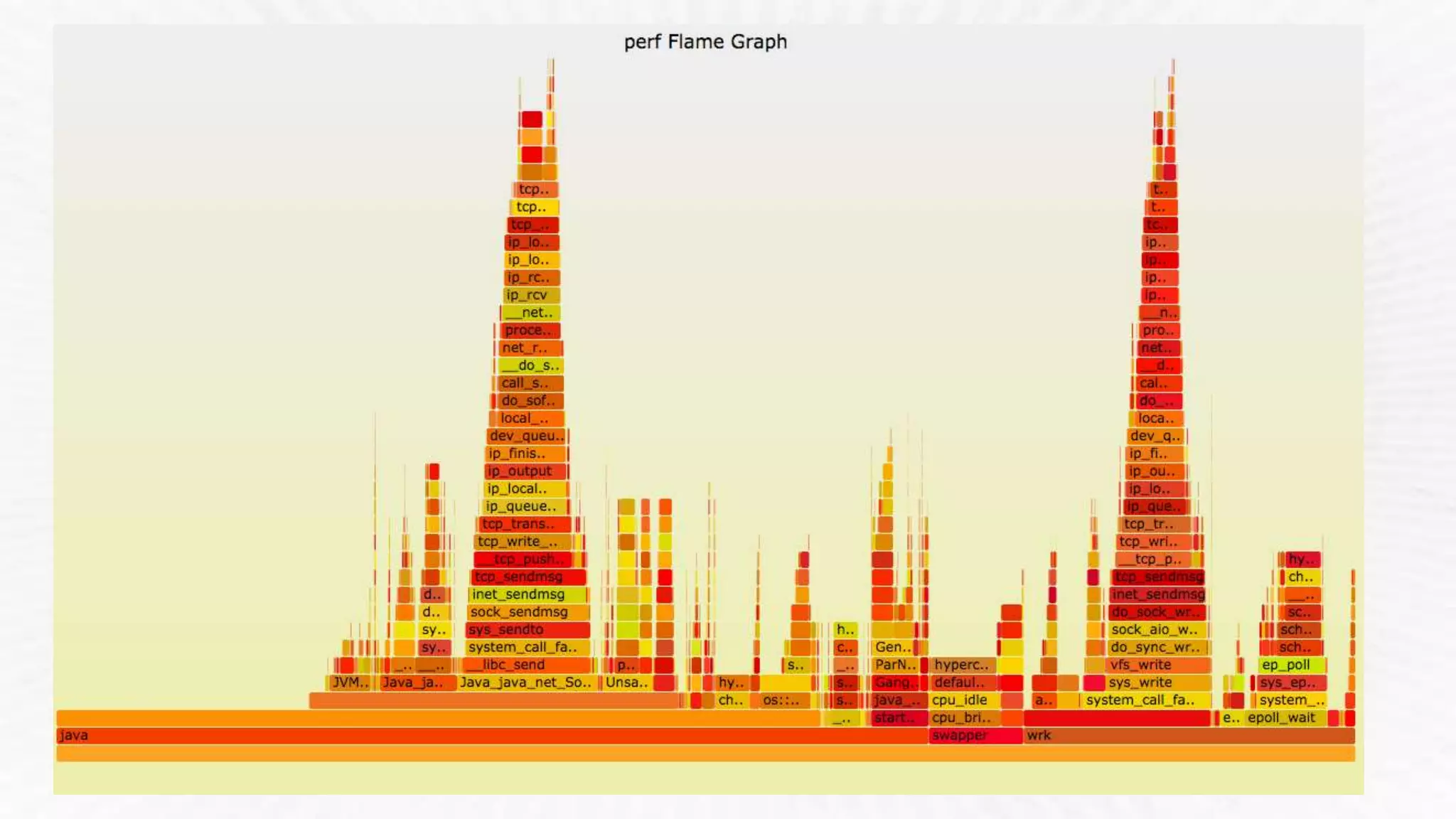
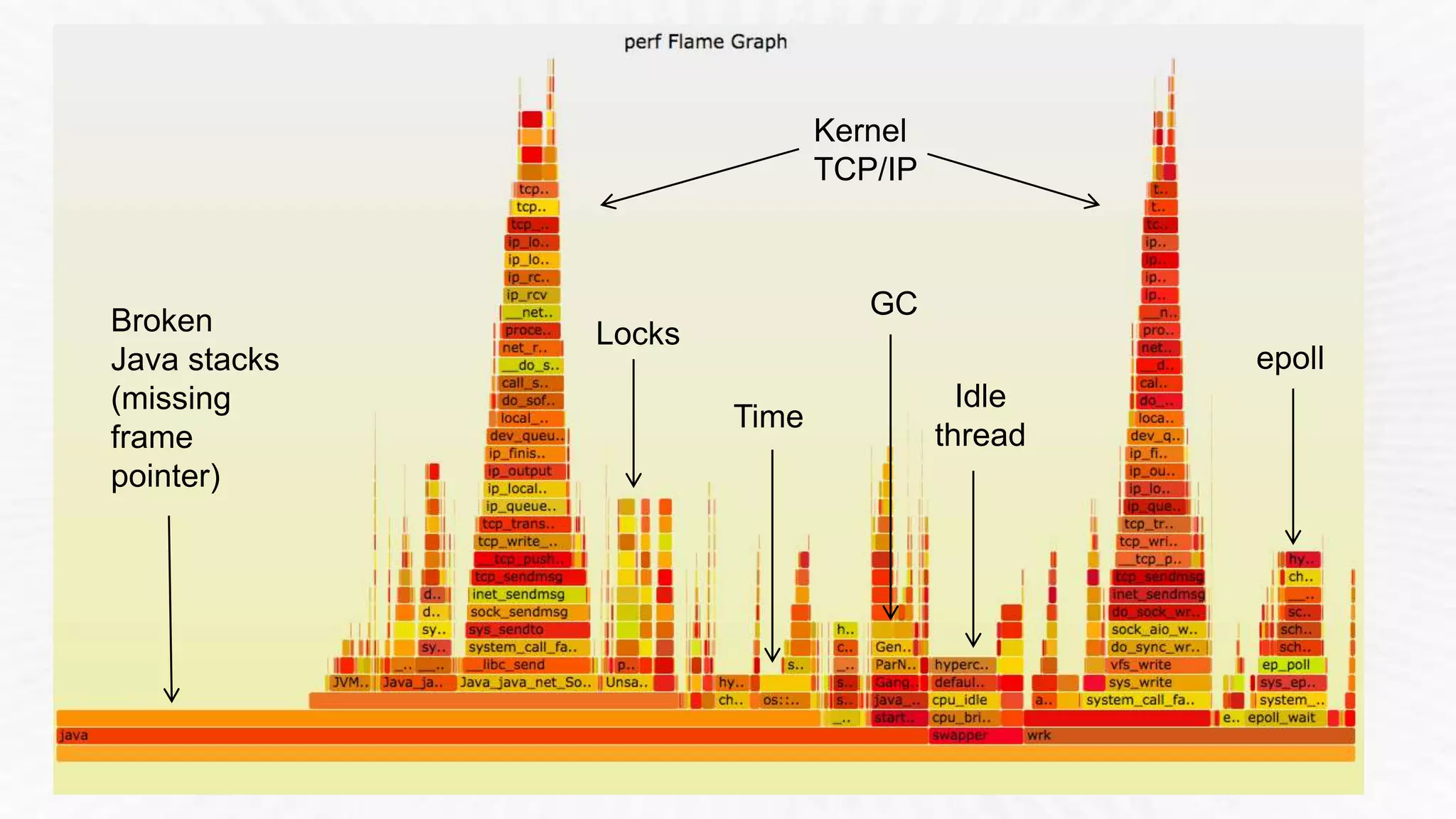
Broken 
Java stacks 
(missing 
frame 
pointer) 
Kernel 
TCP/IP 
GC 
Idle 
thread 
Time 
Locks 
epoll
# ./iosnoop –ts 
Tracing block I/O. Ctrl-C to end. 
STARTs ENDs COMM PID TYPE DEV BLOCK BYTES LATms 
5982800.302061 5982800.302679 supervise 1809 W 202,1 17039600 4096 0.62 
5982800.302423 5982800.302842 supervise 1809 W 202,1 17039608 4096 0.42 
5982800.304962 5982800.305446 supervise 1801 W 202,1 17039616 4096 0.48 
5982800.305250 5982800.305676 supervise 1801 W 202,1 17039624 4096 0.43 
[…] 
# ./iosnoop –h 
USAGE: iosnoop [-hQst] [-d device] [-i iotype] [-p PID] [-n name] [duration] 
-d device # device string (eg, "202,1) 
-i iotype # match type (eg, '*R*' for all reads) 
-n name # process name to match on I/O issue 
-p PID # PID to match on I/O issue 
-Q # include queueing time in LATms 
-s # include start time of I/O (s) 
-t # include completion time of I/O (s) 
[…]
# perf record –e skb:consume_skb –ag -- sleep 10 
# perf report 
[...] 
74.42% swapper [kernel.kallsyms] [k] consume_skb 
| 
--- consume_skb 
arp_process 
arp_rcv 
__netif_receive_skb_core 
__netif_receive_skb 
netif_receive_skb 
virtnet_poll 
net_rx_action 
__do_softirq 
irq_exit 
do_IRQ 
ret_from_intr 
[…] 
Summarizing stack traces for a 
tracepoint 
perf_events can do many things, 
it is hard to pick just one example
ec2-guest# ./showboost 
CPU MHz : 2500 
Turbo MHz : 2900 (10 active) 
Turbo Ratio : 116% (10 active) 
CPU 0 summary every 5 seconds... 
Real CPU MHz 
TIME C0_MCYC C0_ACYC UTIL RATIO MHz 
06:11:35 6428553166 7457384521 51% 116% 2900 
06:11:40 6349881107 7365764152 50% 115% 2899 
06:11:45 6240610655 7239046277 49% 115% 2899 
[...]
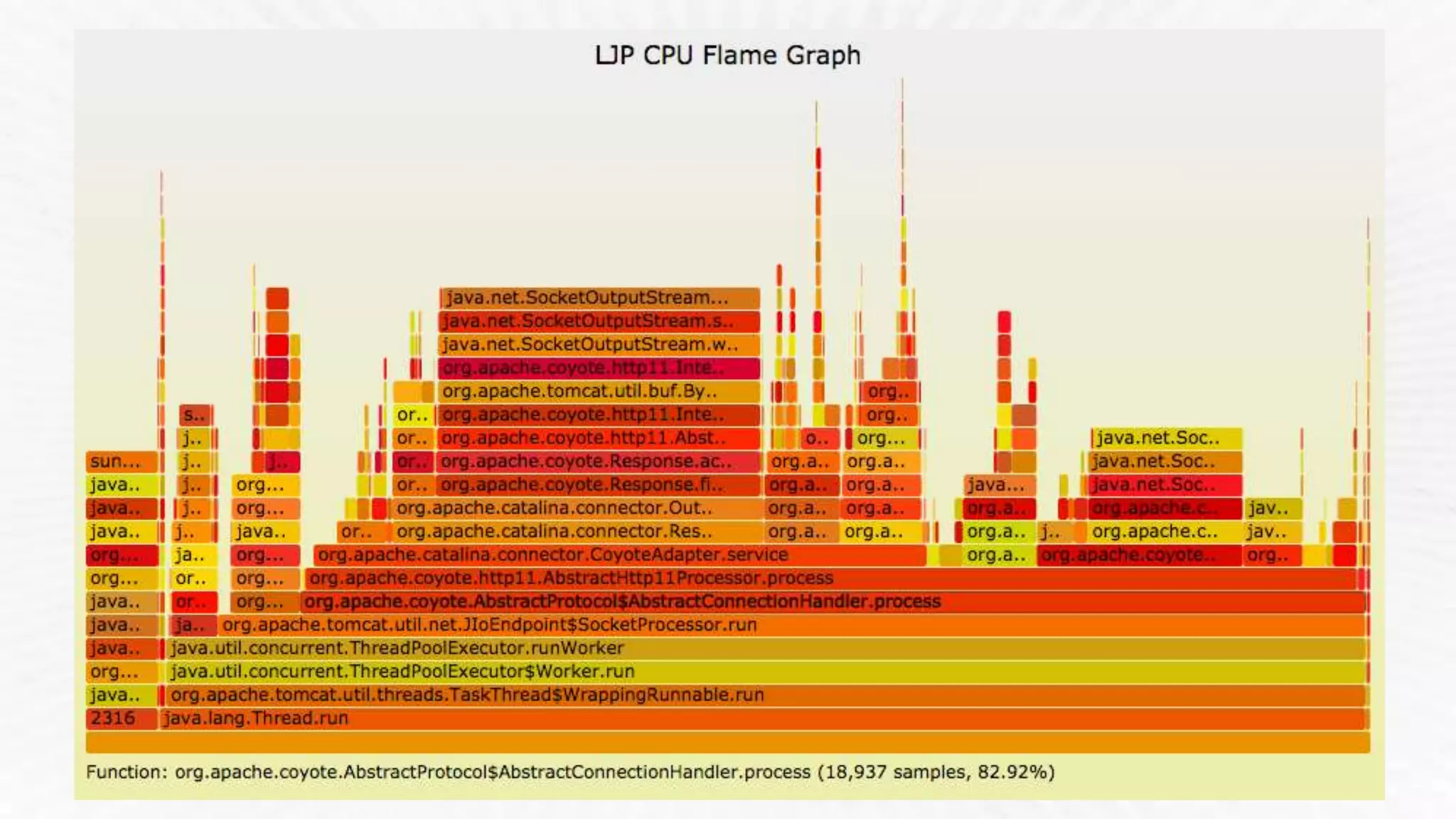
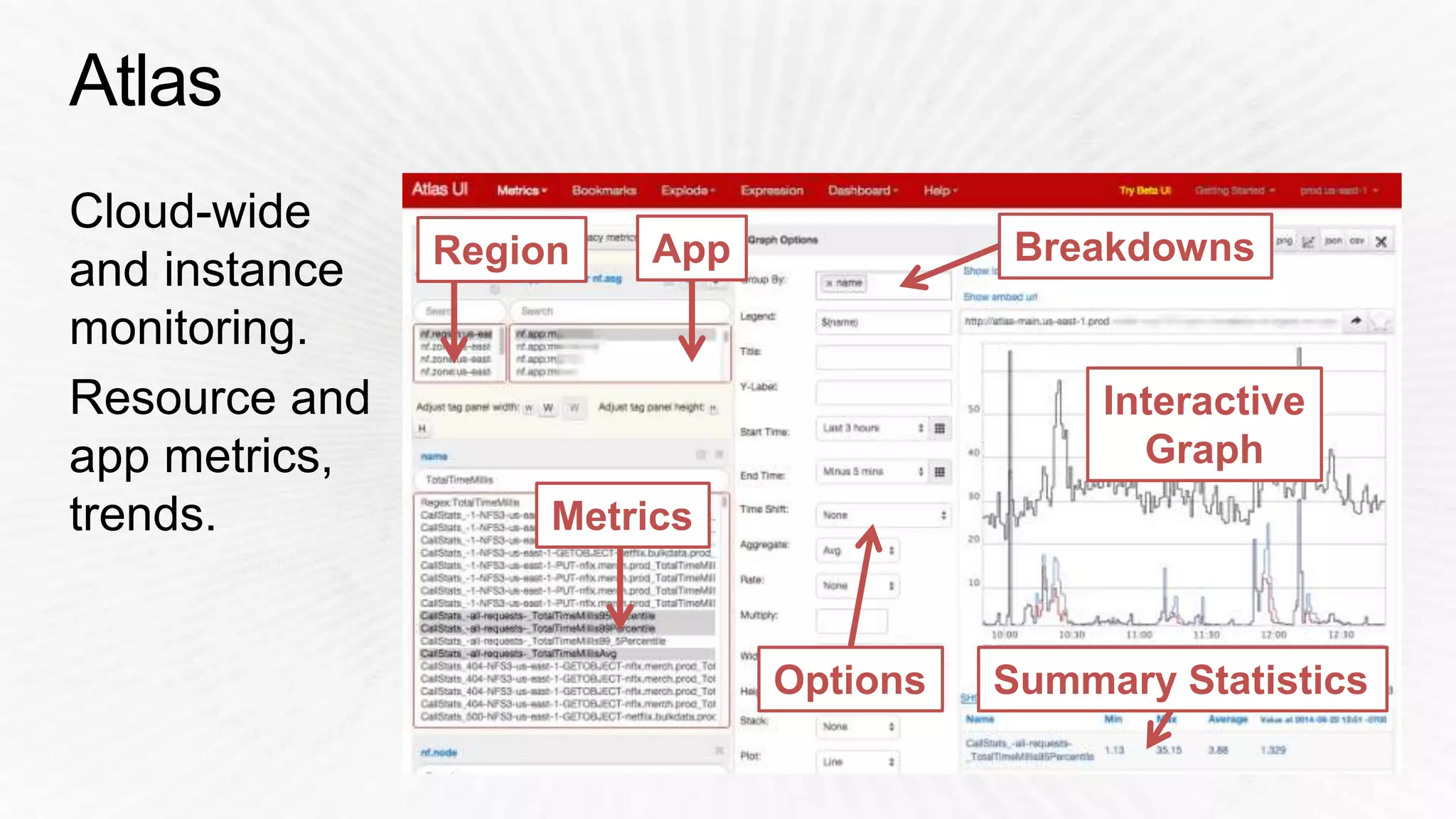
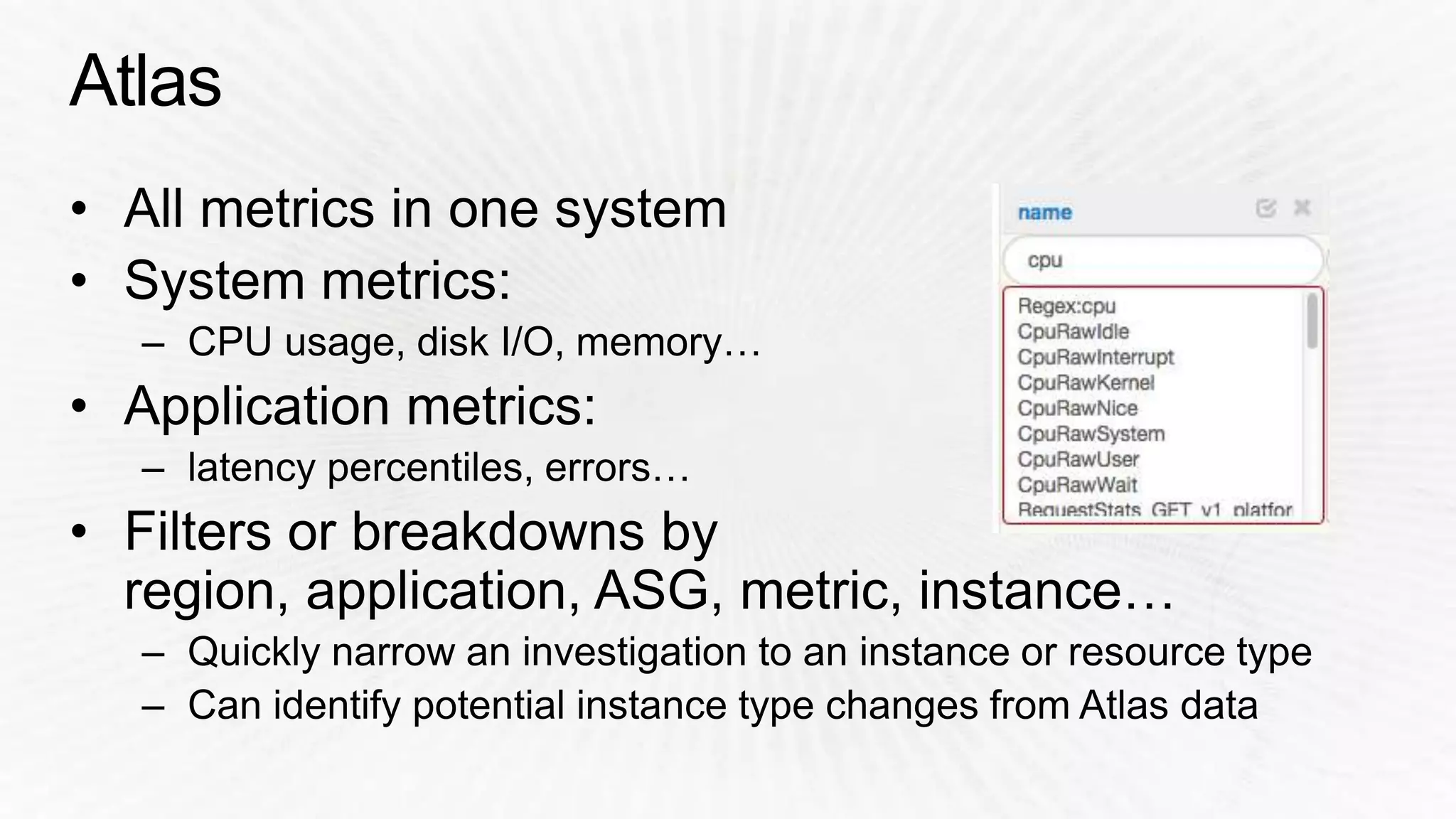
Region App Breakdowns 
Metrics 
Options 
Interactive 
Graph 
Summary Statistics
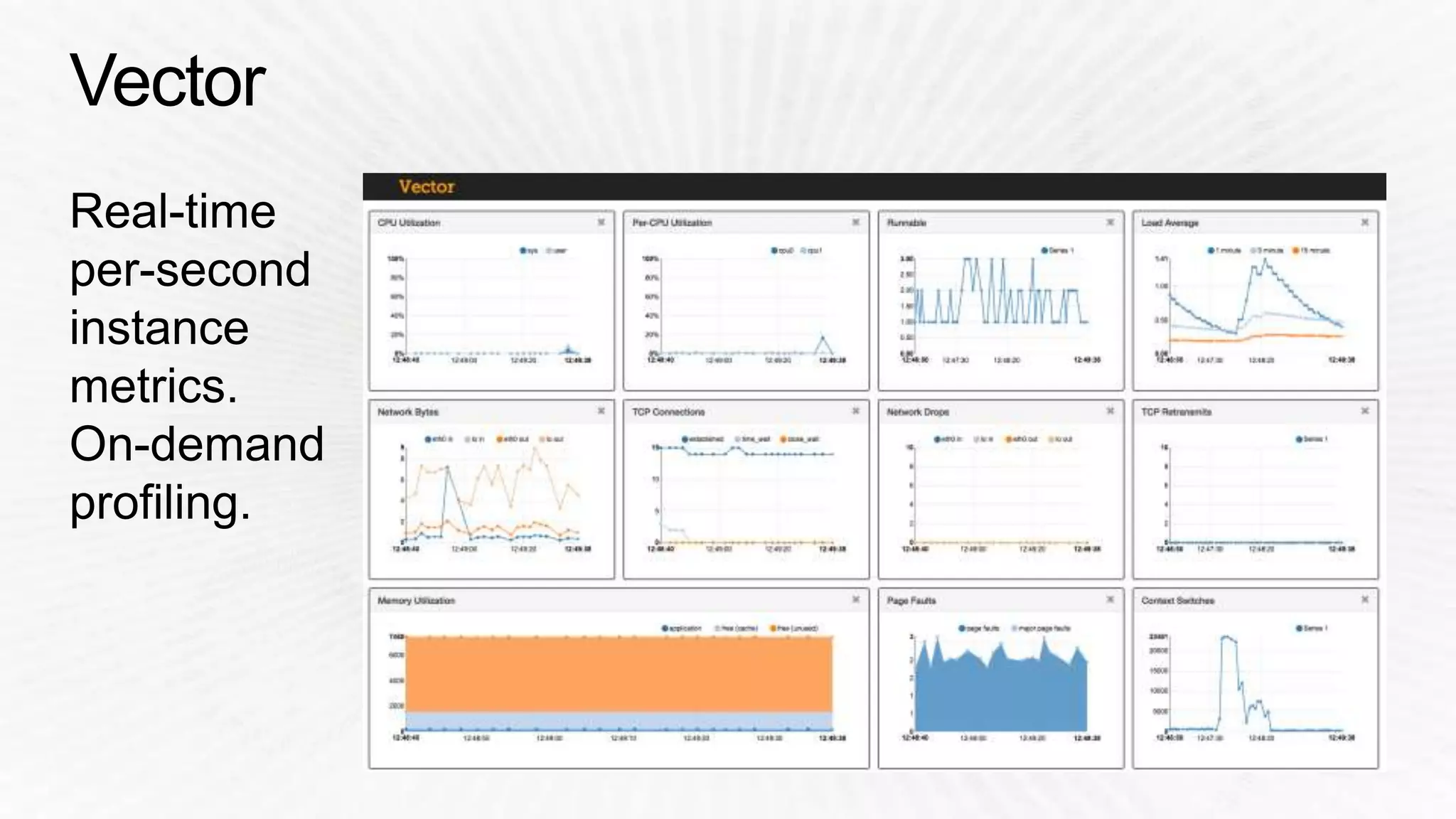
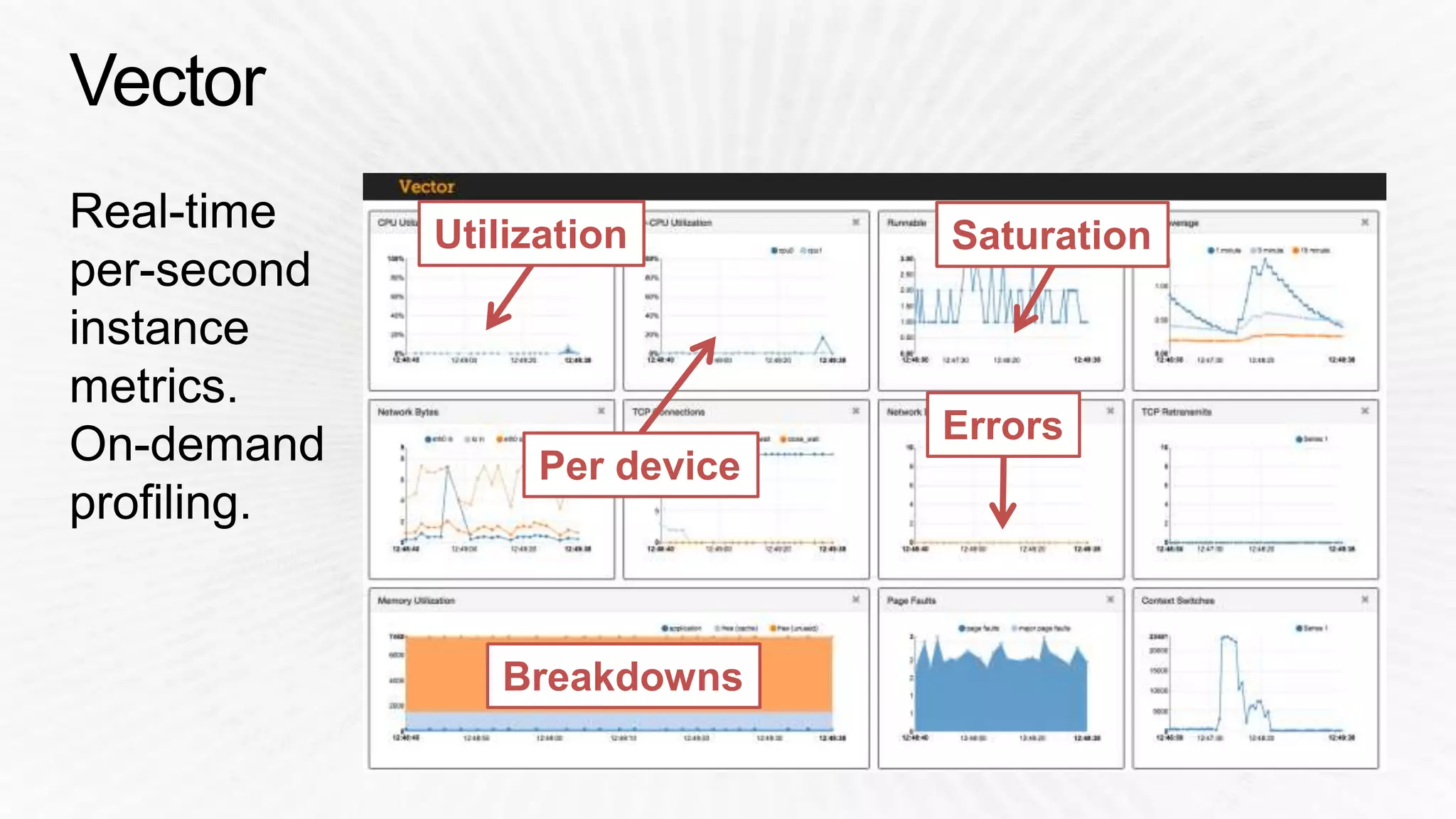
Utilization Saturation 
Errors 
Per device 
Breakdowns
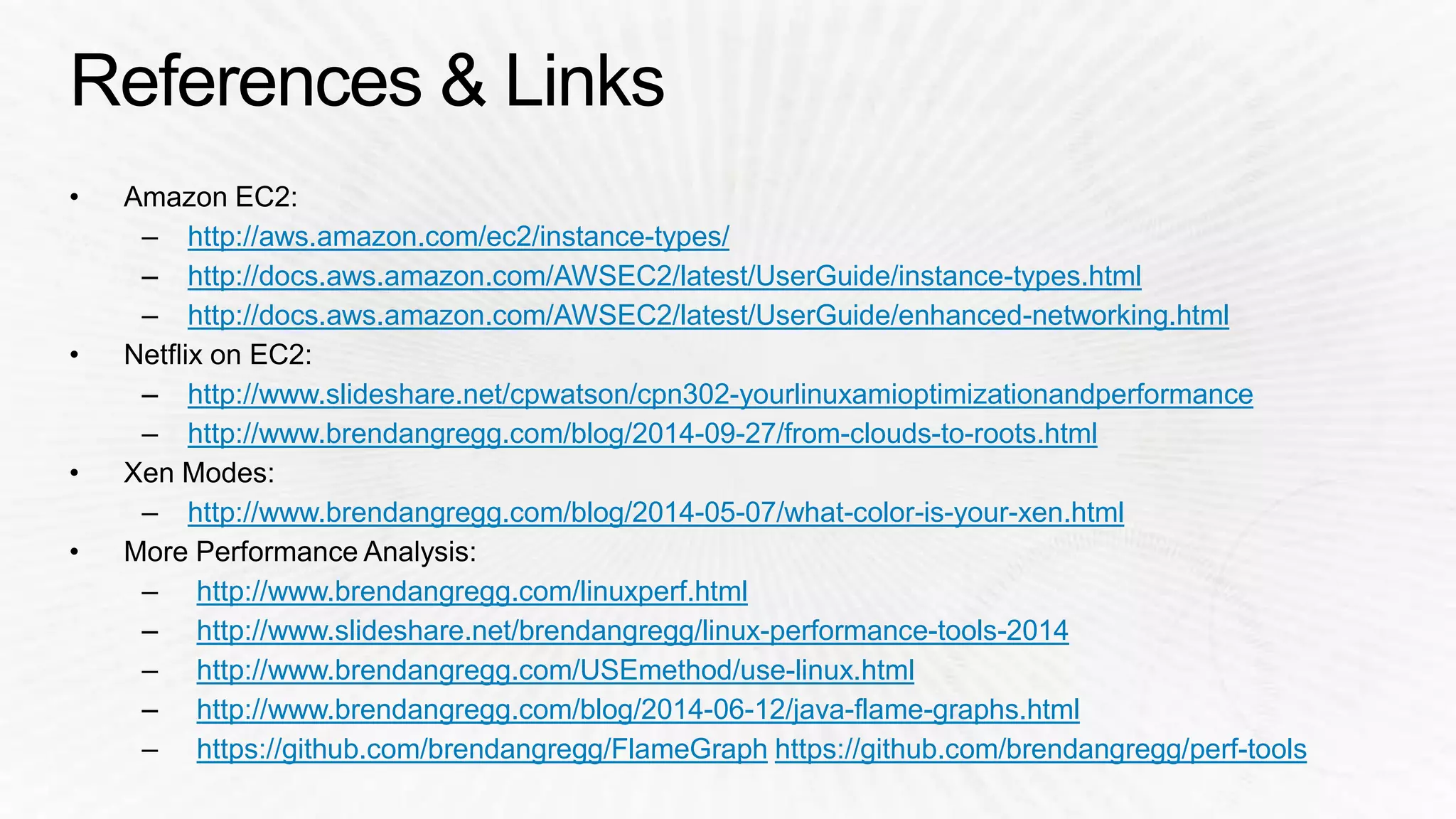
http://aws.amazon.com/ec2/instance-types/ 
http://docs.aws.amazon.com/AWSEC2/latest/UserGuide/instance-types.html 
http://docs.aws.amazon.com/AWSEC2/latest/UserGuide/enhanced-networking.html 
http://www.slideshare.net/cpwatson/cpn302-yourlinuxamioptimizationandperformance 
http://www.brendangregg.com/blog/2014-09-27/from-clouds-to-roots.html 
http://www.brendangregg.com/blog/2014-05-07/what-color-is-your-xen.html 
http://www.brendangregg.com/linuxperf.html 
http://www.slideshare.net/brendangregg/linux-performance-tools-2014 
http://www.brendangregg.com/USEmethod/use-linux.html 
http://www.brendangregg.com/blog/2014-06-12/java-flame-graphs.html 
https://github.com/brendangregg/FlameGraph https://github.com/brendangregg/perf-tools
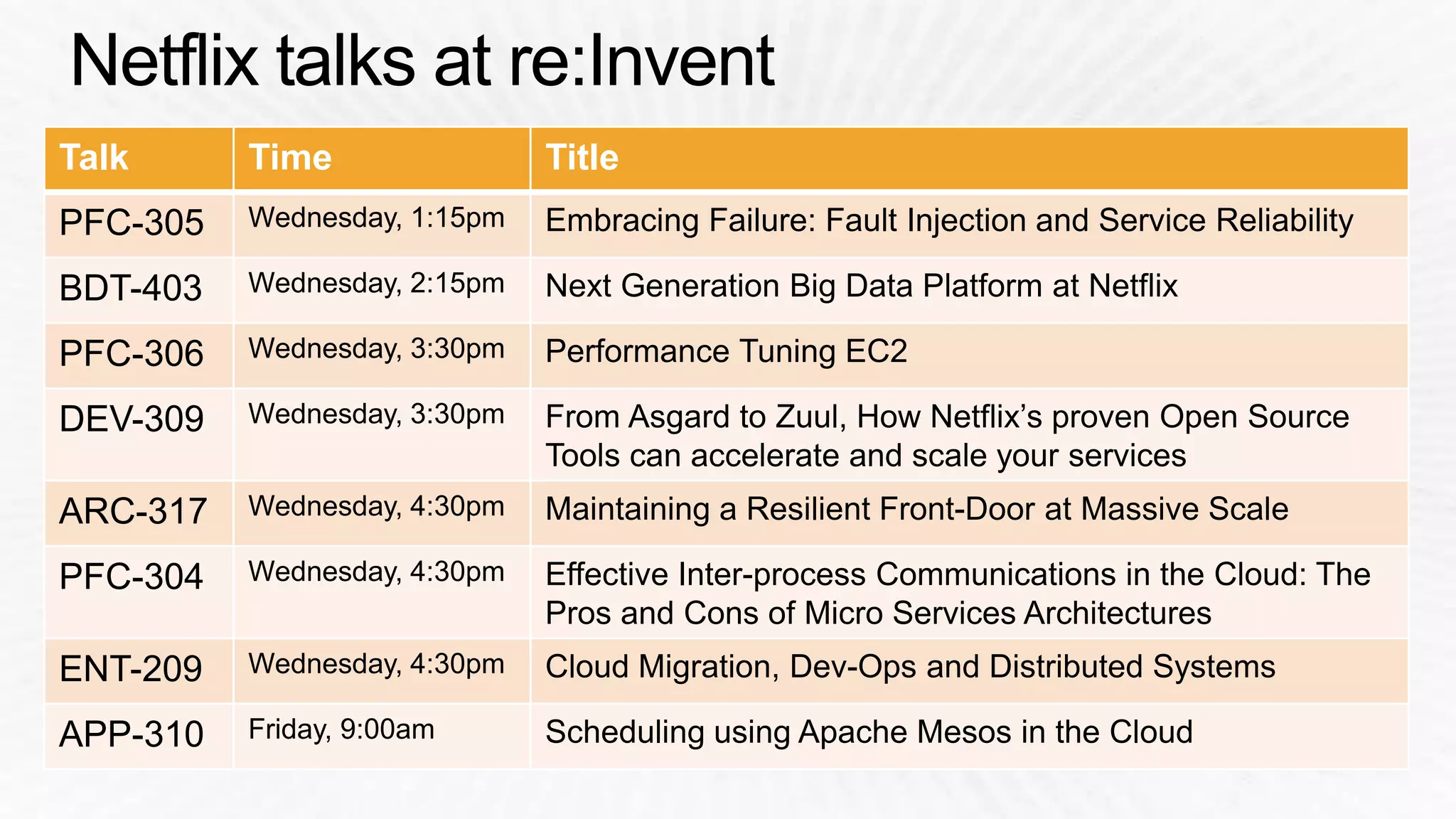
Talk Time Title 
PFC-305 Wednesday, 1:15pm Embracing Failure: Fault Injection and Service Reliability 
BDT-403 Wednesday, 2:15pm Next Generation Big Data Platform at Netflix 
PFC-306 Wednesday, 3:30pm Performance Tuning EC2 
DEV-309 Wednesday, 3:30pm From Asgard to Zuul, How Netflix’s proven Open Source 
Tools can accelerate and scale your services 
ARC-317 Wednesday, 4:30pm Maintaining a Resilient Front-Door at Massive Scale 
PFC-304 Wednesday, 4:30pm Effective Inter-process Communications in the Cloud: The 
Pros and Cons of Micro Services Architectures 
ENT-209 Wednesday, 4:30pm Cloud Migration, Dev-Ops and Distributed Systems 
APP-310 Friday, 9:00am Scheduling using Apache Mesos in the Cloud
Performance Tuning EC2 Instances

Performance Tuning EC2 Instances

  • 1.
    PFC306 Brendan Gregg,Performance Engineering, Netflix November 12, 2014 | Las Vegas, NV
  • 9.
    S3 EC2 Cassandra Applications (Services) EVCache ELB Elasticsearch SES SQS
  • 13.
    Start i2 Selectmemory to cache working set Find best balance
  • 14.
    ASG-v011 … Instance Instance Instance ASG Cluster prod1 ASG-v010 … Instance Instance Instance Canary ELB
  • 17.
    Select instance familiesSelect resources From any desired resource, see types & cost
  • 18.
  • 21.
  • 26.
    Cost per hour Services
  • 36.
  • 37.
  • 38.
    # echo never> /sys/kernel/mm/transparent_hugepage/enabled # from madvise
  • 39.
    vm.dirty_ratio = 80# from 40 vm.dirty_background_ratio = 5 # from 10 vm.dirty_expire_centisecs = 12000 # from 3000 mount -o defaults,noatime,discard,nobarrier …
  • 40.
    /sys/block/*/queue/rq_affinity2 /sys/block/*/queue/scheduler noop /sys/block/*/queue/nr_requests256 /sys/block/*/queue/read_ahead_kb 256 mdadm –chunk=64 ...
  • 41.
    net.core.somaxconn = 1000 net.core.netdev_max_backlog = 5000 net.core.rmem_max = 16777216 net.core.wmem_max = 16777216 net.ipv4.tcp_wmem = 4096 12582912 16777216 net.ipv4.tcp_rmem = 4096 12582912 16777216 net.ipv4.tcp_max_syn_backlog = 8096 net.ipv4.tcp_slow_start_after_idle = 0 net.ipv4.tcp_tw_reuse = 1 net.ipv4.ip_local_port_range = 10240 65535 net.ipv4.tcp_abort_on_overflow = 1 # maybe
  • 42.
    echo tsc >/sys/devices/system/clocksource/clocksource0/current_clocksource
  • 47.
  • 51.
    Application System Libraries System Calls Kernel Devices
  • 54.
    $ sar -nTCP,ETCP,DEV 1 Linux 3.2.55 (test-e4f1a80b) 08/18/2014 _x86_64_ (8 CPU) 09:10:43 PM IFACE rxpck/s txpck/s rxkB/s txkB/s rxcmp/s txcmp/s rxmcst/s 09:10:44 PM lo 14.00 14.00 1.34 1.34 0.00 0.00 0.00 09:10:44 PM eth0 4114.00 4186.00 4537.46 28513.24 0.00 0.00 0.00 09:10:43 PM active/s passive/s iseg/s oseg/s 09:10:44 PM 21.00 4.00 4107.00 22511.00 09:10:43 PM atmptf/s estres/s retrans/s isegerr/s orsts/s 09:10:44 PM 0.00 0.00 36.00 0.00 1.00 […]
  • 59.
    Stack frame Mouse-over frames to quantify Ancestry
  • 60.
    # git clonehttps://github.com/brendangregg/FlameGraph # cd FlameGraph # perf record -F 99 -ag -- sleep 60 # perf script | ./stackcollapse-perf.pl | ./flamegraph.pl > perf.svg
  • 62.
    Broken Java stacks (missing frame pointer) Kernel TCP/IP GC Idle thread Time Locks epoll
  • 65.
    # ./iosnoop –ts Tracing block I/O. Ctrl-C to end. STARTs ENDs COMM PID TYPE DEV BLOCK BYTES LATms 5982800.302061 5982800.302679 supervise 1809 W 202,1 17039600 4096 0.62 5982800.302423 5982800.302842 supervise 1809 W 202,1 17039608 4096 0.42 5982800.304962 5982800.305446 supervise 1801 W 202,1 17039616 4096 0.48 5982800.305250 5982800.305676 supervise 1801 W 202,1 17039624 4096 0.43 […] # ./iosnoop –h USAGE: iosnoop [-hQst] [-d device] [-i iotype] [-p PID] [-n name] [duration] -d device # device string (eg, "202,1) -i iotype # match type (eg, '*R*' for all reads) -n name # process name to match on I/O issue -p PID # PID to match on I/O issue -Q # include queueing time in LATms -s # include start time of I/O (s) -t # include completion time of I/O (s) […]
  • 67.
    # perf record–e skb:consume_skb –ag -- sleep 10 # perf report [...] 74.42% swapper [kernel.kallsyms] [k] consume_skb | --- consume_skb arp_process arp_rcv __netif_receive_skb_core __netif_receive_skb netif_receive_skb virtnet_poll net_rx_action __do_softirq irq_exit do_IRQ ret_from_intr […] Summarizing stack traces for a tracepoint perf_events can do many things, it is hard to pick just one example
  • 69.
    ec2-guest# ./showboost CPUMHz : 2500 Turbo MHz : 2900 (10 active) Turbo Ratio : 116% (10 active) CPU 0 summary every 5 seconds... Real CPU MHz TIME C0_MCYC C0_ACYC UTIL RATIO MHz 06:11:35 6428553166 7457384521 51% 116% 2900 06:11:40 6349881107 7365764152 50% 115% 2899 06:11:45 6240610655 7239046277 49% 115% 2899 [...]
  • 72.
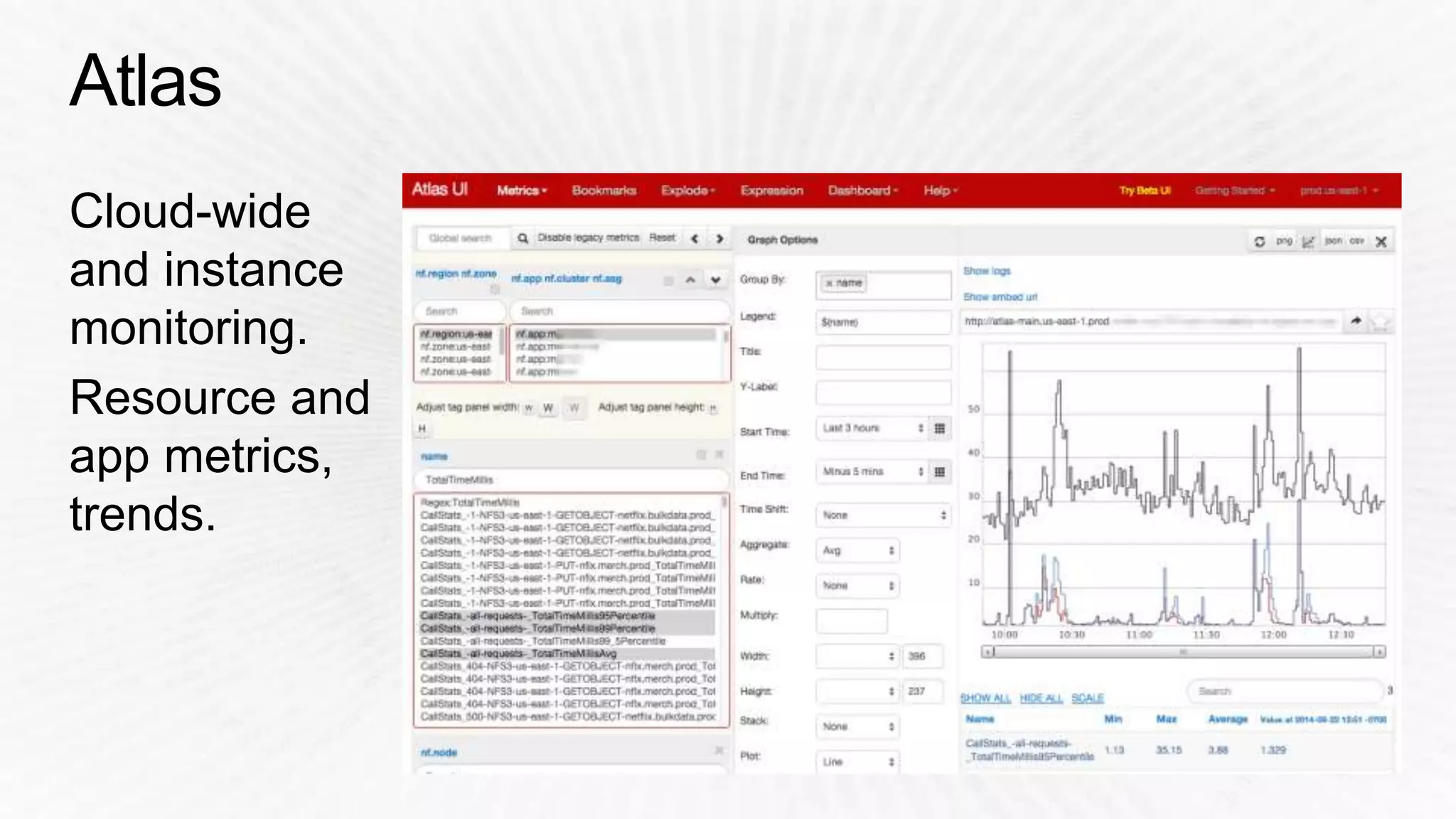
    Region App Breakdowns Metrics Options Interactive Graph Summary Statistics
  • 75.
    Utilization Saturation Errors Per device Breakdowns
  • 78.
    http://aws.amazon.com/ec2/instance-types/ http://docs.aws.amazon.com/AWSEC2/latest/UserGuide/instance-types.html http://docs.aws.amazon.com/AWSEC2/latest/UserGuide/enhanced-networking.html http://www.slideshare.net/cpwatson/cpn302-yourlinuxamioptimizationandperformance http://www.brendangregg.com/blog/2014-09-27/from-clouds-to-roots.html http://www.brendangregg.com/blog/2014-05-07/what-color-is-your-xen.html http://www.brendangregg.com/linuxperf.html http://www.slideshare.net/brendangregg/linux-performance-tools-2014 http://www.brendangregg.com/USEmethod/use-linux.html http://www.brendangregg.com/blog/2014-06-12/java-flame-graphs.html https://github.com/brendangregg/FlameGraph https://github.com/brendangregg/perf-tools
  • 80.
    Talk Time Title PFC-305 Wednesday, 1:15pm Embracing Failure: Fault Injection and Service Reliability BDT-403 Wednesday, 2:15pm Next Generation Big Data Platform at Netflix PFC-306 Wednesday, 3:30pm Performance Tuning EC2 DEV-309 Wednesday, 3:30pm From Asgard to Zuul, How Netflix’s proven Open Source Tools can accelerate and scale your services ARC-317 Wednesday, 4:30pm Maintaining a Resilient Front-Door at Massive Scale PFC-304 Wednesday, 4:30pm Effective Inter-process Communications in the Cloud: The Pros and Cons of Micro Services Architectures ENT-209 Wednesday, 4:30pm Cloud Migration, Dev-Ops and Distributed Systems APP-310 Friday, 9:00am Scheduling using Apache Mesos in the Cloud