Video Conferencing : Fundamentals and Application Prof. J Mukhopadhyay Dept. of Computer Science and Engineering, IIT Kharagpur
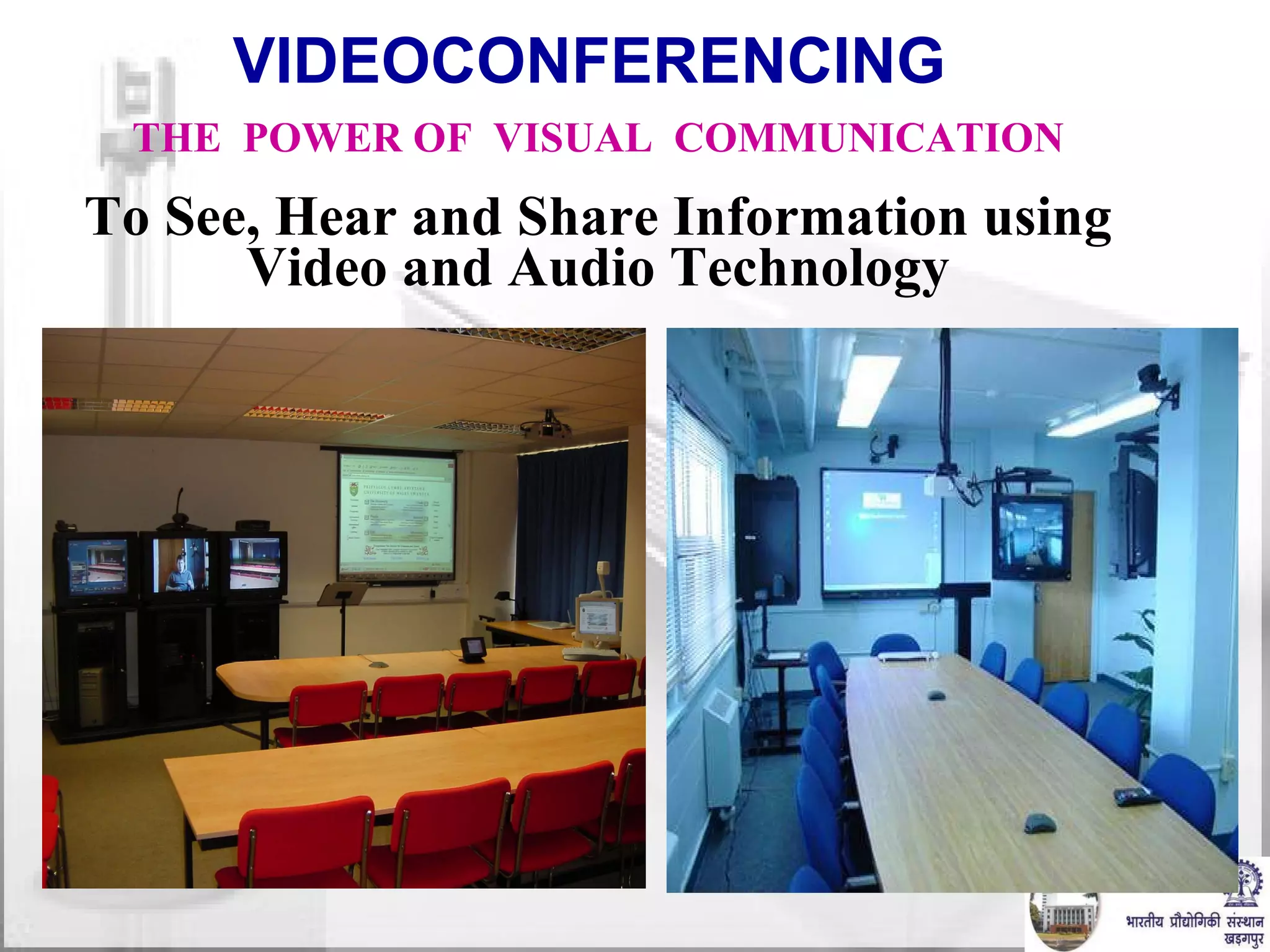
VIDEOCONFERENCING  THE  POWER OF  VISUAL  COMMUNICATION To See, Hear and Share Information using Video and Audio Technology
Modes of Interactions Email. Fax. Telephone. Online Chat. Video Conferencing. Face to face. In many situations,  video conferencing  is the next best thing to a face to face meeting.
Why Video Conferencing? Save money and time. Build relationships. Communicate “face to face” where it would otherwise be impossible. Avoid travels. Teach. Collaborate.
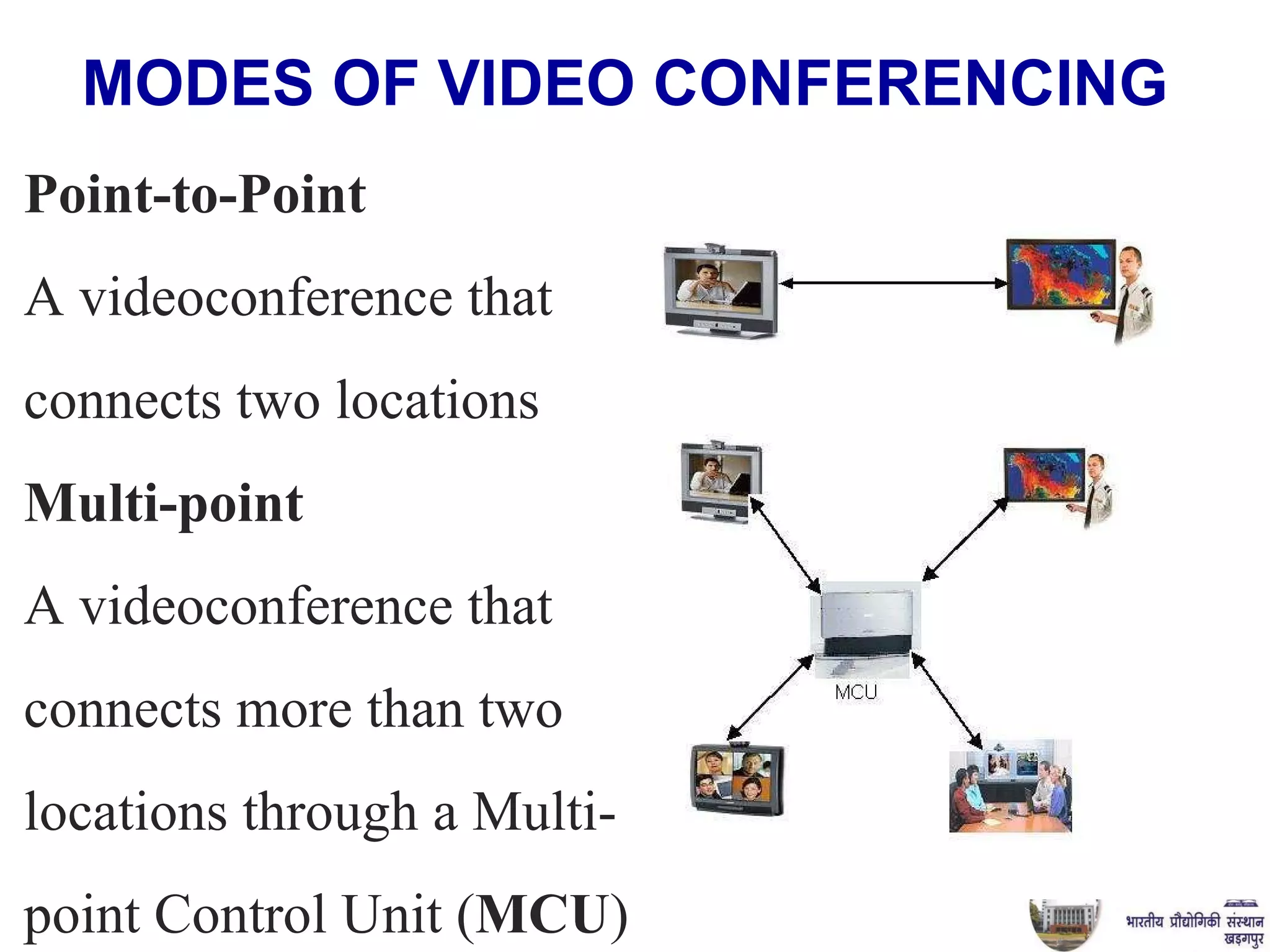
MODES OF VIDEO CONFERENCING   Point-to-Point  A videoconference that  connects two locations Multi-point   A videoconference that  connects more than two  locations through a Multi- point Control Unit ( MCU )
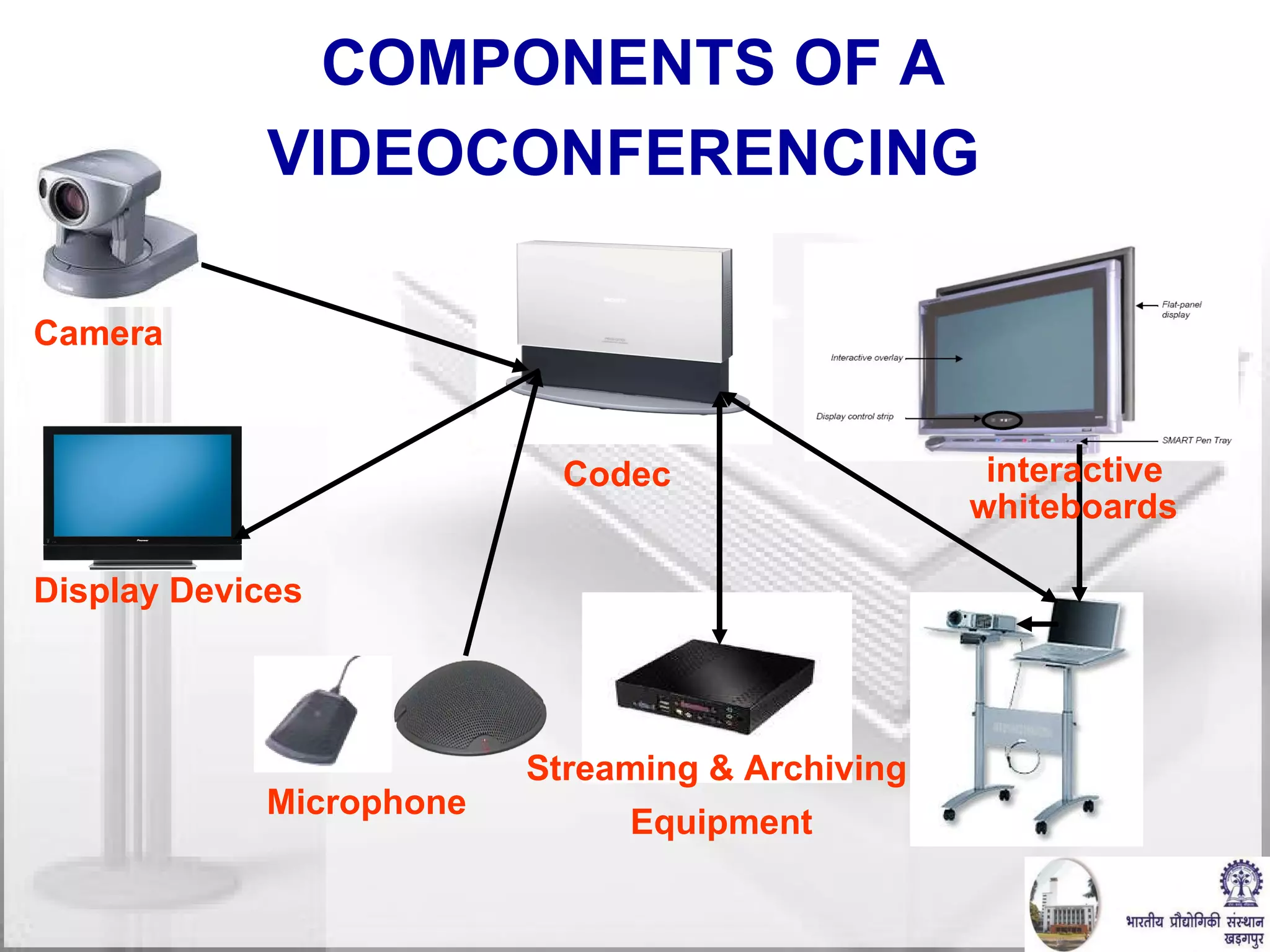
COMPONENTS OF A VIDEOCONFERENCING   Camera   Display Devices Codec   Microphone interactive  whiteboards   Streaming & Archiving  Equipment
Technologies Involved Video and Audio signal acquisition. Data Communication. Display and reproduction of transmitted signal.
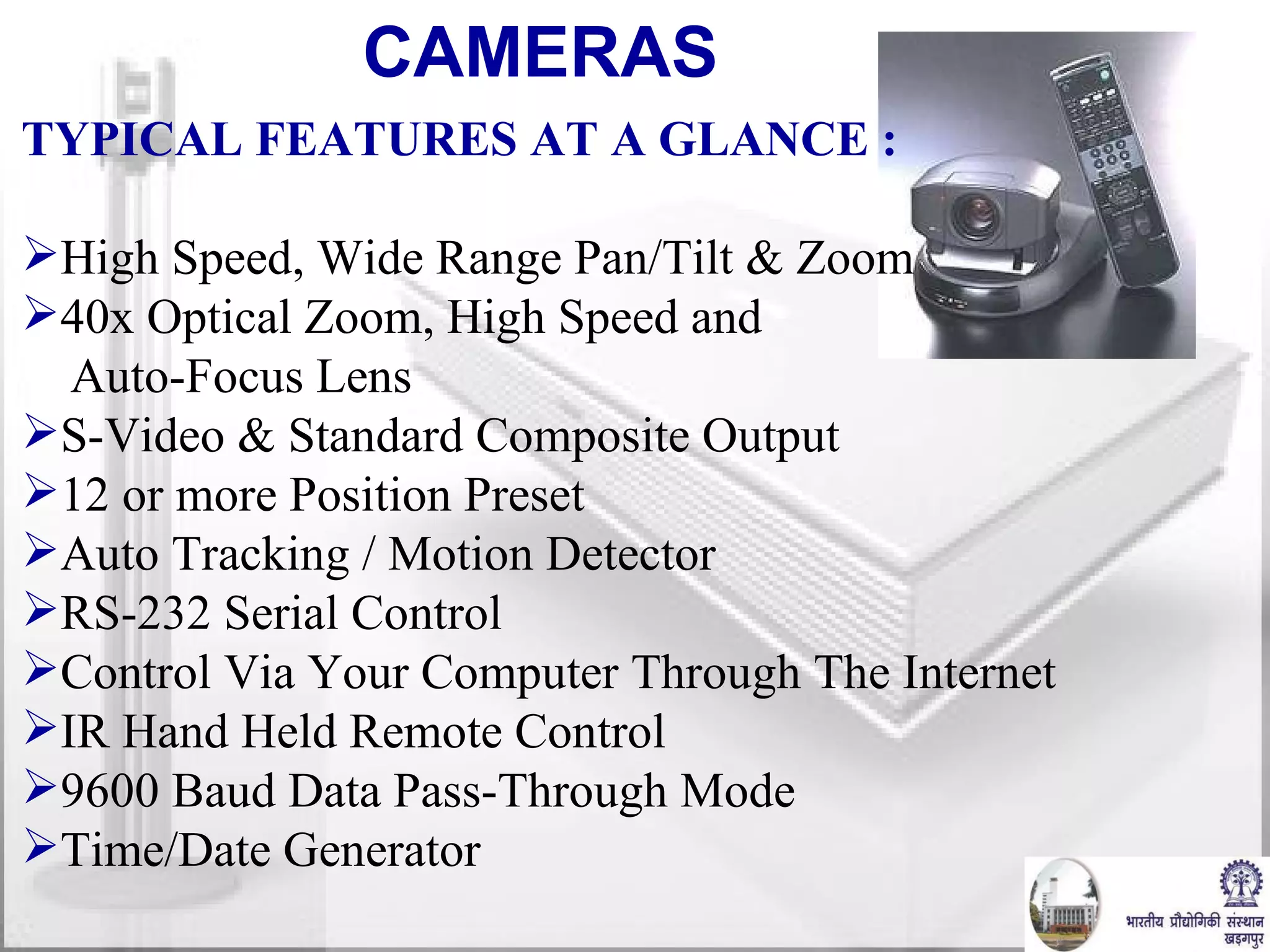
CAMERAS  TYPICAL FEATURES AT A GLANCE : High Speed, Wide Range Pan/Tilt & Zoom 40x Optical Zoom, High Speed and Auto-Focus Lens S-Video & Standard Composite Output 12 or more Position Preset Auto Tracking / Motion Detector RS-232 Serial Control  Control Via Your Computer Through The Internet IR Hand Held Remote Control 9600 Baud Data Pass-Through Mode Time/Date Generator
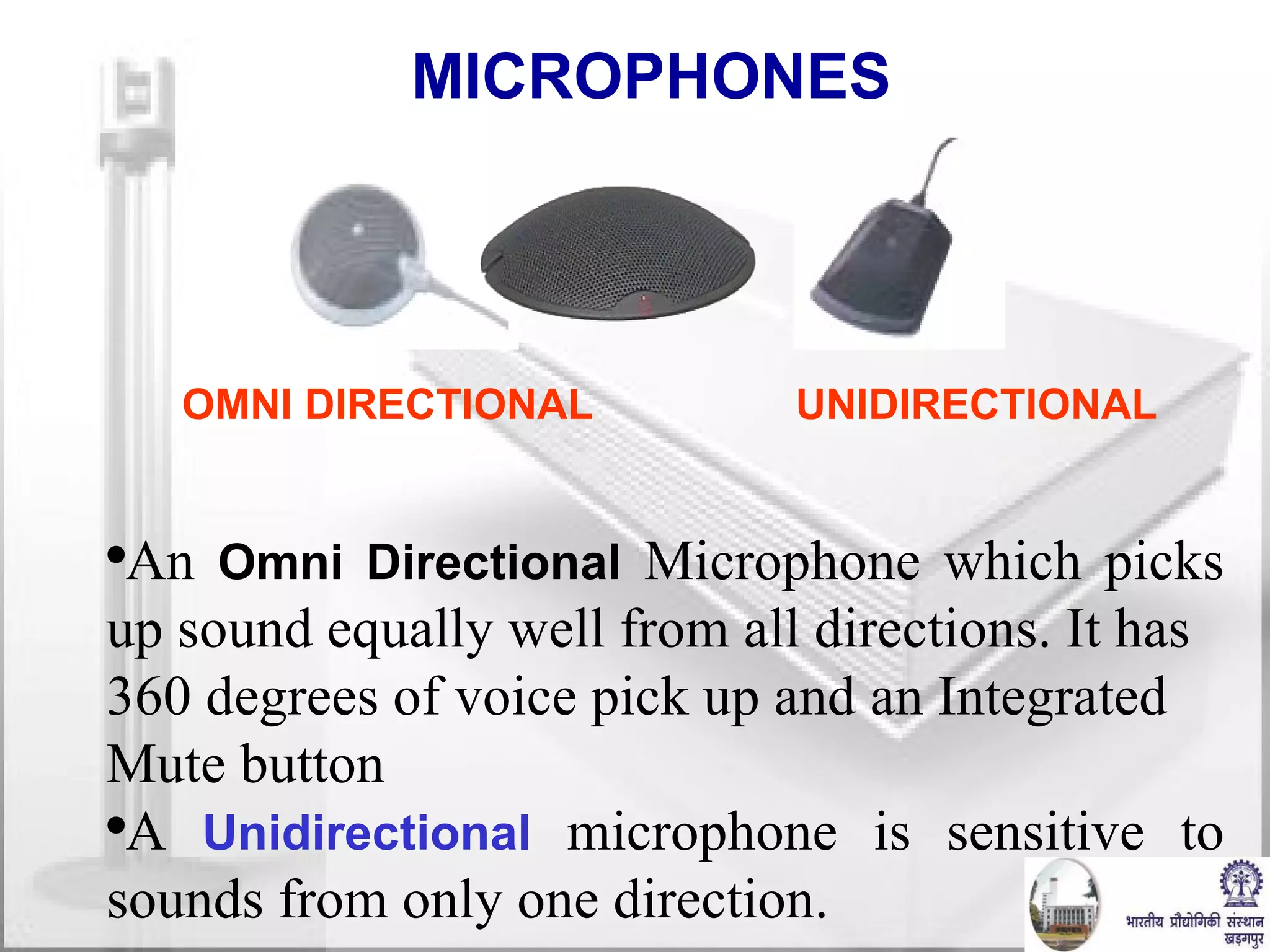
MICROPHONES  OMNI DIRECTIONAL UNIDIRECTIONAL  An  Omni Directional  Microphone which picks up sound equally well from all directions. It has 360 degrees of voice pick up and an Integrated Mute button A  Unidirectional  microphone is sensitive to sounds from only one direction.
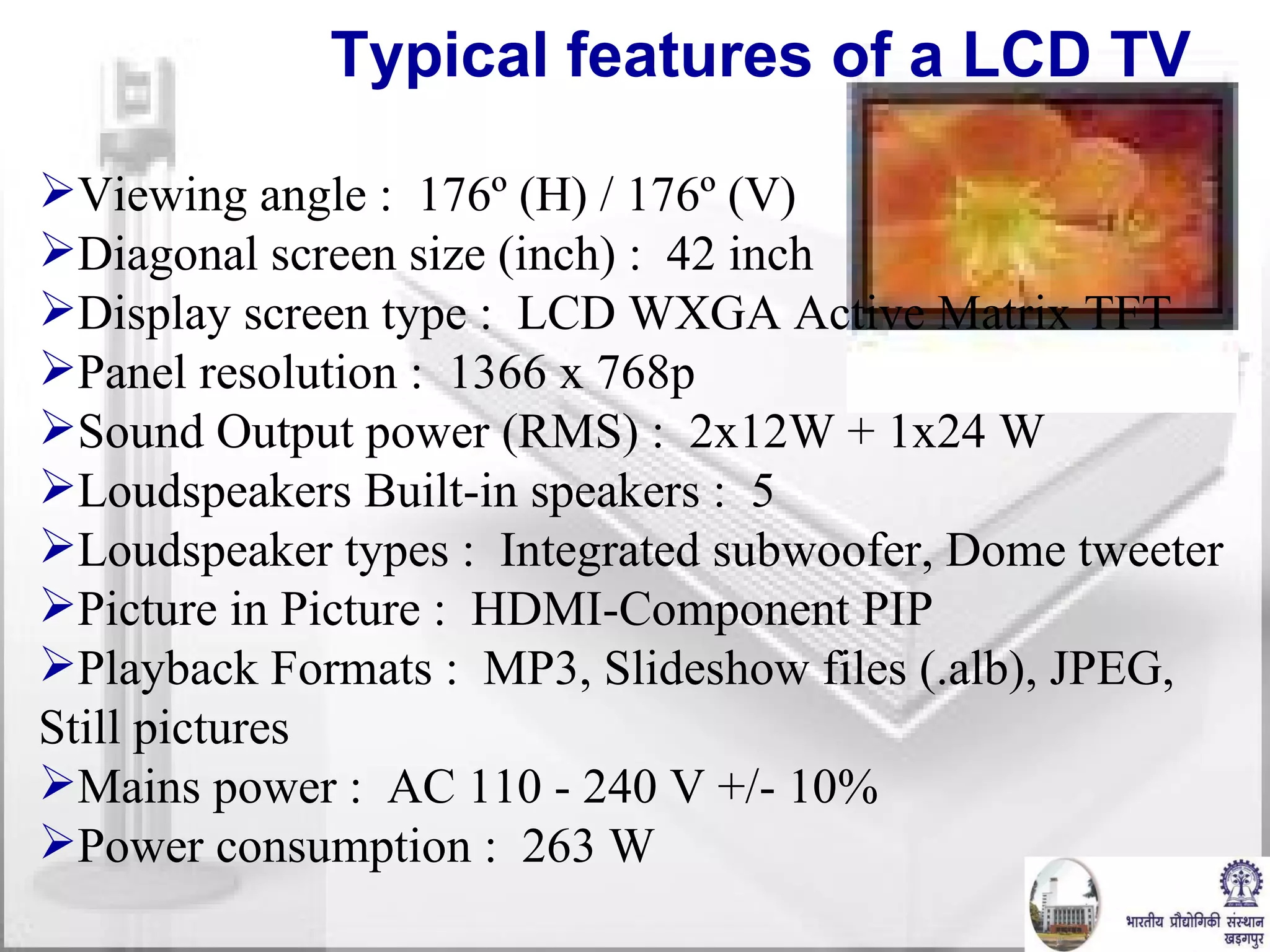
Viewing angle :  176º (H) / 176º (V) Diagonal screen size (inch) :  42 inch Display screen type :  LCD WXGA Active Matrix TFT Panel resolution :  1366 x 768p Sound Output power (RMS) :  2x12W + 1x24 W Loudspeakers Built-in speakers :  5 Loudspeaker types :  Integrated subwoofer, Dome tweeter Picture in Picture :  HDMI-Component PIP Playback Formats :  MP3, Slideshow files (.alb), JPEG, Still pictures Mains power :  AC 110 - 240 V +/- 10%  Power consumption :  263 W  Typical features of a LCD TV
Bandwidth / Data Rate Requirement Frame Rate. Frame Size. Color. Mono / Stereo Audio. Sample per second.  Bit per sample. 15-30 fps. QCIF( 176x144) , 4CIF (480x330) etc.   14 KHZ Audio 8-12 bit for audio, 24 bit for video
Data Size: Voice Band width: ~  4 Khz Minimum Sampling Frequency:  8 Khz Bits per sample:  8 bits  (for 256 levels) Minmum data rate: 8000x8 bits per second  =  64 Kbps
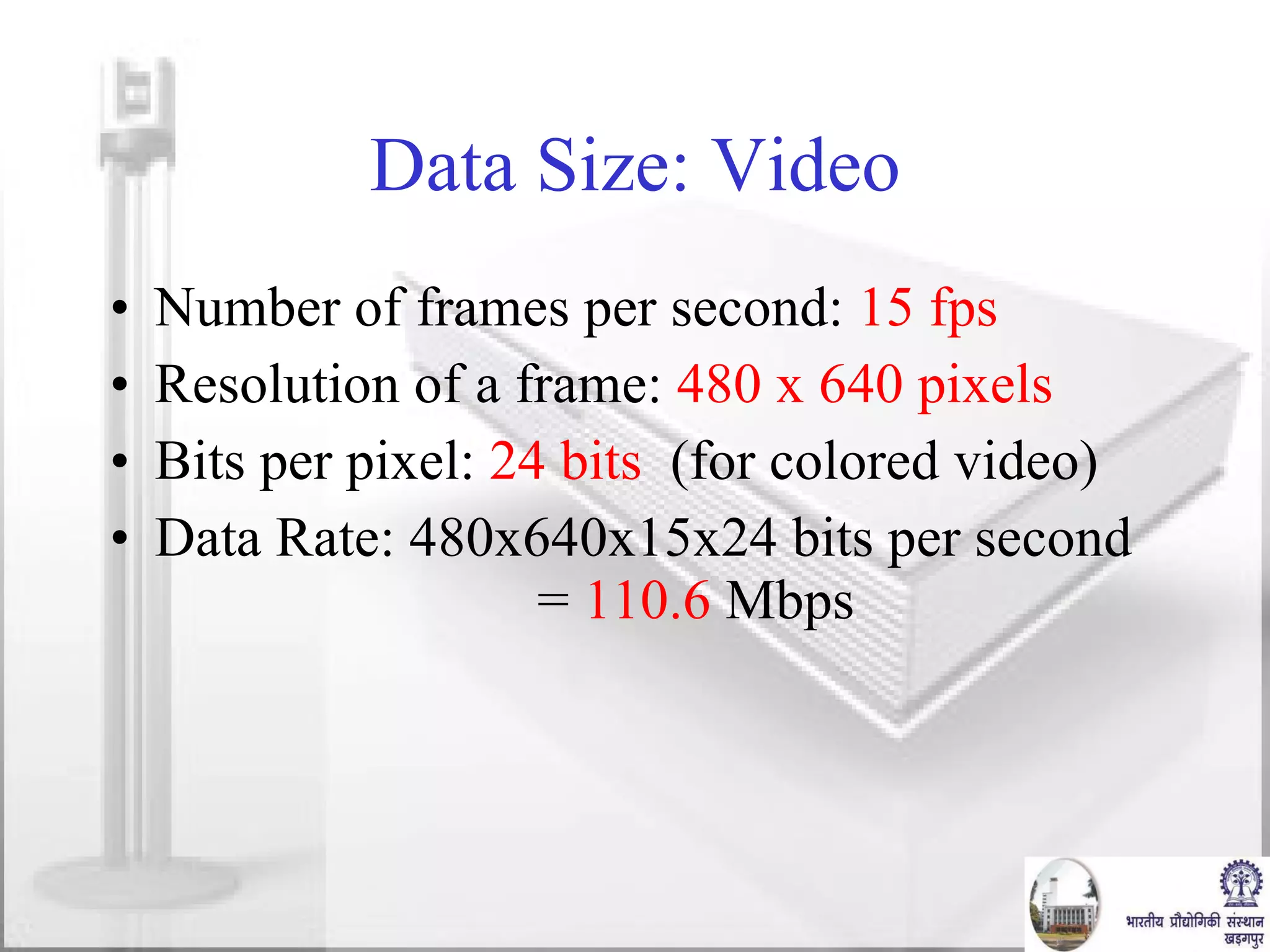
Data Size: Video Number of frames per second:  15 fps Resolution of a frame:  480 x 640 pixels Bits per pixel:  24 bits   (for colored video) Data Rate: 480x640x15x24 bits per second  =  110.6  Mbps
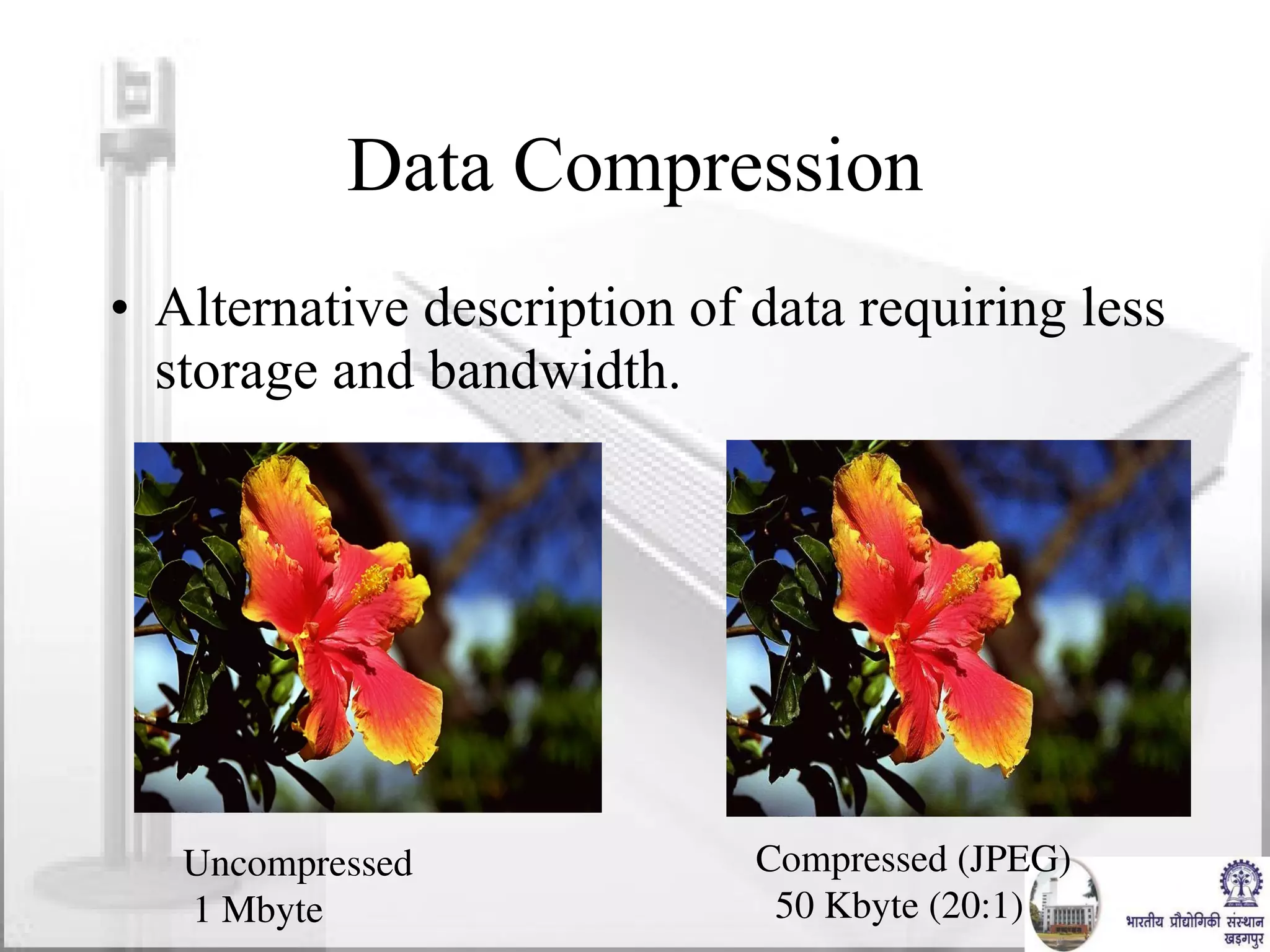
Data Compression Alternative description of data requiring less storage and bandwidth. Uncompressed 1 Mbyte Compressed (JPEG) 50 Kbyte (20:1)
Compression Standards Lossy and Lossless Compression Audio:  G.711,  G.722.1, G.728,  MPEG-4 Still Image:  JPEG, JPEG-LS, JPEG-2000 Video: MPEG-2, MPEG-4, H.263, H.264
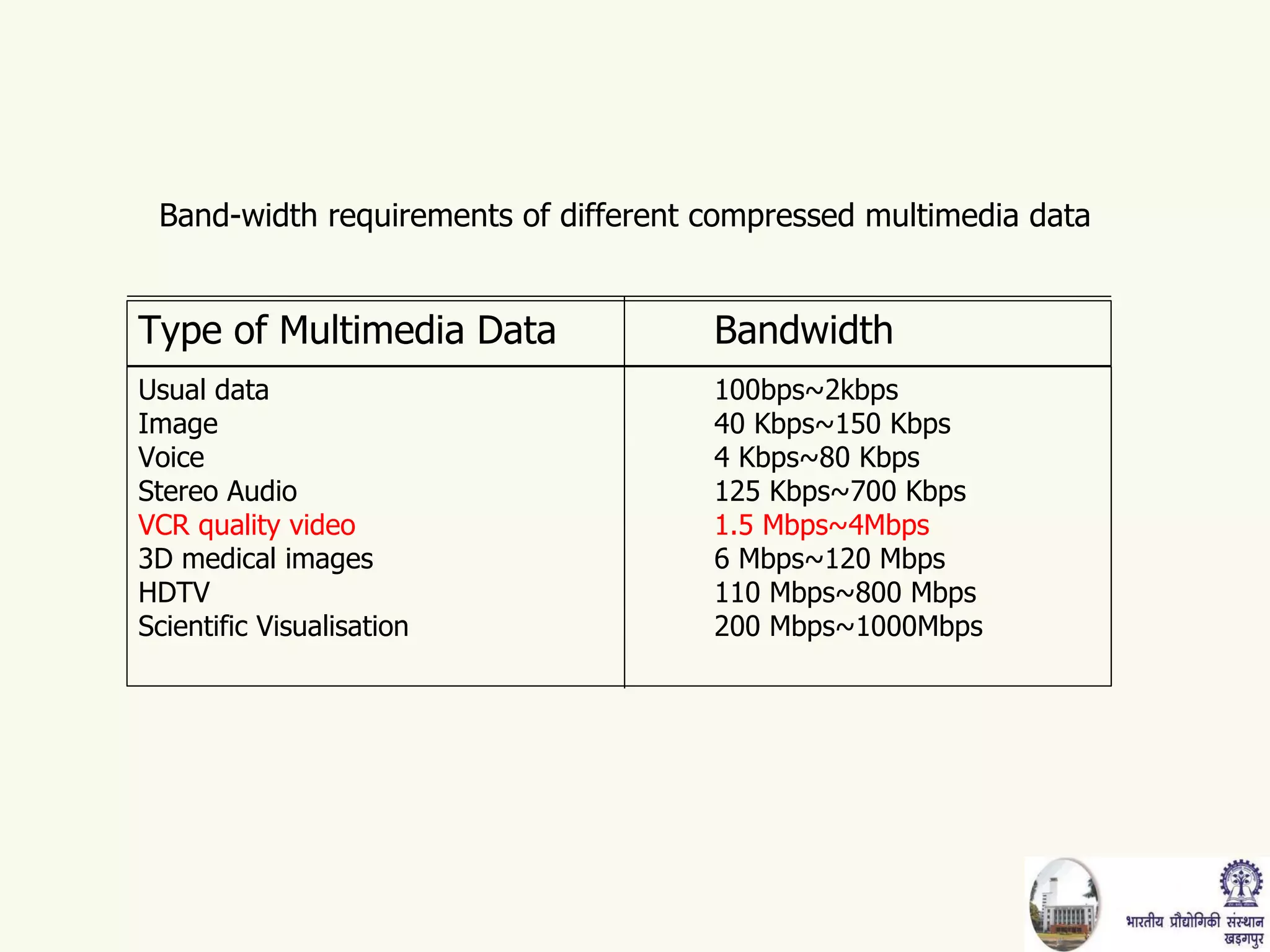
Band-width requirements of different compressed multimedia data Type of Multimedia Data Bandwidth Usual data 100bps~2kbps Image 40 Kbps~150 Kbps Voice 4 Kbps~80 Kbps Stereo Audio 125 Kbps~700 Kbps VCR quality video 1.5 Mbps~4Mbps 3D medical images 6 Mbps~120 Mbps HDTV 110 Mbps~800 Mbps Scientific Visualisation 200 Mbps~1000Mbps
 
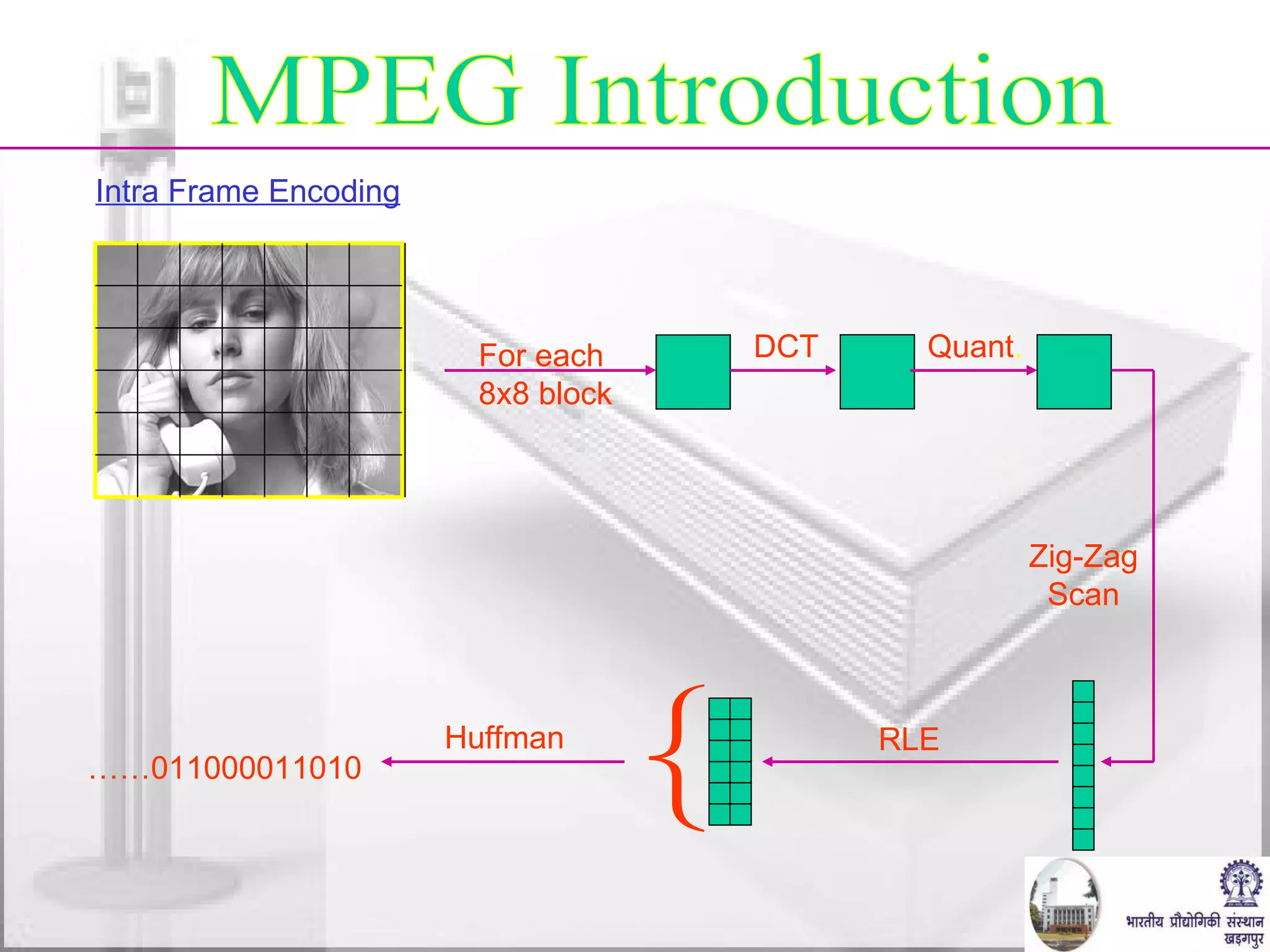
MPEG Introduction For each 8x8 block DCT Quant . RLE { Zig-Zag Scan Huffman …… 011000011010 Intra Frame Encoding
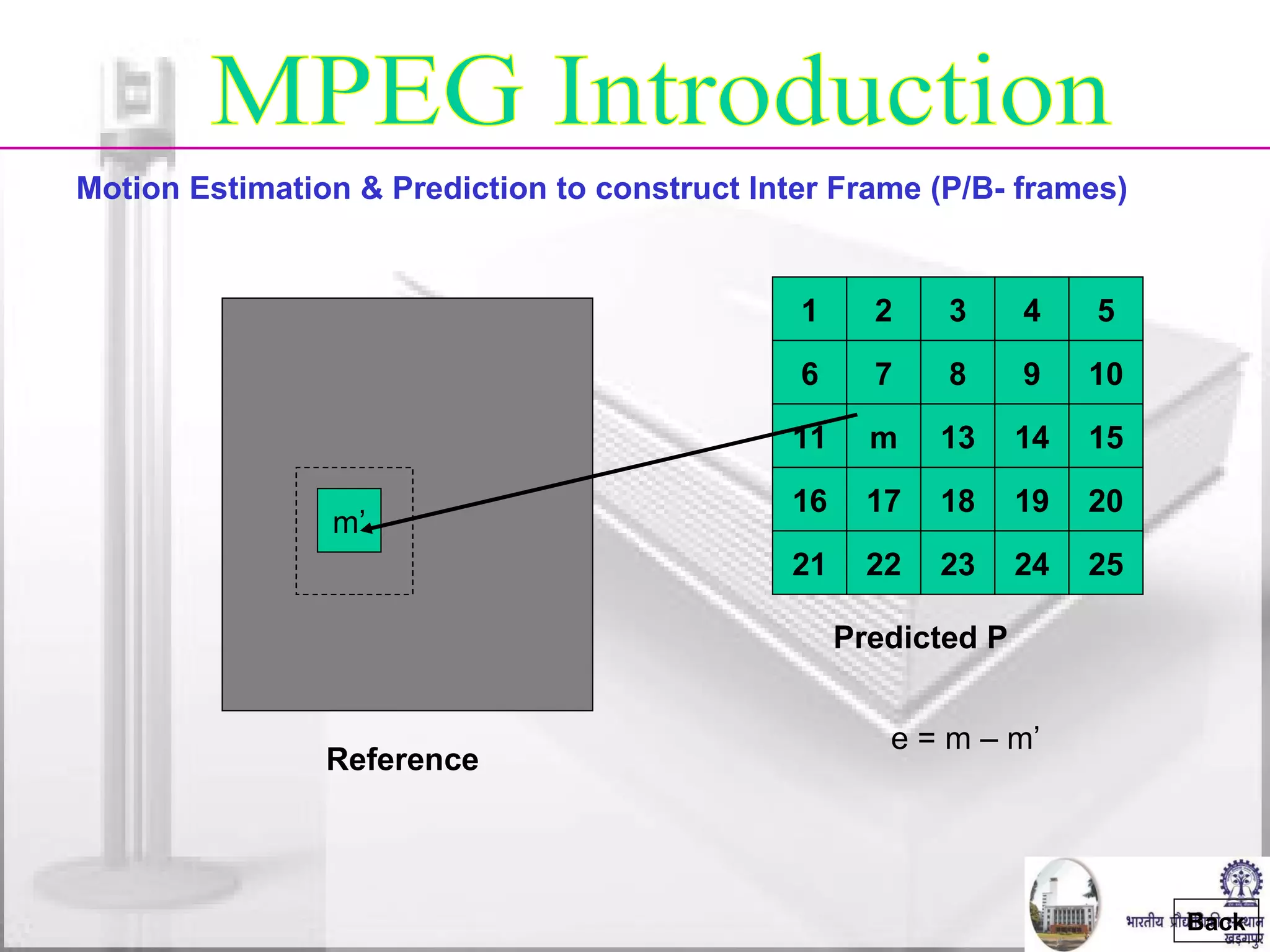
Motion Estimation & Prediction to construct Inter Frame (P/B- frames) Reference m’ e = m – m’ MPEG Introduction Back 1 2 3 4 5 6 7 8 9 10 11 m 13 14 15 16 17 18 19 20 21 22 23 24 25 Predicted P
MPEG Introduction P-Frame Encoding B-Frame Encoding Back Reference Best Match Motion Vector } Difference DCT + Quant. + RLE Huffman 01101100 Past reference Future reference Target [  +  ]  = - 0.5 x DCT + Quant. + RLE Huffman coder 01101100 Motion vectors
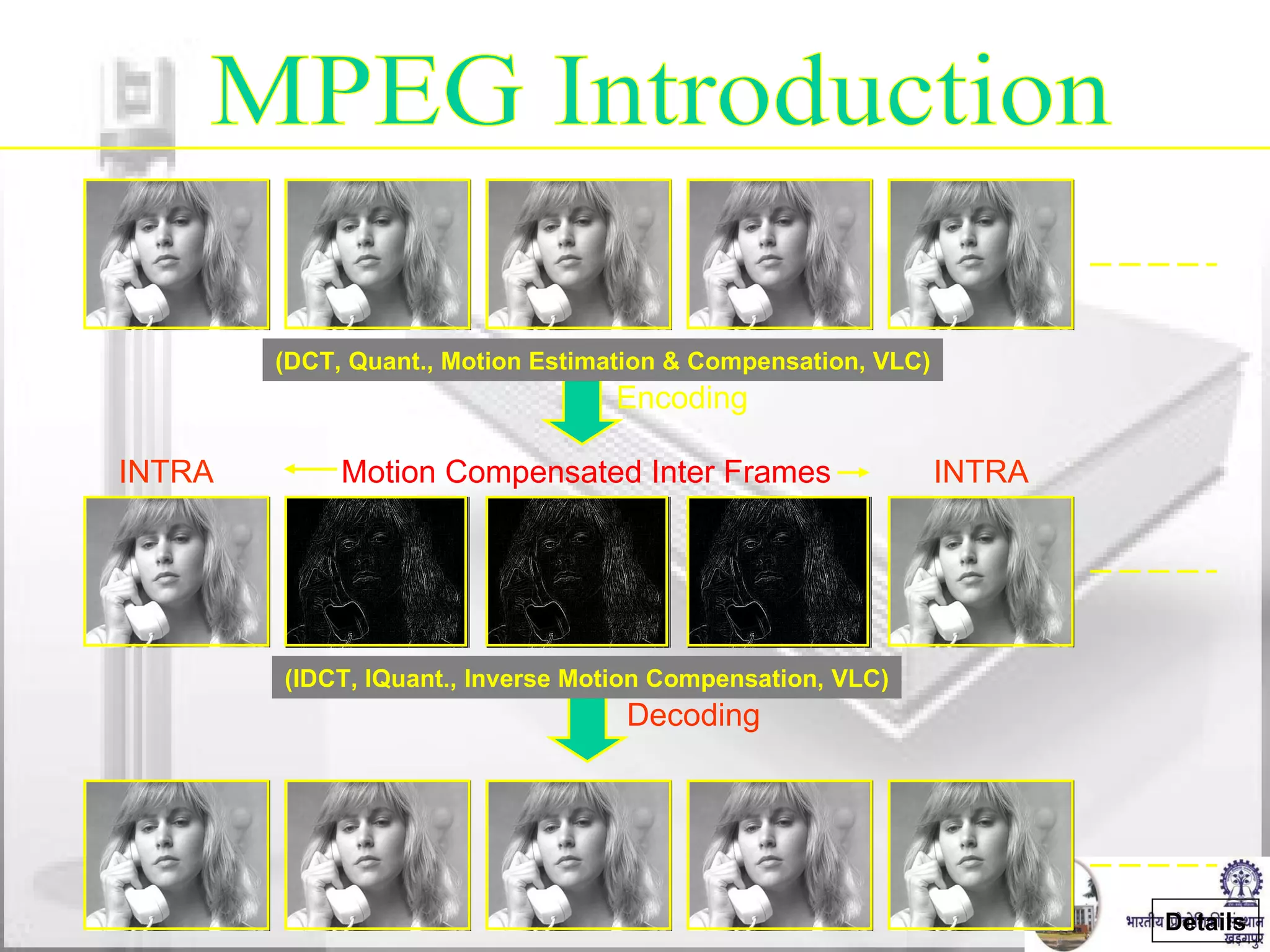
MPEG Introduction INTRA INTRA Motion Compensated Inter Frames Encoding Decoding Details (DCT, Quant., Motion Estimation & Compensation, VLC) (IDCT, IQuant., Inverse Motion Compensation, VLC)
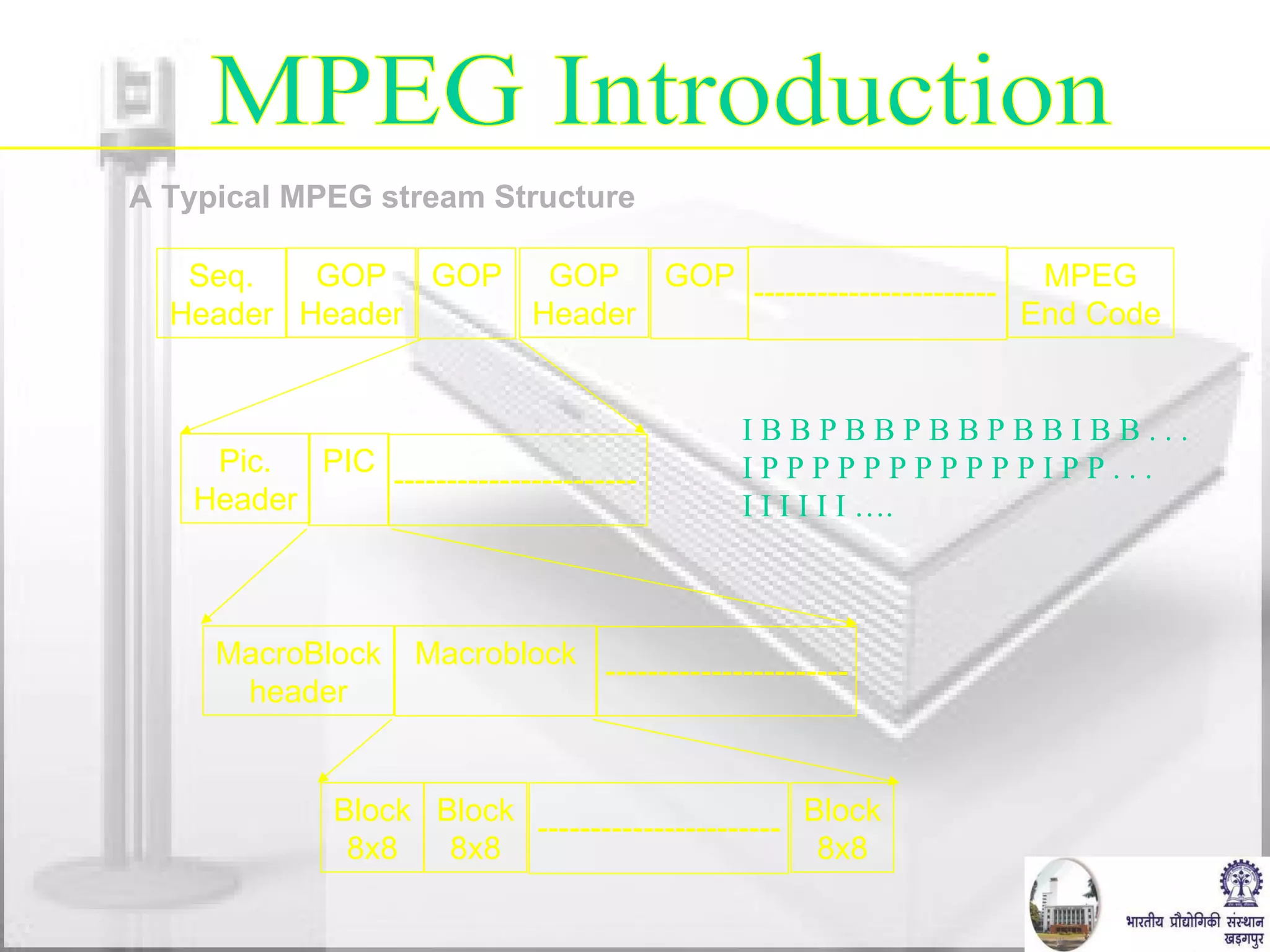
A Typical MPEG stream Structure Seq. Header GOP Header GOP GOP Header GOP MPEG End Code ----------------------- Pic. Header PIC ----------------------- MacroBlock header Macroblock Block 8x8 Block 8x8 Block 8x8 I B B P B B P B B P B B I B B . . . I P P P P P P P P P P P I P P . . . I I I I I I …. MPEG Introduction ----------------------- -----------------------
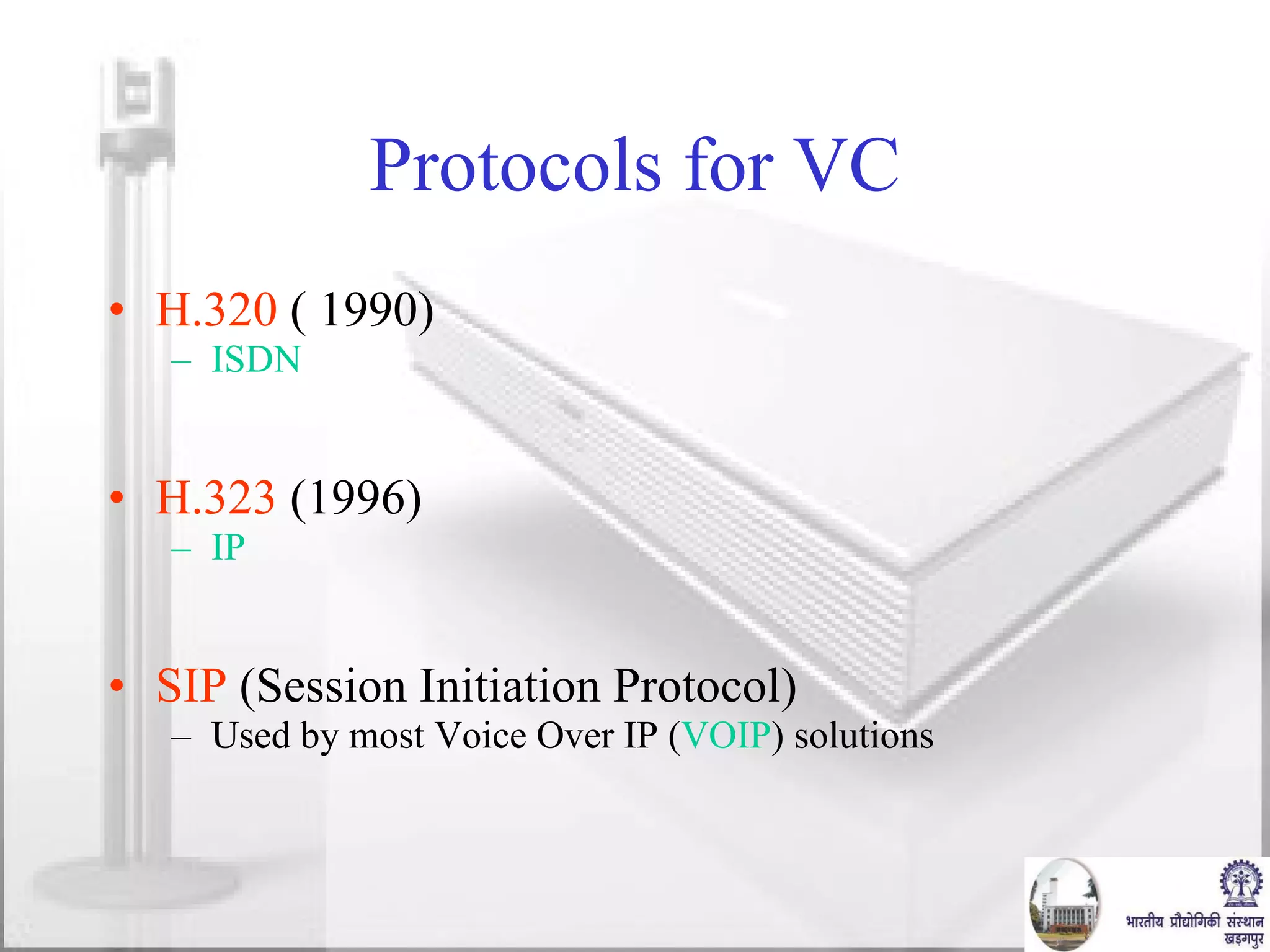
Protocols for VC H.320  ( 1990)  ISDN H.323  (1996) IP SIP  (Session Initiation Protocol) Used by most Voice Over IP ( VOIP ) solutions
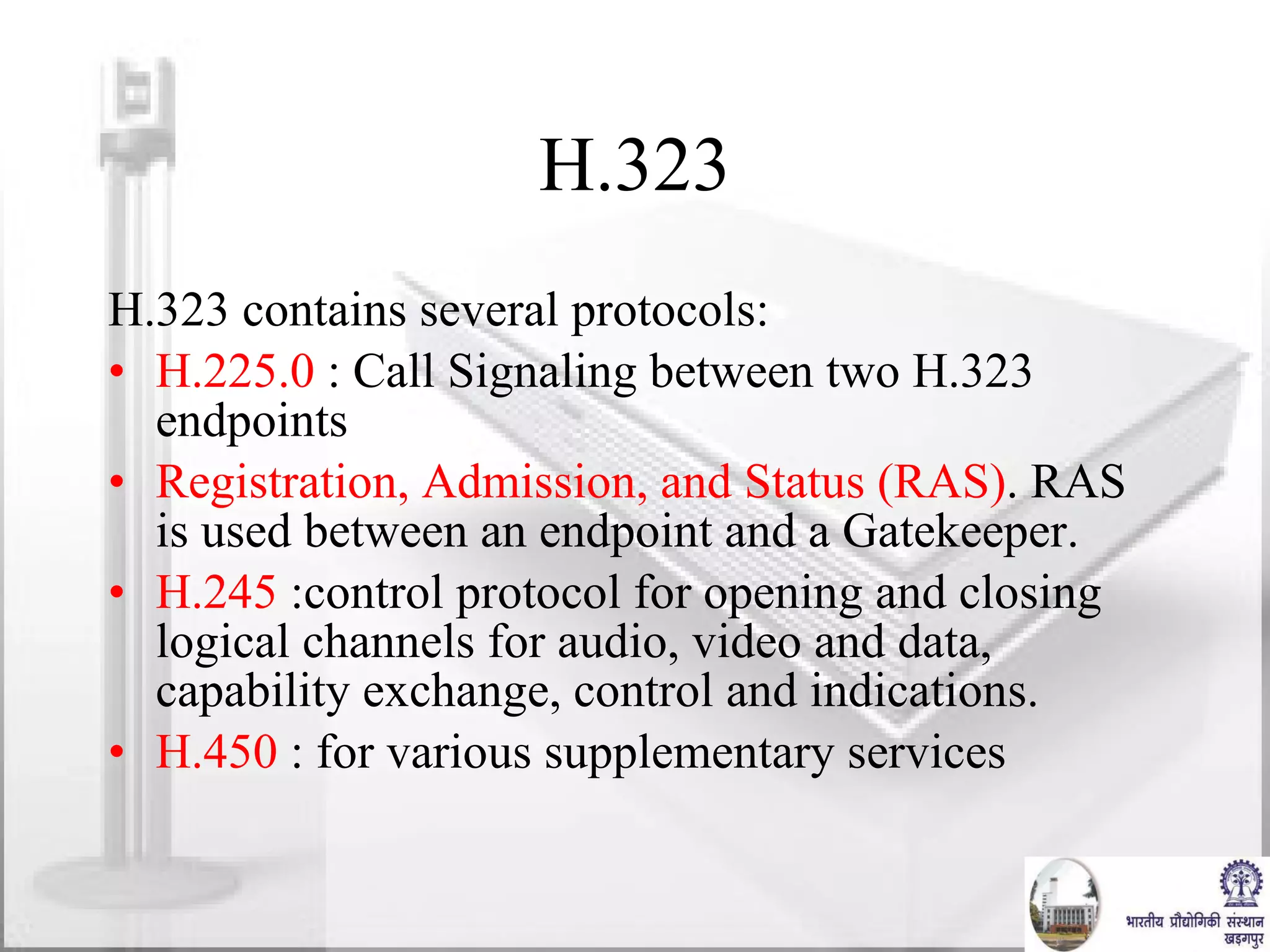
H.323 H.323 contains several protocols: H.225.0  : Call Signaling between two H.323 endpoints Registration, Admission, and Status (RAS) . RAS is used between an endpoint and a Gatekeeper. H.245  :control protocol for opening and closing logical channels for audio, video and data, capability exchange, control and indications. H.450  : for various supplementary services
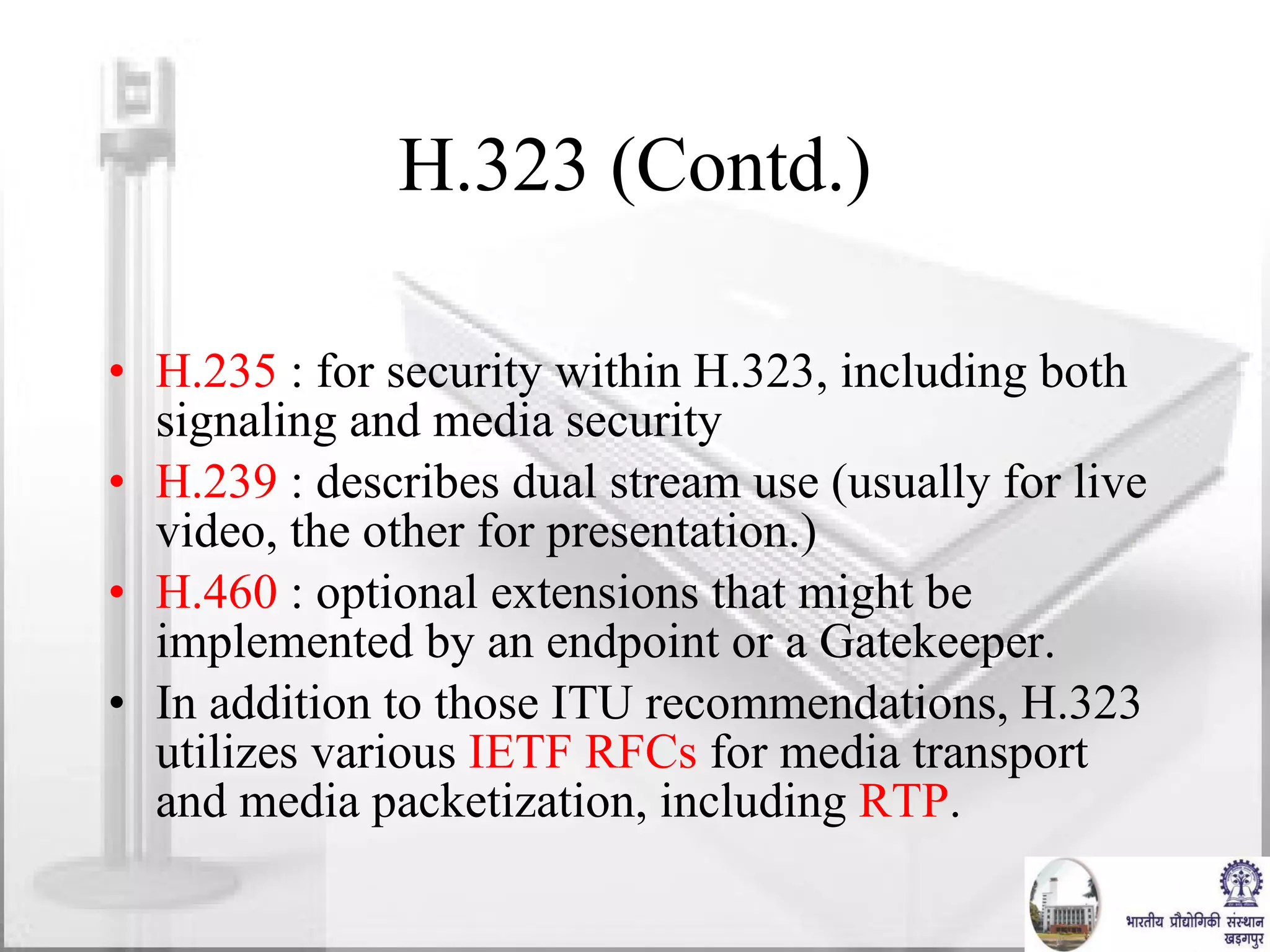
H.323 (Contd.) H.235  : for security within H.323, including both signaling and media security H.239  : describes dual stream use (usually for live video, the other for presentation.) H.460  : optional extensions that might be implemented by an endpoint or a Gatekeeper.  In addition to those ITU recommendations, H.323 utilizes various  IETF   RFCs  for media transport and media packetization, including  RTP .
H.323 (Contd.) Codecs Video codecs:  H.261 ,  H.263 ,  H.264 . Audio codecs:  G.711 ,  G.729 ,  G.729a ,  G.723.1 ,  G.726 Text codecs:  T.140
Embedded MCU(Multi-Control Unit) Support IP (4 Mbps) and ISDN (2 Mbps) connection ISDN & IP connections can be mixed-up Dial –In / Dial-Out Capabilities Up to 6 sites (5+yourself) H.320 and H.323 MCUs  Up to 10 sites when MCU cascaded Multiple Display Output Improved Picture MPEG-4/AAC-LD Audio 14kHz Quality   CODEC UNIT FEATURES AT A GLANCE
SPECIFICATION Supported Protocols :  H.323 (LAN) and H.320 (ISDN) Video Standards :  H.261, H.263, H.264, MPEG-4 Video Resolution :  QCIF, 4CIF, FCIF, SIF Frame Rate :  Max 30 frames per second Bit Rate :  Up to 2 Mb/s in H.320 (including audio), Up to 4 Mb/s in H.323 (including audio) Audio Bandwidth and Coding :  G.711,  G.722.1, G.728,  MPEG-4, AAC-LD Echo Cancellation :  Reduction rate 30 dB ITU-T Standards :  H.320, H.323; H.221; H.281 FECC; H.225.0; H.245; T.120 Network Protocols :  TELNET (Server), HTTP (Server), FTP (Server), SNMP (Server), PING, DNS (Client), DHCP (Client), RTCP, RTP, TCP, ARP, NTP (Client)
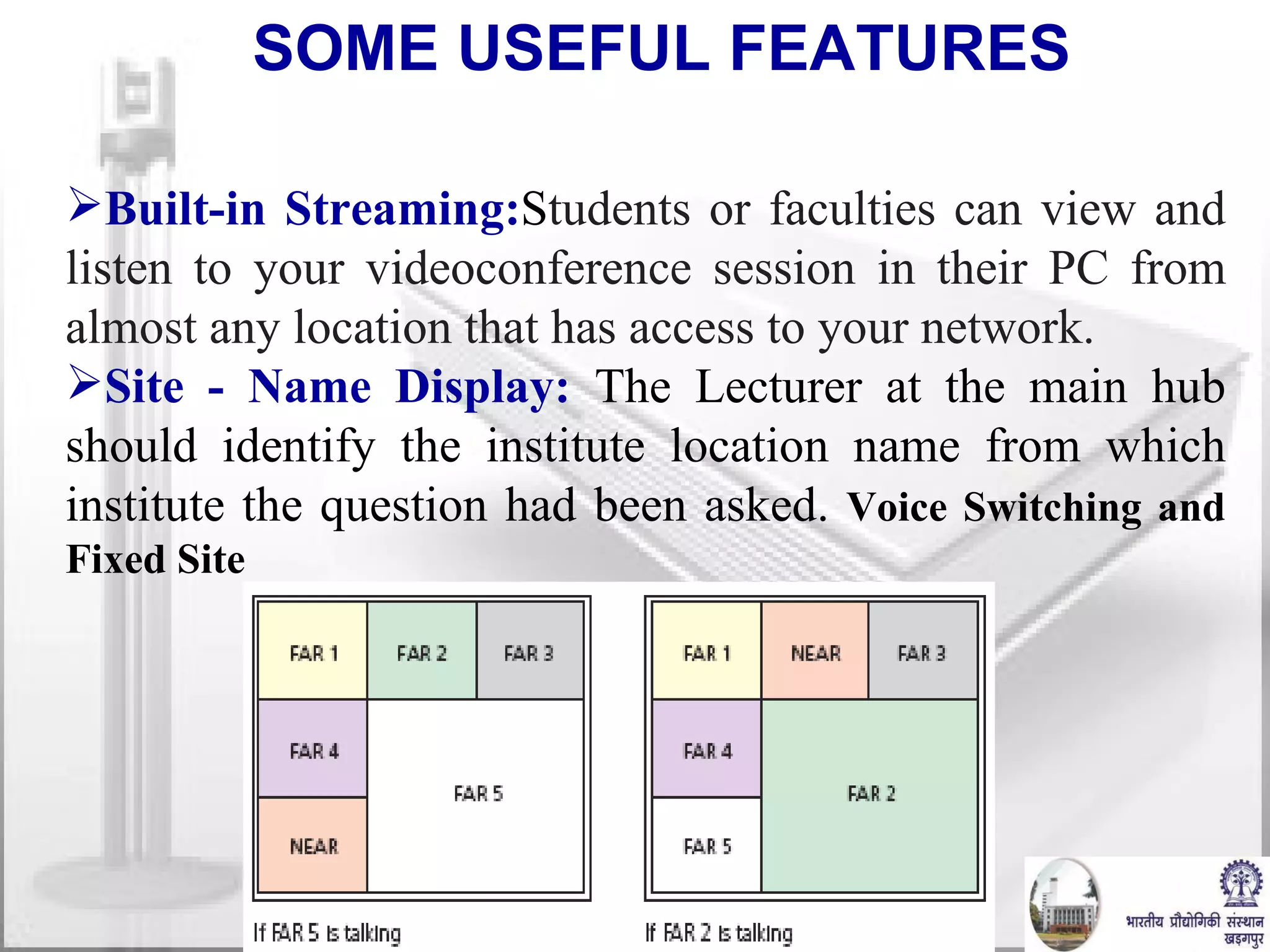
Built-in Streaming: S tudents or faculties can view and listen to your videoconference session in their PC from almost any location that has access to your network. Site - Name Display:   The Lecturer at the main hub should identify the institute location name from which institute the question had been asked.  Voice Switching and Fixed Site SOME USEFUL FEATURES
NETWORK CHOICES ISDN -   Connects sites utilizing the H.320 standard IP -   Connects sites utilizing the H.323 standard The most cost effective speed for typical videoconferencing meetings is  384 Kbps or 512 Kbps.
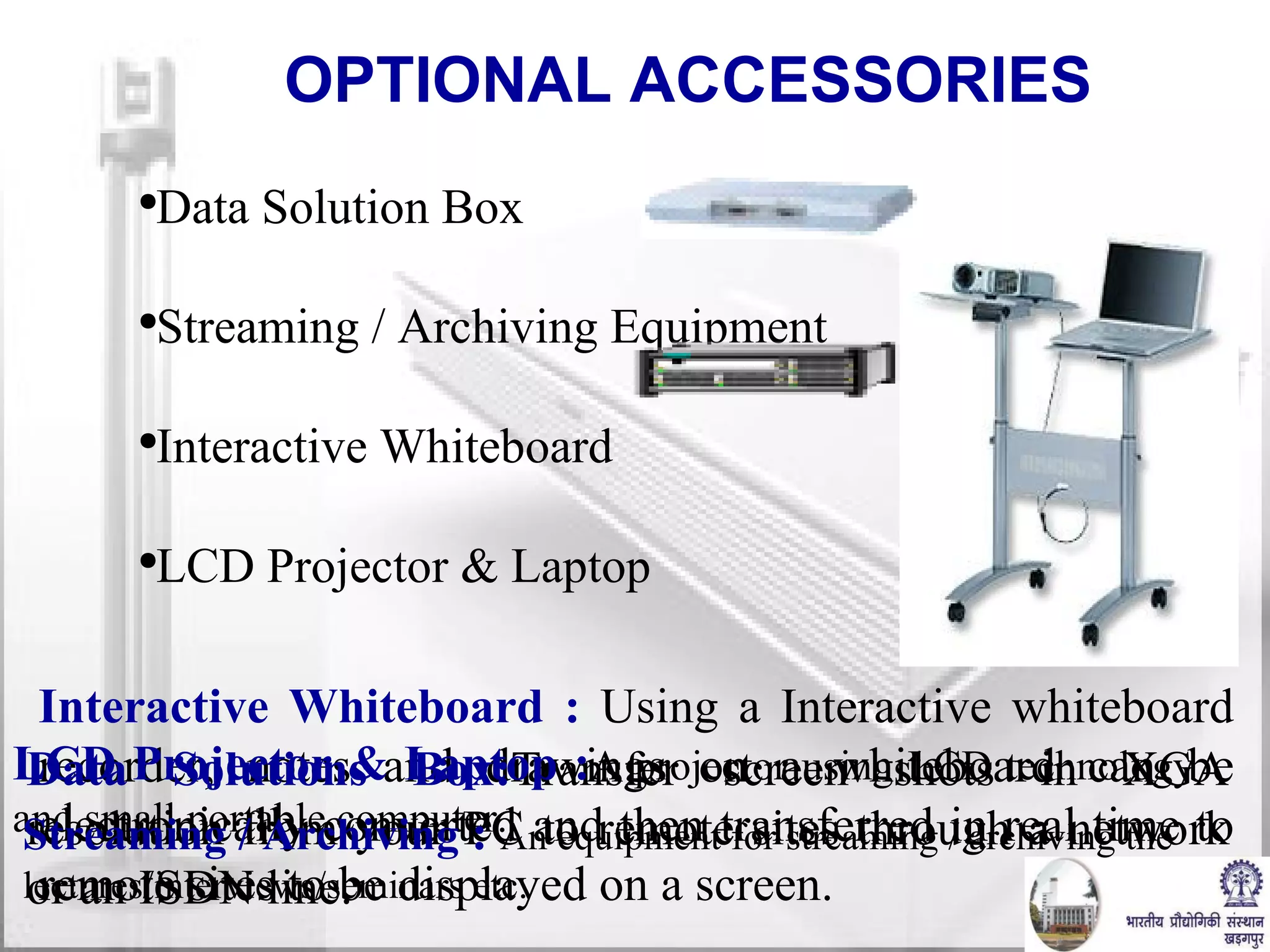
OPTIONAL ACCESSORIES Data Solution Box Streaming / Archiving Equipment Interactive Whiteboard LCD Projector & Laptop Interactive Whiteboard :  Using a Interactive whiteboard recorder, notes and drawings on a whiteboard can be electronically converted and then transferred in real time to remote sites to be displayed on a screen. Data Solutions Box: Transfer screen shots in XGA resolution from your PC to remote sites through a network or an ISDN line. LCD Projector & Laptop  : A projector using LCD technology and s mall portable computer. Streaming / Archiving   :  An equipment for streaming / archiving the lectures/interviews/seminars etc.
QoS ( QUALITY OF SERVICE ) Three advanced functions to enhance QoS over network are: Forward Error Correction(FEC):  FEC function that corrects errors in transmission at the receiving end. Adaptive Rate Control(ARC):  ARC function automatically varies the video data transfer rate to meet changing  network conditions. Real-time Auto Repeat Request (ARQ): ARQ function recovers lost IP packets. -
Challenges in Internet VC Firewalls Port Blocking NAT Hidden IP Address Bandwidth NOT!  Dial Up Modem MAYBE…  Cable Modem/DSL Yes!!!   Internet2
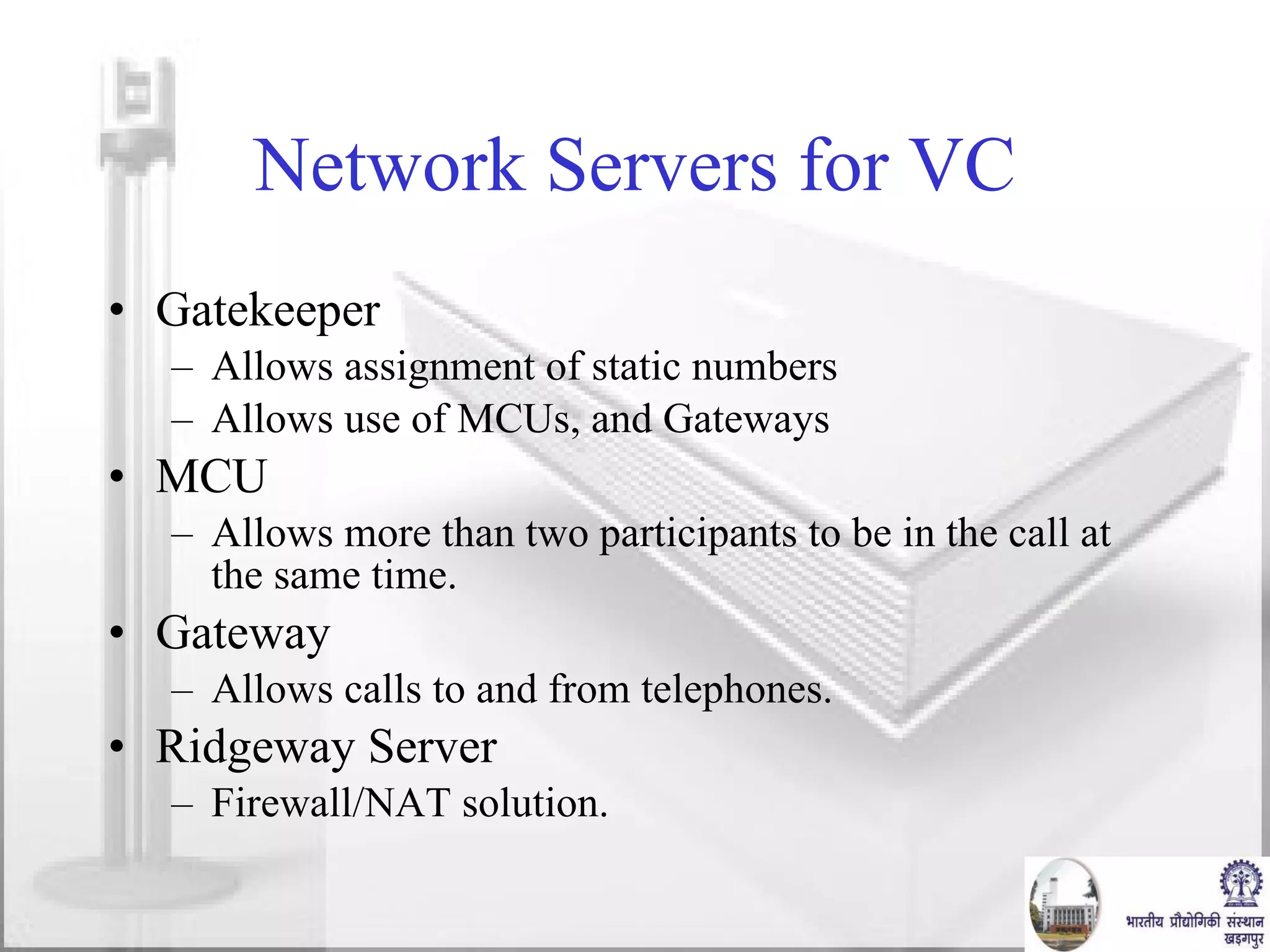
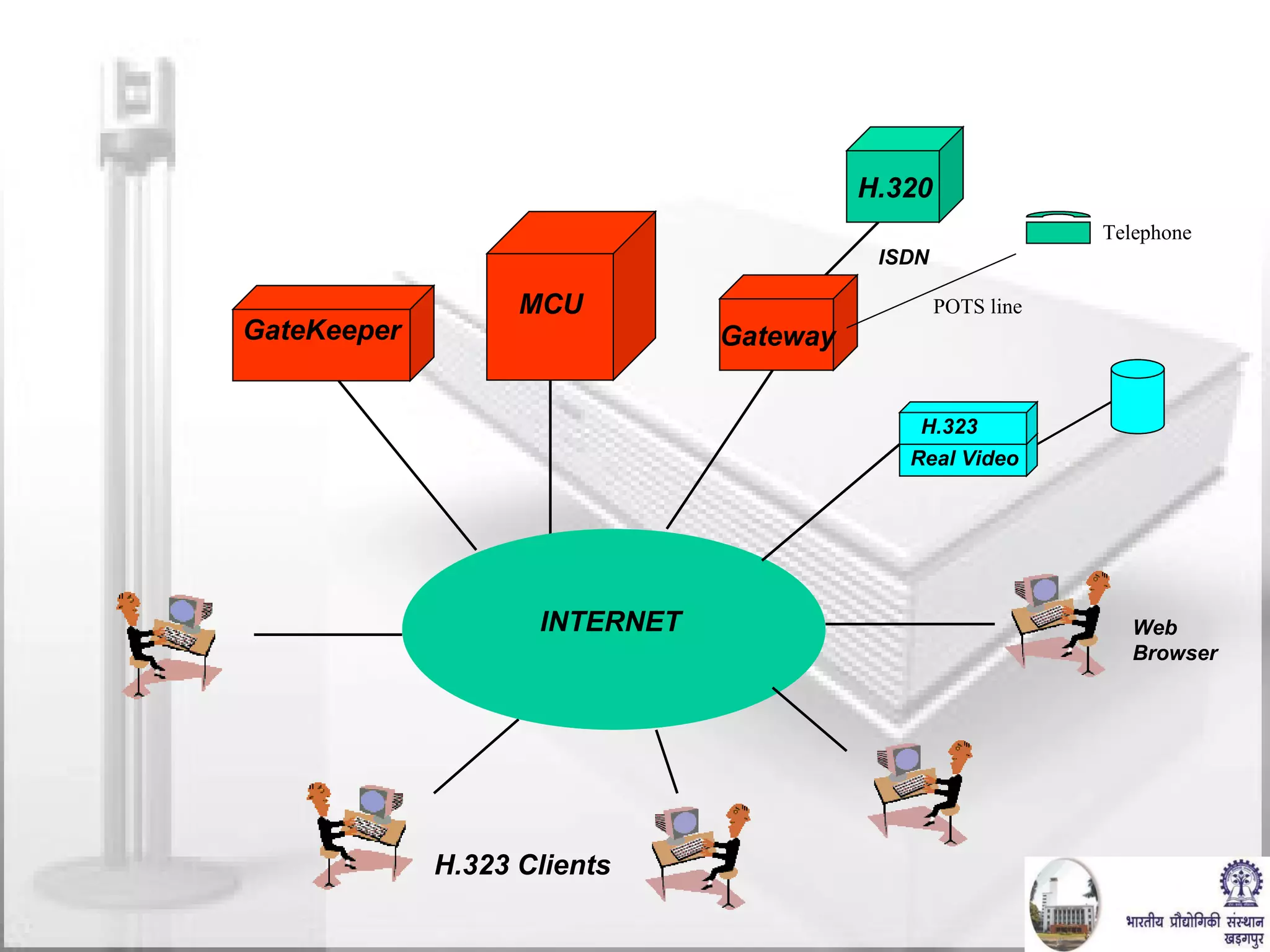
Network Servers for VC Gatekeeper Allows assignment of static numbers Allows use of MCUs, and Gateways MCU Allows more than two participants to be in the call at the same time. Gateway Allows calls to and from telephones. Ridgeway Server Firewall/NAT solution.
H.323 Clients INTERNET H.323 Videoconferencing H.320 Gateway ISDN POTS line Telephone GateKeeper MCU Web Browser Real Video H.323
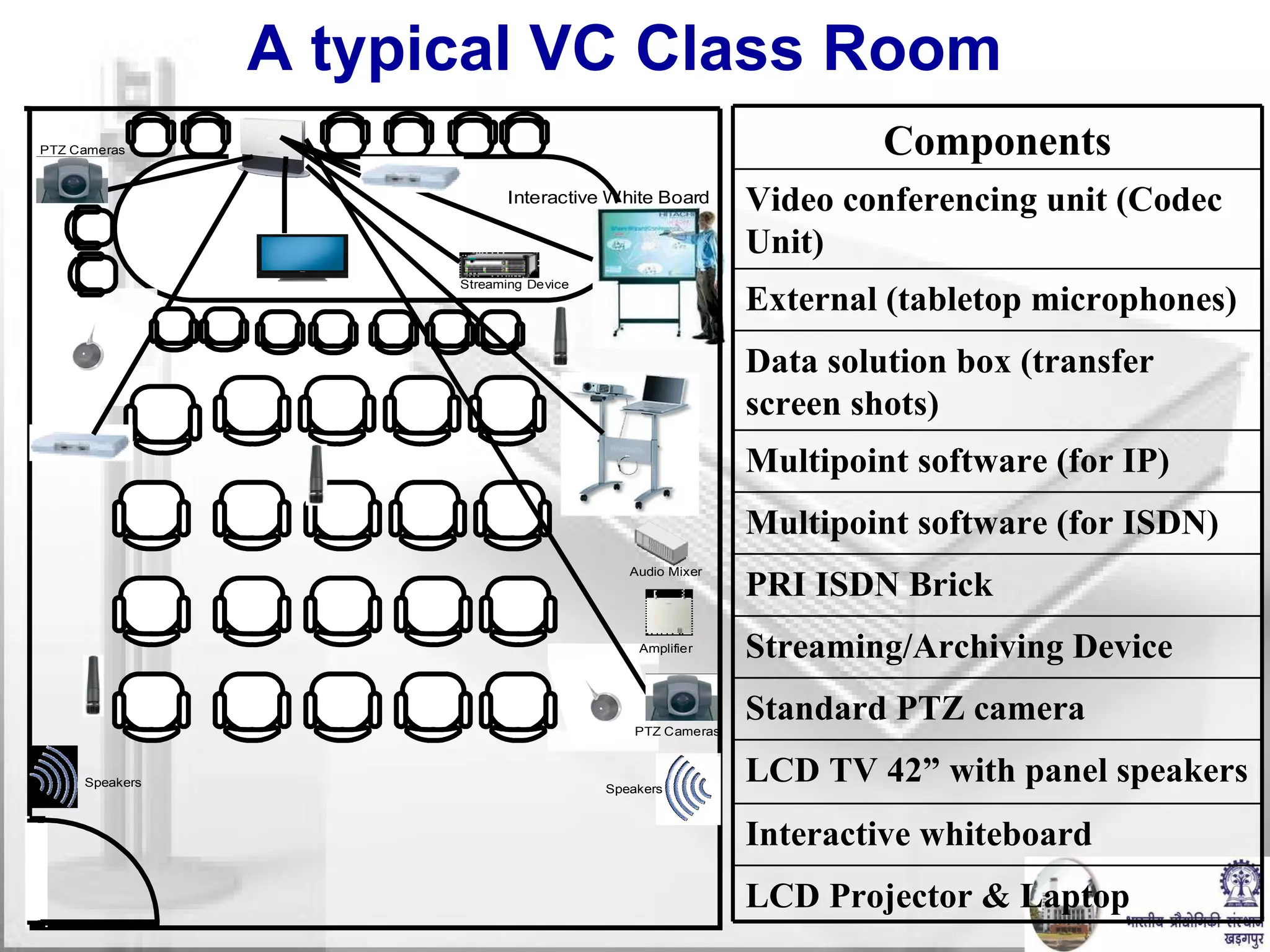
A typical VC Class Room LCD Projector & Laptop Interactive whiteboard LCD TV 42” with panel speakers Standard PTZ camera   Streaming/Archiving Device PRI ISDN Brick   Multipoint software (for ISDN) Multipoint software (for IP)   Data solution box (transfer screen shots)   External (tabletop microphones)   Video conferencing unit (Codec Unit)   Components
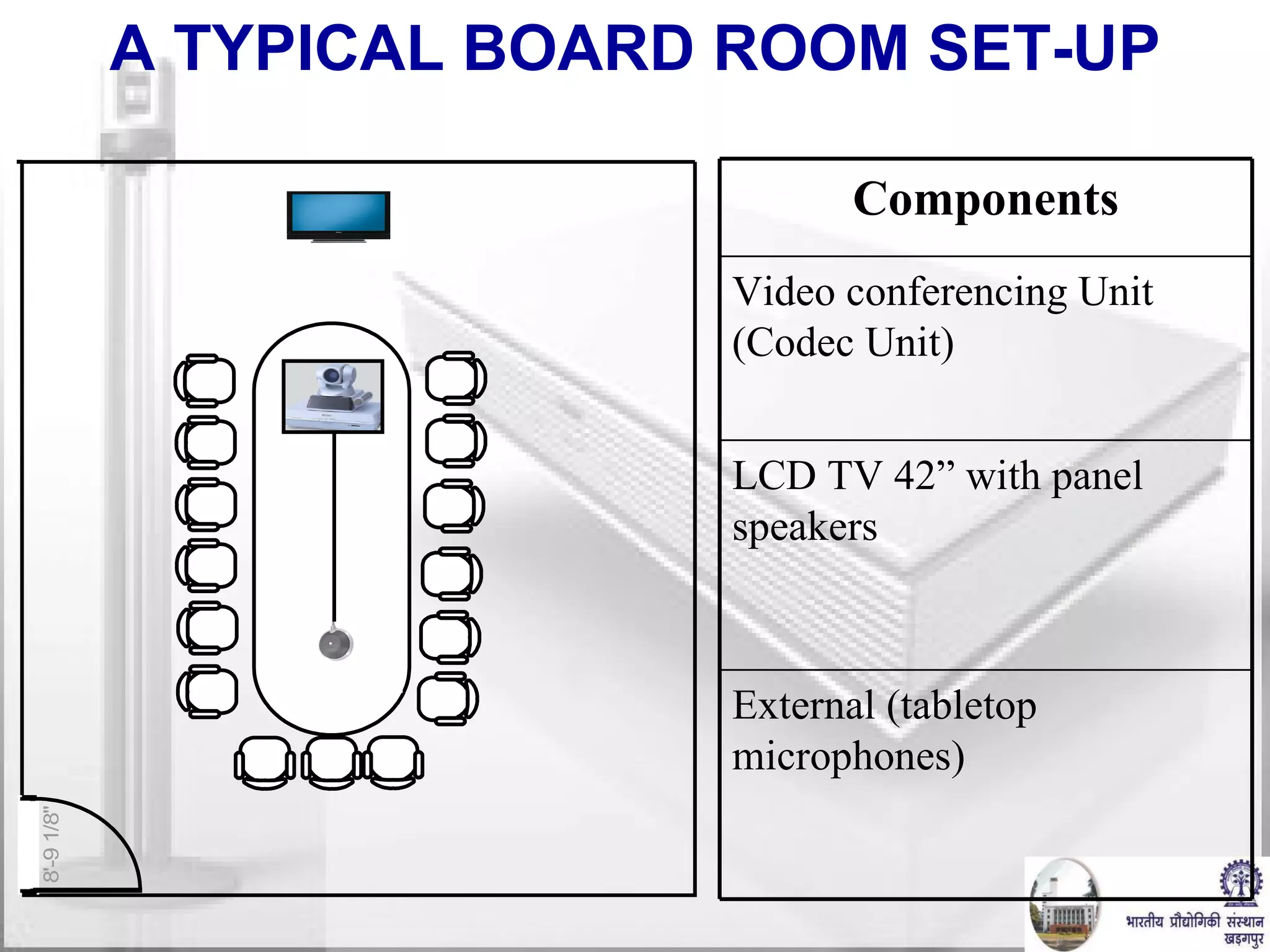
A TYPICAL BOARD ROOM SET-UP External (tabletop  microphones)   LCD TV 42” with panel speakers  Video conferencing Unit (Codec Unit) Components
EBaithak: Multiparty Desktop Video Conferencing over Internet  Developed at Dept. of CSE, IIT, Kharagpur
Types of Video Conferencing Dedicated Video Conferencing Suites Special hardware required Dedicated Communication links such as ISDN  Drawbacks :- Costly Desktop Video Conferencing Webcams & Multimedia Phones required Internet Connection that allows multimedia communication Drawbacks :- Bandwidth & Proxy limitations Mobile Video Conferencing Just a Mobile with 3G services  Drawbacks:- Low quality
Desktop Video Conference Advantages Video Conferencing can be done from office or from anywhere.  Very Low Cost devices such as Webcams & inbuilt microphones can be used Existing Internet connections can be used People from anywhere on globe can connect Limitations Bandwidths often deteriorates quality of Video Corporate proxies often block regular protocols such as UDP/RTP which is main protocol for video transmission
Video Servers Progressive Video files are kept at a location on the server.  Files can be downloaded at a later stage for viewing in a suitable player The problem is whole files has to be downloaded before actually playing Any Server can host  multi-media files.  Streaming Video files are kept at a location on the server.  Video file is played as it is being downloaded.  Video file need not to be saved at the client Special streaming servers to be used for hosting files RED5, WOWZA, FMS, DARWIN, MICROSOFT MEDIA SERVER are example.
Protocols Used RTMP Available as an open specification to create products and technology that enable delivery of video, audio, and data in the open AMF, SWF, FLV, and F4V formats compatible with Adobe Flash Player RTMPT Basically is a HTTP wrapper around the RTMP protocol  Send  POST requests from the client to the server.  Clients to poll for updates periodically in order to get notified about generated events Four possible request types can be sent to the server Initial connect (command "open") Client updates (command "send") Polling requests (command "idle") Disconnect of a session (command "close") RTMPS works just like RTMPT, but over a secure HTTPS connection
eBaithak – Server Part eBaithak  uses Red5 as its Media Server Red5 is Open Source Flash Media Server written in Java Protocols Supported: RTMP/RTMPT/RTMPS RTMP : Real Time Messaging Protocol is a proprietary protocol of ADOBE Systems. RTMP based on top of TCP and uses 1935 port RTMPT is RTMP encapsulated within HTTP requests. RTPMS is RTMP encapsulated with in secure HTTP requests
eBaithak - Client Flash Application Flash is a multimedia graphics program specially for use on the Web Flash enables you to create interactive Applications on the Web Flash uses vector graphics, which can be scaled to any size without losing clarity/quality ActionScript v3.0 is used for programming complicated Flash Applications
eBaithak & Flash  Software Client Side :  Adobe CS4 for developing GUI Uses Action Scripting 3.0 Adobe Flash Player for displaying GUI Across-platform browser plug-in that delivers multimedia content. Embedded inside html pages which can be served through Red5 Server.
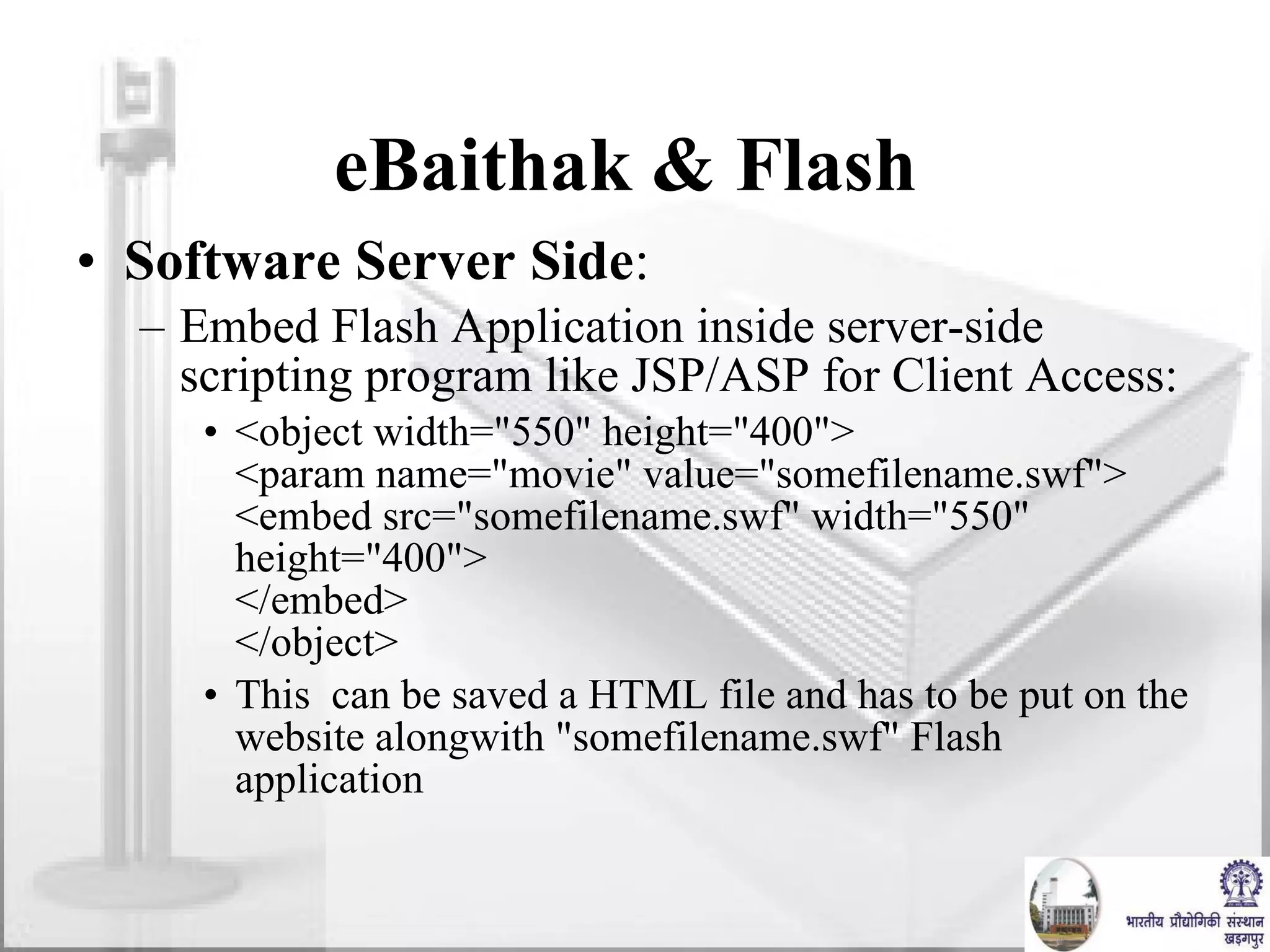
eBaithak & Flash  Software Server Side : Embed Flash Application inside server-side scripting program like JSP/ASP for Client Access: <object width=&quot;550&quot; height=&quot;400&quot;> <param name=&quot;movie&quot; value=&quot;somefilename.swf&quot;> <embed src=&quot;somefilename.swf&quot; width=&quot;550&quot; height=&quot;400&quot;> </embed> </object> This  can be saved a HTML file and has to be put on the website alongwith &quot;somefilename.swf&quot; Flash application
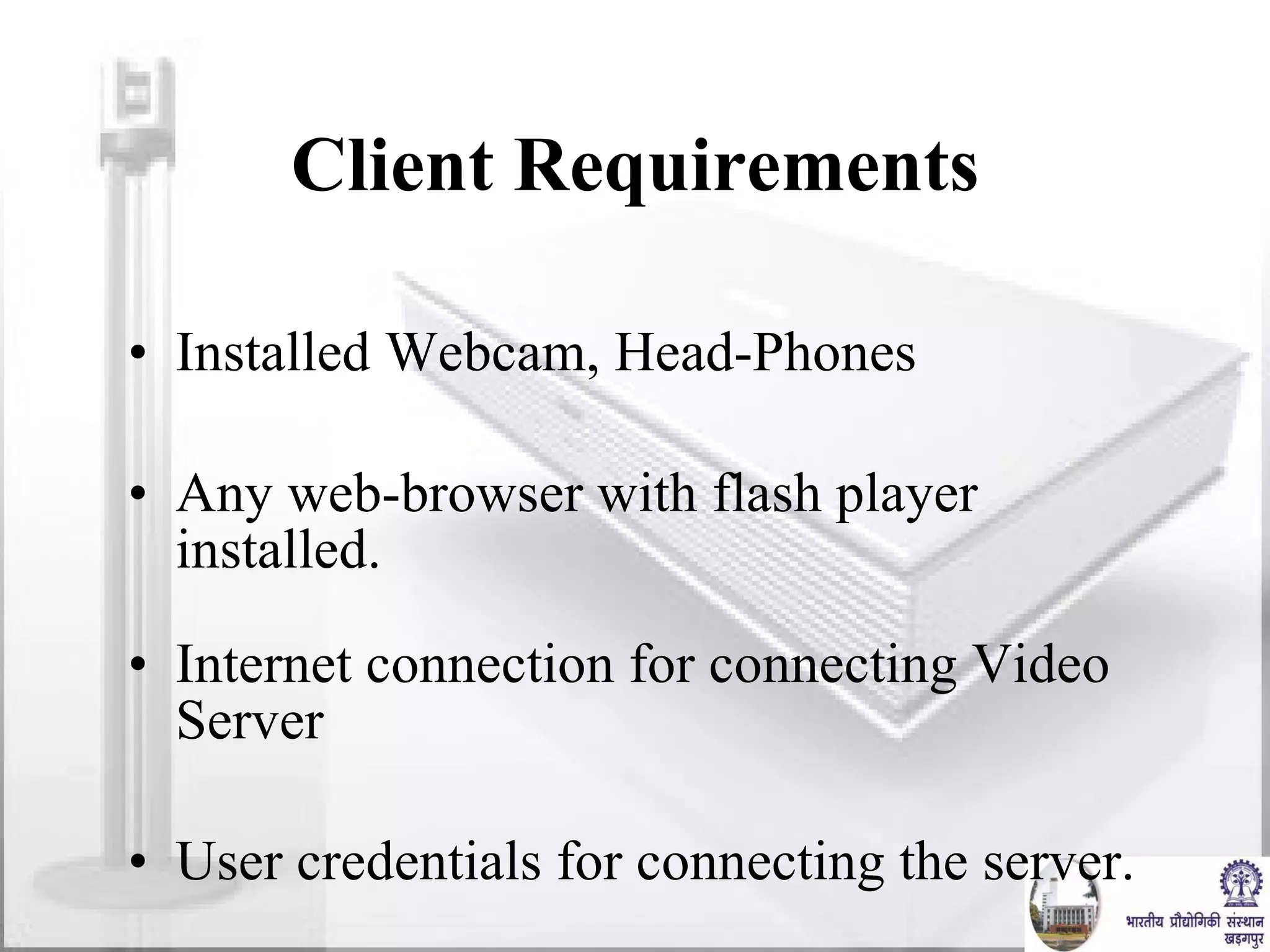
Client Requirements Installed Webcam, Head-Phones Any web-browser with flash player installed. Internet connection for connecting Video Server User credentials for connecting the server.
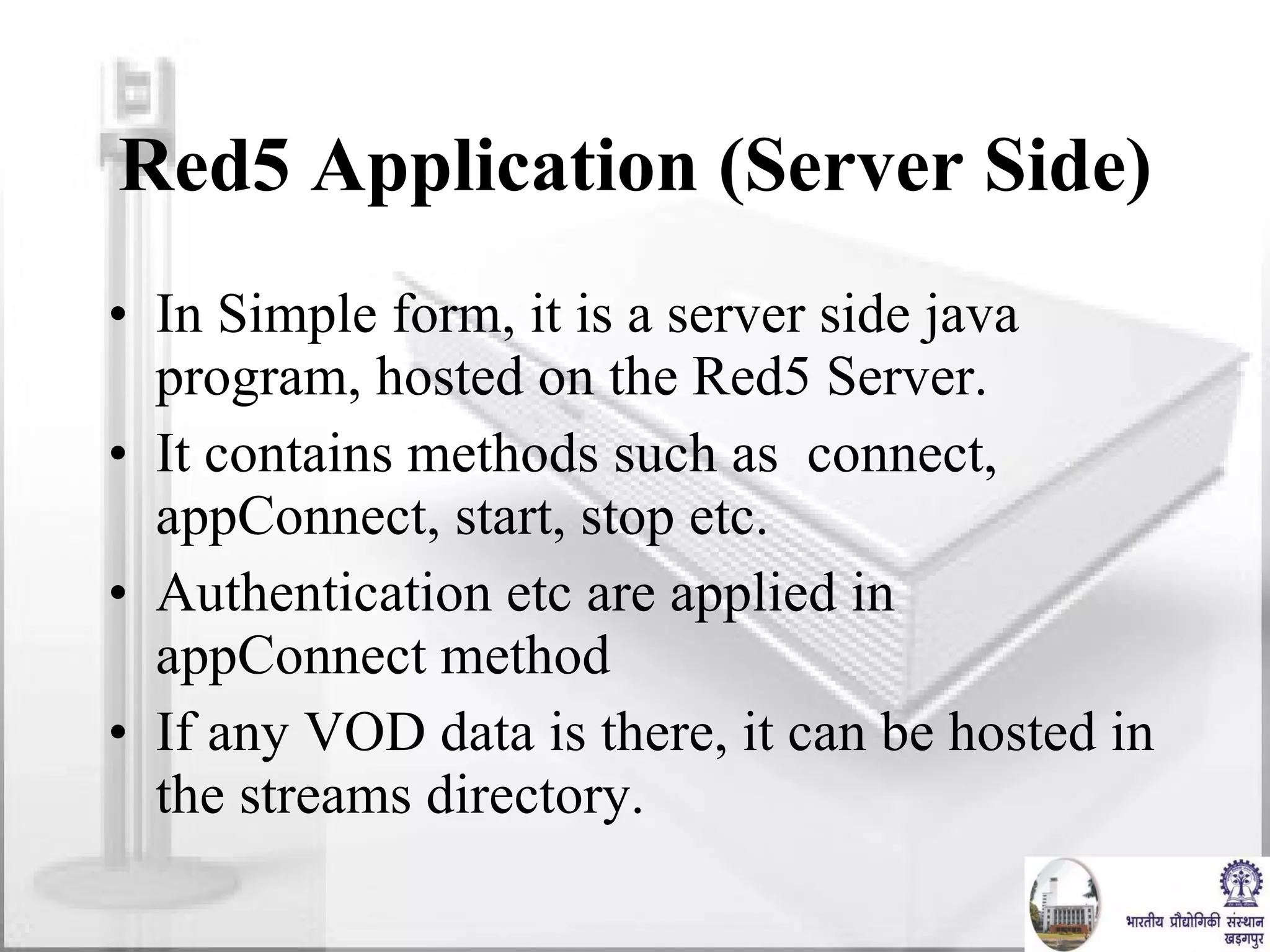
Red5 Application (Server Side) In Simple form, it is a server side java program, hosted on the Red5 Server. It contains methods such as  connect, appConnect, start, stop etc. Authentication etc are applied in appConnect method If any VOD data is there, it can be hosted in the streams directory.
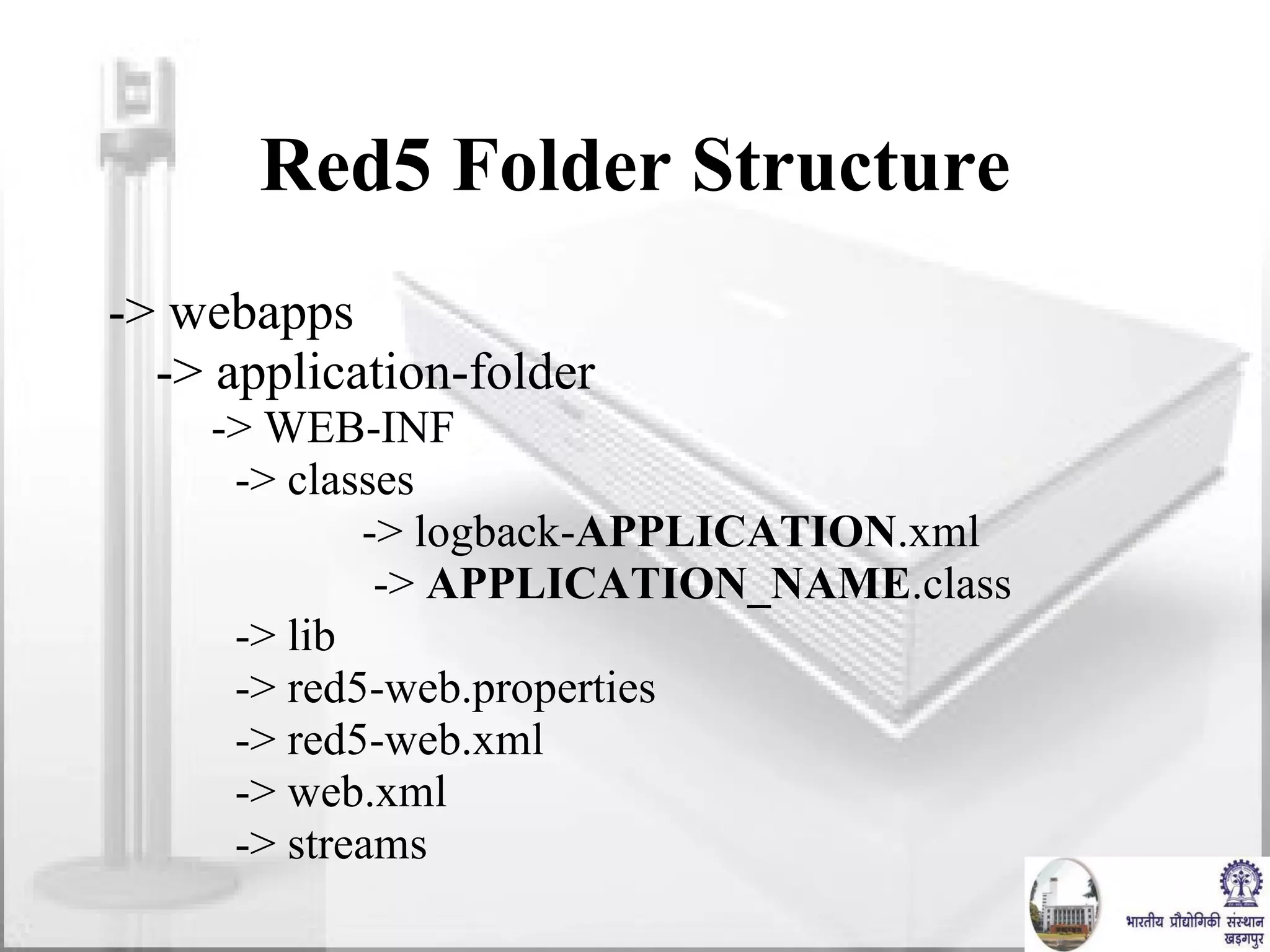
Red5 Folder Structure -> webapps -> application-folder -> WEB-INF -> classes -> logback- APPLICATION .xml   ->  APPLICATION_NAME .class -> lib  -> red5-web.properties  -> red5-web.xml  -> web.xml -> streams
Example Server Side Program package path.to.my.package; import <all reqd packages> public class Application extends ApplicationAdapter { public boolean appStart(IScope app) { } public boolean appConnect(IConnection conn, Object[] params) {} // and others } Compiled in Java and stored stored in Red5 Server.
Video Quality Parameters Quality of  Video Depends on the following factors:- Frame Rate : This parameters define how many frames are displayed in one second.  Frame Resolution : Dimensions of each frame.  Frame Quality : Compression of each frame. Bitrate : Supported on specific Video Formats Quality of images in the video depend on Frame Resolution & Quality. Smoothness of Video depends on Frame Rate.
Bandwidth & Video Quality - Relation Bandwidth also known as bitrate, is rate of data  transfer measured in bits per second. Higher the Video Quality we prefer, higher bandwidth is required. Video Quality has to be adjusted to meet the current bandwdith available. eBaithak prefers bandwidth of 512kbps at client
Video Quality Parameters in eBaithak Frames Per Second:  Number of frames captured per second.  Determines how many frames are captured by the camera for video transferring. Value ranges from 1/x to x frames.  If the FPS is specified as 1/5, then per 5 seconds, one frame is captured.  If the FPS is specified as 5, then per second,  5 frames are captured.  Frame dimensions:  Size of video image.  Vary anything from 160x120 to 1600x1200 provided the camera can support for capturing.  Capturing and rendering large images result in excessive CPU usage. Hence often few frames are dropped while rendering large images. However it has been found that the frame drop is acceptable for resolutions up to 352x288 (CIF).
Video Quality Parameters in eBaithak Quality:  Compression Quality of each frame.  Determined by two important factors namely 1) bandwidth  and  2) quality First factor is the maximum amount of bandwidth that the current outgoing video feed can use, in bytes per second.  Second factor is the required level of picture quality, as determined by the amount of compression being applied to each video frame.  Example:- Cam.SetQuality(8192,0): No more than 8192 (8K/second) is used to send video  Cam.SetQuality(8192,50): No more than 8192 (8K/second) is used to send video with minimum compression quality of 50  Cam.SetQuality(0,50):  Minimum quality of 50, no matter how much bandwidth it takes.
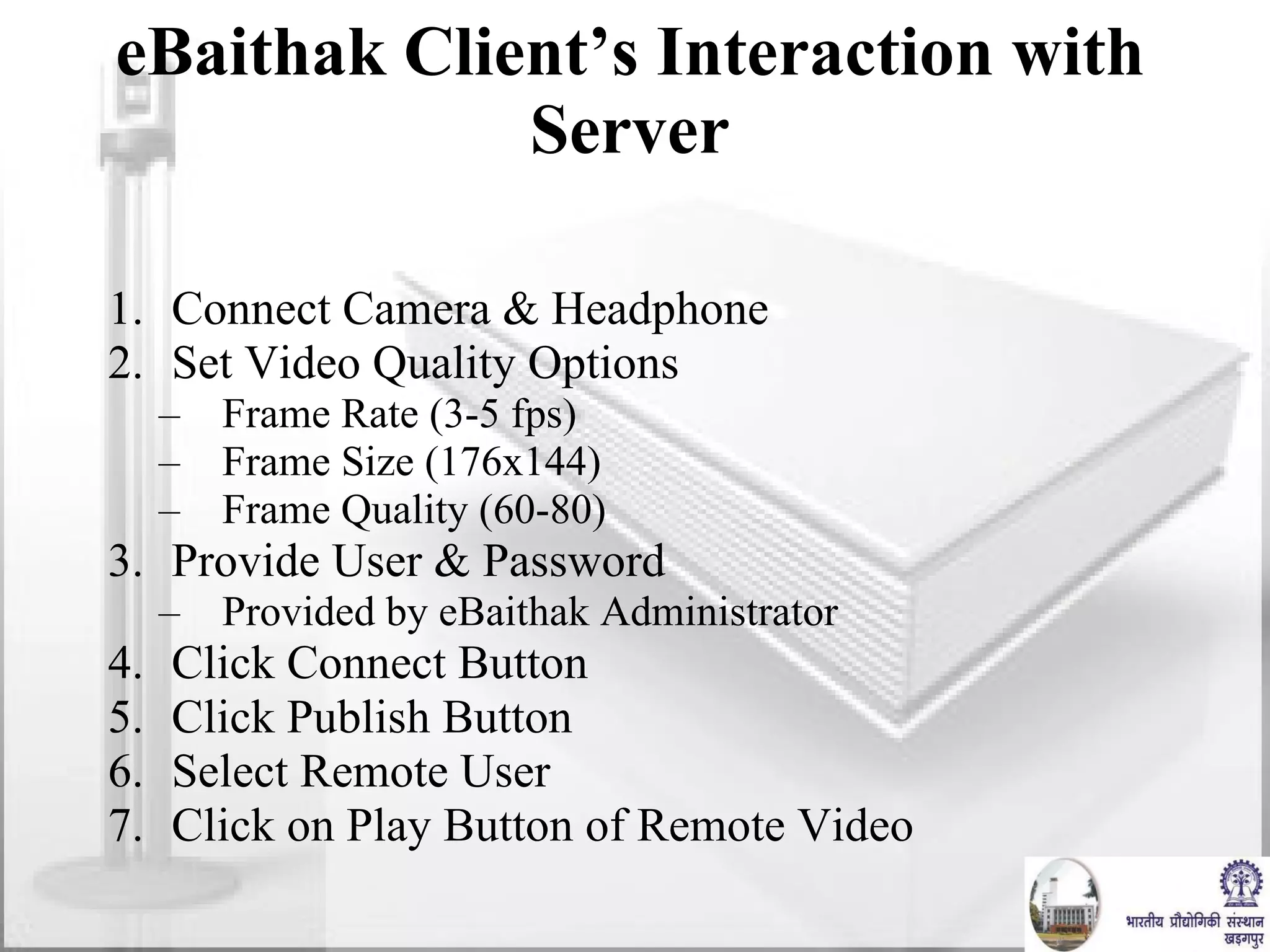
eBaithak Client’s Interaction with Server Connect Camera & Headphone Set Video Quality Options Frame Rate (3-5 fps) Frame Size (176x144) Frame Quality (60-80) Provide User & Password Provided by eBaithak Administrator Click Connect Button Click Publish Button Select Remote User Click on Play Button of Remote Video
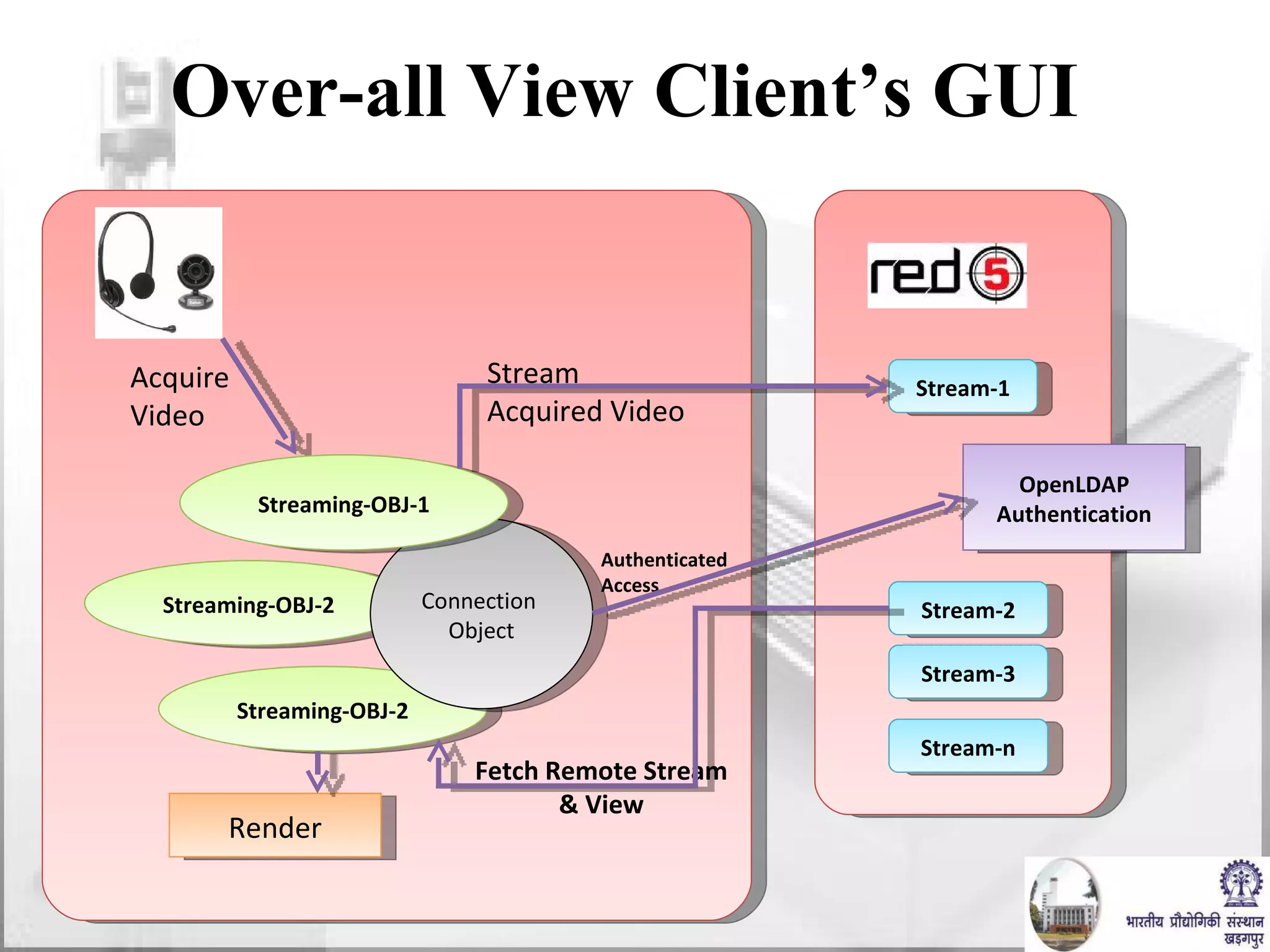
Over-all View Client’s GUI Stream-1 Stream-2 Stream-3 Streaming-OBJ-2 Streaming-OBJ-2 Stream-n Connection  Object OpenLDAP Authentication Authenticated Access Render Stream  Acquired Video  Streaming-OBJ-1 Fetch Remote Stream & View Acquire  Video
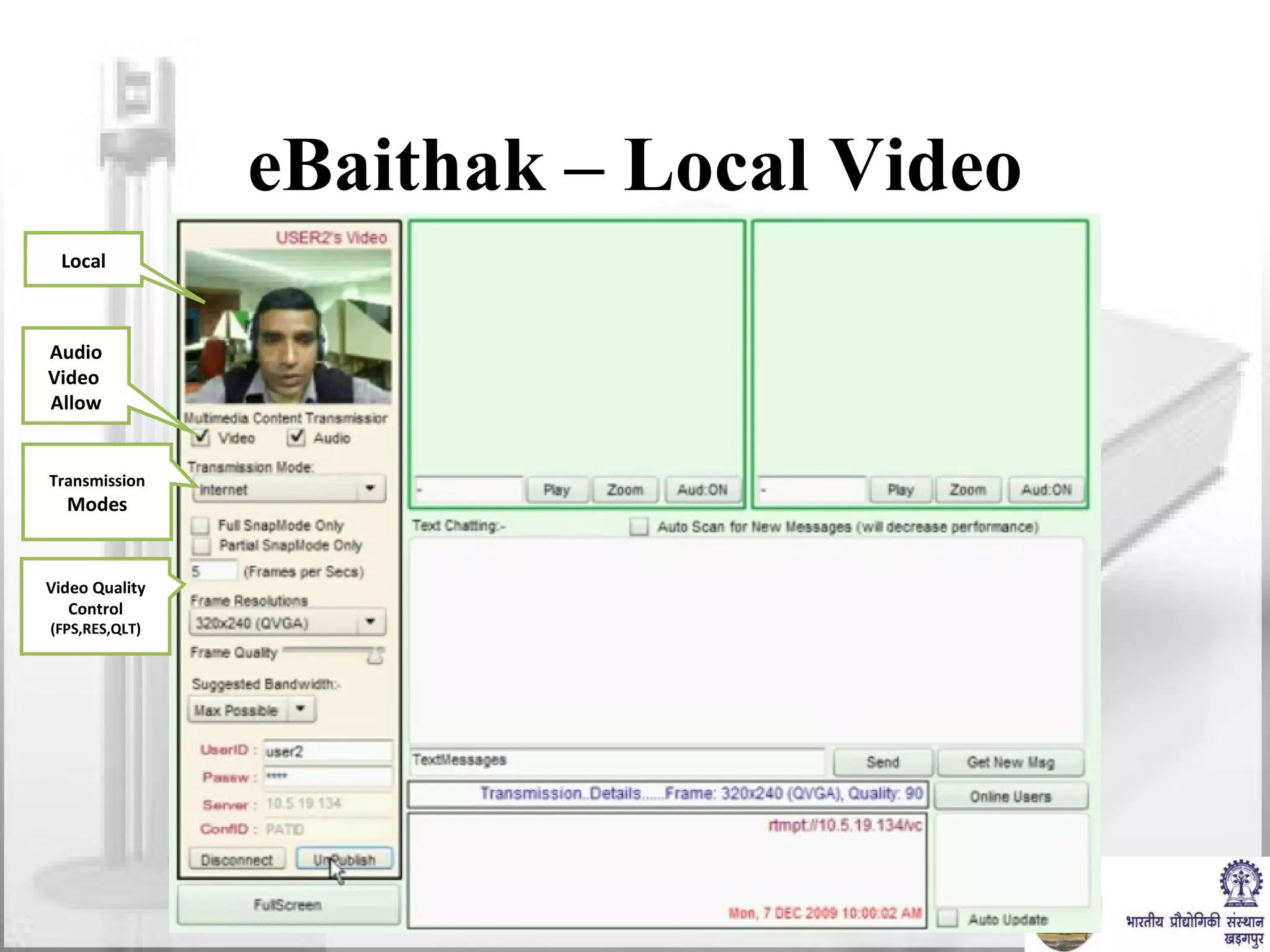
eBaithak – Local Video Local Audio Video  Allow Transmission Modes Video Quality Control (FPS,RES,QLT)
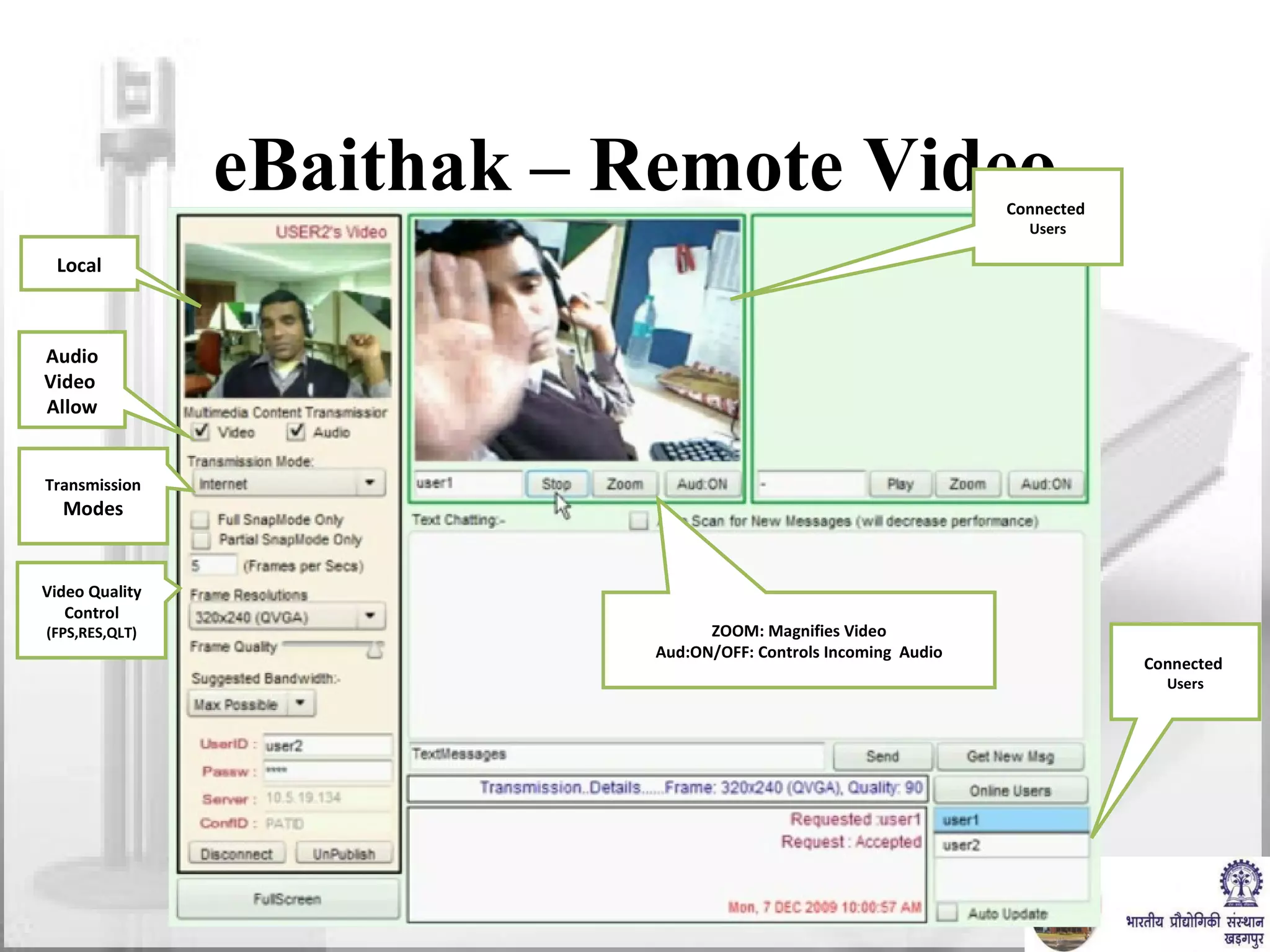
eBaithak – Remote Video Local Audio Video  Allow Transmission Modes Video Quality Control (FPS,RES,QLT) Connected  Users Connected  Users ZOOM: Magnifies Video Aud:ON/OFF: Controls Incoming  Audio
Thank you

Video Conferencing : Fundamentals and Application

  • 1.
    Video Conferencing :Fundamentals and Application Prof. J Mukhopadhyay Dept. of Computer Science and Engineering, IIT Kharagpur
  • 2.
    VIDEOCONFERENCING THE POWER OF VISUAL COMMUNICATION To See, Hear and Share Information using Video and Audio Technology
  • 3.
    Modes of InteractionsEmail. Fax. Telephone. Online Chat. Video Conferencing. Face to face. In many situations, video conferencing is the next best thing to a face to face meeting.
  • 4.
    Why Video Conferencing?Save money and time. Build relationships. Communicate “face to face” where it would otherwise be impossible. Avoid travels. Teach. Collaborate.
  • 5.
    MODES OF VIDEOCONFERENCING Point-to-Point A videoconference that connects two locations Multi-point A videoconference that connects more than two locations through a Multi- point Control Unit ( MCU )
  • 6.
    COMPONENTS OF AVIDEOCONFERENCING Camera Display Devices Codec Microphone interactive whiteboards Streaming & Archiving Equipment
  • 7.
    Technologies Involved Videoand Audio signal acquisition. Data Communication. Display and reproduction of transmitted signal.
  • 8.
    CAMERAS TYPICALFEATURES AT A GLANCE : High Speed, Wide Range Pan/Tilt & Zoom 40x Optical Zoom, High Speed and Auto-Focus Lens S-Video & Standard Composite Output 12 or more Position Preset Auto Tracking / Motion Detector RS-232 Serial Control Control Via Your Computer Through The Internet IR Hand Held Remote Control 9600 Baud Data Pass-Through Mode Time/Date Generator
  • 9.
    MICROPHONES OMNIDIRECTIONAL UNIDIRECTIONAL An Omni Directional Microphone which picks up sound equally well from all directions. It has 360 degrees of voice pick up and an Integrated Mute button A Unidirectional microphone is sensitive to sounds from only one direction.
  • 10.
    Viewing angle : 176º (H) / 176º (V) Diagonal screen size (inch) :  42 inch Display screen type :  LCD WXGA Active Matrix TFT Panel resolution :  1366 x 768p Sound Output power (RMS) :  2x12W + 1x24 W Loudspeakers Built-in speakers :  5 Loudspeaker types :  Integrated subwoofer, Dome tweeter Picture in Picture :  HDMI-Component PIP Playback Formats :  MP3, Slideshow files (.alb), JPEG, Still pictures Mains power :  AC 110 - 240 V +/- 10% Power consumption :  263 W Typical features of a LCD TV
  • 11.
    Bandwidth / DataRate Requirement Frame Rate. Frame Size. Color. Mono / Stereo Audio. Sample per second. Bit per sample. 15-30 fps. QCIF( 176x144) , 4CIF (480x330) etc. 14 KHZ Audio 8-12 bit for audio, 24 bit for video
  • 12.
    Data Size: VoiceBand width: ~ 4 Khz Minimum Sampling Frequency: 8 Khz Bits per sample: 8 bits (for 256 levels) Minmum data rate: 8000x8 bits per second = 64 Kbps
  • 13.
    Data Size: VideoNumber of frames per second: 15 fps Resolution of a frame: 480 x 640 pixels Bits per pixel: 24 bits (for colored video) Data Rate: 480x640x15x24 bits per second = 110.6 Mbps
  • 14.
    Data Compression Alternativedescription of data requiring less storage and bandwidth. Uncompressed 1 Mbyte Compressed (JPEG) 50 Kbyte (20:1)
  • 15.
    Compression Standards Lossyand Lossless Compression Audio: G.711, G.722.1, G.728, MPEG-4 Still Image: JPEG, JPEG-LS, JPEG-2000 Video: MPEG-2, MPEG-4, H.263, H.264
  • 16.
    Band-width requirements ofdifferent compressed multimedia data Type of Multimedia Data Bandwidth Usual data 100bps~2kbps Image 40 Kbps~150 Kbps Voice 4 Kbps~80 Kbps Stereo Audio 125 Kbps~700 Kbps VCR quality video 1.5 Mbps~4Mbps 3D medical images 6 Mbps~120 Mbps HDTV 110 Mbps~800 Mbps Scientific Visualisation 200 Mbps~1000Mbps
  • 17.
  • 18.
    MPEG Introduction Foreach 8x8 block DCT Quant . RLE { Zig-Zag Scan Huffman …… 011000011010 Intra Frame Encoding
  • 19.
    Motion Estimation &Prediction to construct Inter Frame (P/B- frames) Reference m’ e = m – m’ MPEG Introduction Back 1 2 3 4 5 6 7 8 9 10 11 m 13 14 15 16 17 18 19 20 21 22 23 24 25 Predicted P
  • 20.
    MPEG Introduction P-FrameEncoding B-Frame Encoding Back Reference Best Match Motion Vector } Difference DCT + Quant. + RLE Huffman 01101100 Past reference Future reference Target [ + ] = - 0.5 x DCT + Quant. + RLE Huffman coder 01101100 Motion vectors
  • 21.
    MPEG Introduction INTRAINTRA Motion Compensated Inter Frames Encoding Decoding Details (DCT, Quant., Motion Estimation & Compensation, VLC) (IDCT, IQuant., Inverse Motion Compensation, VLC)
  • 22.
    A Typical MPEGstream Structure Seq. Header GOP Header GOP GOP Header GOP MPEG End Code ----------------------- Pic. Header PIC ----------------------- MacroBlock header Macroblock Block 8x8 Block 8x8 Block 8x8 I B B P B B P B B P B B I B B . . . I P P P P P P P P P P P I P P . . . I I I I I I …. MPEG Introduction ----------------------- -----------------------
  • 23.
    Protocols for VCH.320 ( 1990) ISDN H.323 (1996) IP SIP (Session Initiation Protocol) Used by most Voice Over IP ( VOIP ) solutions
  • 24.
    H.323 H.323 containsseveral protocols: H.225.0 : Call Signaling between two H.323 endpoints Registration, Admission, and Status (RAS) . RAS is used between an endpoint and a Gatekeeper. H.245 :control protocol for opening and closing logical channels for audio, video and data, capability exchange, control and indications. H.450 : for various supplementary services
  • 25.
    H.323 (Contd.) H.235 : for security within H.323, including both signaling and media security H.239 : describes dual stream use (usually for live video, the other for presentation.) H.460 : optional extensions that might be implemented by an endpoint or a Gatekeeper. In addition to those ITU recommendations, H.323 utilizes various IETF RFCs for media transport and media packetization, including RTP .
  • 26.
    H.323 (Contd.) CodecsVideo codecs: H.261 , H.263 , H.264 . Audio codecs: G.711 , G.729 , G.729a , G.723.1 , G.726 Text codecs: T.140
  • 27.
    Embedded MCU(Multi-Control Unit)Support IP (4 Mbps) and ISDN (2 Mbps) connection ISDN & IP connections can be mixed-up Dial –In / Dial-Out Capabilities Up to 6 sites (5+yourself) H.320 and H.323 MCUs Up to 10 sites when MCU cascaded Multiple Display Output Improved Picture MPEG-4/AAC-LD Audio 14kHz Quality CODEC UNIT FEATURES AT A GLANCE
  • 28.
    SPECIFICATION Supported Protocols: H.323 (LAN) and H.320 (ISDN) Video Standards : H.261, H.263, H.264, MPEG-4 Video Resolution : QCIF, 4CIF, FCIF, SIF Frame Rate : Max 30 frames per second Bit Rate : Up to 2 Mb/s in H.320 (including audio), Up to 4 Mb/s in H.323 (including audio) Audio Bandwidth and Coding : G.711, G.722.1, G.728, MPEG-4, AAC-LD Echo Cancellation : Reduction rate 30 dB ITU-T Standards : H.320, H.323; H.221; H.281 FECC; H.225.0; H.245; T.120 Network Protocols : TELNET (Server), HTTP (Server), FTP (Server), SNMP (Server), PING, DNS (Client), DHCP (Client), RTCP, RTP, TCP, ARP, NTP (Client)
  • 29.
    Built-in Streaming: Students or faculties can view and listen to your videoconference session in their PC from almost any location that has access to your network. Site - Name Display: The Lecturer at the main hub should identify the institute location name from which institute the question had been asked. Voice Switching and Fixed Site SOME USEFUL FEATURES
  • 30.
    NETWORK CHOICES ISDN- Connects sites utilizing the H.320 standard IP - Connects sites utilizing the H.323 standard The most cost effective speed for typical videoconferencing meetings is 384 Kbps or 512 Kbps.
  • 31.
    OPTIONAL ACCESSORIES DataSolution Box Streaming / Archiving Equipment Interactive Whiteboard LCD Projector & Laptop Interactive Whiteboard : Using a Interactive whiteboard recorder, notes and drawings on a whiteboard can be electronically converted and then transferred in real time to remote sites to be displayed on a screen. Data Solutions Box: Transfer screen shots in XGA resolution from your PC to remote sites through a network or an ISDN line. LCD Projector & Laptop : A projector using LCD technology and s mall portable computer. Streaming / Archiving : An equipment for streaming / archiving the lectures/interviews/seminars etc.
  • 32.
    QoS ( QUALITYOF SERVICE ) Three advanced functions to enhance QoS over network are: Forward Error Correction(FEC): FEC function that corrects errors in transmission at the receiving end. Adaptive Rate Control(ARC): ARC function automatically varies the video data transfer rate to meet changing network conditions. Real-time Auto Repeat Request (ARQ): ARQ function recovers lost IP packets. -
  • 33.
    Challenges in InternetVC Firewalls Port Blocking NAT Hidden IP Address Bandwidth NOT! Dial Up Modem MAYBE… Cable Modem/DSL Yes!!! Internet2
  • 34.
    Network Servers forVC Gatekeeper Allows assignment of static numbers Allows use of MCUs, and Gateways MCU Allows more than two participants to be in the call at the same time. Gateway Allows calls to and from telephones. Ridgeway Server Firewall/NAT solution.
  • 35.
    H.323 Clients INTERNETH.323 Videoconferencing H.320 Gateway ISDN POTS line Telephone GateKeeper MCU Web Browser Real Video H.323
  • 36.
    A typical VCClass Room LCD Projector & Laptop Interactive whiteboard LCD TV 42” with panel speakers Standard PTZ camera Streaming/Archiving Device PRI ISDN Brick Multipoint software (for ISDN) Multipoint software (for IP) Data solution box (transfer screen shots) External (tabletop microphones) Video conferencing unit (Codec Unit) Components
  • 37.
    A TYPICAL BOARDROOM SET-UP External (tabletop microphones) LCD TV 42” with panel speakers Video conferencing Unit (Codec Unit) Components
  • 38.
    EBaithak: Multiparty DesktopVideo Conferencing over Internet Developed at Dept. of CSE, IIT, Kharagpur
  • 39.
    Types of VideoConferencing Dedicated Video Conferencing Suites Special hardware required Dedicated Communication links such as ISDN Drawbacks :- Costly Desktop Video Conferencing Webcams & Multimedia Phones required Internet Connection that allows multimedia communication Drawbacks :- Bandwidth & Proxy limitations Mobile Video Conferencing Just a Mobile with 3G services Drawbacks:- Low quality
  • 40.
    Desktop Video ConferenceAdvantages Video Conferencing can be done from office or from anywhere. Very Low Cost devices such as Webcams & inbuilt microphones can be used Existing Internet connections can be used People from anywhere on globe can connect Limitations Bandwidths often deteriorates quality of Video Corporate proxies often block regular protocols such as UDP/RTP which is main protocol for video transmission
  • 41.
    Video Servers ProgressiveVideo files are kept at a location on the server. Files can be downloaded at a later stage for viewing in a suitable player The problem is whole files has to be downloaded before actually playing Any Server can host multi-media files. Streaming Video files are kept at a location on the server. Video file is played as it is being downloaded. Video file need not to be saved at the client Special streaming servers to be used for hosting files RED5, WOWZA, FMS, DARWIN, MICROSOFT MEDIA SERVER are example.
  • 42.
    Protocols Used RTMPAvailable as an open specification to create products and technology that enable delivery of video, audio, and data in the open AMF, SWF, FLV, and F4V formats compatible with Adobe Flash Player RTMPT Basically is a HTTP wrapper around the RTMP protocol Send POST requests from the client to the server. Clients to poll for updates periodically in order to get notified about generated events Four possible request types can be sent to the server Initial connect (command &quot;open&quot;) Client updates (command &quot;send&quot;) Polling requests (command &quot;idle&quot;) Disconnect of a session (command &quot;close&quot;) RTMPS works just like RTMPT, but over a secure HTTPS connection
  • 43.
    eBaithak – ServerPart eBaithak uses Red5 as its Media Server Red5 is Open Source Flash Media Server written in Java Protocols Supported: RTMP/RTMPT/RTMPS RTMP : Real Time Messaging Protocol is a proprietary protocol of ADOBE Systems. RTMP based on top of TCP and uses 1935 port RTMPT is RTMP encapsulated within HTTP requests. RTPMS is RTMP encapsulated with in secure HTTP requests
  • 44.
    eBaithak - ClientFlash Application Flash is a multimedia graphics program specially for use on the Web Flash enables you to create interactive Applications on the Web Flash uses vector graphics, which can be scaled to any size without losing clarity/quality ActionScript v3.0 is used for programming complicated Flash Applications
  • 45.
    eBaithak & Flash Software Client Side : Adobe CS4 for developing GUI Uses Action Scripting 3.0 Adobe Flash Player for displaying GUI Across-platform browser plug-in that delivers multimedia content. Embedded inside html pages which can be served through Red5 Server.
  • 46.
    eBaithak & Flash Software Server Side : Embed Flash Application inside server-side scripting program like JSP/ASP for Client Access: <object width=&quot;550&quot; height=&quot;400&quot;> <param name=&quot;movie&quot; value=&quot;somefilename.swf&quot;> <embed src=&quot;somefilename.swf&quot; width=&quot;550&quot; height=&quot;400&quot;> </embed> </object> This can be saved a HTML file and has to be put on the website alongwith &quot;somefilename.swf&quot; Flash application
  • 47.
    Client Requirements InstalledWebcam, Head-Phones Any web-browser with flash player installed. Internet connection for connecting Video Server User credentials for connecting the server.
  • 48.
    Red5 Application (ServerSide) In Simple form, it is a server side java program, hosted on the Red5 Server. It contains methods such as connect, appConnect, start, stop etc. Authentication etc are applied in appConnect method If any VOD data is there, it can be hosted in the streams directory.
  • 49.
    Red5 Folder Structure-> webapps -> application-folder -> WEB-INF -> classes -> logback- APPLICATION .xml -> APPLICATION_NAME .class -> lib -> red5-web.properties -> red5-web.xml -> web.xml -> streams
  • 50.
    Example Server SideProgram package path.to.my.package; import <all reqd packages> public class Application extends ApplicationAdapter { public boolean appStart(IScope app) { } public boolean appConnect(IConnection conn, Object[] params) {} // and others } Compiled in Java and stored stored in Red5 Server.
  • 51.
    Video Quality ParametersQuality of Video Depends on the following factors:- Frame Rate : This parameters define how many frames are displayed in one second. Frame Resolution : Dimensions of each frame. Frame Quality : Compression of each frame. Bitrate : Supported on specific Video Formats Quality of images in the video depend on Frame Resolution & Quality. Smoothness of Video depends on Frame Rate.
  • 52.
    Bandwidth & VideoQuality - Relation Bandwidth also known as bitrate, is rate of data transfer measured in bits per second. Higher the Video Quality we prefer, higher bandwidth is required. Video Quality has to be adjusted to meet the current bandwdith available. eBaithak prefers bandwidth of 512kbps at client
  • 53.
    Video Quality Parametersin eBaithak Frames Per Second: Number of frames captured per second. Determines how many frames are captured by the camera for video transferring. Value ranges from 1/x to x frames. If the FPS is specified as 1/5, then per 5 seconds, one frame is captured. If the FPS is specified as 5, then per second, 5 frames are captured. Frame dimensions: Size of video image. Vary anything from 160x120 to 1600x1200 provided the camera can support for capturing. Capturing and rendering large images result in excessive CPU usage. Hence often few frames are dropped while rendering large images. However it has been found that the frame drop is acceptable for resolutions up to 352x288 (CIF).
  • 54.
    Video Quality Parametersin eBaithak Quality: Compression Quality of each frame. Determined by two important factors namely 1) bandwidth and 2) quality First factor is the maximum amount of bandwidth that the current outgoing video feed can use, in bytes per second. Second factor is the required level of picture quality, as determined by the amount of compression being applied to each video frame. Example:- Cam.SetQuality(8192,0): No more than 8192 (8K/second) is used to send video Cam.SetQuality(8192,50): No more than 8192 (8K/second) is used to send video with minimum compression quality of 50 Cam.SetQuality(0,50): Minimum quality of 50, no matter how much bandwidth it takes.
  • 55.
    eBaithak Client’s Interactionwith Server Connect Camera & Headphone Set Video Quality Options Frame Rate (3-5 fps) Frame Size (176x144) Frame Quality (60-80) Provide User & Password Provided by eBaithak Administrator Click Connect Button Click Publish Button Select Remote User Click on Play Button of Remote Video
  • 56.
    Over-all View Client’sGUI Stream-1 Stream-2 Stream-3 Streaming-OBJ-2 Streaming-OBJ-2 Stream-n Connection Object OpenLDAP Authentication Authenticated Access Render Stream Acquired Video Streaming-OBJ-1 Fetch Remote Stream & View Acquire Video
  • 57.
    eBaithak – LocalVideo Local Audio Video Allow Transmission Modes Video Quality Control (FPS,RES,QLT)
  • 58.
    eBaithak – RemoteVideo Local Audio Video Allow Transmission Modes Video Quality Control (FPS,RES,QLT) Connected Users Connected Users ZOOM: Magnifies Video Aud:ON/OFF: Controls Incoming Audio
  • 59.