Past, Present and Future of Videoconferencing at the University of Ghent Geert De Soete and Michel Raes Academic Computing Center, University of Ghent, Belgium
Overview Centrally provided videoconferencing facilities at Ghent University: The Multimedia Room Technology Costs Types Quality Outlook
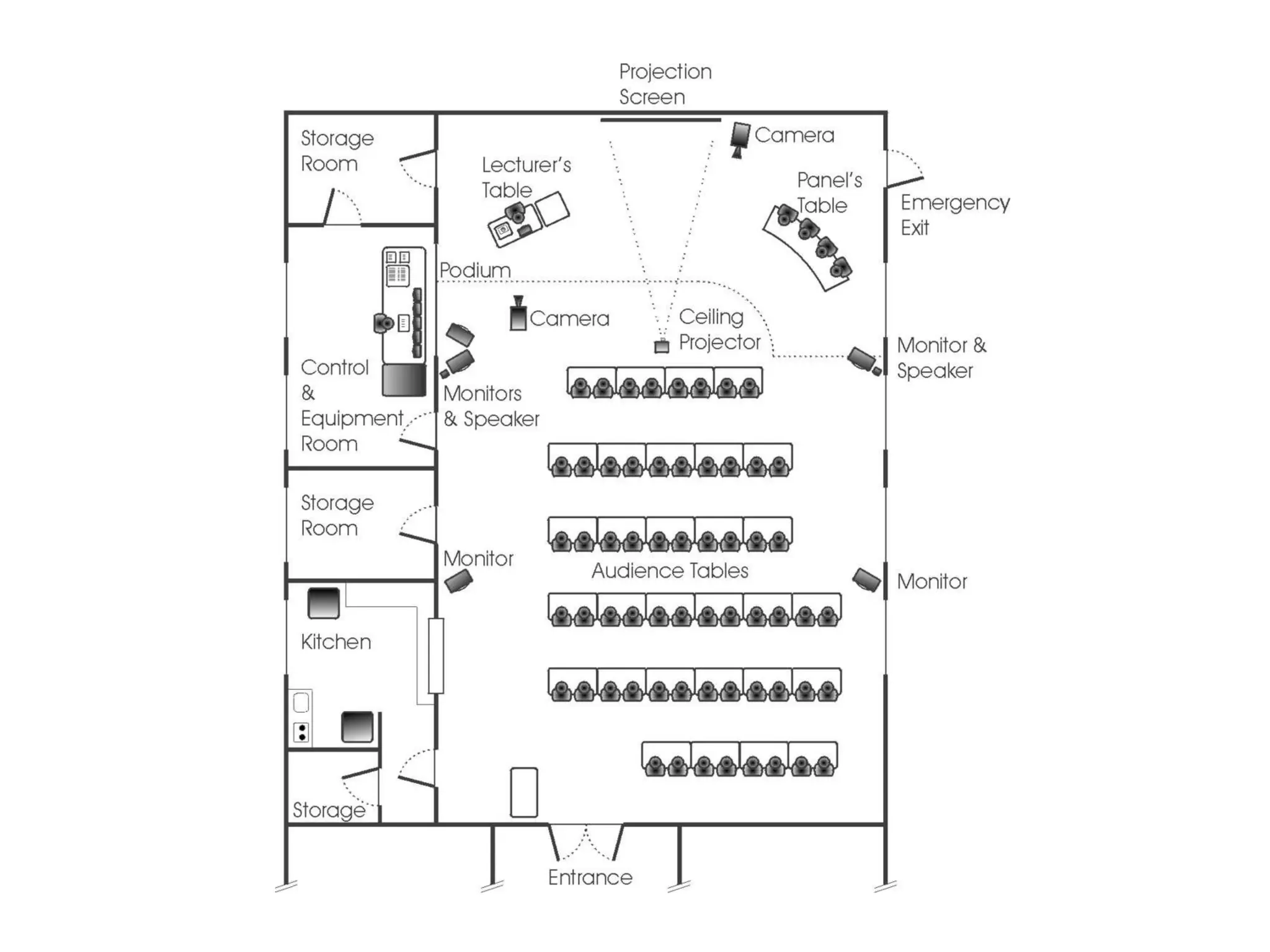
Centrally provided videoconference facilities The Multimedia room History: 1995: Decision to build October 1996: First course ... 1999-2000: 4 or 5 videoconferences per week Concept Examples of usage
 
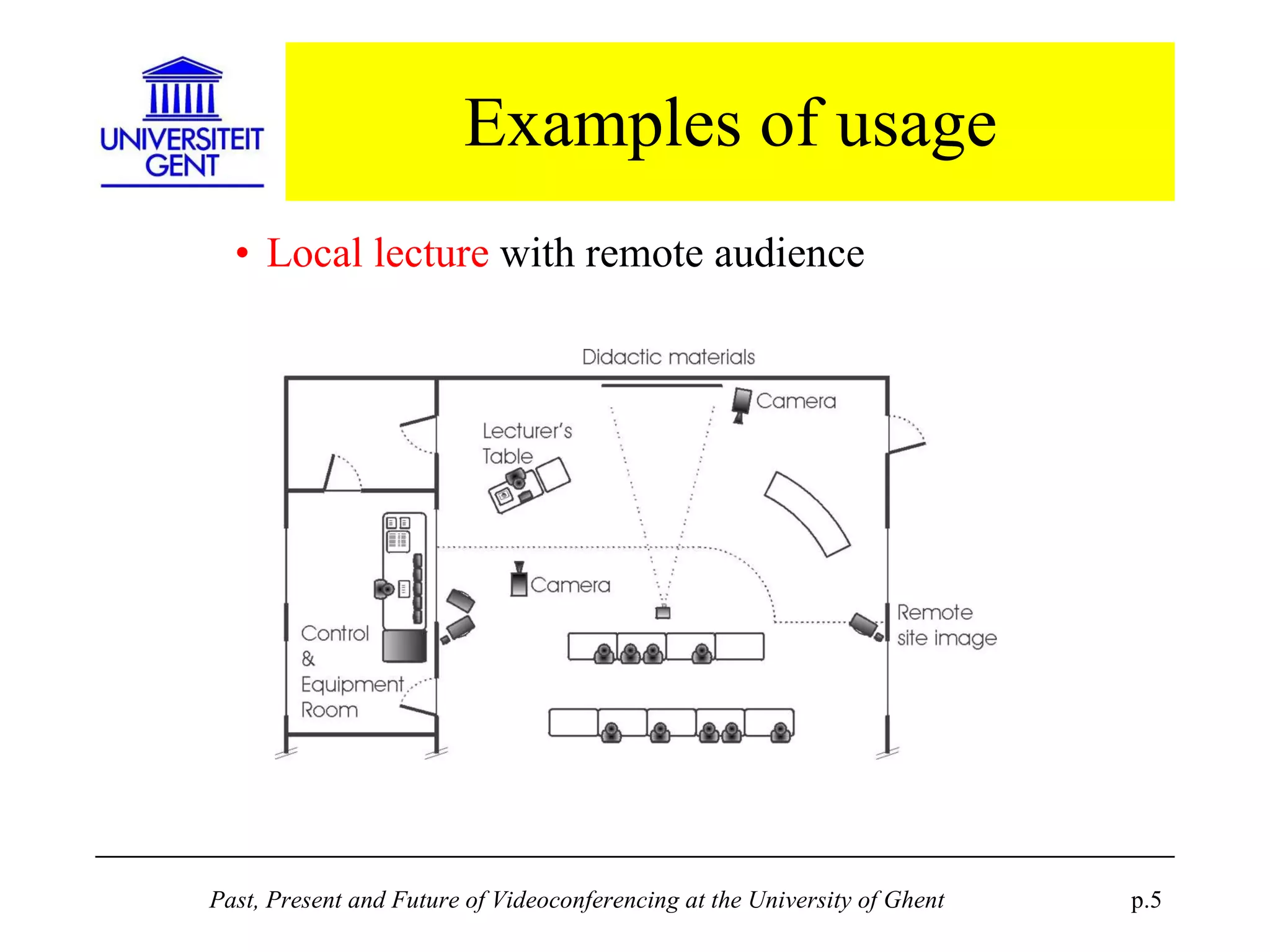
Examples of usage Local lecture  with remote audience
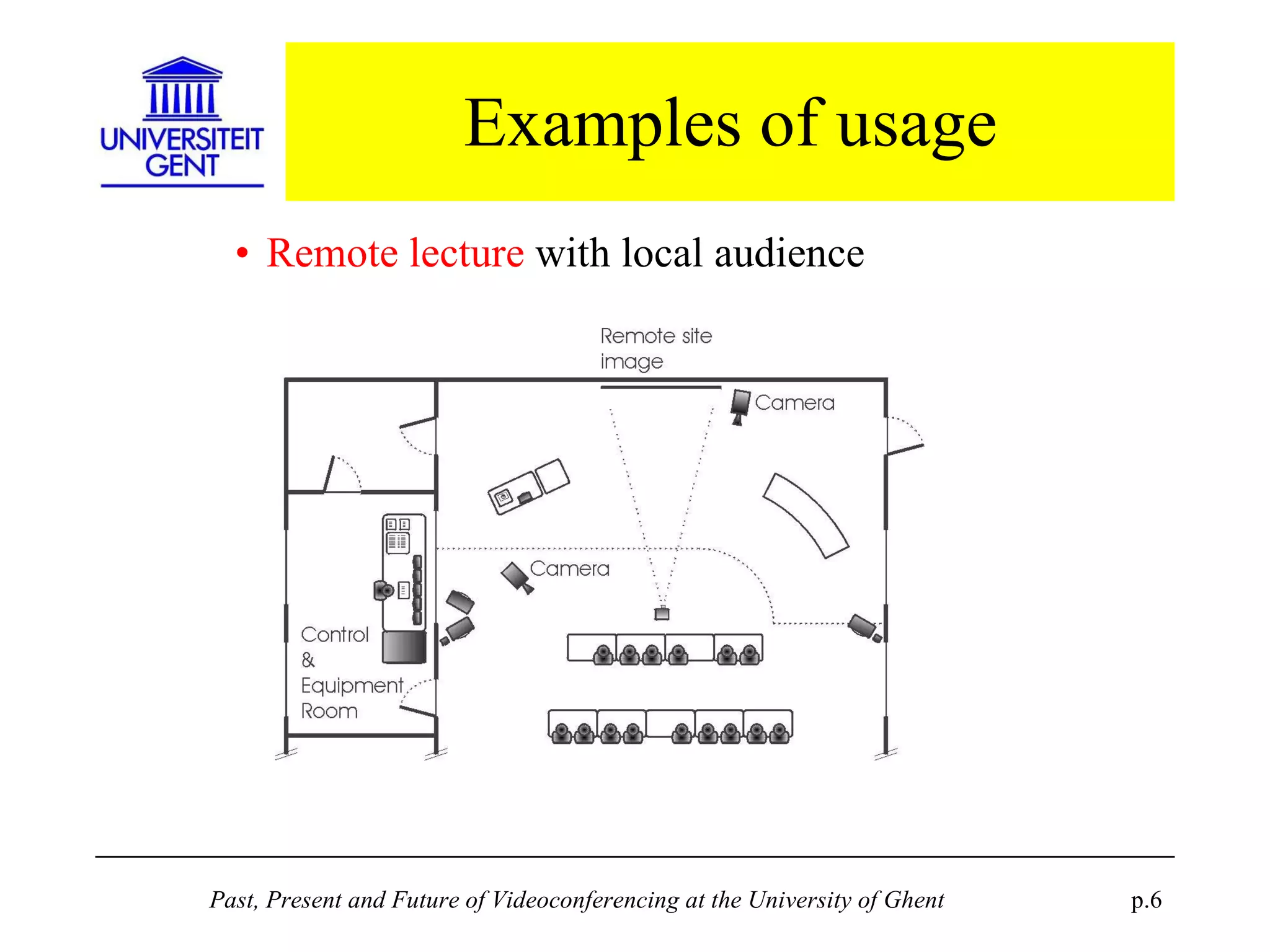
Examples of usage Remote lecture  with local audience
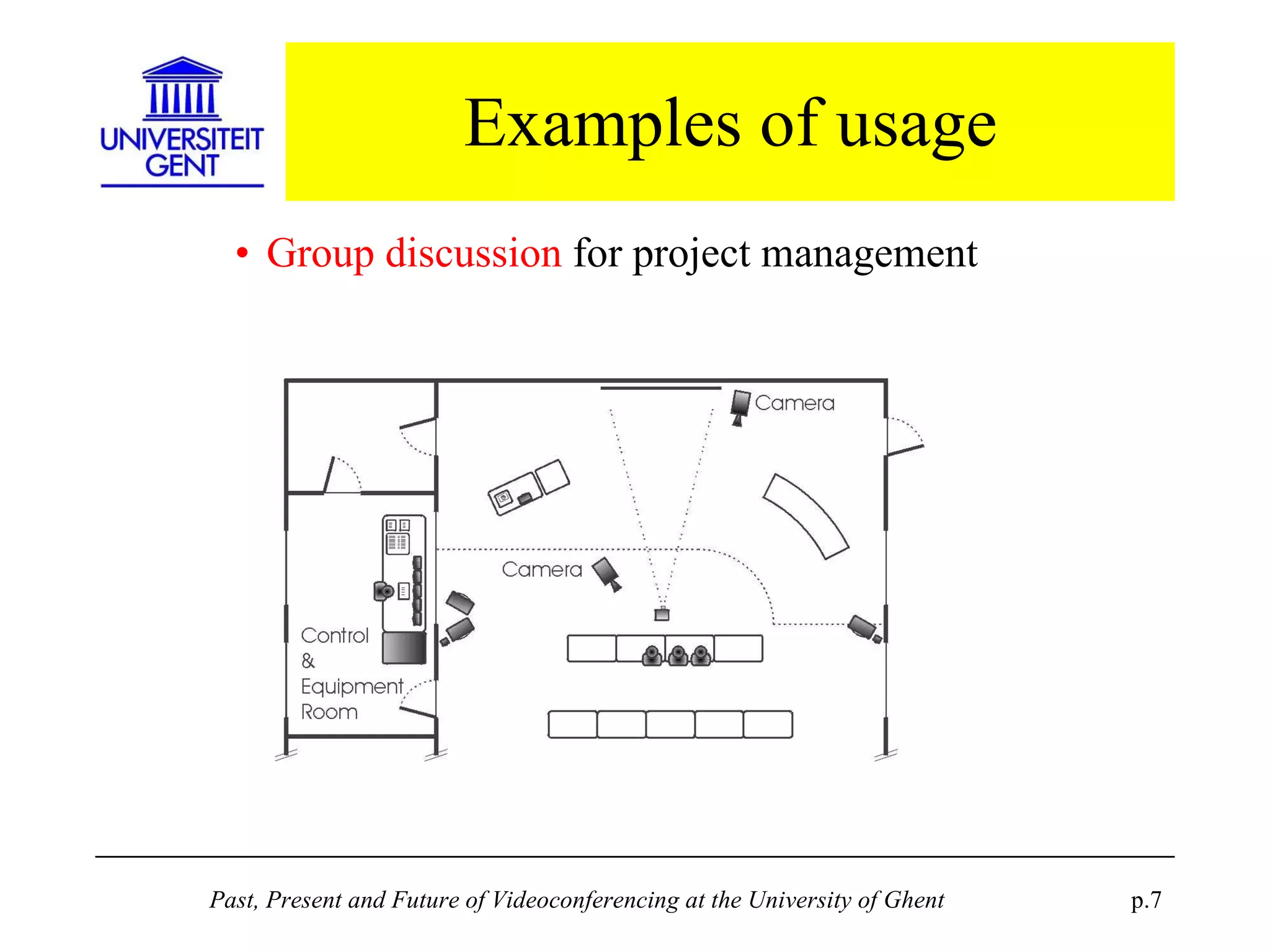
Examples of usage Group discussion  for project management
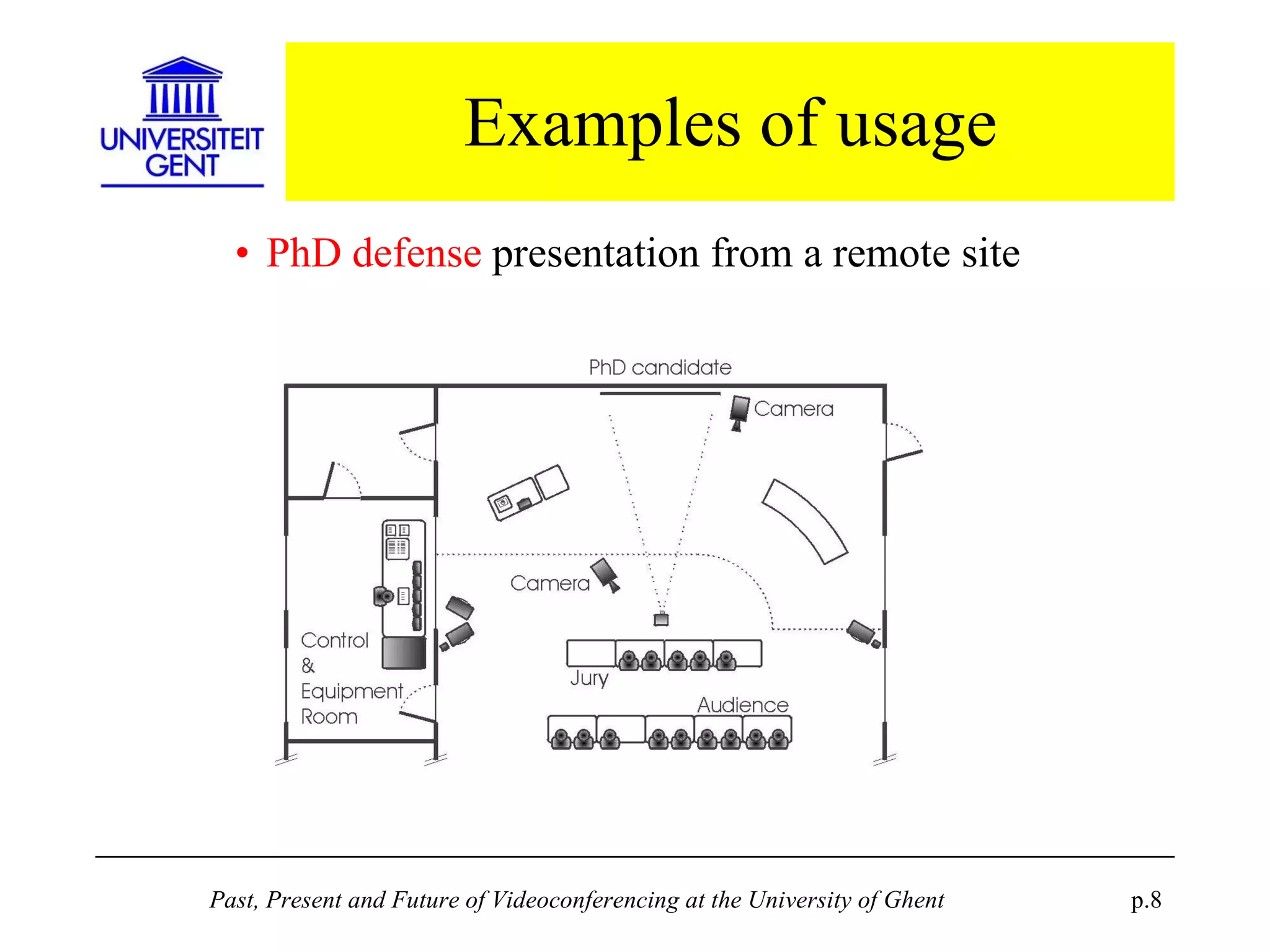
Examples of usage PhD defense  presentation from a remote site
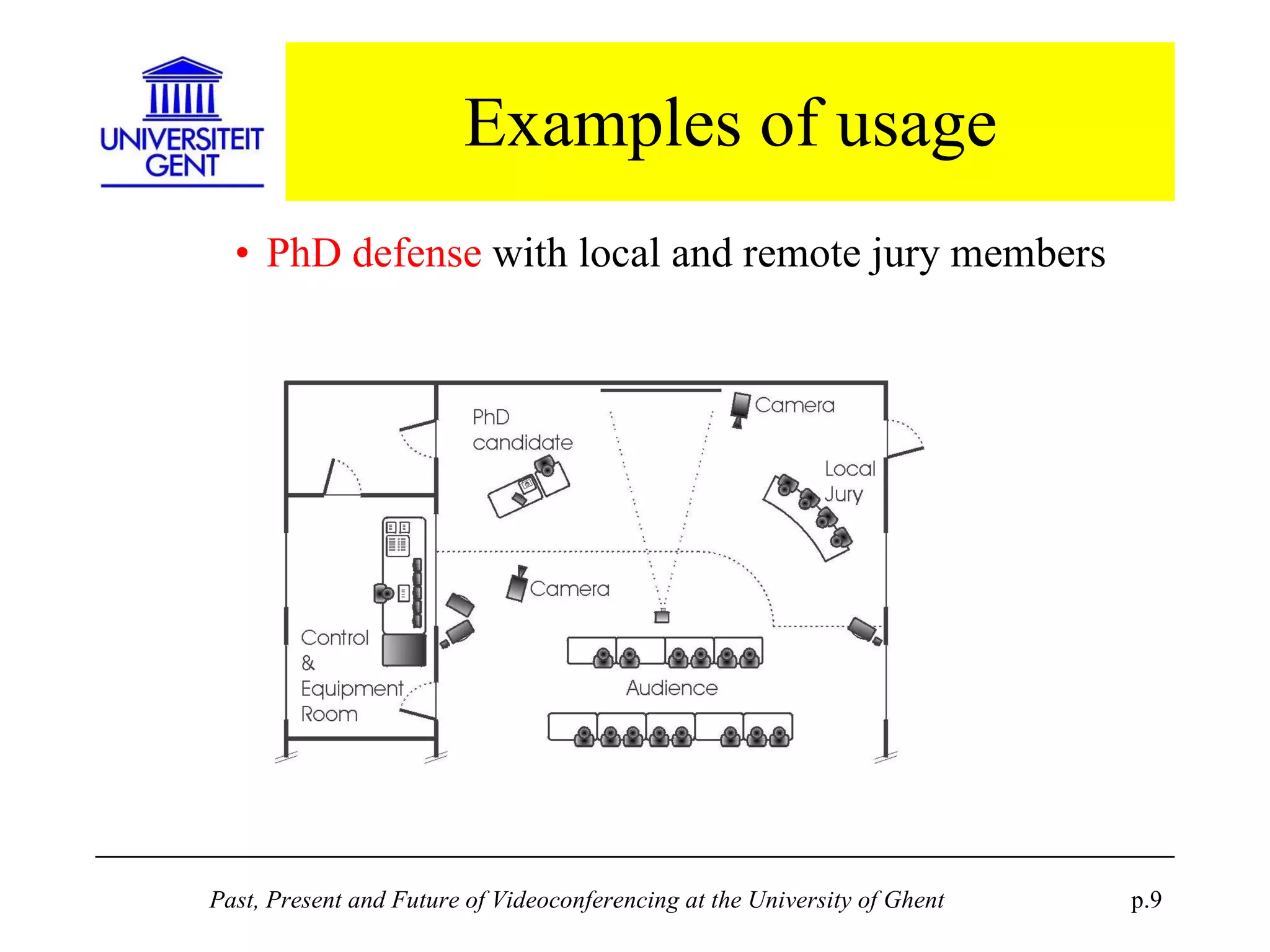
Examples of usage PhD defense  with local and remote jury members
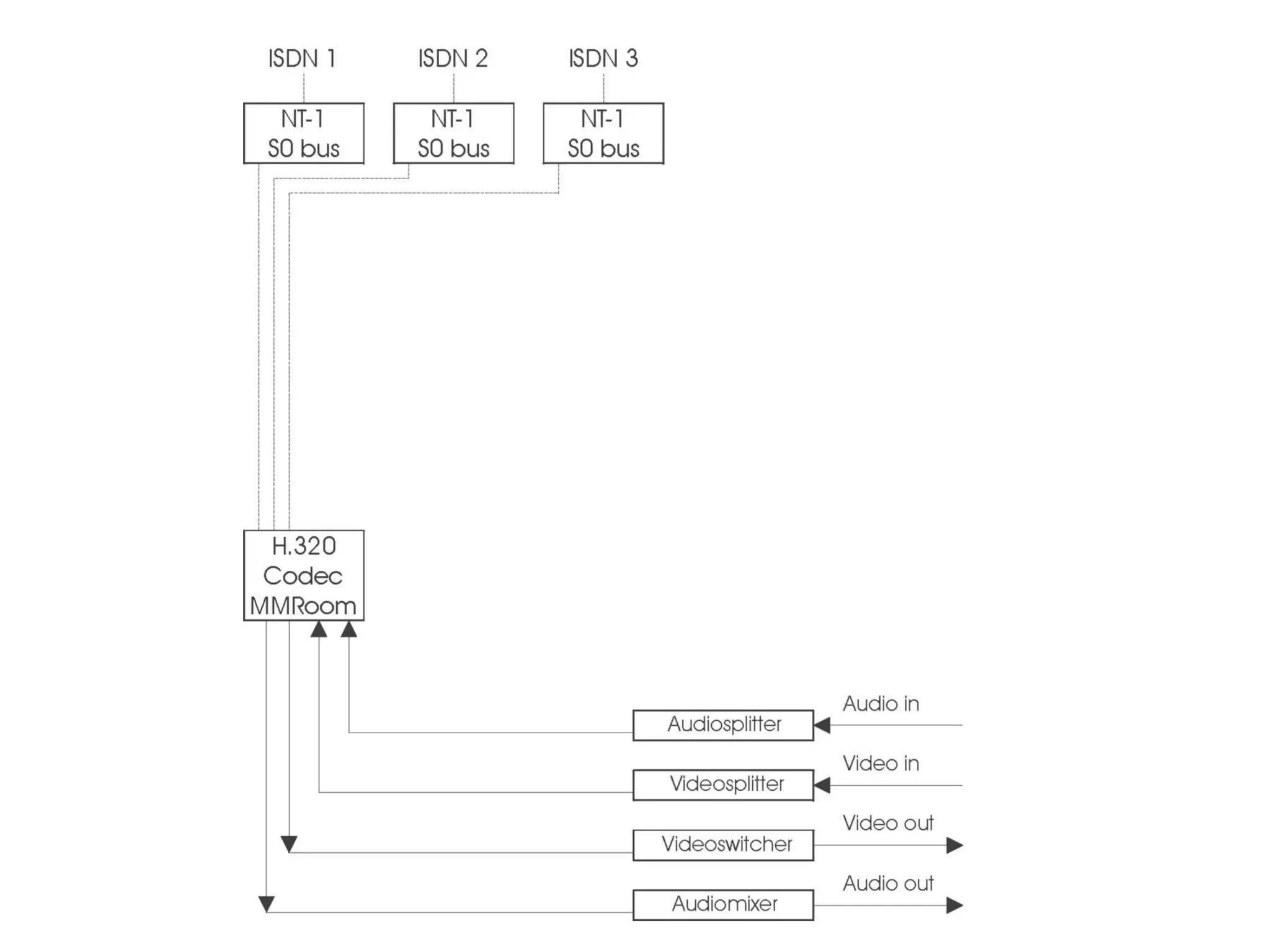
Technology currently adopted Modular setup  with heterogeneous equipment: more flexibility higher integration efforts H.320 compatible Codec using ISDN : flexible call set-up acceptable price-to-quality ratio
Technology currently adopted The ITU H.320 standard: Compatibility =  interoperability Problems in the past… now resolved:   small differences in implementation pre-standard implementations proprietary and non-standard protocols
Technology currently adopted ISDN: Digital, circuit switched, connection oriented, constant bitrate technology Widely available in developed countries But different implementations: eg.  Euro-ISDN International connectivity was a problem Now interconnection is  seamless and reliable Not available to some partners: Russia, Vietnam Some possiblities with partners in China, Ecuador
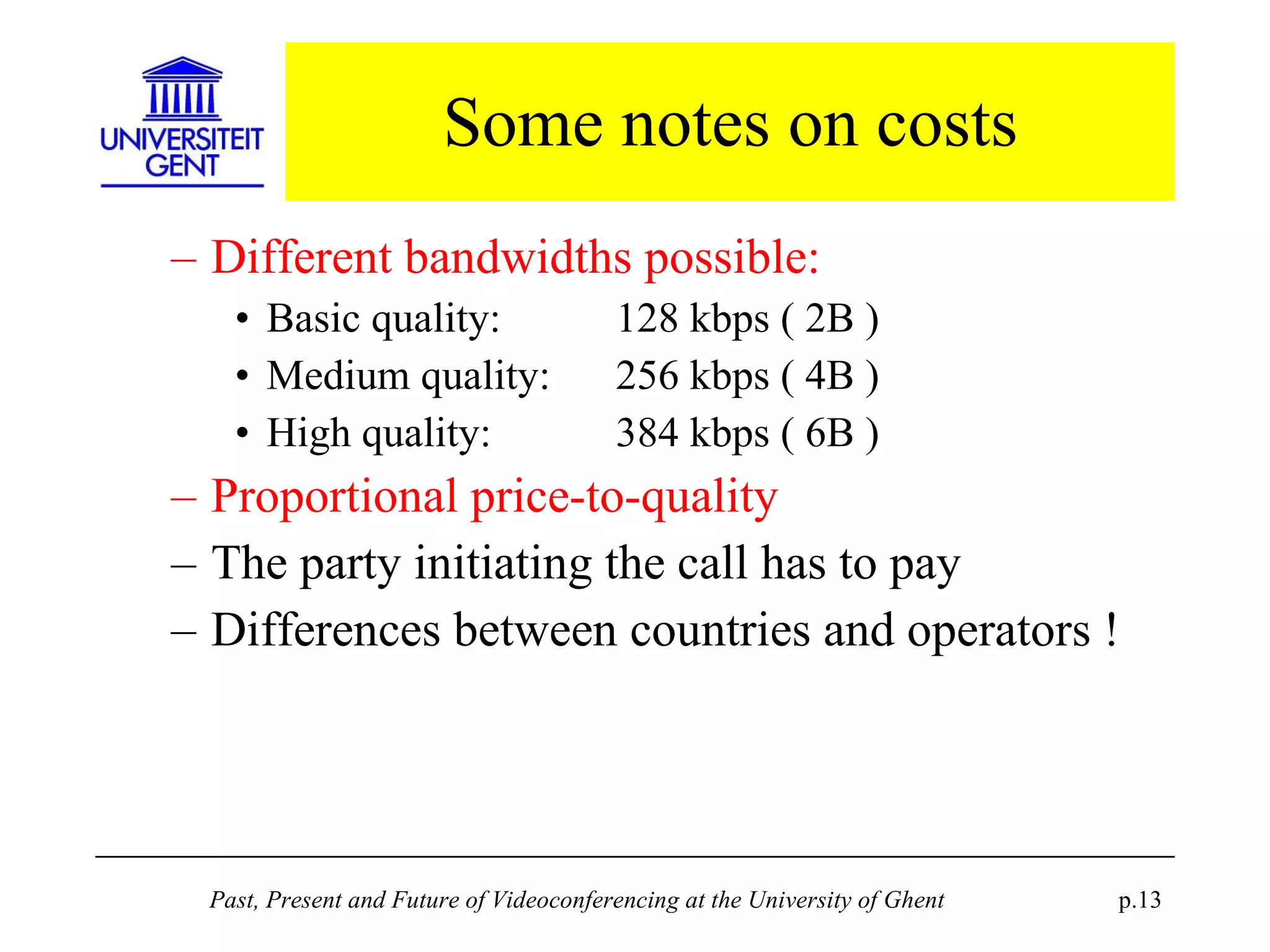
Some notes on costs Different bandwidths possible: Basic quality:  128 kbps ( 2B ) Medium quality:  256 kbps ( 4B ) High quality:  384 kbps ( 6B ) Proportional price-to-quality The party initiating the call has to pay Differences between countries and operators !
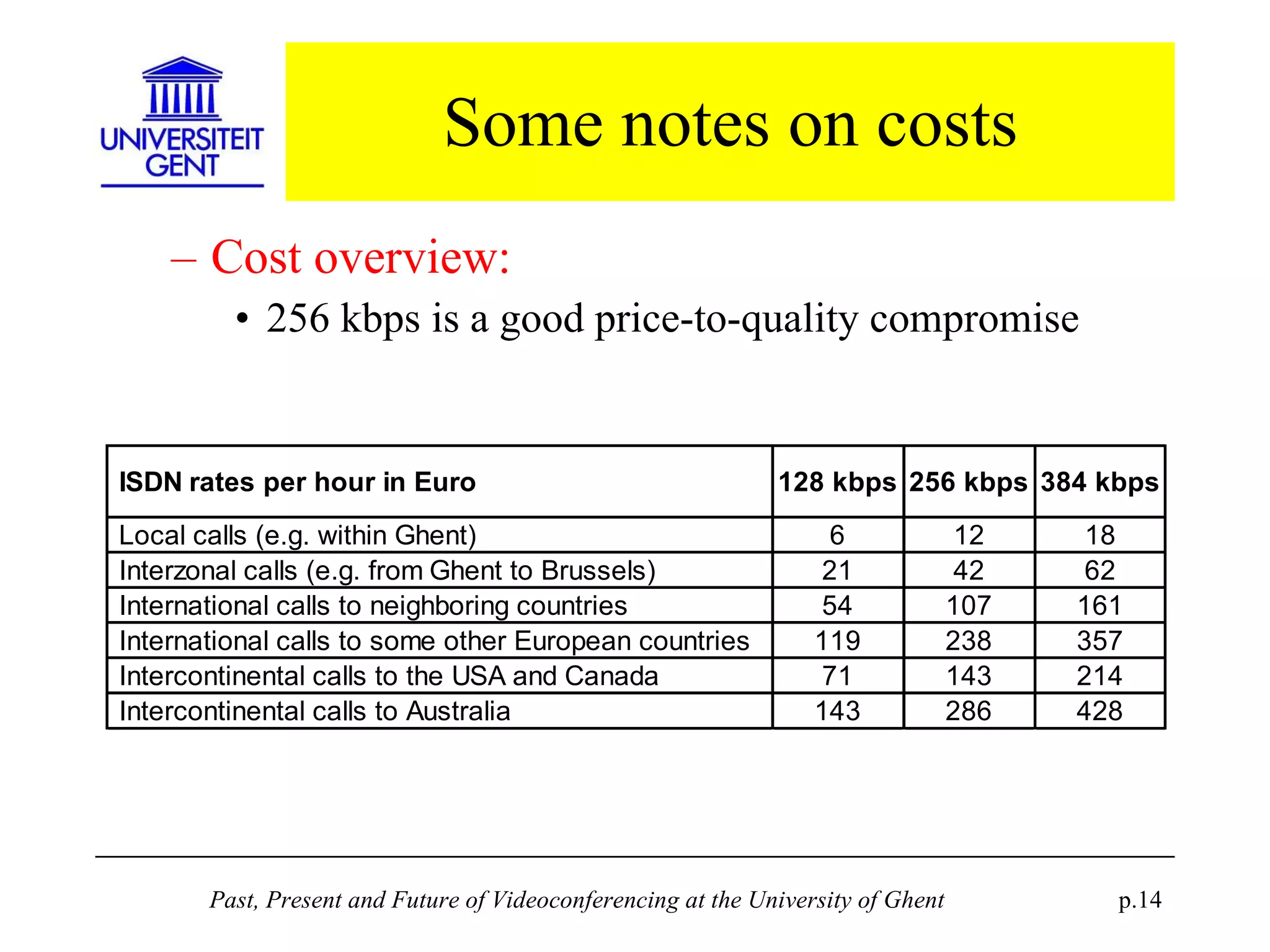
Some notes on costs Cost overview: 256 kbps is a good price-to-quality compromise
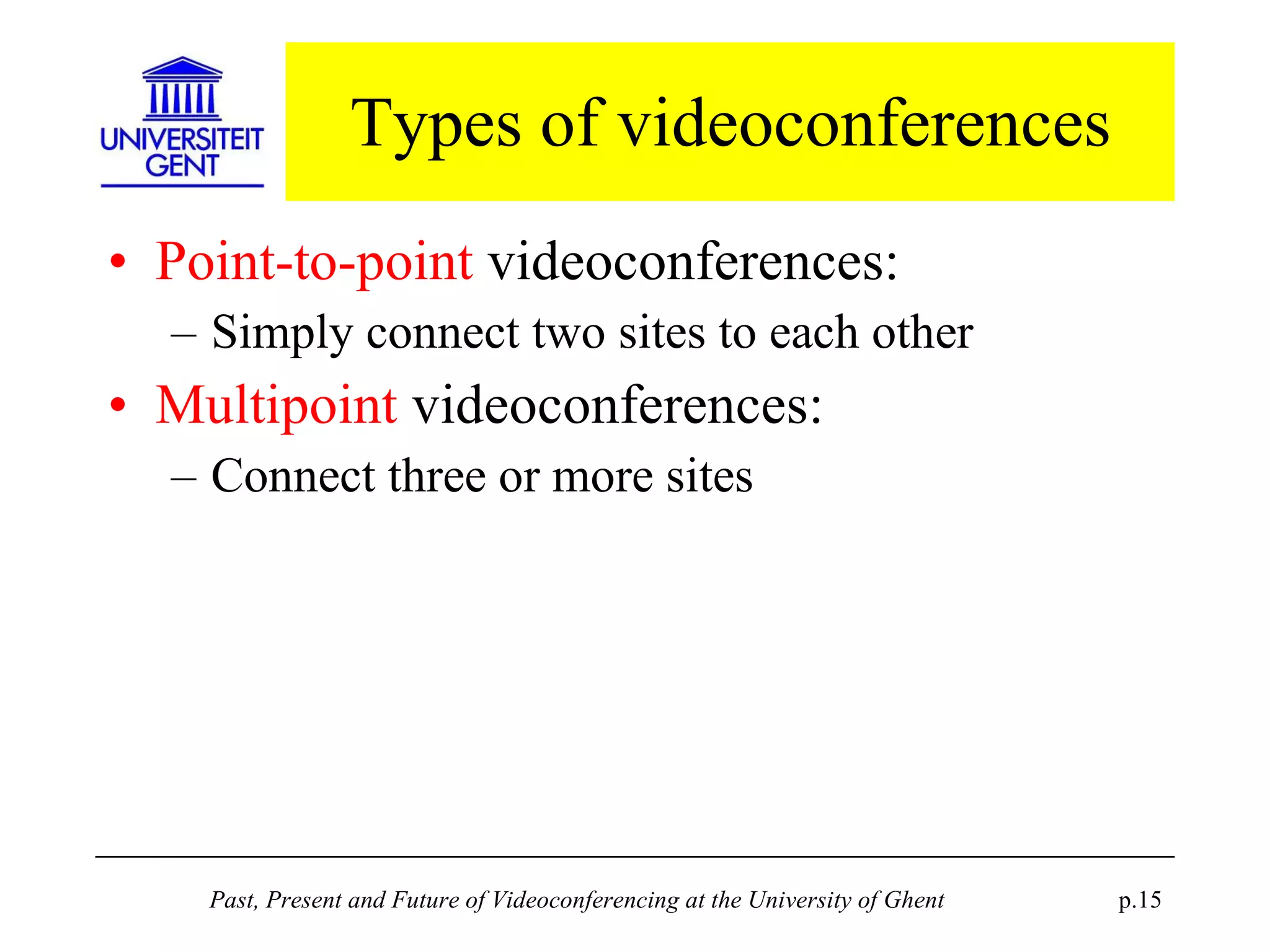
Types of videoconferences Point-to-point  videoconferences: Simply connect two sites to each other Multipoint  videoconferences: Connect three or more sites
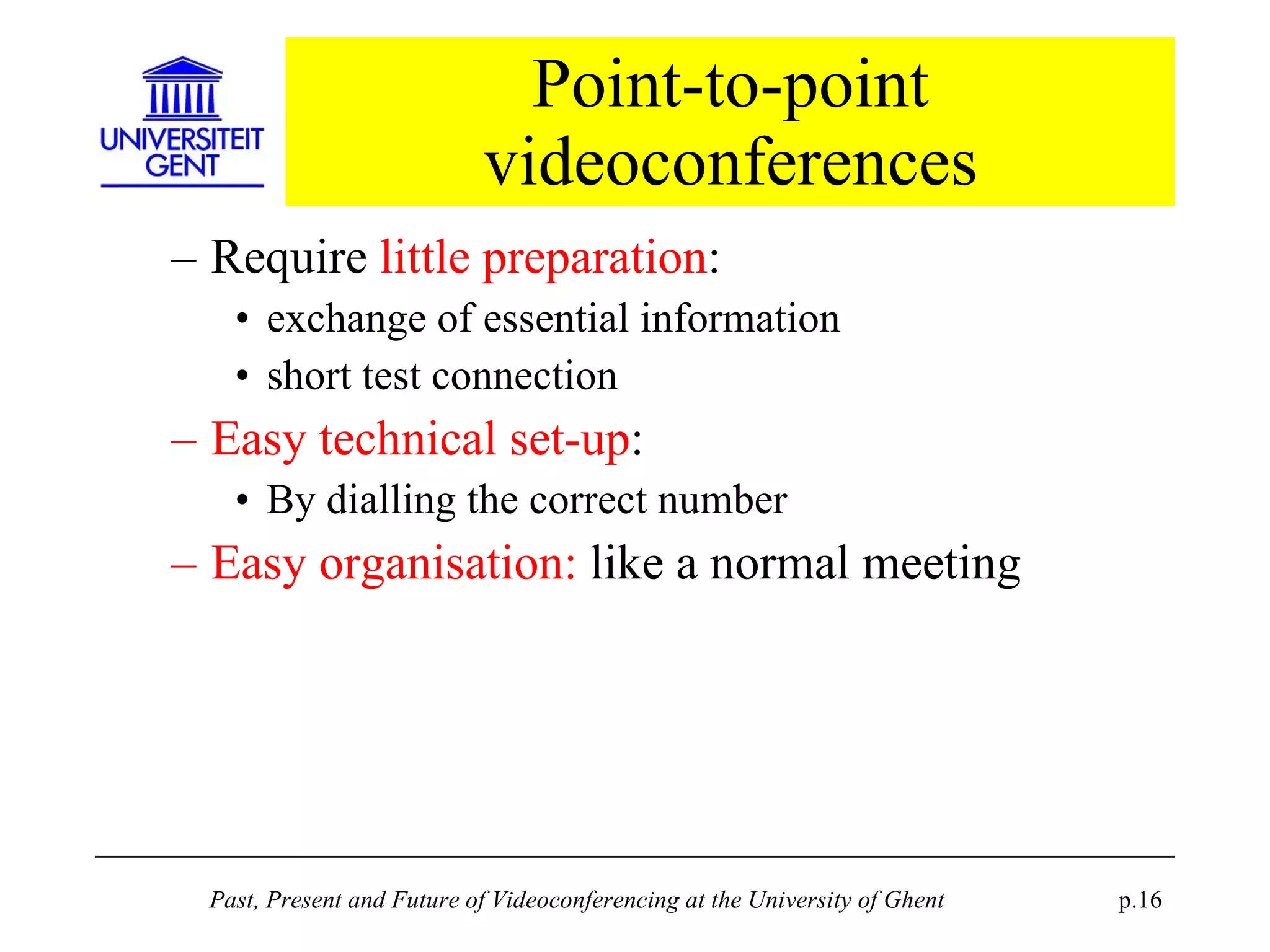
Point-to-point videoconferences Require  little preparation : exchange of essential information short test connection Easy technical set-up : By dialling the correct number Easy organisation:  like a normal meeting
Point-to-point videoconferences Examples : Cryptography course with KUL Computer graphics course with Xerox Ghent University PhD defense with the candidate in the USA Ghent University PhD defense with a jury member in Australia ...
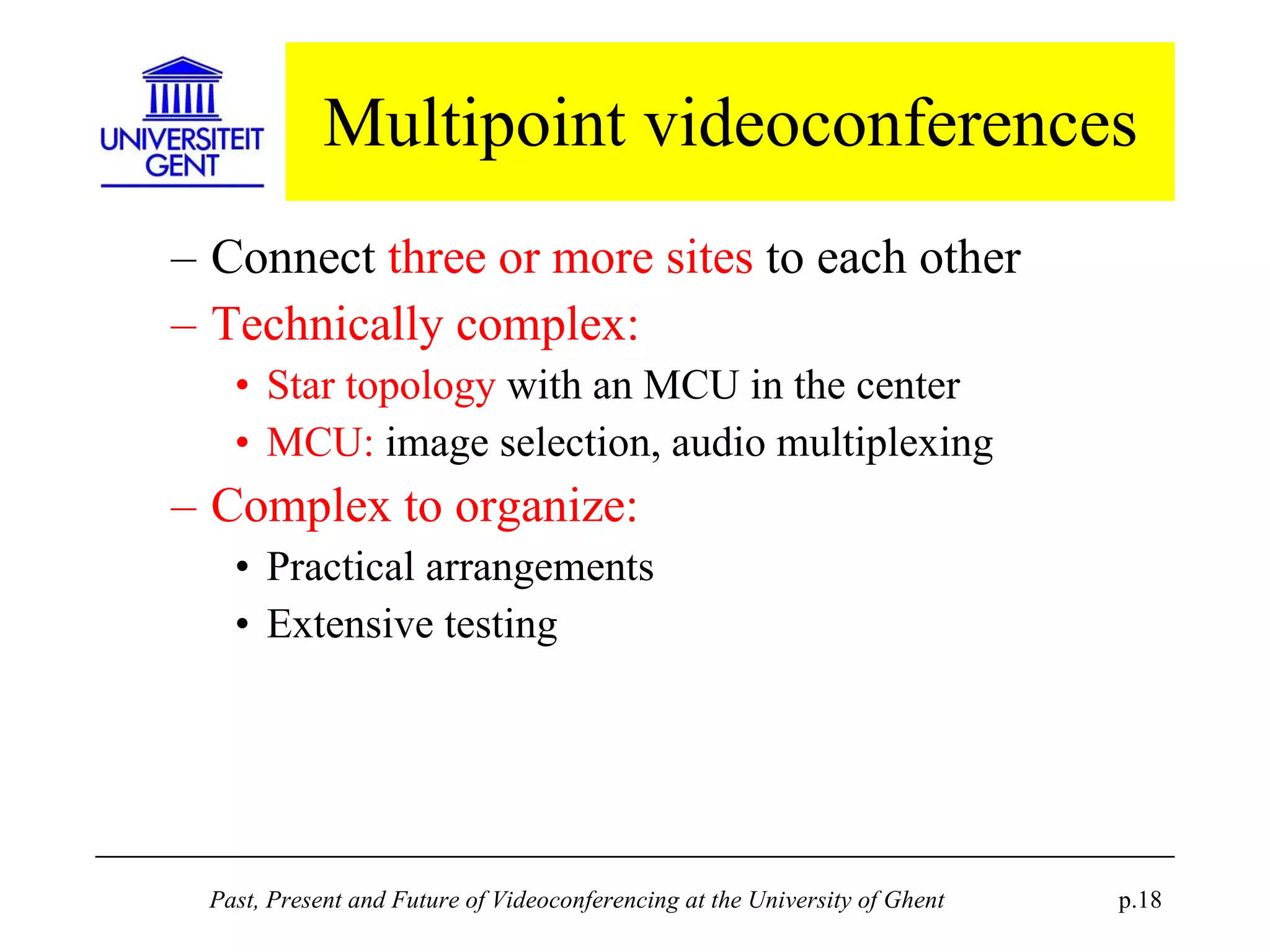
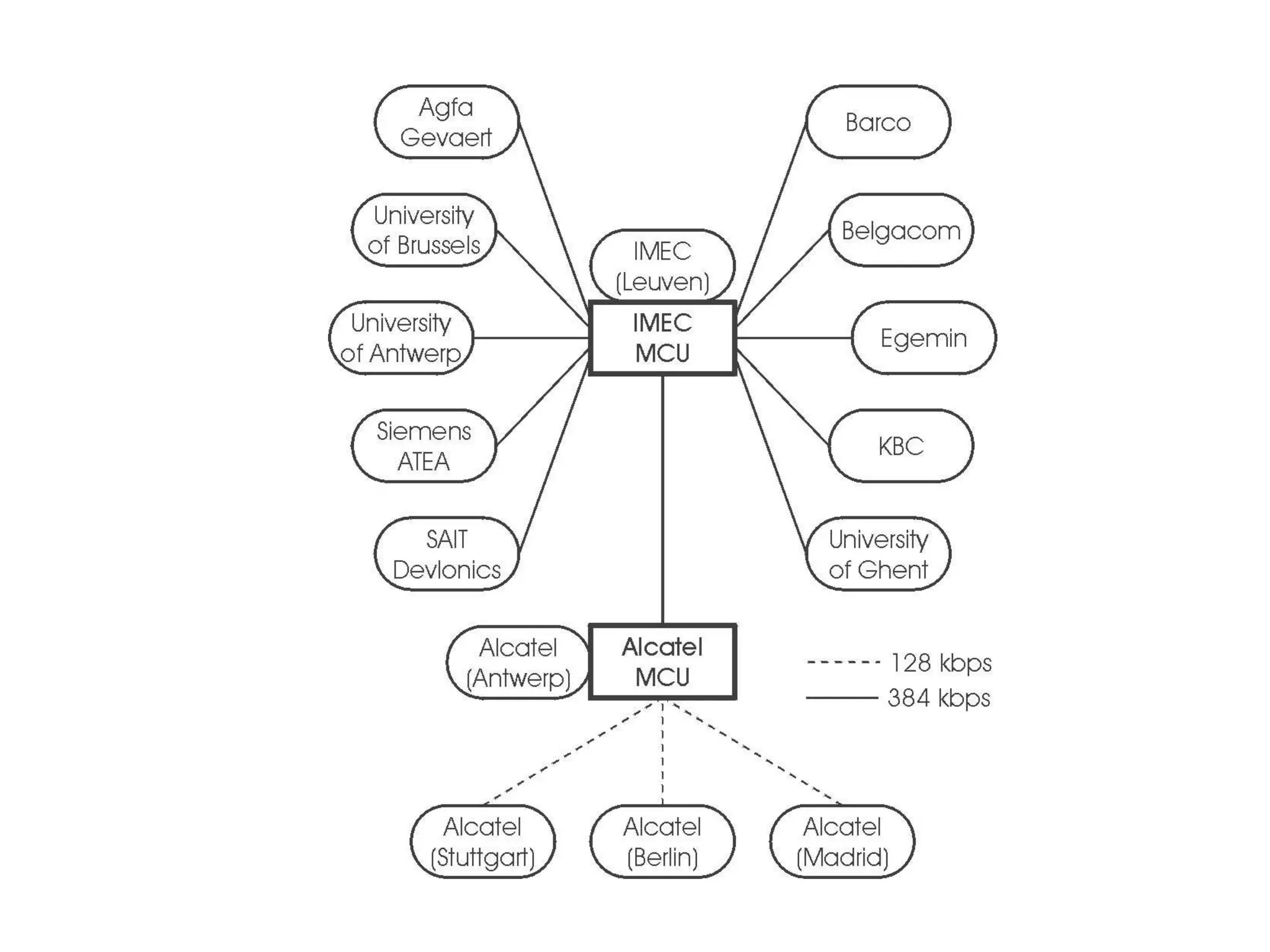
Multipoint videoconferences Connect  three or more sites  to each other Technically complex: Star topology  with an MCU in the center MCU:  image selection, audio multiplexing Complex to organize: Practical arrangements Extensive testing
Multipoint videoconferences Examples: Aquarius project management meetings with Ghent, Wageningen (NL) , Trondheim and Bergen (N) PhD defense in Ghent with jury members in Stirling (UK) and in Bordeaux (F) Continuing education courses on Information Technology with 12 participating sites ...
 
Quality Overall perceived quality  is determined by technology related factors: Audio quality Video quality Eliminating distance
Audio quality Audio quality is  a critical factor  for room videoconferencing H.320 audio quality is  in principle good: Telephone grade quality for low bandwidth Short delay, echo cancellation, voice-to-image synchronization No risk for audio drop-outs
Audio quality Overall audio quality also depends on: room acoustics amplifying circuitry type of microphones the way the person talking uses the microphone Precise tuning  by the operator is a necessity
Video quality H.320 video quality is rather  poor: at least compared to broadcast TV quality CIF resolution : 352 x 288 pixels Changing or moving images  need time to stabilize More bandwidth only gives faster response in moving images, but no better resolution !
Video quality Is no problem for viewing a person talking Is a problem for  visual materials: transparencies or printouts (via document camera) computer presentations (via scan converter) Solution:  adapt to the restrictions… prepare visual materials according to  specific guidelines  for videoconference lecturing have a  test session  to show how the materials will be percieved on a remote site
Quality: Eliminating distance The goal:  virtually eliminate physical distance  between remote sites solving mobility problems reducing transport costs Limitations: the  technological environment practical factors like  time difference  in interconentinental connections difficulty to maintain good  interactivity  for teaching
Outlook to future trends T.120 data sharing ATM-based videoconferencing IP-based videoconferencing Gateways
Outlook: T.120 data sharing T.120: transmitting visual materials as data resolution 800 x 600 ( instead of CIF ! )  application sharing, whiteboard Most systems rely on Microsoft  NetMeeting System integration ? 2 viewing circuits  are necessary in a room setup
Outlook: ATM-based VC ATM-based VC in the past: High cost Poor interoperability ATM-based VC in the future: more products for H.310 (native ATM) and H.321 (IP over ATM) But ATM deployment remains  uncertain...
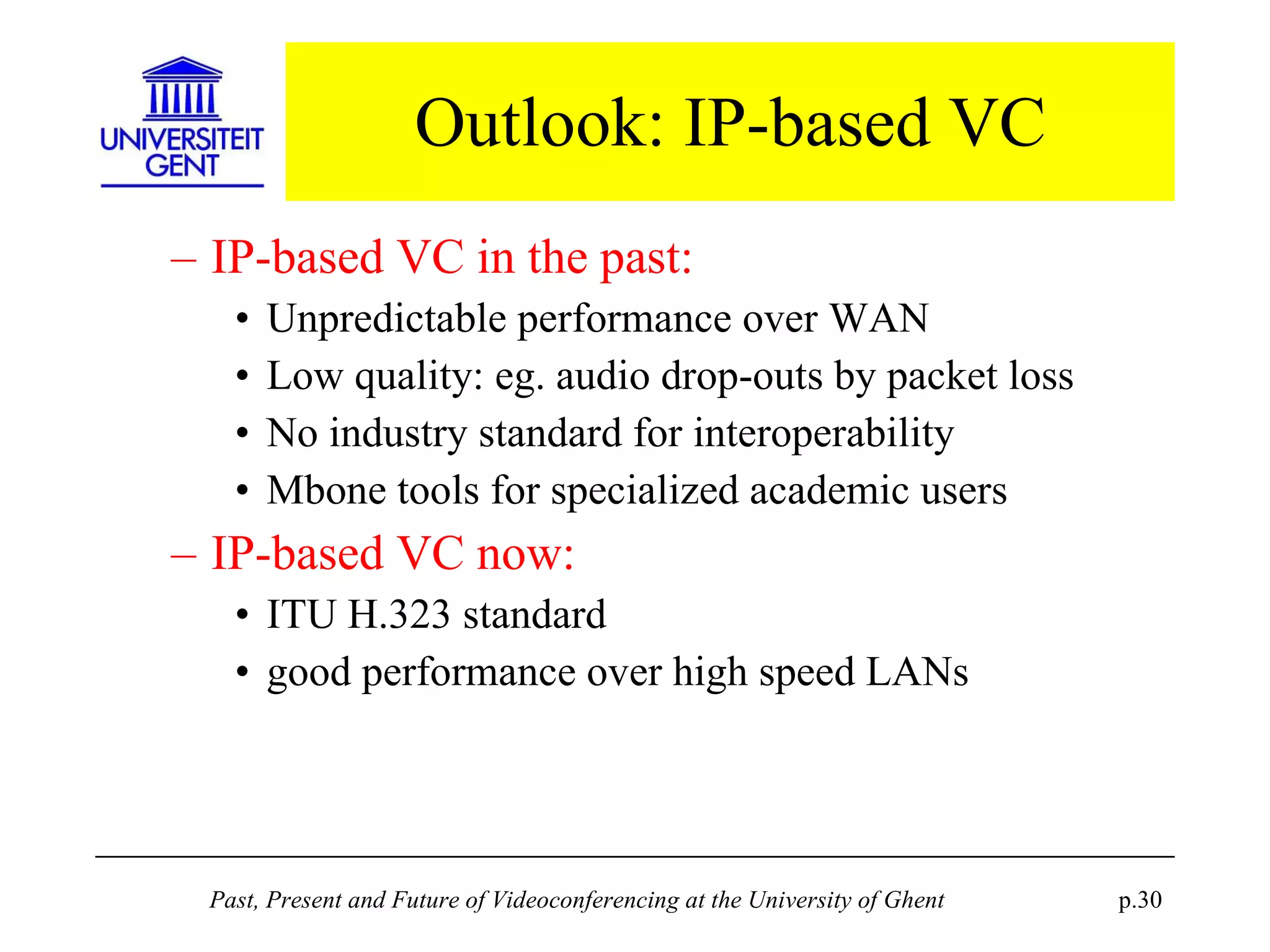
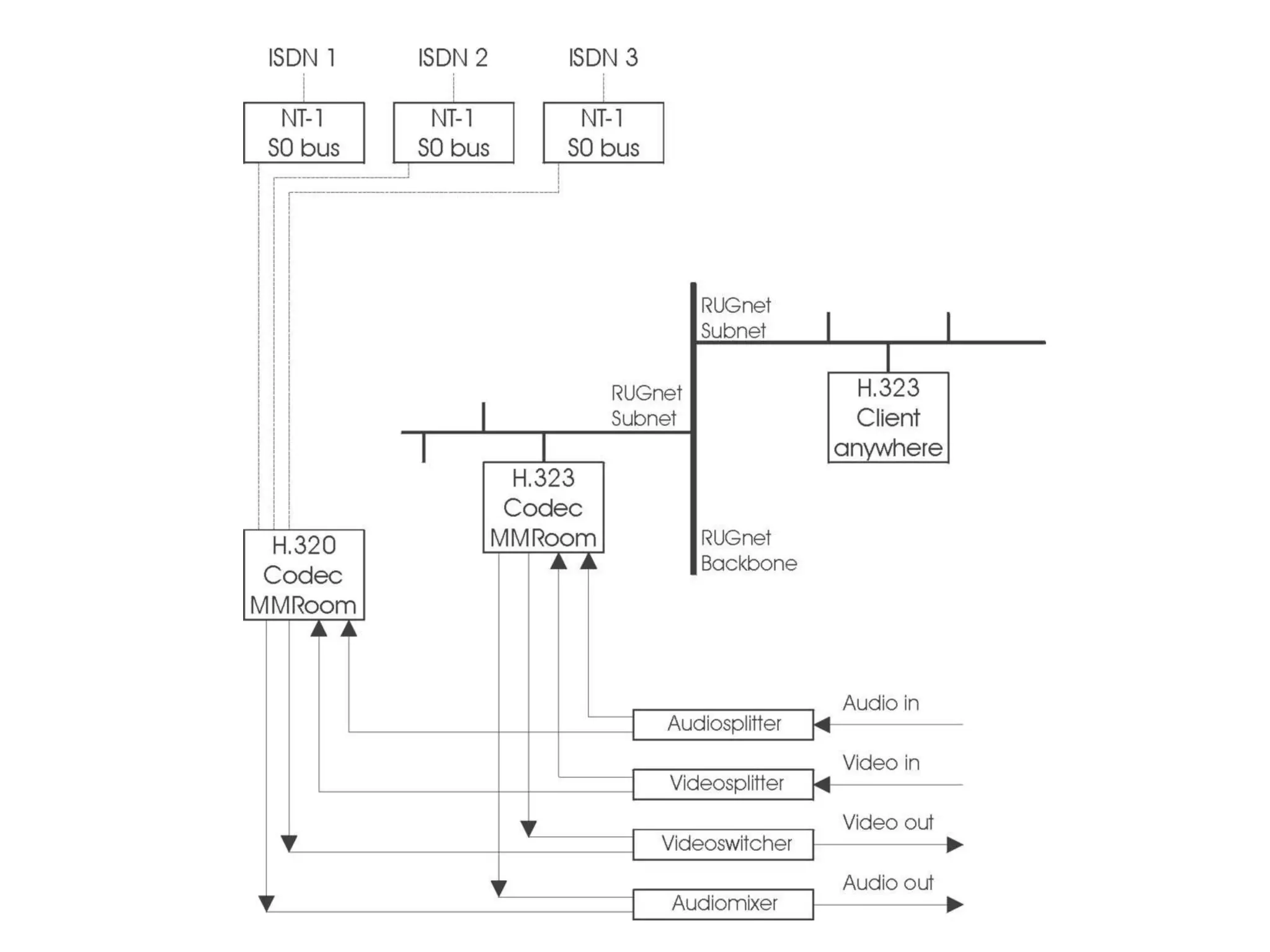
Outlook: IP-based VC IP-based VC in the past: Unpredictable performance over WAN Low quality: eg. audio drop-outs by packet loss No industry standard for interoperability Mbone tools for specialized academic users IP-based VC now: ITU H.323 standard good performance over high speed LANs
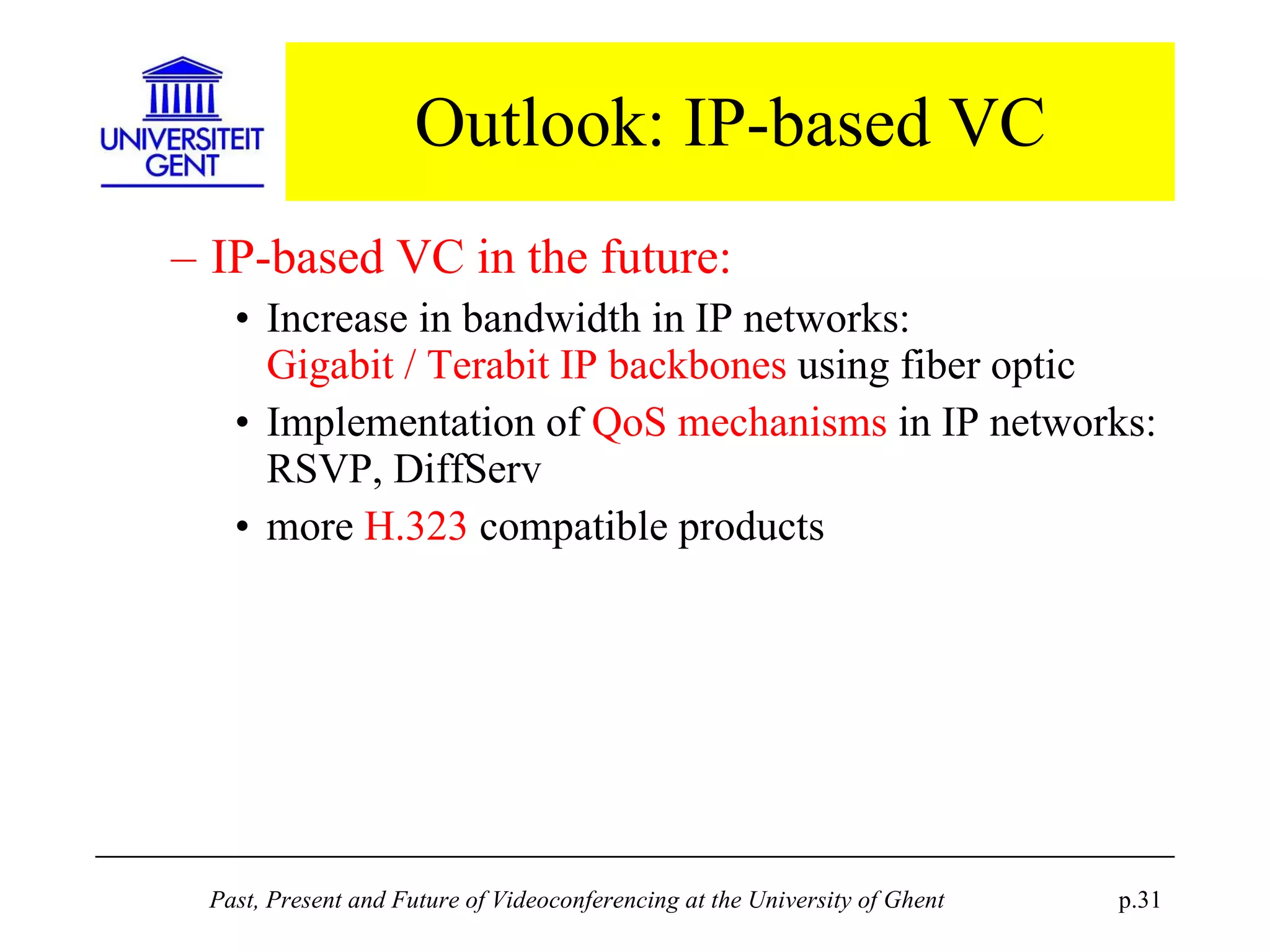
Outlook: IP-based VC IP-based VC in the future: Increase in bandwidth in IP networks: Gigabit / Terabit IP backbones  using fiber optic Implementation of  QoS mechanisms  in IP networks: RSVP, DiffServ more  H.323  compatible products
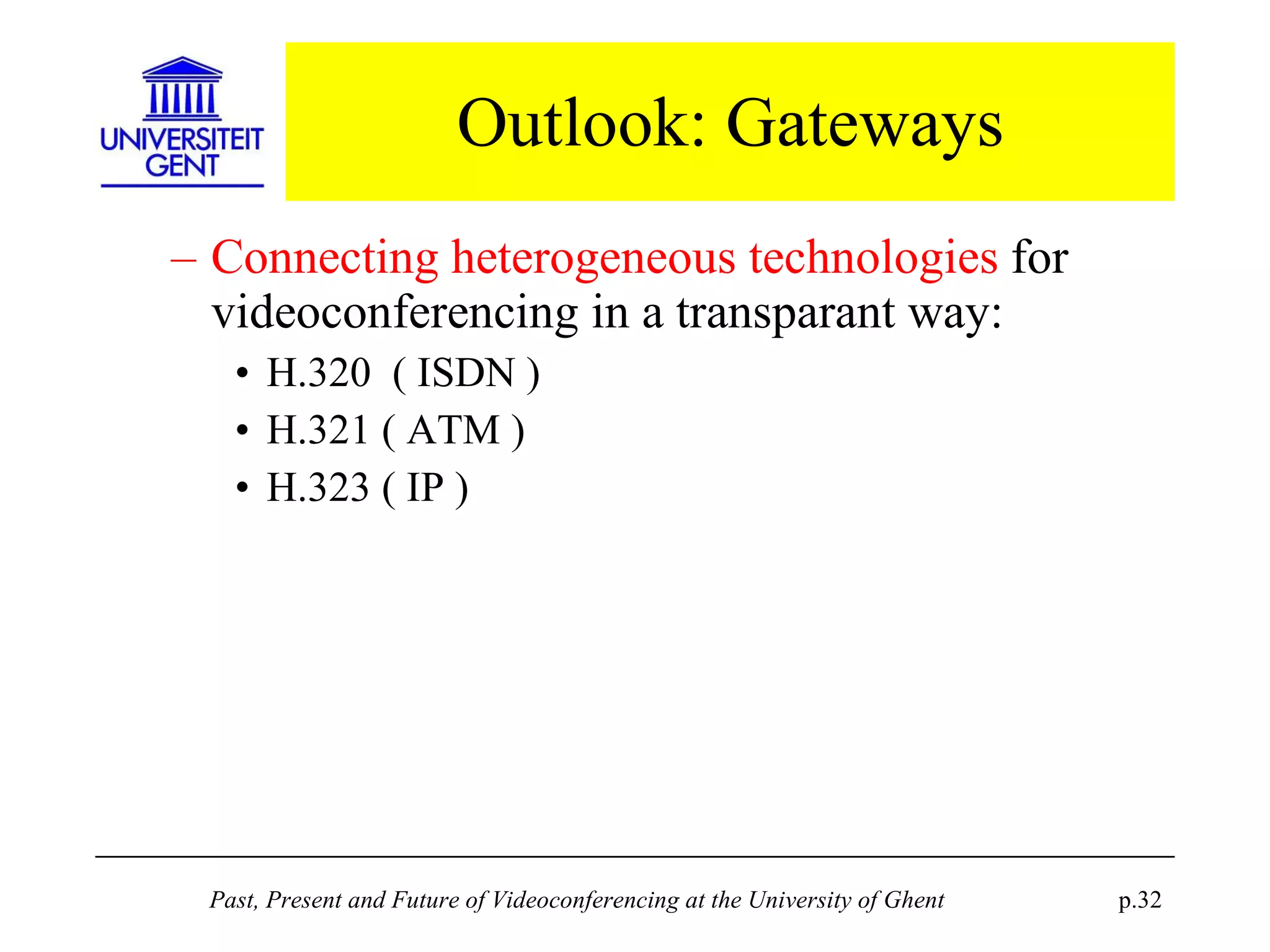
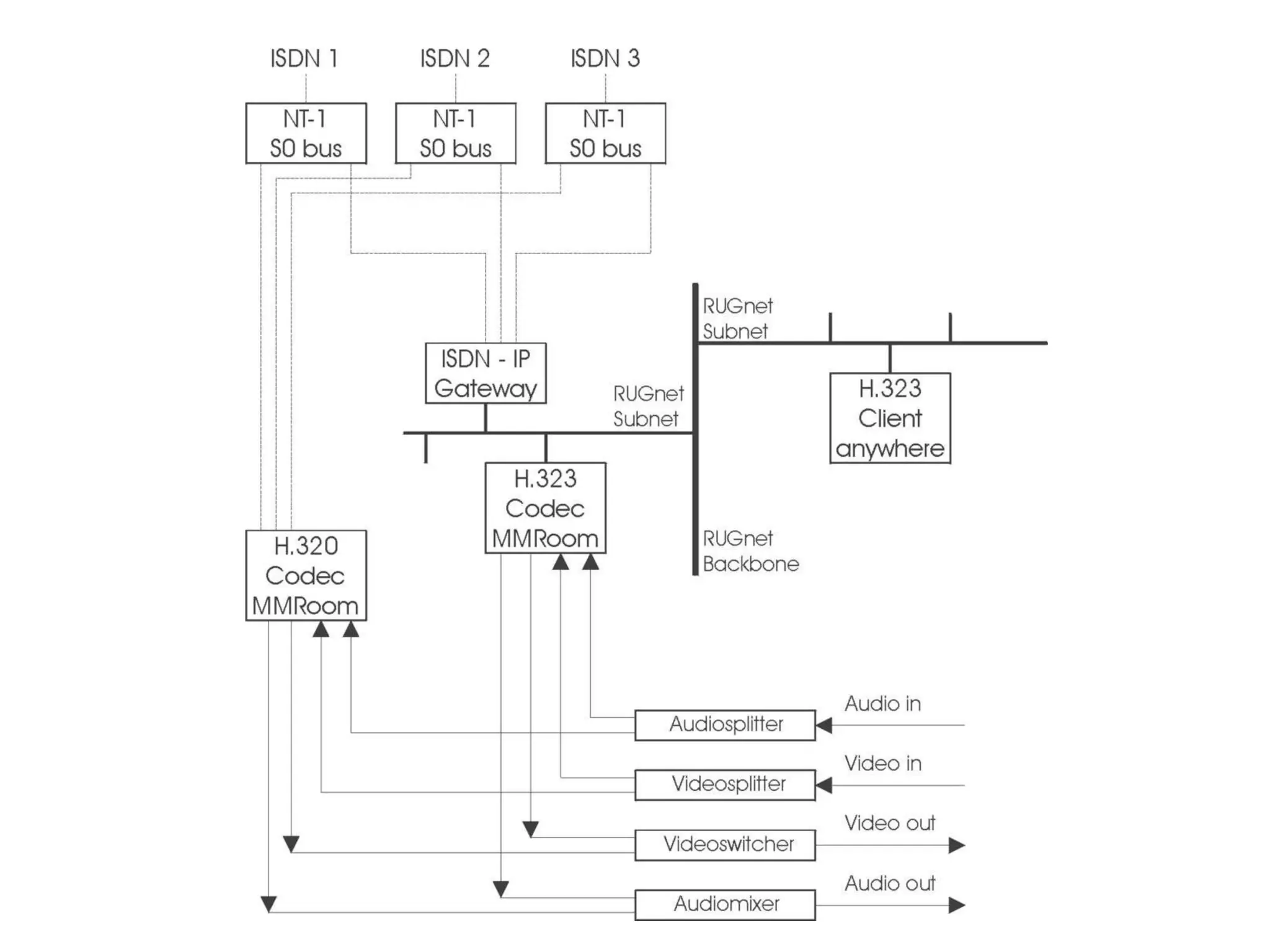
Outlook: Gateways Connecting heterogeneous technologies  for videoconferencing in a transparant way: H.320  ( ISDN ) H.321 ( ATM ) H.323 ( IP )
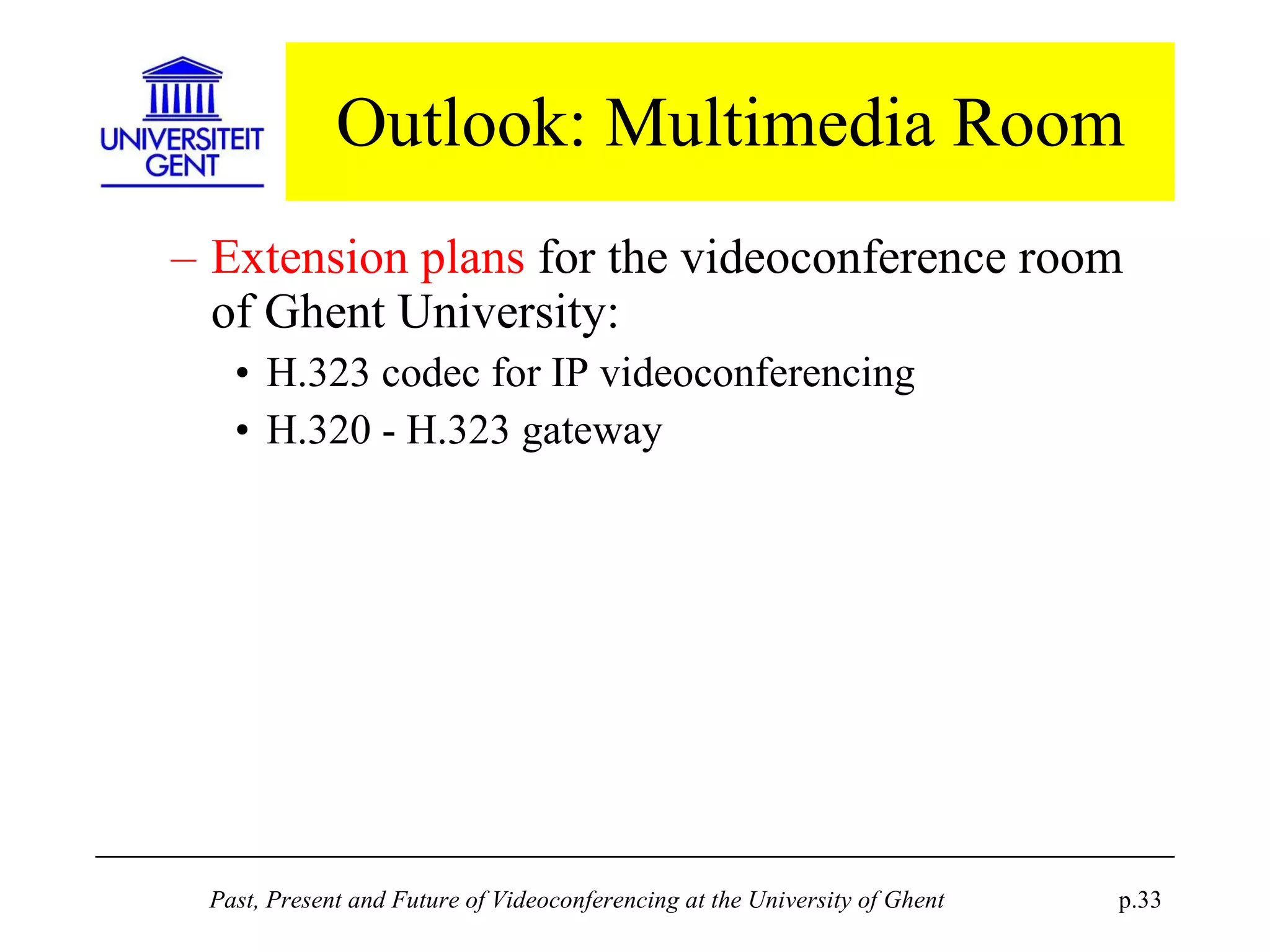
Outlook: Multimedia Room Extension plans  for the videoconference room of Ghent University: H.323 codec for IP videoconferencing H.320 - H.323 gateway


Past, Present and Future of Videoconferencing at the University of Ghent Geert De Soete and Michel Raes Academic Computing Center, University of Ghent, Belgium

( Powerpoint presentation )

  • 1.
    Past, Present andFuture of Videoconferencing at the University of Ghent Geert De Soete and Michel Raes Academic Computing Center, University of Ghent, Belgium
  • 2.
    Overview Centrally providedvideoconferencing facilities at Ghent University: The Multimedia Room Technology Costs Types Quality Outlook
  • 3.
    Centrally provided videoconferencefacilities The Multimedia room History: 1995: Decision to build October 1996: First course ... 1999-2000: 4 or 5 videoconferences per week Concept Examples of usage
  • 4.
  • 5.
    Examples of usageLocal lecture with remote audience
  • 6.
    Examples of usageRemote lecture with local audience
  • 7.
    Examples of usageGroup discussion for project management
  • 8.
    Examples of usagePhD defense presentation from a remote site
  • 9.
    Examples of usagePhD defense with local and remote jury members
  • 10.
    Technology currently adoptedModular setup with heterogeneous equipment: more flexibility higher integration efforts H.320 compatible Codec using ISDN : flexible call set-up acceptable price-to-quality ratio
  • 11.
    Technology currently adoptedThe ITU H.320 standard: Compatibility = interoperability Problems in the past… now resolved: small differences in implementation pre-standard implementations proprietary and non-standard protocols
  • 12.
    Technology currently adoptedISDN: Digital, circuit switched, connection oriented, constant bitrate technology Widely available in developed countries But different implementations: eg. Euro-ISDN International connectivity was a problem Now interconnection is seamless and reliable Not available to some partners: Russia, Vietnam Some possiblities with partners in China, Ecuador
  • 13.
    Some notes oncosts Different bandwidths possible: Basic quality: 128 kbps ( 2B ) Medium quality: 256 kbps ( 4B ) High quality: 384 kbps ( 6B ) Proportional price-to-quality The party initiating the call has to pay Differences between countries and operators !
  • 14.
    Some notes oncosts Cost overview: 256 kbps is a good price-to-quality compromise
  • 15.
    Types of videoconferencesPoint-to-point videoconferences: Simply connect two sites to each other Multipoint videoconferences: Connect three or more sites
  • 16.
    Point-to-point videoconferences Require little preparation : exchange of essential information short test connection Easy technical set-up : By dialling the correct number Easy organisation: like a normal meeting
  • 17.
    Point-to-point videoconferences Examples: Cryptography course with KUL Computer graphics course with Xerox Ghent University PhD defense with the candidate in the USA Ghent University PhD defense with a jury member in Australia ...
  • 18.
    Multipoint videoconferences Connect three or more sites to each other Technically complex: Star topology with an MCU in the center MCU: image selection, audio multiplexing Complex to organize: Practical arrangements Extensive testing
  • 19.
    Multipoint videoconferences Examples:Aquarius project management meetings with Ghent, Wageningen (NL) , Trondheim and Bergen (N) PhD defense in Ghent with jury members in Stirling (UK) and in Bordeaux (F) Continuing education courses on Information Technology with 12 participating sites ...
  • 20.
  • 21.
    Quality Overall perceivedquality is determined by technology related factors: Audio quality Video quality Eliminating distance
  • 22.
    Audio quality Audioquality is a critical factor for room videoconferencing H.320 audio quality is in principle good: Telephone grade quality for low bandwidth Short delay, echo cancellation, voice-to-image synchronization No risk for audio drop-outs
  • 23.
    Audio quality Overallaudio quality also depends on: room acoustics amplifying circuitry type of microphones the way the person talking uses the microphone Precise tuning by the operator is a necessity
  • 24.
    Video quality H.320video quality is rather poor: at least compared to broadcast TV quality CIF resolution : 352 x 288 pixels Changing or moving images need time to stabilize More bandwidth only gives faster response in moving images, but no better resolution !
  • 25.
    Video quality Isno problem for viewing a person talking Is a problem for visual materials: transparencies or printouts (via document camera) computer presentations (via scan converter) Solution: adapt to the restrictions… prepare visual materials according to specific guidelines for videoconference lecturing have a test session to show how the materials will be percieved on a remote site
  • 26.
    Quality: Eliminating distanceThe goal: virtually eliminate physical distance between remote sites solving mobility problems reducing transport costs Limitations: the technological environment practical factors like time difference in interconentinental connections difficulty to maintain good interactivity for teaching
  • 27.
    Outlook to futuretrends T.120 data sharing ATM-based videoconferencing IP-based videoconferencing Gateways
  • 28.
    Outlook: T.120 datasharing T.120: transmitting visual materials as data resolution 800 x 600 ( instead of CIF ! ) application sharing, whiteboard Most systems rely on Microsoft NetMeeting System integration ? 2 viewing circuits are necessary in a room setup
  • 29.
    Outlook: ATM-based VCATM-based VC in the past: High cost Poor interoperability ATM-based VC in the future: more products for H.310 (native ATM) and H.321 (IP over ATM) But ATM deployment remains uncertain...
  • 30.
    Outlook: IP-based VCIP-based VC in the past: Unpredictable performance over WAN Low quality: eg. audio drop-outs by packet loss No industry standard for interoperability Mbone tools for specialized academic users IP-based VC now: ITU H.323 standard good performance over high speed LANs
  • 31.
    Outlook: IP-based VCIP-based VC in the future: Increase in bandwidth in IP networks: Gigabit / Terabit IP backbones using fiber optic Implementation of QoS mechanisms in IP networks: RSVP, DiffServ more H.323 compatible products
  • 32.
    Outlook: Gateways Connectingheterogeneous technologies for videoconferencing in a transparant way: H.320 ( ISDN ) H.321 ( ATM ) H.323 ( IP )
  • 33.
    Outlook: Multimedia RoomExtension plans for the videoconference room of Ghent University: H.323 codec for IP videoconferencing H.320 - H.323 gateway
  • 34.
  • 35.
  • 36.
  • 37.
    Past, Present andFuture of Videoconferencing at the University of Ghent Geert De Soete and Michel Raes Academic Computing Center, University of Ghent, Belgium