Don't Get Caught with Your
       Layers Down
            With
       Steve Jaworski
        Bryan Young

       © Steve Jaworski, Bryan Young
                  2010
Agenda
• Discuss Common Layer 2 and Layer 3
  – Attacks
  – Tools
  – Protection
• Questions you should be asking your
  vendors
• Bryan vs Steve (Points of View)


                 © Steve Jaworski, Bryan Young
                            2010
L2 Discovery Protocols
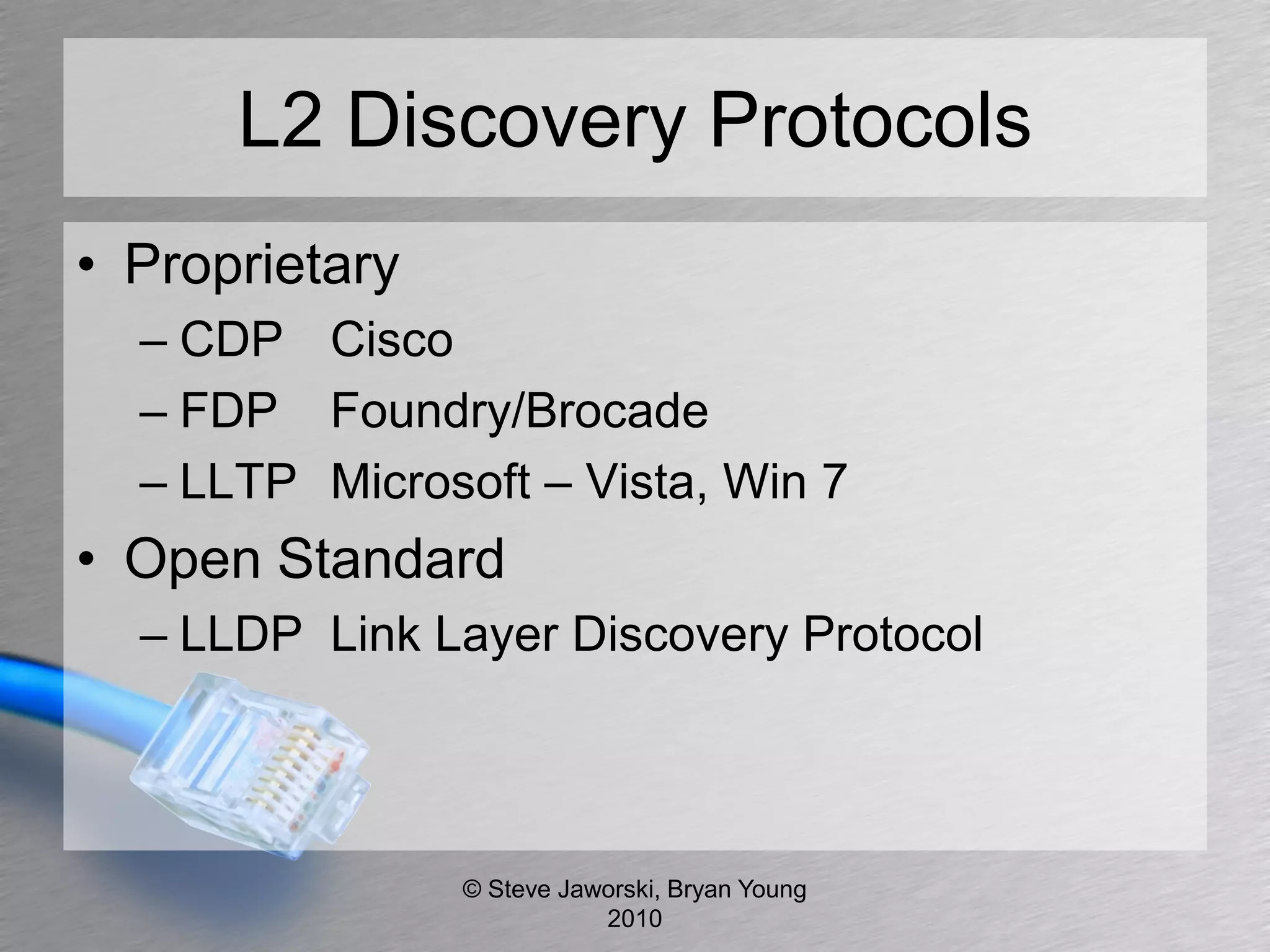
• Proprietary
  – CDP Cisco
  – FDP Foundry/Brocade
  – LLTP Microsoft – Vista, Win 7
• Open Standard
  – LLDP Link Layer Discovery Protocol


                © Steve Jaworski, Bryan Young
                           2010
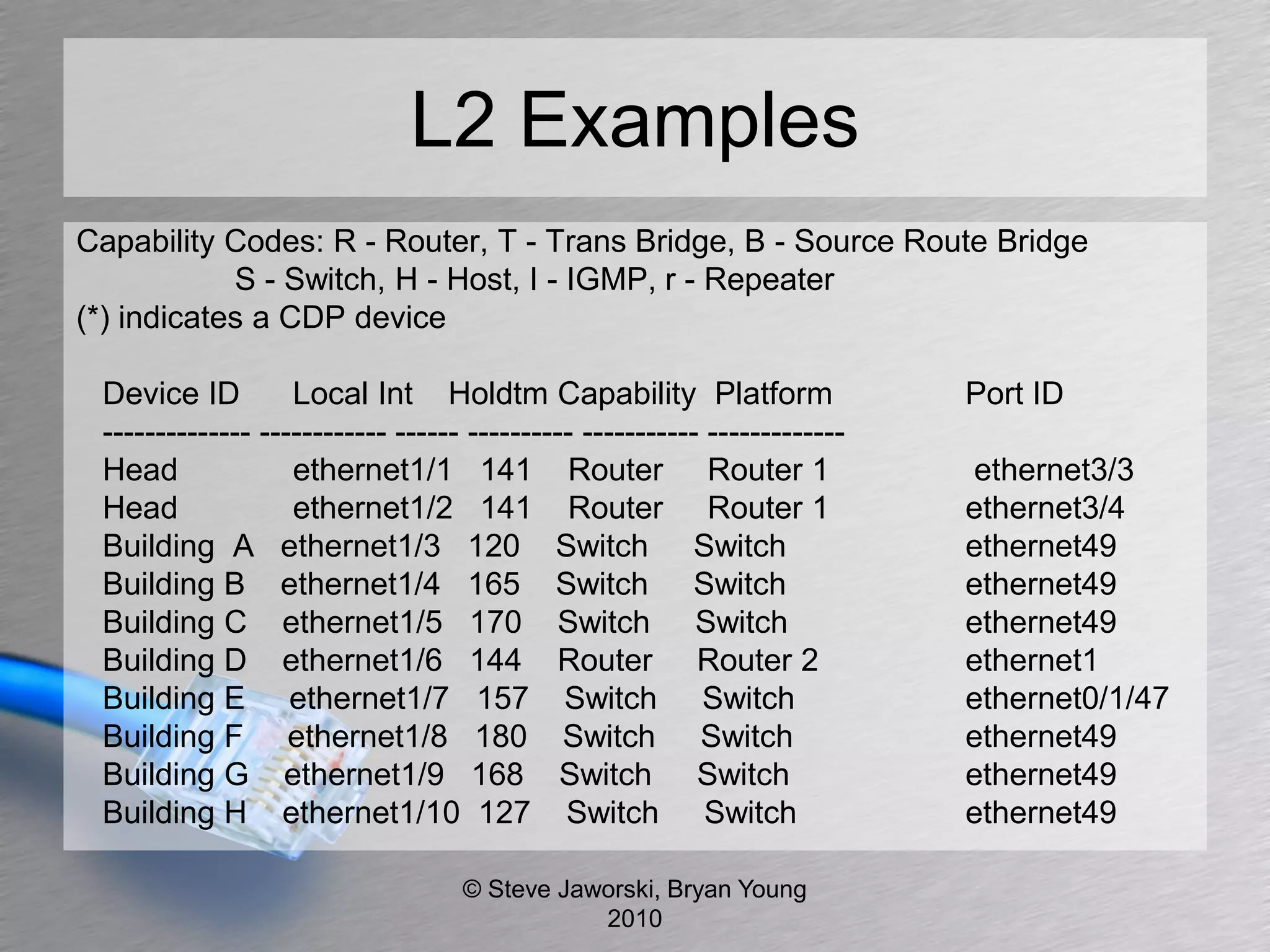
L2 Examples
Capability Codes: R - Router, T - Trans Bridge, B - Source Route Bridge
            S - Switch, H - Host, I - IGMP, r - Repeater
(*) indicates a CDP device

 Device ID         Local Int Holdtm Capability Platform                    Port ID
 -------------- ------------ ------ ---------- ----------- -------------
 Head              ethernet1/1 141 Router Router 1                         ethernet3/3
 Head              ethernet1/2 141 Router Router 1                         ethernet3/4
 Building A ethernet1/3 120 Switch Switch                                  ethernet49
 Building B ethernet1/4 165 Switch Switch                                  ethernet49
 Building C ethernet1/5 170 Switch Switch                                  ethernet49
 Building D ethernet1/6 144 Router Router 2                                ethernet1
 Building E ethernet1/7 157 Switch Switch                                  ethernet0/1/47
 Building F ethernet1/8 180 Switch Switch                                  ethernet49
 Building G ethernet1/9 168 Switch Switch                                  ethernet49
 Building H ethernet1/10 127 Switch Switch                                 ethernet49

                                   © Steve Jaworski, Bryan Young
                                              2010
L2 Discovery Attacks
• Yersinia Framework (http://www.yersinia.net/)
   – Supports Cisco Discovery Protocol
        • Sending RAW CDP Packet
        • DoS Flooding CDP Neighbors Table
        • Setting up a “Virtual Device”
• IRPAS (http://www.phenoelit-us.org/fr/tools.html)
   –   DoS Attack
   –   Spoof Attack
   –   VLAN Assignment
   –   DHCP Assignment
   –   802.1Q VLAN Assignment

                      © Steve Jaworski, Bryan Young
                                 2010
L2 Discovery Protocols Protection
• Turn off on user edge ports
  – interface GigabitEthernet1/1
  – ip address 192.168.100.1 255.255.255.0
  – no cdp enable
• Where should I enable
  – May be necessary evil for VoIP
  – Bryan vs Steve


                © Steve Jaworski, Bryan Young
                           2010
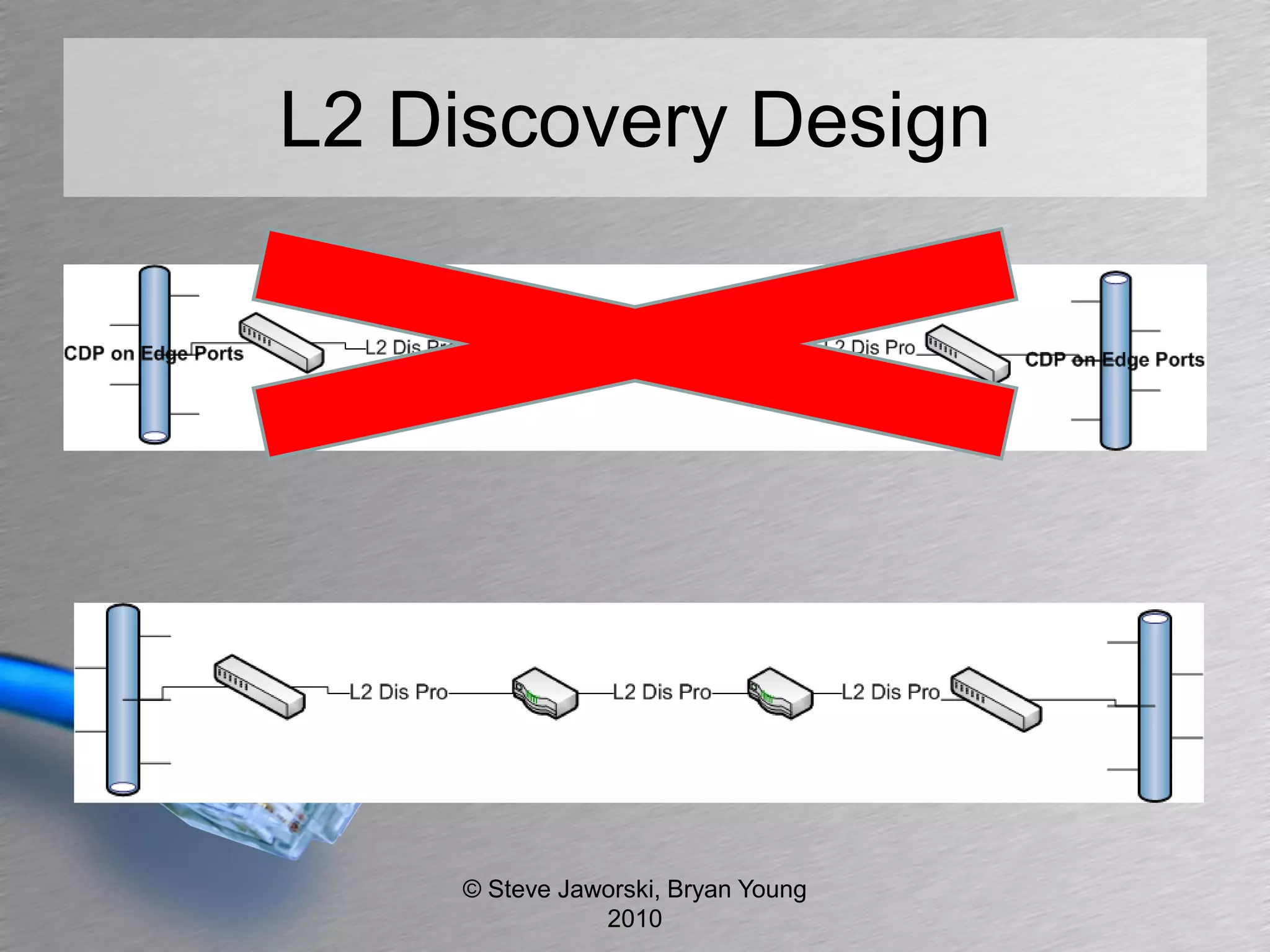
L2 Discovery Design


    © Steve Jaworski, Bryan Young
               2010
Ask Your Vendors
• Ability to turn off discovery protocols
• Understand all features of proprietary
  protocols


                © Steve Jaworski, Bryan Young
                           2010
VLAN 802.1Q
• Does a VLAN provide security?
  – Bryan vs Steve
• Great for segmenting broadcast domains
• Organize your hosts
• Finding points of origin


               © Steve Jaworski, Bryan Young
                          2010
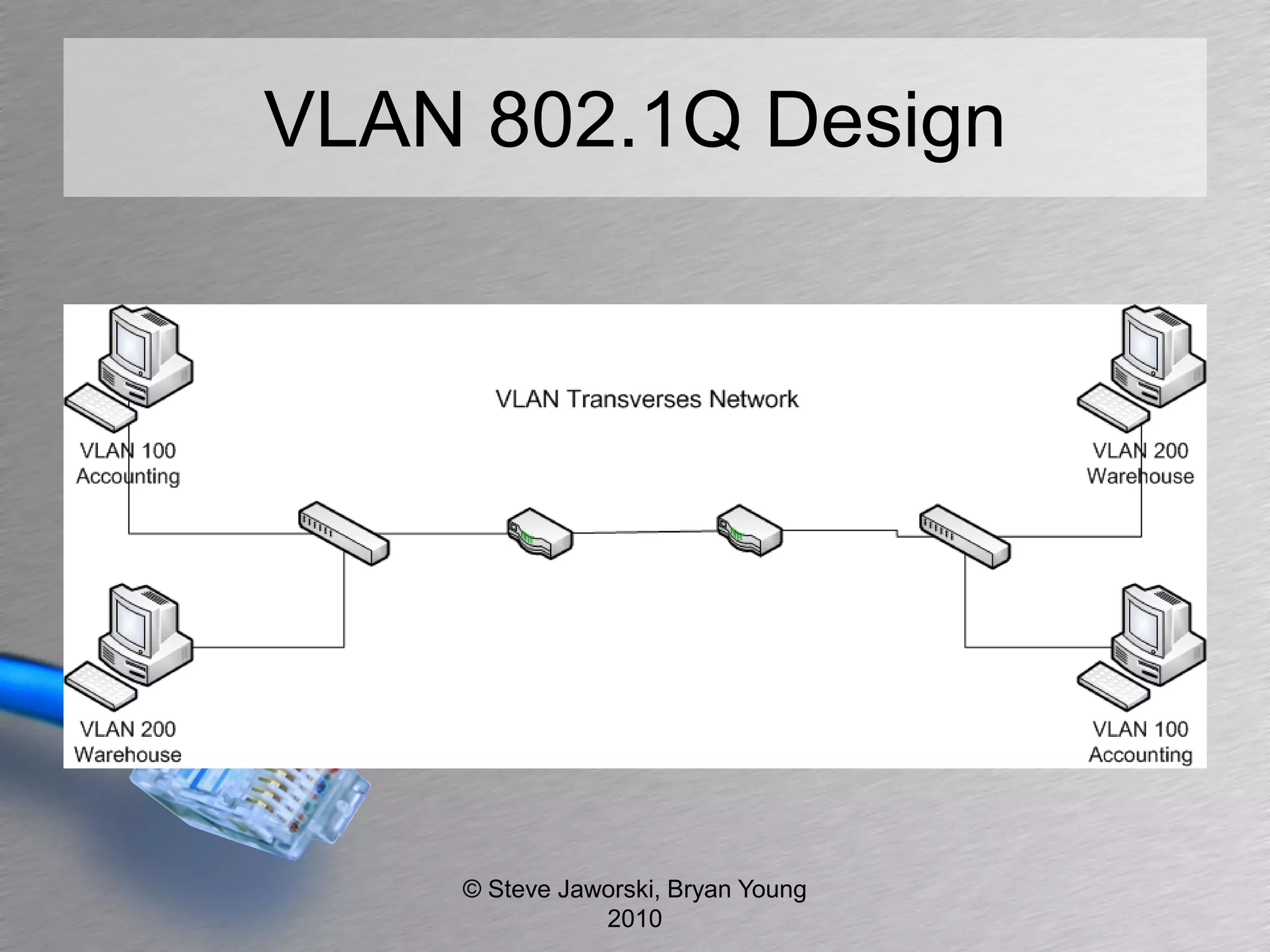
VLAN 802.1Q Design


    © Steve Jaworski, Bryan Young
               2010
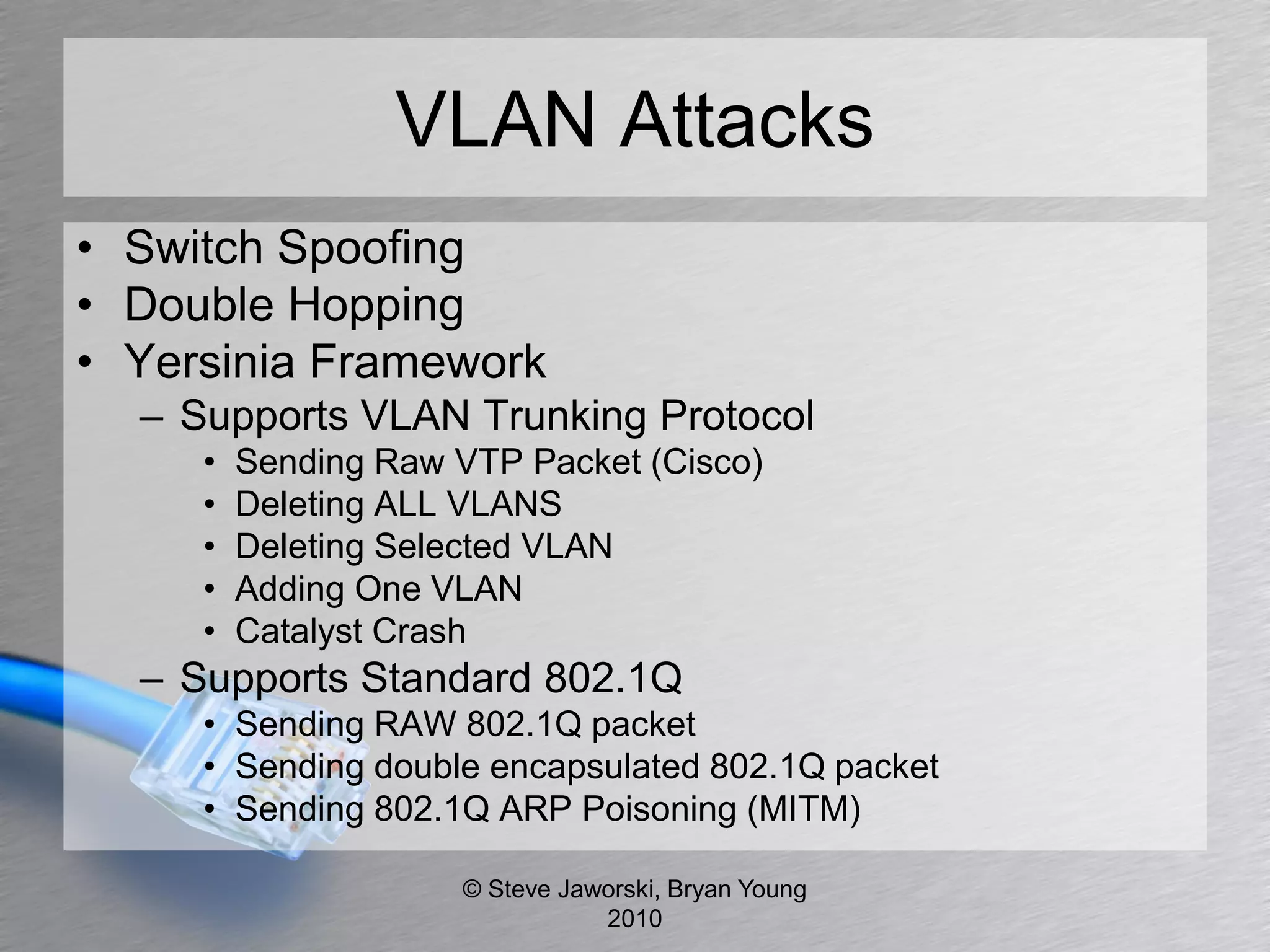
VLAN Attacks
• Switch Spoofing
• Double Hopping
• Yersinia Framework
  – Supports VLAN Trunking Protocol
     •   Sending Raw VTP Packet (Cisco)
     •   Deleting ALL VLANS
     •   Deleting Selected VLAN
     •   Adding One VLAN
     •   Catalyst Crash
  – Supports Standard 802.1Q
     • Sending RAW 802.1Q packet
     • Sending double encapsulated 802.1Q packet
     • Sending 802.1Q ARP Poisoning (MITM)

                     © Steve Jaworski, Bryan Young
                                2010
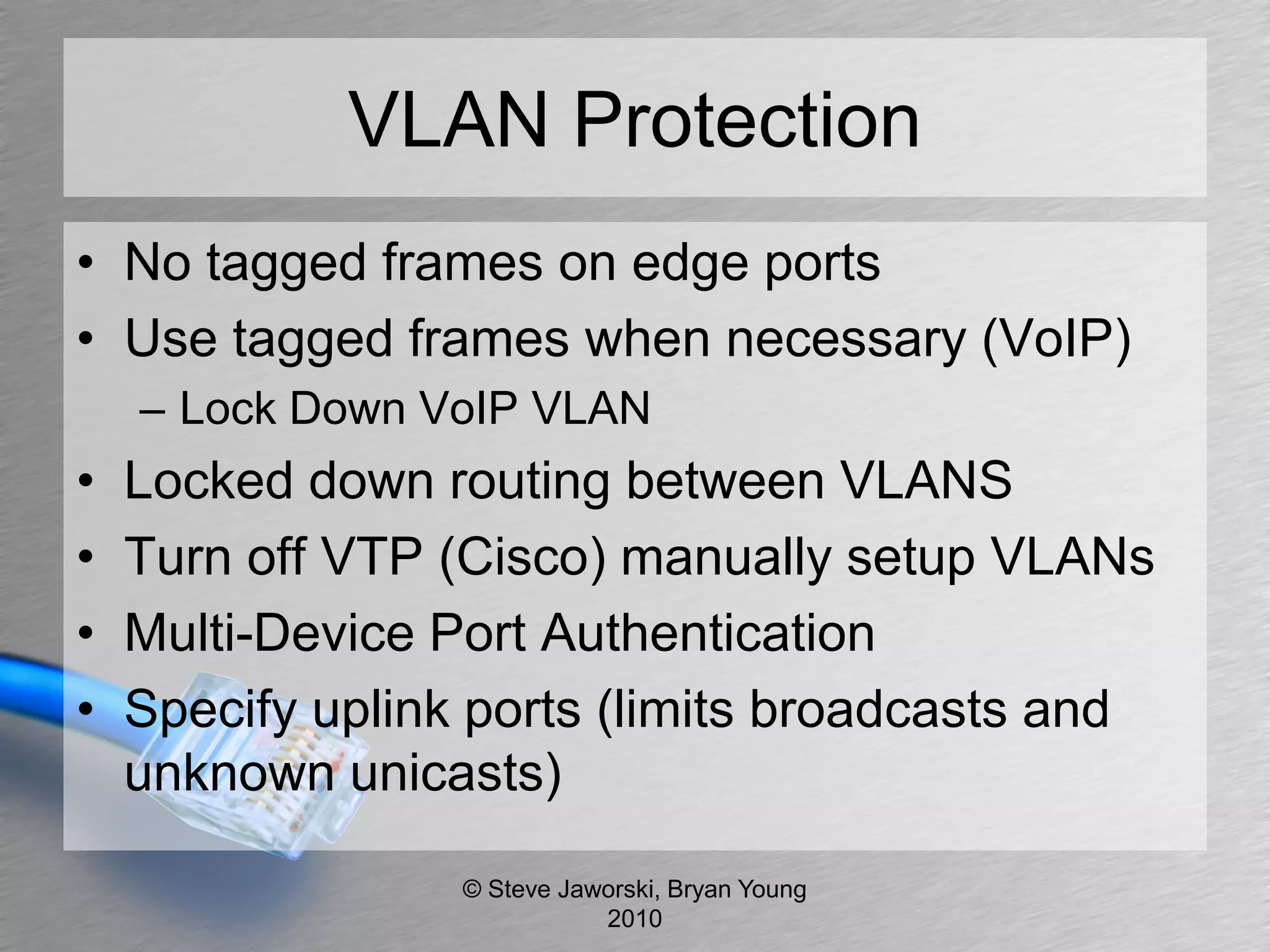
VLAN Protection
• No tagged frames on edge ports
• Use tagged frames when necessary (VoIP)
    – Lock Down VoIP VLAN
•   Locked down routing between VLANS
•   Turn off VTP (Cisco) manually setup VLANs
•   Multi-Device Port Authentication
•   Specify uplink ports (limits broadcasts and
    unknown unicasts)

                  © Steve Jaworski, Bryan Young
                             2010
Ask Your Vendors
• Multi-Device Port Authentication
• Dynamic VLAN Assignment


               © Steve Jaworski, Bryan Young
                          2010
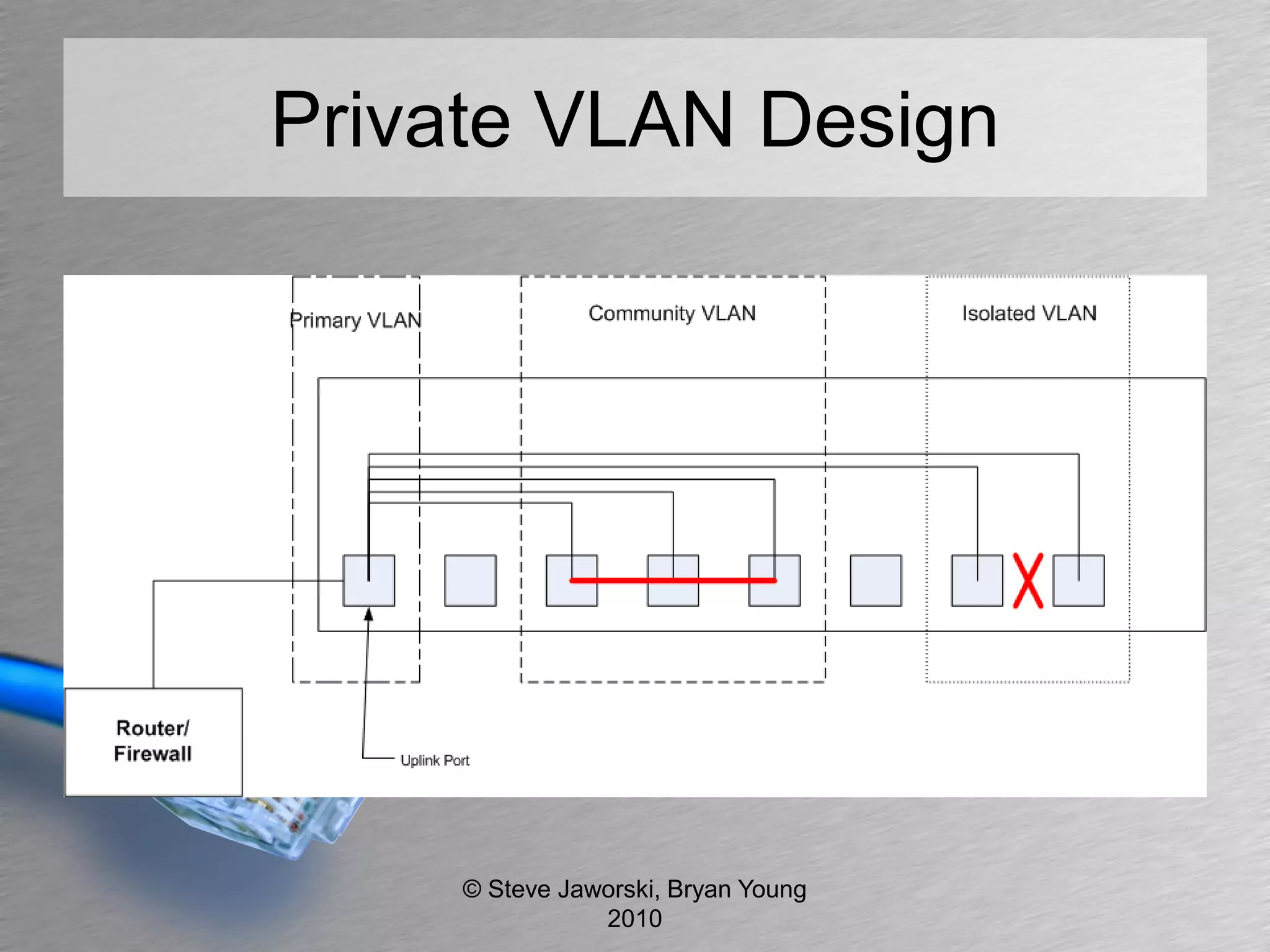
Private VLAN
• Limits communication between hosts at
  layer 2


              © Steve Jaworski, Bryan Young
                         2010
Private VLAN Design


     © Steve Jaworski, Bryan Young
                2010
Private VLAN Attacks
• Hosts can still communicate at Layer 3
• Community
  – Still have a broadcast domain
     • ARP Spoofing
     • 802.1Q Attacks
• Isolated
  – 802.1Q Attacks


                 © Steve Jaworski, Bryan Young
                            2010
Private VLAN Protection
• ACL at Layer 3
• Avoid community setup


              © Steve Jaworski, Bryan Young
                         2010
Ask Your Vendors
• Community and isolated VLANS
• Ask for isolated


             © Steve Jaworski, Bryan Young
                        2010
Spanning Tree
• Prevents bridge loops
• Provides redundancy in Layer 2 topologies
• STP and RSTP


              © Steve Jaworski, Bryan Young
                         2010
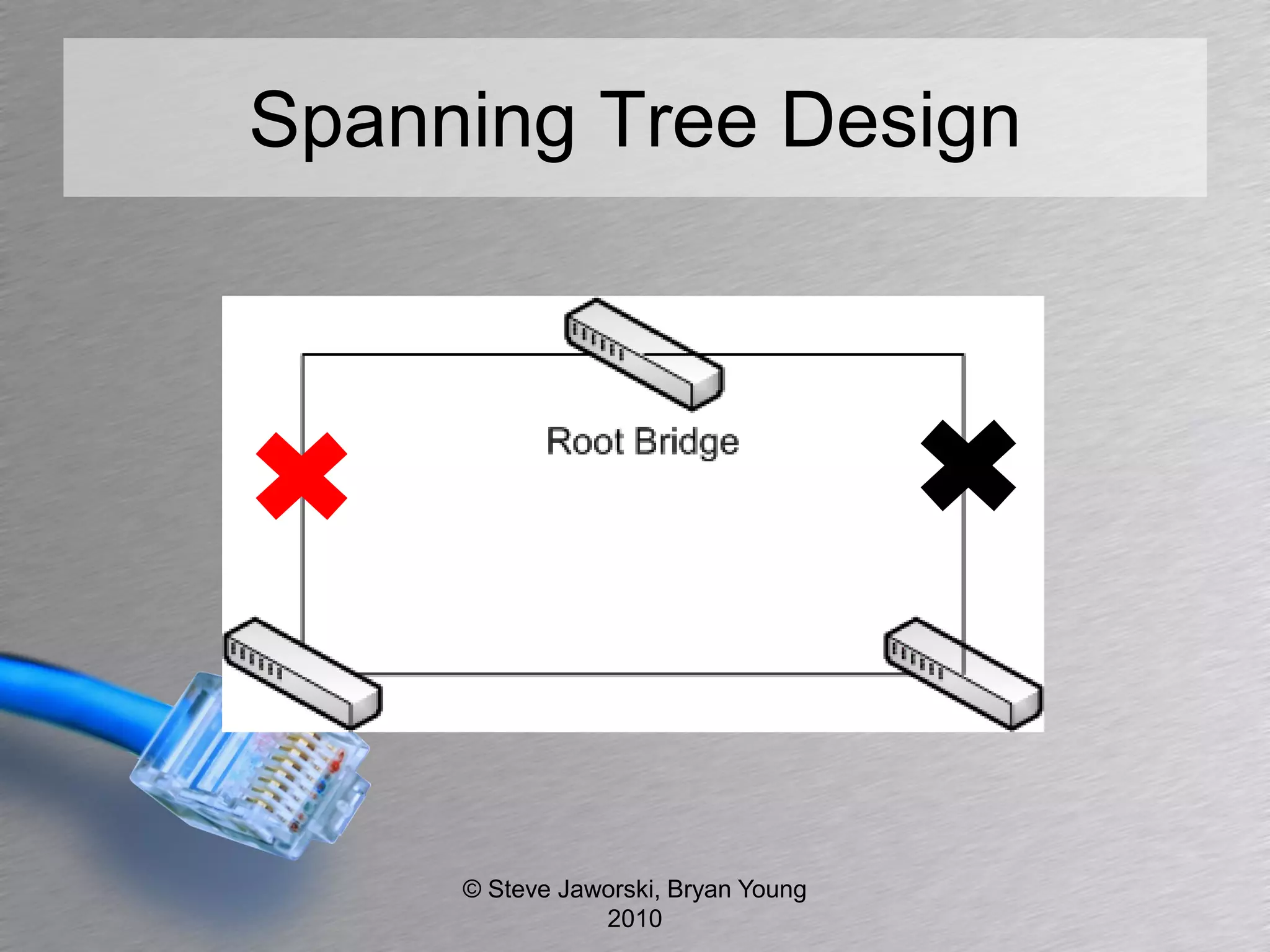
Spanning Tree Design


     © Steve Jaworski, Bryan Young
                2010
Spanning Tree Attack
• Man in the Middle
• Flooding the BPDU Table
  – Bridge Protocol Data Unit
• Insert device claiming it’s the root bridge
• Claiming other roles on the network


                © Steve Jaworski, Bryan Young
                           2010
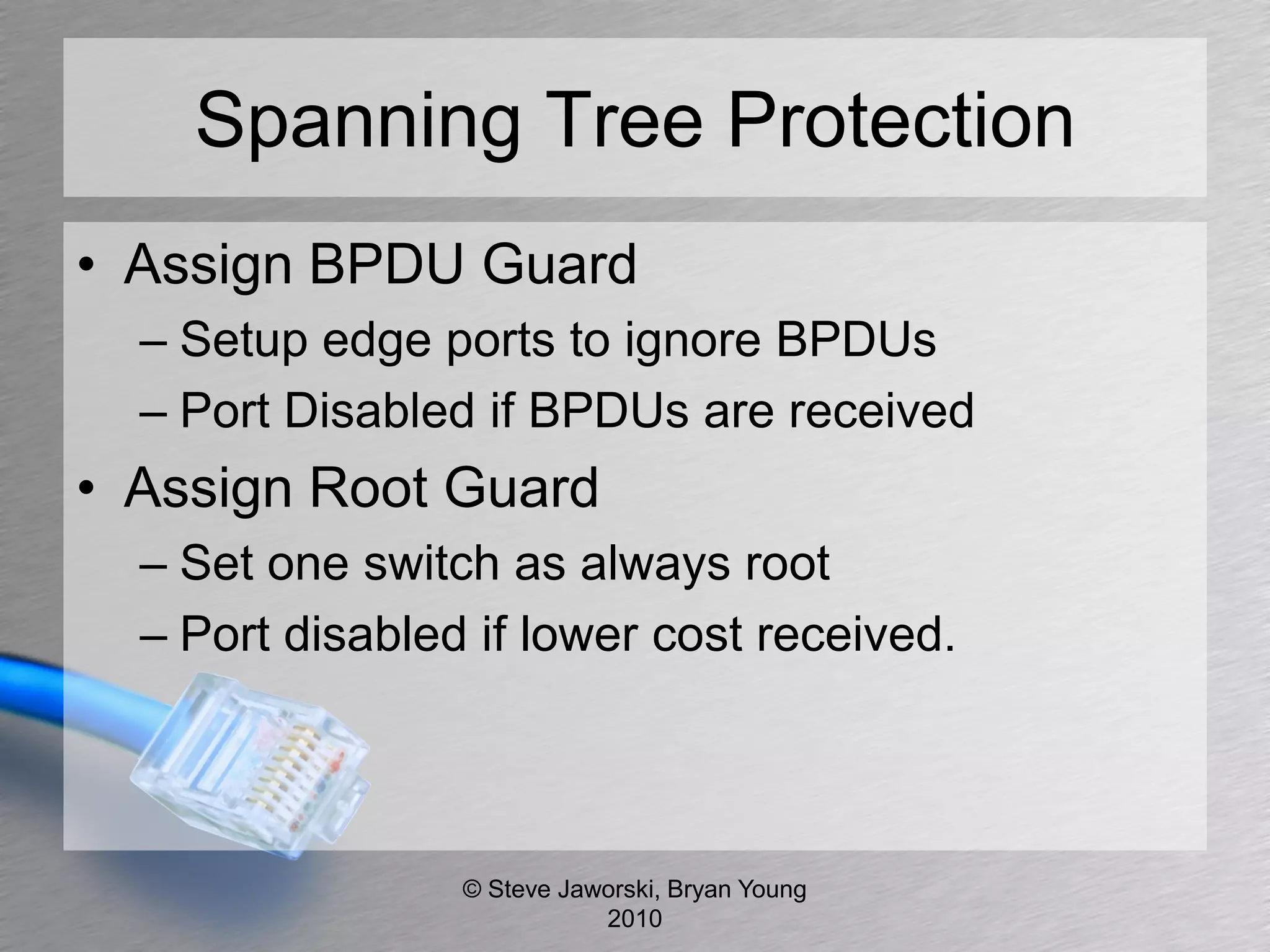
Spanning Tree Protection
• Assign BPDU Guard
  – Setup edge ports to ignore BPDUs
  – Port Disabled if BPDUs are received
• Assign Root Guard
  – Set one switch as always root
  – Port disabled if lower cost received.


                 © Steve Jaworski, Bryan Young
                            2010
Ask Your Vendors
• BPDU Guard
• Root Guard
• Handling of all “0” BPDU


               © Steve Jaworski, Bryan Young
                          2010
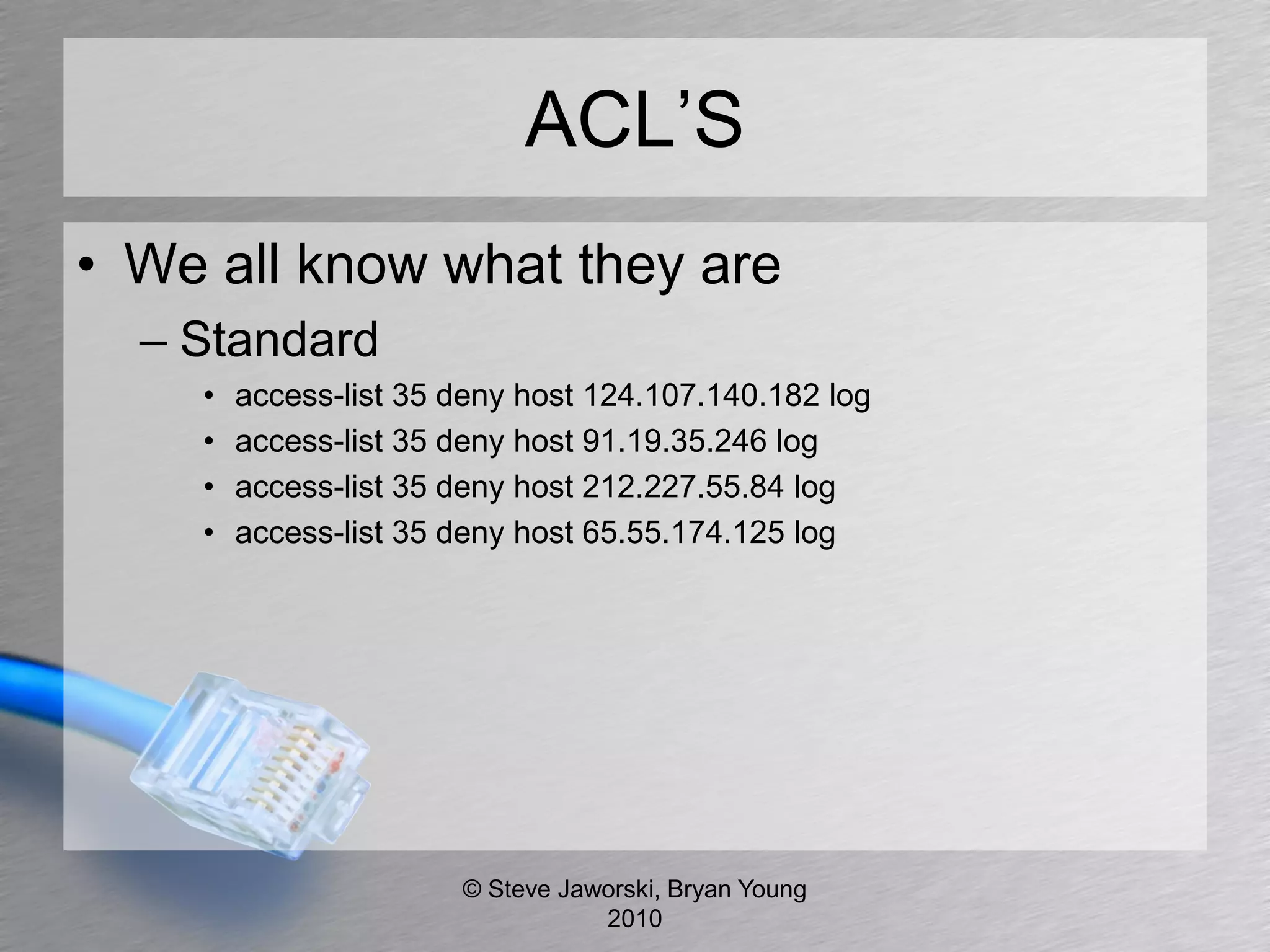
ACL’S
• We all know what they are
  – Standard
    •   access-list 35 deny host 124.107.140.182 log
    •   access-list 35 deny host 91.19.35.246 log
    •   access-list 35 deny host 212.227.55.84 log
    •   access-list 35 deny host 65.55.174.125 log


                       © Steve Jaworski, Bryan Young
                                  2010
ACL’S (cont)
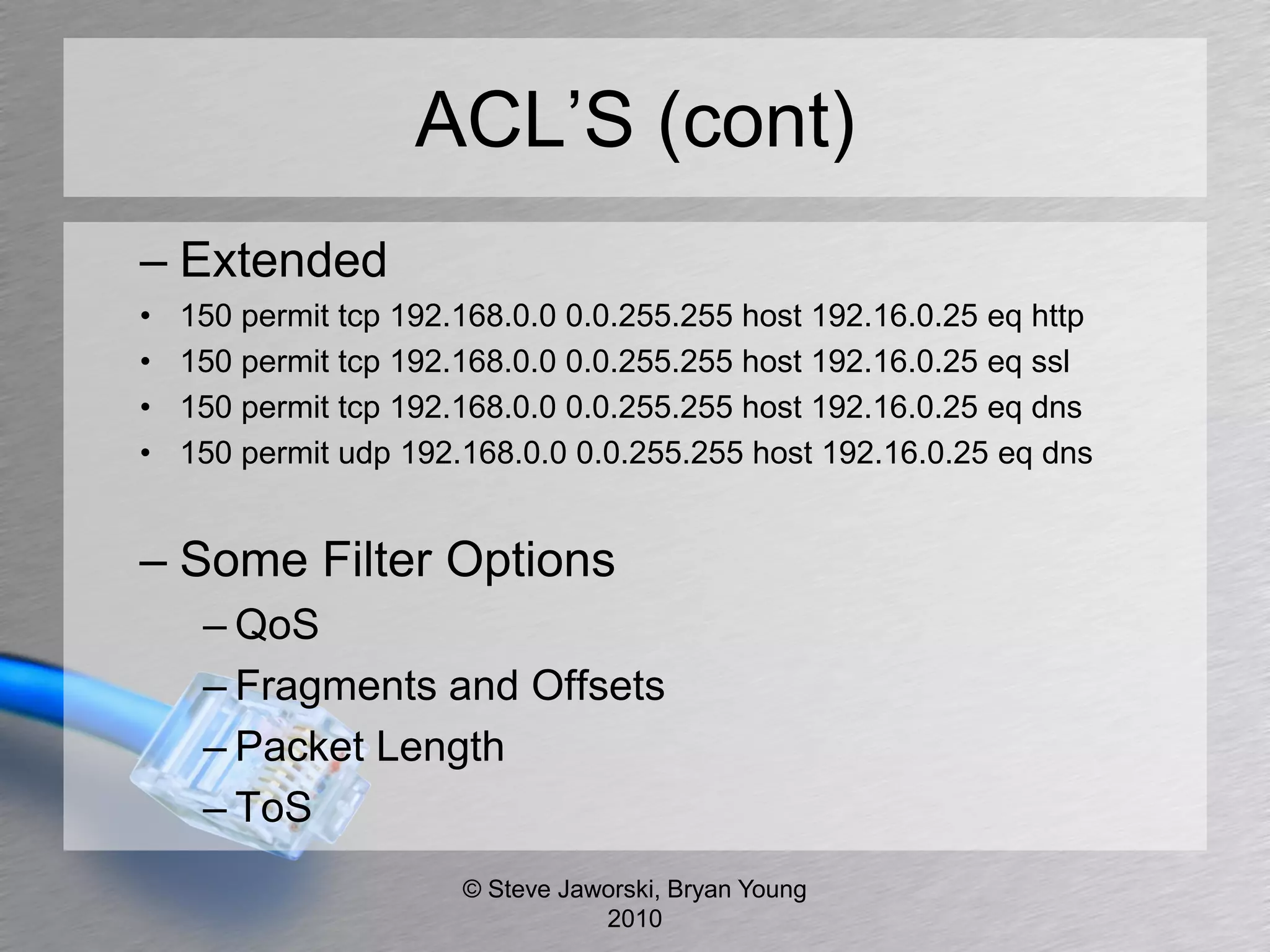
– Extended
•   150 permit tcp 192.168.0.0 0.0.255.255 host 192.16.0.25 eq http
•   150 permit tcp 192.168.0.0 0.0.255.255 host 192.16.0.25 eq ssl
•   150 permit tcp 192.168.0.0 0.0.255.255 host 192.16.0.25 eq dns
•   150 permit udp 192.168.0.0 0.0.255.255 host 192.16.0.25 eq dns


– Some Filter Options
     – QoS
     – Fragments and Offsets
     – Packet Length
     – ToS
                       © Steve Jaworski, Bryan Young
                                  2010
ACL Attacks
•   Stateless
•   Encapsulate your packets
•   Fragment overlap ACL bypass
•   DoS attacking closed IPs and port
    – CPU vs ASIC routers


                 © Steve Jaworski, Bryan Young
                            2010
ACL Protection
•   Use them for what they are meant
•   IP Spoofing
•   IP to IP
•   Not meant for application inspection
•   Established
•   Strict filtering


                 © Steve Jaworski, Bryan Young
                            2010
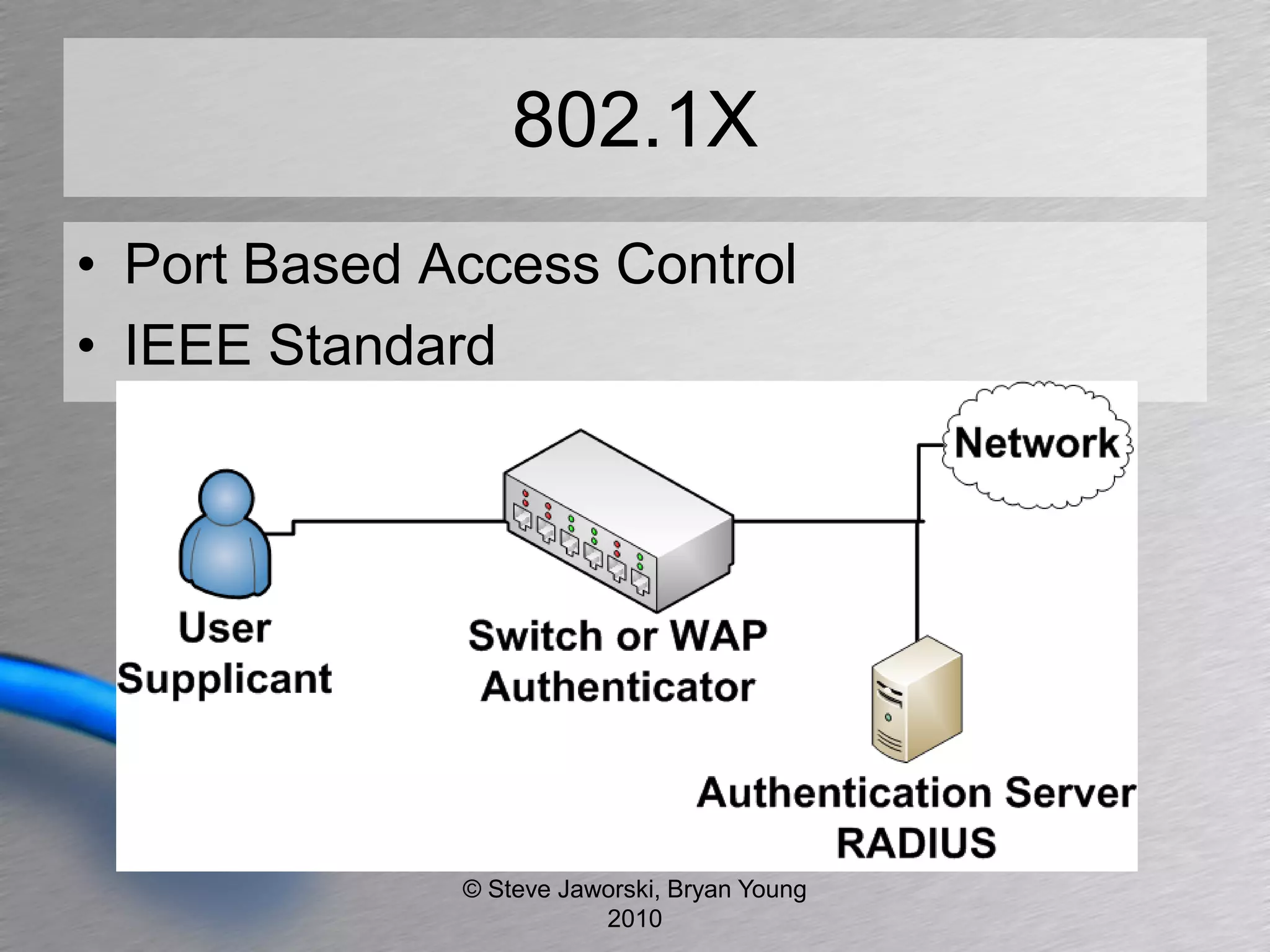
802.1X
• Port Based Access Control
• IEEE Standard


              © Steve Jaworski, Bryan Young
                         2010
802.1x Attacks
• Dictionary attack based on authentication
  used (LEAP, PEAP)
• Rogue authentication server
  – Capture NTLM authentication request
• Yersinia Framework
  – Supports 802.1x Wired Authentication
     • Sending RAW 802.1X packet
     • MITM 802.1X with 2 interfaces

                  © Steve Jaworski, Bryan Young
                             2010
802.1x Protection
•   Set authentication failure limits
•   Client needs to verify certificates
•   Move to certificate per host (EAP-TLS)
•   Multi-Device Port Authentication


                 © Steve Jaworski, Bryan Young
                            2010
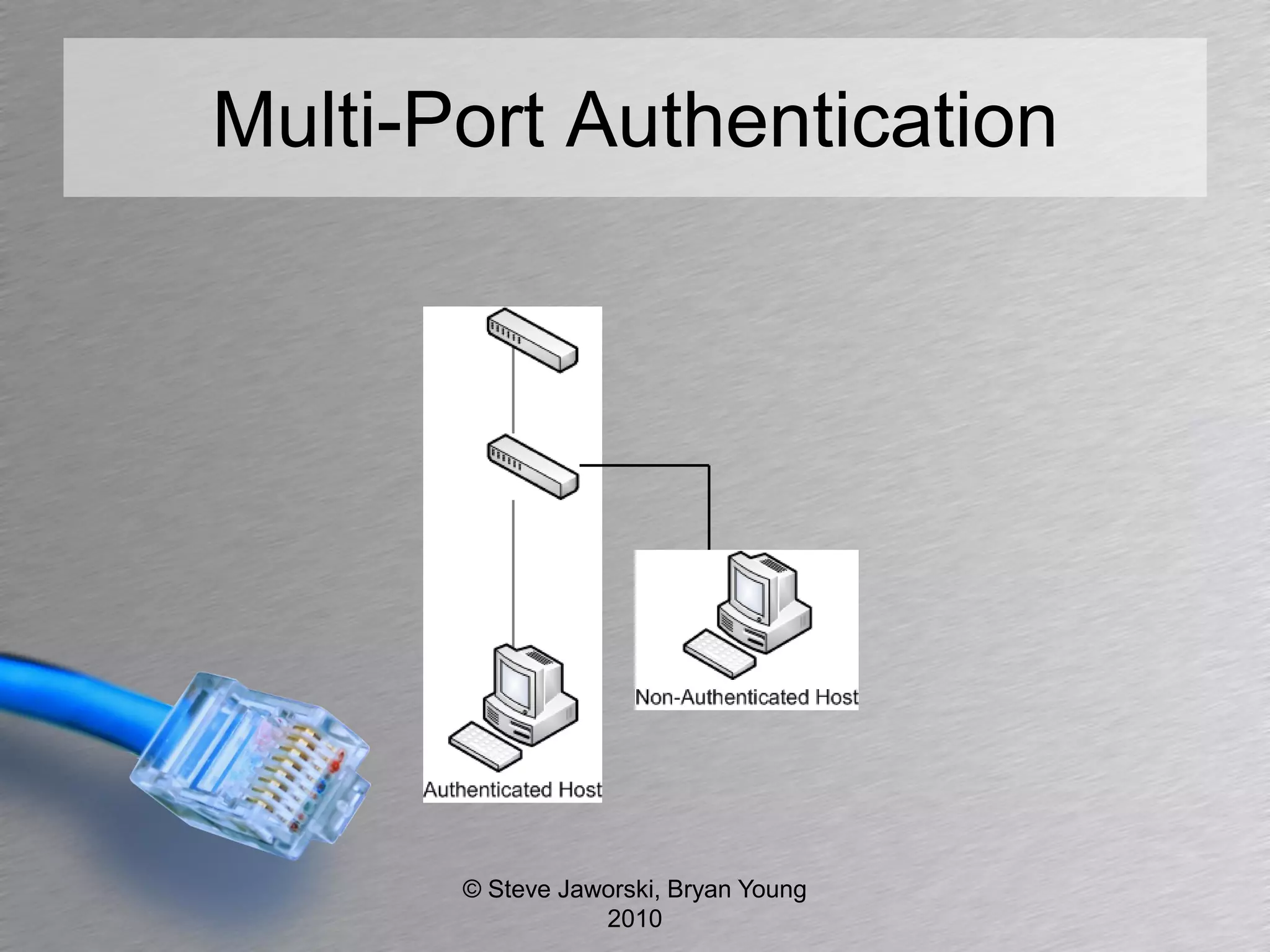
Multi-Port Authentication


       © Steve Jaworski, Bryan Young
                  2010
Ask Your Vendors
• Username/Password and MAC/Password
  authentication
• Avoid MAC/MAC authentication
• Are VSA’s required?
• Will RADIUS server support VSA’s & EAP
• Dynamic VLAN assignment
• Dynamic ACL assignment

              © Steve Jaworski, Bryan Young
                         2010
MAC Address
• The 48 bit address
  – 12:45:AC:65:79:0F
• Unique ID to every network interface


               © Steve Jaworski, Bryan Young
                          2010
MAC Attacks
• Easy to spoof
• MAC address also password for RADIUS
  authentication, can possibly authenticate
  as user or device
• Flood MAC table of switch


               © Steve Jaworski, Bryan Young
                          2010
MAC Protection
• MAC address should not be password for
  network authentication
  – Network Device sends password.
• Limit MAC table
• Limit amounts MAC addresses per port
• Layer 2 ACL. Filter MAC by OUI
  – Organizationally Unique Identifier
• Don’t rely on MAC address authentication
                 © Steve Jaworski, Bryan Young
                            2010
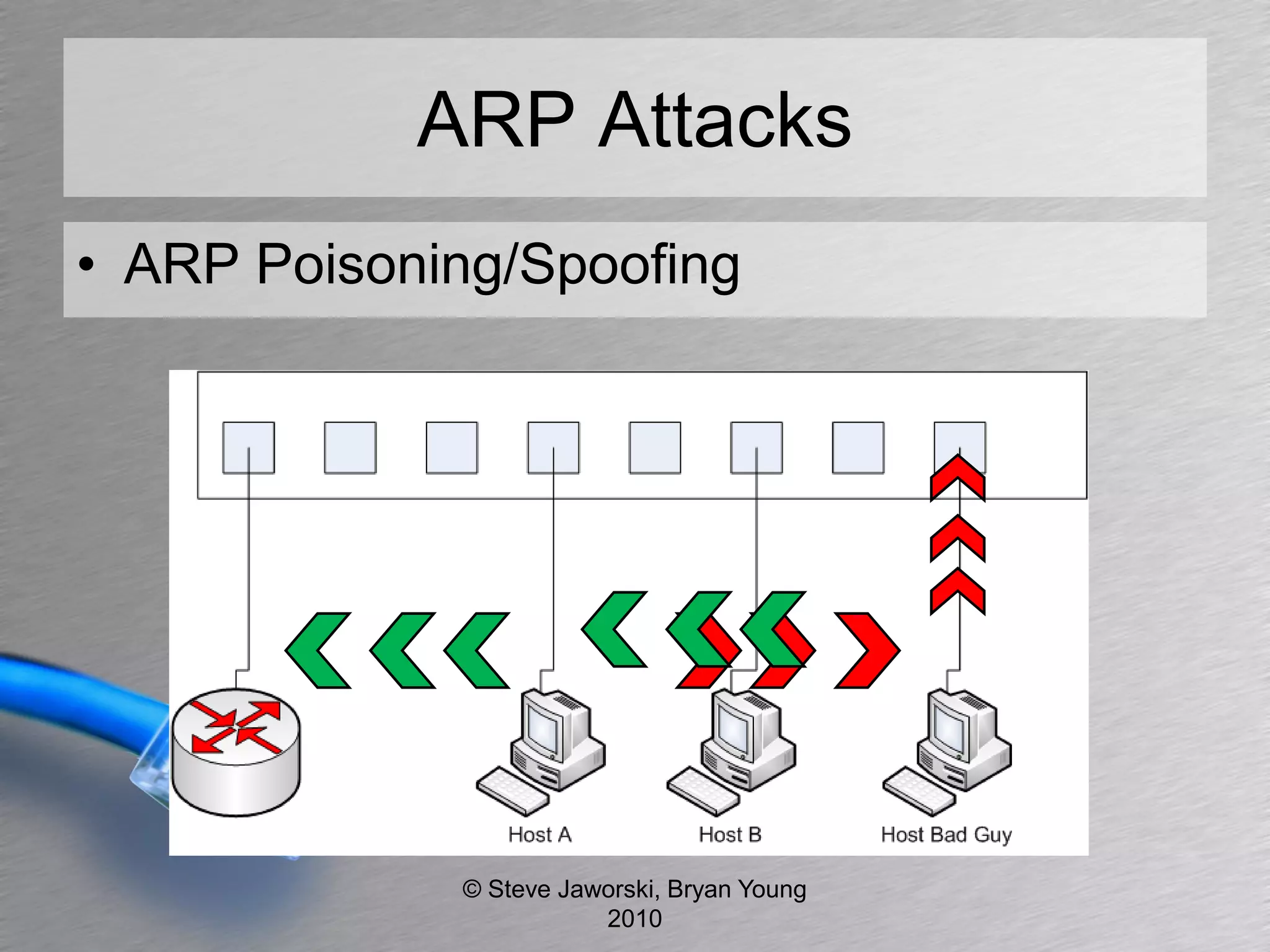
ARP
• IP to MAC address
• Allows for “host to host” communication on
  a network device without going through
  the gateway.


               © Steve Jaworski, Bryan Young
                          2010
ARP Attacks
• ARP Poisoning/Spoofing


             © Steve Jaworski, Bryan Young
                        2010
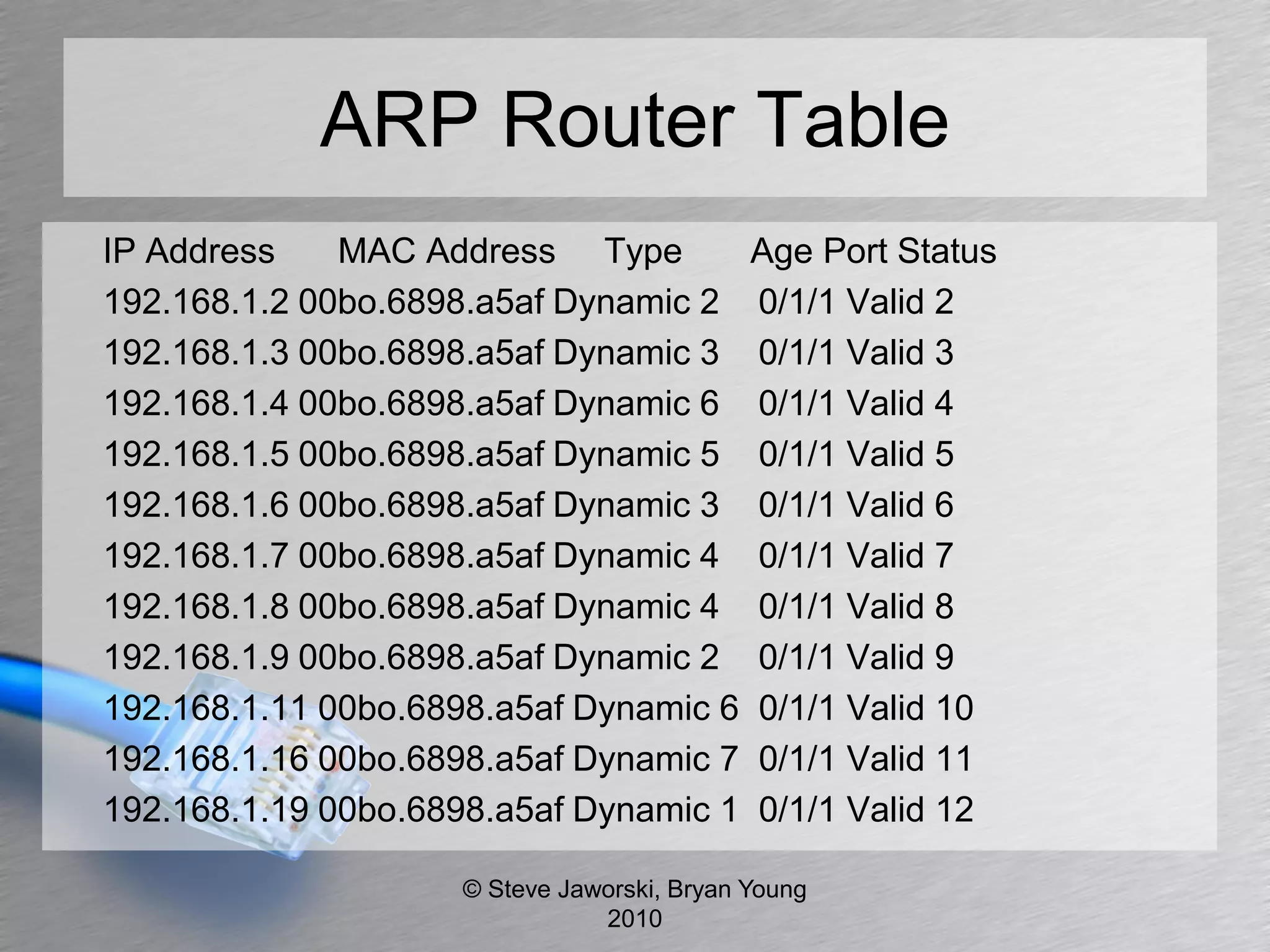
ARP Router Table
IP Address    MAC Address Type              Age Port Status
192.168.1.2 00bo.6898.a5af Dynamic 2        0/1/1 Valid 2
192.168.1.3 00bo.6898.a5af Dynamic 3        0/1/1 Valid 3
192.168.1.4 00bo.6898.a5af Dynamic 6        0/1/1 Valid 4
192.168.1.5 00bo.6898.a5af Dynamic 5        0/1/1 Valid 5
192.168.1.6 00bo.6898.a5af Dynamic 3        0/1/1 Valid 6
192.168.1.7 00bo.6898.a5af Dynamic 4        0/1/1 Valid 7
192.168.1.8 00bo.6898.a5af Dynamic 4        0/1/1 Valid 8
192.168.1.9 00bo.6898.a5af Dynamic 2        0/1/1 Valid 9
192.168.1.11 00bo.6898.a5af Dynamic 6       0/1/1 Valid 10
192.168.1.16 00bo.6898.a5af Dynamic 7       0/1/1 Valid 11
192.168.1.19 00bo.6898.a5af Dynamic 1       0/1/1 Valid 12

                    © Steve Jaworski, Bryan Young
                               2010
ARP Attack Tools
• Ettercap
• Cain and Abel
• Arpspoof (dsniff)


               © Steve Jaworski, Bryan Young
                          2010
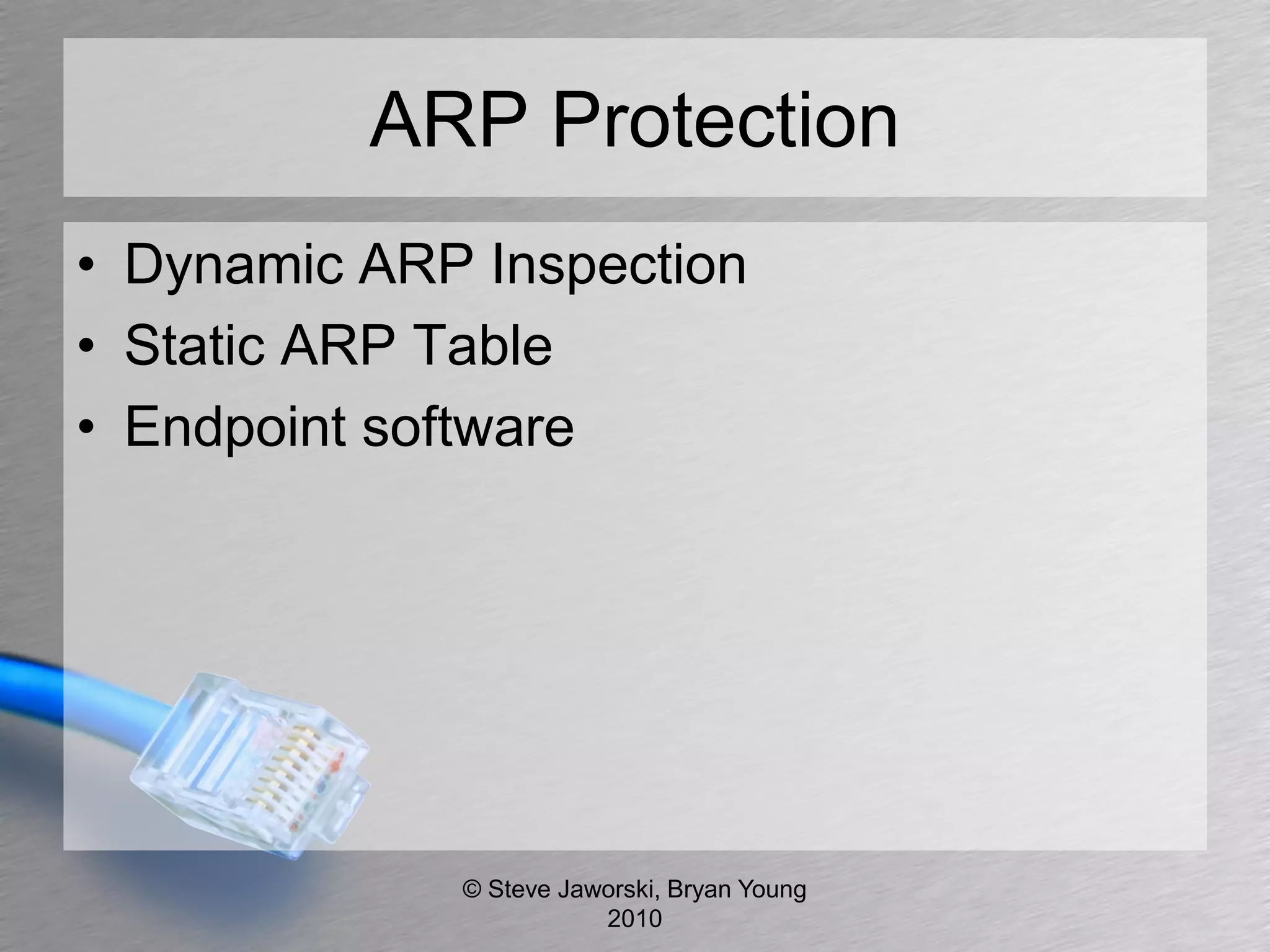
ARP Protection
• Dynamic ARP Inspection
• Static ARP Table
• Endpoint software


             © Steve Jaworski, Bryan Young
                        2010
Ask Your Vendors
• Dynamic ARP Inspection (DAI)
• IDS on the desktop
  – Endpoint software


                © Steve Jaworski, Bryan Young
                           2010
Routing
• Static or Protocol
• Interior Routing Protocols
  – RIP, RIPv2
  – OSPF V2, V3
  – IGRP, EIGRP (proprietary)


               © Steve Jaworski, Bryan Young
                          2010
Routing Attack
• MD5 authentication hash easily cracked
  – http://gdataonline.com/seekhash.php
     • Contains over 1 billion hashes, and is free!
• Source routing
• Inject static routes
• Yersinia Framework
  – Supports Hot Standby Router Protocol
     • Becoming active router
     • Becoming active router (MITM)

                   © Steve Jaworski, Bryan Young
                              2010
Routing Protection
• Make sure IP source routing is off.
• Use routing protocol that requires
  authentication (different keys between
  routers)
• Encapsulate routing protocol in IPsec
• Use static routes where necessary
  – Limit propagation of static routes


                 © Steve Jaworski, Bryan Young
                            2010
Routing Protection (cont)
• Suppress routing announcements
• Route to null if appropriate and log
• Be good net neighbor, only let your IP’s
  out
• Limit global routes
  – Don’t route to 10.0.0.0/8 when you can use
    more specific routes


                © Steve Jaworski, Bryan Young
                           2010
Ask Your Vendors
• Encapsulate routing protocols in IPSec
• Support for authenticated routing protocols


               © Steve Jaworski, Bryan Young
                          2010
Dynamic Host Configuration
            Protocol
• Assign hosts IP addresses
• Assigns DNS and routing info


              © Steve Jaworski, Bryan Young
                         2010
DHCP Attack
• Yersinia Framework
  – Supports all DHCP standards
    • Sending RAW DHCP packet
    • DoS sending DISCOVER packet (exhausting ip
      pool)
    • Setting up rogue DHCP server
    • DoS sending RELEASE packet (releasing
      assigned IP)
• Spoofed/Fake DHCP Server

                © Steve Jaworski, Bryan Young
                           2010
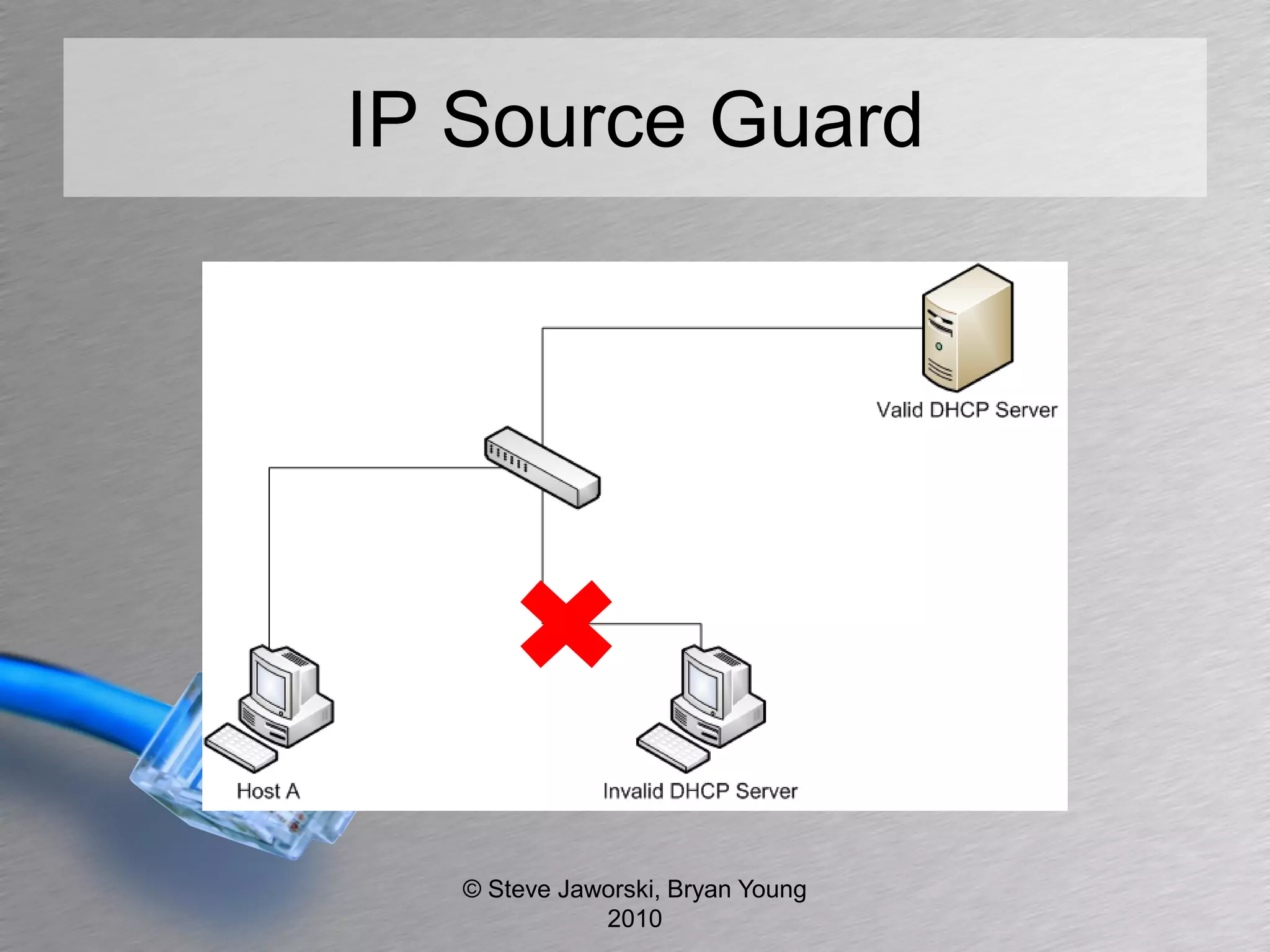
DHCP Protection
• DHCP Snooping
  – No static assigned IP address
• IP Source Guard
  – Only let DHCP packets from trusted ports


                © Steve Jaworski, Bryan Young
                           2010
IP Source Guard


   © Steve Jaworski, Bryan Young
              2010
Ask Your Vendors
• DHCP Snooping
• IP Source Guard


              © Steve Jaworski, Bryan Young
                         2010
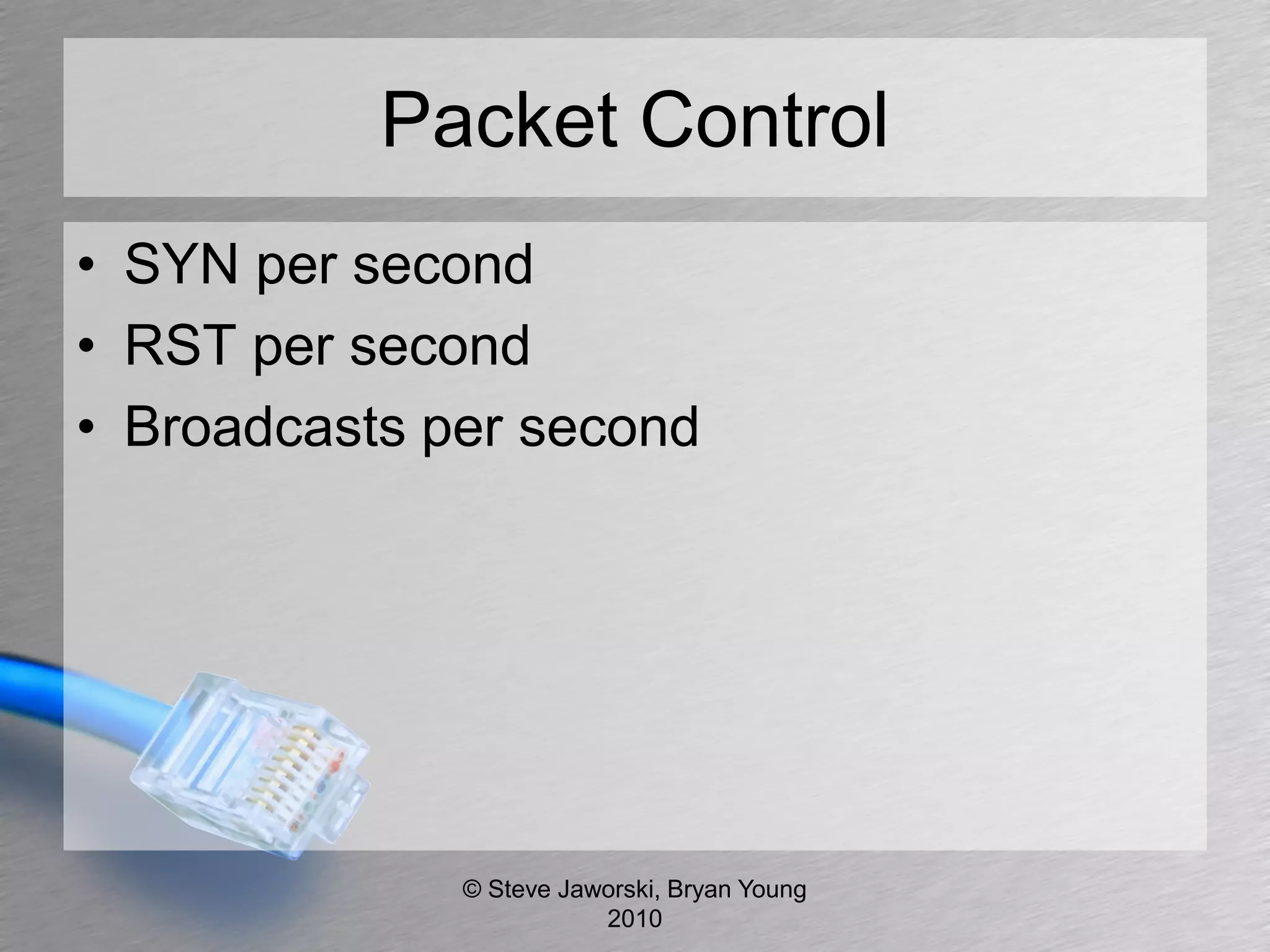
Packet Control
• SYN per second
• RST per second
• Broadcasts per second


              © Steve Jaworski, Bryan Young
                         2010
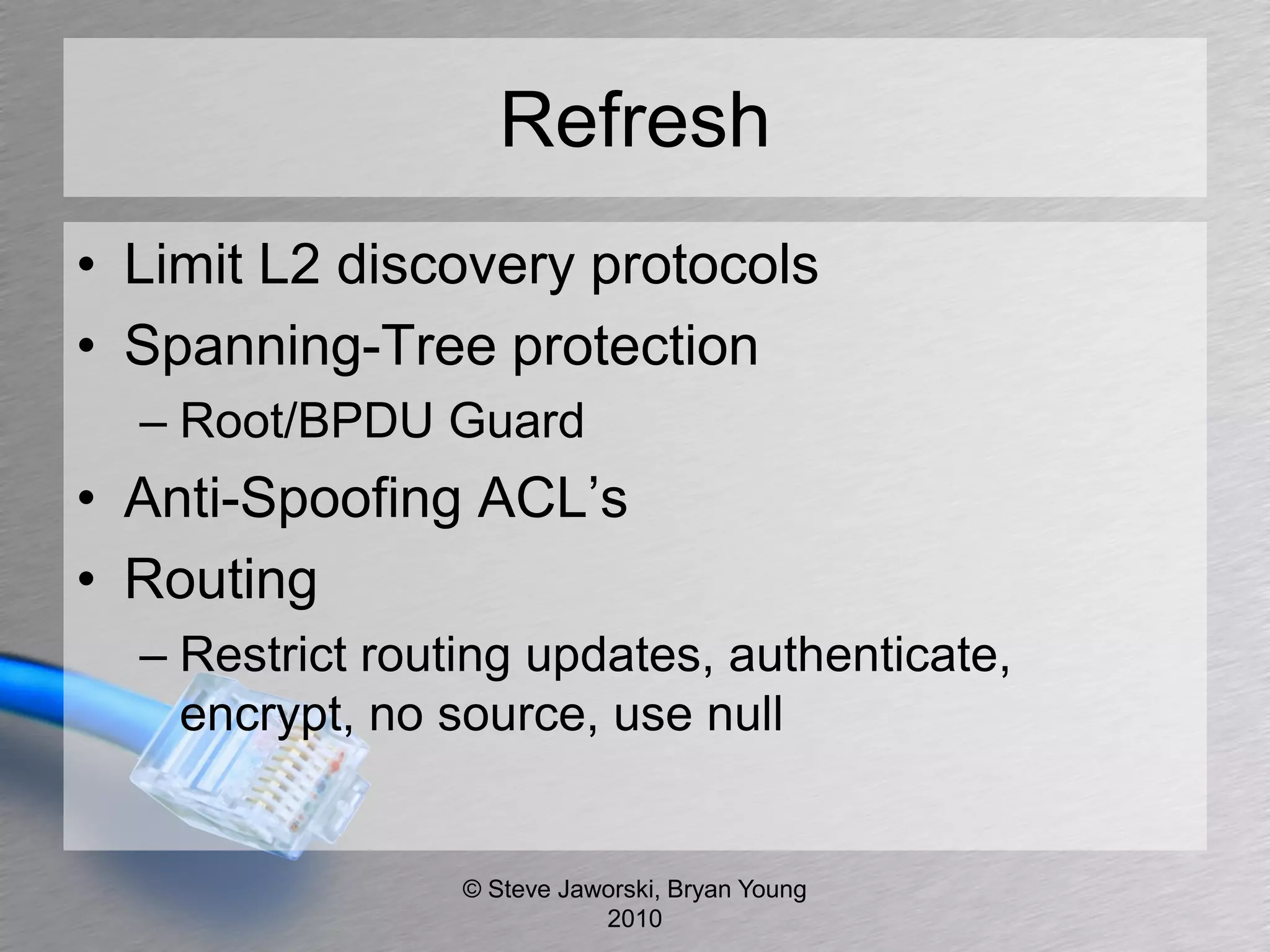
Refresh
• Limit L2 discovery protocols
• Spanning-Tree protection
  – Root/BPDU Guard
• Anti-Spoofing ACL’s
• Routing
  – Restrict routing updates, authenticate,
    encrypt, no source, use null


                 © Steve Jaworski, Bryan Young
                            2010
Refresh (cont)
•   MAC address restrictions
•   Turn off routing between subnets/VLANs
•   DHCP Snooping/IP Source Guard
•   Limit TCP SYNs, RSTs, Broadcasts


                © Steve Jaworski, Bryan Young
                           2010
Thank You
• Questions
• Comments


• Thanks to Sippleware for QA


              © Steve Jaworski, Bryan Young
                         2010

Dont Get Caught With Your Layers Down

  • 1.
    Don't Get Caughtwith Your Layers Down With Steve Jaworski Bryan Young © Steve Jaworski, Bryan Young 2010
  • 2.
    Agenda • Discuss CommonLayer 2 and Layer 3 – Attacks – Tools – Protection • Questions you should be asking your vendors • Bryan vs Steve (Points of View) © Steve Jaworski, Bryan Young 2010
  • 3.
    L2 Discovery Protocols •Proprietary – CDP Cisco – FDP Foundry/Brocade – LLTP Microsoft – Vista, Win 7 • Open Standard – LLDP Link Layer Discovery Protocol © Steve Jaworski, Bryan Young 2010
  • 4.
    L2 Examples Capability Codes:R - Router, T - Trans Bridge, B - Source Route Bridge S - Switch, H - Host, I - IGMP, r - Repeater (*) indicates a CDP device Device ID Local Int Holdtm Capability Platform Port ID -------------- ------------ ------ ---------- ----------- ------------- Head ethernet1/1 141 Router Router 1 ethernet3/3 Head ethernet1/2 141 Router Router 1 ethernet3/4 Building A ethernet1/3 120 Switch Switch ethernet49 Building B ethernet1/4 165 Switch Switch ethernet49 Building C ethernet1/5 170 Switch Switch ethernet49 Building D ethernet1/6 144 Router Router 2 ethernet1 Building E ethernet1/7 157 Switch Switch ethernet0/1/47 Building F ethernet1/8 180 Switch Switch ethernet49 Building G ethernet1/9 168 Switch Switch ethernet49 Building H ethernet1/10 127 Switch Switch ethernet49 © Steve Jaworski, Bryan Young 2010
  • 5.
    L2 Discovery Attacks •Yersinia Framework (http://www.yersinia.net/) – Supports Cisco Discovery Protocol • Sending RAW CDP Packet • DoS Flooding CDP Neighbors Table • Setting up a “Virtual Device” • IRPAS (http://www.phenoelit-us.org/fr/tools.html) – DoS Attack – Spoof Attack – VLAN Assignment – DHCP Assignment – 802.1Q VLAN Assignment © Steve Jaworski, Bryan Young 2010
  • 6.
    L2 Discovery ProtocolsProtection • Turn off on user edge ports – interface GigabitEthernet1/1 – ip address 192.168.100.1 255.255.255.0 – no cdp enable • Where should I enable – May be necessary evil for VoIP – Bryan vs Steve © Steve Jaworski, Bryan Young 2010
  • 7.
    L2 Discovery Design © Steve Jaworski, Bryan Young 2010
  • 8.
    Ask Your Vendors •Ability to turn off discovery protocols • Understand all features of proprietary protocols © Steve Jaworski, Bryan Young 2010
  • 9.
    VLAN 802.1Q • Doesa VLAN provide security? – Bryan vs Steve • Great for segmenting broadcast domains • Organize your hosts • Finding points of origin © Steve Jaworski, Bryan Young 2010
  • 10.
    VLAN 802.1Q Design © Steve Jaworski, Bryan Young 2010
  • 11.
    VLAN Attacks • SwitchSpoofing • Double Hopping • Yersinia Framework – Supports VLAN Trunking Protocol • Sending Raw VTP Packet (Cisco) • Deleting ALL VLANS • Deleting Selected VLAN • Adding One VLAN • Catalyst Crash – Supports Standard 802.1Q • Sending RAW 802.1Q packet • Sending double encapsulated 802.1Q packet • Sending 802.1Q ARP Poisoning (MITM) © Steve Jaworski, Bryan Young 2010
  • 12.
    VLAN Protection • Notagged frames on edge ports • Use tagged frames when necessary (VoIP) – Lock Down VoIP VLAN • Locked down routing between VLANS • Turn off VTP (Cisco) manually setup VLANs • Multi-Device Port Authentication • Specify uplink ports (limits broadcasts and unknown unicasts) © Steve Jaworski, Bryan Young 2010
  • 13.
    Ask Your Vendors •Multi-Device Port Authentication • Dynamic VLAN Assignment © Steve Jaworski, Bryan Young 2010
  • 14.
    Private VLAN • Limitscommunication between hosts at layer 2 © Steve Jaworski, Bryan Young 2010
  • 15.
    Private VLAN Design © Steve Jaworski, Bryan Young 2010
  • 16.
    Private VLAN Attacks •Hosts can still communicate at Layer 3 • Community – Still have a broadcast domain • ARP Spoofing • 802.1Q Attacks • Isolated – 802.1Q Attacks © Steve Jaworski, Bryan Young 2010
  • 17.
    Private VLAN Protection •ACL at Layer 3 • Avoid community setup © Steve Jaworski, Bryan Young 2010
  • 18.
    Ask Your Vendors •Community and isolated VLANS • Ask for isolated © Steve Jaworski, Bryan Young 2010
  • 19.
    Spanning Tree • Preventsbridge loops • Provides redundancy in Layer 2 topologies • STP and RSTP © Steve Jaworski, Bryan Young 2010
  • 20.
    Spanning Tree Design © Steve Jaworski, Bryan Young 2010
  • 21.
    Spanning Tree Attack •Man in the Middle • Flooding the BPDU Table – Bridge Protocol Data Unit • Insert device claiming it’s the root bridge • Claiming other roles on the network © Steve Jaworski, Bryan Young 2010
  • 22.
    Spanning Tree Protection •Assign BPDU Guard – Setup edge ports to ignore BPDUs – Port Disabled if BPDUs are received • Assign Root Guard – Set one switch as always root – Port disabled if lower cost received. © Steve Jaworski, Bryan Young 2010
  • 23.
    Ask Your Vendors •BPDU Guard • Root Guard • Handling of all “0” BPDU © Steve Jaworski, Bryan Young 2010
  • 24.
    ACL’S • We allknow what they are – Standard • access-list 35 deny host 124.107.140.182 log • access-list 35 deny host 91.19.35.246 log • access-list 35 deny host 212.227.55.84 log • access-list 35 deny host 65.55.174.125 log © Steve Jaworski, Bryan Young 2010
  • 25.
    ACL’S (cont) – Extended • 150 permit tcp 192.168.0.0 0.0.255.255 host 192.16.0.25 eq http • 150 permit tcp 192.168.0.0 0.0.255.255 host 192.16.0.25 eq ssl • 150 permit tcp 192.168.0.0 0.0.255.255 host 192.16.0.25 eq dns • 150 permit udp 192.168.0.0 0.0.255.255 host 192.16.0.25 eq dns – Some Filter Options – QoS – Fragments and Offsets – Packet Length – ToS © Steve Jaworski, Bryan Young 2010
  • 26.
    ACL Attacks • Stateless • Encapsulate your packets • Fragment overlap ACL bypass • DoS attacking closed IPs and port – CPU vs ASIC routers © Steve Jaworski, Bryan Young 2010
  • 27.
    ACL Protection • Use them for what they are meant • IP Spoofing • IP to IP • Not meant for application inspection • Established • Strict filtering © Steve Jaworski, Bryan Young 2010
  • 28.
    802.1X • Port BasedAccess Control • IEEE Standard © Steve Jaworski, Bryan Young 2010
  • 29.
    802.1x Attacks • Dictionaryattack based on authentication used (LEAP, PEAP) • Rogue authentication server – Capture NTLM authentication request • Yersinia Framework – Supports 802.1x Wired Authentication • Sending RAW 802.1X packet • MITM 802.1X with 2 interfaces © Steve Jaworski, Bryan Young 2010
  • 30.
    802.1x Protection • Set authentication failure limits • Client needs to verify certificates • Move to certificate per host (EAP-TLS) • Multi-Device Port Authentication © Steve Jaworski, Bryan Young 2010
  • 31.
    Multi-Port Authentication © Steve Jaworski, Bryan Young 2010
  • 32.
    Ask Your Vendors •Username/Password and MAC/Password authentication • Avoid MAC/MAC authentication • Are VSA’s required? • Will RADIUS server support VSA’s & EAP • Dynamic VLAN assignment • Dynamic ACL assignment © Steve Jaworski, Bryan Young 2010
  • 33.
    MAC Address • The48 bit address – 12:45:AC:65:79:0F • Unique ID to every network interface © Steve Jaworski, Bryan Young 2010
  • 34.
    MAC Attacks • Easyto spoof • MAC address also password for RADIUS authentication, can possibly authenticate as user or device • Flood MAC table of switch © Steve Jaworski, Bryan Young 2010
  • 35.
    MAC Protection • MACaddress should not be password for network authentication – Network Device sends password. • Limit MAC table • Limit amounts MAC addresses per port • Layer 2 ACL. Filter MAC by OUI – Organizationally Unique Identifier • Don’t rely on MAC address authentication © Steve Jaworski, Bryan Young 2010
  • 36.
    ARP • IP toMAC address • Allows for “host to host” communication on a network device without going through the gateway. © Steve Jaworski, Bryan Young 2010
  • 37.
    ARP Attacks • ARPPoisoning/Spoofing © Steve Jaworski, Bryan Young 2010
  • 38.
    ARP Router Table IPAddress MAC Address Type Age Port Status 192.168.1.2 00bo.6898.a5af Dynamic 2 0/1/1 Valid 2 192.168.1.3 00bo.6898.a5af Dynamic 3 0/1/1 Valid 3 192.168.1.4 00bo.6898.a5af Dynamic 6 0/1/1 Valid 4 192.168.1.5 00bo.6898.a5af Dynamic 5 0/1/1 Valid 5 192.168.1.6 00bo.6898.a5af Dynamic 3 0/1/1 Valid 6 192.168.1.7 00bo.6898.a5af Dynamic 4 0/1/1 Valid 7 192.168.1.8 00bo.6898.a5af Dynamic 4 0/1/1 Valid 8 192.168.1.9 00bo.6898.a5af Dynamic 2 0/1/1 Valid 9 192.168.1.11 00bo.6898.a5af Dynamic 6 0/1/1 Valid 10 192.168.1.16 00bo.6898.a5af Dynamic 7 0/1/1 Valid 11 192.168.1.19 00bo.6898.a5af Dynamic 1 0/1/1 Valid 12 © Steve Jaworski, Bryan Young 2010
  • 39.
    ARP Attack Tools •Ettercap • Cain and Abel • Arpspoof (dsniff) © Steve Jaworski, Bryan Young 2010
  • 40.
    ARP Protection • DynamicARP Inspection • Static ARP Table • Endpoint software © Steve Jaworski, Bryan Young 2010
  • 41.
    Ask Your Vendors •Dynamic ARP Inspection (DAI) • IDS on the desktop – Endpoint software © Steve Jaworski, Bryan Young 2010
  • 42.
    Routing • Static orProtocol • Interior Routing Protocols – RIP, RIPv2 – OSPF V2, V3 – IGRP, EIGRP (proprietary) © Steve Jaworski, Bryan Young 2010
  • 43.
    Routing Attack • MD5authentication hash easily cracked – http://gdataonline.com/seekhash.php • Contains over 1 billion hashes, and is free! • Source routing • Inject static routes • Yersinia Framework – Supports Hot Standby Router Protocol • Becoming active router • Becoming active router (MITM) © Steve Jaworski, Bryan Young 2010
  • 44.
    Routing Protection • Makesure IP source routing is off. • Use routing protocol that requires authentication (different keys between routers) • Encapsulate routing protocol in IPsec • Use static routes where necessary – Limit propagation of static routes © Steve Jaworski, Bryan Young 2010
  • 45.
    Routing Protection (cont) •Suppress routing announcements • Route to null if appropriate and log • Be good net neighbor, only let your IP’s out • Limit global routes – Don’t route to 10.0.0.0/8 when you can use more specific routes © Steve Jaworski, Bryan Young 2010
  • 46.
    Ask Your Vendors •Encapsulate routing protocols in IPSec • Support for authenticated routing protocols © Steve Jaworski, Bryan Young 2010
  • 47.
    Dynamic Host Configuration Protocol • Assign hosts IP addresses • Assigns DNS and routing info © Steve Jaworski, Bryan Young 2010
  • 48.
    DHCP Attack • YersiniaFramework – Supports all DHCP standards • Sending RAW DHCP packet • DoS sending DISCOVER packet (exhausting ip pool) • Setting up rogue DHCP server • DoS sending RELEASE packet (releasing assigned IP) • Spoofed/Fake DHCP Server © Steve Jaworski, Bryan Young 2010
  • 49.
    DHCP Protection • DHCPSnooping – No static assigned IP address • IP Source Guard – Only let DHCP packets from trusted ports © Steve Jaworski, Bryan Young 2010
  • 50.
    IP Source Guard © Steve Jaworski, Bryan Young 2010
  • 51.
    Ask Your Vendors •DHCP Snooping • IP Source Guard © Steve Jaworski, Bryan Young 2010
  • 52.
    Packet Control • SYNper second • RST per second • Broadcasts per second © Steve Jaworski, Bryan Young 2010
  • 53.
    Refresh • Limit L2discovery protocols • Spanning-Tree protection – Root/BPDU Guard • Anti-Spoofing ACL’s • Routing – Restrict routing updates, authenticate, encrypt, no source, use null © Steve Jaworski, Bryan Young 2010
  • 54.
    Refresh (cont) • MAC address restrictions • Turn off routing between subnets/VLANs • DHCP Snooping/IP Source Guard • Limit TCP SYNs, RSTs, Broadcasts © Steve Jaworski, Bryan Young 2010
  • 55.
    Thank You • Questions •Comments • Thanks to Sippleware for QA © Steve Jaworski, Bryan Young 2010