
Programming Languages
By Eng. Mohamed Omar
High and low-level languages and the translator
● show understanding of the need for both high-level and low-level
languages
● show understanding of the need for compilers when translating programs
written in high-level language.
● show understanding of the use of interpreters with high-level language
programs
● show understanding of the need for assemblers when translating programs
written in a assembly language
Objectives
A Program
is a set of instructions that the computer can understand.
Since the computer can understand only binary code 0s &
1s, all computer languages must be eventually reduces to
binary code and the way this is done depend on the type of
language used. Humans can use different language to
communicate. There is a variety of computer languages and
the one that is chosen for a particular job depends on the
job that is being done.
Low level languages
Also known as machine oriented languages as one
computer’s machine code will not be understood
by a different type of computer. They are easy for
computer to understand but difficult for
programmer. The machine code is represented by
using binary code. Assembly language and
machine code are collectively called low level
languages.
Advantages and use of low level language
● Assembly language is useful where speed is
important
● Assembly language is used when need to
minimize memory space
Used to write programs such as OS and viruses
where memory and speed are important.
High level language
is developed with the programmer in mind rather than the
computer.
Such language have the advantage that
● they are not as machine dependent as machine code so once a
program has been written, it can be used on different
computers with very little alteration.
● High level language instructions are similar to English which
means that programming is made easier for programmers to
understand and remember.
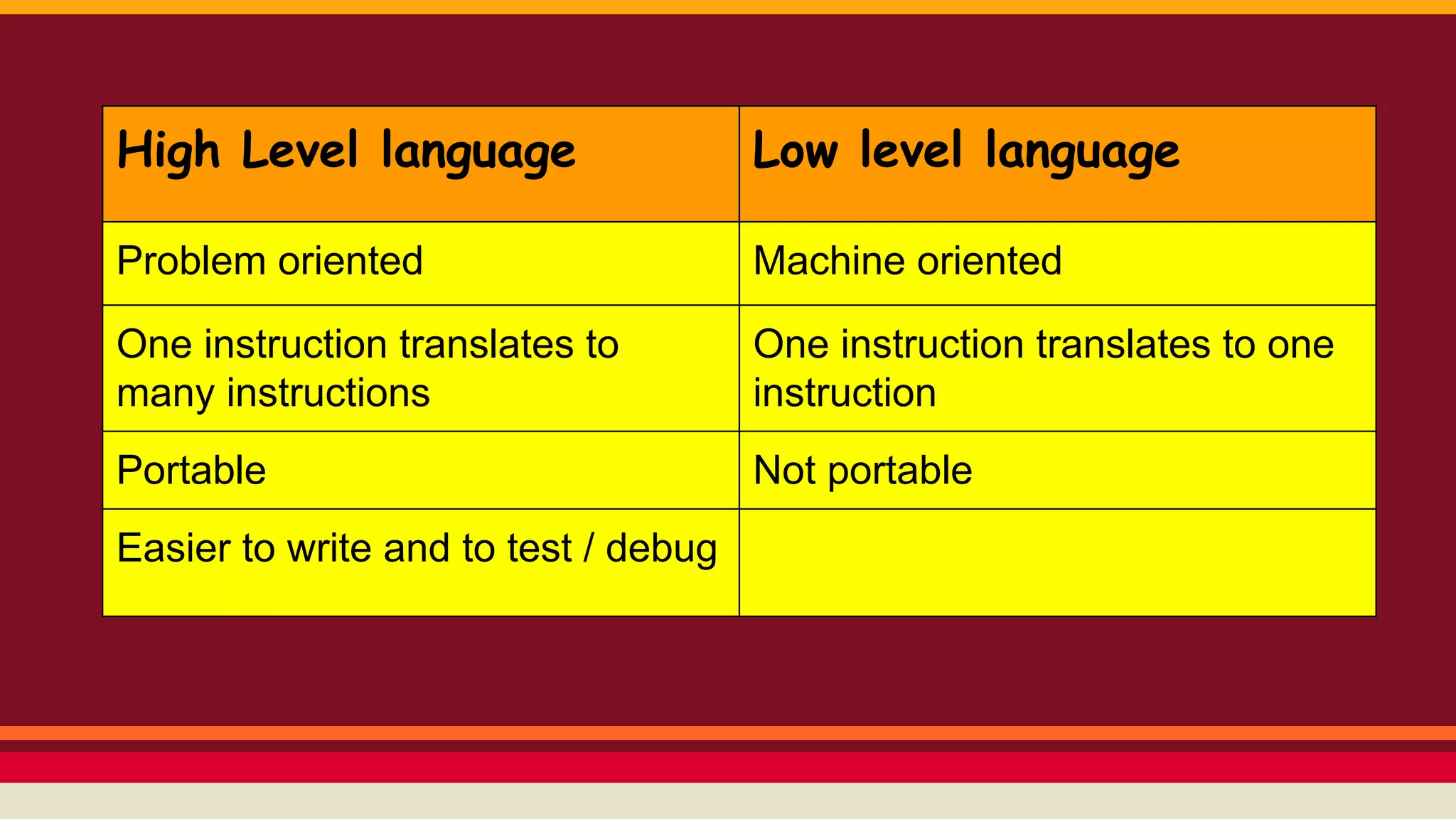
High Level language Low level language
Problem oriented Machine oriented
One instruction translates to
many instructions
One instruction translates to one
instruction
Portable Not portable
Easier to write and to test / debug
Translation programs
They are part of the system software and are used to
convert the program commands into machine code. There
are three types of translations programs
( Compiler - Interpreters - assemblers )
Translation programs
High level languages needed to be translated
into machine code before they can be carried
out.
Compiler and Interpreters
are both programs that change high level
language instructions into machine code.
Interpreter takes each instruction in turn converts it to
machine code and then carries it out.
Compiler translates the whole of program written in a
high level language into machine code in one go.
“Source code” into “Object code”
Source code is the code that is written by the
programmer.
Object code is the source code after being
translated to machine code. it is the executable
form of the code.
Assembly language
is easier but need to be translated into
machine code before it can be carried out. It
is translated by software called assembler.
It translates one assembly language input
“source code” into one machine output
“object code”.
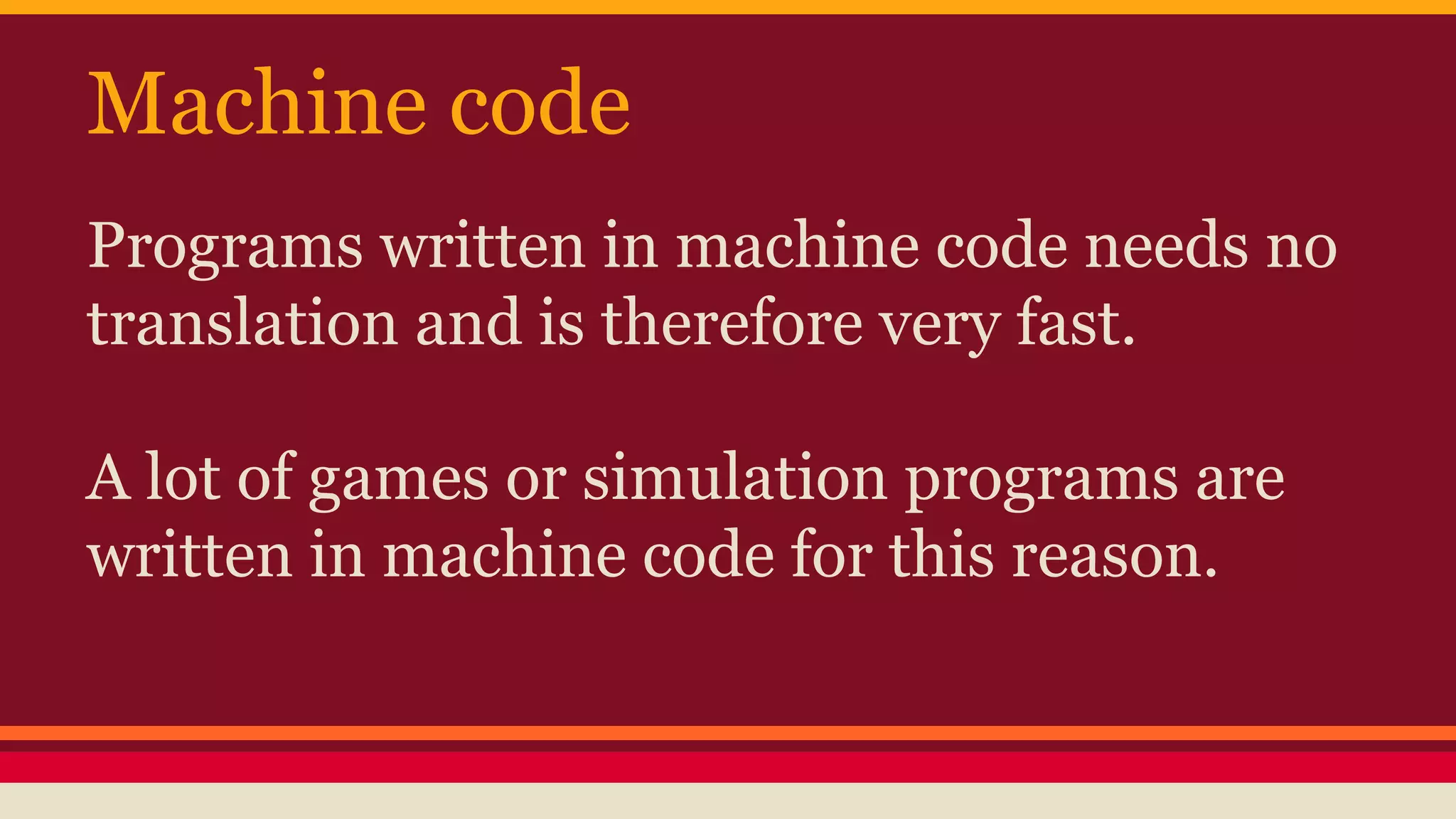
Machine code
Programs written in machine code needs no
translation and is therefore very fast.
A lot of games or simulation programs are
written in machine code for this reason.
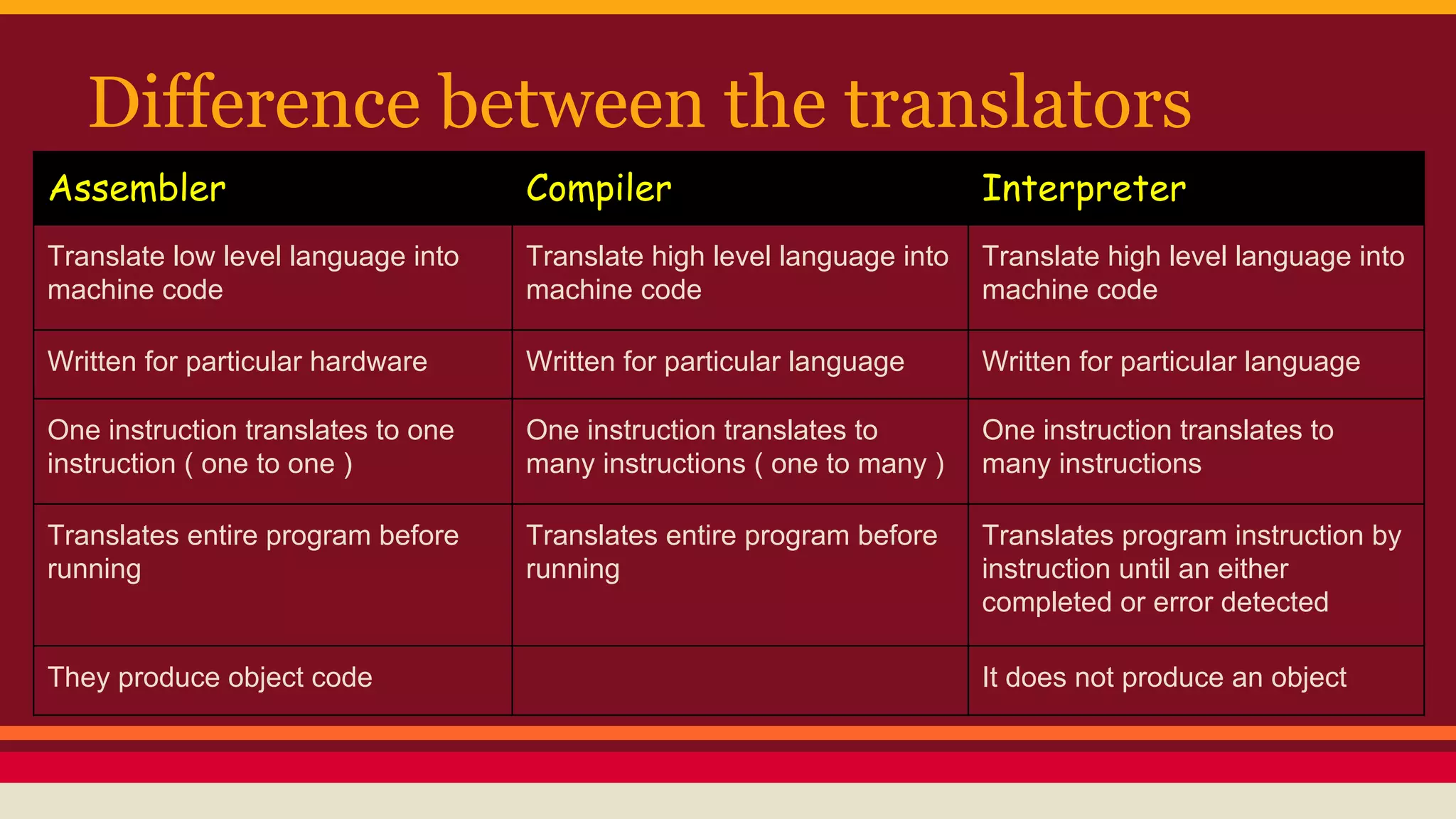
Difference between the translators
Assembler Compiler Interpreter
Translate low level language into
machine code
Translate high level language into
machine code
Translate high level language into
machine code
Written for particular hardware Written for particular language Written for particular language
One instruction translates to one
instruction ( one to one )
One instruction translates to
many instructions ( one to many )
One instruction translates to
many instructions
Translates entire program before
running
Translates entire program before
running
Translates program instruction by
instruction until an either
completed or error detected
They produce object code It does not produce an object
Thank you.

Programming Languages

  • 1.
  • 2.
    High and low-levellanguages and the translator ● show understanding of the need for both high-level and low-level languages ● show understanding of the need for compilers when translating programs written in high-level language. ● show understanding of the use of interpreters with high-level language programs ● show understanding of the need for assemblers when translating programs written in a assembly language Objectives
  • 3.
    A Program is aset of instructions that the computer can understand. Since the computer can understand only binary code 0s & 1s, all computer languages must be eventually reduces to binary code and the way this is done depend on the type of language used. Humans can use different language to communicate. There is a variety of computer languages and the one that is chosen for a particular job depends on the job that is being done.
  • 4.
    Low level languages Alsoknown as machine oriented languages as one computer’s machine code will not be understood by a different type of computer. They are easy for computer to understand but difficult for programmer. The machine code is represented by using binary code. Assembly language and machine code are collectively called low level languages.
  • 5.
    Advantages and useof low level language ● Assembly language is useful where speed is important ● Assembly language is used when need to minimize memory space Used to write programs such as OS and viruses where memory and speed are important.
  • 6.
    High level language isdeveloped with the programmer in mind rather than the computer. Such language have the advantage that ● they are not as machine dependent as machine code so once a program has been written, it can be used on different computers with very little alteration. ● High level language instructions are similar to English which means that programming is made easier for programmers to understand and remember.
  • 7.
    High Level languageLow level language Problem oriented Machine oriented One instruction translates to many instructions One instruction translates to one instruction Portable Not portable Easier to write and to test / debug
  • 8.
    Translation programs They arepart of the system software and are used to convert the program commands into machine code. There are three types of translations programs ( Compiler - Interpreters - assemblers )
  • 9.
    Translation programs High levellanguages needed to be translated into machine code before they can be carried out.
  • 10.
    Compiler and Interpreters areboth programs that change high level language instructions into machine code. Interpreter takes each instruction in turn converts it to machine code and then carries it out. Compiler translates the whole of program written in a high level language into machine code in one go.
  • 11.
    “Source code” into“Object code” Source code is the code that is written by the programmer. Object code is the source code after being translated to machine code. it is the executable form of the code.
  • 12.
    Assembly language is easierbut need to be translated into machine code before it can be carried out. It is translated by software called assembler. It translates one assembly language input “source code” into one machine output “object code”.
  • 13.
    Machine code Programs writtenin machine code needs no translation and is therefore very fast. A lot of games or simulation programs are written in machine code for this reason.
  • 14.
    Difference between thetranslators Assembler Compiler Interpreter Translate low level language into machine code Translate high level language into machine code Translate high level language into machine code Written for particular hardware Written for particular language Written for particular language One instruction translates to one instruction ( one to one ) One instruction translates to many instructions ( one to many ) One instruction translates to many instructions Translates entire program before running Translates entire program before running Translates program instruction by instruction until an either completed or error detected They produce object code It does not produce an object
  • 15.