© 2015 IBM Corporation
Informix on ARM and Informix
TimeSeries: Producing an Internet of
Things Solution – DMX-2350
Mike Walker/ 28th October 2015
Mike Walker
1
Mike Walker has been using Informix databases
for over 20 years, as a developer and as a
database administrator.
Recently Mike has primary responsibility for
Advanced DataTools Remote Monitoring
Systems.
Contact Info:
mike@advancedatatools.com
www.advancedatatools.com
Office: 303-838-0869
Cell: 303-909-4265
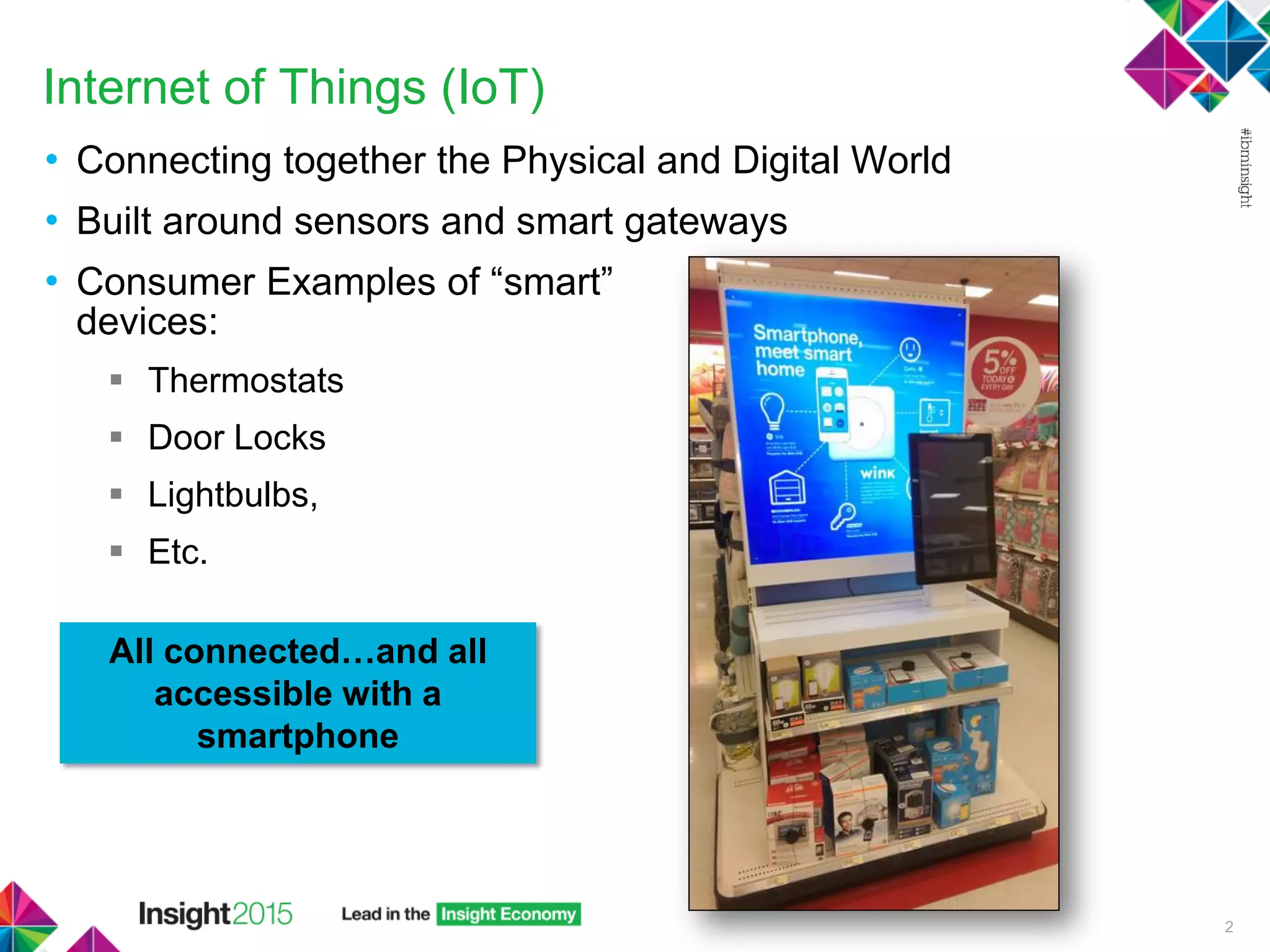
Internet of Things (IoT)
• Connecting together the Physical and Digital World
• Built around sensors and smart gateways
• Consumer Examples of “smart”
devices:
 Thermostats
 Door Locks
 Lightbulbs,
 Etc.
2
All connected…and all
accessible with a
smartphone
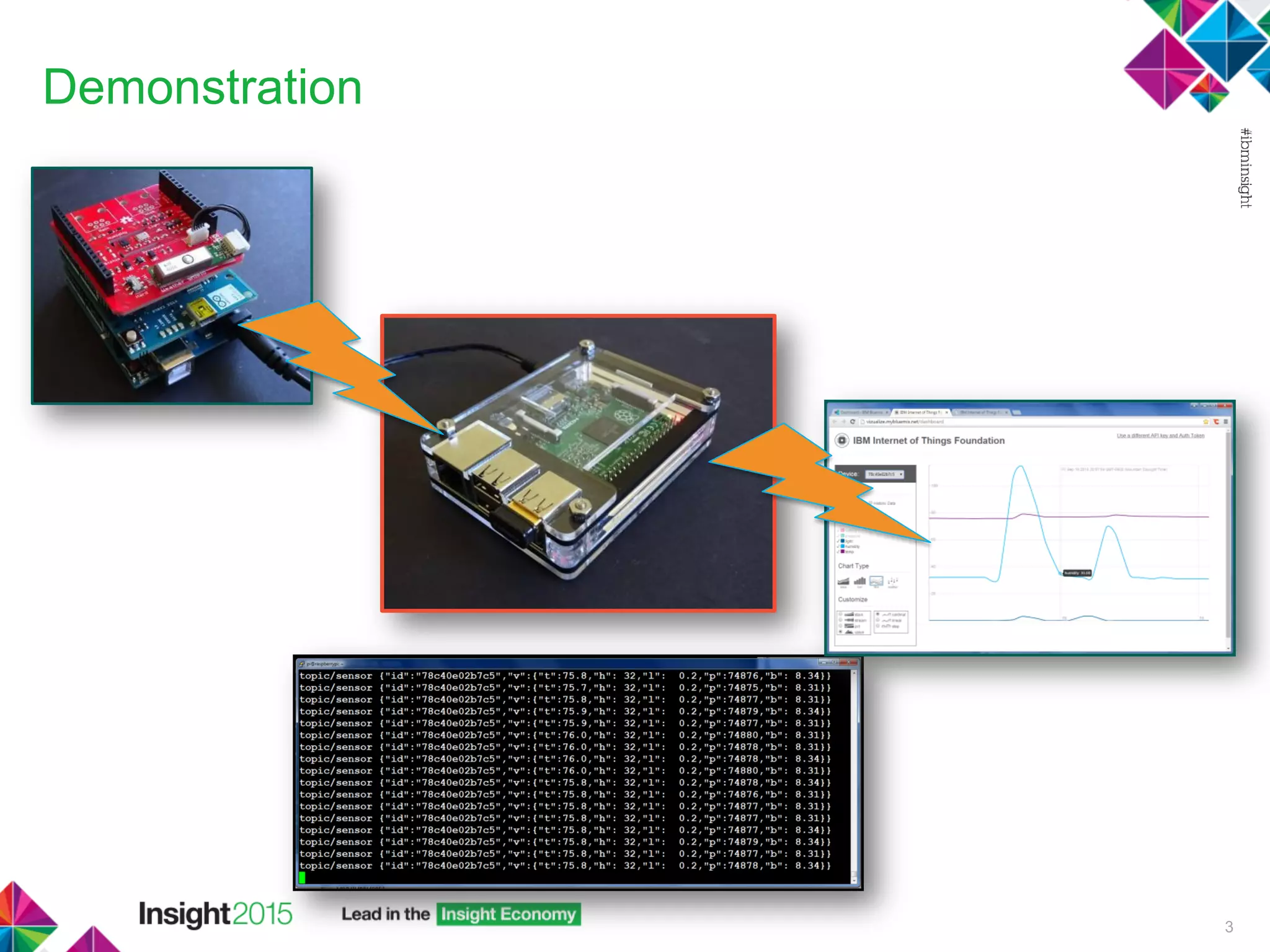
Demonstration
3
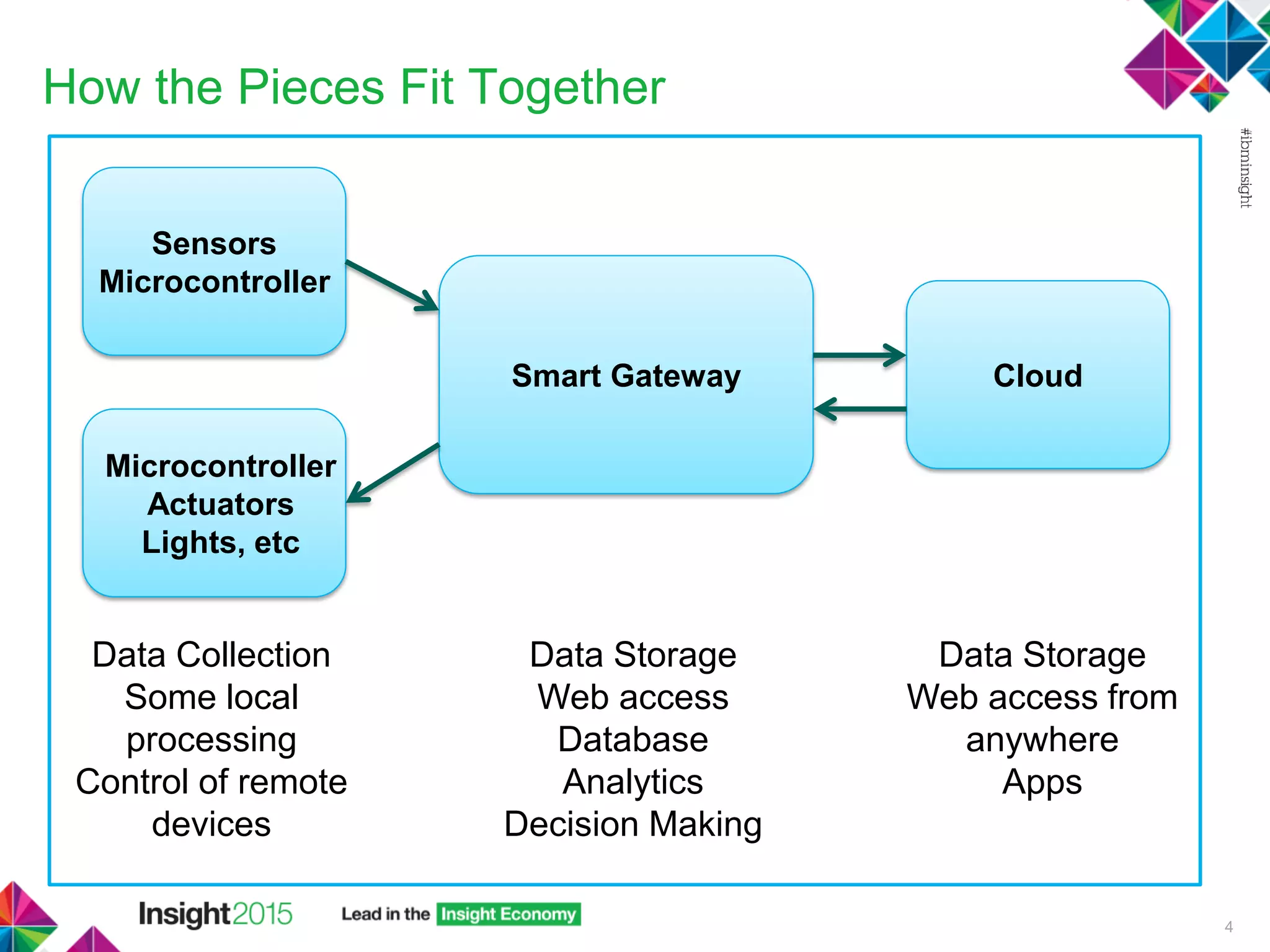
How the Pieces Fit Together
4
Smart Gateway Cloud
Sensors
Microcontroller
Microcontroller
Actuators
Lights, etc
Data Collection
Some local
processing
Control of remote
devices
Data Storage
Web access
Database
Analytics
Decision Making
Data Storage
Web access from
anywhere
Apps
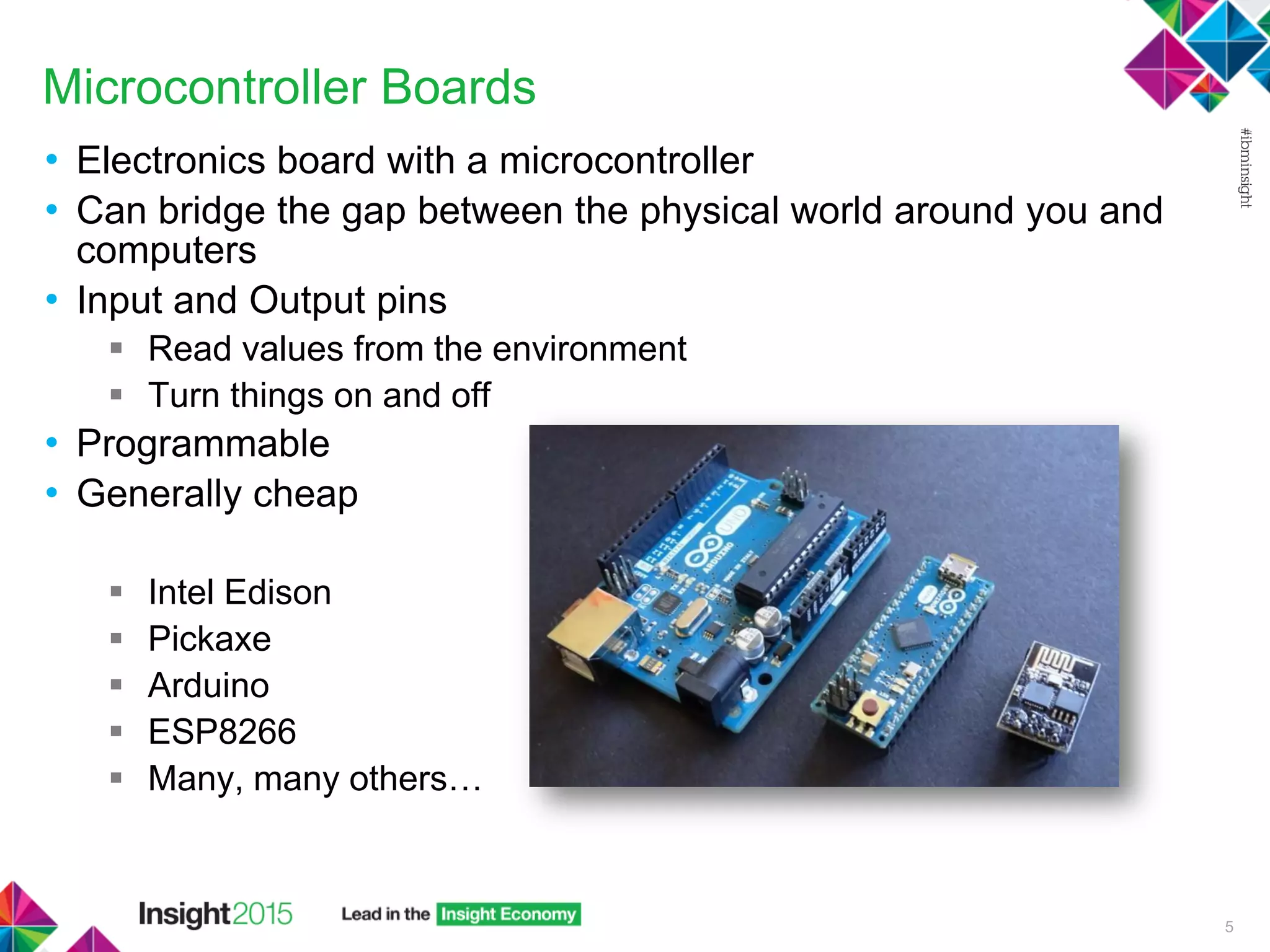
Microcontroller Boards
• Electronics board with a microcontroller
• Can bridge the gap between the physical world around you and
computers
• Input and Output pins
 Read values from the environment
 Turn things on and off
• Programmable
• Generally cheap
 Intel Edison
 Pickaxe
 Arduino
 ESP8266
 Many, many others…
5
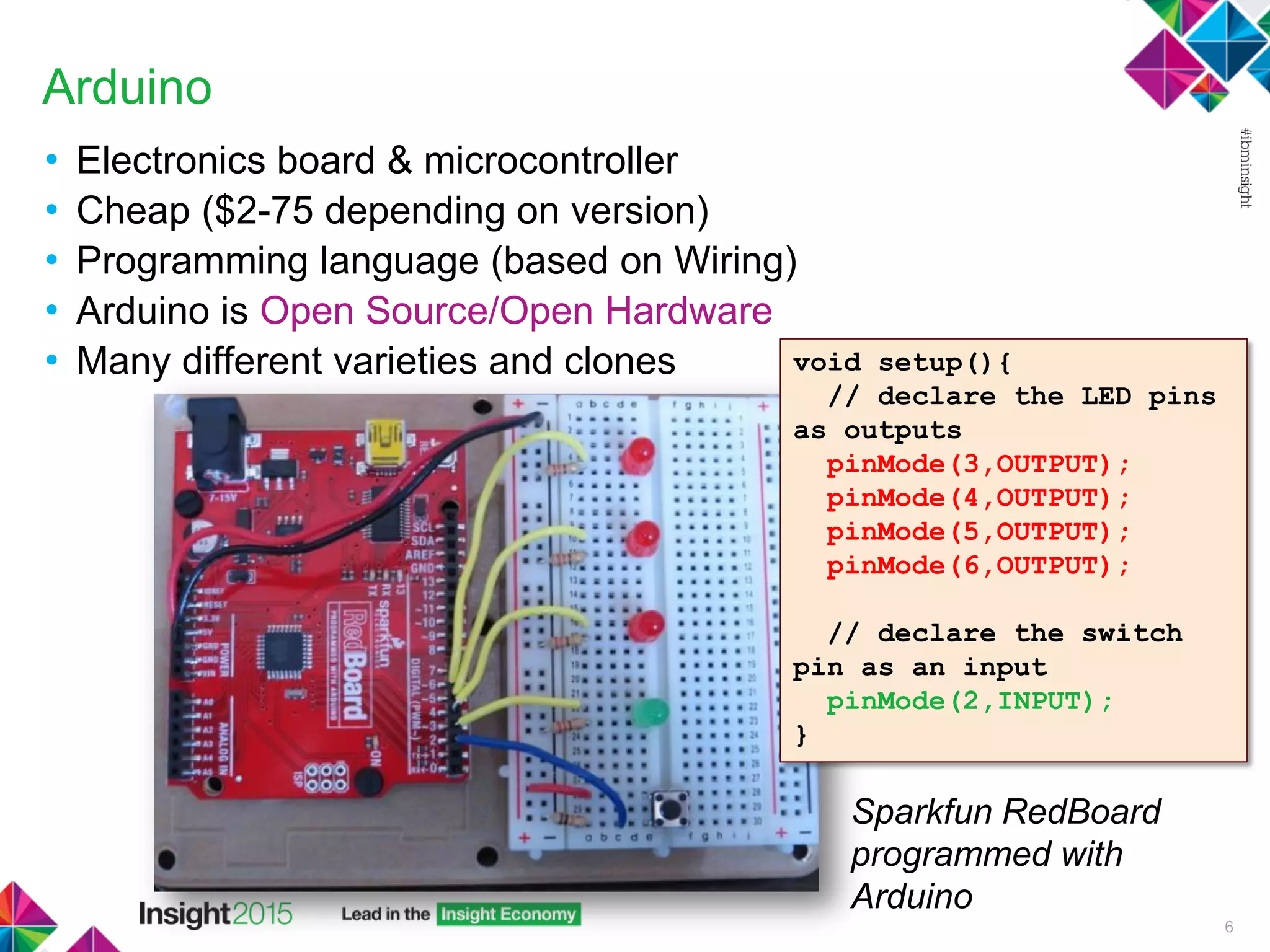
Arduino
• Electronics board & microcontroller
• Cheap ($2-75 depending on version)
• Programming language (based on Wiring)
• Arduino is Open Source/Open Hardware
• Many different varieties and clones
6
void setup(){
// declare the LED pins
as outputs
pinMode(3,OUTPUT);
pinMode(4,OUTPUT);
pinMode(5,OUTPUT);
pinMode(6,OUTPUT);
// declare the switch
pin as an input
pinMode(2,INPUT);
}
Sparkfun RedBoard
programmed with
Arduino
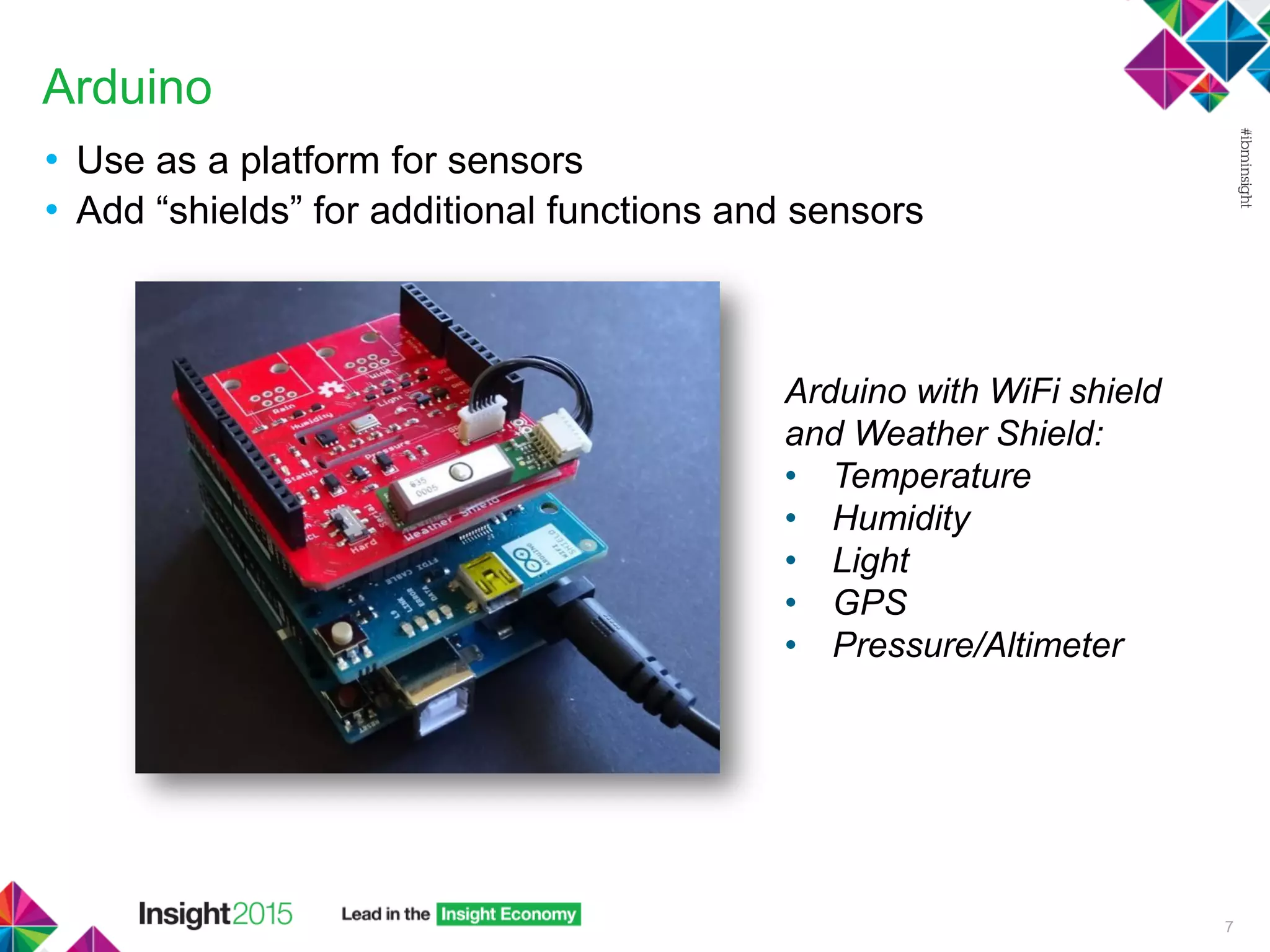
Arduino
• Use as a platform for sensors
• Add “shields” for additional functions and sensors
7
Arduino with WiFi shield
and Weather Shield:
• Temperature
• Humidity
• Light
• GPS
• Pressure/Altimeter
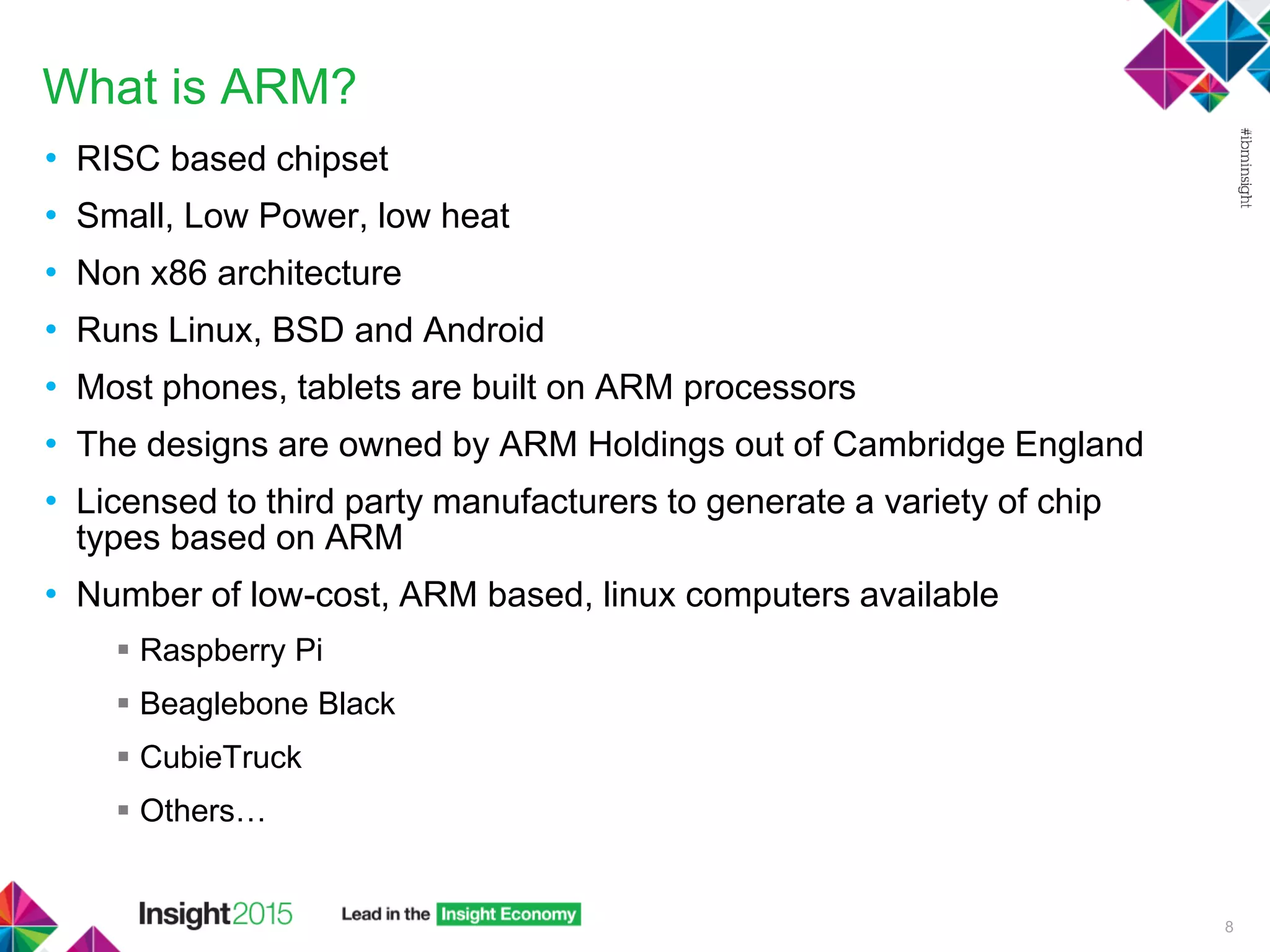
What is ARM?
• RISC based chipset
• Small, Low Power, low heat
• Non x86 architecture
• Runs Linux, BSD and Android
• Most phones, tablets are built on ARM processors
• The designs are owned by ARM Holdings out of Cambridge England
• Licensed to third party manufacturers to generate a variety of chip
types based on ARM
• Number of low-cost, ARM based, linux computers available
 Raspberry Pi
 Beaglebone Black
 CubieTruck
 Others…
8
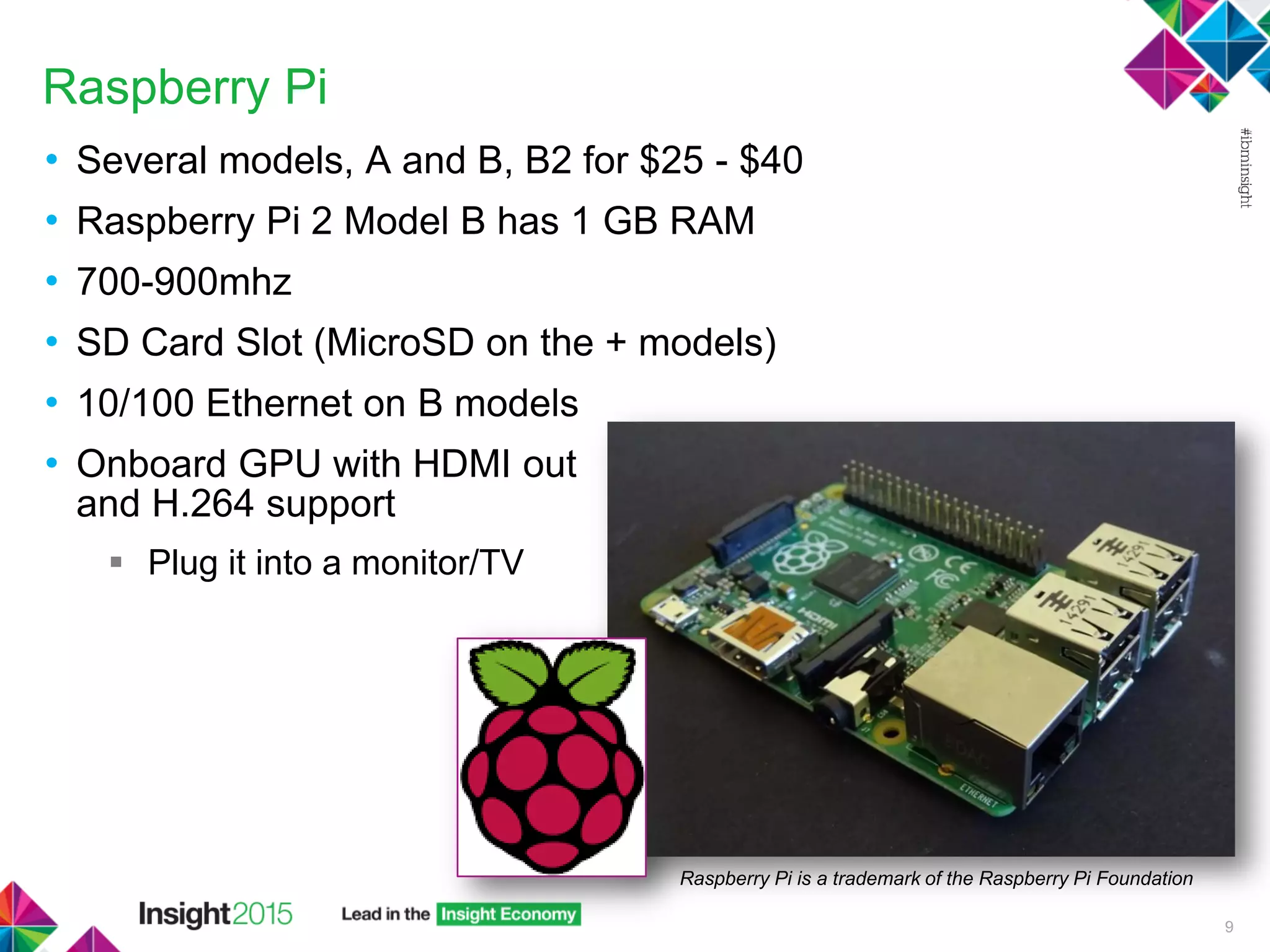
Raspberry Pi
• Several models, A and B, B2 for $25 - $40
• Raspberry Pi 2 Model B has 1 GB RAM
• 700-900mhz
• SD Card Slot (MicroSD on the + models)
• 10/100 Ethernet on B models
• Onboard GPU with HDMI out
and H.264 support
 Plug it into a monitor/TV
9
Raspberry Pi is a trademark of the Raspberry Pi Foundation
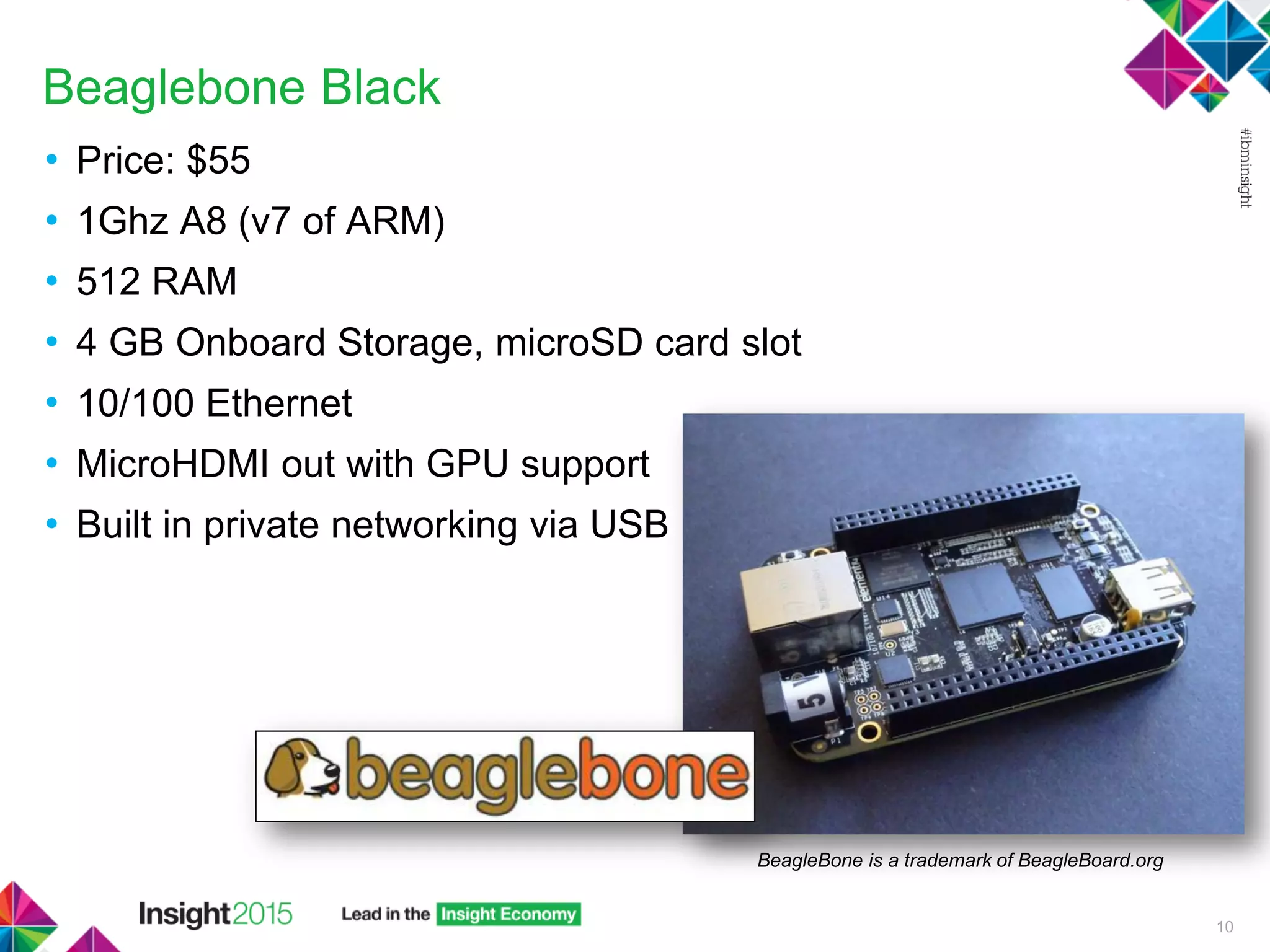
Beaglebone Black
• Price: $55
• 1Ghz A8 (v7 of ARM)
• 512 RAM
• 4 GB Onboard Storage, microSD card slot
• 10/100 Ethernet
• MicroHDMI out with GPU support
• Built in private networking via USB
10
BeagleBone is a trademark of BeagleBoard.org
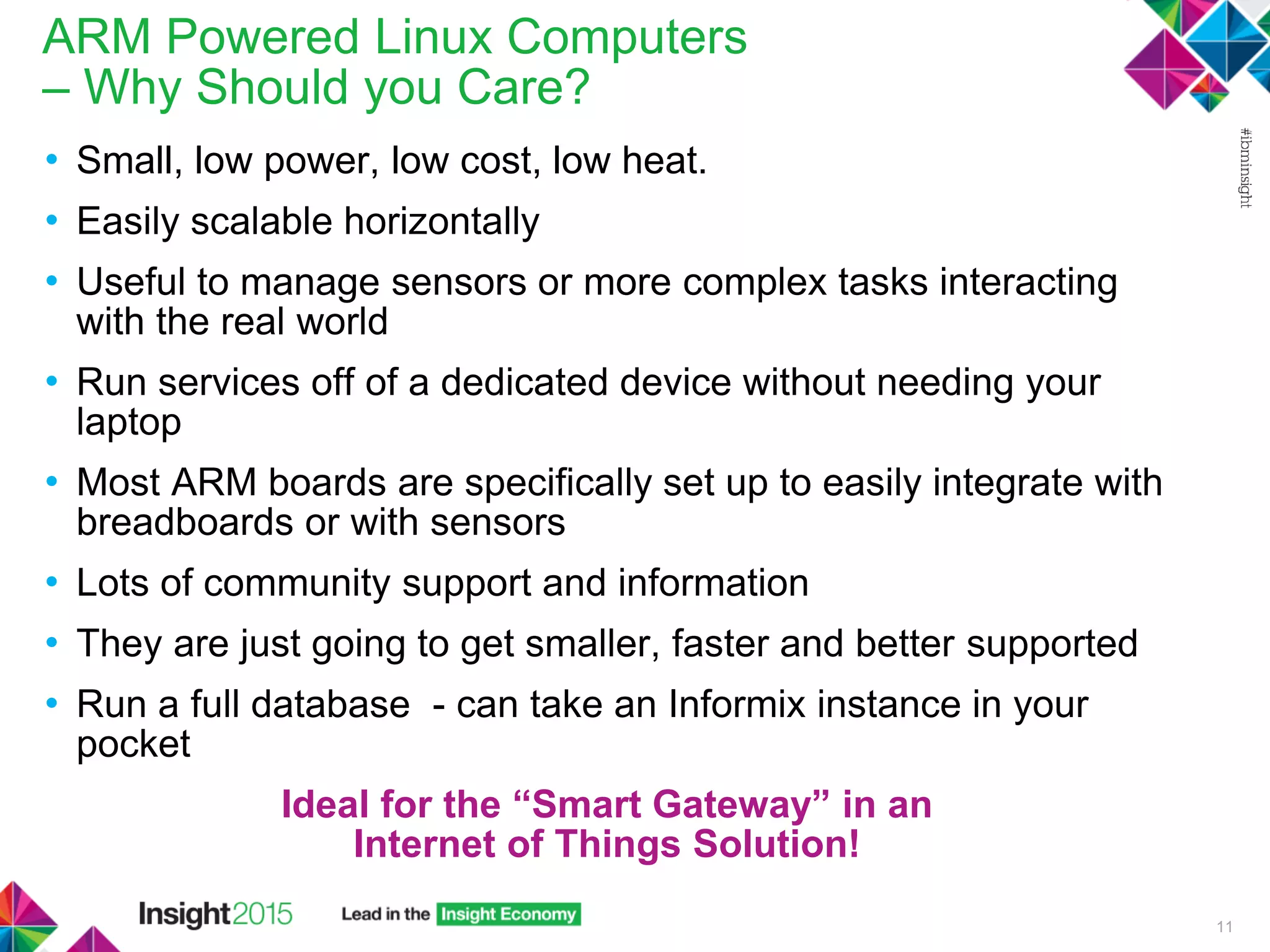
ARM Powered Linux Computers
– Why Should you Care?
• Small, low power, low cost, low heat.
• Easily scalable horizontally
• Useful to manage sensors or more complex tasks interacting
with the real world
• Run services off of a dedicated device without needing your
laptop
• Most ARM boards are specifically set up to easily integrate with
breadboards or with sensors
• Lots of community support and information
• They are just going to get smaller, faster and better supported
• Run a full database - can take an Informix instance in your
pocket
Ideal for the “Smart Gateway” in an
Internet of Things Solution!
11
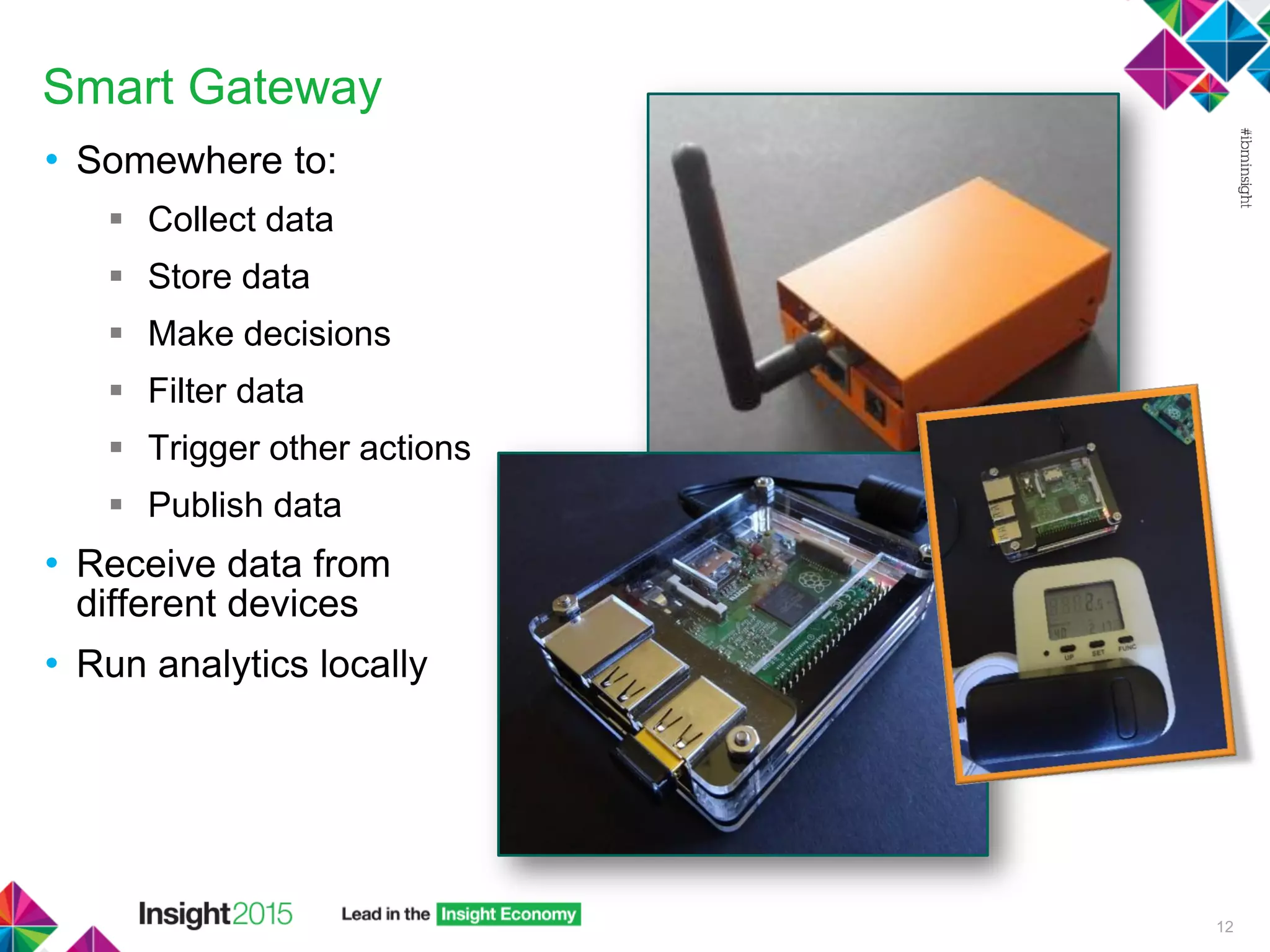
Smart Gateway
• Somewhere to:
 Collect data
 Store data
 Make decisions
 Filter data
 Trigger other actions
 Publish data
• Receive data from
different devices
• Run analytics locally
12
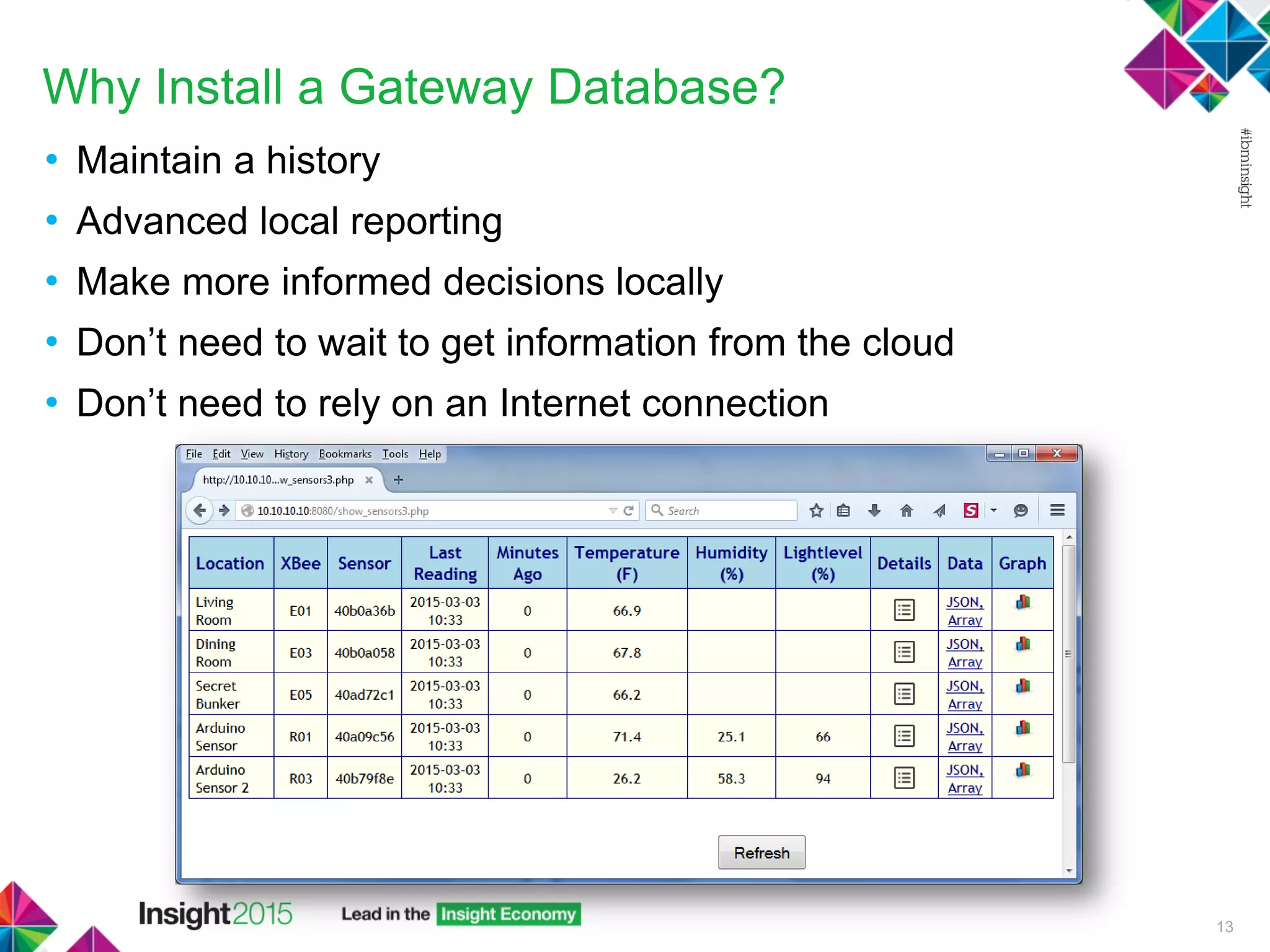
Why Install a Gateway Database?
• Maintain a history
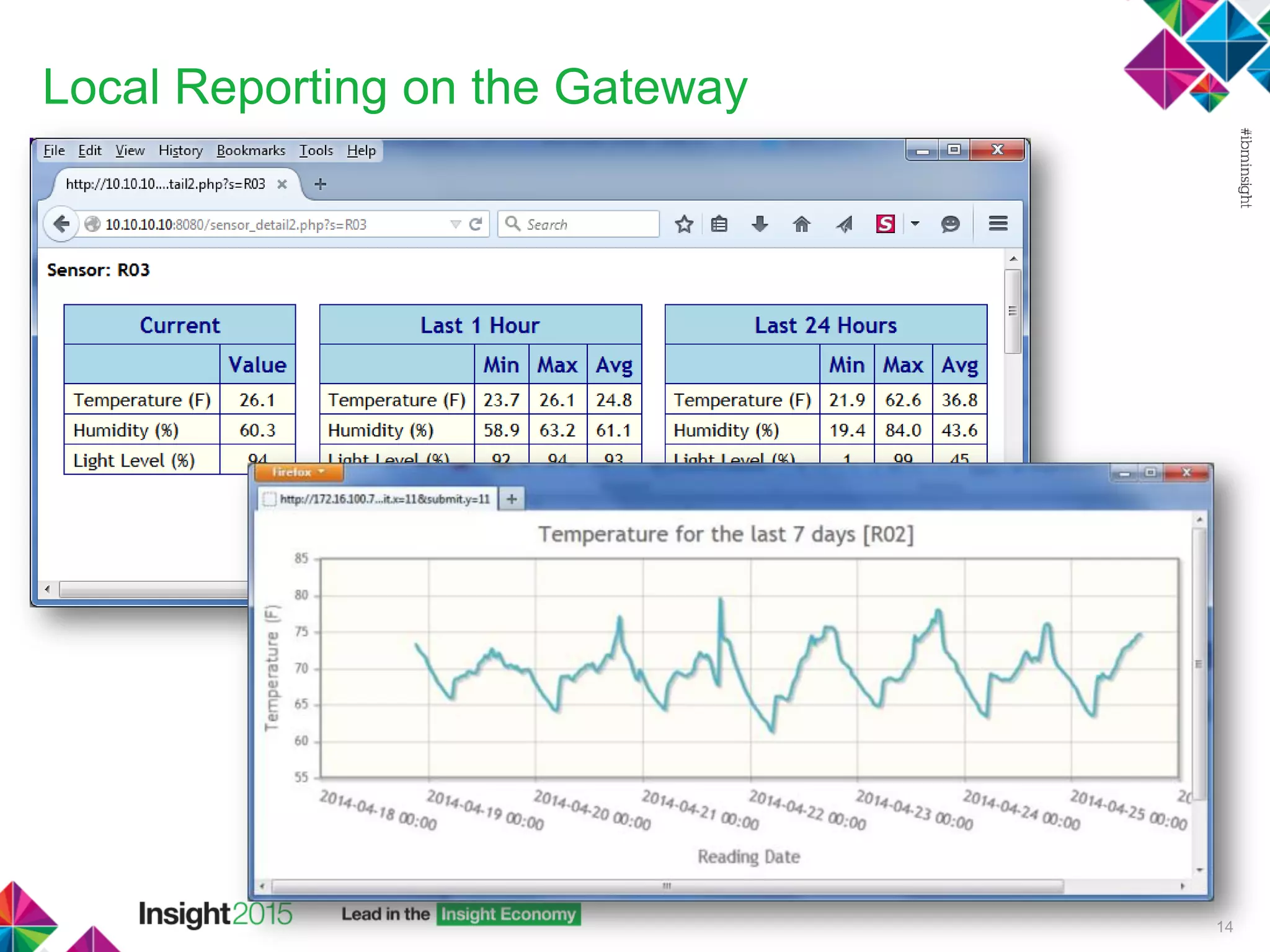
• Advanced local reporting
• Make more informed decisions locally
• Don’t need to wait to get information from the cloud
• Don’t need to rely on an Internet connection
13
Local Reporting on the Gateway
14
Why Informix?
• Over a 20 year history
• Full support from IBM
• Enterprise class database software
• Reliable & Robust
• Scalable
• Performance
• Ease of administration
• Features
 High Availability/DR
 Structured/Unstructured/Hybrid Data - Full NoSQL support – built
in JSON data types, MongoDB APIs
 REST API
 Many, many more…
15
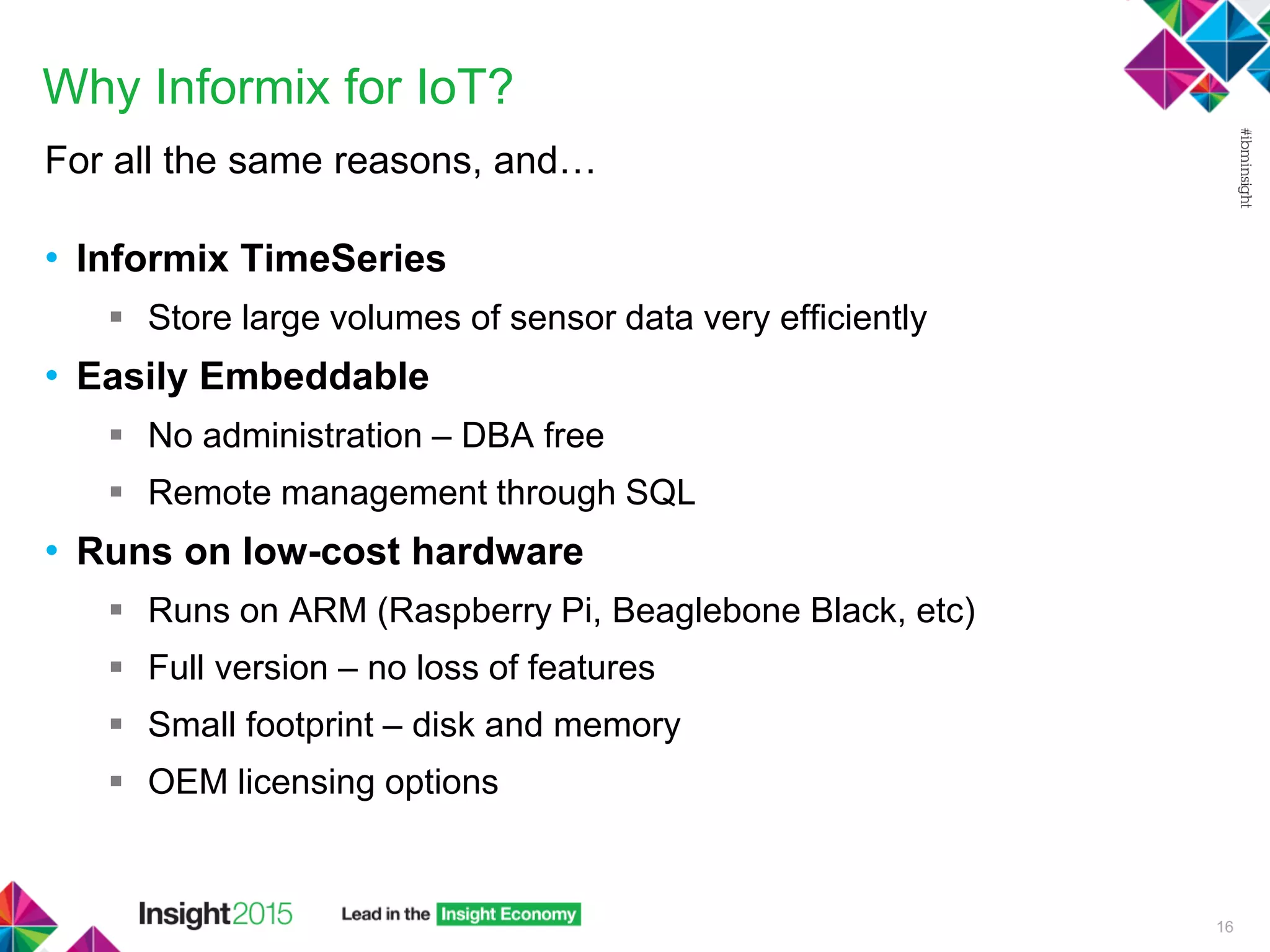
Why Informix for IoT?
For all the same reasons, and…
• Informix TimeSeries
 Store large volumes of sensor data very efficiently
• Easily Embeddable
 No administration – DBA free
 Remote management through SQL
• Runs on low-cost hardware
 Runs on ARM (Raspberry Pi, Beaglebone Black, etc)
 Full version – no loss of features
 Small footprint – disk and memory
 OEM licensing options
16
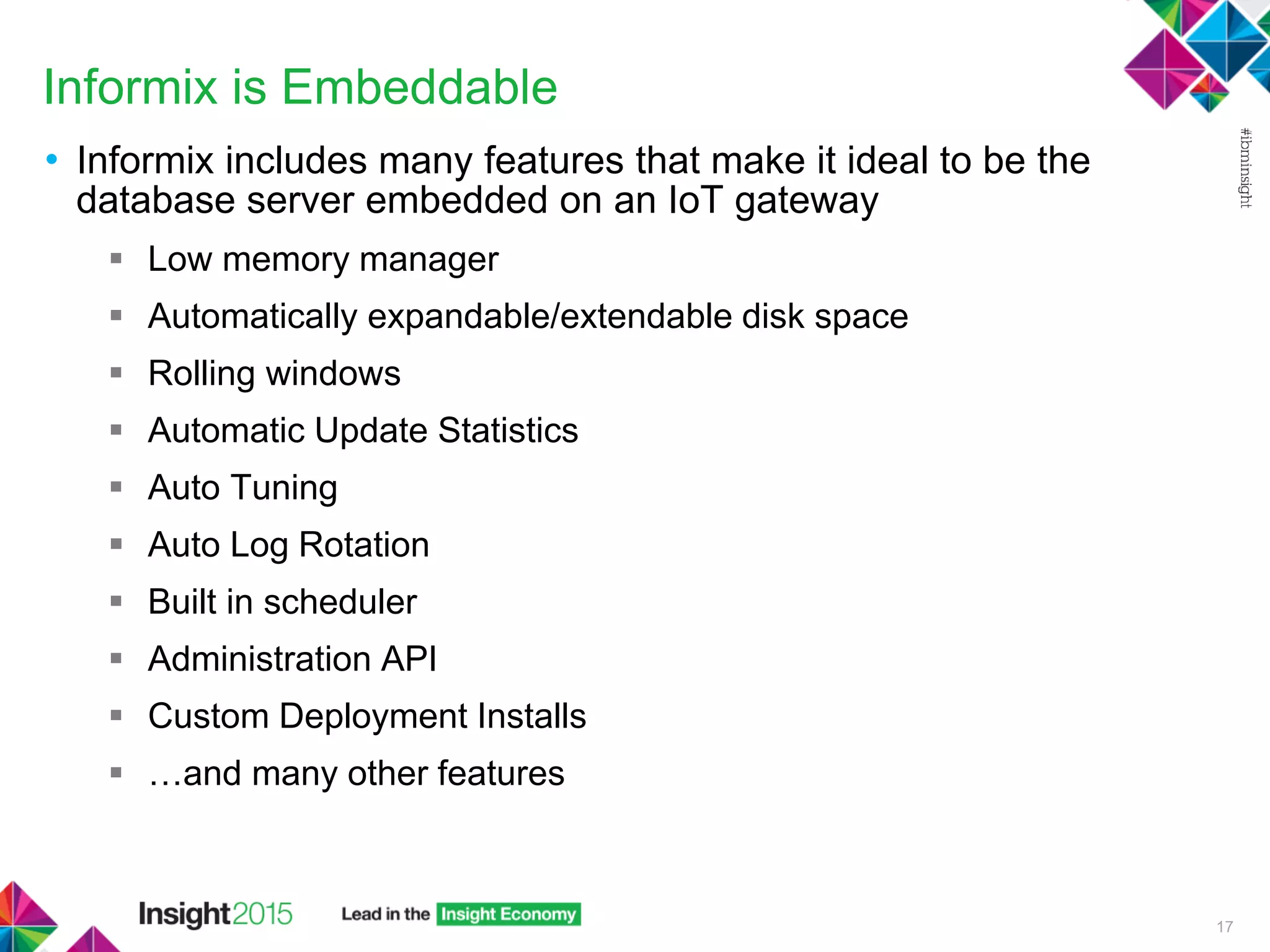
Informix is Embeddable
• Informix includes many features that make it ideal to be the
database server embedded on an IoT gateway
 Low memory manager
 Automatically expandable/extendable disk space
 Rolling windows
 Automatic Update Statistics
 Auto Tuning
 Auto Log Rotation
 Built in scheduler
 Administration API
 Custom Deployment Installs
 …and many other features
17
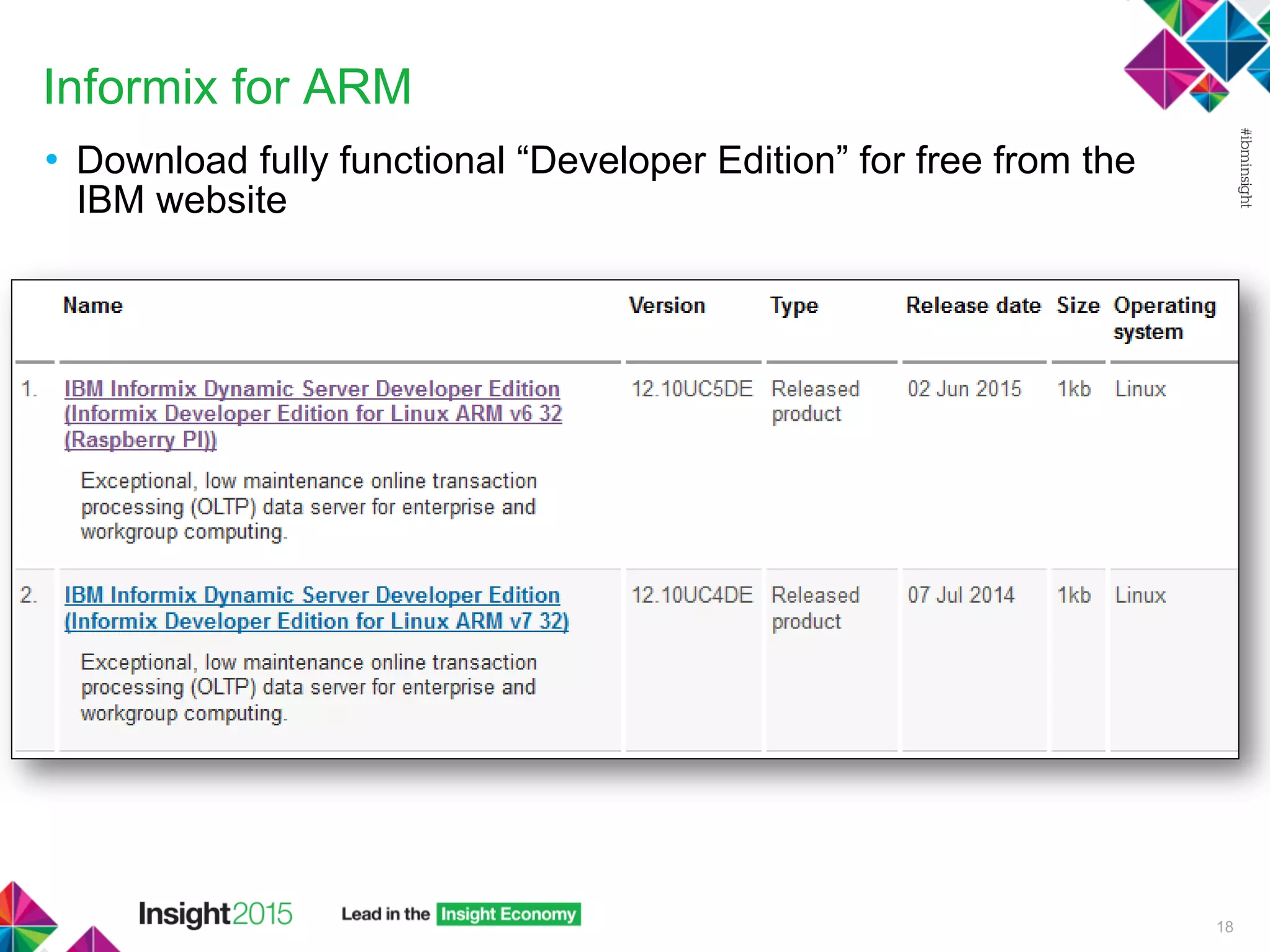
Informix for ARM
• Download fully functional “Developer Edition” for free from the
IBM website
18
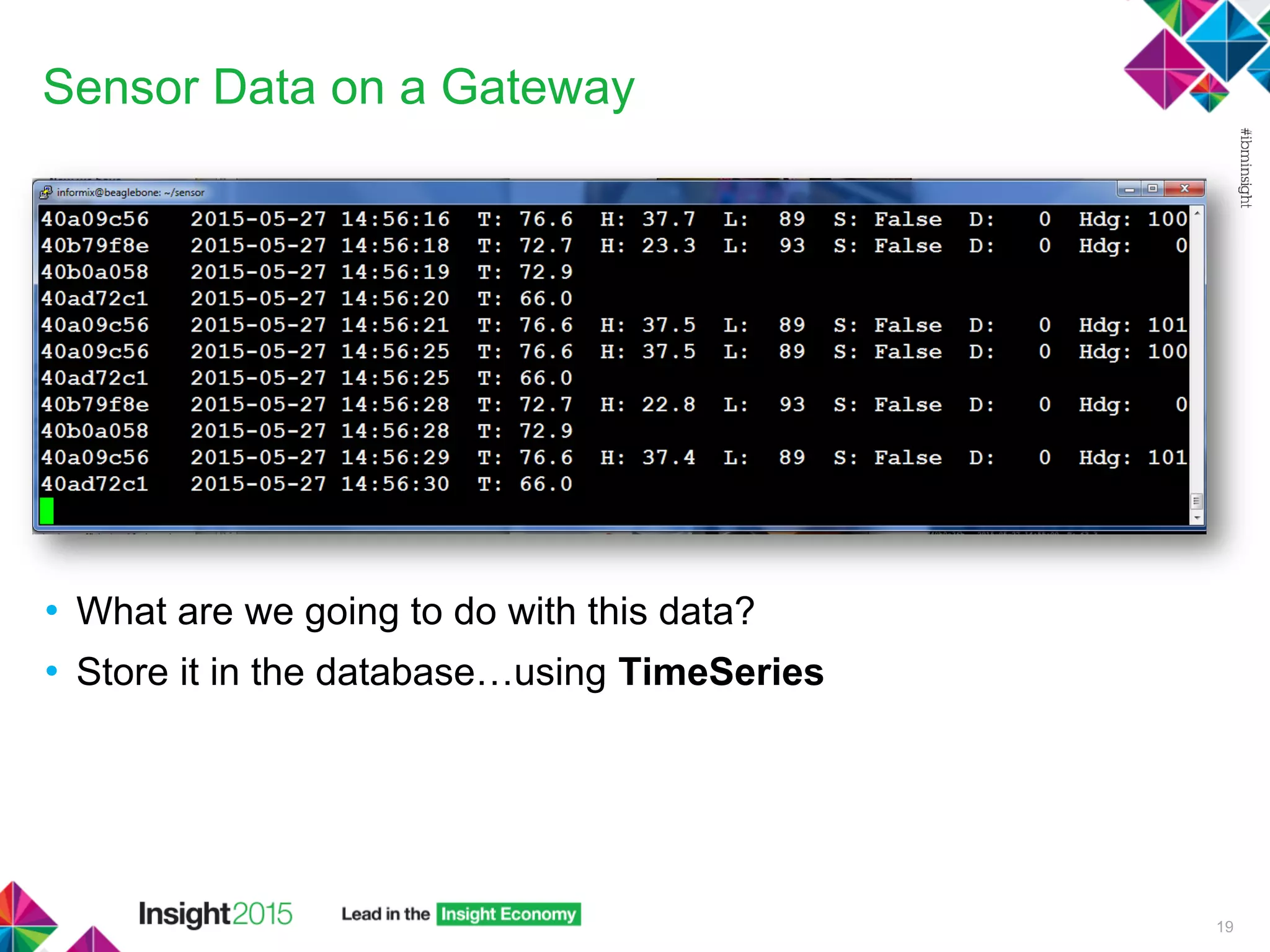
Sensor Data on a Gateway
• What are we going to do with this data?
• Store it in the database…using TimeSeries
19
IoT…the Problem with Data
• The Internet of Things – tens of billions of devices, each
generating many data points over time
• Storing the data efficiently is important
 Store it quickly because of high volumes
 Retrieve it quickly for useful analytics
 Maximize storage efficiency
20
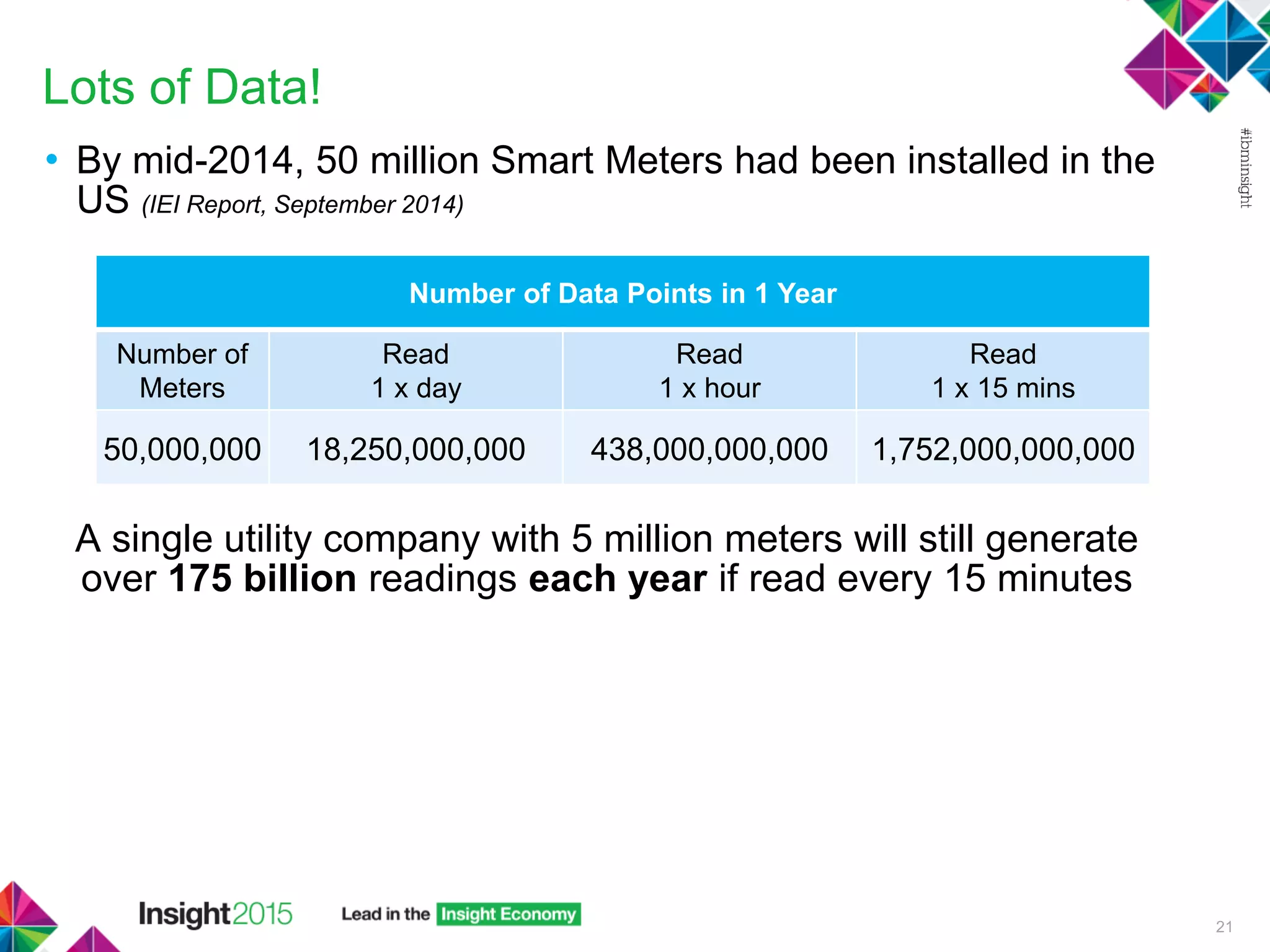
Lots of Data!
• By mid-2014, 50 million Smart Meters had been installed in the
US (IEI Report, September 2014)
A single utility company with 5 million meters will still generate
over 175 billion readings each year if read every 15 minutes
21
Number of Data Points in 1 Year
Number of
Meters
Read
1 x day
Read
1 x hour
Read
1 x 15 mins
50,000,000 18,250,000,000 438,000,000,000 1,752,000,000,000
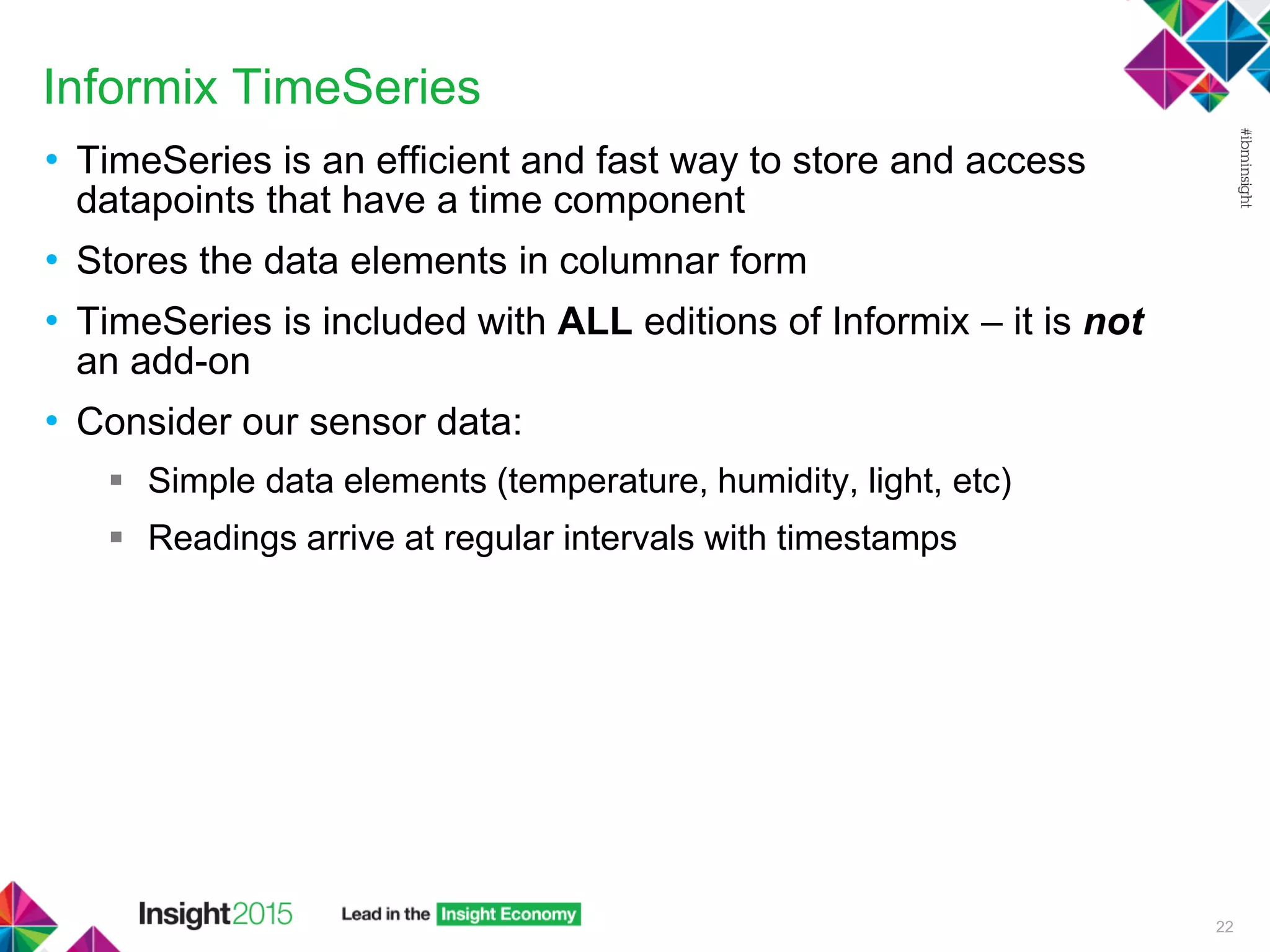
Informix TimeSeries
• TimeSeries is an efficient and fast way to store and access
datapoints that have a time component
• Stores the data elements in columnar form
• TimeSeries is included with ALL editions of Informix – it is not
an add-on
• Consider our sensor data:
 Simple data elements (temperature, humidity, light, etc)
 Readings arrive at regular intervals with timestamps
22
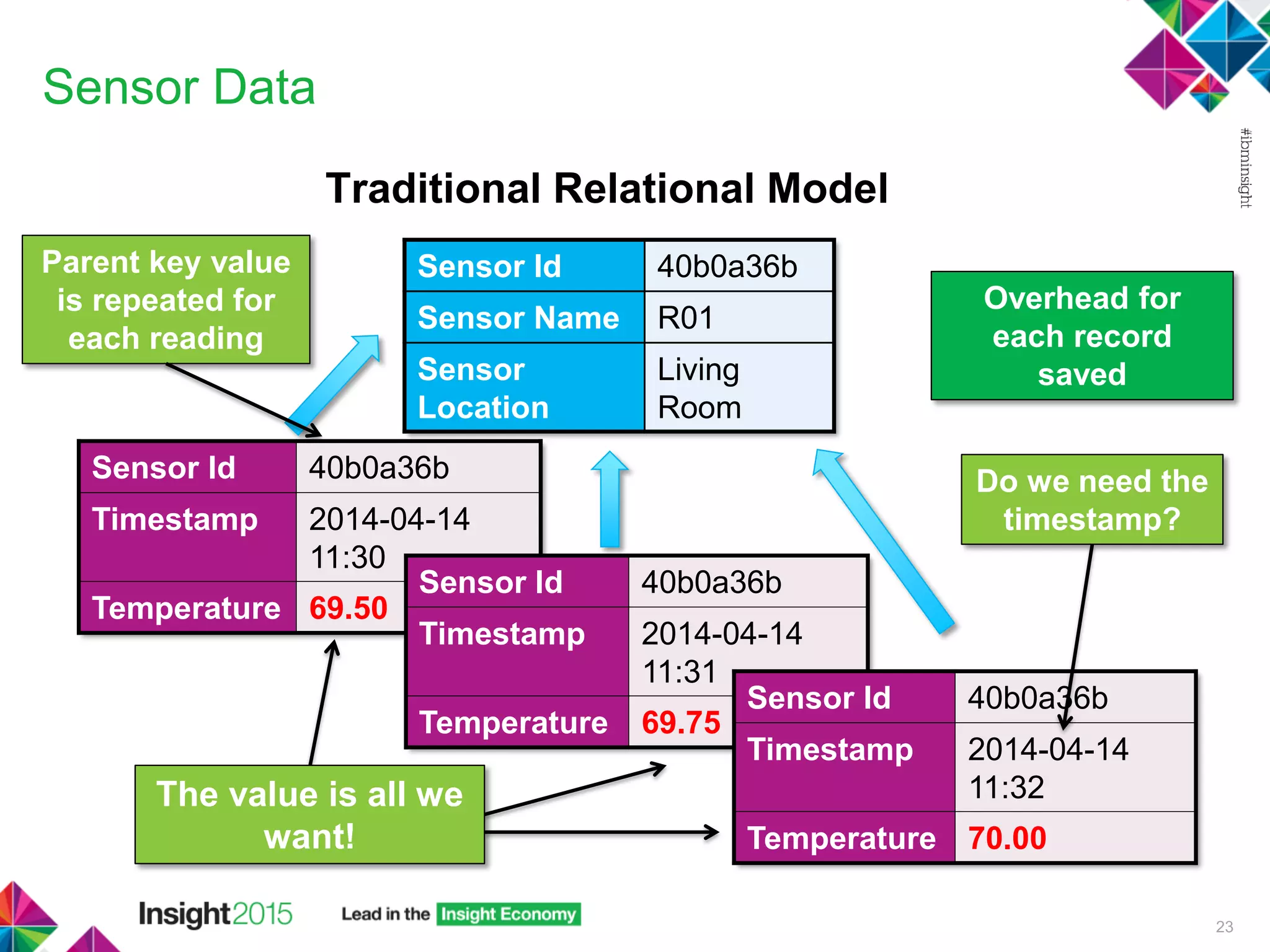
Sensor Data
Traditional Relational Model
23
Sensor Id 40b0a36b
Sensor Name R01
Sensor
Location
Living
Room
Sensor Id 40b0a36b
Timestamp 2014-04-14
11:30
Temperature 69.50
Sensor Id 40b0a36b
Timestamp 2014-04-14
11:31
Temperature 69.75
Sensor Id 40b0a36b
Timestamp 2014-04-14
11:32
Temperature 70.00
Parent key value
is repeated for
each reading
Do we need the
timestamp?
Overhead for
each record
saved
The value is all we
want!
Sensor Data
TimeSeries Model
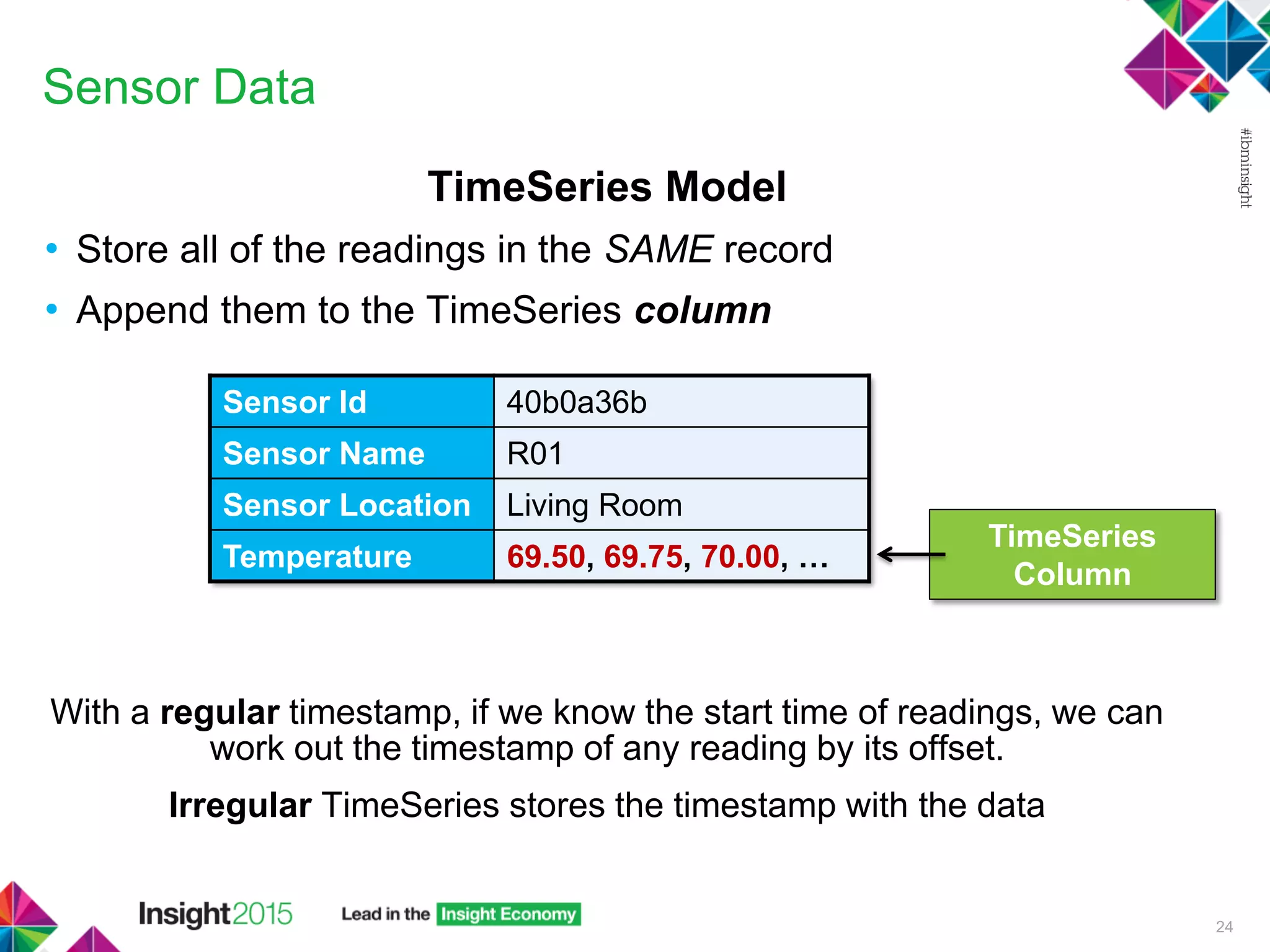
• Store all of the readings in the SAME record
• Append them to the TimeSeries column
With a regular timestamp, if we know the start time of readings, we can
work out the timestamp of any reading by its offset.
Irregular TimeSeries stores the timestamp with the data
24
Sensor Id 40b0a36b
Sensor Name R01
Sensor Location Living Room
Temperature 69.50, 69.75, 70.00, …
TimeSeries
Column
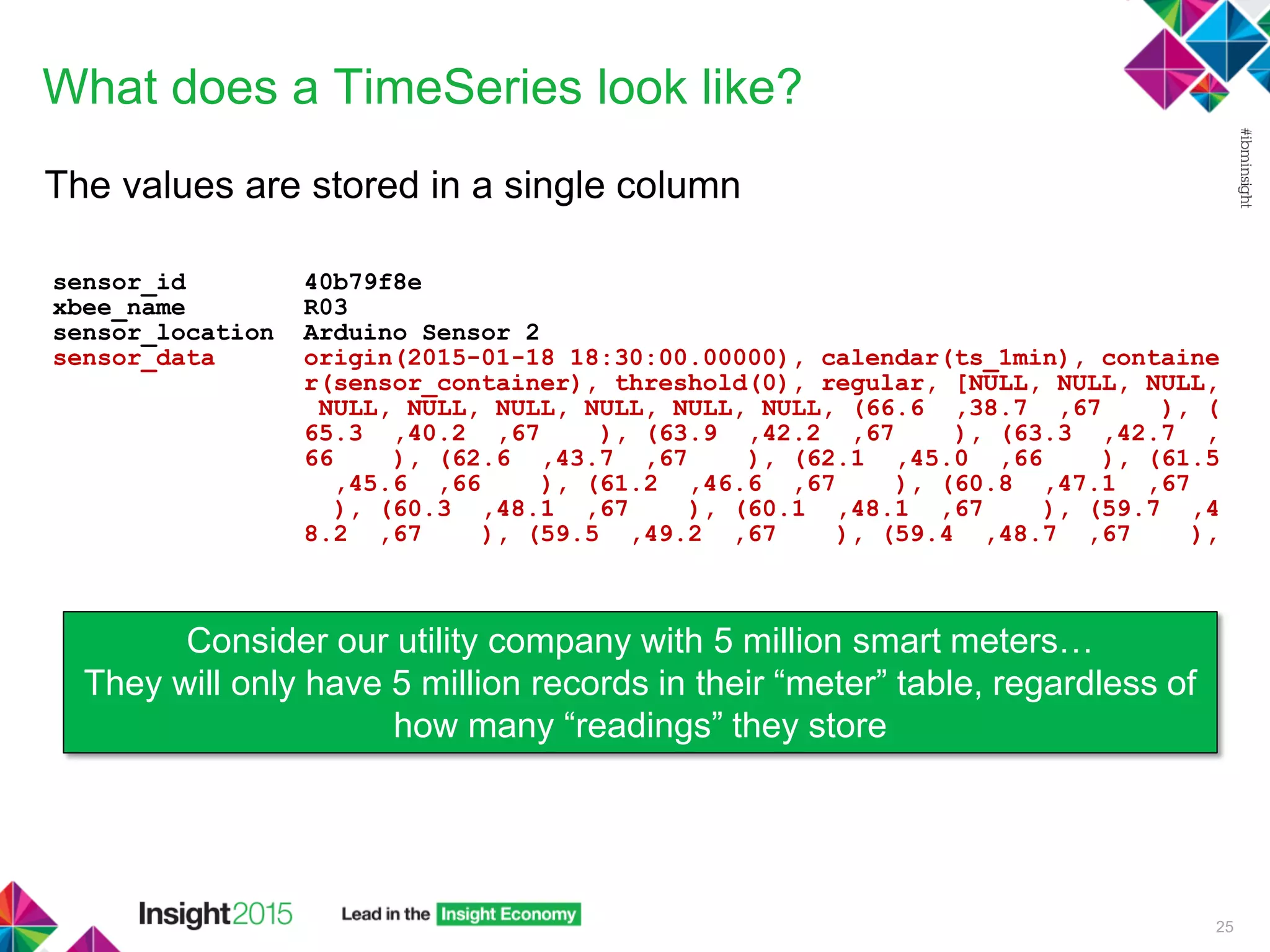
What does a TimeSeries look like?
The values are stored in a single column
sensor_id 40b79f8e
xbee_name R03
sensor_location Arduino Sensor 2
sensor_data origin(2015-01-18 18:30:00.00000), calendar(ts_1min), containe
r(sensor_container), threshold(0), regular, [NULL, NULL, NULL,
NULL, NULL, NULL, NULL, NULL, NULL, (66.6 ,38.7 ,67 ), (
65.3 ,40.2 ,67 ), (63.9 ,42.2 ,67 ), (63.3 ,42.7 ,
66 ), (62.6 ,43.7 ,67 ), (62.1 ,45.0 ,66 ), (61.5
,45.6 ,66 ), (61.2 ,46.6 ,67 ), (60.8 ,47.1 ,67
), (60.3 ,48.1 ,67 ), (60.1 ,48.1 ,67 ), (59.7 ,4
8.2 ,67 ), (59.5 ,49.2 ,67 ), (59.4 ,48.7 ,67 ),
25
Consider our utility company with 5 million smart meters…
They will only have 5 million records in their “meter” table, regardless of
how many “readings” they store
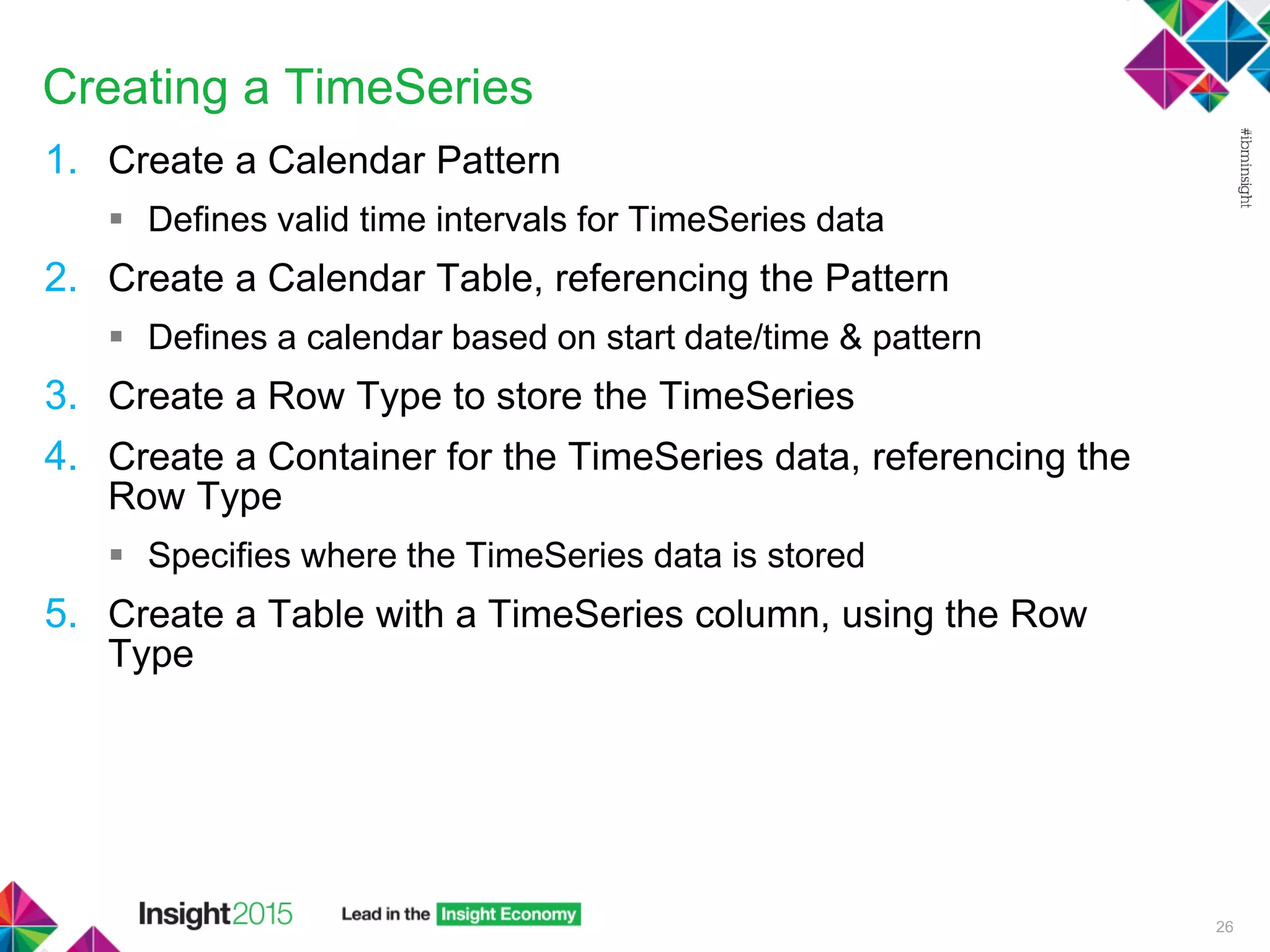
Creating a TimeSeries
1. Create a Calendar Pattern
 Defines valid time intervals for TimeSeries data
2. Create a Calendar Table, referencing the Pattern
 Defines a calendar based on start date/time & pattern
3. Create a Row Type to store the TimeSeries
4. Create a Container for the TimeSeries data, referencing the
Row Type
 Specifies where the TimeSeries data is stored
5. Create a Table with a TimeSeries column, using the Row
Type
26
Creating a TimeSeries – Sensor Example
• Create the structures to store the sensor information and
TimeSeries
• Not creating a Calendar in this example – instead use a
predefined one when create the TimeSeries
27
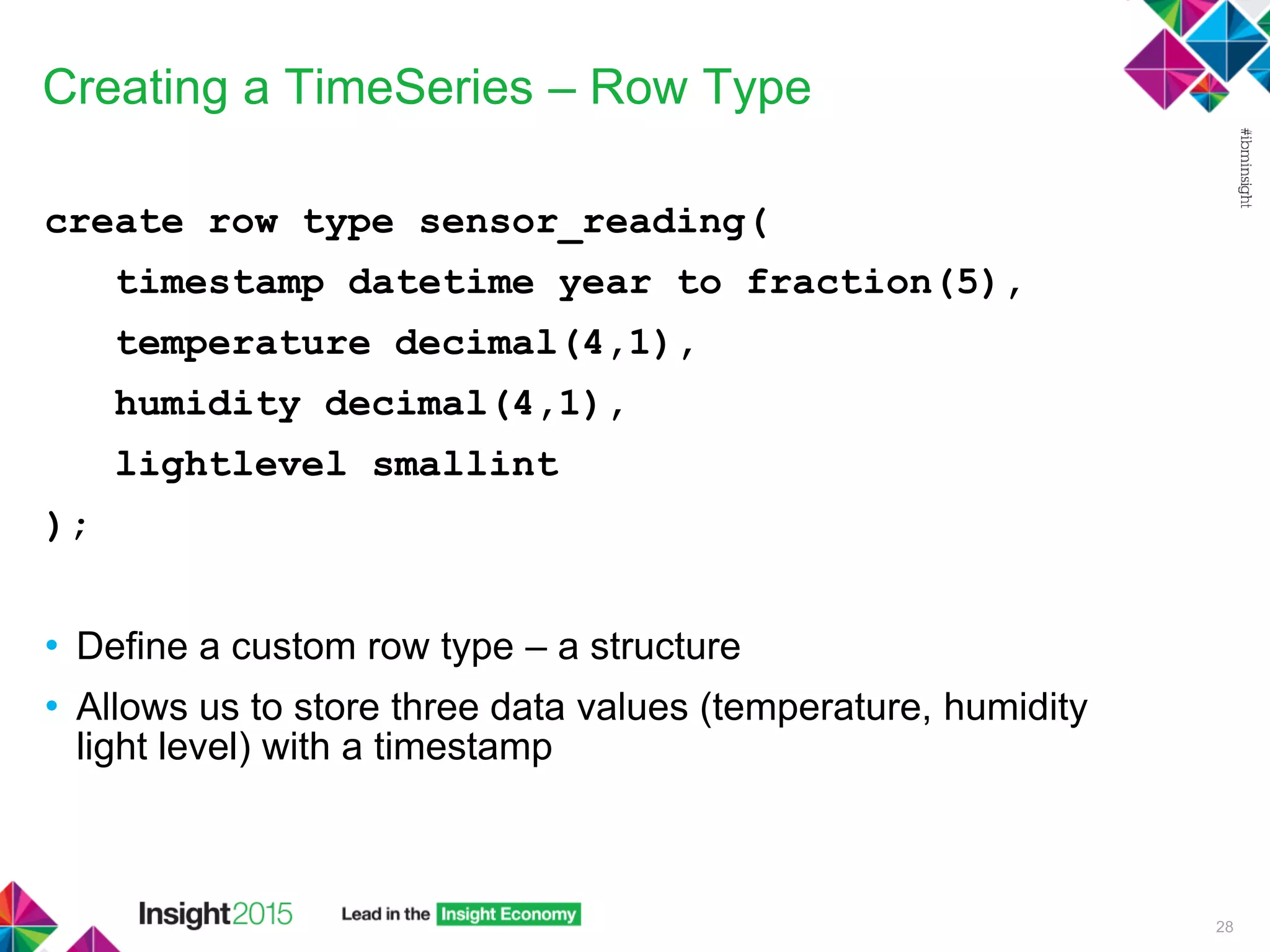
Creating a TimeSeries – Row Type
create row type sensor_reading(
timestamp datetime year to fraction(5),
temperature decimal(4,1),
humidity decimal(4,1),
lightlevel smallint
);
• Define a custom row type – a structure
• Allows us to store three data values (temperature, humidity
light level) with a timestamp
28
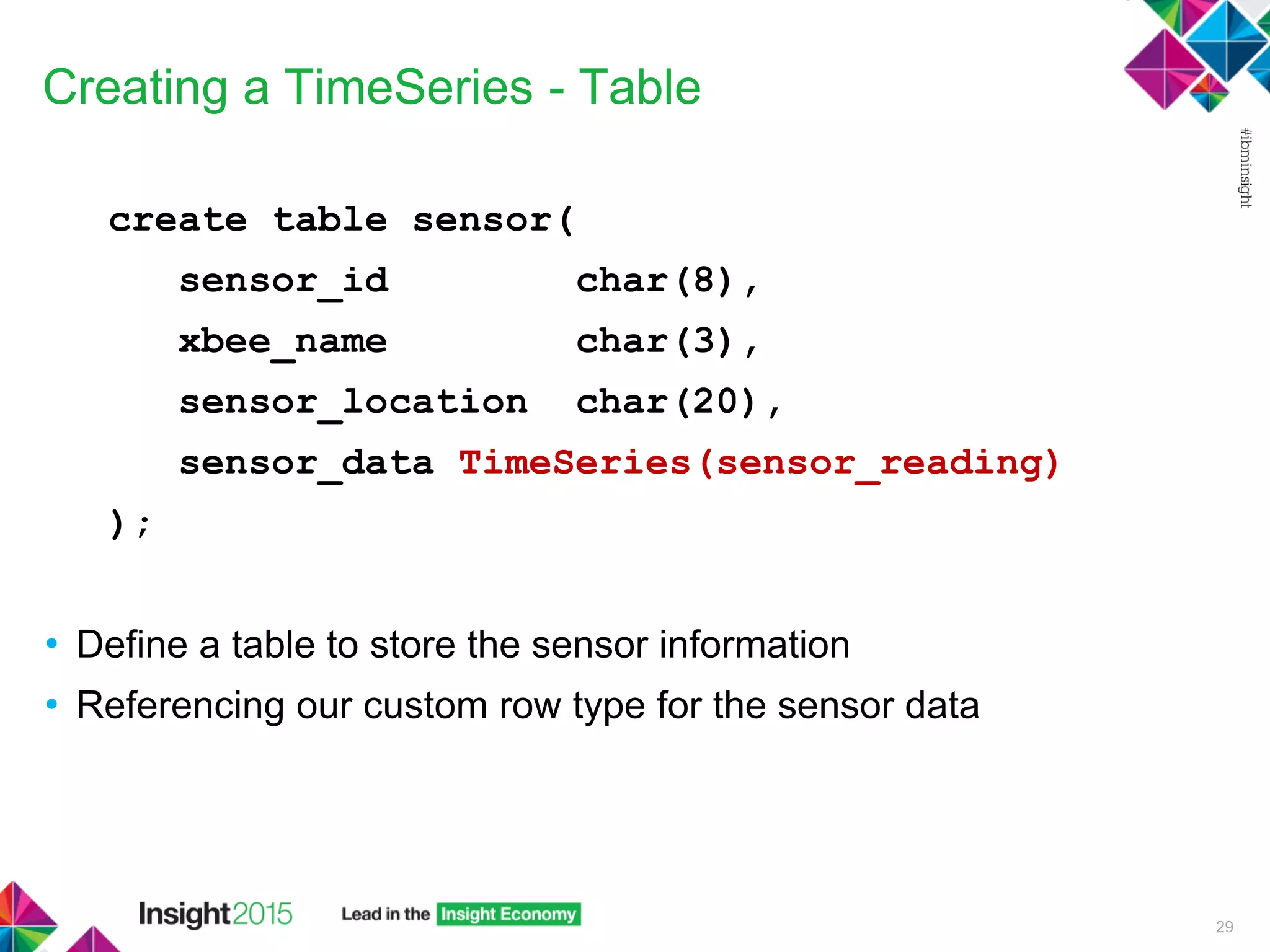
Creating a TimeSeries - Table
create table sensor(
sensor_id char(8),
xbee_name char(3),
sensor_location char(20),
sensor_data TimeSeries(sensor_reading)
);
• Define a table to store the sensor information
• Referencing our custom row type for the sensor data
29
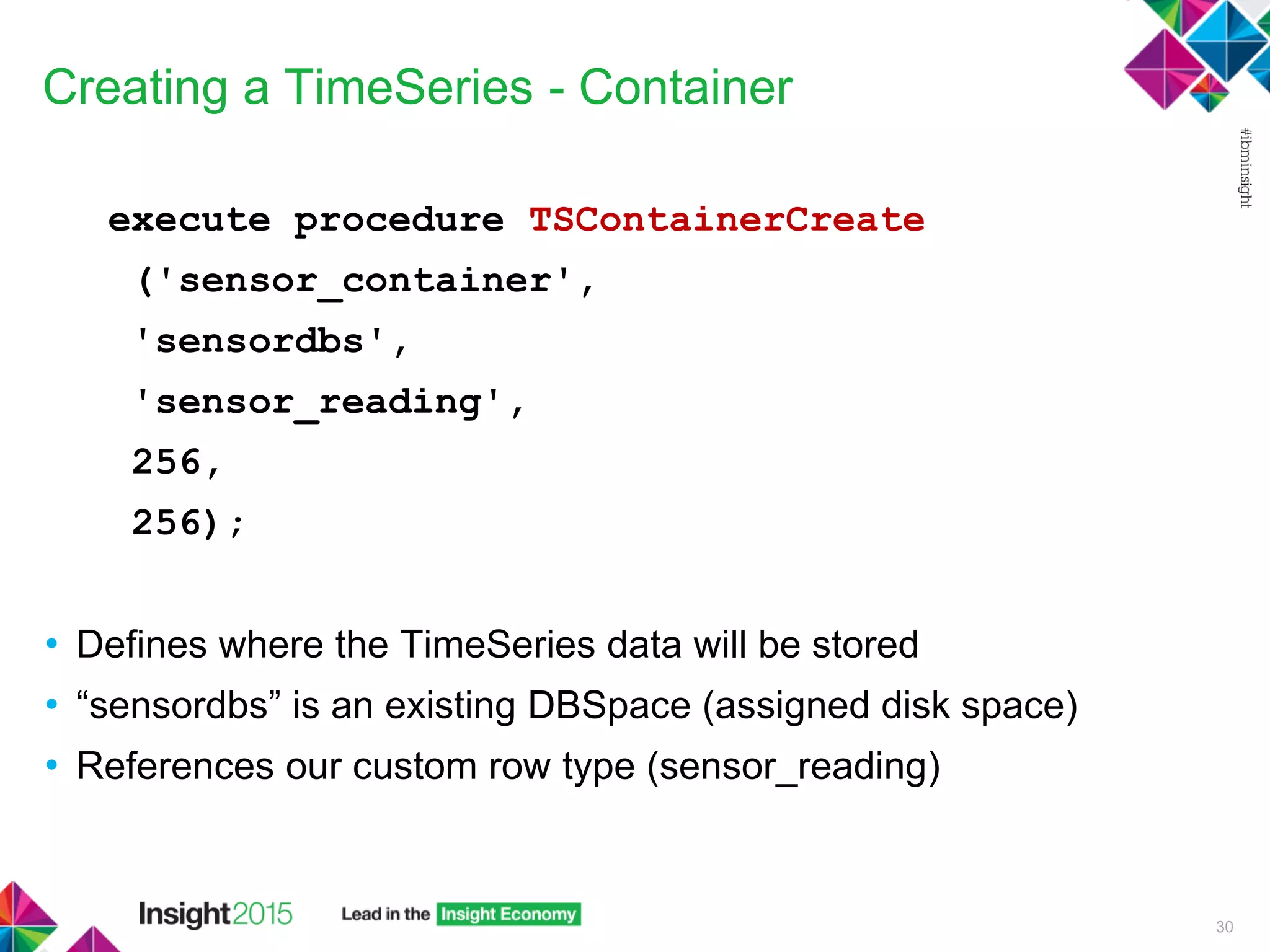
Creating a TimeSeries - Container
execute procedure TSContainerCreate
('sensor_container',
'sensordbs',
'sensor_reading',
256,
256);
• Defines where the TimeSeries data will be stored
• “sensordbs” is an existing DBSpace (assigned disk space)
• References our custom row type (sensor_reading)
30
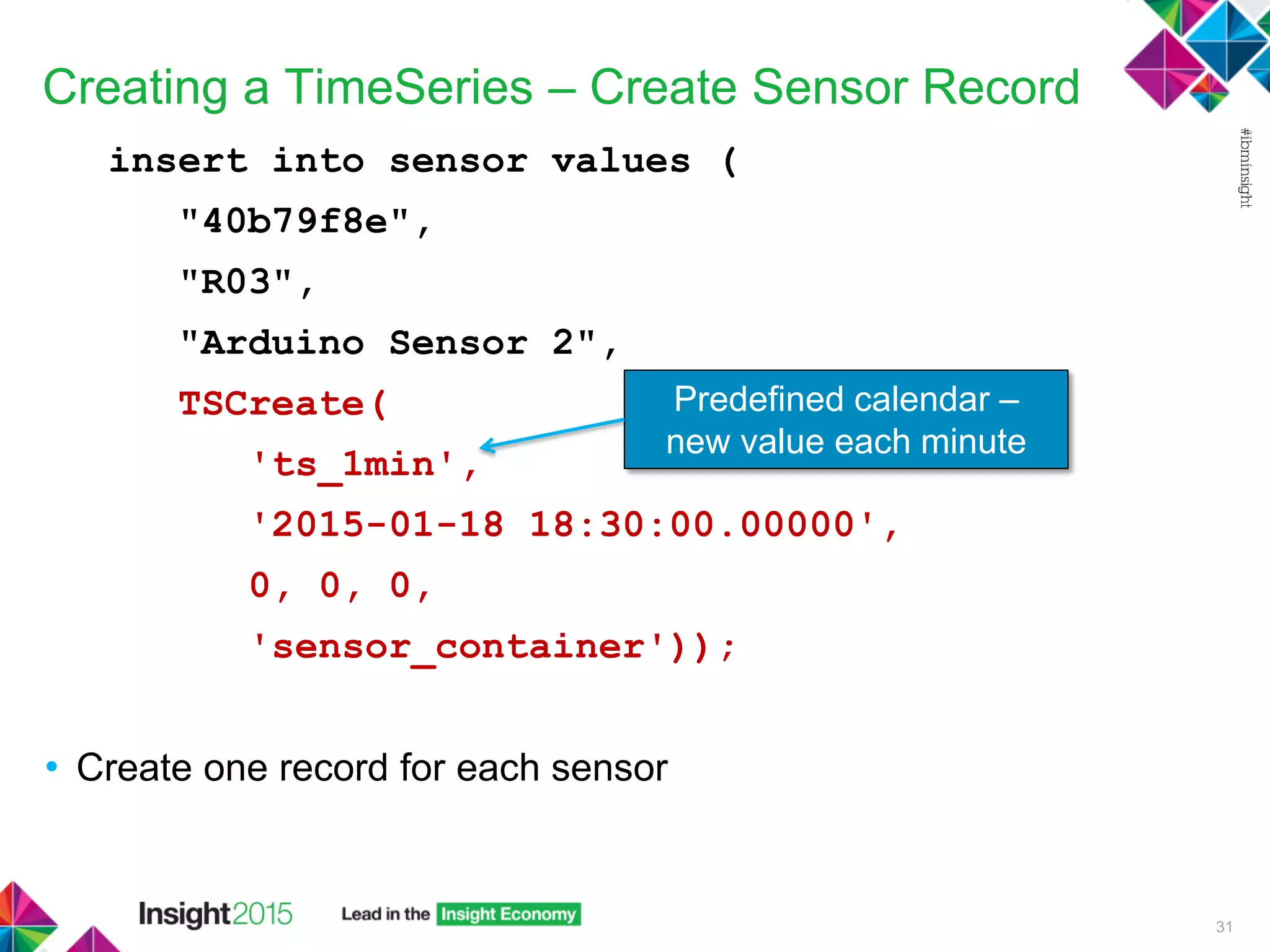
Creating a TimeSeries – Create Sensor Record
insert into sensor values (
"40b79f8e",
"R03",
"Arduino Sensor 2",
TSCreate(
'ts_1min',
'2015-01-18 18:30:00.00000',
0, 0, 0,
'sensor_container'));
• Create one record for each sensor
31
Predefined calendar –
new value each minute
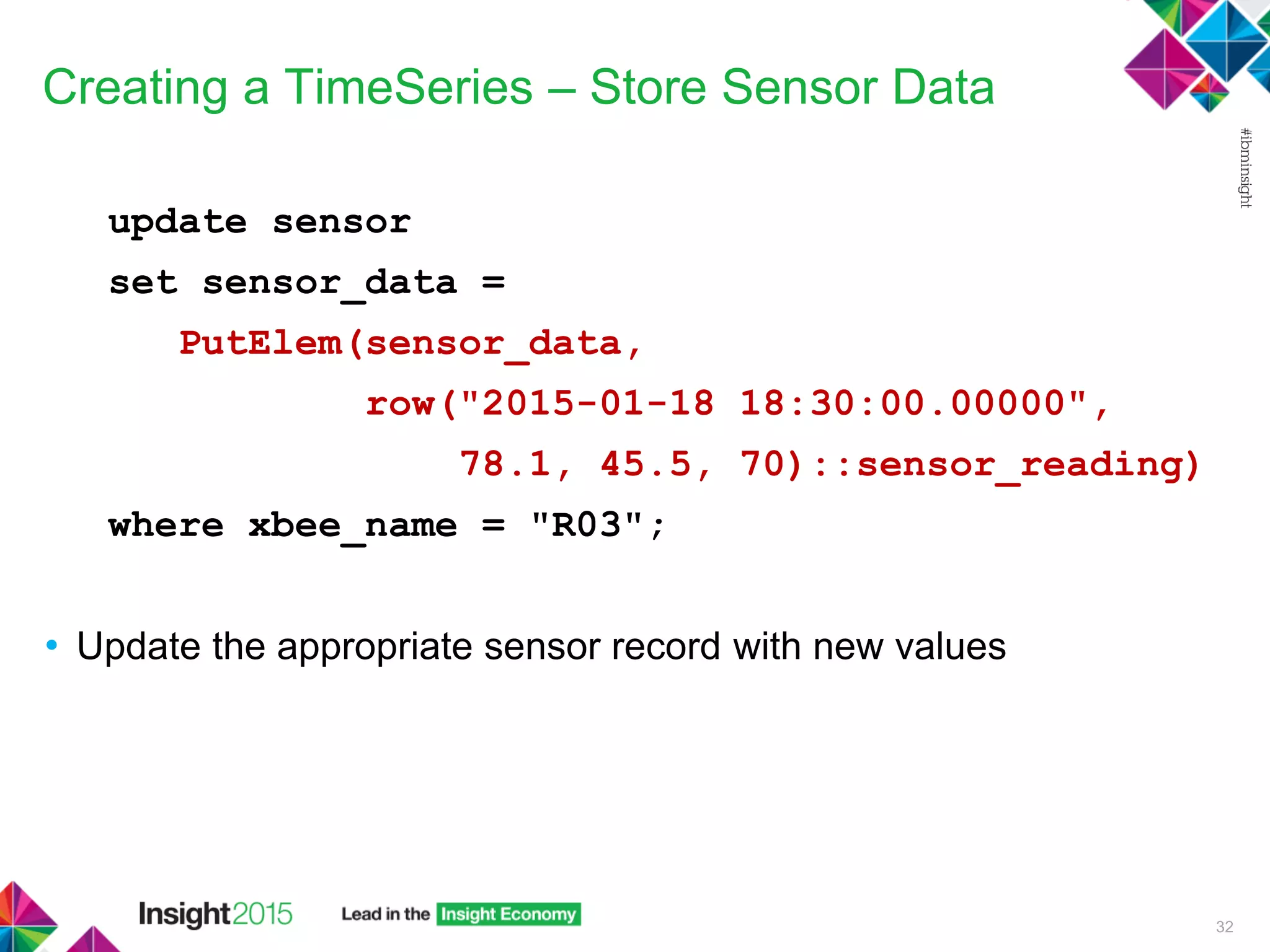
Creating a TimeSeries – Store Sensor Data
update sensor
set sensor_data =
PutElem(sensor_data,
row("2015-01-18 18:30:00.00000",
78.1, 45.5, 70)::sensor_reading)
where xbee_name = "R03";
• Update the appropriate sensor record with new values
32
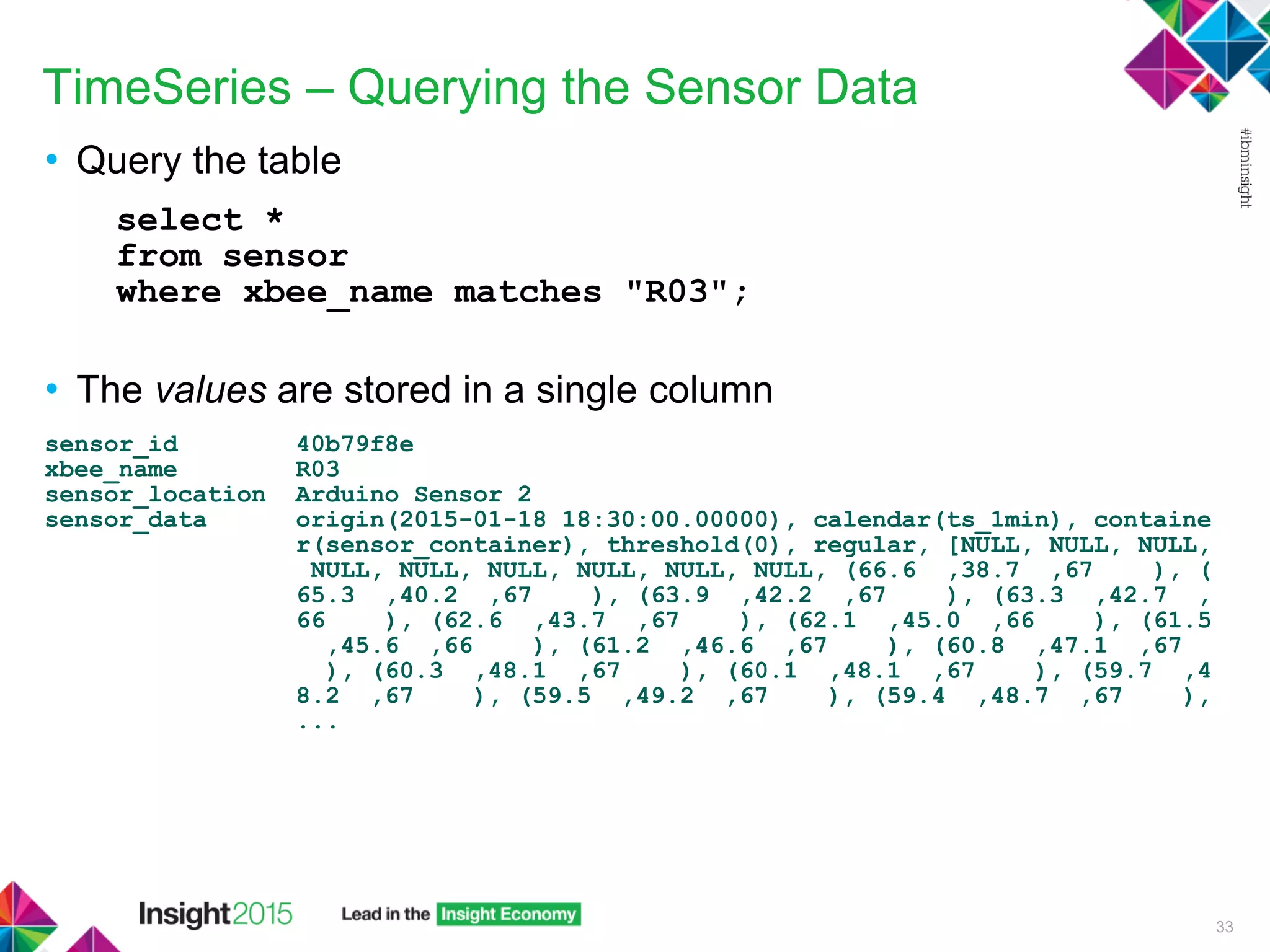
TimeSeries – Querying the Sensor Data
• Query the table
select *
from sensor
where xbee_name matches "R03";
• The values are stored in a single column
sensor_id 40b79f8e
xbee_name R03
sensor_location Arduino Sensor 2
sensor_data origin(2015-01-18 18:30:00.00000), calendar(ts_1min), containe
r(sensor_container), threshold(0), regular, [NULL, NULL, NULL,
NULL, NULL, NULL, NULL, NULL, NULL, (66.6 ,38.7 ,67 ), (
65.3 ,40.2 ,67 ), (63.9 ,42.2 ,67 ), (63.3 ,42.7 ,
66 ), (62.6 ,43.7 ,67 ), (62.1 ,45.0 ,66 ), (61.5
,45.6 ,66 ), (61.2 ,46.6 ,67 ), (60.8 ,47.1 ,67
), (60.3 ,48.1 ,67 ), (60.1 ,48.1 ,67 ), (59.7 ,4
8.2 ,67 ), (59.5 ,49.2 ,67 ), (59.4 ,48.7 ,67 ),
...
33
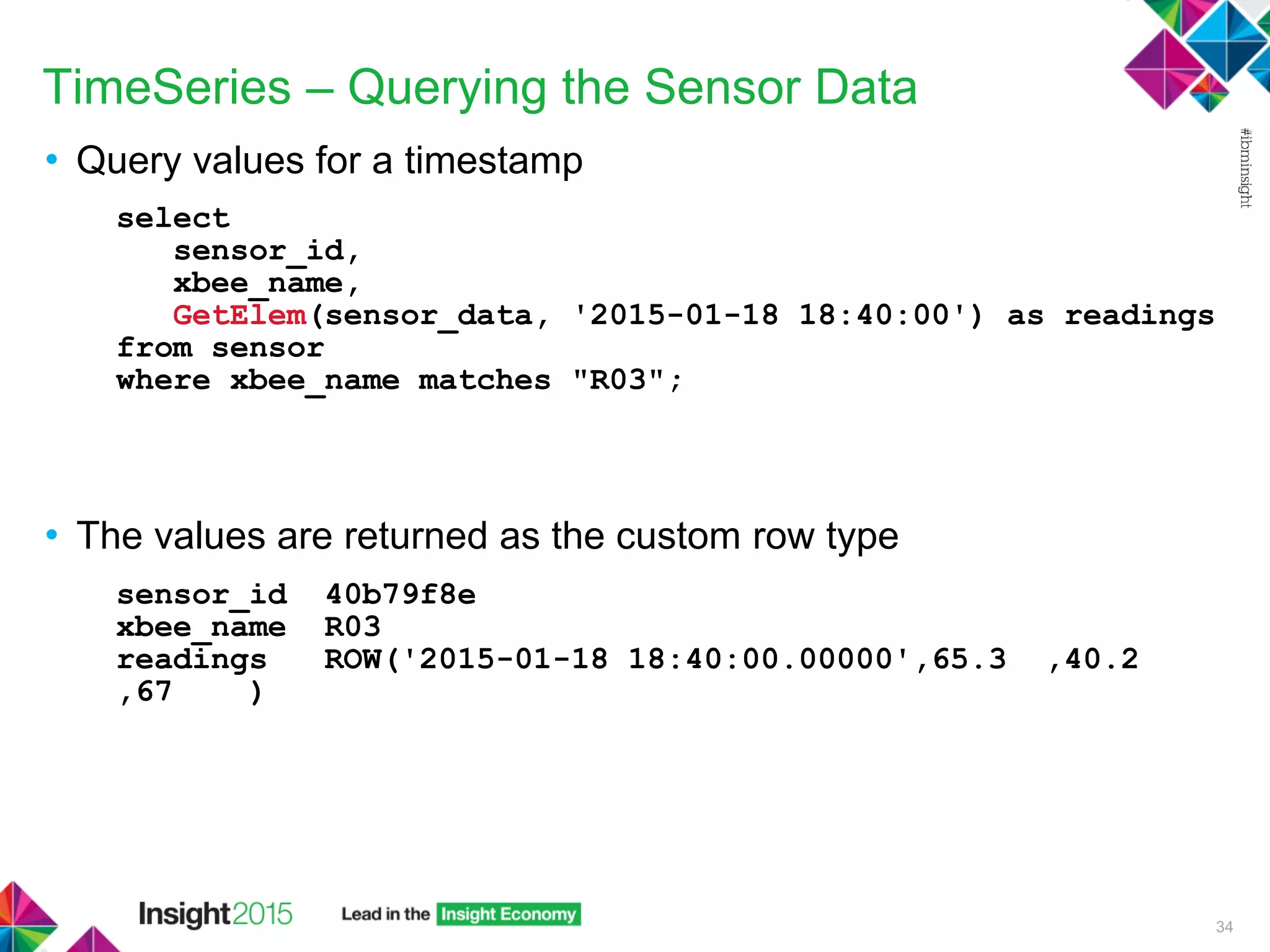
TimeSeries – Querying the Sensor Data
• Query values for a timestamp
select
sensor_id,
xbee_name,
GetElem(sensor_data, '2015-01-18 18:40:00') as readings
from sensor
where xbee_name matches "R03";
• The values are returned as the custom row type
sensor_id 40b79f8e
xbee_name R03
readings ROW('2015-01-18 18:40:00.00000',65.3 ,40.2
,67 )
34
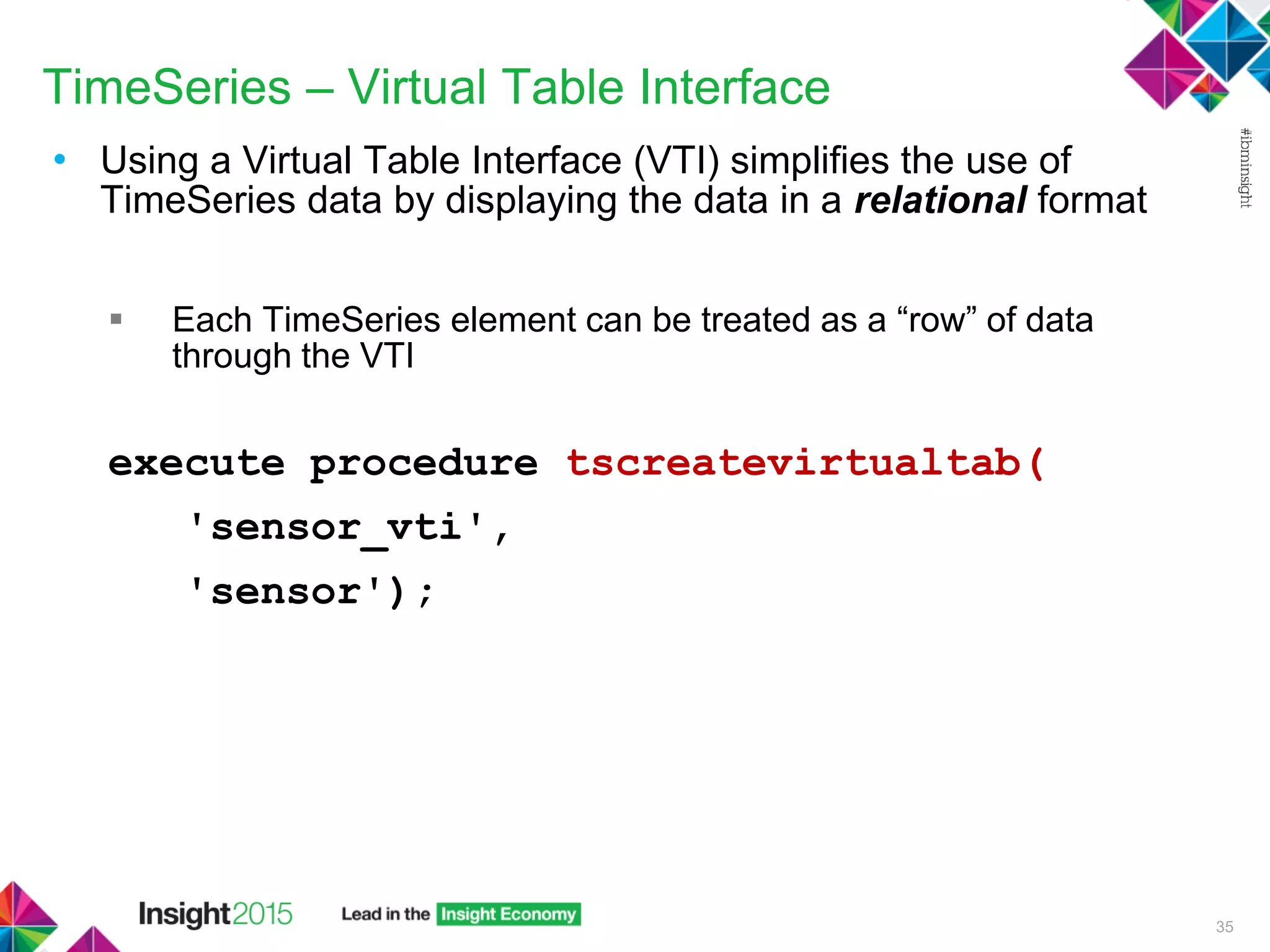
TimeSeries – Virtual Table Interface
• Using a Virtual Table Interface (VTI) simplifies the use of
TimeSeries data by displaying the data in a relational format
 Each TimeSeries element can be treated as a “row” of data
through the VTI
execute procedure tscreatevirtualtab(
'sensor_vti',
'sensor');
35
TimeSeries – Query the VTI
select *
from sensor_vti
where sensor_location = "Arduino Sensor 2"
sensor_id 40b79f8e
xbee_name R03
sensor_location Arduino Sensor 2
timestamp 2015-01-18 18:39:00.00000
temperature 66.6
humidity 38.7
lightlevel 67
sensor_id 40b79f8e
xbee_name R03
sensor_location Arduino Sensor 2
timestamp 2015-01-18 18:40:00.00000
temperature 65.3
humidity 40.2
lightlevel 67
36
Timestamps
and data
values broken
into individual
records
Looks Relational!
TimeSeries – Row Type
• The Row Type in the example allows us to store three values:
 Temperature
 Humidity
 Light Level
• Some sensors may not send all of the values – for example, may
just send the temperature
 Lots of NULL values in the TimeSeries
... (69.6 ,NULL,NULL), (69.1 ,NULL,NULL), (69.8 ,N
ULL,NULL), (69.6 ,NULL,NULL), (69.6 ,NULL,NULL), (69.6 ,NUL
L,NULL), (69.6 ,NULL,NULL), (69.6 ,NULL,NULL), (69.6 ,NULL,
NULL), (69.6 ,NULL,NULL), (69.8 ,NULL,NULL),
• What if I want to add a new sensor type – for example, “Volume
Level”?
37
Need to be able to store
Unstructured Data
Unstructured Data
• Schema is not rigidly defined
• JSON & NoSQL Documents
• Uses key value pairs, for example:
{"data": {"temperature": 70.2, "humidity": 45.0}}
Informix includes a native JSON data type
38
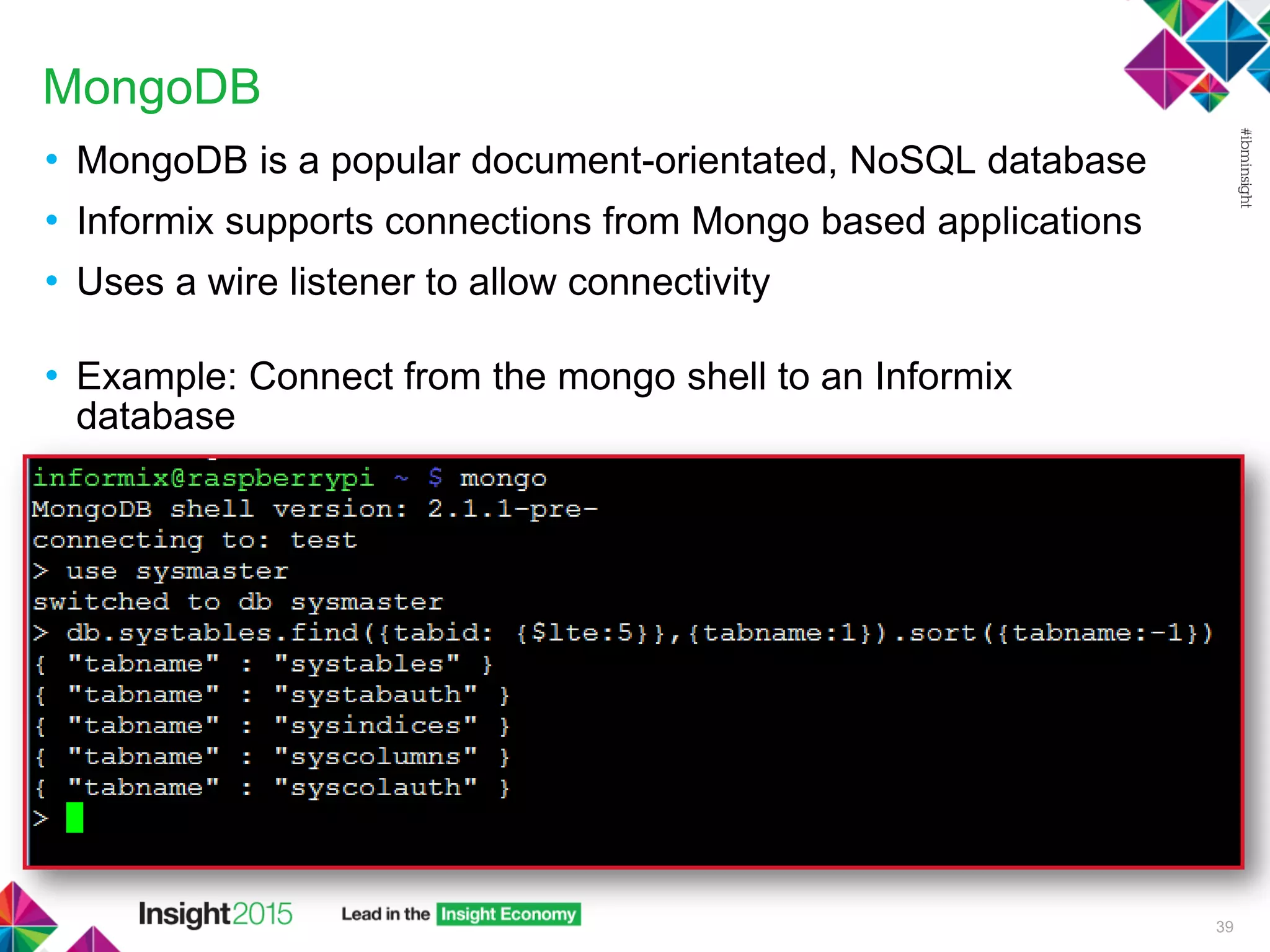
MongoDB
• MongoDB is a popular document-orientated, NoSQL database
• Informix supports connections from Mongo based applications
• Uses a wire listener to allow connectivity
• Example: Connect from the mongo shell to an Informix
database
39
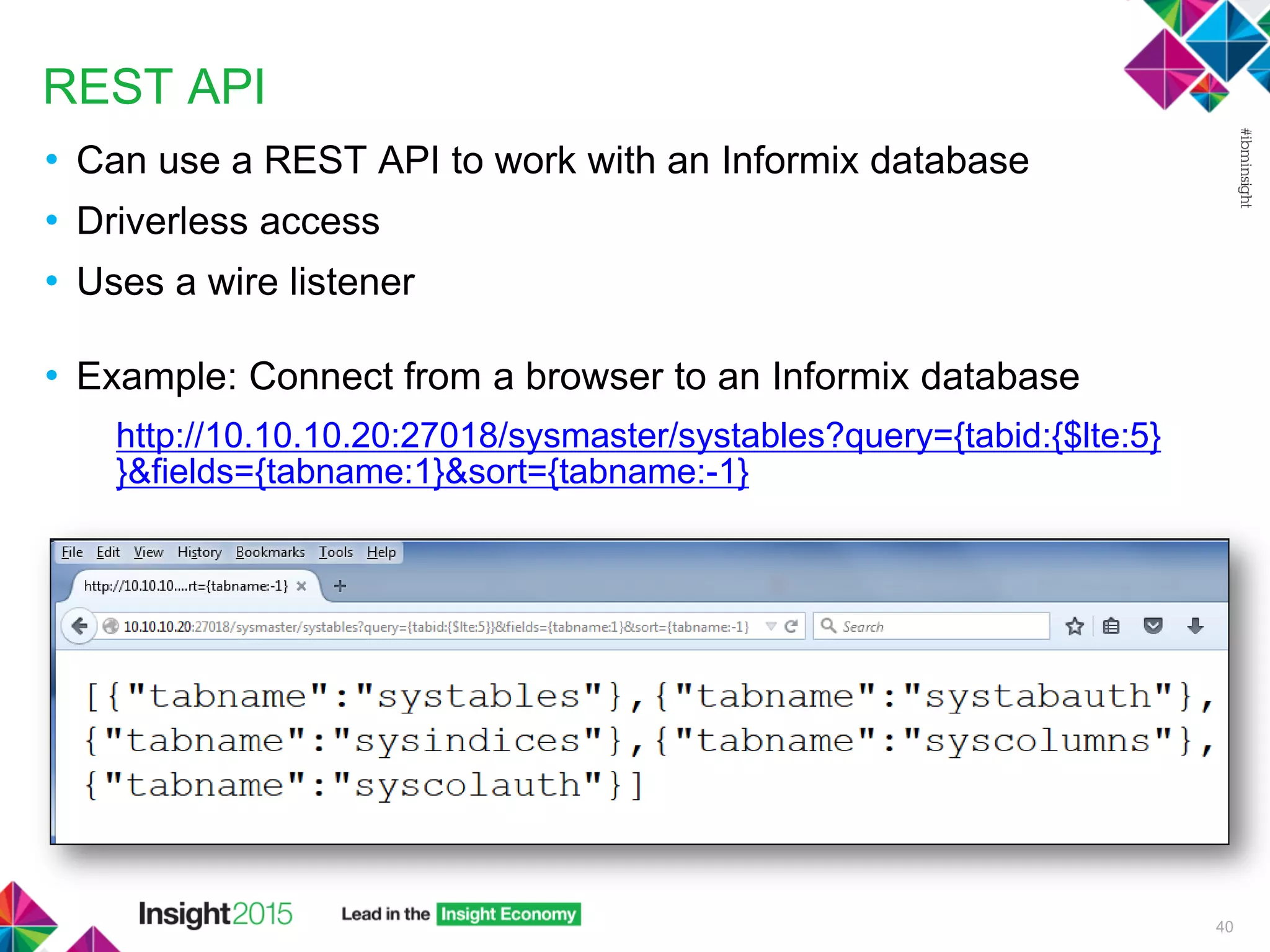
REST API
• Can use a REST API to work with an Informix database
• Driverless access
• Uses a wire listener
• Example: Connect from a browser to an Informix database
http://10.10.10.20:27018/sysmaster/systables?query={tabid:{$lte:5}
}&fields={tabname:1}&sort={tabname:-1}
40
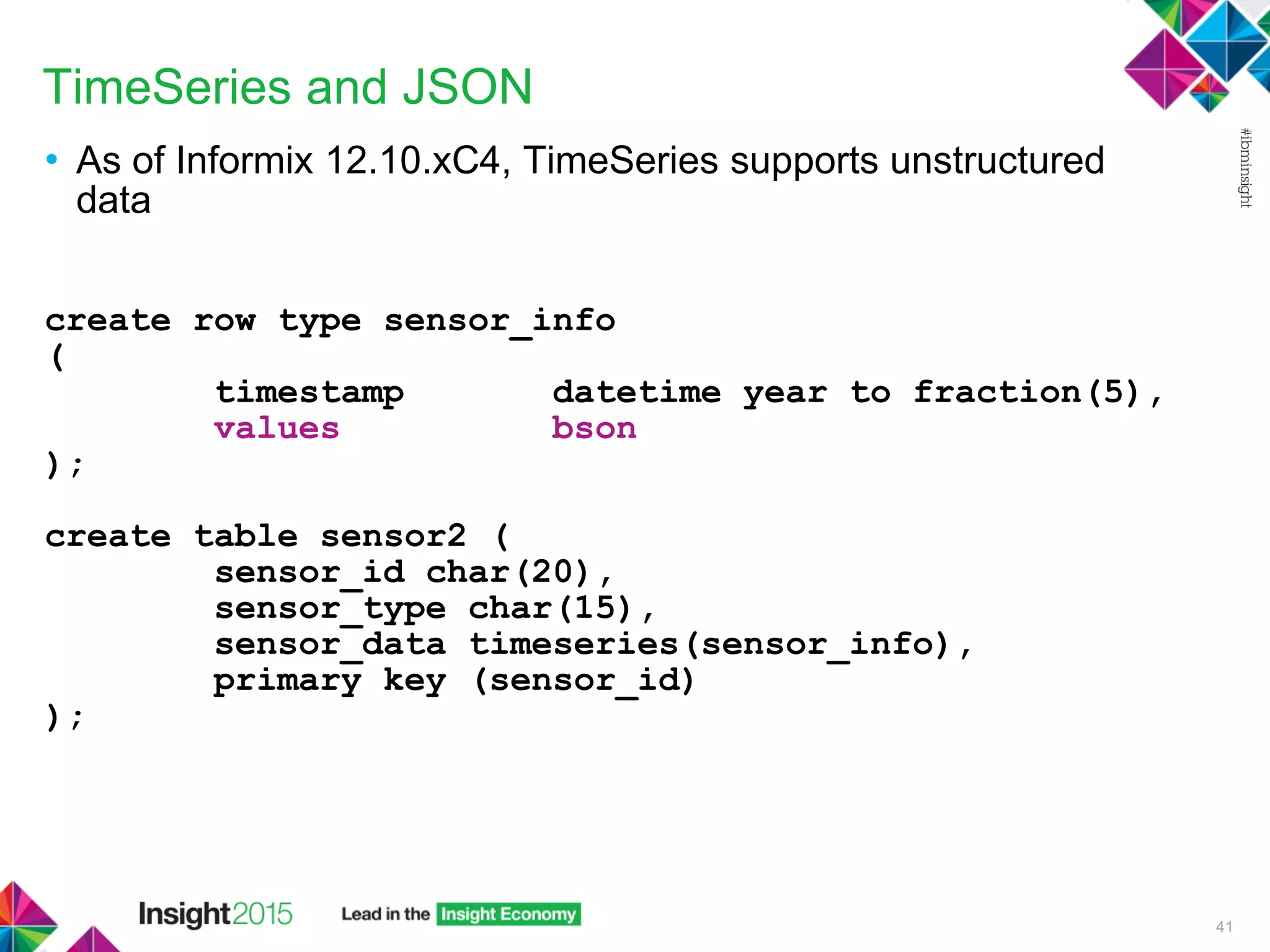
TimeSeries and JSON
• As of Informix 12.10.xC4, TimeSeries supports unstructured
data
create row type sensor_info
(
timestamp datetime year to fraction(5),
values bson
);
create table sensor2 (
sensor_id char(20),
sensor_type char(15),
sensor_data timeseries(sensor_info),
primary key (sensor_id)
);
41
TimeSeries and JSON
• Store different types of readings in the same record structure within
TimeSeries, using key-value pairs:
sensor_id 1
sensor_type Temp+Humidity
sensor_data origin(2015-09-18 14:30:00.00000), calendar(ts_1min), container(se
nsor2_data_container), threshold(0), regular, [('{"temperature":70
,"humidity":45}'), ('{"temperature":71,"humidity":43}'), ('{"tempe
rature":72,"humidity":40}')]
sensor_id 2
sensor_type Temp
sensor_data origin(2015-09-18 14:30:00.00000), calendar(ts_1min), container(se
nsor2_data_container), threshold(0), regular, [('{"temperature":82
}'), ('{"temperature":78}'), ('{"temperature":80}')]
sensor_id 3
sensor_type Sound
sensor_data origin(2015-09-18 14:30:00.00000), calendar(ts_1min), container(se
nsor2_data_container), threshold(0), regular, [('{"volume":5}'), (
'{"volume":15}'), ('{"volume":12}')]
42
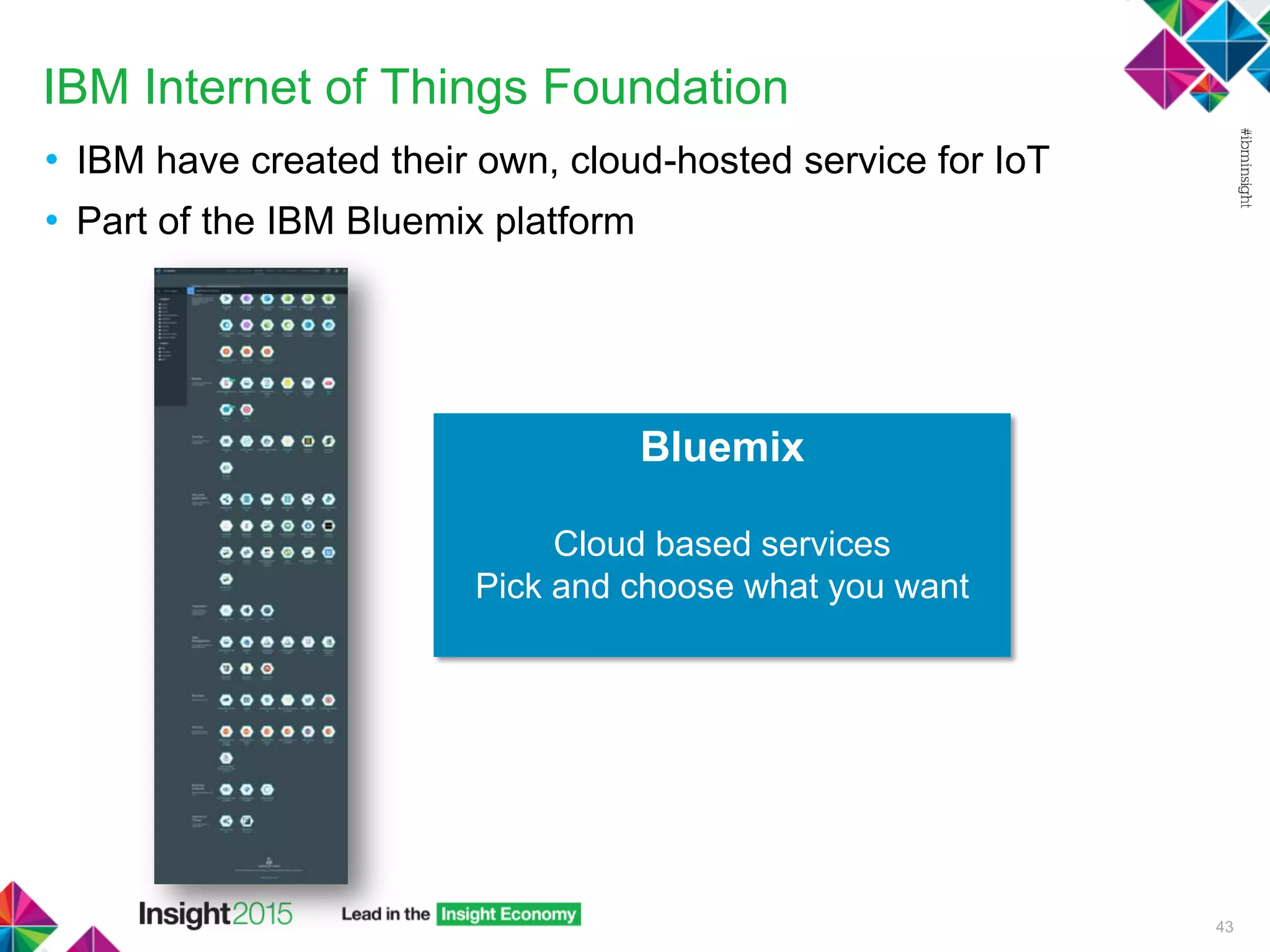
IBM Internet of Things Foundation
• IBM have created their own, cloud-hosted service for IoT
• Part of the IBM Bluemix platform
43
Bluemix
Cloud based services
Pick and choose what you want
IBM Internet of Things Foundation
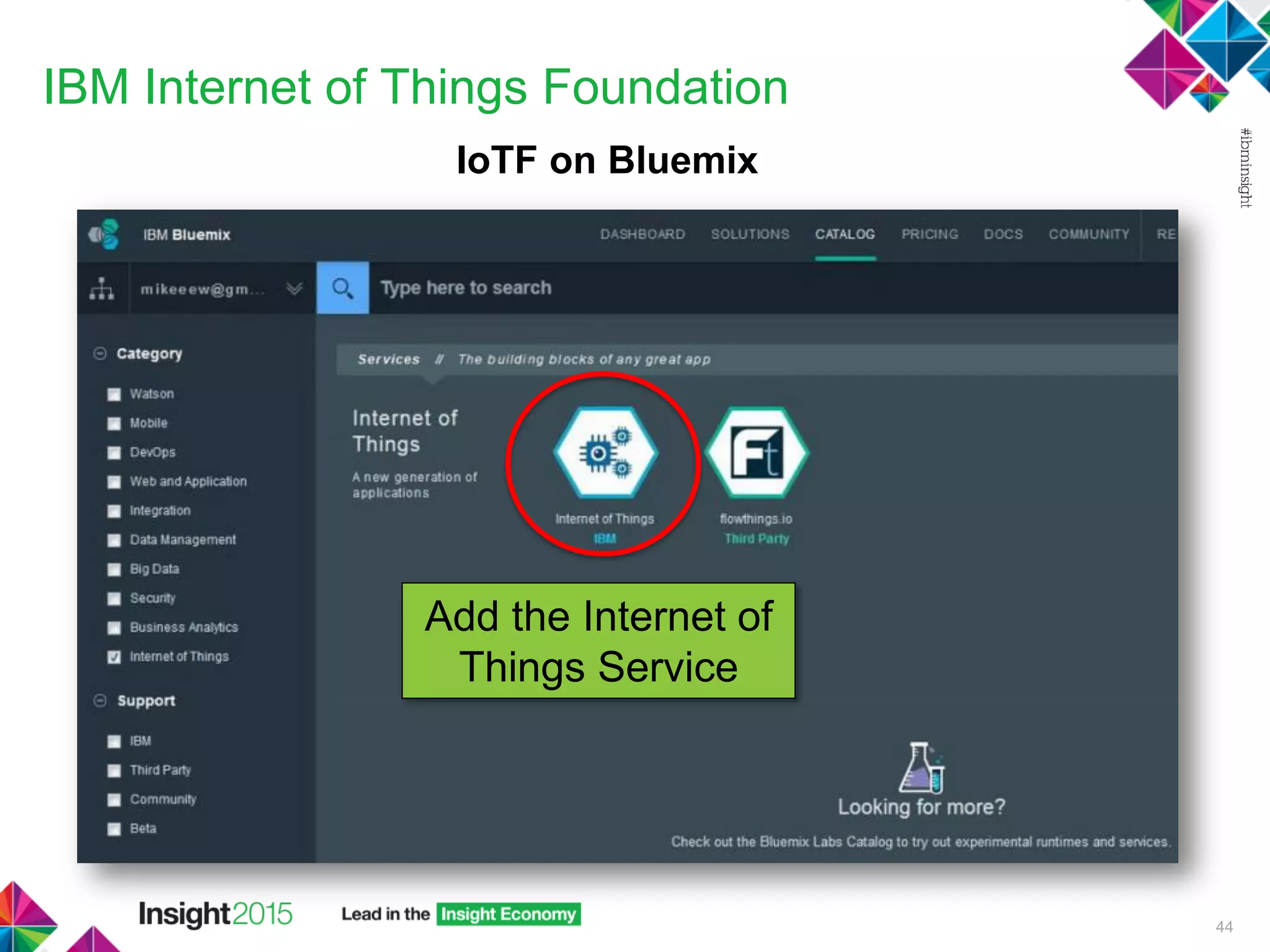
IoTF on Bluemix
44
Add the Internet of
Things Service
IBM Internet of Things Foundation
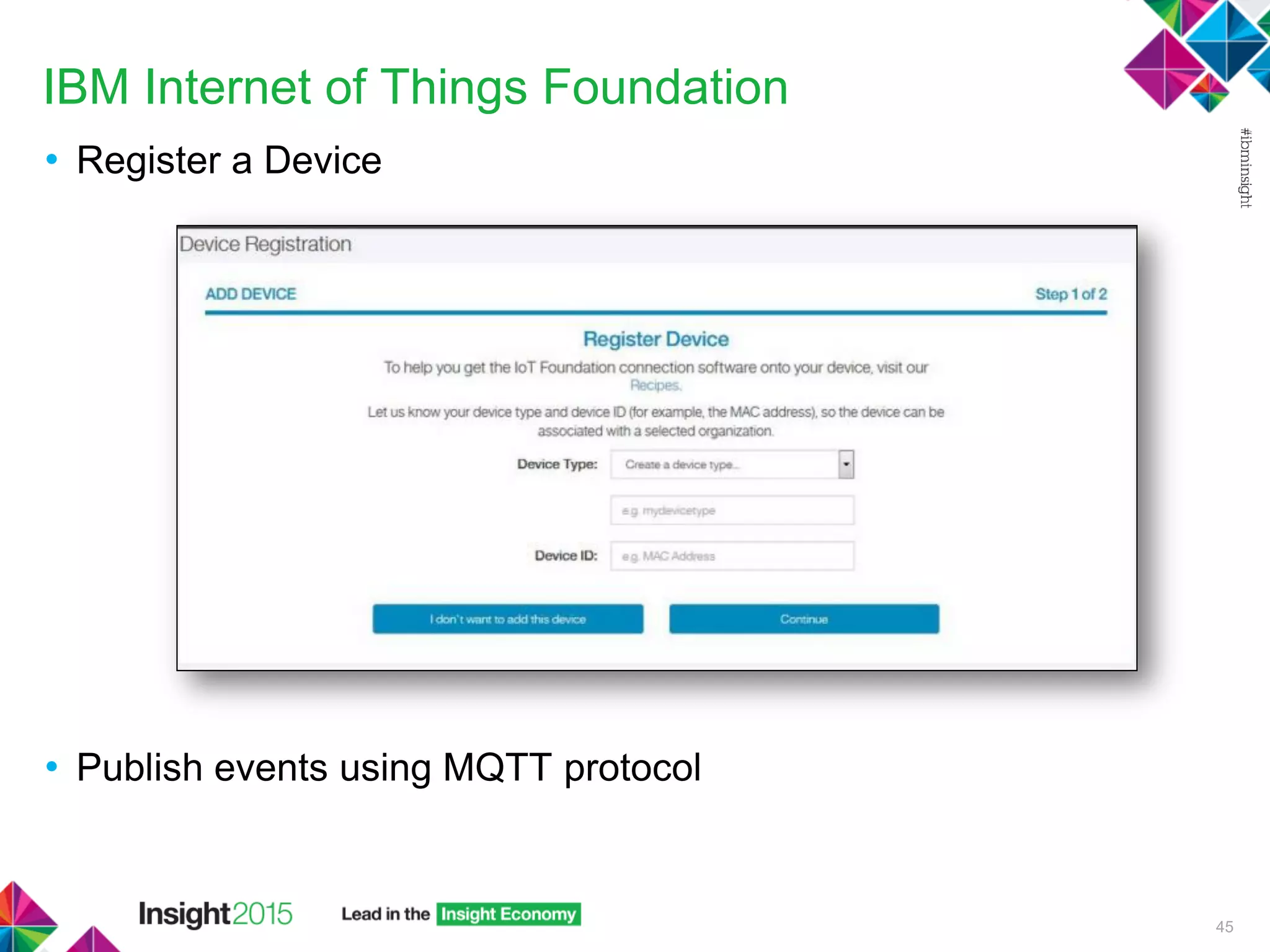
• Register a Device
• Publish events using MQTT protocol
45
Putting it all Together!
• We have covered:
 Sensors/Microcontrollers
 ARM
 Smart Gateway
 Local Informix Database
 TimeSeries
 Unstructured Data
 Mongo and REST API Database Connectivity
 Internet of Things Foundation on Bluemix
Now to put it all together for our IoT Solution!
46
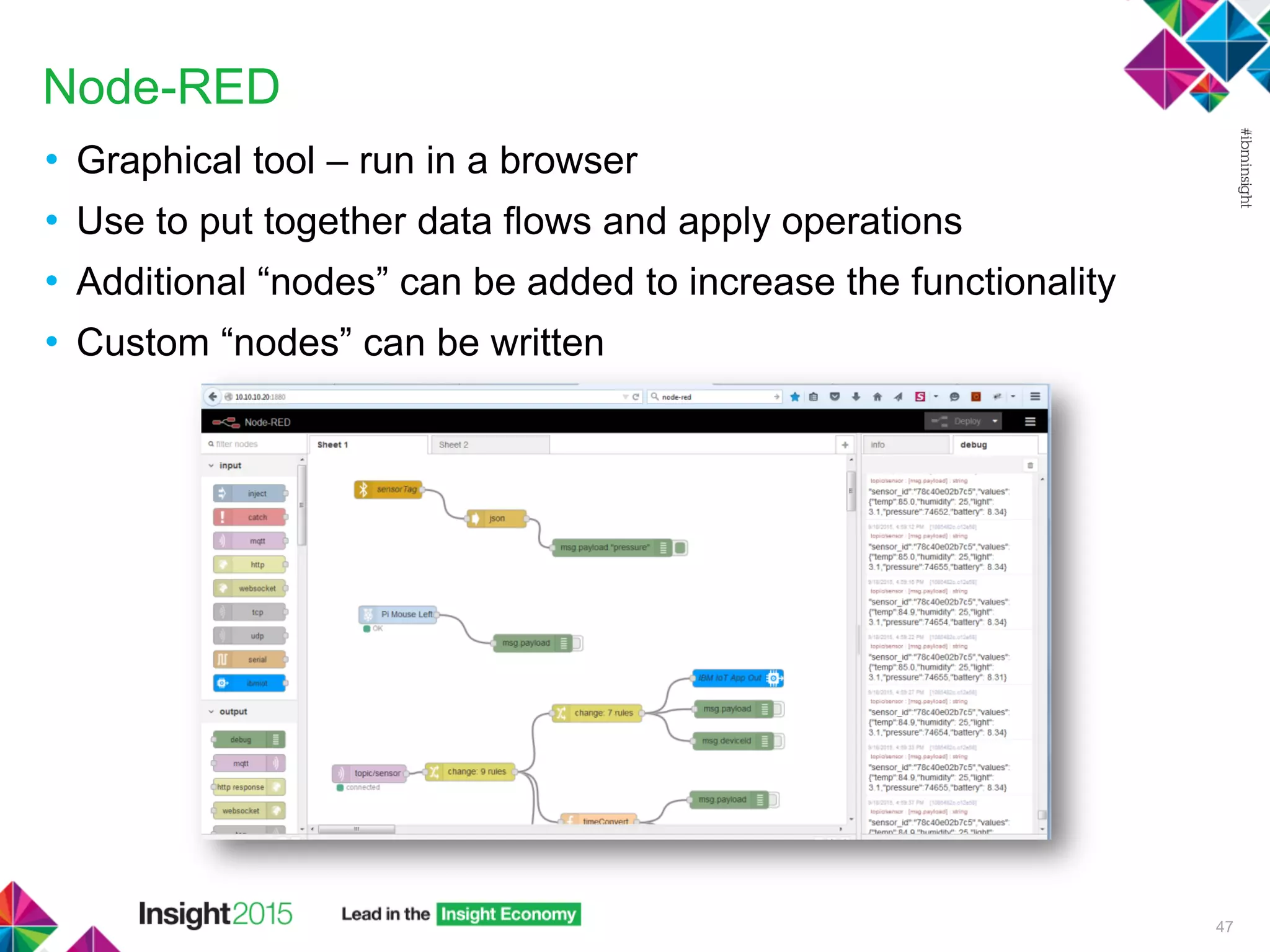
Node-RED
• Graphical tool – run in a browser
• Use to put together data flows and apply operations
• Additional “nodes” can be added to increase the functionality
• Custom “nodes” can be written
47
Node-RED
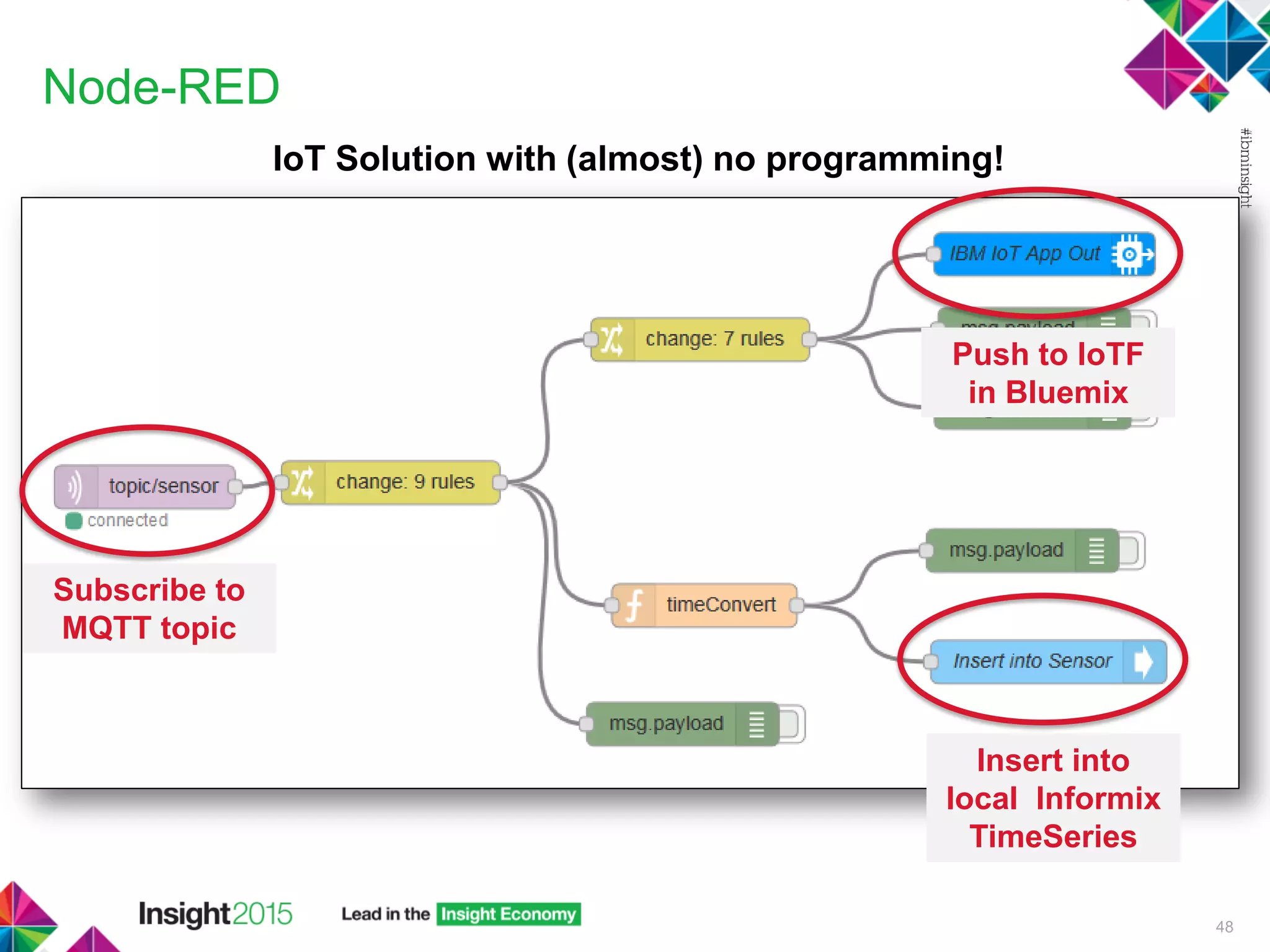
IoT Solution with (almost) no programming!
48
Subscribe to
MQTT topic
Insert into
local Informix
TimeSeries
Push to IoTF
in Bluemix
Incoming Sensor Data
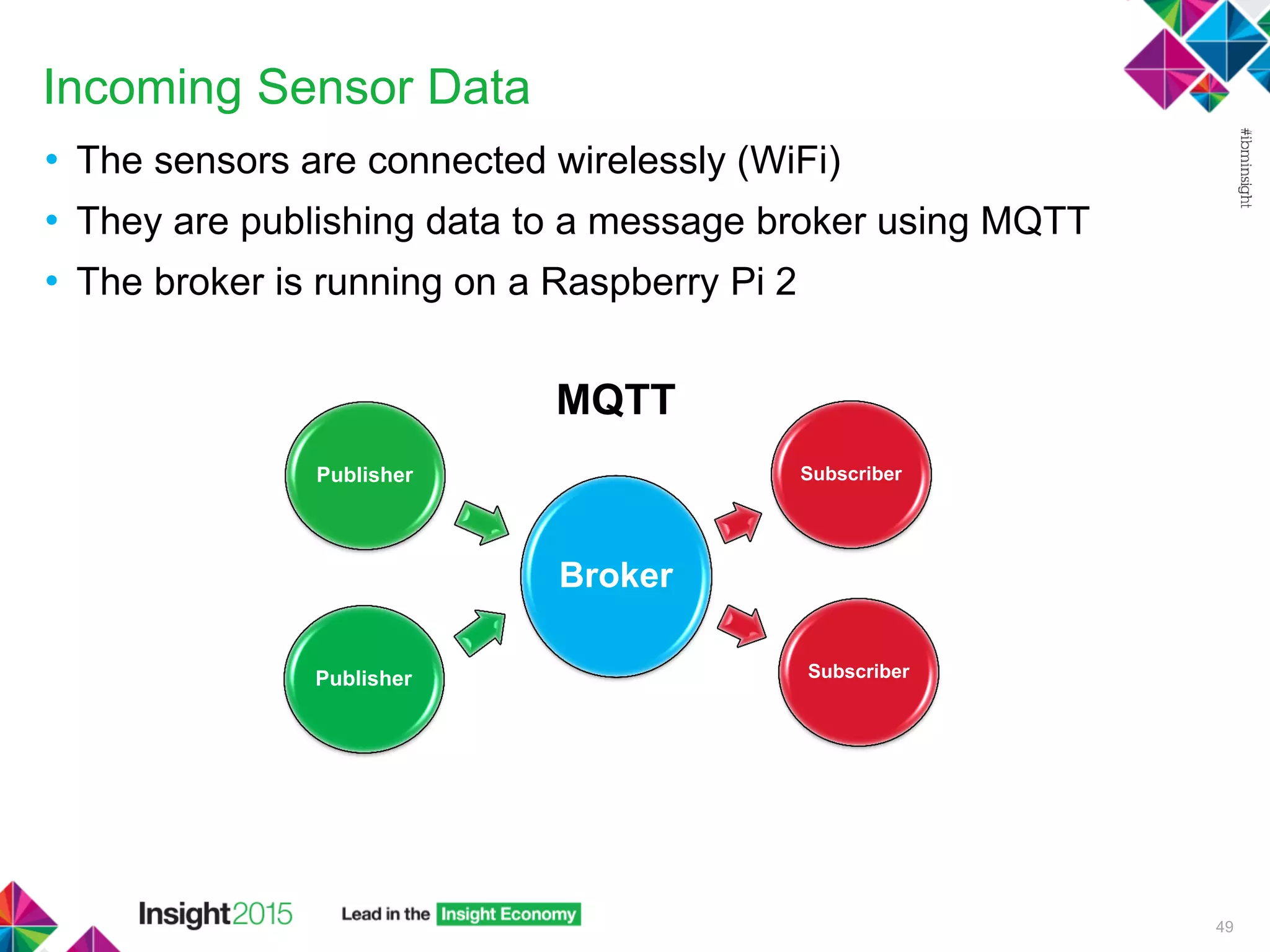
• The sensors are connected wirelessly (WiFi)
• They are publishing data to a message broker using MQTT
• The broker is running on a Raspberry Pi 2
49
Broker
Subscriber
SubscriberPublisher
Publisher
MQTT
MQTT Topic – Incoming Data
50
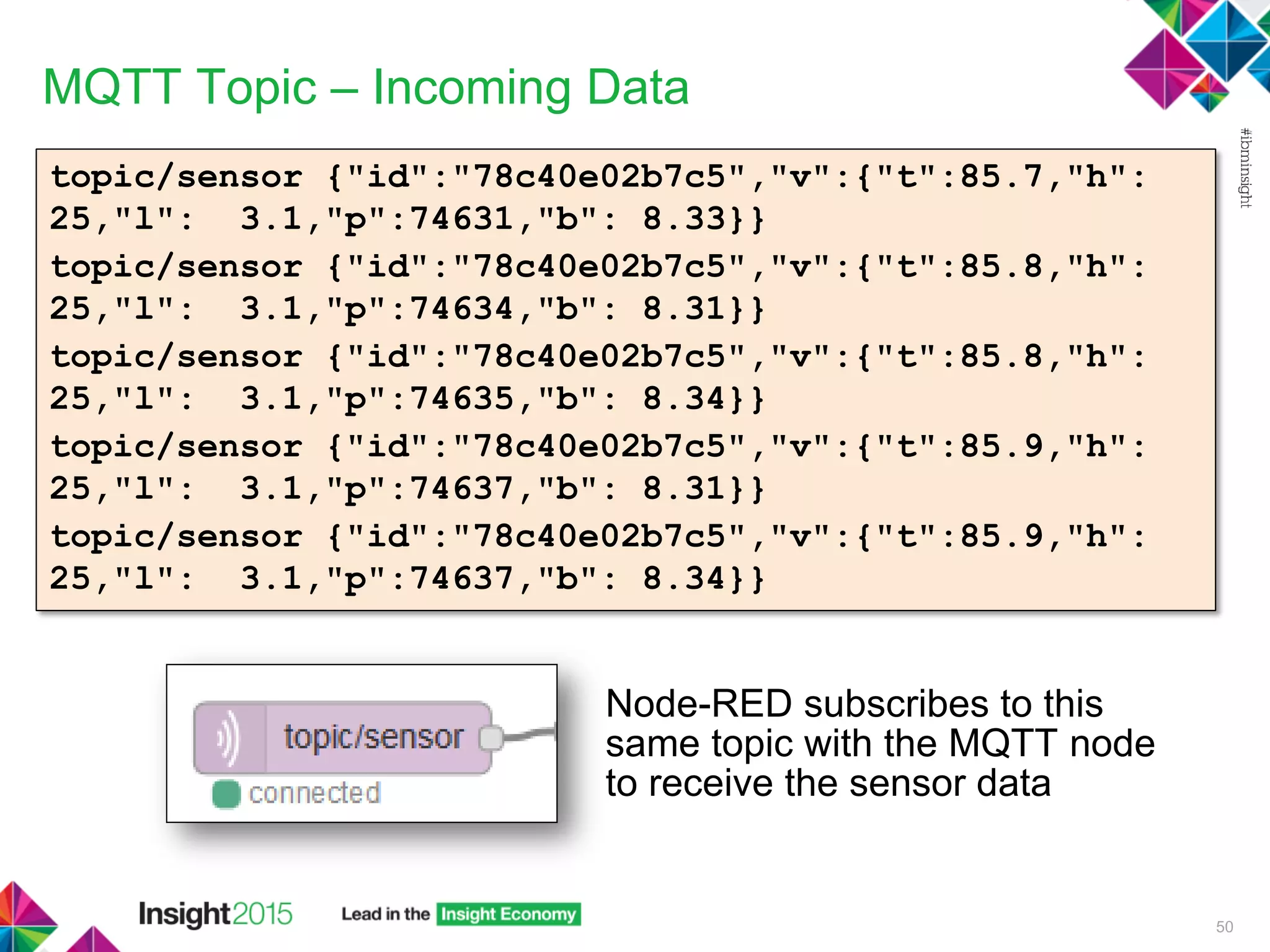
topic/sensor {"id":"78c40e02b7c5","v":{"t":85.7,"h":
25,"l": 3.1,"p":74631,"b": 8.33}}
topic/sensor {"id":"78c40e02b7c5","v":{"t":85.8,"h":
25,"l": 3.1,"p":74634,"b": 8.31}}
topic/sensor {"id":"78c40e02b7c5","v":{"t":85.8,"h":
25,"l": 3.1,"p":74635,"b": 8.34}}
topic/sensor {"id":"78c40e02b7c5","v":{"t":85.9,"h":
25,"l": 3.1,"p":74637,"b": 8.31}}
topic/sensor {"id":"78c40e02b7c5","v":{"t":85.9,"h":
25,"l": 3.1,"p":74637,"b": 8.34}}
Node-RED subscribes to this
same topic with the MQTT node
to receive the sensor data
Write to a Local Database
51
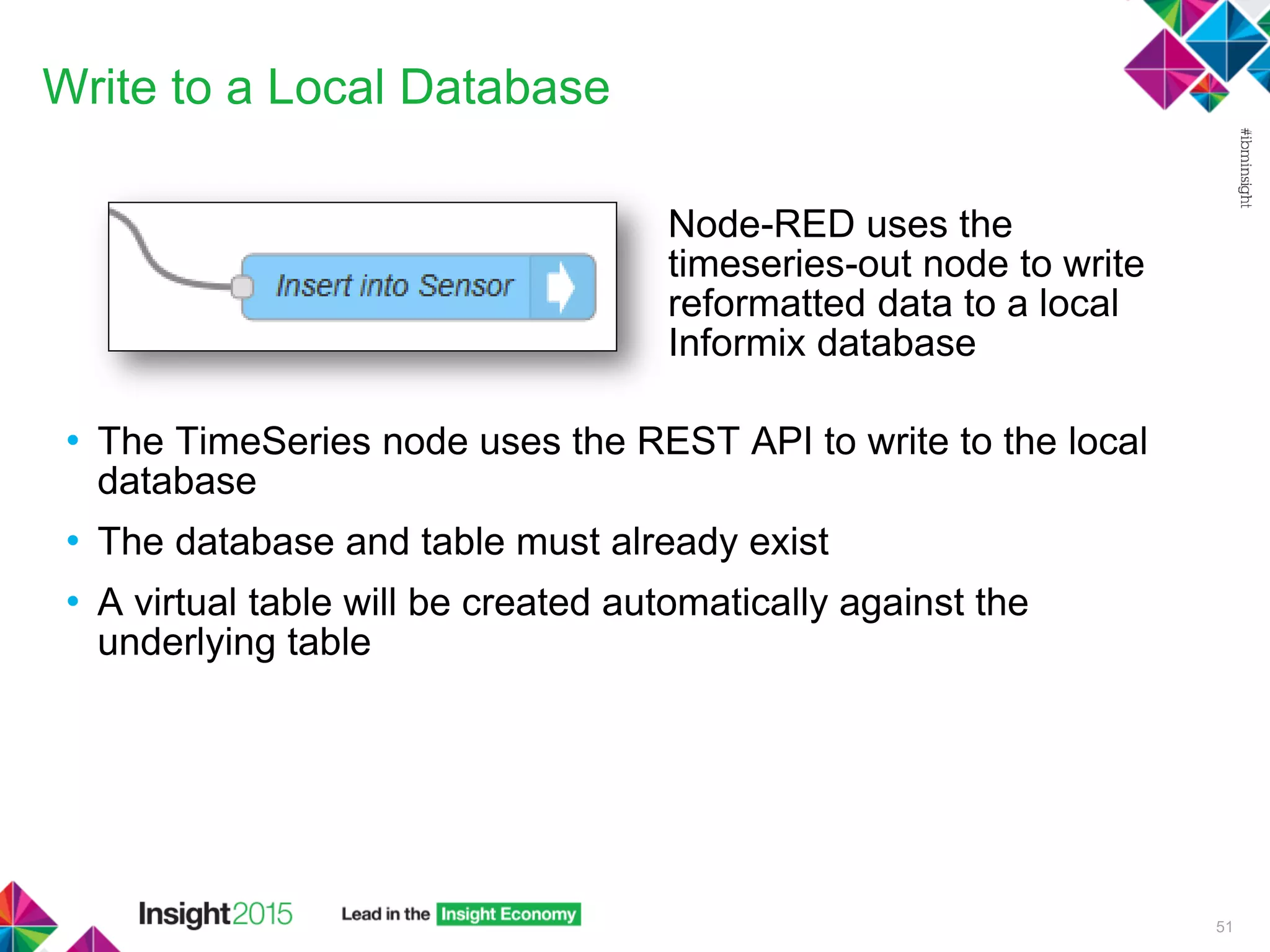
Node-RED uses the
timeseries-out node to write
reformatted data to a local
Informix database
• The TimeSeries node uses the REST API to write to the local
database
• The database and table must already exist
• A virtual table will be created automatically against the
underlying table
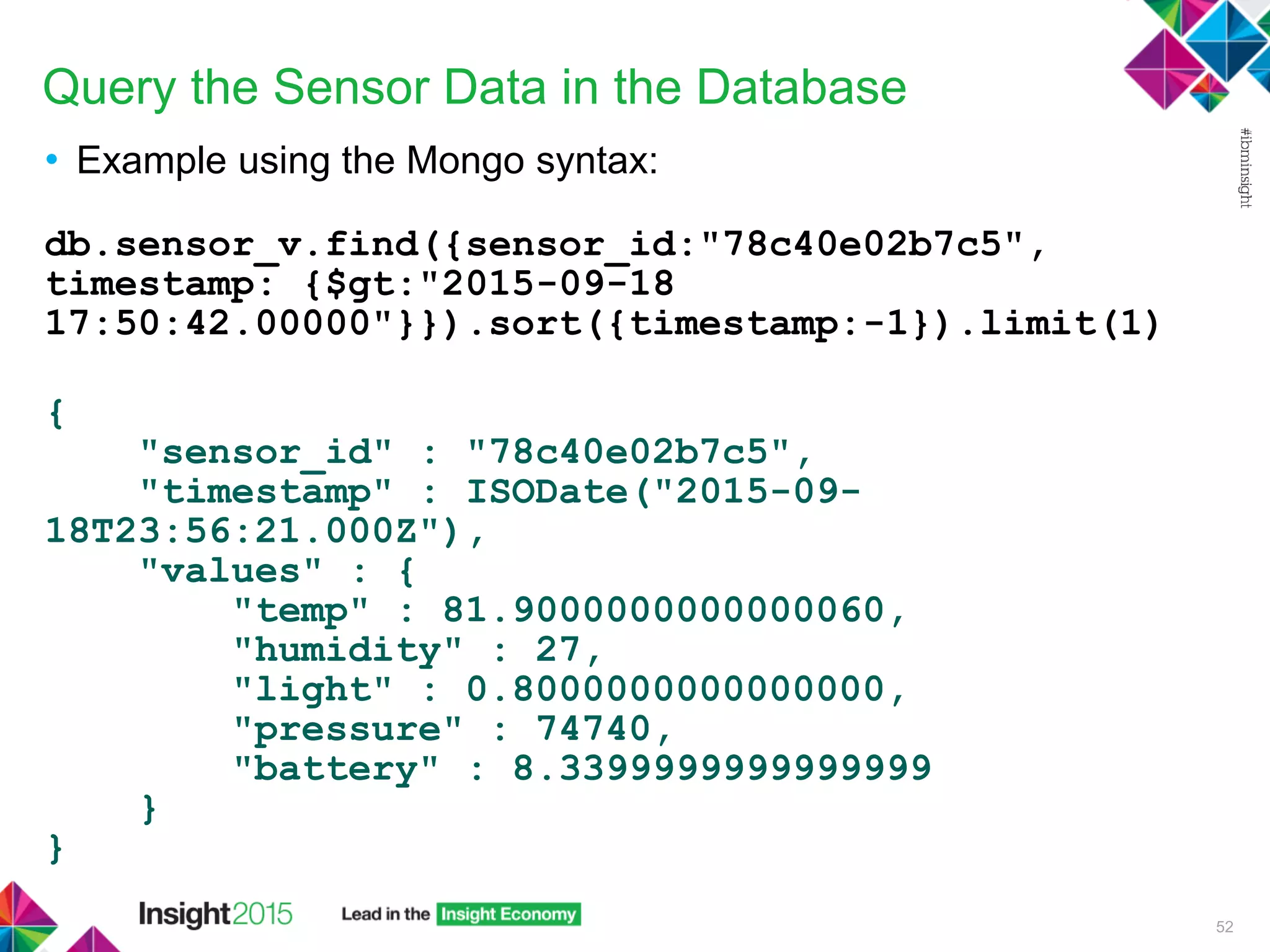
Query the Sensor Data in the Database
• Example using the Mongo syntax:
db.sensor_v.find({sensor_id:"78c40e02b7c5",
timestamp: {$gt:"2015-09-18
17:50:42.00000"}}).sort({timestamp:-1}).limit(1)
{
"sensor_id" : "78c40e02b7c5",
"timestamp" : ISODate("2015-09-
18T23:56:21.000Z"),
"values" : {
"temp" : 81.9000000000000060,
"humidity" : 27,
"light" : 0.8000000000000000,
"pressure" : 74740,
"battery" : 8.3399999999999999
}
}
52
Query the Sensor Data in the Database
• Example using dbaccess:
select
clip(
sensor_data,
CURRENT - 15 units second,
CURRENT,
0) data
from sensor
where sensor_id = "78c40e02b7c5";
data origin(2015-09-18 21:24:28.00000), calendar(ts_1sec), container(sensor_da
ta_container), threshold(0), irregular, [('{"temp":75.5,"humidity":32,"li
ght":0.2,"pressure":74878,"battery":8.34}')@2015-09-18 21:24:28.00000, ('
{"temp":75.5,"humidity":32,"light":0.2,"pressure":74877,"battery":8.34}')
@2015-09-18 21:24:31.00000, ('{"temp":75.40000000000001,"humidity":32,"li
ght":0.2,"pressure":74876,"battery":8.34}')@2015-09-18 21:24:35.00000, ('
{"temp":75.40000000000001,"humidity":32,"light":0.2,"pressure":74875,"bat
tery":8.34}')@2015-09-18 21:24:41.00000]
53
Note the irregular TimeSeries –
each reading has a timestamp
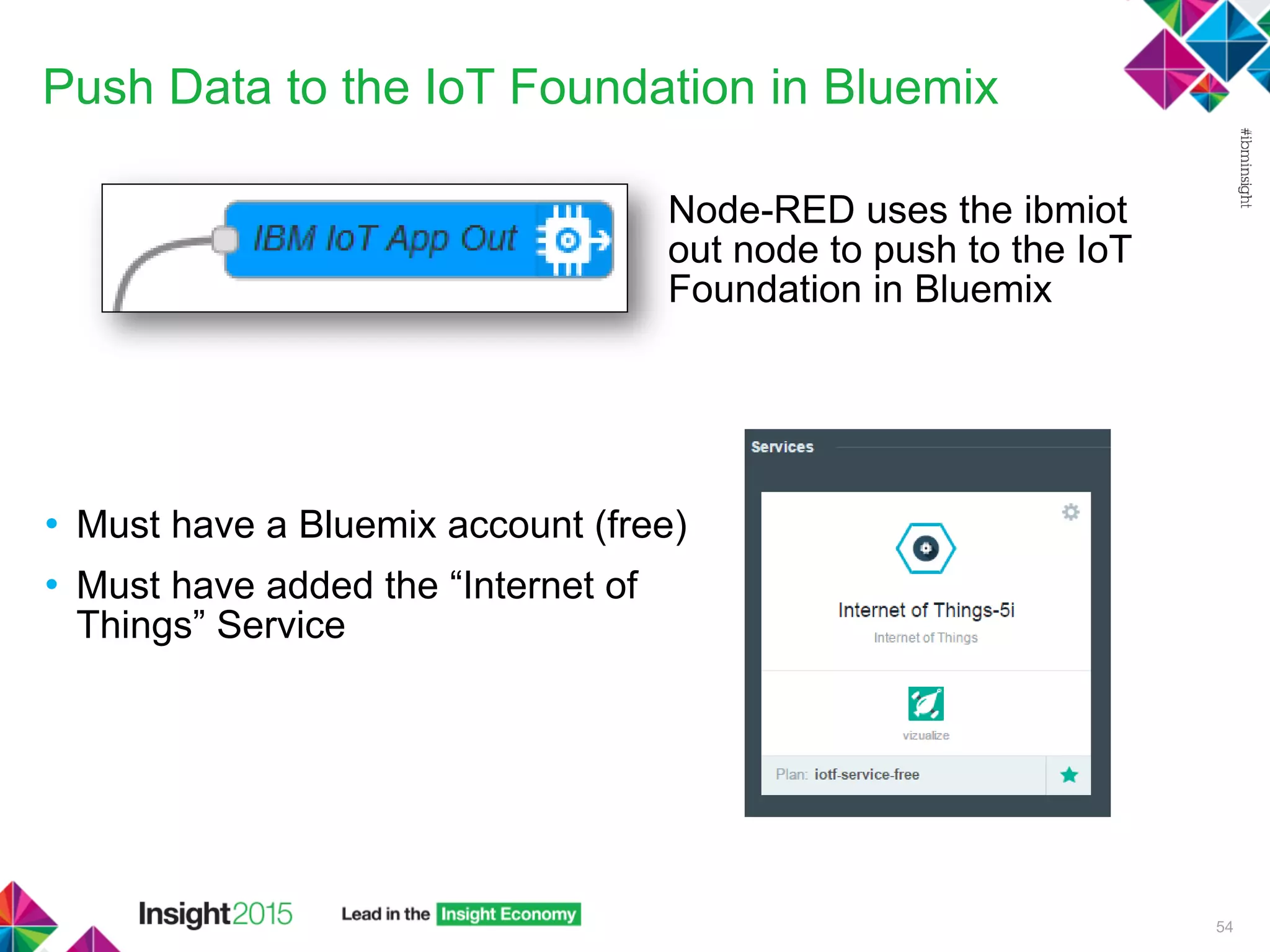
Push Data to the IoT Foundation in Bluemix
• Must have a Bluemix account (free)
• Must have added the “Internet of
Things” Service
54
Node-RED uses the ibmiot
out node to push to the IoT
Foundation in Bluemix
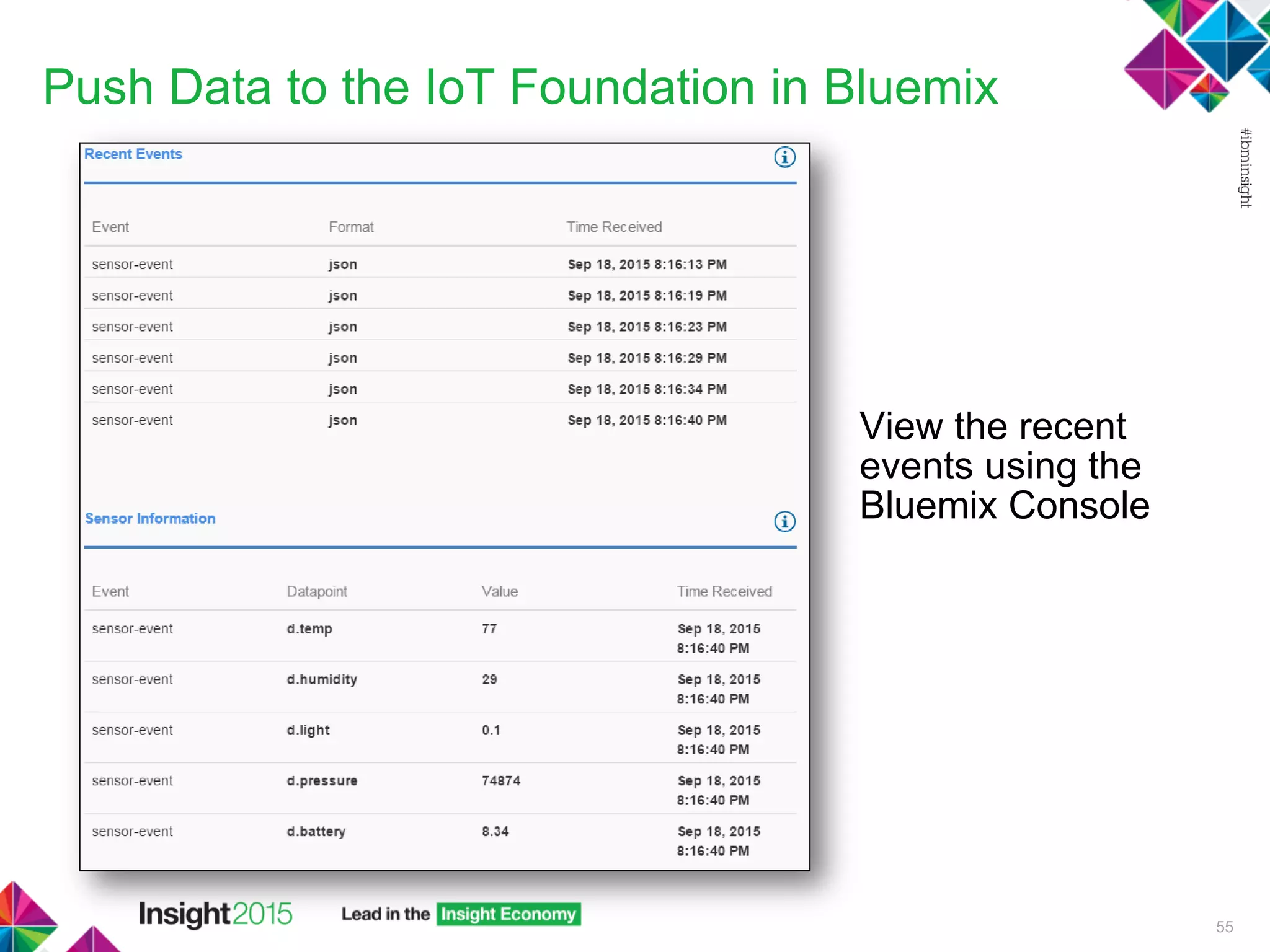
Push Data to the IoT Foundation in Bluemix
55
View the recent
events using the
Bluemix Console
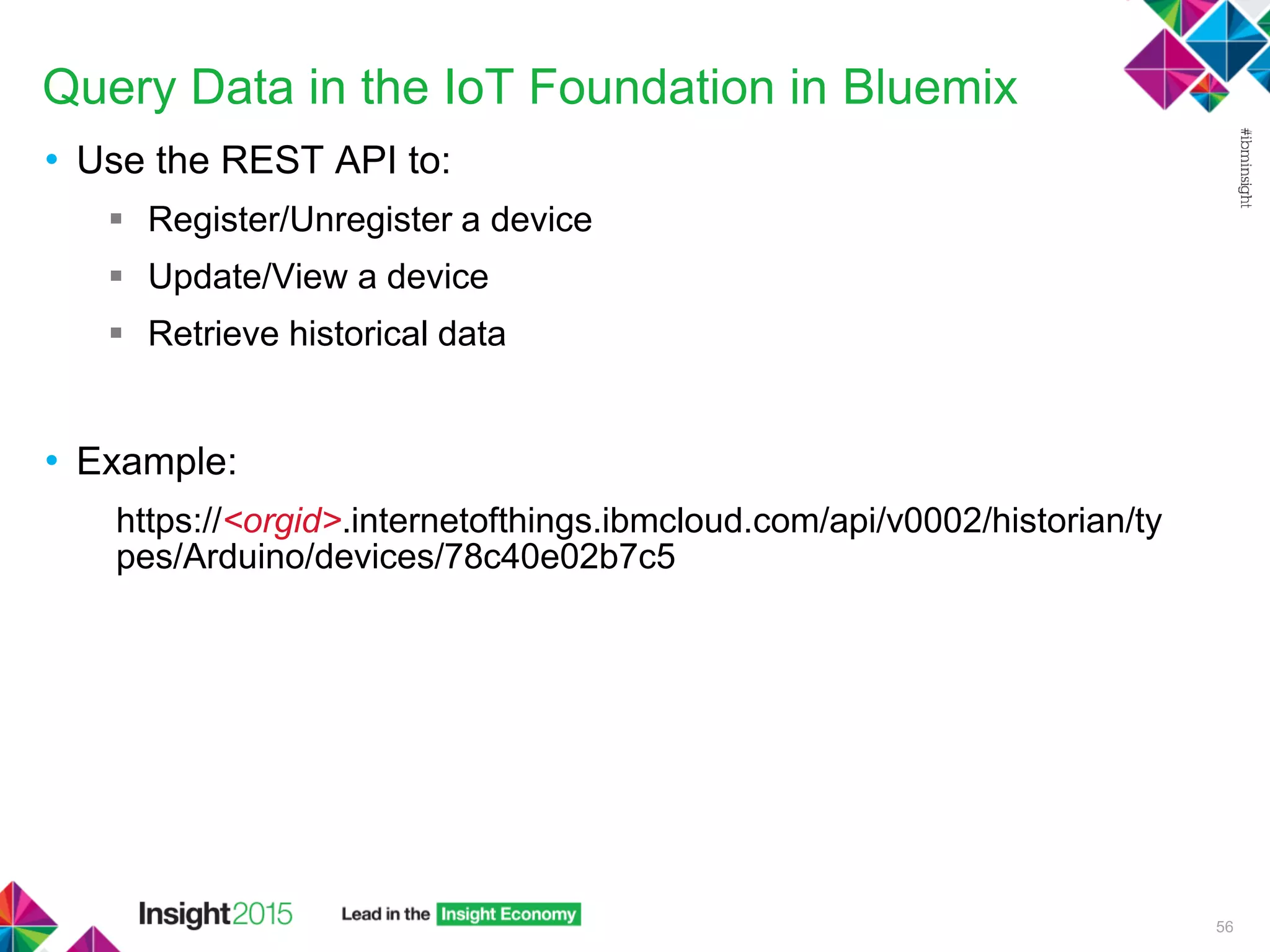
Query Data in the IoT Foundation in Bluemix
• Use the REST API to:
 Register/Unregister a device
 Update/View a device
 Retrieve historical data
• Example:
https://<orgid>.internetofthings.ibmcloud.com/api/v0002/historian/ty
pes/Arduino/devices/78c40e02b7c5
56
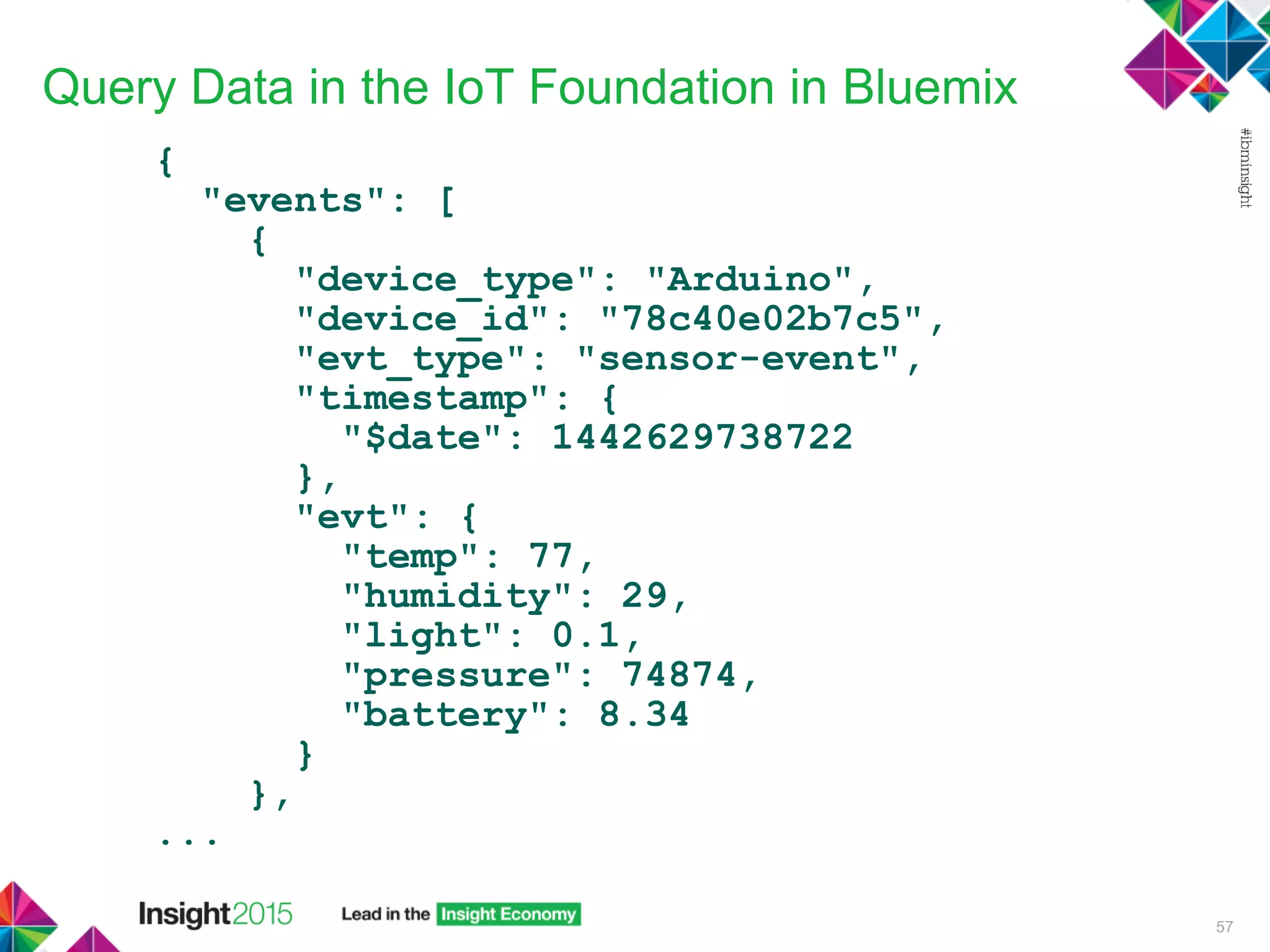
Query Data in the IoT Foundation in Bluemix
{
"events": [
{
"device_type": "Arduino",
"device_id": "78c40e02b7c5",
"evt_type": "sensor-event",
"timestamp": {
"$date": 1442629738722
},
"evt": {
"temp": 77,
"humidity": 29,
"light": 0.1,
"pressure": 74874,
"battery": 8.34
}
},
...
57
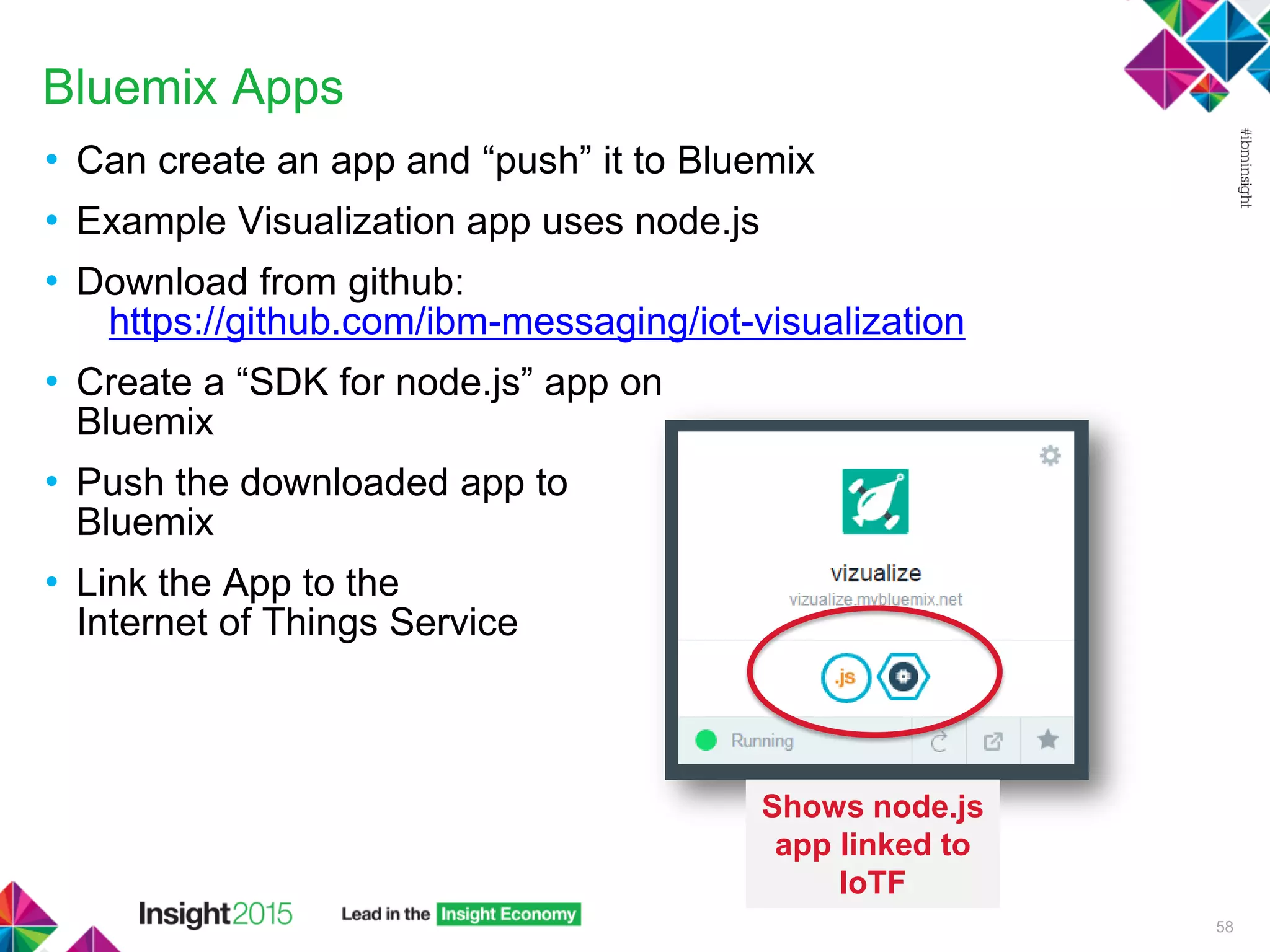
Bluemix Apps
• Can create an app and “push” it to Bluemix
• Example Visualization app uses node.js
• Download from github:
https://github.com/ibm-messaging/iot-visualization
• Create a “SDK for node.js” app on
Bluemix
• Push the downloaded app to
Bluemix
• Link the App to the
Internet of Things Service
58
Shows node.js
app linked to
IoTF
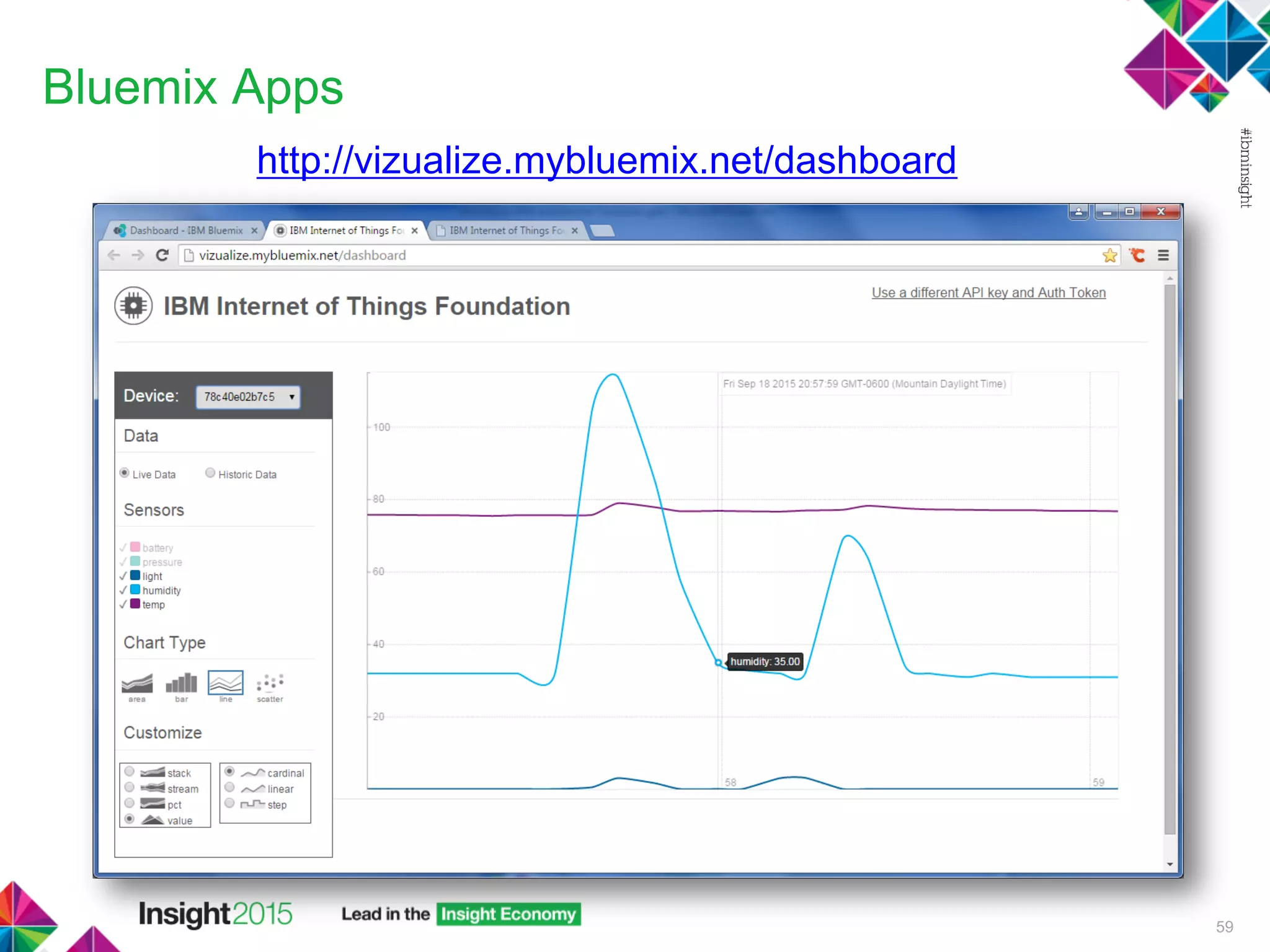
Bluemix Apps
http://vizualize.mybluemix.net/dashboard
59
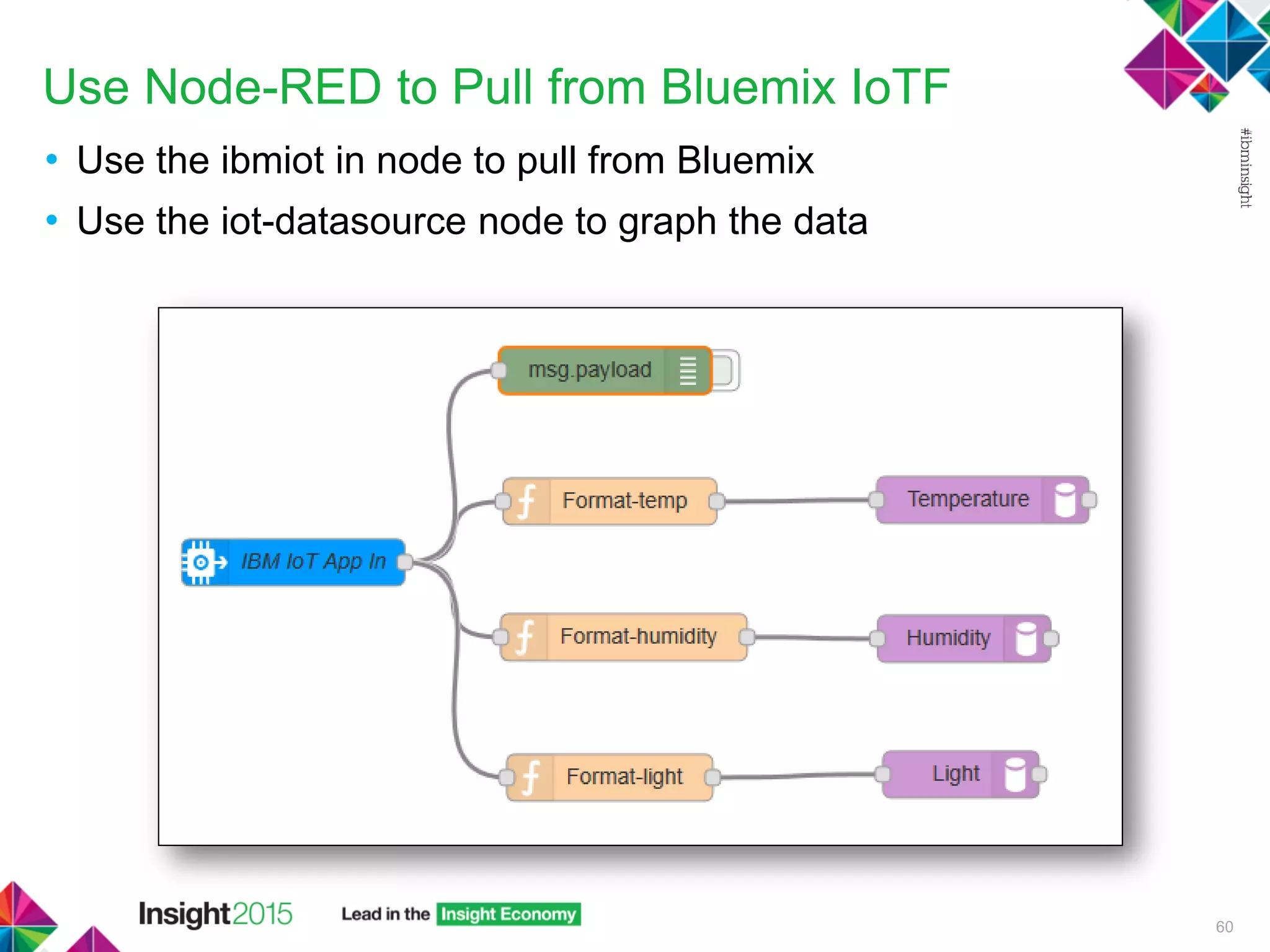
Use Node-RED to Pull from Bluemix IoTF
• Use the ibmiot in node to pull from Bluemix
• Use the iot-datasource node to graph the data
60
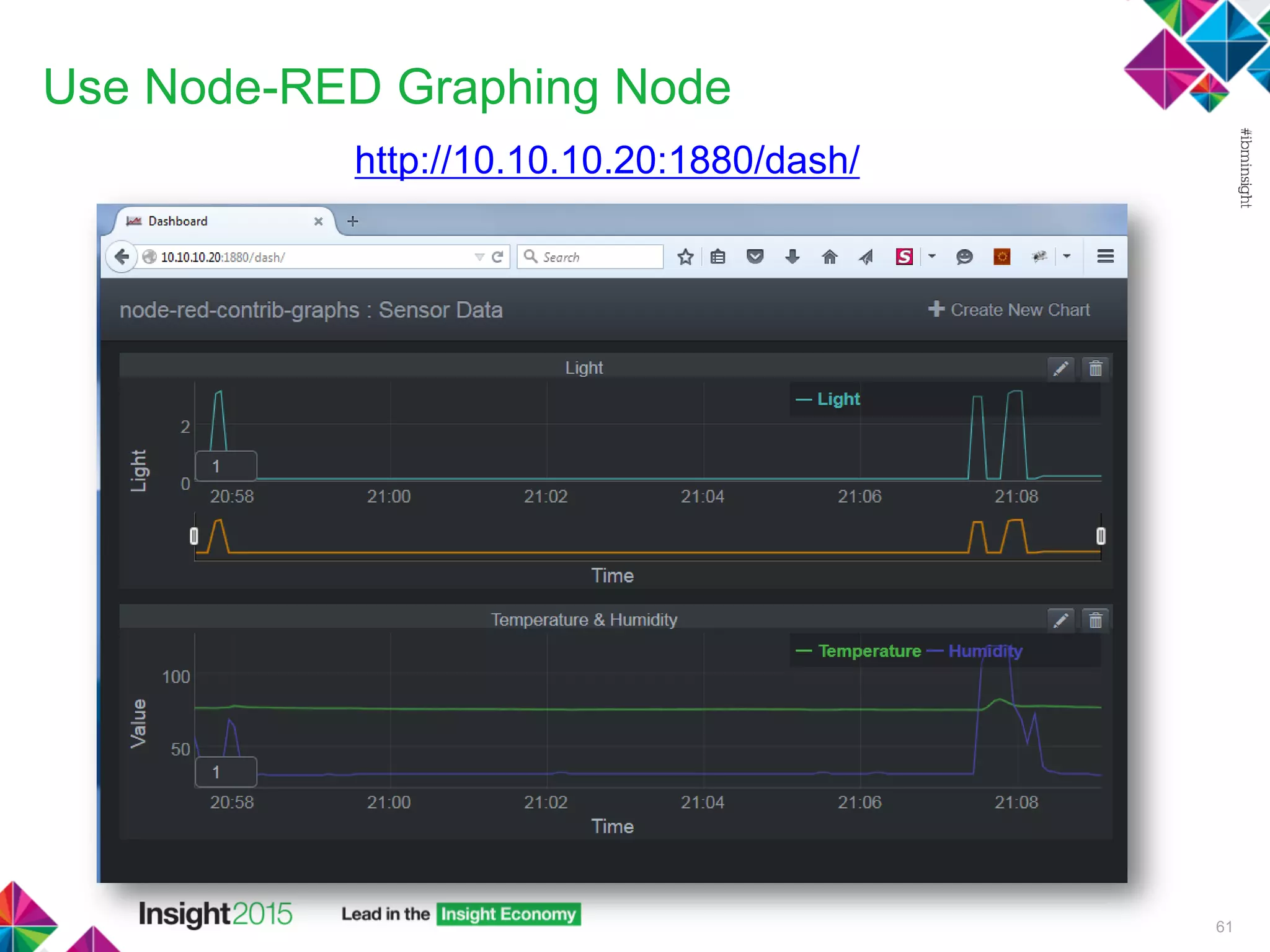
Use Node-RED Graphing Node
http://10.10.10.20:1880/dash/
61
More Resources
• Webcasts covering Informix, ARM, Internet of Things:
http://advancedatatools.com/Informix/Webcasts.html
• Compare Informix versions:
http://www.ibm.com/developerworks/data/library/techarticle/dm-
0801doe/
• Docker Site:
https://hub.docker.com/r/ibmcom/informix-innovator-c/
• Advanced DataToolsTraining:
http://advancedatatools.com/Training/InformixTraining.html
62
63
Informix Support and Training from the Informix Champions!
Advanced DataTools is an Advanced Level IBM Informix Data Management Partner, and has been an authorized
Informix partner since 1993. We have a long-term relationship with IBM, we have priority access to high-level support
staff, technical information, and Beta programs. Our team has been working with Informix since its inception, and
includes 8 Senior Informix Database Consultants, 4 IBM Champions, 2 IIUG Director’s Award winners, and an IBM
Gold Consultant.
• Informix Training
• Informix Consulting
• Informix Development
• Informix Remote DBA Support Monitoring
• Informix Performance Tuning
Free Informix Performance Tuning Webcast replays at:
http://advancedatatools.com/Informix/Webcasts.html
Call: (800) 807-6732 x101 or Email: info@advancedatatools.com
Web: http://www.advancedatatools.com
We Value Your Feedback!
Don’t forget to submit your Insight session and speaker
feedback! Your feedback is very important to us – we use it
to continually improve the conference.
Access your surveys at insight2015survey.com to quickly
submit your surveys from your smartphone, laptop or
conference kiosk.
64
65
Notices and Disclaimers
Copyright © 2015 by International Business Machines Corporation (IBM). No part of this document may be reproduced or transmitted in any form
without written permission from IBM.
U.S. Government Users Restricted Rights - Use, duplication or disclosure restricted by GSA ADP Schedule Contract with IBM.
Information in these presentations (including information relating to products that have not yet been announced by IBM) has been reviewed for
accuracy as of the date of initial publication and could include unintentional technical or typographical errors. IBM shall have no responsibility to
update this information. THIS DOCUMENT IS DISTRIBUTED "AS IS" WITHOUT ANY WARRANTY, EITHER EXPRESS OR IMPLIED. IN NO
EVENT SHALL IBM BE LIABLE FOR ANY DAMAGE ARISING FROM THE USE OF THIS INFORMATION, INCLUDING BUT NOT LIMITED TO,
LOSS OF DATA, BUSINESS INTERRUPTION, LOSS OF PROFIT OR LOSS OF OPPORTUNITY. IBM products and services are warranted
according to the terms and conditions of the agreements under which they are provided.
Any statements regarding IBM's future direction, intent or product plans are subject to change or withdrawal without notice.
Performance data contained herein was generally obtained in a controlled, isolated environments. Customer examples are presented as
illustrations of how those customers have used IBM products and the results they may have achieved. Actual performance, cost, savings or other
results in other operating environments may vary.
References in this document to IBM products, programs, or services does not imply that IBM intends to make such products, programs or services
available in all countries in which IBM operates or does business.
Workshops, sessions and associated materials may have been prepared by independent session speakers, and do not necessarily reflect the
views of IBM. All materials and discussions are provided for informational purposes only, and are neither intended to, nor shall constitute legal or
other guidance or advice to any individual participant or their specific situation.
It is the customer’s responsibility to insure its own compliance with legal requirements and to obtain advice of competent legal counsel as to the
identification and interpretation of any relevant laws and regulatory requirements that may affect the customer’s business and any actions the
customer may need to take to comply with such laws. IBM does not provide legal advice or represent or warrant that its services or products will
ensure that the customer is in compliance with any law.
66
Notices and Disclaimers (con’t)
Information concerning non-IBM products was obtained from the suppliers of those products, their published announcements or other publicly
available sources. IBM has not tested those products in connection with this publication and cannot confirm the accuracy of performance,
compatibility or any other claims related to non-IBM products. Questions on the capabilities of non-IBM products should be addressed to the
suppliers of those products. IBM does not warrant the quality of any third-party products, or the ability of any such third-party products to
interoperate with IBM’s products. IBM EXPRESSLY DISCLAIMS ALL WARRANTIES, EXPRESSED OR IMPLIED, INCLUDING BUT NOT
LIMITED TO, THE IMPLIED WARRANTIES OF MERCHANTABILITY AND FITNESS FOR A PARTICULAR PURPOSE.
The provision of the information contained herein is not intended to, and does not, grant any right or license under any IBM patents, copyrights,
trademarks or other intellectual property right.
• IBM, the IBM logo, ibm.com, Aspera®, Bluemix, Blueworks Live, CICS, Clearcase, Cognos®, DOORS®, Emptoris®, Enterprise Document
Management System™, FASP®, FileNet®, Global Business Services ®, Global Technology Services ®, IBM ExperienceOne™, IBM
SmartCloud®, IBM Social Business®, Information on Demand, ILOG, Maximo®, MQIntegrator®, MQSeries®, Netcool®, OMEGAMON,
OpenPower, PureAnalytics™, PureApplication®, pureCluster™, PureCoverage®, PureData®, PureExperience®, PureFlex®, pureQuery®,
pureScale®, PureSystems®, QRadar®, Rational®, Rhapsody®, Smarter Commerce®, SoDA, SPSS, Sterling Commerce®, StoredIQ,
Tealeaf®, Tivoli®, Trusteer®, Unica®, urban{code}®, Watson, WebSphere®, Worklight®, X-Force® and System z® Z/OS, are trademarks of
International Business Machines Corporation, registered in many jurisdictions worldwide. Other product and service names might be
trademarks of IBM or other companies. A current list of IBM trademarks is available on the Web at "Copyright and trademark information" at:
www.ibm.com/legal/copytrade.shtml.
© 2015 IBM Corporation
Thank You

Informix on ARM and informix Timeseries - producing an Internet-of-Things solution

  • 1.
    © 2015 IBMCorporation Informix on ARM and Informix TimeSeries: Producing an Internet of Things Solution – DMX-2350 Mike Walker/ 28th October 2015
  • 2.
    Mike Walker 1 Mike Walkerhas been using Informix databases for over 20 years, as a developer and as a database administrator. Recently Mike has primary responsibility for Advanced DataTools Remote Monitoring Systems. Contact Info: mike@advancedatatools.com www.advancedatatools.com Office: 303-838-0869 Cell: 303-909-4265
  • 3.
    Internet of Things(IoT) • Connecting together the Physical and Digital World • Built around sensors and smart gateways • Consumer Examples of “smart” devices:  Thermostats  Door Locks  Lightbulbs,  Etc. 2 All connected…and all accessible with a smartphone
  • 4.
  • 5.
    How the PiecesFit Together 4 Smart Gateway Cloud Sensors Microcontroller Microcontroller Actuators Lights, etc Data Collection Some local processing Control of remote devices Data Storage Web access Database Analytics Decision Making Data Storage Web access from anywhere Apps
  • 6.
    Microcontroller Boards • Electronicsboard with a microcontroller • Can bridge the gap between the physical world around you and computers • Input and Output pins  Read values from the environment  Turn things on and off • Programmable • Generally cheap  Intel Edison  Pickaxe  Arduino  ESP8266  Many, many others… 5
  • 7.
    Arduino • Electronics board& microcontroller • Cheap ($2-75 depending on version) • Programming language (based on Wiring) • Arduino is Open Source/Open Hardware • Many different varieties and clones 6 void setup(){ // declare the LED pins as outputs pinMode(3,OUTPUT); pinMode(4,OUTPUT); pinMode(5,OUTPUT); pinMode(6,OUTPUT); // declare the switch pin as an input pinMode(2,INPUT); } Sparkfun RedBoard programmed with Arduino
  • 8.
    Arduino • Use asa platform for sensors • Add “shields” for additional functions and sensors 7 Arduino with WiFi shield and Weather Shield: • Temperature • Humidity • Light • GPS • Pressure/Altimeter
  • 9.
    What is ARM? •RISC based chipset • Small, Low Power, low heat • Non x86 architecture • Runs Linux, BSD and Android • Most phones, tablets are built on ARM processors • The designs are owned by ARM Holdings out of Cambridge England • Licensed to third party manufacturers to generate a variety of chip types based on ARM • Number of low-cost, ARM based, linux computers available  Raspberry Pi  Beaglebone Black  CubieTruck  Others… 8
  • 10.
    Raspberry Pi • Severalmodels, A and B, B2 for $25 - $40 • Raspberry Pi 2 Model B has 1 GB RAM • 700-900mhz • SD Card Slot (MicroSD on the + models) • 10/100 Ethernet on B models • Onboard GPU with HDMI out and H.264 support  Plug it into a monitor/TV 9 Raspberry Pi is a trademark of the Raspberry Pi Foundation
  • 11.
    Beaglebone Black • Price:$55 • 1Ghz A8 (v7 of ARM) • 512 RAM • 4 GB Onboard Storage, microSD card slot • 10/100 Ethernet • MicroHDMI out with GPU support • Built in private networking via USB 10 BeagleBone is a trademark of BeagleBoard.org
  • 12.
    ARM Powered LinuxComputers – Why Should you Care? • Small, low power, low cost, low heat. • Easily scalable horizontally • Useful to manage sensors or more complex tasks interacting with the real world • Run services off of a dedicated device without needing your laptop • Most ARM boards are specifically set up to easily integrate with breadboards or with sensors • Lots of community support and information • They are just going to get smaller, faster and better supported • Run a full database - can take an Informix instance in your pocket Ideal for the “Smart Gateway” in an Internet of Things Solution! 11
  • 13.
    Smart Gateway • Somewhereto:  Collect data  Store data  Make decisions  Filter data  Trigger other actions  Publish data • Receive data from different devices • Run analytics locally 12
  • 14.
    Why Install aGateway Database? • Maintain a history • Advanced local reporting • Make more informed decisions locally • Don’t need to wait to get information from the cloud • Don’t need to rely on an Internet connection 13
  • 15.
    Local Reporting onthe Gateway 14
  • 16.
    Why Informix? • Overa 20 year history • Full support from IBM • Enterprise class database software • Reliable & Robust • Scalable • Performance • Ease of administration • Features  High Availability/DR  Structured/Unstructured/Hybrid Data - Full NoSQL support – built in JSON data types, MongoDB APIs  REST API  Many, many more… 15
  • 17.
    Why Informix forIoT? For all the same reasons, and… • Informix TimeSeries  Store large volumes of sensor data very efficiently • Easily Embeddable  No administration – DBA free  Remote management through SQL • Runs on low-cost hardware  Runs on ARM (Raspberry Pi, Beaglebone Black, etc)  Full version – no loss of features  Small footprint – disk and memory  OEM licensing options 16
  • 18.
    Informix is Embeddable •Informix includes many features that make it ideal to be the database server embedded on an IoT gateway  Low memory manager  Automatically expandable/extendable disk space  Rolling windows  Automatic Update Statistics  Auto Tuning  Auto Log Rotation  Built in scheduler  Administration API  Custom Deployment Installs  …and many other features 17
  • 19.
    Informix for ARM •Download fully functional “Developer Edition” for free from the IBM website 18
  • 20.
    Sensor Data ona Gateway • What are we going to do with this data? • Store it in the database…using TimeSeries 19
  • 21.
    IoT…the Problem withData • The Internet of Things – tens of billions of devices, each generating many data points over time • Storing the data efficiently is important  Store it quickly because of high volumes  Retrieve it quickly for useful analytics  Maximize storage efficiency 20
  • 22.
    Lots of Data! •By mid-2014, 50 million Smart Meters had been installed in the US (IEI Report, September 2014) A single utility company with 5 million meters will still generate over 175 billion readings each year if read every 15 minutes 21 Number of Data Points in 1 Year Number of Meters Read 1 x day Read 1 x hour Read 1 x 15 mins 50,000,000 18,250,000,000 438,000,000,000 1,752,000,000,000
  • 23.
    Informix TimeSeries • TimeSeriesis an efficient and fast way to store and access datapoints that have a time component • Stores the data elements in columnar form • TimeSeries is included with ALL editions of Informix – it is not an add-on • Consider our sensor data:  Simple data elements (temperature, humidity, light, etc)  Readings arrive at regular intervals with timestamps 22
  • 24.
    Sensor Data Traditional RelationalModel 23 Sensor Id 40b0a36b Sensor Name R01 Sensor Location Living Room Sensor Id 40b0a36b Timestamp 2014-04-14 11:30 Temperature 69.50 Sensor Id 40b0a36b Timestamp 2014-04-14 11:31 Temperature 69.75 Sensor Id 40b0a36b Timestamp 2014-04-14 11:32 Temperature 70.00 Parent key value is repeated for each reading Do we need the timestamp? Overhead for each record saved The value is all we want!
  • 25.
    Sensor Data TimeSeries Model •Store all of the readings in the SAME record • Append them to the TimeSeries column With a regular timestamp, if we know the start time of readings, we can work out the timestamp of any reading by its offset. Irregular TimeSeries stores the timestamp with the data 24 Sensor Id 40b0a36b Sensor Name R01 Sensor Location Living Room Temperature 69.50, 69.75, 70.00, … TimeSeries Column
  • 26.
    What does aTimeSeries look like? The values are stored in a single column sensor_id 40b79f8e xbee_name R03 sensor_location Arduino Sensor 2 sensor_data origin(2015-01-18 18:30:00.00000), calendar(ts_1min), containe r(sensor_container), threshold(0), regular, [NULL, NULL, NULL, NULL, NULL, NULL, NULL, NULL, NULL, (66.6 ,38.7 ,67 ), ( 65.3 ,40.2 ,67 ), (63.9 ,42.2 ,67 ), (63.3 ,42.7 , 66 ), (62.6 ,43.7 ,67 ), (62.1 ,45.0 ,66 ), (61.5 ,45.6 ,66 ), (61.2 ,46.6 ,67 ), (60.8 ,47.1 ,67 ), (60.3 ,48.1 ,67 ), (60.1 ,48.1 ,67 ), (59.7 ,4 8.2 ,67 ), (59.5 ,49.2 ,67 ), (59.4 ,48.7 ,67 ), 25 Consider our utility company with 5 million smart meters… They will only have 5 million records in their “meter” table, regardless of how many “readings” they store
  • 27.
    Creating a TimeSeries 1.Create a Calendar Pattern  Defines valid time intervals for TimeSeries data 2. Create a Calendar Table, referencing the Pattern  Defines a calendar based on start date/time & pattern 3. Create a Row Type to store the TimeSeries 4. Create a Container for the TimeSeries data, referencing the Row Type  Specifies where the TimeSeries data is stored 5. Create a Table with a TimeSeries column, using the Row Type 26
  • 28.
    Creating a TimeSeries– Sensor Example • Create the structures to store the sensor information and TimeSeries • Not creating a Calendar in this example – instead use a predefined one when create the TimeSeries 27
  • 29.
    Creating a TimeSeries– Row Type create row type sensor_reading( timestamp datetime year to fraction(5), temperature decimal(4,1), humidity decimal(4,1), lightlevel smallint ); • Define a custom row type – a structure • Allows us to store three data values (temperature, humidity light level) with a timestamp 28
  • 30.
    Creating a TimeSeries- Table create table sensor( sensor_id char(8), xbee_name char(3), sensor_location char(20), sensor_data TimeSeries(sensor_reading) ); • Define a table to store the sensor information • Referencing our custom row type for the sensor data 29
  • 31.
    Creating a TimeSeries- Container execute procedure TSContainerCreate ('sensor_container', 'sensordbs', 'sensor_reading', 256, 256); • Defines where the TimeSeries data will be stored • “sensordbs” is an existing DBSpace (assigned disk space) • References our custom row type (sensor_reading) 30
  • 32.
    Creating a TimeSeries– Create Sensor Record insert into sensor values ( "40b79f8e", "R03", "Arduino Sensor 2", TSCreate( 'ts_1min', '2015-01-18 18:30:00.00000', 0, 0, 0, 'sensor_container')); • Create one record for each sensor 31 Predefined calendar – new value each minute
  • 33.
    Creating a TimeSeries– Store Sensor Data update sensor set sensor_data = PutElem(sensor_data, row("2015-01-18 18:30:00.00000", 78.1, 45.5, 70)::sensor_reading) where xbee_name = "R03"; • Update the appropriate sensor record with new values 32
  • 34.
    TimeSeries – Queryingthe Sensor Data • Query the table select * from sensor where xbee_name matches "R03"; • The values are stored in a single column sensor_id 40b79f8e xbee_name R03 sensor_location Arduino Sensor 2 sensor_data origin(2015-01-18 18:30:00.00000), calendar(ts_1min), containe r(sensor_container), threshold(0), regular, [NULL, NULL, NULL, NULL, NULL, NULL, NULL, NULL, NULL, (66.6 ,38.7 ,67 ), ( 65.3 ,40.2 ,67 ), (63.9 ,42.2 ,67 ), (63.3 ,42.7 , 66 ), (62.6 ,43.7 ,67 ), (62.1 ,45.0 ,66 ), (61.5 ,45.6 ,66 ), (61.2 ,46.6 ,67 ), (60.8 ,47.1 ,67 ), (60.3 ,48.1 ,67 ), (60.1 ,48.1 ,67 ), (59.7 ,4 8.2 ,67 ), (59.5 ,49.2 ,67 ), (59.4 ,48.7 ,67 ), ... 33
  • 35.
    TimeSeries – Queryingthe Sensor Data • Query values for a timestamp select sensor_id, xbee_name, GetElem(sensor_data, '2015-01-18 18:40:00') as readings from sensor where xbee_name matches "R03"; • The values are returned as the custom row type sensor_id 40b79f8e xbee_name R03 readings ROW('2015-01-18 18:40:00.00000',65.3 ,40.2 ,67 ) 34
  • 36.
    TimeSeries – VirtualTable Interface • Using a Virtual Table Interface (VTI) simplifies the use of TimeSeries data by displaying the data in a relational format  Each TimeSeries element can be treated as a “row” of data through the VTI execute procedure tscreatevirtualtab( 'sensor_vti', 'sensor'); 35
  • 37.
    TimeSeries – Querythe VTI select * from sensor_vti where sensor_location = "Arduino Sensor 2" sensor_id 40b79f8e xbee_name R03 sensor_location Arduino Sensor 2 timestamp 2015-01-18 18:39:00.00000 temperature 66.6 humidity 38.7 lightlevel 67 sensor_id 40b79f8e xbee_name R03 sensor_location Arduino Sensor 2 timestamp 2015-01-18 18:40:00.00000 temperature 65.3 humidity 40.2 lightlevel 67 36 Timestamps and data values broken into individual records Looks Relational!
  • 38.
    TimeSeries – RowType • The Row Type in the example allows us to store three values:  Temperature  Humidity  Light Level • Some sensors may not send all of the values – for example, may just send the temperature  Lots of NULL values in the TimeSeries ... (69.6 ,NULL,NULL), (69.1 ,NULL,NULL), (69.8 ,N ULL,NULL), (69.6 ,NULL,NULL), (69.6 ,NULL,NULL), (69.6 ,NUL L,NULL), (69.6 ,NULL,NULL), (69.6 ,NULL,NULL), (69.6 ,NULL, NULL), (69.6 ,NULL,NULL), (69.8 ,NULL,NULL), • What if I want to add a new sensor type – for example, “Volume Level”? 37 Need to be able to store Unstructured Data
  • 39.
    Unstructured Data • Schemais not rigidly defined • JSON & NoSQL Documents • Uses key value pairs, for example: {"data": {"temperature": 70.2, "humidity": 45.0}} Informix includes a native JSON data type 38
  • 40.
    MongoDB • MongoDB isa popular document-orientated, NoSQL database • Informix supports connections from Mongo based applications • Uses a wire listener to allow connectivity • Example: Connect from the mongo shell to an Informix database 39
  • 41.
    REST API • Canuse a REST API to work with an Informix database • Driverless access • Uses a wire listener • Example: Connect from a browser to an Informix database http://10.10.10.20:27018/sysmaster/systables?query={tabid:{$lte:5} }&fields={tabname:1}&sort={tabname:-1} 40
  • 42.
    TimeSeries and JSON •As of Informix 12.10.xC4, TimeSeries supports unstructured data create row type sensor_info ( timestamp datetime year to fraction(5), values bson ); create table sensor2 ( sensor_id char(20), sensor_type char(15), sensor_data timeseries(sensor_info), primary key (sensor_id) ); 41
  • 43.
    TimeSeries and JSON •Store different types of readings in the same record structure within TimeSeries, using key-value pairs: sensor_id 1 sensor_type Temp+Humidity sensor_data origin(2015-09-18 14:30:00.00000), calendar(ts_1min), container(se nsor2_data_container), threshold(0), regular, [('{"temperature":70 ,"humidity":45}'), ('{"temperature":71,"humidity":43}'), ('{"tempe rature":72,"humidity":40}')] sensor_id 2 sensor_type Temp sensor_data origin(2015-09-18 14:30:00.00000), calendar(ts_1min), container(se nsor2_data_container), threshold(0), regular, [('{"temperature":82 }'), ('{"temperature":78}'), ('{"temperature":80}')] sensor_id 3 sensor_type Sound sensor_data origin(2015-09-18 14:30:00.00000), calendar(ts_1min), container(se nsor2_data_container), threshold(0), regular, [('{"volume":5}'), ( '{"volume":15}'), ('{"volume":12}')] 42
  • 44.
    IBM Internet ofThings Foundation • IBM have created their own, cloud-hosted service for IoT • Part of the IBM Bluemix platform 43 Bluemix Cloud based services Pick and choose what you want
  • 45.
    IBM Internet ofThings Foundation IoTF on Bluemix 44 Add the Internet of Things Service
  • 46.
    IBM Internet ofThings Foundation • Register a Device • Publish events using MQTT protocol 45
  • 47.
    Putting it allTogether! • We have covered:  Sensors/Microcontrollers  ARM  Smart Gateway  Local Informix Database  TimeSeries  Unstructured Data  Mongo and REST API Database Connectivity  Internet of Things Foundation on Bluemix Now to put it all together for our IoT Solution! 46
  • 48.
    Node-RED • Graphical tool– run in a browser • Use to put together data flows and apply operations • Additional “nodes” can be added to increase the functionality • Custom “nodes” can be written 47
  • 49.
    Node-RED IoT Solution with(almost) no programming! 48 Subscribe to MQTT topic Insert into local Informix TimeSeries Push to IoTF in Bluemix
  • 50.
    Incoming Sensor Data •The sensors are connected wirelessly (WiFi) • They are publishing data to a message broker using MQTT • The broker is running on a Raspberry Pi 2 49 Broker Subscriber SubscriberPublisher Publisher MQTT
  • 51.
    MQTT Topic –Incoming Data 50 topic/sensor {"id":"78c40e02b7c5","v":{"t":85.7,"h": 25,"l": 3.1,"p":74631,"b": 8.33}} topic/sensor {"id":"78c40e02b7c5","v":{"t":85.8,"h": 25,"l": 3.1,"p":74634,"b": 8.31}} topic/sensor {"id":"78c40e02b7c5","v":{"t":85.8,"h": 25,"l": 3.1,"p":74635,"b": 8.34}} topic/sensor {"id":"78c40e02b7c5","v":{"t":85.9,"h": 25,"l": 3.1,"p":74637,"b": 8.31}} topic/sensor {"id":"78c40e02b7c5","v":{"t":85.9,"h": 25,"l": 3.1,"p":74637,"b": 8.34}} Node-RED subscribes to this same topic with the MQTT node to receive the sensor data
  • 52.
    Write to aLocal Database 51 Node-RED uses the timeseries-out node to write reformatted data to a local Informix database • The TimeSeries node uses the REST API to write to the local database • The database and table must already exist • A virtual table will be created automatically against the underlying table
  • 53.
    Query the SensorData in the Database • Example using the Mongo syntax: db.sensor_v.find({sensor_id:"78c40e02b7c5", timestamp: {$gt:"2015-09-18 17:50:42.00000"}}).sort({timestamp:-1}).limit(1) { "sensor_id" : "78c40e02b7c5", "timestamp" : ISODate("2015-09- 18T23:56:21.000Z"), "values" : { "temp" : 81.9000000000000060, "humidity" : 27, "light" : 0.8000000000000000, "pressure" : 74740, "battery" : 8.3399999999999999 } } 52
  • 54.
    Query the SensorData in the Database • Example using dbaccess: select clip( sensor_data, CURRENT - 15 units second, CURRENT, 0) data from sensor where sensor_id = "78c40e02b7c5"; data origin(2015-09-18 21:24:28.00000), calendar(ts_1sec), container(sensor_da ta_container), threshold(0), irregular, [('{"temp":75.5,"humidity":32,"li ght":0.2,"pressure":74878,"battery":8.34}')@2015-09-18 21:24:28.00000, (' {"temp":75.5,"humidity":32,"light":0.2,"pressure":74877,"battery":8.34}') @2015-09-18 21:24:31.00000, ('{"temp":75.40000000000001,"humidity":32,"li ght":0.2,"pressure":74876,"battery":8.34}')@2015-09-18 21:24:35.00000, (' {"temp":75.40000000000001,"humidity":32,"light":0.2,"pressure":74875,"bat tery":8.34}')@2015-09-18 21:24:41.00000] 53 Note the irregular TimeSeries – each reading has a timestamp
  • 55.
    Push Data tothe IoT Foundation in Bluemix • Must have a Bluemix account (free) • Must have added the “Internet of Things” Service 54 Node-RED uses the ibmiot out node to push to the IoT Foundation in Bluemix
  • 56.
    Push Data tothe IoT Foundation in Bluemix 55 View the recent events using the Bluemix Console
  • 57.
    Query Data inthe IoT Foundation in Bluemix • Use the REST API to:  Register/Unregister a device  Update/View a device  Retrieve historical data • Example: https://<orgid>.internetofthings.ibmcloud.com/api/v0002/historian/ty pes/Arduino/devices/78c40e02b7c5 56
  • 58.
    Query Data inthe IoT Foundation in Bluemix { "events": [ { "device_type": "Arduino", "device_id": "78c40e02b7c5", "evt_type": "sensor-event", "timestamp": { "$date": 1442629738722 }, "evt": { "temp": 77, "humidity": 29, "light": 0.1, "pressure": 74874, "battery": 8.34 } }, ... 57
  • 59.
    Bluemix Apps • Cancreate an app and “push” it to Bluemix • Example Visualization app uses node.js • Download from github: https://github.com/ibm-messaging/iot-visualization • Create a “SDK for node.js” app on Bluemix • Push the downloaded app to Bluemix • Link the App to the Internet of Things Service 58 Shows node.js app linked to IoTF
  • 60.
  • 61.
    Use Node-RED toPull from Bluemix IoTF • Use the ibmiot in node to pull from Bluemix • Use the iot-datasource node to graph the data 60
  • 62.
    Use Node-RED GraphingNode http://10.10.10.20:1880/dash/ 61
  • 63.
    More Resources • Webcastscovering Informix, ARM, Internet of Things: http://advancedatatools.com/Informix/Webcasts.html • Compare Informix versions: http://www.ibm.com/developerworks/data/library/techarticle/dm- 0801doe/ • Docker Site: https://hub.docker.com/r/ibmcom/informix-innovator-c/ • Advanced DataToolsTraining: http://advancedatatools.com/Training/InformixTraining.html 62
  • 64.
    63 Informix Support andTraining from the Informix Champions! Advanced DataTools is an Advanced Level IBM Informix Data Management Partner, and has been an authorized Informix partner since 1993. We have a long-term relationship with IBM, we have priority access to high-level support staff, technical information, and Beta programs. Our team has been working with Informix since its inception, and includes 8 Senior Informix Database Consultants, 4 IBM Champions, 2 IIUG Director’s Award winners, and an IBM Gold Consultant. • Informix Training • Informix Consulting • Informix Development • Informix Remote DBA Support Monitoring • Informix Performance Tuning Free Informix Performance Tuning Webcast replays at: http://advancedatatools.com/Informix/Webcasts.html Call: (800) 807-6732 x101 or Email: info@advancedatatools.com Web: http://www.advancedatatools.com
  • 65.
    We Value YourFeedback! Don’t forget to submit your Insight session and speaker feedback! Your feedback is very important to us – we use it to continually improve the conference. Access your surveys at insight2015survey.com to quickly submit your surveys from your smartphone, laptop or conference kiosk. 64
  • 66.
    65 Notices and Disclaimers Copyright© 2015 by International Business Machines Corporation (IBM). No part of this document may be reproduced or transmitted in any form without written permission from IBM. U.S. Government Users Restricted Rights - Use, duplication or disclosure restricted by GSA ADP Schedule Contract with IBM. Information in these presentations (including information relating to products that have not yet been announced by IBM) has been reviewed for accuracy as of the date of initial publication and could include unintentional technical or typographical errors. IBM shall have no responsibility to update this information. THIS DOCUMENT IS DISTRIBUTED "AS IS" WITHOUT ANY WARRANTY, EITHER EXPRESS OR IMPLIED. IN NO EVENT SHALL IBM BE LIABLE FOR ANY DAMAGE ARISING FROM THE USE OF THIS INFORMATION, INCLUDING BUT NOT LIMITED TO, LOSS OF DATA, BUSINESS INTERRUPTION, LOSS OF PROFIT OR LOSS OF OPPORTUNITY. IBM products and services are warranted according to the terms and conditions of the agreements under which they are provided. Any statements regarding IBM's future direction, intent or product plans are subject to change or withdrawal without notice. Performance data contained herein was generally obtained in a controlled, isolated environments. Customer examples are presented as illustrations of how those customers have used IBM products and the results they may have achieved. Actual performance, cost, savings or other results in other operating environments may vary. References in this document to IBM products, programs, or services does not imply that IBM intends to make such products, programs or services available in all countries in which IBM operates or does business. Workshops, sessions and associated materials may have been prepared by independent session speakers, and do not necessarily reflect the views of IBM. All materials and discussions are provided for informational purposes only, and are neither intended to, nor shall constitute legal or other guidance or advice to any individual participant or their specific situation. It is the customer’s responsibility to insure its own compliance with legal requirements and to obtain advice of competent legal counsel as to the identification and interpretation of any relevant laws and regulatory requirements that may affect the customer’s business and any actions the customer may need to take to comply with such laws. IBM does not provide legal advice or represent or warrant that its services or products will ensure that the customer is in compliance with any law.
  • 67.
    66 Notices and Disclaimers(con’t) Information concerning non-IBM products was obtained from the suppliers of those products, their published announcements or other publicly available sources. IBM has not tested those products in connection with this publication and cannot confirm the accuracy of performance, compatibility or any other claims related to non-IBM products. Questions on the capabilities of non-IBM products should be addressed to the suppliers of those products. IBM does not warrant the quality of any third-party products, or the ability of any such third-party products to interoperate with IBM’s products. IBM EXPRESSLY DISCLAIMS ALL WARRANTIES, EXPRESSED OR IMPLIED, INCLUDING BUT NOT LIMITED TO, THE IMPLIED WARRANTIES OF MERCHANTABILITY AND FITNESS FOR A PARTICULAR PURPOSE. The provision of the information contained herein is not intended to, and does not, grant any right or license under any IBM patents, copyrights, trademarks or other intellectual property right. • IBM, the IBM logo, ibm.com, Aspera®, Bluemix, Blueworks Live, CICS, Clearcase, Cognos®, DOORS®, Emptoris®, Enterprise Document Management System™, FASP®, FileNet®, Global Business Services ®, Global Technology Services ®, IBM ExperienceOne™, IBM SmartCloud®, IBM Social Business®, Information on Demand, ILOG, Maximo®, MQIntegrator®, MQSeries®, Netcool®, OMEGAMON, OpenPower, PureAnalytics™, PureApplication®, pureCluster™, PureCoverage®, PureData®, PureExperience®, PureFlex®, pureQuery®, pureScale®, PureSystems®, QRadar®, Rational®, Rhapsody®, Smarter Commerce®, SoDA, SPSS, Sterling Commerce®, StoredIQ, Tealeaf®, Tivoli®, Trusteer®, Unica®, urban{code}®, Watson, WebSphere®, Worklight®, X-Force® and System z® Z/OS, are trademarks of International Business Machines Corporation, registered in many jurisdictions worldwide. Other product and service names might be trademarks of IBM or other companies. A current list of IBM trademarks is available on the Web at "Copyright and trademark information" at: www.ibm.com/legal/copytrade.shtml.
  • 68.
    © 2015 IBMCorporation Thank You