LASERCUTTING 2LASERCUTTING 2
TUTORIALTUTORIAL
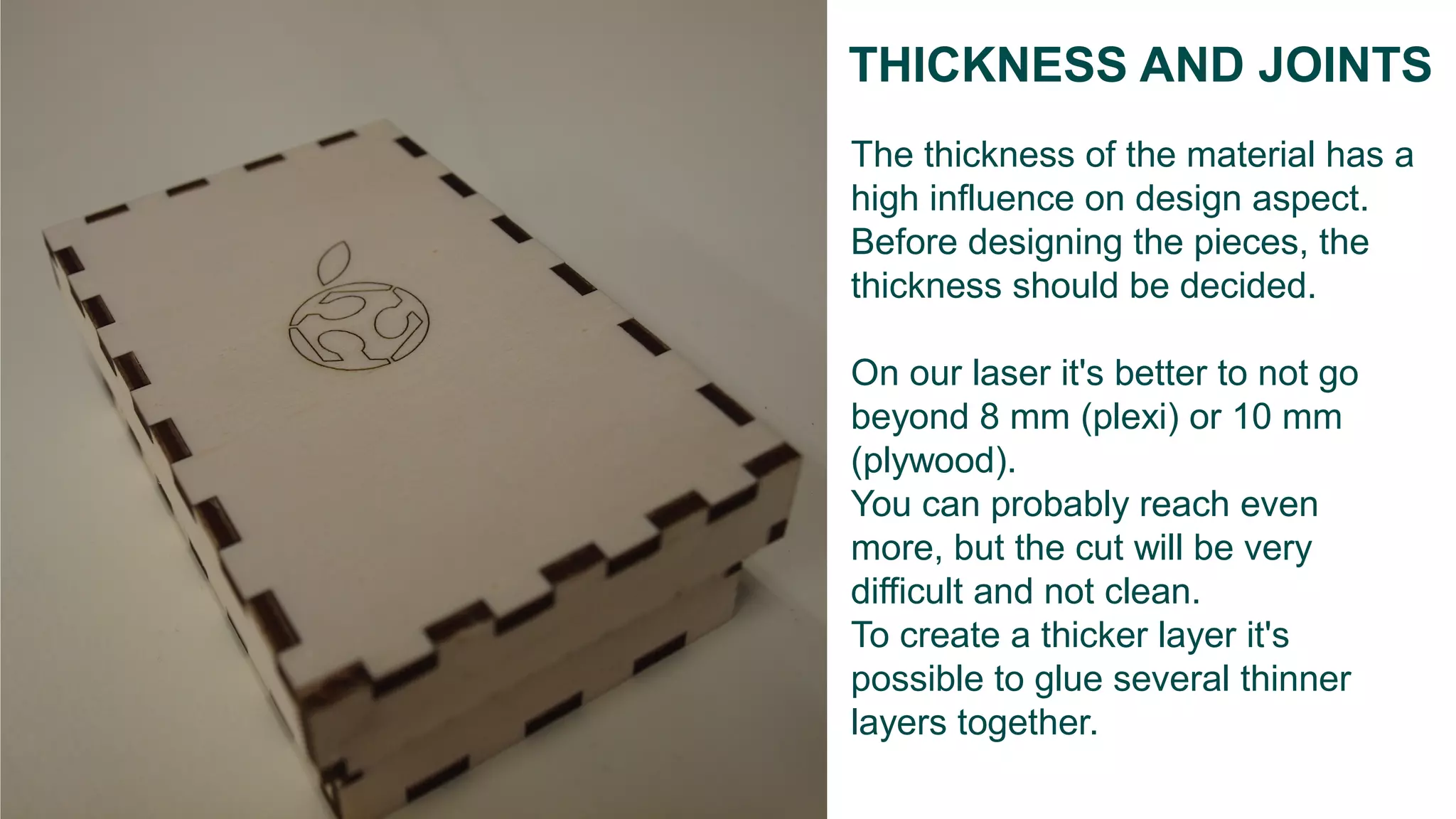
The thickness of the material has a
high influence on design aspect.
Before designing the pieces, the
thickness should be decided.
On our laser it's better to not go
beyond 8 mm (plexi) or 10 mm
(plywood).
You can probably reach even
more, but the cut will be very
difficult and not clean.
To create a thicker layer it's
possible to glue several thinner
layers together.
THICKNESS AND JOINTS
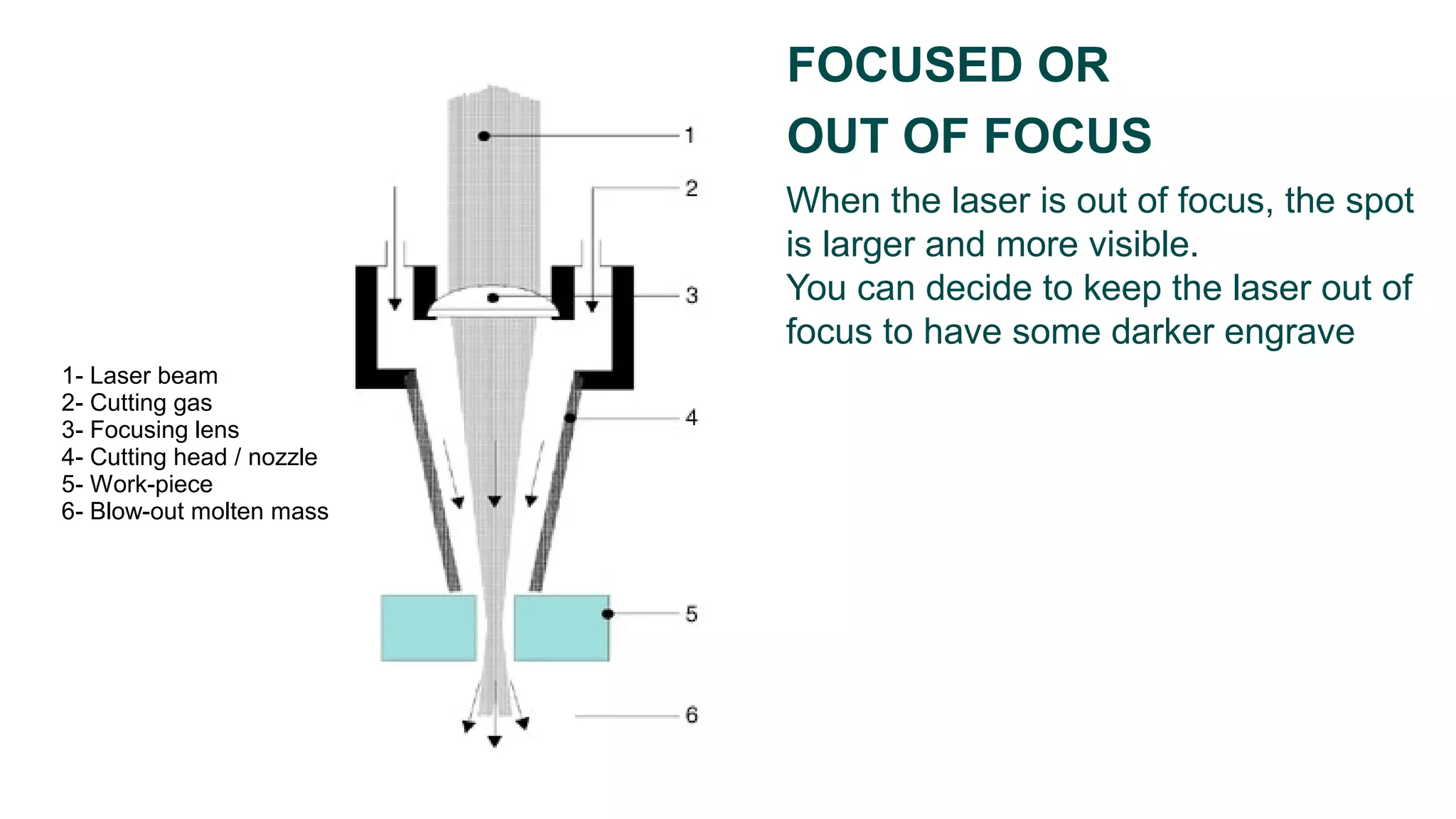
When the laser is out of focus, the spot
is larger and more visible.
You can decide to keep the laser out of
focus to have some darker engrave
FOCUSED OR
OUT OF FOCUS
1- Laser beam
2- Cutting gas
3- Focusing lens
4- Cutting head / nozzle
5- Work-piece
6- Blow-out molten mass
HOW TO PREPARE
A FILE
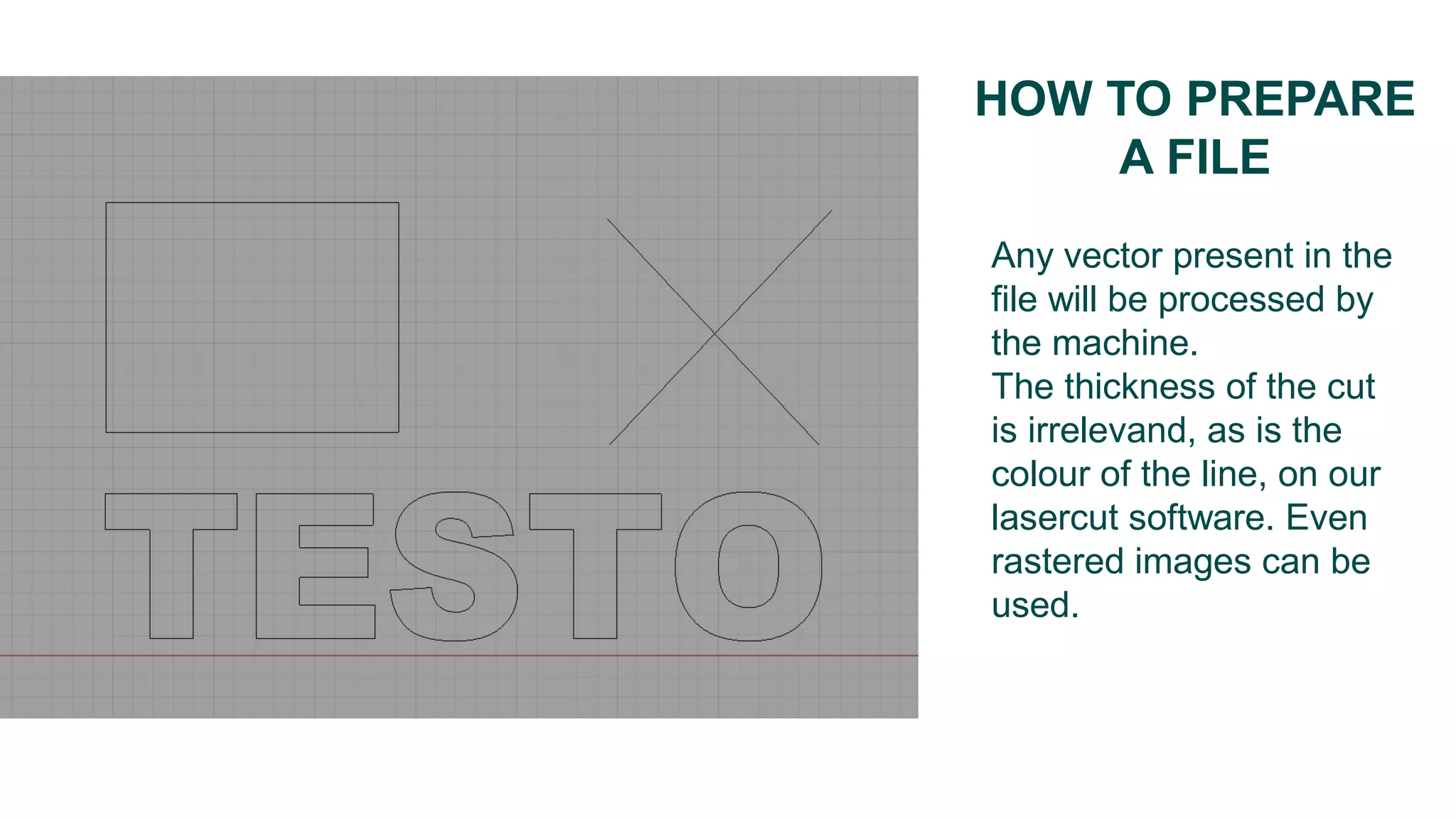
Any vector present in the
file will be processed by
the machine.
The thickness of the cut
is irrelevand, as is the
colour of the line, on our
lasercut software. Even
rastered images can be
used.
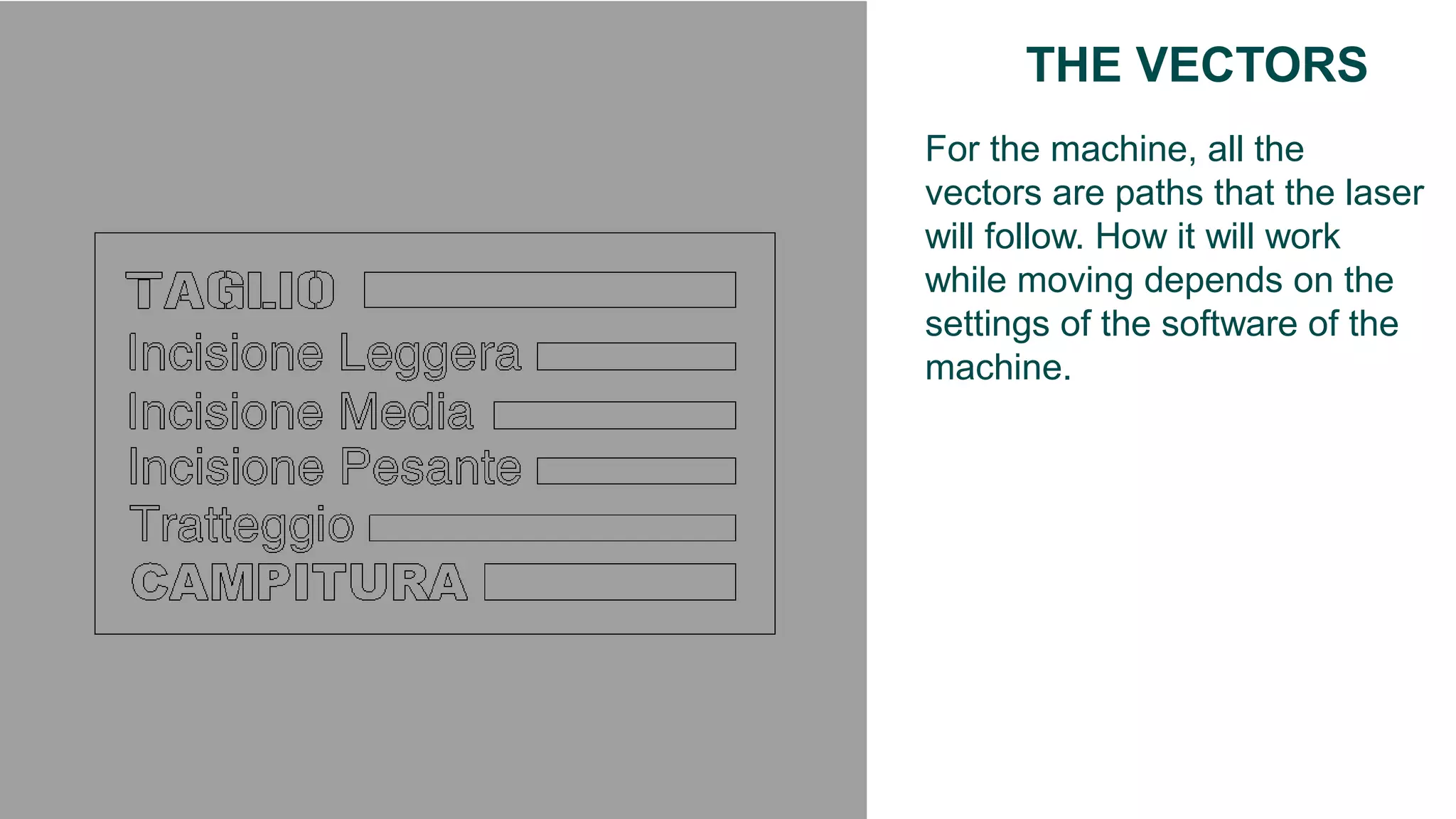
For the machine, all the
vectors are paths that the laser
will follow. How it will work
while moving depends on the
settings of the software of the
machine.
THE VECTORS
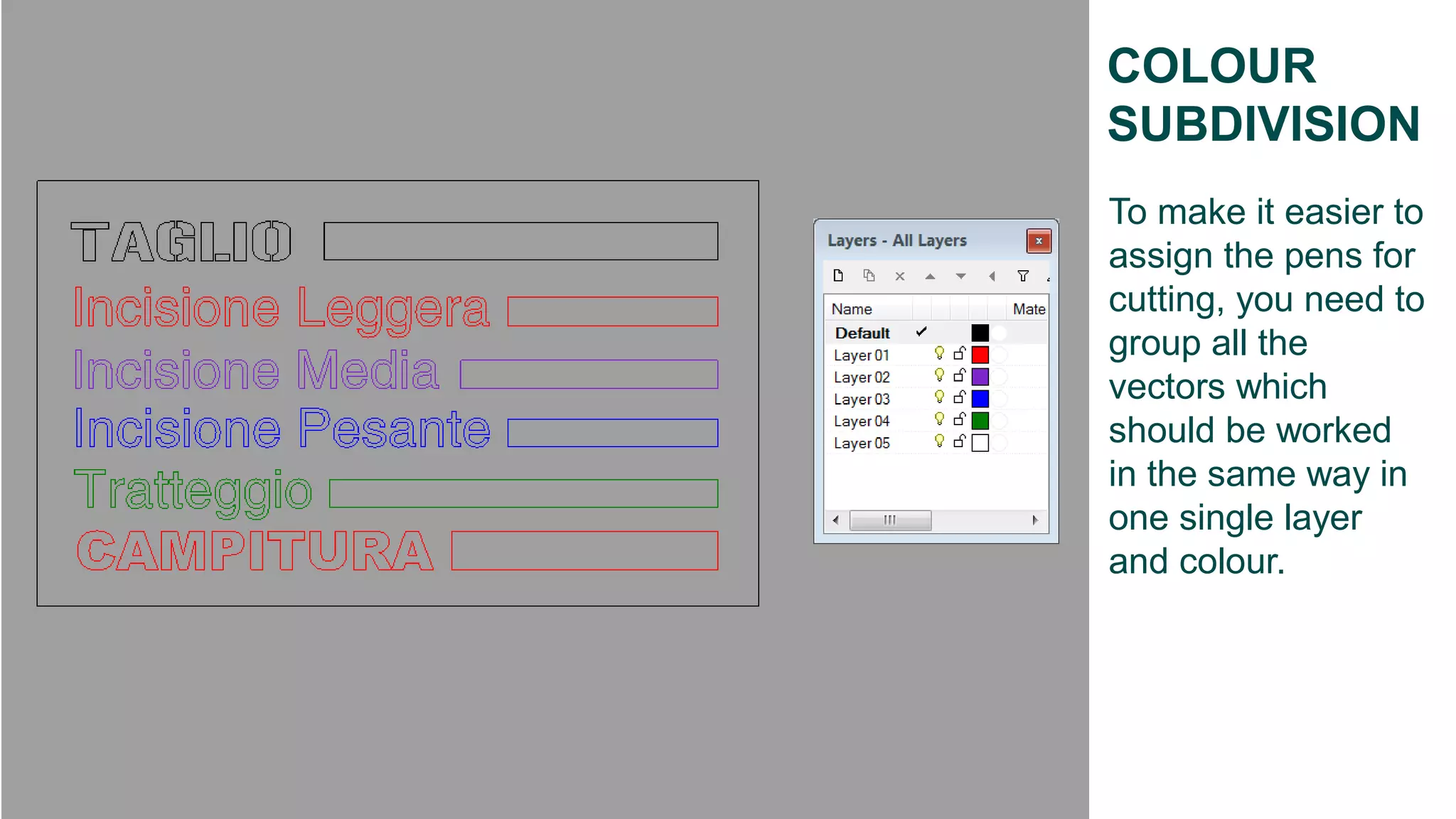
COLOUR
SUBDIVISION
To make it easier to
assign the pens for
cutting, you need to
group all the
vectors which
should be worked
in the same way in
one single layer
and colour.
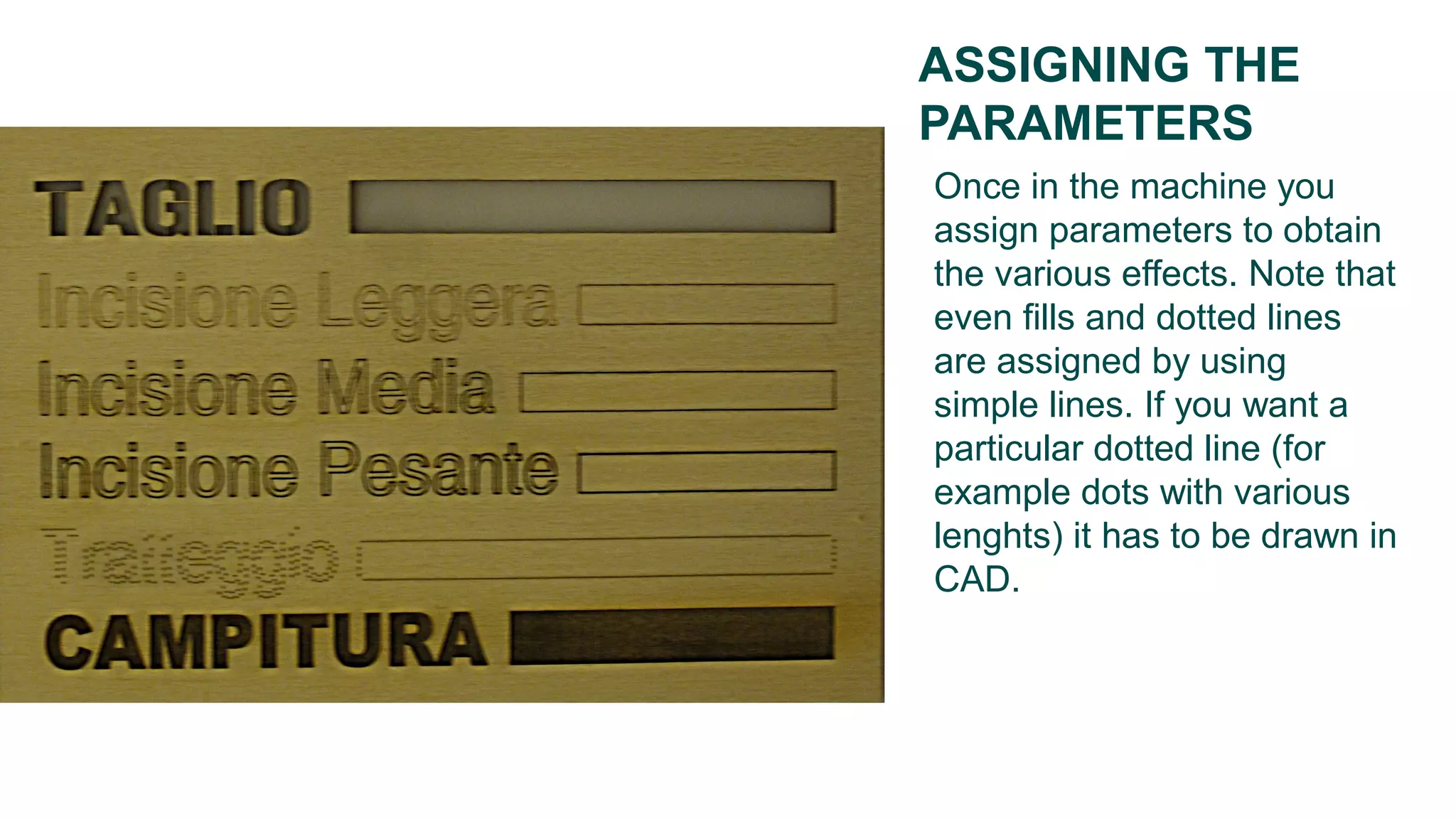
Once in the machine you
assign parameters to obtain
the various effects. Note that
even fills and dotted lines
are assigned by using
simple lines. If you want a
particular dotted line (for
example dots with various
lenghts) it has to be drawn in
CAD.
ASSIGNING THE
PARAMETERS
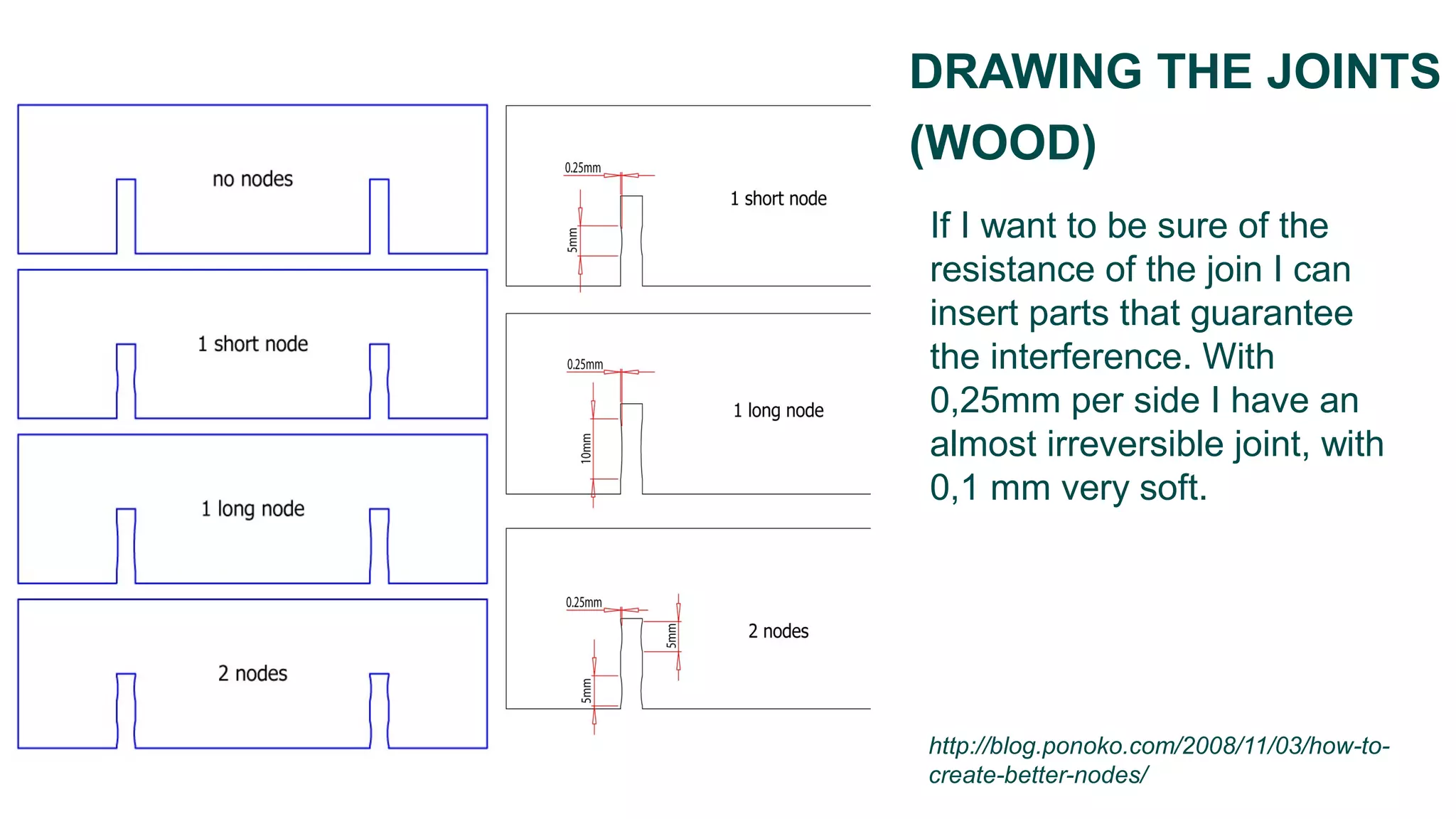
If I want to be sure of the
resistance of the join I can
insert parts that guarantee
the interference. With
0,25mm per side I have an
almost irreversible joint, with
0,1 mm very soft.
DRAWING THE JOINTS
(WOOD)
http://blog.ponoko.com/2008/11/03/how-to-
create-better-nodes/
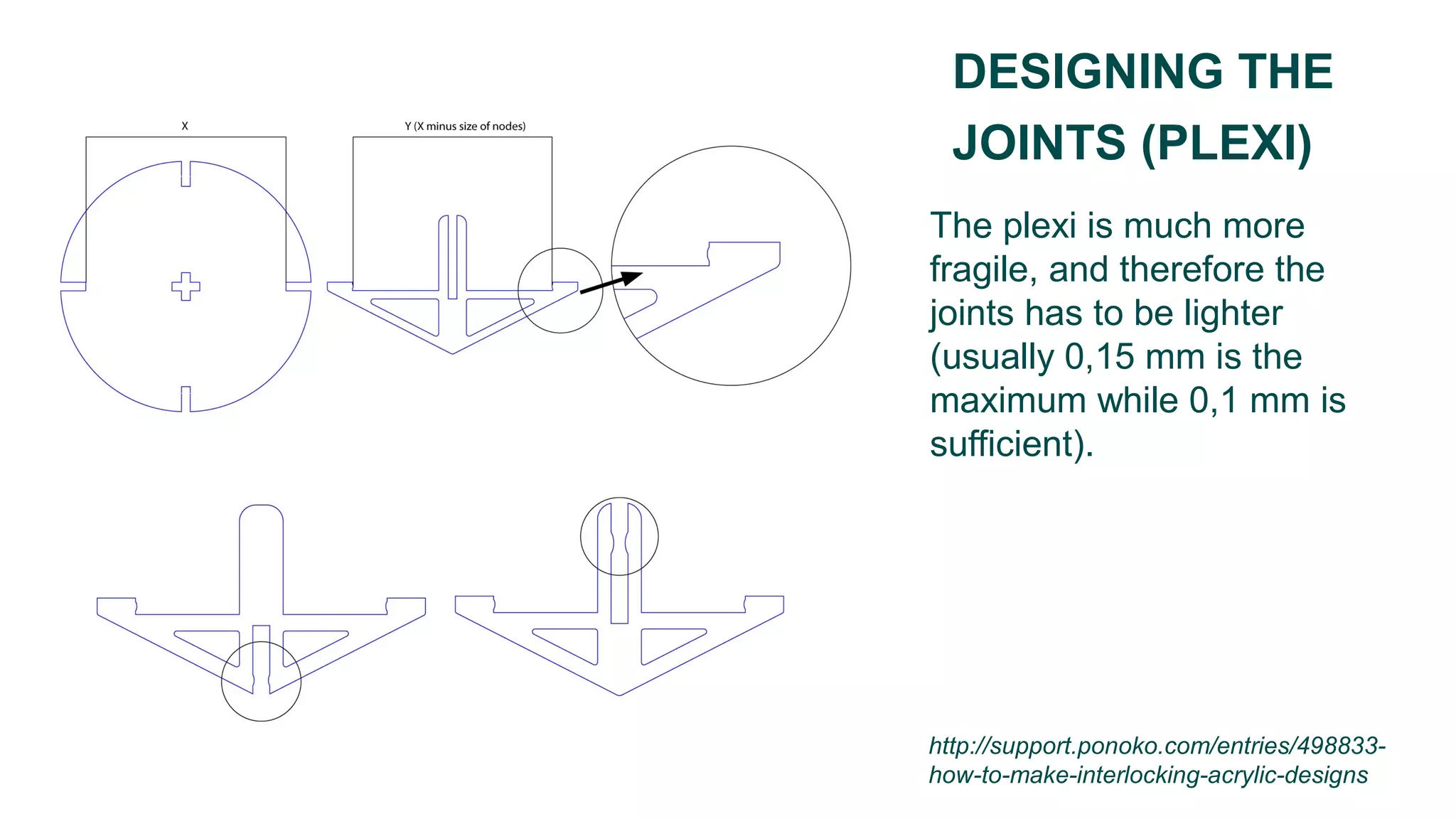
The plexi is much more
fragile, and therefore the
joints has to be lighter
(usually 0,15 mm is the
maximum while 0,1 mm is
sufficient).
DESIGNING THE
JOINTS (PLEXI)
http://support.ponoko.com/entries/498833-
how-to-make-interlocking-acrylic-designs
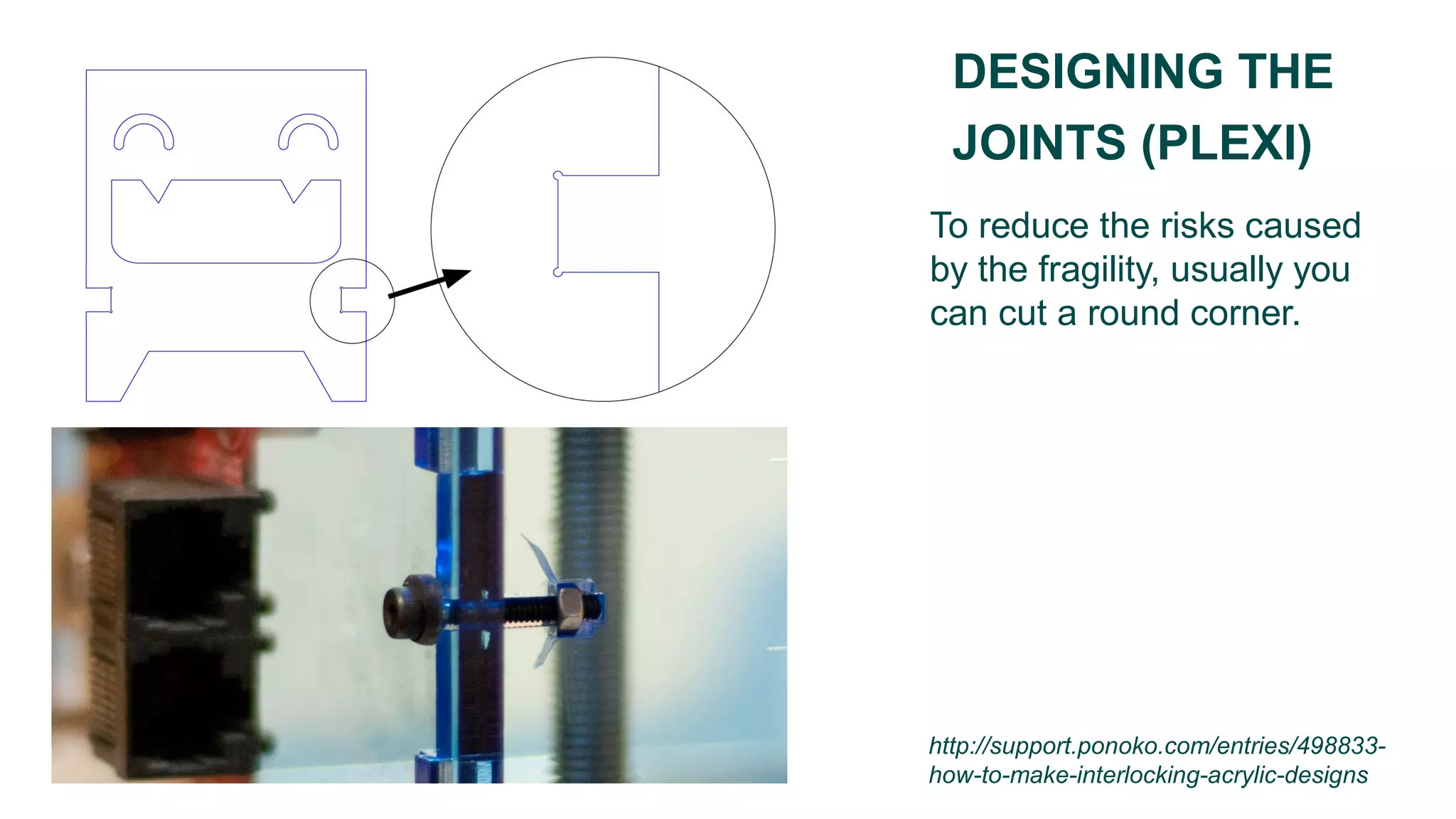
To reduce the risks caused
by the fragility, usually you
can cut a round corner.
DESIGNING THE
JOINTS (PLEXI)
http://support.ponoko.com/entries/498833-
how-to-make-interlocking-acrylic-designs
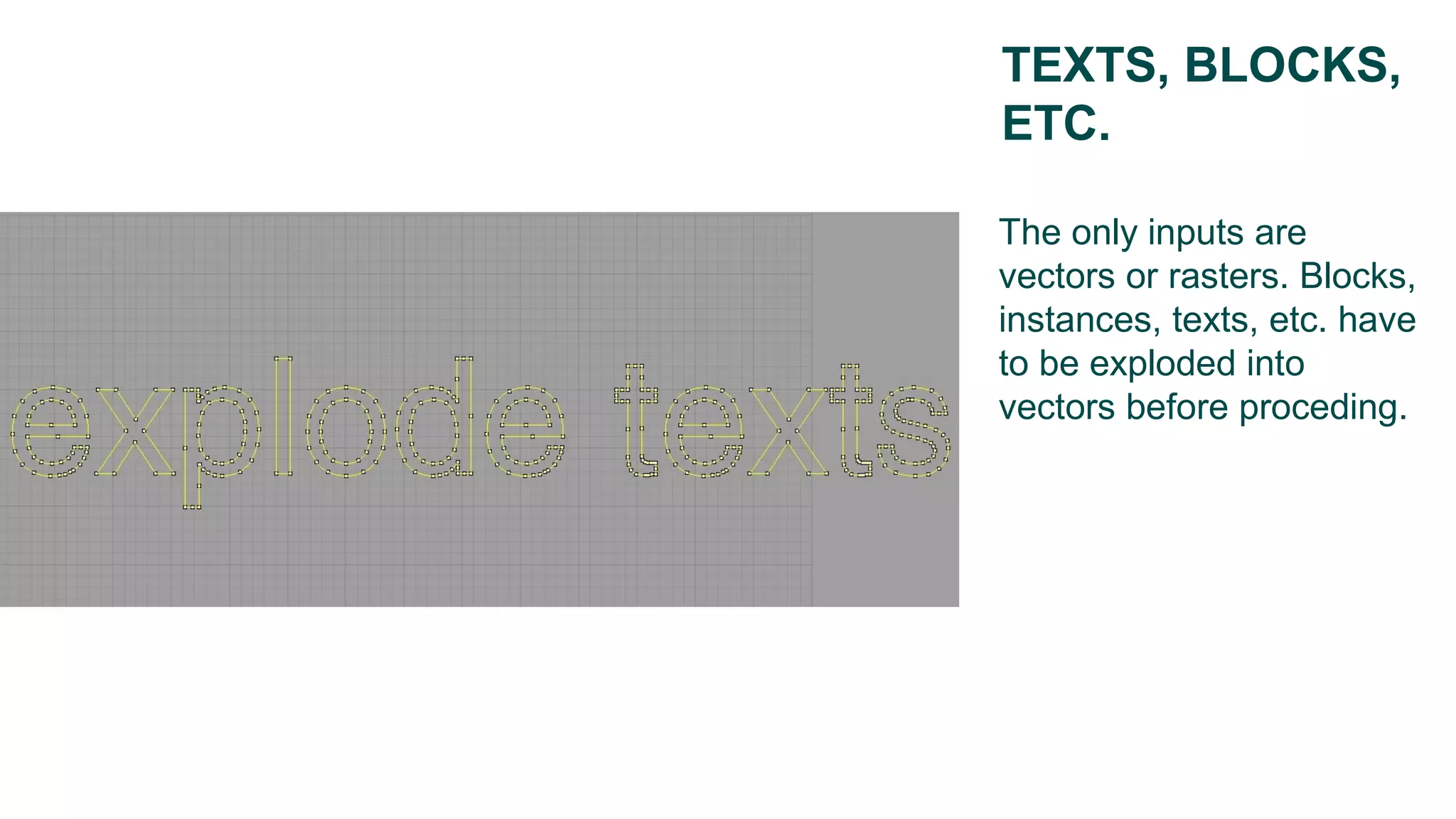
The only inputs are
vectors or rasters. Blocks,
instances, texts, etc. have
to be exploded into
vectors before proceding.
TEXTS, BLOCKS,
ETC.
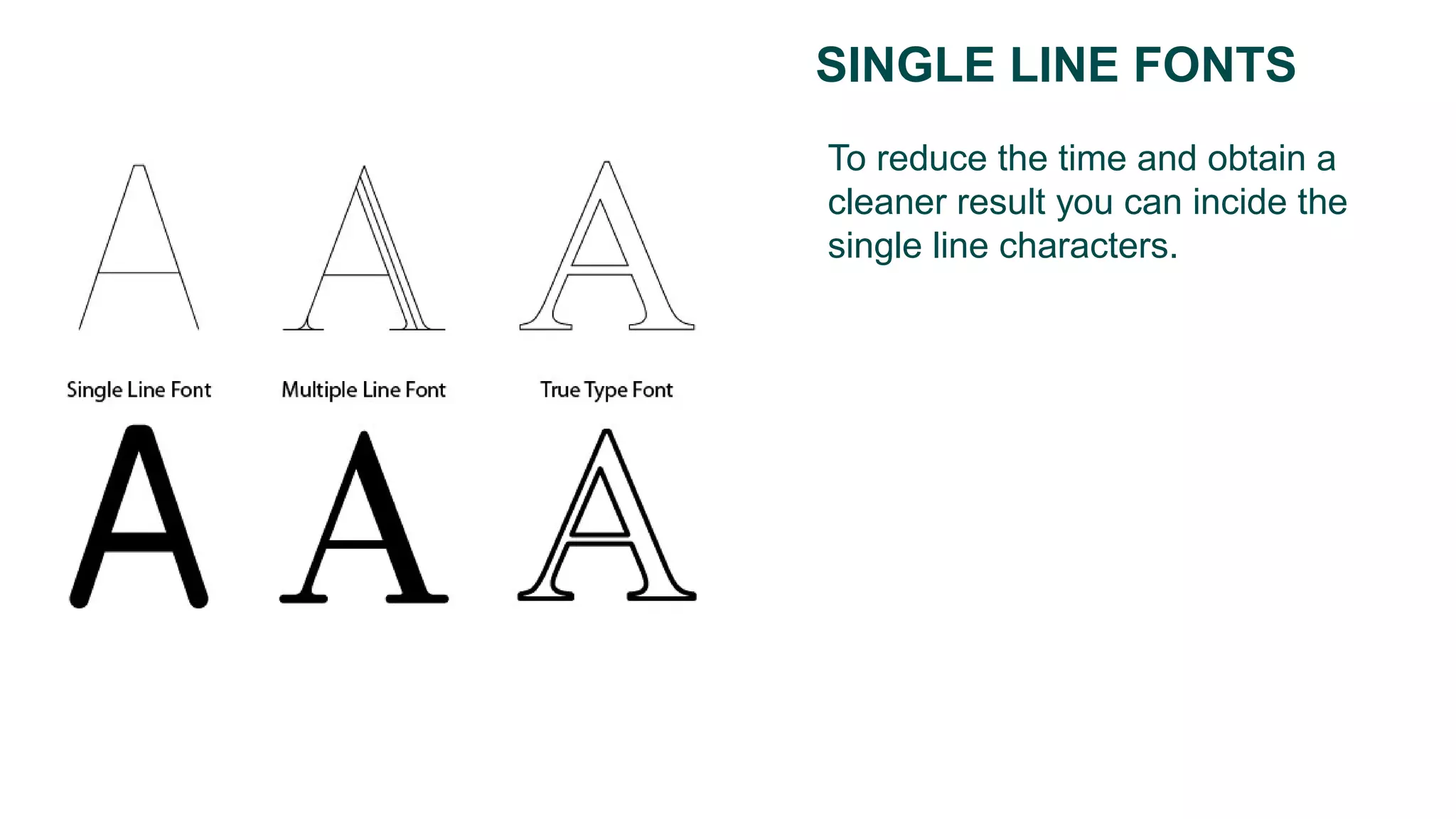
To reduce the time and obtain a
cleaner result you can incide the
single line characters.
SINGLE LINE FONTS
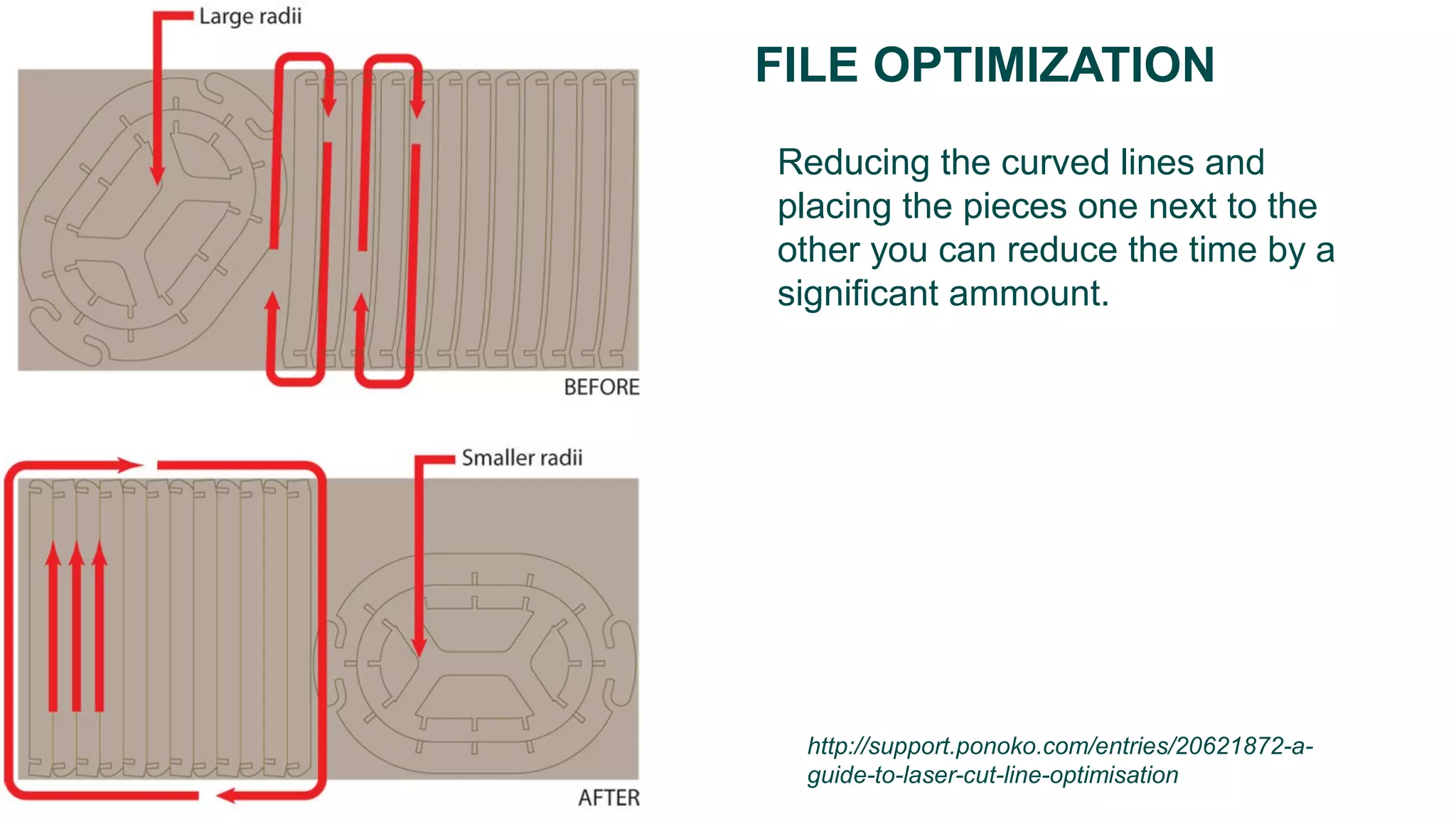
FILE OPTIMIZATION
Reducing the curved lines and
placing the pieces one next to the
other you can reduce the time by a
significant ammount.
http://support.ponoko.com/entries/20621872-a-
guide-to-laser-cut-line-optimisation
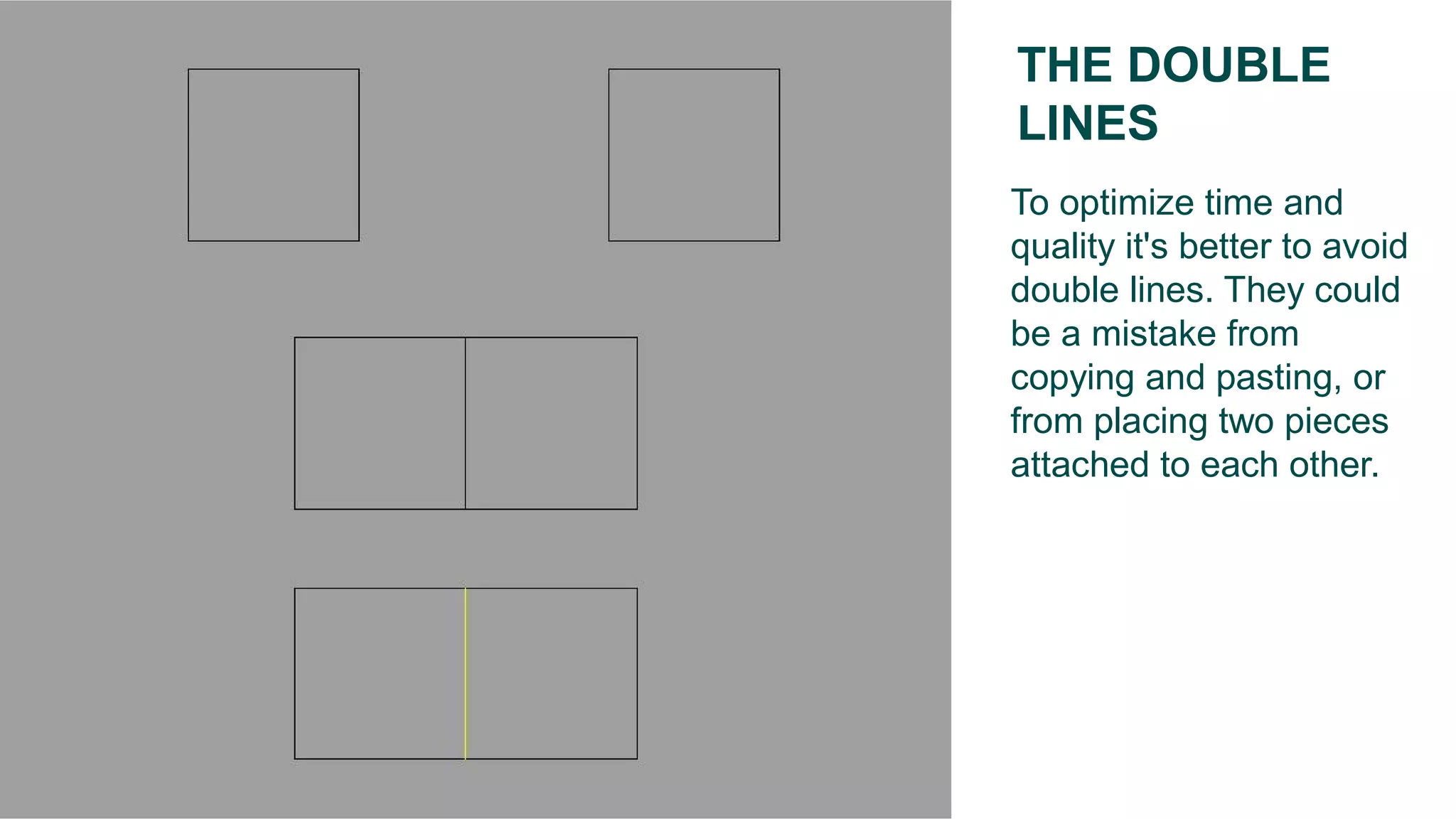
To optimize time and
quality it's better to avoid
double lines. They could
be a mistake from
copying and pasting, or
from placing two pieces
attached to each other.
THE DOUBLE
LINES
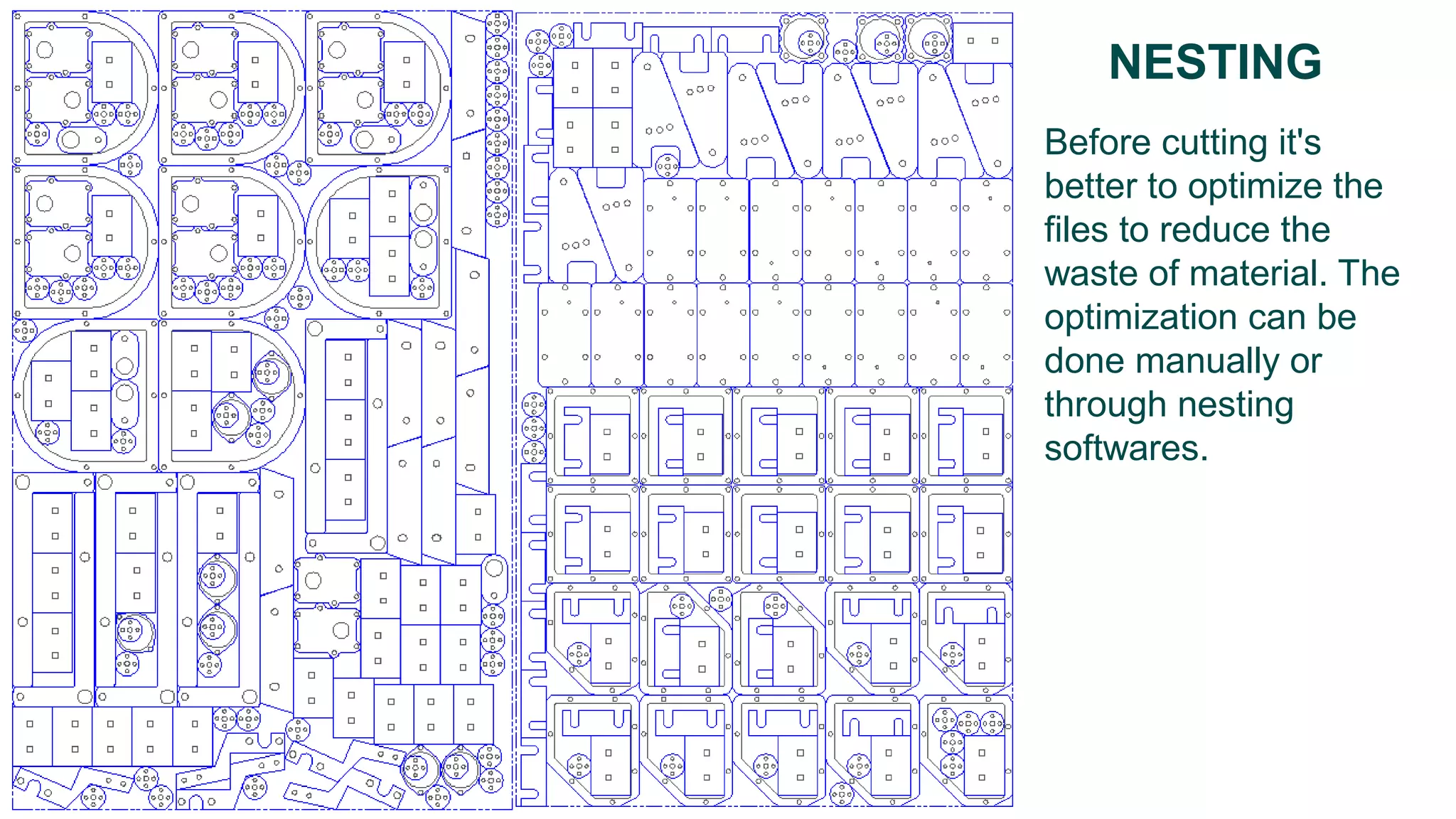
Before cutting it's
better to optimize the
files to reduce the
waste of material. The
optimization can be
done manually or
through nesting
softwares.
NESTING
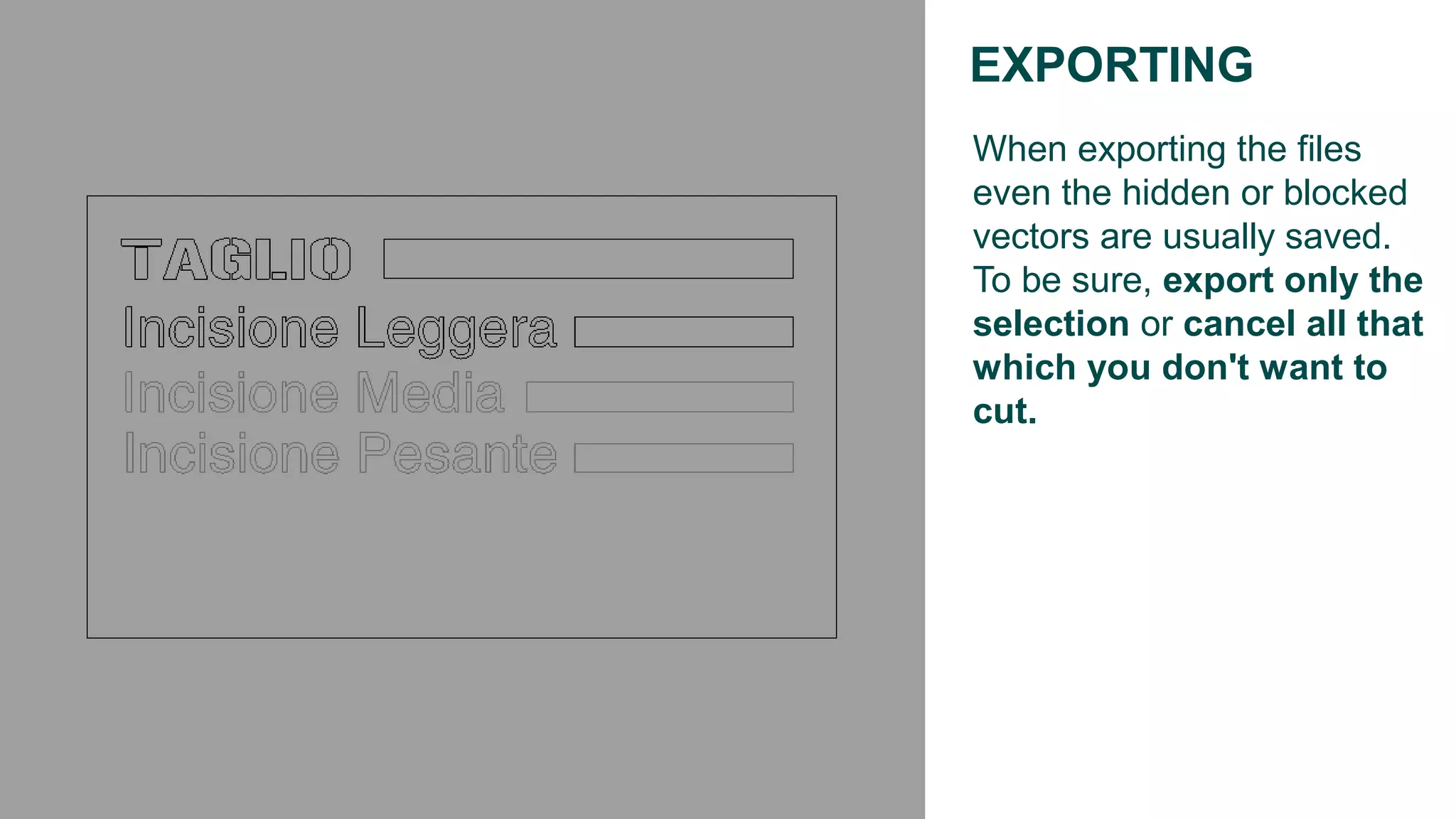
When exporting the files
even the hidden or blocked
vectors are usually saved.
To be sure, export only the
selection or cancel all that
which you don't want to
cut.
EXPORTING
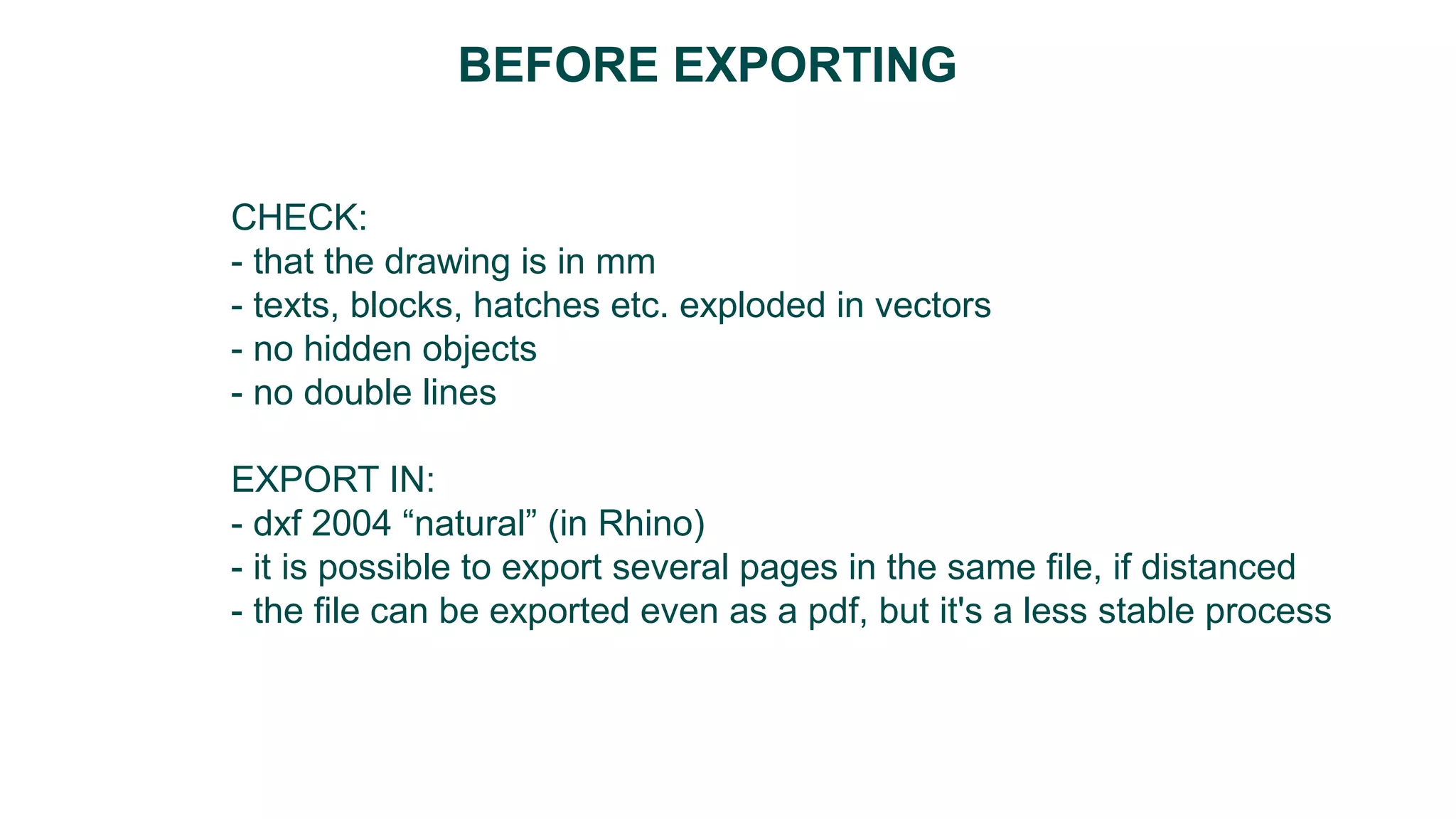
CHECK:
- that the drawing is in mm
- texts, blocks, hatches etc. exploded in vectors
- no hidden objects
- no double lines
EXPORT IN:
- dxf 2004 “natural” (in Rhino)
- it is possible to export several pages in the same file, if distanced
- the file can be exported even as a pdf, but it's a less stable process
BEFORE EXPORTING
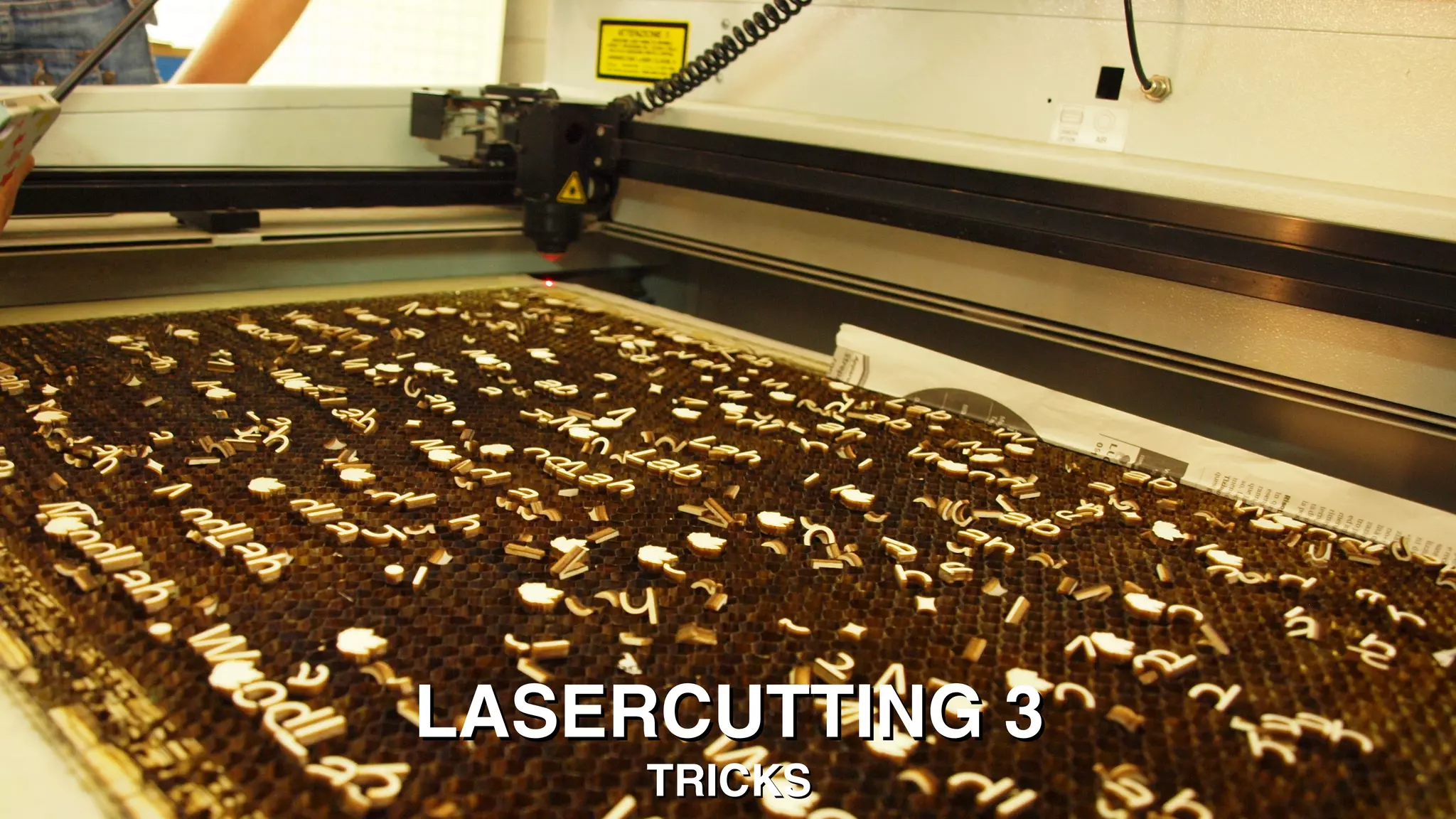
LASERCUTTING 3LASERCUTTING 3
TRICKSTRICKS
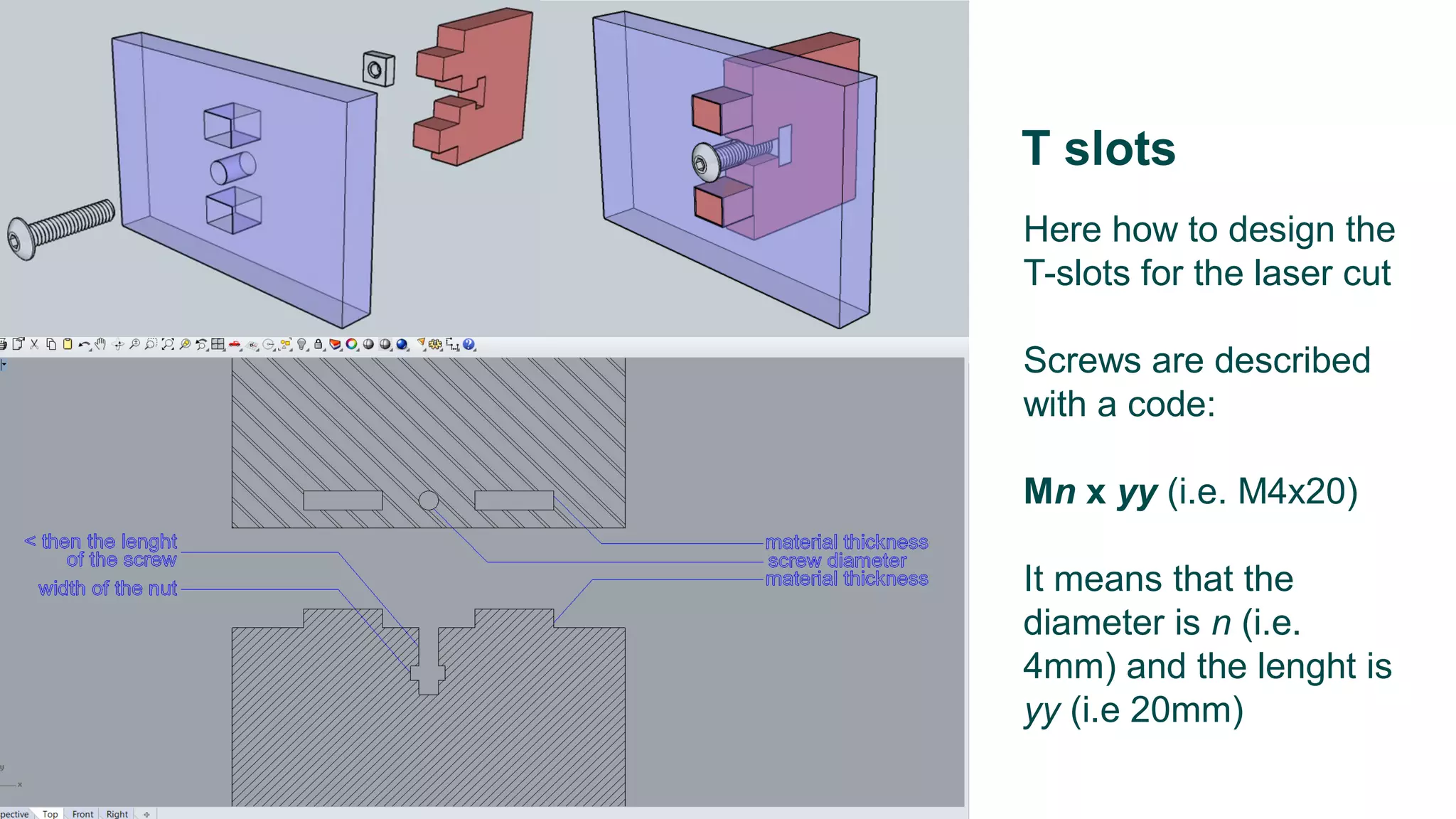
Here how to design the
T-slots for the laser cut
Screws are described
with a code:
Mn x yy (i.e. M4x20)
It means that the
diameter is n (i.e.
4mm) and the lenght is
yy (i.e 20mm)
T slots
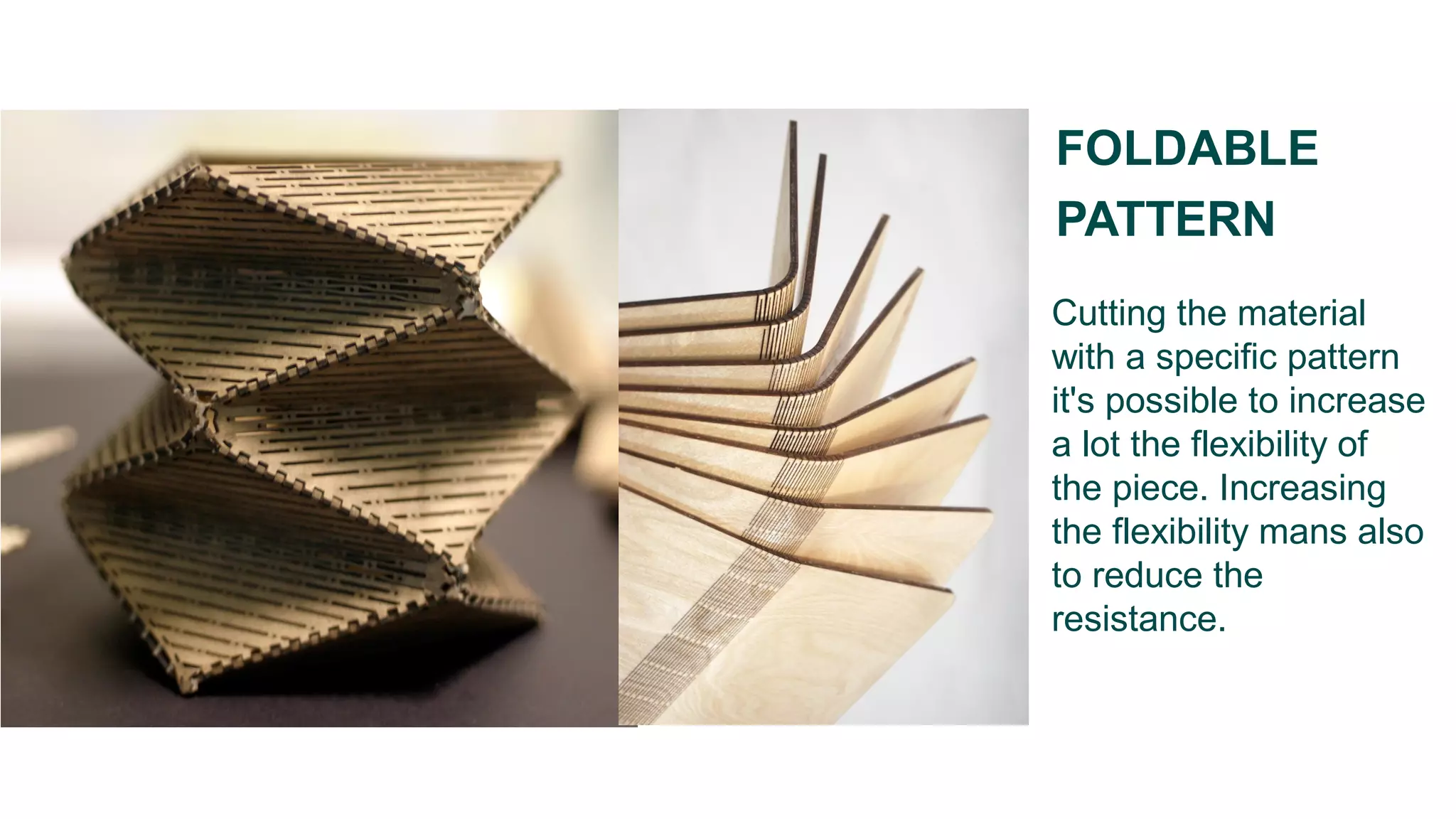
Cutting the material
with a specific pattern
it's possible to increase
a lot the flexibility of
the piece. Increasing
the flexibility mans also
to reduce the
resistance.
FOLDABLE
PATTERN
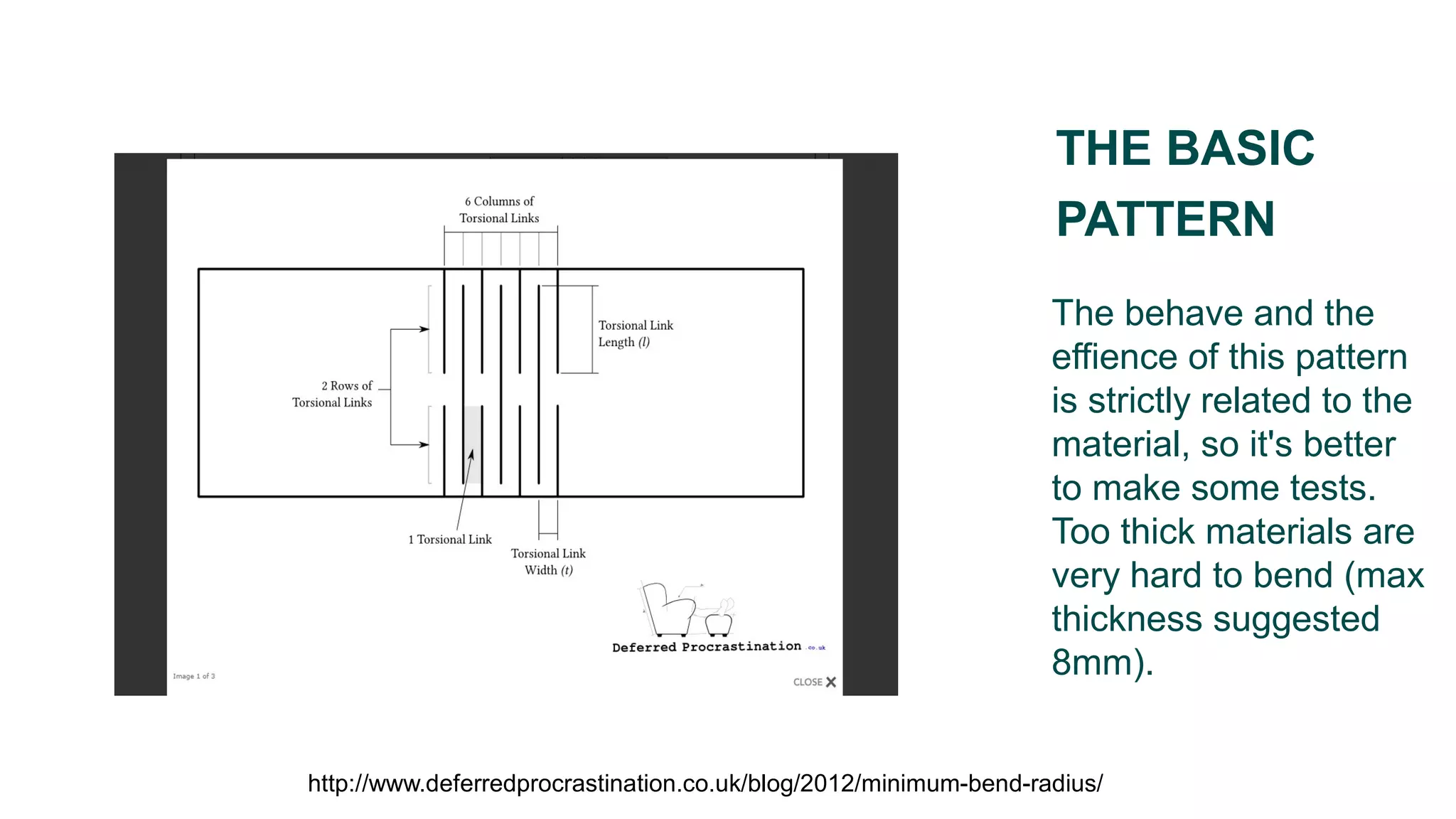
The behave and the
effience of this pattern
is strictly related to the
material, so it's better
to make some tests.
Too thick materials are
very hard to bend (max
thickness suggested
8mm).
THE BASIC
PATTERN
http://www.deferredprocrastination.co.uk/blog/2012/minimum-bend-radius/
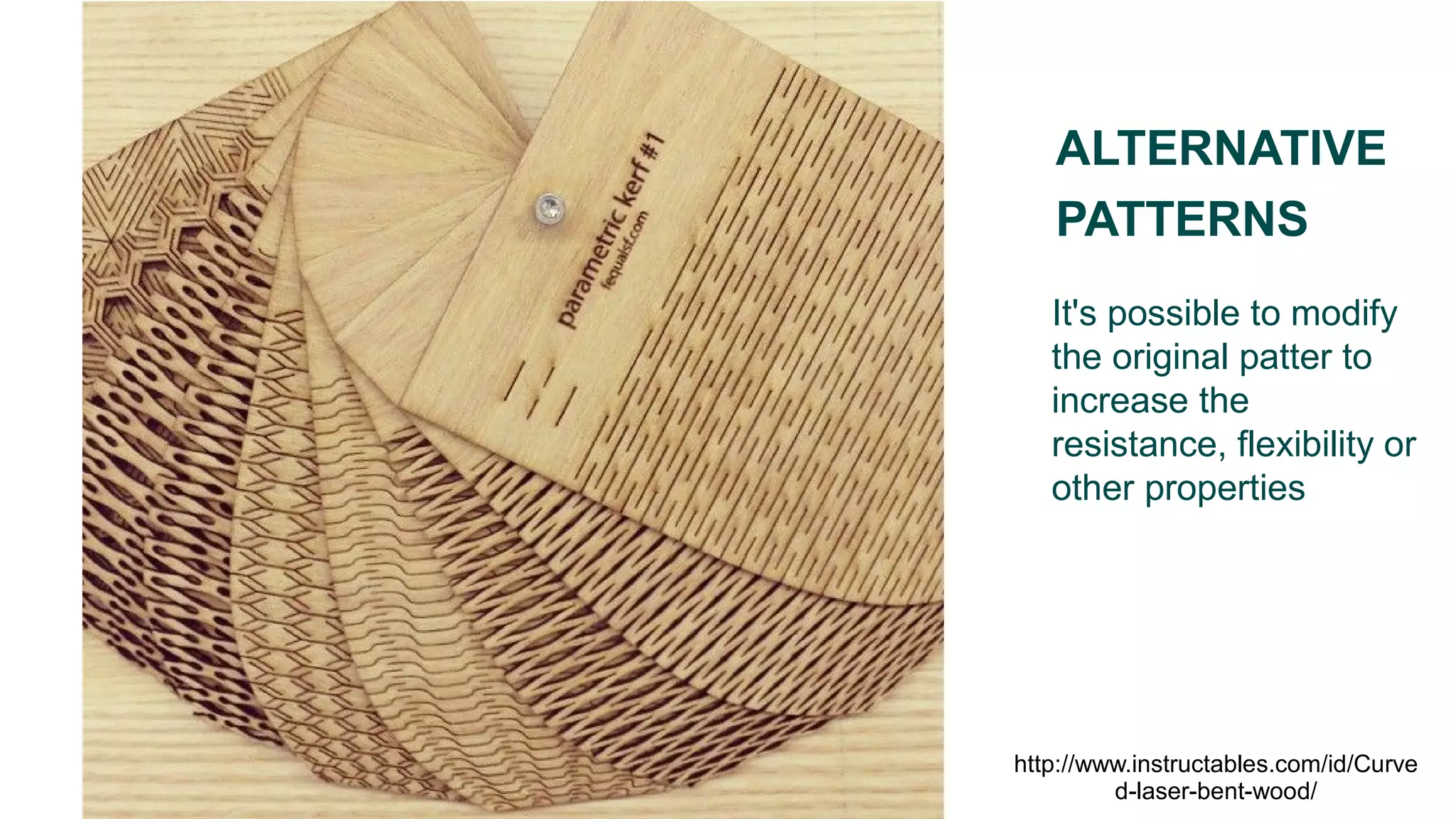
It's possible to modify
the original patter to
increase the
resistance, flexibility or
other properties
ALTERNATIVE
PATTERNS
http://www.instructables.com/id/Curve
d-laser-bent-wood/
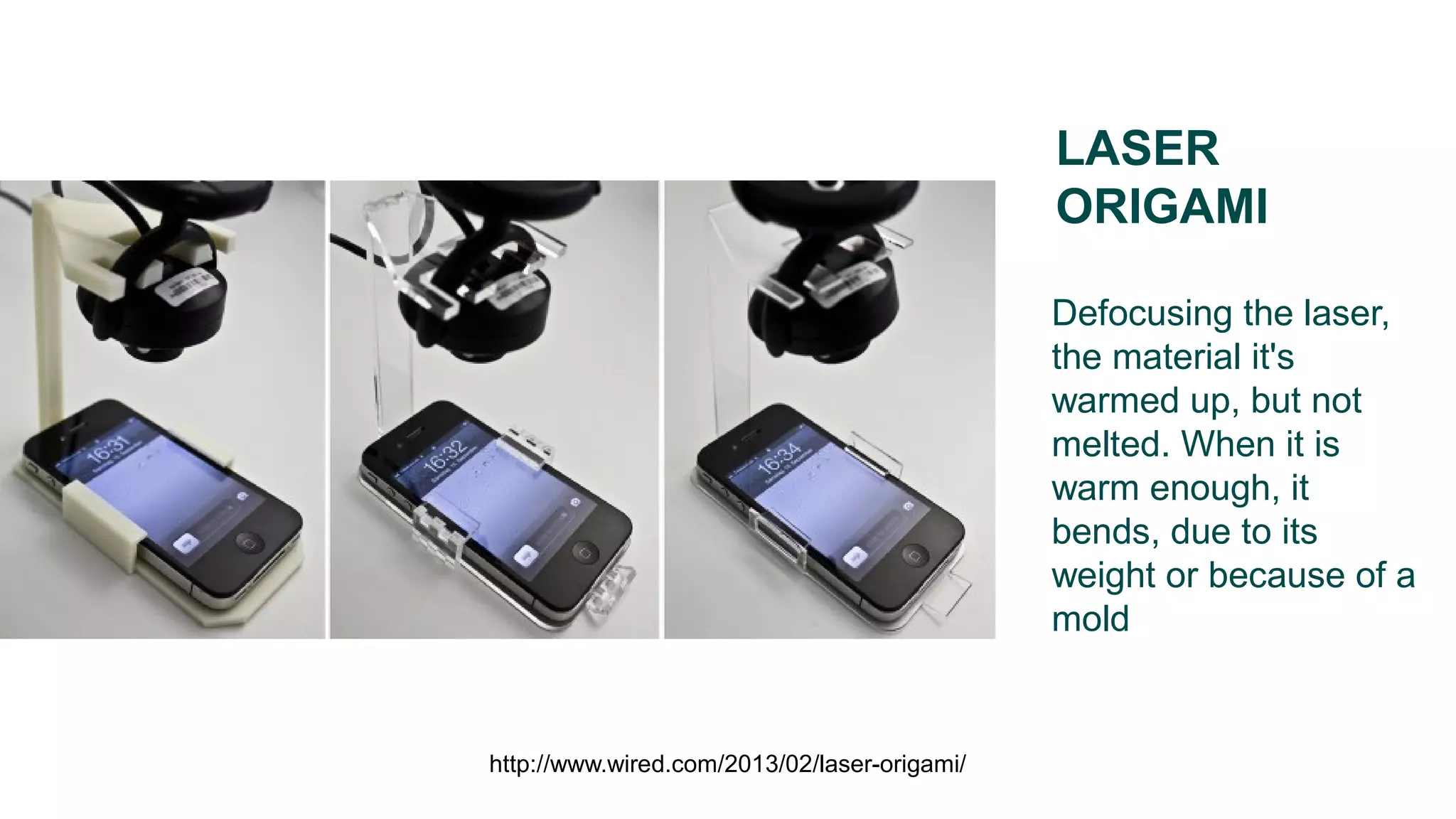
Defocusing the laser,
the material it's
warmed up, but not
melted. When it is
warm enough, it
bends, due to its
weight or because of a
mold
LASER
ORIGAMI
http://www.wired.com/2013/02/laser-origami/

Tutorial laser cut

  • 1.
  • 2.
    The thickness ofthe material has a high influence on design aspect. Before designing the pieces, the thickness should be decided. On our laser it's better to not go beyond 8 mm (plexi) or 10 mm (plywood). You can probably reach even more, but the cut will be very difficult and not clean. To create a thicker layer it's possible to glue several thinner layers together. THICKNESS AND JOINTS
  • 3.
    When the laseris out of focus, the spot is larger and more visible. You can decide to keep the laser out of focus to have some darker engrave FOCUSED OR OUT OF FOCUS 1- Laser beam 2- Cutting gas 3- Focusing lens 4- Cutting head / nozzle 5- Work-piece 6- Blow-out molten mass
  • 4.
    HOW TO PREPARE AFILE Any vector present in the file will be processed by the machine. The thickness of the cut is irrelevand, as is the colour of the line, on our lasercut software. Even rastered images can be used.
  • 5.
    For the machine,all the vectors are paths that the laser will follow. How it will work while moving depends on the settings of the software of the machine. THE VECTORS
  • 6.
    COLOUR SUBDIVISION To make iteasier to assign the pens for cutting, you need to group all the vectors which should be worked in the same way in one single layer and colour.
  • 7.
    Once in themachine you assign parameters to obtain the various effects. Note that even fills and dotted lines are assigned by using simple lines. If you want a particular dotted line (for example dots with various lenghts) it has to be drawn in CAD. ASSIGNING THE PARAMETERS
  • 8.
    If I wantto be sure of the resistance of the join I can insert parts that guarantee the interference. With 0,25mm per side I have an almost irreversible joint, with 0,1 mm very soft. DRAWING THE JOINTS (WOOD) http://blog.ponoko.com/2008/11/03/how-to- create-better-nodes/
  • 9.
    The plexi ismuch more fragile, and therefore the joints has to be lighter (usually 0,15 mm is the maximum while 0,1 mm is sufficient). DESIGNING THE JOINTS (PLEXI) http://support.ponoko.com/entries/498833- how-to-make-interlocking-acrylic-designs
  • 10.
    To reduce therisks caused by the fragility, usually you can cut a round corner. DESIGNING THE JOINTS (PLEXI) http://support.ponoko.com/entries/498833- how-to-make-interlocking-acrylic-designs
  • 11.
    The only inputsare vectors or rasters. Blocks, instances, texts, etc. have to be exploded into vectors before proceding. TEXTS, BLOCKS, ETC.
  • 12.
    To reduce thetime and obtain a cleaner result you can incide the single line characters. SINGLE LINE FONTS
  • 13.
    FILE OPTIMIZATION Reducing thecurved lines and placing the pieces one next to the other you can reduce the time by a significant ammount. http://support.ponoko.com/entries/20621872-a- guide-to-laser-cut-line-optimisation
  • 14.
    To optimize timeand quality it's better to avoid double lines. They could be a mistake from copying and pasting, or from placing two pieces attached to each other. THE DOUBLE LINES
  • 15.
    Before cutting it's betterto optimize the files to reduce the waste of material. The optimization can be done manually or through nesting softwares. NESTING
  • 16.
    When exporting thefiles even the hidden or blocked vectors are usually saved. To be sure, export only the selection or cancel all that which you don't want to cut. EXPORTING
  • 17.
    CHECK: - that thedrawing is in mm - texts, blocks, hatches etc. exploded in vectors - no hidden objects - no double lines EXPORT IN: - dxf 2004 “natural” (in Rhino) - it is possible to export several pages in the same file, if distanced - the file can be exported even as a pdf, but it's a less stable process BEFORE EXPORTING
  • 18.
  • 19.
    Here how todesign the T-slots for the laser cut Screws are described with a code: Mn x yy (i.e. M4x20) It means that the diameter is n (i.e. 4mm) and the lenght is yy (i.e 20mm) T slots
  • 20.
    Cutting the material witha specific pattern it's possible to increase a lot the flexibility of the piece. Increasing the flexibility mans also to reduce the resistance. FOLDABLE PATTERN
  • 21.
    The behave andthe effience of this pattern is strictly related to the material, so it's better to make some tests. Too thick materials are very hard to bend (max thickness suggested 8mm). THE BASIC PATTERN http://www.deferredprocrastination.co.uk/blog/2012/minimum-bend-radius/
  • 22.
    It's possible tomodify the original patter to increase the resistance, flexibility or other properties ALTERNATIVE PATTERNS http://www.instructables.com/id/Curve d-laser-bent-wood/
  • 23.
    Defocusing the laser, thematerial it's warmed up, but not melted. When it is warm enough, it bends, due to its weight or because of a mold LASER ORIGAMI http://www.wired.com/2013/02/laser-origami/