

Practical Steps to Improve Hive Queries
Performance
Sergey Kovalev
Software Engineer at Altoros
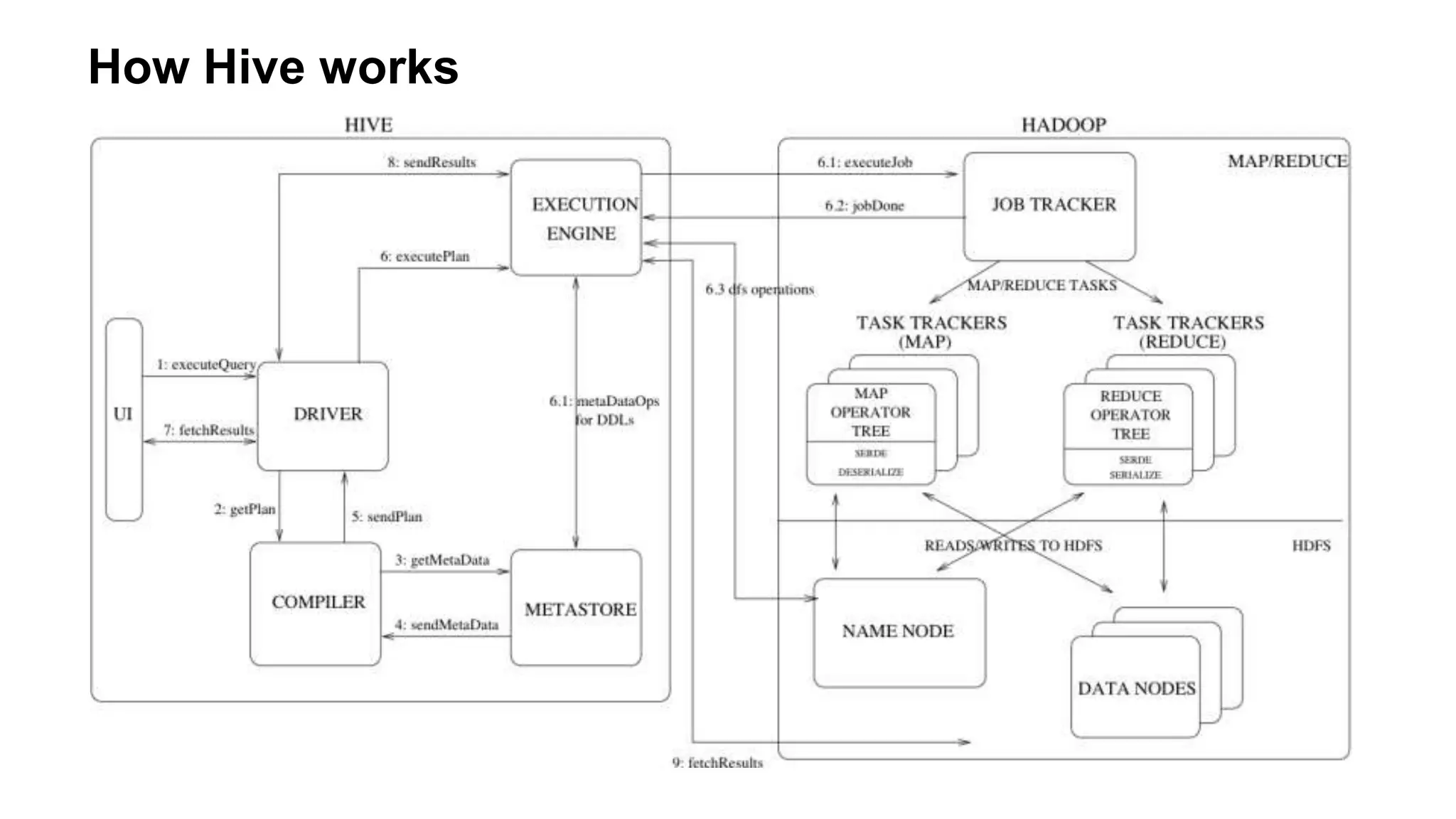
How Hive works
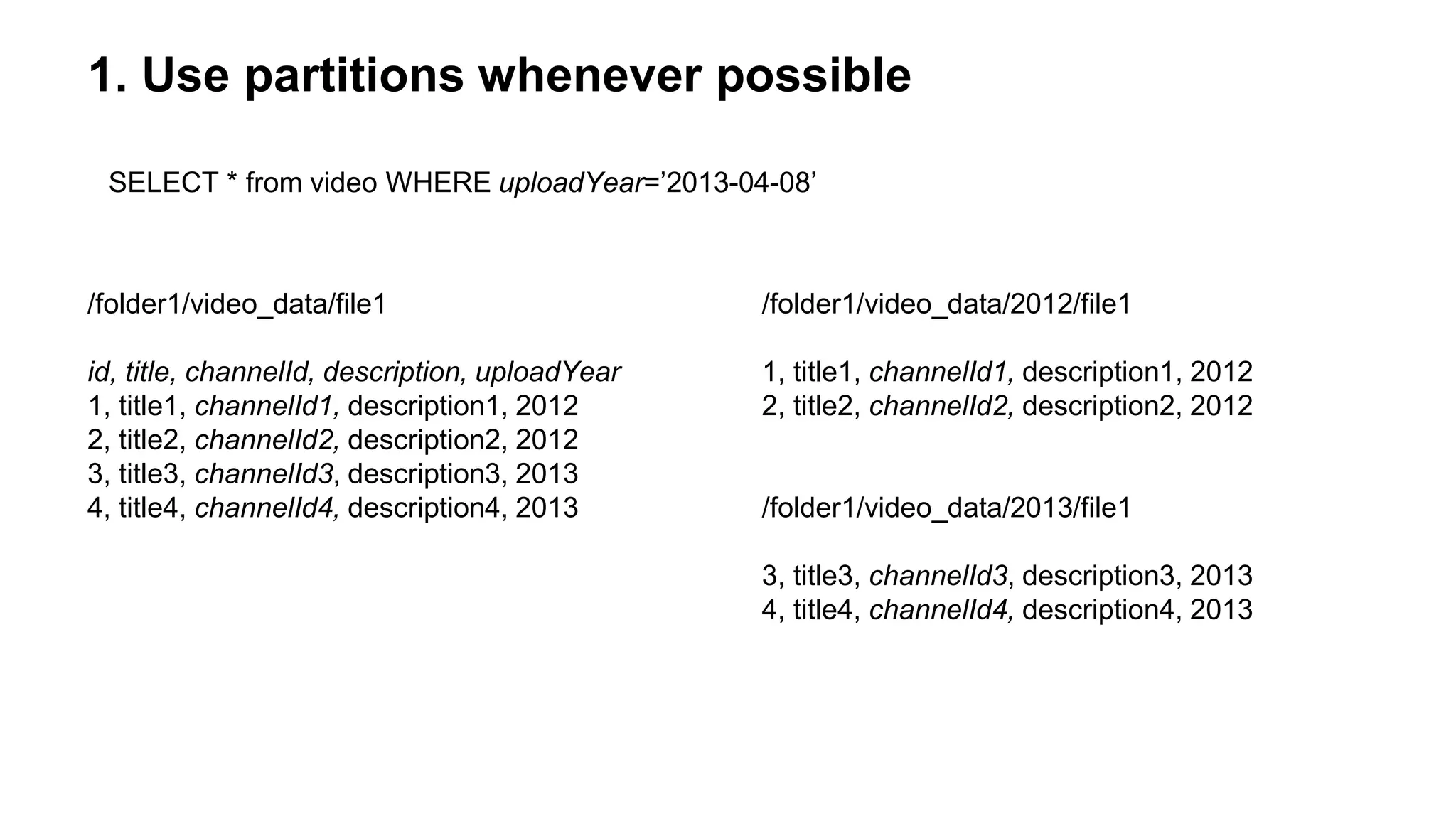
1. Use partitions whenever possible
/folder1/video_data/file1
id, title, channelId, description, uploadYear
1, title1, channelId1, description1, 2012
2, title2, channelId2, description2, 2012
3, title3, channelId3, description3, 2013
4, title4, channelId4, description4, 2013
/folder1/video_data/2012/file1
1, title1, channelId1, description1, 2012
2, title2, channelId2, description2, 2012
/folder1/video_data/2013/file1
3, title3, channelId3, description3, 2013
4, title4, channelId4, description4, 2013
SELECT * from video WHERE uploadYear=’2013-04-08’
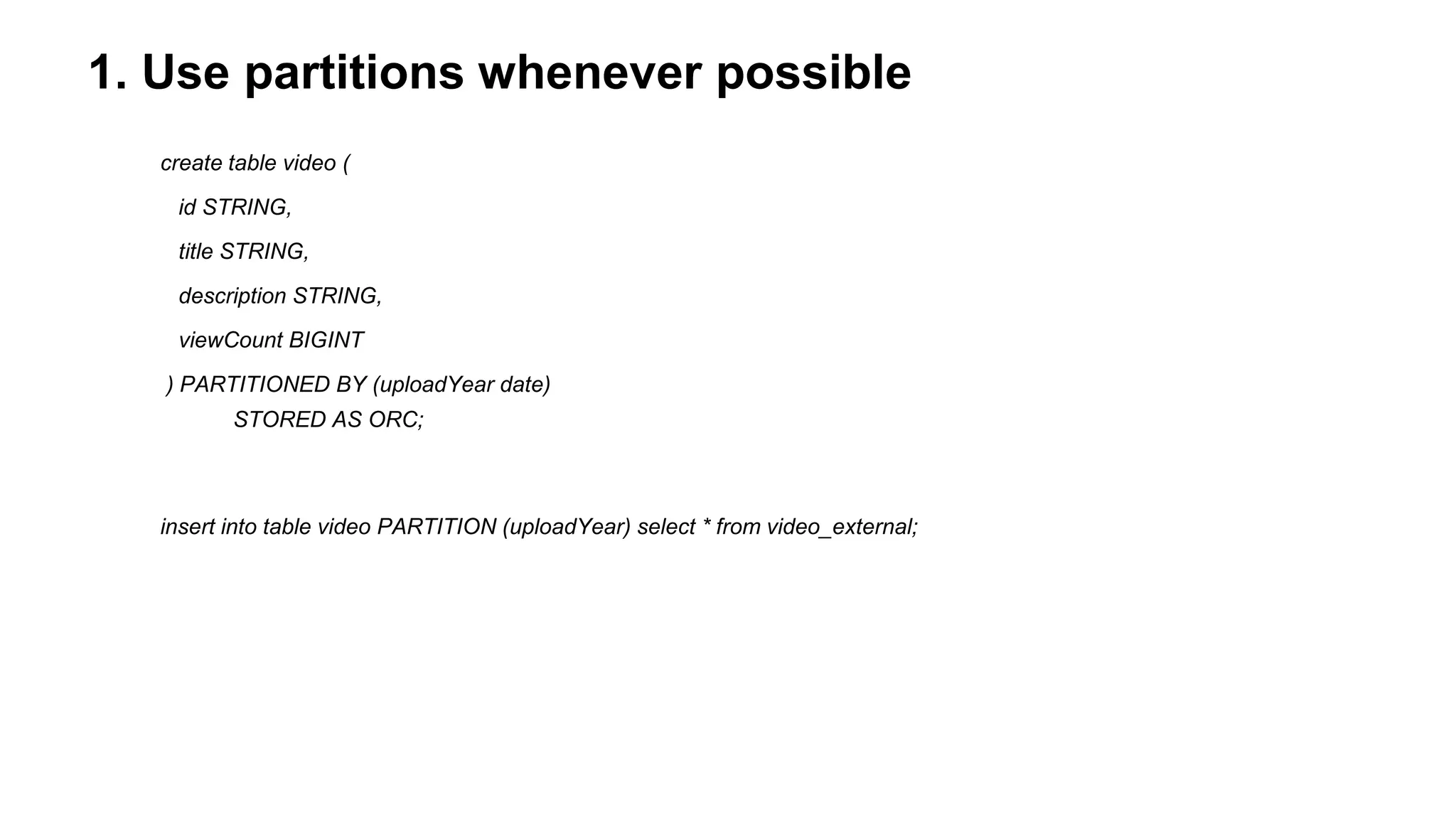
1. Use partitions whenever possible
create table video (
id STRING,
title STRING,
description STRING,
viewCount BIGINT
) PARTITIONED BY (uploadYear date)
STORED AS ORC;
insert into table video PARTITION (uploadYear) select * from video_external;
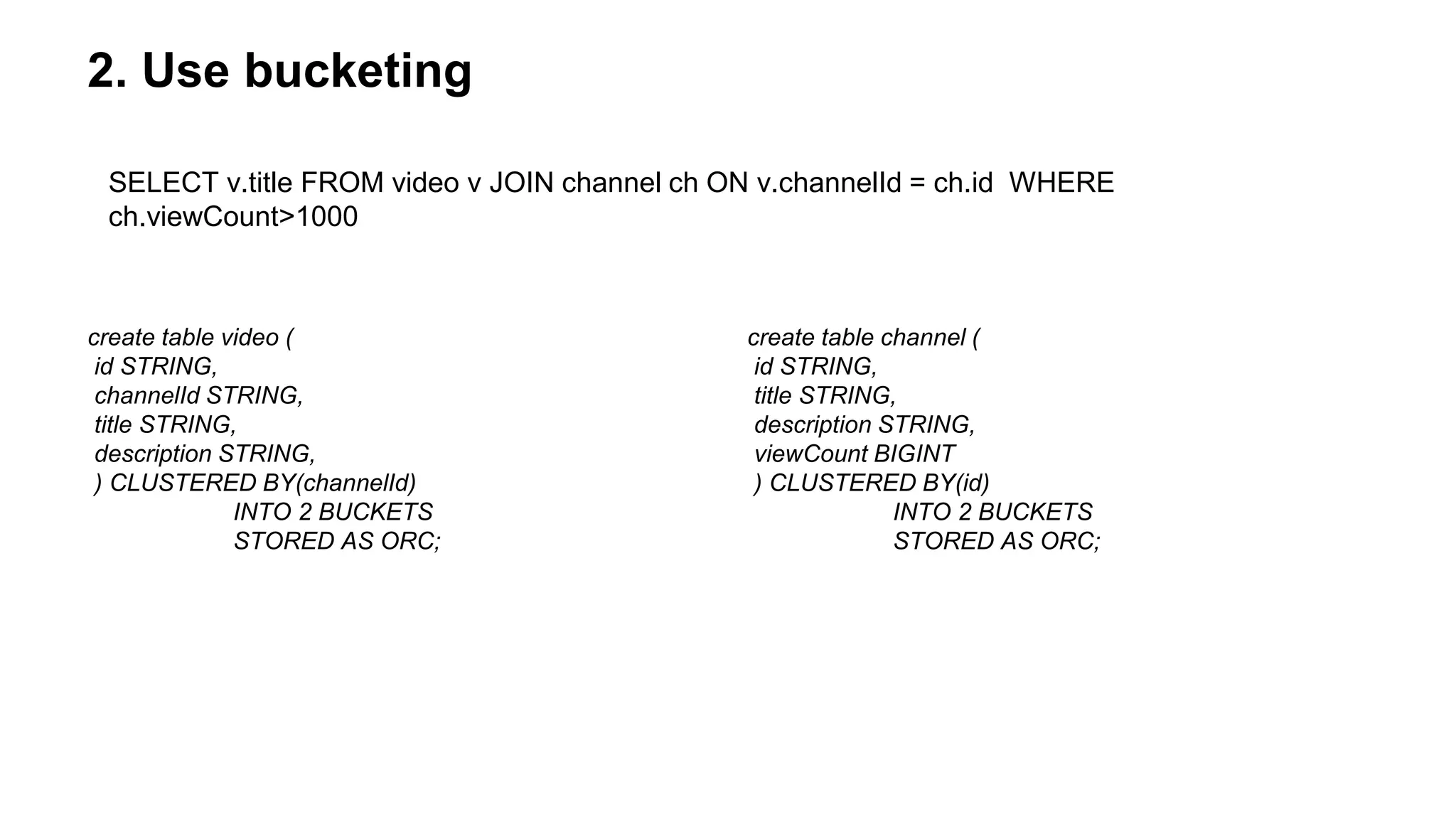
2. Use bucketing
create table video (
id STRING,
channelId STRING,
title STRING,
description STRING,
) CLUSTERED BY(channelId)
INTO 2 BUCKETS
STORED AS ORC;
create table channel (
id STRING,
title STRING,
description STRING,
viewCount BIGINT
) CLUSTERED BY(id)
INTO 2 BUCKETS
STORED AS ORC;
SELECT v.title FROM video v JOIN channel ch ON v.channelId = ch.id WHERE
ch.viewCount>1000
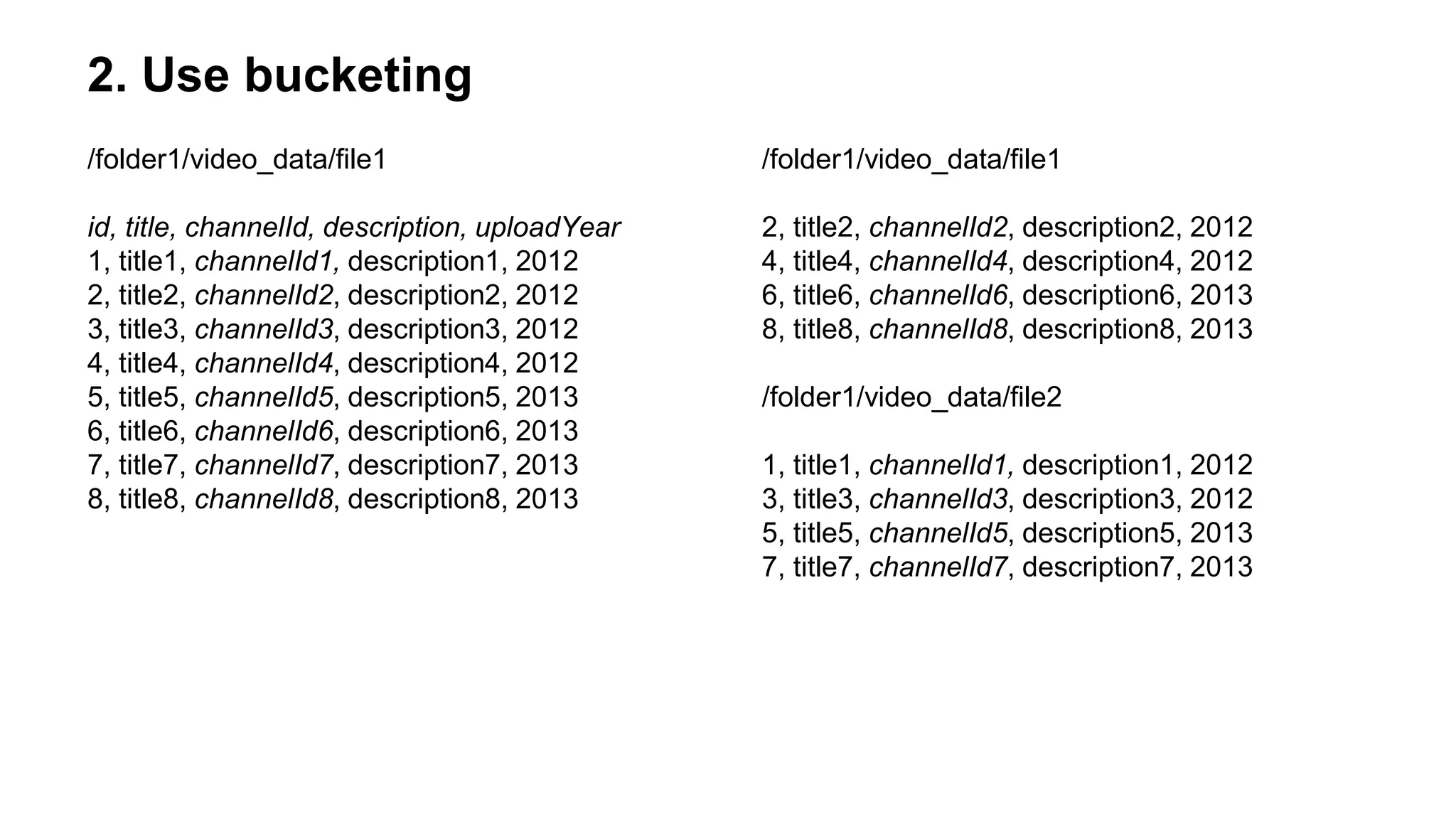
2. Use bucketing
/folder1/video_data/file1
id, title, channelId, description, uploadYear
1, title1, channelId1, description1, 2012
2, title2, channelId2, description2, 2012
3, title3, channelId3, description3, 2012
4, title4, channelId4, description4, 2012
5, title5, channelId5, description5, 2013
6, title6, channelId6, description6, 2013
7, title7, channelId7, description7, 2013
8, title8, channelId8, description8, 2013
/folder1/video_data/file1
2, title2, channelId2, description2, 2012
4, title4, channelId4, description4, 2012
6, title6, channelId6, description6, 2013
8, title8, channelId8, description8, 2013
/folder1/video_data/file2
1, title1, channelId1, description1, 2012
3, title3, channelId3, description3, 2012
5, title5, channelId5, description5, 2013
7, title7, channelId7, description7, 2013
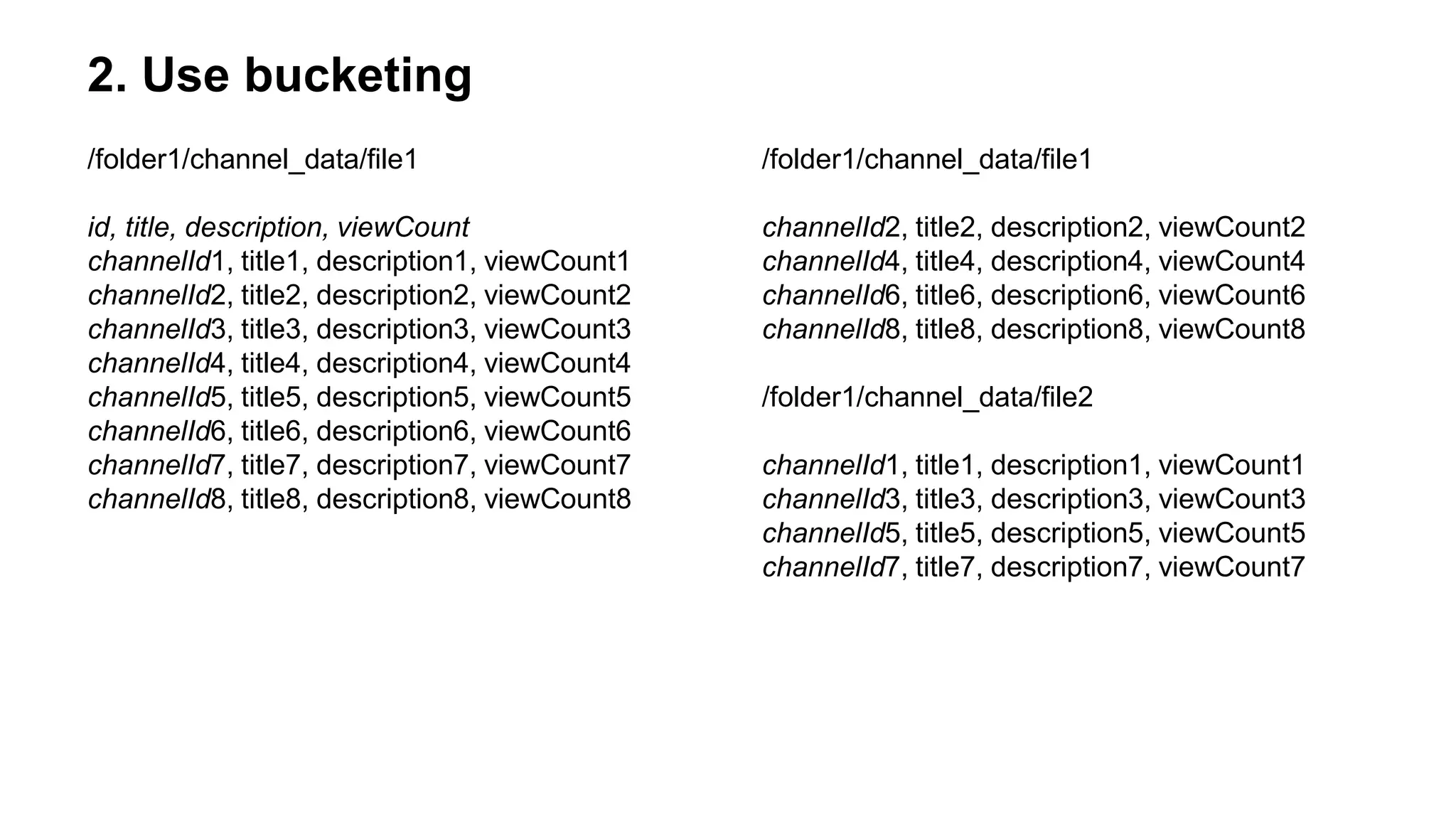
2. Use bucketing
/folder1/channel_data/file1
id, title, description, viewCount
channelId1, title1, description1, viewCount1
channelId2, title2, description2, viewCount2
channelId3, title3, description3, viewCount3
channelId4, title4, description4, viewCount4
channelId5, title5, description5, viewCount5
channelId6, title6, description6, viewCount6
channelId7, title7, description7, viewCount7
channelId8, title8, description8, viewCount8
/folder1/channel_data/file1
channelId2, title2, description2, viewCount2
channelId4, title4, description4, viewCount4
channelId6, title6, description6, viewCount6
channelId8, title8, description8, viewCount8
/folder1/channel_data/file2
channelId1, title1, description1, viewCount1
channelId3, title3, description3, viewCount3
channelId5, title5, description5, viewCount5
channelId7, title7, description7, viewCount7
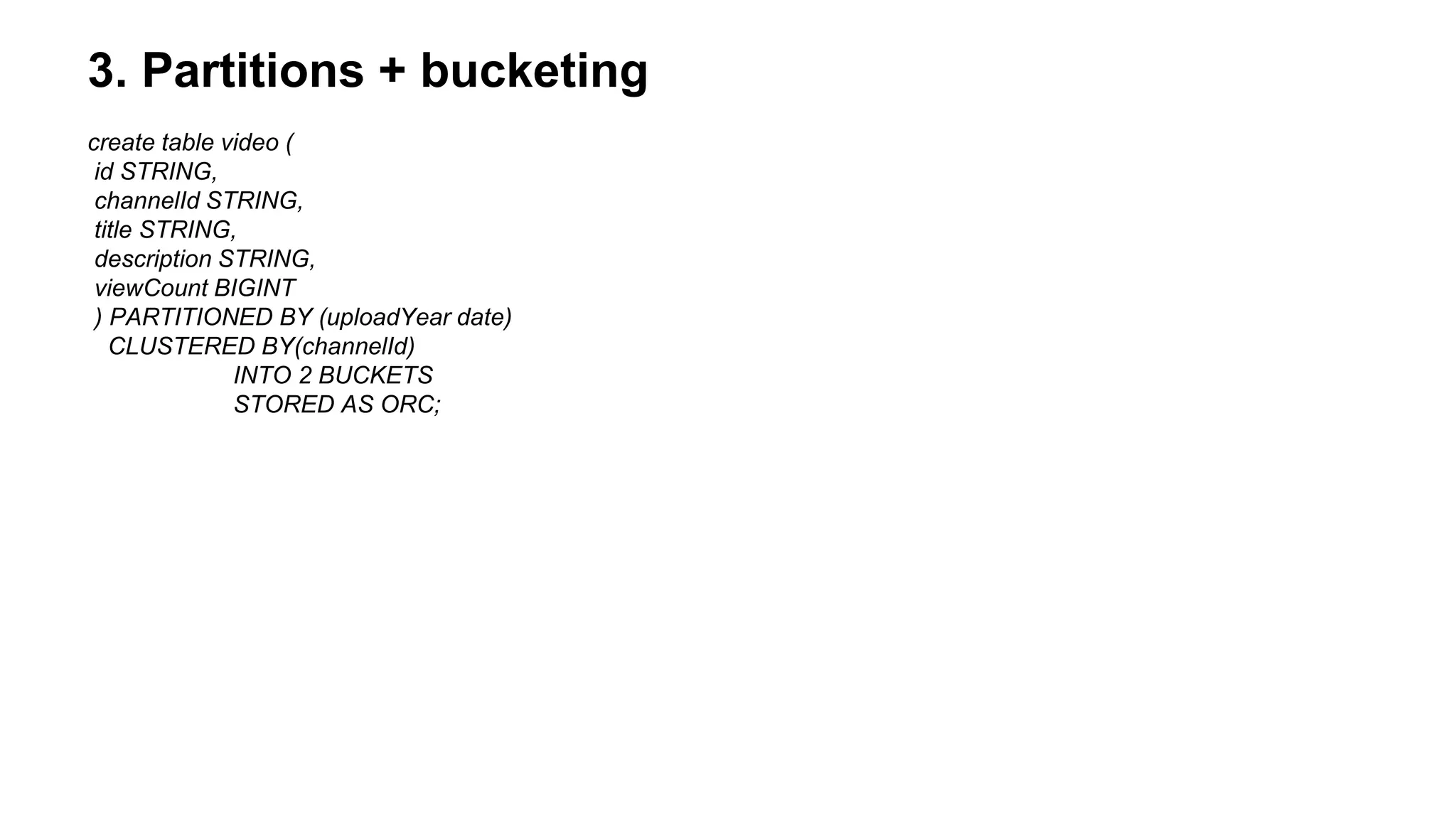
3. Partitions + bucketing
create table video (
id STRING,
channelId STRING,
title STRING,
description STRING,
viewCount BIGINT
) PARTITIONED BY (uploadYear date)
CLUSTERED BY(channelId)
INTO 2 BUCKETS
STORED AS ORC;
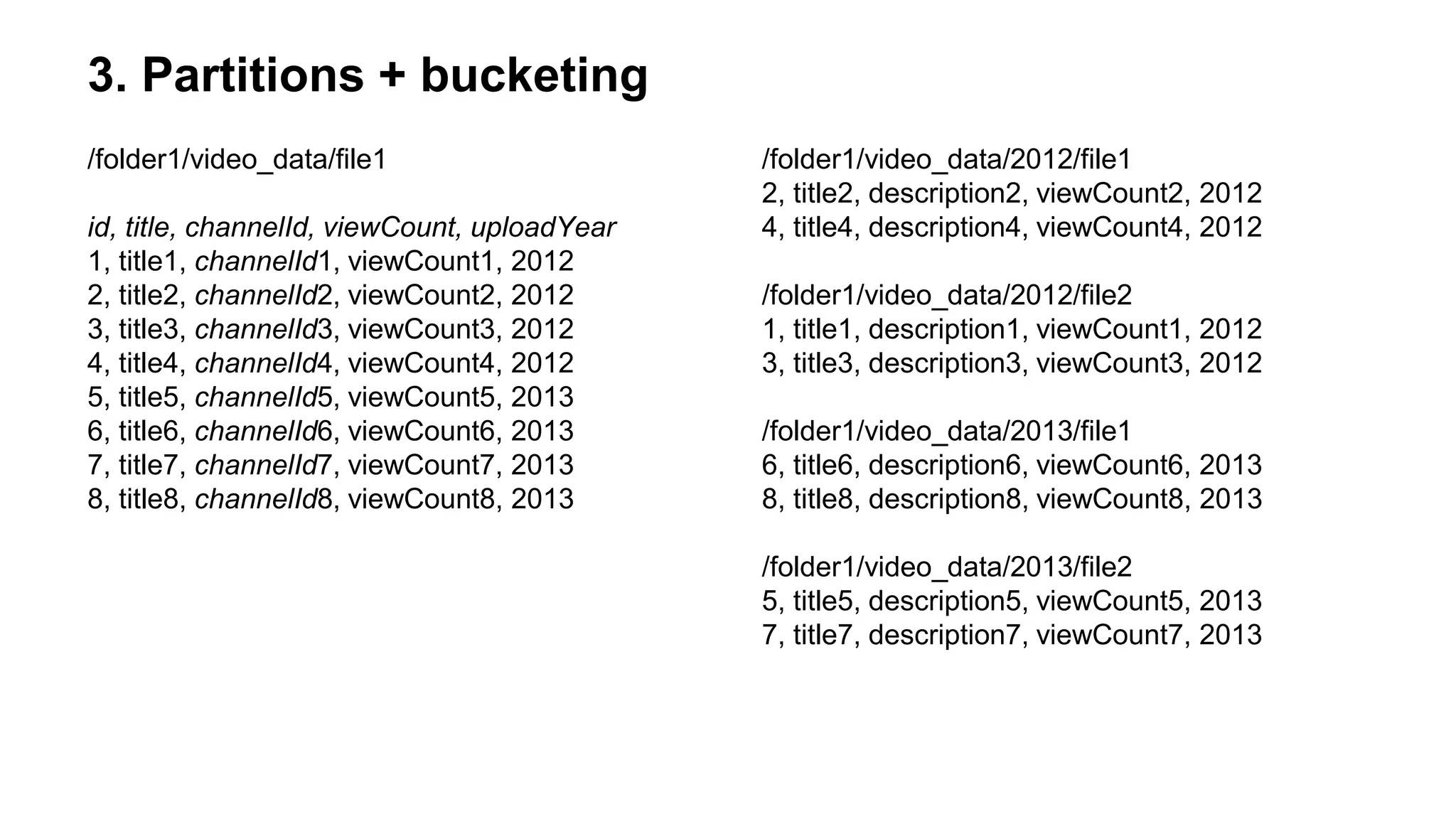
3. Partitions + bucketing
/folder1/video_data/file1
id, title, channelId, viewCount, uploadYear
1, title1, channelId1, viewCount1, 2012
2, title2, channelId2, viewCount2, 2012
3, title3, channelId3, viewCount3, 2012
4, title4, channelId4, viewCount4, 2012
5, title5, channelId5, viewCount5, 2013
6, title6, channelId6, viewCount6, 2013
7, title7, channelId7, viewCount7, 2013
8, title8, channelId8, viewCount8, 2013
/folder1/video_data/2012/file1
2, title2, description2, viewCount2, 2012
4, title4, description4, viewCount4, 2012
/folder1/video_data/2012/file2
1, title1, description1, viewCount1, 2012
3, title3, description3, viewCount3, 2012
/folder1/video_data/2013/file1
6, title6, description6, viewCount6, 2013
8, title8, description8, viewCount8, 2013
/folder1/video_data/2013/file2
5, title5, description5, viewCount5, 2013
7, title7, description7, viewCount7, 2013
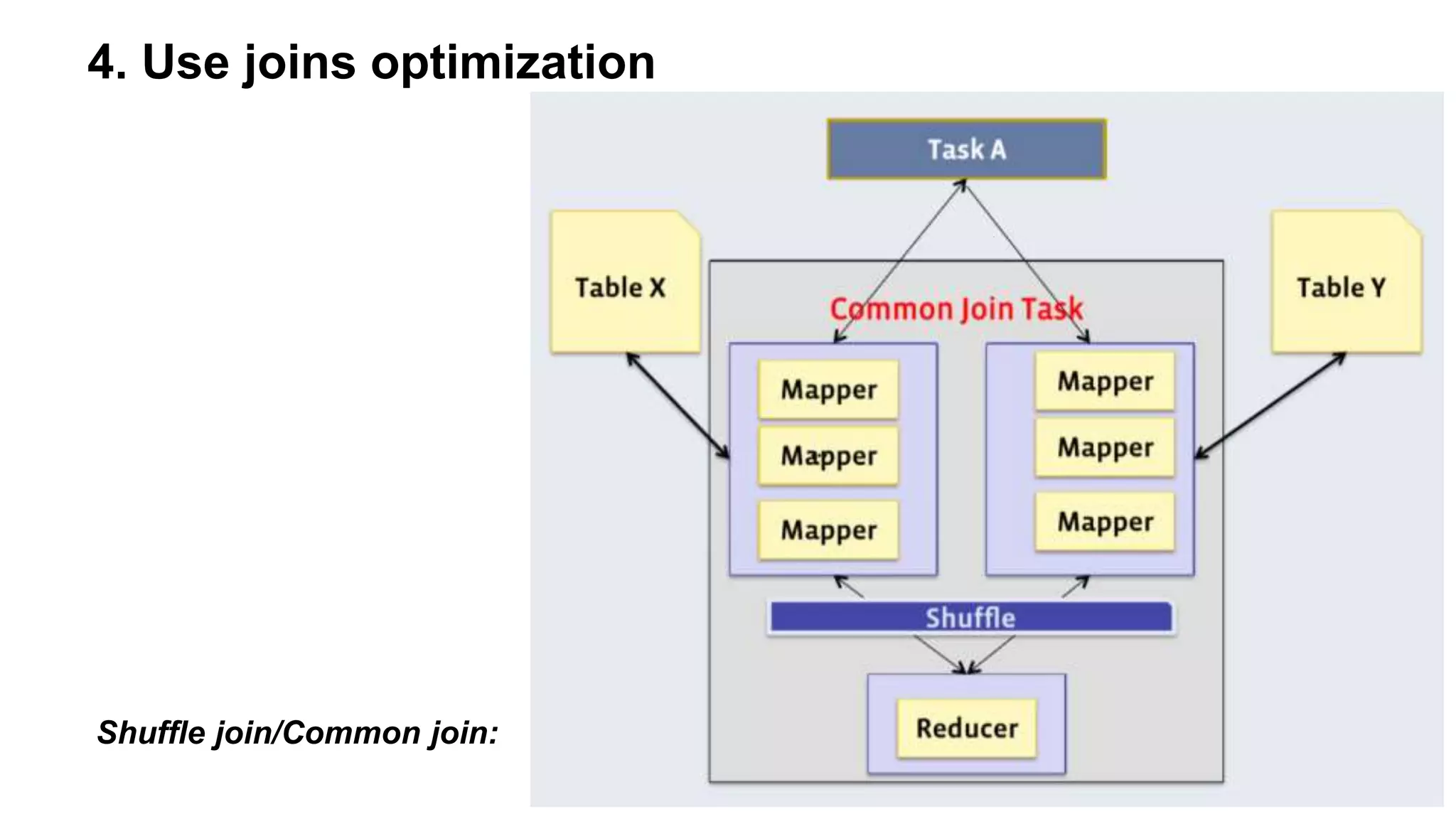
4. Use joins optimization
Shuffle join/Common join:
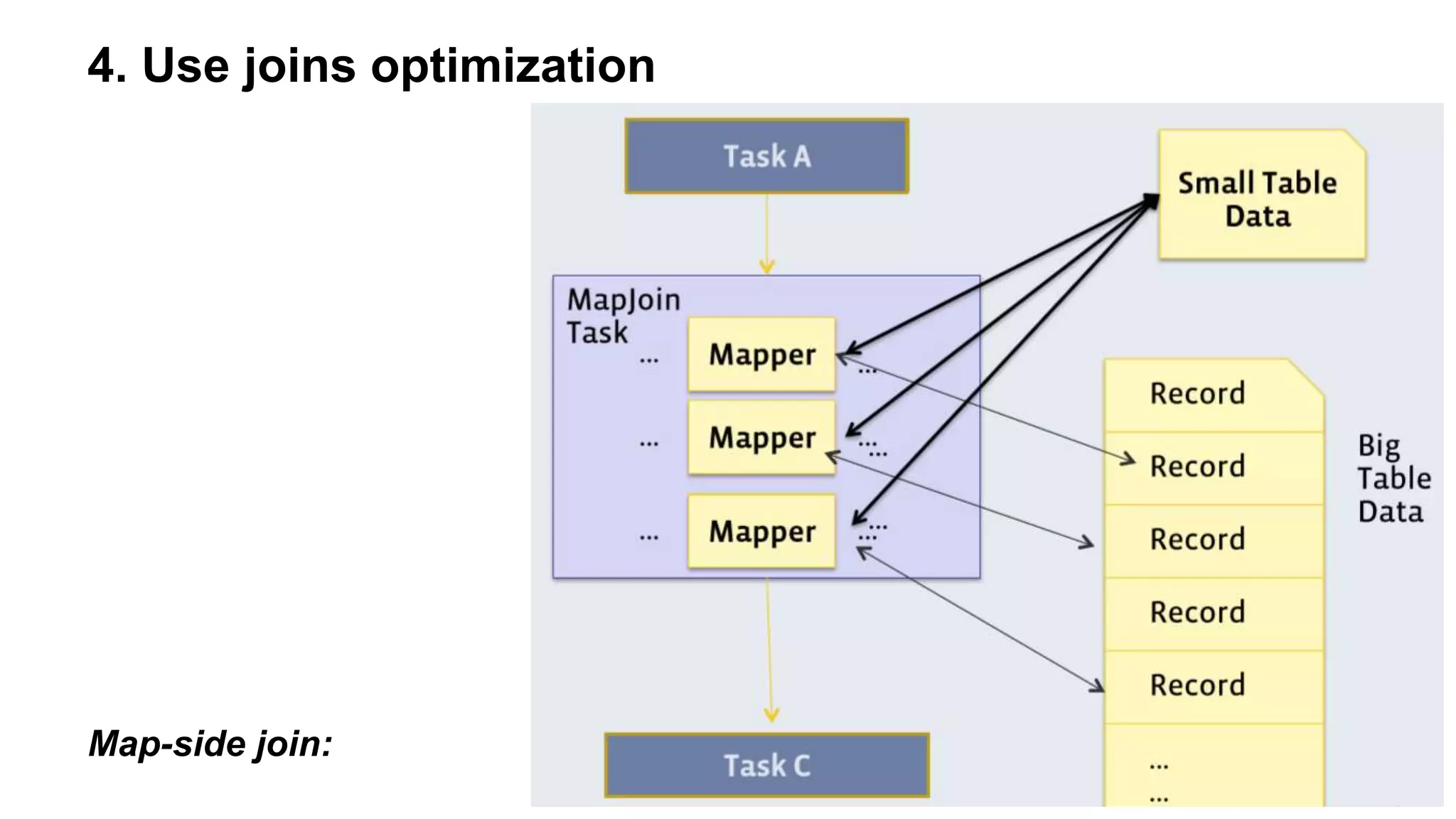
4. Use joins optimization
Map-side join:
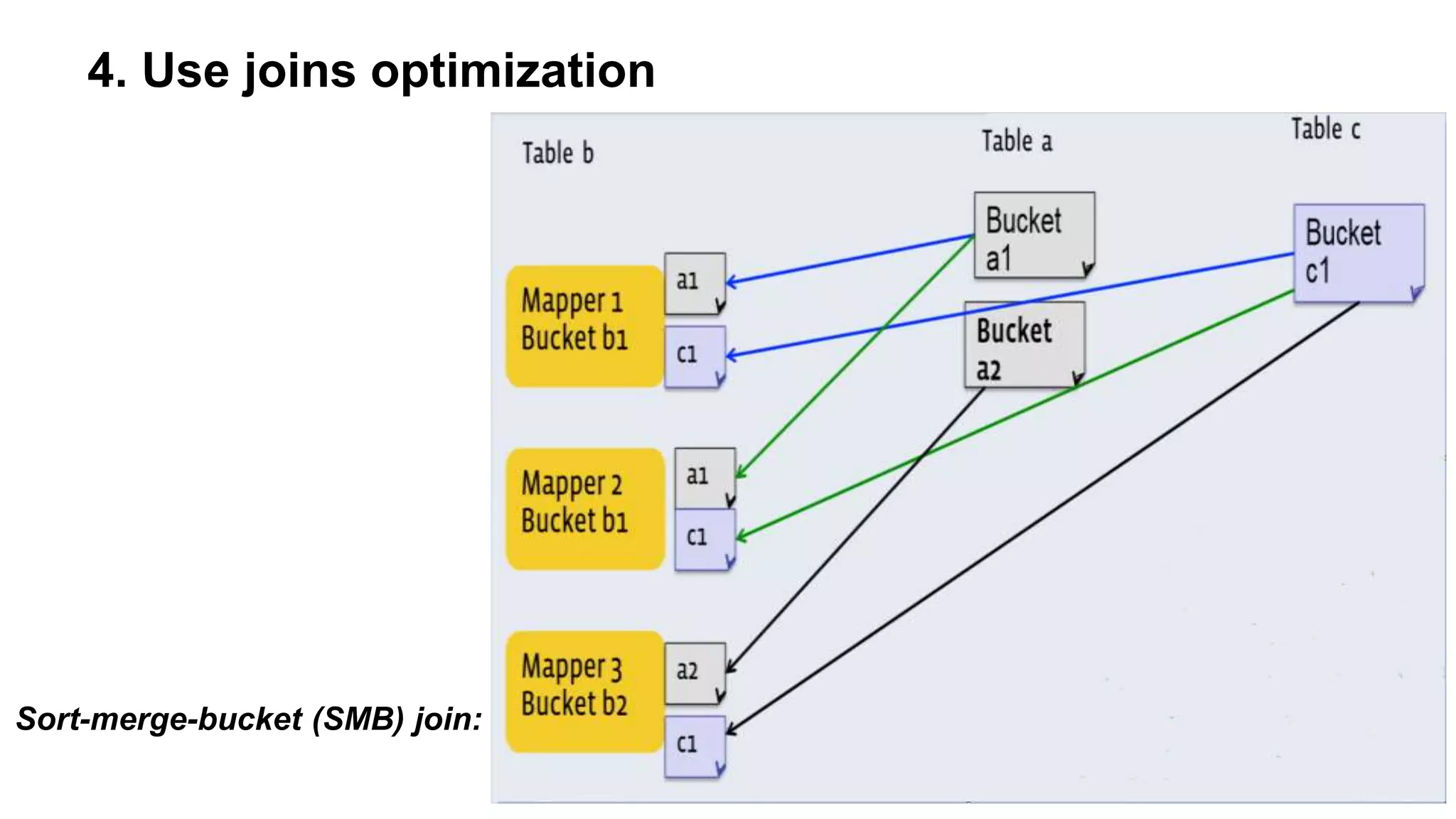
4. Use joins optimization
Sort-merge-bucket (SMB) join:
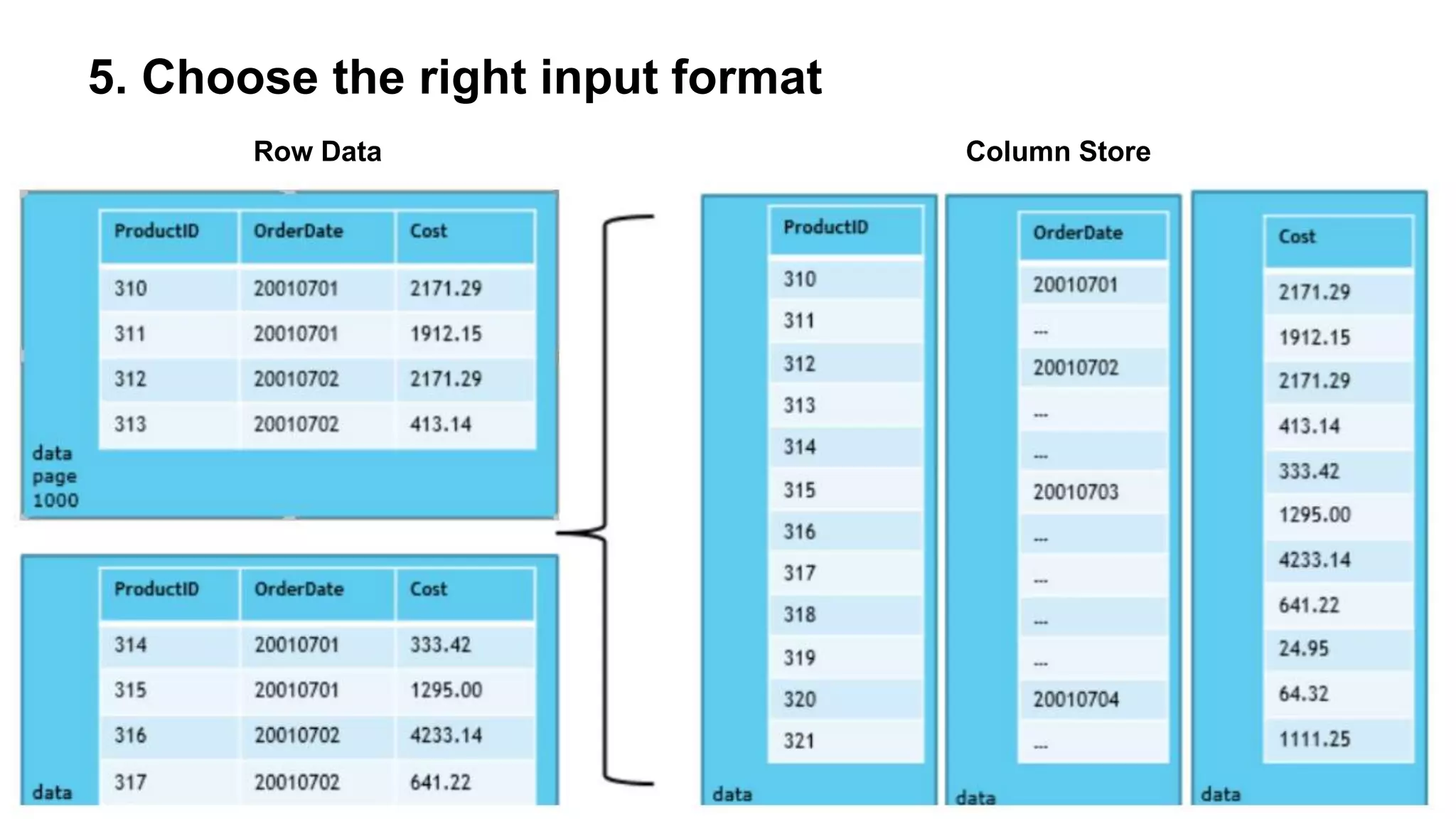
5. Choose the right input format
Row Data Column Store
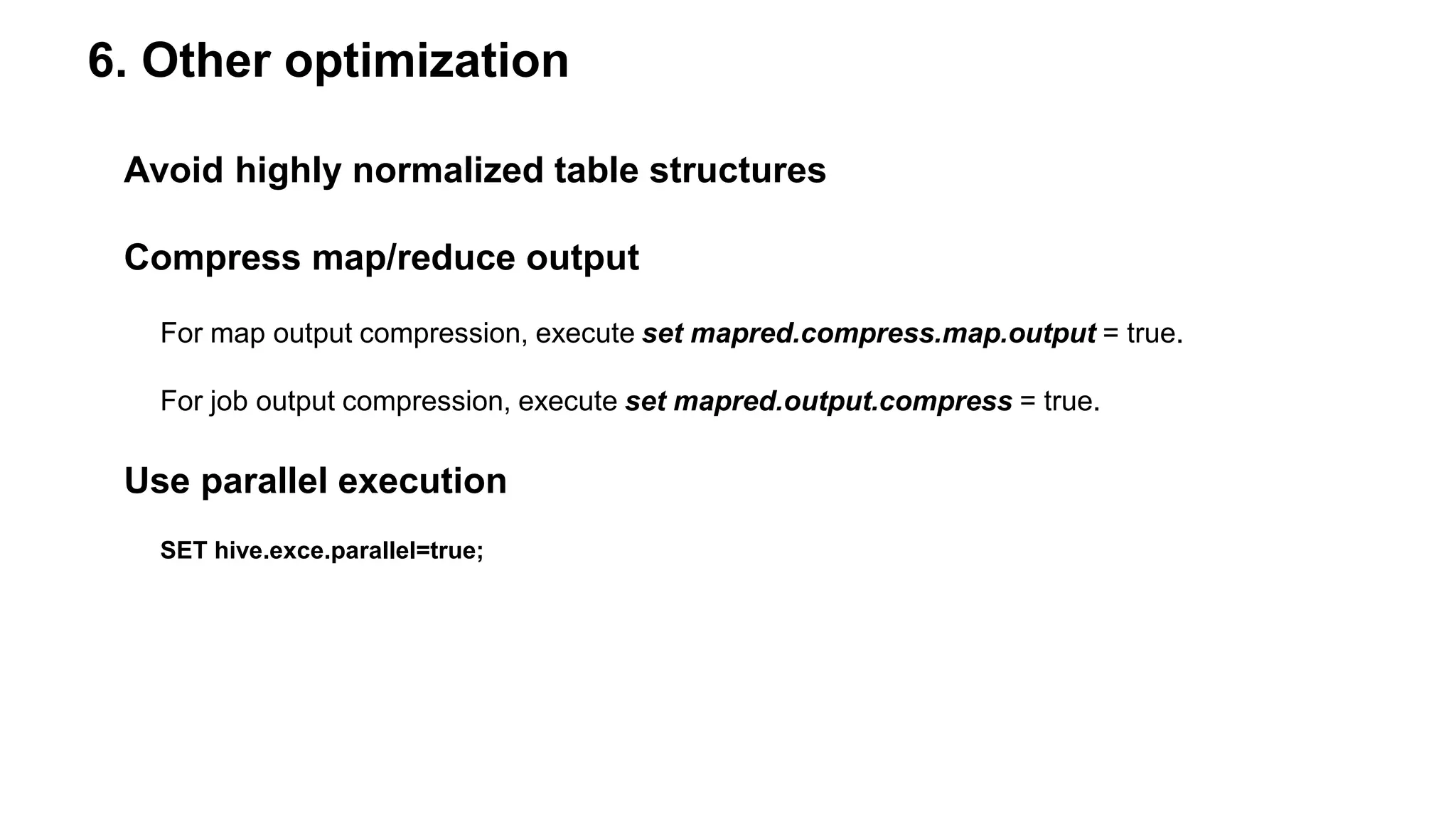
6. Other optimization
Avoid highly normalized table structures
Compress map/reduce output
For map output compression, execute set mapred.compress.map.output = true.
For job output compression, execute set mapred.output.compress = true.
Use parallel execution
SET hive.exce.parallel=true;
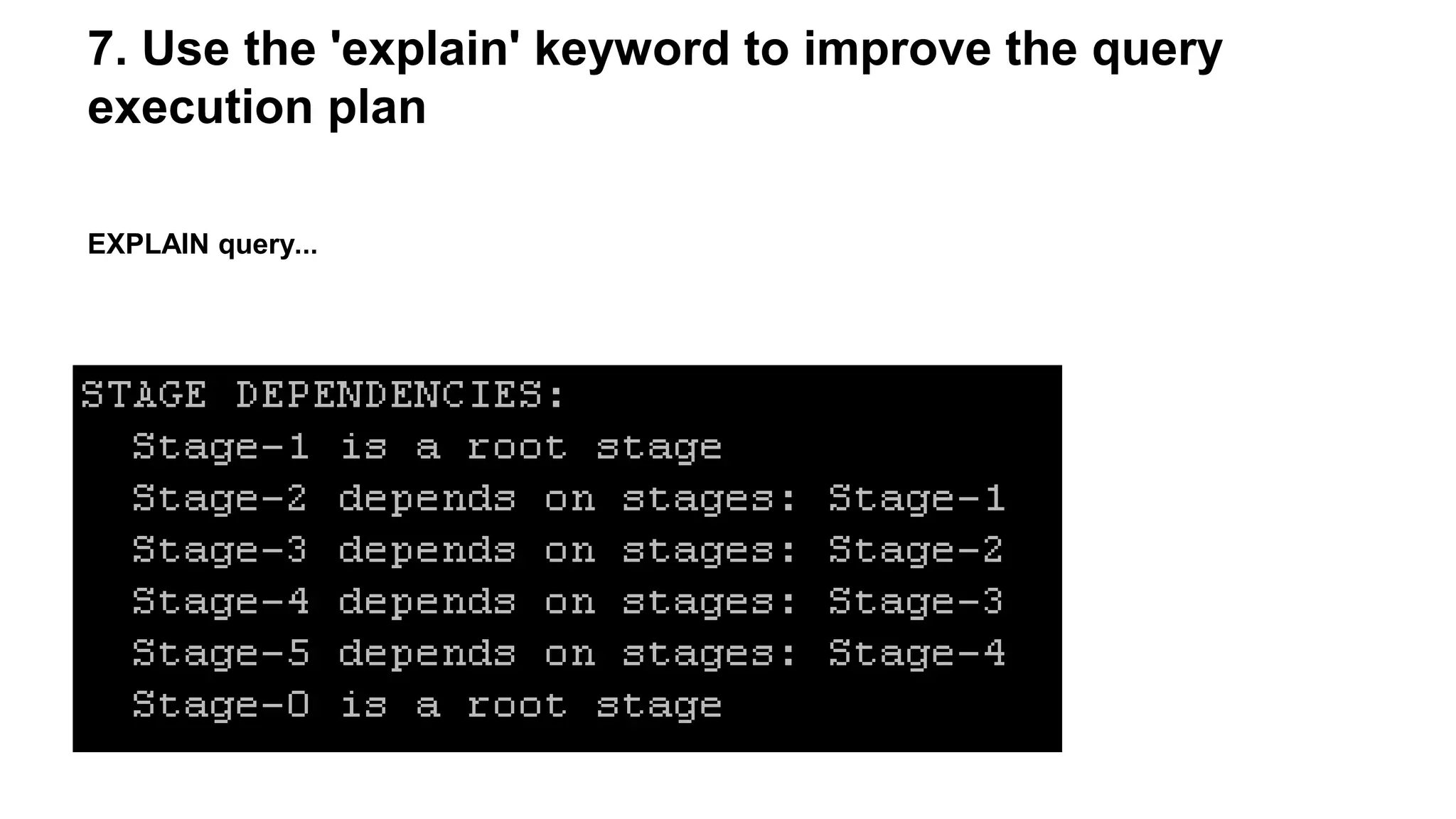
7. Use the 'explain' keyword to improve the query
execution plan
EXPLAIN query...
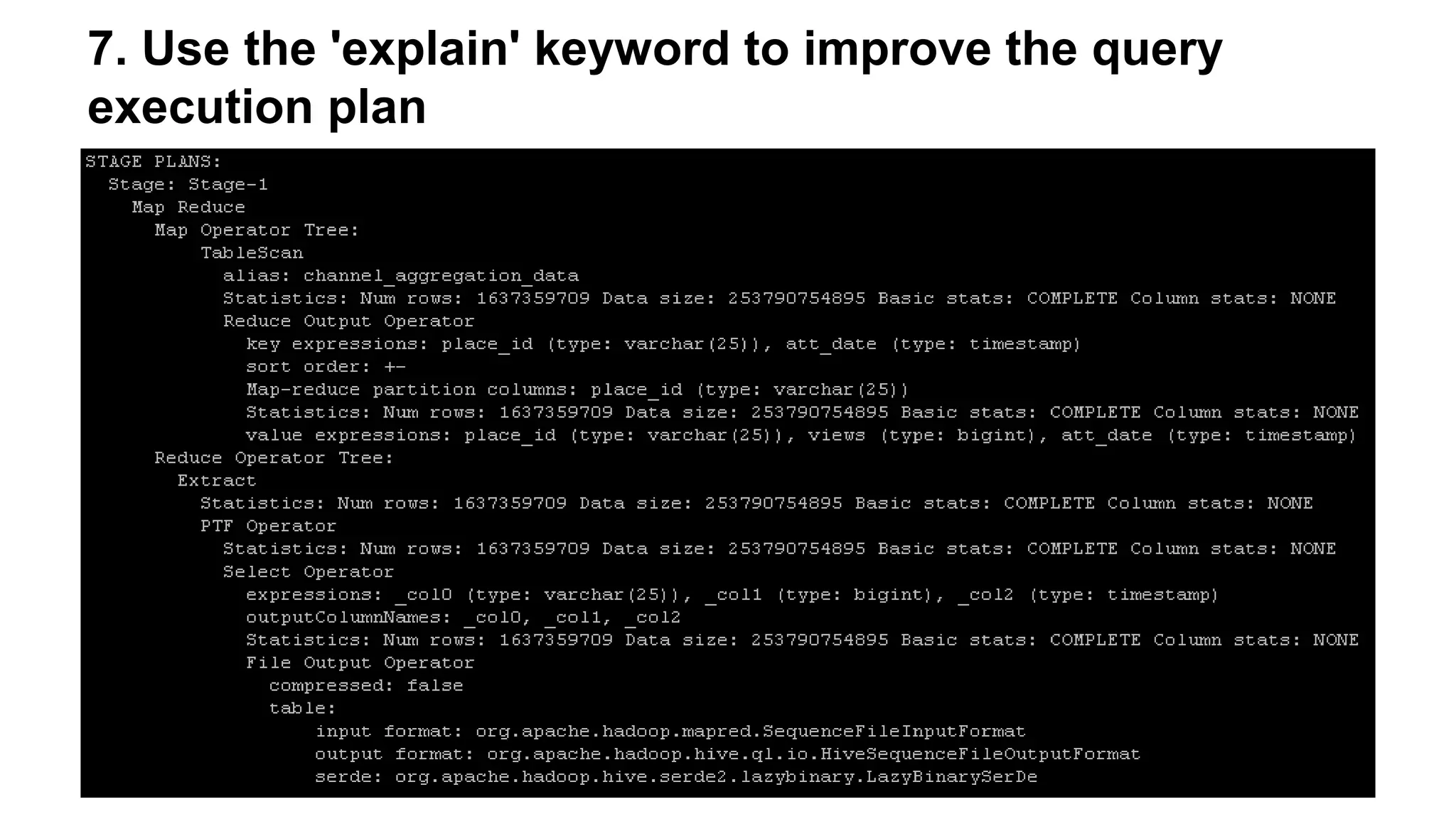
7. Use the 'explain' keyword to improve the query
execution plan
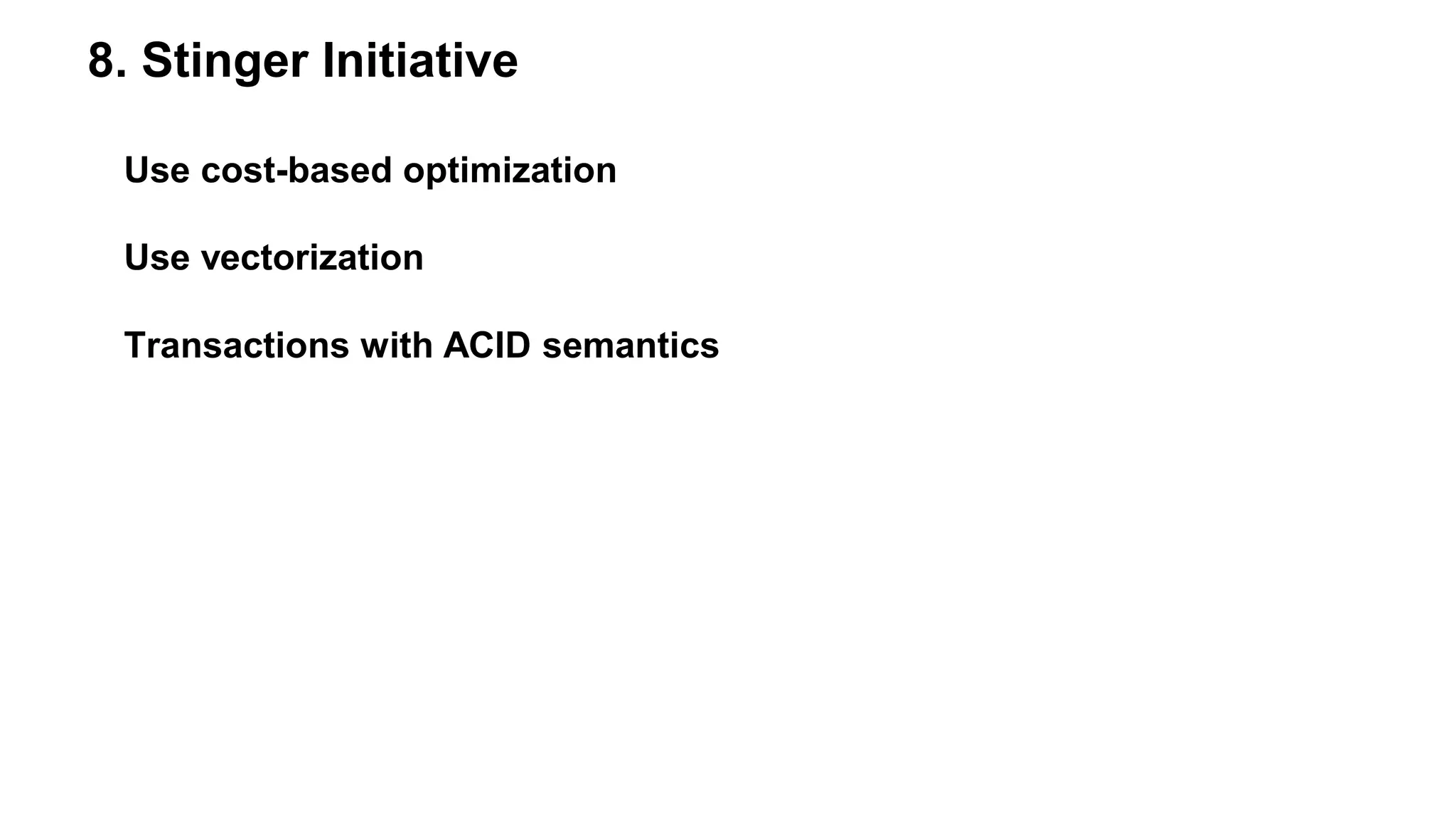
8. Stinger Initiative
Use cost-based optimization
Use vectorization
Transactions with ACID semantics
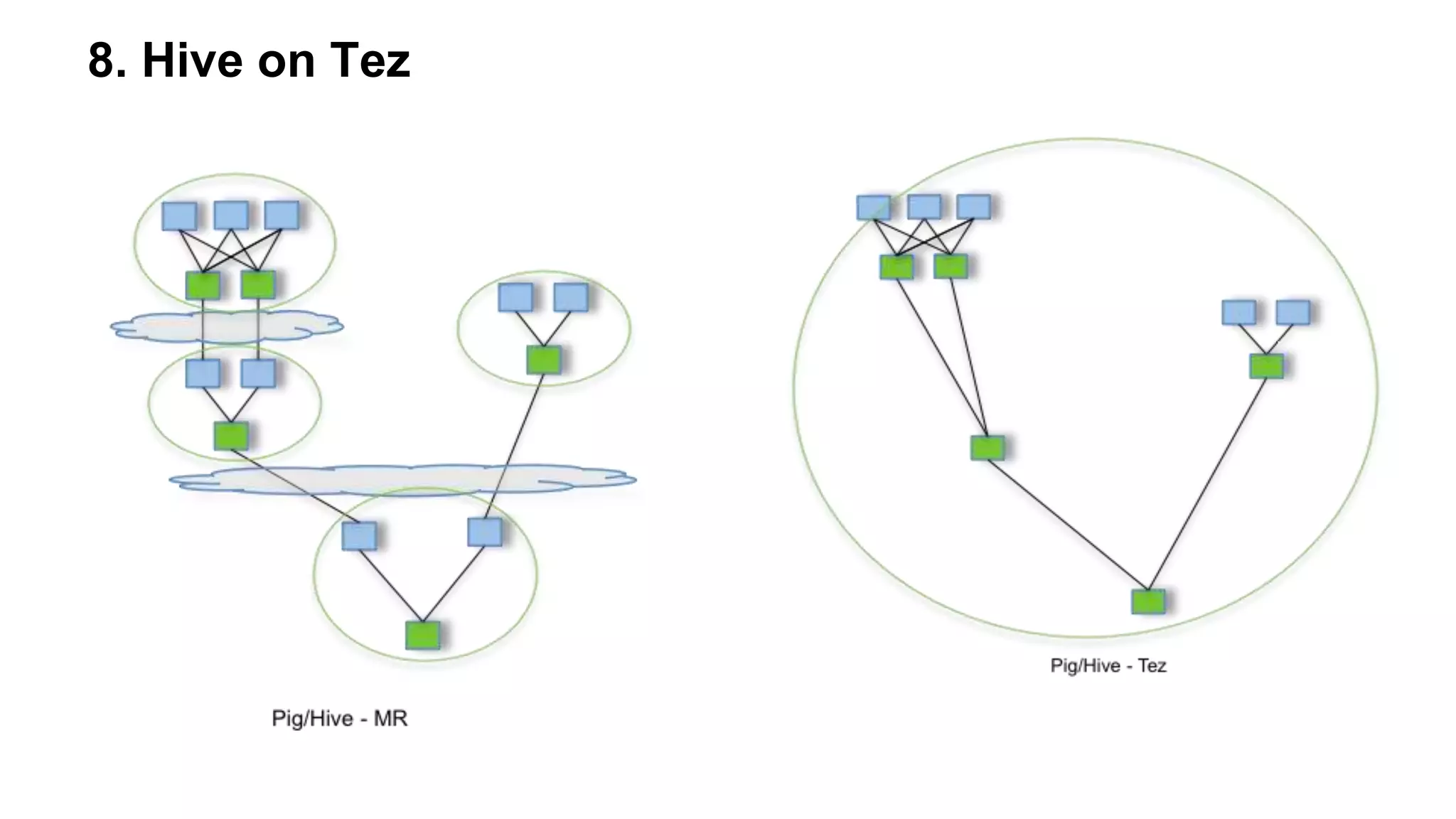
8. Hive on Tez
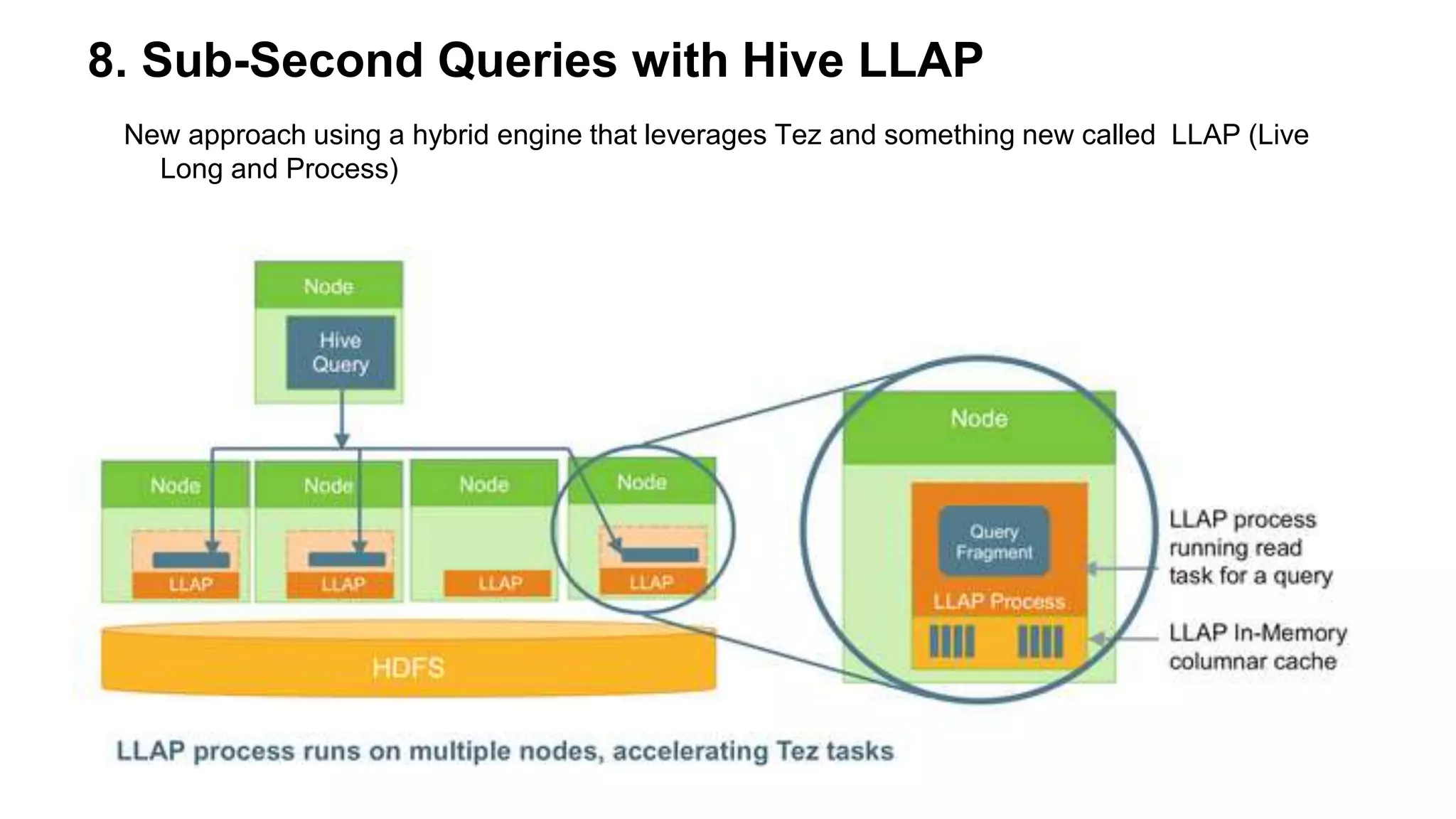
8. Sub-Second Queries with Hive LLAP
New approach using a hybrid engine that leverages Tez and something new called LLAP (Live
Long and Process)
Questiones?

Сергей Ковалёв (Altoros): Practical Steps to Improve Apache Hive Performance

  • 1.
    Practical Steps toImprove Hive Queries Performance Sergey Kovalev Software Engineer at Altoros
  • 2.
  • 3.
    1. Use partitionswhenever possible /folder1/video_data/file1 id, title, channelId, description, uploadYear 1, title1, channelId1, description1, 2012 2, title2, channelId2, description2, 2012 3, title3, channelId3, description3, 2013 4, title4, channelId4, description4, 2013 /folder1/video_data/2012/file1 1, title1, channelId1, description1, 2012 2, title2, channelId2, description2, 2012 /folder1/video_data/2013/file1 3, title3, channelId3, description3, 2013 4, title4, channelId4, description4, 2013 SELECT * from video WHERE uploadYear=’2013-04-08’
  • 4.
    1. Use partitionswhenever possible create table video ( id STRING, title STRING, description STRING, viewCount BIGINT ) PARTITIONED BY (uploadYear date) STORED AS ORC; insert into table video PARTITION (uploadYear) select * from video_external;
  • 5.
    2. Use bucketing createtable video ( id STRING, channelId STRING, title STRING, description STRING, ) CLUSTERED BY(channelId) INTO 2 BUCKETS STORED AS ORC; create table channel ( id STRING, title STRING, description STRING, viewCount BIGINT ) CLUSTERED BY(id) INTO 2 BUCKETS STORED AS ORC; SELECT v.title FROM video v JOIN channel ch ON v.channelId = ch.id WHERE ch.viewCount>1000
  • 6.
    2. Use bucketing /folder1/video_data/file1 id,title, channelId, description, uploadYear 1, title1, channelId1, description1, 2012 2, title2, channelId2, description2, 2012 3, title3, channelId3, description3, 2012 4, title4, channelId4, description4, 2012 5, title5, channelId5, description5, 2013 6, title6, channelId6, description6, 2013 7, title7, channelId7, description7, 2013 8, title8, channelId8, description8, 2013 /folder1/video_data/file1 2, title2, channelId2, description2, 2012 4, title4, channelId4, description4, 2012 6, title6, channelId6, description6, 2013 8, title8, channelId8, description8, 2013 /folder1/video_data/file2 1, title1, channelId1, description1, 2012 3, title3, channelId3, description3, 2012 5, title5, channelId5, description5, 2013 7, title7, channelId7, description7, 2013
  • 7.
    2. Use bucketing /folder1/channel_data/file1 id,title, description, viewCount channelId1, title1, description1, viewCount1 channelId2, title2, description2, viewCount2 channelId3, title3, description3, viewCount3 channelId4, title4, description4, viewCount4 channelId5, title5, description5, viewCount5 channelId6, title6, description6, viewCount6 channelId7, title7, description7, viewCount7 channelId8, title8, description8, viewCount8 /folder1/channel_data/file1 channelId2, title2, description2, viewCount2 channelId4, title4, description4, viewCount4 channelId6, title6, description6, viewCount6 channelId8, title8, description8, viewCount8 /folder1/channel_data/file2 channelId1, title1, description1, viewCount1 channelId3, title3, description3, viewCount3 channelId5, title5, description5, viewCount5 channelId7, title7, description7, viewCount7
  • 8.
    3. Partitions +bucketing create table video ( id STRING, channelId STRING, title STRING, description STRING, viewCount BIGINT ) PARTITIONED BY (uploadYear date) CLUSTERED BY(channelId) INTO 2 BUCKETS STORED AS ORC;
  • 9.
    3. Partitions +bucketing /folder1/video_data/file1 id, title, channelId, viewCount, uploadYear 1, title1, channelId1, viewCount1, 2012 2, title2, channelId2, viewCount2, 2012 3, title3, channelId3, viewCount3, 2012 4, title4, channelId4, viewCount4, 2012 5, title5, channelId5, viewCount5, 2013 6, title6, channelId6, viewCount6, 2013 7, title7, channelId7, viewCount7, 2013 8, title8, channelId8, viewCount8, 2013 /folder1/video_data/2012/file1 2, title2, description2, viewCount2, 2012 4, title4, description4, viewCount4, 2012 /folder1/video_data/2012/file2 1, title1, description1, viewCount1, 2012 3, title3, description3, viewCount3, 2012 /folder1/video_data/2013/file1 6, title6, description6, viewCount6, 2013 8, title8, description8, viewCount8, 2013 /folder1/video_data/2013/file2 5, title5, description5, viewCount5, 2013 7, title7, description7, viewCount7, 2013
  • 10.
    4. Use joinsoptimization Shuffle join/Common join:
  • 11.
    4. Use joinsoptimization Map-side join:
  • 12.
    4. Use joinsoptimization Sort-merge-bucket (SMB) join:
  • 13.
    5. Choose theright input format Row Data Column Store
  • 14.
    6. Other optimization Avoidhighly normalized table structures Compress map/reduce output For map output compression, execute set mapred.compress.map.output = true. For job output compression, execute set mapred.output.compress = true. Use parallel execution SET hive.exce.parallel=true;
  • 15.
    7. Use the'explain' keyword to improve the query execution plan EXPLAIN query...
  • 16.
    7. Use the'explain' keyword to improve the query execution plan
  • 17.
    8. Stinger Initiative Usecost-based optimization Use vectorization Transactions with ACID semantics
  • 18.
  • 19.
    8. Sub-Second Querieswith Hive LLAP New approach using a hybrid engine that leverages Tez and something new called LLAP (Live Long and Process)
  • 20.