
Web Push Notification
Yulia Oletskaya / Konstantin Reido
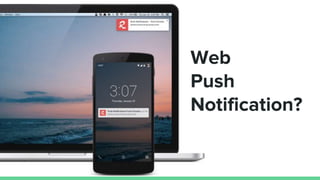
Web
Push
Notification?
Advantages
Timely and relevant
Easy to access
Go straight to the details
Full control
● More visitors
Google Chrome
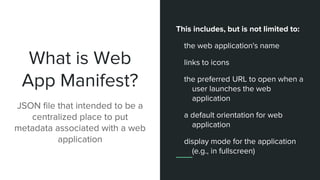
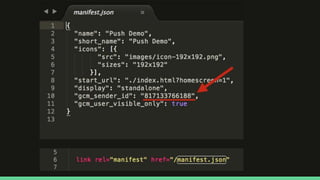
What is Web
App Manifest?
JSON file that intended to be a
centralized place to put
metadata associated with a web
application
This includes, but is not limited to:
the web application's name
links to icons
the preferred URL to open when a
user launches the web
application
a default orientation for web
application
display mode for the application
(e.g., in fullscreen)
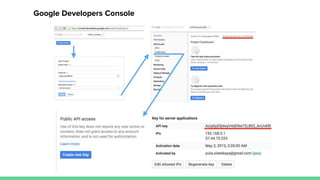
Google Developers Console
What is Service
Worker?
A service worker is a script that is
run by browser in the background,
separate from a web page, opening
the door to features which don't
need a web page or user
interaction.
What is Service Worker?
It's a JavaScript Worker, so it can't access the DOM directly. Instead, a service worker can communicate with
the pages by postMessage interface.
HTTPS is Needed.
Service worker is a programmable network proxy, that allows to control how network requests from web
page are handled.
It will be terminated when not in use, and restarted when it's next needed.
Service workers make extensive use of promises.
Note: localStorage works in a similar way to service worker’s cache, but it is synchronous, so not allowed in
service workers.
Service Worker Use Cases
Background data synchronization
Prefetching and/or caching data for later use
Code syntax highlighting or other real-time text formatting
Hooks for background services
Spell checker
Analyzing video or audio data
Background I/O or polling of webservices
Processing large arrays or humungous JSON responses
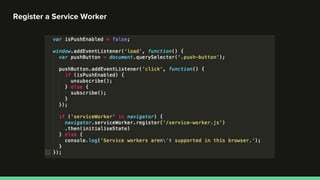
Register a Service Worker
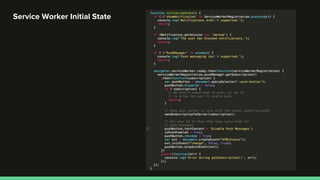
Service Worker Initial State
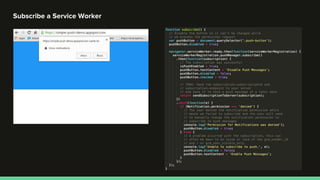
Subscribe a Service Worker
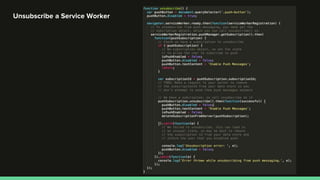
Unsubscribe a Service Worker
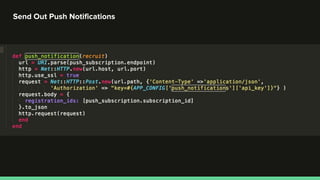
Send Out Push Notifications
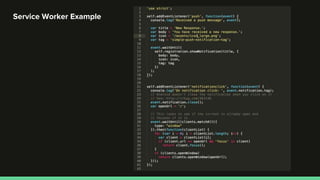
Service Worker Example
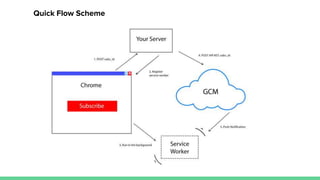
Quick Flow Scheme
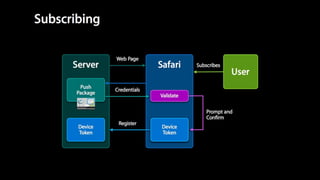
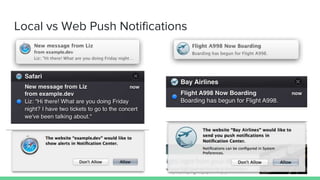
Safari
Local vs Web Push Notifications
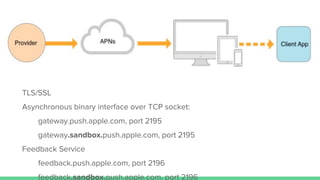
TLS/SSL
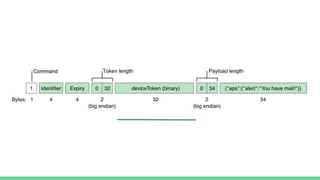
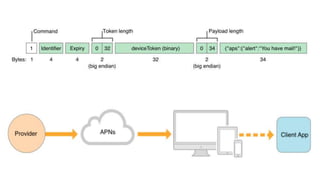
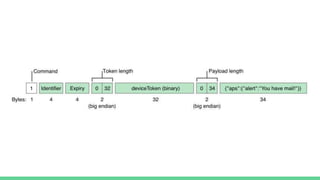
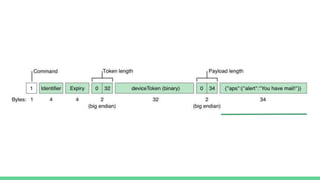
Asynchronous binary interface over TCP socket:
gateway.push.apple.com, port 2195
gateway.sandbox.push.apple.com, port 2195
Feedback Service
feedback.push.apple.com, port 2196
feedback.sandbox.push.apple.com, port 2196
Notification payload
{
"aps": {
"alert": {
"title": "Flight A998 Now Boarding",
"body": "Boarding has begun for Flight A998.",
"action": "View"
},
"url-args": ["boarding", "A998"]
}
}
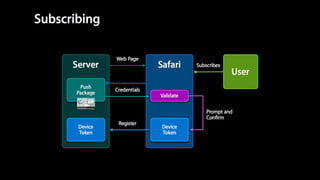
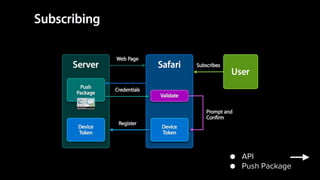
● API
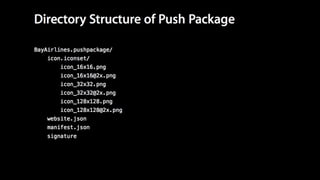
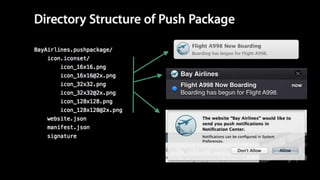
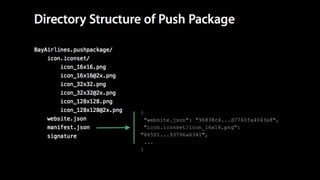
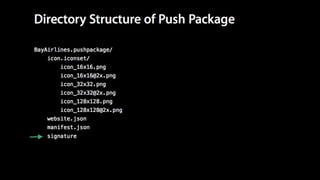
● Push Package
{
"websiteName": "Bay Airlines",
"websitePushID": "web.com.domain",
"allowedDomains": ["http://domain.com"],
"urlFormatString": "http://domain.com/%@/?flight=%@",
"authenticationToken": "19f8d7a6e9fb8a7f6d9330dabe",
"webServiceURL": "https://domain.com/push"
}
{
"website.json": "96838c4...d7760fa4043a8",
"icon.iconset/icon_16x16.png":
"865f1...93796a6341",
...
}
Best Practices
rpush
The push notification service for Ruby
Supported
Services
Apple Push Notification Service
Google Cloud Messaging
Amazon Device Messaging
Windows Phone Push Notification Service
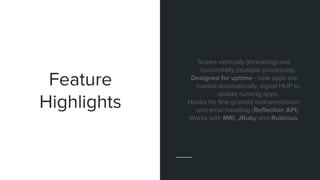
Feature
Highlights
Use ActiveRecord, Redis or MongoDB
for storage.
Plugins. You can write your own.
Seamless integration with your projects,
including Rails.
Run as a daemon, inside a job queue, on
the command-line or embedded in
another process.
Feature
Highlights
Scales vertically (threading) and
horizontally (multiple processes).
Designed for uptime - new apps are
loaded automatically, signal HUP to
update running apps.
Hooks for fine-grained instrumentation
and error handling (Reflection API).
Works with MRI, JRuby and Rubinius.
rpush init
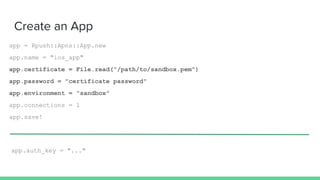
Create an App
app = Rpush::Apns::App.new
app.name = "ios_app"
app.certificate = File.read("/path/to/sandbox.pem")
app.password = "certificate password"
app.environment = "sandbox"
app.connections = 1
app.save!
app.auth_key = "..."
Send a Notification
n = Rpush::Apns::Notification.new
n.app = Rpush::Apns::App.find_by_name("ios_app")
n.device_token = "..." # 64-character hex string
n.alert = "hi mom!"
n.data = { foo: :bar }
n.save!
n.registration_ids = ["..."]
n.data = { message: "hi mom!" }
Questions?
Konstantin Reido
konstantin.reido@gmail.com
skype: konstantin.reido
Yulia Oletskaya
yulia.oletskaya@gmail.com
skype: tuwukee

Brug - Web push notification

Editor's Notes

  • #30 websiteName - The website name. This is the heading used in Notification Center. websitePushID - The Website Push ID, as specified in your registration with the Member Center. allowedDomains - An array of websites that are allowed to request permission from the user. urlFormatString - The URL to go to when the notification is clicked. Use %@ as a placeholder for arguments you fill in when delivering your notification. This URL must use the http or https scheme; otherwise, it is invalid. authenticationToken - A string that helps you identify the user. It is included in later requests to your web service. This string must 16 characters or greater. webServiceURL - The location used to make requests to your web service. The trailing slash should be omitted.
  • #43 При подготовке этой презентации ни один котик не пострадал