Amrita Sai Institute Of Science And
Technology
TOPICS
What Is Green Computing?
Why Green Computing?
Products of Green Computing
Green components manufacturing
Energy use of PCs
Reducing energy consumption
VIA Technologies
Methods To Green Computing
Steps For Green Computing
Advantages
General Suggestions
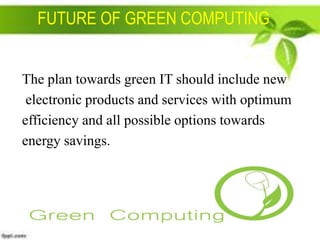
Future Of Green Computing
Conclusion
WHAT IS GREEN COMPUTING??

"The study and practice of designing,
manufacturing, using, and disposing
of computers, servers, and associated
subsystems efficiently and with no
impact on the environment."
Why Green Computing?
 Computer energy saving.
 Reduce wastage of printing.

 Reduce Pollution.
 Avoid Toxicity.
Reasons for Adopting Green Solution
MANUFACTURING OF PC’S
Lead : used in soldering of printed
circuit boards lead can cause damage
to the central and peripheral nervous
system , blood systems and kidneys.
Mercury : used in batteries, switches .
Mercury spreads out in water transforming into
methylated mercury that can cause chronic brain
damage.
 Cadmium : used in resistors for chips and in
semiconductors . Cadmium is classified as toxic
these compounds accumulate in the human
body, particularly the kidneys.
Energy Use of PCs
 CPU uses 120 Watts
 CRT uses 150 Watts
 8 hours of usage, 5 days a week = 562 K watts
 for a large institution, say a university of 40,000
students and faculty, the power bill for just
computers can come to $2 million / year
 Energy use comes from
 electrical current to run the CPU, motherboard,
memory
 running the fan and spinning the disk(s)
 monitor (CRTs consume more power than any
other computer component)
ENERGY STAR
 One of the first manifestations of the green computing movement was the
launch of energy star program back in 1992.

 Energy Star served as a kind of voluntary label awarded to computing
products that succeeded in minimizing use of energy while maximizing
efficiency.
 Energy Star applied to products like computer monitors, television sets and
temperature control devices like refrigerators, air conditioners, and similar
items.
 Turn off the computer when not in use, even if just
for an hour
 Turn off the monitor when not in use
 Use power saver mode
 Use hardware/software with the Energy Star label

 Don’t print unless necessary and you are ready
 Use LCDs instead of CRTs as they are more power efficient
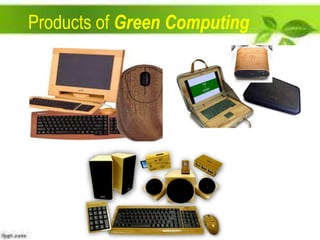
Products of Green Computing
Green Components manufacturing
 Bamboo : It is becoming increasingly popular

for making casings for computers and
peripherals.
 Recyclable plastics : computers are

constructed from non-recyclable plastics i.e.
recyclable polycarbonate resin.
Eco-friendly flame retardant : There are flame
retardant silicone compounds available that are flame
retardant and completely non-toxic.
Inventory management : Reducing the quantity of
both hazardous materials used in the process and the
amount of excess raw materials.

Volume reduction : Removes hazardous portion of
waste from non hazardous portion.
VIA Technologies
 Carbon Free Computing
 Solar Computing
 Lead-free And RoHS Computing
 Energy Efficient Computing
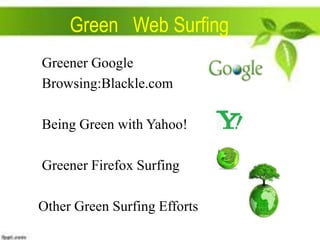
Green Web Surfing
Greener Google
Browsing:Blackle.com
Being Green with Yahoo!
Greener Firefox Surfing
Other Green Surfing Efforts
Methods Of Green Computing
 Green Use
 Green Disposal
 Green Design

 Green Manufacturing
DISPOSAL OF COMPONENTS
Europe has outlawed using landfills for
computer components
Disposal of these devices constituted 2050 million tons per year (about 5% of the
total waste of the planet)
This waste is called e-waste
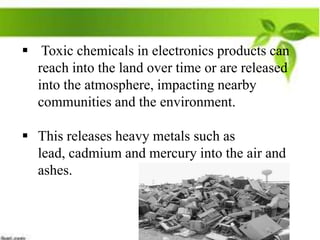
 Toxic chemicals in electronics products can
reach into the land over time or are released
into the atmosphere, impacting nearby
communities and the environment.

 This releases heavy metals such as
lead, cadmium and mercury into the air and
ashes.
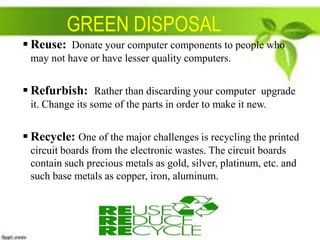
GREEN DISPOSAL
 Reuse: Donate your computer components to people who
may not have or have lesser quality computers.

 Refurbish: Rather than discarding your computer upgrade
it. Change its some of the parts in order to make it new.

 Recycle: One of the major challenges is recycling the printed
circuit boards from the electronic wastes. The circuit boards
contain such precious metals as gold, silver, platinum, etc. and
such base metals as copper, iron, aluminum.
Steps For Green Computing
 Environmentally Sound Purchase
Systems
 Sustainable Green Computing Plan
 Reduce Paper Consumption
 Conserve Energy
 Recycling
General Suggestions


Change your subscriptions to online-not paper.



Optimize computer performance.



Decrease screen brightness.



Change from XP to Window 7.



Consider LCDs over CRTs.



Consider laptops over desktops.



Have a energy efficient approach.
Advantages
 Reduce Energy Usage
 Conserving Resources
 Reduces The Risk
 Saving The Energy
 Saving The Planet
FUTURE OF GREEN COMPUTING

The plan towards green IT should include new
electronic products and services with optimum
efficiency and all possible options towards
energy savings.
CONCLUSION
The greenest computer will not miraculously
fall from the sky one day, it’ll be the product of
years of improvements. The features of a green
computer of tomorrow would be like: efficiency,
manufacturing & materials, recyclability,
service model, self-powering, and other trends.
Green computing

Green computing

  • 1.
    Amrita Sai InstituteOf Science And Technology
  • 2.
    TOPICS What Is GreenComputing? Why Green Computing? Products of Green Computing Green components manufacturing Energy use of PCs Reducing energy consumption
  • 3.
    VIA Technologies Methods ToGreen Computing Steps For Green Computing Advantages General Suggestions Future Of Green Computing Conclusion
  • 4.
    WHAT IS GREENCOMPUTING?? "The study and practice of designing, manufacturing, using, and disposing of computers, servers, and associated subsystems efficiently and with no impact on the environment."
  • 5.
    Why Green Computing? Computer energy saving.  Reduce wastage of printing.  Reduce Pollution.  Avoid Toxicity.
  • 6.
    Reasons for AdoptingGreen Solution MANUFACTURING OF PC’S Lead : used in soldering of printed circuit boards lead can cause damage to the central and peripheral nervous system , blood systems and kidneys.
  • 7.
    Mercury : usedin batteries, switches . Mercury spreads out in water transforming into methylated mercury that can cause chronic brain damage.  Cadmium : used in resistors for chips and in semiconductors . Cadmium is classified as toxic these compounds accumulate in the human body, particularly the kidneys.
  • 8.
    Energy Use ofPCs  CPU uses 120 Watts  CRT uses 150 Watts  8 hours of usage, 5 days a week = 562 K watts  for a large institution, say a university of 40,000 students and faculty, the power bill for just computers can come to $2 million / year  Energy use comes from  electrical current to run the CPU, motherboard, memory  running the fan and spinning the disk(s)  monitor (CRTs consume more power than any other computer component)
  • 9.
    ENERGY STAR  Oneof the first manifestations of the green computing movement was the launch of energy star program back in 1992.  Energy Star served as a kind of voluntary label awarded to computing products that succeeded in minimizing use of energy while maximizing efficiency.  Energy Star applied to products like computer monitors, television sets and temperature control devices like refrigerators, air conditioners, and similar items.
  • 10.
     Turn offthe computer when not in use, even if just for an hour  Turn off the monitor when not in use  Use power saver mode  Use hardware/software with the Energy Star label  Don’t print unless necessary and you are ready  Use LCDs instead of CRTs as they are more power efficient
  • 11.
  • 12.
    Green Components manufacturing Bamboo : It is becoming increasingly popular for making casings for computers and peripherals.  Recyclable plastics : computers are constructed from non-recyclable plastics i.e. recyclable polycarbonate resin.
  • 13.
    Eco-friendly flame retardant: There are flame retardant silicone compounds available that are flame retardant and completely non-toxic. Inventory management : Reducing the quantity of both hazardous materials used in the process and the amount of excess raw materials. Volume reduction : Removes hazardous portion of waste from non hazardous portion.
  • 14.
    VIA Technologies  CarbonFree Computing  Solar Computing  Lead-free And RoHS Computing  Energy Efficient Computing
  • 15.
    Green Web Surfing GreenerGoogle Browsing:Blackle.com Being Green with Yahoo! Greener Firefox Surfing Other Green Surfing Efforts
  • 16.
    Methods Of GreenComputing  Green Use  Green Disposal  Green Design  Green Manufacturing
  • 17.
    DISPOSAL OF COMPONENTS Europehas outlawed using landfills for computer components Disposal of these devices constituted 2050 million tons per year (about 5% of the total waste of the planet) This waste is called e-waste
  • 18.
     Toxic chemicalsin electronics products can reach into the land over time or are released into the atmosphere, impacting nearby communities and the environment.  This releases heavy metals such as lead, cadmium and mercury into the air and ashes.
  • 19.
    GREEN DISPOSAL  Reuse:Donate your computer components to people who may not have or have lesser quality computers.  Refurbish: Rather than discarding your computer upgrade it. Change its some of the parts in order to make it new.  Recycle: One of the major challenges is recycling the printed circuit boards from the electronic wastes. The circuit boards contain such precious metals as gold, silver, platinum, etc. and such base metals as copper, iron, aluminum.
  • 20.
    Steps For GreenComputing  Environmentally Sound Purchase Systems  Sustainable Green Computing Plan  Reduce Paper Consumption  Conserve Energy  Recycling
  • 21.
    General Suggestions  Change yoursubscriptions to online-not paper.  Optimize computer performance.  Decrease screen brightness.  Change from XP to Window 7.  Consider LCDs over CRTs.  Consider laptops over desktops.  Have a energy efficient approach.
  • 22.
    Advantages  Reduce EnergyUsage  Conserving Resources  Reduces The Risk  Saving The Energy  Saving The Planet
  • 23.
    FUTURE OF GREENCOMPUTING The plan towards green IT should include new electronic products and services with optimum efficiency and all possible options towards energy savings.
  • 24.
    CONCLUSION The greenest computerwill not miraculously fall from the sky one day, it’ll be the product of years of improvements. The features of a green computer of tomorrow would be like: efficiency, manufacturing & materials, recyclability, service model, self-powering, and other trends.