
Green
Computing
PRESENTATION BY:
HAIDER ALI MALIK
DEPARTMENT OF BOTANY
UNIVERSITY OF SARGODHA
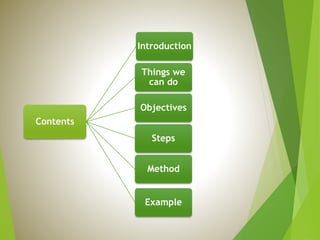
Contents
Introduction
Things we
can do
Objectives
Steps
Method
Example
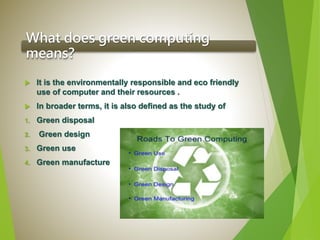
What does green computing
means?
 It is the environmentally responsible and eco friendly
use of computer and their resources .
 In broader terms, it is also defined as the study of
1. Green disposal
2. Green design
3. Green use
4. Green manufacture
Green
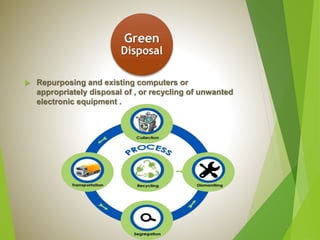
Disposal
 Repurposing and existing computers or
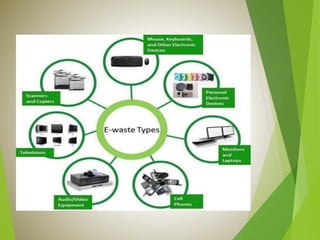
appropriately disposal of , or recycling of unwanted
electronic equipment .
Green
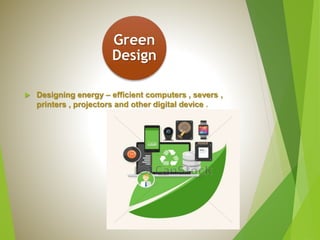
Design
 Designing energy – efficient computers , severs ,
printers , projectors and other digital device .
Green
Use
 Minimizing the electricity consumption of computers
and their peripheral devices and using them in an
eco-friendly .
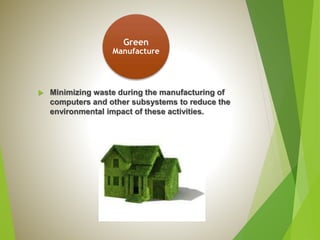
Green
Manufacture
 Minimizing waste during the manufacturing of
computers and other subsystems to reduce the
environmental impact of these activities.
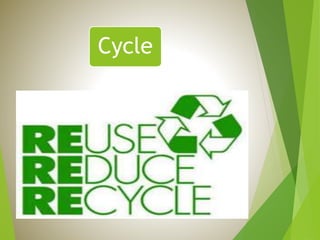
Cycle
Things We Can Do
Buy energy efficient
computers.
Replace a CTR monitor
with an LCD monitor.
Recycle your old
computer.
Objectives of Green
computing
To gain an understanding why the green
computing is instrumental for the
environment.
To identify key issues relevant to green
computing and evaluate different approaches
to these problems.
To make use of computers as energy – efficient
and design algorithms and system for
efficiency –related computer technologies.
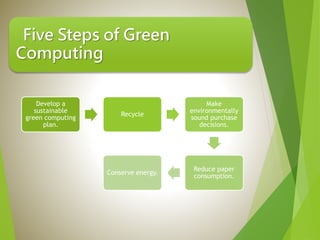
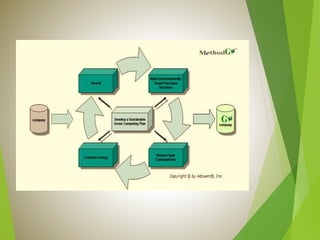
Five Steps of Green
Computing
Develop a
sustainable
green computing
plan.
Recycle
Make
environmentally
sound purchase
decisions.
Reduce paper
consumption.
Conserve energy.
How To Go Green
 Turn off the computer when not in use even if just for an
hour.
 Use power saver mode.
 Use hardware and software with energy star label.
 Don’t print unless necessary or you are ready.
 Consider a smaller monitor a 14 inch display uses 40%
less energy than a 17 inch one.
 Enable stand by/sleep mode.
 Switching from a locally hosted email to cloud based
email systems.
Example of Green Computing:
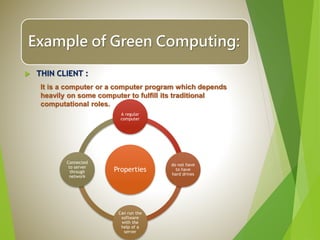
 THIN CLIENT :
It is a computer or a computer program which depends
heavily on some computer to fulfill its traditional
computational roles.
Properties
A regular
computer
do not have
to have
hard drives
Can run the
software
with the
help of a
server
Connected
to server
through
network
Green computing
Green computing

Green computing

  • 1.
    Green Computing PRESENTATION BY: HAIDER ALIMALIK DEPARTMENT OF BOTANY UNIVERSITY OF SARGODHA
  • 2.
  • 3.
    What does greencomputing means?  It is the environmentally responsible and eco friendly use of computer and their resources .  In broader terms, it is also defined as the study of 1. Green disposal 2. Green design 3. Green use 4. Green manufacture
  • 4.
    Green Disposal  Repurposing andexisting computers or appropriately disposal of , or recycling of unwanted electronic equipment .
  • 6.
    Green Design  Designing energy– efficient computers , severs , printers , projectors and other digital device .
  • 7.
    Green Use  Minimizing theelectricity consumption of computers and their peripheral devices and using them in an eco-friendly .
  • 8.
    Green Manufacture  Minimizing wasteduring the manufacturing of computers and other subsystems to reduce the environmental impact of these activities.
  • 9.
  • 10.
    Things We CanDo Buy energy efficient computers. Replace a CTR monitor with an LCD monitor. Recycle your old computer.
  • 11.
    Objectives of Green computing Togain an understanding why the green computing is instrumental for the environment. To identify key issues relevant to green computing and evaluate different approaches to these problems. To make use of computers as energy – efficient and design algorithms and system for efficiency –related computer technologies.
  • 12.
    Five Steps ofGreen Computing Develop a sustainable green computing plan. Recycle Make environmentally sound purchase decisions. Reduce paper consumption. Conserve energy.
  • 14.
    How To GoGreen  Turn off the computer when not in use even if just for an hour.  Use power saver mode.  Use hardware and software with energy star label.  Don’t print unless necessary or you are ready.  Consider a smaller monitor a 14 inch display uses 40% less energy than a 17 inch one.  Enable stand by/sleep mode.  Switching from a locally hosted email to cloud based email systems.
  • 15.
    Example of GreenComputing:  THIN CLIENT : It is a computer or a computer program which depends heavily on some computer to fulfill its traditional computational roles. Properties A regular computer do not have to have hard drives Can run the software with the help of a server Connected to server through network