

Introduction to We b Te chnologie s
pre s e nte d
by

Ve nka t pina ga di
S ha me le s s P lug
Owne r, Hype rTra in dot Com
S a n Die go ba s e d, but do mos tly ons ite
work plus confe re nce s
Tra in & cons ult on He lp Authoring
Tools a nd re la te d te chnologie s :
J a va S cript, HTML, CS S , DHTML,
Inte ra ctivity, We b-ba s e d He lp, e tc.
Uncle Da ve 's motto: "Ca ll me
a nytime ."
888-722-0700, dga s h@hype rtra in.com
P re s e nta tion Ove rvie w
Look a t ma in te chnologica l
compone nts tha t ma ke up mode rn
We b pa ge s
HTML – Hype rTe xt Ma rkup La ngua ge
CS S – Ca s ca ding S tyle S he e ts
J a va S cript – um, J a va S cript

For e a ch compone nt
Wha t it is /is n't, ca n/ca n't do
Wha t kinds of cons tructs it compris e s
How to us e it in We b pa ge s
How it inte ra cts with othe r compone nts
HTML Compone nts
Docume nts
Docume nt = pa ge = HTM file = topic
Conte nt (te xt, ima ge s )
Ta gs (dis pla y comma nds )

Othe r te rms
Window: brows e r dis pla y window
URL: Uniform Re s ource Loca tor
Hype rlink: hype rte xt jump to a re s ource
Re s ource : URL, ima ge , ma ilto, e xte rna l
file
HTML P a ge s
HTML pa ge s a re ta g-ba s e d
docume nts
Re a lly pla in AS CII te xt file s
Don't look like docume nts the y re pre s e nt
Ta gs indica te how proce s s ing progra m
s hould dis pla y te xt a nd gra phics
De s igne d to de s cribe hype rte xt, not pa pe r
P roce s s e d by brows e rs "on the fly"
Ta gs us ua lly a ppe a r in pa irs
Mos t ha ve re a s ona ble na me s or
mne monics

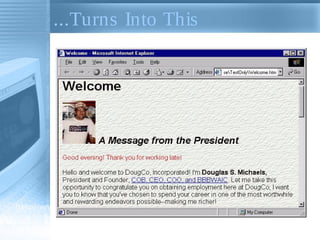
Tha t's How This ...
<HTML>
<HEAD>
<BODY background="slate.gif">
<H1>Welcome</H1>
<IMG SRC="DOUGLAS.GIF" WIDTH="80" HEIGHT="107"
ALT="Our Founder" BORDER="0">
<H2>A Message from the President </H2>
<P><font color=red>Good evening! Thank you for
working late!</font></P>
<P>Hello and welcome to DougCo, Incorporated! I'm
<b>Douglas S. Michaels,</b> President and Founder,
<a href="acronyms.htm">COB, CEO, COO, and
BBBWAIC</a>. Let me take this opportunity to
congratulate you on obtaining employment here at
DougCo; I want you to know that you've chosen to
spend your career in one of the most worthwhile and
rewarding endeavors possible --making me richer!</P>
. . .
...Turns Into This
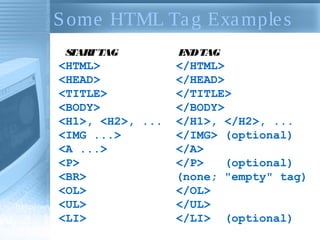
S ome HTML Ta g Exa mple s
S
TAR TAG
T

<HTML>
<HEAD>
<TITLE>
<BODY>
<H1>, <H2>, ...
<IMG ...>
<A ...>
<P>
<BR>
<OL>
<UL>
<LI>

E TAG
ND

</HTML>
</HEAD>
</TITLE>
</BODY>
</H1>, </H2>, ...
</IMG> (optional)
</A>
</P>
(optional)
(none; "empty" tag)
</OL>
</UL>
</LI> (optional)
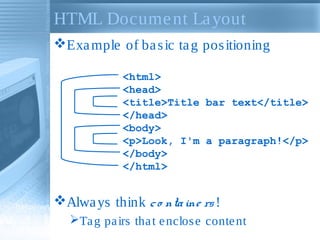
HTML Docume nt La yout
Exa mple of ba s ic ta g pos itioning
<html>
<head>
<title>Title bar text</title>
</head>
<body>
<p>Look, I'm a paragraph!</p>
</body>
</html>

Alwa ys think c o nta ine rs !
Ta g pa irs tha t e nclos e conte nt
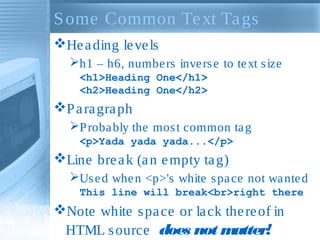
S ome Common Te xt Ta gs
He a ding le ve ls
h1 – h6, numbe rs inve rs e to te xt s ize
<h1>Heading One</h1>
<h2>Heading One</h2>

P a ra gra ph
P roba bly the mos t common ta g
<p>Yada yada yada...</p>

Line bre a k (a n e mpty ta g)
Us e d whe n <p>'s white s pa ce not wa nte d
This line will break<br>right there

Note white s pa ce or la ck the re of in
HTML s ource does not m
atter!
Orde re d & Unorde re d Lis ts
Orde re d (numbe re d)
Us e <ol>...</ol> ta gs

Unorde re d (bulle te d)
Us e <ul>...</ul> ta gs

Lis t Ite ms ma ke up both lis ts
Us e s a me <li>...</li> ta gs

Lis ts ca n conta in a lmos t a nything
Te xt, ima ge s , pa ra gra phs , links
Eve n othe r (ne s te d) lis ts , s a me type or
not
Attribute s a nd Va lue s
P rope rtie s , tra its , or cha ra cte ris tics tha t
modify the wa y a ta g looks or a cts
Us ua lly in pa irs : <body bgcolor="teal">
S ome time s not: <dl compact>

Mos t HTML ta gs ca n ta ke a ttribute s
Forma t of va lue de pe nds on a ttribute
 width="150" ... href="page3.htm" no t
width="page3.htm" ... href="150"
The Anchor Ta g

(1)

The ta g tha t puts the HT in HTML
<a > ... </a > (us e le s s by its e lf)
Mus t ha ve a ttribute s to be us e ful

HREF (Hype rte xt REFe re nce ) a ttribute
Ma ke s a jump to s ome pla ce (URL)
<a href="mypage.htm">My Page</a>
<a href="www.google.com">Google</a>

Link te xt is unde rs core d by de fa ult

W
hatever is be twe e n <a > a nd </a >
is hot (clicka ble )
Clicking ma ke s the link go s ome whe re
or do s ome thing
The Anchor Ta g

(2)

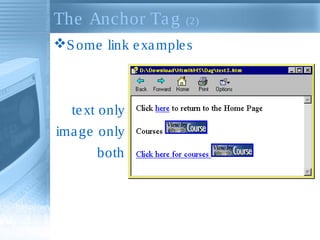
S ome link e xa mple s

te xt only
ima ge only
both
Ima ge s

(1)

Us e d in pa ge s for va rious re a s ons
Cla rifica tion, na viga tion, pe riphe ra l
tra ining

Ima ge s not in pa ge ; re fe re nc e d by
pa ge
Gra phics a re s e pa ra te , re quire d file s
Us ua lly GIFs or J P Gs , s ome time s othe rs
Ca n be a nywhe re in docume nt body: in
pa ra gra phs , he a dings , lis ts , a nchors , e tc.

P la ce ima ge with <img> ta g
Like <a >, <img> is us e le s s by its e lf
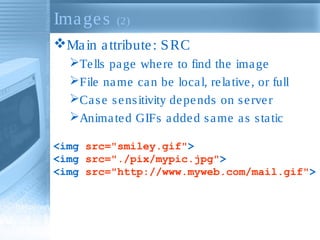
Ima ge s

(2)

Ma in a ttribute : S RC
Te lls pa ge whe re to find the ima ge
File na me ca n be loca l, re la tive , or full
Ca s e s e ns itivity de pe nds on s e rve r
Anima te d GIFs a dde d s a me a s s ta tic
<img src="smiley.gif">
<img src="./pix/mypic.jpg">
<img src="http://www.myweb.com/mail.gif">
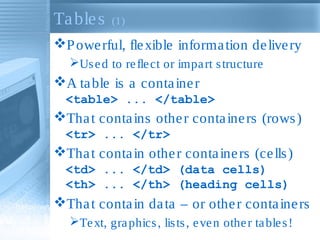
Ta ble s

(1)

P owe rful, fle xible informa tion de live ry
Us e d to re fle ct or impa rt s tructure

A ta ble is a conta ine r
<table> ... </table>

Tha t conta ins othe r conta ine rs (rows )
<tr> ... </tr>

Tha t conta in othe r conta ine rs (ce lls )
<td> ... </td> (data cells)
<th> ... </th> (heading cells)

Tha t conta in da ta – or othe r conta ine rs
Te xt, gra phics , lis ts , e ve n othe r ta ble s !
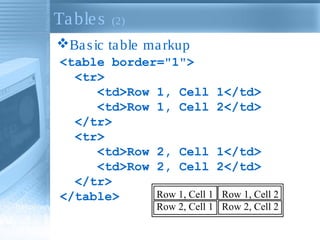
Ta ble s

(2)

Ba s ic ta ble ma rkup
<table border="1">
<tr>
<td>Row 1, Cell 1</td>
<td>Row 1, Cell 2</td>
</tr>
<tr>
<td>Row 2, Cell 1</td>
<td>Row 2, Cell 2</td>
</tr>
Row 1, Cell 1 Row 1, Cell 2
</table>
Row 2, Cell 1 Row 2, Cell 2
CS S Conce pts
S tyle s a re na me d s e ts of forma tting
comma nds
[18pt, Aria l, le ft a ligne d] "S e ction he a d"
[Bold, ita lic, blue ] "Glos s a ry te rm"
[Norma l, 10pt, Ve rda na ] "Body te xt"
[Ita lic, ora nge , s ma ll ca ps ] "Bob"

S tyle s he e ts a re control docume nts
tha t a re re fe re nce d by conte nt
docume nts
MS Word, othe r e ditors & de s ktop
publis hing progra ms ha ve done it for ye a rs
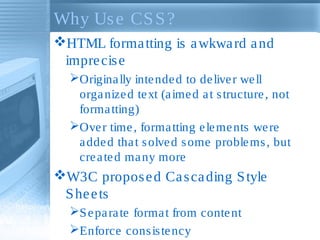
Why Us e CS S ?
HTML forma tting is a wkwa rd a nd
impre cis e
Origina lly inte nde d to de live r we ll
orga nize d te xt (a ime d a t s tructure , not
forma tting)
Ove r time , forma tting e le me nts we re
a dde d tha t s olve d s ome proble ms , but
cre a te d ma ny more

W3C propos e d Ca s ca ding S tyle
S he e ts
S e pa ra te forma t from conte nt
Enforce cons is te ncy
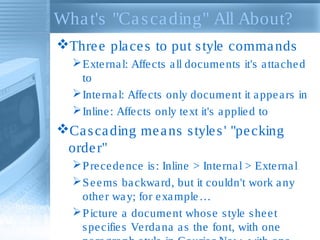
Wha t's "Ca s ca ding" All About?
Thre e pla ce s to put s tyle comma nds
 Exte rna l: Affe cts a ll docume nts it's a tta che d
to
 Inte rna l: Affe cts only docume nt it a ppe a rs in
 Inline : Affe cts only te xt it's a pplie d to

Ca s ca ding me a ns s tyle s ' "pe cking
orde r"
 P re ce de nce is : Inline > Inte rna l > Exte rna l
 S e e ms ba ckwa rd, but it couldn't work a ny
othe r wa y; for e xa mple …
 P icture a docume nt whos e s tyle s he e t
s pe cifie s Ve rda na a s the font, with one
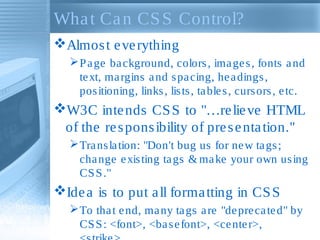
Wha t Ca n CS S Control?
Almos t e ve rything
 P a ge ba ckground, colors , ima ge s , fonts a nd
te xt, ma rgins a nd s pa cing, he a dings ,
pos itioning, links , lis ts , ta ble s , curs ors , e tc.

W3C inte nds CS S to "…re lie ve HTML
of the re s pons ibility of pre s e nta tion."
 Tra ns la tion: "Don't bug us for ne w ta gs ;
cha nge e xis ting ta gs & ma ke your own us ing
CS S ."

Ide a is to put a ll forma tting in CS S
 To tha t e nd, ma ny ta gs a re "de pre ca te d" by
CS S : <font>, <ba s e font>, <ce nte r>,
Coding CS S Rule s
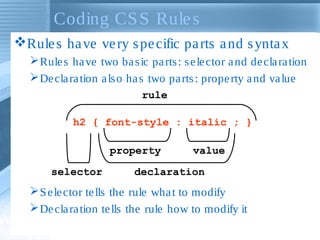
Rule s ha ve ve ry s pe cific pa rts a nd s ynta x
 Rule s ha ve two ba s ic pa rts : s e le ctor a nd de cla ra tion
 De cla ra tion a ls o ha s two pa rts : prope rty a nd va lue
rule
h2 { font-style : italic ; }
property
selector

value

declaration

 S e le ctor te lls the rule wha t to modify
 De cla ra tion te lls the rule how to modify it
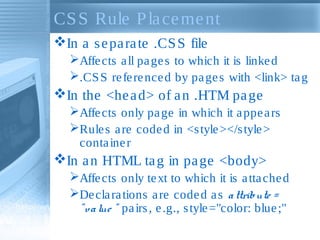
CS S Rule P la ce me nt
In a s e pa ra te .CS S file
Affe cts a ll pa ge s to which it is linke d
.CS S re fe re nce d by pa ge s with <link> ta g

In the <he a d> of a n .HTM pa ge
Affe cts only pa ge in which it a ppe a rs
Rule s a re code d in <s tyle ></s tyle >
conta ine r

In a n HTML ta g in pa ge <body>
Affe cts only te xt to which it is a tta che d
De cla ra tions a re code d a s a ttribute =
" v a lue " pa irs , e .g., s tyle ="color: blue ;"
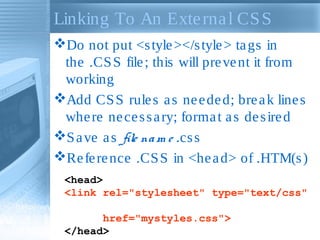
Linking To An Exte rna l CS S
Do not put <s tyle ></s tyle > ta gs in
the .CS S file ; this will pre ve nt it from
working
Add CS S rule s a s ne e de d; bre a k line s
whe re ne ce s s a ry; forma t a s de s ire d
S a ve a s file na m e .cs s
Re fe re nce .CS S in <he a d> of .HTM(s )
<head>
<link rel="stylesheet" type="text/css"
href="mystyles.css">
</head>
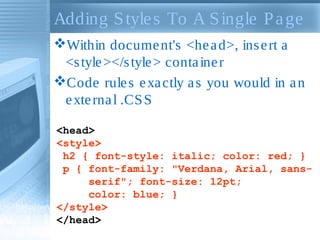
Adding S tyle s To A S ingle P a ge
Within docume nt's <he a d>, ins e rt a
<s tyle ></s tyle > conta ine r
Code rule s e xa ctly a s you would in a n
e xte rna l .CS S
<head>
<style>
h2 { font-style: italic; color: red; }
p { font-family: "Verdana, Arial, sansserif"; font-size: 12pt;
color: blue; }
</style>
</head>
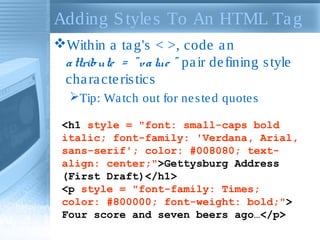
Adding S tyle s To An HTML Ta g
Within a ta g's < >, code a n
a ttribute = " va lue " pa ir de fining s tyle
cha ra cte ris tics
Tip: Wa tch out for ne s te d quote s
<h1 style = "font: small-caps bold
italic; font-family: 'Verdana, Arial,
sans-serif'; color: #008080; textalign: center;">Gettysburg Address
(First Draft)</h1>
<p style = "font-family: Times;
color: #800000; font-weight: bold;">
Four score and seven beers ago…</p>
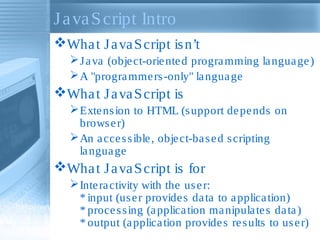
J a va S cript Intro
Wha t J a va S cript is n’t
 J a va (obje ct-orie nte d progra mming la ngua ge )
 A "progra mme rs -only" la ngua ge

Wha t J a va S cript is
 Exte ns ion to HTML (s upport de pe nds on
brows e r)
 An a cce s s ible , obje ct-ba s e d s cripting
la ngua ge

Wha t J a va S cript is for
 Inte ra ctivity with the us e r:
* input (us e r provide s da ta to a pplica tion)
* proce s s ing (a pplica tion ma nipula te s da ta )
* output (a pplica tion provide s re s ults to us e r)
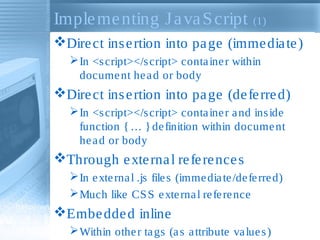
Imple me nting J a va S cript (1)
Dire ct ins e rtion into pa ge (imme dia te )
 In <s cript></s cript> conta ine r within
docume nt he a d or body

Dire ct ins e rtion into pa ge (de fe rre d)
 In <s cript></s cript> conta ine r a nd ins ide
function { … } de finition within docume nt
he a d or body

Through e xte rna l re fe re nce s
 In e xte rna l .js file s (imme dia te /de fe rre d)
 Much like CS S e xte rna l re fe re nce

Embe dde d inline
 Within othe r ta gs (a s a ttribute va lue s )
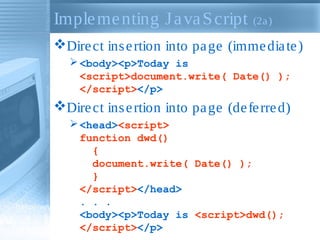
Imple me nting J a va S cript (2a )
Dire ct ins e rtion into pa ge (imme dia te )
 <body><p>Today is
<script>document.write( Date() );
</script></p>

Dire ct ins e rtion into pa ge (de fe rre d)
 <head><script>
function dwd()
{
document.write( Date() );
}
</script></head>
. . .
<body><p>Today is <script>dwd();
</script></p>
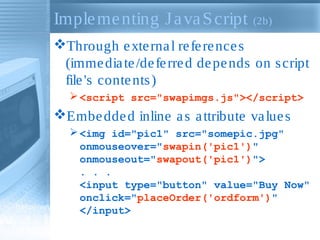
Imple me nting J a va S cript (2b)
Through e xte rna l re fe re nce s
(imme dia te /de fe rre d de pe nds on s cript
file 's conte nts )
 <script src="swapimgs.js"></script>

Embe dde d inline a s a ttribute va lue s
 <img id="pic1" src="somepic.jpg"
onmouseover="swapin('pic1')"
onmouseout="swapout('pic1')">
. . .
<input type="button" value="Buy Now"
onclick="placeOrder('ordform')"
</input>
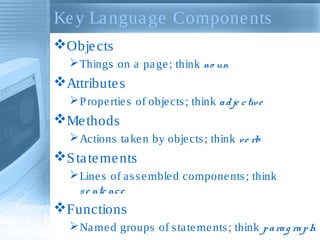
Ke y La ngua ge Compone nts
Obje cts
 Things on a pa ge ; think no un

Attribute s
 P rope rtie s of obje cts ; think a d je c tiv e

Me thods
 Actions ta ke n by obje cts ; think v e rb

S ta te me nts
 Line s of a s s e mble d compone nts ; think
s e nte nc e

Functions
 Na me d groups of s ta te me nts ; think p a ra g ra p h
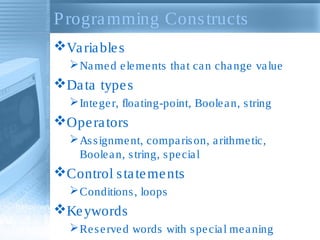
P rogra mming Cons tructs
Va ria ble s
 Na me d e le me nts tha t ca n cha nge va lue

Da ta type s
 Inte ge r, floa ting-point, Boole a n, s tring

Ope ra tors
 As s ignme nt, compa ris on, a rithme tic,
Boole a n, s tring, s pe cia l

Control s ta te me nts
 Conditions , loops

Ke ywords
 Re s e rve d words with s pe cia l me a ning
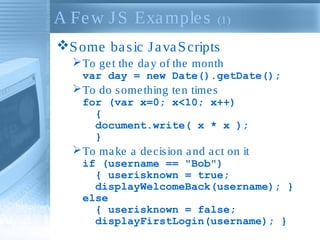
A Fe w J S Exa mple s

(1)

S ome ba s ic J a va S cripts
 To ge t the da y of the month
var day = new Date().getDate();

 To do s ome thing te n time s
for (var x=0; x<10; x++)
{
document.write( x * x );
}

 To ma ke a de cis ion a nd a ct on it
if (username == "Bob")
{ userisknown = true;
displayWelcomeBack(username); }
else
{ userisknown = false;
displayFirstLogin(username); }
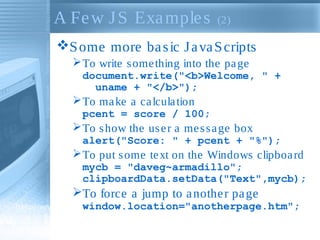
A Fe w J S Exa mple s

(2)

S ome more ba s ic J a va S cripts
 To write s ome thing into the pa ge
document.write("<b>Welcome, " +
uname + "</b>");

 To ma ke a ca lcula tion
pcent = score / 100;

 To s how the us e r a me s s a ge box
alert("Score: " + pcent + "%");

 To put s ome te xt on the Windows clipboa rd
mycb = "daveg~armadillo";
clipboardData.setData("Text",mycb);

To force a jump to a nothe r pa ge
window.location="anotherpage.htm";
S umma ry
Mos t We b pa ge s – re mote or loca l –
a re a combina tion of thos e te chnologie s
Ra w conte nt, pla ce d ins ide …
HTML ta gs , forma tte d with…
CS S rule s , inte ra ctivity produce d by…
J a va S cript s cripts

Ne we r te chnologie s like DHTML,
XHTML, a nd XML a re ba s e d on the s e
A little knowle dge now ca n pre pa re you for
ne w te chnologie s a nd he lp you ke e p up
with your pe e rs , your bos s … a nd your kids !


Basic html tags

  • 1.
    Introduction to Web Te chnologie s pre s e nte d by Ve nka t pina ga di
  • 2.
    S ha mele s s P lug Owne r, Hype rTra in dot Com S a n Die go ba s e d, but do mos tly ons ite work plus confe re nce s Tra in & cons ult on He lp Authoring Tools a nd re la te d te chnologie s : J a va S cript, HTML, CS S , DHTML, Inte ra ctivity, We b-ba s e d He lp, e tc. Uncle Da ve 's motto: "Ca ll me a nytime ." 888-722-0700, dga s h@hype rtra in.com
  • 3.
    P re se nta tion Ove rvie w Look a t ma in te chnologica l compone nts tha t ma ke up mode rn We b pa ge s HTML – Hype rTe xt Ma rkup La ngua ge CS S – Ca s ca ding S tyle S he e ts J a va S cript – um, J a va S cript For e a ch compone nt Wha t it is /is n't, ca n/ca n't do Wha t kinds of cons tructs it compris e s How to us e it in We b pa ge s How it inte ra cts with othe r compone nts
  • 4.
    HTML Compone nts Documents Docume nt = pa ge = HTM file = topic Conte nt (te xt, ima ge s ) Ta gs (dis pla y comma nds ) Othe r te rms Window: brows e r dis pla y window URL: Uniform Re s ource Loca tor Hype rlink: hype rte xt jump to a re s ource Re s ource : URL, ima ge , ma ilto, e xte rna l file
  • 5.
    HTML P age s HTML pa ge s a re ta g-ba s e d docume nts Re a lly pla in AS CII te xt file s Don't look like docume nts the y re pre s e nt Ta gs indica te how proce s s ing progra m s hould dis pla y te xt a nd gra phics De s igne d to de s cribe hype rte xt, not pa pe r P roce s s e d by brows e rs "on the fly" Ta gs us ua lly a ppe a r in pa irs Mos t ha ve re a s ona ble na me s or mne monics 
  • 6.
    Tha t's HowThis ... <HTML> <HEAD> <BODY background="slate.gif"> <H1>Welcome</H1> <IMG SRC="DOUGLAS.GIF" WIDTH="80" HEIGHT="107" ALT="Our Founder" BORDER="0"> <H2>A Message from the President </H2> <P><font color=red>Good evening! Thank you for working late!</font></P> <P>Hello and welcome to DougCo, Incorporated! I'm <b>Douglas S. Michaels,</b> President and Founder, <a href="acronyms.htm">COB, CEO, COO, and BBBWAIC</a>. Let me take this opportunity to congratulate you on obtaining employment here at DougCo; I want you to know that you've chosen to spend your career in one of the most worthwhile and rewarding endeavors possible --making me richer!</P> . . .
  • 7.
  • 8.
    S ome HTMLTa g Exa mple s S TAR TAG T <HTML> <HEAD> <TITLE> <BODY> <H1>, <H2>, ... <IMG ...> <A ...> <P> <BR> <OL> <UL> <LI> E TAG ND </HTML> </HEAD> </TITLE> </BODY> </H1>, </H2>, ... </IMG> (optional) </A> </P> (optional) (none; "empty" tag) </OL> </UL> </LI> (optional)
  • 9.
    HTML Docume ntLa yout Exa mple of ba s ic ta g pos itioning <html> <head> <title>Title bar text</title> </head> <body> <p>Look, I'm a paragraph!</p> </body> </html> Alwa ys think c o nta ine rs ! Ta g pa irs tha t e nclos e conte nt
  • 10.
    S ome CommonTe xt Ta gs He a ding le ve ls h1 – h6, numbe rs inve rs e to te xt s ize <h1>Heading One</h1> <h2>Heading One</h2> P a ra gra ph P roba bly the mos t common ta g <p>Yada yada yada...</p> Line bre a k (a n e mpty ta g) Us e d whe n <p>'s white s pa ce not wa nte d This line will break<br>right there Note white s pa ce or la ck the re of in HTML s ource does not m atter!
  • 11.
    Orde re d& Unorde re d Lis ts Orde re d (numbe re d) Us e <ol>...</ol> ta gs Unorde re d (bulle te d) Us e <ul>...</ul> ta gs Lis t Ite ms ma ke up both lis ts Us e s a me <li>...</li> ta gs Lis ts ca n conta in a lmos t a nything Te xt, ima ge s , pa ra gra phs , links Eve n othe r (ne s te d) lis ts , s a me type or not
  • 12.
    Attribute s and Va lue s P rope rtie s , tra its , or cha ra cte ris tics tha t modify the wa y a ta g looks or a cts Us ua lly in pa irs : <body bgcolor="teal"> S ome time s not: <dl compact> Mos t HTML ta gs ca n ta ke a ttribute s Forma t of va lue de pe nds on a ttribute  width="150" ... href="page3.htm" no t width="page3.htm" ... href="150"
  • 13.
    The Anchor Tag (1) The ta g tha t puts the HT in HTML <a > ... </a > (us e le s s by its e lf) Mus t ha ve a ttribute s to be us e ful HREF (Hype rte xt REFe re nce ) a ttribute Ma ke s a jump to s ome pla ce (URL) <a href="mypage.htm">My Page</a> <a href="www.google.com">Google</a> Link te xt is unde rs core d by de fa ult W hatever is be twe e n <a > a nd </a > is hot (clicka ble ) Clicking ma ke s the link go s ome whe re or do s ome thing
  • 14.
    The Anchor Tag (2) S ome link e xa mple s te xt only ima ge only both
  • 15.
    Ima ge s (1) Use d in pa ge s for va rious re a s ons Cla rifica tion, na viga tion, pe riphe ra l tra ining Ima ge s not in pa ge ; re fe re nc e d by pa ge Gra phics a re s e pa ra te , re quire d file s Us ua lly GIFs or J P Gs , s ome time s othe rs Ca n be a nywhe re in docume nt body: in pa ra gra phs , he a dings , lis ts , a nchors , e tc. P la ce ima ge with <img> ta g Like <a >, <img> is us e le s s by its e lf
  • 16.
    Ima ge s (2) Main a ttribute : S RC Te lls pa ge whe re to find the ima ge File na me ca n be loca l, re la tive , or full Ca s e s e ns itivity de pe nds on s e rve r Anima te d GIFs a dde d s a me a s s ta tic <img src="smiley.gif"> <img src="./pix/mypic.jpg"> <img src="http://www.myweb.com/mail.gif">
  • 17.
    Ta ble s (1) Powe rful, fle xible informa tion de live ry Us e d to re fle ct or impa rt s tructure A ta ble is a conta ine r <table> ... </table> Tha t conta ins othe r conta ine rs (rows ) <tr> ... </tr> Tha t conta in othe r conta ine rs (ce lls ) <td> ... </td> (data cells) <th> ... </th> (heading cells) Tha t conta in da ta – or othe r conta ine rs Te xt, gra phics , lis ts , e ve n othe r ta ble s !
  • 18.
    Ta ble s (2) Bas ic ta ble ma rkup <table border="1"> <tr> <td>Row 1, Cell 1</td> <td>Row 1, Cell 2</td> </tr> <tr> <td>Row 2, Cell 1</td> <td>Row 2, Cell 2</td> </tr> Row 1, Cell 1 Row 1, Cell 2 </table> Row 2, Cell 1 Row 2, Cell 2
  • 19.
    CS S Concepts S tyle s a re na me d s e ts of forma tting comma nds [18pt, Aria l, le ft a ligne d] "S e ction he a d" [Bold, ita lic, blue ] "Glos s a ry te rm" [Norma l, 10pt, Ve rda na ] "Body te xt" [Ita lic, ora nge , s ma ll ca ps ] "Bob" S tyle s he e ts a re control docume nts tha t a re re fe re nce d by conte nt docume nts MS Word, othe r e ditors & de s ktop publis hing progra ms ha ve done it for ye a rs
  • 20.
    Why Us eCS S ? HTML forma tting is a wkwa rd a nd impre cis e Origina lly inte nde d to de live r we ll orga nize d te xt (a ime d a t s tructure , not forma tting) Ove r time , forma tting e le me nts we re a dde d tha t s olve d s ome proble ms , but cre a te d ma ny more W3C propos e d Ca s ca ding S tyle S he e ts S e pa ra te forma t from conte nt Enforce cons is te ncy
  • 21.
    Wha t's "Cas ca ding" All About? Thre e pla ce s to put s tyle comma nds  Exte rna l: Affe cts a ll docume nts it's a tta che d to  Inte rna l: Affe cts only docume nt it a ppe a rs in  Inline : Affe cts only te xt it's a pplie d to Ca s ca ding me a ns s tyle s ' "pe cking orde r"  P re ce de nce is : Inline > Inte rna l > Exte rna l  S e e ms ba ckwa rd, but it couldn't work a ny othe r wa y; for e xa mple …  P icture a docume nt whos e s tyle s he e t s pe cifie s Ve rda na a s the font, with one
  • 22.
    Wha t Can CS S Control? Almos t e ve rything  P a ge ba ckground, colors , ima ge s , fonts a nd te xt, ma rgins a nd s pa cing, he a dings , pos itioning, links , lis ts , ta ble s , curs ors , e tc. W3C inte nds CS S to "…re lie ve HTML of the re s pons ibility of pre s e nta tion."  Tra ns la tion: "Don't bug us for ne w ta gs ; cha nge e xis ting ta gs & ma ke your own us ing CS S ." Ide a is to put a ll forma tting in CS S  To tha t e nd, ma ny ta gs a re "de pre ca te d" by CS S : <font>, <ba s e font>, <ce nte r>,
  • 23.
    Coding CS SRule s Rule s ha ve ve ry s pe cific pa rts a nd s ynta x  Rule s ha ve two ba s ic pa rts : s e le ctor a nd de cla ra tion  De cla ra tion a ls o ha s two pa rts : prope rty a nd va lue rule h2 { font-style : italic ; } property selector value declaration  S e le ctor te lls the rule wha t to modify  De cla ra tion te lls the rule how to modify it
  • 24.
    CS S RuleP la ce me nt In a s e pa ra te .CS S file Affe cts a ll pa ge s to which it is linke d .CS S re fe re nce d by pa ge s with <link> ta g In the <he a d> of a n .HTM pa ge Affe cts only pa ge in which it a ppe a rs Rule s a re code d in <s tyle ></s tyle > conta ine r In a n HTML ta g in pa ge <body> Affe cts only te xt to which it is a tta che d De cla ra tions a re code d a s a ttribute = " v a lue " pa irs , e .g., s tyle ="color: blue ;"
  • 25.
    Linking To AnExte rna l CS S Do not put <s tyle ></s tyle > ta gs in the .CS S file ; this will pre ve nt it from working Add CS S rule s a s ne e de d; bre a k line s whe re ne ce s s a ry; forma t a s de s ire d S a ve a s file na m e .cs s Re fe re nce .CS S in <he a d> of .HTM(s ) <head> <link rel="stylesheet" type="text/css" href="mystyles.css"> </head>
  • 26.
    Adding S tyles To A S ingle P a ge Within docume nt's <he a d>, ins e rt a <s tyle ></s tyle > conta ine r Code rule s e xa ctly a s you would in a n e xte rna l .CS S <head> <style> h2 { font-style: italic; color: red; } p { font-family: "Verdana, Arial, sansserif"; font-size: 12pt; color: blue; } </style> </head>
  • 27.
    Adding S tyles To An HTML Ta g Within a ta g's < >, code a n a ttribute = " va lue " pa ir de fining s tyle cha ra cte ris tics Tip: Wa tch out for ne s te d quote s <h1 style = "font: small-caps bold italic; font-family: 'Verdana, Arial, sans-serif'; color: #008080; textalign: center;">Gettysburg Address (First Draft)</h1> <p style = "font-family: Times; color: #800000; font-weight: bold;"> Four score and seven beers ago…</p>
  • 28.
    J a vaS cript Intro Wha t J a va S cript is n’t  J a va (obje ct-orie nte d progra mming la ngua ge )  A "progra mme rs -only" la ngua ge Wha t J a va S cript is  Exte ns ion to HTML (s upport de pe nds on brows e r)  An a cce s s ible , obje ct-ba s e d s cripting la ngua ge Wha t J a va S cript is for  Inte ra ctivity with the us e r: * input (us e r provide s da ta to a pplica tion) * proce s s ing (a pplica tion ma nipula te s da ta ) * output (a pplica tion provide s re s ults to us e r)
  • 29.
    Imple me ntingJ a va S cript (1) Dire ct ins e rtion into pa ge (imme dia te )  In <s cript></s cript> conta ine r within docume nt he a d or body Dire ct ins e rtion into pa ge (de fe rre d)  In <s cript></s cript> conta ine r a nd ins ide function { … } de finition within docume nt he a d or body Through e xte rna l re fe re nce s  In e xte rna l .js file s (imme dia te /de fe rre d)  Much like CS S e xte rna l re fe re nce Embe dde d inline  Within othe r ta gs (a s a ttribute va lue s )
  • 30.
    Imple me ntingJ a va S cript (2a ) Dire ct ins e rtion into pa ge (imme dia te )  <body><p>Today is <script>document.write( Date() ); </script></p> Dire ct ins e rtion into pa ge (de fe rre d)  <head><script> function dwd() { document.write( Date() ); } </script></head> . . . <body><p>Today is <script>dwd(); </script></p>
  • 31.
    Imple me ntingJ a va S cript (2b) Through e xte rna l re fe re nce s (imme dia te /de fe rre d de pe nds on s cript file 's conte nts )  <script src="swapimgs.js"></script> Embe dde d inline a s a ttribute va lue s  <img id="pic1" src="somepic.jpg" onmouseover="swapin('pic1')" onmouseout="swapout('pic1')"> . . . <input type="button" value="Buy Now" onclick="placeOrder('ordform')" </input>
  • 32.
    Ke y Langua ge Compone nts Obje cts  Things on a pa ge ; think no un Attribute s  P rope rtie s of obje cts ; think a d je c tiv e Me thods  Actions ta ke n by obje cts ; think v e rb S ta te me nts  Line s of a s s e mble d compone nts ; think s e nte nc e Functions  Na me d groups of s ta te me nts ; think p a ra g ra p h
  • 33.
    P rogra mmingCons tructs Va ria ble s  Na me d e le me nts tha t ca n cha nge va lue Da ta type s  Inte ge r, floa ting-point, Boole a n, s tring Ope ra tors  As s ignme nt, compa ris on, a rithme tic, Boole a n, s tring, s pe cia l Control s ta te me nts  Conditions , loops Ke ywords  Re s e rve d words with s pe cia l me a ning
  • 34.
    A Fe wJ S Exa mple s (1) S ome ba s ic J a va S cripts  To ge t the da y of the month var day = new Date().getDate();  To do s ome thing te n time s for (var x=0; x<10; x++) { document.write( x * x ); }  To ma ke a de cis ion a nd a ct on it if (username == "Bob") { userisknown = true; displayWelcomeBack(username); } else { userisknown = false; displayFirstLogin(username); }
  • 35.
    A Fe wJ S Exa mple s (2) S ome more ba s ic J a va S cripts  To write s ome thing into the pa ge document.write("<b>Welcome, " + uname + "</b>");  To ma ke a ca lcula tion pcent = score / 100;  To s how the us e r a me s s a ge box alert("Score: " + pcent + "%");  To put s ome te xt on the Windows clipboa rd mycb = "daveg~armadillo"; clipboardData.setData("Text",mycb); To force a jump to a nothe r pa ge window.location="anotherpage.htm";
  • 36.
    S umma ry Most We b pa ge s – re mote or loca l – a re a combina tion of thos e te chnologie s Ra w conte nt, pla ce d ins ide … HTML ta gs , forma tte d with… CS S rule s , inte ra ctivity produce d by… J a va S cript s cripts Ne we r te chnologie s like DHTML, XHTML, a nd XML a re ba s e d on the s e A little knowle dge now ca n pre pa re you for ne w te chnologie s a nd he lp you ke e p up with your pe e rs , your bos s … a nd your kids ! 