






Fluentd
Flexible, Stable, Scalable
Suiting
@Taipei.py
ho	
  am	
  I
Suiting	
  (@suitingtseng)	
  
Gogolook	
  Inc.	
  
Data	
  Team
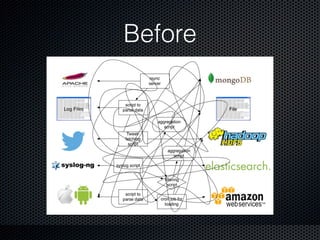
Before
What is Fluentd?
• Fluentd is an open source data collector, which
lets you unify the data collection and
consumption for a better use and understanding
of data.
• Treasure Data: td-agent
What is Fluentd?
• Fluentd is an open source data collector, which
lets you unify the data collection and
consumption for a better use and understanding
of data.
• Treasure Data: td-agent
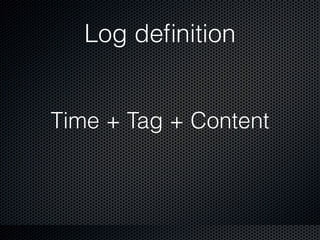
What is a log?
Log definition
Time + Tag + Content
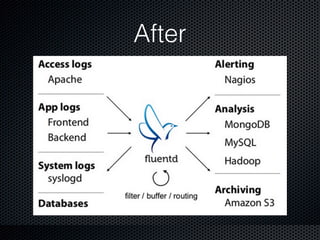
After
How?
• Lightweight: C + Ruby + MessagePack
• Pluggable architecture
• Built-in Reliability
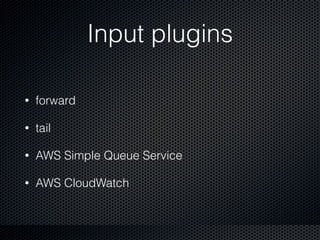
Input plugins
• forward
• tail
• AWS Simple Queue Service
• AWS CloudWatch
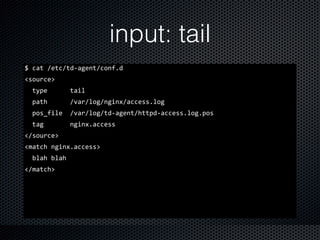
input: tail
$	
  cat	
  /etc/td-­‐agent/conf.d	
  
<source>	


  type	


  tail	


  path	


  /var/log/nginx/access.log	


  pos_file	
  	
  /var/log/td-­‐agent/httpd-­‐access.log.pos	


  tag	


  nginx.access	
  
</source>	
  
<match	
  nginx.access>	


  blah	
  blah	
  
</match>
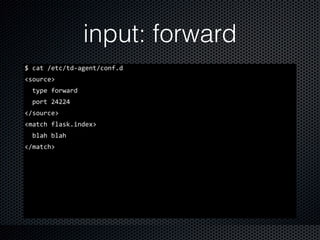
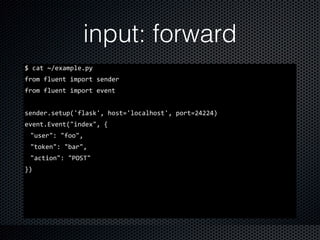
input: forward
$	
  cat	
  /etc/td-­‐agent/conf.d	
  
<source>	


  type	
  forward	


  port	
  24224	
  
</source>	
  
<match	
  flask.index>	


  blah	
  blah	
  
</match>
input: forward
$	
  cat	
  ~/example.py	
  
from	
  fluent	
  import	
  sender	
  
from	
  fluent	
  import	
  event	
  
sender.setup('flask',	
  host='localhost',	
  port=24224)	
  
event.Event("index",	
  {	
  
"user":	
  "foo",	
  
"token":	
  "bar",	
  
"action":	
  "POST"	
  
})
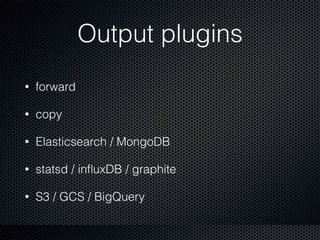
Output plugins
• forward
• copy
• Elasticsearch / MongoDB
• statsd / influxDB / graphite
• S3 / GCS / BigQuery
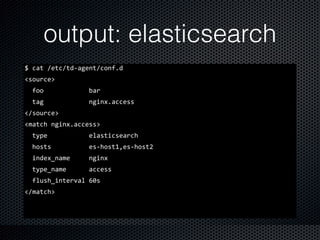
output: elasticsearch
$	
  cat	
  /etc/td-­‐agent/conf.d	
  
<source>	


  foo	


  bar	


  tag	


  nginx.access	
  
</source>	
  
<match	
  nginx.access>	


  type	


  elasticsearch	


  hosts	


  es-­‐host1,es-­‐host2	


  index_name	


  nginx	


  type_name	


  access	


  flush_interval	
  60s	
  
</match>
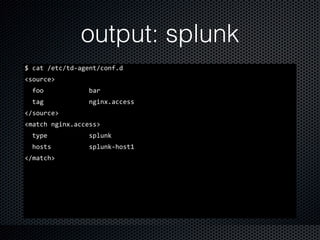
output: splunk
$	
  cat	
  /etc/td-­‐agent/conf.d	
  
<source>	


  foo	


  bar	


  tag	


  nginx.access	
  
</source>	
  
<match	
  nginx.access>	


  type	


  splunk	


  hosts	


  splunk-­‐host1	
  
</match>
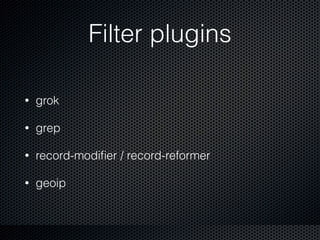
Filter plugins
• grok
• grep
• record-modifier / record-reformer
• geoip
Buffer types
• Memory
• File
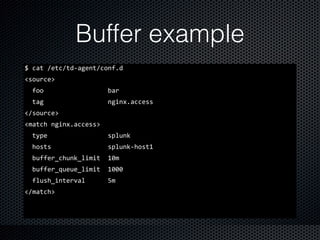
Buffer example
$	
  cat	
  /etc/td-­‐agent/conf.d	
  
<source>	


  foo	


  bar	


  tag	


  nginx.access	
  
</source>	
  
<match	
  nginx.access>	


  type	


  splunk	


  hosts	


  splunk-­‐host1	


  buffer_chunk_limit	
  	
  10m	


  buffer_queue_limit	
  	
  1000	


  flush_interval	


  5m	
  
</match>
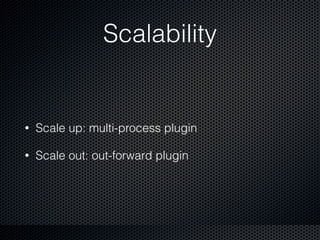
Scalability
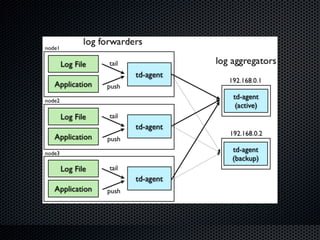
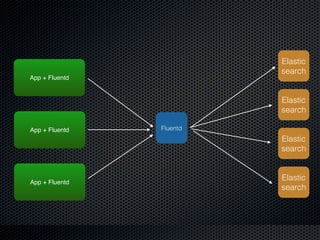
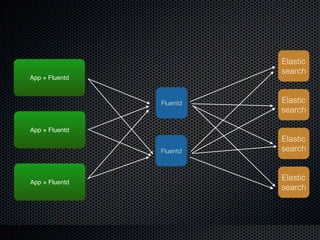
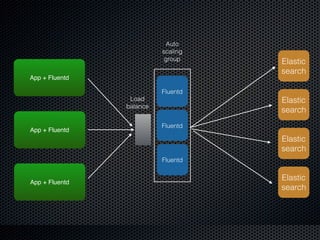
• Scale up: multi-process plugin
• Scale out: out-forward plugin
App + Fluentd
Fluentd
Elastic
search
Elastic
search
Elastic
search
Elastic
search
App + Fluentd
App + Fluentd
Fluentd
Elastic
search
Elastic
search
Elastic
search
Elastic
search
Fluentd
App + Fluentd
App + Fluentd
App + Fluentd
Fluentd
Elastic
search
Elastic
search
Elastic
search
Elastic
search
Fluentd
Fluentd
Load
balance
App + Fluentd
App + Fluentd
App + Fluentd
Auto
scaling
group
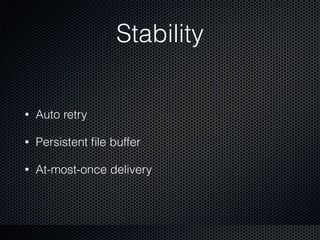
Stability
• Auto retry
• Persistent file buffer
• At-most-once delivery
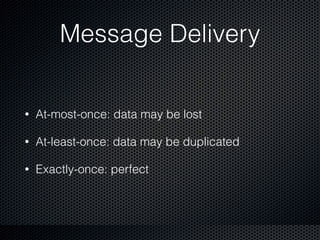
Message Delivery
• At-most-once: data may be lost
• At-least-once: data may be duplicated
• Exactly-once: perfect
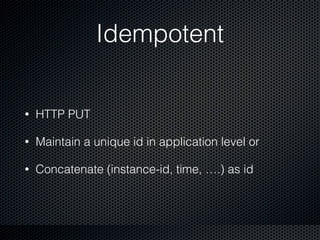
Idempotent
• HTTP PUT
• Maintain a unique id in application level or
• Concatenate (instance-id, time, ….) as id
Gogolook use cases
• MongoDB, nginx log
• API, worker log
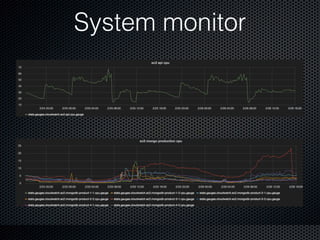
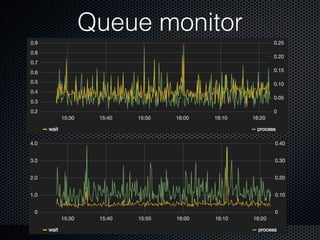
• Monitor
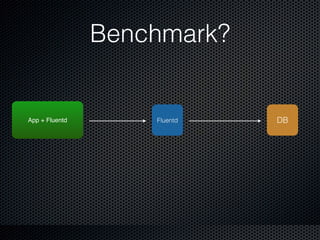
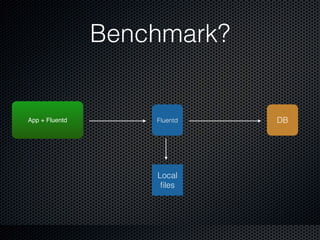
• Benchmark
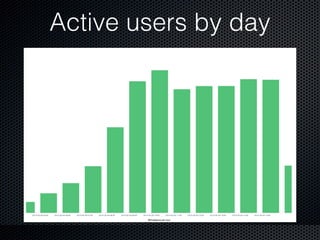
Active users by day
System monitor
Queue monitor
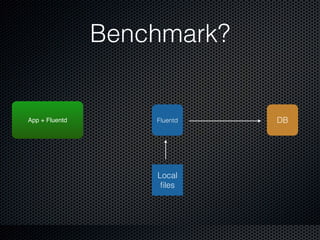
Benchmark?
FluentdApp + Fluentd DB
Benchmark?
FluentdApp + Fluentd DB
Local
files
Benchmark?
FluentdApp + Fluentd DB
Local
files
Q & A

Fluentd - Flexible, Stable, Scalable