

Fluentd Project Intro
Masahiro Nakagawa

Senior Software Engineer   
CNCon / KubeCon EU Barcelona 2019
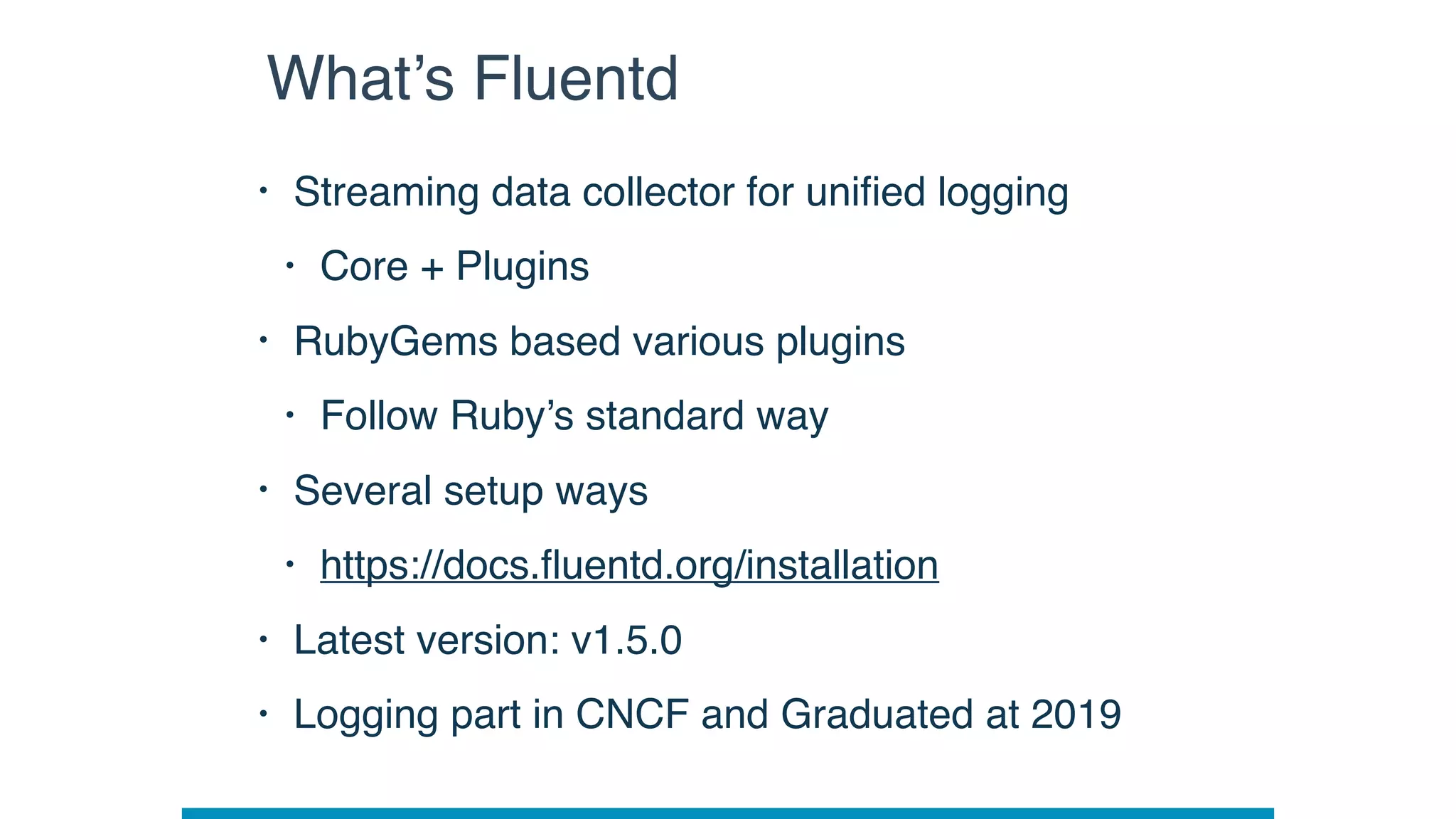
Fluentd Overview
• Streaming data collector for unified logging
• Core + Plugins
• RubyGems based various plugins
• Follow Ruby’s standard way
• Several setup ways
• https://docs.fluentd.org/installation
• Latest version: v1.5.0
• Logging part in CNCF and Graduated at 2019
What’s Fluentd
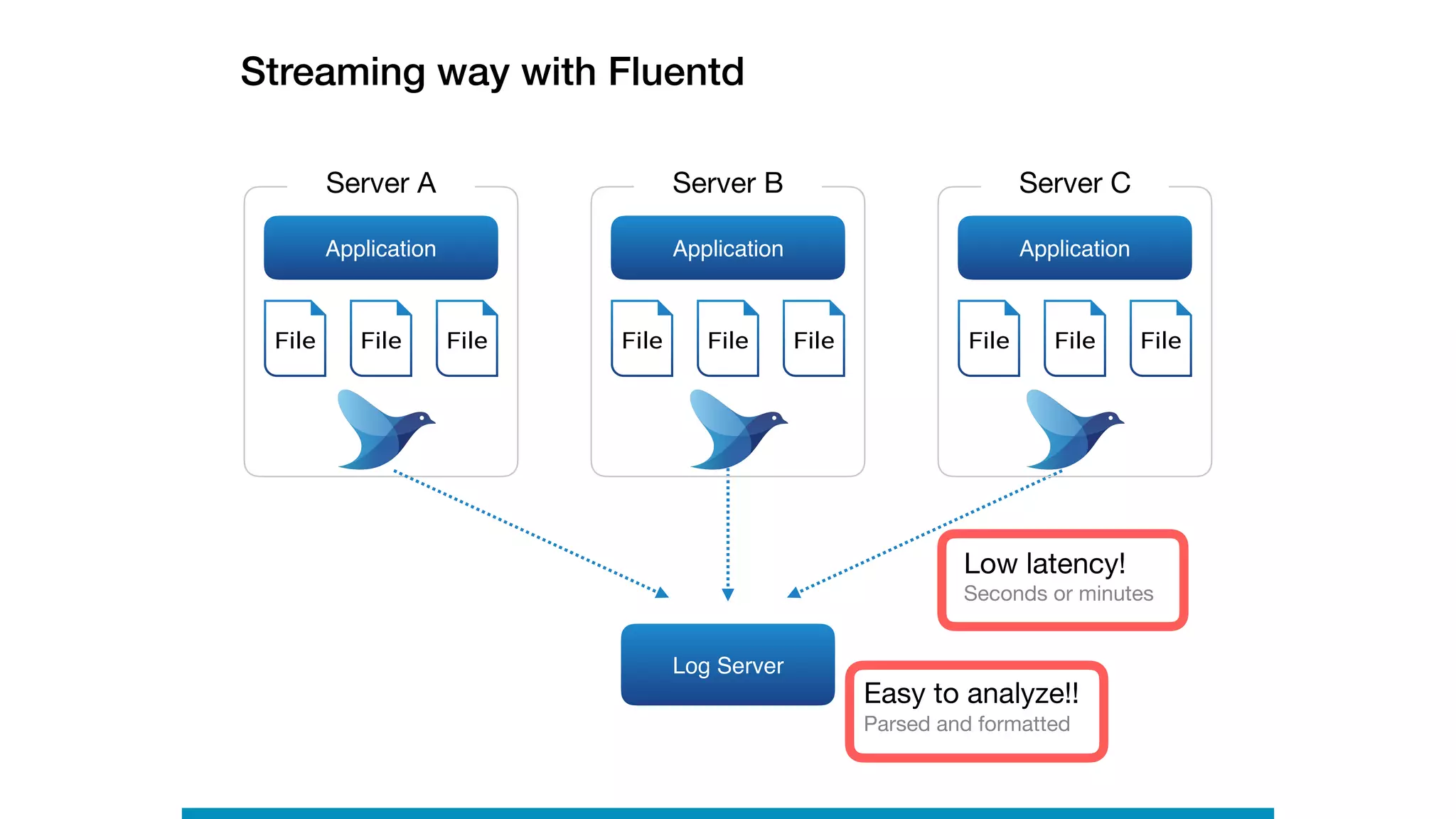
Streaming way with Fluentd
Log Server
Application
Server A
File FileFile
Application
Server C
File FileFile
Application
Server B
File FileFile
Low latency!

Seconds or minutes
Easy to analyze!!

Parsed and formatted
LOG
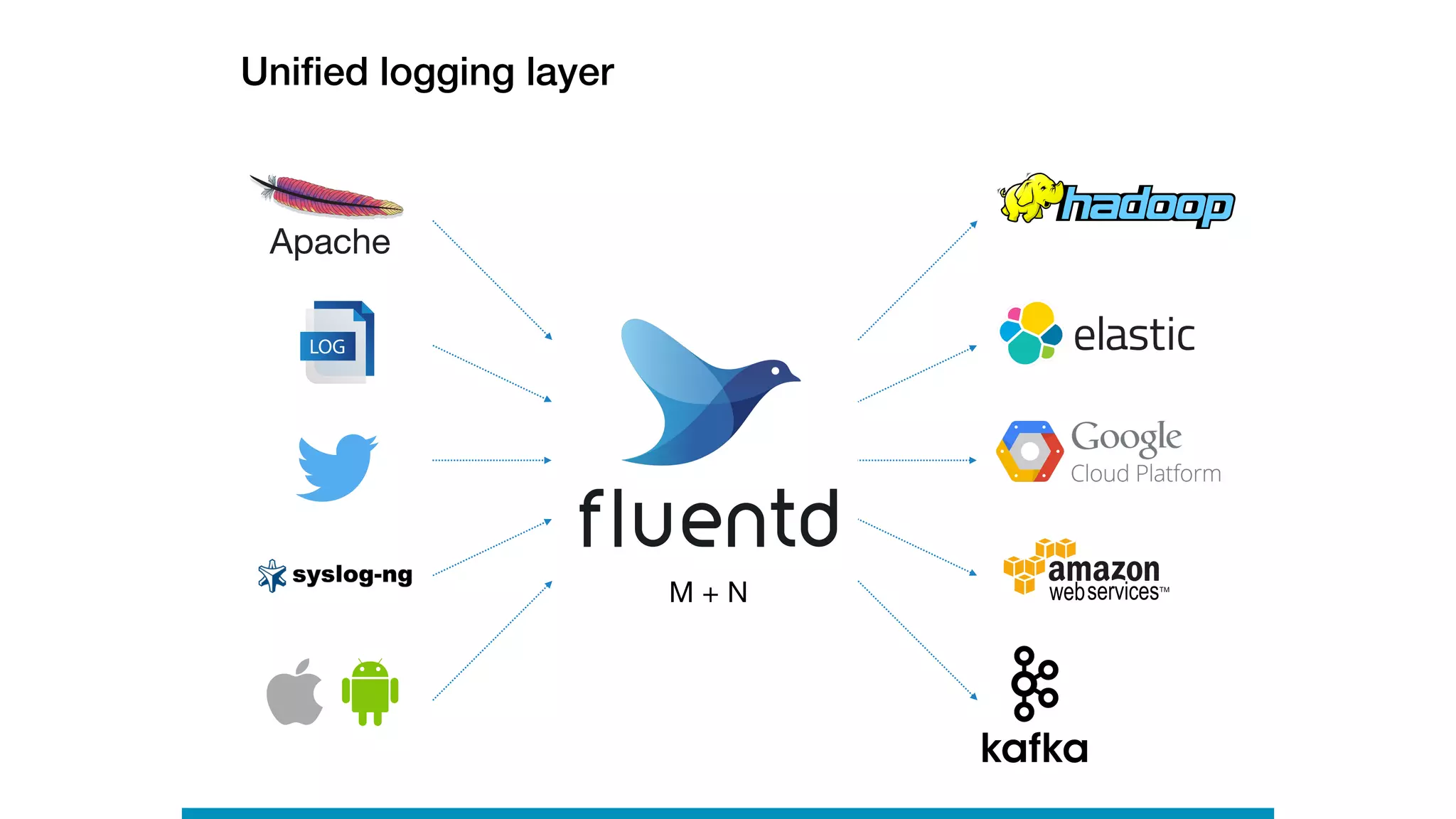
Unified logging layer
M + N
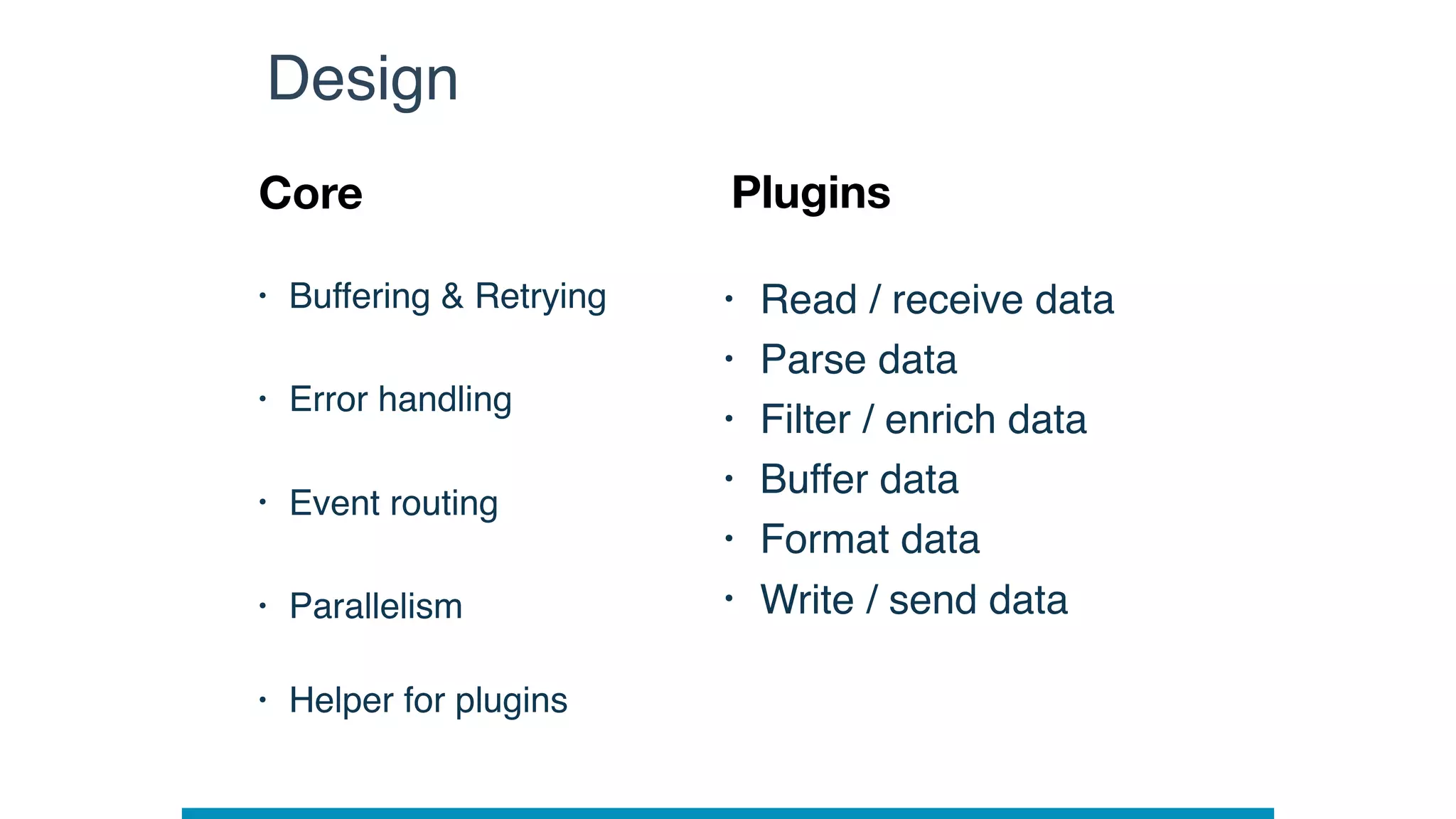
Fluentd Architecture
• Buffering & Retrying
• Error handling
• Event routing
• Parallelism

• Helper for plugins
Design
Core Plugins
• Read / receive data
• Parse data
• Filter / enrich data
• Buffer data
• Format data
• Write / send data
• Nano-second unit
• from logs
Event structure
Time Record
• JSON object,

not raw string
Tag
• for event routing
• Identify data source
{

“str_field”:”hey”,

“num_field”: 100,

“bool_field”: true,

“array_field”: [“elem1”, “elem2”]

}
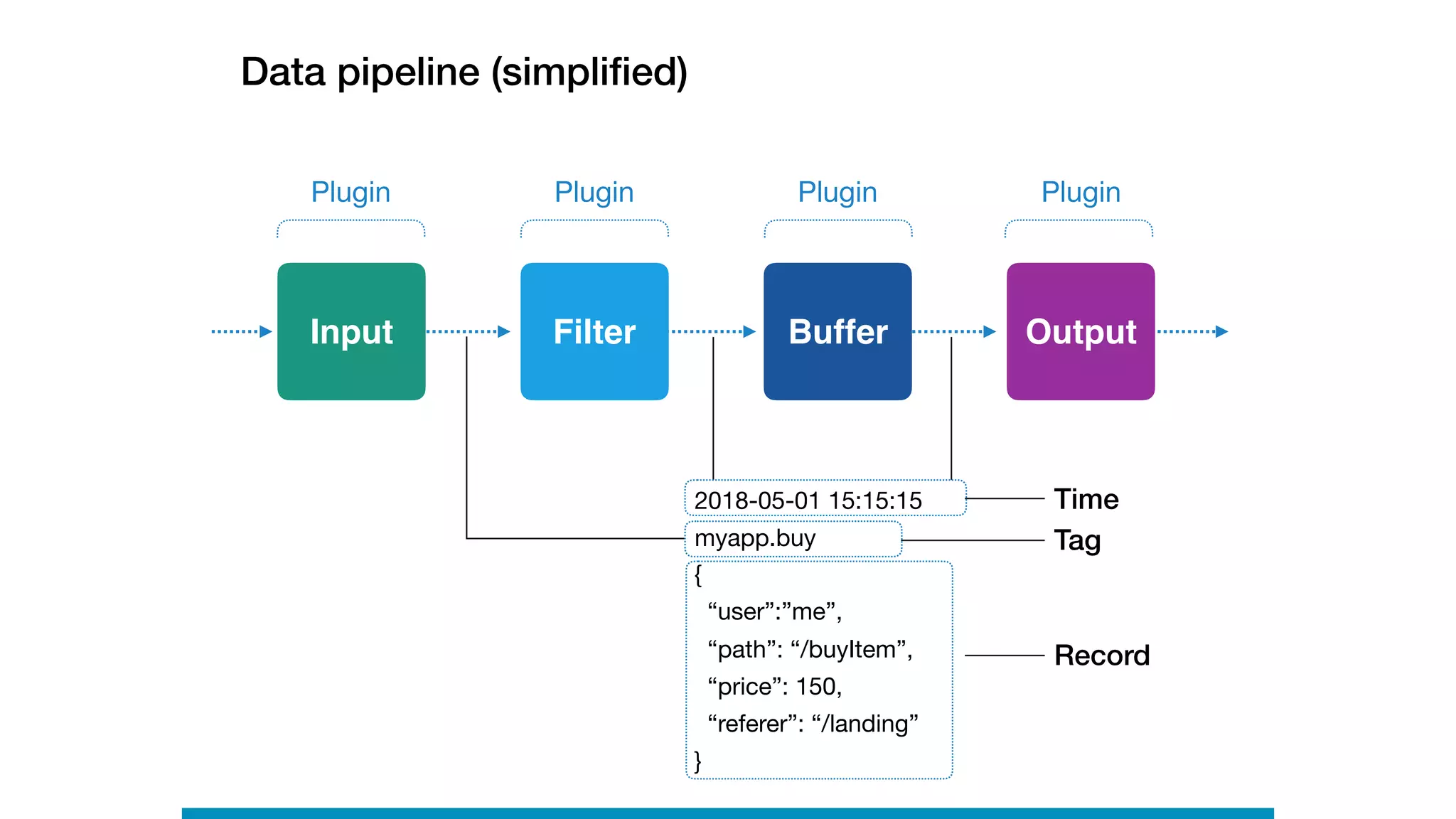
Data pipeline (simplified)
Plugin
Input Filter Buffer Output
Plugin Plugin Plugin
2018-05-01 15:15:15

myapp.buy
Time
Tag
Record
{

“user”:”me”,

“path”: “/buyItem”,

“price”: 150,

“referer”: “/landing”

}
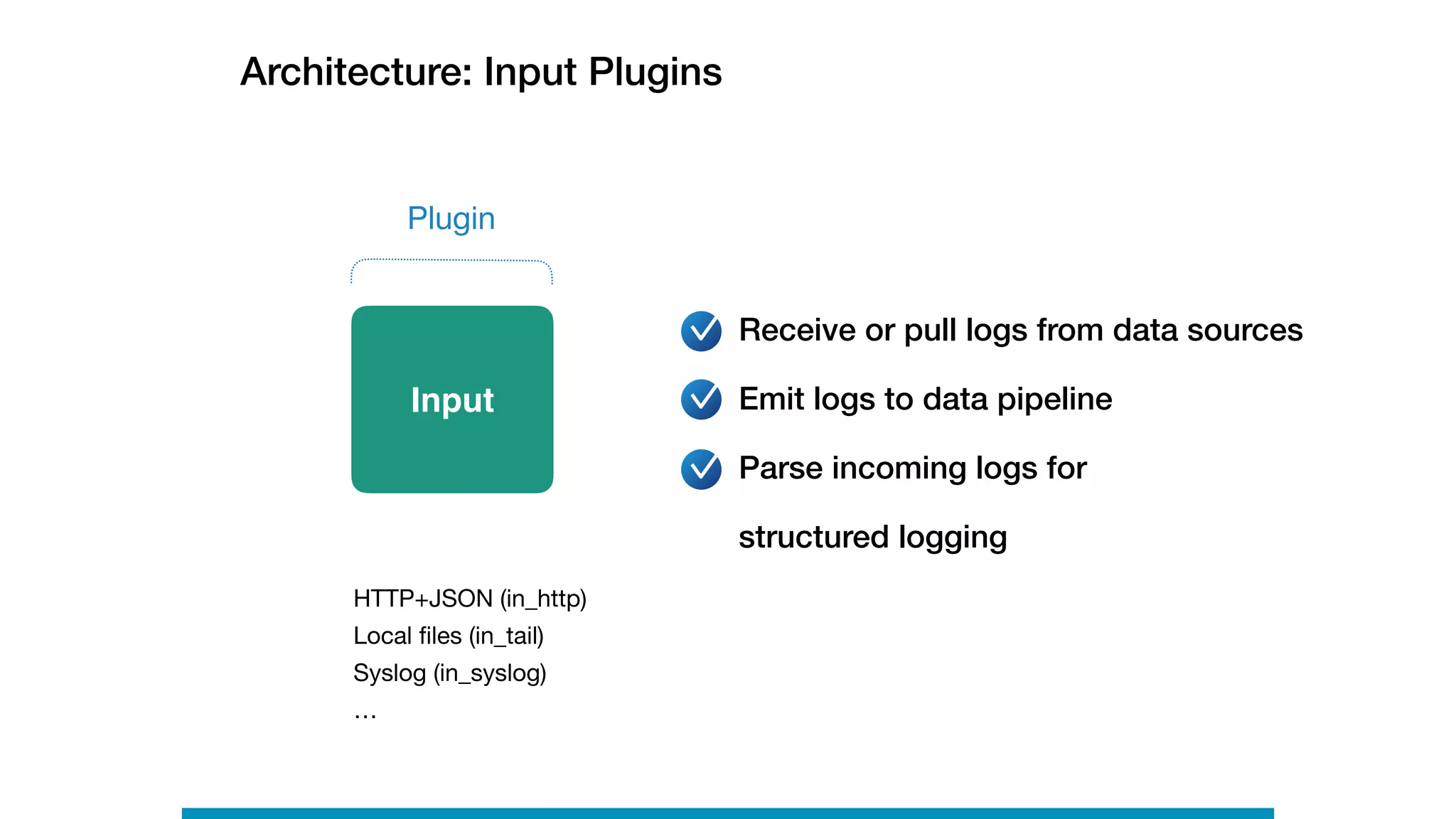
Architecture: Input Plugins
HTTP+JSON (in_http)

Local files (in_tail)

Syslog (in_syslog)

…
Receive or pull logs from data sources
Emit logs to data pipeline

Parse incoming logs for

structured logging
Plugin
Input
Filter
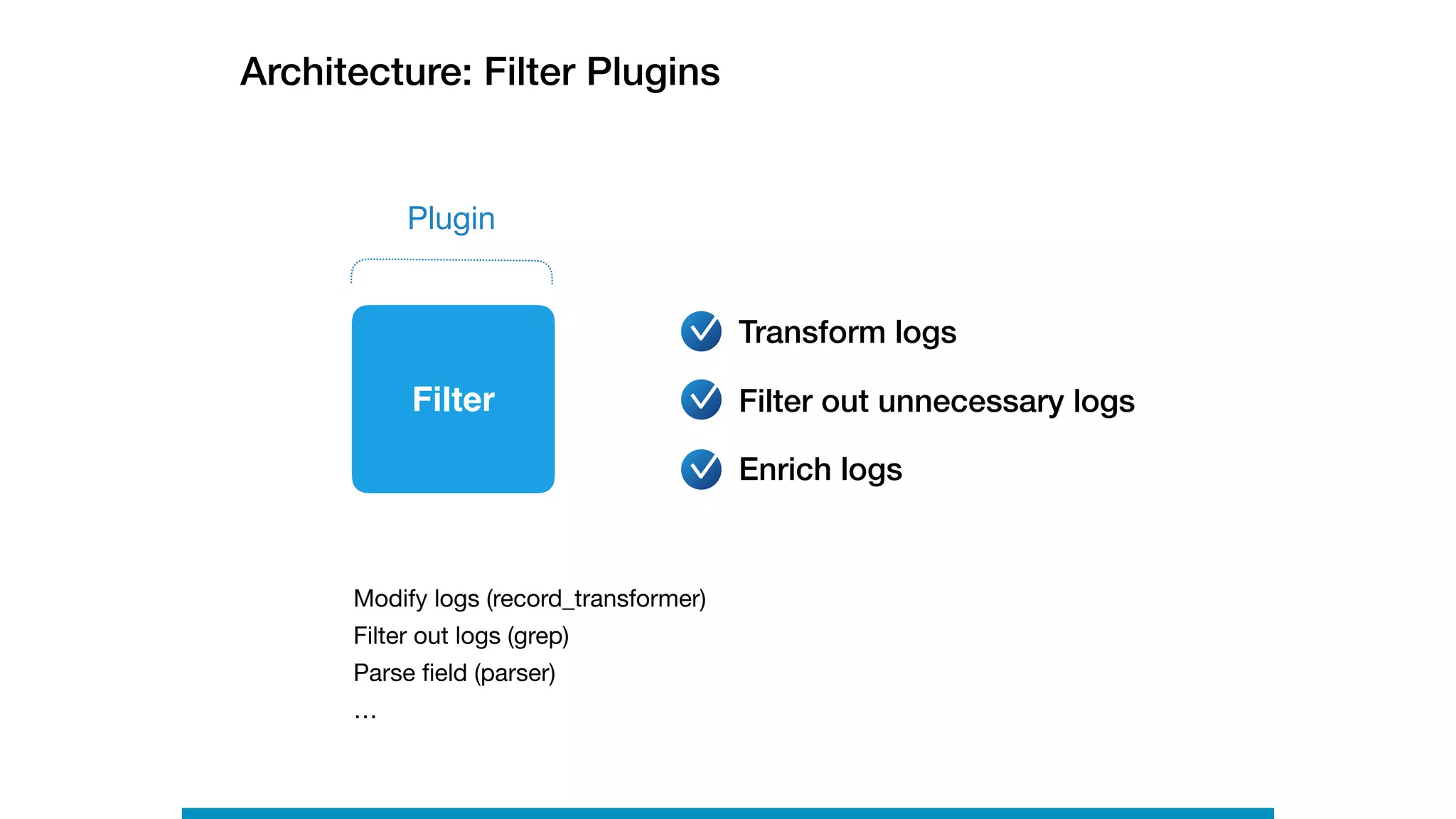
Architecture: Filter Plugins
Transform logs
Filter out unnecessary logs
Enrich logs
Plugin
Modify logs (record_transformer)

Filter out logs (grep)

Parse field (parser)

…
Buffer
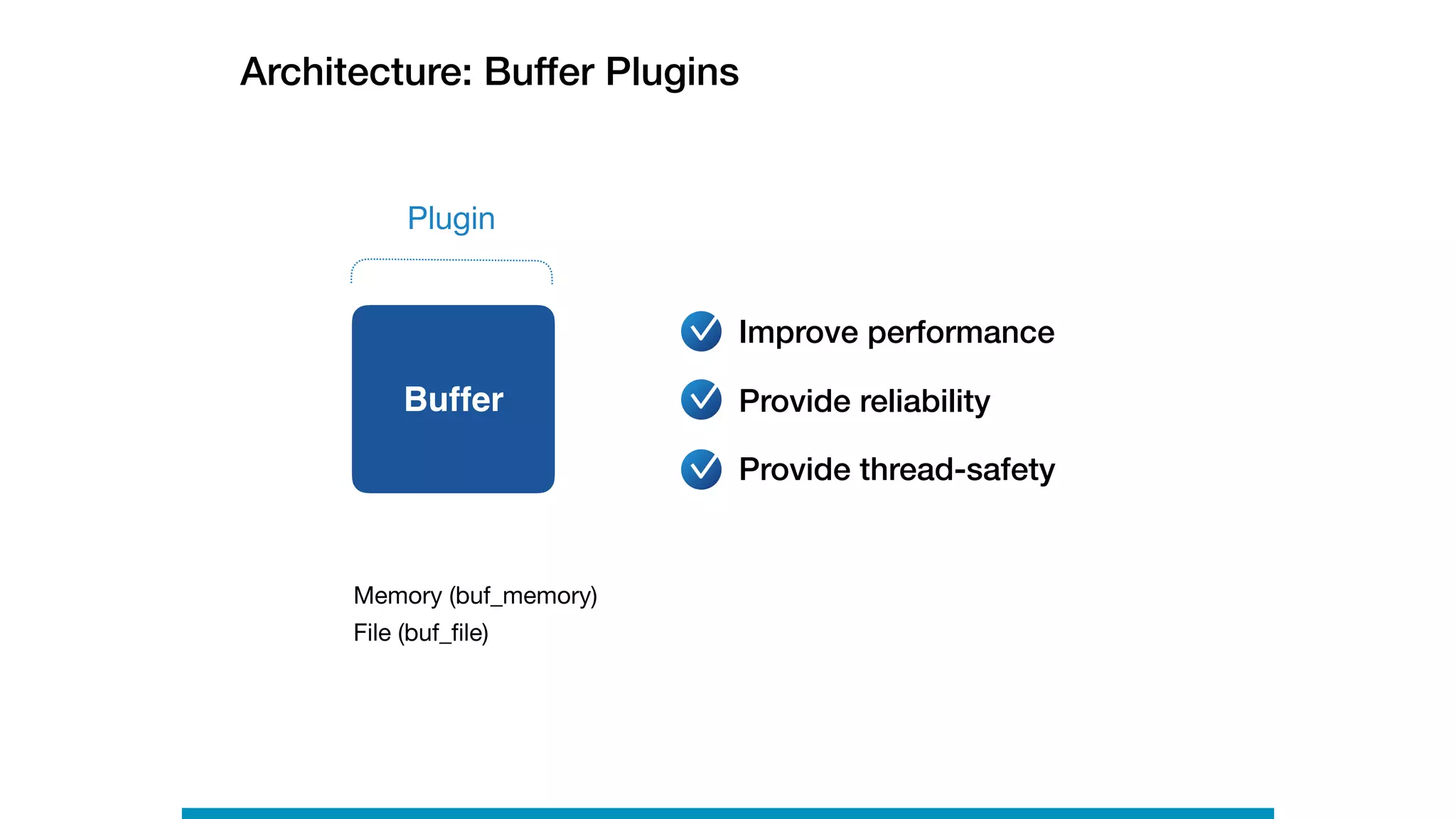
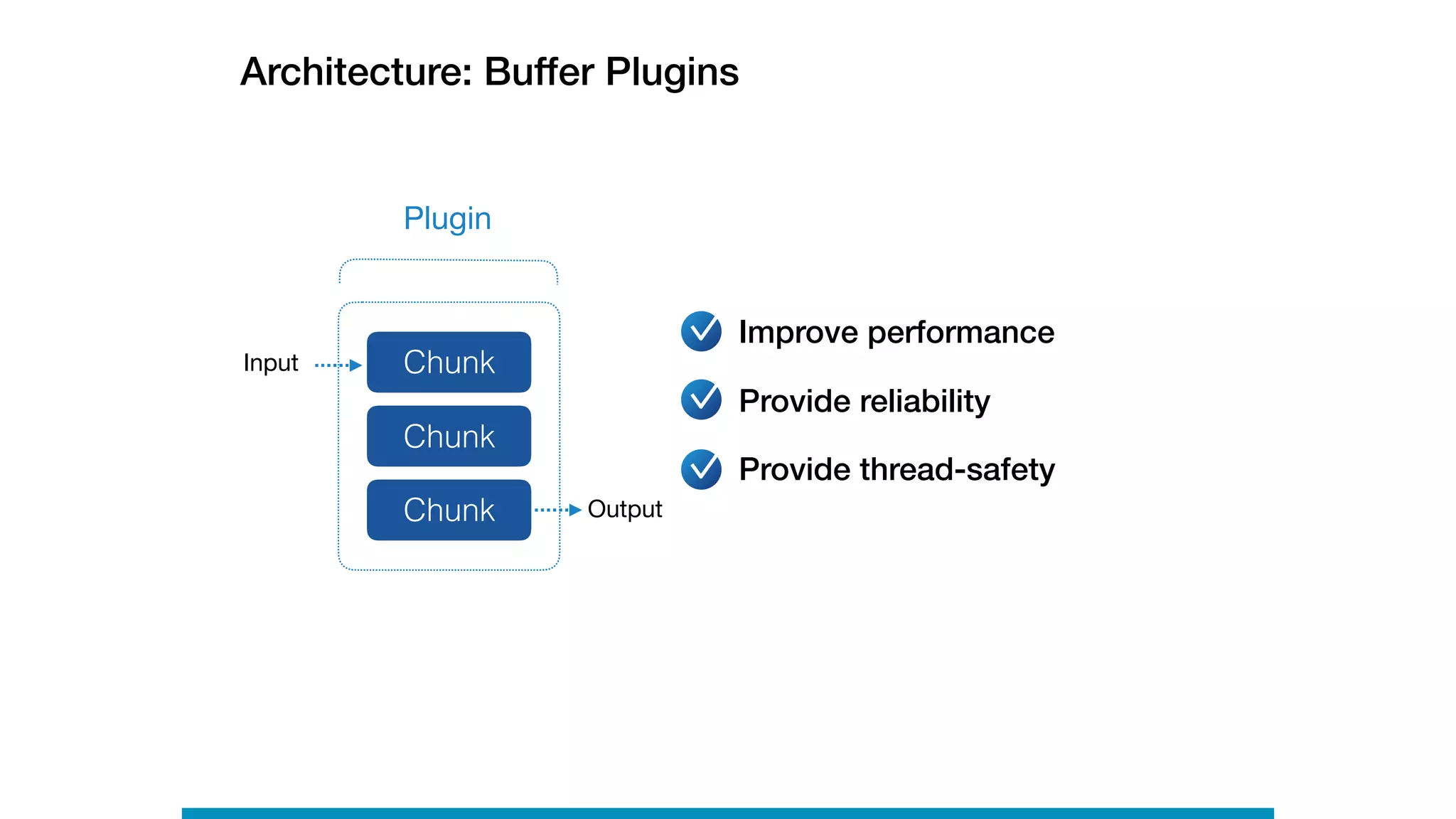
Architecture: Buffer Plugins
Plugin
Improve performance
Provide reliability
Provide thread-safety
Memory (buf_memory)

File (buf_file)
Buffer
Architecture: Buffer Plugins
Chunk
Plugin
Input
Output
Chunk
Chunk
Improve performance
Provide reliability
Provide thread-safety
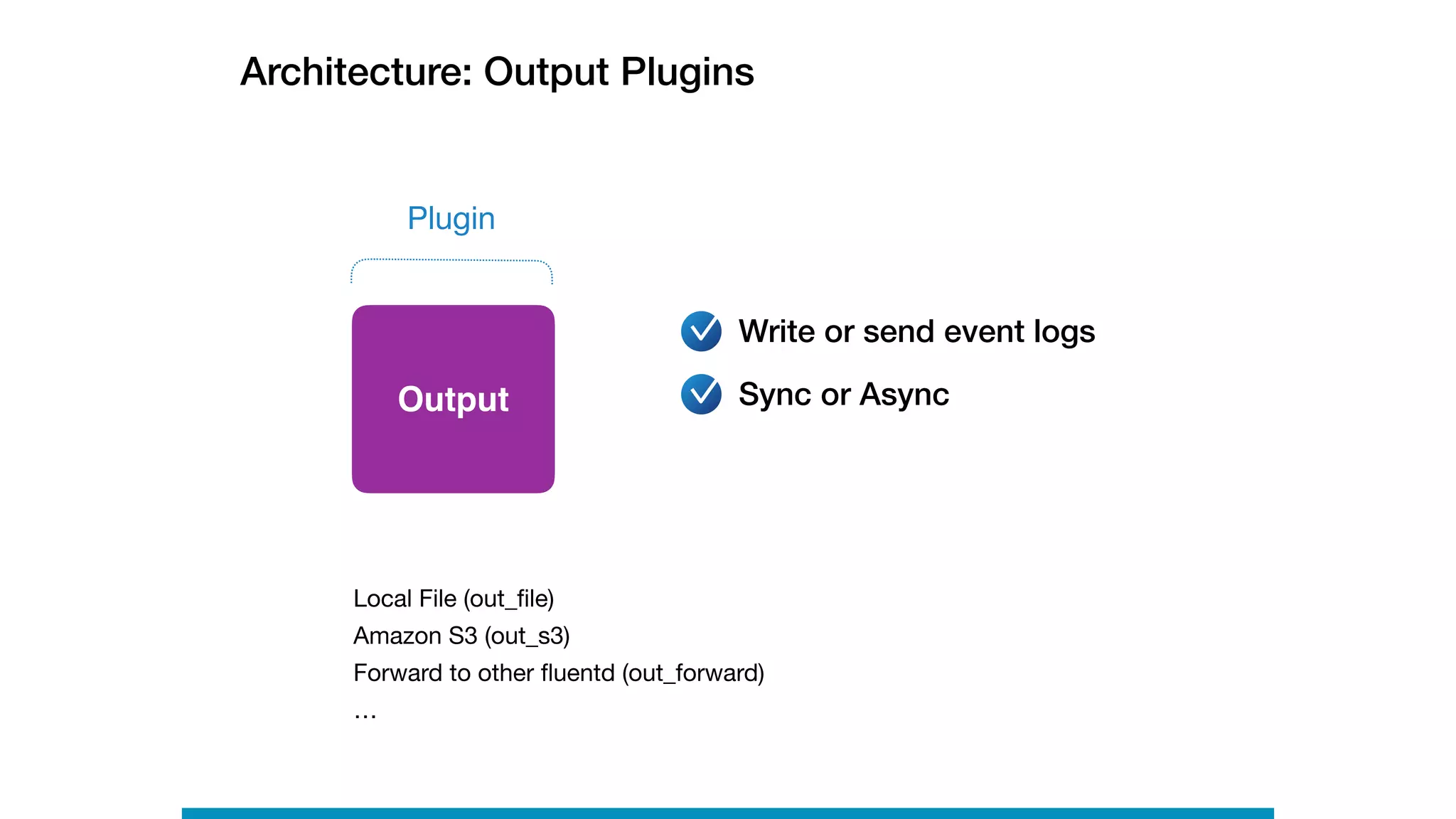
Architecture: Output Plugins
Output
Write or send event logs
Plugin
Local File (out_file)

Amazon S3 (out_s3)

Forward to other fluentd (out_forward)

…
Sync or Async
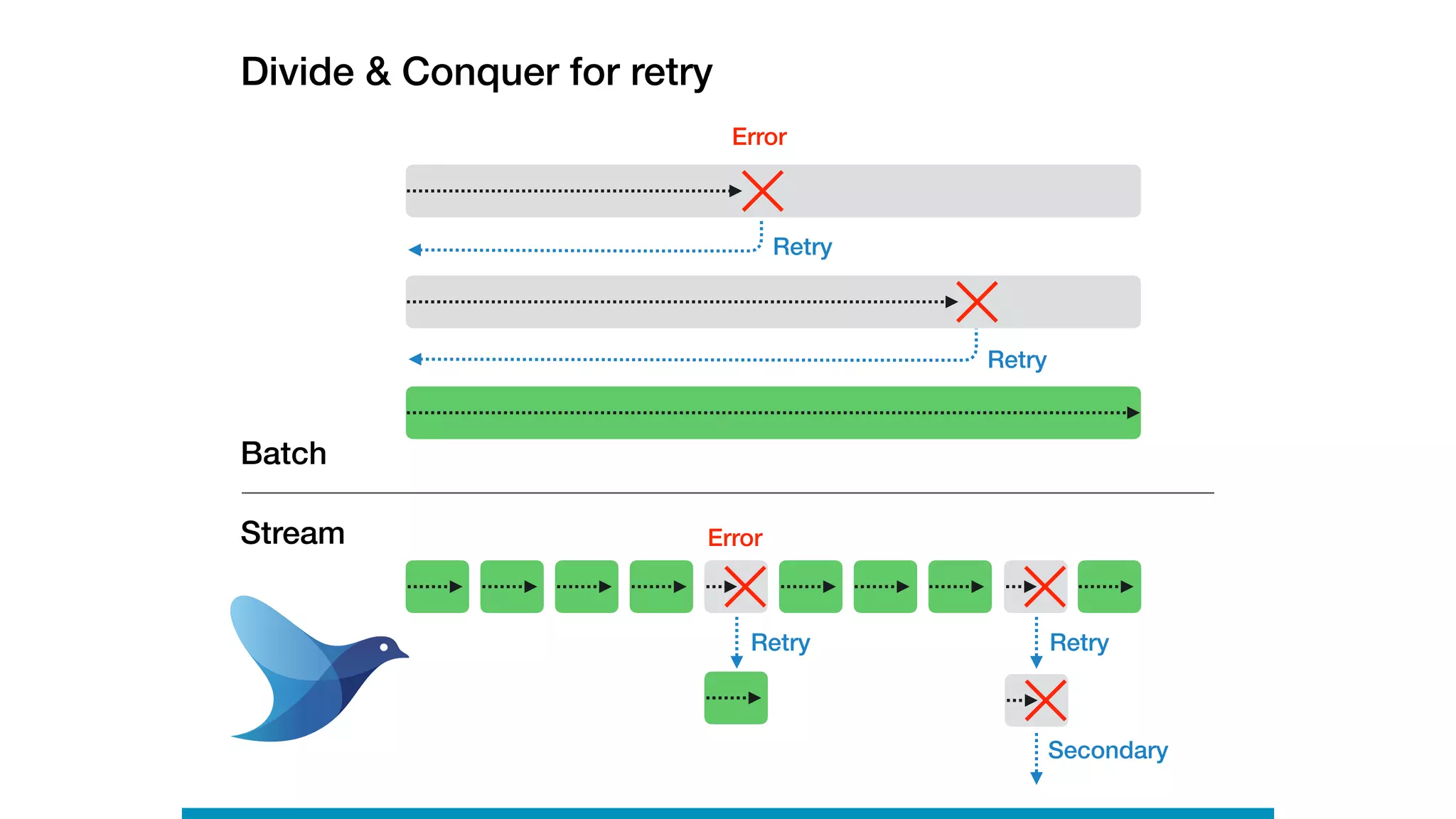
Retry
Error
Retry
Batch
Stream Error
Retry
Retry
Divide & Conquer for retry
Secondary
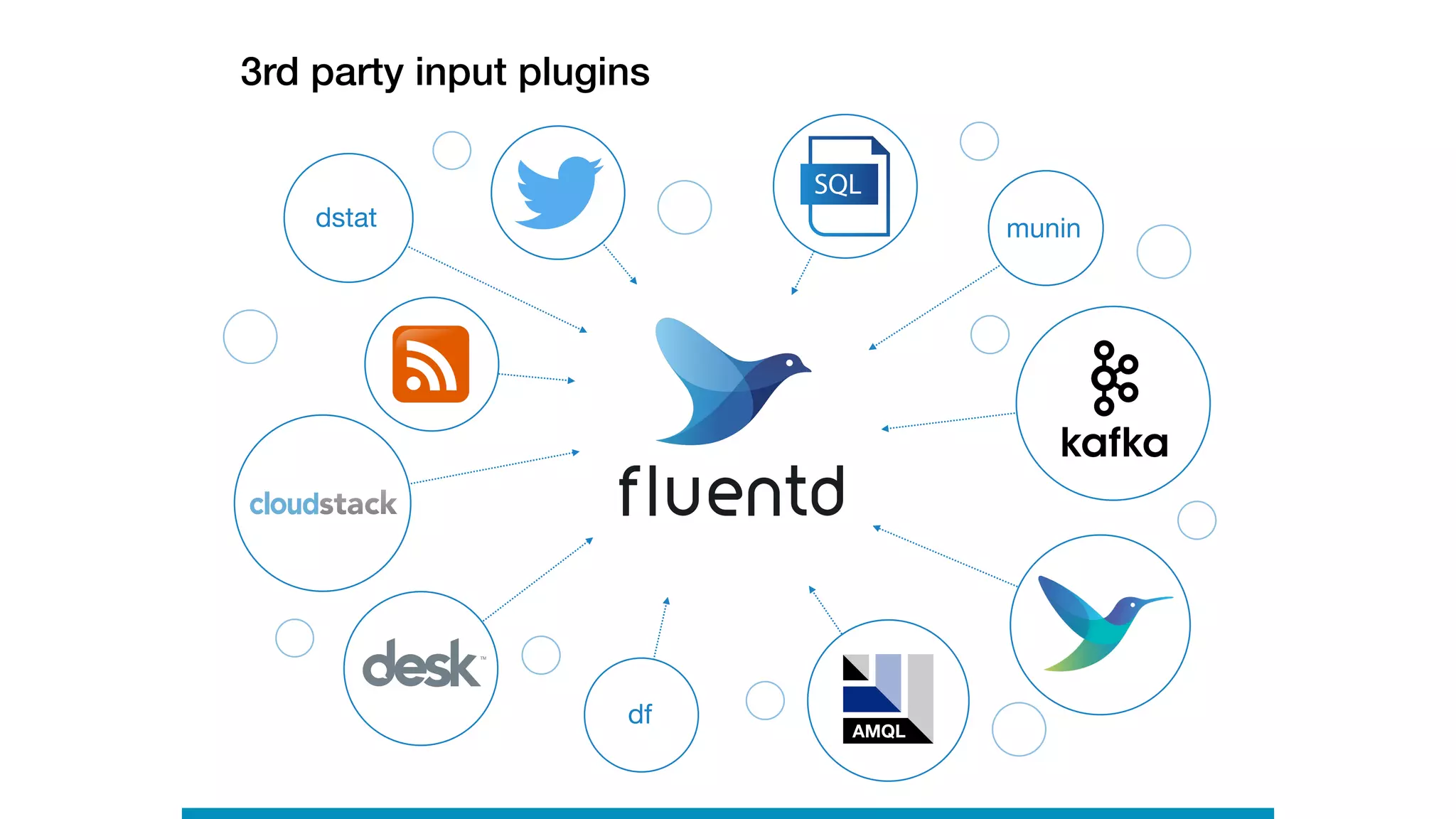
3rd party input plugins
dstat
df
AMQL
munin
SQL
3rd party output plugins
Graphite
Use-cases with Configuration
Example
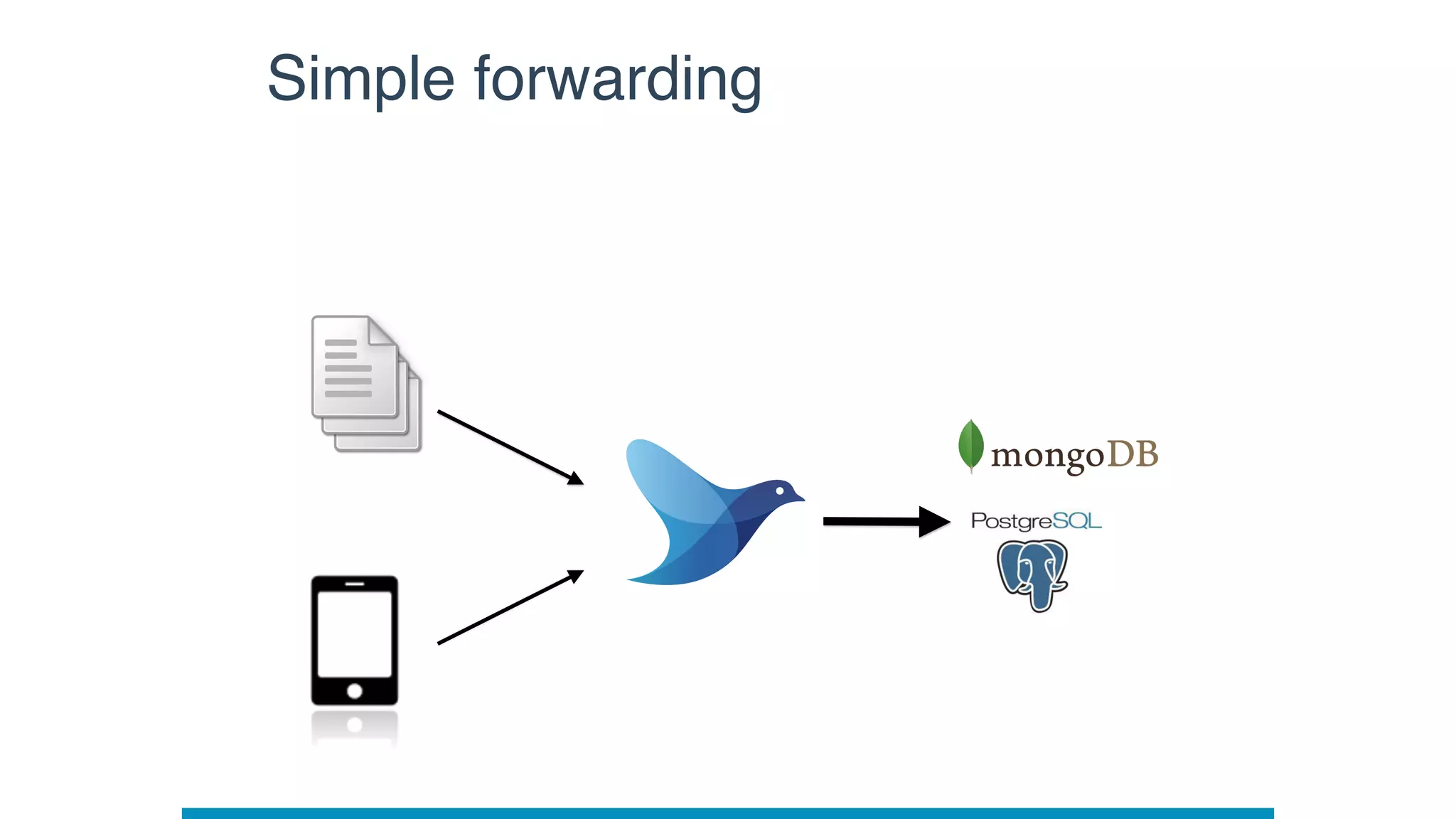
Simple forwarding
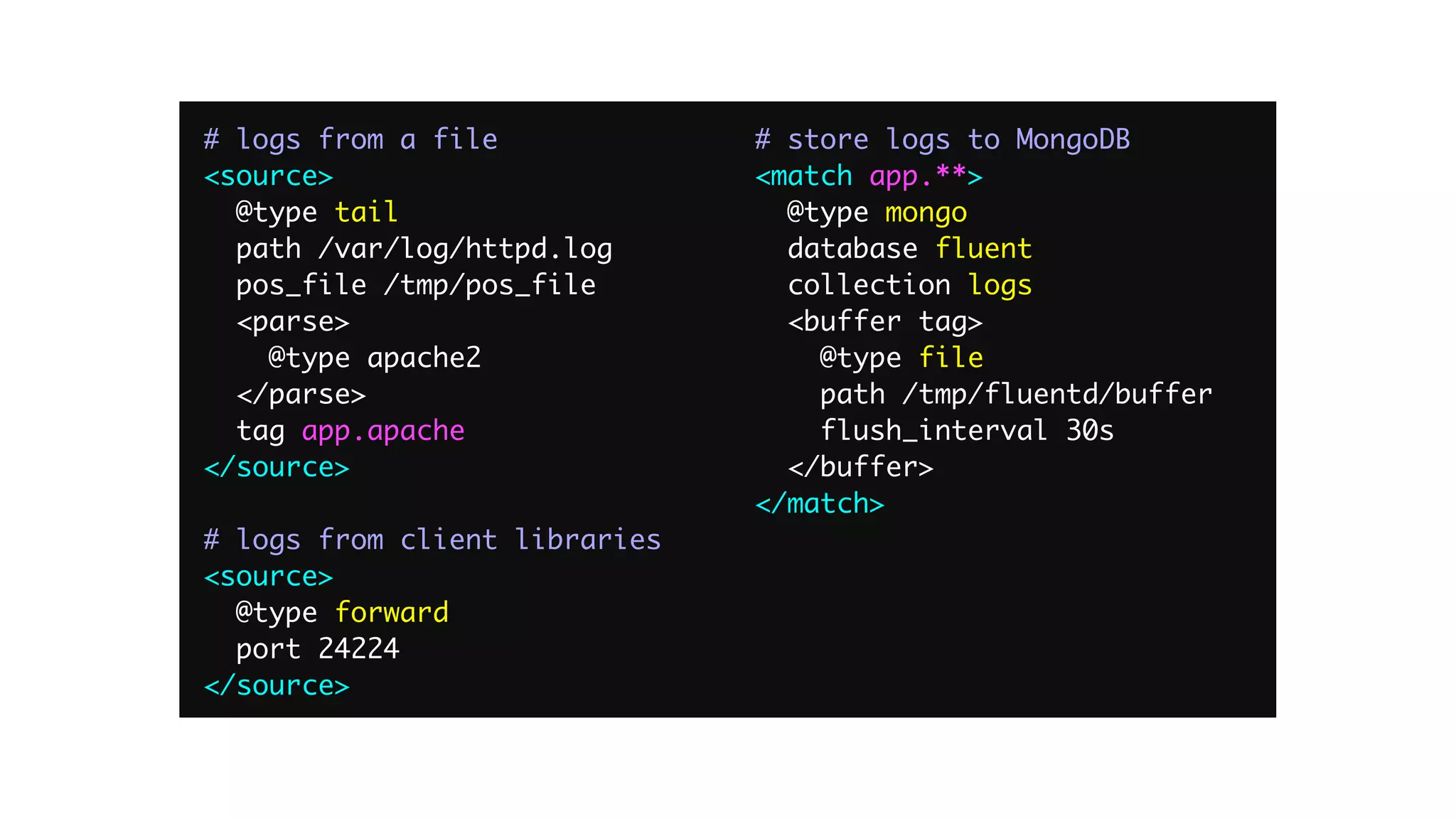
# logs from a file
<source>
@type tail
path /var/log/httpd.log
pos_file /tmp/pos_file
<parse>
@type apache2
</parse>
tag app.apache
</source>
# logs from client libraries
<source>
@type forward
port 24224
</source>
# store logs to MongoDB
<match app.**>
@type mongo
database fluent
collection logs
<buffer tag>
@type file
path /tmp/fluentd/buffer
flush_interval 30s
</buffer>
</match>
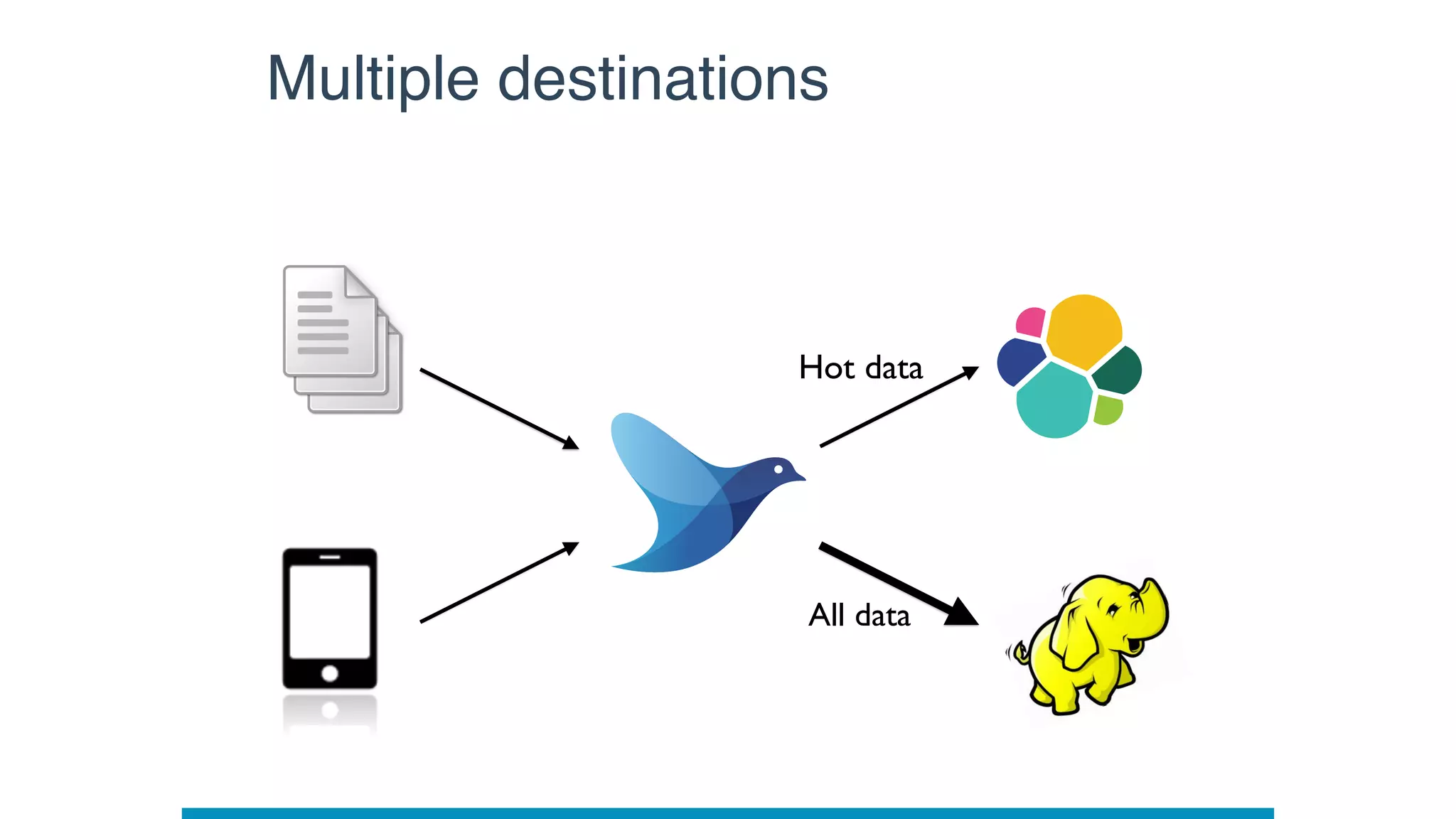
All data
Multiple destinations
Hot data
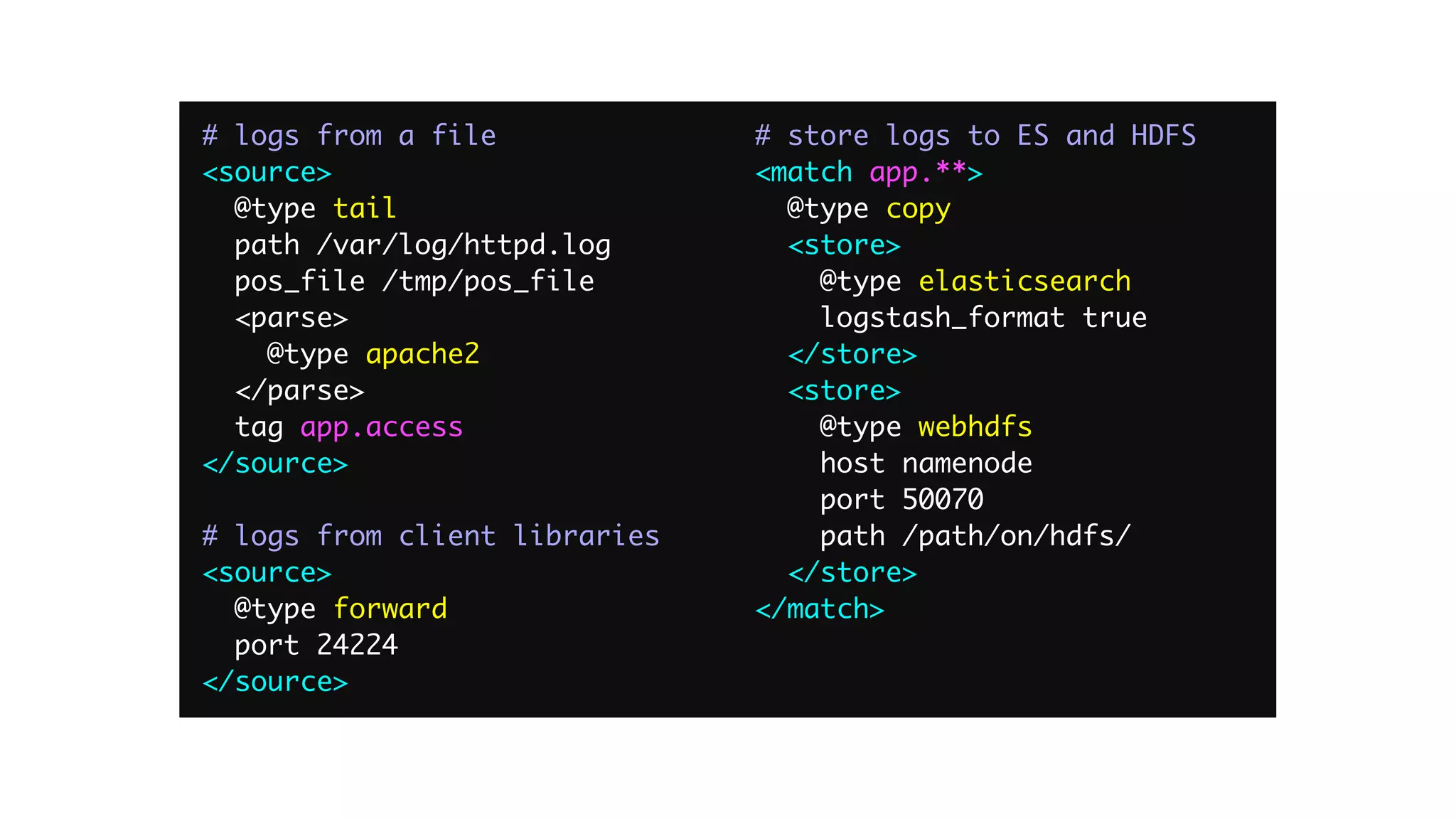
# logs from a file
<source>
@type tail
path /var/log/httpd.log
pos_file /tmp/pos_file
<parse>
@type apache2
</parse>
tag app.access
</source>
# logs from client libraries
<source>
@type forward
port 24224
</source>
# store logs to ES and HDFS
<match app.**>
@type copy
<store>
@type elasticsearch
logstash_format true
</store>
<store>
@type webhdfs
host namenode
port 50070
path /path/on/hdfs/
</store>
</match>
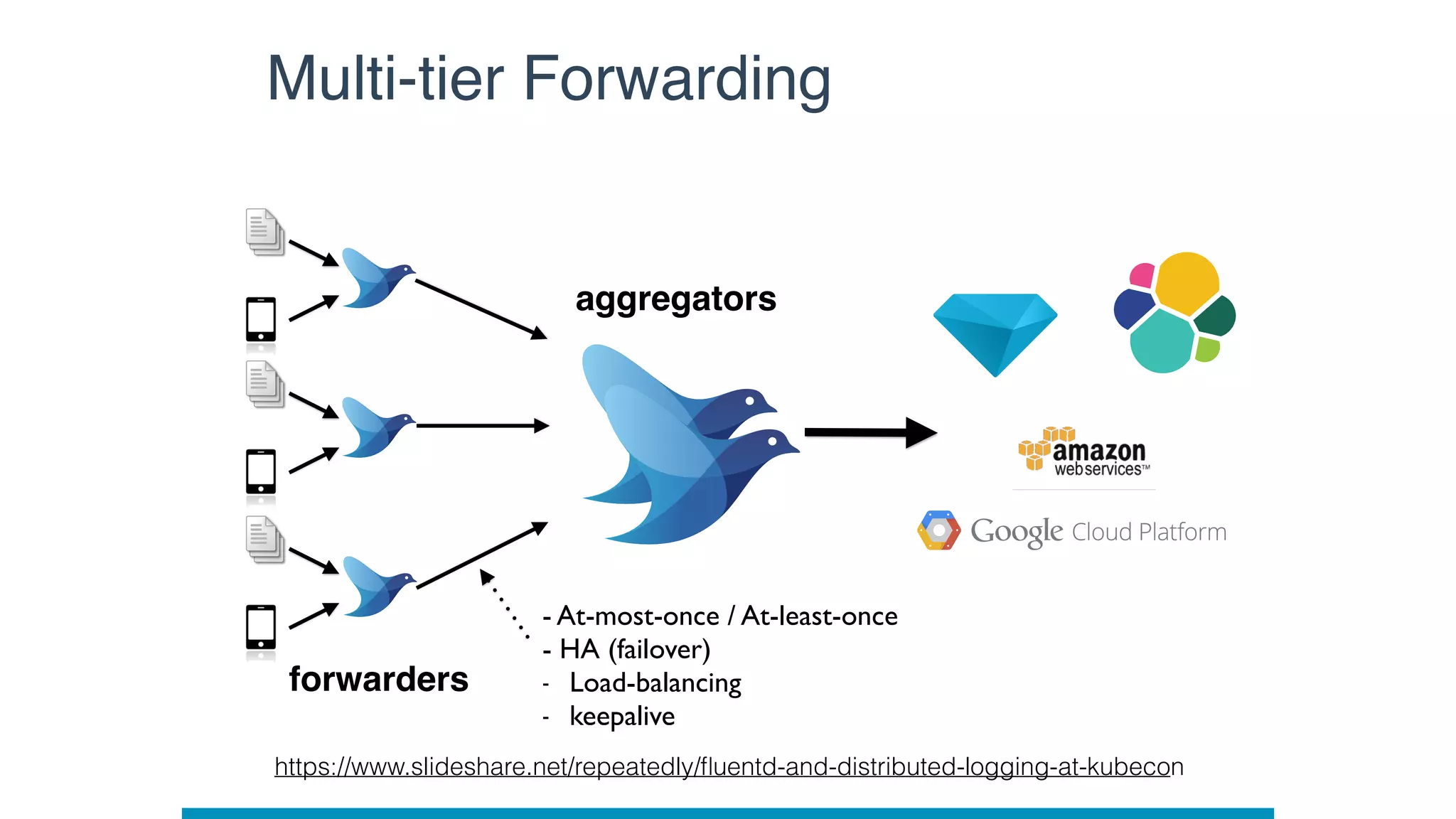
Multi-tier Forwarding
- At-most-once / At-least-once

- HA (failover)
- Load-balancing
- keepalive
forwarders
aggregators
https://www.slideshare.net/repeatedly/fluentd-and-distributed-logging-at-kubecon
Container and Kubernetes
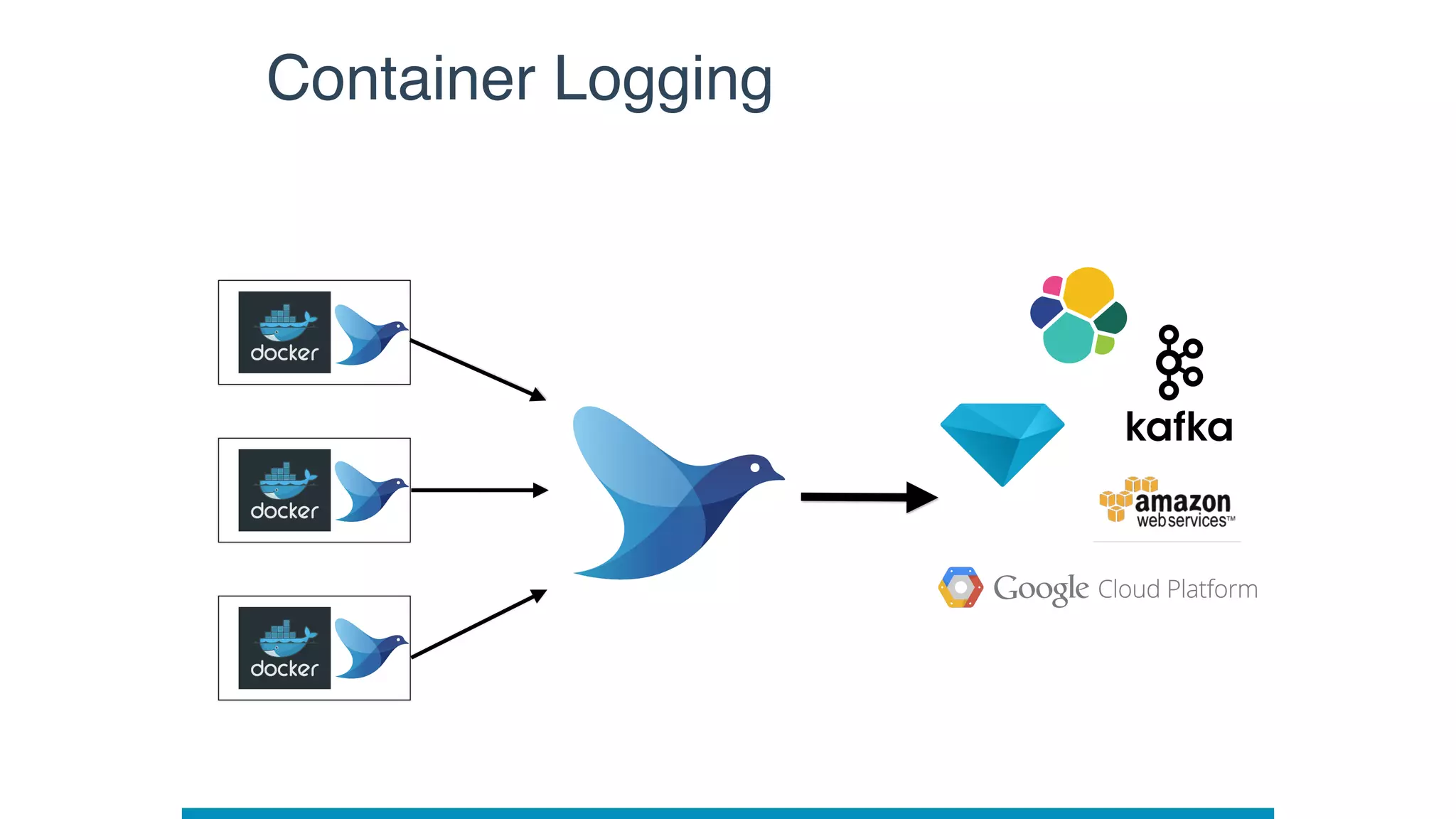
Container Logging
• Docker : fluentd-docker-image
• Alpine / Debian images
• x86, Arm, PowerPC, etc support by Docker official
• Kubernetes : fluentd-kubernetes-daemonset
• Debian images
• Some built-in destinations, ES, kafka, graylog, etc…
• Helm chart
• https://github.com/helm/charts/tree/master/stable/fluentd
Resources
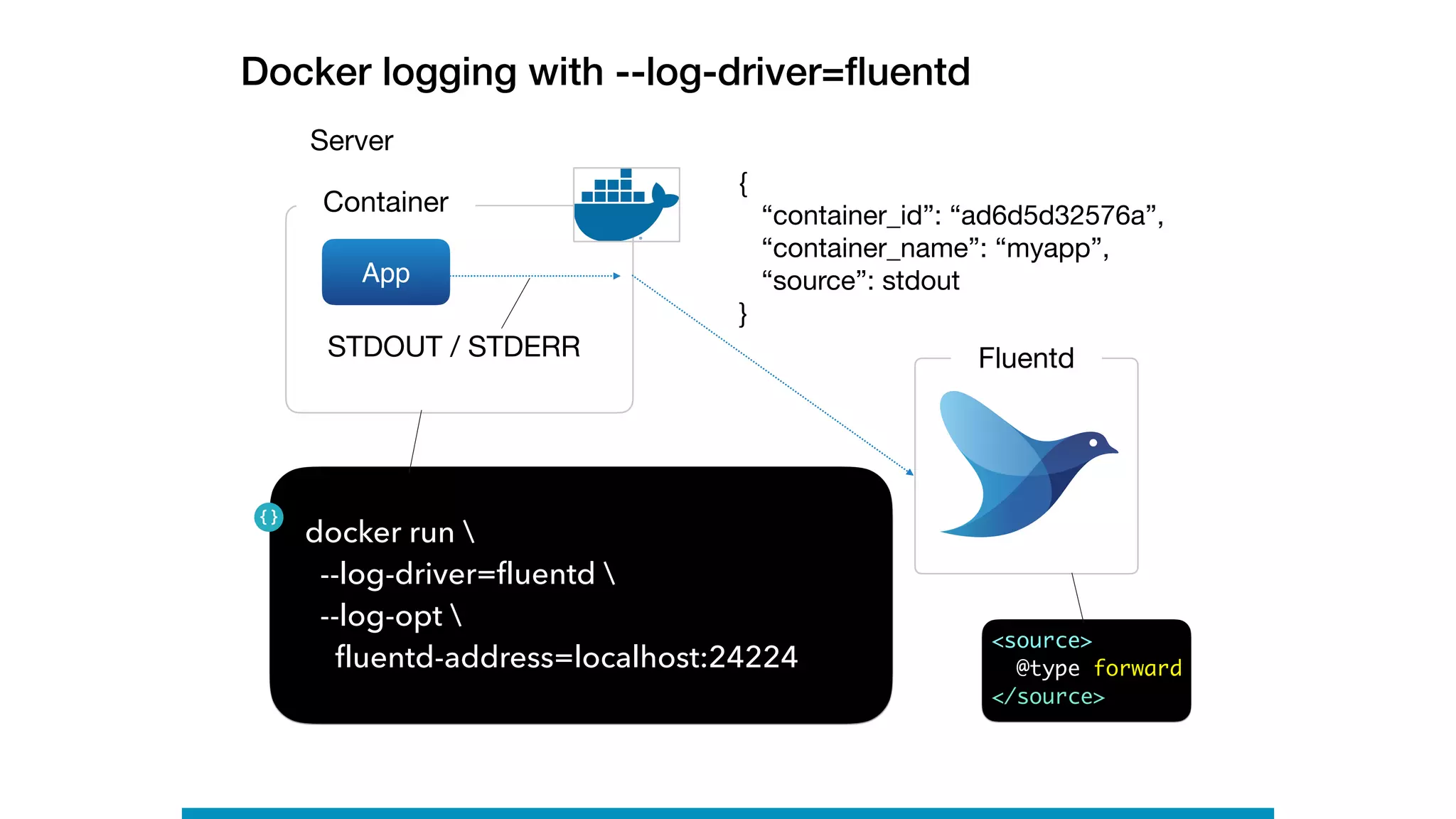
Docker logging with --log-driver=fluentd
Server
Container
App
FluentdSTDOUT / STDERR
docker run 
--log-driver=fluentd 

--log-opt 
fluentd-address=localhost:24224
{

“container_id”: “ad6d5d32576a”,

“container_name”: “myapp”,

“source”: stdout

}
<source>
@type forward
</source>
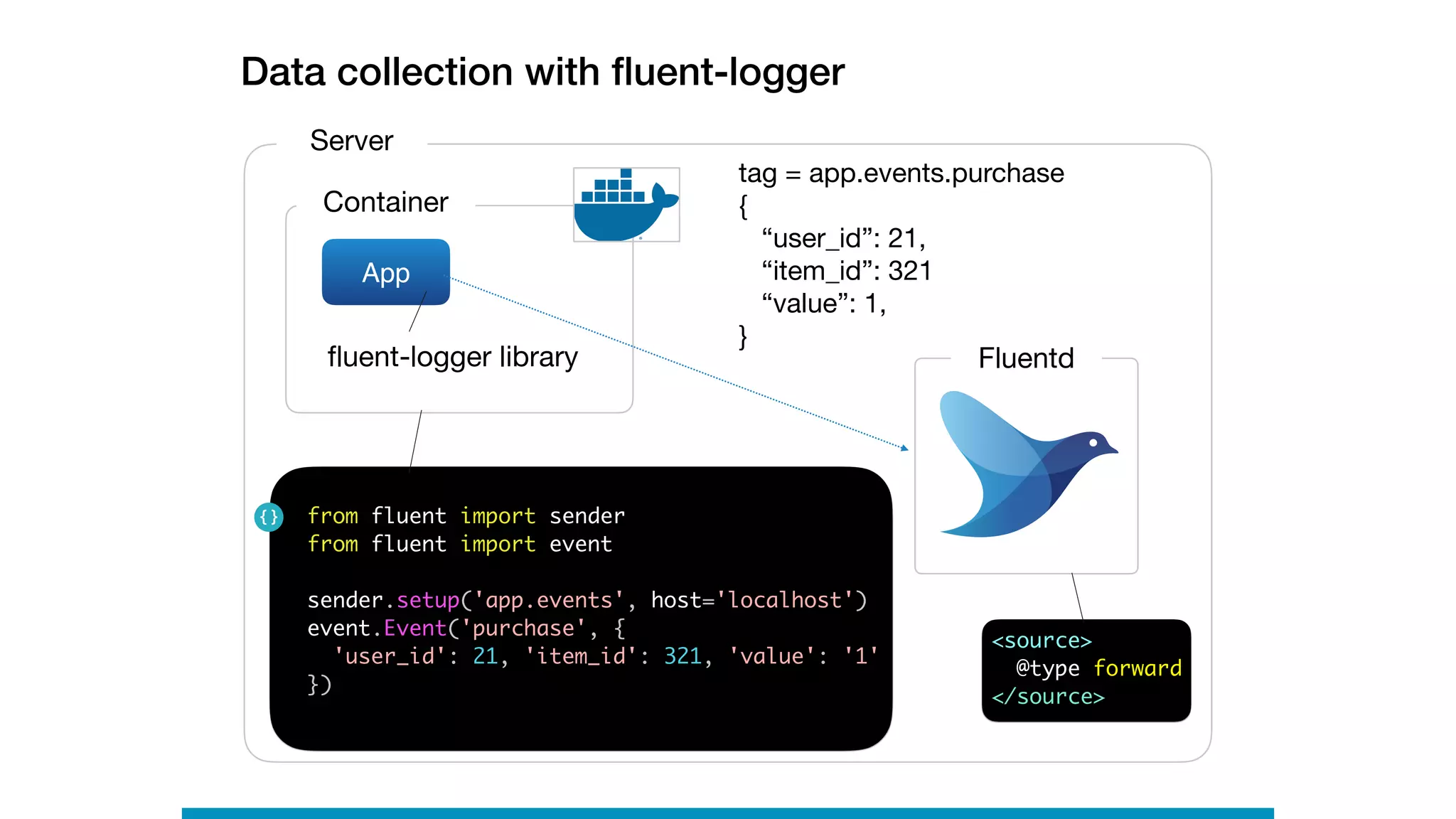
Data collection with fluent-logger
Server
Container
App
Fluentd
from fluent import sender
from fluent import event
sender.setup('app.events', host='localhost')
event.Event('purchase', {
'user_id': 21, 'item_id': 321, 'value': '1'
})
tag = app.events.purchase

{

“user_id”: 21,

“item_id”: 321

“value”: 1,

}
fluent-logger library
<source>
@type forward
</source>
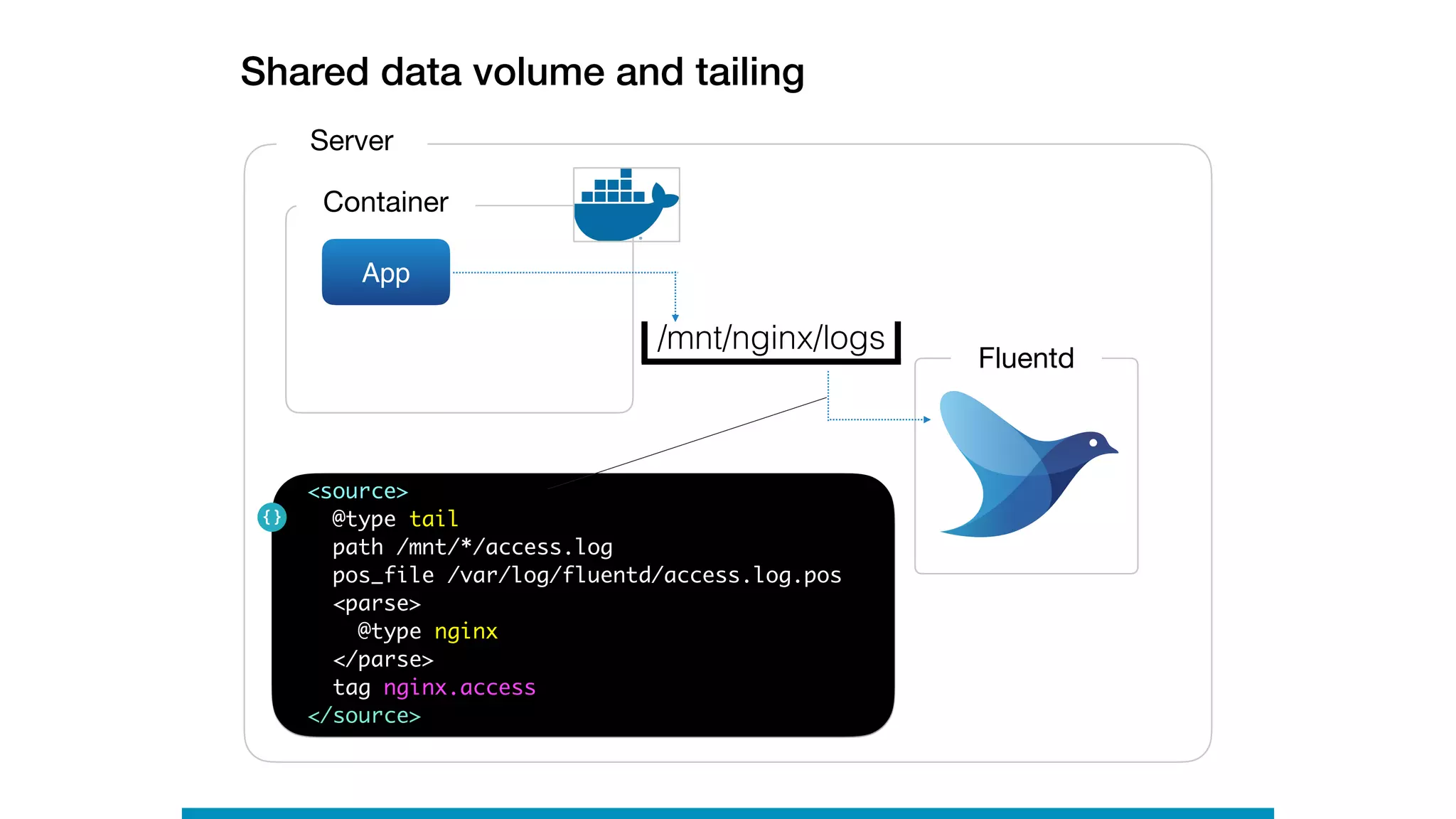
Shared data volume and tailing
Server
Container
App
Fluentd
<source>
@type tail
path /mnt/*/access.log
pos_file /var/log/fluentd/access.log.pos
<parse>
@type nginx
</parse>
tag nginx.access
</source>
/mnt/nginx/logs
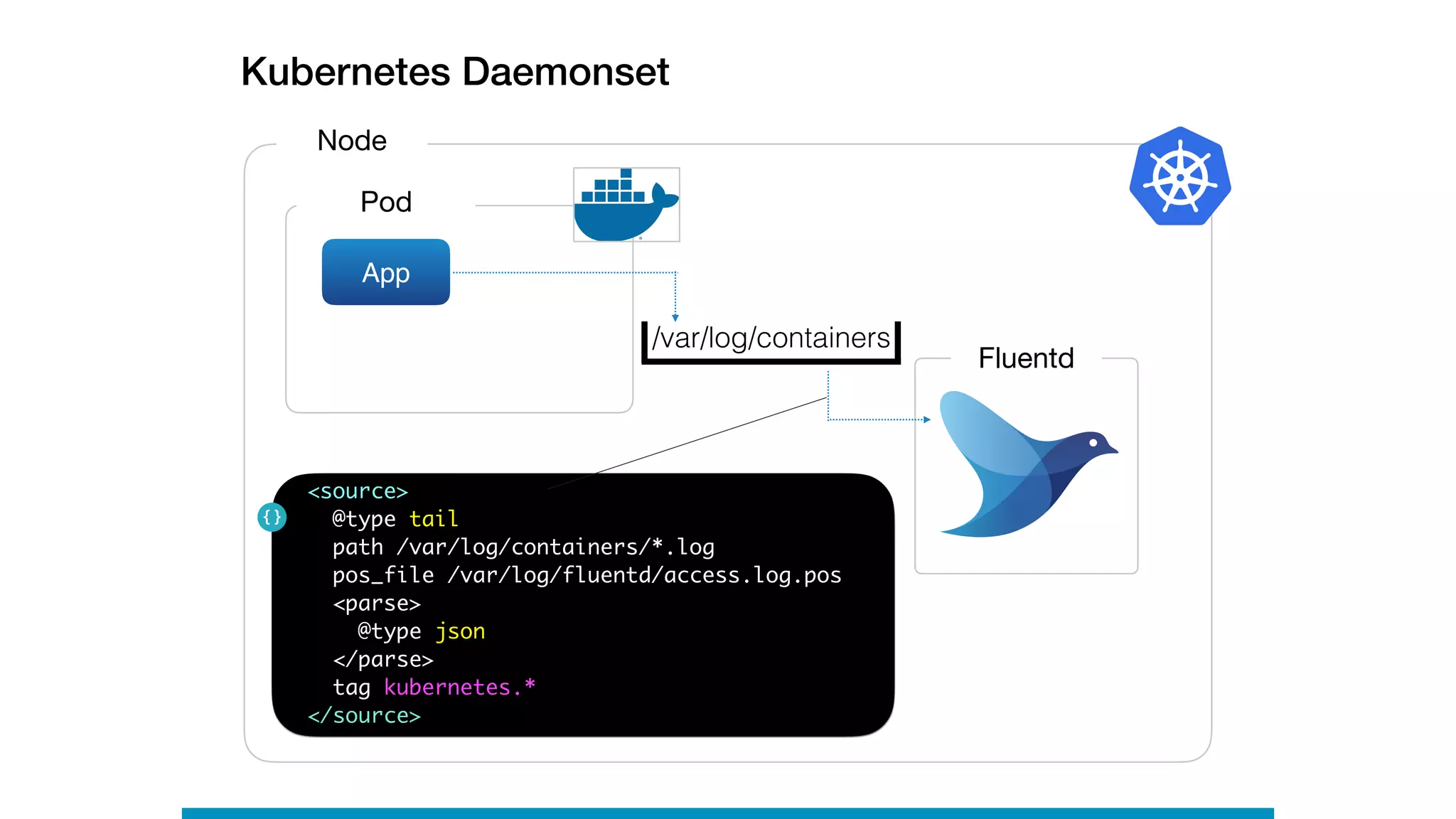
Kubernetes Daemonset
Node
Pod
App
Fluentd
<source>
@type tail
path /var/log/containers/*.log
pos_file /var/log/fluentd/access.log.pos
<parse>
@type json
</parse>
tag kubernetes.*
</source>
/var/log/containers
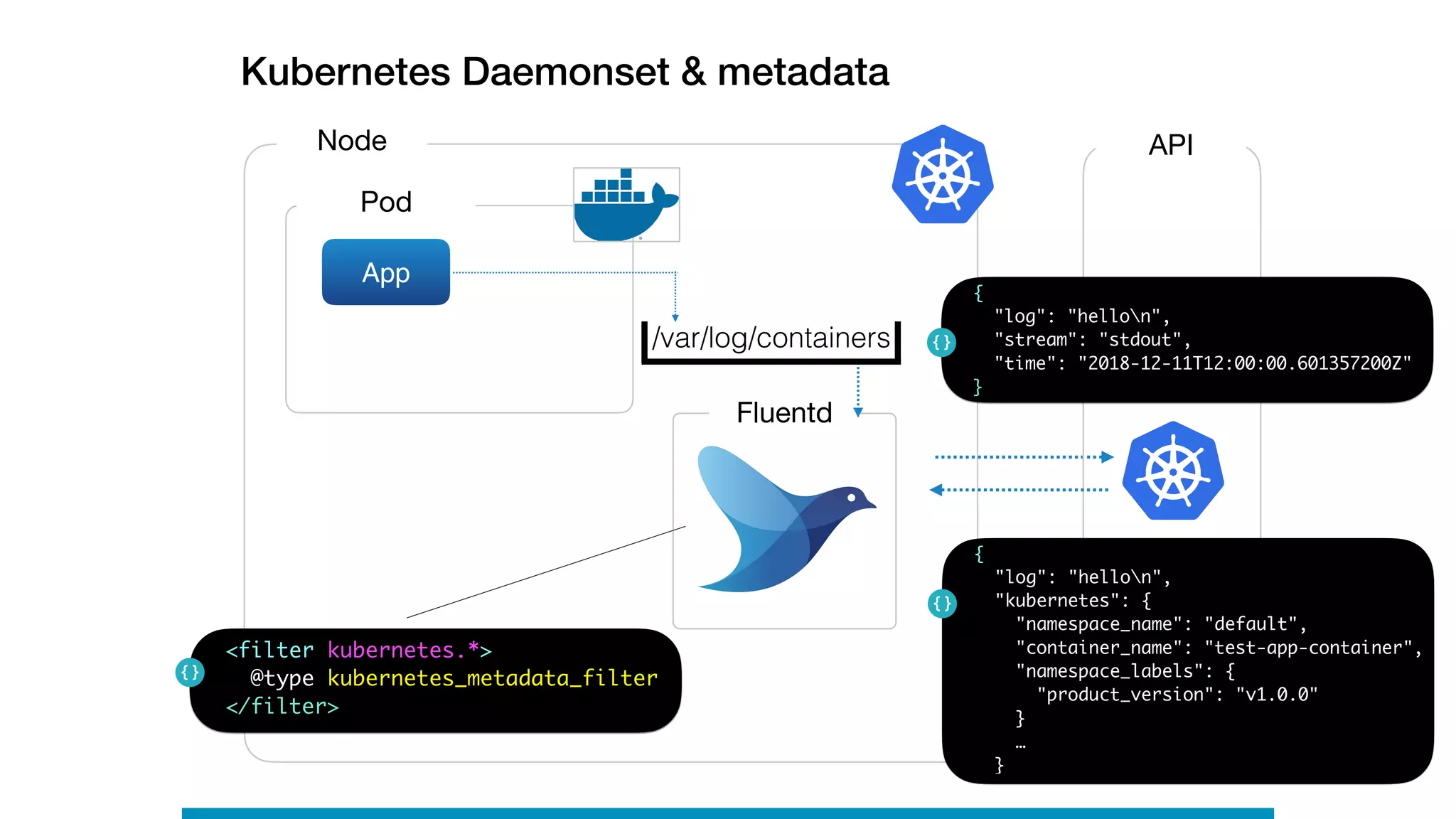
Kubernetes Daemonset & metadata
Node
Pod
App
Fluentd
/var/log/containers
<filter kubernetes.*>
@type kubernetes_metadata_filter
</filter>
API
{
"log": "hellon",
"stream": "stdout",
"time": "2018-12-11T12:00:00.601357200Z"
}
{
"log": "hellon",
"kubernetes": {
"namespace_name": "default",
"container_name": "test-app-container",
"namespace_labels": {

"product_version": "v1.0.0"
}
…
}
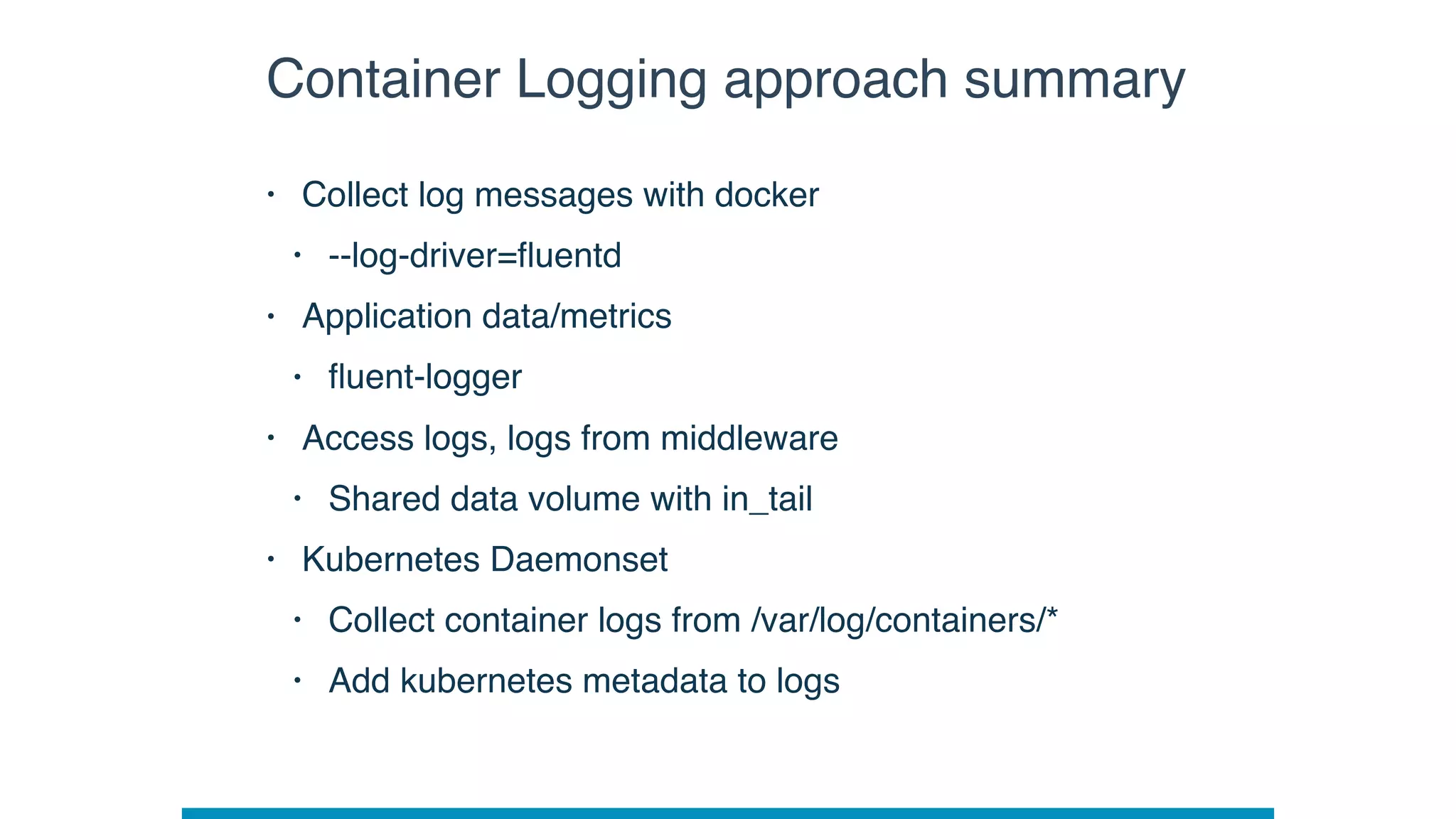
Container Logging approach summary
• Collect log messages with docker
• --log-driver=fluentd
• Application data/metrics
• fluent-logger
• Access logs, logs from middleware
• Shared data volume with in_tail
• Kubernetes Daemonset
• Collect container logs from /var/log/containers/*
• Add kubernetes metadata to logs
Fluent-bit
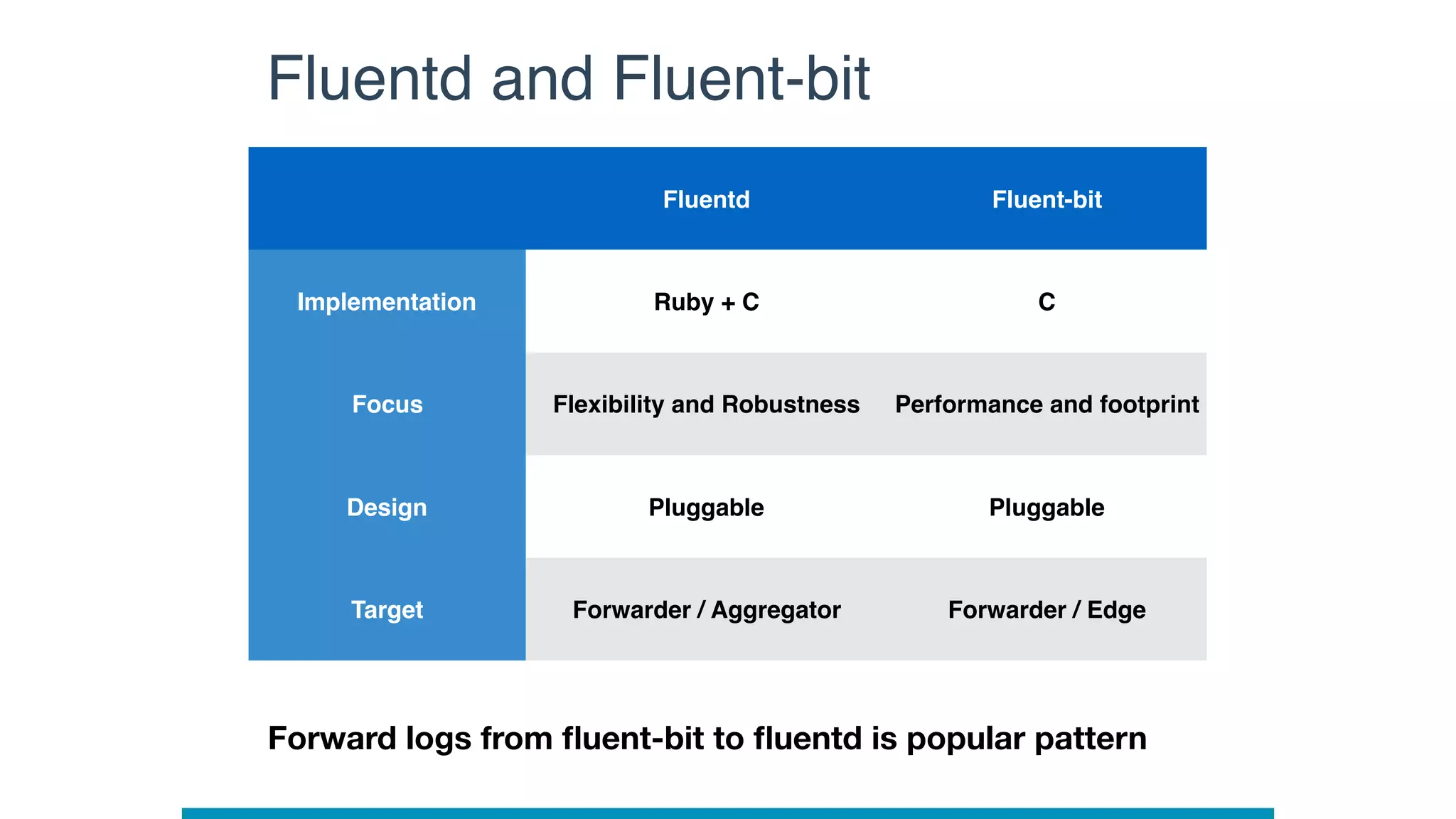
Fluentd and Fluent-bit
Fluentd Fluent-bit
Implementation Ruby + C C
Focus Flexibility and Robustness Performance and footprint
Design Pluggable Pluggable
Target Forwarder / Aggregator Forwarder / Edge
Forward logs from fluent-bit to fluentd is popular pattern
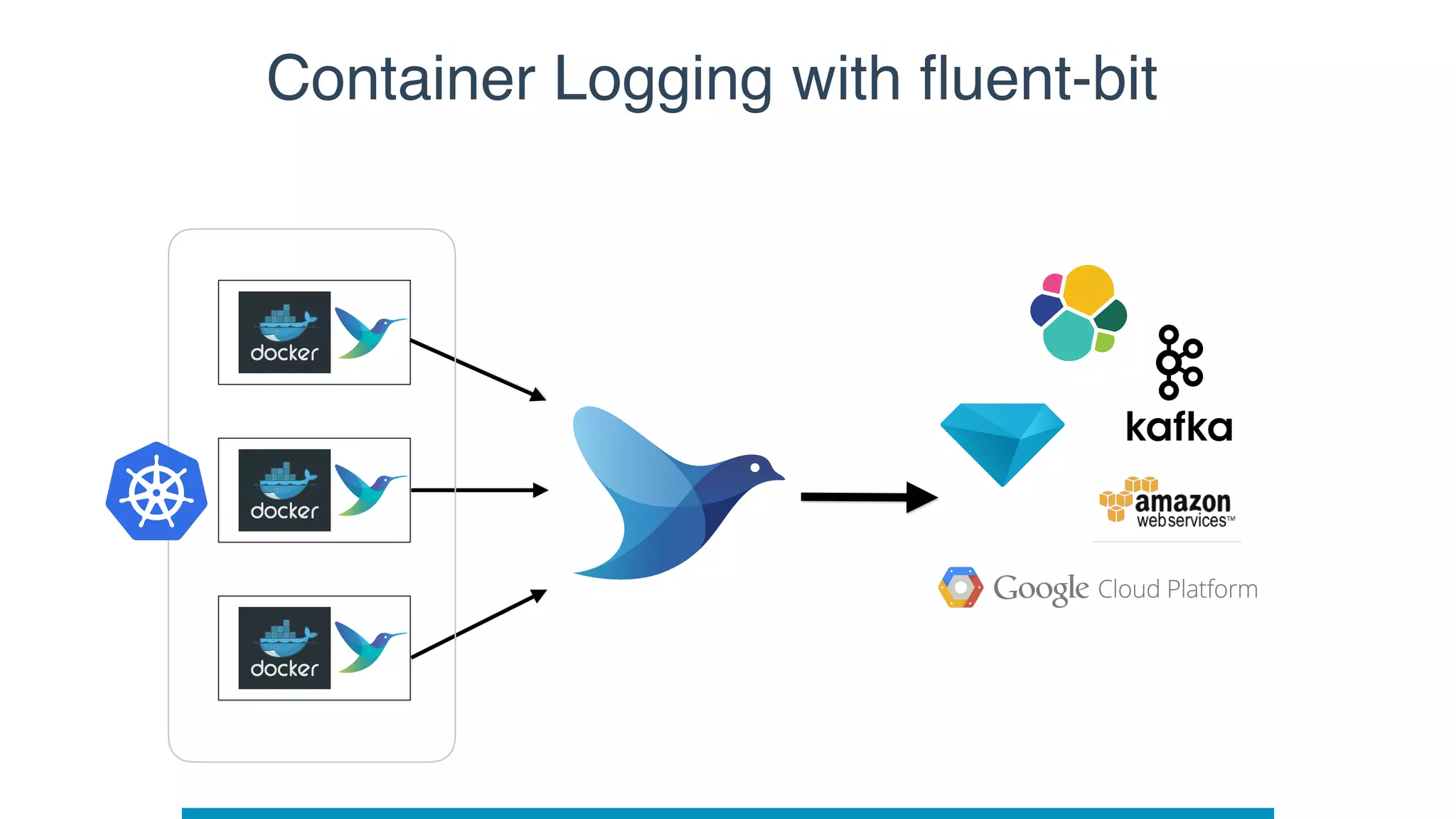
Container Logging with fluent-bit
Enjoy logging

Fluentd Project Intro at Kubecon 2019 EU

  • 1.
    Fluentd Project Intro MasahiroNakagawa
 Senior Software Engineer    CNCon / KubeCon EU Barcelona 2019
  • 2.
  • 3.
    • Streaming datacollector for unified logging • Core + Plugins • RubyGems based various plugins • Follow Ruby’s standard way • Several setup ways • https://docs.fluentd.org/installation • Latest version: v1.5.0 • Logging part in CNCF and Graduated at 2019 What’s Fluentd
  • 4.
    Streaming way withFluentd Log Server Application Server A File FileFile Application Server C File FileFile Application Server B File FileFile Low latency! Seconds or minutes Easy to analyze!! Parsed and formatted
  • 5.
  • 6.
  • 7.
    • Buffering &Retrying • Error handling • Event routing • Parallelism
 • Helper for plugins Design Core Plugins • Read / receive data • Parse data • Filter / enrich data • Buffer data • Format data • Write / send data
  • 8.
    • Nano-second unit •from logs Event structure Time Record • JSON object,
 not raw string Tag • for event routing • Identify data source { “str_field”:”hey”, “num_field”: 100, “bool_field”: true, “array_field”: [“elem1”, “elem2”]
 }
  • 9.
    Data pipeline (simplified) Plugin InputFilter Buffer Output Plugin Plugin Plugin 2018-05-01 15:15:15 myapp.buy Time Tag Record { “user”:”me”, “path”: “/buyItem”, “price”: 150, “referer”: “/landing”
 }
  • 10.
    Architecture: Input Plugins HTTP+JSON(in_http) Local files (in_tail) Syslog (in_syslog) … Receive or pull logs from data sources Emit logs to data pipeline
 Parse incoming logs for
 structured logging Plugin Input
  • 11.
    Filter Architecture: Filter Plugins Transformlogs Filter out unnecessary logs Enrich logs Plugin Modify logs (record_transformer) Filter out logs (grep) Parse field (parser) …
  • 12.
    Buffer Architecture: Buffer Plugins Plugin Improveperformance Provide reliability Provide thread-safety Memory (buf_memory) File (buf_file)
  • 13.
    Buffer Architecture: Buffer Plugins Chunk Plugin Input Output Chunk Chunk Improveperformance Provide reliability Provide thread-safety
  • 14.
    Architecture: Output Plugins Output Writeor send event logs Plugin Local File (out_file) Amazon S3 (out_s3) Forward to other fluentd (out_forward) … Sync or Async
  • 15.
  • 16.
    3rd party inputplugins dstat df AMQL munin SQL
  • 17.
    3rd party outputplugins Graphite
  • 18.
  • 19.
  • 20.
    # logs froma file <source> @type tail path /var/log/httpd.log pos_file /tmp/pos_file <parse> @type apache2 </parse> tag app.apache </source> # logs from client libraries <source> @type forward port 24224 </source> # store logs to MongoDB <match app.**> @type mongo database fluent collection logs <buffer tag> @type file path /tmp/fluentd/buffer flush_interval 30s </buffer> </match>
  • 21.
  • 22.
    # logs froma file <source> @type tail path /var/log/httpd.log pos_file /tmp/pos_file <parse> @type apache2 </parse> tag app.access </source> # logs from client libraries <source> @type forward port 24224 </source> # store logs to ES and HDFS <match app.**> @type copy <store> @type elasticsearch logstash_format true </store> <store> @type webhdfs host namenode port 50070 path /path/on/hdfs/ </store> </match>
  • 23.
    Multi-tier Forwarding - At-most-once/ At-least-once
 - HA (failover) - Load-balancing - keepalive forwarders aggregators https://www.slideshare.net/repeatedly/fluentd-and-distributed-logging-at-kubecon
  • 24.
  • 25.
  • 26.
    • Docker :fluentd-docker-image • Alpine / Debian images • x86, Arm, PowerPC, etc support by Docker official • Kubernetes : fluentd-kubernetes-daemonset • Debian images • Some built-in destinations, ES, kafka, graylog, etc… • Helm chart • https://github.com/helm/charts/tree/master/stable/fluentd Resources
  • 27.
    Docker logging with--log-driver=fluentd Server Container App FluentdSTDOUT / STDERR docker run --log-driver=fluentd 
 --log-opt fluentd-address=localhost:24224 { “container_id”: “ad6d5d32576a”, “container_name”: “myapp”, “source”: stdout } <source> @type forward </source>
  • 28.
    Data collection withfluent-logger Server Container App Fluentd from fluent import sender from fluent import event sender.setup('app.events', host='localhost') event.Event('purchase', { 'user_id': 21, 'item_id': 321, 'value': '1' }) tag = app.events.purchase { “user_id”: 21, “item_id”: 321 “value”: 1, } fluent-logger library <source> @type forward </source>
  • 29.
    Shared data volumeand tailing Server Container App Fluentd <source> @type tail path /mnt/*/access.log pos_file /var/log/fluentd/access.log.pos <parse> @type nginx </parse> tag nginx.access </source> /mnt/nginx/logs
  • 30.
    Kubernetes Daemonset Node Pod App Fluentd <source> @type tail path/var/log/containers/*.log pos_file /var/log/fluentd/access.log.pos <parse> @type json </parse> tag kubernetes.* </source> /var/log/containers
  • 31.
    Kubernetes Daemonset &metadata Node Pod App Fluentd /var/log/containers <filter kubernetes.*> @type kubernetes_metadata_filter </filter> API { "log": "hellon", "stream": "stdout", "time": "2018-12-11T12:00:00.601357200Z" } { "log": "hellon", "kubernetes": { "namespace_name": "default", "container_name": "test-app-container", "namespace_labels": {
 "product_version": "v1.0.0" } … }
  • 32.
    Container Logging approachsummary • Collect log messages with docker • --log-driver=fluentd • Application data/metrics • fluent-logger • Access logs, logs from middleware • Shared data volume with in_tail • Kubernetes Daemonset • Collect container logs from /var/log/containers/* • Add kubernetes metadata to logs
  • 33.
  • 34.
    Fluentd and Fluent-bit FluentdFluent-bit Implementation Ruby + C C Focus Flexibility and Robustness Performance and footprint Design Pluggable Pluggable Target Forwarder / Aggregator Forwarder / Edge Forward logs from fluent-bit to fluentd is popular pattern
  • 35.
  • 36.