Public/Private Interactive Wearable
Projection Display
Yuta Sugiura (Keio University)
Toby Chong (The University of Tokyo)
Wataru Kawai (The University of Tokyo)
Bruce. H Thomas (University of South Australia)
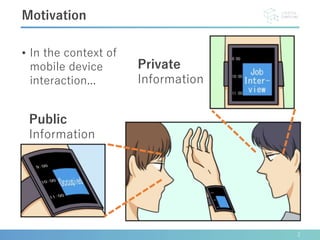
• In the context of
mobile device
interaction...
2
Motivation
Private
Information
Public
Information
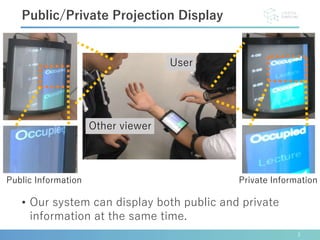
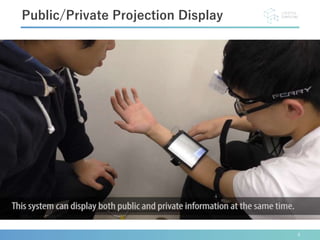
• Our system can display both public and private
information at the same time.
3
Public/Private Projection Display
Other viewer
User
Public Information Private Information
4
Public/Private Projection Display
• a
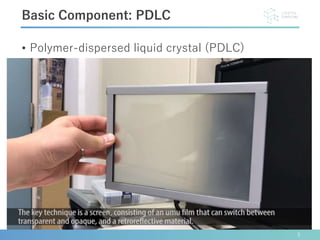
• Polymer-dispersed liquid crystal (PDLC)
5
Basic Component: PDLC
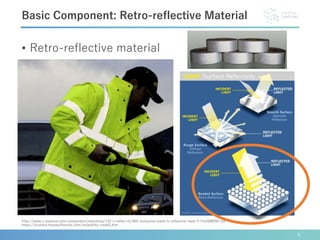
• Retro-reflective material
6
http://www.v-explore.com/component/zmaxshop/132-v-reflex-rtt/455-industrial-wash-fr-reflective-tape-rf-friw508550-ctn
https://science.howstuffworks.com/invisibility-cloak5.htm
Basic Component: Retro-reflective Material
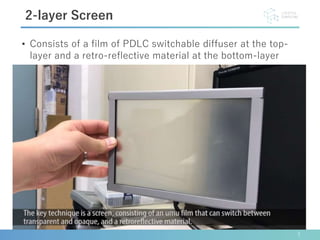
• Consists of a film of PDLC switchable diffuser at the top-
layer and a retro-reflective material at the bottom-layer
7
2-layer Screen
8
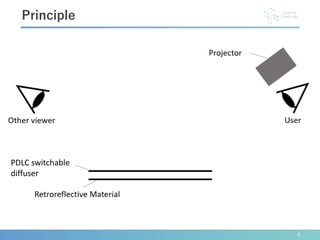
Principle
PDLC switchable
diffuser
9
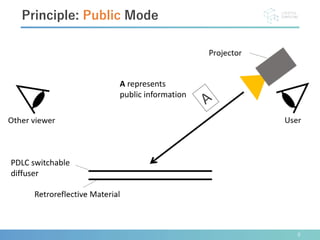
Principle: Public Mode
PDLC switchable
diffuser
A represents
public information
10
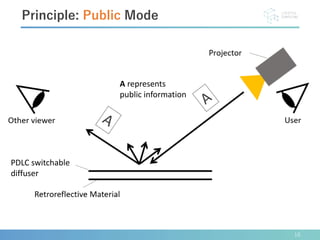
Principle: Public Mode
PDLC switchable
diffuser
A represents
public information
11
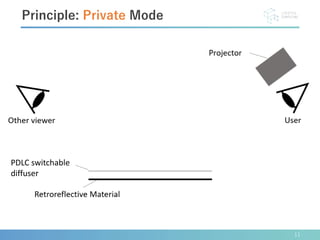
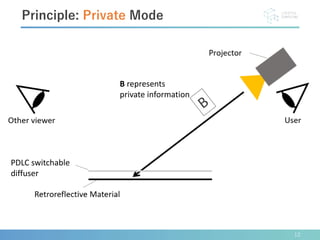
Principle: Private Mode
PDLC switchable
diffuser
12
Principle: Private Mode
PDLC switchable
diffuser
B represents
private information
13
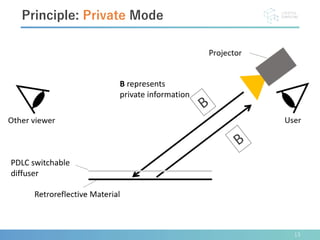
Principle: Private Mode
PDLC switchable
diffuser
B represents
private information
14
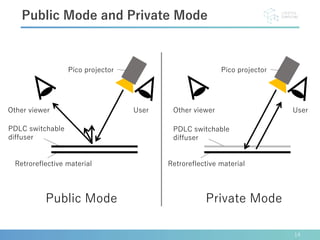
Public Mode and Private Mode
PDLC switchable
diffuser
Retroreflective material
Pico projector
Retroreflective material
Pico projector
Public Mode Private Mode
UserOther viewerOther viewer User
PDLC switchable
diffuser
15
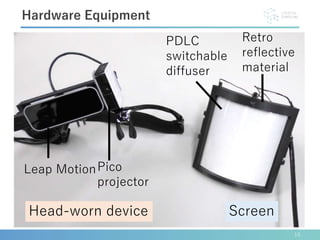
Hardware Equipment
Pico
projector
Leap Motion
Head-worn device Screen
Retro
reflective
material
PDLC
switchable
diffuser
16
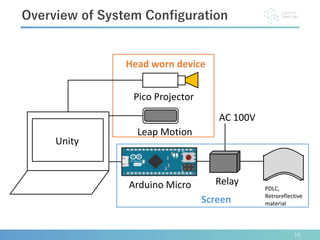
Overview of System Configuration
Arduino Micro Relay
AC 100V
Leap Motion
PDLC,
Retroreflective
material
Pico Projector
Head worn device
Screen
Unity
17
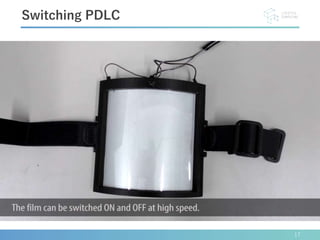
Switching PDLC
• a
18
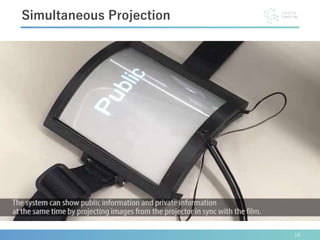
Simultaneous Projection
• a
19
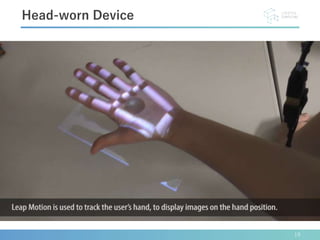
Head-worn Device
• a
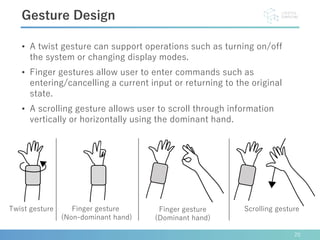
• A twist gesture can support operations such as turning on/off
the system or changing display modes.
• Finger gestures allow user to enter commands such as
entering/cancelling a current input or returning to the original
state.
• A scrolling gesture allows user to scroll through information
vertically or horizontally using the dominant hand.
20
Gesture Design
Scrolling gestureTwist gesture Finger gesture
(Dominant hand)
Finger gesture
(Non-dominant hand)
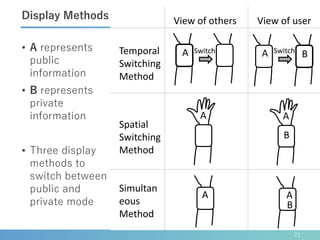
• A represents
public
information
• B represents
private
information
• Three display
methods to
switch between
public and
private mode
21
Display Methods
B
A
Switch
View of others
Temporal
Switching
Method
Spatial
Switching
Method
Simultan
eous
Method
View of user
SwitchA B
A A
B
A
A
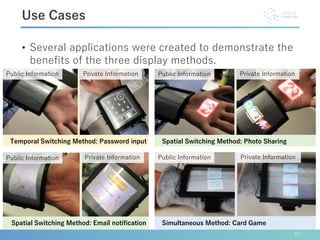
• Several applications were created to demonstrate the
benefits of the three display methods.
22
Use Cases
Public Information Private Information
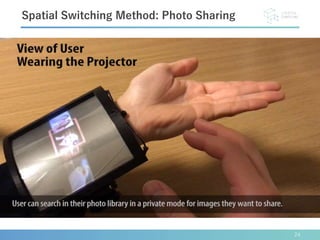
Spatial Switching Method: Photo SharingTemporal Switching Method: Password input
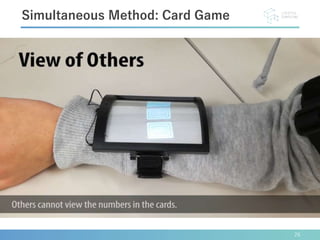
Simultaneous Method: Card Game
Public Information Private Information
Spatial Switching Method: Email notification
23
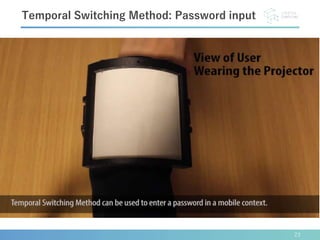
Temporal Switching Method: Password input
24
Spatial Switching Method: Photo Sharing
25
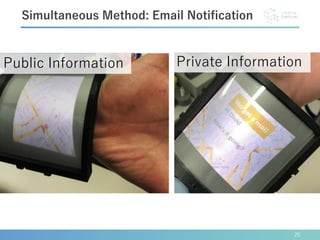
Simultaneous Method: Email Notification
• a
Public Information Private Information
26
Simultaneous Method: Card Game
• a
27
Related Work
Public/Private Display
OmniTouch [Harrison 2011] Tracs [Lindlbauer 2011]
Wearable Projector
[Smith 2008][Inami 2000]
28
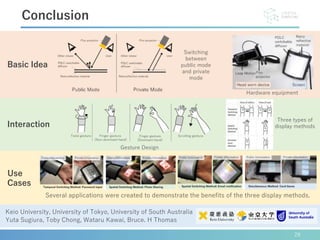
Conclusion
Keio University, University of Tokyo, University of South Australia
Yuta Sugiura, Toby Chong, Wataru Kawai, Bruce. H Thomas
Basic Idea
Interaction
Use
Cases
Switching
between
public mode
and private
mode
Hardware equipment
Gesture Design
Several applications were created to demonstrate the benefits of the three display methods.
Three types of
display methods

Public/Private Interactive Wearable Projection Display (VRCAI2018)