Dashboards Best Practice
Your presenters Year
          | Last

Yellowfin CEO, Glen Rabie


Senior Technical Consultant, Ivan Seow
Yellowfin focuses on the latter


Point
•Dot 1
•Dot 2
2 Types of BI

There is 2 types of Business Intelligence.
Point for and by the individual;
1.Analysis
•Dot 1
versus
•Dot 2
2.Productionised mass distribution of pre-
defined analysis
Yellowfin focuses on the latter


BI for
Point the BI Consumer
•Dot 1
 Yellowfin is not just an Analyst tool
•Dot 2
 Yellowfin is for the BI consumer
•A focus on what business users want
and need
•Trying to figure out how data actually
gets used in organizations
Why Dashboards?


Help
Point people to do their jobs
•Dot 1 than opening a dozen reports
1.Easier
•Dot 2
2.Summarized view of the users ‘world’
3.A simpler way to consume data
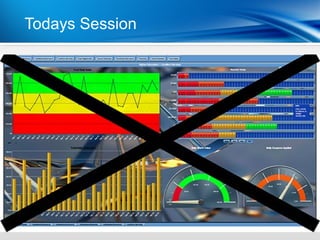
Todays Session


Point
•Dot 1
•Dot 2
Starting Out
Dashboard design and planning
Best Practice #1


  Design the dashboard
    tab for a specific
         purpose
| Functional Delivery
How will the dashboard be used?


1. Operational vs Analytical
2. Focus on a single subject area per
   tab
3. So What? Can the user act on the
   data?
Without focus… Phone Conversion
          | Smart
Best Practice #2


     Ensure data high
   consistency & quality
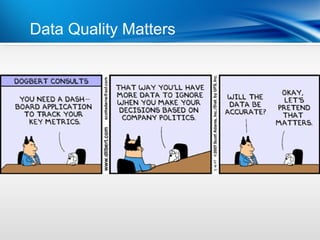
Data Quality Matters Delivery
        | Functional
Best Practice #3


    Plan well & make it
         relevant
Who is the Functional Delivery
         | dashboard for?
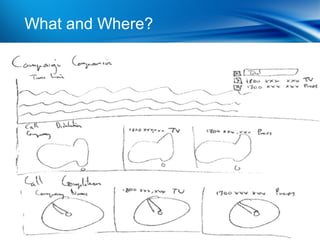
What and Where? Phone Conversion
         | Smart
Best Practice #4


     Display important
    metrics through KPI
        dashboards
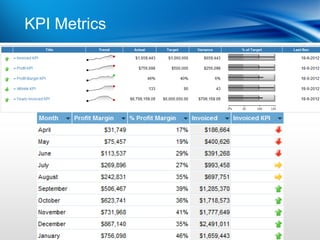
KPI Metrics Smart Phone Conversion
          |
Usage
User interaction and analysis
Best Practice #5


Start with the big picture
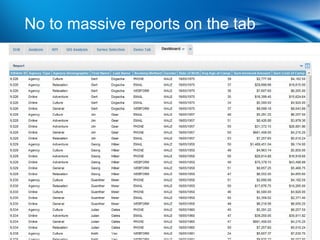
No to massive reports on Conversion
         | Smart Phone the tab
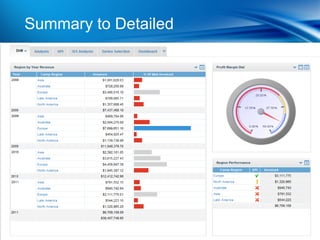
Summary toSmart Phone Conversion
        | Detailed
Best Practice #6


  Dashboards should be
       interactive
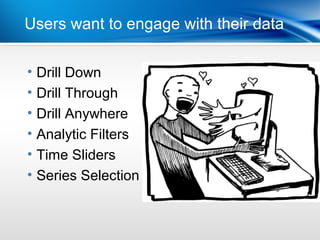
Users want to engage with their data

•   Drill Down
•   Drill Through
•   Drill Anywhere
•   Analytic Filters
•   Time Sliders
•   Series Selection
Best Practice #7


   Less is more keep it
          simple
Making it easy to consume


1. Display less reports per tab

2. Clarity & Readability

3. At-a-glance-insight

4. Performance – must be fast!
Formatting
Help the user to help themselves
Best Practice #8


Draw the users attention
  to what is important
Use color to highlight extremes
Best Practice #9


  Select layout to assist
    information flow
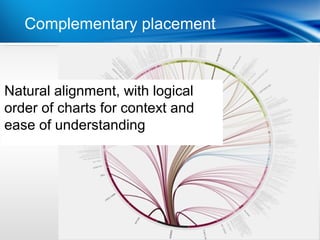
Complementary placement


Natural alignment, with logical
order of charts for context and
ease of understanding
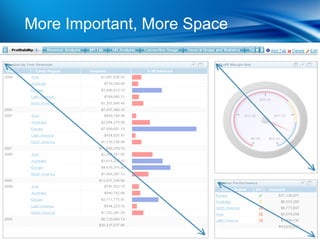
Best Practice #10


 Position & size content
   to reflect relative
       importance
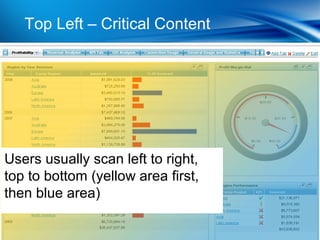
Top Left – Critical Content


Users usually scan left to right,
top to bottom (yellow area first,
then blue area)
More Important, More Space
Best Practice #11


      Pretty is not the
         objective,
     communication is!
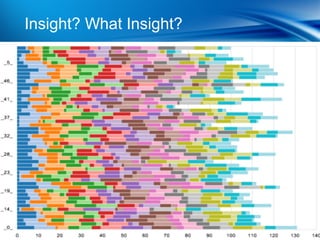
Insight? What Insight?
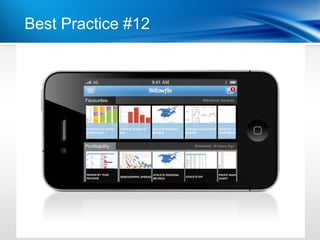
Best Practice #12


   Plan for Mobile BI &
  Device Independence
Best Practice #12
Conclusion
Questions
More InformationYear
           | Last

Yellowfin
www.yellowfinbi.com

Feedback & Questions
pr@yellowfin.bi                        @YellowfinBI


                       Yellowfin LinkedIn User Group

Yellowfin BI Dashboard Best Practices
Editor's Notes
  • #14 Is the data available? Is it accurate and consistent? Poor quality data will derail the best dashboard designs
  • #21 High level summaries (What) Zoom/Drill into detailed data (Why, Where, How)
  • #24 High level summaries (What) Zoom/Drill into detailed data (Why, Where, How)
  • #25 Stepping through Yellowfin Dashboard tab here
  • #30 Direct users ’ attention to key data (alerts, conditional formatting) Use text & colours appropriately
  • #37 Data is the center of attention Communicate the right information clearly to the user for faster decision-making Remove anything that is not central to information absorption
  • #38 Device independent Same content (author once, consume anywhere) Similar, but test for user experience