Mathematics

Playkidsgames.com
The purpose of having this tool by the
         creator of the tool
• To provide a web site that parents and kids
  can use to learn basic skills while having fun.
• It is for children in pre-school up to primary
  school years.
• They want to provide a safe place to learn
  computer skills, math skills, reading skills and
  problem solving skills in a context that is fun
  to use.
Educational values on the tool
• This website opens a new world of creative
  lessons for children.
• This software can be used at the child’s own
  pace regardless of whether at home or in the
  classroom.
• This website can improve the child’s
  vocabulary, usage of words, spellings,
  Mathematical and analytical skills.
Usage of the tool in classroom or at
                home.
• Teachers can create their own customised
  games and classroom page.
• All they have to do is login, create a classroom
  page and add their content.
• Their content will automatically show up in
  games like Pinball, Word Search and Word
  Scramble.
• Even parents, anyone can do it as well.
Suitability for young children
• Suitable for children who are ages between 3
  to 9.
• The children in the kindergarten can play
  simple games, arts, puzzles and enhancement
  of memory.
• The older children can play much more
  challenging games, arts, puzzles and be
  exposed to general knowledge.
Pedagogical approaches
• Behaviourism.
• The games are mainly drill and practice-based
  which is aimed towards strengthening the
  analytical and logical skills of the children.
• The games are based on questions and
  answers.
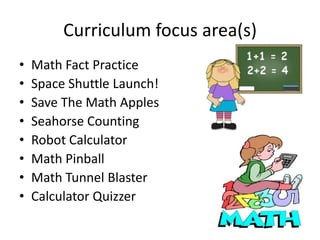
Curriculum focus area(s)
•   Math Fact Practice
•   Space Shuttle Launch!
•   Save The Math Apples
•   Seahorse Counting
•   Robot Calculator
•   Math Pinball
•   Math Tunnel Blaster
•   Calculator Quizzer
Pros and cons about the tool
PROS
• Most of the games are very good for children
  to learn.
• It has a diverse category of games.
• The overall layout of the design is creative.
Pros and cons about the tool
CONS
• Too much text.
• Macromedia Flash is an old system. It will take a
  longer time to load.
• The games section should have a big ‘click to play’
  instead of click on the picture or the link to play.
• The contrast of the colours for the action buttons
  are not sharp enough to catch the children’s
  attention.

Yct mathematics

  • 1.
  • 2.
    The purpose ofhaving this tool by the creator of the tool • To provide a web site that parents and kids can use to learn basic skills while having fun. • It is for children in pre-school up to primary school years. • They want to provide a safe place to learn computer skills, math skills, reading skills and problem solving skills in a context that is fun to use.
  • 3.
    Educational values onthe tool • This website opens a new world of creative lessons for children. • This software can be used at the child’s own pace regardless of whether at home or in the classroom. • This website can improve the child’s vocabulary, usage of words, spellings, Mathematical and analytical skills.
  • 4.
    Usage of thetool in classroom or at home. • Teachers can create their own customised games and classroom page. • All they have to do is login, create a classroom page and add their content. • Their content will automatically show up in games like Pinball, Word Search and Word Scramble. • Even parents, anyone can do it as well.
  • 5.
    Suitability for youngchildren • Suitable for children who are ages between 3 to 9. • The children in the kindergarten can play simple games, arts, puzzles and enhancement of memory. • The older children can play much more challenging games, arts, puzzles and be exposed to general knowledge.
  • 6.
    Pedagogical approaches • Behaviourism. •The games are mainly drill and practice-based which is aimed towards strengthening the analytical and logical skills of the children. • The games are based on questions and answers.
  • 7.
    Curriculum focus area(s) • Math Fact Practice • Space Shuttle Launch! • Save The Math Apples • Seahorse Counting • Robot Calculator • Math Pinball • Math Tunnel Blaster • Calculator Quizzer
  • 8.
    Pros and consabout the tool PROS • Most of the games are very good for children to learn. • It has a diverse category of games. • The overall layout of the design is creative.
  • 9.
    Pros and consabout the tool CONS • Too much text. • Macromedia Flash is an old system. It will take a longer time to load. • The games section should have a big ‘click to play’ instead of click on the picture or the link to play. • The contrast of the colours for the action buttons are not sharp enough to catch the children’s attention.