XSLT 3 for EPUB and Print
Liam Quin
Delightful Computing
ebookcraft 2019/Logistics
– Restrooms
– Breaks
– Refreshments
ebookcraft 2019/Schedule
●
This is all about using XSLT 3;
●
It’s a lot of fun
●
Are you in the right place? Of course you are!
Agenda
●
Introductions;
●
Background: XML, XPath, XSLT
●
Version Two: XQuery, XSD, Maturity
●
Version Three: Floods of Joy
●
Helpful Resources
●
Discussion & Doing Together
Introductions
●
I’m Liam Quin, former XML Activity lead at
W3C, background in digital typography,
programming, computer science, information
architecture. See www.delightfulcomputing.com
.
●
More important: who are you? Who is using
XSLT? Who isn’t? Who is making ebooks?
What’s XSLT
●
Functional Programming Language
●
Super Easy and Fun
●
Domain-Specific Language for Trees
●
Text Processing without programming
●
Batch way to convert tons of stuff to other stuff!
●
W3C Standard: books, tutorials, people
Functional Programming Language
●
Don’t be intimidated, you can ignore this slide.
●
Buzzword compliance: referential transparency,
lambda expressions, declarative, implicit
dispatch, domain-specific language…
●
The only important one: declarative…
Declarative Programming
●
It’s about telling the computer the result you
want, and letting the computer figure out how to
get there all by itself!
●
As opposed to imperative languages (Python,
Java, C, JavaScript, …) where you have to say
how to get there but never describe the result.
The Computer is Your Happy Slave
●
Is it really programming if the computer does
the hard parts?
●
Yes, but you don’t have to be a programmer!
●
It is as powerful as an imperative language?
●
Yes, and it’s ideally suited for ebooks!
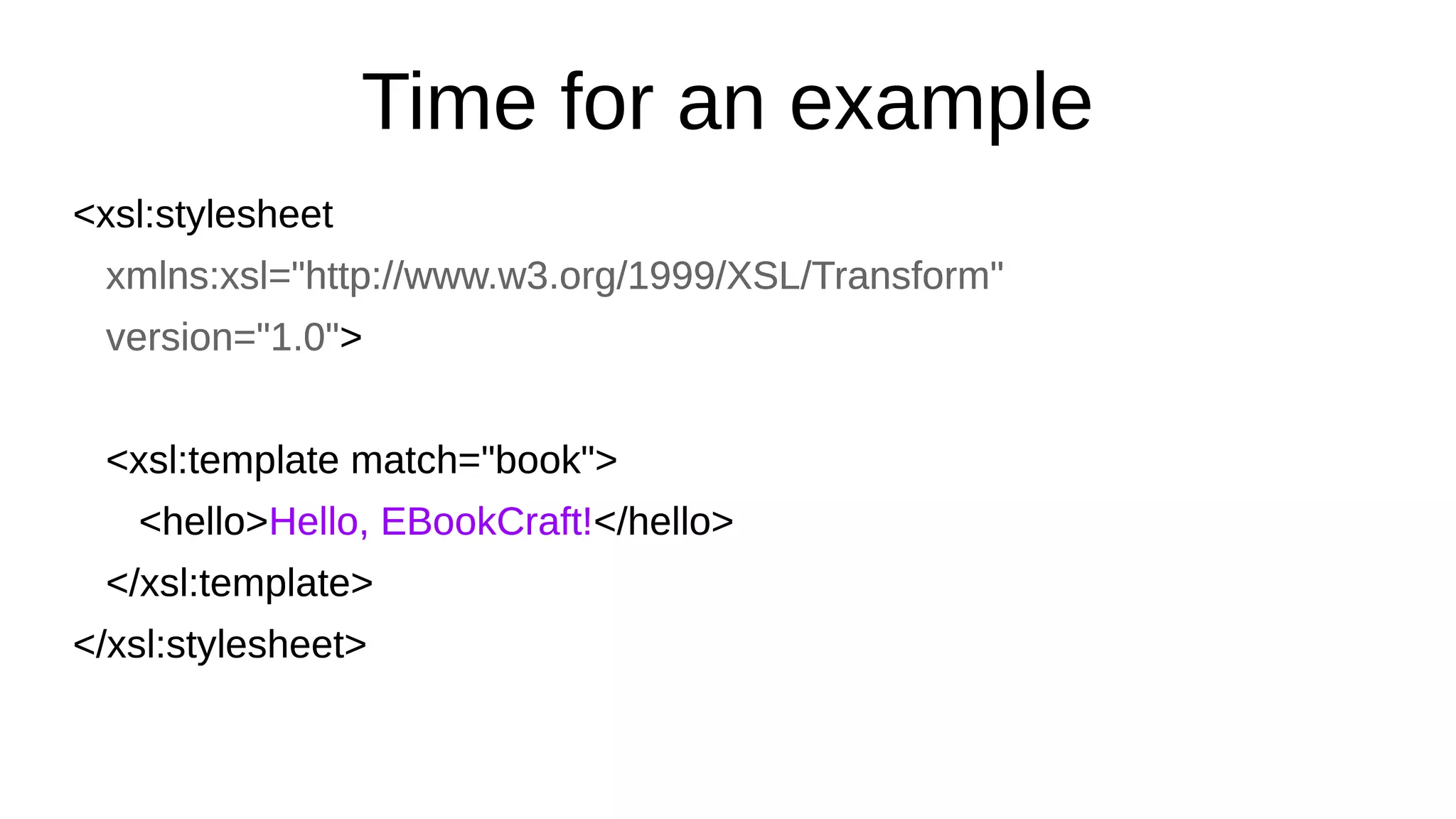
Time for an example
<xsl:stylesheet
xmlns:xsl="http://www.w3.org/1999/XSL/Transform"
version="1.0">
<xsl:template match="book">
<hello>Hello, EBookCraft!</hello>
</xsl:template>
</xsl:stylesheet>
<xsl:stylesheet
xmlns:xsl="http://www.w3.org/1999/XSL/Transform"
version="1.0">
<xsl:template match="book">
<hello>Hello, EBookCraft!</hello>
</xsl:template>
</xsl:stylesheet>
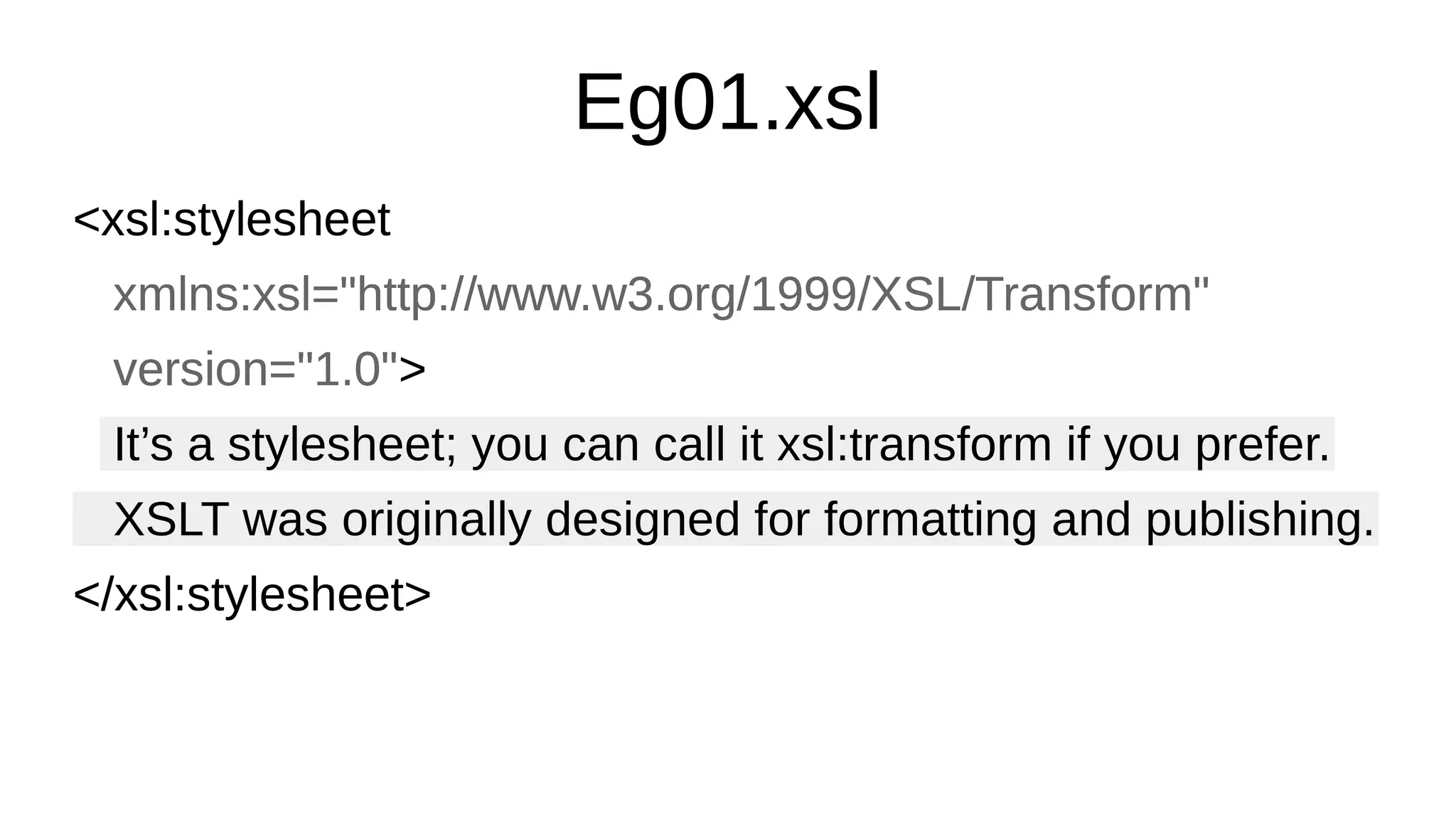
Eg01.xsl
<xsl:stylesheet
xmlns:xsl="http://www.w3.org/1999/XSL/Transform"
version="1.0">
It’s a stylesheet; you can call it xsl:transform if you prefer.
XSLT was originally designed for formatting and publishing.
</xsl:stylesheet>
<xsl:stylesheet
xmlns:xsl="http://www.w3.org/1999/XSL/Transform"
version="1.0">
It’s a stylesheet; you can call it xsl:transform if you prefer.
XSLT was originally designed for formatting and publishing.
</xsl:stylesheet>
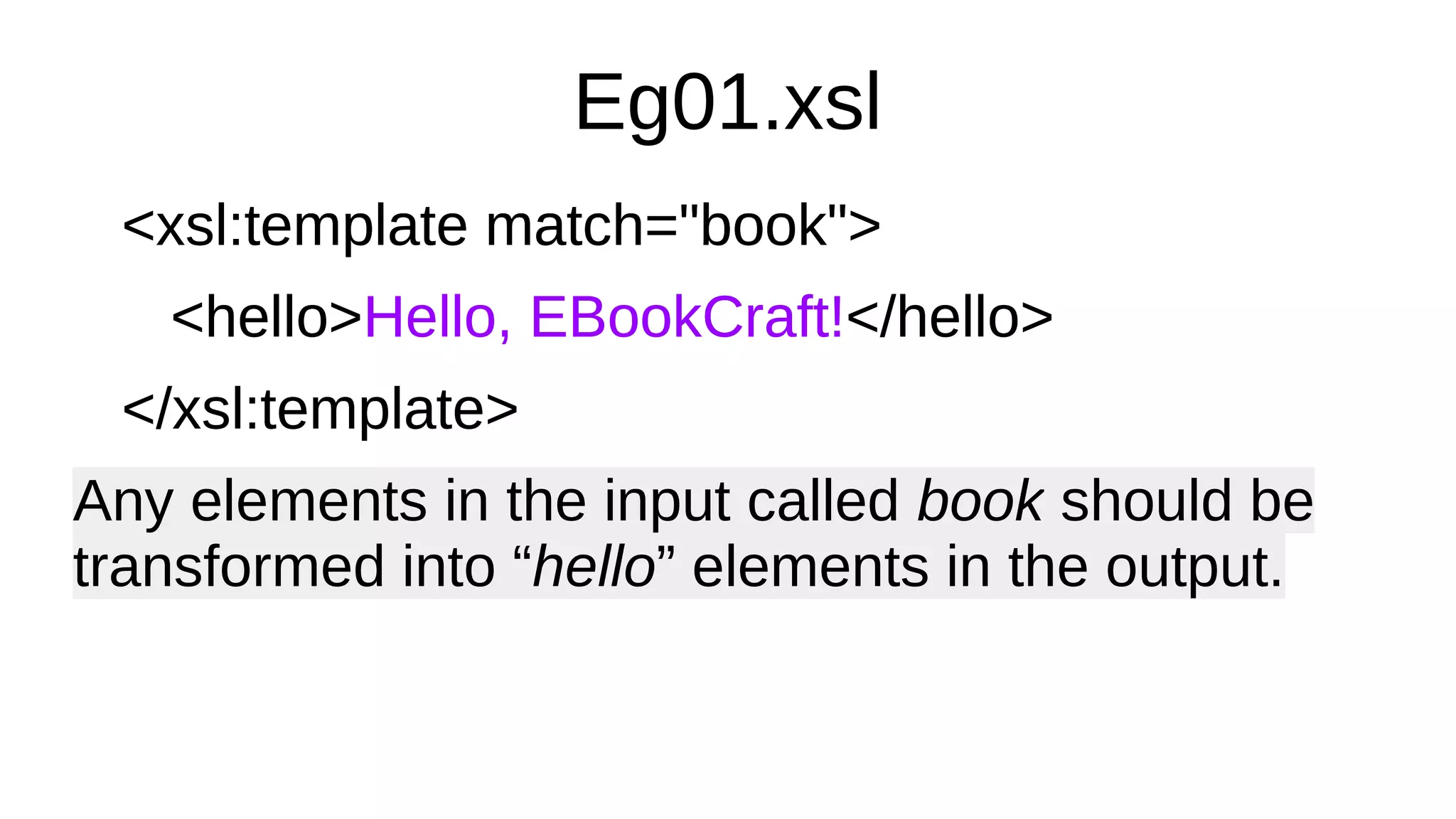
Eg01.xsl
<xsl:template match="book">
<hello>Hello, EBookCraft!</hello>
</xsl:template>
Any elements in the input called book should be
transformed into “hello” elements in the output.
<xsl:template match="book">
<hello>Hello, EBookCraft!</hello>
</xsl:template>
Any elements in the input called book should be
transformed into “hello” elements in the output.
Run the example
Domain-specific language
●
XSLT uses an XML syntax overall;
●
Expressions are in a W3C language called
XPath;
●
XPath has functions, data types, operators,
if/else, but most importantly it’s a domain-
specific language itself! For navigating trees!
●
This is so awesome!
Some sample XPath expressions
(: this is a comment, between smiles! :)
/book/chapter[3]/footnote
A list of all footnotes in the third chapter element
(//table//td[. = 300]/following-sibling::td)[1]
The first in a list of td elements with the same parent
as, and following, a td with content of 300
somewhere in a table!
Talk about Trees
Computer Science Trees
●
Computer scientists all live in basements with no
windows, and we think trees grow down from the
ground, with the roots at the top and the leaves
far, far, beneath our feet.
●
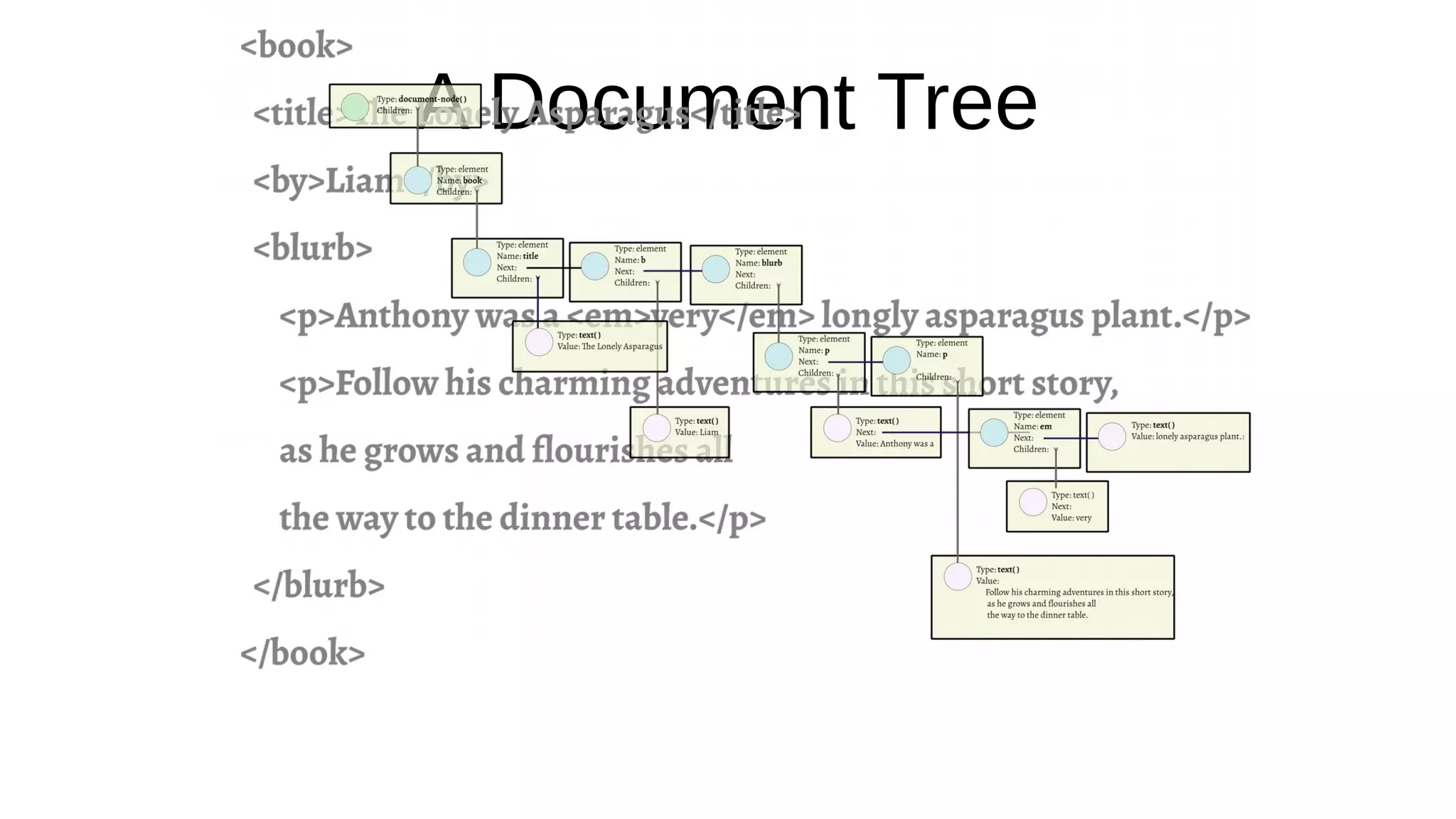
A tree is a way of representing information in a
computer: as a hierarchy.
●
Maybe computer scientists can’t spell hier… um?
A Document Tree
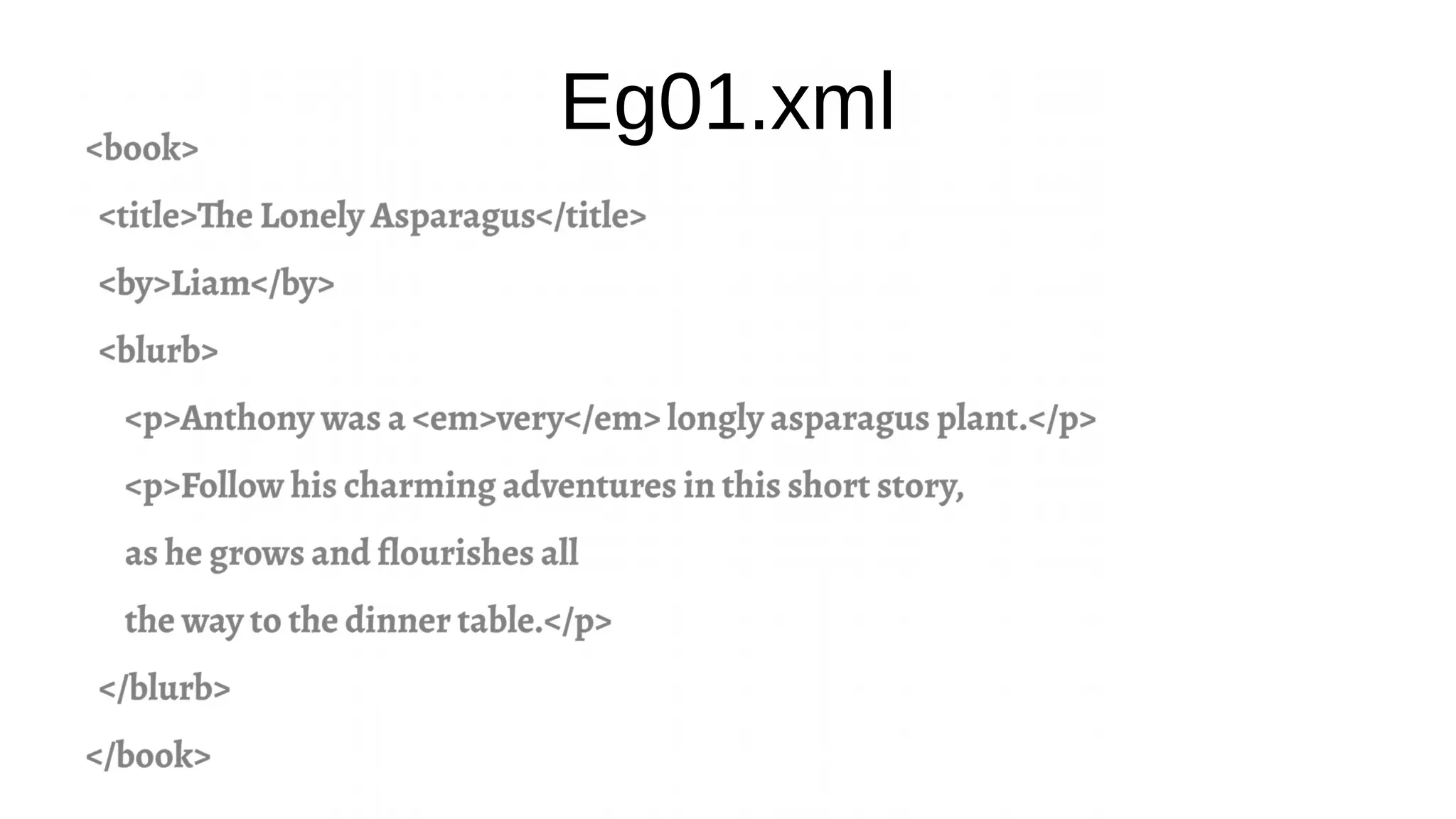
Eg01.xml
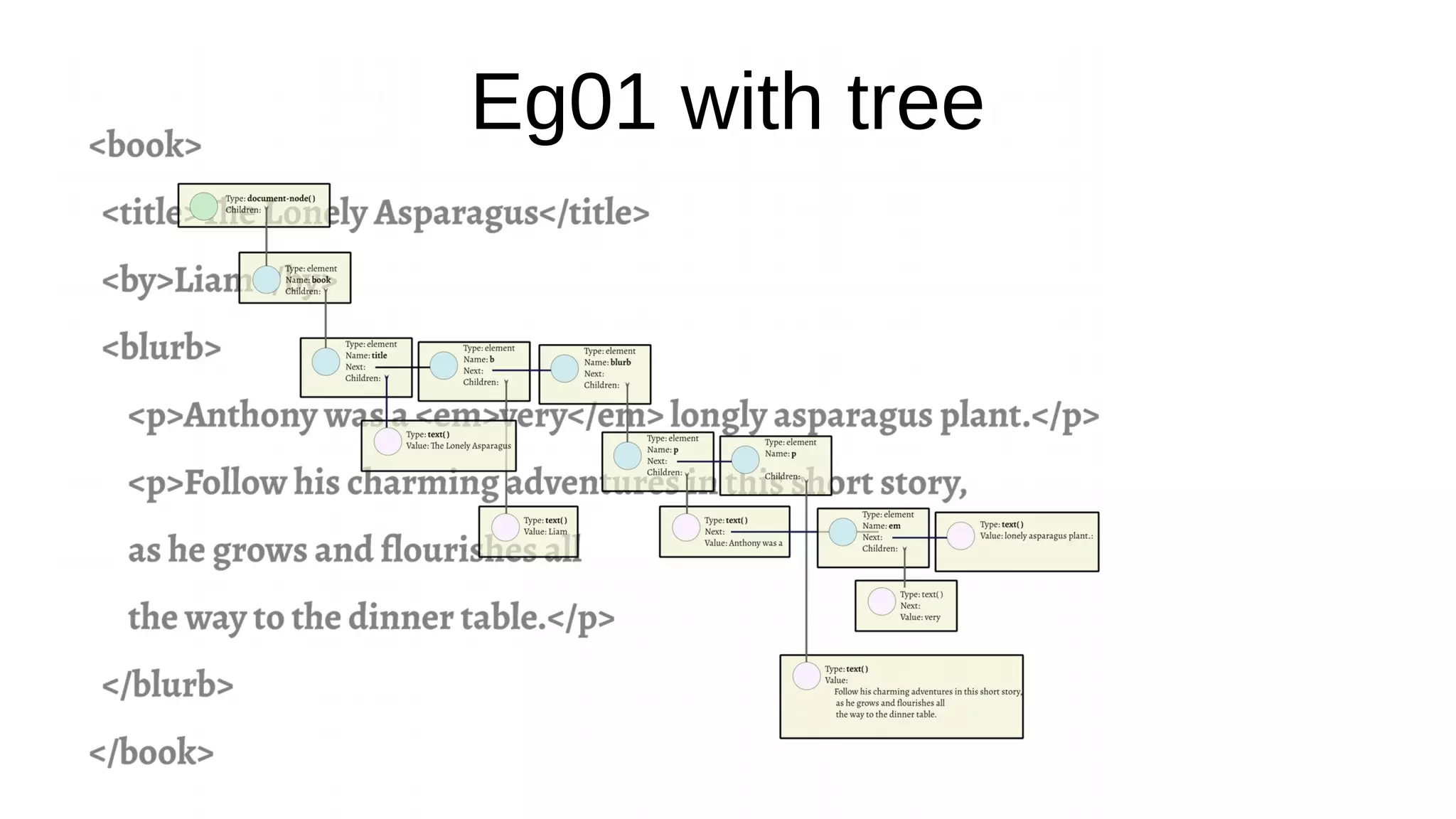
Eg01 with tree
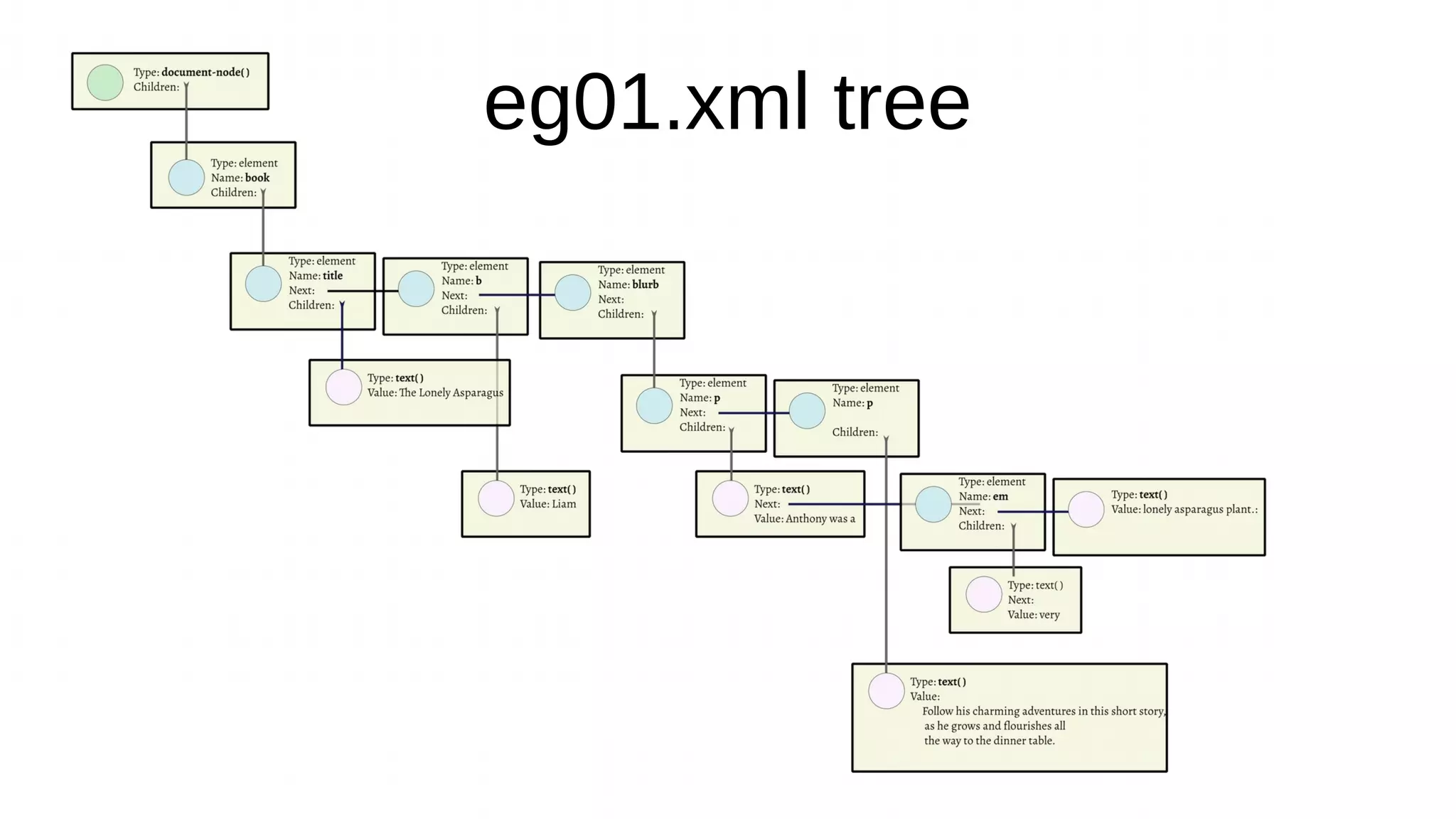
eg01.xml tree
It’s all about Relationships
●
XPath axes are not about “Turtle Graphics” but
about the relationships between nodes in the
tree.
●
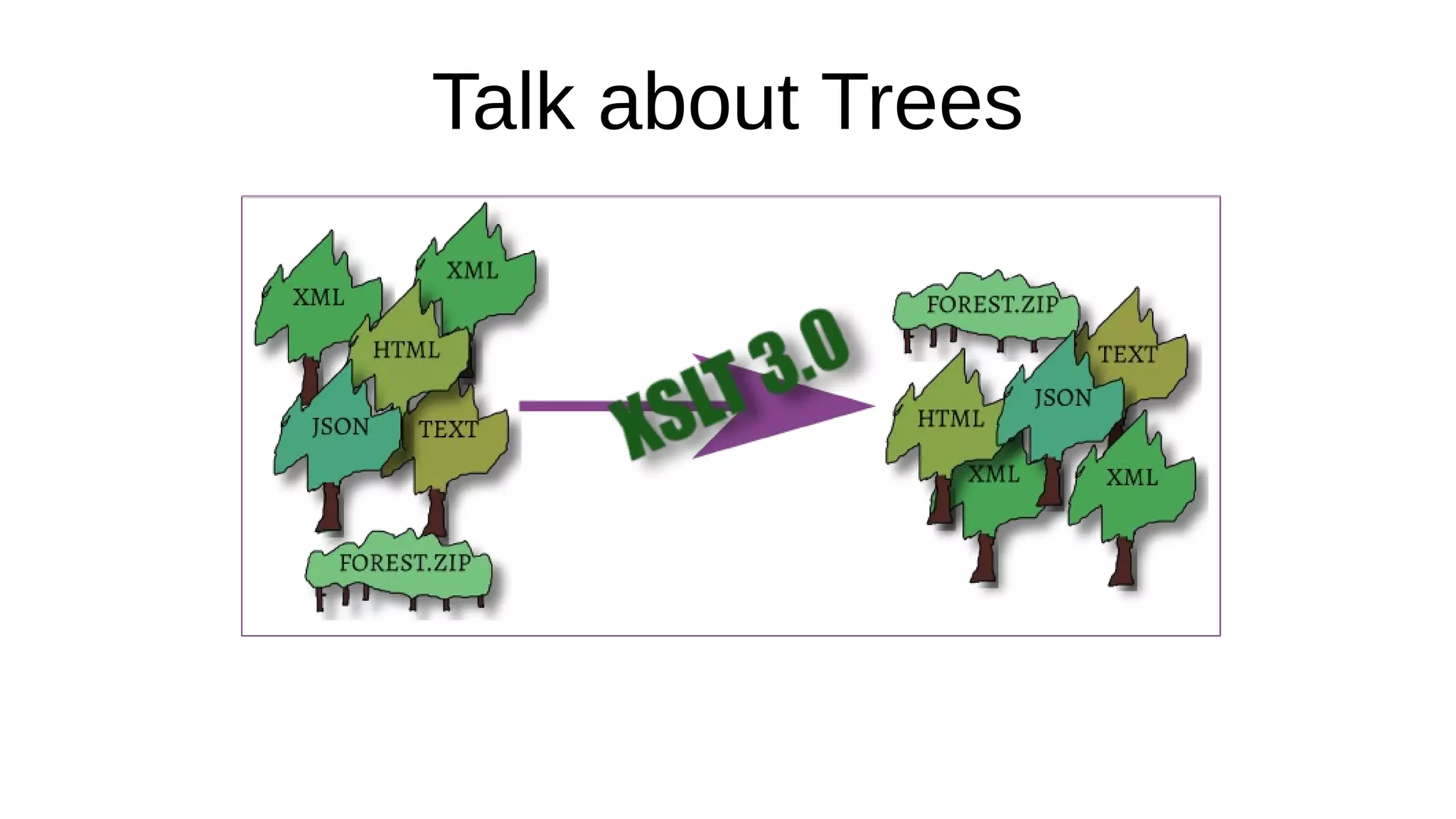
Our tree came from XML. In XSLT 3 it might
have come from JSON or even RDF.
●
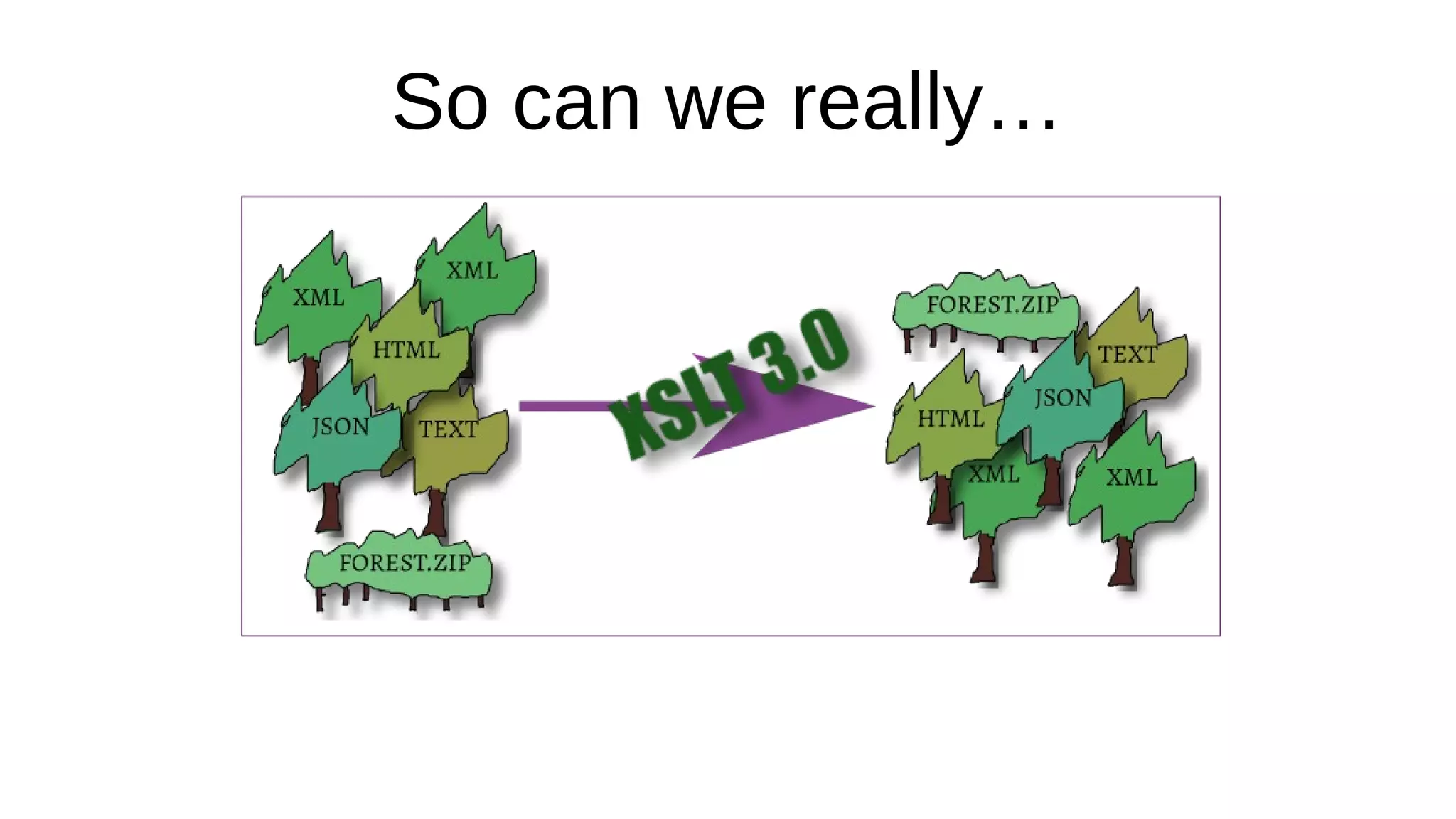
There can be many trees in a forest.
XSLT 3 Inputs
●
Default input is still a single XML file;
●
A different SAX parser might read e.g. HTML;
●
Can now read binary file, text and JSON;
●
EXPath extension functions can read ZIP;
●
Can make a tree from XML in a ZIP archive!
●
A W E S O M E N E S S I N C A R N A T E
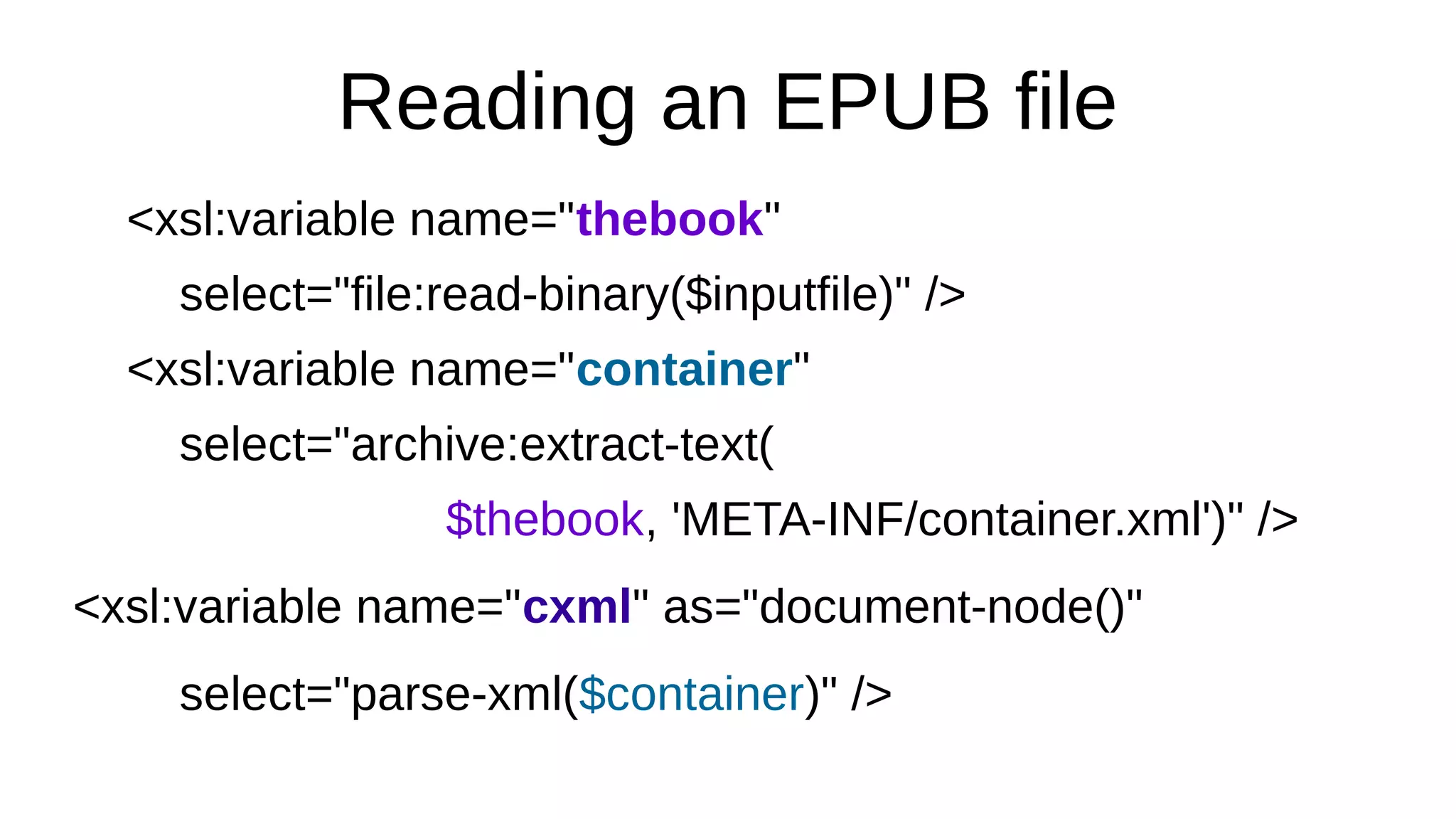
Reading an EPUB file
<xsl:variable name="thebook"
select="file:read-binary($inputfile)" />
<xsl:variable name="container"
select="archive:extract-text(
$thebook, 'META-INF/container.xml')" />
<xsl:variable name="cxml" as="document-node()"
select="parse-xml($container)" />
Reminder
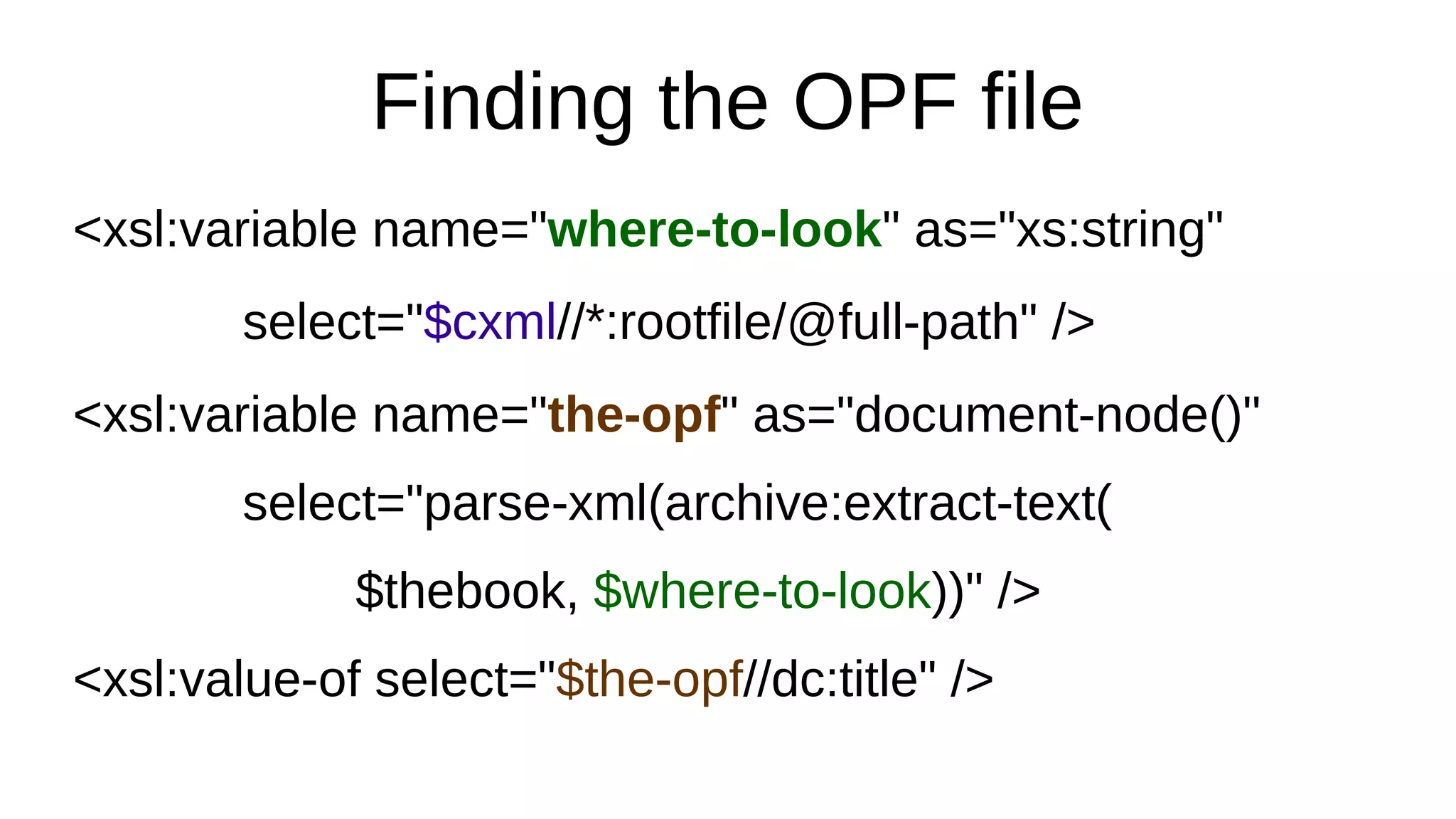
Finding the OPF file
<xsl:variable name="where-to-look" as="xs:string"
select="$cxml//*:rootfile/@full-path" />
<xsl:variable name="the-opf" as="document-node()"
select="parse-xml(archive:extract-text(
$thebook, $where-to-look))" />
<xsl:value-of select="$the-opf//dc:title" />
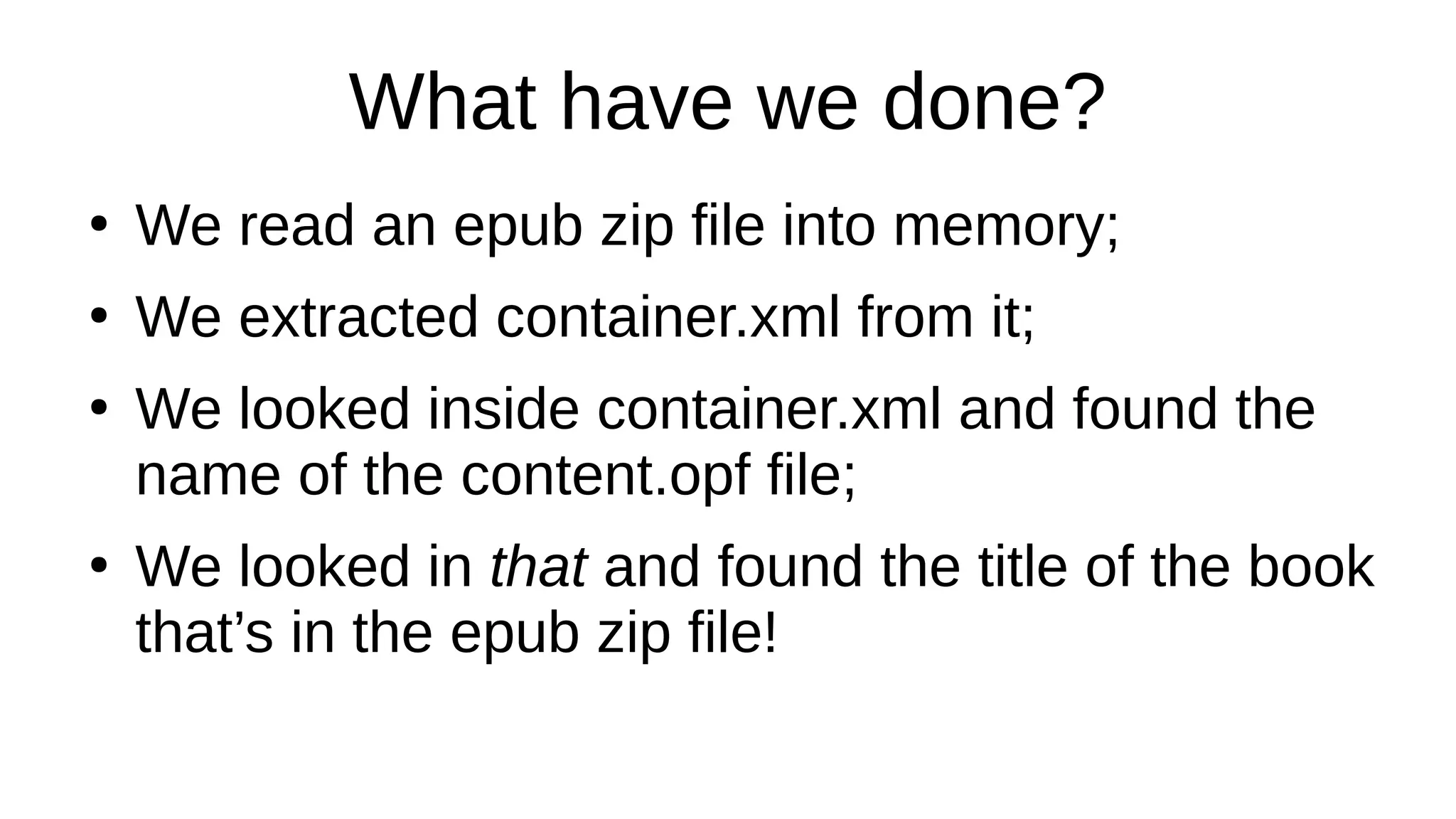
What have we done?
●
We read an epub zip file into memory;
●
We extracted container.xml from it;
●
We looked inside container.xml and found the
name of the content.opf file;
●
We looked in that and found the title of the book
that’s in the epub zip file!
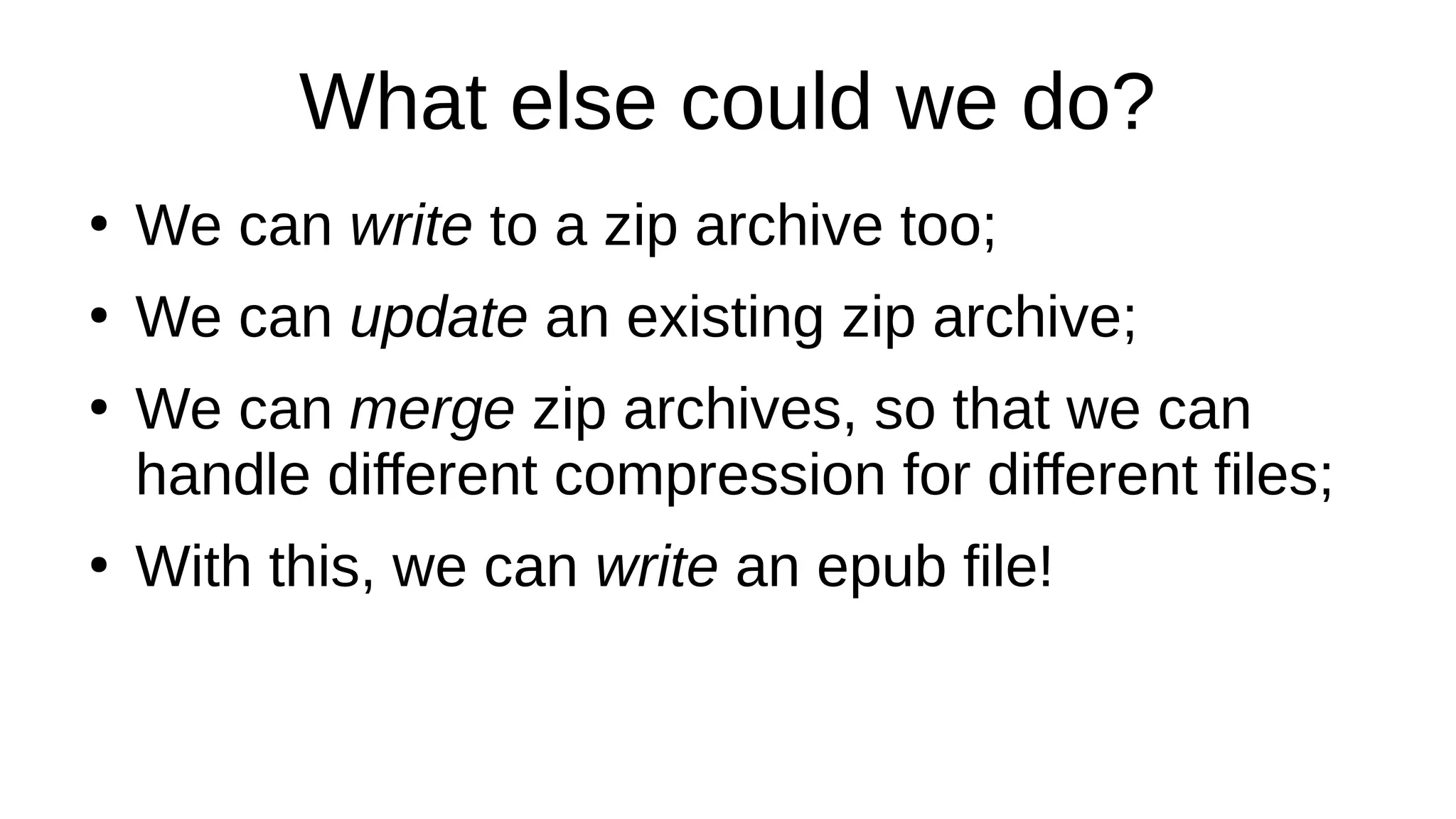
What else could we do?
●
We can write to a zip archive too;
●
We can update an existing zip archive;
●
We can merge zip archives, so that we can
handle different compression for different files;
●
With this, we can write an epub file!
Asweome Moreness!
The single most important new feature in
XSLT 3
Is called . . .
Are You Ready?
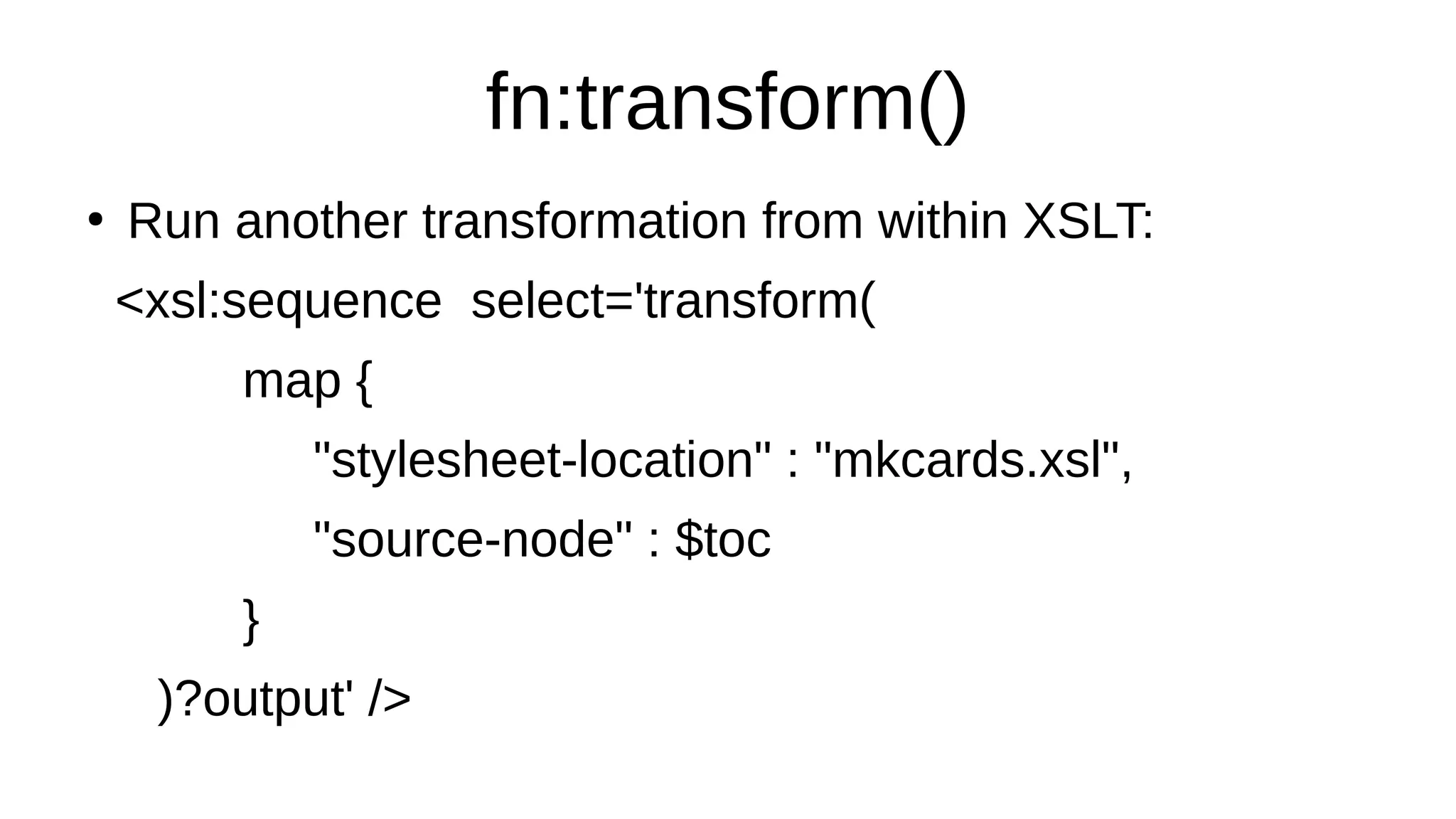
fn:transform()
●
Run another transformation from within XSLT:
<xsl:sequence select='transform(
map {
"stylesheet-location" : "mkcards.xsl",
"source-node" : $toc
}
)?output' />
Maps
●
Before we can understand fn:tranform we need
to grok maps and arrays
●
Arrays are in XPath 3.1, maps in 3.0 and 3.1
●
Array: let $a := [ 4, 5, 6 ] return $a(1)
●
Let $b := map { "venue" : "Toronto", "coolness" :
11 } return $b?”venue”
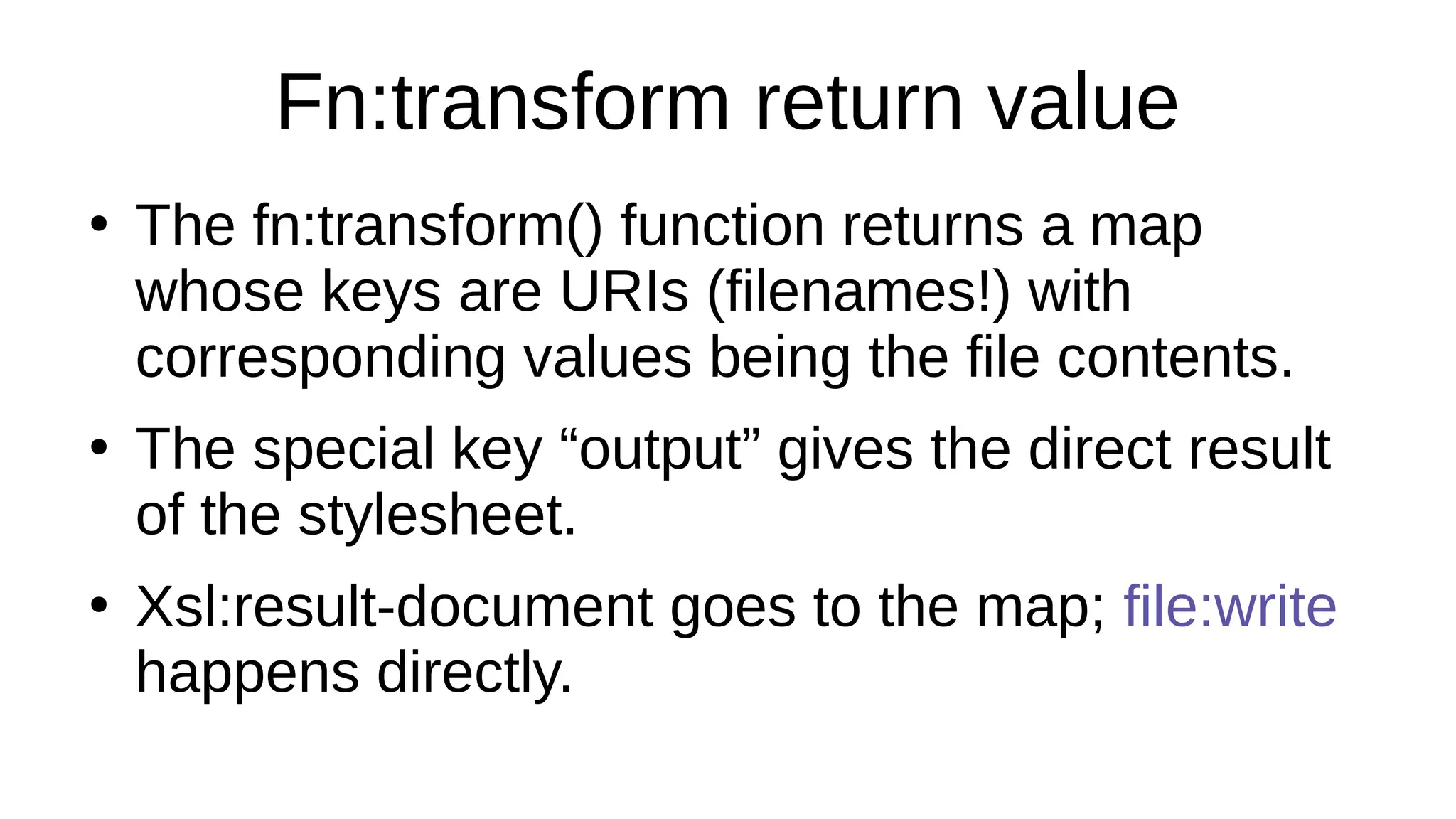
Fn:transform return value
●
The fn:transform() function returns a map
whose keys are URIs (filenames!) with
corresponding values being the file contents.
●
The special key “output” gives the direct result
of the stylesheet.
●
Xsl:result-document goes to the map; file:write
happens directly.
So What?
●
XSLT 3 can read an epub file, write an epub file,
read and write JSON, XML, HTML, text,
images, zip archives…
●
You don’t need external scripts or pipelines to
make ebooks any more! One stylesheet! And
it’s not even very complicated.
All-XSLT advantages
●
Character encodings are handled in the Web
way at every stage;
●
Namespace URIs, XHTML syntax, consistent
treatment of text..
●
Same person can maintain entire workflow;
●
XSLT is a domain-specific language for markup!
So can we really…
…write zip files?
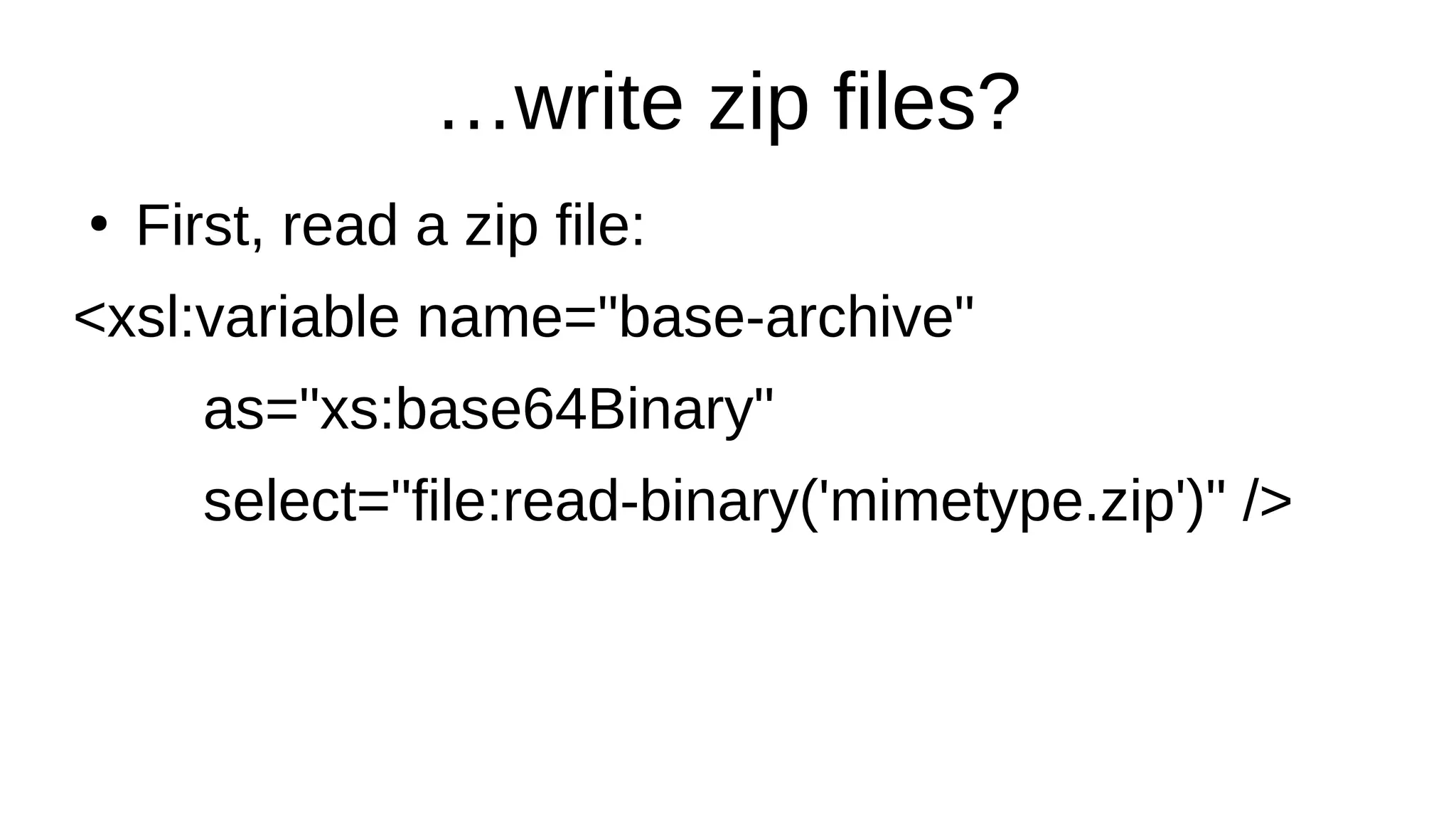
●
First, read a zip file:
<xsl:variable name="base-archive"
as="xs:base64Binary"
select="file:read-binary('mimetype.zip')" />
…zip ties are fun…
●
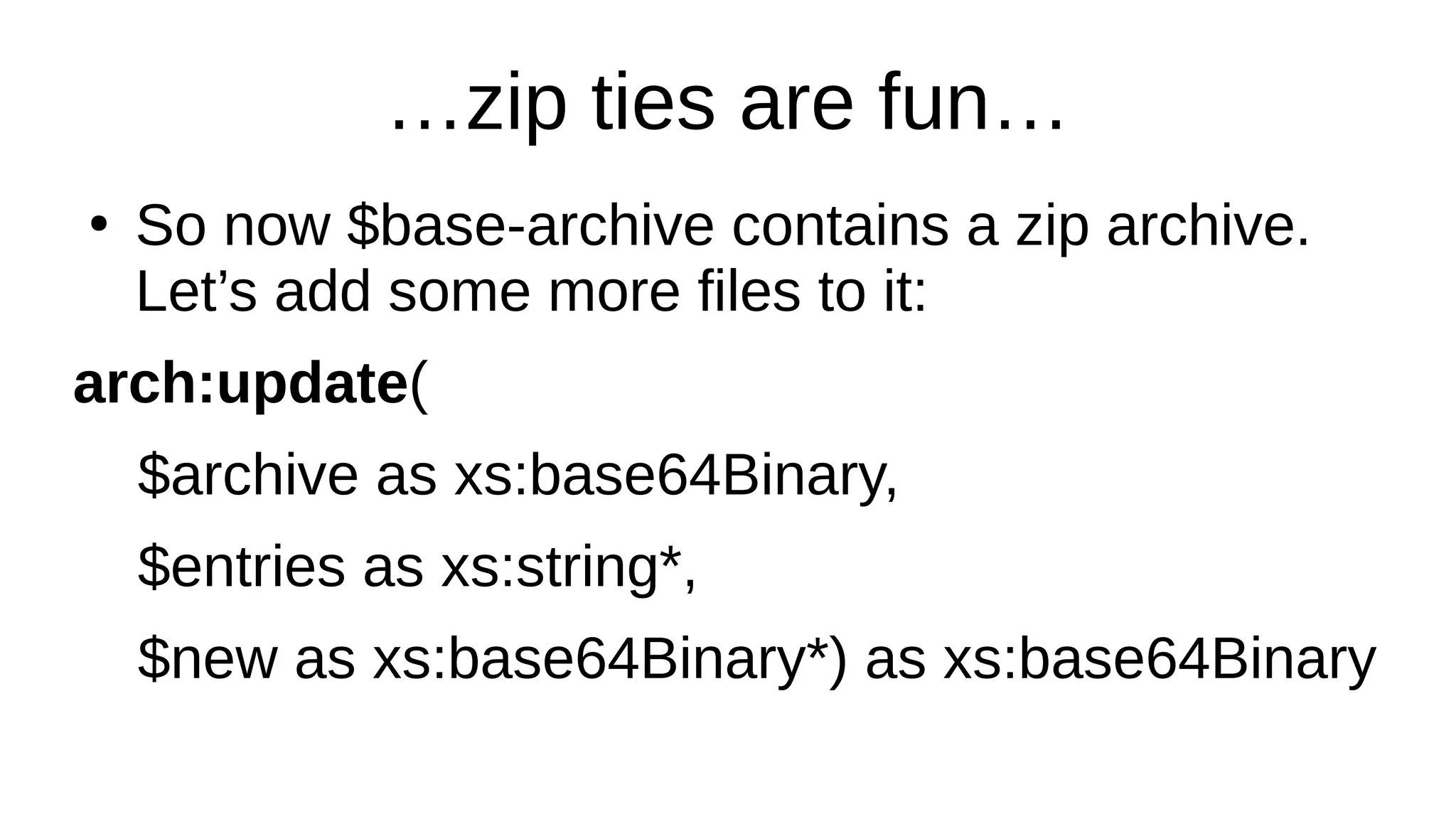
So now $base-archive contains a zip archive.
Let’s add some more files to it:
arch:update(
$archive as xs:base64Binary,
$entries as xs:string*,
$new as xs:base64Binary*) as xs:base64Binary
Zippitty doohdah
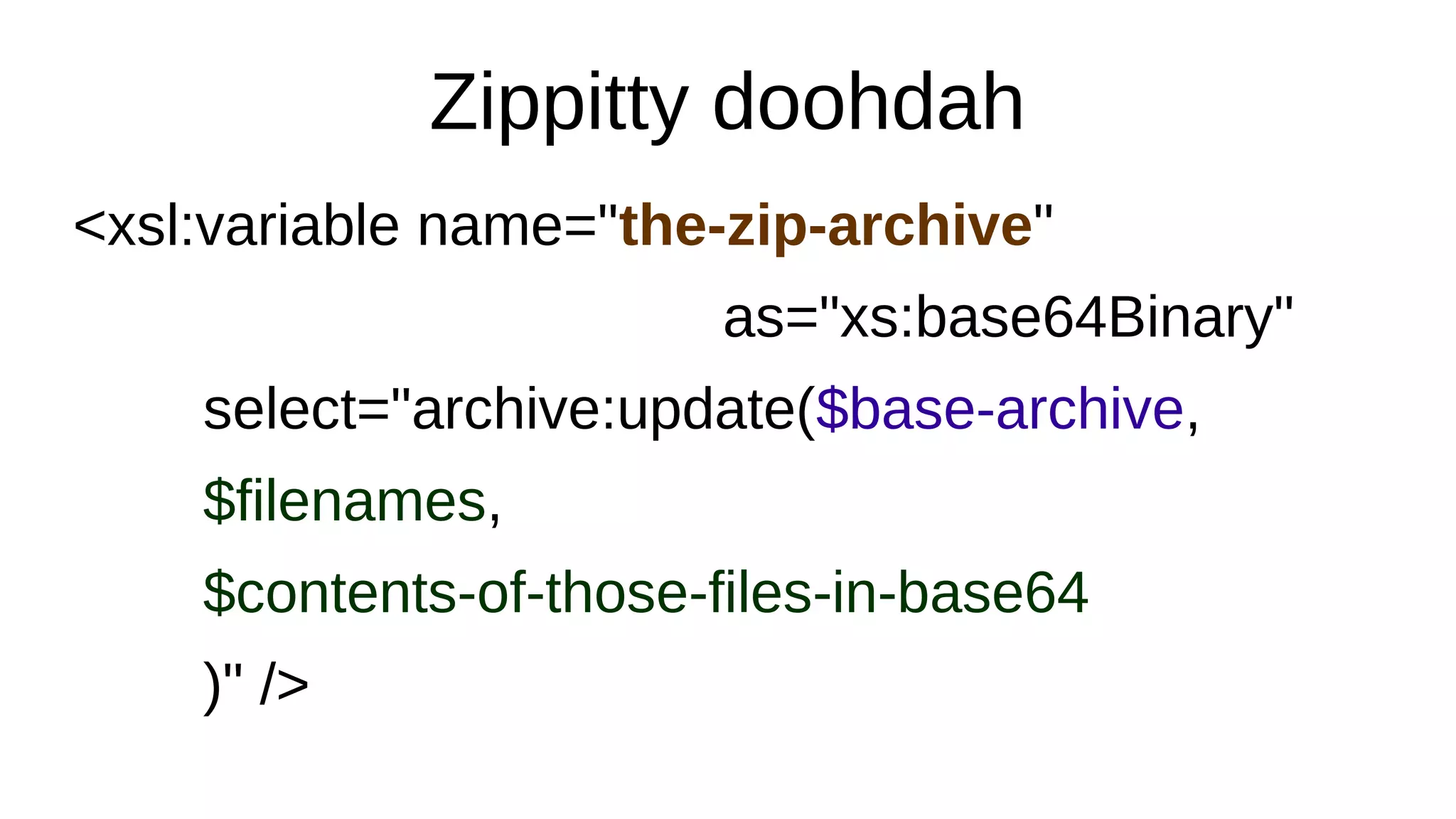
<xsl:variable name="the-zip-archive"
as="xs:base64Binary"
select="archive:update($base-archive,
$filenames,
$contents-of-those-files-in-base64
)" />
Zippitty doohdah
<xsl:variable name="the-zip-archive"
as="xs:base64Binary"
select="archive:update($base-archive,
$name-value-list[ ( position() mod 2) eq 1 ],
$name-value-list[ ( position() mod 2) eq 0 ]
)" />
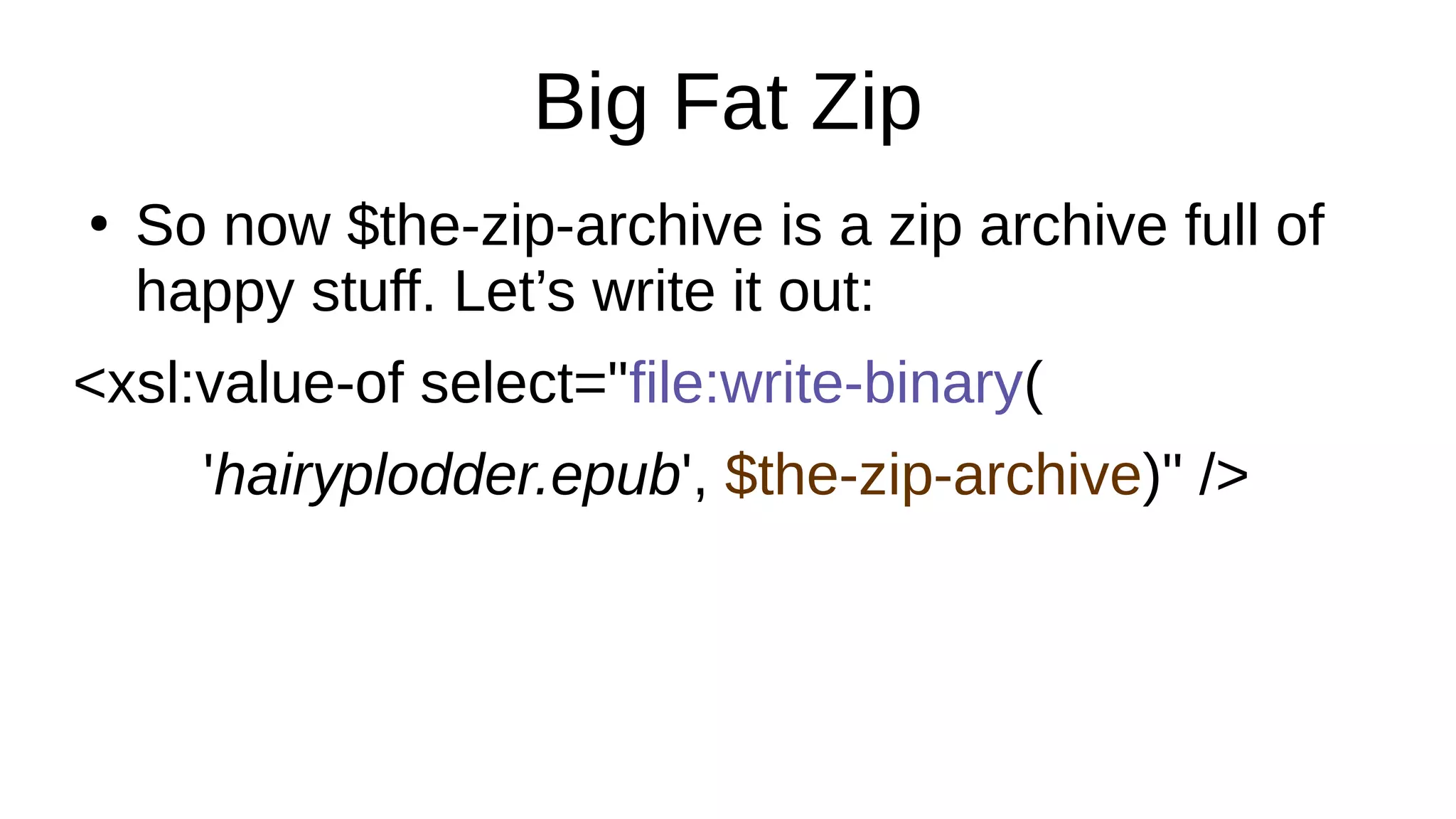
Big Fat Zip
●
So now $the-zip-archive is a zip archive full of
happy stuff. Let’s write it out:
<xsl:value-of select="file:write-binary(
'hairyplodder.epub', $the-zip-archive)" />
Time to rest for a moment
XSLT 3 More Betterness
●
Parse-xml(), parse-json(), serialize();
●
Lots of new functions;
●
More regular expression support;
●
Contains-token() for HTML class attributes;
●
HTML 5 output (read HTML e.g. with TagSoup)
●
Parse-date() helps with metadata
not(xslt = boring)
●
R

XSLT 3 for EPUB and Print - Liam R.E. Quin (Barefoot Computing) - ebookcraft 2019

  • 1.
    XSLT 3 forEPUB and Print Liam Quin Delightful Computing
  • 2.
  • 3.
    ebookcraft 2019/Schedule ● This isall about using XSLT 3; ● It’s a lot of fun ● Are you in the right place? Of course you are!
  • 4.
    Agenda ● Introductions; ● Background: XML, XPath,XSLT ● Version Two: XQuery, XSD, Maturity ● Version Three: Floods of Joy ● Helpful Resources ● Discussion & Doing Together
  • 5.
    Introductions ● I’m Liam Quin,former XML Activity lead at W3C, background in digital typography, programming, computer science, information architecture. See www.delightfulcomputing.com . ● More important: who are you? Who is using XSLT? Who isn’t? Who is making ebooks?
  • 6.
    What’s XSLT ● Functional ProgrammingLanguage ● Super Easy and Fun ● Domain-Specific Language for Trees ● Text Processing without programming ● Batch way to convert tons of stuff to other stuff! ● W3C Standard: books, tutorials, people
  • 7.
    Functional Programming Language ● Don’tbe intimidated, you can ignore this slide. ● Buzzword compliance: referential transparency, lambda expressions, declarative, implicit dispatch, domain-specific language… ● The only important one: declarative…
  • 8.
    Declarative Programming ● It’s abouttelling the computer the result you want, and letting the computer figure out how to get there all by itself! ● As opposed to imperative languages (Python, Java, C, JavaScript, …) where you have to say how to get there but never describe the result.
  • 9.
    The Computer isYour Happy Slave ● Is it really programming if the computer does the hard parts? ● Yes, but you don’t have to be a programmer! ● It is as powerful as an imperative language? ● Yes, and it’s ideally suited for ebooks!
  • 10.
    Time for anexample <xsl:stylesheet xmlns:xsl="http://www.w3.org/1999/XSL/Transform" version="1.0"> <xsl:template match="book"> <hello>Hello, EBookCraft!</hello> </xsl:template> </xsl:stylesheet> <xsl:stylesheet xmlns:xsl="http://www.w3.org/1999/XSL/Transform" version="1.0"> <xsl:template match="book"> <hello>Hello, EBookCraft!</hello> </xsl:template> </xsl:stylesheet>
  • 11.
    Eg01.xsl <xsl:stylesheet xmlns:xsl="http://www.w3.org/1999/XSL/Transform" version="1.0"> It’s a stylesheet;you can call it xsl:transform if you prefer. XSLT was originally designed for formatting and publishing. </xsl:stylesheet> <xsl:stylesheet xmlns:xsl="http://www.w3.org/1999/XSL/Transform" version="1.0"> It’s a stylesheet; you can call it xsl:transform if you prefer. XSLT was originally designed for formatting and publishing. </xsl:stylesheet>
  • 12.
    Eg01.xsl <xsl:template match="book"> <hello>Hello, EBookCraft!</hello> </xsl:template> Anyelements in the input called book should be transformed into “hello” elements in the output. <xsl:template match="book"> <hello>Hello, EBookCraft!</hello> </xsl:template> Any elements in the input called book should be transformed into “hello” elements in the output.
  • 13.
  • 14.
    Domain-specific language ● XSLT usesan XML syntax overall; ● Expressions are in a W3C language called XPath; ● XPath has functions, data types, operators, if/else, but most importantly it’s a domain- specific language itself! For navigating trees! ● This is so awesome!
  • 15.
    Some sample XPathexpressions (: this is a comment, between smiles! :) /book/chapter[3]/footnote A list of all footnotes in the third chapter element (//table//td[. = 300]/following-sibling::td)[1] The first in a list of td elements with the same parent as, and following, a td with content of 300 somewhere in a table!
  • 16.
  • 17.
    Computer Science Trees ● Computerscientists all live in basements with no windows, and we think trees grow down from the ground, with the roots at the top and the leaves far, far, beneath our feet. ● A tree is a way of representing information in a computer: as a hierarchy. ● Maybe computer scientists can’t spell hier… um?
  • 18.
  • 19.
  • 20.
  • 21.
  • 22.
    It’s all aboutRelationships ● XPath axes are not about “Turtle Graphics” but about the relationships between nodes in the tree. ● Our tree came from XML. In XSLT 3 it might have come from JSON or even RDF. ● There can be many trees in a forest.
  • 23.
    XSLT 3 Inputs ● Defaultinput is still a single XML file; ● A different SAX parser might read e.g. HTML; ● Can now read binary file, text and JSON; ● EXPath extension functions can read ZIP; ● Can make a tree from XML in a ZIP archive! ● A W E S O M E N E S S I N C A R N A T E
  • 24.
    Reading an EPUBfile <xsl:variable name="thebook" select="file:read-binary($inputfile)" /> <xsl:variable name="container" select="archive:extract-text( $thebook, 'META-INF/container.xml')" /> <xsl:variable name="cxml" as="document-node()" select="parse-xml($container)" />
  • 25.
  • 26.
    Finding the OPFfile <xsl:variable name="where-to-look" as="xs:string" select="$cxml//*:rootfile/@full-path" /> <xsl:variable name="the-opf" as="document-node()" select="parse-xml(archive:extract-text( $thebook, $where-to-look))" /> <xsl:value-of select="$the-opf//dc:title" />
  • 27.
    What have wedone? ● We read an epub zip file into memory; ● We extracted container.xml from it; ● We looked inside container.xml and found the name of the content.opf file; ● We looked in that and found the title of the book that’s in the epub zip file!
  • 28.
    What else couldwe do? ● We can write to a zip archive too; ● We can update an existing zip archive; ● We can merge zip archives, so that we can handle different compression for different files; ● With this, we can write an epub file!
  • 29.
    Asweome Moreness! The singlemost important new feature in XSLT 3 Is called . . .
  • 30.
  • 31.
    fn:transform() ● Run another transformationfrom within XSLT: <xsl:sequence select='transform( map { "stylesheet-location" : "mkcards.xsl", "source-node" : $toc } )?output' />
  • 32.
    Maps ● Before we canunderstand fn:tranform we need to grok maps and arrays ● Arrays are in XPath 3.1, maps in 3.0 and 3.1 ● Array: let $a := [ 4, 5, 6 ] return $a(1) ● Let $b := map { "venue" : "Toronto", "coolness" : 11 } return $b?”venue”
  • 33.
    Fn:transform return value ● Thefn:transform() function returns a map whose keys are URIs (filenames!) with corresponding values being the file contents. ● The special key “output” gives the direct result of the stylesheet. ● Xsl:result-document goes to the map; file:write happens directly.
  • 34.
    So What? ● XSLT 3can read an epub file, write an epub file, read and write JSON, XML, HTML, text, images, zip archives… ● You don’t need external scripts or pipelines to make ebooks any more! One stylesheet! And it’s not even very complicated.
  • 35.
    All-XSLT advantages ● Character encodingsare handled in the Web way at every stage; ● Namespace URIs, XHTML syntax, consistent treatment of text.. ● Same person can maintain entire workflow; ● XSLT is a domain-specific language for markup!
  • 36.
    So can wereally…
  • 37.
    …write zip files? ● First,read a zip file: <xsl:variable name="base-archive" as="xs:base64Binary" select="file:read-binary('mimetype.zip')" />
  • 38.
    …zip ties arefun… ● So now $base-archive contains a zip archive. Let’s add some more files to it: arch:update( $archive as xs:base64Binary, $entries as xs:string*, $new as xs:base64Binary*) as xs:base64Binary
  • 39.
  • 40.
  • 41.
    Big Fat Zip ● Sonow $the-zip-archive is a zip archive full of happy stuff. Let’s write it out: <xsl:value-of select="file:write-binary( 'hairyplodder.epub', $the-zip-archive)" />
  • 42.
    Time to restfor a moment
  • 43.
    XSLT 3 MoreBetterness ● Parse-xml(), parse-json(), serialize(); ● Lots of new functions; ● More regular expression support; ● Contains-token() for HTML class attributes; ● HTML 5 output (read HTML e.g. with TagSoup) ● Parse-date() helps with metadata
  • 44.