A INFORMATORY MINI 
E-BOOK BY 
XOVEX.IN
WHAT IS
UX, &
UI ?
To the average person, user interface
(UI) and user experience (UX) are
often considered one in the same.
While one can’t live without the other,
there are some distinct differences
that should not be confused. Think of
it like this:
UI is the saddle, the stirrups, and the
reigns.
UX is the feeling you get being able to
ride the horse and rope your cattle.
Interface & Experience To put it simply,
UI design is the section of the product
(typically a website or application)
facing the user. User interface is focused
on the actual elements the user interacts
with, including menus, dialog boxes,
icons, images and animations. It does not
address details such as how the user
reacts to the system, remembers the
system and re-uses it.
Commercial designers recognize that
systems (webpages and apps) easier to
use will a competitive edge in terms of
information retrieval...and personal
computer applications.
In the process of online consumption, the
most important interface design is the
design of the website Some of the most
important things that make up a
flawless user interface that contributes
to a great user experience are:
What is UI?
Staying consistent. Staying consistent
throughout your website or app will
help create a sense of harmony and
balance, leaving your website and
users in a zen state. Disorganized
interfaces, i.e., interfaces that contain
too many fonts, irrelevant and
misplaced graphics, or navigation
icons placed halfway or near the
bottom of the page will leave a user
feeling confused, frustrated, and
unable to find the information they are
looking for.
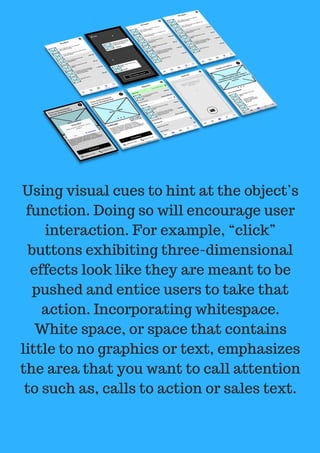
Using visual cues to hint at the object’s
function. Doing so will encourage user
interaction. For example, “click”
buttons exhibiting three-dimensional
effects look like they are meant to be
pushed and entice users to take that
action. Incorporating whitespace.
White space, or space that contains
little to no graphics or text, emphasizes
the area that you want to call attention
to such as, calls to action or sales text.
Including well-placed images can help
users make quick decisions and increase
comprehension. Consider that the
average user leaves a web page in 10-20
seconds, this can make or break your
ability to convey your point. Key Points
to Remember When Designing a User
Interface
*The appearance of the website as a
whole influenced by the UI. *The UI
controls how the user navigates the
website to find the information they
need. *A website’s interface is where
the user makes contact with a product.
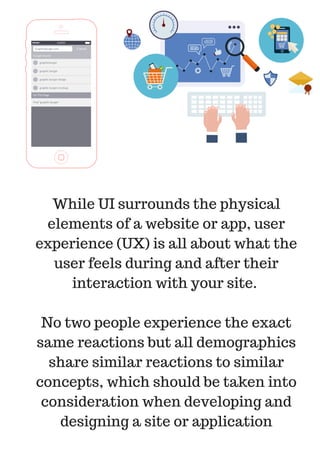
While UI surrounds the physical
elements of a website or app, user
experience (UX) is all about what the
user feels during and after their
interaction with your site.
No two people experience the exact
same reactions but all demographics
share similar reactions to similar
concepts, which should be taken into
consideration when developing and
designing a site or application
• Direct and simple--do not overload
users with information. Less is more--
but do the less well.
• Satisfying expectations--a UX needs
to be visually appealing but balanced,
pleasantly interactive and emotionally
gratifying.
• Personal but within acceptable
boundaries—A UX professional should
focus on meeting each user’s needs by
designing adaptive interfaces for
different peripheral locations .
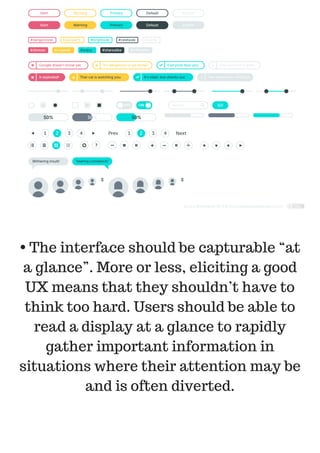
• The interface should be capturable “at
a glance”. More or less, eliciting a good
UX means that they shouldn’t have to
think too hard. Users should be able to
read a display at a glance to rapidly
gather important information in
situations where their attention may be
and is often diverted.
• Minimizing settings, options and
tasks--optimizing UX means including
“rest areas” for users to achieve the
desired goals of the interface. Avoid
overloading users with intense displays
of information that require too much
thinking.
If you’re interested in learning more
about UI/ UX, The Humane Interface is
a great place to start.
MADE WITH LOVE,
BY
XOVEX.IN
A CUSTOMER EDUCATION
INITIATIVE

Xovex e book, ux & ui

  • 1.
    A INFORMATORY MINI  E-BOOKBY  XOVEX.IN WHAT IS UX, & UI ?
  • 2.
    To the averageperson, user interface (UI) and user experience (UX) are often considered one in the same. While one can’t live without the other, there are some distinct differences that should not be confused. Think of it like this: UI is the saddle, the stirrups, and the reigns.
  • 3.
    UX is thefeeling you get being able to ride the horse and rope your cattle. Interface & Experience To put it simply, UI design is the section of the product (typically a website or application) facing the user. User interface is focused on the actual elements the user interacts with, including menus, dialog boxes, icons, images and animations. It does not address details such as how the user reacts to the system, remembers the system and re-uses it.
  • 4.
    Commercial designers recognizethat systems (webpages and apps) easier to use will a competitive edge in terms of information retrieval...and personal computer applications. In the process of online consumption, the most important interface design is the design of the website Some of the most important things that make up a flawless user interface that contributes to a great user experience are:
  • 5.
    What is UI? Stayingconsistent. Staying consistent throughout your website or app will help create a sense of harmony and balance, leaving your website and users in a zen state. Disorganized interfaces, i.e., interfaces that contain too many fonts, irrelevant and misplaced graphics, or navigation icons placed halfway or near the bottom of the page will leave a user feeling confused, frustrated, and unable to find the information they are looking for.
  • 6.
    Using visual cuesto hint at the object’s function. Doing so will encourage user interaction. For example, “click” buttons exhibiting three-dimensional effects look like they are meant to be pushed and entice users to take that action. Incorporating whitespace. White space, or space that contains little to no graphics or text, emphasizes the area that you want to call attention to such as, calls to action or sales text.
  • 7.
    Including well-placed imagescan help users make quick decisions and increase comprehension. Consider that the average user leaves a web page in 10-20 seconds, this can make or break your ability to convey your point. Key Points to Remember When Designing a User Interface *The appearance of the website as a whole influenced by the UI. *The UI controls how the user navigates the website to find the information they need. *A website’s interface is where the user makes contact with a product.
  • 8.
    While UI surroundsthe physical elements of a website or app, user experience (UX) is all about what the user feels during and after their interaction with your site. No two people experience the exact same reactions but all demographics share similar reactions to similar concepts, which should be taken into consideration when developing and designing a site or application
  • 9.
    • Direct andsimple--do not overload users with information. Less is more-- but do the less well. • Satisfying expectations--a UX needs to be visually appealing but balanced, pleasantly interactive and emotionally gratifying. • Personal but within acceptable boundaries—A UX professional should focus on meeting each user’s needs by designing adaptive interfaces for different peripheral locations .
  • 10.
    • The interfaceshould be capturable “at a glance”. More or less, eliciting a good UX means that they shouldn’t have to think too hard. Users should be able to read a display at a glance to rapidly gather important information in situations where their attention may be and is often diverted.
  • 11.
    • Minimizing settings,options and tasks--optimizing UX means including “rest areas” for users to achieve the desired goals of the interface. Avoid overloading users with intense displays of information that require too much thinking.
  • 12.
    If you’re interestedin learning more about UI/ UX, The Humane Interface is a great place to start.
  • 13.
    MADE WITH LOVE, BY XOVEX.IN ACUSTOMER EDUCATION INITIATIVE