Validating XML
There are different ways to define the structure
of a XML document and validate a given XML
against the definition.
Two of them are:
Document Type Definition (DTD)
XML Schema
Cybage Software
2
Document Type Definition
 The purpose of a Document Type
Definition is to define the legal building
blocks of an XML document.
 It defines the document structure with
a list of legal elements.
 A DTD can be declared inline in your
XML document, or as an external
reference.
Cybage Software
3
Internal DOCTYPE Declaration
 If the DTD is included in your XML
source file, it should be wrapped in a
DOCTYPE definition with the following
syntax:
<!DOCTYPE rootElement [element-declara]>
Cybage Software
4
External DOCTYPE Declaration
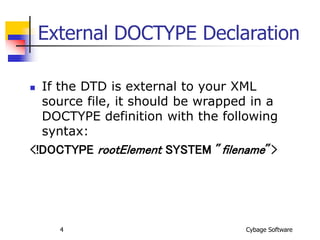
 If the DTD is external to your XML
source file, it should be wrapped in a
DOCTYPE definition with the following
syntax:
<!DOCTYPE rootElement SYSTEM "filename">
Cybage Software
5
Why use a DTD ?
 With DTD, each of your XML files can carry a
description of its own format with it.
 With a DTD, independent groups of people can
agree to use a common DTD for interchanging
data.
 Your application can use a standard DTD to
verify that the data you receive from the
outside world is valid.
 You can also use a DTD to verify your own
data.
Cybage Software
6
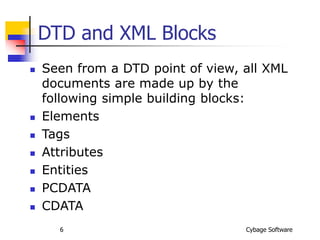
DTD and XML Blocks
 Seen from a DTD point of view, all XML
documents are made up by the
following simple building blocks:
 Elements
 Tags
 Attributes
 Entities
 PCDATA
 CDATA
Cybage Software
7
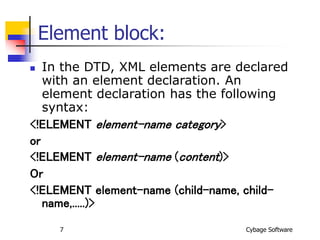
Element block:
 In the DTD, XML elements are declared
with an element declaration. An
element declaration has the following
syntax:
<!ELEMENT element-name category>
or
<!ELEMENT element-name (content)>
Or
<!ELEMENT element-name (child-name, child-
name,.....)>
Cybage Software
8
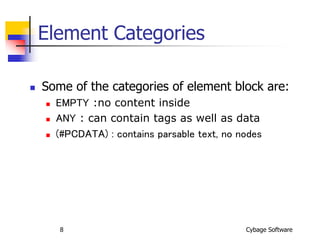
Element Categories
 Some of the categories of element block are:
 EMPTY :no content inside
 ANY : can contain tags as well as data
 (#PCDATA) : contains parsable text, no nodes

XML Validations.ppt

  • 1.
    Validating XML There aredifferent ways to define the structure of a XML document and validate a given XML against the definition. Two of them are: Document Type Definition (DTD) XML Schema
  • 2.
    Cybage Software 2 Document TypeDefinition  The purpose of a Document Type Definition is to define the legal building blocks of an XML document.  It defines the document structure with a list of legal elements.  A DTD can be declared inline in your XML document, or as an external reference.
  • 3.
    Cybage Software 3 Internal DOCTYPEDeclaration  If the DTD is included in your XML source file, it should be wrapped in a DOCTYPE definition with the following syntax: <!DOCTYPE rootElement [element-declara]>
  • 4.
    Cybage Software 4 External DOCTYPEDeclaration  If the DTD is external to your XML source file, it should be wrapped in a DOCTYPE definition with the following syntax: <!DOCTYPE rootElement SYSTEM "filename">
  • 5.
    Cybage Software 5 Why usea DTD ?  With DTD, each of your XML files can carry a description of its own format with it.  With a DTD, independent groups of people can agree to use a common DTD for interchanging data.  Your application can use a standard DTD to verify that the data you receive from the outside world is valid.  You can also use a DTD to verify your own data.
  • 6.
    Cybage Software 6 DTD andXML Blocks  Seen from a DTD point of view, all XML documents are made up by the following simple building blocks:  Elements  Tags  Attributes  Entities  PCDATA  CDATA
  • 7.
    Cybage Software 7 Element block: In the DTD, XML elements are declared with an element declaration. An element declaration has the following syntax: <!ELEMENT element-name category> or <!ELEMENT element-name (content)> Or <!ELEMENT element-name (child-name, child- name,.....)>
  • 8.
    Cybage Software 8 Element Categories Some of the categories of element block are:  EMPTY :no content inside  ANY : can contain tags as well as data  (#PCDATA) : contains parsable text, no nodes