XDebug -> PHPStorm
XDebug Integration to PHP Storm
What is XDebug ?

•  is a PHP extension that was written
• 
• 

and is maintained by Derick
Rethans
provides debugging and profiling
capabilities
you can set a breakpoint and pause
the execution of a script
What is XDebug ?

•  use to avoid var_dump, print_r
and echo for debugging

•  completely replaces the need to litter
your code with echo, print_r() or
var_dump() calls, and displays
information on all variables, not just
the one you passed.
IDE Support

•  PHP Storm
•  Sublime Text 2
•  Notepad++
•  Vim
Installation
Ubuntu
sudo apt-get install php5-dev php-pear
Install xdebug thru PECL
o  sudo pecl install xdebug
Then edit php.in add:
o  zend_extension="/usr/lib/php5/20060613/xdebug.so"
o  [xdebug]
o  xdebug.file_link_format="txmt://open?url=file://
%f&line=%1"
o  xdebug.remote_enable = On
o  xdebug.remote_autostart = 1

• 
• 
• 

• 

restart apache : sudo /etc/init.d/apache2 restart
Installation
Ubuntu

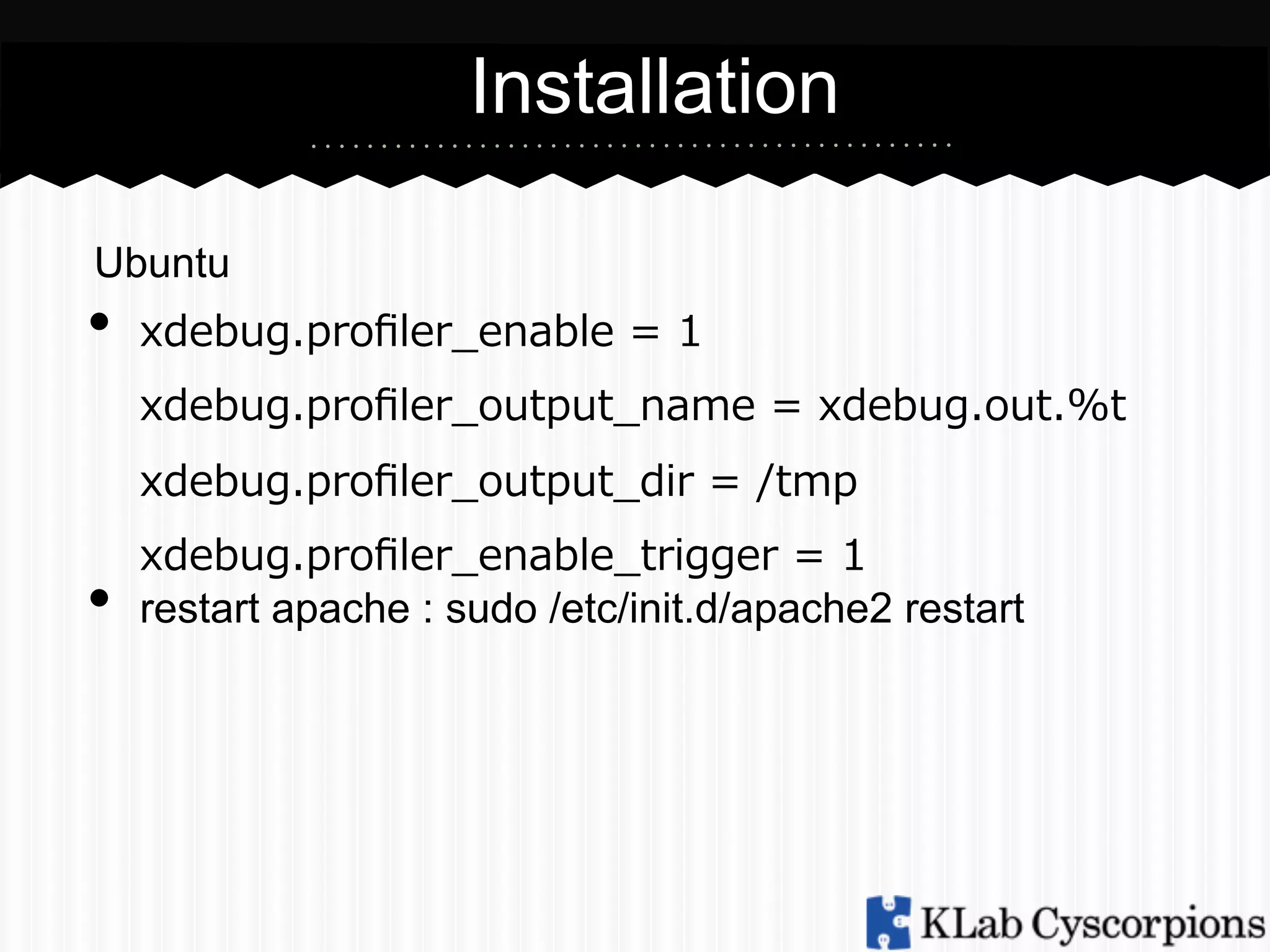
•  xdebug.profiler_̲enable  =  1
xdebug.profiler_̲output_̲name  =  xdebug.out.%t
xdebug.profiler_̲output_̲dir  =  /tmp

• 

xdebug.profiler_̲enable_̲trigger  =  1
restart apache : sudo /etc/init.d/apache2 restart
Installation
Mac (Using precompiled binaries)
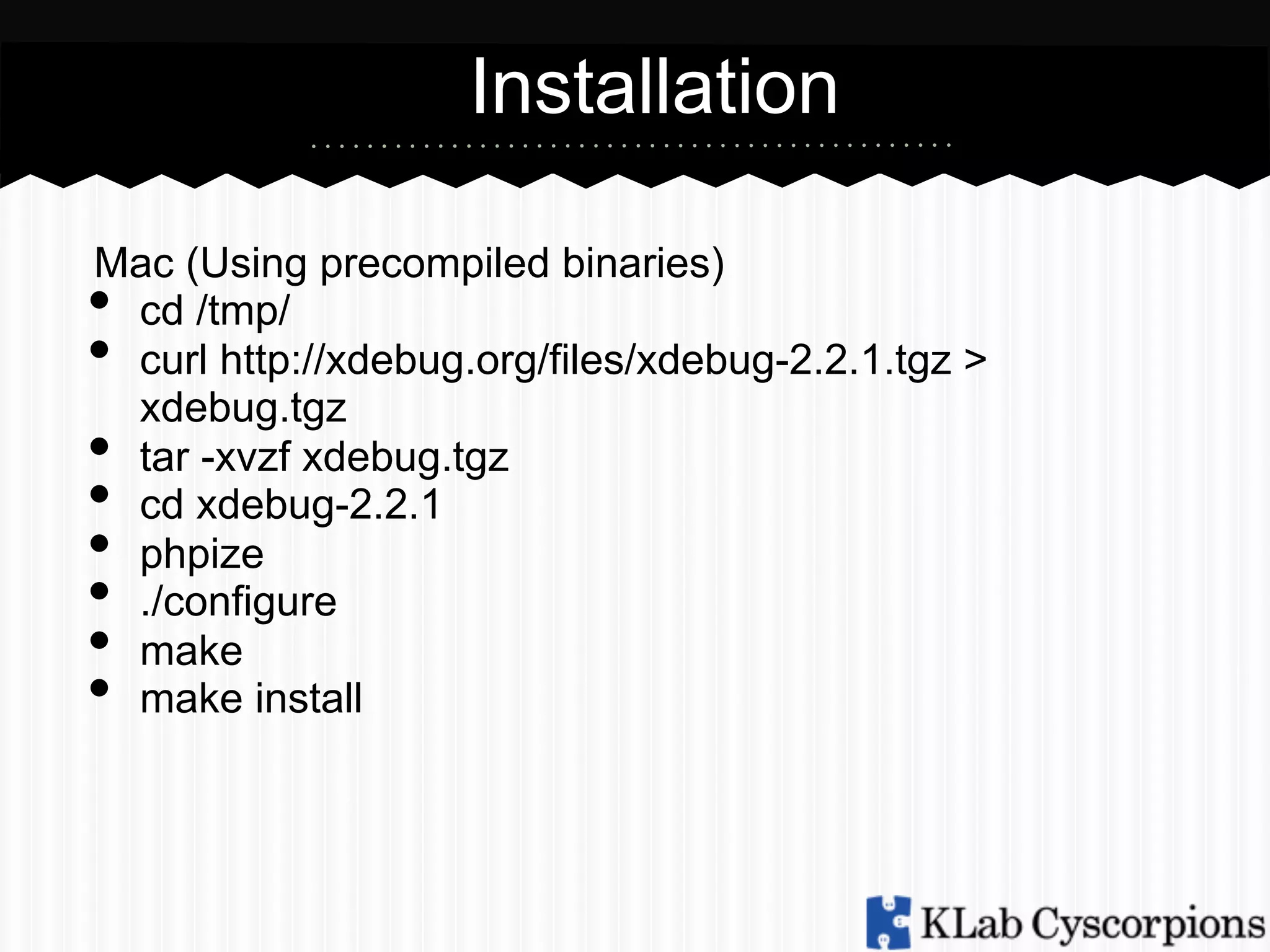
cd /tmp/
curl http://xdebug.org/files/xdebug-2.2.1.tgz >
xdebug.tgz
tar -xvzf xdebug.tgz
cd xdebug-2.2.1
phpize
./configure
make
make install

• 
• 
• 
• 
• 
• 
• 
• 
Installation
Mac (Using precompiled binaries)

•  on php.ini add the following line:

o  zend_extension="/usr/lib/php5/20060613/xdebug.so"
o  [xdebug]
o  xdebug.file_link_format="txmt://open?
url=file://%f&line=%1"
o  xdebug.remote_enable = On
o  xdebug.remote_autostart = 1

•  Restart Apache
Installation
Windows

•  Download appropriate xdebug version in
http://xdebug.org/download.php
•  Save the .dll file to apache/modules folder
•  On php.ini add the following lines

• 

o  zend_extension="path/to/xdebug.dll"
o  [xdebug]
o  xdebug.remote_enable = On
o  xdebug.remote_autostart = 1
Restart Apache
Implement Xdebug to Php Storm
• 
• 

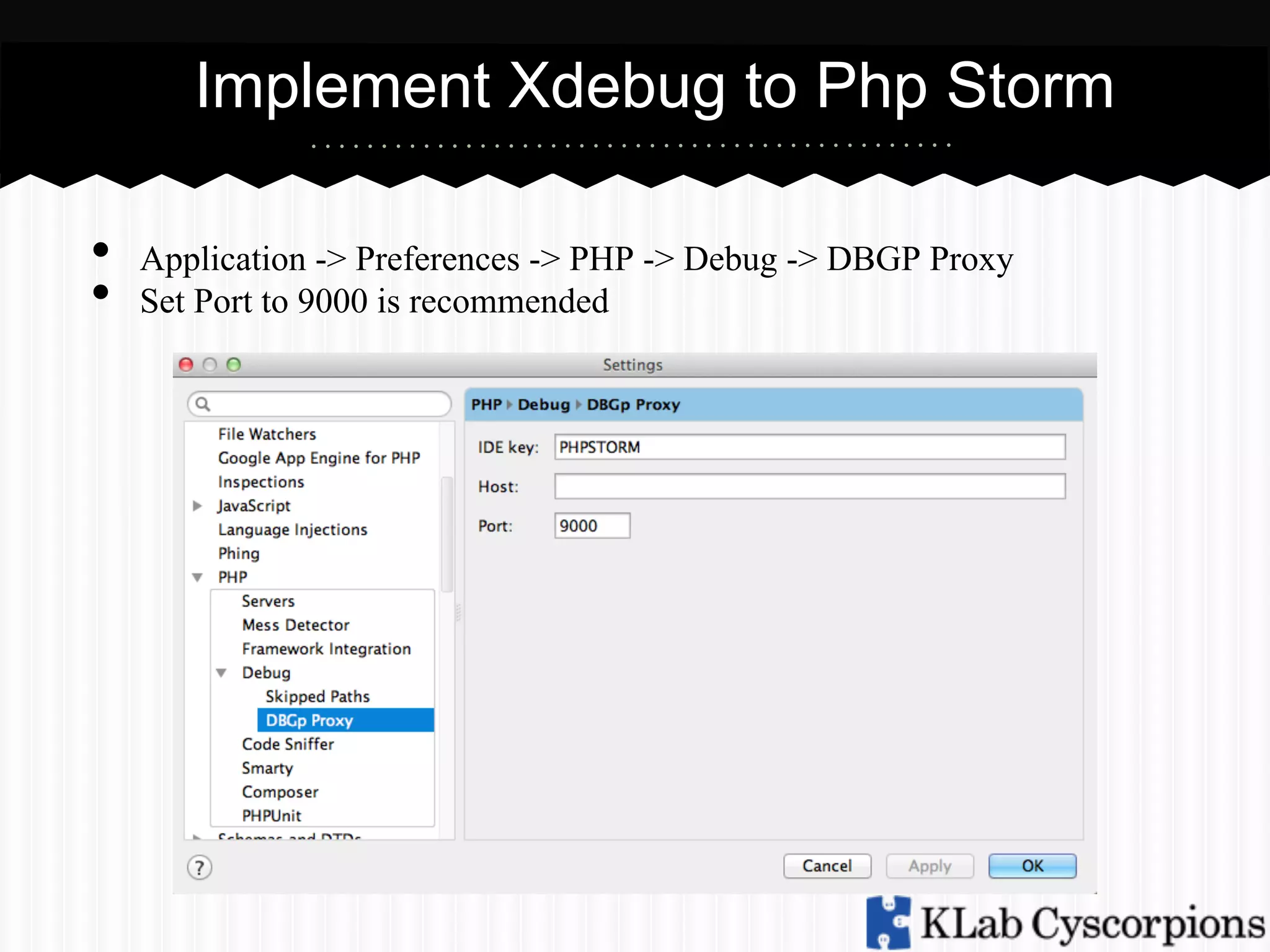
Application -> Preferences -> PHP -> Debug -> DBGP Proxy
Set Port to 9000 is recommended
Install XDebug Helper
• 

• 

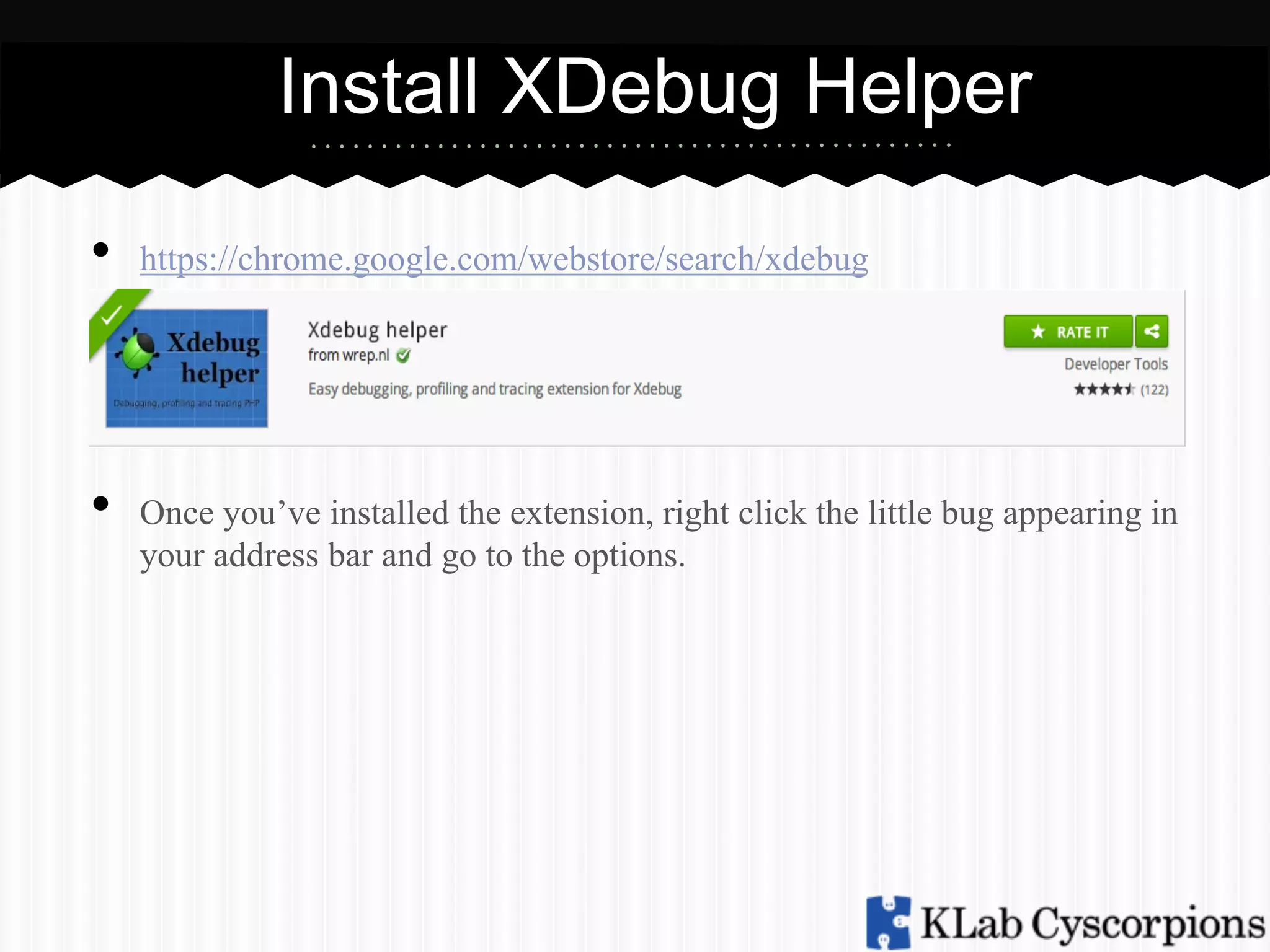
https://chrome.google.com/webstore/search/xdebug

Once you’ve installed the extension, right click the little bug appearing in
your address bar and go to the options.
Install XDebug Helper
• 
• 

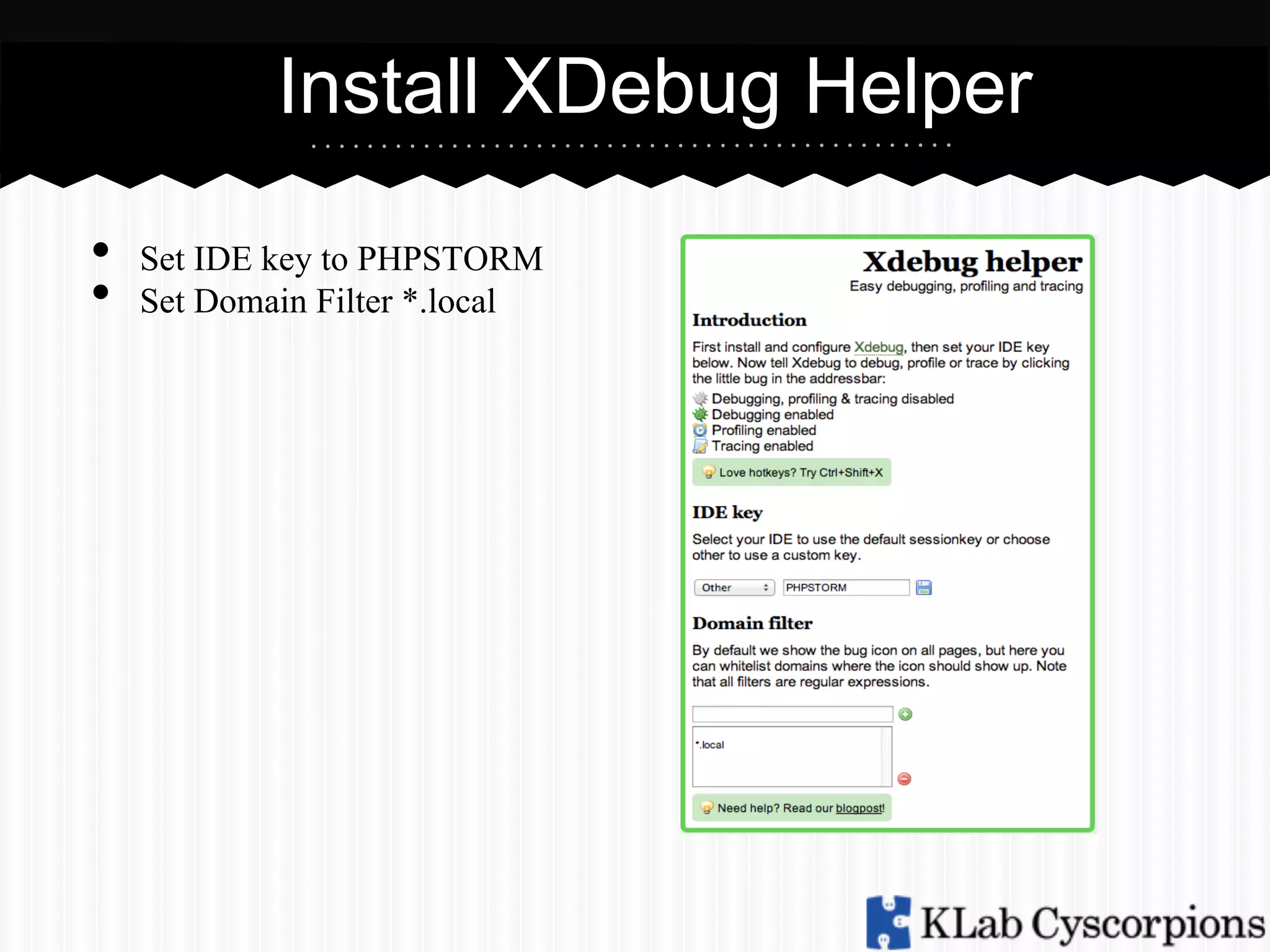
Set IDE key to PHPSTORM
Set Domain Filter *.local
Install XDebug Helper
• 
• 

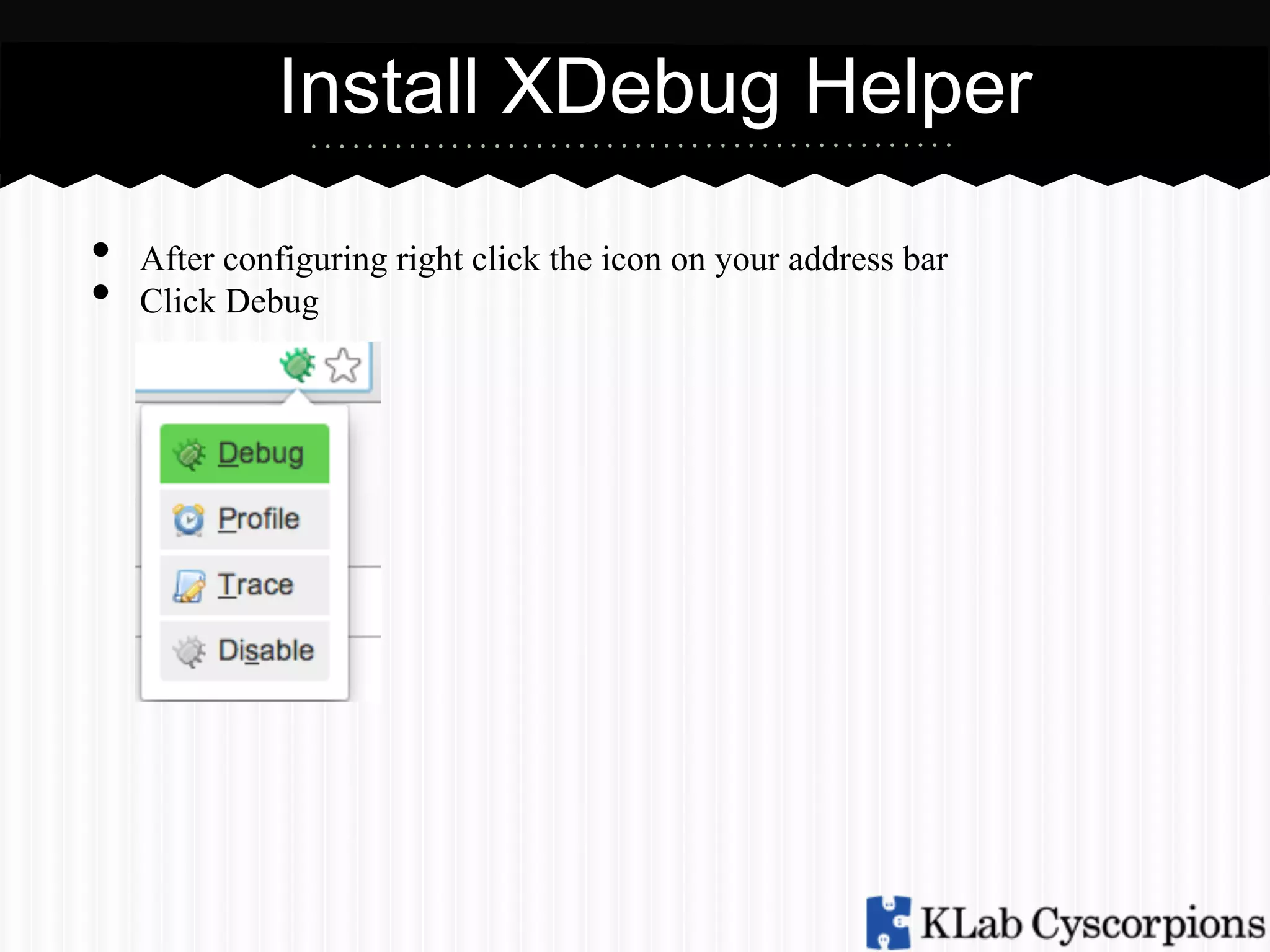
After configuring right click the icon on your address bar
Click Debug
Start XDebug Session
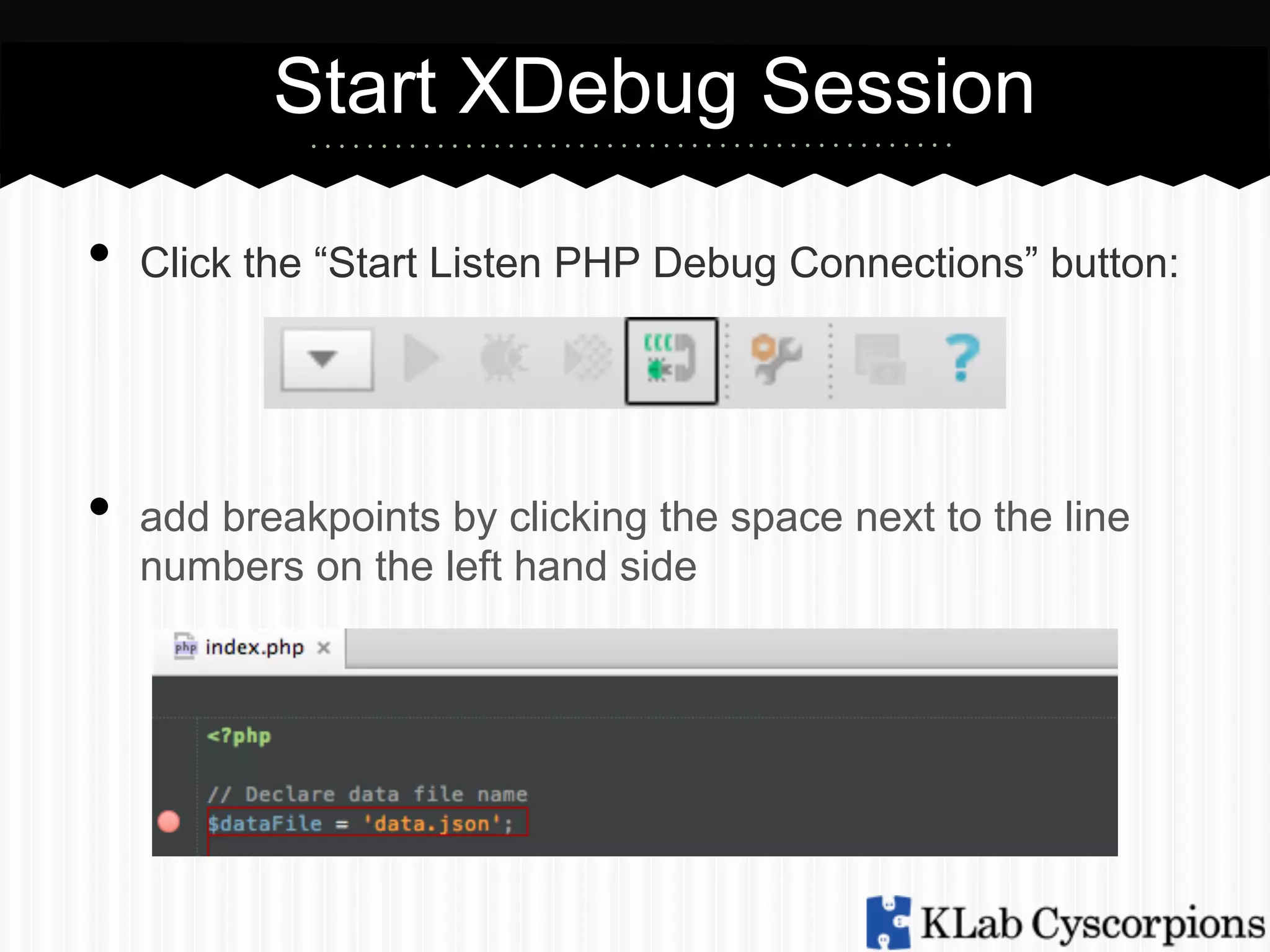
•  Click the “Start Listen PHP Debug Connections” button:
•  add breakpoints by clicking the space next to the line
numbers on the left hand side
Implement Xdebug to Php Storm
• 

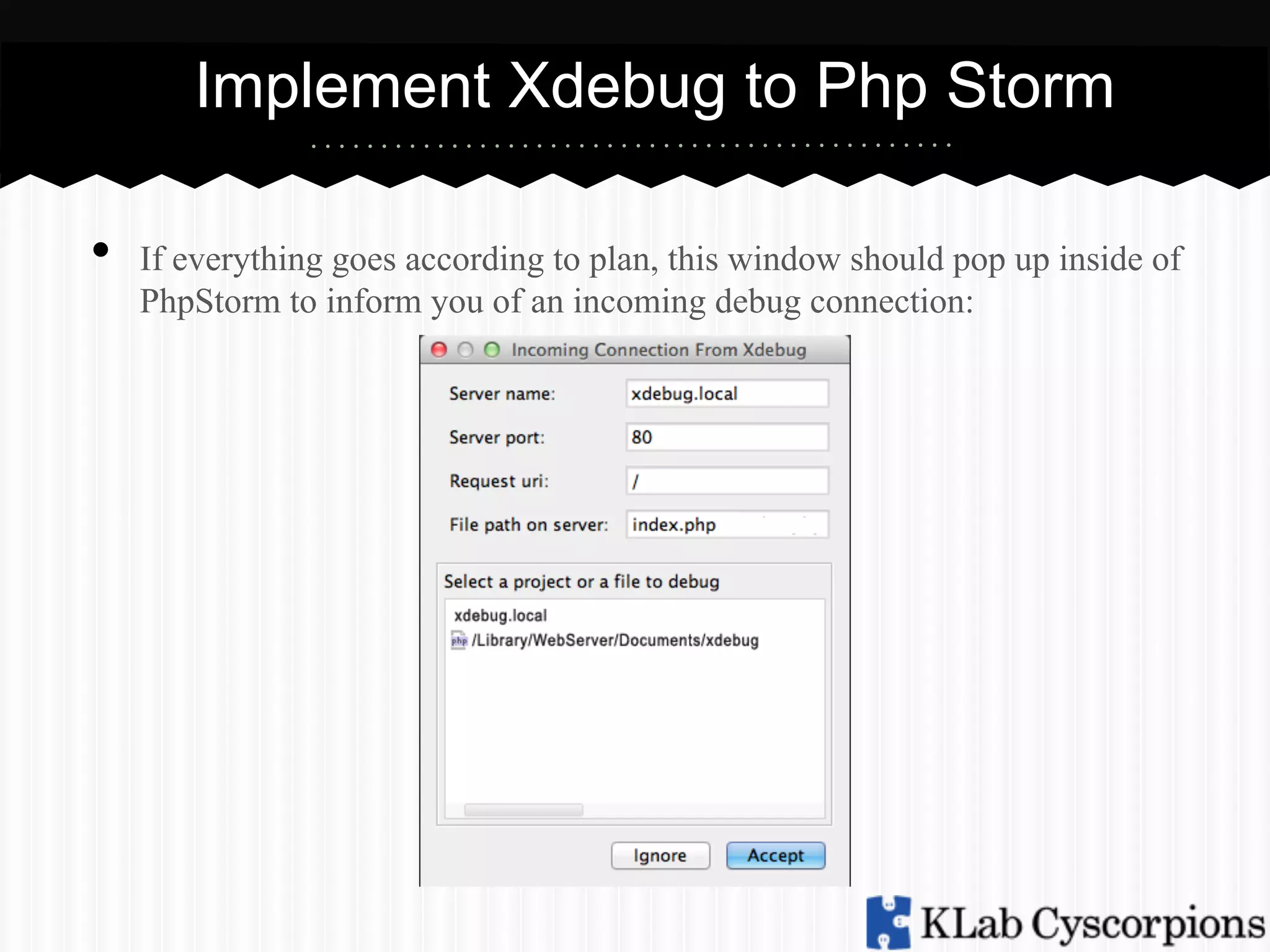
If everything goes according to plan, this window should pop up inside of
PhpStorm to inform you of an incoming debug connection:
Tools
• 
• 
• 
• 
• 

Resume Program (F9) — Clicking on this green arrow
allows script execution to proceed to next breakpoint if you
have any more, or to end of script as it normally would.
Stop (CTRL + F2) — Immediately halts script execution.
Step Over (F8) — Goes to the next PHP line in current file.
Does not go into method calls made within current context.
Step Into (F7) — Goes to the next PHP line in current
execution, not just the file. Dives into any method calls made,
giving far more detail than Step Over.
Step Out - If you stepped into a function and want to get out
before the end is reached, just step out.
Tools
•  Variables — Displays all available variables, including
objects, arrays or simple variables, at the current breakpoint.

• 
• 

Editing Variable - You can edit variables without reloading
the page.
Run to Cursor - Run the specific line where the cursor is
located.
Profiling
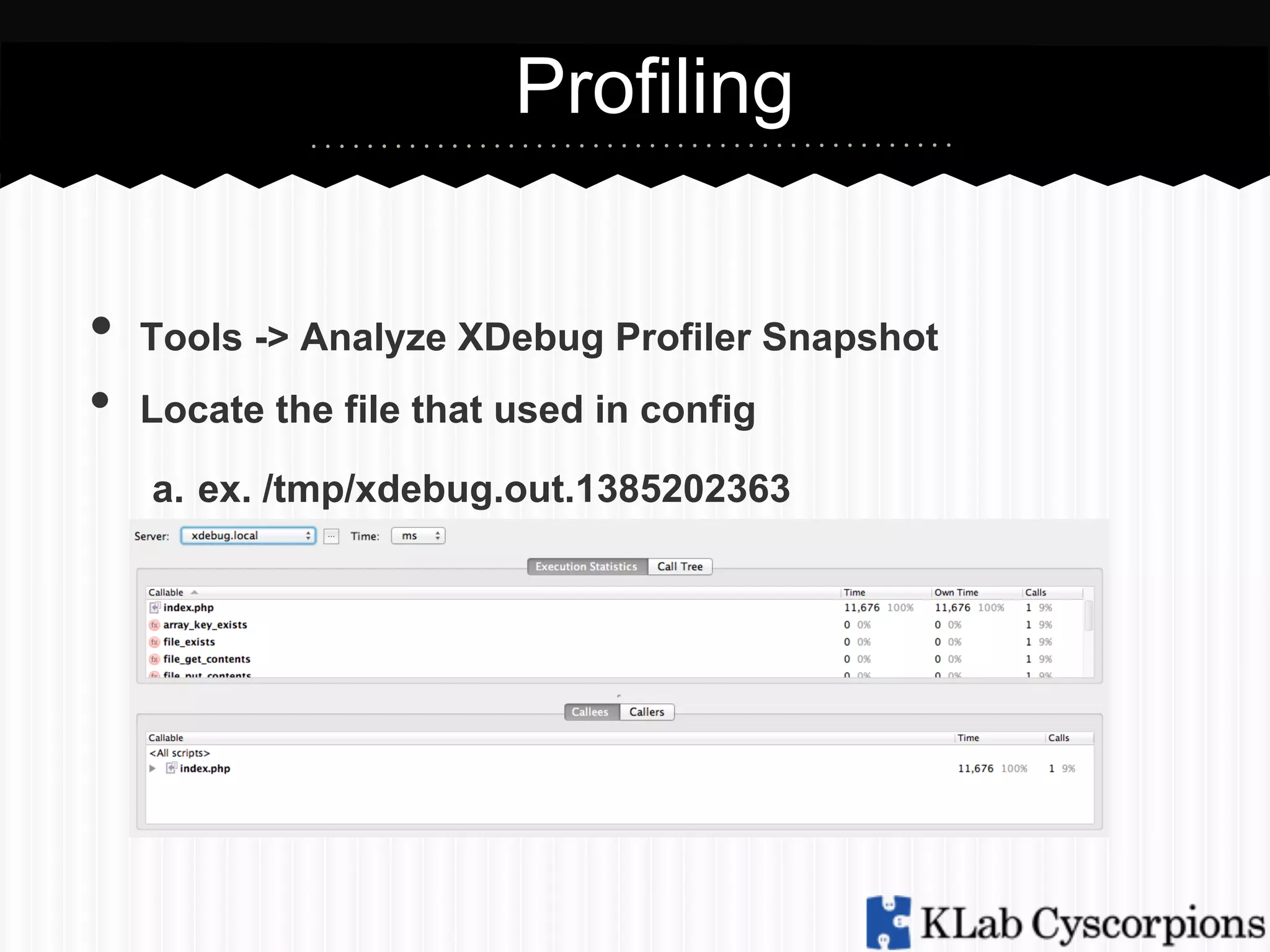
•  Tools -> Analyze XDebug Profiler Snapshot
• 

Locate the file that used in config
a.  ex. /tmp/xdebug.out.1385202363
XDebug -> Sublime Text2
XDebug Integration to Sublime Text2
Download XDebug Plugin
•  Install Package Control
a.  https://sublime.wbond.net/installation
b.  control + ~
c.  Paste the python code to console

• 
• 
• 
• 

Open Package Manager (Command + Shift + p)
Type Install Package
Look for Kindari/SublimeXdebug
On XDebug Helper for IDE Key
a.  sublime.xdebug
Sublime XDebug Shortcut
Keys
•  Shift+f8: Open XDebug quick panel
• 
• 
• 
• 
• 
• 

f8: Open XDebug control quick panel when debugger is
connected
Ctrl+f8: Toggle breakpoint
Ctrl+Shift+f5: Run to next breakpoint
Ctrl+Shift+f6: Step over
Ctrl+Shift+f7: Step into
Ctrl+Shift+f8: Step out

X-Debug in Php Storm

  • 1.
    XDebug -> PHPStorm XDebugIntegration to PHP Storm
  • 2.
    What is XDebug? •  is a PHP extension that was written •  •  and is maintained by Derick Rethans provides debugging and profiling capabilities you can set a breakpoint and pause the execution of a script
  • 3.
    What is XDebug? •  use to avoid var_dump, print_r and echo for debugging •  completely replaces the need to litter your code with echo, print_r() or var_dump() calls, and displays information on all variables, not just the one you passed.
  • 4.
    IDE Support •  PHPStorm •  Sublime Text 2 •  Notepad++ •  Vim
  • 5.
    Installation Ubuntu sudo apt-get installphp5-dev php-pear Install xdebug thru PECL o  sudo pecl install xdebug Then edit php.in add: o  zend_extension="/usr/lib/php5/20060613/xdebug.so" o  [xdebug] o  xdebug.file_link_format="txmt://open?url=file:// %f&line=%1" o  xdebug.remote_enable = On o  xdebug.remote_autostart = 1 •  •  •  •  restart apache : sudo /etc/init.d/apache2 restart
  • 6.
    Installation Ubuntu •  xdebug.profiler_̲enable  = 1 xdebug.profiler_̲output_̲name  =  xdebug.out.%t xdebug.profiler_̲output_̲dir  =  /tmp •  xdebug.profiler_̲enable_̲trigger  =  1 restart apache : sudo /etc/init.d/apache2 restart
  • 7.
    Installation Mac (Using precompiledbinaries) cd /tmp/ curl http://xdebug.org/files/xdebug-2.2.1.tgz > xdebug.tgz tar -xvzf xdebug.tgz cd xdebug-2.2.1 phpize ./configure make make install •  •  •  •  •  •  •  • 
  • 8.
    Installation Mac (Using precompiledbinaries) •  on php.ini add the following line: o  zend_extension="/usr/lib/php5/20060613/xdebug.so" o  [xdebug] o  xdebug.file_link_format="txmt://open? url=file://%f&line=%1" o  xdebug.remote_enable = On o  xdebug.remote_autostart = 1 •  Restart Apache
  • 9.
    Installation Windows •  Download appropriatexdebug version in http://xdebug.org/download.php •  Save the .dll file to apache/modules folder •  On php.ini add the following lines •  o  zend_extension="path/to/xdebug.dll" o  [xdebug] o  xdebug.remote_enable = On o  xdebug.remote_autostart = 1 Restart Apache
  • 10.
    Implement Xdebug toPhp Storm •  •  Application -> Preferences -> PHP -> Debug -> DBGP Proxy Set Port to 9000 is recommended
  • 11.
    Install XDebug Helper •  •  https://chrome.google.com/webstore/search/xdebug Onceyou’ve installed the extension, right click the little bug appearing in your address bar and go to the options.
  • 12.
    Install XDebug Helper •  •  SetIDE key to PHPSTORM Set Domain Filter *.local
  • 13.
    Install XDebug Helper •  •  Afterconfiguring right click the icon on your address bar Click Debug
  • 14.
    Start XDebug Session • Click the “Start Listen PHP Debug Connections” button: •  add breakpoints by clicking the space next to the line numbers on the left hand side
  • 15.
    Implement Xdebug toPhp Storm •  If everything goes according to plan, this window should pop up inside of PhpStorm to inform you of an incoming debug connection:
  • 16.
    Tools •  •  •  •  •  Resume Program (F9)— Clicking on this green arrow allows script execution to proceed to next breakpoint if you have any more, or to end of script as it normally would. Stop (CTRL + F2) — Immediately halts script execution. Step Over (F8) — Goes to the next PHP line in current file. Does not go into method calls made within current context. Step Into (F7) — Goes to the next PHP line in current execution, not just the file. Dives into any method calls made, giving far more detail than Step Over. Step Out - If you stepped into a function and want to get out before the end is reached, just step out.
  • 17.
    Tools •  Variables —Displays all available variables, including objects, arrays or simple variables, at the current breakpoint. •  •  Editing Variable - You can edit variables without reloading the page. Run to Cursor - Run the specific line where the cursor is located.
  • 18.
    Profiling •  Tools ->Analyze XDebug Profiler Snapshot •  Locate the file that used in config a.  ex. /tmp/xdebug.out.1385202363
  • 19.
    XDebug -> SublimeText2 XDebug Integration to Sublime Text2
  • 20.
    Download XDebug Plugin • Install Package Control a.  https://sublime.wbond.net/installation b.  control + ~ c.  Paste the python code to console •  •  •  •  Open Package Manager (Command + Shift + p) Type Install Package Look for Kindari/SublimeXdebug On XDebug Helper for IDE Key a.  sublime.xdebug
  • 21.
    Sublime XDebug Shortcut Keys • Shift+f8: Open XDebug quick panel •  •  •  •  •  •  f8: Open XDebug control quick panel when debugger is connected Ctrl+f8: Toggle breakpoint Ctrl+Shift+f5: Run to next breakpoint Ctrl+Shift+f6: Step over Ctrl+Shift+f7: Step into Ctrl+Shift+f8: Step out