Introduction to Go
a tutorial for developers

Hello! While you’re sitting down, please make	

sure your Go environment is set up.	

!

Grab a USB stick that’s floating around and copy	

the gostick directory somewhere local.	

!

Then read the included README please!
Autobiography
•

Mark Smith <mark@qq.is> @zorkian	


•

Site Reliability Engineer at Dropbox	


•

Contributes to Dreamwidth Studios	


•

github.com/xb95
Today’s Plan
•

What is Go? Where does it fit?	


•

Obligatory Hello World	


•

Contrived example program	


•

Anti-unicorns	


•

Wrap-up
Go in a Nutshell
•

Designed for building systems	


•

Statically compiled, garbage collected	


•

Static typing (w/some duck typing)	


•

Built-in maps (dicts) and strings
Go in a Nutshell
•

Multi-core support	


•

Concurrency primitives	


•

Closures, etc. etc.	


•

“Somewhere between C and Python”
The Go Way
•

Go is an opinionated language	


•

gofmt, mixedCaps, capitalization for privacy…	


•

Simple is better than complex	


•

The compiler should help with the heavy lifting
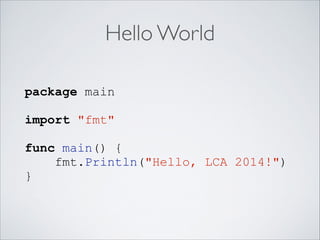
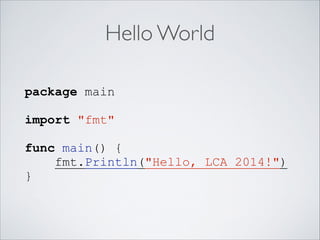
Hello World
Hello World
package main
!

import "fmt"
!

func main() {
fmt.Println("Hello, LCA 2014!")
}
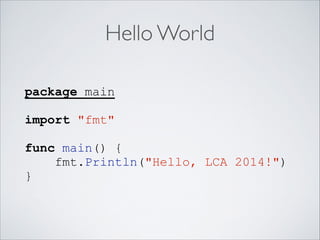
Hello World
package main
!

import "fmt"
!

func main() {
fmt.Println("Hello, LCA 2014!")
}
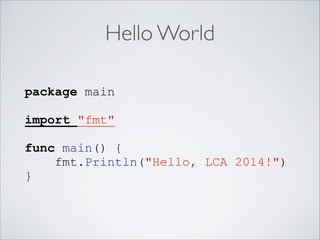
Hello World
package main
!

import "fmt"
!

func main() {
fmt.Println("Hello, LCA 2014!")
}
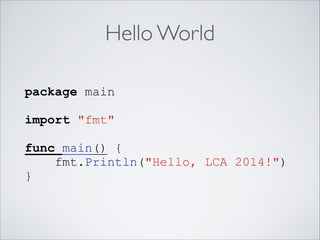
Hello World
package main
!

import "fmt"
!

func main() {
fmt.Println("Hello, LCA 2014!")
}
Hello World
package main
!

import "fmt"
!

func main() {
fmt.Println("Hello, LCA 2014!")
}
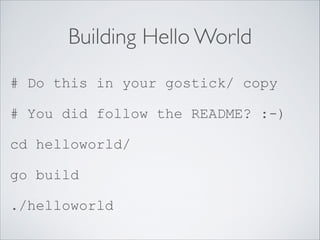
Building Hello World
# Do this in your gostick/ copy
# You did follow the README? :-)
cd helloworld/
go build
./helloworld
Getting Real
•

Go is particularly suited for network services	


•

The standard library is fairly comprehensive	


•

Let’s build an echo server!
Echo Server
1. Listen on port for TCP connections	

2. Accept connections	

3. Read text from connection	

4. Write it back to connection
Standard Library
•

Go has a decent standard library	


•

The ecosystem is still fairly young, so it has some
holes and some things aren’t well optimized	


•

Well built for network services	


•

http://golang.org/pkg/
Tip: Searching

When you search the Internet for
information, “Go” is a bad keyword;
everybody uses “golang”.
Echo Server
1. Listen on port for TCP connections
2. Accept connections	

3. Read text from connection	

4. Write it back to connection
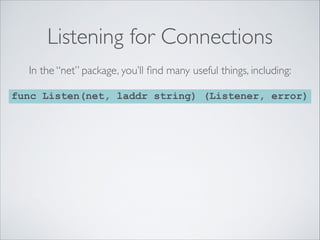
Listening for Connections
In the “net” package, you’ll find many useful things, including:
func Listen(net, laddr string) (Listener, error)
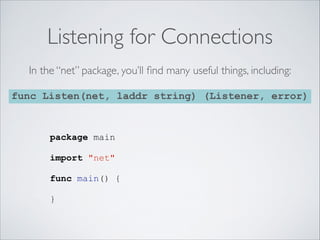
Listening for Connections
In the “net” package, you’ll find many useful things, including:
func Listen(net, laddr string) (Listener, error)

package main
!

import "net"
!

func main() {
!

}
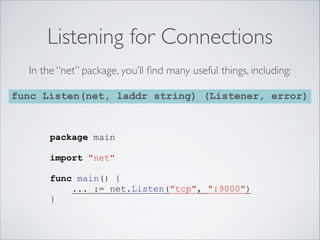
Listening for Connections
In the “net” package, you’ll find many useful things, including:
func Listen(net, laddr string) (Listener, error)

package main
!

import "net"
!

func main() {
... := net.Listen("tcp", ":9000")
}
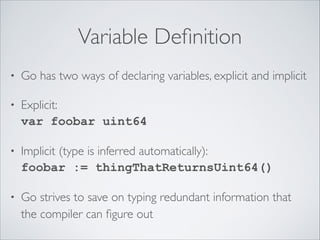
Variable Definition
•

Go has two ways of declaring variables, explicit and implicit	


•

Explicit:

var foobar uint64	


•

Implicit (type is inferred automatically):

foobar := thingThatReturnsUint64()	


•

Go strives to save on typing redundant information that
the compiler can figure out
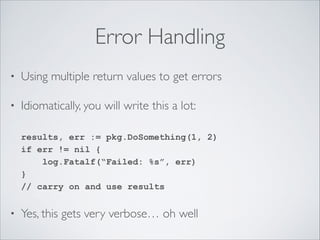
Error Handling
•

Using multiple return values to get errors	


•

Idiomatically, you will write this a lot:


results, err := pkg.DoSomething(1, 2)

if err != nil {

log.Fatalf(“Failed: %s”, err)

}

// carry on and use results	


•

Yes, this gets very verbose… oh well
Echo Server
1. Listen on port for TCP connections	

2. Accept connections
3. Read text from connection	

4. Write it back to connection
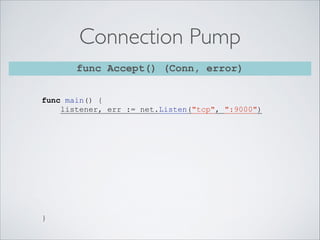
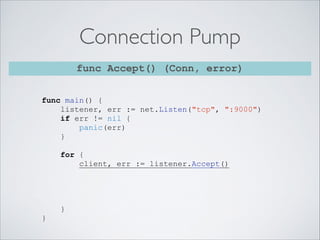
Connection Pump
func Accept() (Conn, error)
func main() {
listener, err := net.Listen("tcp", ":9000")
!
!
!
!
!
!
!
!
!
!
!
}
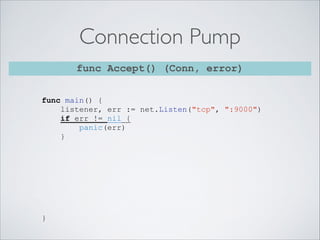
Connection Pump
func Accept() (Conn, error)
func main() {
listener, err := net.Listen("tcp", ":9000")
if err != nil {
panic(err)
}
!
!
!
!
!
!
!
!
}
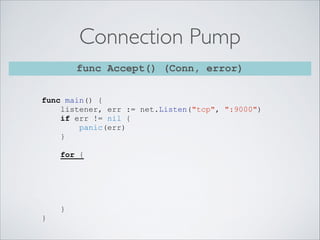
Connection Pump
func Accept() (Conn, error)
func main() {
listener, err := net.Listen("tcp", ":9000")
if err != nil {
panic(err)
}
!
for {

!
!
!
!
}
}
Connection Pump
func Accept() (Conn, error)
func main() {
listener, err := net.Listen("tcp", ":9000")
if err != nil {
panic(err)
}
!
for {
client, err := listener.Accept()
!
!
!
!
}
}
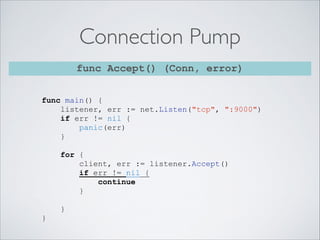
Connection Pump
func Accept() (Conn, error)
func main() {
listener, err := net.Listen("tcp", ":9000")
if err != nil {
panic(err)
}
!
for {
client, err := listener.Accept()
if err != nil {
continue
}
!
}
}
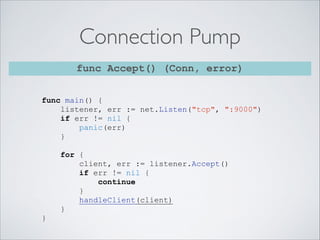
Connection Pump
func Accept() (Conn, error)
func main() {
listener, err := net.Listen("tcp", ":9000")
if err != nil {
panic(err)
}
!
for {
client, err := listener.Accept()
if err != nil {
continue
}
handleClient(client)
}
}
Echo Server
1. Listen on port for TCP connections	

2. Accept connections	

3. Read text from connection
4. Write it back to connection
Client Handler
func Read(b []byte) (int, error)
func handleClient(client net.Conn) {
for {
// read from our client
// write it back to our client
}
}
Client Handler
func Read(b []byte) (int, error)
func handleClient(client net.Conn) {
for {
// read from our client
// write it back to our client
}
}

Okay, so what’s a []byte?
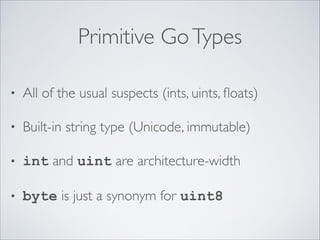
Primitive Go Types
•

All of the usual suspects (ints, uints, floats)	


•

Built-in string type (Unicode, immutable)	


•

int and uint are architecture-width	


•

byte is just a synonym for uint8
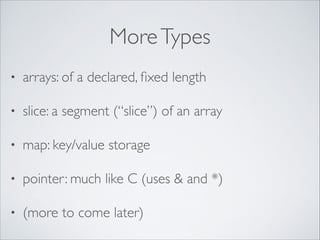
More Types
•

arrays: of a declared, fixed length	


•

slice: a segment (“slice”) of an array	


•

map: key/value storage	


•

pointer: much like C (uses & and *)	


•

(more to come later)
So, []byte…
•

Let’s make an array of bytes:

var ary [4096]byte	


•

What if we don’t know the size? Or don’t care?
Slices solve this problem:

var aryslice []byte

•

This is great, but what is it?
Slices Explained
var a [16]byte is
Slices Explained
var a [16]byte is
a[3] is
Slices Explained
var a [16]byte is
a[3] is
a[6:8] is
Slices Explained
var a [16]byte is
a[3] is
a[6:8] is
var s []byte is nothing to start with.
Slices Explained
var a [16]byte is
a[3] is
a[6:8] is
var s []byte is nothing to start with.
s = a[6:8]; s is
Slices Explained
var a [16]byte is
a[3] is
a[6:8] is
var s []byte is nothing to start with.
s = a[6:8]; s is
s[0] is the same as a[6], etc!

A slice is simply a window into a backing array.
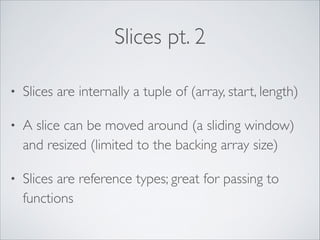
Slices pt. 2
•

Slices are internally a tuple of (array, start, length)	


•

A slice can be moved around (a sliding window)
and resized (limited to the backing array size)	


•

Slices are reference types; great for passing to
functions
Echo Server
1. Listen on port for TCP connections	

2. Accept connections	

3. Read text from connection
4. Write it back to connection
Client Handler
func Read(b []byte) (int, error)

func handleClient(client net.Conn) {
for {
!
!
!
!
!
!
}
}
Client Handler
func Read(b []byte) (int, error)

func handleClient(client net.Conn) {
for {
buf := make([]byte, 4096)

!
!
!
!
}
}
Client Handler
func Read(b []byte) (int, error)

func handleClient(client net.Conn) {
for {
buf := make([]byte, 4096)
numbytes, err := client.Read(buf)
!
!
!
!
}
}
Client Handler
func Read(b []byte) (int, error)

func handleClient(client net.Conn) {
for {
buf := make([]byte, 4096)
numbytes, err := client.Read(buf)
if numbytes == 0 || err != nil {
return
}
!
}
}
Client Handler
func Read(b []byte) (int, error)

func handleClient(client net.Conn) {
for {
buf := make([]byte, 4096)
numbytes, err := client.Read(buf)
if numbytes == 0 || err != nil {
return
}
client.Write(buf)
}
}
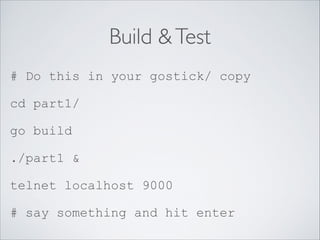
Build & Test
# Do this in your gostick/ copy
cd part1/
go build
./part1 &
telnet localhost 9000
# say something and hit enter
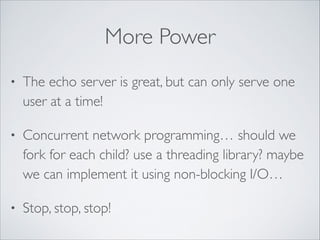
More Power
•

The echo server is great, but can only serve one
user at a time!	


•

Concurrent network programming… should we
fork for each child? use a threading library? maybe
we can implement it using non-blocking I/O…	


•

Stop, stop, stop!
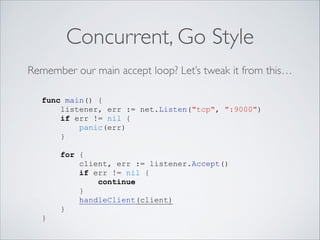
Concurrent, Go Style
Remember our main accept loop? Let’s tweak it from this…
func main() {
listener, err := net.Listen("tcp", ":9000")
if err != nil {
panic(err)
}
!
for {
client, err := listener.Accept()
if err != nil {
continue
}
handleClient(client)
}
}
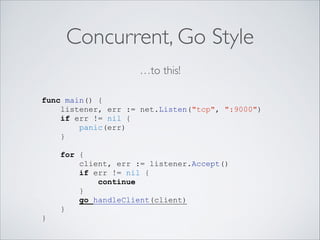
Concurrent, Go Style
…to this!
func main() {
listener, err := net.Listen("tcp", ":9000")
if err != nil {
panic(err)
}
!
for {
client, err := listener.Accept()
if err != nil {
continue
}
go handleClient(client)
}
}
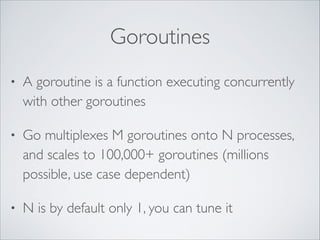
Goroutines
•

A goroutine is a function executing concurrently
with other goroutines	


•

Go multiplexes M goroutines onto N processes,
and scales to 100,000+ goroutines (millions
possible, use case dependent)	


•

N is by default only 1, you can tune it
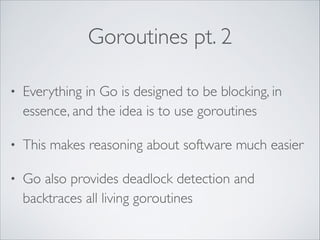
Goroutines pt. 2
•

Everything in Go is designed to be blocking, in
essence, and the idea is to use goroutines	


•

This makes reasoning about software much easier	


•

Go also provides deadlock detection and
backtraces all living goroutines
Echo v2.0, “Chat”
•

Let’s make a chat server out of our echo server	


•

Design goal: any text from one client is echoed
immediately to all connected clients	


•

Well, clearly, our goroutines have to communicate
Communication
•

The common idiom for communicating between
threads in most languages is shared memory	


•

This kind of work is notoriously racy, error prone,
and hard to implement correctly
Communication in Go
•

“Don’t communicate by sharing memory; share
memory by communicating!”	


•

Enter the concept of channels	


•

A built-in goroutine safe method of passing data
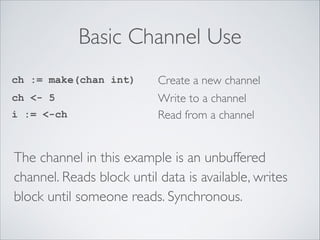
Basic Channel Use
ch := make(chan int)

Create a new channel

ch <- 5

Write to a channel
Read from a channel

i := <-ch

The channel in this example is an unbuffered
channel. Reads block until data is available, writes
block until someone reads. Synchronous.
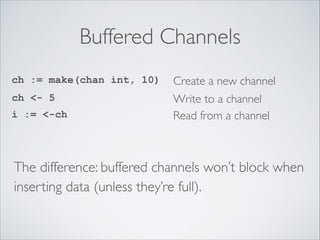
Buffered Channels
ch := make(chan int, 10)

Create a new channel

ch <- 5

Write to a channel
Read from a channel

i := <-ch

The difference: buffered channels won’t block when
inserting data (unless they’re full).
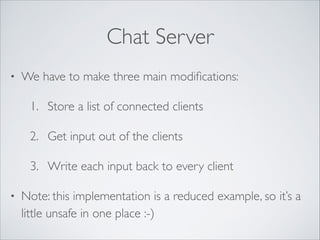
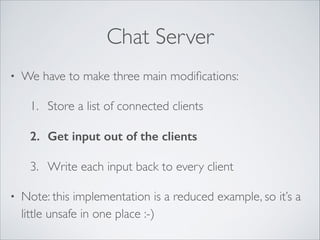
Chat Server
•

We have to make three main modifications:	

1. Store a list of connected clients	

2. Get input out of the clients	

3. Write each input back to every client	


•

Note: this implementation is a reduced example, so it’s a
little unsafe in one place :-)
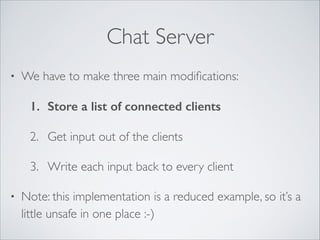
Chat Server
•

We have to make three main modifications:	

1. Store a list of connected clients
2. Get input out of the clients	

3. Write each input back to every client	


•

Note: this implementation is a reduced example, so it’s a
little unsafe in one place :-)
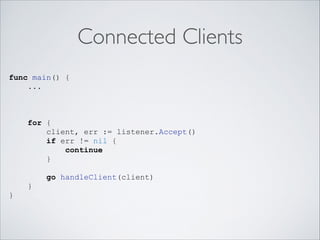
Connected Clients
func main() {
...
!
!
!
for {
client, err := listener.Accept()
if err != nil {
continue
}
!
go handleClient(client)
}
}
Connected Clients
func main() {
...
!
var clients []net.Conn
!
for {
client, err := listener.Accept()
if err != nil {
continue
}
clients = append(clients, client)
go handleClient(client)
}
}

Build a slice of clients
and then append
each new client to
the slice.	

!

The append built-in
handles automatically
allocating and
growing the backing
array as necessary.
Chat Server
•

We have to make three main modifications:	

1. Store a list of connected clients	

2. Get input out of the clients
3. Write each input back to every client	


•

Note: this implementation is a reduced example, so it’s a
little unsafe in one place :-)
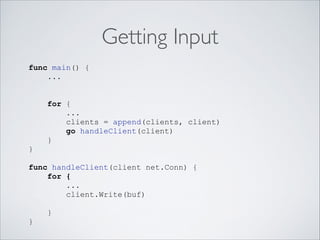
Getting Input
func main() {
...

!
for {
...
clients = append(clients, client)
go handleClient(client)
}
}
!
func handleClient(client net.Conn) {
for {
...
client.Write(buf)
}
}
Getting Input
func main() {
...
input := make(chan []byte, 10)
!
for {
...
clients = append(clients, client)
go handleClient(client)
}
}
!
func handleClient(client net.Conn) {
for {
...
client.Write(buf)
}
}
Getting Input
func main() {
...
input := make(chan []byte, 10)
!
for {
...
clients = append(clients, client)
go handleClient(client, input)
}
}
!
func handleClient(client net.Conn) {
for {
...
client.Write(buf)
}
}
Getting Input
func main() {
...
input := make(chan []byte, 10)
!
for {
...
clients = append(clients, client)
go handleClient(client, input)
}
}
!
func handleClient(client net.Conn, input chan []byte) {
for {
...
client.Write(buf)
}
}
Getting Input
func main() {
...
input := make(chan []byte, 10)
!
for {
...
clients = append(clients, client)
go handleClient(client, input)
}
}
!
func handleClient(client net.Conn, input chan []byte) {
for {
...
client.Write(buf)
input <- buf
}
}
Getting Input
func main() {
...
input := make(chan []byte, 10)
!
for {
...
clients = append(clients, client)
go handleClient(client, input)
}
}
!
func handleClient(client net.Conn, input chan []byte) {
for {
...
client.Write(buf)
Removed the Write!
input <- buf
}
}
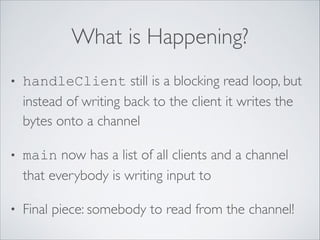
What is Happening?
•

handleClient still is a blocking read loop, but
instead of writing back to the client it writes the
bytes onto a channel	


•

main now has a list of all clients and a channel
that everybody is writing input to	


•

Final piece: somebody to read from the channel!
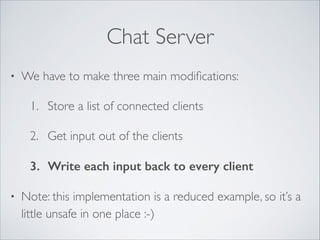
Chat Server
•

We have to make three main modifications:	

1. Store a list of connected clients	

2. Get input out of the clients	

3. Write each input back to every client

•

Note: this implementation is a reduced example, so it’s a
little unsafe in one place :-)
The Chat Manager
func main() {
...
var clients []net.Conn
input := make(chan []byte, 10)
!
!
!
!
We’ve
!
!
!
!
...
}

seen this all before…
The Chat Manager
func main() {
...
var clients []net.Conn
input := make(chan []byte, 10)
go func() {

!
!
!
!
!
}()
...
}

You can create goroutines
out of closures, too.	

!
The Chat Manager
!
func main() {
...
var clients []net.Conn
input := make(chan []byte, 10)
go func() {
for {
message := <-input

!
!
}
}()
...
}

!
!

This is all blocking!
The Chat Manager
!
func main() {
...
var clients []net.Conn
This
input := make(chan []byte, 10)
go func() {
for {
message := <-input
for _, client := range clients {
!
}
}
}()
...
}

!
!

is all blocking!
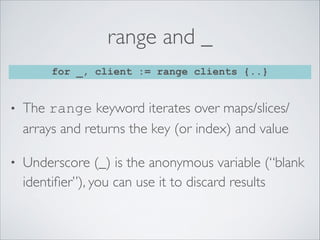
range and _
for _, client := range clients {..}

•

The range keyword iterates over maps/slices/
arrays and returns the key (or index) and value	


•

Underscore (_) is the anonymous variable (“blank
identifier”), you can use it to discard results
The Chat Manager
func main() {
...
var clients []net.Conn
input := make(chan []byte, 10)
go func() {
for {
message := <-input
for _, client := range clients {
client.Write(message)
}
}
}()
...
}
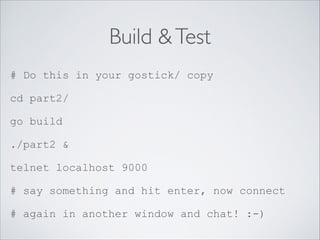
Build & Test
# Do this in your gostick/ copy
cd part2/
go build
./part2 &
telnet localhost 9000
# say something and hit enter, now connect
# again in another window and chat! :-)
Echo 3.0, “Frotzer”
•

We’re entering the land of extremely contrived
tutorial examples, but…	


•

Let’s give our chat server some behaviors!	


•

When a user chats, we apply some formatting
rules before sending it out to other users
But First: More Type Talk!
•

Go doesn’t have classes (or objects, really)	


•

However, you have named types, and methods are
attached to named types:


type Uppercaser struct{}
!
func (self Uppercaser) Frotz(input []byte) []byte {
return bytes.ToUpper(input)
}
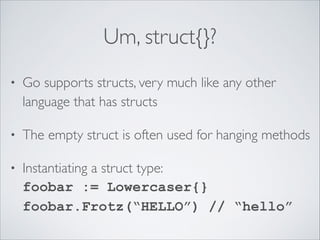
Um, struct{}?
•

Go supports structs, very much like any other
language that has structs	


•

The empty struct is often used for hanging methods	


•

Instantiating a struct type:

foobar := Lowercaser{}

foobar.Frotz(“HELLO”) // “hello”
Interfaces
•

In Go, an interface specifies a collection of
methods attached to a name	


•

Interfaces are implicit (duck typed)


type Frotzer interface {
Frotz([]byte) []byte
}
!
type Uppercaser struct{}
func (self Uppercaser) Frotz(input []byte) []byte {
return bytes.ToUpper(input)
}
Implementing Frotzing
func chatManager(clients *[]net.Conn, input chan []byte
) {
for {
message := <-input
for _, client := range *clients {
client.Write(message)
}
}
}

This is the input handler loop we built a few minutes ago,
except now we pulled it out of main and made it a
function.
Implementing Frotzing
func chatManager(clients *[]net.Conn, input chan []byte,
frotz Frotzer) {
for {
message := <-input
for _, client := range *clients {
client.Write(frotz.Frotz(message))
}
}
}

Now it takes a third argument: an interface. Any type that
implements Frotzer can be used!
Making Frotzers
These are both named types, and both implement
(implicitly!) the Frotzer interface. Thanks, compiler!
type Uppercaser struct{}
func (self Uppercaser) Frotz(input []byte) []byte {
return bytes.ToUpper(input)
}
!
type Lowercaser struct{}
func (self Lowercaser) Frotz(input []byte) []byte {
return bytes.ToLower(input)
}
A New Main
func main() {
...
var clients []net.Conn
input := make(chan []byte, 10)
go chatManager(&clients, input)
!
!
for {
client, err := listener.Accept()
if err != nil {
continue
}
clients = append(clients, client)
go handleClient(client, input)
}
}
A New Main
func main() {
...
var clients []net.Conn
input := make(chan []byte, 10)
go chatManager(&clients, input, Lowercaser{})
go chatManager(&clients, input, Uppercaser{})
!
for {
client, err := listener.Accept()
if err != nil {
continue
}
clients = append(clients, client)
go handleClient(client, input)
}
}
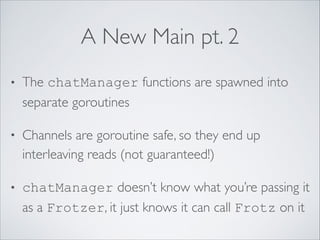
A New Main pt. 2
•

The chatManager functions are spawned into
separate goroutines	


•

Channels are goroutine safe, so they end up
interleaving reads (not guaranteed!)	


•

chatManager doesn’t know what you’re passing it
as a Frotzer, it just knows it can call Frotz on it
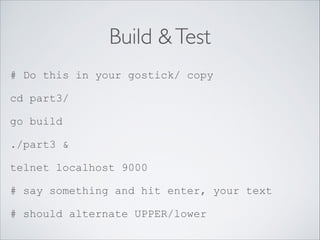
Build & Test
# Do this in your gostick/ copy
cd part3/
go build
./part3 &
telnet localhost 9000
# say something and hit enter, your text
# should alternate UPPER/lower
Review
•

A multi-user chat server demonstrating many core
parts of the Go programming language	


•

Built-in concurrency that is easy to use and trivially
allows relatively powerful constructions	


•

A classless, statically type system that still enables
many OO concepts
Go is Awesome :-)

This slide should have unicorns and bunnies on it
Things That Aren’t Unicorns Yet
•

The GC is generally pretty solid, but if you are
doing many allocations and need performance, you
have to do the usual tricks	


•

Standard library is pretty young and not optimized	


•

Overall ecosystem is small (but growing, hi!)
Also: The Scheduler
•

It’s new and has room for improvement	


•

Heavy use of channels between goroutines is
probably faster in one process	


•

You’ll have to play with GOMAXPROCS and
understand your application
Topics Undiscussed
•

Building your own packages (it’s easy)	


•

Importing from external repositories

import pcap “github.com/akrennmair/gopcap”	


•

Using gofmt (do it!)	


•

switch, select, etc.	


•

Type assertions, reflection, even more etc.
Thank you!

Mark Smith <mark@qq.is> @zorkian

SRE at Dropbox (we’re hiring!)

•

Some recommended reading:

Effective Go golang.org/doc/effective_go.html

FAQ golang.org/doc/faq	


•

Many more talks and presentations:

code.google.com/p/go-wiki/wiki/GoTalks	


•

The Go Playground! play.golang.org

LCA2014 - Introduction to Go

  • 1.
    Introduction to Go atutorial for developers Hello! While you’re sitting down, please make sure your Go environment is set up. ! Grab a USB stick that’s floating around and copy the gostick directory somewhere local. ! Then read the included README please!
  • 2.
    Autobiography • Mark Smith <mark@qq.is>@zorkian • Site Reliability Engineer at Dropbox • Contributes to Dreamwidth Studios • github.com/xb95
  • 3.
    Today’s Plan • What isGo? Where does it fit? • Obligatory Hello World • Contrived example program • Anti-unicorns • Wrap-up
  • 4.
    Go in aNutshell • Designed for building systems • Statically compiled, garbage collected • Static typing (w/some duck typing) • Built-in maps (dicts) and strings
  • 5.
    Go in aNutshell • Multi-core support • Concurrency primitives • Closures, etc. etc. • “Somewhere between C and Python”
  • 6.
    The Go Way • Gois an opinionated language • gofmt, mixedCaps, capitalization for privacy… • Simple is better than complex • The compiler should help with the heavy lifting
  • 7.
  • 8.
    Hello World package main ! import"fmt" ! func main() { fmt.Println("Hello, LCA 2014!") }
  • 9.
    Hello World package main ! import"fmt" ! func main() { fmt.Println("Hello, LCA 2014!") }
  • 10.
    Hello World package main ! import"fmt" ! func main() { fmt.Println("Hello, LCA 2014!") }
  • 11.
    Hello World package main ! import"fmt" ! func main() { fmt.Println("Hello, LCA 2014!") }
  • 12.
    Hello World package main ! import"fmt" ! func main() { fmt.Println("Hello, LCA 2014!") }
  • 13.
    Building Hello World #Do this in your gostick/ copy # You did follow the README? :-) cd helloworld/ go build ./helloworld
  • 14.
    Getting Real • Go isparticularly suited for network services • The standard library is fairly comprehensive • Let’s build an echo server!
  • 15.
    Echo Server 1. Listenon port for TCP connections 2. Accept connections 3. Read text from connection 4. Write it back to connection
  • 16.
    Standard Library • Go hasa decent standard library • The ecosystem is still fairly young, so it has some holes and some things aren’t well optimized • Well built for network services • http://golang.org/pkg/
  • 17.
    Tip: Searching When yousearch the Internet for information, “Go” is a bad keyword; everybody uses “golang”.
  • 18.
    Echo Server 1. Listenon port for TCP connections 2. Accept connections 3. Read text from connection 4. Write it back to connection
  • 19.
    Listening for Connections Inthe “net” package, you’ll find many useful things, including: func Listen(net, laddr string) (Listener, error)
  • 20.
    Listening for Connections Inthe “net” package, you’ll find many useful things, including: func Listen(net, laddr string) (Listener, error) package main ! import "net" ! func main() { ! }
  • 21.
    Listening for Connections Inthe “net” package, you’ll find many useful things, including: func Listen(net, laddr string) (Listener, error) package main ! import "net" ! func main() { ... := net.Listen("tcp", ":9000") }
  • 22.
    Variable Definition • Go hastwo ways of declaring variables, explicit and implicit • Explicit:
 var foobar uint64 • Implicit (type is inferred automatically):
 foobar := thingThatReturnsUint64() • Go strives to save on typing redundant information that the compiler can figure out
  • 23.
    Error Handling • Using multiplereturn values to get errors • Idiomatically, you will write this a lot:
 
 results, err := pkg.DoSomething(1, 2)
 if err != nil {
 log.Fatalf(“Failed: %s”, err)
 }
 // carry on and use results • Yes, this gets very verbose… oh well
  • 24.
    Echo Server 1. Listenon port for TCP connections 2. Accept connections 3. Read text from connection 4. Write it back to connection
  • 25.
    Connection Pump func Accept()(Conn, error) func main() { listener, err := net.Listen("tcp", ":9000") ! ! ! ! ! ! ! ! ! ! ! }
  • 26.
    Connection Pump func Accept()(Conn, error) func main() { listener, err := net.Listen("tcp", ":9000") if err != nil { panic(err) } ! ! ! ! ! ! ! ! }
  • 27.
    Connection Pump func Accept()(Conn, error) func main() { listener, err := net.Listen("tcp", ":9000") if err != nil { panic(err) } ! for { ! ! ! ! } }
  • 28.
    Connection Pump func Accept()(Conn, error) func main() { listener, err := net.Listen("tcp", ":9000") if err != nil { panic(err) } ! for { client, err := listener.Accept() ! ! ! ! } }
  • 29.
    Connection Pump func Accept()(Conn, error) func main() { listener, err := net.Listen("tcp", ":9000") if err != nil { panic(err) } ! for { client, err := listener.Accept() if err != nil { continue } ! } }
  • 30.
    Connection Pump func Accept()(Conn, error) func main() { listener, err := net.Listen("tcp", ":9000") if err != nil { panic(err) } ! for { client, err := listener.Accept() if err != nil { continue } handleClient(client) } }
  • 31.
    Echo Server 1. Listenon port for TCP connections 2. Accept connections 3. Read text from connection 4. Write it back to connection
  • 32.
    Client Handler func Read(b[]byte) (int, error) func handleClient(client net.Conn) { for { // read from our client // write it back to our client } }
  • 33.
    Client Handler func Read(b[]byte) (int, error) func handleClient(client net.Conn) { for { // read from our client // write it back to our client } } Okay, so what’s a []byte?
  • 34.
    Primitive Go Types • Allof the usual suspects (ints, uints, floats) • Built-in string type (Unicode, immutable) • int and uint are architecture-width • byte is just a synonym for uint8
  • 35.
    More Types • arrays: ofa declared, fixed length • slice: a segment (“slice”) of an array • map: key/value storage • pointer: much like C (uses & and *) • (more to come later)
  • 36.
    So, []byte… • Let’s makean array of bytes:
 var ary [4096]byte • What if we don’t know the size? Or don’t care? Slices solve this problem:
 var aryslice []byte • This is great, but what is it?
  • 37.
  • 38.
    Slices Explained var a[16]byte is a[3] is
  • 39.
    Slices Explained var a[16]byte is a[3] is a[6:8] is
  • 40.
    Slices Explained var a[16]byte is a[3] is a[6:8] is var s []byte is nothing to start with.
  • 41.
    Slices Explained var a[16]byte is a[3] is a[6:8] is var s []byte is nothing to start with. s = a[6:8]; s is
  • 42.
    Slices Explained var a[16]byte is a[3] is a[6:8] is var s []byte is nothing to start with. s = a[6:8]; s is s[0] is the same as a[6], etc! A slice is simply a window into a backing array.
  • 43.
    Slices pt. 2 • Slicesare internally a tuple of (array, start, length) • A slice can be moved around (a sliding window) and resized (limited to the backing array size) • Slices are reference types; great for passing to functions
  • 44.
    Echo Server 1. Listenon port for TCP connections 2. Accept connections 3. Read text from connection 4. Write it back to connection
  • 45.
    Client Handler func Read(b[]byte) (int, error) func handleClient(client net.Conn) { for { ! ! ! ! ! ! } }
  • 46.
    Client Handler func Read(b[]byte) (int, error) func handleClient(client net.Conn) { for { buf := make([]byte, 4096) ! ! ! ! } }
  • 47.
    Client Handler func Read(b[]byte) (int, error) func handleClient(client net.Conn) { for { buf := make([]byte, 4096) numbytes, err := client.Read(buf) ! ! ! ! } }
  • 48.
    Client Handler func Read(b[]byte) (int, error) func handleClient(client net.Conn) { for { buf := make([]byte, 4096) numbytes, err := client.Read(buf) if numbytes == 0 || err != nil { return } ! } }
  • 49.
    Client Handler func Read(b[]byte) (int, error) func handleClient(client net.Conn) { for { buf := make([]byte, 4096) numbytes, err := client.Read(buf) if numbytes == 0 || err != nil { return } client.Write(buf) } }
  • 50.
    Build & Test #Do this in your gostick/ copy cd part1/ go build ./part1 & telnet localhost 9000 # say something and hit enter
  • 51.
    More Power • The echoserver is great, but can only serve one user at a time! • Concurrent network programming… should we fork for each child? use a threading library? maybe we can implement it using non-blocking I/O… • Stop, stop, stop!
  • 52.
    Concurrent, Go Style Rememberour main accept loop? Let’s tweak it from this… func main() { listener, err := net.Listen("tcp", ":9000") if err != nil { panic(err) } ! for { client, err := listener.Accept() if err != nil { continue } handleClient(client) } }
  • 53.
    Concurrent, Go Style …tothis! func main() { listener, err := net.Listen("tcp", ":9000") if err != nil { panic(err) } ! for { client, err := listener.Accept() if err != nil { continue } go handleClient(client) } }
  • 54.
    Goroutines • A goroutine isa function executing concurrently with other goroutines • Go multiplexes M goroutines onto N processes, and scales to 100,000+ goroutines (millions possible, use case dependent) • N is by default only 1, you can tune it
  • 55.
    Goroutines pt. 2 • Everythingin Go is designed to be blocking, in essence, and the idea is to use goroutines • This makes reasoning about software much easier • Go also provides deadlock detection and backtraces all living goroutines
  • 56.
    Echo v2.0, “Chat” • Let’smake a chat server out of our echo server • Design goal: any text from one client is echoed immediately to all connected clients • Well, clearly, our goroutines have to communicate
  • 57.
    Communication • The common idiomfor communicating between threads in most languages is shared memory • This kind of work is notoriously racy, error prone, and hard to implement correctly
  • 58.
    Communication in Go • “Don’tcommunicate by sharing memory; share memory by communicating!” • Enter the concept of channels • A built-in goroutine safe method of passing data
  • 59.
    Basic Channel Use ch:= make(chan int) Create a new channel ch <- 5 Write to a channel Read from a channel i := <-ch The channel in this example is an unbuffered channel. Reads block until data is available, writes block until someone reads. Synchronous.
  • 60.
    Buffered Channels ch :=make(chan int, 10) Create a new channel ch <- 5 Write to a channel Read from a channel i := <-ch The difference: buffered channels won’t block when inserting data (unless they’re full).
  • 61.
    Chat Server • We haveto make three main modifications: 1. Store a list of connected clients 2. Get input out of the clients 3. Write each input back to every client • Note: this implementation is a reduced example, so it’s a little unsafe in one place :-)
  • 62.
    Chat Server • We haveto make three main modifications: 1. Store a list of connected clients 2. Get input out of the clients 3. Write each input back to every client • Note: this implementation is a reduced example, so it’s a little unsafe in one place :-)
  • 63.
    Connected Clients func main(){ ... ! ! ! for { client, err := listener.Accept() if err != nil { continue } ! go handleClient(client) } }
  • 64.
    Connected Clients func main(){ ... ! var clients []net.Conn ! for { client, err := listener.Accept() if err != nil { continue } clients = append(clients, client) go handleClient(client) } } Build a slice of clients and then append each new client to the slice. ! The append built-in handles automatically allocating and growing the backing array as necessary.
  • 65.
    Chat Server • We haveto make three main modifications: 1. Store a list of connected clients 2. Get input out of the clients 3. Write each input back to every client • Note: this implementation is a reduced example, so it’s a little unsafe in one place :-)
  • 66.
    Getting Input func main(){ ... ! for { ... clients = append(clients, client) go handleClient(client) } } ! func handleClient(client net.Conn) { for { ... client.Write(buf) } }
  • 67.
    Getting Input func main(){ ... input := make(chan []byte, 10) ! for { ... clients = append(clients, client) go handleClient(client) } } ! func handleClient(client net.Conn) { for { ... client.Write(buf) } }
  • 68.
    Getting Input func main(){ ... input := make(chan []byte, 10) ! for { ... clients = append(clients, client) go handleClient(client, input) } } ! func handleClient(client net.Conn) { for { ... client.Write(buf) } }
  • 69.
    Getting Input func main(){ ... input := make(chan []byte, 10) ! for { ... clients = append(clients, client) go handleClient(client, input) } } ! func handleClient(client net.Conn, input chan []byte) { for { ... client.Write(buf) } }
  • 70.
    Getting Input func main(){ ... input := make(chan []byte, 10) ! for { ... clients = append(clients, client) go handleClient(client, input) } } ! func handleClient(client net.Conn, input chan []byte) { for { ... client.Write(buf) input <- buf } }
  • 71.
    Getting Input func main(){ ... input := make(chan []byte, 10) ! for { ... clients = append(clients, client) go handleClient(client, input) } } ! func handleClient(client net.Conn, input chan []byte) { for { ... client.Write(buf) Removed the Write! input <- buf } }
  • 72.
    What is Happening? • handleClientstill is a blocking read loop, but instead of writing back to the client it writes the bytes onto a channel • main now has a list of all clients and a channel that everybody is writing input to • Final piece: somebody to read from the channel!
  • 73.
    Chat Server • We haveto make three main modifications: 1. Store a list of connected clients 2. Get input out of the clients 3. Write each input back to every client • Note: this implementation is a reduced example, so it’s a little unsafe in one place :-)
  • 74.
    The Chat Manager funcmain() { ... var clients []net.Conn input := make(chan []byte, 10) ! ! ! ! We’ve ! ! ! ! ... } seen this all before…
  • 75.
    The Chat Manager funcmain() { ... var clients []net.Conn input := make(chan []byte, 10) go func() { ! ! ! ! ! }() ... } You can create goroutines out of closures, too. !
  • 76.
    The Chat Manager ! funcmain() { ... var clients []net.Conn input := make(chan []byte, 10) go func() { for { message := <-input ! ! } }() ... } ! ! This is all blocking!
  • 77.
    The Chat Manager ! funcmain() { ... var clients []net.Conn This input := make(chan []byte, 10) go func() { for { message := <-input for _, client := range clients { ! } } }() ... } ! ! is all blocking!
  • 78.
    range and _ for_, client := range clients {..} • The range keyword iterates over maps/slices/ arrays and returns the key (or index) and value • Underscore (_) is the anonymous variable (“blank identifier”), you can use it to discard results
  • 79.
    The Chat Manager funcmain() { ... var clients []net.Conn input := make(chan []byte, 10) go func() { for { message := <-input for _, client := range clients { client.Write(message) } } }() ... }
  • 80.
    Build & Test #Do this in your gostick/ copy cd part2/ go build ./part2 & telnet localhost 9000 # say something and hit enter, now connect # again in another window and chat! :-)
  • 81.
    Echo 3.0, “Frotzer” • We’reentering the land of extremely contrived tutorial examples, but… • Let’s give our chat server some behaviors! • When a user chats, we apply some formatting rules before sending it out to other users
  • 82.
    But First: MoreType Talk! • Go doesn’t have classes (or objects, really) • However, you have named types, and methods are attached to named types:


 type Uppercaser struct{} ! func (self Uppercaser) Frotz(input []byte) []byte { return bytes.ToUpper(input) }
  • 83.
    Um, struct{}? • Go supportsstructs, very much like any other language that has structs • The empty struct is often used for hanging methods • Instantiating a struct type:
 foobar := Lowercaser{}
 foobar.Frotz(“HELLO”) // “hello”
  • 84.
    Interfaces • In Go, aninterface specifies a collection of methods attached to a name • Interfaces are implicit (duck typed)


 type Frotzer interface { Frotz([]byte) []byte } ! type Uppercaser struct{} func (self Uppercaser) Frotz(input []byte) []byte { return bytes.ToUpper(input) }
  • 85.
    Implementing Frotzing func chatManager(clients*[]net.Conn, input chan []byte ) { for { message := <-input for _, client := range *clients { client.Write(message) } } } This is the input handler loop we built a few minutes ago, except now we pulled it out of main and made it a function.
  • 86.
    Implementing Frotzing func chatManager(clients*[]net.Conn, input chan []byte, frotz Frotzer) { for { message := <-input for _, client := range *clients { client.Write(frotz.Frotz(message)) } } } Now it takes a third argument: an interface. Any type that implements Frotzer can be used!
  • 87.
    Making Frotzers These areboth named types, and both implement (implicitly!) the Frotzer interface. Thanks, compiler! type Uppercaser struct{} func (self Uppercaser) Frotz(input []byte) []byte { return bytes.ToUpper(input) } ! type Lowercaser struct{} func (self Lowercaser) Frotz(input []byte) []byte { return bytes.ToLower(input) }
  • 88.
    A New Main funcmain() { ... var clients []net.Conn input := make(chan []byte, 10) go chatManager(&clients, input) ! ! for { client, err := listener.Accept() if err != nil { continue } clients = append(clients, client) go handleClient(client, input) } }
  • 89.
    A New Main funcmain() { ... var clients []net.Conn input := make(chan []byte, 10) go chatManager(&clients, input, Lowercaser{}) go chatManager(&clients, input, Uppercaser{}) ! for { client, err := listener.Accept() if err != nil { continue } clients = append(clients, client) go handleClient(client, input) } }
  • 90.
    A New Mainpt. 2 • The chatManager functions are spawned into separate goroutines • Channels are goroutine safe, so they end up interleaving reads (not guaranteed!) • chatManager doesn’t know what you’re passing it as a Frotzer, it just knows it can call Frotz on it
  • 91.
    Build & Test #Do this in your gostick/ copy cd part3/ go build ./part3 & telnet localhost 9000 # say something and hit enter, your text # should alternate UPPER/lower
  • 92.
    Review • A multi-user chatserver demonstrating many core parts of the Go programming language • Built-in concurrency that is easy to use and trivially allows relatively powerful constructions • A classless, statically type system that still enables many OO concepts
  • 93.
    Go is Awesome:-) This slide should have unicorns and bunnies on it
  • 94.
    Things That Aren’tUnicorns Yet • The GC is generally pretty solid, but if you are doing many allocations and need performance, you have to do the usual tricks • Standard library is pretty young and not optimized • Overall ecosystem is small (but growing, hi!)
  • 95.
    Also: The Scheduler • It’snew and has room for improvement • Heavy use of channels between goroutines is probably faster in one process • You’ll have to play with GOMAXPROCS and understand your application
  • 96.
    Topics Undiscussed • Building yourown packages (it’s easy) • Importing from external repositories
 import pcap “github.com/akrennmair/gopcap” • Using gofmt (do it!) • switch, select, etc. • Type assertions, reflection, even more etc.
  • 97.
    Thank you! Mark Smith<mark@qq.is> @zorkian
 SRE at Dropbox (we’re hiring!) • Some recommended reading:
 Effective Go golang.org/doc/effective_go.html
 FAQ golang.org/doc/faq • Many more talks and presentations:
 code.google.com/p/go-wiki/wiki/GoTalks • The Go Playground! play.golang.org