Release with
Confidence
INTEGRATION TEST AUTOMATION AND COVERAGE
FOR WEB SERVICE APPLICATIONS
About Me
 Currently CTO at a health tech start-up AristaMD
 Developing in PHP for ~14 years
 Author of Dialect (advanced PostgreSQL for
Eloquent) https://github.com/darrylkuhn/dialect
 I like to surf, scuba dive, travel, and read
 San Diego native
 The last movie I watched was “What we do in the
Shadows”
 I occasionally say something at:
 https://followingvannevar.wordpress.com/
 @darrylkuhn
Ground we’re going to
cover
 Quick intro to postman (calling web services)
 Quick intro to Jenkins (build automation)
 Test automation using postman/Jenkins
 Generating code coverage reports
 Some philosophy about test automation
This presentation utilizes Laravel 5 but nothing here is really
Laravel specific…
A simple service app
 We’re going to demo using a fictitious application
called fooblog.com
 Exposes a RESTful interface to
 Authenticate with a simple oAuth layer
 Get user data
 Manage Blog entries
Source at:
https://github.com/darrylkuhn/fooblog
…but before we get
started a little survey:
Survey:
 Who is familiar with the term API?
 What about REST or RESTful (who’s going to correct me
for using them interchangeably)?
 Who’s consumed a web service? Built web services?
 Who’s built unit tests? Who’s built integration tests?
 Who knows what code coverage is?
 Who’s using test automation now?
 Who’s ever pushed a change to a production and
crossed their fingers?
Postman
 API workflow tool (more @ getpostman.com)
 It’s FREE!
 Create requests quickly
 Replay and organize into Collections
 Switch context quickly with Environments
 Use JetPacks (a $10 add-on) to test responses with
simple JavaScript
 Use newman (free) to run tests (built in postman)
on the command line
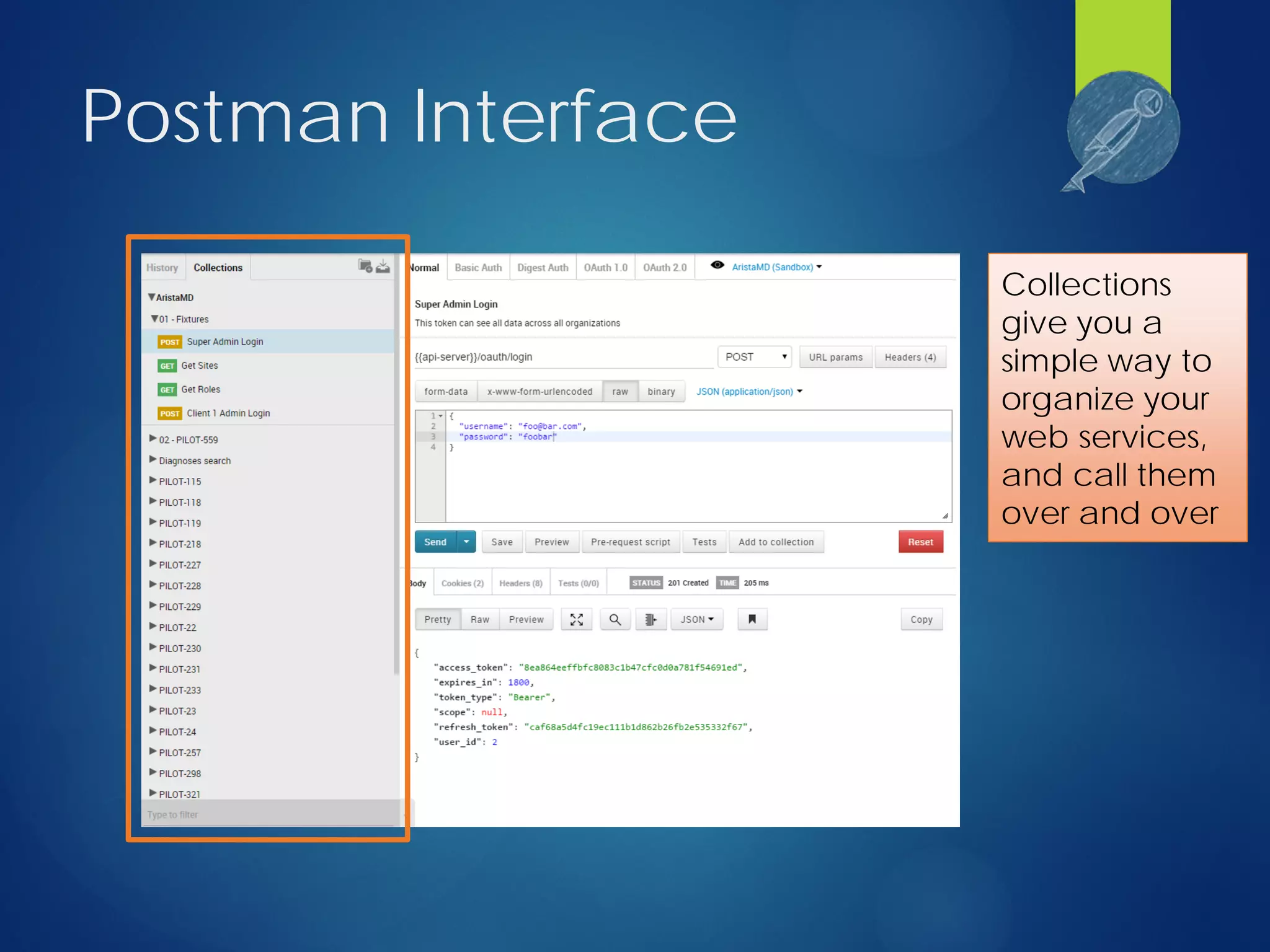
Postman Interface
Collections
give you a
simple way to
organize your
web services,
and call them
over and over
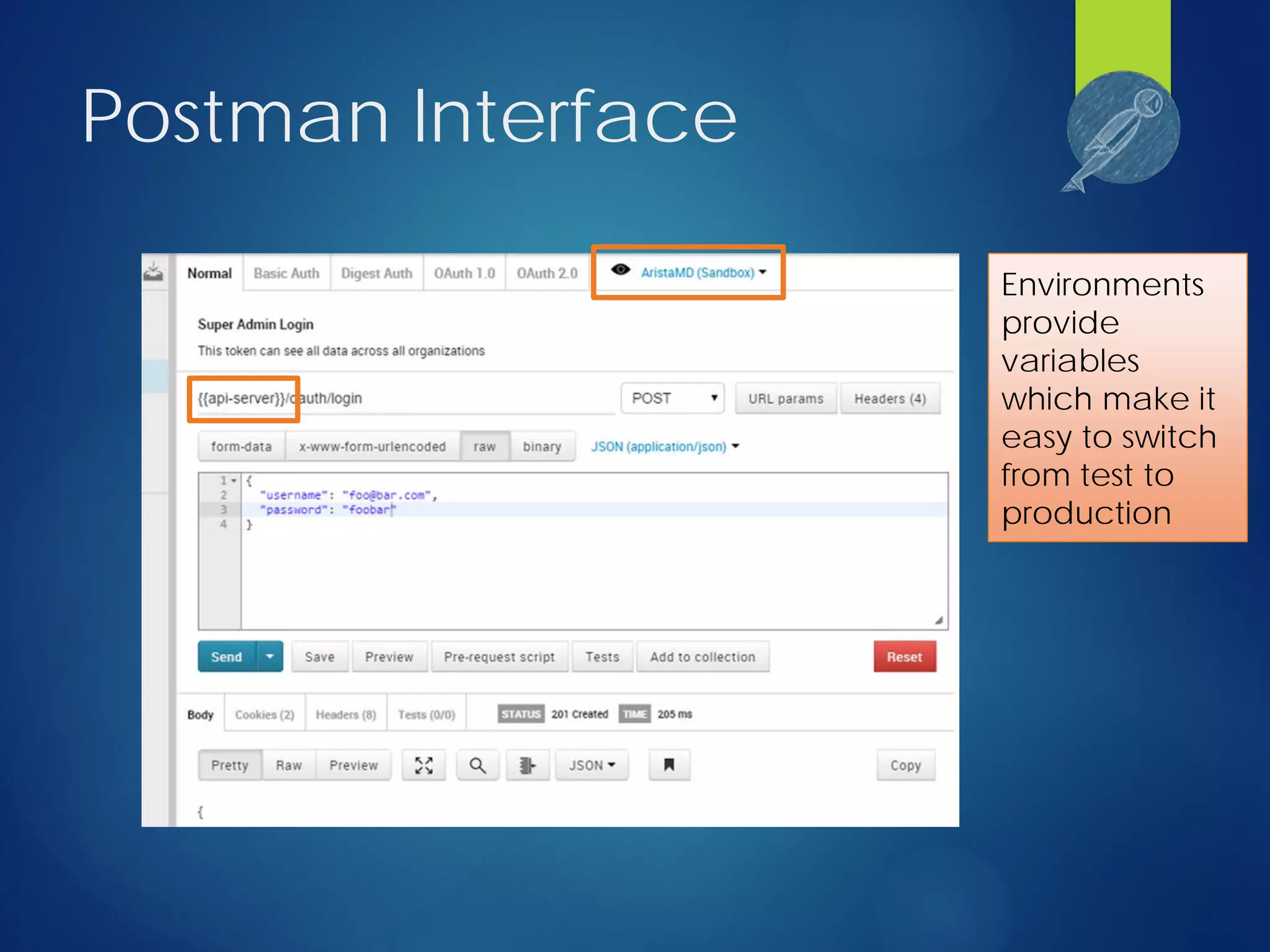
Postman Interface
Environments
provide
variables
which make it
easy to switch
from test to
production
Postman Interface
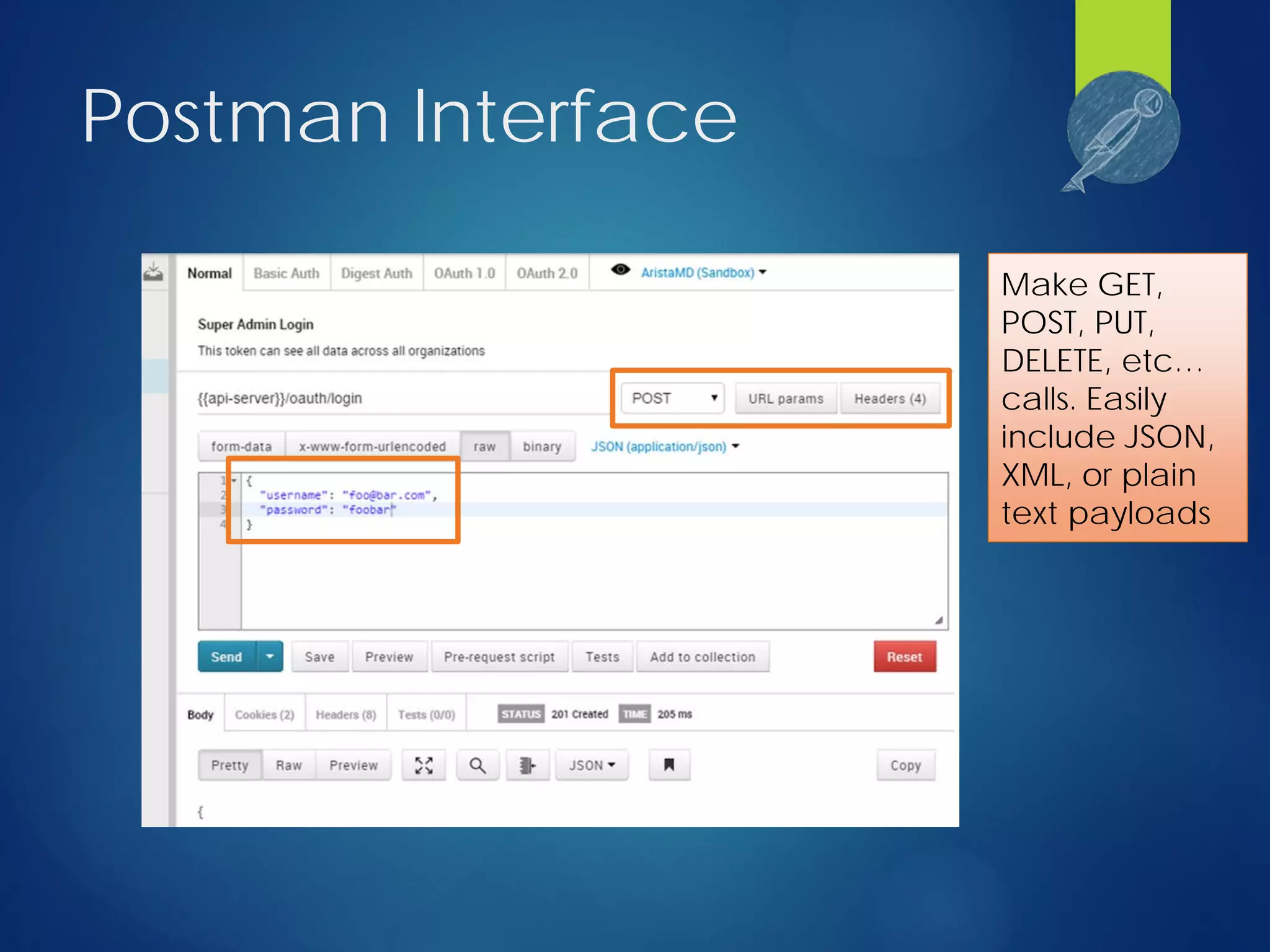
Make GET,
POST, PUT,
DELETE, etc…
calls. Easily
include JSON,
XML, or plain
text payloads
Postman Interface
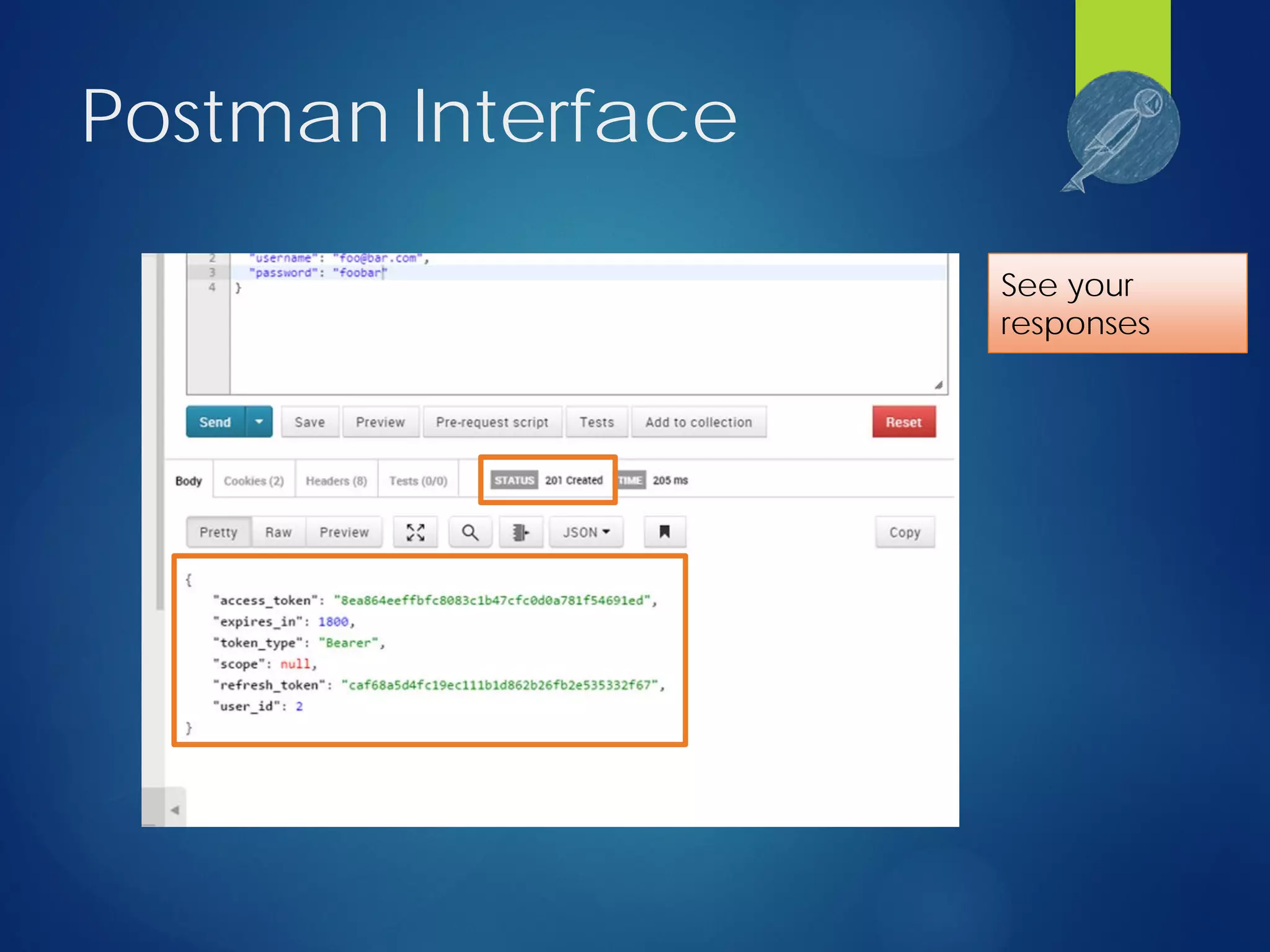
See your
responses
Postman Interface
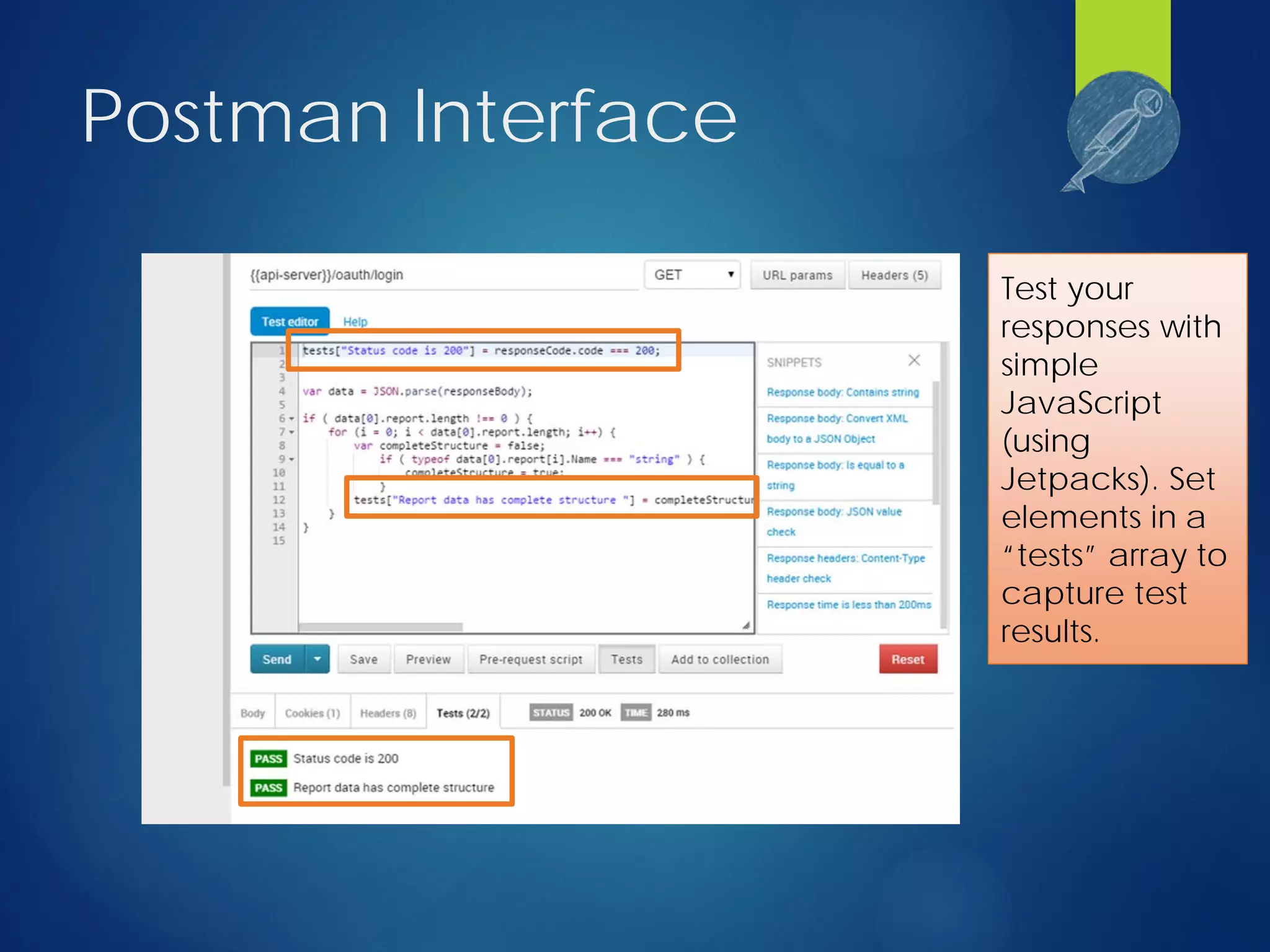
Test your
responses with
simple
JavaScript
(using
Jetpacks). Set
elements in a
“tests” array to
capture test
results.
Let’s make some calls
Jenkins
 Build automation tool (more @ http://jenkins-ci.org/)
 It’s also FREE!
 Create “Jobs” which are just a series of actions to run in
sequence.
 Keeps a history of job runs, who ran them, what the result
was.
 Plugin architecture allows for a rich set of customizations.
Some of the stuff I use:
 Git Client (build from github source)
 Junit/CloverPHP (run unit tests and see coverage)
 Post-Build Script (deploy build artifacts)
 LDAP Plugin (centralize authentication)
Jenkins Interface
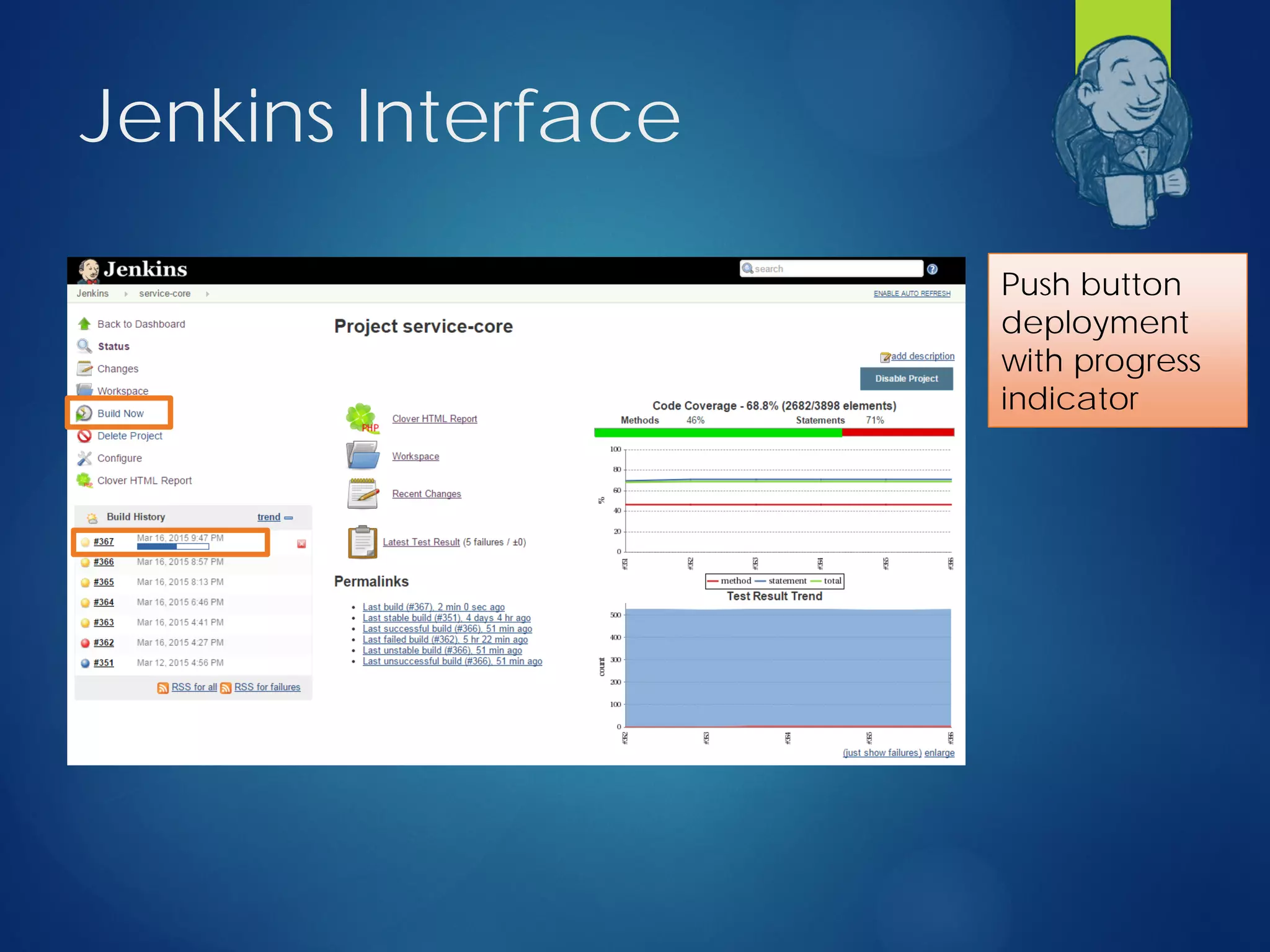
Push button
deployment
with progress
indicator
Jenkins Interface
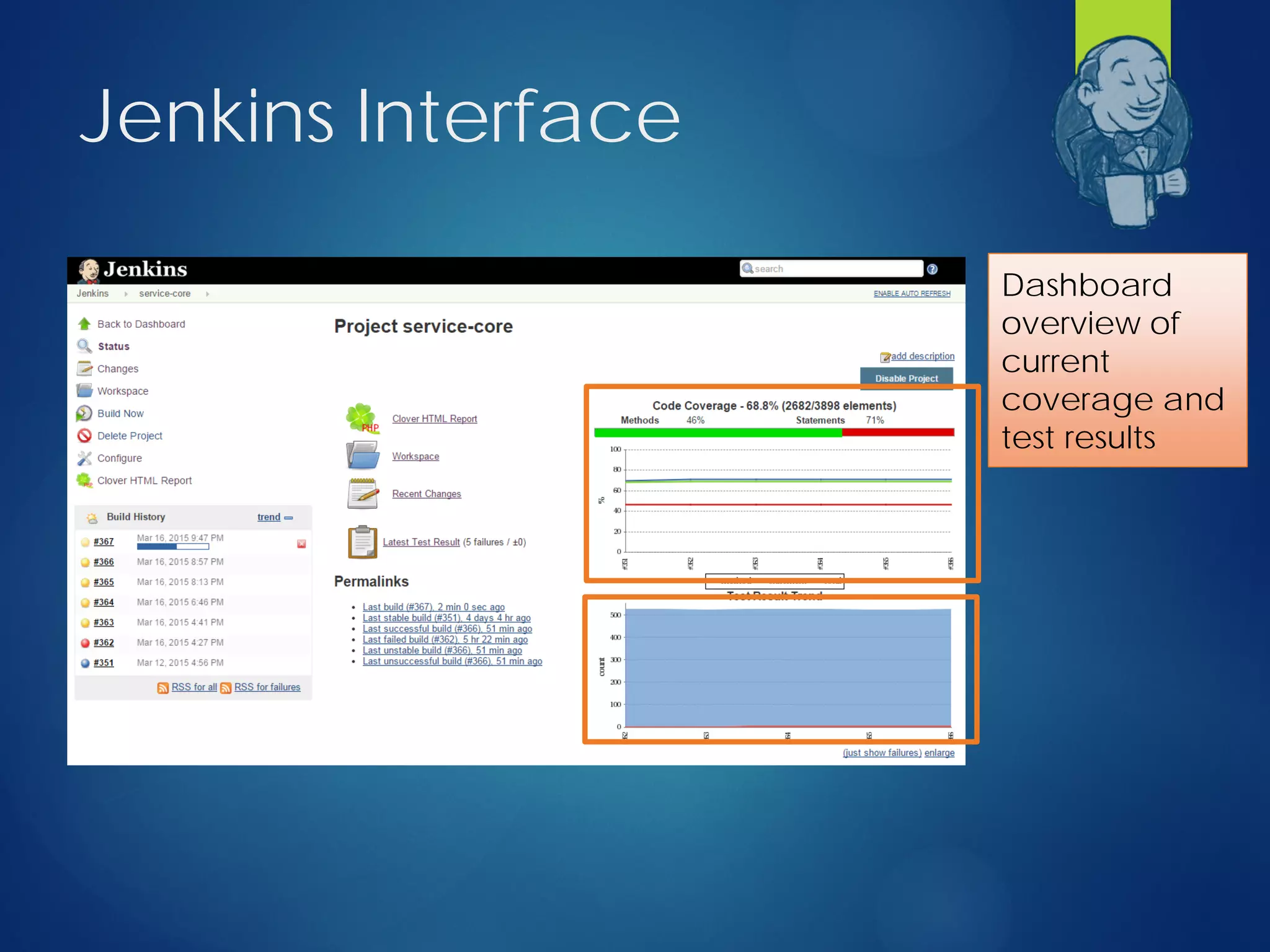
Dashboard
overview of
current
coverage and
test results
Jenkins Interface
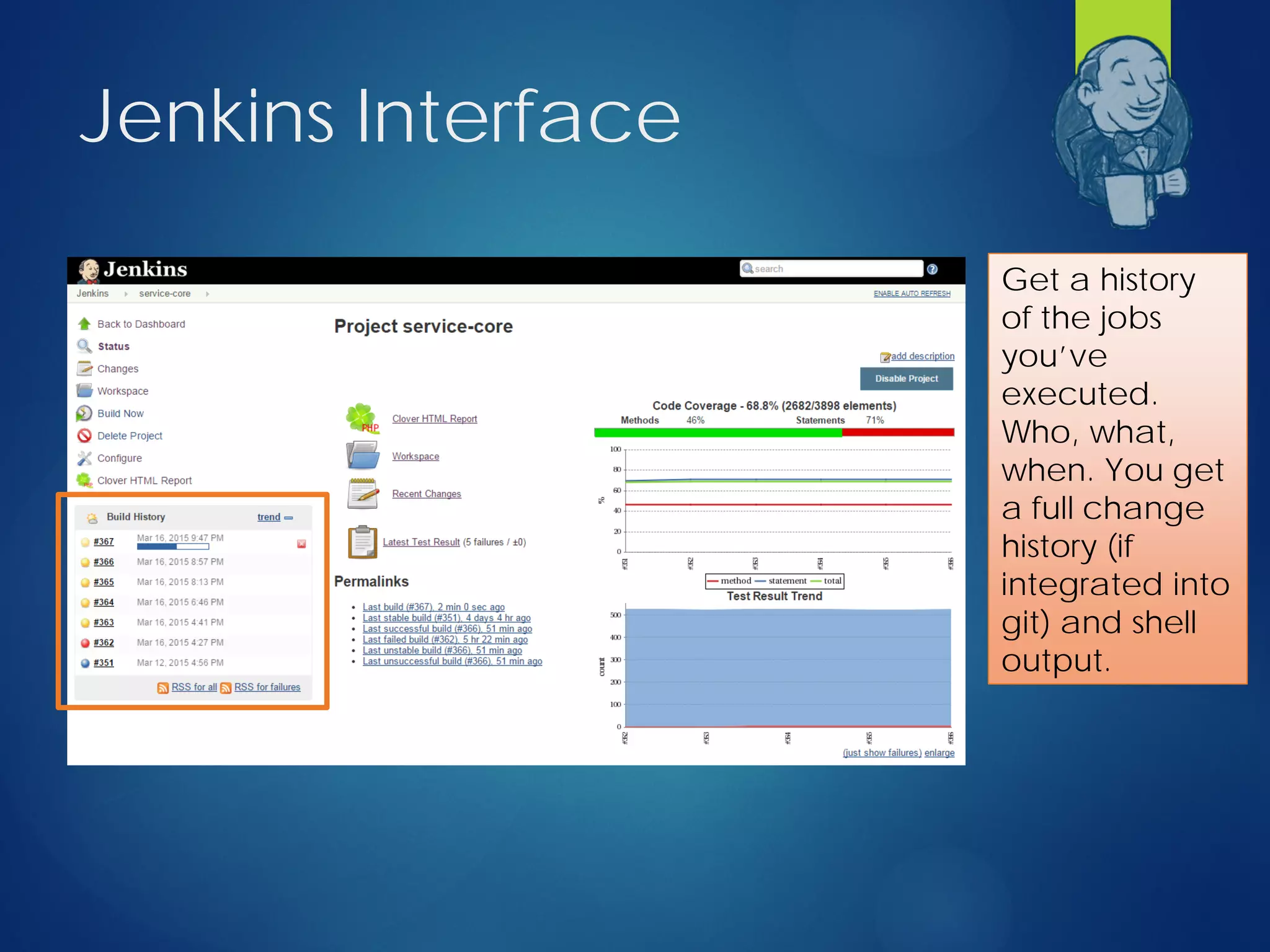
Get a history
of the jobs
you’ve
executed.
Who, what,
when. You get
a full change
history (if
integrated into
git) and shell
output.
Jenkins Interface
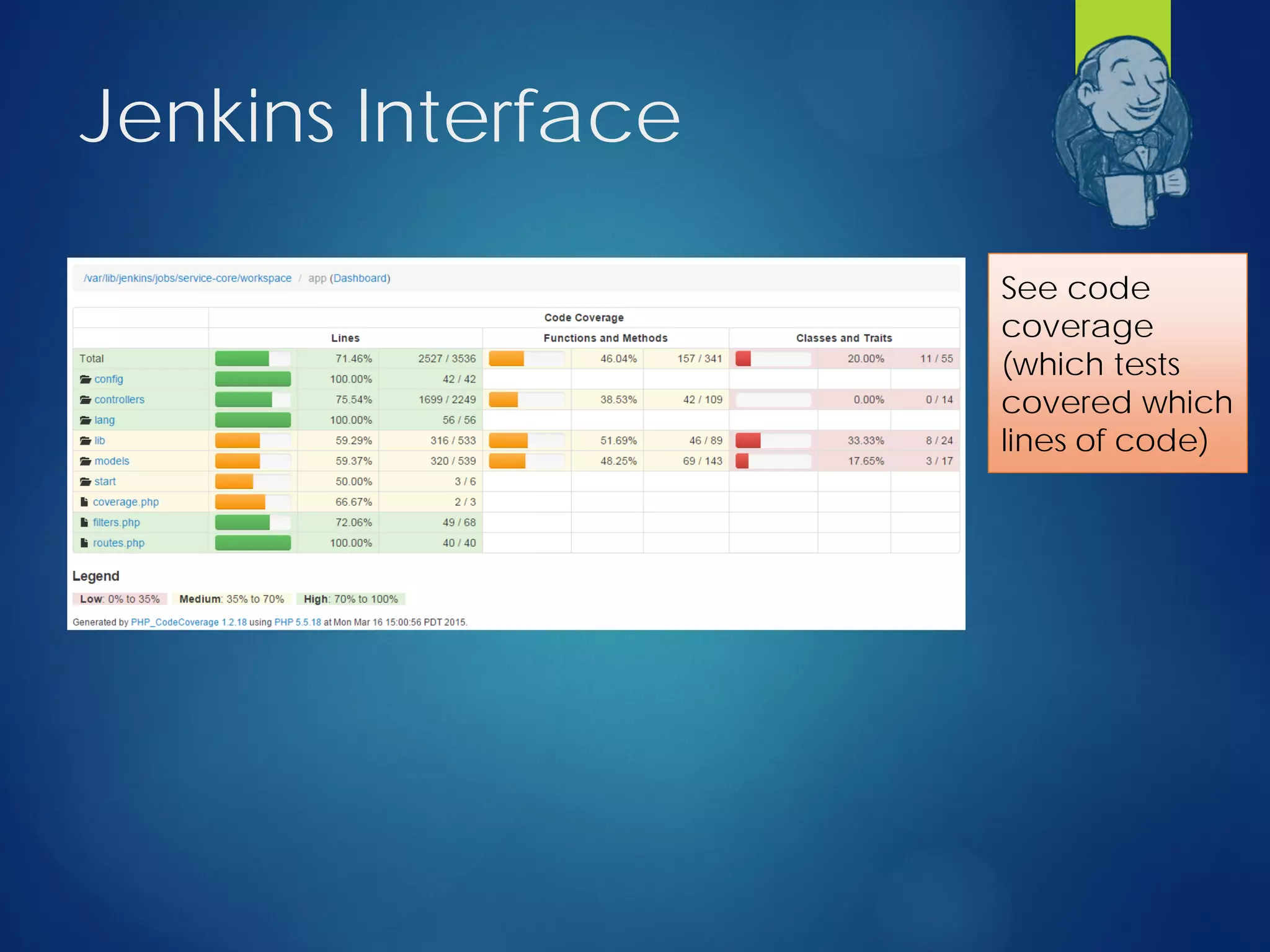
See code
coverage
(which tests
covered which
lines of code)
Let’s build a job
Jenkins/Postman
Coverage Recipe
1. Create a command to start / stop capturing
coverage
2. Add coverage capability to our app
3. Create a command to merge newman results
into our PHPUnit results
4. Configure Jenkins job to execute the test suite
and capture pass/fail and coverage details
+
But First…
Let’s quickly dive into sebastianbergmann/php-
code-coverage
+
php-code-coverage
project
 Authored by Sebastian Bergmann (PHPUnit
anyone?)
 Provides several classes that we’ll be using to store
and write coverage details including:
 PHP_CodeCoverage (this is the main class)
 PHP_CodeCoverage_Filter (only capture coverage
on specific files/directories)
 PHP_CodeCoverage_Report_Clover /
PHP_CodeCoverage_Report_HTML to output
coverage details in different formats
+
Step 1: Start/stop
capturing coverage
 Web Service calls take place over several PHP life-
cycles unlike PHPUnit (which runs in a single
master thread)
 We need to
 Identify at the start of the call’s lifecycle that code
execution should be covered
 Persist the captured coverage data somewhere
until we’re done with all requests
 Persistent storage engine: file (you can use
anything really – I use redis in the real world)
+
Let’s see some code
app/Console/Commands/TestCoverage.php
Step 2: Add coverage
capability to our app
 For Laravel that means adding a small piece of
Middleware to HTTP/Kernel.php
1. Check if we should be recording coverage
2. Pull any existing coverage from cache or create a
new coverage object
3. Register a shutdown function to save off the
coverage details when the process is complete
+
Let’s see some more code
app/Http/Middleware/Coverage.php
Step 3: Merge results
 Load PHPUnit XML
 Load Postman/Newman JSON
 Walk the JSON results adding each testsuite &
testcase to the XML result set
 Write the merged results
+
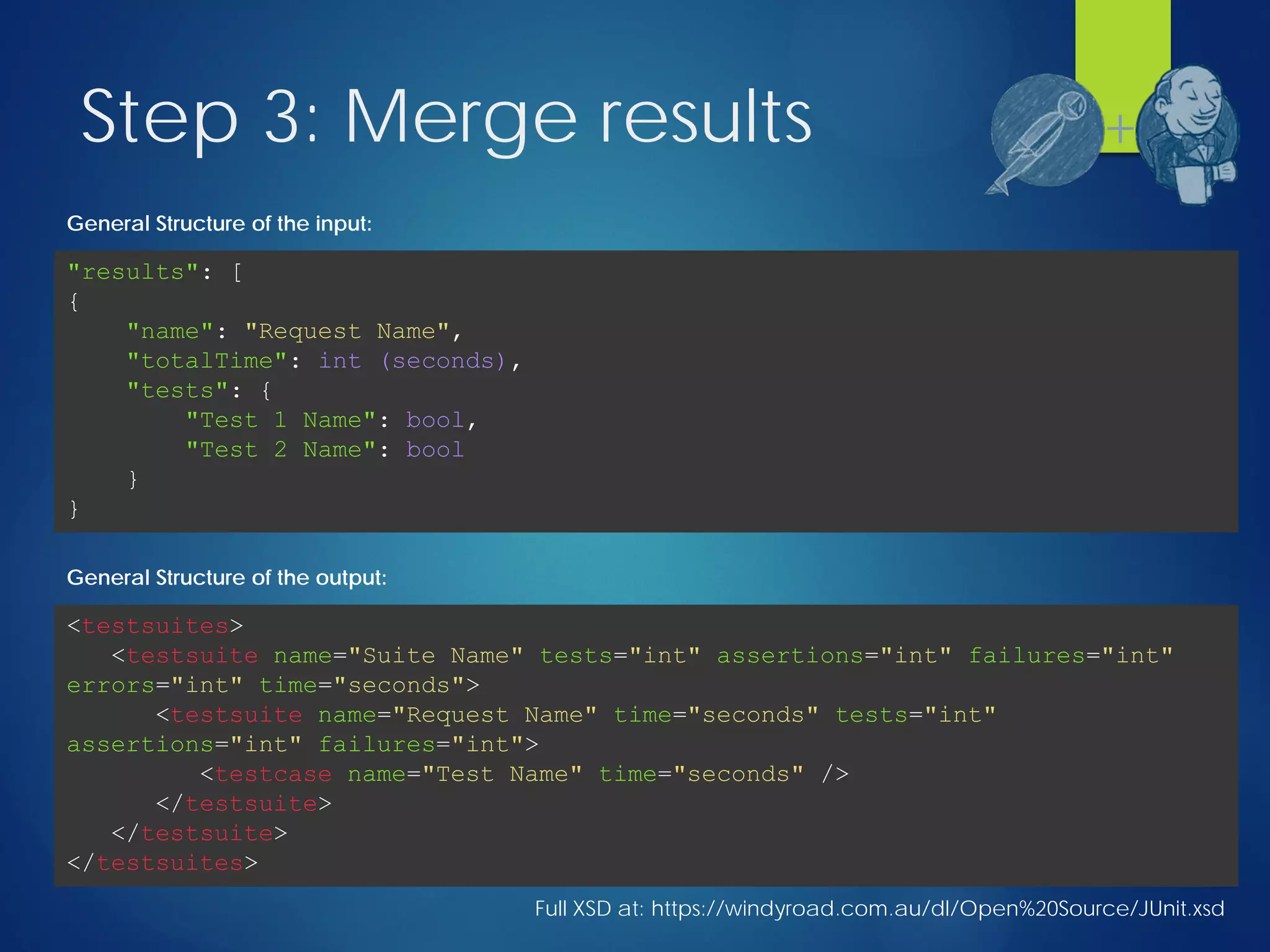
Step 3: Merge results
Full XSD at: https://windyroad.com.au/dl/Open%20Source/JUnit.xsd
<testsuites>
<testsuite name="Suite Name" tests="int" assertions="int" failures="int"
errors="int" time="seconds">
<testsuite name="Request Name" time="seconds" tests="int"
assertions="int" failures="int">
<testcase name="Test Name" time="seconds" />
</testsuite>
</testsuite>
</testsuites>
General Structure of the output:
"results": [
{
"name": "Request Name",
"totalTime": int (seconds),
"tests": {
"Test 1 Name": bool,
"Test 2 Name": bool
}
}
General Structure of the input:
+
Step 3: Merge results
 Load PHPUnit XML
 Load Postman/Newman JSON
 Walk the JSON results adding each testsuite &
testcase to the XML result set
 Write the merged results
+
Code please…
app/Console/Commands/MergeTestResults.php
Step 4: Create Jenkins job
 Add build action to
 Turn on coverage collection
 Run phpunit
 Run newman
 Write and merge test and coverage data
+
Let’s take a look under the hood…
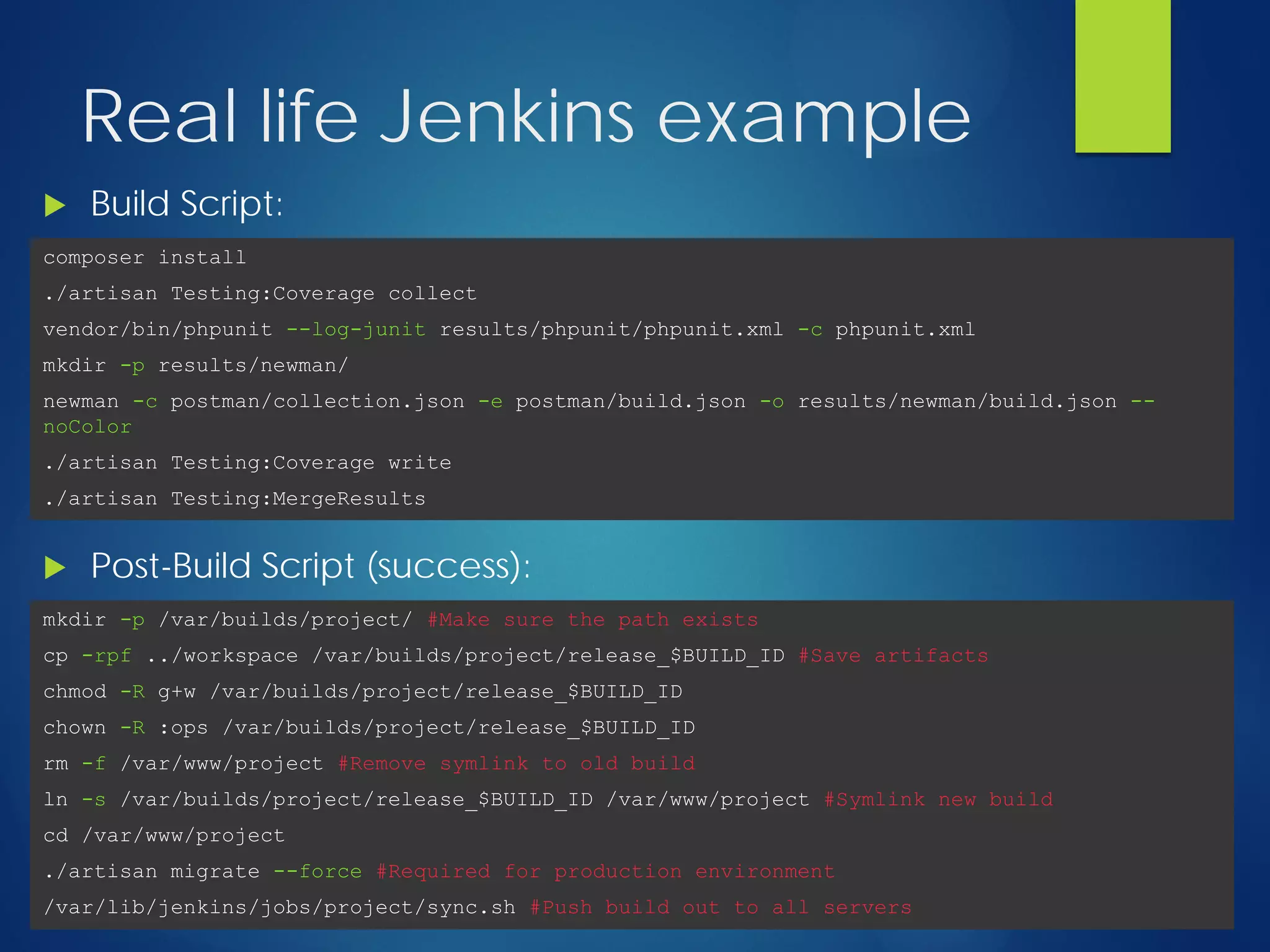
Real life Jenkins example
 Build Script:
composer install
./artisan Testing:Coverage collect
vendor/bin/phpunit --log-junit results/phpunit/phpunit.xml -c phpunit.xml
mkdir -p results/newman/
newman -c postman/collection.json -e postman/build.json -o results/newman/build.json --
noColor
./artisan Testing:Coverage write
./artisan Testing:MergeResults
 Post-Build Script (success):
mkdir -p /var/builds/project/ #Make sure the path exists
cp -rpf ../workspace /var/builds/project/release_$BUILD_ID #Save artifacts
chmod -R g+w /var/builds/project/release_$BUILD_ID
chown -R :ops /var/builds/project/release_$BUILD_ID
rm -f /var/www/project #Remove symlink to old build
ln -s /var/builds/project/release_$BUILD_ID /var/www/project #Symlink new build
cd /var/www/project
./artisan migrate --force #Required for production environment
/var/lib/jenkins/jobs/project/sync.sh #Push build out to all servers
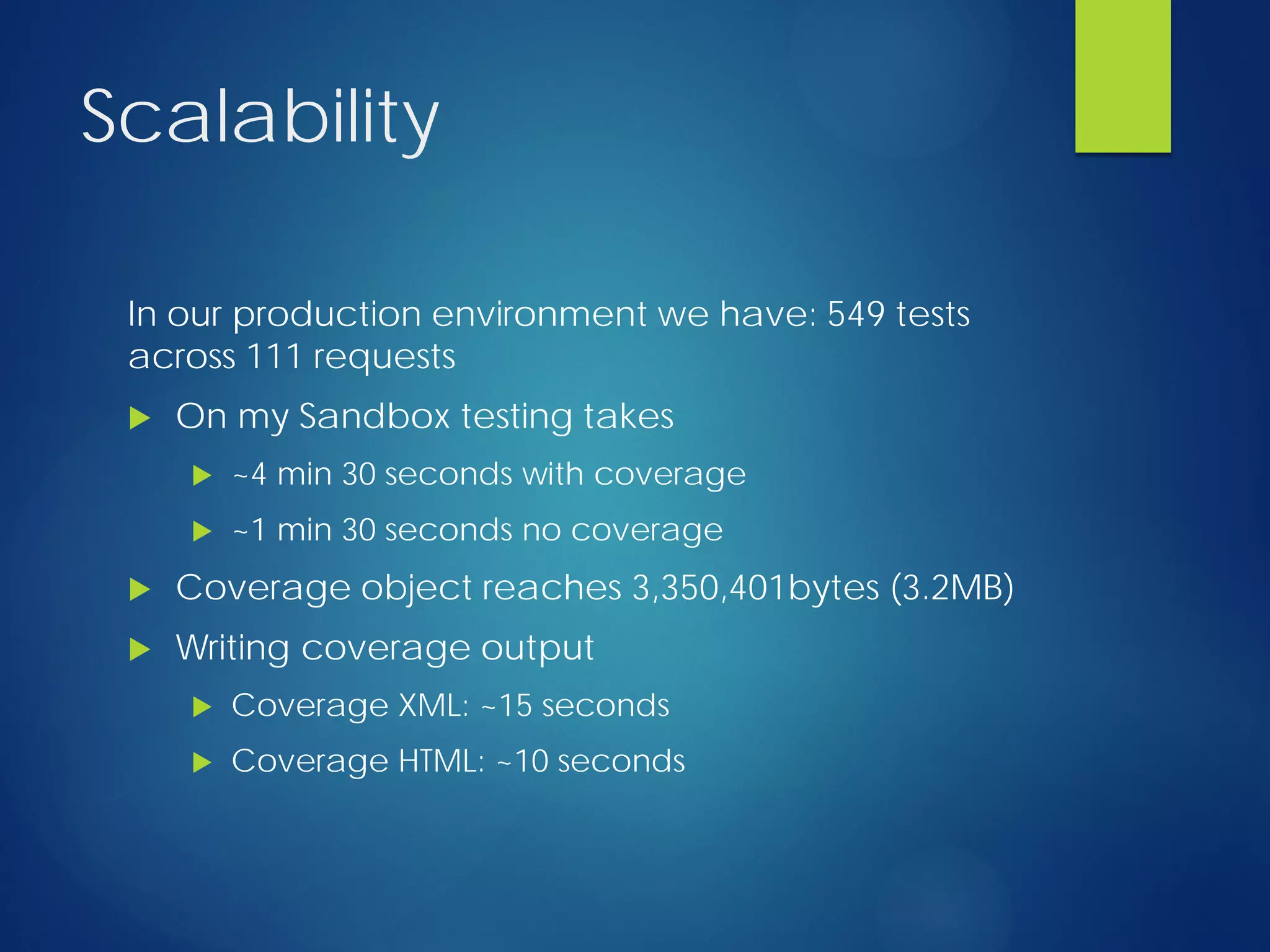
Scalability
In our production environment we have: 549 tests
across 111 requests
 On my Sandbox testing takes
 ~4 min 30 seconds with coverage
 ~1 min 30 seconds no coverage
 Coverage object reaches 3,350,401bytes (3.2MB)
 Writing coverage output
 Coverage XML: ~15 seconds
 Coverage HTML: ~10 seconds
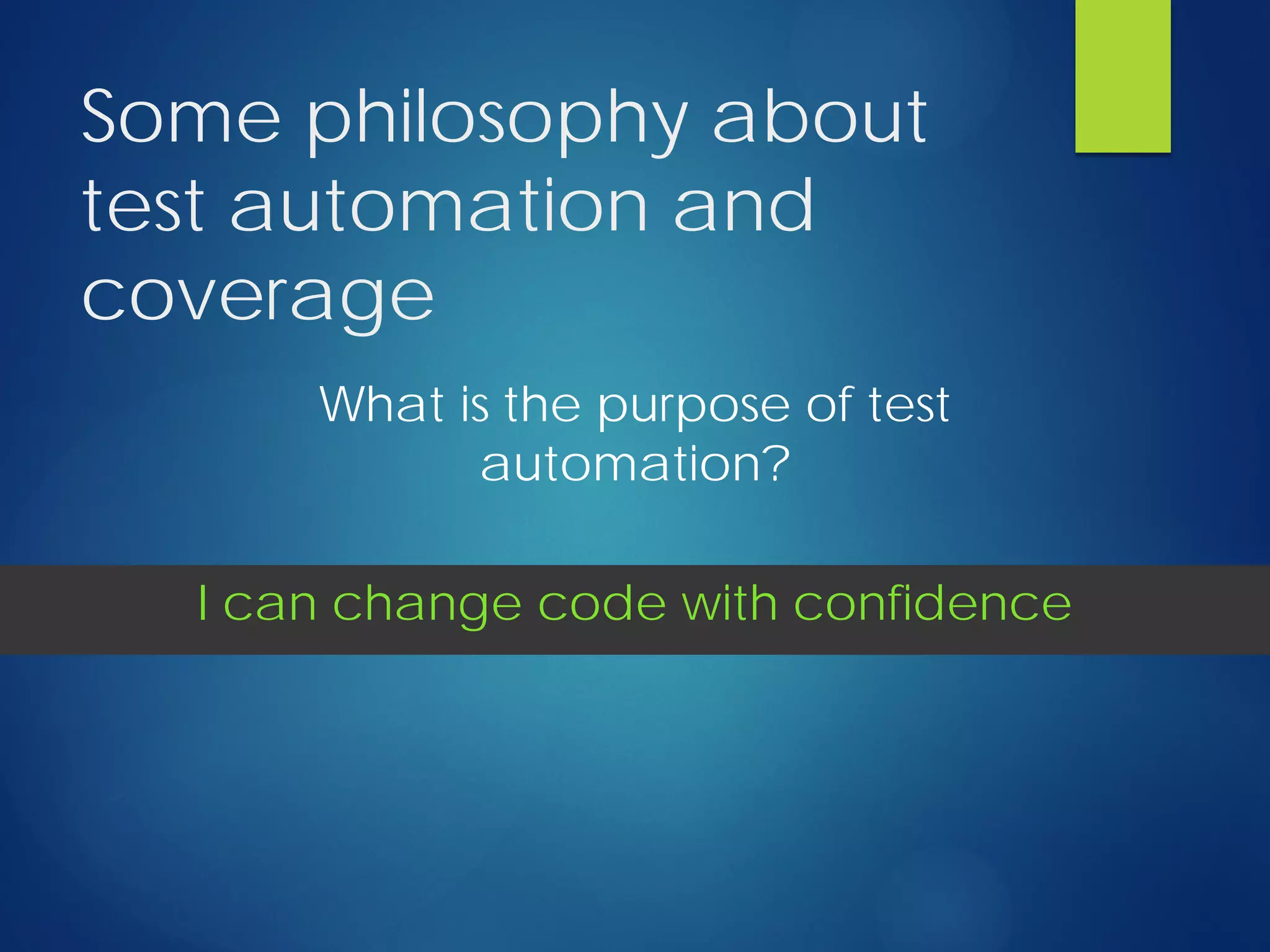
Some philosophy about
test automation and
coverage
What is the purpose of test
automation?
I can change code with confidence
Some philosophy about
test automation and
coverage
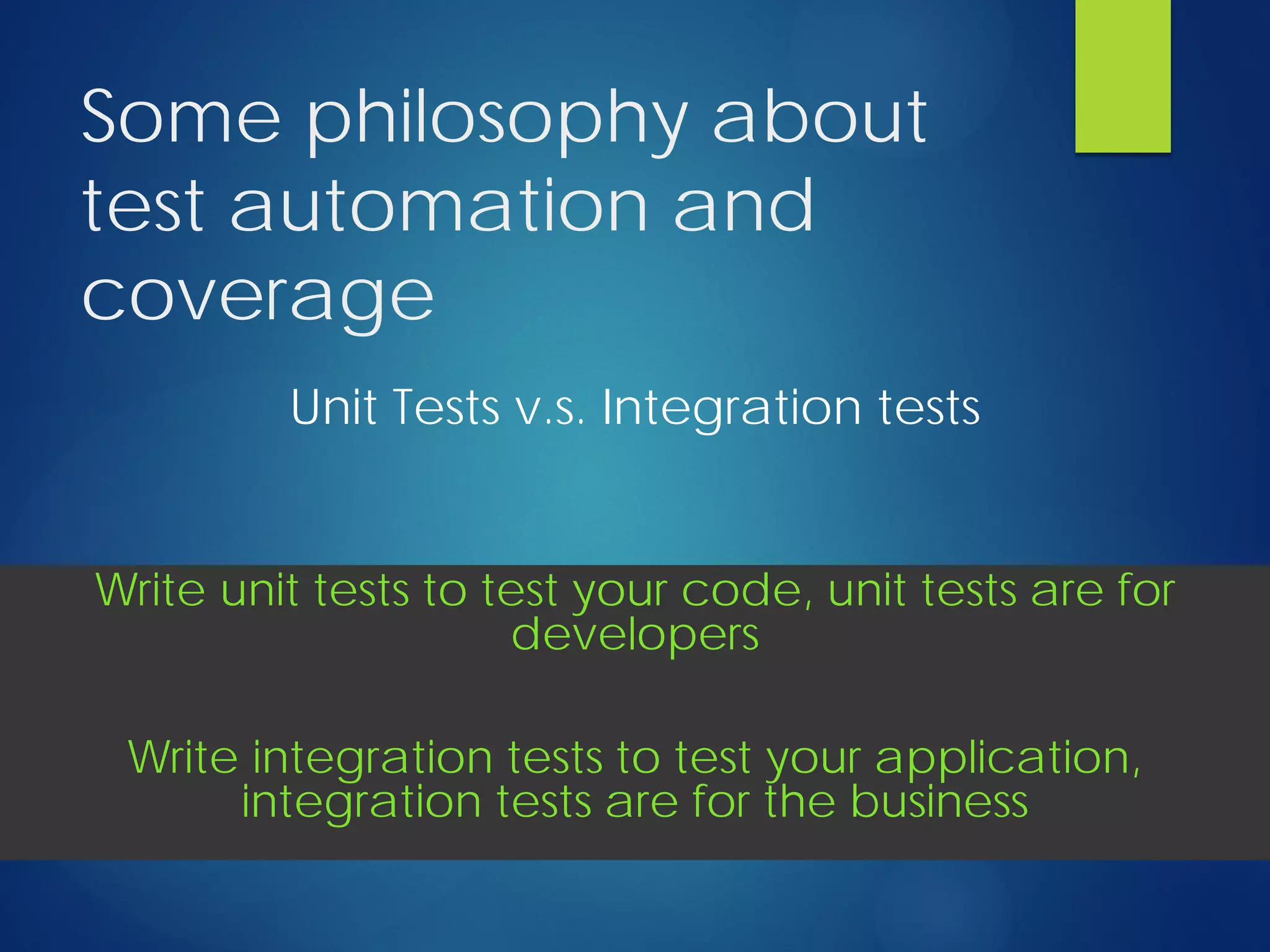
Unit Tests v.s. Integration tests
Write unit tests to test your code, unit tests are for
developers
Write integration tests to test your application,
integration tests are for the business
Some philosophy about
test automation and
coverage
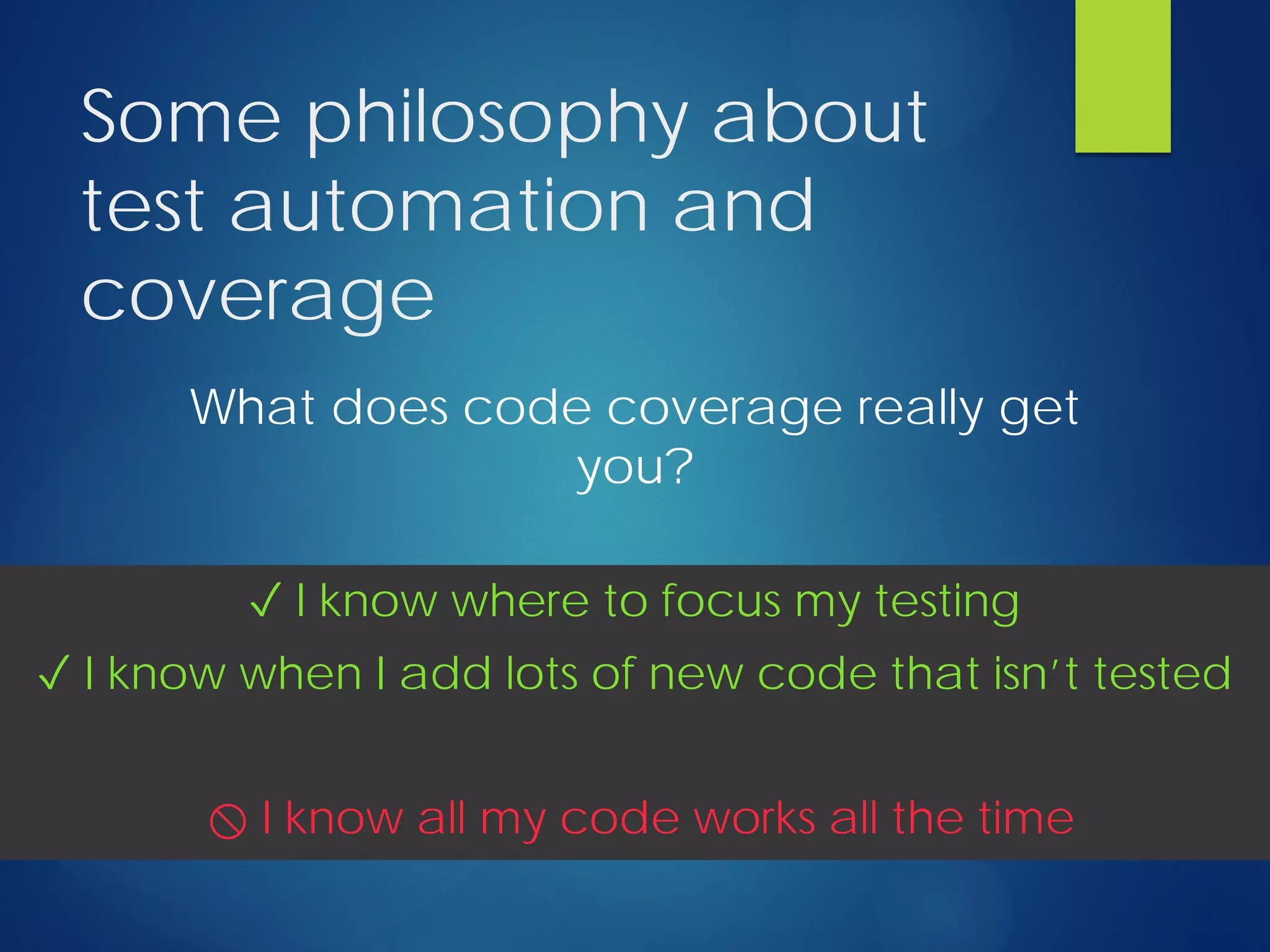
What does code coverage really get
you?
✓ I know where to focus my testing
✓ I know when I add lots of new code that isn’t tested
⃠ I know all my code works all the time
Some philosophy about
test automation and
coverage
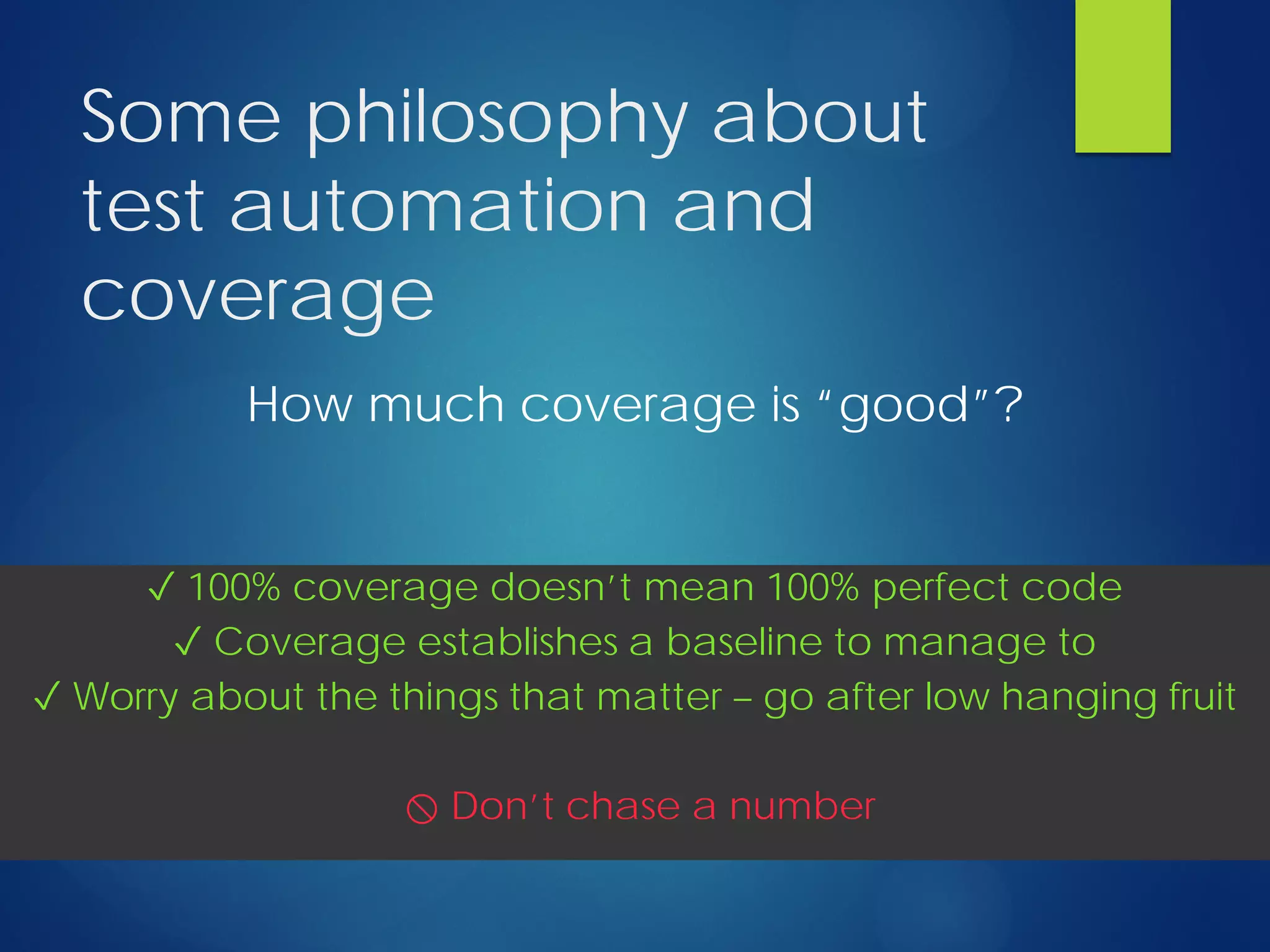
How much coverage is “good”?
✓ 100% coverage doesn’t mean 100% perfect code
✓ Coverage establishes a baseline to manage to
✓ Worry about the things that matter – go after low hanging fruit
⃠ Don’t chase a number
Q&A
Thanks!

Release with confidence

  • 1.
    Release with Confidence INTEGRATION TESTAUTOMATION AND COVERAGE FOR WEB SERVICE APPLICATIONS
  • 2.
    About Me  CurrentlyCTO at a health tech start-up AristaMD  Developing in PHP for ~14 years  Author of Dialect (advanced PostgreSQL for Eloquent) https://github.com/darrylkuhn/dialect  I like to surf, scuba dive, travel, and read  San Diego native  The last movie I watched was “What we do in the Shadows”  I occasionally say something at:  https://followingvannevar.wordpress.com/  @darrylkuhn
  • 3.
    Ground we’re goingto cover  Quick intro to postman (calling web services)  Quick intro to Jenkins (build automation)  Test automation using postman/Jenkins  Generating code coverage reports  Some philosophy about test automation This presentation utilizes Laravel 5 but nothing here is really Laravel specific…
  • 4.
    A simple serviceapp  We’re going to demo using a fictitious application called fooblog.com  Exposes a RESTful interface to  Authenticate with a simple oAuth layer  Get user data  Manage Blog entries Source at: https://github.com/darrylkuhn/fooblog
  • 5.
    …but before weget started a little survey: Survey:  Who is familiar with the term API?  What about REST or RESTful (who’s going to correct me for using them interchangeably)?  Who’s consumed a web service? Built web services?  Who’s built unit tests? Who’s built integration tests?  Who knows what code coverage is?  Who’s using test automation now?  Who’s ever pushed a change to a production and crossed their fingers?
  • 6.
    Postman  API workflowtool (more @ getpostman.com)  It’s FREE!  Create requests quickly  Replay and organize into Collections  Switch context quickly with Environments  Use JetPacks (a $10 add-on) to test responses with simple JavaScript  Use newman (free) to run tests (built in postman) on the command line
  • 7.
    Postman Interface Collections give youa simple way to organize your web services, and call them over and over
  • 8.
    Postman Interface Environments provide variables which makeit easy to switch from test to production
  • 9.
    Postman Interface Make GET, POST,PUT, DELETE, etc… calls. Easily include JSON, XML, or plain text payloads
  • 10.
  • 11.
    Postman Interface Test your responseswith simple JavaScript (using Jetpacks). Set elements in a “tests” array to capture test results.
  • 12.
  • 13.
    Jenkins  Build automationtool (more @ http://jenkins-ci.org/)  It’s also FREE!  Create “Jobs” which are just a series of actions to run in sequence.  Keeps a history of job runs, who ran them, what the result was.  Plugin architecture allows for a rich set of customizations. Some of the stuff I use:  Git Client (build from github source)  Junit/CloverPHP (run unit tests and see coverage)  Post-Build Script (deploy build artifacts)  LDAP Plugin (centralize authentication)
  • 14.
  • 15.
  • 16.
    Jenkins Interface Get ahistory of the jobs you’ve executed. Who, what, when. You get a full change history (if integrated into git) and shell output.
  • 17.
    Jenkins Interface See code coverage (whichtests covered which lines of code)
  • 18.
  • 19.
    Jenkins/Postman Coverage Recipe 1. Createa command to start / stop capturing coverage 2. Add coverage capability to our app 3. Create a command to merge newman results into our PHPUnit results 4. Configure Jenkins job to execute the test suite and capture pass/fail and coverage details +
  • 20.
    But First… Let’s quicklydive into sebastianbergmann/php- code-coverage +
  • 21.
    php-code-coverage project  Authored bySebastian Bergmann (PHPUnit anyone?)  Provides several classes that we’ll be using to store and write coverage details including:  PHP_CodeCoverage (this is the main class)  PHP_CodeCoverage_Filter (only capture coverage on specific files/directories)  PHP_CodeCoverage_Report_Clover / PHP_CodeCoverage_Report_HTML to output coverage details in different formats +
  • 22.
    Step 1: Start/stop capturingcoverage  Web Service calls take place over several PHP life- cycles unlike PHPUnit (which runs in a single master thread)  We need to  Identify at the start of the call’s lifecycle that code execution should be covered  Persist the captured coverage data somewhere until we’re done with all requests  Persistent storage engine: file (you can use anything really – I use redis in the real world) + Let’s see some code app/Console/Commands/TestCoverage.php
  • 23.
    Step 2: Addcoverage capability to our app  For Laravel that means adding a small piece of Middleware to HTTP/Kernel.php 1. Check if we should be recording coverage 2. Pull any existing coverage from cache or create a new coverage object 3. Register a shutdown function to save off the coverage details when the process is complete + Let’s see some more code app/Http/Middleware/Coverage.php
  • 24.
    Step 3: Mergeresults  Load PHPUnit XML  Load Postman/Newman JSON  Walk the JSON results adding each testsuite & testcase to the XML result set  Write the merged results +
  • 25.
    Step 3: Mergeresults Full XSD at: https://windyroad.com.au/dl/Open%20Source/JUnit.xsd <testsuites> <testsuite name="Suite Name" tests="int" assertions="int" failures="int" errors="int" time="seconds"> <testsuite name="Request Name" time="seconds" tests="int" assertions="int" failures="int"> <testcase name="Test Name" time="seconds" /> </testsuite> </testsuite> </testsuites> General Structure of the output: "results": [ { "name": "Request Name", "totalTime": int (seconds), "tests": { "Test 1 Name": bool, "Test 2 Name": bool } } General Structure of the input: +
  • 26.
    Step 3: Mergeresults  Load PHPUnit XML  Load Postman/Newman JSON  Walk the JSON results adding each testsuite & testcase to the XML result set  Write the merged results + Code please… app/Console/Commands/MergeTestResults.php
  • 27.
    Step 4: CreateJenkins job  Add build action to  Turn on coverage collection  Run phpunit  Run newman  Write and merge test and coverage data + Let’s take a look under the hood…
  • 28.
    Real life Jenkinsexample  Build Script: composer install ./artisan Testing:Coverage collect vendor/bin/phpunit --log-junit results/phpunit/phpunit.xml -c phpunit.xml mkdir -p results/newman/ newman -c postman/collection.json -e postman/build.json -o results/newman/build.json -- noColor ./artisan Testing:Coverage write ./artisan Testing:MergeResults  Post-Build Script (success): mkdir -p /var/builds/project/ #Make sure the path exists cp -rpf ../workspace /var/builds/project/release_$BUILD_ID #Save artifacts chmod -R g+w /var/builds/project/release_$BUILD_ID chown -R :ops /var/builds/project/release_$BUILD_ID rm -f /var/www/project #Remove symlink to old build ln -s /var/builds/project/release_$BUILD_ID /var/www/project #Symlink new build cd /var/www/project ./artisan migrate --force #Required for production environment /var/lib/jenkins/jobs/project/sync.sh #Push build out to all servers
  • 29.
    Scalability In our productionenvironment we have: 549 tests across 111 requests  On my Sandbox testing takes  ~4 min 30 seconds with coverage  ~1 min 30 seconds no coverage  Coverage object reaches 3,350,401bytes (3.2MB)  Writing coverage output  Coverage XML: ~15 seconds  Coverage HTML: ~10 seconds
  • 30.
    Some philosophy about testautomation and coverage What is the purpose of test automation? I can change code with confidence
  • 31.
    Some philosophy about testautomation and coverage Unit Tests v.s. Integration tests Write unit tests to test your code, unit tests are for developers Write integration tests to test your application, integration tests are for the business
  • 32.
    Some philosophy about testautomation and coverage What does code coverage really get you? ✓ I know where to focus my testing ✓ I know when I add lots of new code that isn’t tested ⃠ I know all my code works all the time
  • 33.
    Some philosophy about testautomation and coverage How much coverage is “good”? ✓ 100% coverage doesn’t mean 100% perfect code ✓ Coverage establishes a baseline to manage to ✓ Worry about the things that matter – go after low hanging fruit ⃠ Don’t chase a number
  • 34.
  • 35.