Director, WSO2
Patterns for Building Streaming Apps
Sriskandarajah Suhothayan
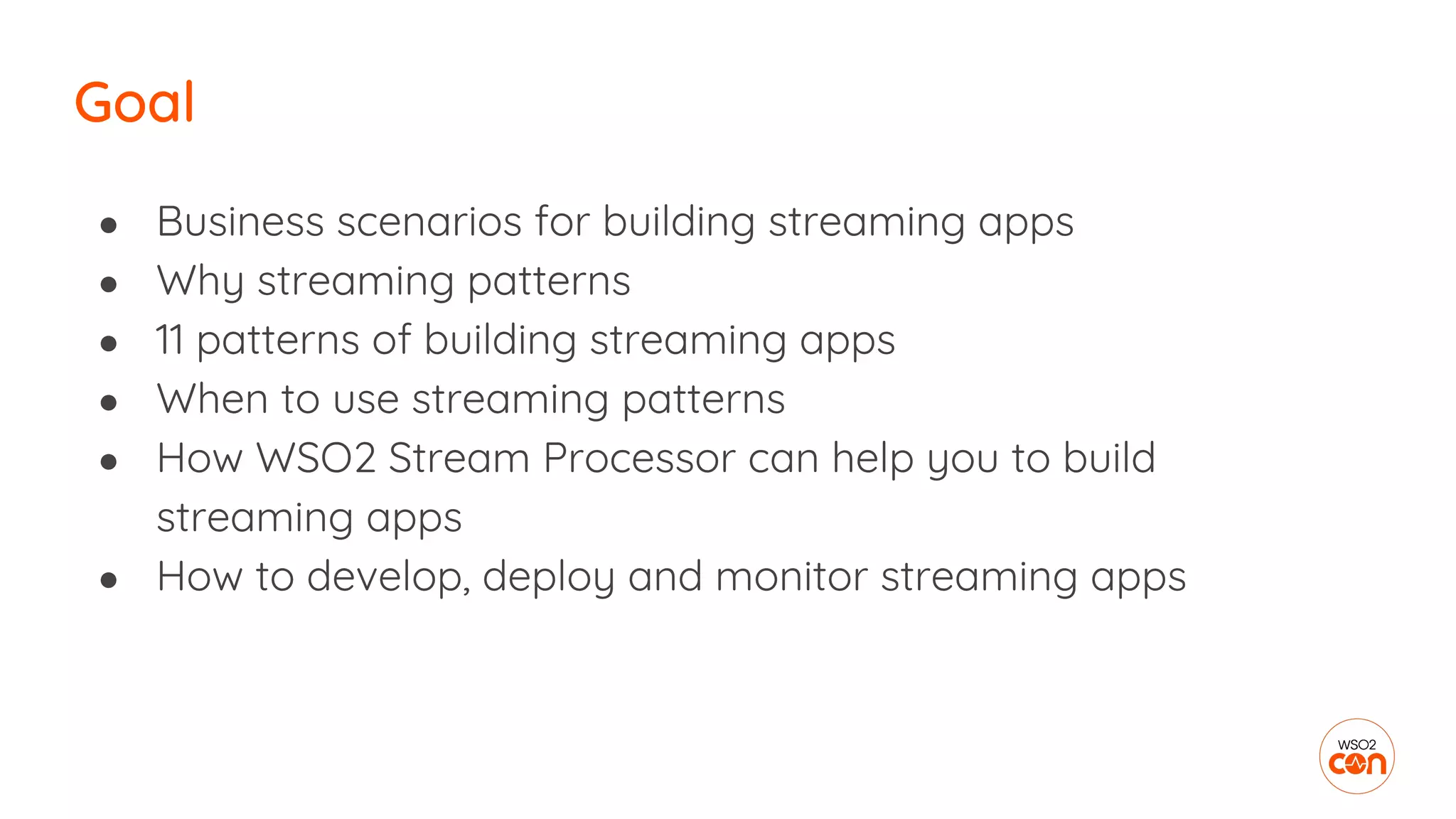
Goal
● Business scenarios for building streaming apps
● Why streaming patterns
● 11 patterns of building streaming apps
● When to use streaming patterns
● How WSO2 Stream Processor can help you to build
streaming apps
● How to develop, deploy and monitor streaming apps
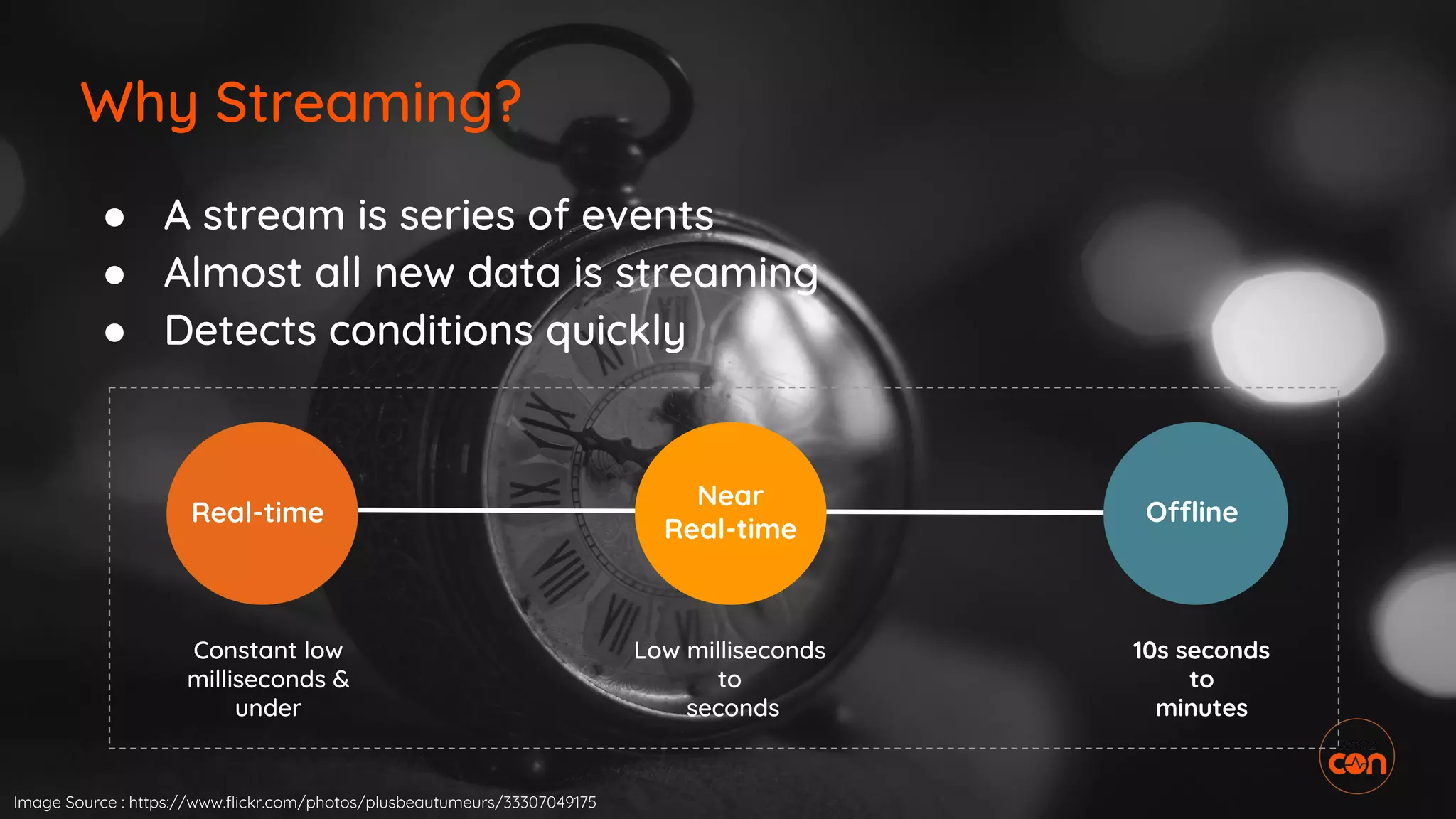
Why Streaming?
Real-time
Near
Real-time
Offline
Constant low
milliseconds &
under
Low milliseconds
to
seconds
10s seconds
to
minutes
● A stream is series of events
● Almost all new data is streaming
● Detects conditions quickly
Image Source : https://www.flickr.com/photos/plusbeautumeurs/33307049175
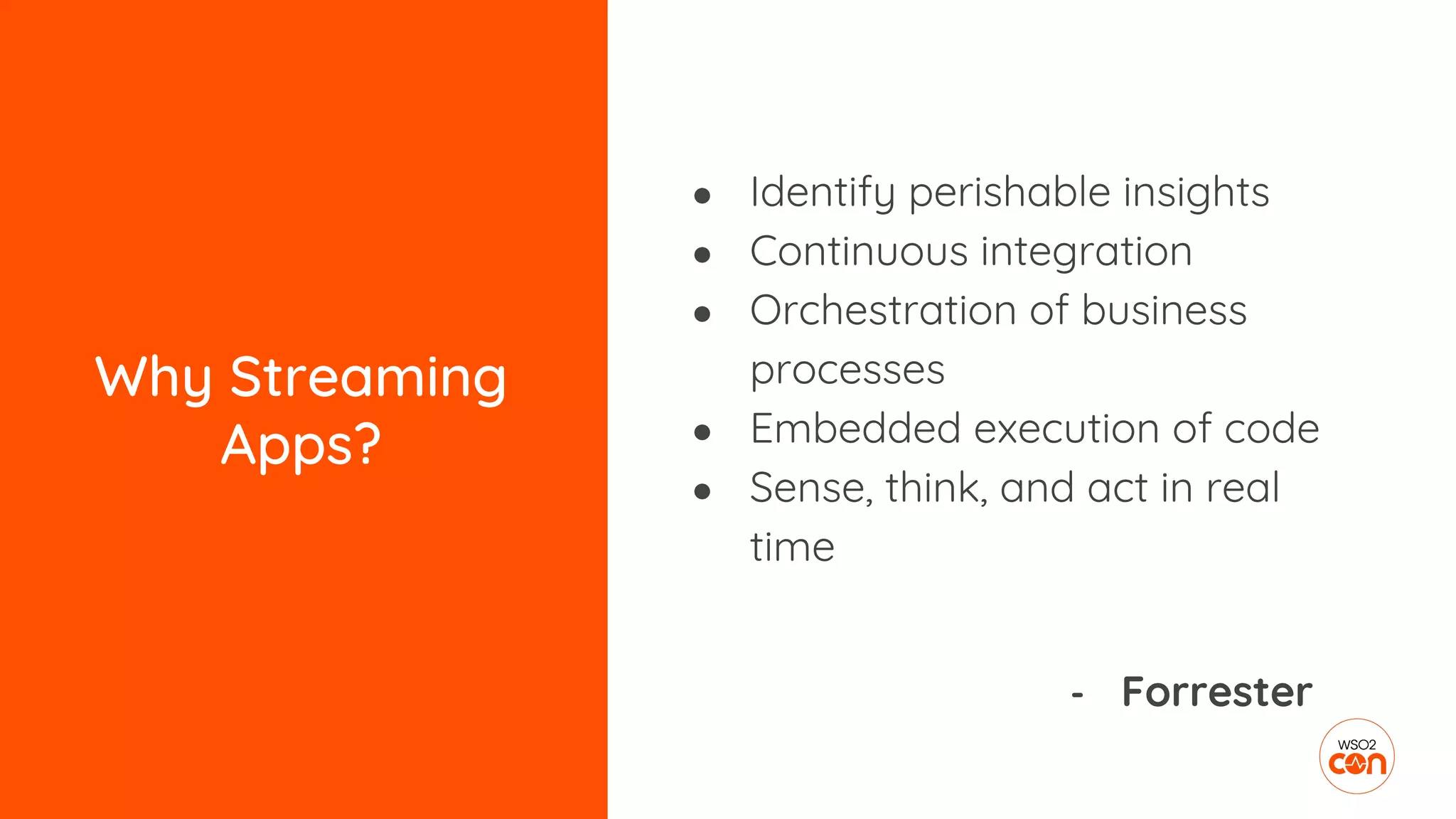
Why Streaming
Apps?
● Identify perishable insights
● Continuous integration
● Orchestration of business
processes
● Embedded execution of code
● Sense, think, and act in real
time
- Forrester
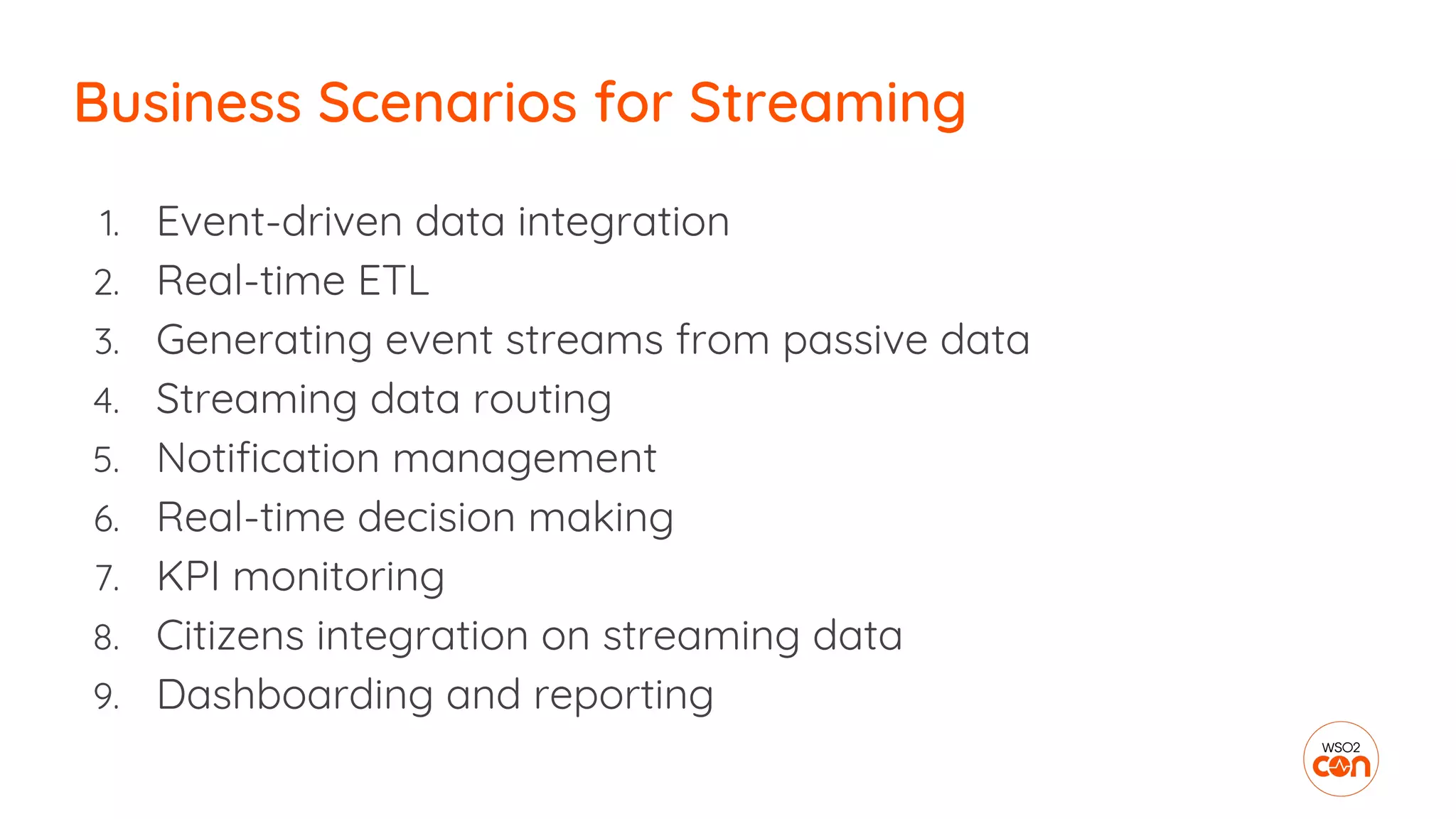
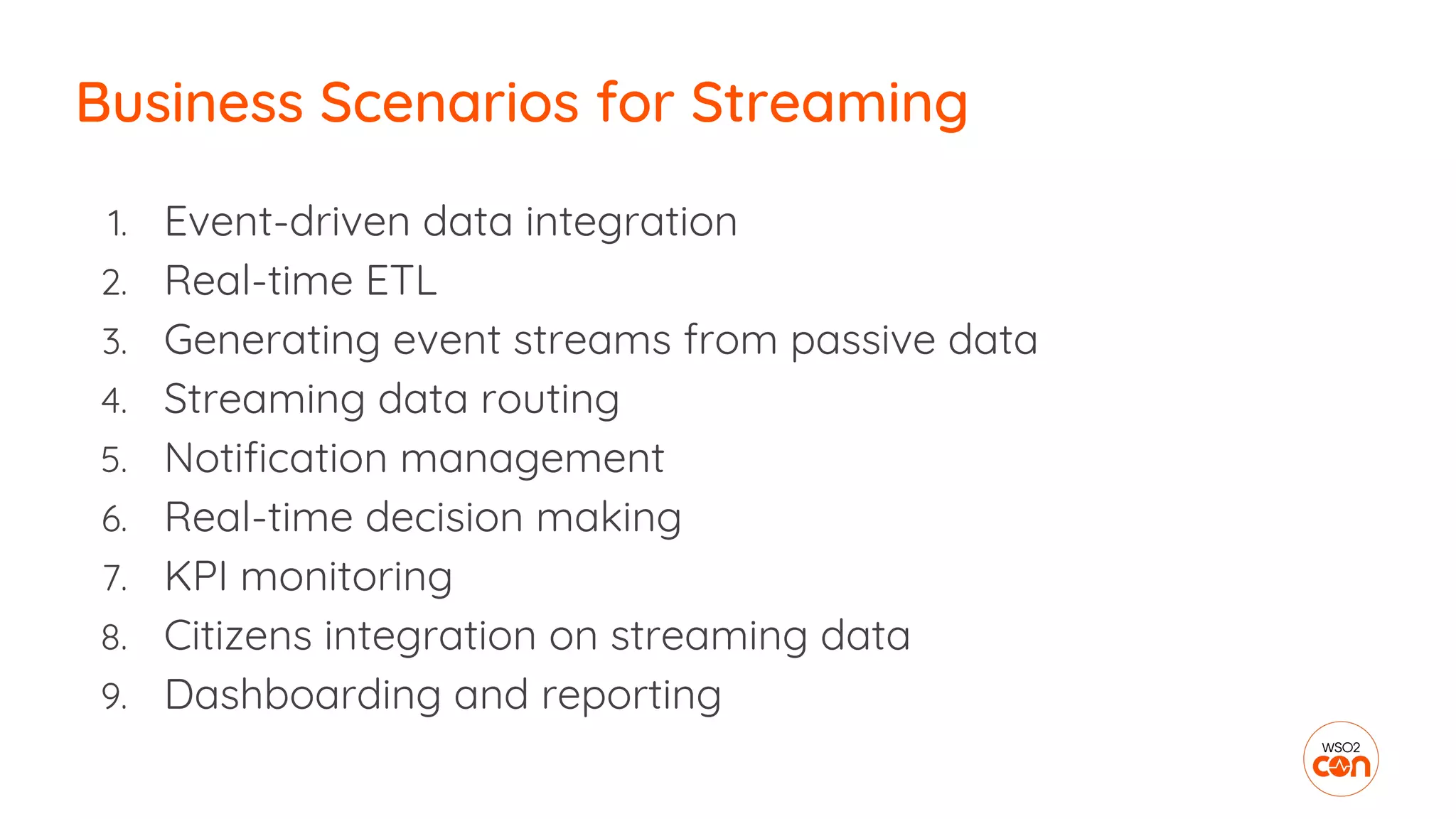
1. Event-driven data integration
2. Real-time ETL
3. Generating event streams from passive data
4. Streaming data routing
5. Notification management
6. Real-time decision making
7. KPI monitoring
8. Citizens integration on streaming data
9. Dashboarding and reporting
Business Scenarios for Streaming
Patterns
Streaming Apps
● To understand what stream
processing can do!
● Easy to solve common problems
in stream processing
● Where to use what?
● Learn best practices
Why Patterns for Streaming?
Image Source : https://www.flickr.com/photos/laurawoodillustration/6986871419
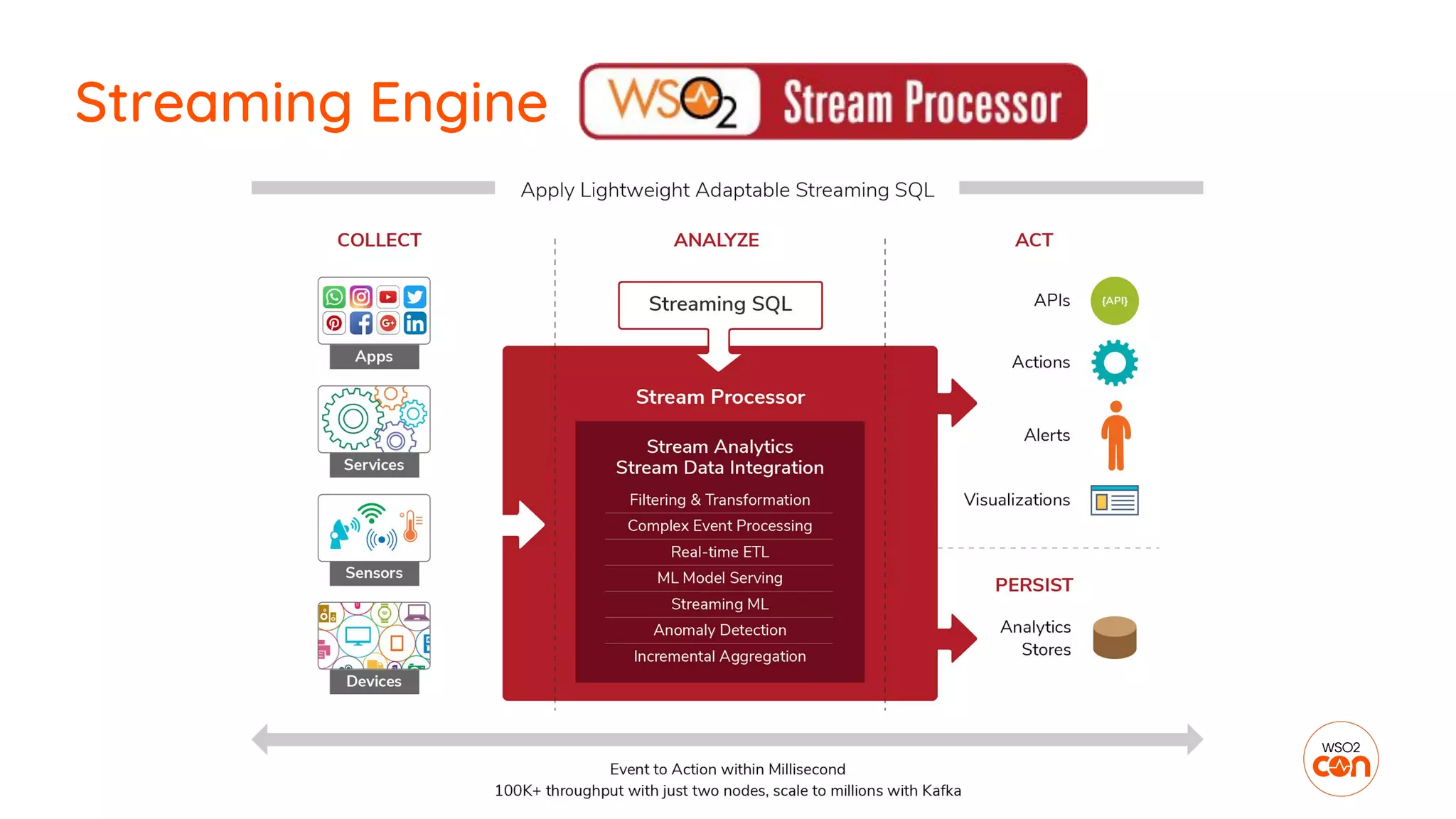
Streaming Engine
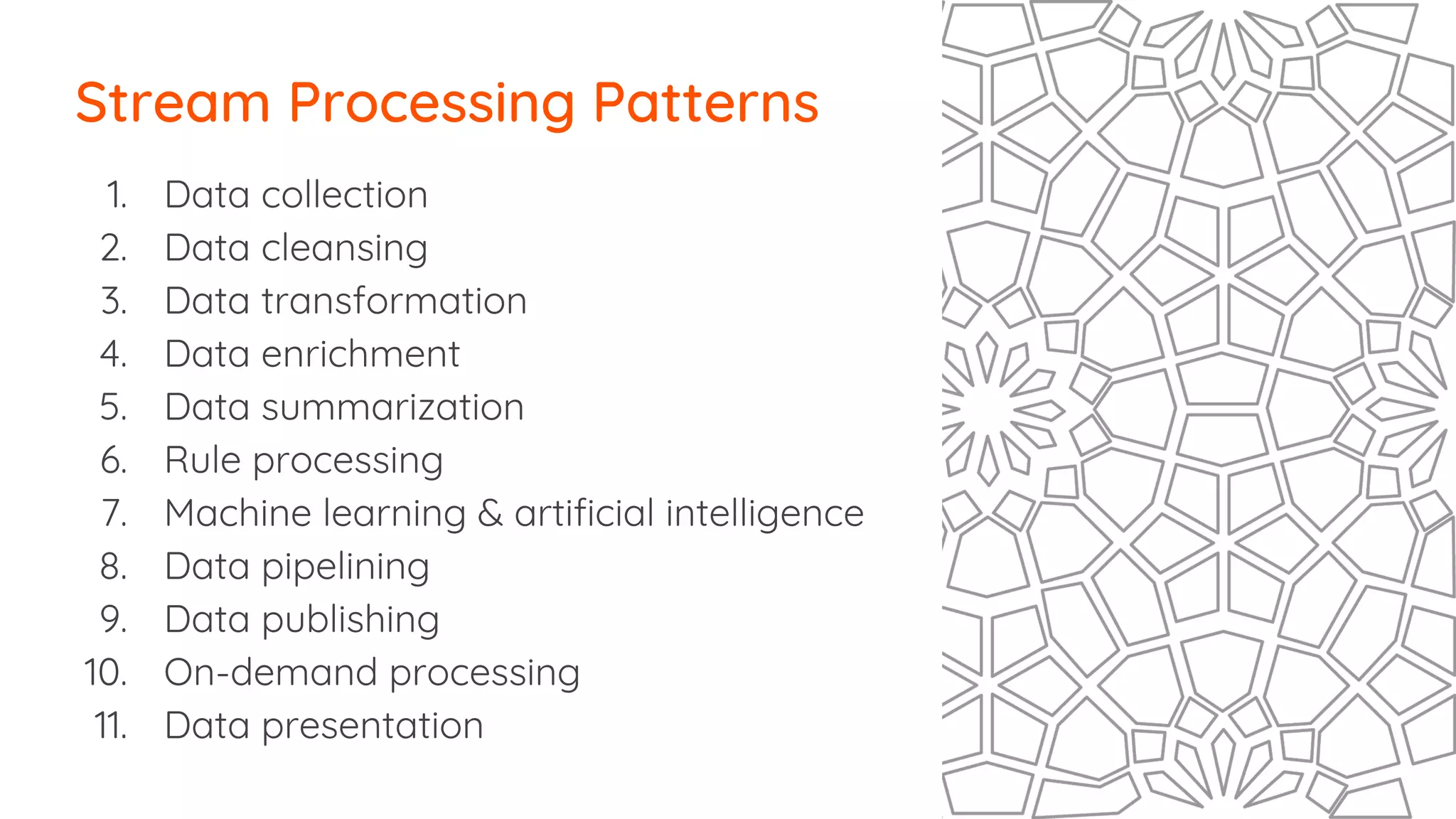
1. Data collection
2. Data cleansing
3. Data transformation
4. Data enrichment
5. Data summarization
6. Rule processing
7. Machine learning & artificial intelligence
8. Data pipelining
9. Data publishing
10. On-demand processing
11. Data presentation
Stream Processing Patterns
Data
enrichment
(DB, Service)
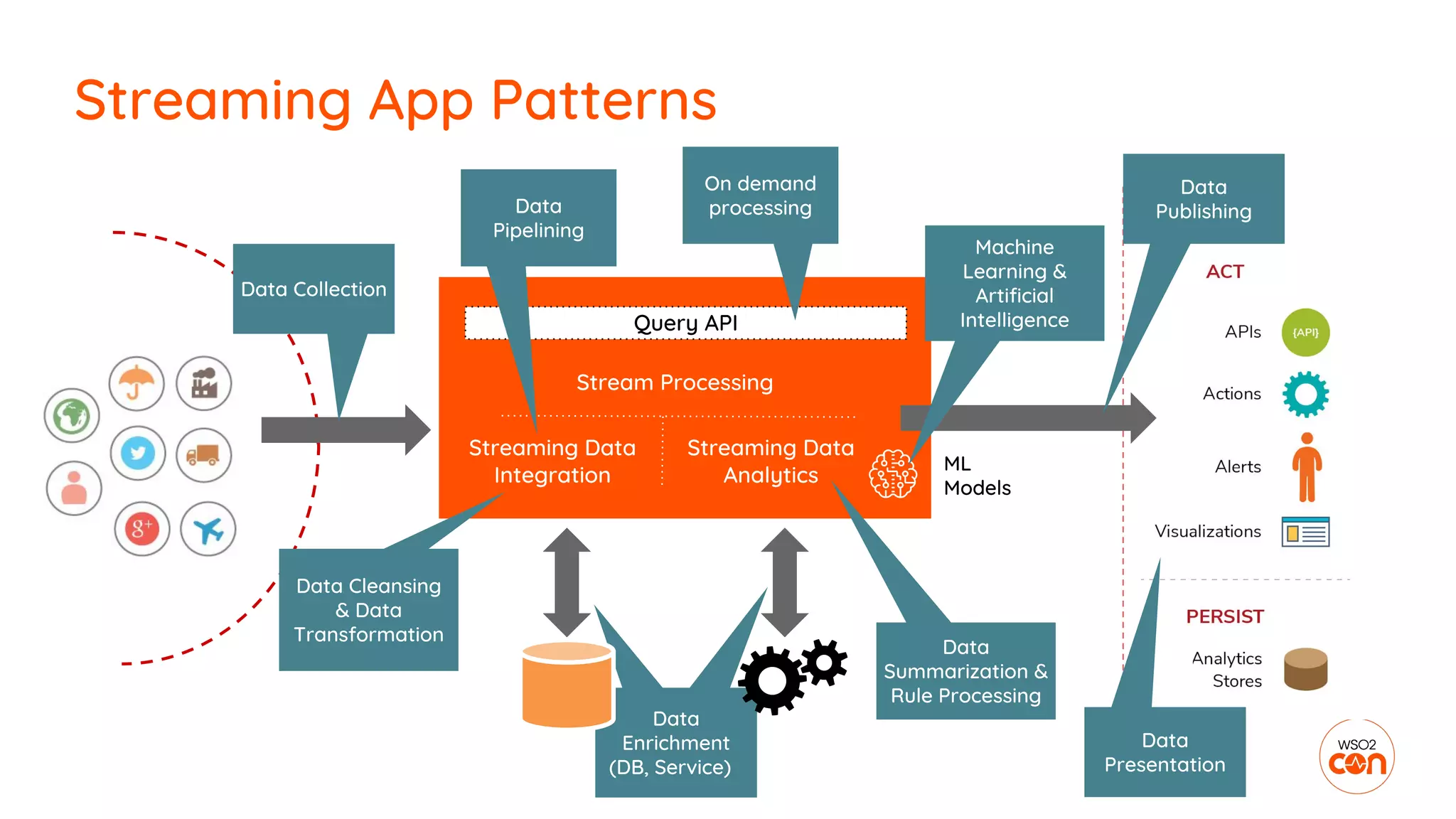
Streaming App Patterns
Stream Processing
Data Collection
Data
Summarization &
Rule Processing
Query API
Data
Enrichment
(DB, Service)
ML
Models
Data Cleansing
& Data
Transformation
Streaming Data
Integration
Streaming Data
Analytics
Data
Pipelining
On demand
processing
Machine
Learning &
Artificial
Intelligence
Data
Publishing
Data
Presentation
1. Data collection
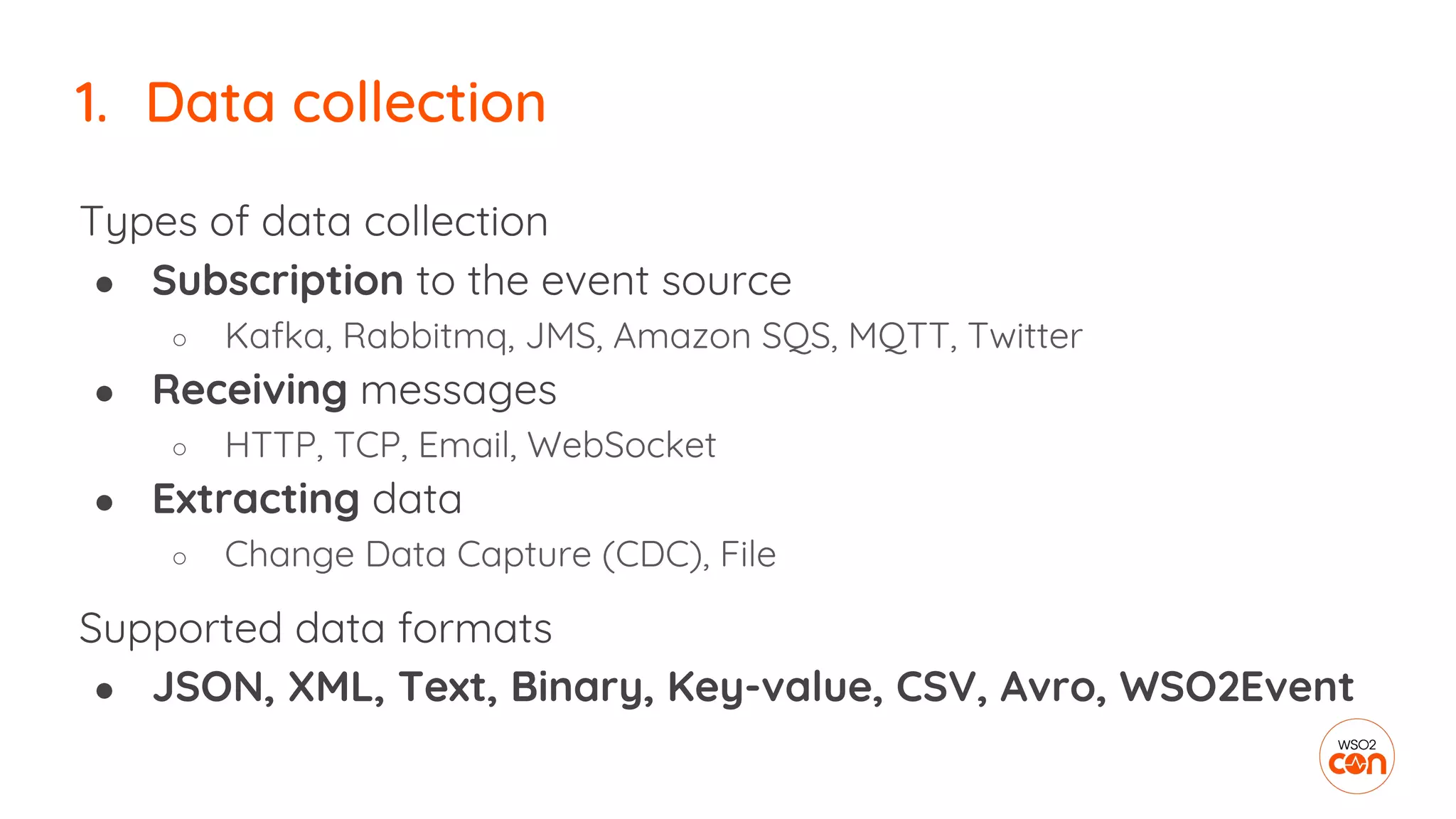
1. Data collection
Types of data collection
● Subscription to the event source
○ Kafka, Rabbitmq, JMS, Amazon SQS, MQTT, Twitter
● Receiving messages
○ HTTP, TCP, Email, WebSocket
● Extracting data
○ Change Data Capture (CDC), File
Supported data formats
● JSON, XML, Text, Binary, Key-value, CSV, Avro, WSO2Event
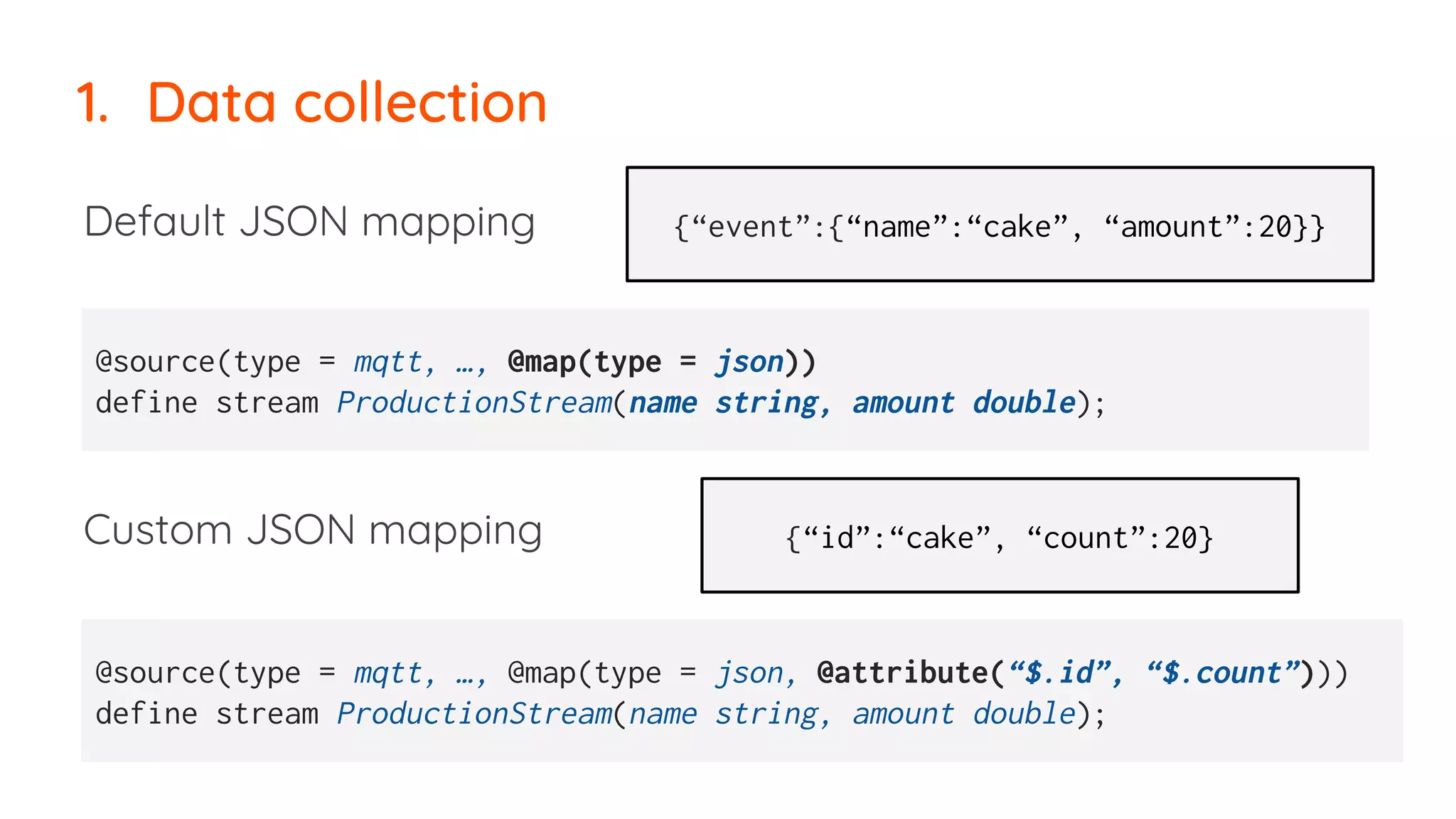
1. Data collection
Default JSON mapping
Custom JSON mapping
@source(type = mqtt, …, @map(type = json))
define stream ProductionStream(name string, amount double);
@source(type = mqtt, …, @map(type = json, @attribute(“$.id”, “$.count”)))
define stream ProductionStream(name string, amount double);
{“event”:{“name”:“cake”, “amount”:20}}
{“id”:“cake”, “count”:20}
2. Data cleansing
2. Data cleansing
Types of data cleansing
● Filtering
○ value ranges
○ string matching
○ regex
● Setting Defaults
○ Null checks
○ If-then-else clouces
define stream ProductionStream
(name string, amount double);
from ProductionStream [name==“cake”]
select name, ifThenElse ( amount<0, 0.0,
amount) as amount
insert into CleansedProductionStream;
3. Data transformation
Data type of Stream Processor is Tuple
Array[] containing values of
string, int, float, long, double, bool, object
JSON, XML,
Text, Binary,
Key-value,
CSV, Avro,
WSO2Event
Tuple
JSON, XML,
Text, Binary,
Key-value,
CSV, Avro,
WSO2Event
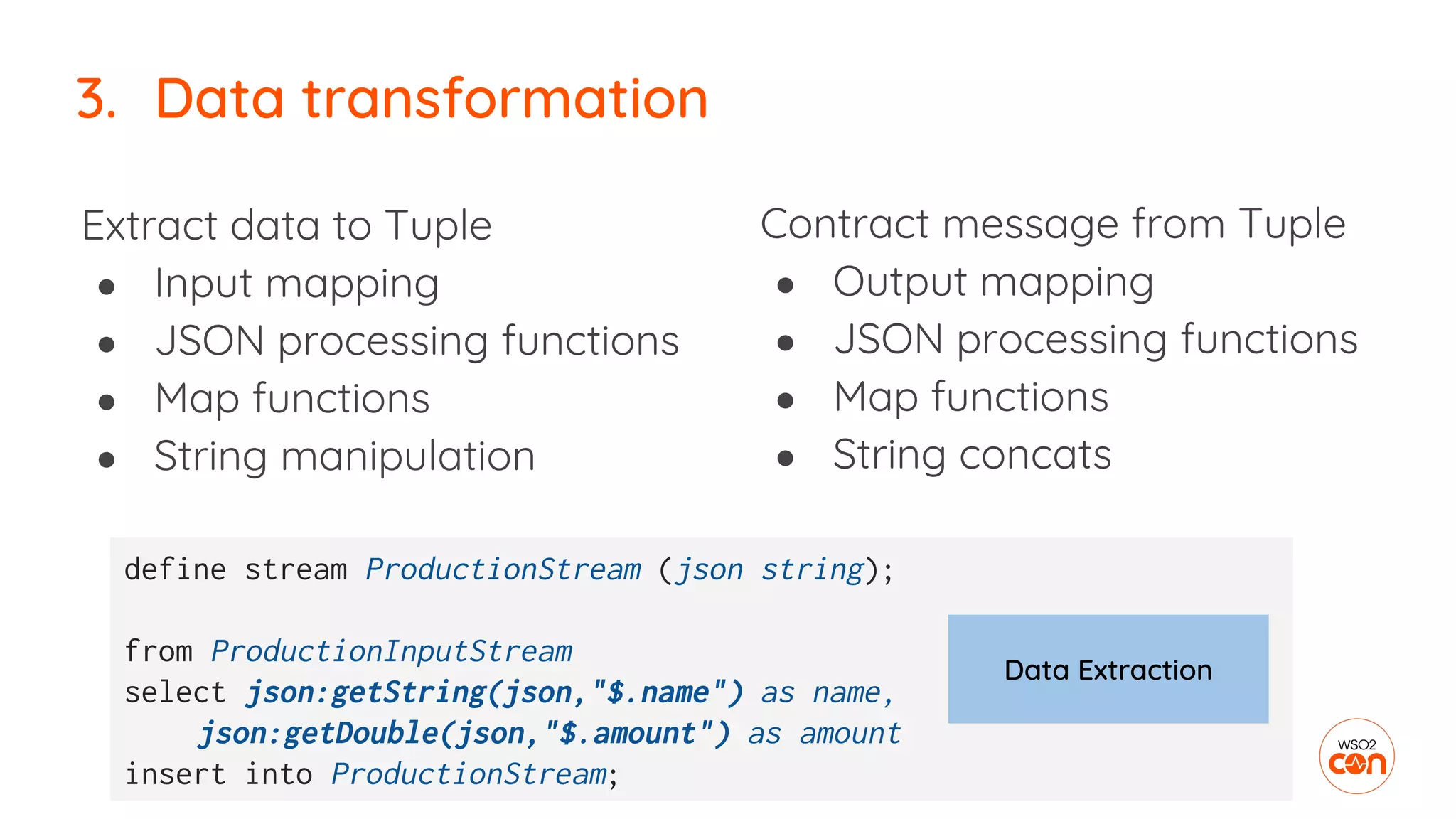
3. Data transformation
Contract message from Tuple
● Output mapping
● JSON processing functions
● Map functions
● String concats
3. Data transformation
Extract data to Tuple
● Input mapping
● JSON processing functions
● Map functions
● String manipulation
define stream ProductionStream (json string);
from ProductionInputStream
select json:getString(json,"$.name") as name,
json:getDouble(json,"$.amount") as amount
insert into ProductionStream;
Data Extraction
Transform data by
● Inline operations
○ math & logical operations
● Inbuilt function calls
○ 60+ extensions
● Custom function calls
○ Java, JS, R
3. Data transformation
myFunction(item, price) as discount
define function myFunction[lang_name] return return_type {
function_body
};
str:upper(ItemID) as IteamCode,
amount * price as cost
4. Data enrichment
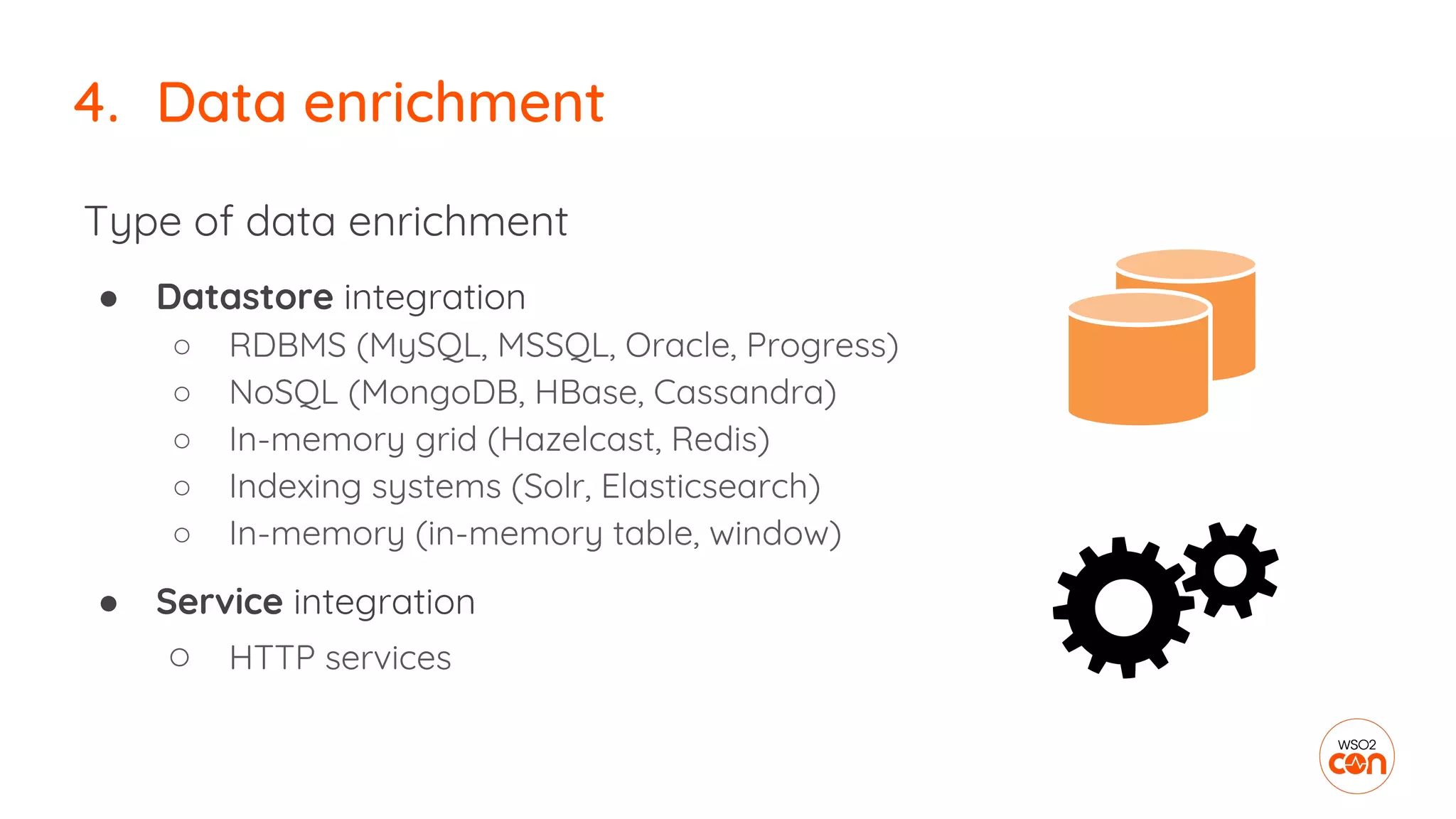
Type of data enrichment
● Datastore integration
○ RDBMS (MySQL, MSSQL, Oracle, Progress)
○ NoSQL (MongoDB, HBase, Cassandra)
○ In-memory grid (Hazelcast, Redis)
○ Indexing systems (Solr, Elasticsearch)
○ In-memory (in-memory table, window)
● Service integration
○ HTTP services
4. Data enrichment
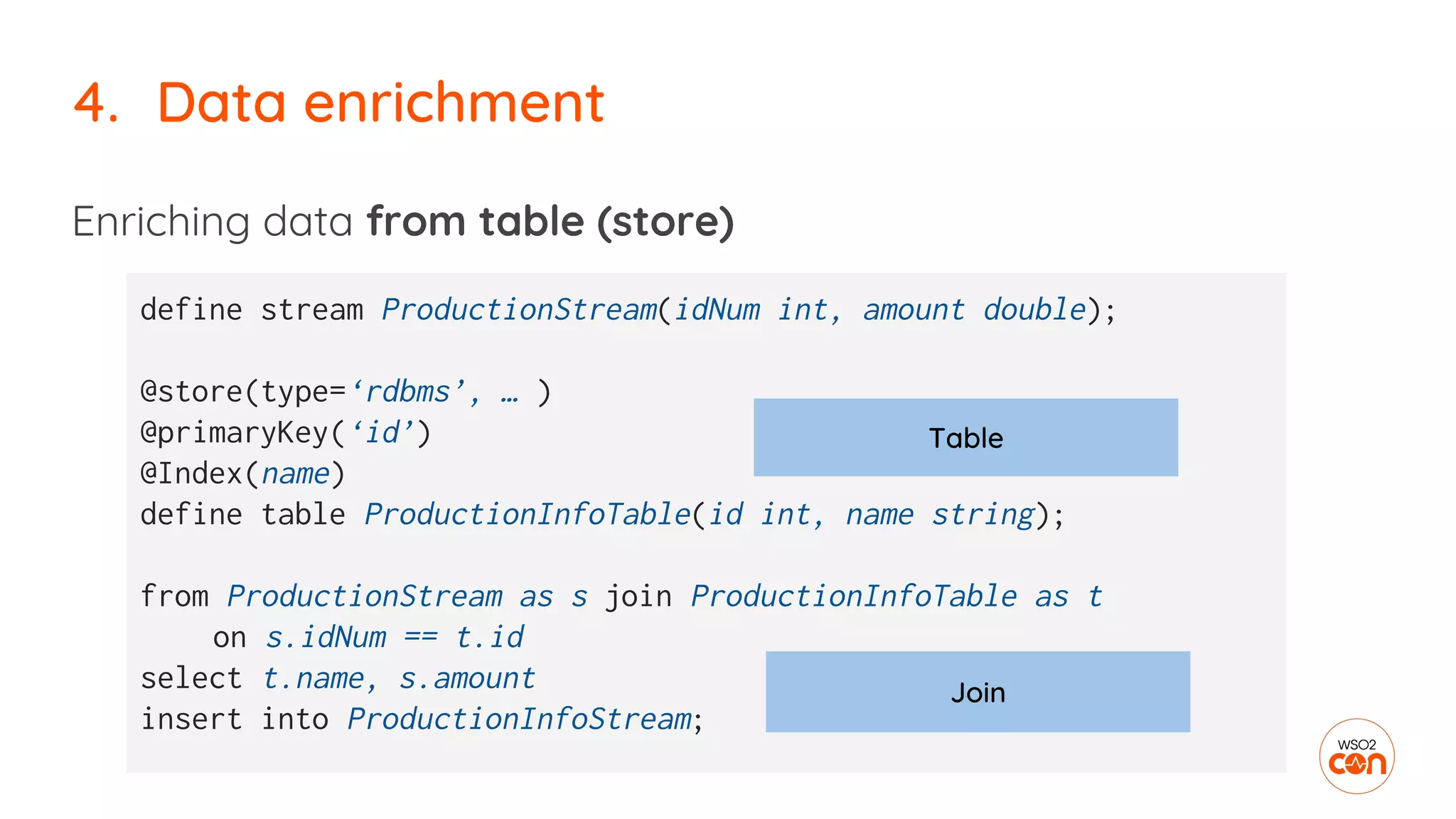
Enriching data from table (store)
4. Data enrichment
define stream ProductionStream(idNum int, amount double);
@store(type=‘rdbms’, … )
@primaryKey(‘id’)
@Index(name)
define table ProductionInfoTable(id int, name string);
from ProductionStream as s join ProductionInfoTable as t
on s.idNum == t.id
select t.name, s.amount
insert into ProductionInfoStream;
Table
Join
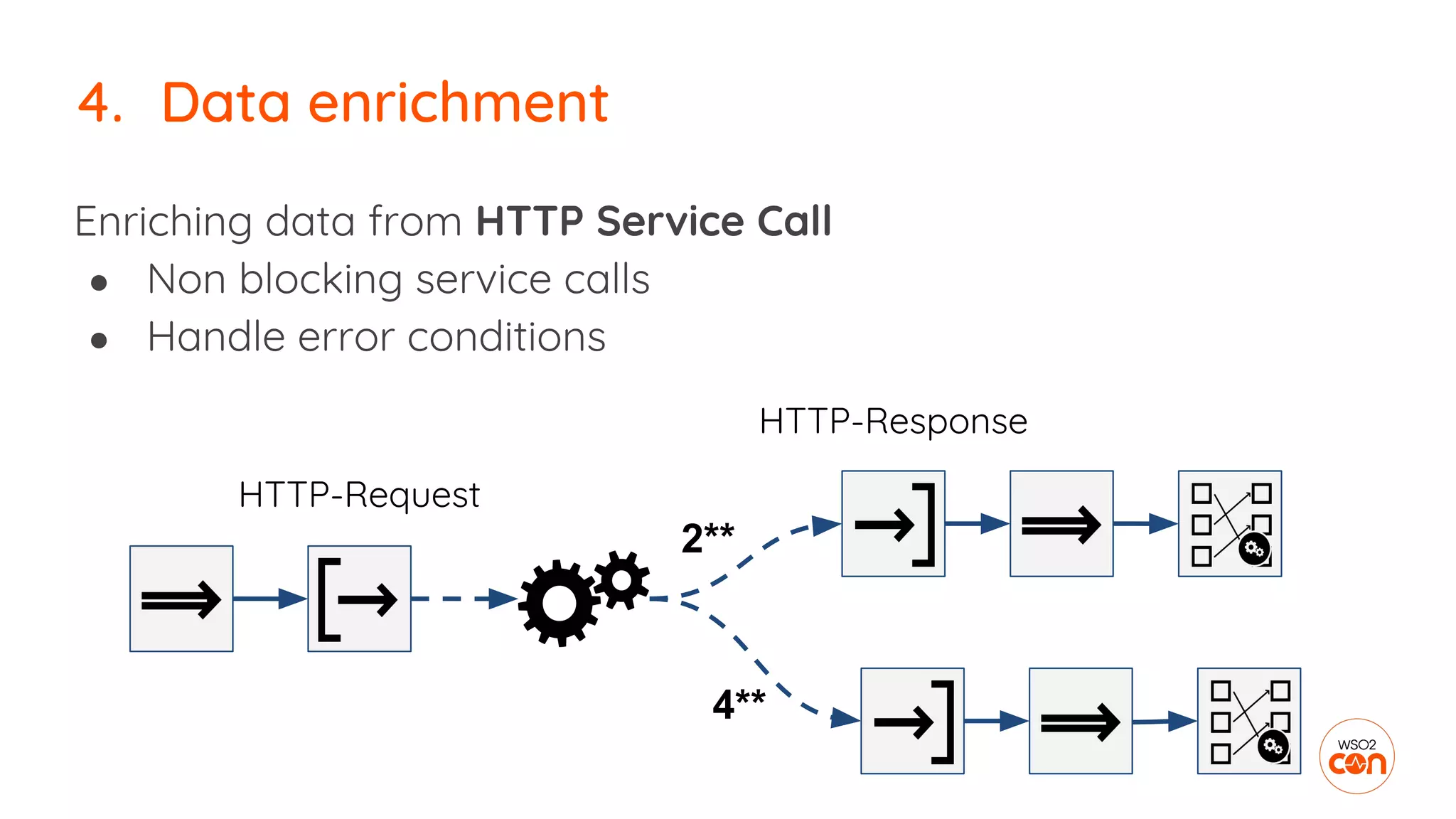
Enriching data from HTTP Service Call
● Non blocking service calls
● Handle error conditions
4. Data enrichment
2**
4**
HTTP-Request
HTTP-Response
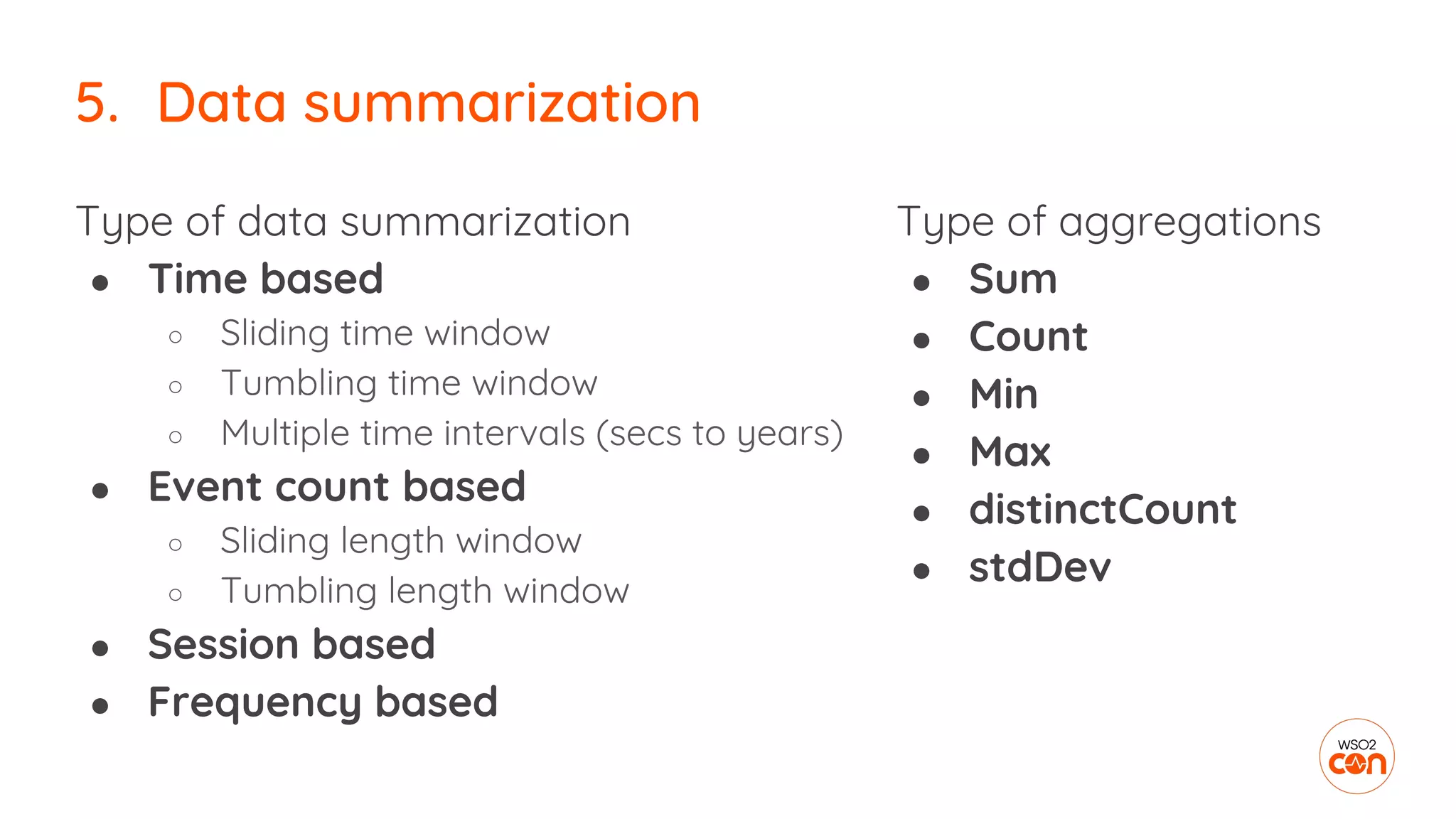
5. Data summarization
Type of data summarization
● Time based
○ Sliding time window
○ Tumbling time window
○ Multiple time intervals (secs to years)
● Event count based
○ Sliding length window
○ Tumbling length window
● Session based
● Frequency based
5. Data summarization
Type of aggregations
● Sum
● Count
● Min
● Max
● distinctCount
● stdDev
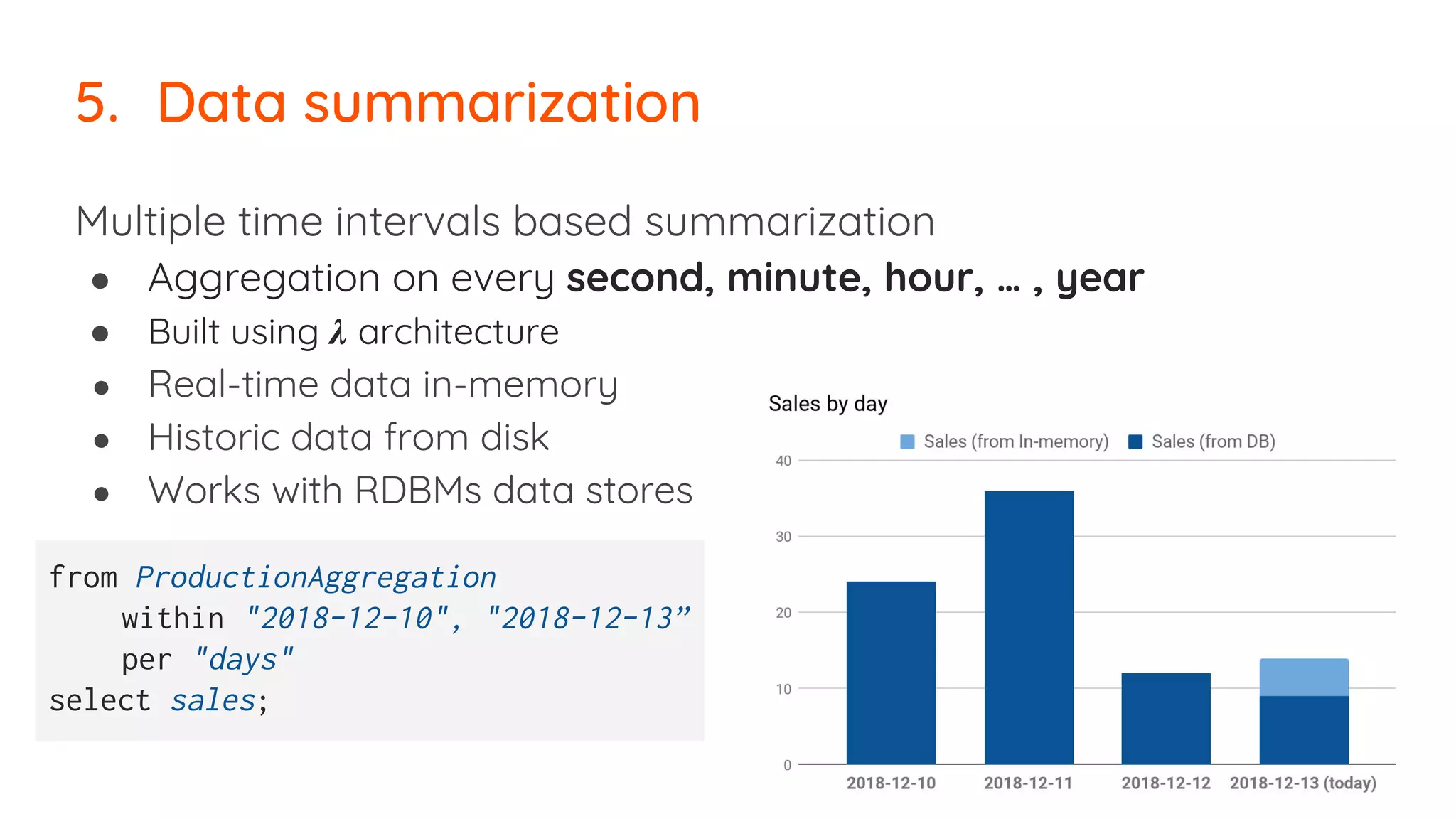
Multiple time intervals based summarization
● Aggregation on every second, minute, hour, … , year
● Built using 𝝀 architecture
● Real-time data in-memory
● Historic data from disk
● Works with RDBMs data stores
5. Data summarization
from ProductionAggregation
within "2018-12-10", "2018-12-13”
per "days"
select sales;
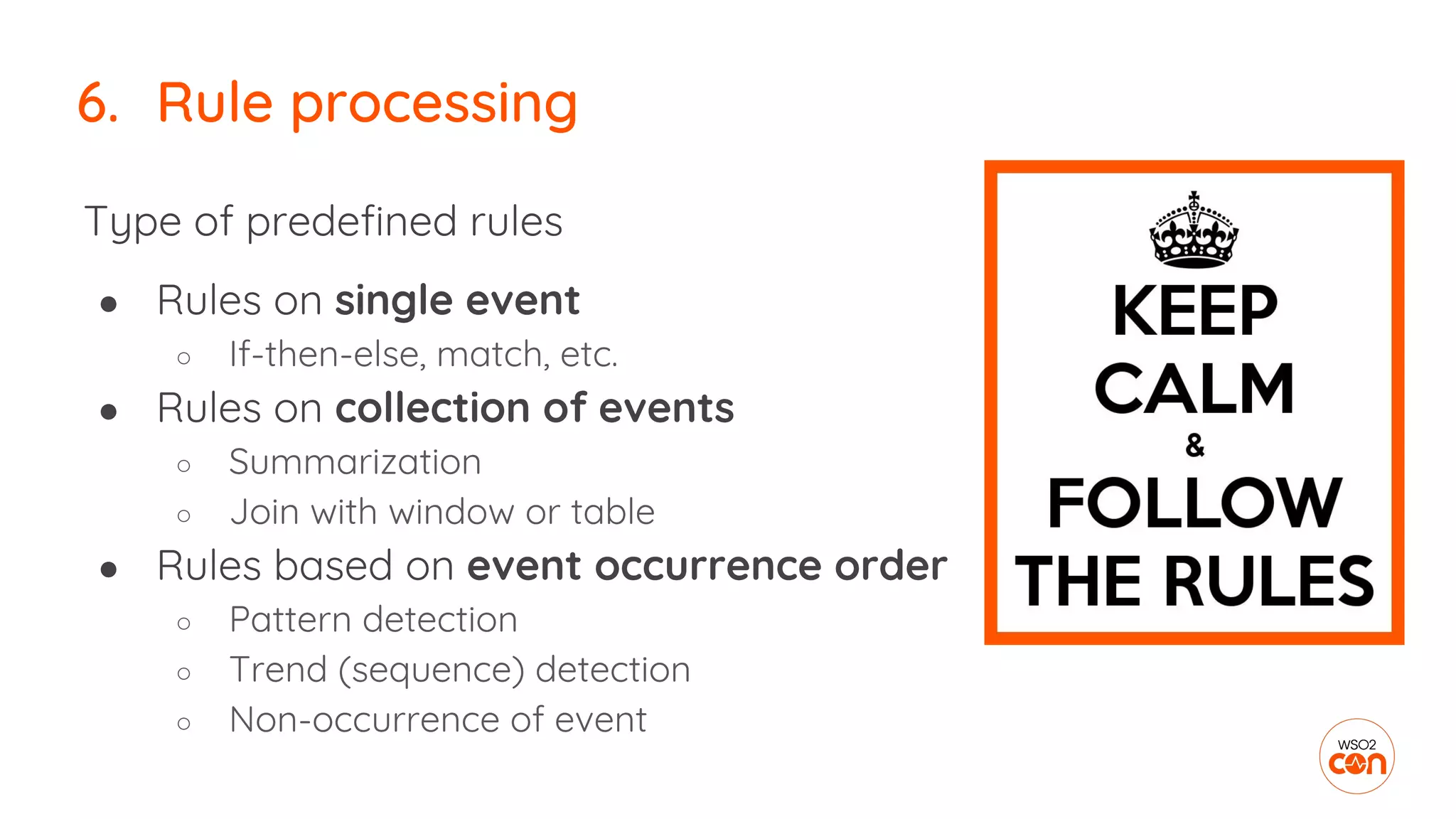
6. Rule processing
Type of predefined rules
● Rules on single event
○ If-then-else, match, etc.
● Rules on collection of events
○ Summarization
○ Join with window or table
● Rules based on event occurrence order
○ Pattern detection
○ Trend (sequence) detection
○ Non-occurrence of event
6. Rule processing
No occurrence of event pattern detection
6. Rule processing
define stream DeliveryStream (orderId string, amount double);
define stream PaymentStream (orderId string, amount double);
from every (e1 = DeliveryStream)
-> not PaymentStream [orderId == e1.orderId] for 15 min
select e1.orderId, e1.amount
insert into PaymentDelayedStream ;
7. Machine learning &
artificial intelligence
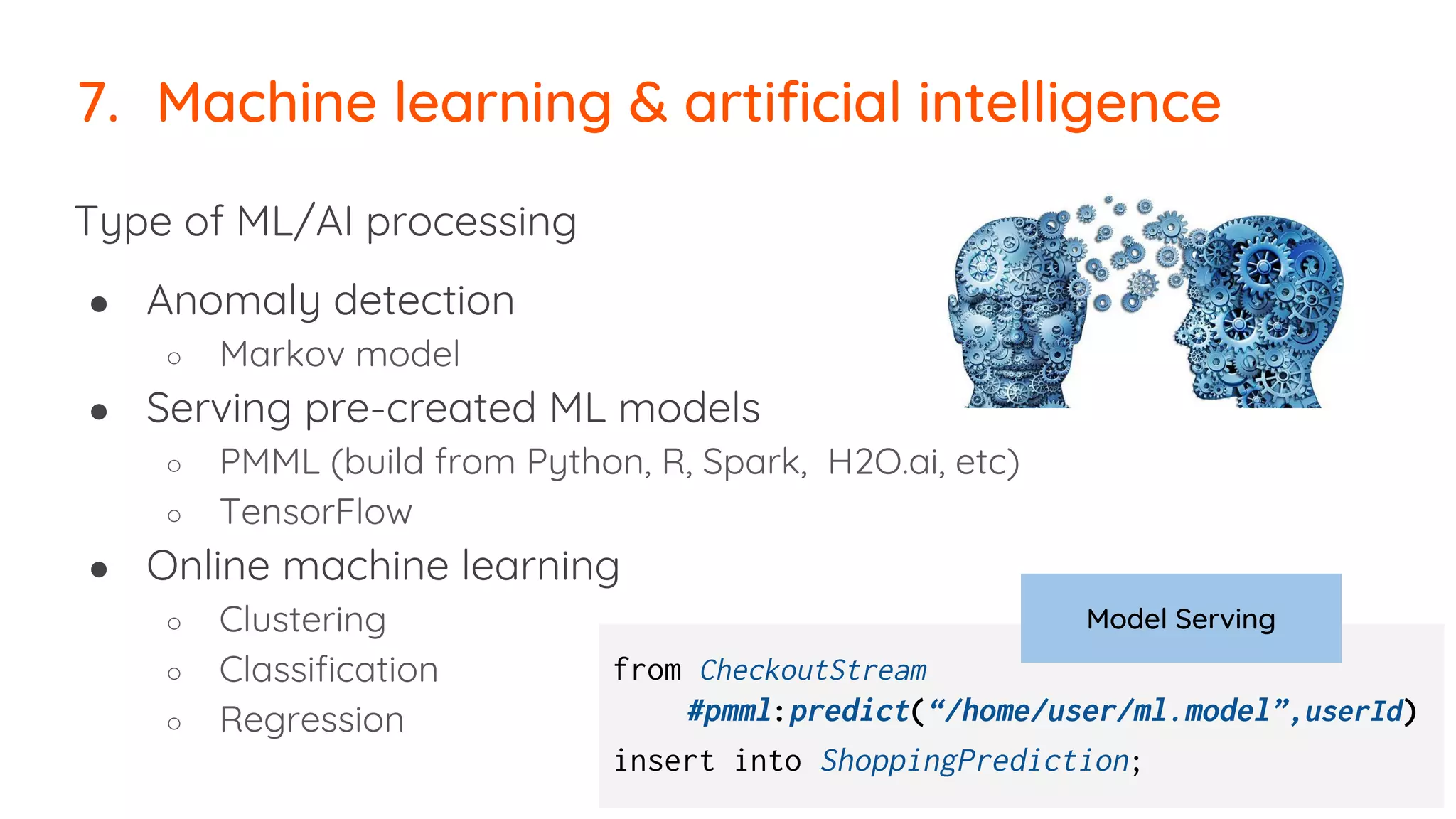
Type of ML/AI processing
● Anomaly detection
○ Markov model
● Serving pre-created ML models
○ PMML (build from Python, R, Spark, H2O.ai, etc)
○ TensorFlow
● Online machine learning
○ Clustering
○ Classification
○ Regression
7. Machine learning & artificial intelligence
from CheckoutStream
#pmml:predict(“/home/user/ml.model”,userId)
insert into ShoppingPrediction;
Model Serving
8. Data pipelining
8. Data pipelining
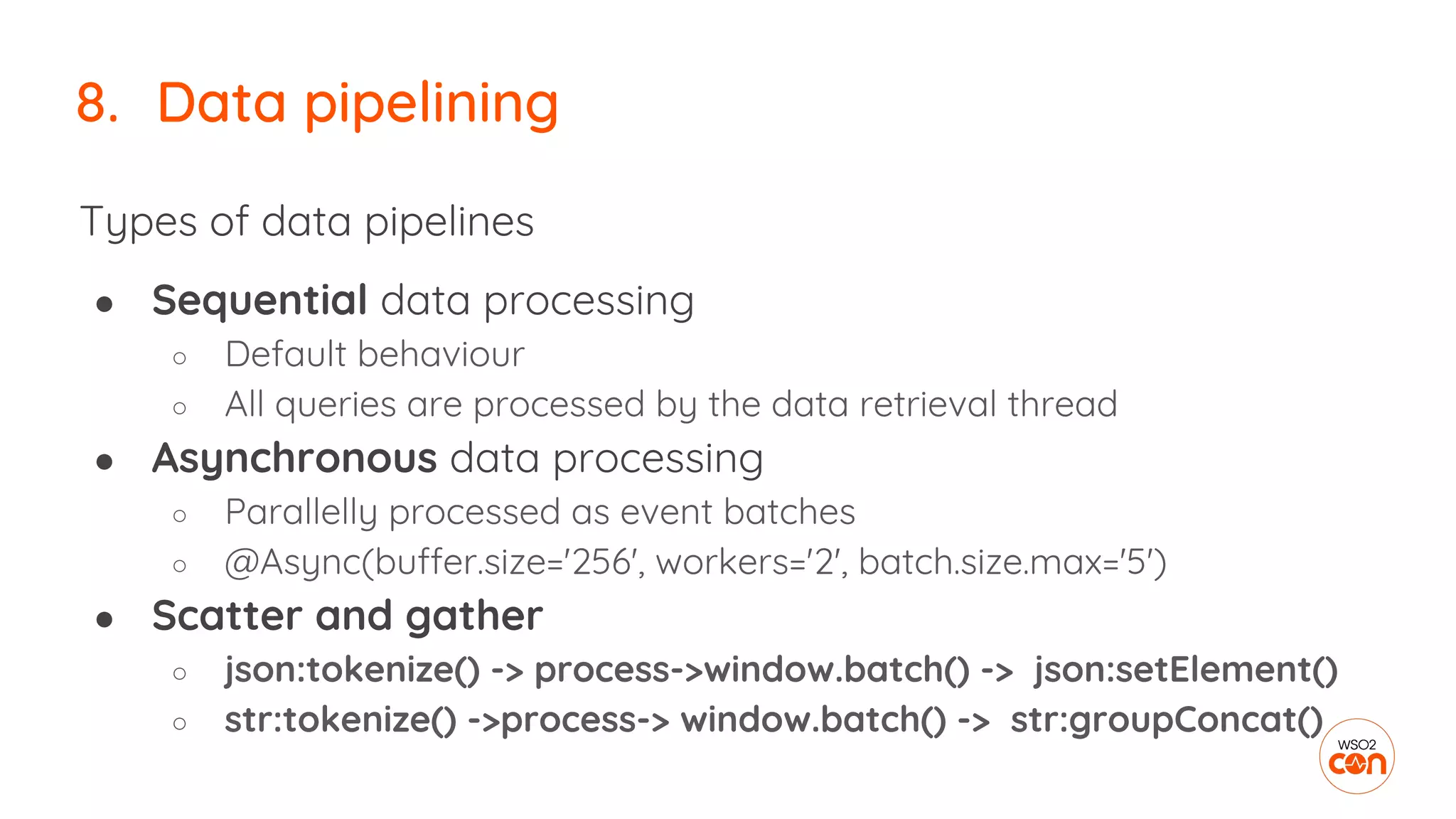
Types of data pipelines
● Sequential data processing
○ Default behaviour
○ All queries are processed by the data retrieval thread
● Asynchronous data processing
○ Parallelly processed as event batches
○ @Async(buffer.size='256', workers='2', batch.size.max='5')
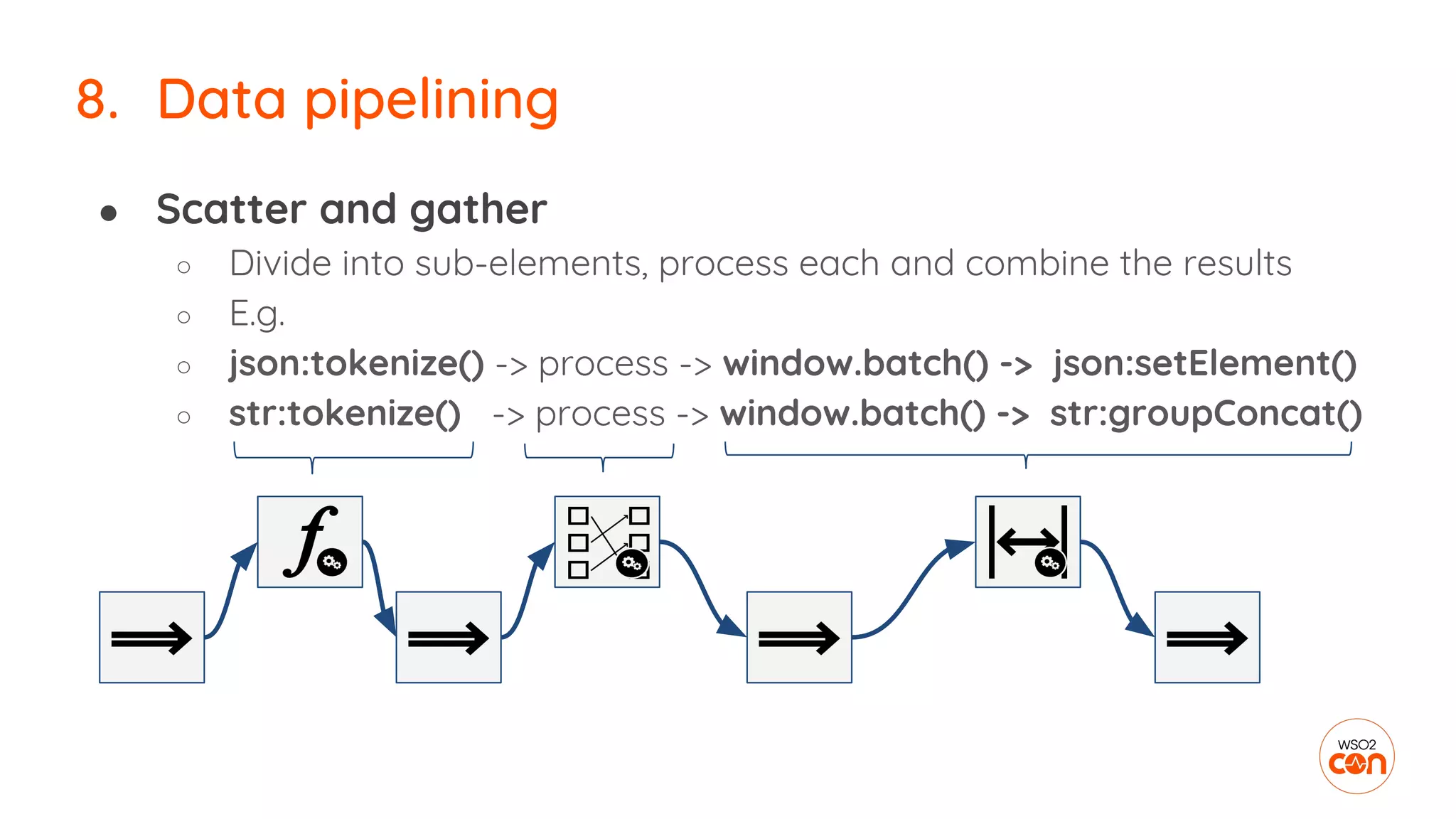
● Scatter and gather
○ json:tokenize() -> process->window.batch() -> json:setElement()
○ str:tokenize() ->process-> window.batch() -> str:groupConcat()
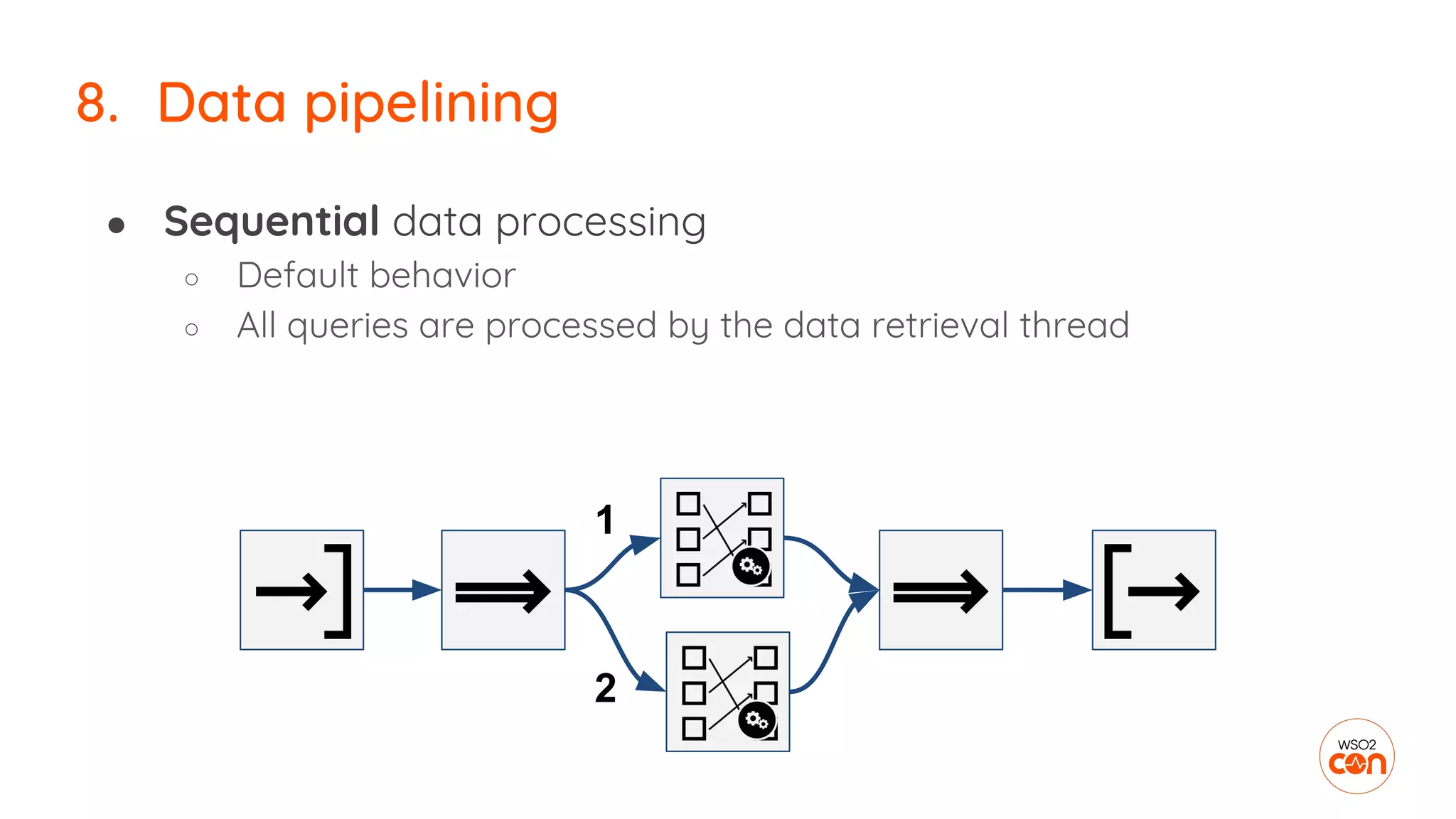
● Sequential data processing
○ Default behavior
○ All queries are processed by the data retrieval thread
8. Data pipelining
1
2
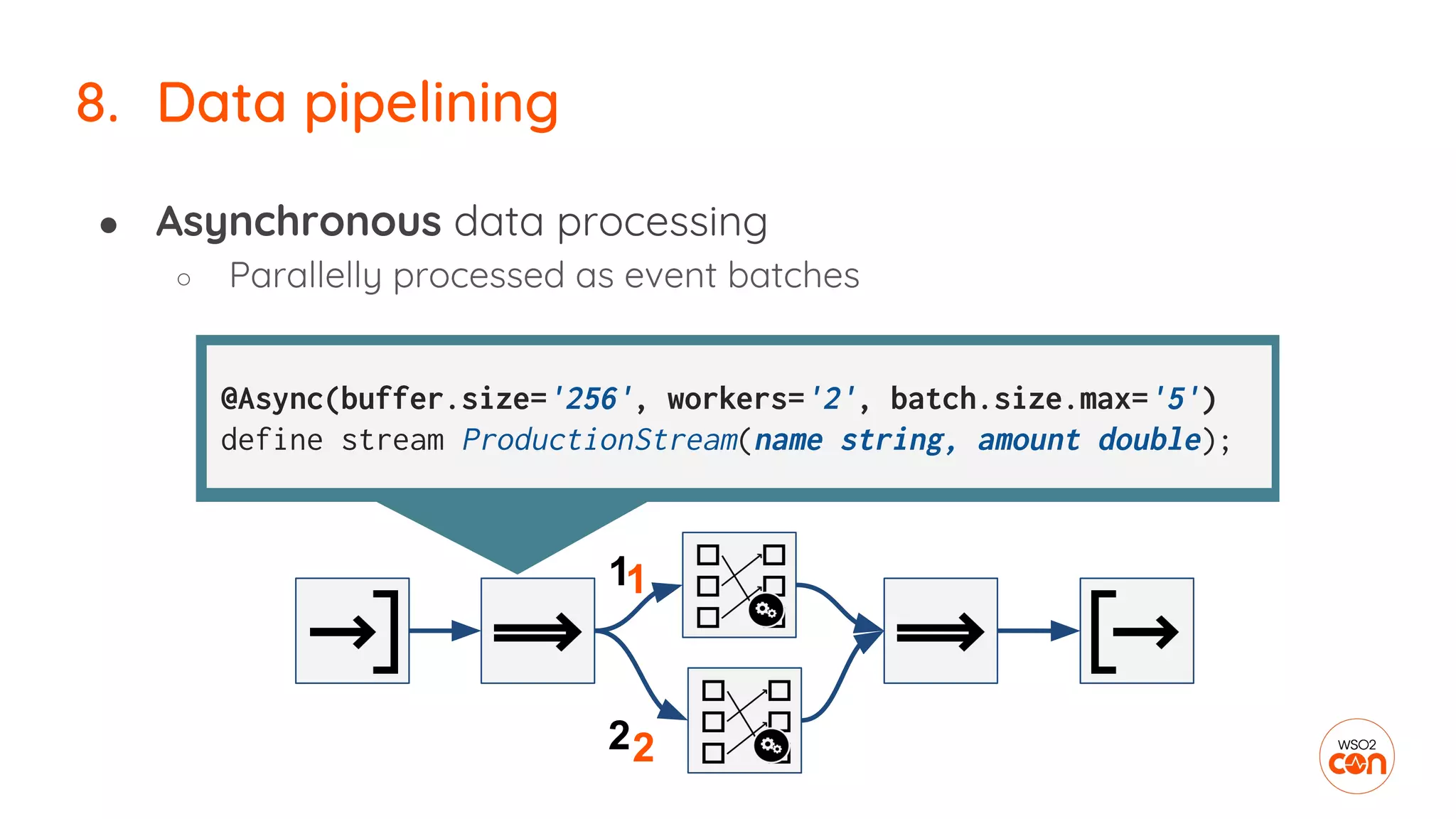
● Asynchronous data processing
○ Parallelly processed as event batches
8. Data pipelining
2
@Async(buffer.size='256', workers='2', batch.size.max='5')
define stream ProductionStream(name string, amount double);
2
11
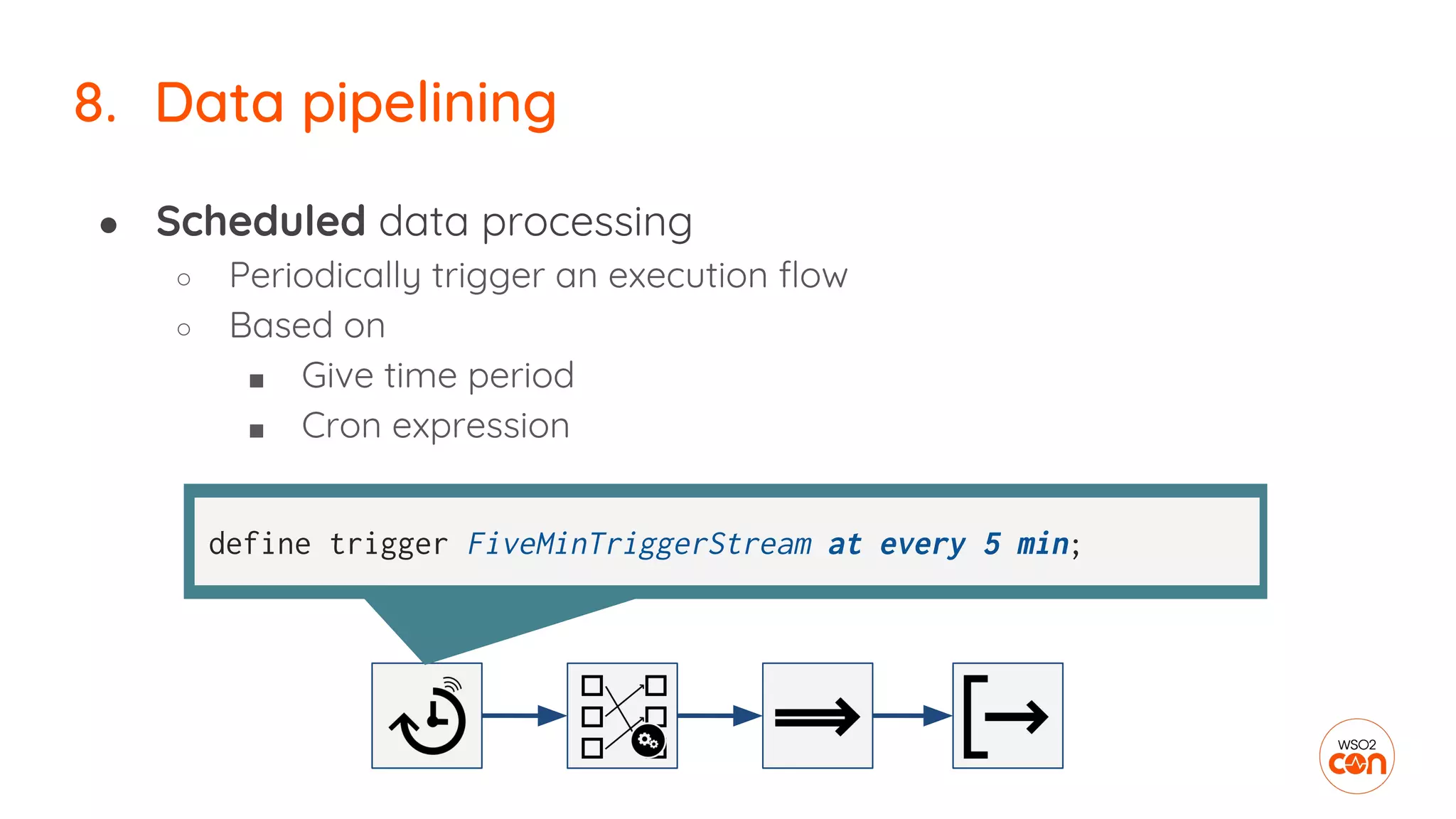
● Scheduled data processing
○ Periodically trigger an execution flow
○ Based on
■ Give time period
■ Cron expression
8. Data pipelining
define trigger FiveMinTriggerStream at every 5 min;
● Scatter and gather
○ Divide into sub-elements, process each and combine the results
○ E.g.
○ json:tokenize() -> process -> window.batch() -> json:setElement()
○ str:tokenize() -> process -> window.batch() -> str:groupConcat()
8. Data pipelining
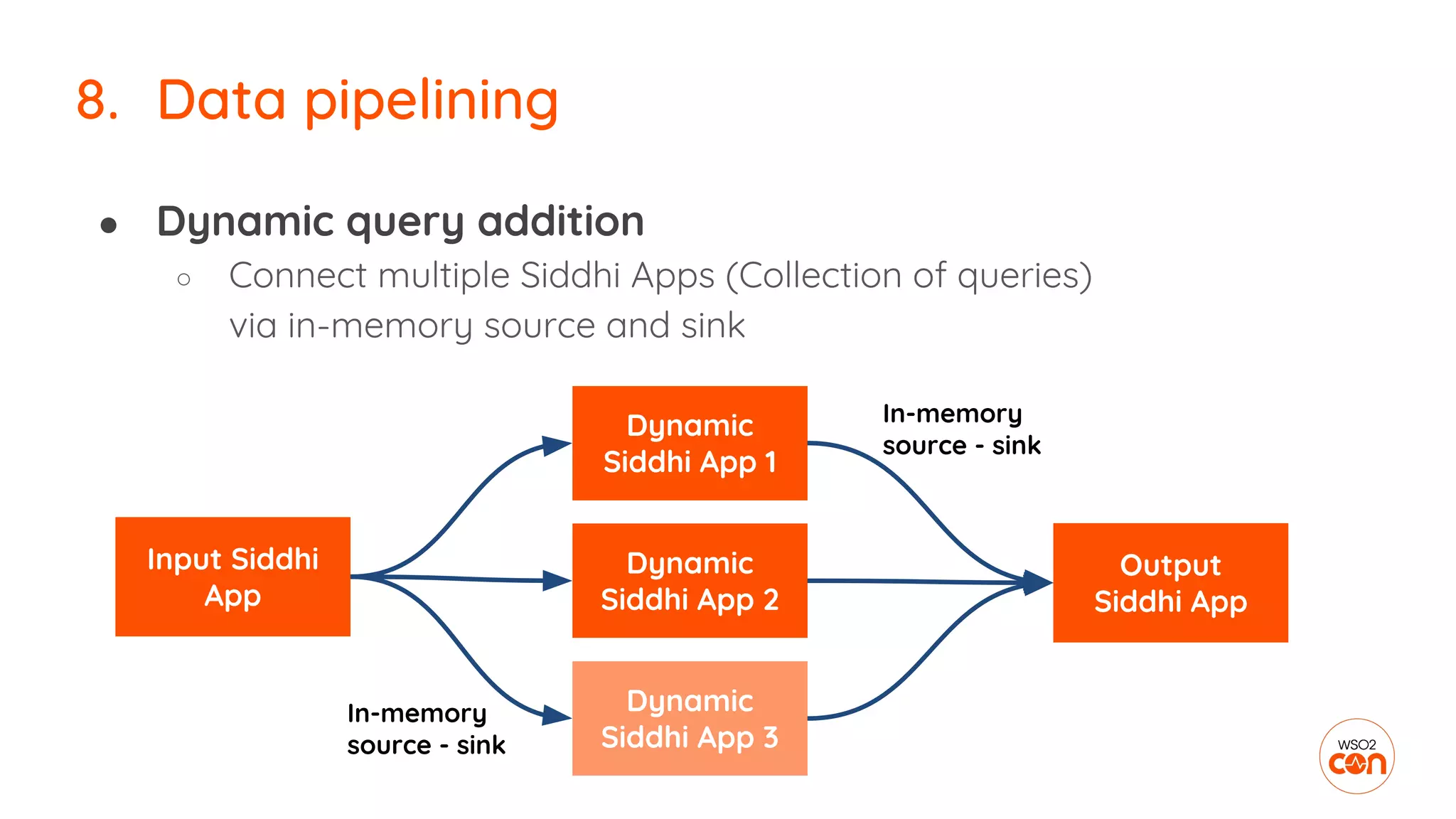
● Dynamic query addition
○ Connect multiple Siddhi Apps (Collection of queries)
via in-memory source and sink
8. Data pipelining
Input Siddhi
App
Dynamic
Siddhi App 1
Dynamic
Siddhi App 2
Dynamic
Siddhi App 3
Output
Siddhi App
In-memory
source - sink
In-memory
source - sink
9. Data publishing
9. Data publishing
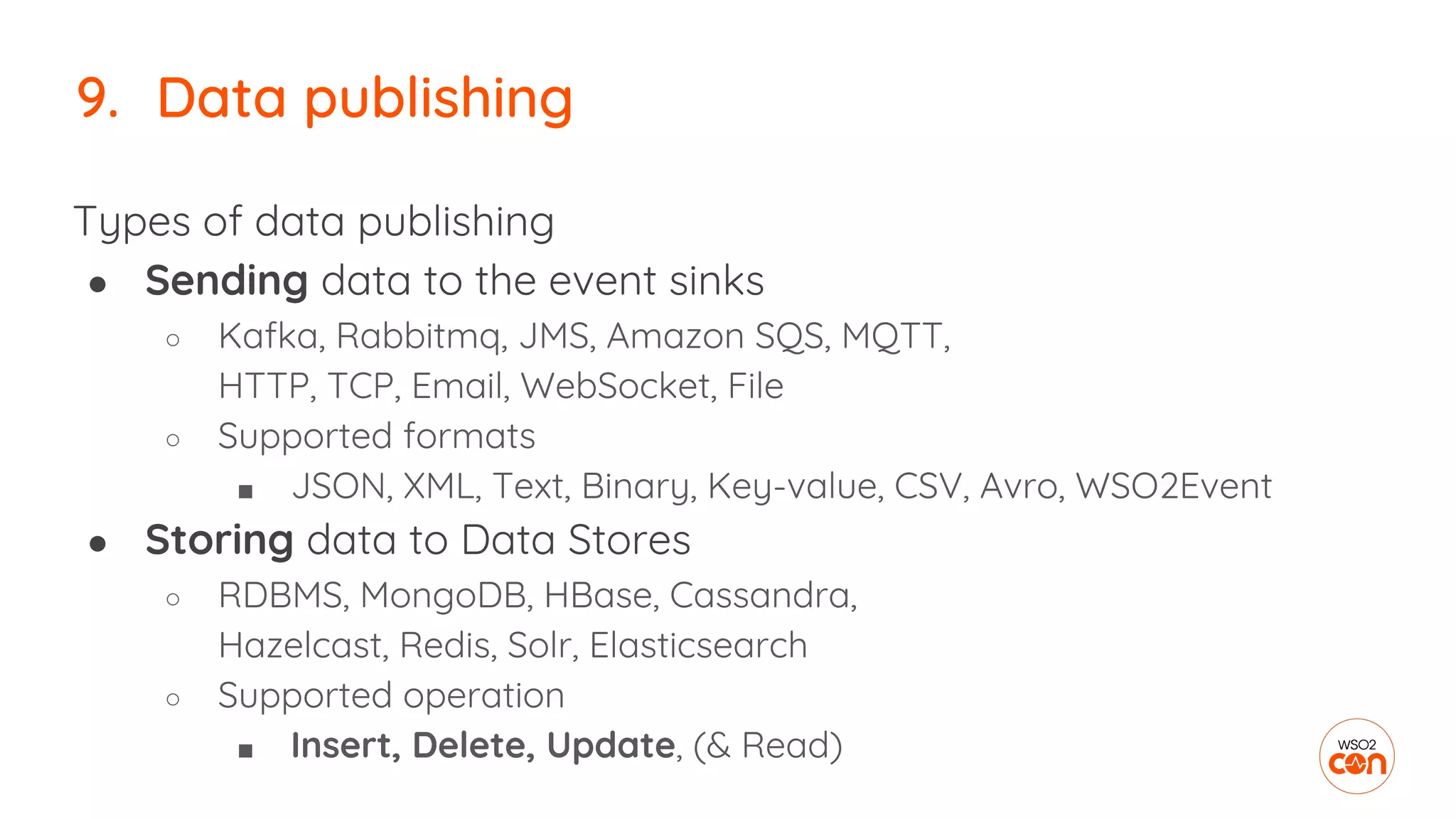
Types of data publishing
● Sending data to the event sinks
○ Kafka, Rabbitmq, JMS, Amazon SQS, MQTT,
HTTP, TCP, Email, WebSocket, File
○ Supported formats
■ JSON, XML, Text, Binary, Key-value, CSV, Avro, WSO2Event
● Storing data to Data Stores
○ RDBMS, MongoDB, HBase, Cassandra,
Hazelcast, Redis, Solr, Elasticsearch
○ Supported operation
■ Insert, Delete, Update, (& Read)
9. Data publishing
Default JSON mapping
Custom JSON mapping
@sink(type = mqtt, …, @map(type = json))
define stream ProductionStream(name string, amount double);
@sink(type = mqtt, …, @map(type = json,
@payload('''{“id”:“{{name}}”, “count”:{{amount}} }''' )))
define stream ProductionStream(name string, amount double);
{“event”:{“name”:“cake”, “amount”:20}}
{“id”:“cake”, “count”:20}
10. On-demand processing
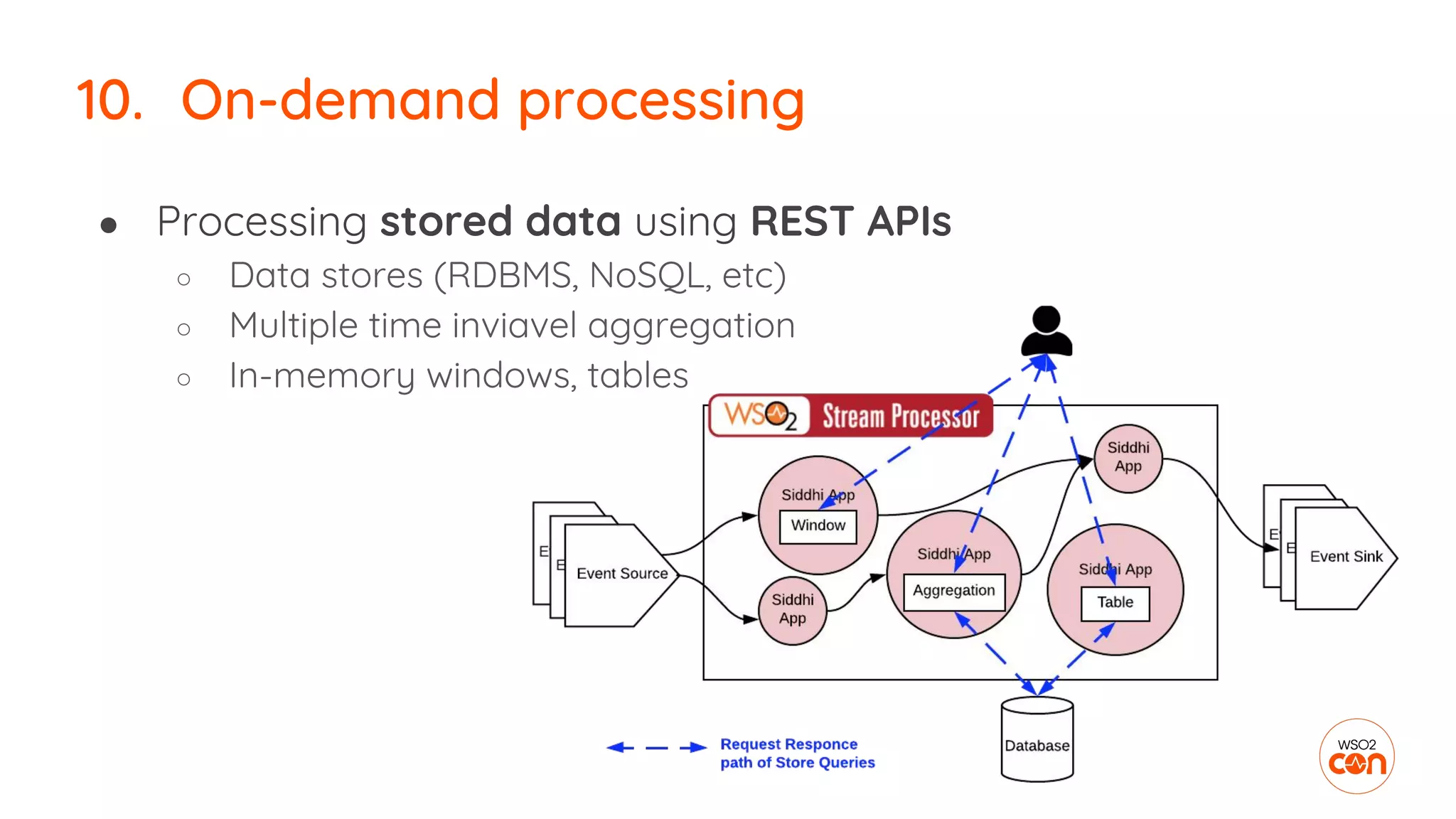
● Processing stored data using REST APIs
○ Data stores (RDBMS, NoSQL, etc)
○ Multiple time inviavel aggregation
○ In-memory windows, tables
10. On-demand processing
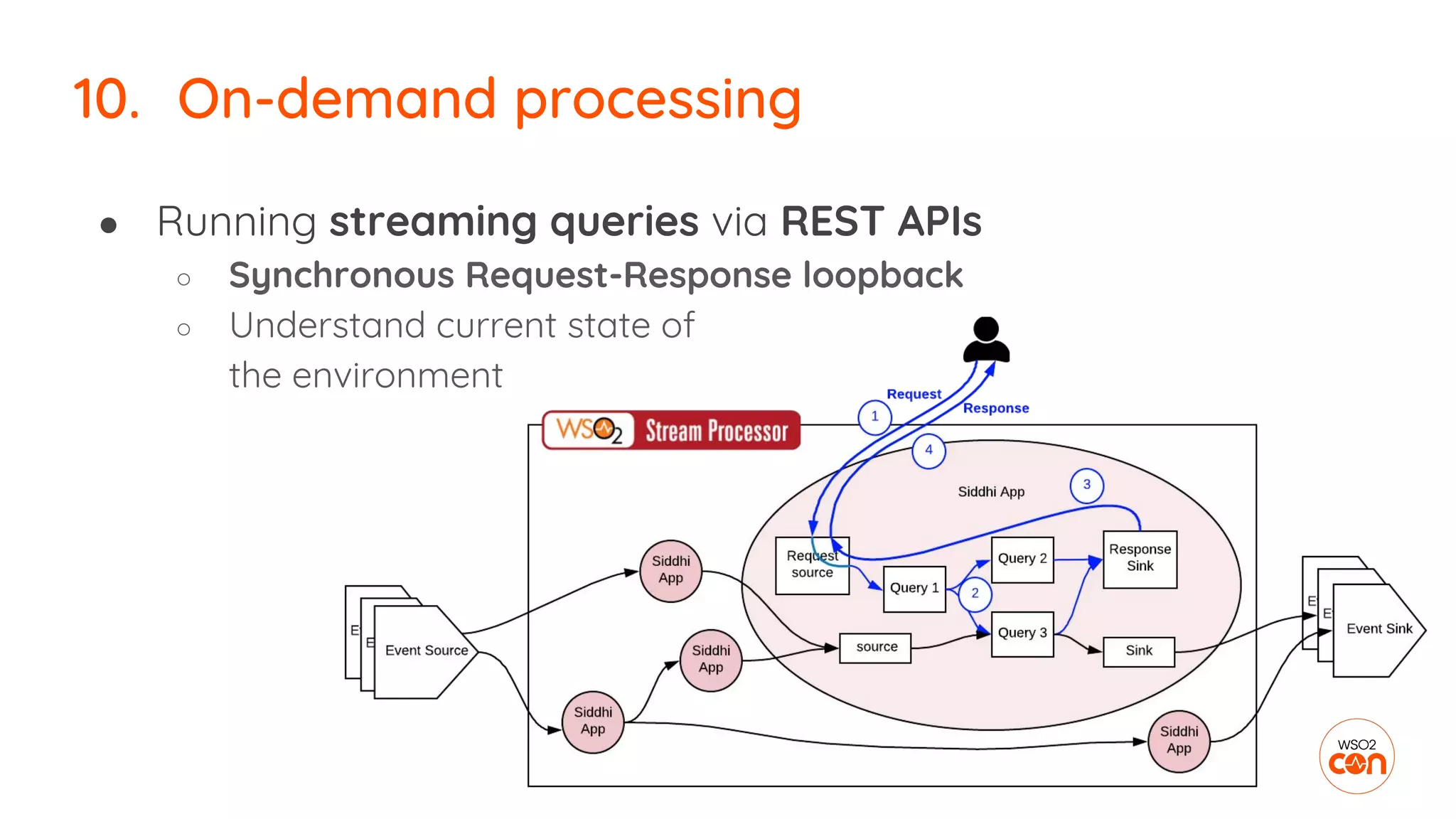
● Running streaming queries via REST APIs
○ Synchronous Request-Response loopback
○ Understand current state of
the environment
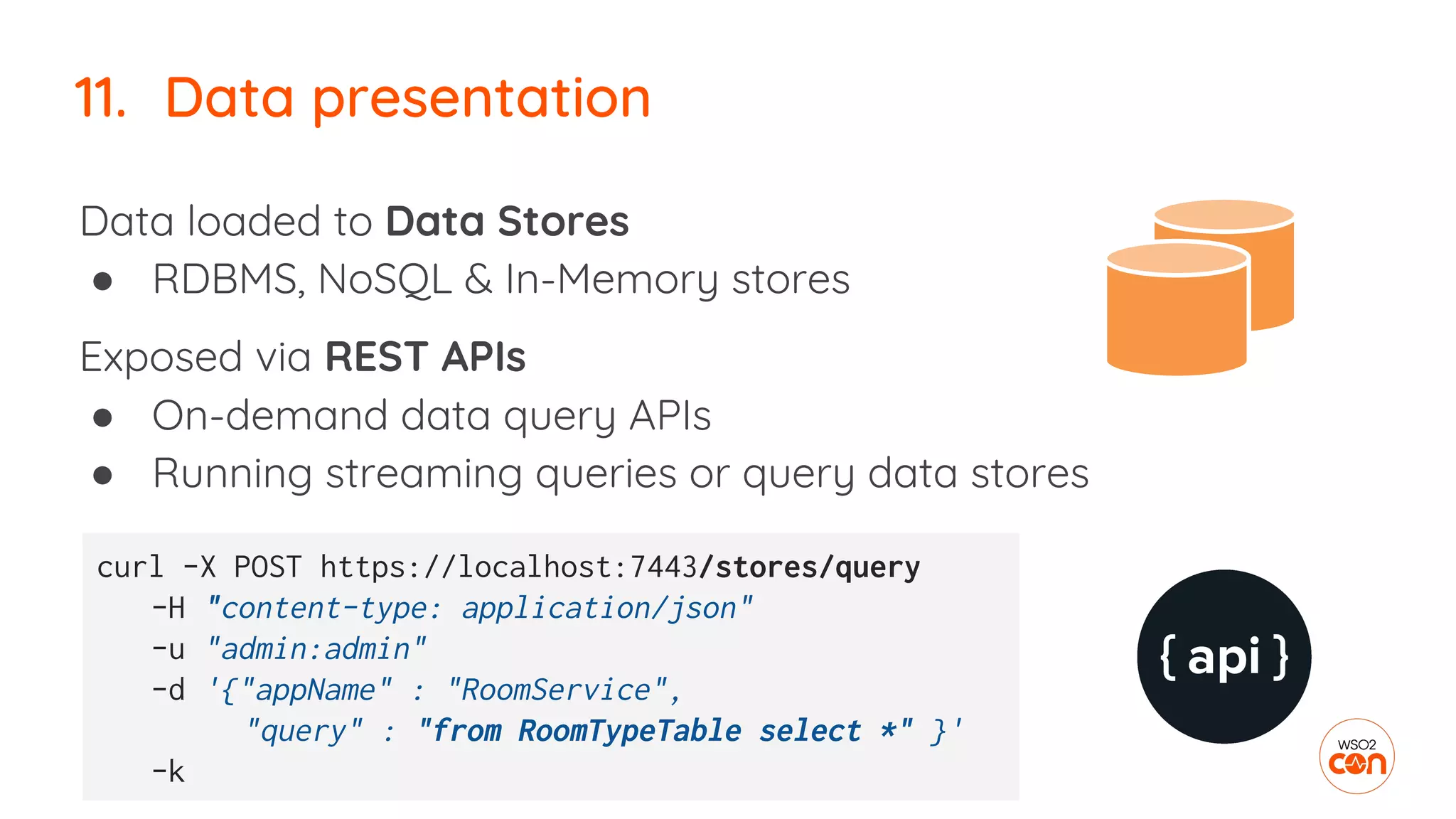
11. Data presentation
Data loaded to Data Stores
● RDBMS, NoSQL & In-Memory stores
Exposed via REST APIs
● On-demand data query APIs
● Running streaming queries or query data stores
curl -X POST https://localhost:7443/stores/query
-H "content-type: application/json"
-u "admin:admin"
-d '{"appName" : "RoomService",
"query" : "from RoomTypeTable select *" }'
-k
11. Data presentation
Presented as Reports
● PDF, CSV
● Report generation
○ On demand & periodic reports
using Jasper reports
○ Exported from dashboard
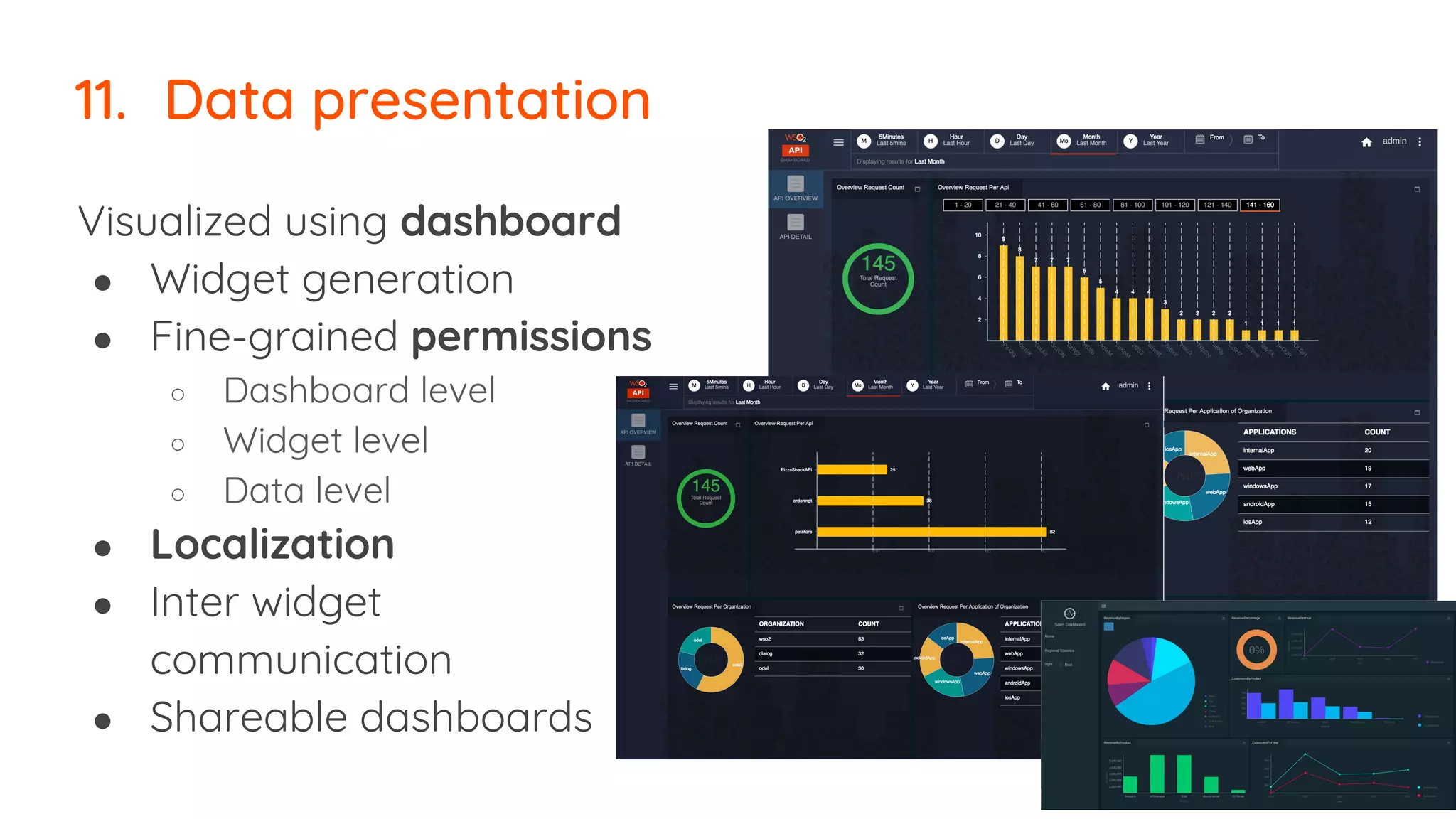
11. Data presentation
Visualized using dashboard
● Widget generation
● Fine-grained permissions
○ Dashboard level
○ Widget level
○ Data level
● Localization
● Inter widget
communication
● Shareable dashboards
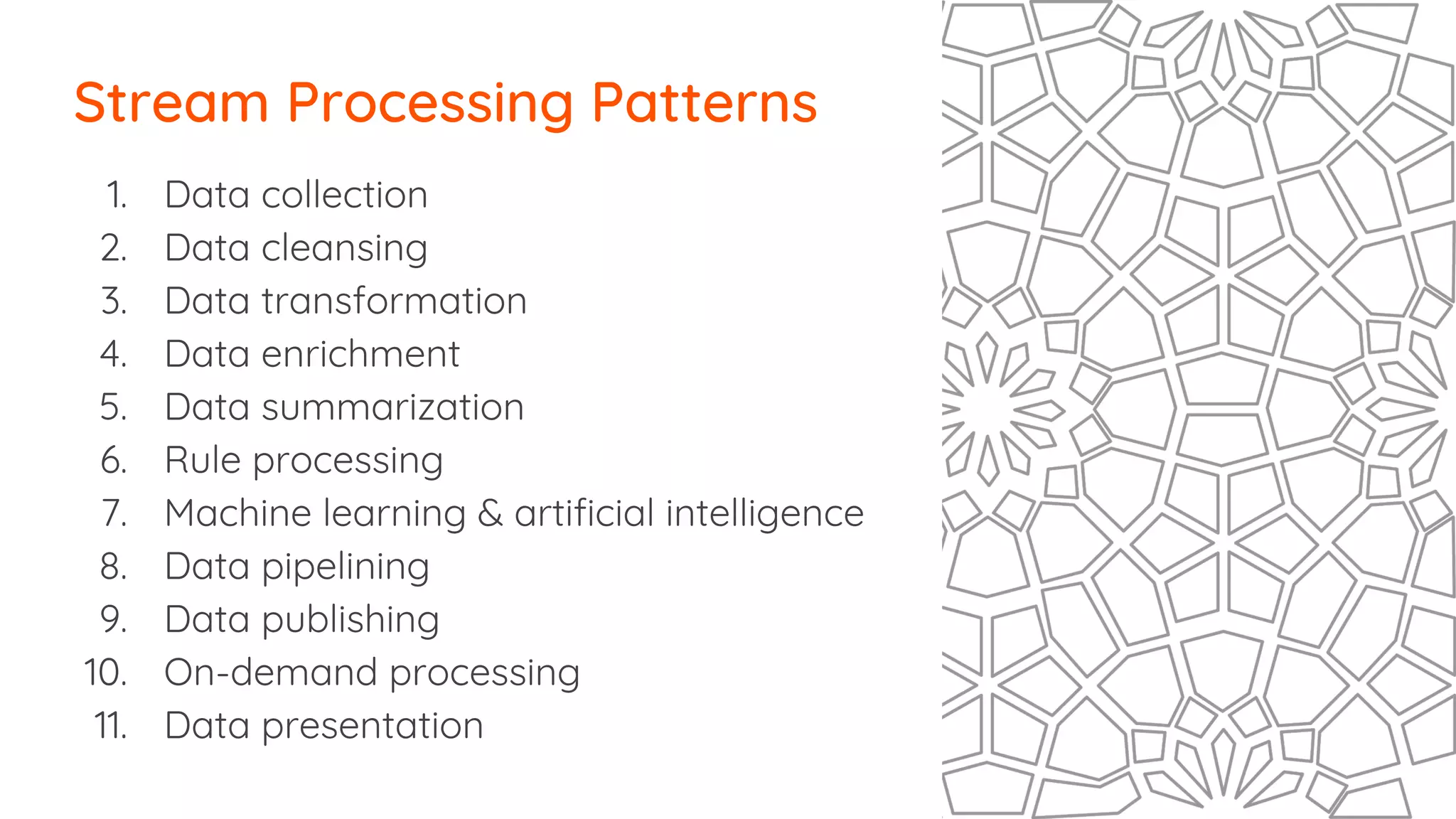
1. Data collection
2. Data cleansing
3. Data transformation
4. Data enrichment
5. Data summarization
6. Rule processing
7. Machine learning & artificial intelligence
8. Data pipelining
9. Data publishing
10. On-demand processing
11. Data presentation
Stream Processing Patterns
Building & Managing
Streaming Apps
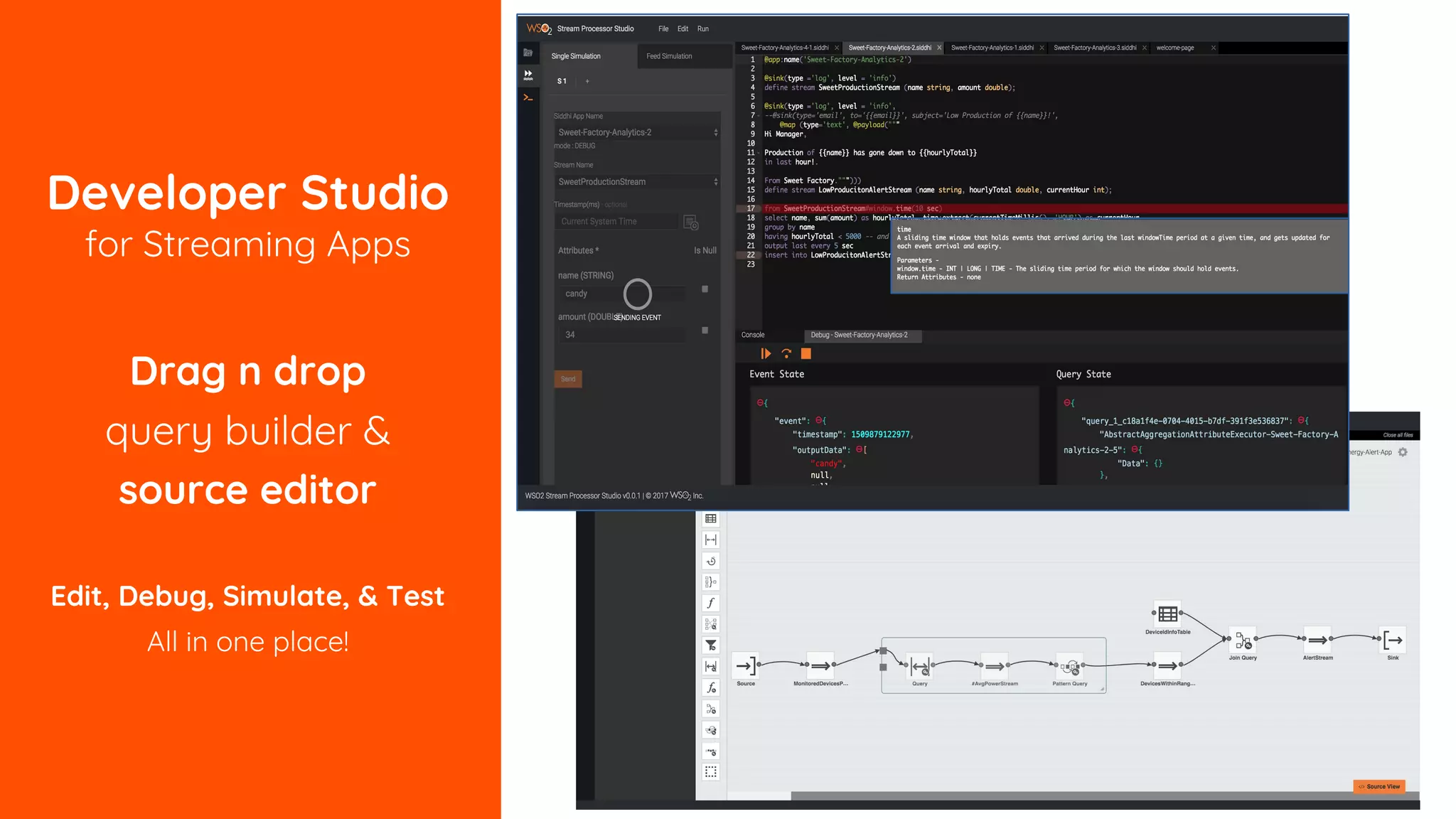
Developer Studio
for Streaming Apps
Drag n drop
query builder &
source editor
Edit, Debug, Simulate, & Test
All in one place!
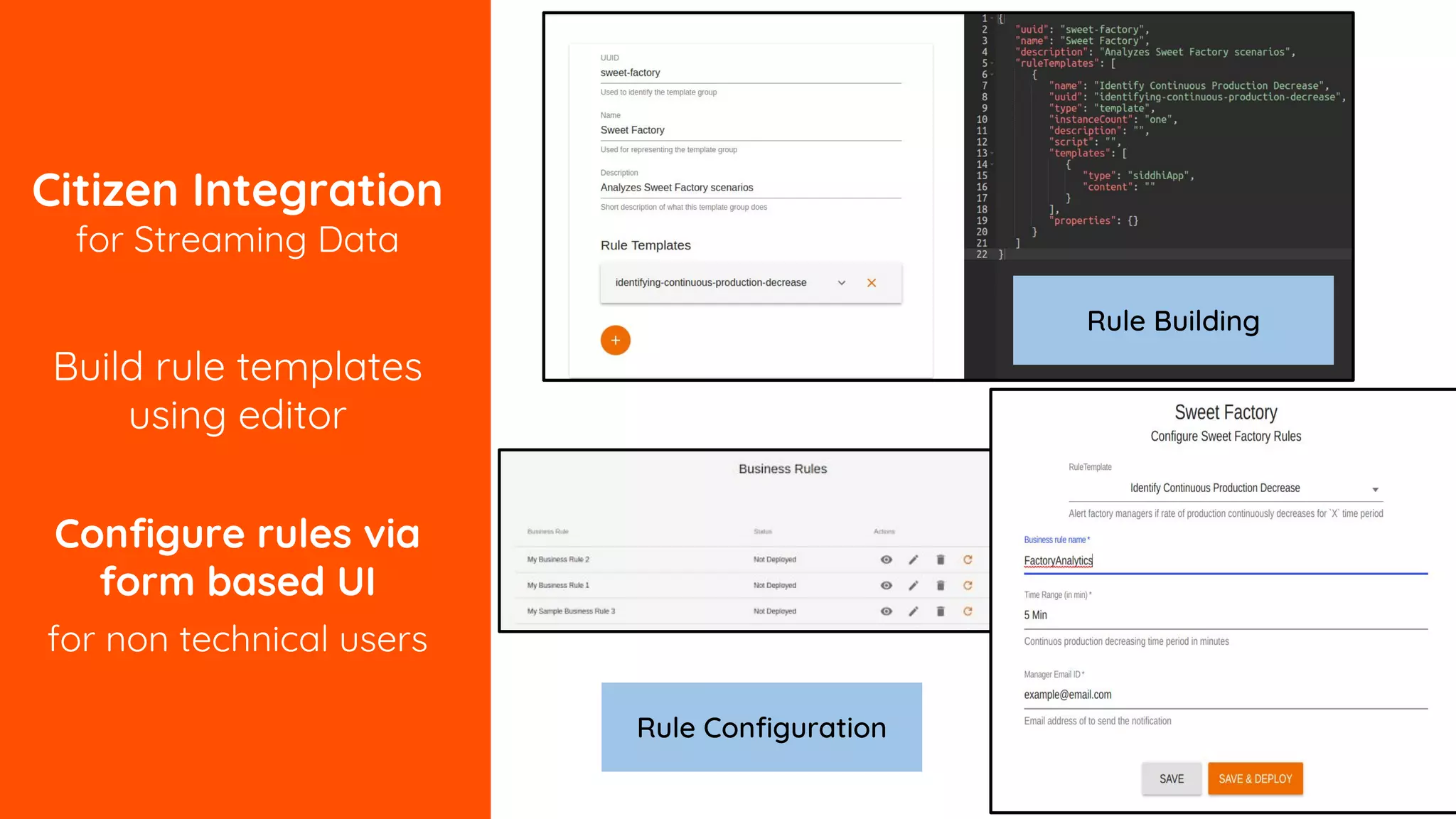
Citizen Integration
for Streaming Data
Build rule templates
using editor
Configure rules via
form based UI
for non technical users
Rule Building
Rule Configuration
Deploying
Streaming Apps
Stream Processing in the Edge or Emadded
• Streaming processing at the
sources
– Being embedded in Java or
Python applications
– Being at the edge as a
sidecar
– Micro Stream Processor
• Local decision making to build
intelligent systems
• ETL at the source
• Event routing
• Edge analytics
Dashboard
Notification
Invocation
Data Store
Event
Store
Event Source
Stream Processor
Siddhi
App
Stream Processor
Siddhi App
Siddhi App
Siddhi App
Feedback
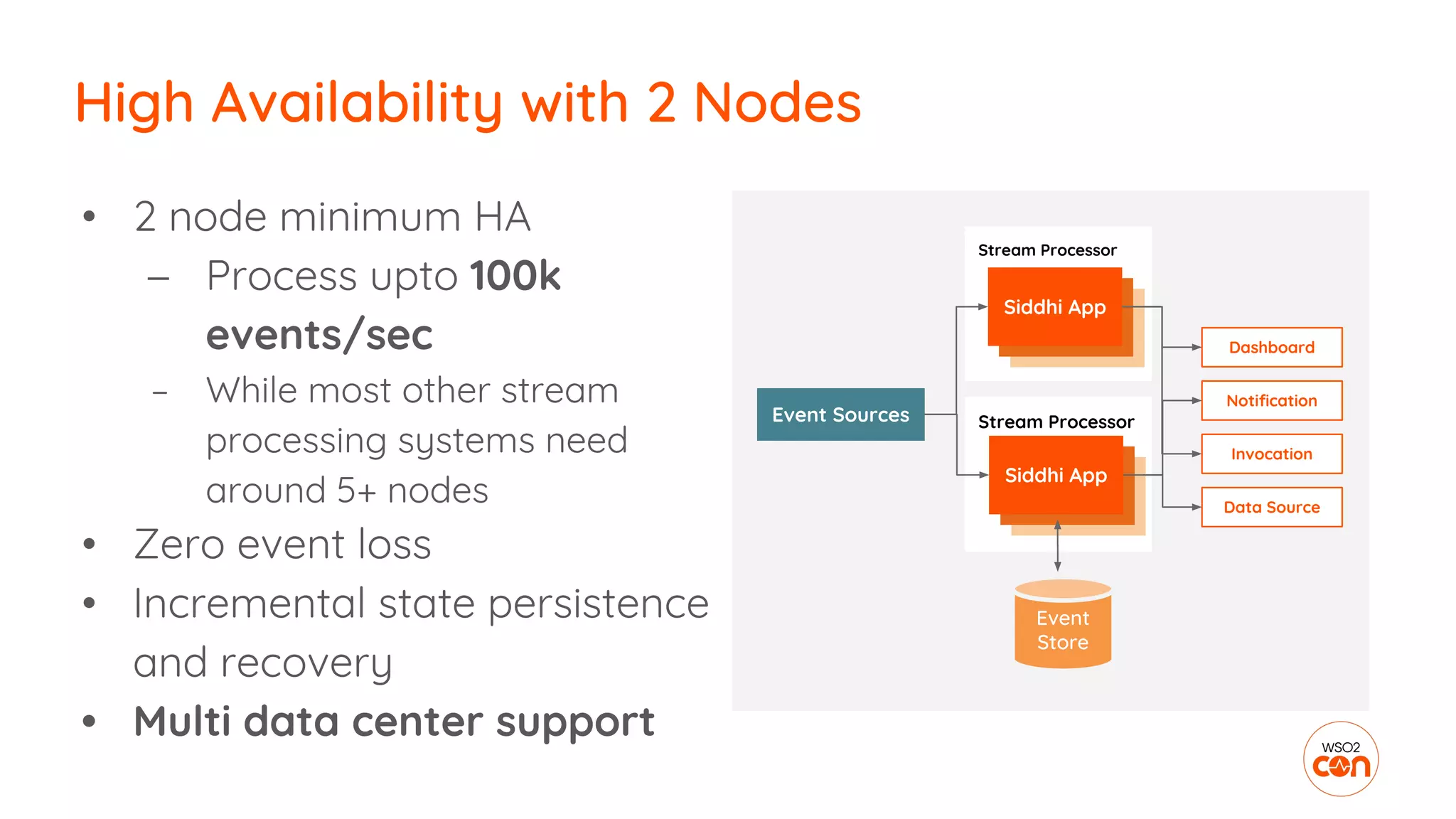
High Availability with 2 Nodes
• 2 node minimum HA
– Process upto 100k
events/sec
– While most other stream
processing systems need
around 5+ nodes
• Zero event loss
• Incremental state persistence
and recovery
• Multi data center support
Stream Processor
Stream Processor
Event Sources
Dashboard
Notification
Invocation
Data Source
Siddhi App
Siddhi App
Siddhi App
Siddhi App
Siddhi App
Siddhi App
Event
Store
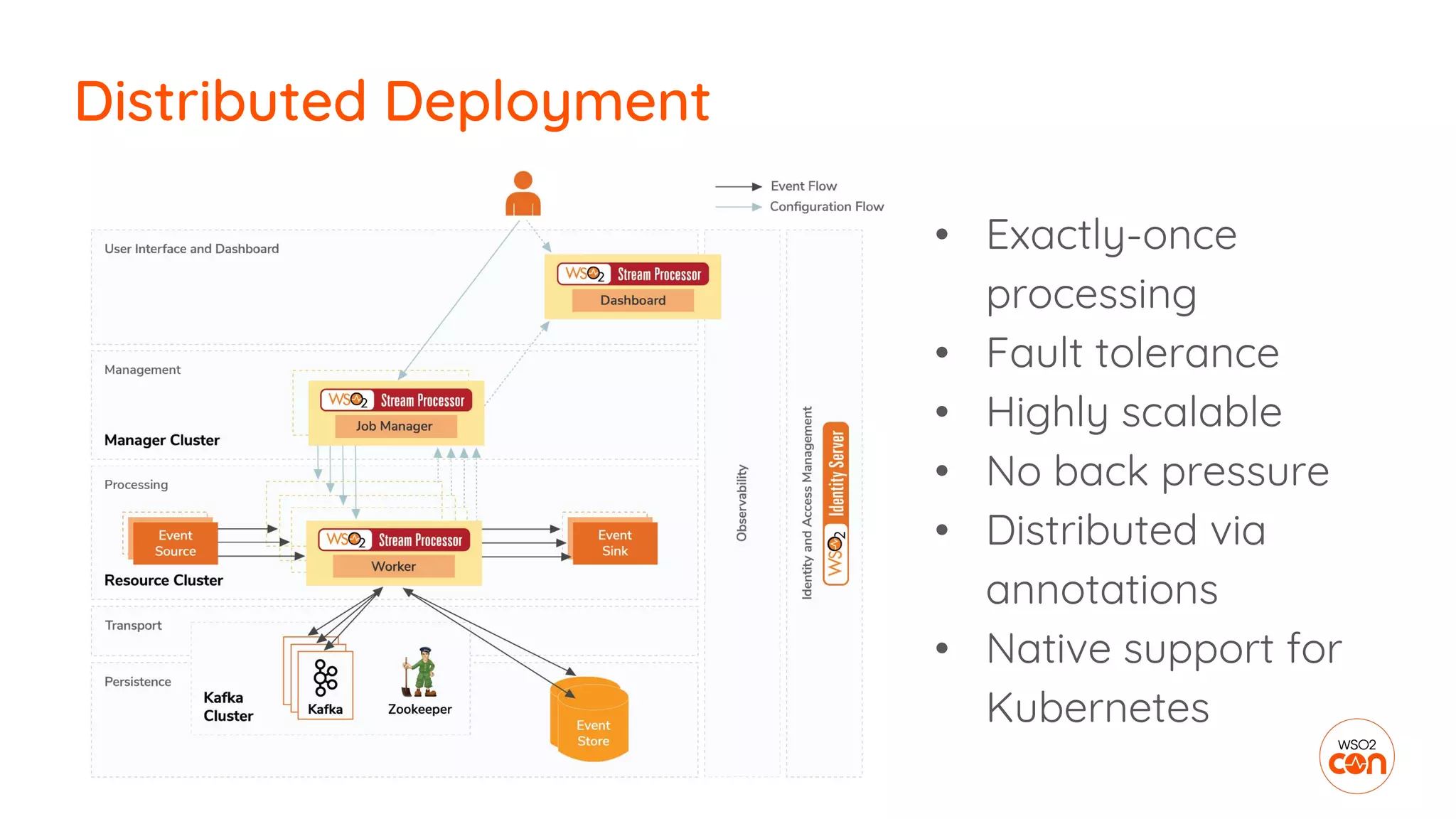
• Exactly-once
processing
• Fault tolerance
• Highly scalable
• No back pressure
• Distributed via
annotations
• Native support for
Kubernetes
Distributed Deployment
Monitoring
Streaming Apps
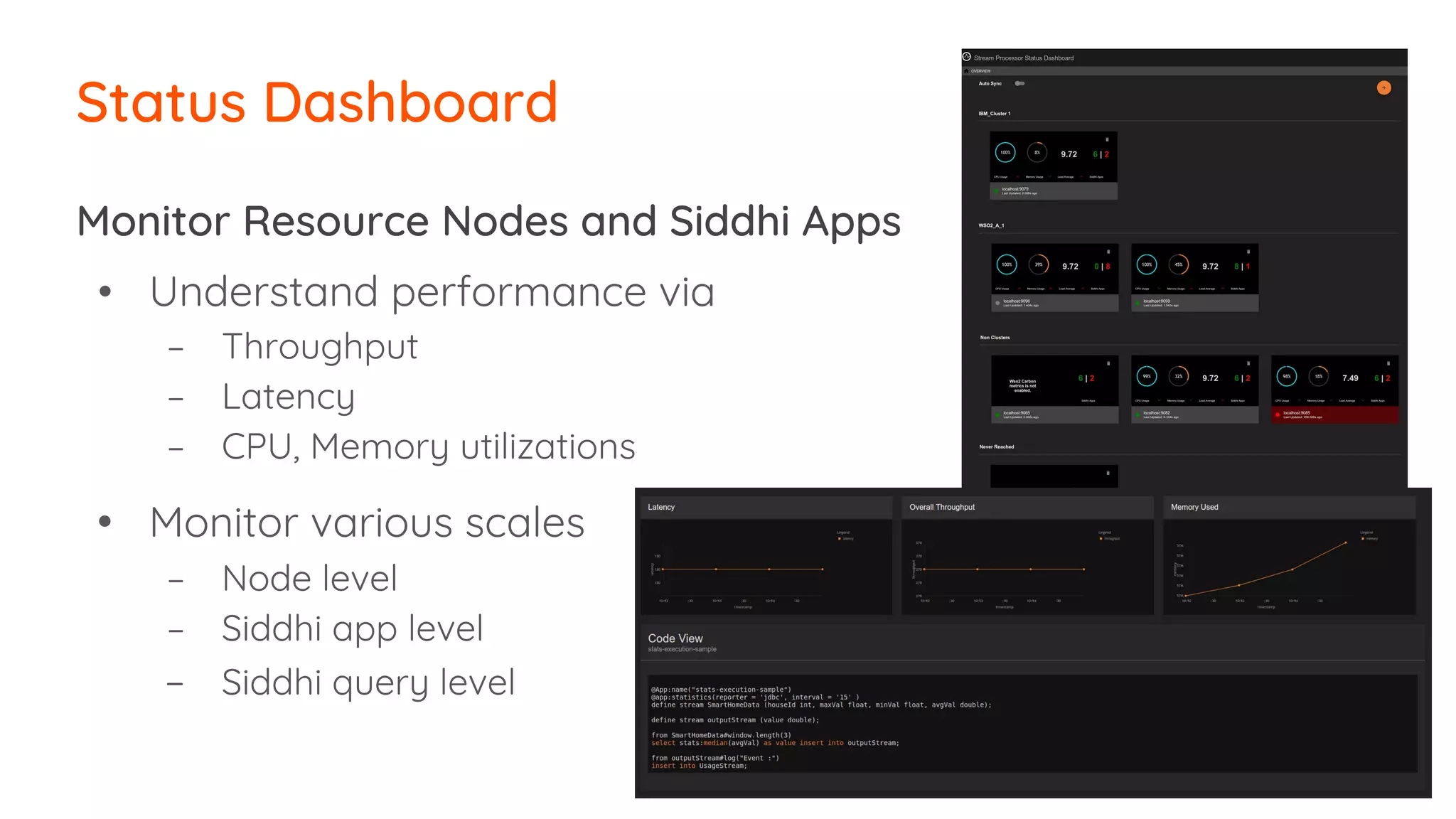
Status Dashboard
Monitor Resource Nodes and Siddhi Apps
• Understand performance via
– Throughput
– Latency
– CPU, Memory utilizations
• Monitor various scales
– Node level
– Siddhi app level
– Siddhi query level
To Summarize
● Lightweight, lean, and high performance
● Best suited for
○ Streaming Data Integration
○ Streaming Analytics
● Streaming SQL & graphical drag-and-drop editor
● Multiple deployment options
○ Process data at the edge (java, python)
○ Micro Stream Processing
○ High availability with 2 nodes
○ Highly scalable distributed deployments
● Support for streaming ML & Long running aggregations
● Monitoring tools and citizen integration options
WSO2 Stream Processor
1. Event-driven data integration
2. Real-time ETL
3. Generating event streams from passive data
4. Streaming data routing
5. Notification management
6. Real-time decision making
7. KPI monitoring
8. Citizens integration on streaming data
9. Dashboarding and reporting
Business Scenarios for Streaming
● Business scenarios for building streaming apps
● Why streaming patterns
● 11 patterns of building streaming apps
● When to use streaming patterns
● How WSO2 Stream Processor can help you to
build streaming apps
● How to develop, deploy and monitor streaming apps
We covered
THANK YOU
wso2.com

[WSO2Con EU 2018] Patterns for Building Streaming Apps

  • 1.
    Director, WSO2 Patterns forBuilding Streaming Apps Sriskandarajah Suhothayan
  • 2.
    Goal ● Business scenariosfor building streaming apps ● Why streaming patterns ● 11 patterns of building streaming apps ● When to use streaming patterns ● How WSO2 Stream Processor can help you to build streaming apps ● How to develop, deploy and monitor streaming apps
  • 3.
    Why Streaming? Real-time Near Real-time Offline Constant low milliseconds& under Low milliseconds to seconds 10s seconds to minutes ● A stream is series of events ● Almost all new data is streaming ● Detects conditions quickly Image Source : https://www.flickr.com/photos/plusbeautumeurs/33307049175
  • 4.
    Why Streaming Apps? ● Identifyperishable insights ● Continuous integration ● Orchestration of business processes ● Embedded execution of code ● Sense, think, and act in real time - Forrester
  • 5.
    1. Event-driven dataintegration 2. Real-time ETL 3. Generating event streams from passive data 4. Streaming data routing 5. Notification management 6. Real-time decision making 7. KPI monitoring 8. Citizens integration on streaming data 9. Dashboarding and reporting Business Scenarios for Streaming
  • 6.
  • 7.
    ● To understandwhat stream processing can do! ● Easy to solve common problems in stream processing ● Where to use what? ● Learn best practices Why Patterns for Streaming? Image Source : https://www.flickr.com/photos/laurawoodillustration/6986871419
  • 8.
  • 9.
    1. Data collection 2.Data cleansing 3. Data transformation 4. Data enrichment 5. Data summarization 6. Rule processing 7. Machine learning & artificial intelligence 8. Data pipelining 9. Data publishing 10. On-demand processing 11. Data presentation Stream Processing Patterns
  • 10.
    Data enrichment (DB, Service) Streaming AppPatterns Stream Processing Data Collection Data Summarization & Rule Processing Query API Data Enrichment (DB, Service) ML Models Data Cleansing & Data Transformation Streaming Data Integration Streaming Data Analytics Data Pipelining On demand processing Machine Learning & Artificial Intelligence Data Publishing Data Presentation
  • 11.
  • 12.
    1. Data collection Typesof data collection ● Subscription to the event source ○ Kafka, Rabbitmq, JMS, Amazon SQS, MQTT, Twitter ● Receiving messages ○ HTTP, TCP, Email, WebSocket ● Extracting data ○ Change Data Capture (CDC), File Supported data formats ● JSON, XML, Text, Binary, Key-value, CSV, Avro, WSO2Event
  • 13.
    1. Data collection DefaultJSON mapping Custom JSON mapping @source(type = mqtt, …, @map(type = json)) define stream ProductionStream(name string, amount double); @source(type = mqtt, …, @map(type = json, @attribute(“$.id”, “$.count”))) define stream ProductionStream(name string, amount double); {“event”:{“name”:“cake”, “amount”:20}} {“id”:“cake”, “count”:20}
  • 14.
  • 15.
    2. Data cleansing Typesof data cleansing ● Filtering ○ value ranges ○ string matching ○ regex ● Setting Defaults ○ Null checks ○ If-then-else clouces define stream ProductionStream (name string, amount double); from ProductionStream [name==“cake”] select name, ifThenElse ( amount<0, 0.0, amount) as amount insert into CleansedProductionStream;
  • 16.
  • 17.
    Data type ofStream Processor is Tuple Array[] containing values of string, int, float, long, double, bool, object JSON, XML, Text, Binary, Key-value, CSV, Avro, WSO2Event Tuple JSON, XML, Text, Binary, Key-value, CSV, Avro, WSO2Event 3. Data transformation
  • 18.
    Contract message fromTuple ● Output mapping ● JSON processing functions ● Map functions ● String concats 3. Data transformation Extract data to Tuple ● Input mapping ● JSON processing functions ● Map functions ● String manipulation define stream ProductionStream (json string); from ProductionInputStream select json:getString(json,"$.name") as name, json:getDouble(json,"$.amount") as amount insert into ProductionStream; Data Extraction
  • 19.
    Transform data by ●Inline operations ○ math & logical operations ● Inbuilt function calls ○ 60+ extensions ● Custom function calls ○ Java, JS, R 3. Data transformation myFunction(item, price) as discount define function myFunction[lang_name] return return_type { function_body }; str:upper(ItemID) as IteamCode, amount * price as cost
  • 20.
  • 21.
    Type of dataenrichment ● Datastore integration ○ RDBMS (MySQL, MSSQL, Oracle, Progress) ○ NoSQL (MongoDB, HBase, Cassandra) ○ In-memory grid (Hazelcast, Redis) ○ Indexing systems (Solr, Elasticsearch) ○ In-memory (in-memory table, window) ● Service integration ○ HTTP services 4. Data enrichment
  • 22.
    Enriching data fromtable (store) 4. Data enrichment define stream ProductionStream(idNum int, amount double); @store(type=‘rdbms’, … ) @primaryKey(‘id’) @Index(name) define table ProductionInfoTable(id int, name string); from ProductionStream as s join ProductionInfoTable as t on s.idNum == t.id select t.name, s.amount insert into ProductionInfoStream; Table Join
  • 23.
    Enriching data fromHTTP Service Call ● Non blocking service calls ● Handle error conditions 4. Data enrichment 2** 4** HTTP-Request HTTP-Response
  • 24.
  • 25.
    Type of datasummarization ● Time based ○ Sliding time window ○ Tumbling time window ○ Multiple time intervals (secs to years) ● Event count based ○ Sliding length window ○ Tumbling length window ● Session based ● Frequency based 5. Data summarization Type of aggregations ● Sum ● Count ● Min ● Max ● distinctCount ● stdDev
  • 26.
    Multiple time intervalsbased summarization ● Aggregation on every second, minute, hour, … , year ● Built using 𝝀 architecture ● Real-time data in-memory ● Historic data from disk ● Works with RDBMs data stores 5. Data summarization from ProductionAggregation within "2018-12-10", "2018-12-13” per "days" select sales;
  • 27.
  • 28.
    Type of predefinedrules ● Rules on single event ○ If-then-else, match, etc. ● Rules on collection of events ○ Summarization ○ Join with window or table ● Rules based on event occurrence order ○ Pattern detection ○ Trend (sequence) detection ○ Non-occurrence of event 6. Rule processing
  • 29.
    No occurrence ofevent pattern detection 6. Rule processing define stream DeliveryStream (orderId string, amount double); define stream PaymentStream (orderId string, amount double); from every (e1 = DeliveryStream) -> not PaymentStream [orderId == e1.orderId] for 15 min select e1.orderId, e1.amount insert into PaymentDelayedStream ;
  • 30.
    7. Machine learning& artificial intelligence
  • 31.
    Type of ML/AIprocessing ● Anomaly detection ○ Markov model ● Serving pre-created ML models ○ PMML (build from Python, R, Spark, H2O.ai, etc) ○ TensorFlow ● Online machine learning ○ Clustering ○ Classification ○ Regression 7. Machine learning & artificial intelligence from CheckoutStream #pmml:predict(“/home/user/ml.model”,userId) insert into ShoppingPrediction; Model Serving
  • 32.
  • 33.
    8. Data pipelining Typesof data pipelines ● Sequential data processing ○ Default behaviour ○ All queries are processed by the data retrieval thread ● Asynchronous data processing ○ Parallelly processed as event batches ○ @Async(buffer.size='256', workers='2', batch.size.max='5') ● Scatter and gather ○ json:tokenize() -> process->window.batch() -> json:setElement() ○ str:tokenize() ->process-> window.batch() -> str:groupConcat()
  • 34.
    ● Sequential dataprocessing ○ Default behavior ○ All queries are processed by the data retrieval thread 8. Data pipelining 1 2
  • 35.
    ● Asynchronous dataprocessing ○ Parallelly processed as event batches 8. Data pipelining 2 @Async(buffer.size='256', workers='2', batch.size.max='5') define stream ProductionStream(name string, amount double); 2 11
  • 36.
    ● Scheduled dataprocessing ○ Periodically trigger an execution flow ○ Based on ■ Give time period ■ Cron expression 8. Data pipelining define trigger FiveMinTriggerStream at every 5 min;
  • 37.
    ● Scatter andgather ○ Divide into sub-elements, process each and combine the results ○ E.g. ○ json:tokenize() -> process -> window.batch() -> json:setElement() ○ str:tokenize() -> process -> window.batch() -> str:groupConcat() 8. Data pipelining
  • 38.
    ● Dynamic queryaddition ○ Connect multiple Siddhi Apps (Collection of queries) via in-memory source and sink 8. Data pipelining Input Siddhi App Dynamic Siddhi App 1 Dynamic Siddhi App 2 Dynamic Siddhi App 3 Output Siddhi App In-memory source - sink In-memory source - sink
  • 39.
  • 40.
    9. Data publishing Typesof data publishing ● Sending data to the event sinks ○ Kafka, Rabbitmq, JMS, Amazon SQS, MQTT, HTTP, TCP, Email, WebSocket, File ○ Supported formats ■ JSON, XML, Text, Binary, Key-value, CSV, Avro, WSO2Event ● Storing data to Data Stores ○ RDBMS, MongoDB, HBase, Cassandra, Hazelcast, Redis, Solr, Elasticsearch ○ Supported operation ■ Insert, Delete, Update, (& Read)
  • 41.
    9. Data publishing DefaultJSON mapping Custom JSON mapping @sink(type = mqtt, …, @map(type = json)) define stream ProductionStream(name string, amount double); @sink(type = mqtt, …, @map(type = json, @payload('''{“id”:“{{name}}”, “count”:{{amount}} }''' ))) define stream ProductionStream(name string, amount double); {“event”:{“name”:“cake”, “amount”:20}} {“id”:“cake”, “count”:20}
  • 42.
  • 43.
    10. On-demand processing ●Processing stored data using REST APIs ○ Data stores (RDBMS, NoSQL, etc) ○ Multiple time inviavel aggregation ○ In-memory windows, tables
  • 44.
    10. On-demand processing ●Running streaming queries via REST APIs ○ Synchronous Request-Response loopback ○ Understand current state of the environment
  • 45.
  • 46.
    11. Data presentation Dataloaded to Data Stores ● RDBMS, NoSQL & In-Memory stores Exposed via REST APIs ● On-demand data query APIs ● Running streaming queries or query data stores curl -X POST https://localhost:7443/stores/query -H "content-type: application/json" -u "admin:admin" -d '{"appName" : "RoomService", "query" : "from RoomTypeTable select *" }' -k
  • 47.
    11. Data presentation Presentedas Reports ● PDF, CSV ● Report generation ○ On demand & periodic reports using Jasper reports ○ Exported from dashboard
  • 48.
    11. Data presentation Visualizedusing dashboard ● Widget generation ● Fine-grained permissions ○ Dashboard level ○ Widget level ○ Data level ● Localization ● Inter widget communication ● Shareable dashboards
  • 49.
    1. Data collection 2.Data cleansing 3. Data transformation 4. Data enrichment 5. Data summarization 6. Rule processing 7. Machine learning & artificial intelligence 8. Data pipelining 9. Data publishing 10. On-demand processing 11. Data presentation Stream Processing Patterns
  • 50.
  • 51.
    Developer Studio for StreamingApps Drag n drop query builder & source editor Edit, Debug, Simulate, & Test All in one place!
  • 52.
    Citizen Integration for StreamingData Build rule templates using editor Configure rules via form based UI for non technical users Rule Building Rule Configuration
  • 53.
  • 54.
    Stream Processing inthe Edge or Emadded • Streaming processing at the sources – Being embedded in Java or Python applications – Being at the edge as a sidecar – Micro Stream Processor • Local decision making to build intelligent systems • ETL at the source • Event routing • Edge analytics Dashboard Notification Invocation Data Store Event Store Event Source Stream Processor Siddhi App Stream Processor Siddhi App Siddhi App Siddhi App Feedback
  • 55.
    High Availability with2 Nodes • 2 node minimum HA – Process upto 100k events/sec – While most other stream processing systems need around 5+ nodes • Zero event loss • Incremental state persistence and recovery • Multi data center support Stream Processor Stream Processor Event Sources Dashboard Notification Invocation Data Source Siddhi App Siddhi App Siddhi App Siddhi App Siddhi App Siddhi App Event Store
  • 56.
    • Exactly-once processing • Faulttolerance • Highly scalable • No back pressure • Distributed via annotations • Native support for Kubernetes Distributed Deployment
  • 57.
  • 58.
    Status Dashboard Monitor ResourceNodes and Siddhi Apps • Understand performance via – Throughput – Latency – CPU, Memory utilizations • Monitor various scales – Node level – Siddhi app level – Siddhi query level
  • 59.
  • 60.
    ● Lightweight, lean,and high performance ● Best suited for ○ Streaming Data Integration ○ Streaming Analytics ● Streaming SQL & graphical drag-and-drop editor ● Multiple deployment options ○ Process data at the edge (java, python) ○ Micro Stream Processing ○ High availability with 2 nodes ○ Highly scalable distributed deployments ● Support for streaming ML & Long running aggregations ● Monitoring tools and citizen integration options WSO2 Stream Processor
  • 61.
    1. Event-driven dataintegration 2. Real-time ETL 3. Generating event streams from passive data 4. Streaming data routing 5. Notification management 6. Real-time decision making 7. KPI monitoring 8. Citizens integration on streaming data 9. Dashboarding and reporting Business Scenarios for Streaming
  • 62.
    ● Business scenariosfor building streaming apps ● Why streaming patterns ● 11 patterns of building streaming apps ● When to use streaming patterns ● How WSO2 Stream Processor can help you to build streaming apps ● How to develop, deploy and monitor streaming apps We covered
  • 63.