Style & Design Principles
Chapter 01: Code Style & Structure
Nick Prühs
About Me
“Best Bachelor“ Computer Science
Kiel University, 2009
Master Games
Hamburg University of Applied Sciences, 2011
Lead Programmer
Daedalic Entertainment, 2011-2012
Co-Founder
slash games, 2013
2 / 78
First Things First
• At npruehs.de/teaching you‘ll always find
• these slides
• solutions to all assignments
• Ask your questions – any time!
• Each lecture will close with
• further reading
• an optional assignment
• Contact me any time at dev@npruehs.de!
3 / 58
Objectives
• To get an idea of good code style and structure in
general
• To understand the importance of consistent naming
and code conventions
• To learn how to use common tools to write good
code more easily
4 / 78
What is “good code”?
• Straight-forward and obvious
• You’ll spend far more time reading code than writing.
• You’ll spend much time reading code you didn’t write.
• Loose coupling
• Well tested
• Reused code
• Efficient (?)
5 / 78
How to achieve “good code”?
Source: http://xkcd.com/844/ 6 / 78
How to achieve “good code”?
• Pair programming
• Code Reviews
• Client-first programming, Test-driven development
• Refactoring
• Unit Testing
• Great tools
• Static code analysis
7 / 78
Naming Conventions
• Greatly increase readability and usability
• Differ from language to language
• We’ll take a look at C#, but many guidelines apply to
other languages as well.
8 / 78
C# Capitalization
• PascalCasing
• Namespaces
• Types
• Member Names
• camelCasing
• Method Parameter Names
9 / 78
Capitalization of Acronyms
• Both characters of two-character acronyms
• Example: IO
• Only first character of three-character acronyms
• Example: Xml, Html
• Never for camelCased identifiers (such as
parameters)
10 / 78
Word Choice
• Easily readable:
• HorizontalAlignment instead of AlignmentHorizontal
• Favor readability over brevity:
• CanScrollHorizontally instead of ScrollableX
• No underscores
• No Hungarian notation
• No abbreviations
• Abbreviations don’t work well with IDEs.
• Semantic names
• GetLength instead of GetInt
11 / 78
Namespace Names
<Company>.<Product>.<Feature>.<SubNamespace>
• Plural names where appropriate
• Example: System.Collections
• Don’t use the same name for namespace and type
• Don’t use common names such as Element,
Component
12 / 78
Type Names
• Nouns for classes and structs
• Example: List, Vector
• Derived classes can end with name of base class
• Example: ArgumentException
• Adjectives for interfaces
• Prefix interface names with ‘I’
• Example: IComparable
• Use descriptive names for type-parameters
• Dictionary<TKey, TValue> instead of Dictionary<K, V>
• Singular names for non-flags enums
• Color instead of Colors
13 / 78
Member Names
• Verbs for methods and events
• Example: AddComponent, ComponentAdded
• Nouns or adjectives for fields
• Example: Duration, Invulnerable
• Nouns for properties
• Plurals for collections
• Items instead of ItemList
14 / 78
Boolean Trap #1
• Be positive!
• Enabled = true instead of Disabled = false
• CaseSensitive = true instead of CaseInsensitive = false
15 / 78
Tabs vs. Spaces
• Holy war between two fractions of programmers
• Some are for tabs…
• Seperation of visual representation from data
• Customizable
• Faster
• Specifically meant for indentation
• … while others are for spaces.
• Always one column
• Supported by IDEs anyway
16 / 78
Tabs vs. Spaces
• Most important rule:
Stay consistent.
• … or it might even blow up your version control.
17 / 78
Tabs vs. Spaces
„That said, only a moron would use tabs to format
their code.”
- Jeff Atwood
18 / 78
Tools – StyleCop
• Analyzes C# source code to enforce a set of style
and consistency rules
• Helps developers avoid common pitfalls and
mistakes
• Settings file can be checked in to version control
19 / 78
Tools – StyleCop
StyleCop Settings Dialog in Visual Studio 2012 20 / 78
Tools – StyleCop
Part of a StyleCop Settings File
<StyleCopSettings Version="105">
<GlobalSettings>
<StringProperty Name="MergeSettingsFiles">NoMerge</StringProperty>
<CollectionProperty Name="RecognizedWords">
<Value>Bresenham</Value>
<Value>Dijkstra</Value>
<Value>Endre</Value>
<Value>Fredman</Value>
<Value>multigraph</Value>
<Value>Stee</Value>
<Value>Tarjan</Value>
<Value>Tarjan's</Value>
<Value>unweighted</Value>
</CollectionProperty>
</GlobalSettings>
<Analyzers>
<Analyzer AnalyzerId="StyleCop.CSharp.DocumentationRules">
<Rules>
<Rule Name="DocumentationTextMustContainWhitespace">
<RuleSettings>
<BooleanProperty Name="Enabled">False</BooleanProperty>
</RuleSettings>
</Rule>
<Rule Name="ConstructorSummaryDocumentationMustBeginWithStandardText">
<RuleSettings>
<BooleanProperty Name="Enabled">False</BooleanProperty>
</RuleSettings>
</Rule>
21 / 78
Tools – StyleCop
StyleCop Warnings in Visual Studio 2012 22 / 78
Tools – Resharper
• Static code analysis
• Many, many shortcuts and quick fixes
• Improved refactoring
• Improved search features
• Code templates
23 / 78
Tools – Resharper
R# Static Code Analysis in Visual Studio 2012
24 / 78
Tools – Resharper
R# Suggestions in Visual Studio 2012
25 / 78
Tools – Resharper
R# Suggestions in Visual Studio 2012
26 / 78
Tools – Resharper
R# Suggestions in Visual Studio 2012
27 / 78
Tools – Eclipse
Eclipse Java Code Style Clean Up Settings
28 / 78
Tools – Eclipse
Eclipse Java Code Style Clean Up Settings
29 / 78
Type Design – Class vs. Struct
Make a type a struct instead of a class if it…
• Logically represents a single value,
• Has a valid state if all data is set to zero,
• Has an instance size < 16 bytes,
• Is Immutable, and
• Won’t have to be boxed frequently
30 / 78
Type Design – Class vs. Struct
Make a type a struct instead of a class if it…
• Logically represents a single value,
• Has a valid state if all data is set to zero,
• This is the case for array initialization, for example.
• Has an instance size < 16 bytes,
• Is Immutable, and
• Won’t have to be boxed frequently
31 / 78
Type Design – Class vs. Struct
Make a type a struct instead of a class if it…
• Logically represents a single value,
• Has a valid state if all data is set to zero,
• Has an instance size < 16 bytes,
• Value type assignments copy all values
• Is Immutable, and
• Won’t have to be boxed frequently
32 / 78
Type Design – Class vs. Struct
Make a type a struct instead of a class if it…
• Logically represents a single value,
• Has a valid state if all data is set to zero,
• Has an instance size < 16 bytes,
• Is Immutable, and
• Passing (and returning) by value implicitly creates a copy
• Value types that can be changed will be confusing!
• Won’t have to be boxed frequently
33 / 78
Type Design – Class vs. Struct
Make a type a struct instead of a class if it…
• Logically represents a single value,
• Has a valid state if all data is set to zero,
• Has an instance size < 16 bytes,
• Is Immutable, and
• Won’t have to be boxed frequently
• Happens when they’re cast to a interface
• Allocated on heap and garbage collected, then!
34 / 78
Type Design – Class vs. Interface
• Use interfaces for polymorphic value type
hierarchies
• Example: IComparable, IConvertible
• If an interface does more than exactly one thing,
that’s a warning sign.
35 / 78
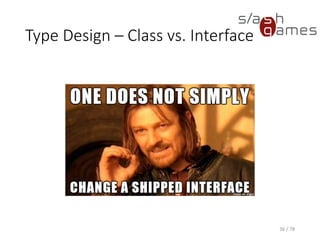
Type Design – Class vs. Interface
36 / 78
Type Design – Class vs. Interface
• Favor (abstract) classes over interfaces
• Adding members to an interface is a breaking change!
• Seperating of contract from implementation with an
interface is a myth…
• … whereas doing so with an abstract class is not.
37 / 78
Type Design – Enums
• Favor enums over static constants
• Provide a zero value for simple enums (e.g. None)
• Don’t use enums for open sets
• Don’t use flag enums if some combinations can be
invalid
38 / 78
Member Design –
Property vs. Method
Make a member a method instead of a property if
it…
• Is significantly slower than a field access would be,
• Is a conversion operation (such as ToString),
• Returns a different result each time it is called,
• Has an observable side effect,
• Returns a copy of an internal state, or
• Returns an array
39 / 78
Member Design – Properties
• Preserve previous value if a property setter throws
an exception
• Don’t throw exceptions from property getters.
• Use a method in that case.
40 / 78
Gotcha!
Don‘t throw exceptions from
static constructors!
41 / 78
Member Design – Methods
• Shorter overloads should simply call longer ones
• public int IndexOf(string s)
• public int IndexOf(string s, int startIndex)
• public int IndexOf(string s, int startIndex, int count)
• Use descriptive parameter names
• Avoid varying names or inconsistent ordering
• Make only the longest overload virtual
• Allow null to be passed for optional parameters
• Default arguments are not CLS-compliant!
42 / 78
Member Design – Extensions
Use an extension method, if ...
• It adds functionality relevant to every
implementation of an interface, or
• An instance method would introduce unwanted
dependencies
43 / 78
Member Design –
Operator Overloads
• Make sense for types that feel like primitive types
• Should be defined symmetrically
• Provide methods with friendly names, as well
• Some languages don‘t support operator overloads.
44 / 78
Member Design –
Parameters
• Use the least derived required paramter type
• Validate all arguments
• params keyword is useful for arbitrary (but small)
numbers of parameters
• Pay attention on parameter order
• Be aware that null is a valid params array argument
45 / 78
Boolean Trap #2
Guess what this code means?
widget.repaint(false);
46 / 78
Boolean Trap #2
Guess what this code means?
widget.repaint(false);
• Function argument is called immediate
• true means immediate painting
• false means deferred painting
• Better use method overloads or enums!
47 / 78
Boolean Trap #3
Guess what this code means?
var opacitySlider = new Slider(true);
48 / 78
Boolean Trap #3
Guess what this code means?
var opacitySlider = new Slider(true);
• Function argument is called horizontal
• true means horizontal slider
• false means vertical slider
• Better use subclasses!
• „Heck, who knows someday you’ll need a diagonal
slider!”
49 / 78
Boolean Trap #4
Guess what this code means?
stackView.updateHeight(false);
50 / 78
Boolean Trap #4
Guess what this code means?
stackView.updateHeight(false);
• Immediate or not?
• Don‘t update height?
• Update width???
51 / 78
Boolean Trap #5
The more, the merrier!
event.initKeyEvent("keypress", true, true, null, null, false, false, false, false, 9, 0);
52 / 78
Exceptions
• Help you deal with any unexpected or exceptional
situations that occur when a program is running
• Exceptions are types that all ultimately derive from
System.Exception.
• Generated by the common language runtime (CLR),
by the .NET Framework or any third-party libraries,
or by application code.
53 / 78
Benefits of Exceptions
• Integrate well with object-oriented languages
• Does not require changing the method signature
• Can’t be ignored, whereas error codes can
• Exception objects contain detailed information
about the error, such as the state of the call stack
and a text description of the error.
• Possibility of defining an Unhandled Exception
Filter (UEF)
• Supported by debuggers
54 / 78
Gotcha!
Don’t return error codes!
55 / 78
Exception Design
• Exceptions provide consistent error reporting
• No bool return value required
• No HRESULT
• No GetLastError
• Don’t return error codes.
• If your error code is for the developer, add additional
information to the exception message instead.
• If your error code is for the exception handler, add a
new exception type instead.
56 / 78
Throwing Exceptions
• Throw the most specific exception that makes
sense.
• ArgumentException
• ArgumentNullException
• Provide rich and meaningful error messages.
• Introduce a new exception type only if it should be
handled differently than existing exception types.
57 / 78
Handling Exceptions
• Use a try block around the statements that might
throw exceptions.
• Once an exception occurs in the try block, the flow
of control jumps to the first associated exception
handler that is present anywhere in the call stack.
• If no exception handler for a given exception is
present, the program stops executing with an error
message.
58 / 78
Handling Exceptions
Unhandled exception reported by Microsoft Visual Studio 2012
59 / 78
Exception Best Practice
60 / 78
Exception Best Practice
• Do not catch an exception unless you can handle it
and leave the application in a known state.
• Do not catch non-specific exceptions, such as
System.Exception.
• Use a finally block to release resources, for example
to close any streams or files that were opened in
the try block.
61 / 78
Gotcha!
Never use empty catch blocks!
62 / 78
Common Exceptions
• Thrown by your application or the framework
• InvalidOperationException
• ArgumentException
• ArgumentNullException
• ArgumentOutOfRangeException
• Thrown by the CLR
• NullReferenceException
• IndexOfOutRangeException
• StackOverflowException
• OutOfMemoryException
63 / 78
Collection Design
• Inherit from Collection<T>,
ReadOnlyCollection<T> or
KeyedCollection<TKey, TItem>
• Implement IEnumerable<T>
• Allows foreach iteration of your collection.
• Implement ICollection<T> or IList<T> where it
makes sense
• Implement an indexer where it makes sense
64 / 78
Gotcha!
Don’t implement ICloneable!
65 / 78
The interface ICloneable
• Contract doesn’t define whether cloning an object
returns a deep or shallow copy
• Define your own Clone method if required, without
implementing the interface
66 / 78
Hint
Implement IEquatable<T>
on value types!
67 / 78
The interface IEquatable
• Defines a method for determining equality of
object instances
• Implement on value types to prevent boxing
• Override Object.Equals, == and != operators as
well
68 / 78
Hint
Implement IComparable<T>
where it makes sense!
69 / 78
The interface IComparable
• Defines a type-specific comparison method for
ordering or sorting type instances.
• Override <, >, <= and >= operators as well
70 / 78
Equals, GetHashCode &
ToString
• If Object.Equals returns true for any two objects,
GetHashCode must return the same value for these
objects.
• Dictionaries, which are implemented as Hashtables in
.NET, will place two equal objects in different buckets
otherwise, and lookup might fail in that case.
• Override ToString wherever it makes sense.
• Provides more useful debug output.
71 / 78
Gotcha!
GetHashCode must return the
exactly same value across the
lifetime of an object!
72 / 78
Assignment #1
1. Field Declaration
What’s wrong with the following declaration for the
count of items in a collection?
private int m_itemcnt;
73 / 78
Assignment #1
2. Vector Type
Implement a type for a two-dimensional vector with
integer coordinates!
74 / 78
Assignment #1
3. Direction Type
Implement a type for cardinal directions!
75 / 78
Assignment #1
4. Grid Type
1. Implement a type for a generic two-dimensional grid!
2. Add support for iteration, indexing and copying!
3. Allow comparison of grids by comparing all of their
entries!
76 / 78
References
• Stack Overflow. What does a good programmer's code look
like? http://stackoverflow.com/questions/366588/what-
does-a-good-programmers-code-look-like, March 2015.
• Cwalina, Abrams. Framework Design Guidelines. 2nd Edition.
Addison-Wesley, 2011.
• Hidayat. hall of api shame: boolean trap.
http://ariya.ofilabs.com/2011/08/hall-of-api-shame-
boolean-trap.html, August 24, 2011.
• Atwood. Death to the Space Infidels!
http://www.codinghorror.com/blog/2009/04/death-to-the-
space-infidels.html, April 13, 2009.
• MSDN. System Namespace. http://msdn.microsoft.com/en-
us/library/System%28v=vs.110%29.aspx, March 2015.
77 / 78
Thank you for your attention!
Contact
Mail
dev@npruehs.de
Blog
http://www.npruehs.de
Twitter
@npruehs
Github
https://github.com/npruehs
78 / 78

Style & Design Principles 01 - Code Style & Structure

  • 1.
    Style & DesignPrinciples Chapter 01: Code Style & Structure Nick Prühs
  • 2.
    About Me “Best Bachelor“Computer Science Kiel University, 2009 Master Games Hamburg University of Applied Sciences, 2011 Lead Programmer Daedalic Entertainment, 2011-2012 Co-Founder slash games, 2013 2 / 78
  • 3.
    First Things First •At npruehs.de/teaching you‘ll always find • these slides • solutions to all assignments • Ask your questions – any time! • Each lecture will close with • further reading • an optional assignment • Contact me any time at dev@npruehs.de! 3 / 58
  • 4.
    Objectives • To getan idea of good code style and structure in general • To understand the importance of consistent naming and code conventions • To learn how to use common tools to write good code more easily 4 / 78
  • 5.
    What is “goodcode”? • Straight-forward and obvious • You’ll spend far more time reading code than writing. • You’ll spend much time reading code you didn’t write. • Loose coupling • Well tested • Reused code • Efficient (?) 5 / 78
  • 6.
    How to achieve“good code”? Source: http://xkcd.com/844/ 6 / 78
  • 7.
    How to achieve“good code”? • Pair programming • Code Reviews • Client-first programming, Test-driven development • Refactoring • Unit Testing • Great tools • Static code analysis 7 / 78
  • 8.
    Naming Conventions • Greatlyincrease readability and usability • Differ from language to language • We’ll take a look at C#, but many guidelines apply to other languages as well. 8 / 78
  • 9.
    C# Capitalization • PascalCasing •Namespaces • Types • Member Names • camelCasing • Method Parameter Names 9 / 78
  • 10.
    Capitalization of Acronyms •Both characters of two-character acronyms • Example: IO • Only first character of three-character acronyms • Example: Xml, Html • Never for camelCased identifiers (such as parameters) 10 / 78
  • 11.
    Word Choice • Easilyreadable: • HorizontalAlignment instead of AlignmentHorizontal • Favor readability over brevity: • CanScrollHorizontally instead of ScrollableX • No underscores • No Hungarian notation • No abbreviations • Abbreviations don’t work well with IDEs. • Semantic names • GetLength instead of GetInt 11 / 78
  • 12.
    Namespace Names <Company>.<Product>.<Feature>.<SubNamespace> • Pluralnames where appropriate • Example: System.Collections • Don’t use the same name for namespace and type • Don’t use common names such as Element, Component 12 / 78
  • 13.
    Type Names • Nounsfor classes and structs • Example: List, Vector • Derived classes can end with name of base class • Example: ArgumentException • Adjectives for interfaces • Prefix interface names with ‘I’ • Example: IComparable • Use descriptive names for type-parameters • Dictionary<TKey, TValue> instead of Dictionary<K, V> • Singular names for non-flags enums • Color instead of Colors 13 / 78
  • 14.
    Member Names • Verbsfor methods and events • Example: AddComponent, ComponentAdded • Nouns or adjectives for fields • Example: Duration, Invulnerable • Nouns for properties • Plurals for collections • Items instead of ItemList 14 / 78
  • 15.
    Boolean Trap #1 •Be positive! • Enabled = true instead of Disabled = false • CaseSensitive = true instead of CaseInsensitive = false 15 / 78
  • 16.
    Tabs vs. Spaces •Holy war between two fractions of programmers • Some are for tabs… • Seperation of visual representation from data • Customizable • Faster • Specifically meant for indentation • … while others are for spaces. • Always one column • Supported by IDEs anyway 16 / 78
  • 17.
    Tabs vs. Spaces •Most important rule: Stay consistent. • … or it might even blow up your version control. 17 / 78
  • 18.
    Tabs vs. Spaces „Thatsaid, only a moron would use tabs to format their code.” - Jeff Atwood 18 / 78
  • 19.
    Tools – StyleCop •Analyzes C# source code to enforce a set of style and consistency rules • Helps developers avoid common pitfalls and mistakes • Settings file can be checked in to version control 19 / 78
  • 20.
    Tools – StyleCop StyleCopSettings Dialog in Visual Studio 2012 20 / 78
  • 21.
    Tools – StyleCop Partof a StyleCop Settings File <StyleCopSettings Version="105"> <GlobalSettings> <StringProperty Name="MergeSettingsFiles">NoMerge</StringProperty> <CollectionProperty Name="RecognizedWords"> <Value>Bresenham</Value> <Value>Dijkstra</Value> <Value>Endre</Value> <Value>Fredman</Value> <Value>multigraph</Value> <Value>Stee</Value> <Value>Tarjan</Value> <Value>Tarjan's</Value> <Value>unweighted</Value> </CollectionProperty> </GlobalSettings> <Analyzers> <Analyzer AnalyzerId="StyleCop.CSharp.DocumentationRules"> <Rules> <Rule Name="DocumentationTextMustContainWhitespace"> <RuleSettings> <BooleanProperty Name="Enabled">False</BooleanProperty> </RuleSettings> </Rule> <Rule Name="ConstructorSummaryDocumentationMustBeginWithStandardText"> <RuleSettings> <BooleanProperty Name="Enabled">False</BooleanProperty> </RuleSettings> </Rule> 21 / 78
  • 22.
    Tools – StyleCop StyleCopWarnings in Visual Studio 2012 22 / 78
  • 23.
    Tools – Resharper •Static code analysis • Many, many shortcuts and quick fixes • Improved refactoring • Improved search features • Code templates 23 / 78
  • 24.
    Tools – Resharper R#Static Code Analysis in Visual Studio 2012 24 / 78
  • 25.
    Tools – Resharper R#Suggestions in Visual Studio 2012 25 / 78
  • 26.
    Tools – Resharper R#Suggestions in Visual Studio 2012 26 / 78
  • 27.
    Tools – Resharper R#Suggestions in Visual Studio 2012 27 / 78
  • 28.
    Tools – Eclipse EclipseJava Code Style Clean Up Settings 28 / 78
  • 29.
    Tools – Eclipse EclipseJava Code Style Clean Up Settings 29 / 78
  • 30.
    Type Design –Class vs. Struct Make a type a struct instead of a class if it… • Logically represents a single value, • Has a valid state if all data is set to zero, • Has an instance size < 16 bytes, • Is Immutable, and • Won’t have to be boxed frequently 30 / 78
  • 31.
    Type Design –Class vs. Struct Make a type a struct instead of a class if it… • Logically represents a single value, • Has a valid state if all data is set to zero, • This is the case for array initialization, for example. • Has an instance size < 16 bytes, • Is Immutable, and • Won’t have to be boxed frequently 31 / 78
  • 32.
    Type Design –Class vs. Struct Make a type a struct instead of a class if it… • Logically represents a single value, • Has a valid state if all data is set to zero, • Has an instance size < 16 bytes, • Value type assignments copy all values • Is Immutable, and • Won’t have to be boxed frequently 32 / 78
  • 33.
    Type Design –Class vs. Struct Make a type a struct instead of a class if it… • Logically represents a single value, • Has a valid state if all data is set to zero, • Has an instance size < 16 bytes, • Is Immutable, and • Passing (and returning) by value implicitly creates a copy • Value types that can be changed will be confusing! • Won’t have to be boxed frequently 33 / 78
  • 34.
    Type Design –Class vs. Struct Make a type a struct instead of a class if it… • Logically represents a single value, • Has a valid state if all data is set to zero, • Has an instance size < 16 bytes, • Is Immutable, and • Won’t have to be boxed frequently • Happens when they’re cast to a interface • Allocated on heap and garbage collected, then! 34 / 78
  • 35.
    Type Design –Class vs. Interface • Use interfaces for polymorphic value type hierarchies • Example: IComparable, IConvertible • If an interface does more than exactly one thing, that’s a warning sign. 35 / 78
  • 36.
    Type Design –Class vs. Interface 36 / 78
  • 37.
    Type Design –Class vs. Interface • Favor (abstract) classes over interfaces • Adding members to an interface is a breaking change! • Seperating of contract from implementation with an interface is a myth… • … whereas doing so with an abstract class is not. 37 / 78
  • 38.
    Type Design –Enums • Favor enums over static constants • Provide a zero value for simple enums (e.g. None) • Don’t use enums for open sets • Don’t use flag enums if some combinations can be invalid 38 / 78
  • 39.
    Member Design – Propertyvs. Method Make a member a method instead of a property if it… • Is significantly slower than a field access would be, • Is a conversion operation (such as ToString), • Returns a different result each time it is called, • Has an observable side effect, • Returns a copy of an internal state, or • Returns an array 39 / 78
  • 40.
    Member Design –Properties • Preserve previous value if a property setter throws an exception • Don’t throw exceptions from property getters. • Use a method in that case. 40 / 78
  • 41.
    Gotcha! Don‘t throw exceptionsfrom static constructors! 41 / 78
  • 42.
    Member Design –Methods • Shorter overloads should simply call longer ones • public int IndexOf(string s) • public int IndexOf(string s, int startIndex) • public int IndexOf(string s, int startIndex, int count) • Use descriptive parameter names • Avoid varying names or inconsistent ordering • Make only the longest overload virtual • Allow null to be passed for optional parameters • Default arguments are not CLS-compliant! 42 / 78
  • 43.
    Member Design –Extensions Use an extension method, if ... • It adds functionality relevant to every implementation of an interface, or • An instance method would introduce unwanted dependencies 43 / 78
  • 44.
    Member Design – OperatorOverloads • Make sense for types that feel like primitive types • Should be defined symmetrically • Provide methods with friendly names, as well • Some languages don‘t support operator overloads. 44 / 78
  • 45.
    Member Design – Parameters •Use the least derived required paramter type • Validate all arguments • params keyword is useful for arbitrary (but small) numbers of parameters • Pay attention on parameter order • Be aware that null is a valid params array argument 45 / 78
  • 46.
    Boolean Trap #2 Guesswhat this code means? widget.repaint(false); 46 / 78
  • 47.
    Boolean Trap #2 Guesswhat this code means? widget.repaint(false); • Function argument is called immediate • true means immediate painting • false means deferred painting • Better use method overloads or enums! 47 / 78
  • 48.
    Boolean Trap #3 Guesswhat this code means? var opacitySlider = new Slider(true); 48 / 78
  • 49.
    Boolean Trap #3 Guesswhat this code means? var opacitySlider = new Slider(true); • Function argument is called horizontal • true means horizontal slider • false means vertical slider • Better use subclasses! • „Heck, who knows someday you’ll need a diagonal slider!” 49 / 78
  • 50.
    Boolean Trap #4 Guesswhat this code means? stackView.updateHeight(false); 50 / 78
  • 51.
    Boolean Trap #4 Guesswhat this code means? stackView.updateHeight(false); • Immediate or not? • Don‘t update height? • Update width??? 51 / 78
  • 52.
    Boolean Trap #5 Themore, the merrier! event.initKeyEvent("keypress", true, true, null, null, false, false, false, false, 9, 0); 52 / 78
  • 53.
    Exceptions • Help youdeal with any unexpected or exceptional situations that occur when a program is running • Exceptions are types that all ultimately derive from System.Exception. • Generated by the common language runtime (CLR), by the .NET Framework or any third-party libraries, or by application code. 53 / 78
  • 54.
    Benefits of Exceptions •Integrate well with object-oriented languages • Does not require changing the method signature • Can’t be ignored, whereas error codes can • Exception objects contain detailed information about the error, such as the state of the call stack and a text description of the error. • Possibility of defining an Unhandled Exception Filter (UEF) • Supported by debuggers 54 / 78
  • 55.
  • 56.
    Exception Design • Exceptionsprovide consistent error reporting • No bool return value required • No HRESULT • No GetLastError • Don’t return error codes. • If your error code is for the developer, add additional information to the exception message instead. • If your error code is for the exception handler, add a new exception type instead. 56 / 78
  • 57.
    Throwing Exceptions • Throwthe most specific exception that makes sense. • ArgumentException • ArgumentNullException • Provide rich and meaningful error messages. • Introduce a new exception type only if it should be handled differently than existing exception types. 57 / 78
  • 58.
    Handling Exceptions • Usea try block around the statements that might throw exceptions. • Once an exception occurs in the try block, the flow of control jumps to the first associated exception handler that is present anywhere in the call stack. • If no exception handler for a given exception is present, the program stops executing with an error message. 58 / 78
  • 59.
    Handling Exceptions Unhandled exceptionreported by Microsoft Visual Studio 2012 59 / 78
  • 60.
  • 61.
    Exception Best Practice •Do not catch an exception unless you can handle it and leave the application in a known state. • Do not catch non-specific exceptions, such as System.Exception. • Use a finally block to release resources, for example to close any streams or files that were opened in the try block. 61 / 78
  • 62.
    Gotcha! Never use emptycatch blocks! 62 / 78
  • 63.
    Common Exceptions • Thrownby your application or the framework • InvalidOperationException • ArgumentException • ArgumentNullException • ArgumentOutOfRangeException • Thrown by the CLR • NullReferenceException • IndexOfOutRangeException • StackOverflowException • OutOfMemoryException 63 / 78
  • 64.
    Collection Design • Inheritfrom Collection<T>, ReadOnlyCollection<T> or KeyedCollection<TKey, TItem> • Implement IEnumerable<T> • Allows foreach iteration of your collection. • Implement ICollection<T> or IList<T> where it makes sense • Implement an indexer where it makes sense 64 / 78
  • 65.
  • 66.
    The interface ICloneable •Contract doesn’t define whether cloning an object returns a deep or shallow copy • Define your own Clone method if required, without implementing the interface 66 / 78
  • 67.
  • 68.
    The interface IEquatable •Defines a method for determining equality of object instances • Implement on value types to prevent boxing • Override Object.Equals, == and != operators as well 68 / 78
  • 69.
  • 70.
    The interface IComparable •Defines a type-specific comparison method for ordering or sorting type instances. • Override <, >, <= and >= operators as well 70 / 78
  • 71.
    Equals, GetHashCode & ToString •If Object.Equals returns true for any two objects, GetHashCode must return the same value for these objects. • Dictionaries, which are implemented as Hashtables in .NET, will place two equal objects in different buckets otherwise, and lookup might fail in that case. • Override ToString wherever it makes sense. • Provides more useful debug output. 71 / 78
  • 72.
    Gotcha! GetHashCode must returnthe exactly same value across the lifetime of an object! 72 / 78
  • 73.
    Assignment #1 1. FieldDeclaration What’s wrong with the following declaration for the count of items in a collection? private int m_itemcnt; 73 / 78
  • 74.
    Assignment #1 2. VectorType Implement a type for a two-dimensional vector with integer coordinates! 74 / 78
  • 75.
    Assignment #1 3. DirectionType Implement a type for cardinal directions! 75 / 78
  • 76.
    Assignment #1 4. GridType 1. Implement a type for a generic two-dimensional grid! 2. Add support for iteration, indexing and copying! 3. Allow comparison of grids by comparing all of their entries! 76 / 78
  • 77.
    References • Stack Overflow.What does a good programmer's code look like? http://stackoverflow.com/questions/366588/what- does-a-good-programmers-code-look-like, March 2015. • Cwalina, Abrams. Framework Design Guidelines. 2nd Edition. Addison-Wesley, 2011. • Hidayat. hall of api shame: boolean trap. http://ariya.ofilabs.com/2011/08/hall-of-api-shame- boolean-trap.html, August 24, 2011. • Atwood. Death to the Space Infidels! http://www.codinghorror.com/blog/2009/04/death-to-the- space-infidels.html, April 13, 2009. • MSDN. System Namespace. http://msdn.microsoft.com/en- us/library/System%28v=vs.110%29.aspx, March 2015. 77 / 78
  • 78.
    Thank you foryour attention! Contact Mail dev@npruehs.de Blog http://www.npruehs.de Twitter @npruehs Github https://github.com/npruehs 78 / 78