How to Showcase Your
Work With WordPress
What is WordPress?

• WordPress is a free open source web publishing
  platform powered by PHP and MySQL
• It is a simple way for non-tech people to publish
  content to the internet
• Currently 71,605,864 websites are powered by
  WordPress world wide
• Originally designed as a blog but has grown into
  the worlds most popular web content
  management system
Content Management System (CMS)

       • A content management system is an
         application designed to make it easy
         for non-technical users to manage a
         website and work in a collaborative
         environment
       • Separates the design, functionality
         and the content of the site
What can WordPress do for you?

          •   Blog
          •   Static Website
          •   Dynamic Website
          •   Ecommerce Website
          •   Portfolio/Gallery Website
Who is using WordPress?
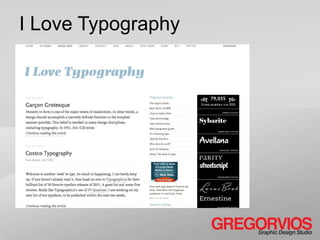
I Love Typography
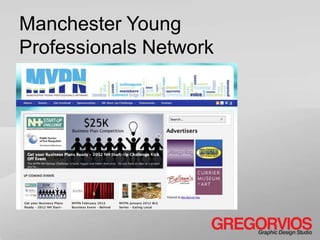
Manchester Young
Professionals Network
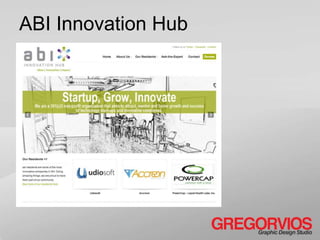
ABI Innovation Hub
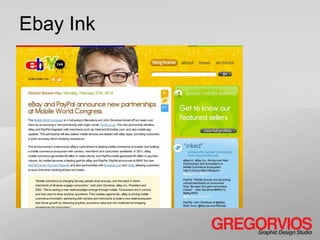
Ebay Ink
Ford Social
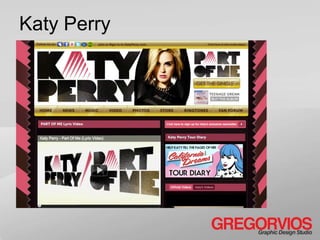
Katy Perry
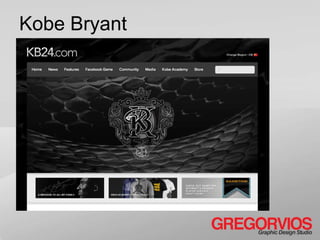
Kobe Bryant
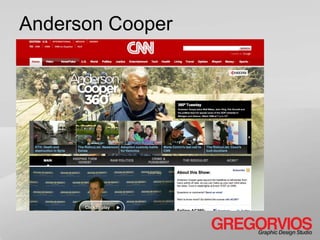
Anderson Cooper
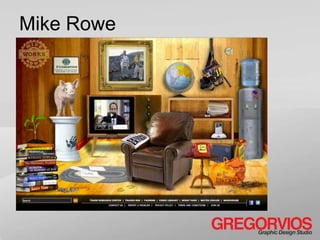
Mike Rowe
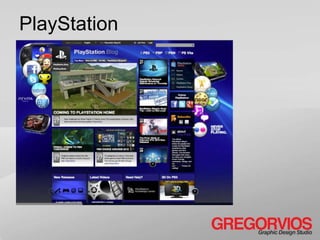
PlayStation
WordPress.com vs. WordPress.org
      wordpress.com
      • A cloud based blogging platform
      • It is hosted on WordPress servers
      • Not very customizable

      wordpress.org
      • Powerful web publishing platform
      • Hosted on your server
      • Very customizable
Post vs. Page
  Posts                    Pages
  • Single article         • Top tier
    displayed in reverse
    chronological order      information that
  • Organized by             does not change
    categories             • Parent – child
  • Further organized        relationships
    by tags                • Custom page
  • Custom Fields            templates
  • Featured images
  • Comments
                           • Featured image
                           • comments
How do I organize
  my content
Categories and Tags
      Category (Hierarchical Taxonomies)
      • Away to organize your posts
      • Based of parent and child
        relationships

      Tags (Non Hierarchical Taxonomies)
      • Are index words (Keywords)
      • Geo location tags
      • Tag information is passed along to
        other sites
How to add functionality
Widgets and Plugins
Plugins are bits of code that add
  functionality to your site.
• Google Analytics, All in One
  SEO, NextGEN gallery etc.


Widgets are modules that add
  functionality.
• Commonly found in side bars and
  footers
• Contain
  menus, search, photos, calendars
  and other information
5 Must Have Plugins

           •   All in one SEO
           •   Sociable
           •   Akismet (anti spam)
           •   Contact Form 7
           •   Google Analytics
How do I change the look
     of my website
Themes and Design

         Themes are the look and feel of
           your website.
         • Content
         • Layout
         • Typography
         • Background
         • Navigation
         • Color
         • Functionality
Where can I find Themes

          • Wordpress.org (Free)
          • ThemeForest.net ($1-15
            average)
          • Thesis ($87)
          • Headway ($67)
Where do I start?
Have a plan!

         • Have your pages mapped out
         • Have an idea of how you are
           going to organize your content
         • Have the content written
         • Optimize your images
Installing WordPress

            Find a reliable web host.
            • Hostmonster
            • Bluehost
            • Laughing Squid
            • Go Daddy
TwentyEleven
WordPress Default Theme
                   •   Free
                   •   Valid code
                   •   HTML5
                   •   CSS3
                   •   Customizable
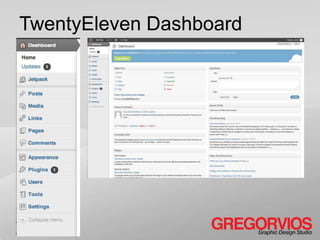
TwentyEleven Dashboard
How to set up a
gallery or portfolio
3 ways to set up a portfolio

            • Brand an existing theme
              with portfolio or gallery
              plug-ins
            • Use pre built portfolio
              theme
            • Create your own theme and
              custom post types
Portfolio Plug-ins
5 Portfolio Plugins to try

              •   NexGEN Gallery
              •   Awesome Flickr Gallery
              •   Portfolio Slideshow
              •   Portfolio Post Type
              •   Simple Portfolio
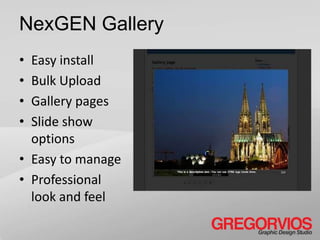
NexGEN Gallery
• Easy install
• Bulk Upload
• Gallery pages
• Slide show
  options
• Easy to manage
• Professional
  look and feel
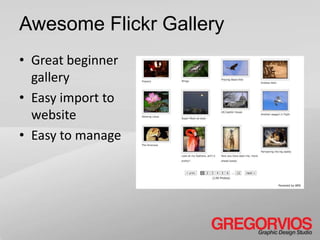
Awesome Flickr Gallery
• Great beginner
  gallery
• Easy import to
  website
• Easy to manage
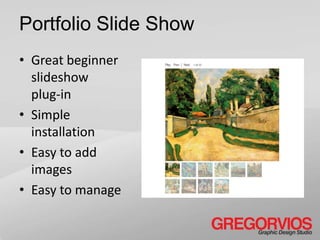
Portfolio Slide Show
• Great beginner
  slideshow
  plug-in
• Simple
  installation
• Easy to add
  images
• Easy to manage
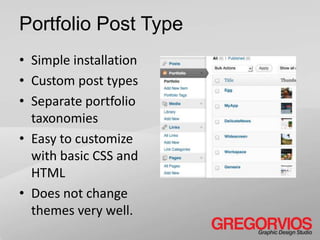
Portfolio Post Type
• Simple installation
• Custom post types
• Separate portfolio
  taxonomies
• Easy to customize
  with basic CSS and
  HTML
• Does not change
  themes very well.
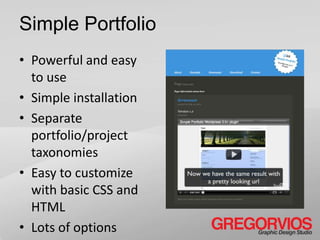
Simple Portfolio
• Powerful and easy
  to use
• Simple installation
• Separate
  portfolio/project
  taxonomies
• Easy to customize
  with basic CSS and
  HTML
• Lots of options
Portfolio Themes
Portfolio Themes

     •   Teardrop (Themeforest.net - $35)
     •   Display (Themeforest.com - $40)
     •   Headway (headwaythemes.com - $68)
     •   Thesis (diythemes.com - $87)
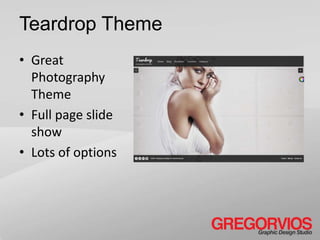
Teardrop Theme
• Great
  Photography
  Theme
• Full page slide
  show
• Lots of options
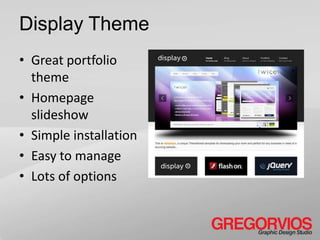
Display Theme
• Great portfolio
  theme
• Homepage
  slideshow
• Simple installation
• Easy to manage
• Lots of options
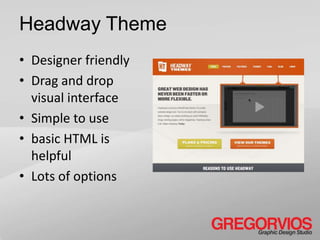
Headway Theme
• Designer friendly
• Drag and drop
  visual interface
• Simple to use
• basic HTML is
  helpful
• Lots of options
Thesis Theme
• Good all-around
  theme
• Simple installation
• Looks good right
  out of the box
• Easy to customize
  with basic HTML
• Lots of options
What’s next?
Resources
            • WordPress.org
            • WordPressMeetups
              http://meetup.bostonwp.org/
            • WordCamps
              http://wordcampboston.com/
            • User groups and forums
Thank You!
Gregory Duval
@gregorvios
GREGORVIOS Graphic Design Studio
www.gregorvios.com
Slide Share

Wp nhcc portfolio

  • 1.
    How to ShowcaseYour Work With WordPress
  • 2.
    What is WordPress? •WordPress is a free open source web publishing platform powered by PHP and MySQL • It is a simple way for non-tech people to publish content to the internet • Currently 71,605,864 websites are powered by WordPress world wide • Originally designed as a blog but has grown into the worlds most popular web content management system
  • 3.
    Content Management System(CMS) • A content management system is an application designed to make it easy for non-technical users to manage a website and work in a collaborative environment • Separates the design, functionality and the content of the site
  • 4.
    What can WordPressdo for you? • Blog • Static Website • Dynamic Website • Ecommerce Website • Portfolio/Gallery Website
  • 5.
    Who is usingWordPress?
  • 6.
  • 7.
  • 8.
  • 9.
  • 10.
  • 11.
  • 12.
  • 13.
  • 14.
  • 15.
  • 16.
    WordPress.com vs. WordPress.org wordpress.com • A cloud based blogging platform • It is hosted on WordPress servers • Not very customizable wordpress.org • Powerful web publishing platform • Hosted on your server • Very customizable
  • 17.
    Post vs. Page Posts Pages • Single article • Top tier displayed in reverse chronological order information that • Organized by does not change categories • Parent – child • Further organized relationships by tags • Custom page • Custom Fields templates • Featured images • Comments • Featured image • comments
  • 18.
    How do Iorganize my content
  • 19.
    Categories and Tags Category (Hierarchical Taxonomies) • Away to organize your posts • Based of parent and child relationships Tags (Non Hierarchical Taxonomies) • Are index words (Keywords) • Geo location tags • Tag information is passed along to other sites
  • 20.
    How to addfunctionality
  • 21.
    Widgets and Plugins Pluginsare bits of code that add functionality to your site. • Google Analytics, All in One SEO, NextGEN gallery etc. Widgets are modules that add functionality. • Commonly found in side bars and footers • Contain menus, search, photos, calendars and other information
  • 22.
    5 Must HavePlugins • All in one SEO • Sociable • Akismet (anti spam) • Contact Form 7 • Google Analytics
  • 23.
    How do Ichange the look of my website
  • 24.
    Themes and Design Themes are the look and feel of your website. • Content • Layout • Typography • Background • Navigation • Color • Functionality
  • 25.
    Where can Ifind Themes • Wordpress.org (Free) • ThemeForest.net ($1-15 average) • Thesis ($87) • Headway ($67)
  • 26.
    Where do Istart?
  • 27.
    Have a plan! • Have your pages mapped out • Have an idea of how you are going to organize your content • Have the content written • Optimize your images
  • 28.
    Installing WordPress Find a reliable web host. • Hostmonster • Bluehost • Laughing Squid • Go Daddy
  • 29.
    TwentyEleven WordPress Default Theme • Free • Valid code • HTML5 • CSS3 • Customizable
  • 30.
  • 31.
    How to setup a gallery or portfolio
  • 32.
    3 ways toset up a portfolio • Brand an existing theme with portfolio or gallery plug-ins • Use pre built portfolio theme • Create your own theme and custom post types
  • 33.
  • 34.
    5 Portfolio Pluginsto try • NexGEN Gallery • Awesome Flickr Gallery • Portfolio Slideshow • Portfolio Post Type • Simple Portfolio
  • 35.
    NexGEN Gallery • Easyinstall • Bulk Upload • Gallery pages • Slide show options • Easy to manage • Professional look and feel
  • 36.
    Awesome Flickr Gallery •Great beginner gallery • Easy import to website • Easy to manage
  • 37.
    Portfolio Slide Show •Great beginner slideshow plug-in • Simple installation • Easy to add images • Easy to manage
  • 38.
    Portfolio Post Type •Simple installation • Custom post types • Separate portfolio taxonomies • Easy to customize with basic CSS and HTML • Does not change themes very well.
  • 39.
    Simple Portfolio • Powerfuland easy to use • Simple installation • Separate portfolio/project taxonomies • Easy to customize with basic CSS and HTML • Lots of options
  • 40.
  • 41.
    Portfolio Themes • Teardrop (Themeforest.net - $35) • Display (Themeforest.com - $40) • Headway (headwaythemes.com - $68) • Thesis (diythemes.com - $87)
  • 42.
    Teardrop Theme • Great Photography Theme • Full page slide show • Lots of options
  • 43.
    Display Theme • Greatportfolio theme • Homepage slideshow • Simple installation • Easy to manage • Lots of options
  • 44.
    Headway Theme • Designerfriendly • Drag and drop visual interface • Simple to use • basic HTML is helpful • Lots of options
  • 45.
    Thesis Theme • Goodall-around theme • Simple installation • Looks good right out of the box • Easy to customize with basic HTML • Lots of options
  • 46.
  • 47.
    Resources • WordPress.org • WordPressMeetups http://meetup.bostonwp.org/ • WordCamps http://wordcampboston.com/ • User groups and forums
  • 48.
    Thank You! Gregory Duval @gregorvios GREGORVIOSGraphic Design Studio www.gregorvios.com Slide Share