Rapid CMS enabled site
  development with
      Wordpress
      August 31, 2012
      The Berndt Group
What is Wordpress
What is Wordpress

• Open source CMS
What is Wordpress

• Open source CMS
• Written in PHP
What is Wordpress

• Open source CMS
• Written in PHP
• MySQL database
What is Wordpress

• Open source CMS
• Written in PHP
• MySQL database
• Developed and
 maintained by
 Automatic
What is Wordpress

• Open source CMS
• Written in PHP
• MySQL database
• Developed and
  maintained by
  Automatic

• First version release in
  2003
Who is powered by
Who is powered by

• All Things Digital
Who is powered by

• All Things Digital
• Nytimes.com blogs
Who is powered by

• All Things Digital
• Nytimes.com blogs
• Mashable
Who is powered by

• All Things Digital
• Nytimes.com blogs
• Mashable
• Smashing Magazine
Who is powered by

• All Things Digital
• Nytimes.com blogs
• Mashable
• Smashing Magazine
• Techcrunch
Who is powered by

• All Things Digital
• Nytimes.com blogs
• Mashable
• Smashing Magazine
• Techcrunch
• Citizen Cope
Who is powered by

• All Things Digital
• Nytimes.com blogs
• Mashable
• Smashing Magazine
• Techcrunch
• Citizen Cope
• Wheaton College
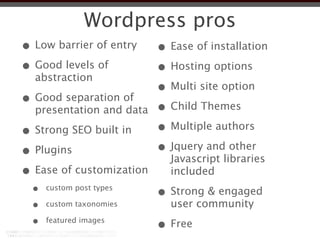
Wordpress pros
Wordpress pros
• Low barrier of entry
Wordpress pros
• Low barrier of entry
• Good levels of
  abstraction
Wordpress pros
• Low barrier of entry
• Good levels of
  abstraction

• Good separation of
  presentation and data
Wordpress pros
• Low barrier of entry
• Good levels of
  abstraction

• Good separation of
  presentation and data

• Strong SEO built in
Wordpress pros
• Low barrier of entry
• Good levels of
  abstraction

• Good separation of
  presentation and data

• Strong SEO built in
• Plugins
Wordpress pros
• Low barrier of entry
• Good levels of
  abstraction

• Good separation of
  presentation and data

• Strong SEO built in
• Plugins
• Ease of customization
Wordpress pros
• Low barrier of entry
• Good levels of
  abstraction

• Good separation of
  presentation and data

• Strong SEO built in
• Plugins
• Ease of customization
  •   custom post types
Wordpress pros
• Low barrier of entry
• Good levels of
  abstraction

• Good separation of
  presentation and data

• Strong SEO built in
• Plugins
• Ease of customization
  •   custom post types

  •   custom taxonomies
Wordpress pros
• Low barrier of entry
• Good levels of
  abstraction

• Good separation of
  presentation and data

• Strong SEO built in
• Plugins
• Ease of customization
  •   custom post types

  •   custom taxonomies

  •   featured images
Wordpress pros
• Low barrier of entry    • Ease of installation
• Good levels of
  abstraction

• Good separation of
  presentation and data

• Strong SEO built in
• Plugins
• Ease of customization
  •   custom post types

  •   custom taxonomies

  •   featured images
Wordpress pros
• Low barrier of entry    • Ease of installation
• Good levels of          • Hosting options
  abstraction

• Good separation of
  presentation and data

• Strong SEO built in
• Plugins
• Ease of customization
  •   custom post types

  •   custom taxonomies

  •   featured images
Wordpress pros
• Low barrier of entry    • Ease of installation
• Good levels of          • Hosting options
  abstraction
                          • Multi site option
• Good separation of
  presentation and data

• Strong SEO built in
• Plugins
• Ease of customization
  •   custom post types

  •   custom taxonomies

  •   featured images
Wordpress pros
• Low barrier of entry    • Ease of installation
• Good levels of          • Hosting options
  abstraction
                          • Multi site option
• Good separation of      • Child Themes
  presentation and data

• Strong SEO built in
• Plugins
• Ease of customization
  •   custom post types

  •   custom taxonomies

  •   featured images
Wordpress pros
• Low barrier of entry    • Ease of installation
• Good levels of          • Hosting options
  abstraction
                          • Multi site option
• Good separation of      • Child Themes
  presentation and data

• Strong SEO built in     • Multiple authors
• Plugins
• Ease of customization
  •   custom post types

  •   custom taxonomies

  •   featured images
Wordpress pros
• Low barrier of entry    • Ease of installation
• Good levels of          • Hosting options
  abstraction
                          • Multi site option
• Good separation of      • Child Themes
  presentation and data

• Strong SEO built in     • Multiple authors
• Plugins                 • Jquery and other
                            Javascript libraries
• Ease of customization     included
  •   custom post types

  •   custom taxonomies

  •   featured images
Wordpress pros
• Low barrier of entry    • Ease of installation
• Good levels of          • Hosting options
  abstraction
                          • Multi site option
• Good separation of      • Child Themes
  presentation and data

• Strong SEO built in     • Multiple authors
• Plugins                 • Jquery and other
                            Javascript libraries
• Ease of customization     included
  •   custom post types
                          • Strong & engaged
  •   custom taxonomies     user community
  •   featured images
Wordpress pros
• Low barrier of entry    • Ease of installation
• Good levels of          • Hosting options
  abstraction
                          • Multi site option
• Good separation of      • Child Themes
  presentation and data

• Strong SEO built in     • Multiple authors
• Plugins                 • Jquery and other
                            Javascript libraries
• Ease of customization     included
  •   custom post types
                          • Strong & engaged
  •   custom taxonomies     user community
  •   featured images
                          • Free
Wordpress cons
Wordpress cons
•Plugins
Wordpress cons
•Plugins
•no built in e-commerce
 functionality
Wordpress cons
•Plugins
•no built in e-commerce
 functionality
•no built in personalization
 capability
Wordpress hosting
Wordpress hosting
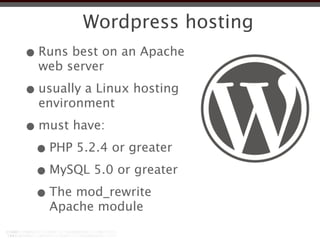
• Runs best on an Apache
  web server
Wordpress hosting
• Runs best on an Apache
  web server

• usually a Linux hosting
  environment
Wordpress hosting
• Runs best on an Apache
  web server

• usually a Linux hosting
  environment

• must have:
Wordpress hosting
• Runs best on an Apache
  web server

• usually a Linux hosting
  environment

• must have:
 • PHP 5.2.4 or greater
Wordpress hosting
• Runs best on an Apache
  web server

• usually a Linux hosting
  environment

• must have:
 • PHP 5.2.4 or greater
 • MySQL 5.0 or greater
Wordpress hosting
• Runs best on an Apache
  web server

• usually a Linux hosting
  environment

• must have:
 • PHP 5.2.4 or greater
 • MySQL 5.0 or greater
 • The mod_rewrite
    Apache module
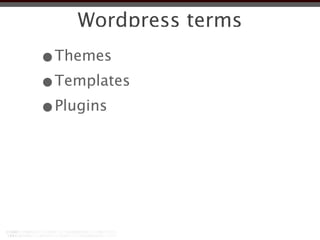
Wordpress terms
Wordpress terms
•Themes
Wordpress terms
•Themes
•Templates
Wordpress terms
•Themes
•Templates
•Plugins
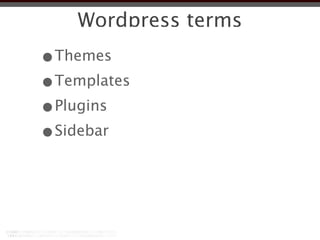
Wordpress terms
•Themes
•Templates
•Plugins
•Sidebar
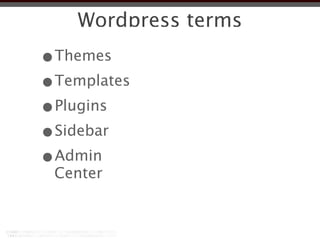
Wordpress terms
•Themes
•Templates
•Plugins
•Sidebar
•Admin
 Center
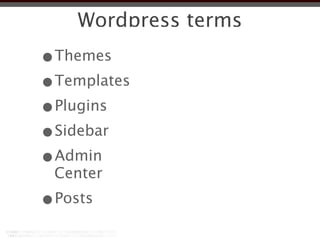
Wordpress terms
•Themes
•Templates
•Plugins
•Sidebar
•Admin
 Center
•Posts
Wordpress terms
•Themes      •Pages
•Templates
•Plugins
•Sidebar
•Admin
 Center
•Posts
Wordpress terms
•Themes      •Pages
•Templates   •Custom Post
              types
•Plugins
•Sidebar
•Admin
 Center
•Posts
Wordpress terms
•Themes      •Pages
•Templates   •Custom Post
              types
•Plugins
•Sidebar     •Widgets
•Admin
 Center
•Posts
Wordpress terms
•Themes      •Pages
•Templates   •Custom Post
              types
•Plugins
•Sidebar     •Widgets
•Admin       •Tags
 Center
•Posts
Wordpress terms
•Themes      •Pages
•Templates   •Custom Post
              types
•Plugins
•Sidebar     •Widgets
•Admin       •Tags
 Center      •Custom Fields
•Posts
Wordpress terms
•Themes      •Pages
•Templates   •Custom Post
              types
•Plugins
•Sidebar     •Widgets
•Admin       •Tags
 Center      •Custom Fields
•Posts       •Permalinks
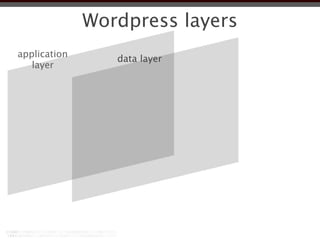
Wordpress layers
Wordpress layers
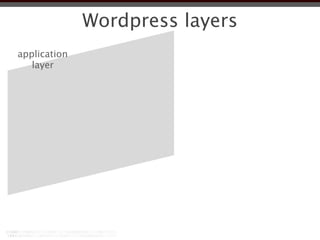
application
   layer
Wordpress layers
application      data layer
   layer
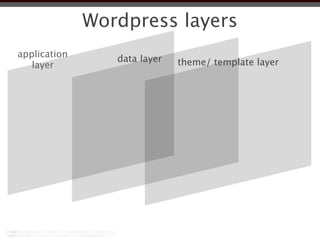
Wordpress layers
application      data layer   theme/ template layer
   layer
Wordpress architecture
•Wordpress core files
Wordpress architecture
•Wordpress core files
•Wordpress database
Wordpress architecture
•Wordpress core files
•Wordpress database
•Themes
Wordpress architecture
•Wordpress core files
•Wordpress database
•Themes
 •images
Wordpress architecture
•Wordpress core files
•Wordpress database
•Themes
 •images
 •js files
Wordpress architecture
•Wordpress core files
•Wordpress database
•Themes
 •images
 •js files
•Plugins
Wordpress architecture
•Wordpress core files
•Wordpress database
•Themes
 •images
 •js files
•Plugins
•Uploads
Wordpress architecture
• Extensive APIs
Wordpress architecture
• Extensive APIs
 • Core relies on extensive API interface
    allowing quick and effective
    customization.
Wordpress architecture
• Extensive APIs
 • Core relies on extensive API interface
    allowing quick and effective
    customization.

 • Can be overridden or modified by
    user-generated hooks and filters.
Wordpress architecture
• Extensive APIs
 • Core relies on extensive API interface
    allowing quick and effective
    customization.

 • Can be overridden or modified by
    user-generated hooks and filters.

• Feeds:
Wordpress architecture
• Extensive APIs
 • Core relies on extensive API interface
    allowing quick and effective
    customization.

 • Can be overridden or modified by
    user-generated hooks and filters.

• Feeds:
 • Supports RSS 1.0 (aka RDF), RSS 2.0
    and ATOM specifications
Enterprise Ready
Enterprise Ready

•Has been adapted to
 enterprise environments
Enterprise Ready

•Has been adapted to
 enterprise environments
•Provides support for Active
 Directory authentication
Enterprise Ready

•Has been adapted to
 enterprise environments
•Provides support for Active
 Directory authentication
•user management
Enterprise Ready

•Has been adapted to
 enterprise environments
•Provides support for Active
 Directory authentication
•user management
•work-flow integration
Enterprise Ready

•Has been adapted to
 enterprise environments
•Provides support for Active
 Directory authentication
•user management
•work-flow integration
•scheduled backups
Wordpress user roles
• Super Admin - access to site network
  administration features controlling the
  entire network
Wordpress user roles
• Super Admin - access to site network
  administration features controlling the
  entire network

• Administrator - access to all the
  administration features
Wordpress user roles
• Super Admin - access to site network
  administration features controlling the
  entire network

• Administrator - access to all the
  administration features

• Editor - can publish and manage posts
  and pages as well as manage other
  users' posts, etc.
Wordpress user roles
• Super Admin - access to site network
  administration features controlling the
  entire network

• Administrator - access to all the
  administration features

• Editor - can publish and manage posts
  and pages as well as manage other
  users' posts, etc.

• Author - can publish and manage their
  own posts
Wordpress user roles
• Super Admin - access to site network
  administration features controlling the
  entire network

• Administrator - access to all the
  administration features

• Editor - can publish and manage posts
  and pages as well as manage other
  users' posts, etc.

• Author - can publish and manage their
  own posts

• Contributor - can write and manage
  their posts but not publish them
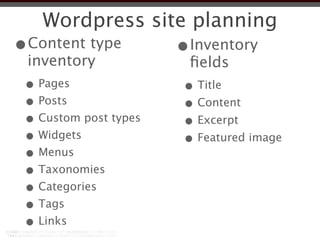
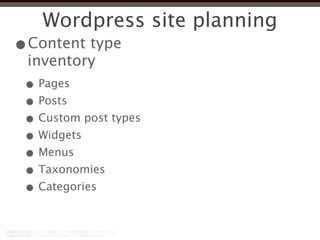
Wordpress site planning
•Content type
 inventory
Wordpress site planning
•Content type
 inventory
 • Pages
Wordpress site planning
•Content type
 inventory
 • Pages
 • Posts
Wordpress site planning
•Content type
 inventory
 • Pages
 • Posts
 • Custom post types
Wordpress site planning
•Content type
 inventory
 • Pages
 • Posts
 • Custom post types
 • Widgets
Wordpress site planning
•Content type
 inventory
 • Pages
 • Posts
 • Custom post types
 • Widgets
 • Menus
Wordpress site planning
•Content type
 inventory
 • Pages
 • Posts
 • Custom post types
 • Widgets
 • Menus
 • Taxonomies
Wordpress site planning
•Content type
 inventory
 • Pages
 • Posts
 • Custom post types
 • Widgets
 • Menus
 • Taxonomies
 • Categories
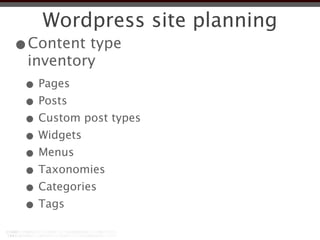
Wordpress site planning
•Content type
 inventory
 • Pages
 • Posts
 • Custom post types
 • Widgets
 • Menus
 • Taxonomies
 • Categories
 • Tags
Wordpress site planning
•Content type
 inventory
 • Pages
 • Posts
 • Custom post types
 • Widgets
 • Menus
 • Taxonomies
 • Categories
 • Tags
 • Links
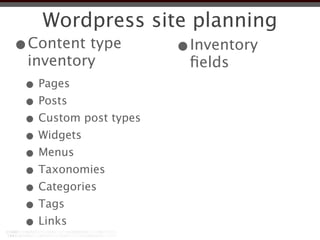
Wordpress site planning
•Content type          •Inventory
 inventory              fields
 • Pages
 • Posts
 • Custom post types
 • Widgets
 • Menus
 • Taxonomies
 • Categories
 • Tags
 • Links
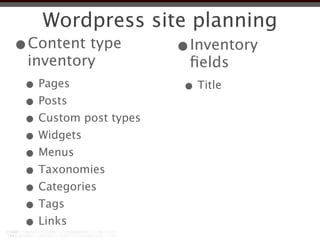
Wordpress site planning
•Content type          •Inventory
 inventory              fields
 • Pages               • Title
 • Posts
 • Custom post types
 • Widgets
 • Menus
 • Taxonomies
 • Categories
 • Tags
 • Links
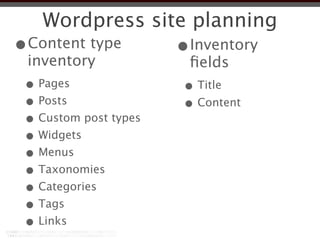
Wordpress site planning
•Content type          •Inventory
 inventory              fields
 • Pages               • Title
 • Posts               • Content
 • Custom post types
 • Widgets
 • Menus
 • Taxonomies
 • Categories
 • Tags
 • Links
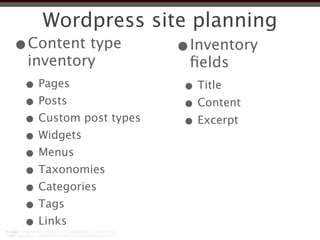
Wordpress site planning
•Content type          •Inventory
 inventory              fields
 • Pages               • Title
 • Posts               • Content
 • Custom post types   • Excerpt
 • Widgets
 • Menus
 • Taxonomies
 • Categories
 • Tags
 • Links
Wordpress site planning
•Content type          •Inventory
 inventory              fields
 • Pages               • Title
 • Posts               • Content
 • Custom post types   • Excerpt
 • Widgets             • Featured image
 • Menus
 • Taxonomies
 • Categories
 • Tags
 • Links
Custom post types
Custom post types
•A custom post type is a
 representation of a type of
 content
Custom post types
•A custom post type is a
 representation of a type of
 content
•Helps organize differing types
 of content
Custom post types
•A custom post type is a
 representation of a type of
 content
•Helps organize differing types
 of content
•Create page templates to
 render unique content type
Custom post types
•A custom post type is a
 representation of a type of
 content
•Helps organize differing types
 of content
•Create page templates to
 render unique content type
•Don’t use just a a means of
Wordpress Themes
Wordpress Themes
• A Theme is the collection of files that work
  together to produce the look and feel of a
  Wordpress site.
Wordpress Themes
• A Theme is the collection of files that work
  together to produce the look and feel of a
  Wordpress site.

• Separates the presentation styles and
  template files from the system files so the
  site will upgrade without drastic changes
  to the visual presentation of the site.
Wordpress Themes
• A Theme is the collection of files that work
  together to produce the look and feel of a
  Wordpress site.

• Separates the presentation styles and
  template files from the system files so the
  site will upgrade without drastic changes
  to the visual presentation of the site.

• Allows for customization of the site
  functionality unique to that Theme.
Wordpress Themes
• A Theme is the collection of files that work
  together to produce the look and feel of a
  Wordpress site.

• Separates the presentation styles and
  template files from the system files so the
  site will upgrade without drastic changes
  to the visual presentation of the site.

• Allows for customization of the site
  functionality unique to that Theme.

• Allows for quick changes of the visual
  design and layout of a Wordpress site.
Wordpress Theme files
• Live in subdirectories residing in site-
  root/wp-content/themes/
Wordpress Theme files
• Live in subdirectories residing in site-
  root/wp-content/themes/

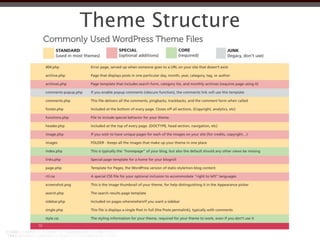
• Theme's subdirectory holds all of the
  Theme's stylesheet files, template files,
  and optional functions file (functions.php),
  JavaScript files, and images.
Wordpress Theme files
• Live in subdirectories residing in site-
  root/wp-content/themes/

• Theme's subdirectory holds all of the
  Theme's stylesheet files, template files,
  and optional functions file (functions.php),
  JavaScript files, and images.

• At the very minimum, a Wordpress Theme
  consists of two files:
Wordpress Theme files
• Live in subdirectories residing in site-
  root/wp-content/themes/

• Theme's subdirectory holds all of the
  Theme's stylesheet files, template files,
  and optional functions file (functions.php),
  JavaScript files, and images.

• At the very minimum, a Wordpress Theme
  consists of two files:

  • style.css
Wordpress Theme files
• Live in subdirectories residing in site-
  root/wp-content/themes/

• Theme's subdirectory holds all of the
  Theme's stylesheet files, template files,
  and optional functions file (functions.php),
  JavaScript files, and images.

• At the very minimum, a Wordpress Theme
  consists of two files:

  • style.css
  • index.php
Theme Structure
Theme Structure
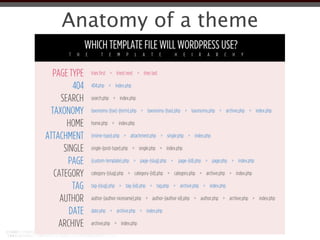
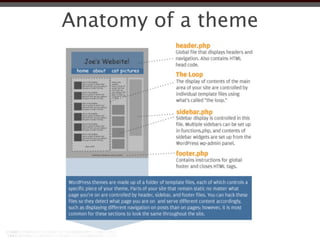
Anatomy of a theme
Anatomy of a theme
Approaches to Themes
•Modify an existing theme
Approaches to Themes
•Modify an existing theme
•Create a child theme of an
 existing theme
Approaches to Themes
•Modify an existing theme
•Create a child theme of an
 existing theme
•Use a starter theme
Approaches to Themes
•Modify an existing theme
•Create a child theme of an
 existing theme
•Use a starter theme
•Use a theme framework
Approaches to Themes
•Modify an existing theme
•Create a child theme of an
 existing theme
•Use a starter theme
•Use a theme framework
 •create a child theme to the
   framework
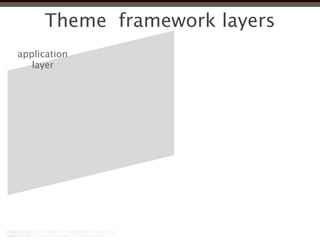
Theme framework layers
application
   layer
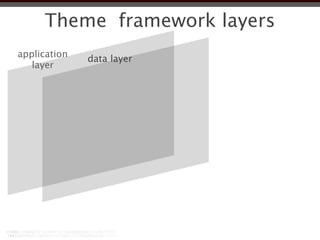
Theme framework layers
application   data layer
   layer
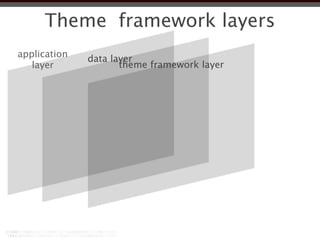
Theme framework layers
application   data layer
   layer             theme framework layer
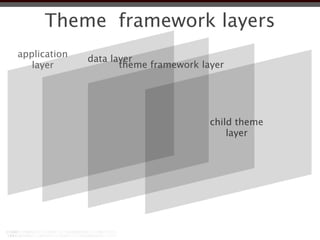
Theme framework layers
application   data layer
   layer             theme framework layer


                                       child theme
                                           layer
Anatomy of a theme
Anatomy of a theme
Wordpress loop
Wordpress loop
Some things to do with the loop

  •The loop is mark up agnostic
Some things to do with the loop

  •The loop is mark up agnostic
  •Multiples loops
Some things to do with the loop

  •The loop is mark up agnostic
  •Multiples loops
  •Query posts by
Some things to do with the loop

  •The loop is mark up agnostic
  •Multiples loops
  •Query posts by
   •category
Some things to do with the loop

  •The loop is mark up agnostic
  •Multiples loops
  •Query posts by
   •category
   •tags
Some things to do with the loop

  •The loop is mark up agnostic
  •Multiples loops
  •Query posts by
   •category
   •tags
   •custom post type
Some things to do with the loop

  •The loop is mark up agnostic
  •Multiples loops
  •Query posts by
   •category
   •tags
   •custom post type
   •author
Some things to do with the loop

  •The loop is mark up agnostic
  •Multiples loops
  •Query posts by
   •category
   •tags
   •custom post type
   •author
   •date
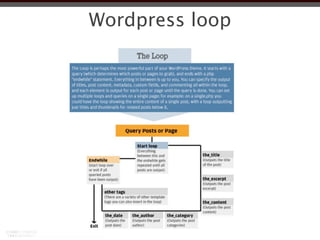
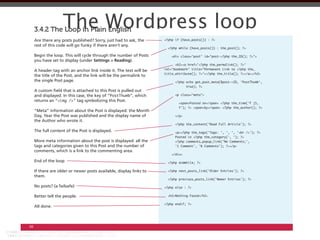
The Wordpress loop
     3.4.2 The Loop in Plain English
     Are there any posts published? Sorry, just had to ask, the
     rest of this code will go funky if there aren’t any.

     Begin the loop. This will cycle through the number of Posts
     you have set to display (under Settings > Reading).

                                                                     rel="bookmark" title="Permanent Link to <?php the_
     A header tag with an anchor link inside it. The text will be
     the title of the Post, and the link will be the permalink to
     the single Post page.

     A custom field that is attached to this Post is pulled out
     and displayed. In this case, the key of “PostThumb”, which            <p class="meta">
     returns an “         ” tag symbolizing this Post.

     “Meta” information about the Post is displayed: the Month
     Day, Year the Post was published and the display name of              </p>
     the Author who wrote it.

     The full content of the Post is displayed.

     More meta information about the post is displayed: all the
     tags and categories given to this Post and the number of
     comments, which is a link to the commenting area.
                                                                         </div>

     End of the loop

     If there are older or newer posts available, display links to
     them.

     No posts? (a failsafe)                                          <?php else : ?>

     Better tell the people.

     All done.


68
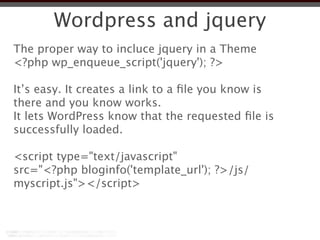
Wordpress and jquery
The proper way to incluce jquery in a Theme
Wordpress and jquery
The proper way to incluce jquery in a Theme
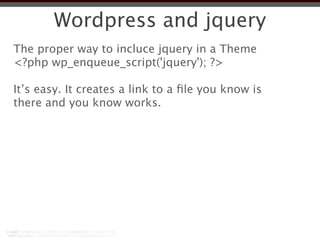
<?php wp_enqueue_script('jquery'); ?>
Wordpress and jquery
The proper way to incluce jquery in a Theme
<?php wp_enqueue_script('jquery'); ?>

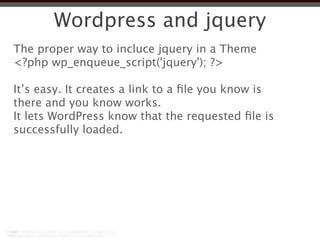
It’s easy. It creates a link to a file you know is
there and you know works.
Wordpress and jquery
The proper way to incluce jquery in a Theme
<?php wp_enqueue_script('jquery'); ?>

It’s easy. It creates a link to a file you know is
there and you know works.
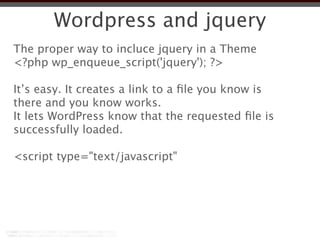
It lets WordPress know that the requested file is
successfully loaded.
Wordpress and jquery
The proper way to incluce jquery in a Theme
<?php wp_enqueue_script('jquery'); ?>

It’s easy. It creates a link to a file you know is
there and you know works.
It lets WordPress know that the requested file is
successfully loaded.

<script type="text/javascript"
Wordpress and jquery
The proper way to incluce jquery in a Theme
<?php wp_enqueue_script('jquery'); ?>

It’s easy. It creates a link to a file you know is
there and you know works.
It lets WordPress know that the requested file is
successfully loaded.

<script type="text/javascript"
src="<?php bloginfo('template_url'); ?>/js/
myscript.js"></script>
Plugins
Plugins
•Advanced Custom Fields
Plugins
•Advanced Custom Fields
•All in One SEO
Plugins
•Advanced Custom Fields
•All in One SEO
•Maintenance Mode
Plugins
•Advanced Custom Fields
•All in One SEO
•Maintenance Mode
•Contact Form 7
Plugins
•Advanced Custom Fields
•All in One SEO
•Maintenance Mode
•Contact Form 7
•Gravity Forms
Plugins
•Advanced Custom Fields
•All in One SEO
•Maintenance Mode
•Contact Form 7
•Gravity Forms
•W3 Total Cache
Plugins
•Advanced Custom Fields
•All in One SEO
•Maintenance Mode
•Contact Form 7
•Gravity Forms
•W3 Total Cache
•Google XML Site maps
Plugins
•Advanced Custom Fields
•All in One SEO
•Maintenance Mode
•Contact Form 7
•Gravity Forms
•W3 Total Cache
•Google XML Site maps
•Akismet comment spam
Security
Security
• Keep core up to date
Security
• Keep core up to date
• Limit use of plugins
Security
• Keep core up to date
• Limit use of plugins
• Keep plugins up to date
Security
• Keep core up to date
• Limit use of plugins
• Keep plugins up to date
• Don’t use admin as the default admin user
  name
Security
• Keep core up to date
• Limit use of plugins
• Keep plugins up to date
• Don’t use admin as the default admin user
  name
• Use secure passwords
Security
• Keep core up to date
• Limit use of plugins
• Keep plugins up to date
• Don’t use admin as the default admin user
  name
• Use secure passwords
 • for user accounts and DB user
Security
• Keep core up to date
• Limit use of plugins
• Keep plugins up to date
• Don’t use admin as the default admin user
  name
• Use secure passwords
 • for user accounts and DB user
• Edit .htaccess file to limit access
Security
• Keep core up to date
• Limit use of plugins
• Keep plugins up to date
• Don’t use admin as the default admin user
  name
• Use secure passwords
 • for user accounts and DB user
• Edit .htaccess file to limit access
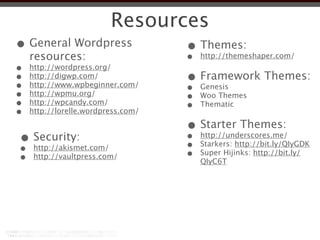
• Change default table prefix from wp_
Security
• Keep core up to date
• Limit use of plugins
• Keep plugins up to date
• Don’t use admin as the default admin user
  name
• Use secure passwords
 • for user accounts and DB user
• Edit .htaccess file to limit access
• Change default table prefix from wp_
• Do DB backups
Security
• Keep core up to date
• Limit use of plugins
• Keep plugins up to date
• Don’t use admin as the default admin user
  name
• Use secure passwords
 • for user accounts and DB user
• Edit .htaccess file to limit access
• Change default table prefix from wp_
• Do DB backups
• Limit login attempts
Resources
• General Wordpress   • Themes:
  resources:          •                 http://themeshaper.com/
•   http://wordpress.org/
•
•
    http://digwp.com/
    http://www.wpbeginner.com/
                                    • Framework Themes:
                                    •   Genesis
•   http://wpmu.org/
                                    •   Woo Themes
•   http://wpcandy.com/
                                    •   Thematic
•   http://lorelle.wordpress.com/

                                    • Starter Themes:
•
•
     Security:
     http://akismet.com/
                                    •
                                    •
                                        http://underscores.me/
                                        Starkers: http://bit.ly/QIyGDK
•    http://vaultpress.com/         •   Super Hijinks: http://bit.ly/
                                        QIyC6T
Thank you!
        peter.kaizer@crs.org
http://www.facebook.com/pkaizer
   https://twitter.com/pdkaizer
   http://dribbble.com/pdkaizer

Rapid CMS enabled site development with Wordpress

  • 1.
    Rapid CMS enabledsite development with Wordpress August 31, 2012 The Berndt Group
  • 2.
  • 3.
    What is Wordpress •Open source CMS
  • 4.
    What is Wordpress •Open source CMS • Written in PHP
  • 5.
    What is Wordpress •Open source CMS • Written in PHP • MySQL database
  • 6.
    What is Wordpress •Open source CMS • Written in PHP • MySQL database • Developed and maintained by Automatic
  • 7.
    What is Wordpress •Open source CMS • Written in PHP • MySQL database • Developed and maintained by Automatic • First version release in 2003
  • 8.
  • 9.
    Who is poweredby • All Things Digital
  • 10.
    Who is poweredby • All Things Digital • Nytimes.com blogs
  • 11.
    Who is poweredby • All Things Digital • Nytimes.com blogs • Mashable
  • 12.
    Who is poweredby • All Things Digital • Nytimes.com blogs • Mashable • Smashing Magazine
  • 13.
    Who is poweredby • All Things Digital • Nytimes.com blogs • Mashable • Smashing Magazine • Techcrunch
  • 14.
    Who is poweredby • All Things Digital • Nytimes.com blogs • Mashable • Smashing Magazine • Techcrunch • Citizen Cope
  • 15.
    Who is poweredby • All Things Digital • Nytimes.com blogs • Mashable • Smashing Magazine • Techcrunch • Citizen Cope • Wheaton College
  • 16.
  • 17.
    Wordpress pros • Lowbarrier of entry
  • 18.
    Wordpress pros • Lowbarrier of entry • Good levels of abstraction
  • 19.
    Wordpress pros • Lowbarrier of entry • Good levels of abstraction • Good separation of presentation and data
  • 20.
    Wordpress pros • Lowbarrier of entry • Good levels of abstraction • Good separation of presentation and data • Strong SEO built in
  • 21.
    Wordpress pros • Lowbarrier of entry • Good levels of abstraction • Good separation of presentation and data • Strong SEO built in • Plugins
  • 22.
    Wordpress pros • Lowbarrier of entry • Good levels of abstraction • Good separation of presentation and data • Strong SEO built in • Plugins • Ease of customization
  • 23.
    Wordpress pros • Lowbarrier of entry • Good levels of abstraction • Good separation of presentation and data • Strong SEO built in • Plugins • Ease of customization • custom post types
  • 24.
    Wordpress pros • Lowbarrier of entry • Good levels of abstraction • Good separation of presentation and data • Strong SEO built in • Plugins • Ease of customization • custom post types • custom taxonomies
  • 25.
    Wordpress pros • Lowbarrier of entry • Good levels of abstraction • Good separation of presentation and data • Strong SEO built in • Plugins • Ease of customization • custom post types • custom taxonomies • featured images
  • 26.
    Wordpress pros • Lowbarrier of entry • Ease of installation • Good levels of abstraction • Good separation of presentation and data • Strong SEO built in • Plugins • Ease of customization • custom post types • custom taxonomies • featured images
  • 27.
    Wordpress pros • Lowbarrier of entry • Ease of installation • Good levels of • Hosting options abstraction • Good separation of presentation and data • Strong SEO built in • Plugins • Ease of customization • custom post types • custom taxonomies • featured images
  • 28.
    Wordpress pros • Lowbarrier of entry • Ease of installation • Good levels of • Hosting options abstraction • Multi site option • Good separation of presentation and data • Strong SEO built in • Plugins • Ease of customization • custom post types • custom taxonomies • featured images
  • 29.
    Wordpress pros • Lowbarrier of entry • Ease of installation • Good levels of • Hosting options abstraction • Multi site option • Good separation of • Child Themes presentation and data • Strong SEO built in • Plugins • Ease of customization • custom post types • custom taxonomies • featured images
  • 30.
    Wordpress pros • Lowbarrier of entry • Ease of installation • Good levels of • Hosting options abstraction • Multi site option • Good separation of • Child Themes presentation and data • Strong SEO built in • Multiple authors • Plugins • Ease of customization • custom post types • custom taxonomies • featured images
  • 31.
    Wordpress pros • Lowbarrier of entry • Ease of installation • Good levels of • Hosting options abstraction • Multi site option • Good separation of • Child Themes presentation and data • Strong SEO built in • Multiple authors • Plugins • Jquery and other Javascript libraries • Ease of customization included • custom post types • custom taxonomies • featured images
  • 32.
    Wordpress pros • Lowbarrier of entry • Ease of installation • Good levels of • Hosting options abstraction • Multi site option • Good separation of • Child Themes presentation and data • Strong SEO built in • Multiple authors • Plugins • Jquery and other Javascript libraries • Ease of customization included • custom post types • Strong & engaged • custom taxonomies user community • featured images
  • 33.
    Wordpress pros • Lowbarrier of entry • Ease of installation • Good levels of • Hosting options abstraction • Multi site option • Good separation of • Child Themes presentation and data • Strong SEO built in • Multiple authors • Plugins • Jquery and other Javascript libraries • Ease of customization included • custom post types • Strong & engaged • custom taxonomies user community • featured images • Free
  • 34.
  • 35.
  • 36.
    Wordpress cons •Plugins •no builtin e-commerce functionality
  • 37.
    Wordpress cons •Plugins •no builtin e-commerce functionality •no built in personalization capability
  • 38.
  • 39.
    Wordpress hosting • Runsbest on an Apache web server
  • 40.
    Wordpress hosting • Runsbest on an Apache web server • usually a Linux hosting environment
  • 41.
    Wordpress hosting • Runsbest on an Apache web server • usually a Linux hosting environment • must have:
  • 42.
    Wordpress hosting • Runsbest on an Apache web server • usually a Linux hosting environment • must have: • PHP 5.2.4 or greater
  • 43.
    Wordpress hosting • Runsbest on an Apache web server • usually a Linux hosting environment • must have: • PHP 5.2.4 or greater • MySQL 5.0 or greater
  • 44.
    Wordpress hosting • Runsbest on an Apache web server • usually a Linux hosting environment • must have: • PHP 5.2.4 or greater • MySQL 5.0 or greater • The mod_rewrite Apache module
  • 45.
  • 46.
  • 47.
  • 48.
  • 49.
  • 50.
  • 51.
  • 52.
    Wordpress terms •Themes •Pages •Templates •Plugins •Sidebar •Admin Center •Posts
  • 53.
    Wordpress terms •Themes •Pages •Templates •Custom Post types •Plugins •Sidebar •Admin Center •Posts
  • 54.
    Wordpress terms •Themes •Pages •Templates •Custom Post types •Plugins •Sidebar •Widgets •Admin Center •Posts
  • 55.
    Wordpress terms •Themes •Pages •Templates •Custom Post types •Plugins •Sidebar •Widgets •Admin •Tags Center •Posts
  • 56.
    Wordpress terms •Themes •Pages •Templates •Custom Post types •Plugins •Sidebar •Widgets •Admin •Tags Center •Custom Fields •Posts
  • 57.
    Wordpress terms •Themes •Pages •Templates •Custom Post types •Plugins •Sidebar •Widgets •Admin •Tags Center •Custom Fields •Posts •Permalinks
  • 58.
  • 59.
  • 60.
  • 61.
    Wordpress layers application data layer theme/ template layer layer
  • 62.
  • 63.
  • 64.
    Wordpress architecture •Wordpress corefiles •Wordpress database
  • 65.
    Wordpress architecture •Wordpress corefiles •Wordpress database •Themes
  • 66.
    Wordpress architecture •Wordpress corefiles •Wordpress database •Themes •images
  • 67.
    Wordpress architecture •Wordpress corefiles •Wordpress database •Themes •images •js files
  • 68.
    Wordpress architecture •Wordpress corefiles •Wordpress database •Themes •images •js files •Plugins
  • 69.
    Wordpress architecture •Wordpress corefiles •Wordpress database •Themes •images •js files •Plugins •Uploads
  • 70.
  • 71.
  • 72.
    Wordpress architecture • ExtensiveAPIs • Core relies on extensive API interface allowing quick and effective customization.
  • 73.
    Wordpress architecture • ExtensiveAPIs • Core relies on extensive API interface allowing quick and effective customization. • Can be overridden or modified by user-generated hooks and filters.
  • 74.
    Wordpress architecture • ExtensiveAPIs • Core relies on extensive API interface allowing quick and effective customization. • Can be overridden or modified by user-generated hooks and filters. • Feeds:
  • 75.
    Wordpress architecture • ExtensiveAPIs • Core relies on extensive API interface allowing quick and effective customization. • Can be overridden or modified by user-generated hooks and filters. • Feeds: • Supports RSS 1.0 (aka RDF), RSS 2.0 and ATOM specifications
  • 76.
  • 77.
    Enterprise Ready •Has beenadapted to enterprise environments
  • 78.
    Enterprise Ready •Has beenadapted to enterprise environments •Provides support for Active Directory authentication
  • 79.
    Enterprise Ready •Has beenadapted to enterprise environments •Provides support for Active Directory authentication •user management
  • 80.
    Enterprise Ready •Has beenadapted to enterprise environments •Provides support for Active Directory authentication •user management •work-flow integration
  • 81.
    Enterprise Ready •Has beenadapted to enterprise environments •Provides support for Active Directory authentication •user management •work-flow integration •scheduled backups
  • 82.
  • 83.
    Wordpress user roles •Super Admin - access to site network administration features controlling the entire network
  • 84.
    Wordpress user roles •Super Admin - access to site network administration features controlling the entire network • Administrator - access to all the administration features
  • 85.
    Wordpress user roles •Super Admin - access to site network administration features controlling the entire network • Administrator - access to all the administration features • Editor - can publish and manage posts and pages as well as manage other users' posts, etc.
  • 86.
    Wordpress user roles •Super Admin - access to site network administration features controlling the entire network • Administrator - access to all the administration features • Editor - can publish and manage posts and pages as well as manage other users' posts, etc. • Author - can publish and manage their own posts
  • 87.
    Wordpress user roles •Super Admin - access to site network administration features controlling the entire network • Administrator - access to all the administration features • Editor - can publish and manage posts and pages as well as manage other users' posts, etc. • Author - can publish and manage their own posts • Contributor - can write and manage their posts but not publish them
  • 88.
  • 89.
  • 90.
    Wordpress site planning •Contenttype inventory • Pages
  • 91.
    Wordpress site planning •Contenttype inventory • Pages • Posts
  • 92.
    Wordpress site planning •Contenttype inventory • Pages • Posts • Custom post types
  • 93.
    Wordpress site planning •Contenttype inventory • Pages • Posts • Custom post types • Widgets
  • 94.
    Wordpress site planning •Contenttype inventory • Pages • Posts • Custom post types • Widgets • Menus
  • 95.
    Wordpress site planning •Contenttype inventory • Pages • Posts • Custom post types • Widgets • Menus • Taxonomies
  • 96.
    Wordpress site planning •Contenttype inventory • Pages • Posts • Custom post types • Widgets • Menus • Taxonomies • Categories
  • 97.
    Wordpress site planning •Contenttype inventory • Pages • Posts • Custom post types • Widgets • Menus • Taxonomies • Categories • Tags
  • 98.
    Wordpress site planning •Contenttype inventory • Pages • Posts • Custom post types • Widgets • Menus • Taxonomies • Categories • Tags • Links
  • 99.
    Wordpress site planning •Contenttype •Inventory inventory fields • Pages • Posts • Custom post types • Widgets • Menus • Taxonomies • Categories • Tags • Links
  • 100.
    Wordpress site planning •Contenttype •Inventory inventory fields • Pages • Title • Posts • Custom post types • Widgets • Menus • Taxonomies • Categories • Tags • Links
  • 101.
    Wordpress site planning •Contenttype •Inventory inventory fields • Pages • Title • Posts • Content • Custom post types • Widgets • Menus • Taxonomies • Categories • Tags • Links
  • 102.
    Wordpress site planning •Contenttype •Inventory inventory fields • Pages • Title • Posts • Content • Custom post types • Excerpt • Widgets • Menus • Taxonomies • Categories • Tags • Links
  • 103.
    Wordpress site planning •Contenttype •Inventory inventory fields • Pages • Title • Posts • Content • Custom post types • Excerpt • Widgets • Featured image • Menus • Taxonomies • Categories • Tags • Links
  • 104.
  • 105.
    Custom post types •Acustom post type is a representation of a type of content
  • 106.
    Custom post types •Acustom post type is a representation of a type of content •Helps organize differing types of content
  • 107.
    Custom post types •Acustom post type is a representation of a type of content •Helps organize differing types of content •Create page templates to render unique content type
  • 108.
    Custom post types •Acustom post type is a representation of a type of content •Helps organize differing types of content •Create page templates to render unique content type •Don’t use just a a means of
  • 109.
  • 110.
    Wordpress Themes • ATheme is the collection of files that work together to produce the look and feel of a Wordpress site.
  • 111.
    Wordpress Themes • ATheme is the collection of files that work together to produce the look and feel of a Wordpress site. • Separates the presentation styles and template files from the system files so the site will upgrade without drastic changes to the visual presentation of the site.
  • 112.
    Wordpress Themes • ATheme is the collection of files that work together to produce the look and feel of a Wordpress site. • Separates the presentation styles and template files from the system files so the site will upgrade without drastic changes to the visual presentation of the site. • Allows for customization of the site functionality unique to that Theme.
  • 113.
    Wordpress Themes • ATheme is the collection of files that work together to produce the look and feel of a Wordpress site. • Separates the presentation styles and template files from the system files so the site will upgrade without drastic changes to the visual presentation of the site. • Allows for customization of the site functionality unique to that Theme. • Allows for quick changes of the visual design and layout of a Wordpress site.
  • 114.
  • 115.
    Wordpress Theme files •Live in subdirectories residing in site- root/wp-content/themes/
  • 116.
    Wordpress Theme files •Live in subdirectories residing in site- root/wp-content/themes/ • Theme's subdirectory holds all of the Theme's stylesheet files, template files, and optional functions file (functions.php), JavaScript files, and images.
  • 117.
    Wordpress Theme files •Live in subdirectories residing in site- root/wp-content/themes/ • Theme's subdirectory holds all of the Theme's stylesheet files, template files, and optional functions file (functions.php), JavaScript files, and images. • At the very minimum, a Wordpress Theme consists of two files:
  • 118.
    Wordpress Theme files •Live in subdirectories residing in site- root/wp-content/themes/ • Theme's subdirectory holds all of the Theme's stylesheet files, template files, and optional functions file (functions.php), JavaScript files, and images. • At the very minimum, a Wordpress Theme consists of two files: • style.css
  • 119.
    Wordpress Theme files •Live in subdirectories residing in site- root/wp-content/themes/ • Theme's subdirectory holds all of the Theme's stylesheet files, template files, and optional functions file (functions.php), JavaScript files, and images. • At the very minimum, a Wordpress Theme consists of two files: • style.css • index.php
  • 120.
  • 121.
  • 122.
  • 123.
  • 124.
  • 125.
  • 126.
    Approaches to Themes •Modifyan existing theme •Create a child theme of an existing theme
  • 127.
    Approaches to Themes •Modifyan existing theme •Create a child theme of an existing theme •Use a starter theme
  • 128.
    Approaches to Themes •Modifyan existing theme •Create a child theme of an existing theme •Use a starter theme •Use a theme framework
  • 129.
    Approaches to Themes •Modifyan existing theme •Create a child theme of an existing theme •Use a starter theme •Use a theme framework •create a child theme to the framework
  • 130.
  • 131.
  • 132.
  • 133.
    Theme framework layers application data layer layer theme framework layer
  • 134.
    Theme framework layers application data layer layer theme framework layer child theme layer
  • 135.
  • 136.
  • 137.
  • 138.
  • 139.
    Some things todo with the loop
  • 140.
    Some things todo with the loop •The loop is mark up agnostic
  • 141.
    Some things todo with the loop •The loop is mark up agnostic •Multiples loops
  • 142.
    Some things todo with the loop •The loop is mark up agnostic •Multiples loops •Query posts by
  • 143.
    Some things todo with the loop •The loop is mark up agnostic •Multiples loops •Query posts by •category
  • 144.
    Some things todo with the loop •The loop is mark up agnostic •Multiples loops •Query posts by •category •tags
  • 145.
    Some things todo with the loop •The loop is mark up agnostic •Multiples loops •Query posts by •category •tags •custom post type
  • 146.
    Some things todo with the loop •The loop is mark up agnostic •Multiples loops •Query posts by •category •tags •custom post type •author
  • 147.
    Some things todo with the loop •The loop is mark up agnostic •Multiples loops •Query posts by •category •tags •custom post type •author •date
  • 148.
    The Wordpress loop 3.4.2 The Loop in Plain English Are there any posts published? Sorry, just had to ask, the rest of this code will go funky if there aren’t any. Begin the loop. This will cycle through the number of Posts you have set to display (under Settings > Reading). rel="bookmark" title="Permanent Link to <?php the_ A header tag with an anchor link inside it. The text will be the title of the Post, and the link will be the permalink to the single Post page. A custom field that is attached to this Post is pulled out and displayed. In this case, the key of “PostThumb”, which <p class="meta"> returns an “ ” tag symbolizing this Post. “Meta” information about the Post is displayed: the Month Day, Year the Post was published and the display name of </p> the Author who wrote it. The full content of the Post is displayed. More meta information about the post is displayed: all the tags and categories given to this Post and the number of comments, which is a link to the commenting area. </div> End of the loop If there are older or newer posts available, display links to them. No posts? (a failsafe) <?php else : ?> Better tell the people. All done. 68
  • 149.
  • 150.
    Wordpress and jquery Theproper way to incluce jquery in a Theme
  • 151.
    Wordpress and jquery Theproper way to incluce jquery in a Theme <?php wp_enqueue_script('jquery'); ?>
  • 152.
    Wordpress and jquery Theproper way to incluce jquery in a Theme <?php wp_enqueue_script('jquery'); ?> It’s easy. It creates a link to a file you know is there and you know works.
  • 153.
    Wordpress and jquery Theproper way to incluce jquery in a Theme <?php wp_enqueue_script('jquery'); ?> It’s easy. It creates a link to a file you know is there and you know works. It lets WordPress know that the requested file is successfully loaded.
  • 154.
    Wordpress and jquery Theproper way to incluce jquery in a Theme <?php wp_enqueue_script('jquery'); ?> It’s easy. It creates a link to a file you know is there and you know works. It lets WordPress know that the requested file is successfully loaded. <script type="text/javascript"
  • 155.
    Wordpress and jquery Theproper way to incluce jquery in a Theme <?php wp_enqueue_script('jquery'); ?> It’s easy. It creates a link to a file you know is there and you know works. It lets WordPress know that the requested file is successfully loaded. <script type="text/javascript" src="<?php bloginfo('template_url'); ?>/js/ myscript.js"></script>
  • 156.
  • 157.
  • 158.
  • 159.
    Plugins •Advanced Custom Fields •Allin One SEO •Maintenance Mode
  • 160.
    Plugins •Advanced Custom Fields •Allin One SEO •Maintenance Mode •Contact Form 7
  • 161.
    Plugins •Advanced Custom Fields •Allin One SEO •Maintenance Mode •Contact Form 7 •Gravity Forms
  • 162.
    Plugins •Advanced Custom Fields •Allin One SEO •Maintenance Mode •Contact Form 7 •Gravity Forms •W3 Total Cache
  • 163.
    Plugins •Advanced Custom Fields •Allin One SEO •Maintenance Mode •Contact Form 7 •Gravity Forms •W3 Total Cache •Google XML Site maps
  • 164.
    Plugins •Advanced Custom Fields •Allin One SEO •Maintenance Mode •Contact Form 7 •Gravity Forms •W3 Total Cache •Google XML Site maps •Akismet comment spam
  • 165.
  • 166.
  • 167.
    Security • Keep coreup to date • Limit use of plugins
  • 168.
    Security • Keep coreup to date • Limit use of plugins • Keep plugins up to date
  • 169.
    Security • Keep coreup to date • Limit use of plugins • Keep plugins up to date • Don’t use admin as the default admin user name
  • 170.
    Security • Keep coreup to date • Limit use of plugins • Keep plugins up to date • Don’t use admin as the default admin user name • Use secure passwords
  • 171.
    Security • Keep coreup to date • Limit use of plugins • Keep plugins up to date • Don’t use admin as the default admin user name • Use secure passwords • for user accounts and DB user
  • 172.
    Security • Keep coreup to date • Limit use of plugins • Keep plugins up to date • Don’t use admin as the default admin user name • Use secure passwords • for user accounts and DB user • Edit .htaccess file to limit access
  • 173.
    Security • Keep coreup to date • Limit use of plugins • Keep plugins up to date • Don’t use admin as the default admin user name • Use secure passwords • for user accounts and DB user • Edit .htaccess file to limit access • Change default table prefix from wp_
  • 174.
    Security • Keep coreup to date • Limit use of plugins • Keep plugins up to date • Don’t use admin as the default admin user name • Use secure passwords • for user accounts and DB user • Edit .htaccess file to limit access • Change default table prefix from wp_ • Do DB backups
  • 175.
    Security • Keep coreup to date • Limit use of plugins • Keep plugins up to date • Don’t use admin as the default admin user name • Use secure passwords • for user accounts and DB user • Edit .htaccess file to limit access • Change default table prefix from wp_ • Do DB backups • Limit login attempts
  • 176.
    Resources • General Wordpress • Themes: resources: • http://themeshaper.com/ • http://wordpress.org/ • • http://digwp.com/ http://www.wpbeginner.com/ • Framework Themes: • Genesis • http://wpmu.org/ • Woo Themes • http://wpcandy.com/ • Thematic • http://lorelle.wordpress.com/ • Starter Themes: • • Security: http://akismet.com/ • • http://underscores.me/ Starkers: http://bit.ly/QIyGDK • http://vaultpress.com/ • Super Hijinks: http://bit.ly/ QIyC6T
  • 177.
    Thank you! peter.kaizer@crs.org http://www.facebook.com/pkaizer https://twitter.com/pdkaizer http://dribbble.com/pdkaizer