
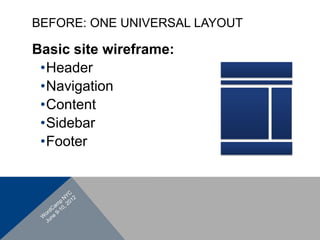




BEFORE: ONE UNIVERSAL LAYOUT

Basic site wireframe:
 • Header
 • Navigation
 • Content
 • Sidebar
 • Footer
Unique and
customizable layouts
(WP for a blog)

Automatic template
rendering
(WP as a CMS)
WHY IS THIS GOOD FOR BLOGS?
•  Be creative with layouts
•  Design different layouts for different
   purposes
•  Give visitors more points of entry
WHY IS IT GOOD FOR CMS SITES?
•  Create different designs for each of
   your static pages
•  Design templates will be applied
   automatically
index.php
styles.css
WP Managed pages
WP Assisted pages
Static Pages
if (is_home()) {
   Do something
}
•  Easier to
   understand
•  Easier to
   manage
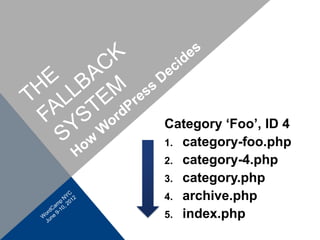
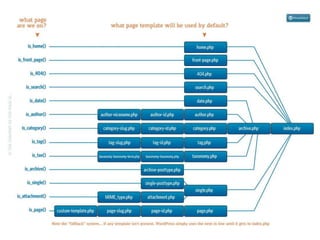
Category ‘Foo’, ID 4
1.  category-foo.php
2.  category-4.php
3.  category.php
4.  archive.php
5.  index.php
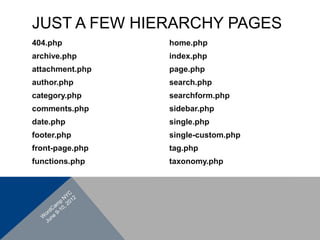
JUST A FEW HIERARCHY PAGES
404.php          home.php
archive.php      index.php
attachment.php   page.php
author.php       search.php
category.php     searchform.php
comments.php     sidebar.php
date.php         single.php
footer.php       single-custom.php
front-page.php   tag.php
functions.php    taxonomy.php
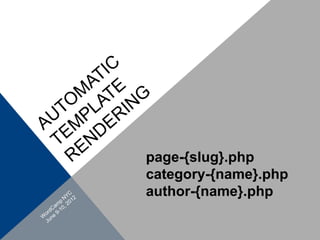
page-{slug}.php
category-{name}.php
author-{name}.php
RESOURCES
WordPress Codex:
http://codex.wordpress.org/Template_Hierarchy
http://codex.wordpress.org/Theme_Development#Query-based_Template_Files


Digging Into WordPress (Chris Coyier and Jeff Starr)
http://digwp.com/2010/09/wordpress-3-template-hierarchy/


WP Tuts +
http://wp.tutsplus.com/tutorials/the-wordpress-theme-files-execution-hierarchy/


This Presentation:
http://bit.ly/WPThierarchy

WordPress Template Hierarchy